How to Connect a Sonos Soundbar to a TV
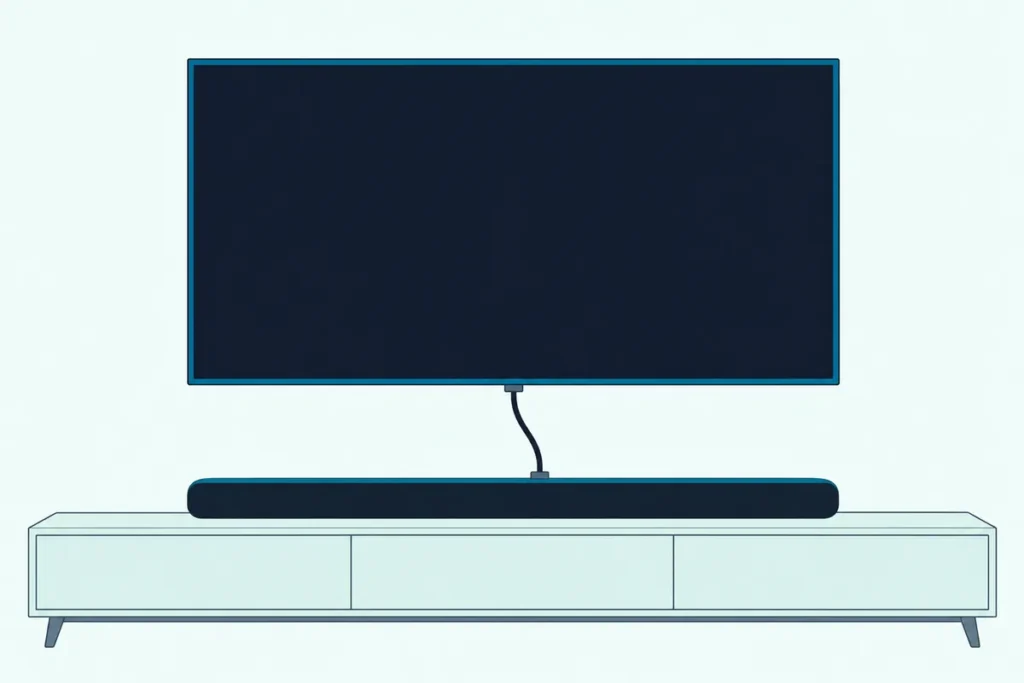
Here’s how to connect a Sonos soundbar to a TV: plug its HDMI cable into the TV’s HDMI ARC or eARC port (or a Ray’s optical cable into the optical out), then finish in the Sonos app.
Skip the app or pick the wrong HDMI port and the bar stays silent, because Sonos says it can’t play TV audio until the app has set it up.
Get both right and your TV remote runs the bar’s volume, while bars with voice control can even switch the TV on and off by voice.
Below you’ll find the port each current Sonos bar needs, the app steps, and the optical route for a TV without ARC, plus what it gives up.
After that come the TV settings to check, the remote and Trueplay setup, and Sonos’s own fixes for a bar that won’t make a sound.
How to Connect a Sonos Soundbar to a TV
Which cable you plug in depends on the bar, and Sonos’s own pages split the range in two. Arc Ultra, Beam Ultra, Arc and Beam connect with an HDMI cable to the TV’s HDMI ARC or eARC port, while Ray connects only with an optical cable to the TV’s digital optical output.
Sonos’s soundbar shop listed Arc Ultra, Beam Ultra, Beam (Gen 2) and Ray on 21 Oct 2026, and the original Arc still has its own setup article. Here’s what each one needs:
| Bar | Connects to the TV with | Cable in the box, per Sonos | If the TV has no HDMI ARC |
|---|---|---|---|
| Arc Ultra | HDMI ARC or eARC port | HDMI cable, 4.9 ft (1.5 m) | Sonos Optical Audio Adapter, sold separately |
| Beam Ultra | HDMI ARC or eARC port | HDMI cable, 4.9 ft (1.5 m) | Sonos Optical Audio Adapter, sold separately |
| Arc | HDMI ARC or eARC port | HDMI cable and optical adapter | Use the included adapter |
| Beam (Gen 2) | HDMI ARC or eARC port | HDMI cable and optical adapter | Use the included adapter |
| Ray | Optical port only | Optical cable | Optical is its only route |
These steps follow Sonos’s Arc Ultra guide and its setup articles for each bar:
- Disconnect any old home theater or surround gear from the TV, and plug streaming boxes and players straight into the TV.
- Turn the TV on, put the bar where it’ll live and plug in its power cable.
- Connect the included cable to the bar, then to the TV’s HDMI ARC or eARC port (on a Ray, the TV’s optical digital out).
- Open the Sonos app and add the bar, and the app tells you which cables and ports to use.
That last step isn’t optional. Sonos says each bar must be set up in the Sonos app before it can play TV audio, so a bar that’s cabled up but never added stays quiet.
If you’re still deciding between these models, Burton Acoustix’s Sonos soundbar comparison sets Arc Ultra, Beam (Gen 2) and Ray side by side.
Which TV Port Does the Sonos HDMI Cable Go In?
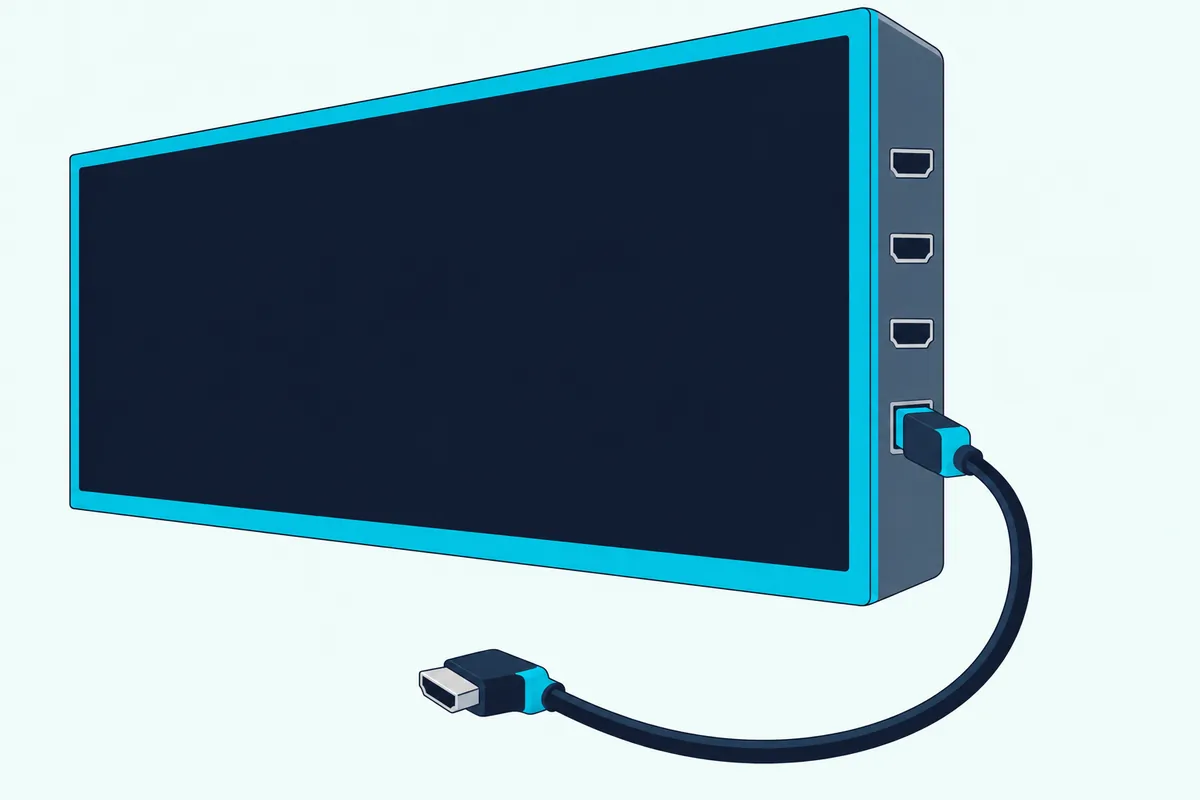
That HDMI ARC port is the detail to get right, because most TVs carry several HDMI ports. The cable goes in the one labeled ARC, eARC or ARC/eARC, and Sonos’s Beam guide warns that a Beam plugged into a standard HDMI port plays no sound at all.
Sonos adds that most TVs have only one HDMI ARC port, and that it looks like the others and may sit on the back or the side. If you can’t see a label, the TV’s manual will show which port it is.
eARC matters for the biggest formats. Sonos’s format list marks Dolby TrueHD, Dolby Atmos in TrueHD and multichannel PCM as needing an eARC connection on Arc, Arc SL, Arc Ultra, Beam (Gen 2) and Beam Ultra, while plain ARC still carries Dolby Digital Plus and the Atmos carried inside it.
If setup stops on an HDMI ARC error, Sonos’s HDMI ARC error article gives three fixes in order. Unplug and firmly reseat the cable at both ends, confirm it’s in the ARC-labeled port, then try a different HDMI cable.
That third fix is the one step where you might buy something, since a faulty cable can cause the error. UGREEN’s 6.6 ft Certified Ultra High Speed HDMI cable is a spare that also reaches farther than the 4.9 ft cable Sonos packs with Arc Ultra and Beam Ultra.

UGREEN’s 6.6 ft Certified Ultra High Speed HDMI cable
Get Studio Tips Weekly
Join 5,000+ creators getting acoustic treatment advice every week.
No spam. Unsubscribe anytime.How Do You Add a Sonos Soundbar in the Sonos App?
That ARC-labeled port is only half the hookup, and the Sonos app does the rest. Download the Sonos app for iOS or Android, then under Get started with setup choose Speaker or component, sign in to (or create) a Sonos account, then select Add on the pop-up showing your bar.
Already have Sonos speakers? Go to Settings, select Add Speaker or Component and follow the steps, and the bar is added to your existing system.
Have your WiFi network name and password ready. Sonos’s setup guide says the bar and the phone running the Sonos app need to be on the same WiFi network.
The app then walks through the TV side, including which cable and port to use, and it guides an optical bar through setting up your TV remote. Trueplay tuning is offered along the way too.
If the app sits on the Searching for nearby products screen, check that the bar’s status light is flashing green. A bar that was set up on another system won’t flash green, and Sonos’s fix is a factory reset, which our factory reset steps for each Sonos bar cover.
Sonos’s other fixes: reboot the bar, move it closer to the router with your phone within 10 feet of it, or try another phone or tablet that has the app. A bar with an Ethernet port can also be wired to the router for setup, and reading the Sonos status light in pairing mode explains what each color means.
Can You Connect a Sonos Soundbar to a TV Without HDMI ARC?
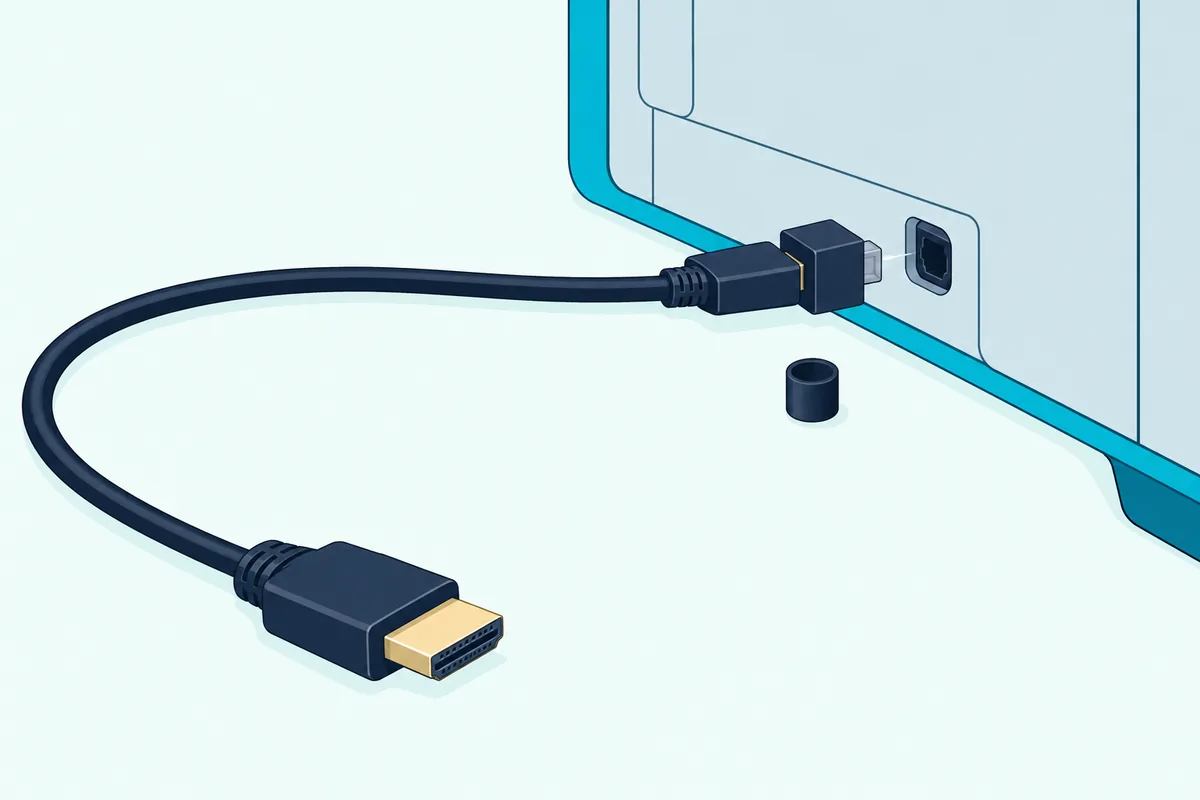
Those app steps don’t change on a TV without HDMI ARC, but the cable does. Yes, through the TV’s digital optical output: Arc and Beam come with Sonos’s optical audio adapter, which fits on the end of the HDMI cable, while Arc Ultra and Beam Ultra need the Sonos Optical Audio Adapter bought separately.
Remove the adapter’s protective cap, attach it to the HDMI cable, then push it into the TV’s optical digital OUT port. The port is D-shaped, and Sonos warns that inserting the adapter out of line can damage it.
Ray needs no adapter. Its included optical cable runs from the bar’s optical port to the TV’s optical digital OUT port, with the protective cap pulled off each end first.
Amazon’s listings on 21 Oct 2026 showed only third-party HDMI-to-optical converters, not Sonos’s adapter, and Sonos names only its own. That route also gives up three things, per Sonos:
- TV control: Sonos’s TV requirements say you can’t control the TV through CEC or voice on optical, so voice commands can’t switch the TV on or off.
- Dolby Atmos: Arc, Arc Ultra, Beam (Gen 2) and Beam Ultra must be on HDMI ARC or eARC to play any Atmos content.
- Any remote: optical bars answer only infrared (IR) remotes, set up by hand in the app.
Which TV Settings Does a Sonos Soundbar Need?
Those two routes, HDMI ARC and optical, both depend on the TV’s own settings. Turn on the TV’s HDMI-CEC setting for an HDMI bar, send the TV’s audio to the bar rather than its own speakers, and set the digital audio format to one the bar supports.
Sonos says the bar can’t send commands to the TV with CEC switched off. On optical, it notes the TV may still be set to play through its internal speakers, so check that the audio output is the optical port.
For the format, Sonos points to the TV’s Sound or Audio menu, typically a setting called Digital Audio Format or Audio Output. Every Sonos home theater bar takes stereo PCM, Dolby Digital and DTS, though DTS isn’t available on bars still running the older S1 Controller app.
Sonos leaves the exact menu to the TV maker, so these names come from Samsung’s eARC article, LG’s webOS 2025 user guide and Sony’s BRAVIA help guide:
| TV maker | Send the sound to the bar | HDMI-CEC setting |
|---|---|---|
| Samsung | Settings > Sound > External Speakers, then HDMI eARC | Anynet+ (HDMI-CEC) |
| LG | Sound Out set to HDMI(ARC) Device (Optical Out Device for optical) | SIMPLINK (HDMI-CEC) |
| Sony | Settings > Display & Sound > Audio output > Speakers > Audio system | BRAVIA Sync control |
Samsung’s article adds a Digital Output Audio Format choice of PCM, Auto or Pass-Through to try when eARC misbehaves. For other makers, every TV brand’s soundbar menu is laid out on our general hookup page.
How Do You Control a Sonos Soundbar With Your TV Remote?
That CEC setting also settles the remote question. On HDMI ARC, Sonos says your TV remote works automatically with no setup, IR or RF, as long as CEC is on.
On optical, the bar learns an IR remote instead. The app walks you through it during setup, or later under Settings, your room, then Home Theater > Remote Control Setup.
Optical bars respond only to infrared, and Sonos names four remotes that don’t send IR by default: Apple TV, Samsung One, Samsung F Series and the LG Magic Remote. Each needs extra setup first, such as adding Sonos as a Home Theater System on Optical in Samsung’s Universal Remote setup.
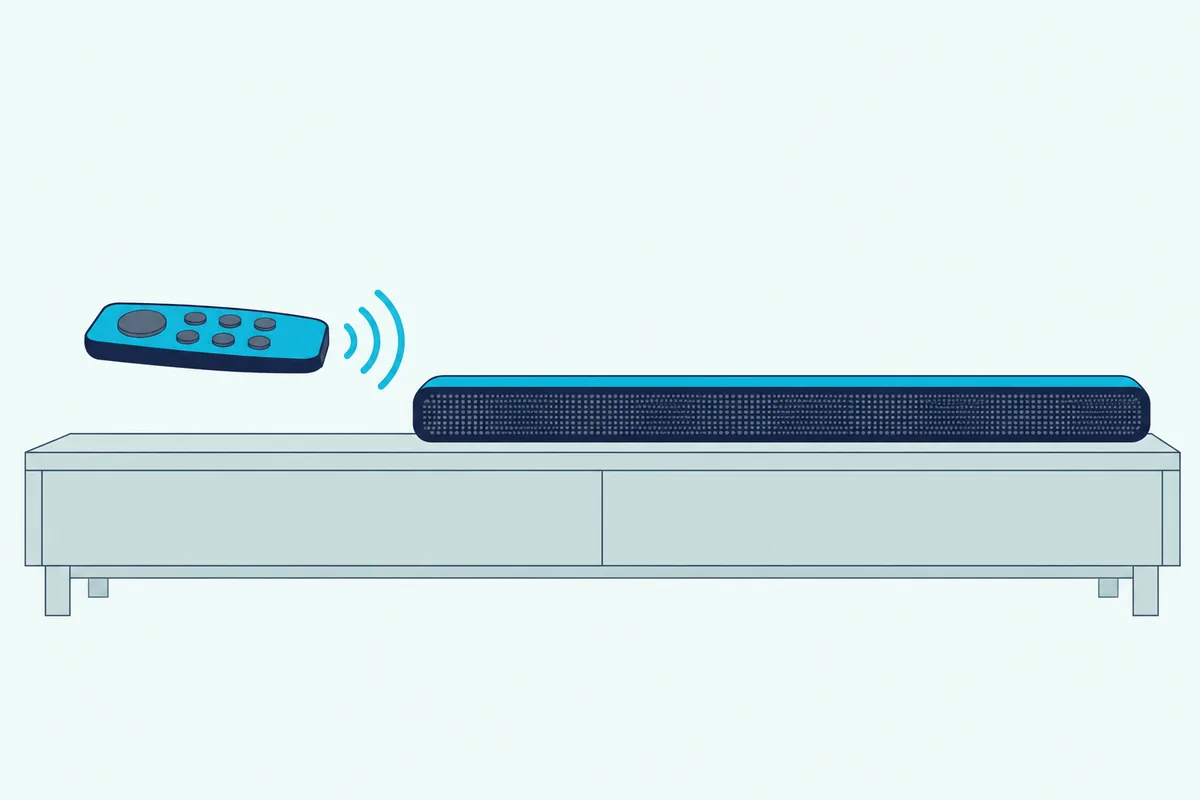
Not sure which kind you have? Cover the front of the remote and press volume, and if the TV still responds, it’s RF; Sonos also suggests looking at the front through a phone camera for a faint IR light.
Only one remote can be programmed at a time, and Sonos puts the range of an IR remote at about 15-20 feet (4.5-6 meters). Keep the bar’s IR sensor clear of objects in the way.
Should You Run Trueplay After Connecting a Sonos Soundbar?
Once the bar plays and the remote works, tuning is the last step. Yes: Sonos’s Trueplay article says it measures how sound reflects off the room’s walls, furnishings and other surfaces, then fine-tunes the bar for where it sits.
Arc Ultra and Beam Ultra can quick tune with their own microphones from an iOS or Android device, or run advanced tuning from iOS. Most other Sonos bars need an iOS device, which Sonos says you can borrow, since Trueplay only needs doing once per product while it stays in the same place.
Go to Settings, select the bar, then Sound > Trueplay > Trueplay Tuning. Keep the room quiet, don’t touch the volume while the test sound plays, and tune again if you move the bar.
Why Is There No Sound From a Sonos Soundbar on a TV?
A silent bar, or a TV that isn’t recognizing it, sends you back through the steps above, and Sonos’s error messages say which one. Here’s what each means and what Sonos says to do:
| What you see | What Sonos says to do |
|---|---|
| HDMI ARC not detected | No audio arrived over HDMI: check it’s in the ARC port, with the TV on and playing a show |
| No signal from TV detected | The same on optical: check the optical port, with the TV on and playing |
| Silent on optical | Pull the dust cap off the cable or adapter, and set the TV to output through the optical port |
| Audio signal that is not supported | Set Digital Audio Format or Audio Output to a supported format, on the TV and then the source device |
| CEC broadcast blocked | Unplug the other HDMI devices, add them back one at a time, and turn off CEC on the one that triggers it |
| Sound behind the picture | Reboot the TV and source, turn off extra audio processing, or switch the format to Stereo (PCM) |
| Sound ahead of the picture | Delay it with TV Dialog Sync under the app’s Home Theater settings |
Some streaming content arrives as Dolby Digital Plus, Sonos notes. Its format list gives that format only to Arc, Arc SL, Arc Ultra, Beam (Gen 2) and Beam Ultra, so on a Ray, set the streaming device to stereo PCM or Dolby Digital instead.
Frequently Asked Questions
Can you pair a Sonos soundbar to a TV over Bluetooth?
Sonos’s setup articles don’t connect a soundbar to a TV that way: each one wires the bar to the TV with an HDMI or optical cable and adds it in the Sonos app over WiFi. Arc Ultra does have a Bluetooth button, but Sonos’s steps use it to pair a device to the bar from that device’s Bluetooth settings, and none of its TV setup steps connect a TV wirelessly.
Does a Sonos soundbar come with an HDMI cable?
Yes for the HDMI bars. Sonos lists a 4.9 ft (1.5 m) HDMI cable in the Arc Ultra and Beam Ultra boxes, and its Arc and Beam setup articles mention the included HDMI cable and optical adapter. Ray comes with an optical cable instead, and Arc Ultra and Beam Ultra need the optical adapter bought separately.
Do you need WiFi to connect a Sonos soundbar to a TV?
Yes for setup. Sonos says each bar has to be set up in the Sonos app before it plays TV audio, with the bar and the phone on the same WiFi network, so have the network name and password ready.
Should the cable box plug into the Sonos soundbar or the TV?
Into the TV. Sonos’s Arc Ultra guide says to connect external devices, like a streaming box or DVD player, directly to the TV, and its Arc guide says the bar plays sources connected to the TV, including cable boxes and game consoles.