Best MIDI Keyboard for Pro Tools: Picks by What Each One Controls
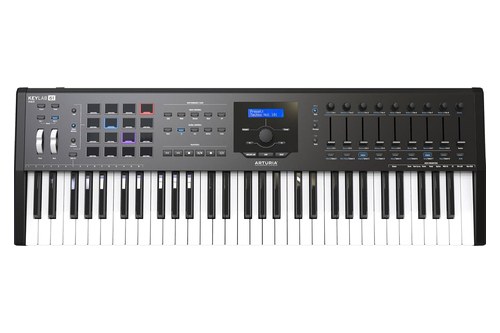
- ✓ Pro Tools DAW preset with a magnetic overlay
- ✓ 9 faders, 9 encoders and 16 pads
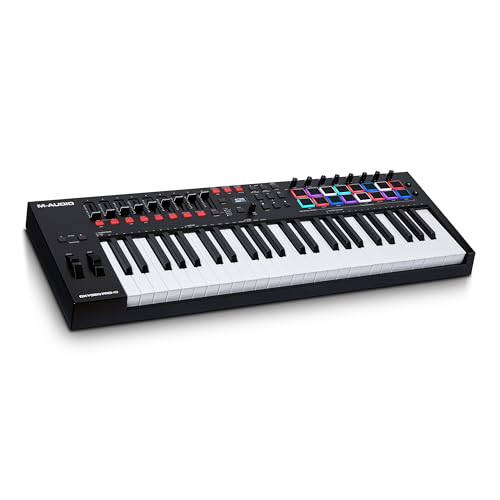
- ✓ P.T. setting on the keyboard
- ✓ 9 faders, 8 knobs and 16 pads
- ✓ Pro Tools steps for Mac and Windows in the guide
- ✓ 9 faders, 8 encoders and 16 pads
- ✓ 88-note hammer action keybed
- ✓ Pro Tools DAW preset with a magnetic overlay
- ✓ Published HUI chart with a Pro Tools column
- ✓ MIDI In, two outs, CV and Gate
- ✓ Custom scripts for five DAWs plus MCU and HUI
- ✓ 9 faders, 9 endless encoders and 8 pads in 2 banks
- ✓ P.T. setting on the keyboard
- ✓ 4 faders, 4 knobs and 8 pads
- ✓ 61 full-size semi-weighted keys
- ✓ Transport buttons with a HUI mode
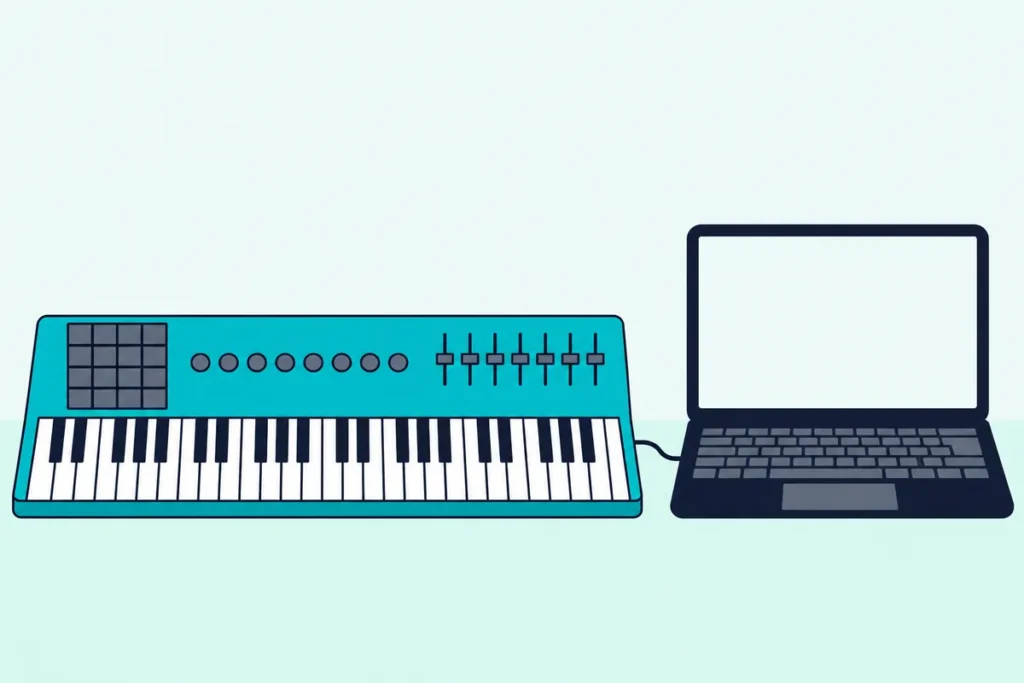
Picking the best MIDI keyboard for Pro Tools comes down to what its faders and transport buttons do, because almost any class-compliant USB keyboard will play notes and far fewer have a documented route into the mixer.
Buy on key feel alone and you can end up with faders that sit idle in your session, transport buttons nobody mapped, or a bundled instrument collection with no AAX version to load.
Choose a board with a stated Pro Tools route and the same keyboard records your parts, rides eight track volumes and starts and stops the session from the desk.
The picks and a table of each one’s Pro Tools support come first, followed by what HUI can and can’t do, which keyboards Avid names, and how bundled software behaves.
Start with the table, then read the card for the size that fits your desk.
What Is the Best MIDI Keyboard for Pro Tools?
Those faders and transport buttons decide the ranking. The best MIDI keyboard for Pro Tools for most studios is the Arturia KeyLab 61 MkII, because Arturia’s KeyLab MkII User Manual lists a Pro Tools preset in DAW mode and a magnetic overlay that relabels the buttons to match.
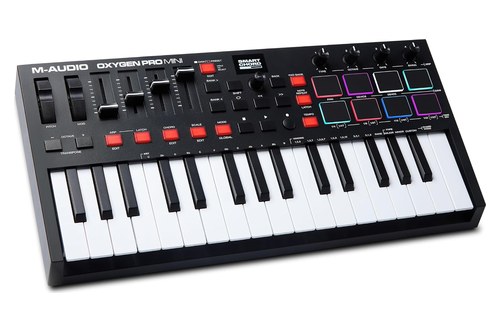
If you’d rather stay at 49 keys, the M-Audio Oxygen Pro 49 keeps a Pro Tools setting on the keyboard itself. If hardware synths share the desk, the Novation 61SL MkIII runs HUI and still routes MIDI and CV to the rest of the rig.
The table runs from the most complete Pro Tools route to the plainest board, and the last column shows where you switch each one on:
| Keyboard | Keys | Pro Tools route, in the maker’s terms | Faders | Pads | Where you switch it on |
|---|---|---|---|---|---|
| Arturia KeyLab 61 MkII | 61 semi-weighted | Pro Tools DAW preset with a magnetic overlay | 9 | 16 | Hold DAW mode for 1 second, pick the preset |
| M-Audio Oxygen Pro 49 | 49 semi-weighted | P.T. setting, then HUI in Pro Tools | 9 | 16 | Hold the DAW button, scroll to P.T. |
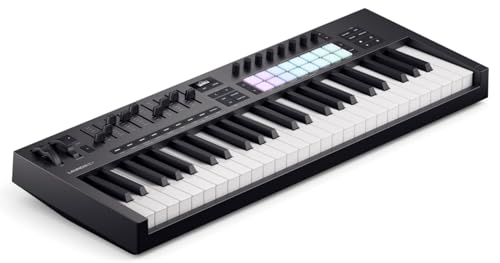
| Novation Launchkey 49 MK4 | 49 semi-weighted | HUI, with Pro Tools steps in the guide | 9 | 16 | In Pro Tools, under Peripherals |
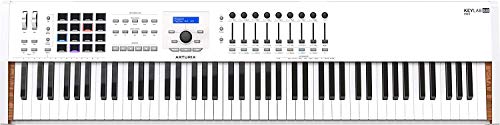
| Arturia KeyLab 88 MkII | 88 hammer action | The same DAW preset and overlay | 9 | 16 | Hold DAW mode for 1 second, pick the preset |
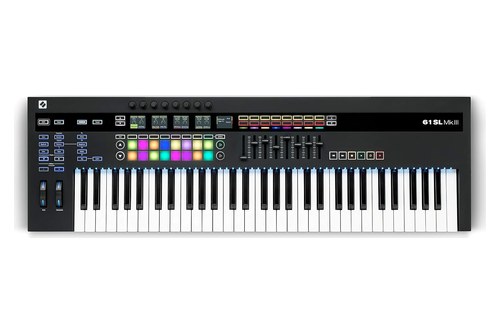
| Novation 61SL MkIII | 61 synth-style semi-weighted | HUI through its InControl port | 8 | 16 | Press InControl |
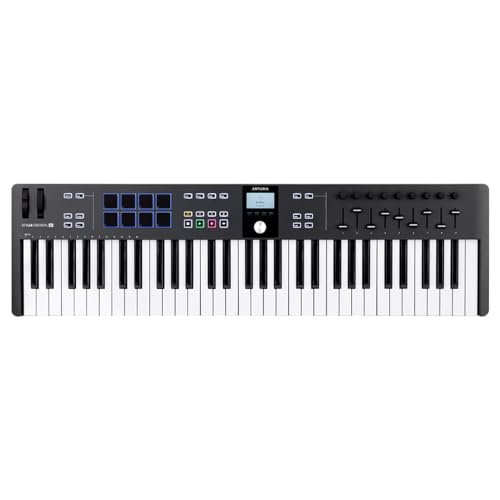
| Arturia KeyLab Essential 61 mk3 | 61 synth-action | MCU/HUI port, off by default | 9 | 8, in 2 banks | Turn it on in MIDI Control Center |
| M-Audio Oxygen Pro Mini | 32 mini, semi-weighted | P.T. setting, then HUI in Pro Tools | 4 | 8 | Press Preset/DAW in DAW mode, scroll to P.T. |
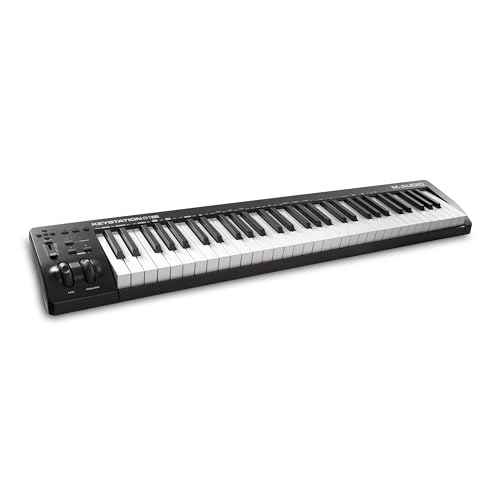
| M-Audio Keystation 61 MK3 | 61 semi-weighted | Mackie Control, HUI or MIDI on its transport buttons | 1 volume fader | None | Advanced button, then the DAW key |
The descriptions come from the makers’ manuals and spec pages. Every pick met Burton Acoustix’s rating, review and stock checks on 6 November 2026.
Arturia KeyLab 61 MkII
For one keyboard that plays parts and rides a mix, the Arturia KeyLab 61 MkII gives Pro Tools a preset of its own. Hold the DAW mode button for one second, turn the center knob to Pro Tools and click it, and the panel reconfigures for that session.
Arturia KeyLab 61 MkII
In that preset, Solo, Mute, Record, Read and Write work on the current track, while Save, Punch, Mix, Proj and Undo cover the session. The Metro button becomes a Project button, so fit the magnetic overlay Arturia supplies and the labels will match.
Faders 1 to 8 set the levels of the selected bank of eight tracks, fader 9 sets the master volume, and the first eight encoders pan those tracks. Encoder 9 has no job in DAW mode, and you can set the faders to jump straight to a new value or wait until they reach the current one.
Under your hands sit 61 semi-weighted keys with channel aftertouch and 16 pads with polyphonic aftertouch. The rear panel adds MIDI In and Out, sustain, expression, three aux pedal inputs and CV connections for modular gear.
Arturia’s newer KeyLab mk3 manual names Ableton Live, Logic Pro, Bitwig Studio, FL Studio and Cubase for deep integration and sends other DAWs to Standard MCU or Standard HUI. That’s why the older MkII takes the top spot on a Pro Tools list.
M-Audio Oxygen Pro 49
If 49 keys suit your desk, the M-Audio Oxygen Pro 49 keeps a Pro Tools setting on the keyboard. M-Audio’s Oxygen Pro setup article has you hold the DAW button, scroll to P.T. with the encoder and press it, which maps the transport, faders, knobs and DAW shortcuts for Pro Tools.
M-Audio Oxygen Pro 49
The same article then has you choose Mac or Win in the Global menu. In Pro Tools you tick both Oxygen Pro, USB MIDI and Oxygen Pro, Mackie/HUI in MIDI Input Devices, then choose HUI with eight channels under Peripherals.
Two modes keep the controls apart: DAW mode sends them to Pro Tools, and Preset mode sends them to virtual instrument parameters. That lets the same nine faders and eight knobs ride track levels one minute and shape a synth the next.
The 49 semi-weighted keys carry channel aftertouch, and the 16 RGB pads have Note Repeat for drum parts. You also get an OLED screen, a 1/4-inch sustain input and a 5-pin MIDI output in a body 31.5 inches wide that weighs 9.3 lbs.
M-Audio’s page lists Ableton Live Lite and MPC Beats in the bundle and no Pro Tools edition, so plan on your own copy or Avid’s free Pro Tools Intro.
Novation Launchkey 49 MK4
For a HUI setup written out for both Mac and Windows, the Novation Launchkey 49 MK4 is the easiest of these to follow. Novation’s user guide gives Pro Tools its own steps: Setup > Peripherals, the MIDI Controllers tab, Type set to HUI, and eight channels.
Novation Launchkey 49 MK4
On a Mac you receive from Launchkey 49 DAW Out and send to Launchkey 49 DAW In, and on Windows you use the emulated MIDIIN2 and MIDIOUT2 ports. Novation’s spec list keeps custom scripts for Ableton Live, Logic, Cubase, Reason, FL Studio and Ardour, and calls it compatible with all other DAWs through HUI.
Over HUI, the guide has the faders on track volume, the encoders on pan or Sends A to E, the pads on Mute and Solo, and the buttons on Select and Arm. The transport buttons follow Pro Tools, and holding Shift with a Track button jumps eight tracks at a time.
The hardware is a lot for the size, with 49 semi-weighted keys, 16 pads with polyphonic aftertouch, eight endless encoders and nine faders. It runs on USB bus power, weighs 4.08 kg, and has a 5-pin MIDI output and a sustain input.
Novation says to update the firmware through its Components app when you first plug in, or many features may not work. It also warns that HUI’s features differ from the keyboard’s usual DAW control section, so don’t expect every label on the panel to apply.
Arturia KeyLab 88 MkII
For full piano parts, the Arturia KeyLab 88 MkII puts the same Pro Tools preset over an 88-note hammer action keybed. Its keys sense velocity and channel aftertouch, and Arturia’s manual covers it alongside the 61-key model, so the DAW mode notes above apply here too.
Arturia KeyLab 88 MkII
That makes it the pick for writing with both hands across the whole range and then mixing from the same board. You give up nothing on the panel, since the nine faders, nine encoders, 16 pads and the overlay all carry over.
Arturia calls the KeyLab MkII class compliant, and the USB cable carries its power. You only need an optional 9-12 V DC supply when its MIDI Out drives hardware with no computer attached.
Arturia’s manual gives no size or weight, so measure your desk or stand first. If this one looks too big for the room, compare the best 88 key MIDI controller picks by weight and action.
Novation 61SL MkIII
If Pro Tools shares the room with hardware synths, the Novation 61SL MkIII connects both sides. Novation’s page lists HUI compatibility with Pro Tools, and its SL MkIII User Guide prints a feature chart with a Pro Tools column.
Novation 61SL MkIII
Press InControl and the board switches to HUI view as soon as it detects a heartbeat message from Pro Tools, then drops back if that stops for more than three seconds. The eight faders set track volume, the knobs set pan or send groups A to E, and the soft buttons handle Mute, Solo and Arm.
The rest reads like a studio hub, with MIDI In, Out and Out 2/Thru, three pedal inputs, two sets of CV, Gate and Mod outputs, an analog clock output and an eight-track sequencer. Its 61 synth-style semi-weighted keys carry aftertouch, and the 16 pads have polyphonic aftertouch.
It’s the one pick that won’t run on USB alone, since Novation says it must be powered by the supplied adapter. The chart also marks track names, count-in and metronome as unsupported in Pro Tools, so its five screens won’t show your track names.
Arturia KeyLab Essential 61 mk3
If Pro Tools shares your week with Ableton Live or Logic Pro, the Arturia KeyLab Essential 61 mk3 covers both sides, with scripts for those DAWs and MCU or HUI for the rest. Pro Tools sits on the second list, alongside anything else without a script.
Arturia KeyLab Essential 61 mk3
Arturia’s manual says the board defaults to not outputting MCU or HUI, so you switch it on in MIDI Control Center first. Choose HUI there, since that’s the protocol in Pro Tools’ Type menu.
It then works through a dedicated MCU/HUI port, which keeps control messages away from your notes. In a scripted DAW the manual says to make sure that port isn’t activated, so expect to change the setting when you swap software.
The panel has nine faders, nine endless encoders and eight pads in two banks, over 61 velocity-sensitive, synth-action keys. It’s USB-C powered, with one 1/4-inch input for a sustain, switch or expression pedal and a 5-pin MIDI output.
Arturia’s page for the KeyLab Essential mk3 lists AAX among the formats its software works in, and the section on bundled software explains why that matters here.
M-Audio Oxygen Pro Mini
For a laptop bag or a shallow desk, the M-Audio Oxygen Pro Mini keeps the same P.T. setting on 32 mini keys. M-Audio’s setup article has you press Preset/DAW while in DAW mode and scroll to P.T., and it says the Mac or Windows step isn’t available on this model, so skip it.
M-Audio Oxygen Pro Mini
From there the Pro Tools side matches the Oxygen Pro 49, with both USB ports ticked in MIDI Input Devices and HUI chosen under Peripherals. The catch is the count: four faders, four knobs and four buttons, against the eight channels that article sets.
You still get velocity-sensitive semi-weighted mini keys, eight RGB pads with Note Repeat and pitch and modulation wheels. A 1/4-inch sustain input and a MIDI output round it out, and USB supplies the power.
Mini keys suit bass lines, drum parts and quick sketches more than two-handed playing. If you can spare the width, a 49-key board will ask for fewer octave shifts.
M-Audio Keystation 61 MK3
For five octaves and few extras, the M-Audio Keystation 61 MK3 still gets HUI where it counts. M-Audio’s spec sheet lists Mackie Control, Mackie/HUI or MIDI for its transport and directional controls.
M-Audio Keystation 61 MK3
You choose in the keyboard’s Edit Mode: press Advanced, press the key labeled DAW, check that the plus and minus LEDs are red for HUI, then press Enter. M-Audio’s guide says those controls go out on Virtual Port 2, so that’s the port to pick in Pro Tools.
The panel keeps to a volume fader, pitch and modulation wheels, octave buttons, and the transport and directional buttons. Below them sit 61 full-size, velocity-sensitive, semi-weighted keys, with a sustain pedal input and a 5-pin MIDI output on the back and USB for power.
It suits writers who work in the Edit window and only want Play, Stop and Record within reach. M-Audio gives its width as 39.2 inches and its weight as 9.0 lbs.
How Does Pro Tools See a MIDI Keyboard?
Nearly every card above names two settings, and this is why. Pro Tools sees a MIDI keyboard in two places: Setup > MIDI > Input Devices for the notes you record, and Setup > Peripherals > MIDI Controllers for the controls that run the session.
Avid’s Pro Tools Reference Guide says a device has to be enabled in the MIDI Input Enable dialog before you can record from it. It also says devices assigned as a MIDI Controller in Peripherals are ignored when MIDI tracks are recorded, so control data stays out of your takes.
That rule explains the second USB port on these keyboards. Notes leave through one port, while faders and transport leave through another: DAW Out on the Launchkey, Mackie/HUI on the Oxygen Pro, InControl on the SL MkIII and MCU/HUI on the KeyLab Essential.
The note side needs no special support. Arturia calls the KeyLab MkII a class-compliant USB device whose drivers install automatically, and M-Audio says the Keystation 61 MK3 needs no drivers.
If Pro Tools doesn’t list the keyboard at all, Avid’s support article sends you to the computer first. On a Mac, look in Audio MIDI Setup under MIDI Studio, and on Windows, look in Device Manager under Sound, Video and Game Controllers.
Try this once everything’s connected: record-enable an Instrument track, move a fader, then play a chord. The fader should change a level, and only the chord should land in the clip.
What Does HUI Do in Pro Tools?
That second port usually carries HUI. HUI turns a keyboard into a basic control surface in Pro Tools, so its faders set track volumes, its knobs set pan and its buttons run the transport.
Novation’s Launchkey guide describes HUI, short for Human User Interface, as a MIDI protocol that lets controllers talk to DAWs without custom scripts. Avid’s guide says Pro Tools supports some MIDI control surfaces that use HUI controller personalities, which are files installed in the Controllers folder inside the Pro Tools application folder.
Avid’s comparison page marks HUI-compatible control surfaces for all four editions, so free Pro Tools Intro gets the same route as Ultimate. If you want the wider picture, Burton Acoustix’s DAW controller guide compares HUI with the other protocols.
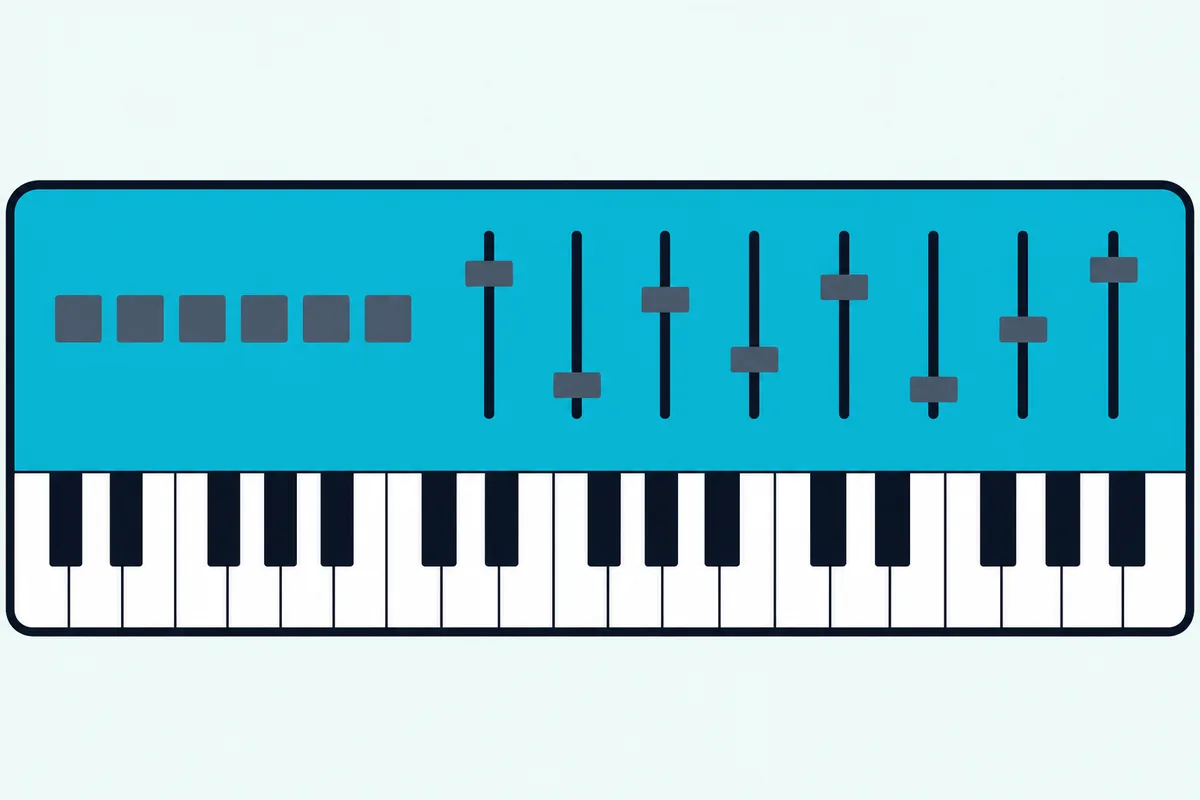
Novation’s SL MkIII guide is the most useful single list of what that means, because its chart has a Pro Tools column:
| Job | Pro Tools on the SL MkIII |
|---|---|
| Volume on the faders | Yes |
| Pan on the knobs | Yes |
| Select, mute, solo and arm a track | Yes |
| Rewind, fast-forward, stop, play, record, loop | Yes |
| Move left and right through tracks | Yes |
| Send groups A to E on the knobs | Yes |
| Save, undo, pre-roll and post-roll | Yes |
| Track names | No |
| Count-in | No |
| Metronome | No |
That chart belongs to one keyboard, and Novation’s Launchkey guide says HUI implementation varies by DAW, so check your own board’s guide too. Still, it’s a fair shopping rule: expect mixing and transport, and plan on the computer for track names, count-in and the click.
What Do the Faders and Transport Buttons Do in a Session?
The chart’s top rows are the ones you’d use all day. A HUI fader moves the volume of the matching track in the current bank of eight, and the transport buttons do the jobs of Play, Stop, Record and Loop in Pro Tools’ own Transport.
Picture a 20-track session. Faders 1 to 8 start on tracks 1 to 8, and one bank move puts them on tracks 9 to 16.
That move varies by maker. On the Launchkey 49 MK4 and the SL MkIII you hold Shift and press a Track button, and on the KeyLab MkII you light the Bank button and press Next.
The ninth fader varies too. Arturia gives it to the master volume, while Novation’s Launchkey guide says that in some DAWs fader 9 controls the main output track.
Record takes one extra press. Avid’s guide says Play starts recording if the Record button was clicked first, and Novation’s chart lists the keyboard’s button as Record (arm), so press Record and then Play.
Save has a habit of its own on the SL MkIII. Novation says the button flashes after the first press because Pro Tools is asking for confirmation, and a second press saves the session.
The KeyLab MkII’s Jump and Pickup settings matter when you bank, because a fader can sit far from the new track’s level. In Jump mode it sends a new value as soon as you move it, and in Pickup mode it waits until it reaches the current value.
Which Keyboards Does Avid’s Own Guide Name?
HUI is the general route, but Avid also names two keyboard lines. Avid’s Pro Tools Reference Guide says Pro Tools supports some HUI surfaces as well as certain M-Audio keyboards and Komplete Kontrol from Native Instruments.
Its MIDI Controllers page lists four types: Command|8 (Windows only), HUI, Surround Panner and NI Komplete Kontrol. That makes Komplete Kontrol the one keyboard range with its own line in that menu, while M-Audio’s own Pro Tools articles set their keyboards to HUI.
Native Instruments’ Kontrol setup article says the S-Series MK3 needs Pro Tools 2023.12 or higher, and the S-Series MK2, A-Series and M32 need 2021.10 or higher. The feature isn’t available on S-Series MK1 keyboards.
Setup is short. You choose Komplete Kontrol under Type, Receive From and Send To fill in on their own, and you restart Pro Tools, with Avid adding that the Komplete Kontrol software has to be installed and configured first.
The function guide then covers two jobs the HUI chart marks No. METRO toggles the click once you’ve created a Click Track, and Shift with REC toggles the count-off.
Mixer mode on the S-Series sets knobs 1 to 8 to volume or pan, and M or S with buttons 1 to 8 mutes or solos a track. The A-Series and M32 have no Mixer mode, though their knobs still adjust volume and pan for the current bank.
The Kontrol S49, S61 and S88 MK3 aren’t among the cards because their listings didn’t meet the same bar on 6 November. If the integration matters more to you than that, check the current listing before you decide.
What Can a Keyboard With No Pro Tools Mode Still Do?
Plenty of good keyboards stop short of those routes. A keyboard with no Pro Tools mode still plays and records notes once it’s ticked in Input Devices, and what’s missing is a documented link from its faders and buttons to the mixer.
Here’s what other makers’ own documents say, and the same check works on any board you’re considering:
| Keyboard | What the maker’s document says about Pro Tools |
|---|---|
| Akai MPK mini IV | Mapping covers Logic Pro, GarageBand, FL Studio, Cubase and Ableton, so Pro Tools isn’t on the list |
| Akai MPK Mini Plus | The user guide doesn’t mention Pro Tools |
| Nektar Impact LX Mini | The integration list leaves Pro Tools out, but Nektar says a template setup for Pro Tools is included |
| Korg Keystage | Pro Tools is on the DAW list, with no extra script marked beside it |
None of that stops those boards playing an instrument, since the keys send ordinary MIDI. The knobs and transport buttons are the part you’d have to work out yourself, so treat the two Akai boards as keyboards for playing rather than mixing, and see our broader MIDI keyboard picks if Pro Tools is only part of your week.
Arturia’s KeyLab MkII also has an MMC preset for DAWs that don’t support MCU or HUI. Avid’s guide describes its Machine Control page as a Pro Tools Ultimate and Studio feature, so check your edition before you count on it.
Will a Keyboard’s Bundled Software Run in Pro Tools?
Software is the other trap on a no-mode board. Bundled instruments run in Pro Tools only if they come in AAX format, the name Avid’s guide uses for its DSP and Native plugins, and makers differ on that.
Akai’s MPK mini IV FAQ is the clearest warning, saying its Studio Instrument Collection supports VST3 and AU and that AAX support for Pro Tools is currently unavailable. Arturia’s KeyLab Essential mk3 page goes the other way, listing AAX alongside VST and Audio Unit.
M-Audio’s setup article shows its instruments on the Pro Tools side, with the steps ending on an Instrument track and an instrument such as Hybrid. Its bundle also adds Ableton Live Lite and MPC Beats, which are DAWs of their own, so they sit beside Pro Tools rather than inside it.
Pro Tools isn’t short of sounds to start with. Avid’s FAQ says the free Pro Tools Intro includes 36 effects and instrument plugins, and the comparison page lists Native Instruments Kontakt 8 Player among the third-party software included with Intro.
So weigh the keyboard first and treat any bundle as a bonus. Check for the word AAX on the maker’s page, because a long plugin list means little if none of it loads.
How Many Keys Do You Need for Pro Tools?
Software aside, the next choice is physical. For most Pro Tools work you need 49 or 61 keys, because 49 gives you four octaves for parts and 61 gives you five for two-handed playing, while 88 keys earn their length on full piano parts.
Measure the space first. Novation lists the Launchkey 49 at 730 mm wide, M-Audio lists the Oxygen Pro 49 at 31.5 inches, and the Keystation 61 MK3 runs to 39.2 inches.
Now picture the desk you mix on, with a computer keyboard in front of the monitors. A 49-key board can sit behind it, while 61 and 88 keys may want a stand or a keyboard tier of their own.
If you write bass lines, drum parts and top lines, 25 or 32 keys will do with octave buttons doing the rest. Anything two-handed will have you shifting octaves mid-take, which how many keys a MIDI controller needs walks through size by size.
Key feel follows the same logic. Semi-weighted keys suit synths, strings and most writing, and the KeyLab 88 MkII’s hammer action is the one to choose if piano is your main instrument.
Do Pads and Aftertouch Matter in Pro Tools?
Width settles the keys, and the controls above them come next. Pads matter if you program drums, and aftertouch matters if your instruments respond to pressure, and Pro Tools records both as MIDI.
The table shows the spread: 16 pads on most picks, eight on the KeyLab Essential and the Oxygen Pro Mini, and none on the Keystation. If you play drum parts by hand, that’s a quick way to narrow the list.
Pressure comes in two kinds here. The KeyLab MkII’s keys send channel aftertouch, and its pads, along with the Launchkey’s and the SL MkIII’s, send polyphonic aftertouch.
Avid’s guide offers a tidy answer if you never use it, since the MIDI Input Filter can stop messages such as Polyphonic Aftertouch being recorded. Choose Setup > MIDI > Input Filter, select All Except, and tick what you don’t want.
Do You Need a Control Surface as Well?
Pads and keys are for playing, and mixing is a different job. You need a separate control surface only if mixing fills more of your day than playing, because a keyboard’s HUI faders stop at the basics and Avid’s EUCON surfaces go much further.
Search for the best MIDI controller for Pro Tools and you’ll see surfaces like these mixed in with keyboards. They do different jobs, since a surface has no keys to play and these keyboards’ faders work over HUI rather than EUCON.
Avid describes EUCON as a high-speed Ethernet protocol that handles more data than protocols relying on MIDI or USB. Its list runs to plugin control, VCA groups, folder tracks, custom layouts and on-surface displays of track names and metering, and none of those gets a Yes in the HUI chart above.
The easiest test is free. Avid Control is a mobile app that supports EUCON, and Avid’s comparison page lists it for all four Pro Tools editions, so you can try that kind of control on a tablet before you buy hardware.
If you like it, Avid describes the S1 as a small, expandable eight-fader surface, with the Dock adding macros and a jog wheel. Between that and a keyboard sit MIDI controllers built around faders, which can share the HUI route.
Does Your Pro Tools Edition Change the Choice?
That free app runs on every edition, and so does HUI. Your Pro Tools edition changes how many instrument and MIDI tracks you can play into, not which keyboards work.
Avid’s comparison page gives these limits:
| Edition | Instrument tracks | MIDI tracks |
|---|---|---|
| Pro Tools Intro | 8 | 8 |
| Pro Tools Artist | 32 | 64 |
| Pro Tools Studio | 512 | 1,024 |
| Pro Tools Ultimate | 512 | 1,024 |
Eight Instrument tracks is a real ceiling on a song built from virtual instruments, so count your usual parts before you settle on Intro. The keyboard itself doesn’t change, which is one reason to buy it first and upgrade the software later.
MMC is the exception, as the section on no-mode boards noted. If your plan relies on it, Avid’s guide puts the Machine Control settings with Studio and Ultimate.
How Do You Set Up a Keyboard in Pro Tools?
Whichever edition you run, setup follows the same two passes. You set up a keyboard in Pro Tools by ticking its ports under Setup > MIDI > Input Devices, then adding its control port under Setup > Peripherals > MIDI Controllers.
- Connect the keyboard, choose its Pro Tools or HUI setting if it has one, and open Pro Tools.
- Choose Setup > MIDI > Input Devices and tick the note port and the control port.
- Choose Setup > Peripherals, open the MIDI Controllers tab, and set Type to HUI.
- Pick the control port under Receive From and Send To, keep # Ch’s at 8, and click OK.
Port names differ on every board, so copy the one from your maker’s document:
| Keyboard | Receive From and Send To |
|---|---|
| M-Audio Oxygen Pro | MIDIIN2 (Oxygen Pro ##) in M-Audio’s article |
| Novation Launchkey 49 MK4 | Launchkey 49 DAW Out and DAW In on a Mac; the emulated MIDIIN2 and MIDIOUT2 on Windows |
| Novation SL MkIII | Novation SL MkIII, SL MkIII InControl or MIDIIN2/MIDIOUT2, depending on your system |
| Arturia KeyLab Essential mk3 | The KL Essential MCU/HUI port |
| M-Audio Keystation 61 MK3 | Virtual Port 2 |
| Native Instruments Kontrol | Fills in as Komplete Kontrol DAW-1 |
Avid allows up to four MIDI controllers in that window, as long as no two share the same ports. If you run a keyboard and a fader box together, give each its own row.
Which Sizes Do the Same Routes Come In?
Those steps carry across each range, so you can often change size without changing the setup. Most of these routes aren’t tied to one key count.
M-Audio’s setup article covers the whole Oxygen Pro series, and the 61-key page names Pro Tools the same way the 49 does. The Oxygen MKV series has its own Pro Tools article and an M|h setting, which M-Audio describes as Mackie/HUI for DAWs like Pro Tools.
Novation’s Launchkey 61 MK4 and Launchkey Mini 37 MK4 guides carry the same HUI steps as the 49, although on the Mini the encoders handle volume and pan. The KeyLab Essential’s manual covers its 49, 61 and 88 models together, and the Keystation 88 MK3 uses the same three protocol choices as the 61.
What Should You Check Before You Buy?
A short list covers most of what can go wrong with those routes. Check that the maker’s own document names Pro Tools or HUI, then go through the rest:
- Second port: look for a DAW, Mackie/HUI, InControl or MCU/HUI port, so control data stays apart from notes.
- Pro Tools version: a Kontrol S-Series MK3 needs 2023.12 or higher, and other boards may carry their own limits.
- Power: the SL MkIII needs its adapter, while the other picks run from the computer.
- Plugin format: look for AAX if the bundle is part of why you’re buying.
If a maker’s document stays silent on Pro Tools, take that at face value and treat the board as a note-playing keyboard. It may still do more, but you’d be the one proving it.
Who Should Buy Which Keyboard for Pro Tools?
That checklist narrows the field, and the way you work settles it.
Songwriters and Composers
Start with the KeyLab 61 MkII if you want the preset and overlay, or the Oxygen Pro 49 if you’d rather save the desk space. Both give you nine faders for balancing a rough mix while you write.
Beat Makers
The Launchkey 49 MK4 is the natural fit, with 16 pads and a written HUI setup. The Oxygen Pro 49 adds Note Repeat, which turns a held pad into a repeated rhythmic pattern.
Pianists and Keyboard Players
The KeyLab 88 MkII is the one with hammer action and a Pro Tools preset. If you only need keys and transport, the Keystation 61 MK3 has the least to learn.
Mixers Who Also Play
Keep the keyboard simple and try the Avid Control app first, since that’s where EUCON’s deeper control lives. Add the KeyLab Essential 61 mk3 if you also work in a scripted DAW.
The Bottom Line
The Arturia KeyLab 61 MkII is the one to beat, because its Pro Tools preset, overlay and nine faders are all documented. The Oxygen Pro 49 brings a Pro Tools setting to a smaller board, and the Launchkey 49 MK4 gives you the clearest HUI steps.
Whichever you buy, set up two things: the note port in Input Devices and the control port under Peripherals. Do that and the keyboard plays your parts and runs your mix from the same spot.
Frequently Asked Questions
Do you need a MIDI keyboard for Pro Tools?
No. Avid’s MIDI page says you can perform with a connected MIDI controller or draw notes into the sequencer with a mouse, so a keyboard is a choice rather than a requirement. Most people who play will still want one, since recording a part by hand is quicker than drawing it note by note, and even a small board gives you velocity from the way you play.
Will any USB MIDI keyboard work with Pro Tools?
Any keyboard your computer can see should play and record once you tick it in Setup > MIDI > Input Devices. Class-compliant boards such as the KeyLab MkII and the Keystation 61 MK3 need no separate driver. What varies is the control side, since faders and transport need HUI, a preset or Komplete Kontrol support, and a board without one of those stays a note-playing keyboard.
Does Pro Tools Intro work with a MIDI keyboard?
Yes. Avid’s FAQ says Intro handles up to eight audio tracks, eight Instrument tracks and eight MIDI tracks, and its comparison page marks HUI-compatible control surfaces for Intro as well as the paid editions. So the same keyboard and the same Peripherals setup carry over if you upgrade later, and the eight-track limit is the only thing you’d notice.
Does the Akai MPK Mini work with Pro Tools?
As a note-playing keyboard, yes, once you tick it in Input Devices. Akai’s MPK mini IV FAQ lists mapping for Logic Pro, GarageBand, FL Studio, Cubase and Ableton and leaves Pro Tools off, and it says AAX support for its Studio Instrument Collection is currently unavailable. So plan on Pro Tools’ own instruments, and don’t count on the knobs or transport buttons working without your own setup.
What is the best MIDI keyboard for Pro Tools First?
Avid’s comparison page now lists four editions, and Pro Tools First isn’t one of them, so Pro Tools Intro is the free place to start. Avid’s FAQ says Intro can open First projects, keeping the first eight tracks. Every pick here suits Intro, since HUI is marked for that edition, and the Oxygen Pro 49 is the simplest fit on a small desk.
Is 25 keys enough for Pro Tools?
It’s enough for bass lines, drum parts, top lines and programming, provided you don’t mind pressing the octave buttons. Two-handed parts are where it runs out, since 25 keys only cover two octaves. For music production as a whole, 49 keys is a safer floor if your desk has room, and the Oxygen Pro Mini’s 32 keys sit between the two.
Is HUI the same as Mackie Control?
No, though they do similar jobs and many boards offer both. M-Audio’s Keystation 61 MK3 lists them as separate modes, and its Oxygen MKV FAQ says Mackie control is typically used for DAWs like Cubase, Studio One, Logic and Reaper, with Mackie/HUI for DAWs like Pro Tools. Avid’s Type menu lists HUI, so that’s the one to choose in Pro Tools.
Can you use two MIDI keyboards in Pro Tools?
Yes. Avid’s guide says multiple MIDI devices and channels can be recorded at once to multiple tracks, and a track’s MIDI input can be set to one device and channel or to All. On the control side you can set up four MIDI controllers in Peripherals, as long as no two use the same source and destination ports.
Can a MIDI keyboard control plugins in Pro Tools?
Sometimes, and it depends on the route. Avid’s guide says MIDI control surfaces can edit plugin parameters, but the HUI lists from Novation stick to volume, pan, sends and transport. Native Instruments ties its integration to the Komplete Kontrol and Kontakt plugins, and Avid’s EUCON pages describe plugin control as a surface feature, so check your board’s guide for what it covers.