Best MIDI Keyboard Picks From 25 to 88 Keys
Finding the best MIDI keyboard starts with two numbers the product photos hide: how many keys you’ll play at once and how much of your desk the board will take.
| Product |
|---|
Best Overall 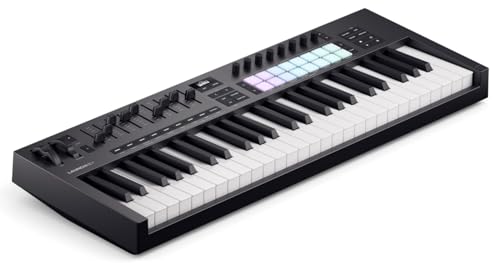 |
Best Mini With Pads 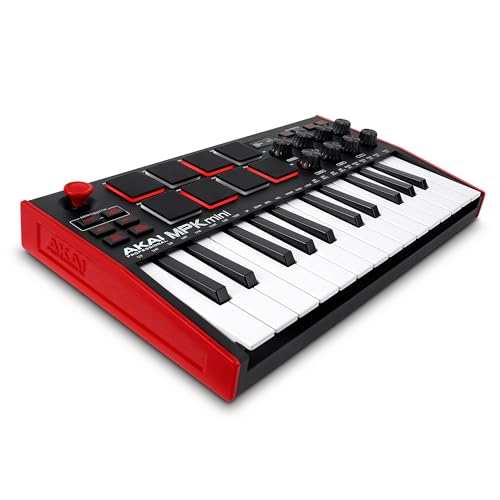 |
Best for Beginners 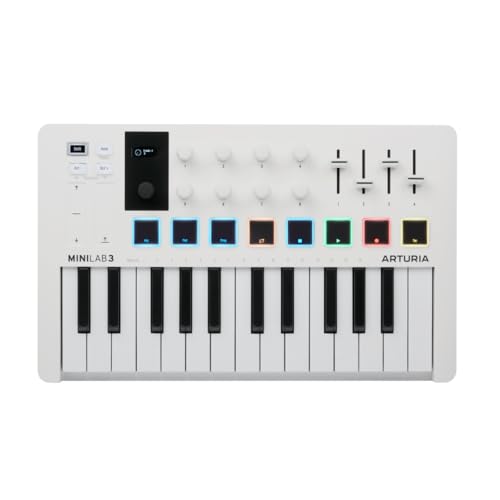 |
Best Wireless 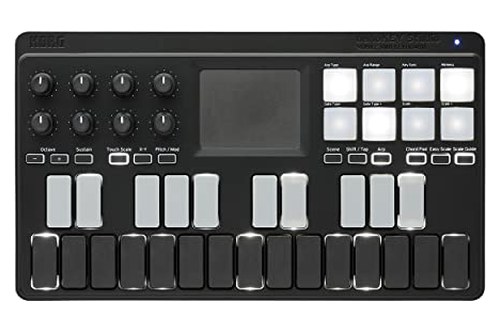 |
Best for Hardware Synths 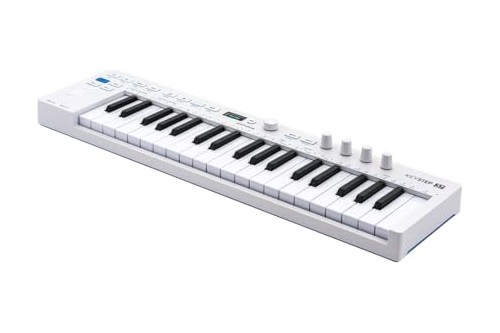 |
Best Keys-Only 49 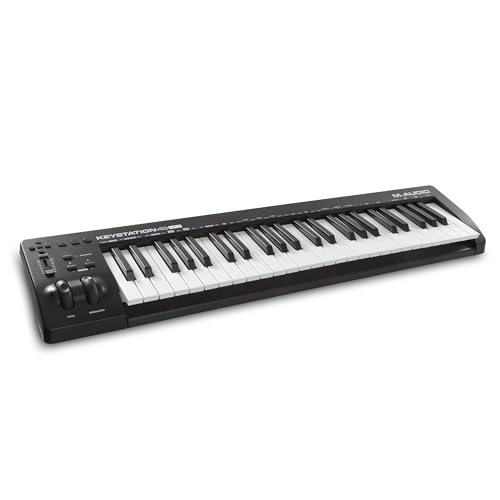 |
Best Light 49-Key 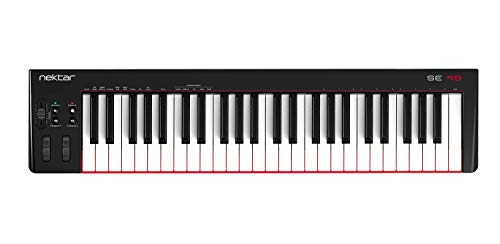 |
Best 61-Key 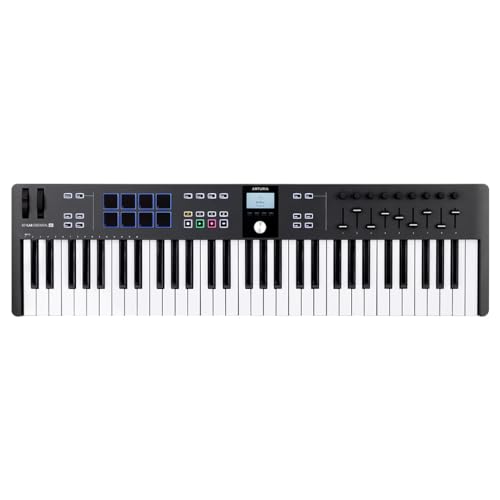 |
Most Pads at 61 Keys 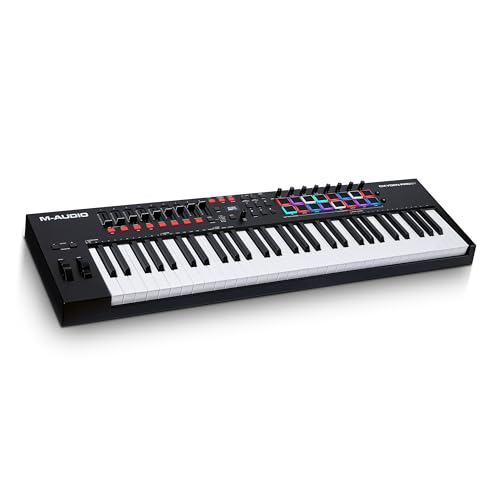 |
Best Semi-Weighted 88 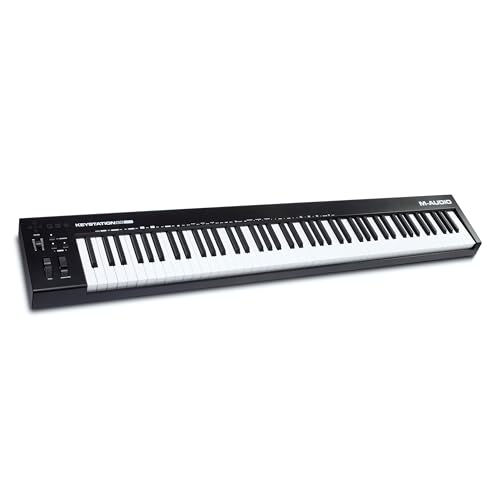 |
- ✓ 16 velocity-sensitive pads with polyphonic aftertouch, 9 faders and 8 endless encoders
- ✓ Custom scripts for Ableton Live, Logic, Cubase, FL Studio, Reason and Ardour
- ✓ 8 backlit pads, velocity- and pressure-sensitive, in 2 banks
- ✓ 8 assignable 360-degree knobs and a thumbstick for pitch and modulation
- ✓ Analog Lab Intro, Ableton Live Lite and a Komplete 15 Select bundle included
- ✓ 8 pads in 2 banks, 8 encoders and 4 sliders
- ✓ Bluetooth MIDI to iPhone, iPad, Mac and Windows, or a USB cable
- ✓ Two AAA batteries last about 10 hours on alkaline cells (Korg)
- ✓ Polyphonic step sequencer of up to 64 steps with 8 voices
- ✓ MIDI DIN in and out, 4 CV/Gate outputs and Sync in and out
- ✓ Transport and directional buttons for DAW control
- ✓ USB-powered and class-compliant, with no drivers to install
- ✓ 49 full-size keys in a 2.2 kg case
- ✓ Nektar DAW Integration for Logic, GarageBand, Cubase, Reaper, Studio One and more
- ✓ 9 faders, 9 encoders and 8 pressure-sensitive pads in 2 banks
- ✓ Custom DAW scripts for FL Studio, Logic Pro, Ableton Live, Cubase and Bitwig Studio
- ✓ 16 RGB pads with Note Repeat, 9 faders and 8 knobs
- ✓ Semi-weighted keys with channel aftertouch
- ✓ 88 full-size semi-weighted keys at 13.75 lb
- ✓ 5-pin MIDI out, plus sustain and expression pedal inputs
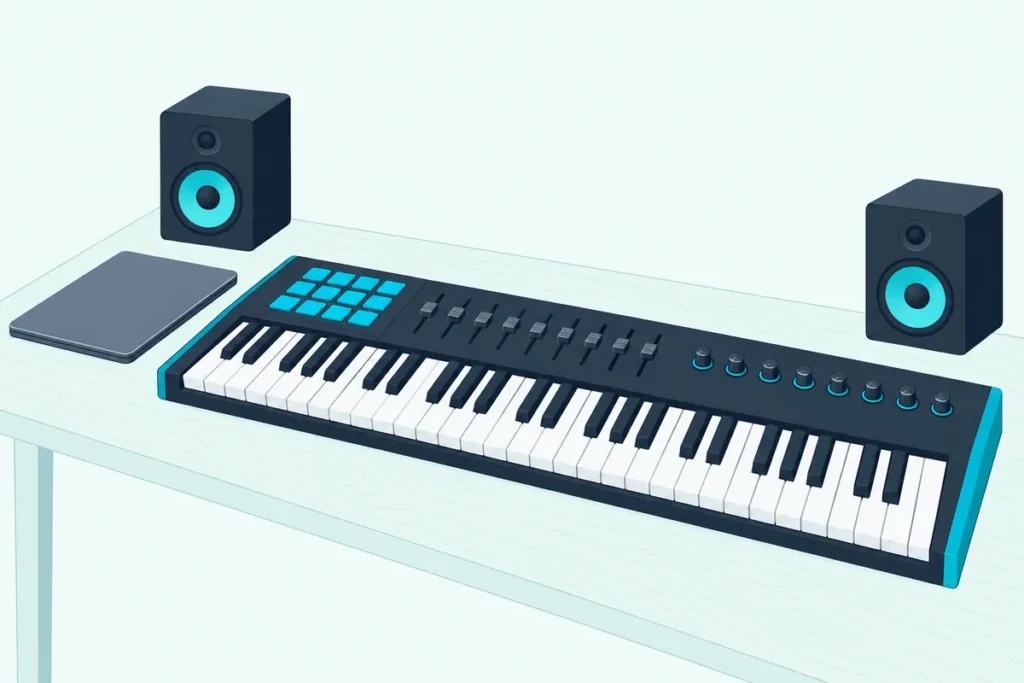
Finding the best MIDI keyboard starts with two numbers the product photos hide: how many keys you’ll play at once and how much of your desk the board will take.
Pick too few keys and you’ll spend sessions tapping octave buttons, while too many leave a four-foot board where your mouse and speakers used to sit.
Pick right and the controller disappears under your hands, with pads, faders and transport buttons doing the work your mouse used to do.
This guide compares 11 controllers from 25 to 88 keys using only what their makers publish, from key action and pads to ports, DAW scripts and bundled software.
The short list and a comparison table come first, then the questions that decide which board belongs on your desk.
What Is the Best MIDI Keyboard Right Now?
Those two numbers split buyers into beatmakers, pianists and producers who live in a DAW, but on paper one controller covers the most ground. The Novation Launchkey 49 MK4 is the best MIDI keyboard for most people making music on a computer, because Novation pairs 49 semi-weighted keys with 16 pads, nine faders, eight encoders and custom scripts for six DAWs (Novation).
The other ten picks each answer a narrower need, from a 25-key board for a backpack to a hammer-action 88 for pianists:
| Pick | Keys and feel | Pads, faders and knobs | Ports | Best for |
|---|---|---|---|---|
| Novation Launchkey 49 MK4 | 49, semi-weighted | 16 pads, 9 faders, 8 encoders | USB-C, 5-pin MIDI out | Most producers |
| Akai MPK Mini MK3 | 25, velocity-sensitive | 8 pads, 8 knobs, thumbstick | USB | Mini keys with pads |
| Arturia MiniLab 3 | 25 slim keys | 8 pads, 4 sliders, 8 encoders | USB-C, 5-pin MIDI out | Beginners |
| Korg nanoKEY Studio | 25, velocity-sensitive | 8 pads, 8 knobs, X-Y pad | Bluetooth, micro-USB | Wireless |
| Arturia KeyStep 37 mk2 | 37 Slimkeys with aftertouch | 4 encoders, step sequencer | USB-C, MIDI in and out, CV/Gate | Hardware synths |
| M-Audio Keystation 49 MK3 | 49, synth action | Volume fader, transport | USB | Plain keys at a desk |
| Nektar SE49 | 49, synth action | 30 mm fader | USB | A light 49 |
| Arturia KeyLab Essential 61 mk3 | 61, semi-weighted | 8 pads, 9 faders, 9 encoders | USB-C, 5-pin MIDI out | Five octaves with controls |
| M-Audio Oxygen Pro 61 | 61, semi-weighted, aftertouch | 16 pads, 9 faders, 8 knobs | USB, 5-pin MIDI out | Pads at 61 keys |
| M-Audio Keystation 88 MK3 | 88, semi-weighted | Volume fader, transport | USB, 5-pin MIDI out | Piano range, light action |
| Studiologic SL88 Studio | 88, hammer action, aftertouch | 3 sticks, 1 encoder | USB, MIDI in, 2 MIDI outs | Pianists |
Each verdict rests on the makers’ own spec pages, manuals and listings.
Which MIDI Keyboards Are Worth Buying at Each Size?
That table runs from 25 keys to a full 88, and each pick below wins one size or one need. The Launchkey 49 MK4 is best overall, the MPK Mini MK3 the best mini with pads, the MiniLab 3 the best for beginners, the nanoKEY Studio the best wireless board and the KeyStep 37 mk2 the best for hardware synths, while the Keystation 49 MK3, SE49, KeyLab Essential 61 mk3, Oxygen Pro 61, Keystation 88 MK3 and SL88 Studio cover plain keys, light weight, five octaves, pads, piano range and hammer action.
Novation Launchkey 49 MK4
For a producer who works mostly inside a DAW, the Novation Launchkey 49 MK4 is the pick.
Novation Launchkey 49 MK4
Novation gives it four octaves of semi-weighted, waterfall-style keys, 16 RGB pads with polyphonic aftertouch, nine faders with buttons and eight endless encoders, all reporting to a small OLED display (Novation). Custom scripts cover Ableton Live 11 or later, Logic, Cubase, FL Studio, Reason and Ardour, and HUI covers the rest.
Scale Mode locks the keys to one of 30 scales, Chord Map plays chords from curated sets, and the arpeggiator has an eight-step editor with tie, accent and ratchet. Split and Layer put two sounds on the keyboard at once, a feature Novation keeps for its 49-, 61- and 88-key models.
A 5-pin MIDI out, a sustain jack and USB-C round it out, though it runs on USB bus power and Novation doesn’t include a power supply. The bundle covers Ableton Live Lite, Cubase LE, the Novation Play instrument and a choice of three Komplete Select editions from Native Instruments.
At 730 mm wide and 4.08 kg, it’s a desk keyboard rather than a travel one. It suits anyone who wants pads, faders and two-handed chords on one board, and Novation sells the same design with 61 keys.
Akai MPK Mini MK3
For mini keys with MPC-style pads, the Akai MPK Mini MK3 is the pick.
Akai MPK Mini MK3
Akai’s quickstart guide lists 25 velocity-sensitive keys, eight backlit pads that sense velocity and pressure in two banks, eight assignable 360-degree knobs and a thumbstick that bends pitch and adds modulation (Akai’s guide). It measures 12.5 by 7.13 inches, weighs 0.75 kg and runs on USB bus power.
An arpeggiator, Tap Tempo, Note Repeat for the pads and Full Level, which plays every pad hit at the maximum velocity of 127, are built in. Akai calls the keys its Gen 2 enhanced dynamic keybed and lists MPC3 among the included software, plus a free Komplete Select bundle from Native Instruments.
Akai lists only a USB port and a 1/4-inch sustain input, with no 5-pin MIDI jack. If you connect it through a USB hub, Akai asks for a powered one.
It suits beatmakers who want keys, pads and knobs in a laptop bag, and it’s the wrong pick for two-handed piano parts that need more than two octaves at once.
Our list of the best mini MIDI keyboards compares more small boards.
Arturia MiniLab 3
For a first controller that arrives with the software to start, the Arturia MiniLab 3 is the pick.
Arturia MiniLab 3
Arturia fits 25 velocity-sensitive slim keys, eight RGB pads in two banks that sense velocity and pressure, eight rotary encoders, four sliders and touch strips for pitch and modulation into a 356 x 219 mm body that weighs 1 kg (Arturia). An arpeggiator, Chord mode and Hold are built in.
The box covers both halves of a first setup: Analog Lab Intro, Ableton Live Lite, a Komplete 15 Select bundle in Beats, Band or Electronic, two months of Loopcloud and a Melodics trial. One DAW preset maps it to the major DAWs, and MCU transport control handles the rest.
Unlike the MPK Mini MK3, it has a 5-pin MIDI out, and its pedal input takes sustain, expression or a footswitch. Arturia says its USB-C port connects to computers and iPads, and it draws its power over USB.
Bundled software matters most for beginners who don’t own a DAW yet. That’s the gap this compact board fills, since a DAW and a library of instrument sounds come with it.
Korg nanoKEY Studio
For playing without a cable, the Korg nanoKEY Studio is the pick.
Korg nanoKEY Studio
Korg pairs a 25-key velocity-sensitive keyboard with eight trigger pads, eight knobs and an X-Y touch pad, and it connects over Bluetooth Low Energy MIDI or a micro-USB cable (Korg). Wireless, it runs on two AAA batteries, which Korg rates at about 10 hours with alkaline cells at factory settings.
At 278 x 160 mm and 471 g without batteries, it’s the lightest pick with a published weight. Korg’s own KORG Gadget app has a native mode for it on iPhone and iPad.
Windows needs Korg’s BLE-MIDI driver for the wireless link. On iOS, Korg’s Bluetooth MIDI Connect app links it to apps that support Core MIDI but have no Bluetooth MIDI menu of their own.
Korg lists only USB and Bluetooth connections, with no 5-pin MIDI out. It suits a sofa, a stage or a tablet setup where a cable gets in the way.
Our wireless MIDI keyboard comparison covers more Bluetooth boards, and Bluetooth MIDI adapters for wired keyboards get a guide of their own.
Arturia KeyStep 37 mk2
For 37 keys that can run a synth without a computer, the Arturia KeyStep 37 mk2 is the pick.
Arturia KeyStep 37 mk2
Arturia gives its 37 Slimkeys velocity and aftertouch, adds capacitive strips for pitch and modulation, and builds in a polyphonic step sequencer of up to 64 steps with eight voices, a 16-mode arpeggiator and Chord and Scale modes (Arturia). Four encoders change role with the mode, and 16 assignable MIDI CCs sit across four banks.
It’s the only pick with CV/Gate outputs for modular synths, alongside full-size MIDI DIN in and out, 3.5 mm Sync in and out, a TRS pedal input and class-compliant USB-C with bus power. Arturia released it on 26 February 2026 and ships it with Analog Lab Intro and Ableton Live Lite.
It weighs 1.09 kg, and Arturia says it works with an iPad through a camera connection kit. Compared with the 32-key KeyStep mk2, Arturia lists five more keys, two more buttons, four knobs and 39 LEDs above the keys.
It suits a desk of hardware synths and drum machines that need one keyboard and one clock. If your music lives inside a DAW, the Launchkey’s pads and faders do more.
M-Audio Keystation 49 MK3
For four octaves of plain keys at a desk, the M-Audio Keystation 49 MK3 is the pick.
M-Audio Keystation 49 MK3
M-Audio lists 49 full-size, velocity-sensitive synth-action keys, pitch and modulation wheels, octave buttons, a volume fader and transport and directional buttons, so play, stop and record stay on the keyboard (M-Audio). It’s USB-powered and class-compliant, with no drivers to install, and a 1/4-inch input takes a sustain pedal.
The bundle includes Ableton Live Lite, MPC Beats and six AIR Music Tech instruments, from the Mini Grand piano to the Bassline synth. M-Audio also says it works with an iPad through Apple’s Lightning to USB Camera Adapter, sold separately.
M-Audio’s macOS 26 Tahoe list marks it supported on Intel and Apple Silicon Macs, though its earlier macOS 14 Sonoma list didn’t. Unlike the Keystation 88 MK3, M-Audio lists no 5-pin MIDI out for the 49.
It suits a writer who plays parts in and edits with the mouse, and wants nothing between the keys and the DAW.
Nektar SE49
For a light 49-key board that ties into Logic or Reaper, the Nektar SE49 is the pick.
Nektar SE49
Nektar’s spec sheet puts 49 full-size, velocity-sensitive synth-action keys, pitch and modulation wheels, four buttons and a 30 mm fader in an 80.5 x 19.7 cm case that weighs 2.2 kg (Nektar). Four velocity curves plus three fixed settings let you match the keys to a light or heavy touch.
With Nektar DAW Integration installed, the fader follows the selected track’s volume and the buttons turn into play, stop, record and rewind. Nektar lists Bitwig, Cubase, GarageBand, Logic, Nuendo, Digital Performer, Mixcraft, Reason, Reaper, Sonar and Studio One.
It’s class compliant, draws 100 mA over USB and takes a footswitch for sustain. Nektar includes Bitwig 8-Track, a DAW for up to eight tracks.
It suits a small desk or a laptop setup where weight matters more than pads. Our 49-key comparison lines up more boards at this size.
Arturia KeyLab Essential 61 mk3
For five octaves with a full control surface, the Arturia KeyLab Essential 61 mk3 is the pick.
Arturia KeyLab Essential 61 mk3
Arturia describes a semi-weighted keybed with a hybrid synth-piano feel, nine 30 mm faders, nine rotary encoders plus a clickable one, eight touch- and pressure-sensitive RGB pads in two banks and a 2.5-inch display (Arturia). Eight transport switches and four command switches run the DAW.
Custom scripts cover FL Studio, Logic Pro, Ableton Live, Cubase and Bitwig Studio, MCU and HUI cover most other DAWs, and it’s NKS-compatible for Native Instruments’ Komplete Kontrol software. Analog Lab V’s 2,000-plus sounds come mapped to its controls, alongside Ableton Live Lite, Komplete Select, UVI Model D, two months of Loopcloud and 40 Melodics lessons.
A 5-pin MIDI out and a pedal input for sustain, expression or a footswitch handle hardware, and USB-C powers it. Arturia also sells the same layout with 49 keys.
It suits a songwriter who plays two-handed parts and mixes from the same board. If you want aftertouch on the keys themselves, compare the Oxygen Pro 61 next, which lists channel aftertouch.
M-Audio Oxygen Pro 61
For the most pads of the 61-key picks, the M-Audio Oxygen Pro 61 is the pick.
M-Audio Oxygen Pro 61
M-Audio gives it semi-weighted keys with channel aftertouch and assignable zones, plus 16 RGB velocity-sensitive pads, eight knobs, nine faders and an OLED screen (M-Audio). Note Repeat turns a held pad into a rhythm at the selected note division.
Smart Chord plays a full chord from one key or pad, and Smart Scale locks the keys to one of 16 scales. Pick your DAW on the keyboard and its transport, faders, channel and pan controls map automatically in Ableton, Pro Tools, MPC Beats, Cubase, Logic, Studio One and other major DAWs.
It has USB-MIDI and a 5-pin MIDI out, weighs 4.8 kg and measures 965 mm wide. M-Audio’s macOS 26 Tahoe list marks it supported on Intel and Apple Silicon, and the bundle adds Ableton Live Lite, MPC Beats and AIR instruments such as Hybrid 3 and TubeSynth.
It suits beatmakers who want 16 pads and five octaves without a second controller.
M-Audio Keystation 88 MK3
For all 88 notes without a heavy hammer action, the M-Audio Keystation 88 MK3 is the pick.
M-Audio Keystation 88 MK3
M-Audio lists 88 full-size, velocity-sensitive semi-weighted keys, a volume fader, transport and directional buttons, pitch and modulation wheels and octave buttons, in a case 54.24 inches (137.77 cm) long that weighs 13.75 lb (M-Audio). Unlike the 49, it has a 5-pin MIDI out for a hardware synth, plus inputs for a sustain pedal and an expression pedal.
It runs on USB power or an optional 9 V supply, needs no drivers on a Mac or PC and connects to an iPad through Apple’s USB camera adapter, sold separately. M-Audio’s macOS 26 Tahoe list marks it supported on Intel and Apple Silicon Macs.
It suits players who want piano range for composing but don’t need a piano’s weight under each key. Pianists who practice on an acoustic instrument should look at the hammer-action SL88 Studio below instead.
Studiologic SL88 Studio
For piano players who want hammer action, the Studiologic SL88 Studio is the pick.
Studiologic builds it around Fatar’s TP/100LR hammer-action keyboard, which its manual says has three contacts per key and aftertouch, and splits the 88 keys into up to four programmable zones (Studiologic). Each zone can go to its own port, and with USB, a MIDI input and two 5-pin MIDI outputs, separate zones can play a computer and two hardware sound modules.
It weighs 13.7 kg (30.2 lb) and measures 126 cm wide, and Studiologic ships a PS100 switch pedal and a power adapter with it. Studiologic lists four pedal inputs, a color screen and three programmable sticks, but no pads, faders or DAW integration.
It suits pianists and composers who play first and program second. If you also want pads and faders, plan on a small control unit beside it, since Studiologic lists neither.
Which Size Fits Your Music and Your Desk?
That spread from 25 to 88 keys is the first decision, because key count sets both your playing range and your desk space. Pick 25 keys (two octaves) for beats and leads on a small desk, 37 (three) or 49 (four) for two-handed chords, 61 (five) for wider parts and 88 for a piano’s full range, which the SL88 Studio’s manual shows as A0 to C8.
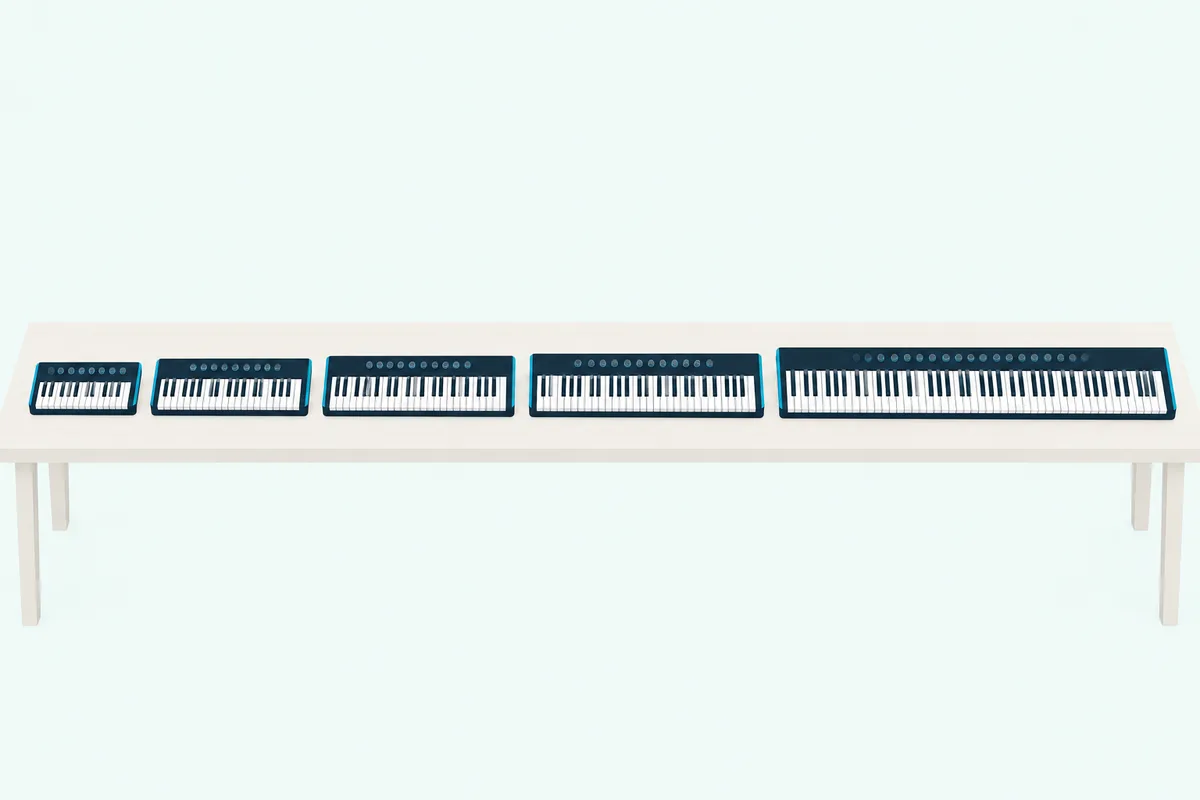
Width grows quickly with each octave, and Novation’s own range shows it. Its Launchkey Mini 25 is 338.5 mm wide, the Launchkey 49 is 730 mm, the 61 is 895 mm and the Launchkey 88 reaches 1,274 mm.
So measure the desk first, then leave room for a laptop or a mouse beside the keys. Here’s how the 11 picks compare, using each maker’s own dimensions:
| Pick | Keys | Width | Weight |
|---|---|---|---|
| Korg nanoKEY Studio | 25 | 278 mm | 471 g without batteries |
| Akai MPK Mini MK3 | 25 | 318 mm | 0.75 kg |
| Arturia MiniLab 3 | 25 | 356 mm | 1 kg |
| Arturia KeyStep 37 mk2 | 37 | 547 mm | 1.09 kg |
| Novation Launchkey 49 MK4 | 49 | 730 mm | 4.08 kg |
| Nektar SE49 | 49 | 805 mm | 2.2 kg |
| M-Audio Keystation 49 MK3 | 49 | Not listed | Not listed |
| Arturia KeyLab Essential 61 mk3 | 61 | Not listed by size | Not listed by size |
| M-Audio Oxygen Pro 61 | 61 | 965 mm | 4.8 kg |
| M-Audio Keystation 88 MK3 | 88 | 1,378 mm | 6.2 kg (13.75 lb) |
| Studiologic SL88 Studio | 88 | 1,260 mm | 13.7 kg |
The gaps are figures the maker doesn’t publish: M-Audio’s page gives no size for the Keystation 49 MK3, and Arturia’s KeyLab Essential page lists one size without saying which model it’s for. On a 120 cm desk, a 730 mm Launchkey 49 leaves about 47 cm for a laptop, while the 126 cm SL88 Studio and the 138 cm Keystation 88 MK3 are wider than the desk itself.
Key size matters as much as count. Novation lists its Launchkey Mini keys as mini and the Launchkey 25 and 37 keys as full size, while Arturia calls the MiniLab 3’s keys slim and the KeyStep’s Slimkeys.
Two octaves suit bass lines, leads and drum parts, and four suit chords in the right hand under a bass note in the left. Players who want more range than 49 keys can step up to 61 keys, and pianists who want every note can go to 88 keys.
A useful test is to count the octaves your favorite part spans. If the left hand and the right hand play at once across more than four octaves, the 61- and 88-key picks above save you from constant octave shifting.
Which Key Action Suits Your Playing?
Those sizes come with three kinds of key action, and the makers name them plainly. Synth action is the lightest and suits fast leads and beats, semi-weighted keys add some resistance for producers who also play chords, and hammer action imitates a grand piano’s touch for pianists, as Studiologic describes its Fatar keyboard.
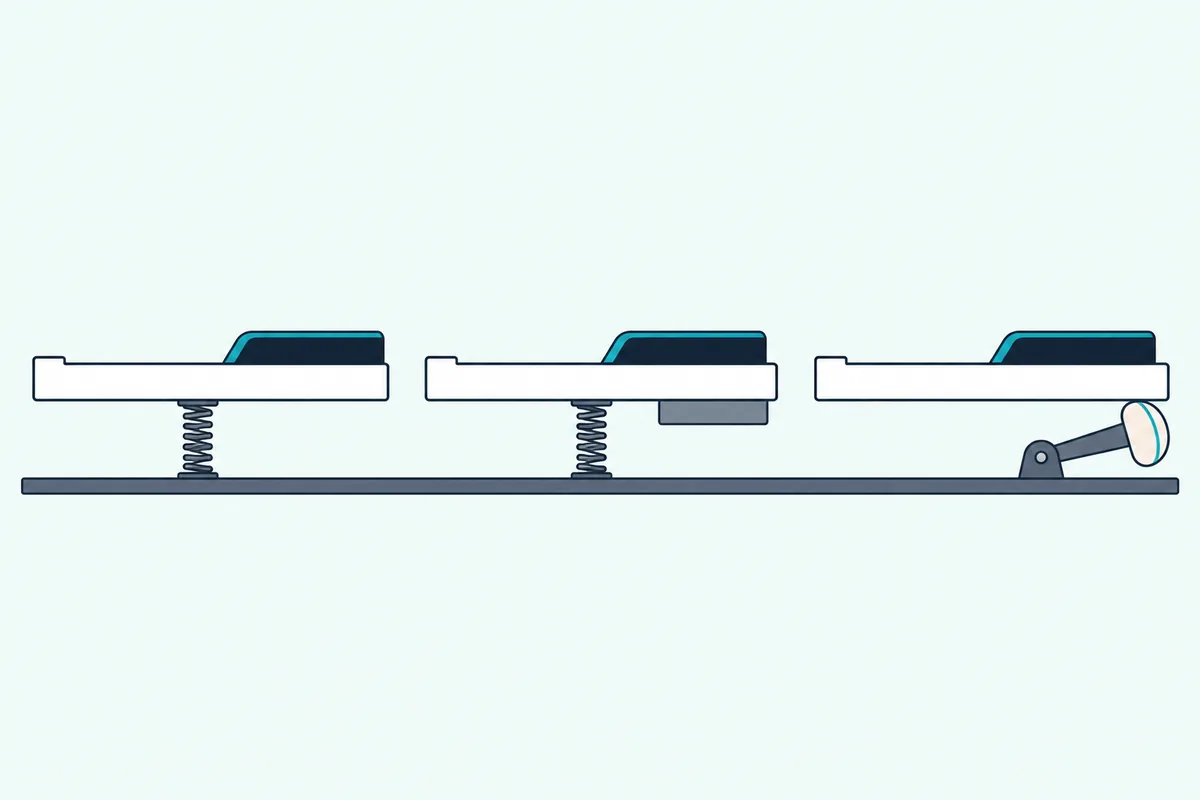
Synth action is what M-Audio and Nektar fit to the Keystation 49 MK3 and SE49, and what Novation fits to the Launchkey 25 and 37. It’s quick under the fingers for bass lines and drum programming on the keys.
Semi-weighted keys are on the Launchkey 49 MK4, the KeyLab Essential 61 mk3, the Oxygen Pro 61 and the Keystation 88 MK3. That middle ground is where most of the full-size picks sit.
Fully weighted (hammer-action) keys are on the SL88 Studio, whose Fatar TP/100LR keyboard is what Studiologic calls its premium hammer action. Pianists who practice on an acoustic instrument will want this kind, and they’ll also have to make room for a 13.7 kg board.
Aftertouch is the other key spec to read for. The KeyStep 37 mk2 and SL88 Studio list aftertouch on their keys, the Oxygen Pro 61 lists channel aftertouch, and the Launchkey 49 MK4 puts polyphonic aftertouch on its pads instead.
Try this before you buy: press and hold a key on any keyboard you can reach and lean into it. If you’d use that extra pressure for vibrato or filter swells, put aftertouch on your list.
Do You Need Pads, Faders and Knobs?
Key action decides how notes feel, but the controls around the keys decide how much you’ll still reach for the mouse. You need pads if you play drums or launch clips, faders if you mix with your hands and knobs or encoders if you shape plugin sounds, and a board without them mostly enters notes.
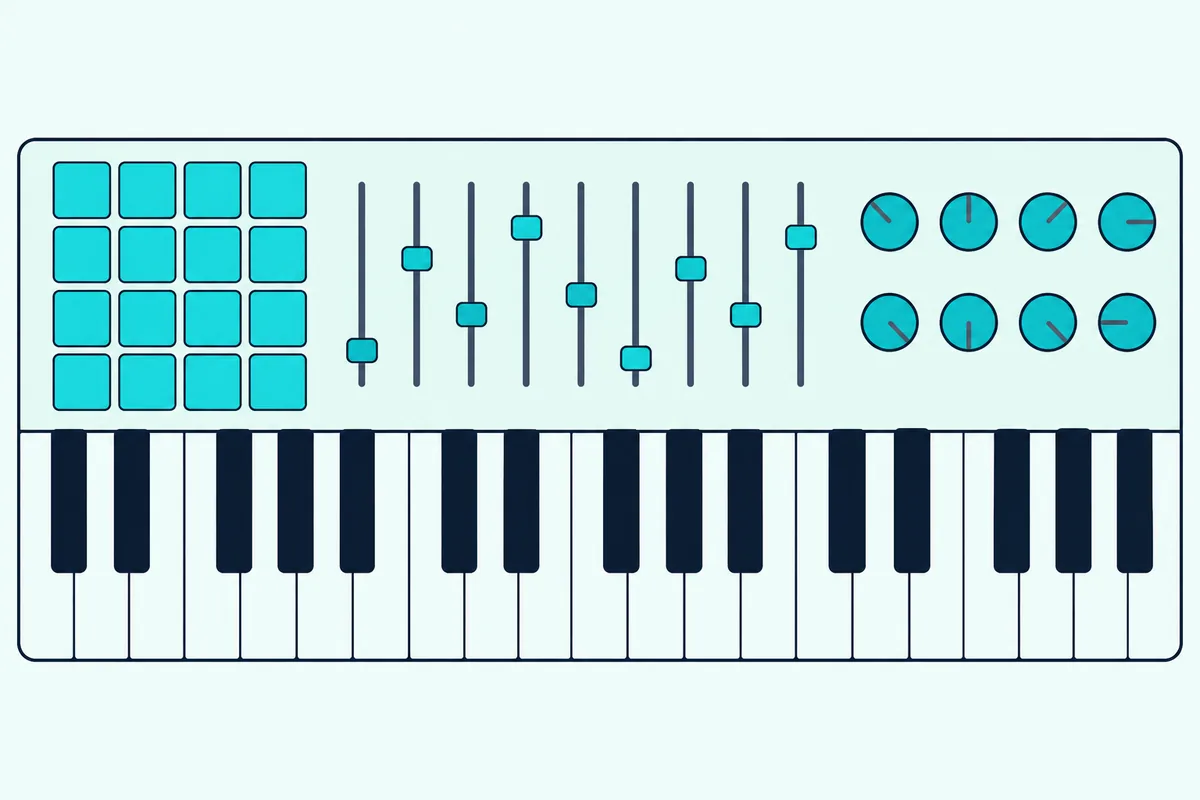
Pad counts run from eight on the MPK Mini MK3, MiniLab 3, nanoKEY Studio and KeyLab Essential 61 mk3 to 16 on the Launchkey 49 MK4 and Oxygen Pro 61. Banks double the eight-pad boards, since Akai and Arturia both list two banks of eight.
Faders matter if you mix with your hands. The Launchkey 49 MK4, KeyLab Essential 61 mk3 and Oxygen Pro 61 have nine each, enough for eight channels plus a master, while the MiniLab 3 has four and the Keystation boards one volume fader.
If finger drumming is the main job, our page on pad triggering compares dedicated MPC-style pad units and grids. Keys-only boards like the Keystation 49 MK3 and SE49 skip all of this, which keeps them simple for players who edit with a mouse anyway.
Same logic for encoders: Novation says the Launchkey’s eight endless encoders always pick up where you left off. That matters when one set of knobs takes turns controlling several plugins, so check for endless encoders if you swap instruments often.
Which Pick Suits the Music You Make?
Those controls map onto styles of music production more neatly than any spec sheet suggests. For beat-driven hip-hop and electronic tracks, pads come first: the MPK Mini MK3 has eight pads that Akai takes from its MPC series, and the Oxygen Pro 61 has 16 with Note Repeat beside five octaves of keys.
For songwriting and arranging in a DAW, two-handed range matters more. The Launchkey 49 MK4 and KeyLab Essential 61 mk3 pair semi-weighted keys with nine faders, so you can play a part and then balance it without touching the mouse.
For piano-led work, from film cues to practice pieces, the SL88 Studio is the one pick built around a hammer action that Studiologic says gives a realistic grand piano touch. The Keystation 88 MK3 gives the same 88 notes on lighter, semi-weighted keys.
For musicians whose studio is a rack of synths and drum machines, the KeyStep 37 mk2’s sequencer, MIDI DIN and CV/Gate outputs keep the computer optional. For sketching on a sofa or a phone, the nanoKEY Studio’s Bluetooth and AAA batteries remove the cable.
And for a very first keyboard, the MiniLab 3’s bundle puts a DAW and an instrument library in the same box. Pick the scenario that sounds most like your week, then check its size against your desk.
Which Keyboard Works Best With Your DAW?
Those pads and faders only save time if your DAW knows what they are, and that’s what a maker’s custom script does. On paper, the Launchkey 49 MK4 works best with Ableton Live, Logic, Cubase, Reason and Ardour through Novation’s scripts, while FL Studio users get Novation’s own advice to choose its FLkey 2 instead.
Every pick here plays notes into a DAW as a standard MIDI controller, but the scripts and protocols decide whether the transport, mixer and plugin controls map themselves.
In Ableton Live 11 or later, the Launchkey adds Sequencer, Drum Rack and Clip modes, so you can build and launch ideas from the pads, and HUI covers DAWs it has no script for.
The KeyLab Essential 61 mk3 covers FL Studio, Logic Pro, Ableton Live, Cubase and Bitwig Studio with its own scripts, and MCU and HUI cover most other DAWs. The Oxygen Pro 61 auto-maps in Ableton, Pro Tools, MPC Beats, Cubase, Logic, Studio One and other major DAWs.
If you work mainly in FL Studio, Novation itself recommends its FLkey 2 line over the Launchkey, calling FLkey its only dedicated keyboard controller for that DAW. The Launchkey and KeyLab Essential still run FL Studio scripts if you switch between DAWs.
For GarageBand, the SE49’s Nektar integration lists it by name, and Korg names GarageBand among the iPhone and iPad apps the nanoKEY Studio connects to.
Then match the bundled DAW to the one you’ll keep. The Launchkey ships with Ableton Live Lite and Cubase LE, the SE49 with Bitwig 8-Track, and most of the others with Ableton Live Lite.
What Software Comes in the Box?
That bundled DAW is only part of what these boards include, and the instrument libraries differ more than the DAWs. Most picks include a light DAW, usually Ableton Live Lite, plus instrument sounds such as Arturia’s Analog Lab, AIR Music Tech’s plugins or Native Instruments’ Komplete Select.
A MIDI keyboard makes no sound of its own, so those virtual instruments are what you’ll actually hear on day one.
Arturia leans on its Analog Lab sounds: Analog Lab Intro with the MiniLab 3 and KeyStep 37 mk2, and Analog Lab V’s 2,000-plus sounds with the KeyLab Essential 61 mk3. M-Audio bundles MPC Beats and AIR Music Tech instruments with the Keystation and Oxygen Pro boards, and Novation pre-maps its Novation Play instrument to the Launchkey.
Native Instruments’ Komplete Select turns up with the Launchkey, MiniLab 3, KeyLab Essential and MPK Mini MK3, though each maker words the edition differently. Melodics lessons come with the Launchkey, MiniLab 3, KeyLab Essential and Keystation 49 MK3 for anyone learning to play.
If you already own a DAW, the instruments matter more than the DAW in the bundle. Our guide to software instrument access covers free and paid DAWs and instruments to play from any of these boards.
Register each board with its maker to claim the bundle, since Akai, Nektar and M-Audio all deliver it through a download card or your account. Nektar, for one, keeps its DAW Integration files behind registration.
Which Picks Work With an iPad or Hardware Synths?
Software isn’t the only thing a MIDI keyboard can play, and the ports decide what else it can reach. For hardware synths, the seven picks with a 5-pin MIDI out connect directly, and for an iPad, the makers of the Keystation boards, SE49, KeyStep 37 mk2 and MiniLab 3 name a USB route, while the nanoKEY Studio connects over Bluetooth.
Seven picks list a 5-pin MIDI out: the Launchkey 49 MK4, MiniLab 3, KeyLab Essential 61 mk3, Oxygen Pro 61, Keystation 88 MK3, the SL88 Studio, which has two, and the KeyStep 37 mk2. The KeyStep also adds MIDI in, Sync and four CV/Gate outputs for modular gear.
For an iPad, the makers name the adapters. M-Audio, Nektar and Arturia point to Apple’s camera adapter for the Keystation boards, the SE49 and the KeyStep 37 mk2, Arturia says the MiniLab 3’s USB-C port connects to iPads, and the nanoKEY Studio skips the cable with Bluetooth.
Battery and hub notes matter on the road. Korg’s nanoKEY Studio can run on AAA batteries, and Akai recommends a powered hub whenever its MPK Mini MK3 connects through one.
For travel, small pad and fader units can join a 25-key board in the same bag. Burton Acoustix’s portable controller guide compares battery, foldable and USB-C options by size and weight.
Do These Controllers Need Drivers?
Those connections work without extra software on most of these boards, because the makers build them class compliant. M-Audio says the Keystation boards need no drivers on a Mac or PC, Nektar says the same of the SE49, and Arturia lists class-compliant USB-C MIDI on the KeyStep 37 mk2.
The exceptions are wireless and editors. Windows needs Korg’s BLE-MIDI driver for the nanoKEY Studio’s Bluetooth link, and makers offer editor apps, like Akai’s MPK mini Editor, for changing a board’s MIDI settings.
On a Mac, M-Audio publishes a compatibility list for each macOS release, and it changes. Its macOS 26 Tahoe list marks the Keystation 49 MK3, Keystation 88 MK3 and Oxygen Pro 61 as supported on Intel and Apple Silicon, and says any product not listed isn’t considered supported (M-Audio).
That list doesn’t include M-Audio’s original Hammer 88, which its macOS 15 Sequoia list had marked supported. If you’re buying an older model for a new Mac, check the maker’s list for your exact macOS version first.
Which MIDI Keyboards Didn’t Make the List?
That Hammer 88 is one of several well-known boards left out, each for a stated reason. It passed the site’s rating, review and stock checks on 14 October, but M-Audio’s macOS 26 Tahoe list leaves it off, so the SL88 Studio took the weighted slot.
Novation’s Launchkey 61 MK4 showed no price or availability on Amazon on 14 October 2026, so the 49-key Launchkey stands in for the range. Akai’s newer MPK Mini IV is sold beside the MK3, but its changes aren’t compared here.
Native Instruments’ Kontrol S49 and S88 MK3, Roland’s A-88MKII, Arturia’s hammer-action KeyLab 88 mk3 and M-Audio’s Hammer 88 Pro fell below the site’s rating or review rules on Amazon that day. Nektar’s SE25 showed no availability, and the M-VAVE 25 on the old version of this page was dropped because its listing doesn’t say which of M-VAVE’s 25-key models it is.
Novation’s FLkey line belongs on our FL Studio page rather than here. The same goes for the many 25-key boards our mini guide compares in more depth.
How Were These 11 Picks Chosen?
Those left-out boards show the rules every pick had to pass. Each one had to win a size or a need on its own, from wireless play to hammer action, and its maker had to publish the specifications on a page or in a manual.
Every claim on this page comes from those documents, linked where they back a pick. Every pick met Burton Acoustix’s rating, review and stock checks on 14 October 2026, the site’s standing rule for any product it links.
The starting list came from the boards that today’s top-ranking guides name most often, such as the MPK Mini, MiniLab 3 and Launchkey. The descriptions come from the makers’ manuals and spec pages.
What Should You Check Before You Buy?
Those exclusions come down to the same checks you can run on any board you’re considering. Start with key count against your desk width, then key action against the way you play, then the pads, faders and knobs you’d otherwise do with a mouse.
Next, look for your DAW on the maker’s integration list, and check the ports: a 5-pin MIDI out for hardware, USB-C or Bluetooth for a tablet. Then check the maker’s compatibility list for your computer’s operating system and what software you’ll get by registering.
| Check | Why it matters | Where the picks above stand |
|---|---|---|
| Key count and width | Range against desk space | From 278 mm (nanoKEY Studio) to 1,378 mm (Keystation 88 MK3) |
| Key action | How notes feel under your fingers | Synth action, semi-weighted or hammer action |
| Pads, faders, knobs | How much you still do with the mouse | From one fader (Keystation 49 MK3, SE49) to 16 pads and 9 faders (Launchkey 49 MK4, Oxygen Pro 61) |
| DAW script | Whether the transport and mixer map themselves | Novation, Arturia, M-Audio and Nektar publish their lists |
| Ports | Hardware synths and tablets | 5-pin MIDI on seven picks, Bluetooth on the nanoKEY Studio |
For the full decision process, from keys and pads to DAW fit and budget, our guide on how to choose a MIDI keyboard walks through each step. The picks above are where those steps lead for most setups.
The Bottom Line
All of those checks point to a short list. The Novation Launchkey 49 MK4 is the best MIDI keyboard for most producers working in a DAW, with semi-weighted keys, 16 pads, nine faders and scripts for six DAWs.
The MPK Mini MK3 and MiniLab 3 cover small desks and beginners, the nanoKEY Studio covers wireless setups, and the KeyStep 37 mk2 covers hardware synths.
For more keys, the KeyLab Essential 61 mk3 and Oxygen Pro 61 bring five octaves with full controls, the Keystation 88 MK3 brings piano range with a lighter touch, and the SL88 Studio brings hammer action. Pick the size first, then the feel, then the controls.
Frequently Asked Questions
What is the best MIDI keyboard for beginners?
The Arturia MiniLab 3 is the strongest starter pick here because its box covers a whole first setup. Arturia includes Ableton Live Lite, Analog Lab Intro, a Komplete 15 Select bundle and a Melodics trial, and the board itself has 25 velocity-sensitive slim keys, eight pads in two banks, eight encoders and four sliders. If you’d rather have an MPC-style pad workflow, the Akai MPK Mini MK3 has eight velocity- and pressure-sensitive pads, eight knobs and Note Repeat in a 0.75 kg body.
Which MIDI keyboard brands are best?
No single brand wins every size, which is why this list spans seven makers. On this list, Novation’s strength is DAW scripts, Arturia’s is bundled Analog Lab sounds, M-Audio’s is plain keys-only boards and pads at 61 keys, and Nektar’s is a light board with wide DAW integration. Akai brings pads from its MPC series, Korg a battery-powered Bluetooth board, and Studiologic Fatar hammer-action keys for pianists. Pick the brand whose strength matches your main job.
What is the best MIDI keyboard for professional studios?
It depends on whether the professional is a player or a producer. For piano parts, the Studiologic SL88 Studio has Fatar’s TP/100LR hammer action with aftertouch, four zones and two 5-pin MIDI outputs, so one keyboard can play a computer and two hardware modules. For production, the Launchkey 49 MK4 and KeyLab Essential 61 mk3 put pads, nine faders and custom DAW scripts on one board.
Is a 25-key MIDI keyboard enough?
A 25-key board is enough for bass lines, leads, drum programming and one-handed melodies, since it covers two octaves at a time and shifts with the octave buttons. It’s tight for two-handed chords, where 49 keys give you four octaves. The MPK Mini MK3, MiniLab 3 and nanoKEY Studio are the 25-key picks here.
Do MIDI keyboards need a power supply?
Most don’t, because they draw power over the same USB cable that carries MIDI. The Launchkey 49 MK4, MiniLab 3, KeyStep 37 mk2, KeyLab Essential 61 mk3, MPK Mini MK3, SE49, Oxygen Pro 61 and Keystation 49 MK3 are all USB powered, and Novation notes that no power supply comes in the Launchkey’s box. The Keystation 88 MK3 can also take an optional 9 V supply, the SL88 Studio ships with a power adapter, and the nanoKEY Studio runs on two AAA batteries when it’s wireless. If you connect through a USB hub, Akai asks for a powered one.
Do MIDI keyboards work with every DAW?
Yes at the basic level, because a class-compliant MIDI keyboard sends standard notes that any DAW can record. The difference is how much of the DAW the board controls. Makers’ custom scripts, like Novation’s for Ableton Live, Logic, Cubase, FL Studio, Reason and Ardour, map the transport and mixer automatically, and the MCU and HUI protocols cover most other DAWs.