Bose Smart Ultra Soundbar vs Soundbar 700, Row by Row
Weighing the Bose Smart Ultra Soundbar vs the Soundbar 700 looks like an easy call, since the newer bar adds the Dolby Atmos height speakers the 700 never had.

Yet the 700 ships with things the Ultra left out, from a universal remote for the cable box to Google Assistant built into the bar, so an upgrade can break habits you didn’t know you had.
Get the differences straight and you’ll know whether you’re paying for features you’ll use or giving up ones you already rely on.
This guide lines the two bars up from Bose’s owner’s guides and product pages, with RTINGS, What Hi-Fi and CNET where Bose stays quiet.
The side-by-side table comes first, then each difference in turn, and finally whether to upgrade, keep your 700 or carry its add-ons across.
What Separates the Bose Smart Ultra Soundbar vs 700?
Atmos is the headline, but it’s one row of many. The Smart Ultra adds Dolby Atmos height speakers, TrueSpace upmixing, AI Dialogue Mode and the newer Bose app, while the 700 keeps Bose’s universal remote, Google Assistant built in and a DTS license.
Here’s the row-by-row comparison, with the document behind each row:
| Feature | Bose Smart Ultra Soundbar | Bose Smart Soundbar 700 | Where it’s stated |
|---|---|---|---|
| Dolby Atmos | Yes, with up-firing speakers | Not in Bose’s 700 documents; RTINGS and What Hi-Fi say no | Both guides, Bose’s pages, the two reviews |
| TrueSpace upmixing | Yes | Not in its documents | Bose’s Smart Ultra page and comparison table |
| Speakers | “9 total speakers and center tweeter,” two up-firing | Low-profile transducers with PhaseGuide technology | Bose’s comparison table, Ultra page and 700 page |
| Dialogue | AI Dialogue Mode, automatic | Dialogue mode you switch on | Bose’s Ultra page; RTINGS and What Hi-Fi for the 700 |
| Sound levels in the app | Bass, treble, center, height, surround | Bass (RTINGS adds treble) | Both owner’s guides |
| ADAPTiQ calibration | Yes, headset in the box | Yes, headset in the box | Both owner’s guides |
| App | Bose app | Bose Music app | Both owner’s guides |
| TV connection | HDMI eARC or ARC, or optical | HDMI eARC or ARC, or optical | Both owner’s guides |
| Ethernet | Yes | Yes | Both owner’s guides |
| Streaming | AirPlay 2, Chromecast, Spotify Connect, Bluetooth | AirPlay 2, Spotify, Bluetooth | Bose’s Ultra page; the 700’s guide and page |
| Voice | Alexa built in; works with a Google Assistant device | Alexa or Google Assistant built in | Both owner’s guides |
| Remote | Simpler remote, one coin cell | Universal remote, four AA batteries | Both owner’s guides |
| DTS | Not listed | DTS license notice | Both owner’s guides; CNET for the Ultra |
| Size | 2.29 in high, 41.14 in wide, 4.21 in deep, 12.68 lb | Just over 2 in high, 38 in long, 4 in deep | Bose’s comparison table; Bose’s 2018 announcement |
| In Bose US’s soundbar range, 6 Nov 2026 | Listed | Not listed | Bose’s soundbar category page |
The Ultra’s gains sit in the movie-sound rows, and the 700’s edges sit in the control rows. If you meant Bose’s cheaper Smart Soundbar rather than the 700, see the Bose Smart Soundbar vs Smart Ultra differences.
Does the Smart Ultra Add Dolby Atmos the 700 Lacks?
That top row is the one most upgraders ask about. Yes: the Smart Ultra owner’s guide says the bar supports Dolby Atmos and uses up-firing and side-firing speakers to deliver sound “from all directions,” while the 700’s guide, its Bose page and its 2018 announcement never mention Atmos.
The reviews say it outright. RTINGS’ 700 review notes “no support for object-based audio formats like Dolby Atmos,” and What Hi-Fi’s 700 review lists “No Dolby Atmos or DTS:X” among its reasons to avoid it.
Its guide adds two conditions: your TV and your content must both support Dolby Atmos, and the bar should be on the TV’s HDMI eARC or ARC port.

The Ultra’s second trick, TrueSpace, covers everything else you watch. Bose’s Smart Ultra page says it analyzes signals like stereo or 5.1 and upmixes them for “a sense of height,” and none of the 700’s documents mention TrueSpace.
One format row runs the other way, which makes DTS the older bar’s one format win on paper. The 700’s guide carries a DTS license notice and What Hi-Fi lists DTS among its formats, while CNET found the Ultra handles Dolby formats “although strangely not DTS or DTS:X,” and the Ultra’s guide lists no DTS.
Are the Speakers, Size and Finishes Different?
Those up-firing drivers have to live somewhere, so the cabinets differ too. Bose’s comparison table gives the Ultra “9 total speakers and center tweeter,” and its page says two of the nine fire upward, while Bose’s 700 page names only “custom-designed, low-profile transducers” and its “proprietary PhaseGuide technology.”
What Hi-Fi opens the 700 up a little more, describing “four racetrack woofers” near the middle of the bar with an array of drive units at each end. RTINGS calls the 700 a 3.0 setup with a discrete center channel, while Bose’s pages for both bars give no channel count.
The Ultra is the longer bar. Bose US lists it at 2.29 inches high, 41.14 inches wide and 4.21 inches deep, weighing 12.68 pounds, against just over 2 inches high, 4 inches deep and 38 inches long for the 700 in Bose’s 2018 announcement.
What Hi-Fi’s spec box puts the 700 at 97.8 cm wide and 4.76 kg, about 38.5 inches and 10.5 pounds. So the Ultra runs roughly 2.6 inches wider and 2 pounds heavier, which matters on a console that’s only just wide enough today.
Both keep a “tempered glass top,” in Bose’s words for each bar, and the 700 adds a “wraparound metal grille.”
RTINGS lists the 700 in Black and Arctic White. CNET’s review mentions a choice of white or black for the Ultra, though Bose US listed it in black only on 6 November 2026.
Both want open space. Bose’s 700 FAQ asks for the bar “equidistant from each side wall,” never recessed in a cabinet, and Bose suggests a 12 ft x 14 ft room for the Ultra.
If you’re choosing between the 700 and the 600 instead, see the Bose Soundbar 600 and 700 side by side.
How Does AI Dialogue Mode Compare With the 700’s Dialogue Mode?
That discrete center channel RTINGS mentions is where the dialogue story starts. The Ultra balances dialogue on its own: Bose says AI Dialogue Mode “senses when dialogue is occurring” and balances voice and surround sound automatically, while the 700’s Dialogue mode is a setting you switch on, by RTINGS’ and What Hi-Fi’s accounts.
CNET’s Smart Ultra review found the mode “works well to bring up a movie’s dialogue,” pulling out slightly obscured speech at the start of Batman Begins. What Hi-Fi’s write-up of the 700 is more modest: switching to Dialogue mode “thins out these atmospheric sounds” while changing the tone very little.
RTINGS adds that the 700’s dialogue is “clear and present in the mix right out of the box,” with “a dialogue enhancement tool on hand” for crisper speech. The 700’s guide doesn’t describe the mode, so look for it in the app.
The manual controls differ as much as the modes. The Ultra’s guide lists bass, treble, center channel, height channel and surround channel levels in the Bose app, while the 700’s guide names only a bass adjustment and RTINGS mentions bass and treble.
Think of it as a dimmer switch against a thermostat: the 700 waits for you to turn dialogue up, and the Ultra adjusts as the scene changes. For where the 700’s bass, treble and Dialogue mode fit in a setup routine, see the settings worth changing on a Bose 700.
Do the Ports, eARC and Streaming Match?
Those settings live in an app, but the back panels are close. Both owner’s guides connect to the TV by HDMI eARC or ARC first and optical second, and both bars take an Ethernet cable, Wi-Fi and Bluetooth.
The 700’s eARC wording is mixed. Bose’s Smart Soundbar 700 page highlights “HDMI ARC connectivity” yet answers “Yes” to HDMI-eARC capability, and What Hi-Fi’s 2022 review says it has “no eARC support,” adding that eARC “isn’t necessary” for a bar without Atmos or DTS:X.
The Ultra’s box includes an HDMI eARC cable, and its guide says your TV remote runs the bar’s power, volume and mute only over the TV’s HDMI eARC or ARC port.
Streaming lines up apart from Chromecast’s paperwork. Bose lists AirPlay 2, Chromecast, Spotify Connect, Bluetooth and Wi-Fi for the Ultra, and its guide notes Google Cast stays off until you switch it on in the Bose app.
The 700’s owner’s guide covers AirPlay 2 but never mentions Chromecast, and its Bose page lists Spotify among the services it plays over Wi-Fi. That page only says yes to casting audio to groups of Bose speakers, while What Hi-Fi lists Chromecast for the 700.
Bose lists Bluetooth 5.0 with a 33-foot range for the Ultra, and What Hi-Fi lists Bluetooth 4.2 for the 700.
Neither bar is a switch for other boxes. Both Bose FAQs say a cable box or game console connects to the TV, with one cable from the TV to the soundbar, and the Ultra’s FAQ adds that no video passes through it.
Which Voice Assistants Work on Each Bar?
Wi-Fi carries the voice assistants too, and this is one row where the older bar has more. The 700’s guide offers Amazon Alexa or Google Assistant built in, with a note that you can’t set up both at the same time.
The Ultra keeps Alexa built in and lists Google under “Works with Google Assistant.” Bose’s FAQ says that works through an additional device such as a Google Mini.
CNET flagged the same change: no onboard Google Assistant on the Ultra, though control through a separate Google speaker still works. If your home runs on Google and you don’t own a Google speaker, that’s a point for keeping the 700.
Both bars keep Voice4Video, Bose’s Alexa feature for turning on the TV and switching inputs or channels by voice, and both support Alexa calling.
Which Remote and App Come With Each Bar?
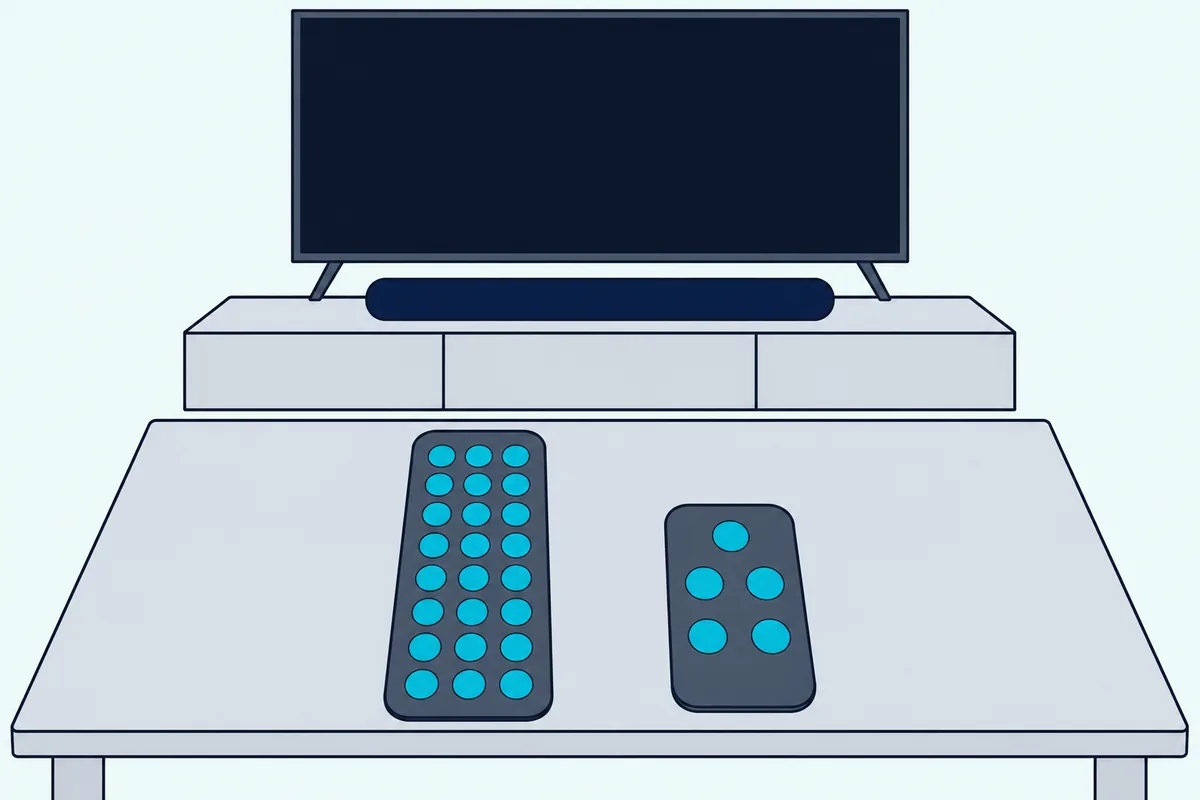
Voice is one way to run the TV stand, and the 700’s remote is the other. The 700 comes with Bose’s Soundbar Universal Remote, which Bose’s FAQ says is backlit and talks to the bar over Bluetooth Low Energy, so the soundbar sends infrared commands to your other devices.
Its guide lists source buttons, a DVR button, the cable or satellite box’s colored function buttons and number keys 1 to 6 for presets, all on four AA batteries.
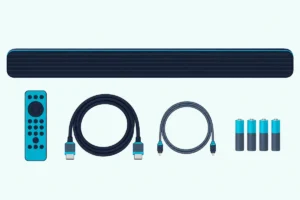
The Ultra’s remote is a simpler one on a CR2032 coin cell, with eight buttons in its guide’s diagram: power, volume up and down, mute, play/pause, TV, Bluetooth and Bose app. Its guide says it controls the soundbar, the source and Bluetooth connections, and you define presets in the Bose app instead.
Roku TV Ready gives Ultra owners another route: on a Roku TV connected over HDMI, the Roku remote controls the soundbar and the TV’s menu shows its settings. Bose’s guide warns the Ultra may need a software update first.
The app split follows the age gap: the 700’s guide runs setup, ADAPTiQ and the bass setting through the Bose Music app, while the Ultra’s guide uses the Bose app. Bose’s help page for the 700 sets it up in the Bose app too.
Both bars still calibrate the same way. Each box includes the ADAPTiQ headset, and both guides say a run needs 10 minutes when the room is quiet, with a fresh run after you add a bass module or surround speakers or move the bar.
Will Your Bass Module and Surround Speakers Carry Over?
That fresh calibration after adding speakers matters most to 700 owners with a full setup. Yes for Bose’s current add-ons: both owner’s guides list the Bass Module 500, Bass Module 700, Surround Speakers and Surround Speakers 700, and Bose’s pages for both bass modules and the Surround Speakers 700 name both bars.
The 700’s guide reaches further back, listing the Acoustimass 300 bass module and Virtually Invisible 300 surround speakers. The Ultra’s guide lists neither, so check your accessory’s owner’s guide before you move an older one across.
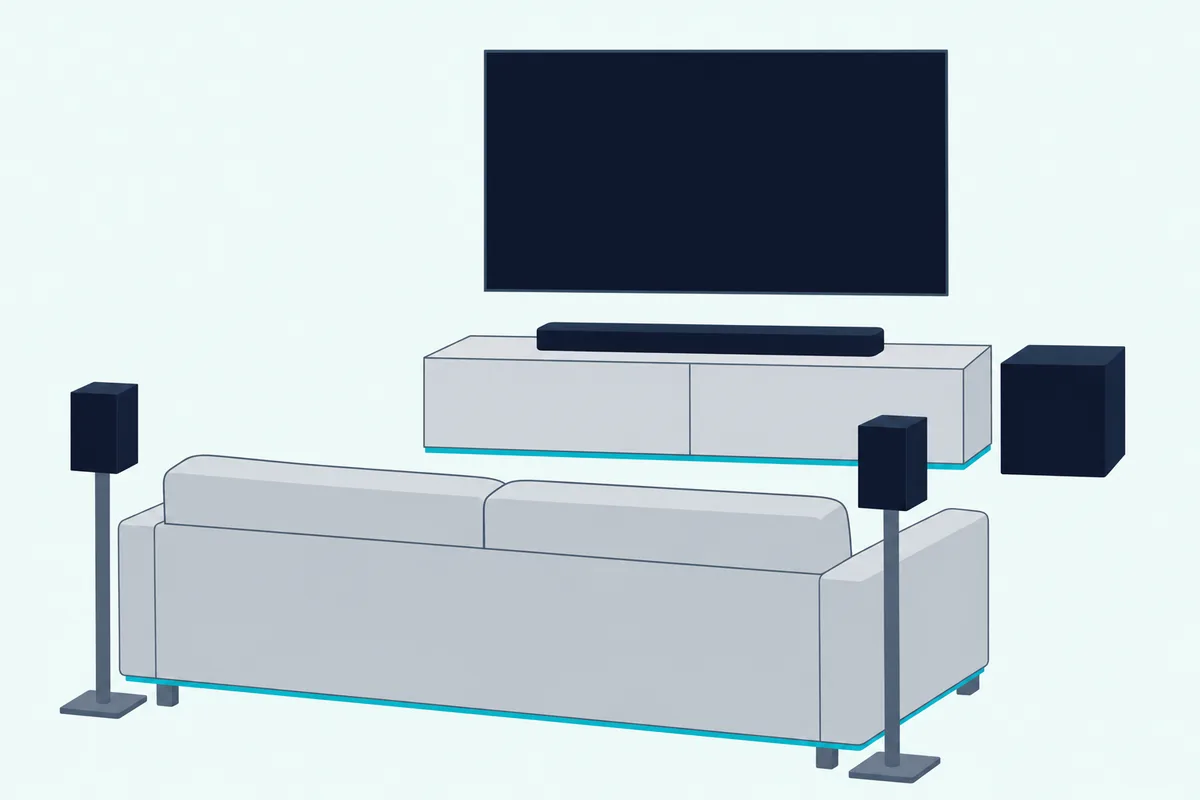
The Ultra adds two options the 700’s documents don’t mention. Bose’s FAQ says you can connect two bass modules to it as long as they’re the same model, and Personal Surround pairs Bose Ultra Open Earbuds to add a layer to what the soundbar plays.
Bose’s placement advice comes with the modules, not the bar. Its Ultra FAQ wants the Bass Module 700 or 500 on the floor against the same wall as the TV and soundbar, with an outlet nearby, never on a shelf or table.
Is the Bose Soundbar 700 Still Sold?
Moving add-ons across only helps if you already own a 700, since new ones are getting scarce. On 6 November 2026, Bose US’s soundbar category listed five products, the Smart Ultra, Lifestyle Ultra, Smart Soundbar, TV Speaker and TV Speaker (2nd Gen), and no 700.
The 700’s own store page showed a “Notify me” button that day where the cart button would be. Bose’s help page for the 700 labels it “Sold from 2018 – 2023.”
Bose introduced it as the Bose Soundbar 700 on 28 August 2018, with sales starting that October. None of those Bose pages gives an end date for the 700’s software updates, so this page doesn’t guess one.
Retail stock is thin. On 6 November 2026 the Amazon listing below showed a single unit left, so check that a 700 is sold new, not renewed, and that the box includes the universal remote and the ADAPTiQ headset.
Should You Upgrade From the 700 or Keep It?
That thin stock and the table point to a simple split. Upgrade to the Smart Ultra if you want Atmos height, TrueSpace for everything else and AI Dialogue Mode in a bar Bose still sells, and keep the 700 if your setup leans on its universal remote, Google Assistant built in or DTS sources.
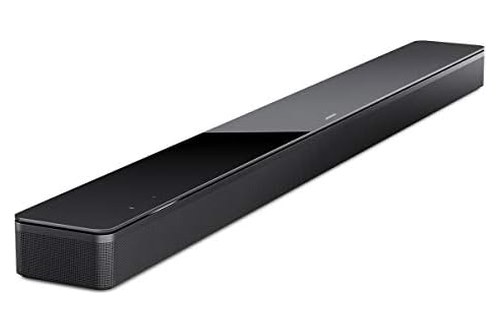
For Atmos and automatic dialogue balancing, the Bose Smart Ultra Soundbar is the upgrade. This listing is the white finish, and it takes the 700’s current Bose sub and rears.
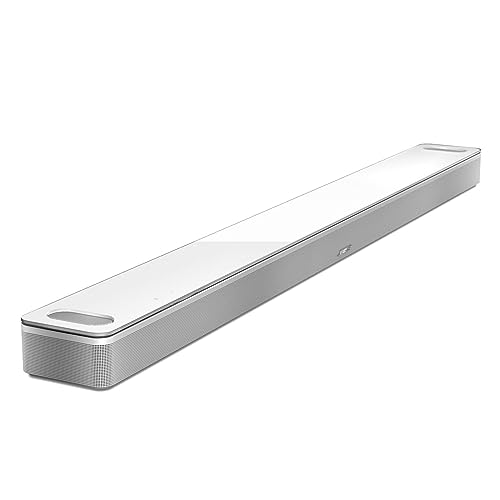
Bose Smart Ultra Soundbar
For one remote across the whole TV stand, the Bose Smart Soundbar 700 still covers it if you find one new. It also suits a Google home without a separate Google speaker.
Bose Smart Soundbar 700
Each listing met Burton Acoustix’s rating, review and stock checks on 6 November 2026. For the rest of the range, from the TV Speaker up, see Burton Acoustix’s ranking of the Bose soundbar lineup.
The Bottom Line
The rows in that first table tell the story: the Ultra adds Atmos height, TrueSpace and AI Dialogue Mode, and the 700 keeps the universal remote, built-in Google Assistant and DTS. The ports, ADAPTiQ and the current add-ons are shared.
If you own a 700 and watch Atmos films, the Ultra is the bar Bose still sells, and your sub and rears come with you. The descriptions come from Bose’s owner’s guides and product pages, plus the reviews named above.
Frequently Asked Questions
Is the Bose 700 still good?
By the reviews, it holds up on sound and build and falls behind on formats. What Hi-Fi’s 2022 review praised its wide soundfield, excellent multi-function remote and stylish build, and called its sound “balanced and direct,” but listed no Dolby Atmos or DTS:X and no video passthrough against it.
RTINGS calls it well built, with a neutral sound profile and a very wide soundstage, while noting it lacks sub-bass and Atmos support. Bose still keeps a store page for it, showing “Notify me” on 6 November 2026, and its help page says it was sold from 2018 to 2023.
Can a Smart Ultra and a 700 play together in different rooms?
Yes, by Bose’s Smart Ultra FAQ. It lists the Smart Soundbar 700 among the Bose smart speakers and soundbars you can group for multi-room listening in the Bose Music app, playing the same music in sync or different music in different rooms.
Both bars also support SimpleSync for pairing select Bose headphones or SoundLink speakers. So a 700 can move to a bedroom or den when the Ultra takes over the main TV.
Should a 700 owner look at the Lifestyle Ultra instead?
Check your add-ons first. Bose introduced the Lifestyle Ultra Soundbar on 5 May 2026 as its “first major soundbar redesign” in over a decade, and Bose US lists it beside the Smart Ultra.
Bose’s Bass Module 700 page marks the Lifestyle Ultra “wired connection only,” its Bass Module 500 page says that module isn’t compatible with it, and the Surround Speakers 700 page doesn’t name it. The Smart Ultra’s guide lists the same four current add-ons as the 700’s.