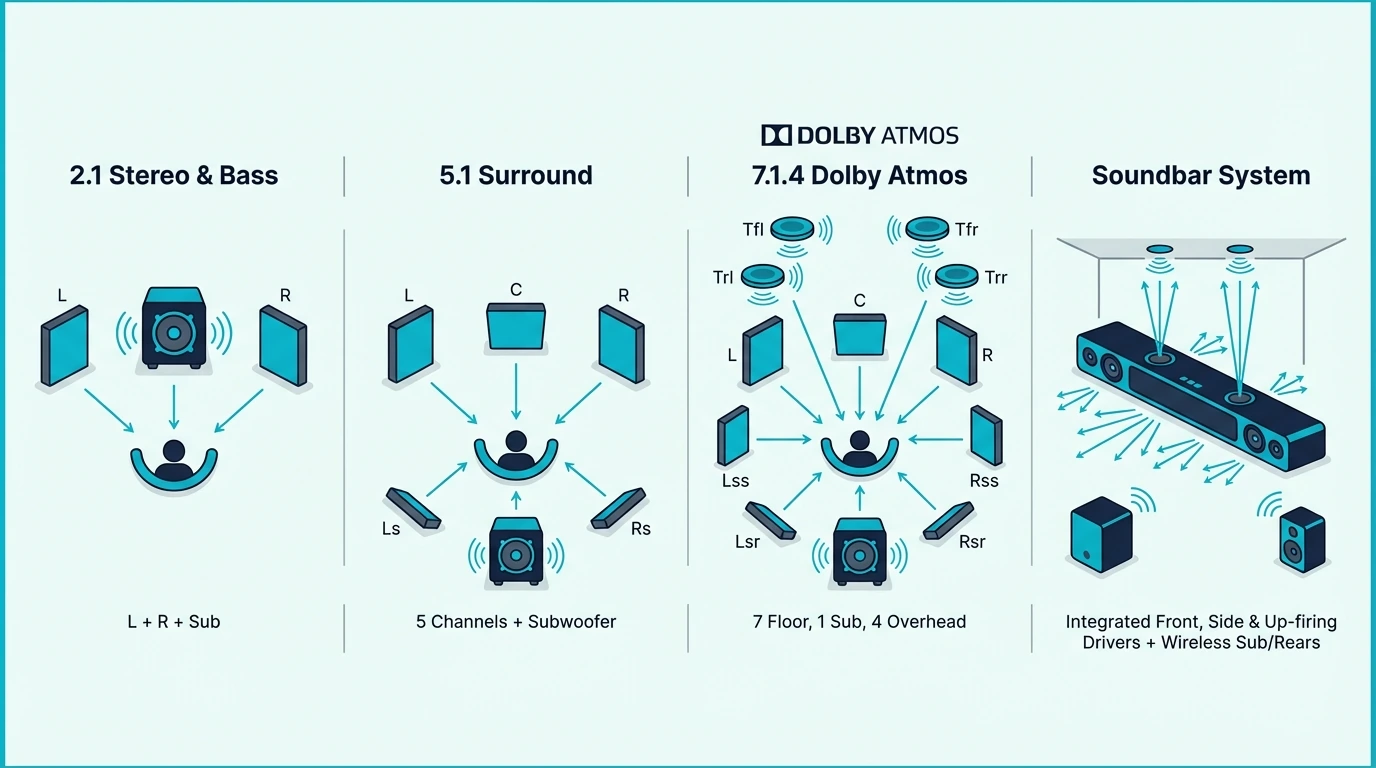
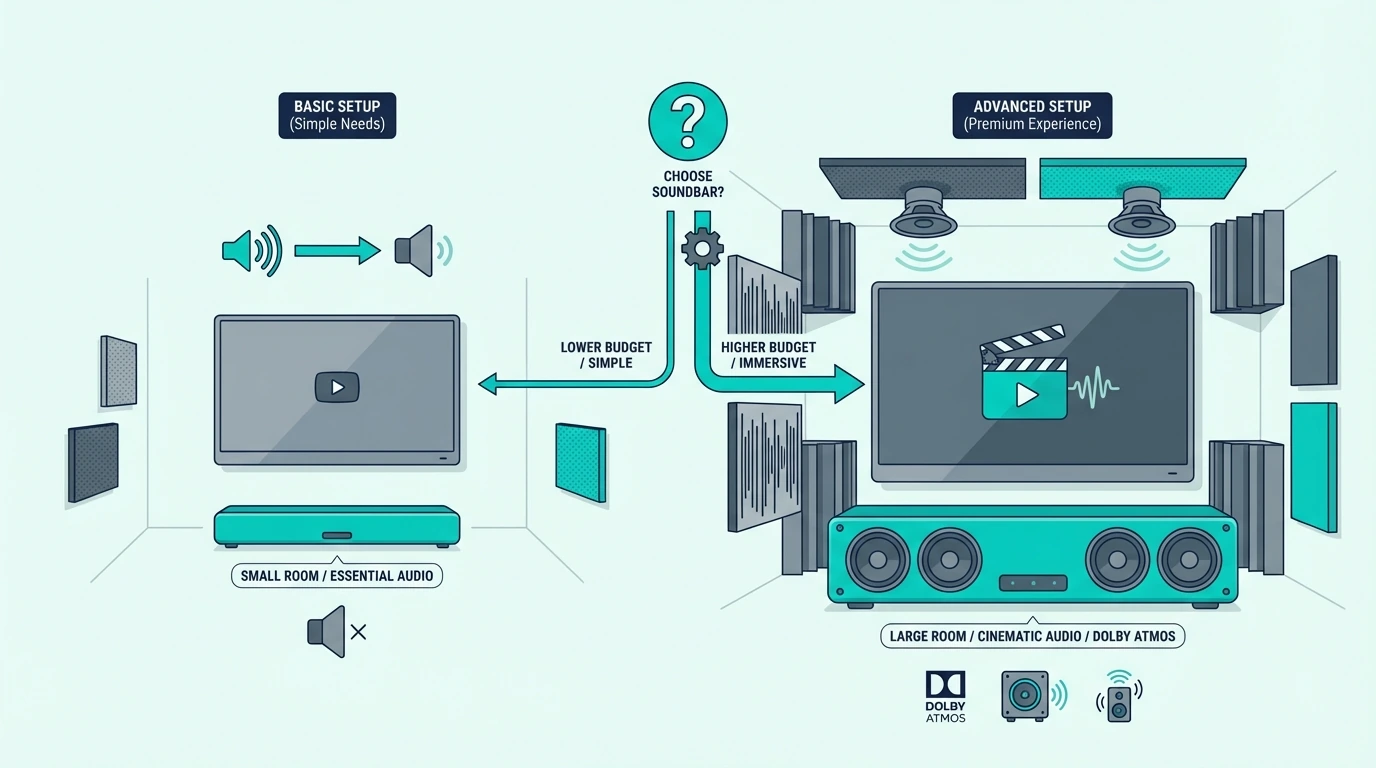
Soundbar vs Speakers: Which Setup Actually Sounds Better for Your Room?

The soundbar vs speakers decision seems straightforward until you realize both options overlap in price — but deliver fundamentally different listening experiences that depend on what you actually use your audio system for.

A soundbar is a single bar (sometimes paired with a wireless subwoofer) that connects to your TV with one cable and handles everything from dialogue to music to surround processing internally.

Speakers — whether bookshelf, tower, or satellite — are separate units that require an amplifier or receiver and physical placement around your room.

The soundbar trades audio quality for convenience, while speakers trade convenience for audio quality.

Understanding where that tradeoff actually matters for your listening habits and room layout helps you avoid buying a system that looks right on paper but sounds wrong in your space.

Below, we’ll compare what each system delivers for movies, music, and daily TV use, then help you decide which approach fits your priorities.

Quick Takeaway: A soundbar is a compact, all-in-one bar that connects to your TV with one cable — simple setup, clean look, and good enough audio for most TV watching and casual movie nights. Speakers (bookshelf, tower, or satellite) require an amplifier or receiver and physical placement but deliver superior stereo imaging, wider dynamic range, and significantly better music reproduction.

Choose a soundbar if you want a quick, meaningful upgrade from TV speakers with minimal hardware. Choose speakers if music quality matters to you or if you want the flexibility to upgrade individual components over time.

What Is a Soundbar?
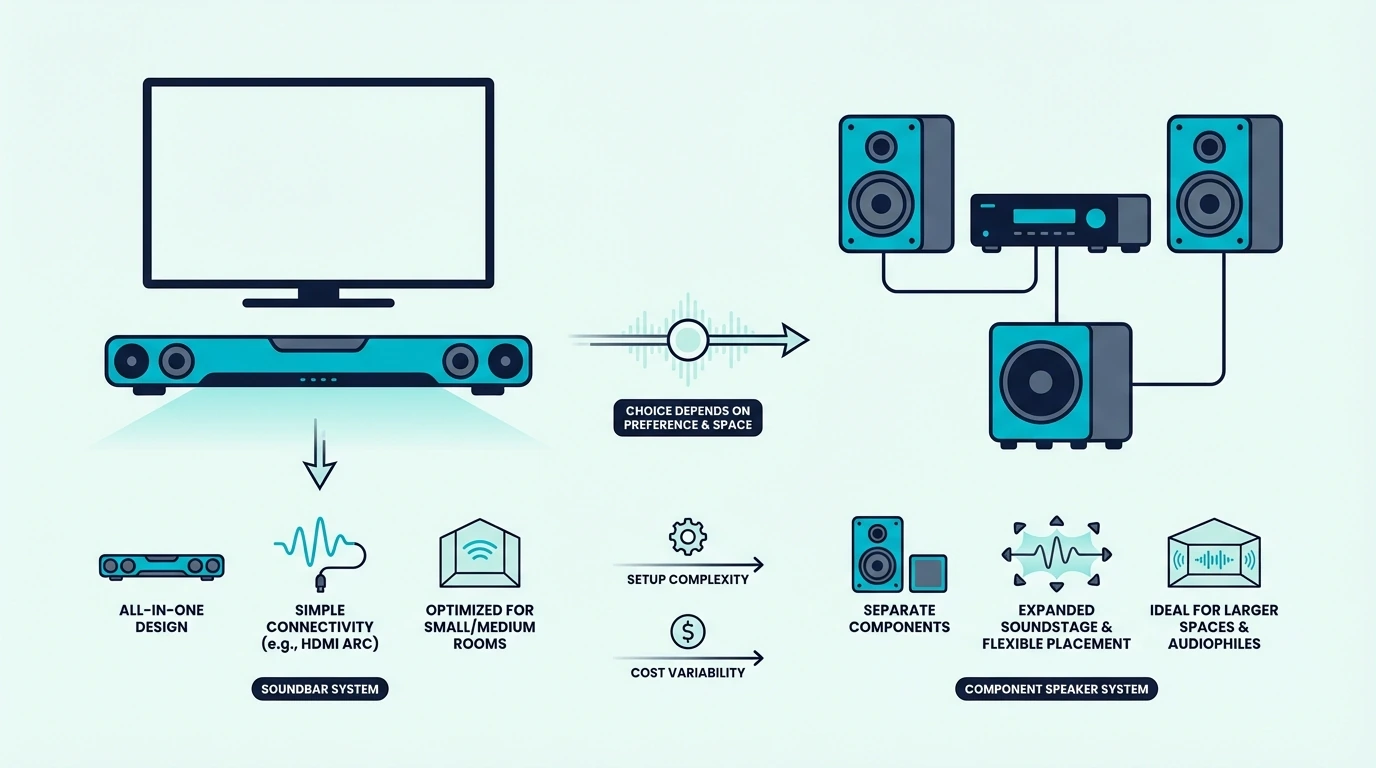
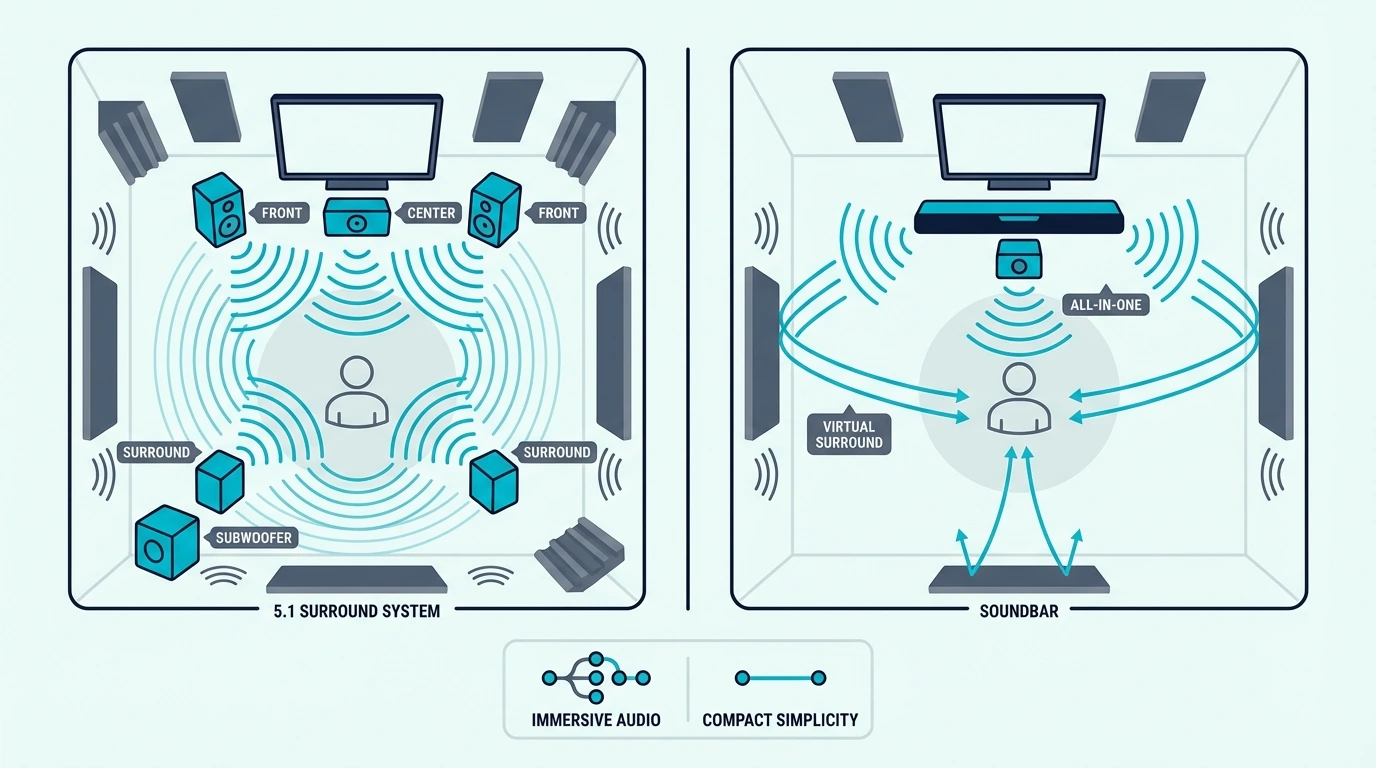
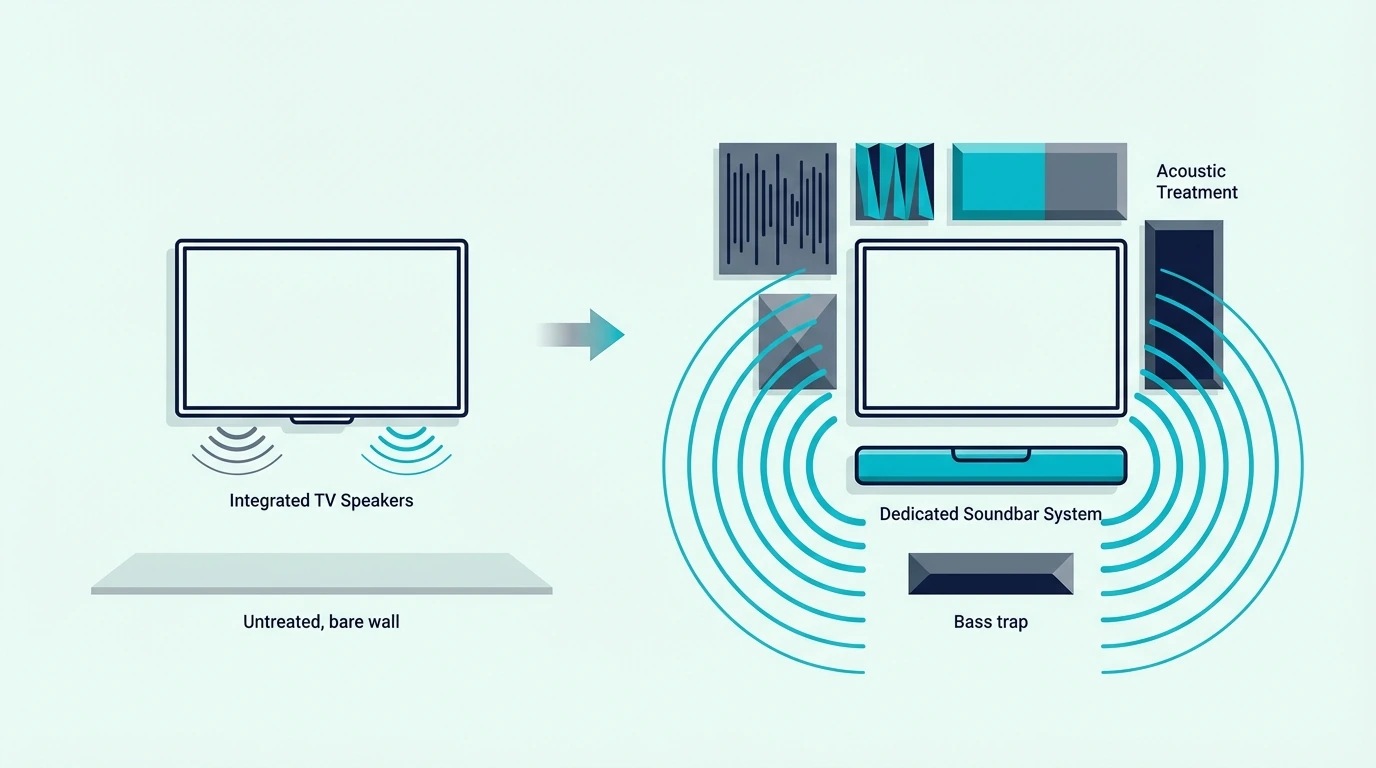
Soundbar and speaker setup compared side by side

A soundbar is a single elongated speaker enclosure — usually 20 to 50 inches wide — that sits below or in front of your TV.

Inside that enclosure, multiple small drivers handle left, center, and right audio channels, with digital signal processing simulating a wider soundstage than the physical size suggests.

Most soundbars connect to your TV through a single HDMI ARC or eARC cable.

That one connection carries audio from the TV to the bar and lets you control volume with the TV remote — no separate remote needed for daily use.

How Soundbars Work

The drivers inside a soundbar are angled and tuned to project sound outward and to the sides.

Digital processing — Dolby Atmos, DTS Virtual:X, or proprietary algorithms — uses timing delays and frequency shaping to create the impression that sound is coming from beyond the bar’s physical boundaries.

Higher-end models like the Polk Audio Signa S4 add a dedicated center channel for dialogue, upward-firing drivers for Atmos height effects, and a wireless subwoofer for bass — all still controlled from your TV remote.

The key limitation is physics — all the drivers share one narrow enclosure, which means the stereo image is compressed compared to two physically separated speakers.

Virtual surround helps, but it is simulating spatial audio rather than producing it from distinct locations.

Types of Soundbars

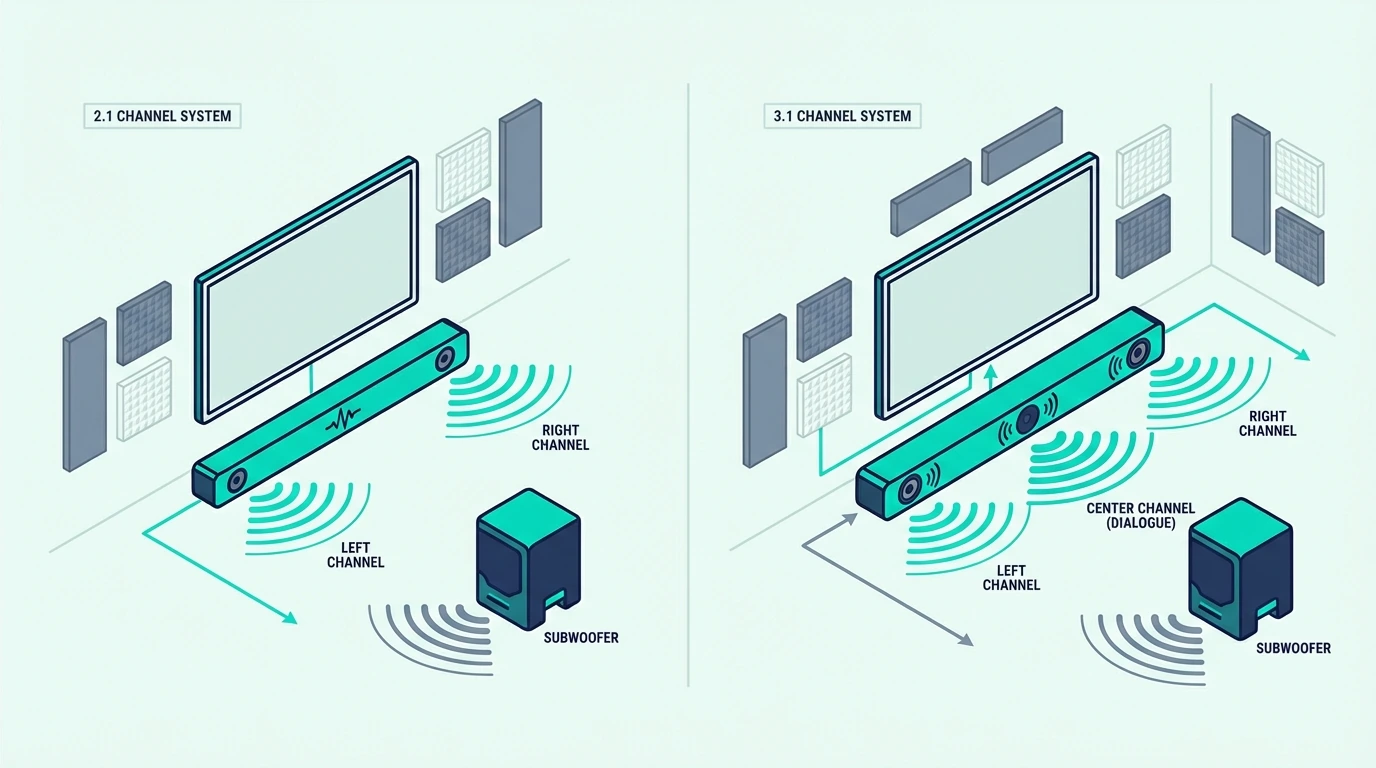
A 2.0 soundbar is the simplest — just the bar, no subwoofer — while a 2.1 adds a wireless subwoofer for bass and a 3.1 adds a dedicated center channel driver for dialogue clarity.

A 5.1 or higher adds surround effects through side-firing or upward-firing drivers.

For most living rooms, a 2.1 or 3.1 configuration delivers the biggest upgrade from TV speakers without the complexity or cost of higher channel counts.

For a deeper look at how soundbar configurations work, our what is a soundbar guide explains each type.

If dialogue clarity is your top concern, our best soundbar for dialogue guide covers which configurations matter most for speech.

What Are Speakers?
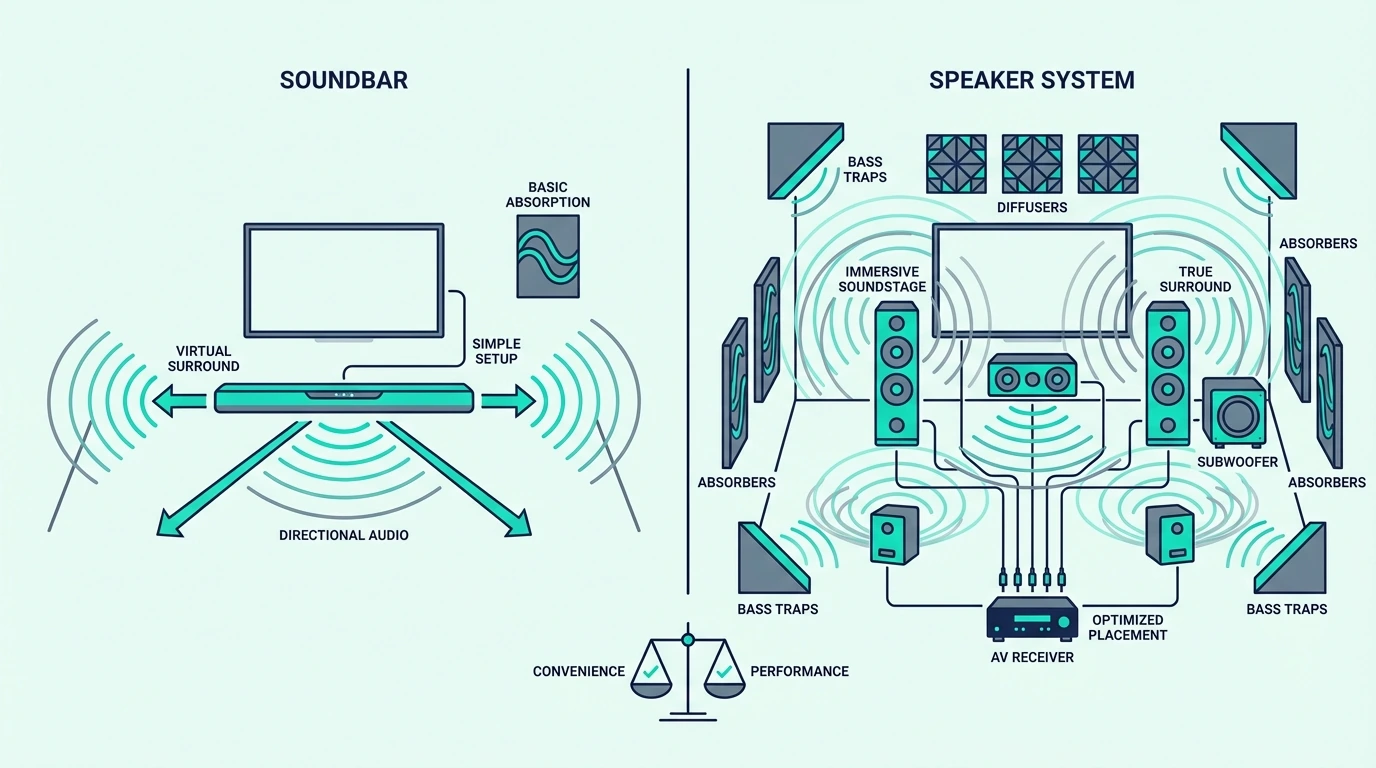
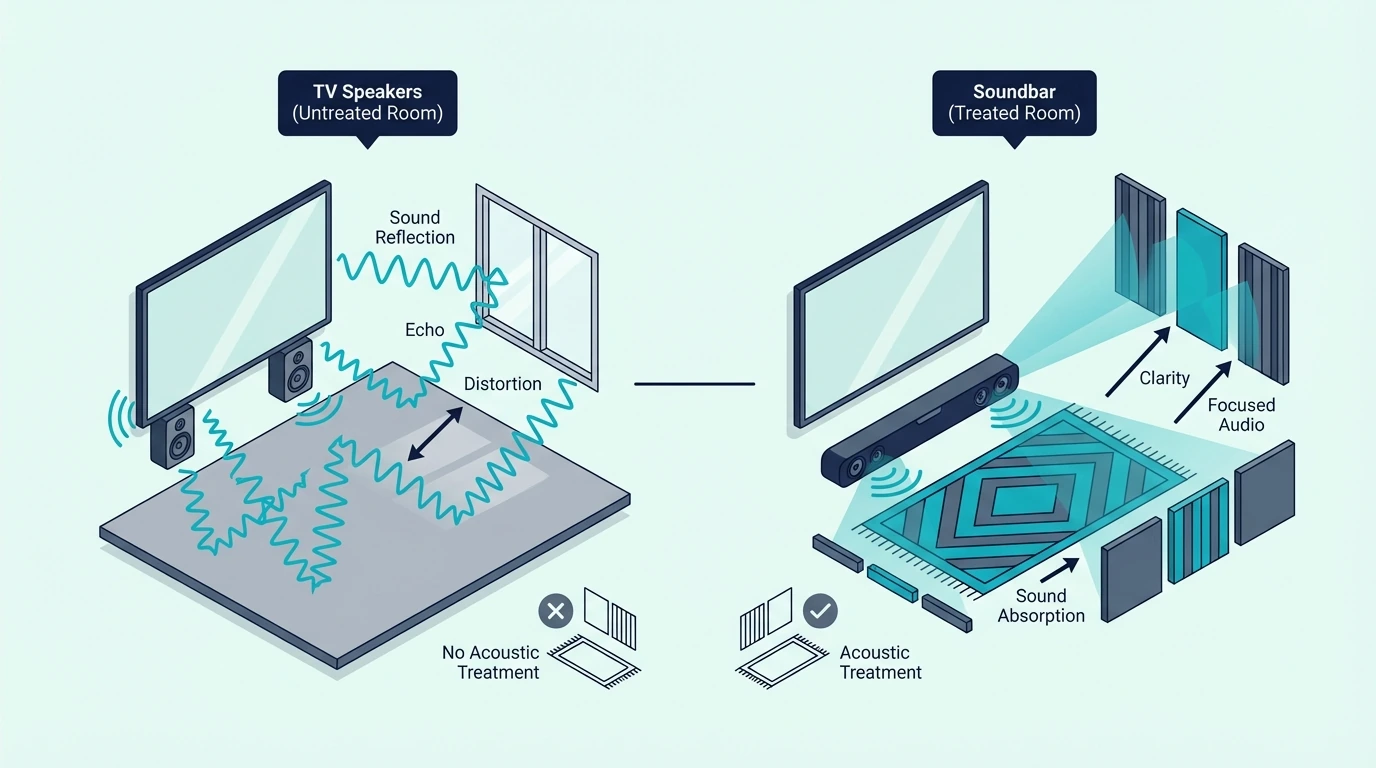
Sound quality differences between a soundbar and separate speakers

“Speakers” in the soundbar-vs-speakers context typically means a pair of bookshelf speakers, tower (floor-standing) speakers, or satellite speakers — two separate units placed on either side of your TV or listening position.

Unlike a soundbar’s all-in-one design, speakers are individual components in a modular audio chain.

That modular design is both the strength and the complexity.

You choose each piece separately — the speakers, the amplification, the source connections — which gives you control over every link in the chain but also means more hardware and more decisions.

Powered vs Passive Speakers

Powered (active) speakers have a built-in amplifier. You connect them directly to your TV’s audio output or to a Bluetooth source and they work immediately — no receiver needed.

A pair like the Edifier R1280T is a powered bookshelf pair — built-in amp, multiple inputs, and wood enclosures that produce richer bass than their compact size suggests.

Plug them into your TV’s headphone or optical output and you have a working stereo system.

Passive speakers require a separate amplifier or AV receiver to power them, with the upside being flexibility.

You can upgrade the amp or the speakers independently, and receivers add features like room correction, multiple HDMI inputs, and surround decoding.

The downside is more hardware, more cables, and a steeper learning curve.

Why Physical Separation Matters

The single biggest advantage speakers have over soundbars is physical separation. When left and right drivers are placed 3-6 feet apart on either side of the screen, the stereo image expands dramatically.

Instruments and vocals get distinct positions in the soundstage — guitar on the left, piano on the right, voice centered between them.

That spatial detail is something no soundbar can replicate from a single enclosure, regardless of how much DSP processing it applies.

For a broader look at how speakers compare to full home audio systems, our soundbar vs home theater guide covers the expanded setup.

How Do Soundbars and Speakers Compare?
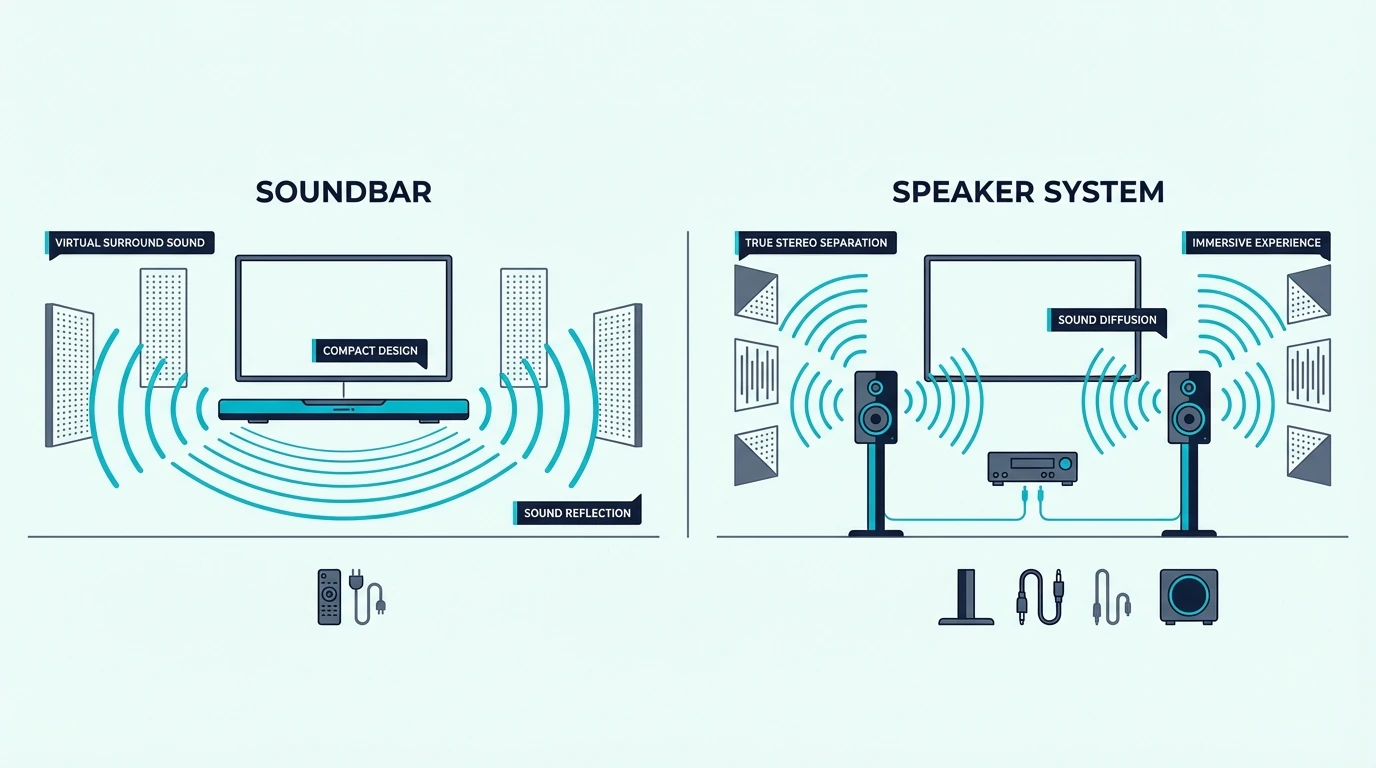
Room fit comparison for soundbars and speaker systems

With both systems defined, the comparison comes down to how each handles the content you actually listen to and the tradeoffs you are willing to make.

Movies and TV Shows

For dialogue-heavy content, a soundbar with a center channel (3.1 or higher) outperforms a basic stereo speaker pair because the center driver isolates voices from effects.

With stereo speakers, dialogue shares the left and right channels with everything else — music, explosions, ambient noise — which can muddy voices during complex scenes.

For cinematic immersion, speakers with a subwoofer deliver more dynamic range and impact than most soundbars. The physical separation creates a wider soundstage for movie scores and spatial effects.

A mid-range option like the Samsung HW-C450 pairs a wireless subwoofer with DTS Virtual:X — enough bass for movie impact and virtual surround for a wider soundstage without the complexity of a speaker setup.

For surround-level movie audio, our soundbar vs surround sound guide covers the full spectrum of options.

Music Listening

This is where speakers pull ahead decisively. Music is mixed in stereo, and the quality of stereo reproduction depends directly on the physical separation between left and right channels.

A soundbar reproduces music from drivers that are inches apart inside a single enclosure. Even with processing tricks, the stereo image is narrower and less defined than what two physically separated speakers produce.

For listeners who prioritize music accuracy, studio monitors like the Edifier MR3 take this further. Their stu dio-tuned frequency response means you hear the mix closer to how the engineer intended it.

A well-placed speaker pair gives better stereo imaging and tonal detail than a soundbar at comparable prices — every time.

Gaming

Gaming audio benefits from both systems depending on the game type. Competitive games with positional audio (footsteps, gunshots from specific directions) work better with speakers or a surround soundbar because the spatial separation helps identify sound direction.

Casual gaming works well with either system. A soundbar with a subwoofer adds impact to explosions and bass-heavy effects, while speakers deliver cleaner audio detail for games with rich soundtracks.

If your setup is built around a console, our best soundbar for PS5 guide covers which soundbar features matter for gaming.

Daily Convenience

A soundbar wins on daily usability — volume syncs with your TV remote over HDMI ARC, and our HDMI ARC guide covers the setup.

One input, one remote, no configuration.

Speakers require more daily attention if you switch between sources (TV, phone, turntable).

Powered speakers simplify this with Bluetooth input, but the experience still involves more steps than a soundbar’s single-remote approach.

When a Soundbar Is the Better Choice
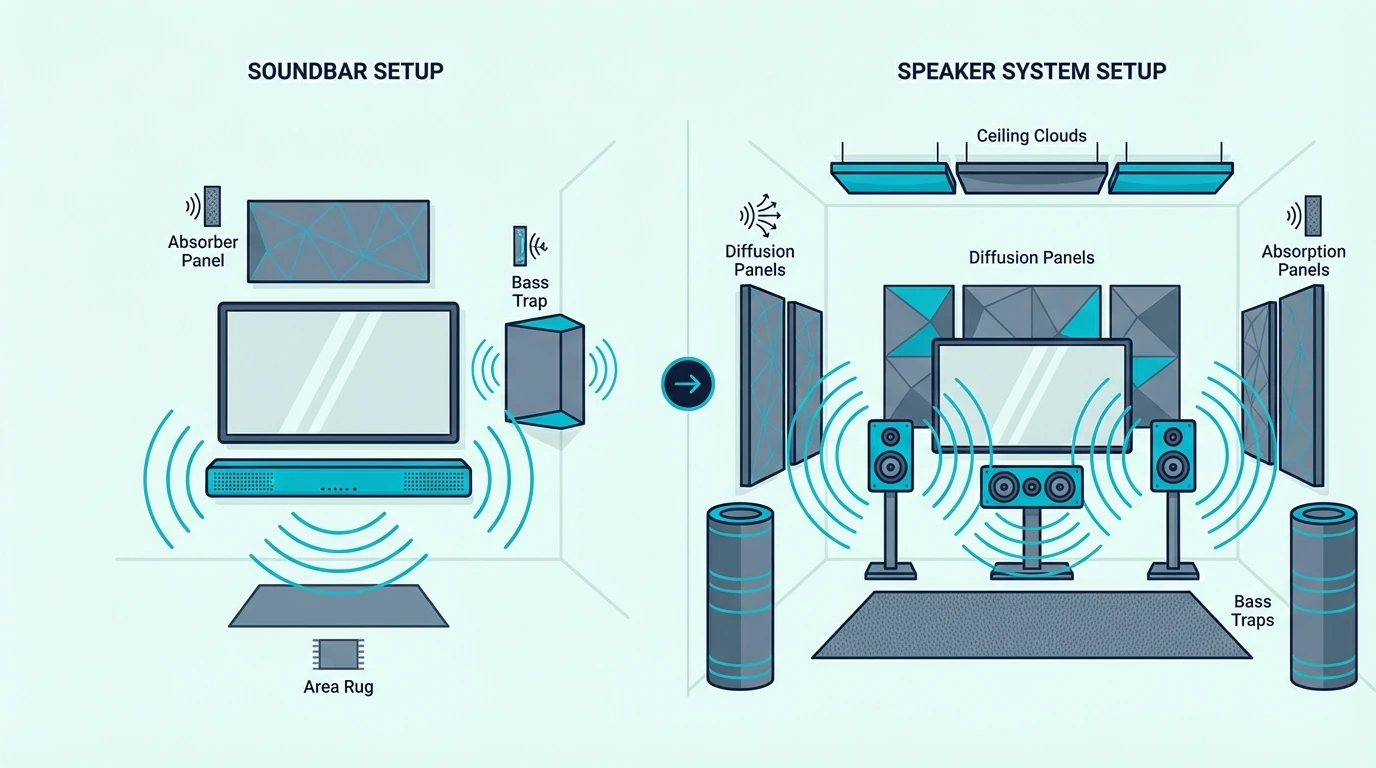
Setup complexity comparison for soundbars and separate speakers

Despite the performance gap, soundbars have legitimate use cases where their convenience and form factor outweigh the audio quality difference.

TV-First Listening

If your TV is the primary audio source — news, shows, sports, casual movie nights — a soundbar delivers a meaningful upgrade from built-in TV speakers with zero room rearrangement.

The improvement in dialogue clarity alone justifies the purchase for most households.

The bar sits below the screen, connects with one cable, and works with your existing TV remote. That simplicity means every person in the household can use it without instructions.

Space-Constrained Rooms

In apartments, bedrooms, and compact living rooms, a soundbar fits cleanly below a wall-mounted TV or on a TV stand without consuming shelf space.

Speakers require surfaces on either side of the screen — bookshelves, stands, or wall mounts — plus cable management between two separate units.

If space is tight, the soundbar’s footprint is often the deciding factor. For small room recommendations, our small room soundbar guide covers the options.

Renters and Temporary Setups

If you move frequently or cannot mount hardware, a soundbar’s single-unit design travels easily and sets up in minutes.

Speakers involve more hardware, more cables, and more placement decisions every time you relocate.

To understand whether a soundbar is the right investment for your situation, our is a soundbar worth it guide covers the value question in detail.

When Speakers Are the Better Choice
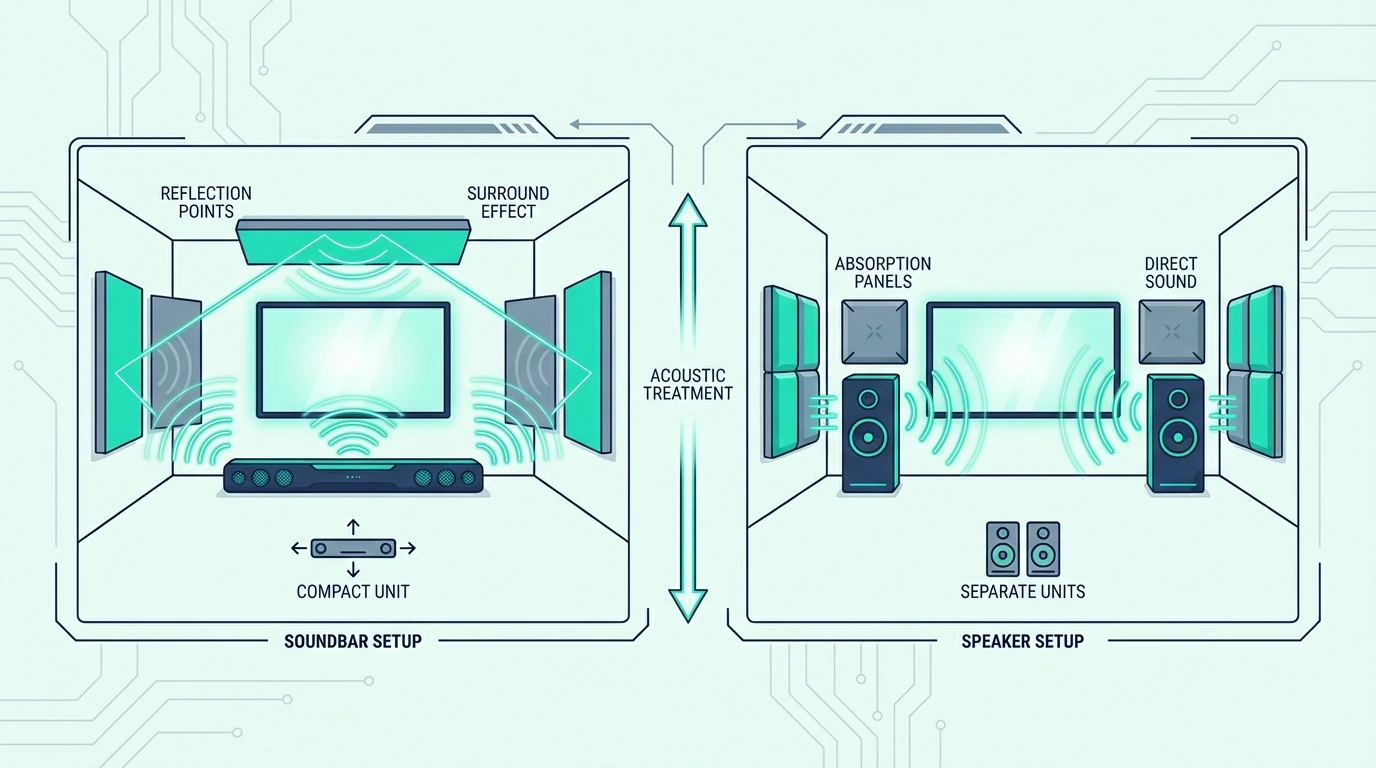
Budget comparison for soundbars versus speaker systems

If audio quality is a priority — or if you want a system that grows with you — speakers are usually the smarter long-term investment.

Music Matters to You

If music listening makes up a significant share of your audio time, speakers deliver stereo imaging and tonal detail that a soundbar cannot match at any price.

The physical separation between left and right channels creates a listening experience that single-enclosure designs fundamentally cannot reproduce.

Budget pairs like the Saiyin Bluetooth Bookshelf Speakers provide genuine left-right imaging with Bluetooth connectivity — no receiver needed, and the stereo quality already exceeds what most soundbars can achieve.

For the stereo-first buyer, our soundbar vs bookshelf speakers guide is the more focused comparison.

You Want to Upgrade Over Time

Speakers are modular — start with a powered pair today, add a subwoofer next year, and swap to passive speakers with a receiver when the budget allows. Each upgrade improves the system without replacing everything.

A soundbar is a closed ecosystem — what you buy is what you get. When you outgrow it, you replace the entire unit.

You Already Own an Amplifier or Receiver

If you already have an AV receiver or stereo amplifier, adding a pair of passive speakers costs less than buying a new soundbar and gives you significantly better audio.

The receiver handles surround decoding, room correction, and multiple HDMI inputs — features that a soundbar bundles at a premium.

If you still want the simple route, our how to choose a soundbar guide helps narrow the field.

Soundbar vs Speakers: Quick Comparison
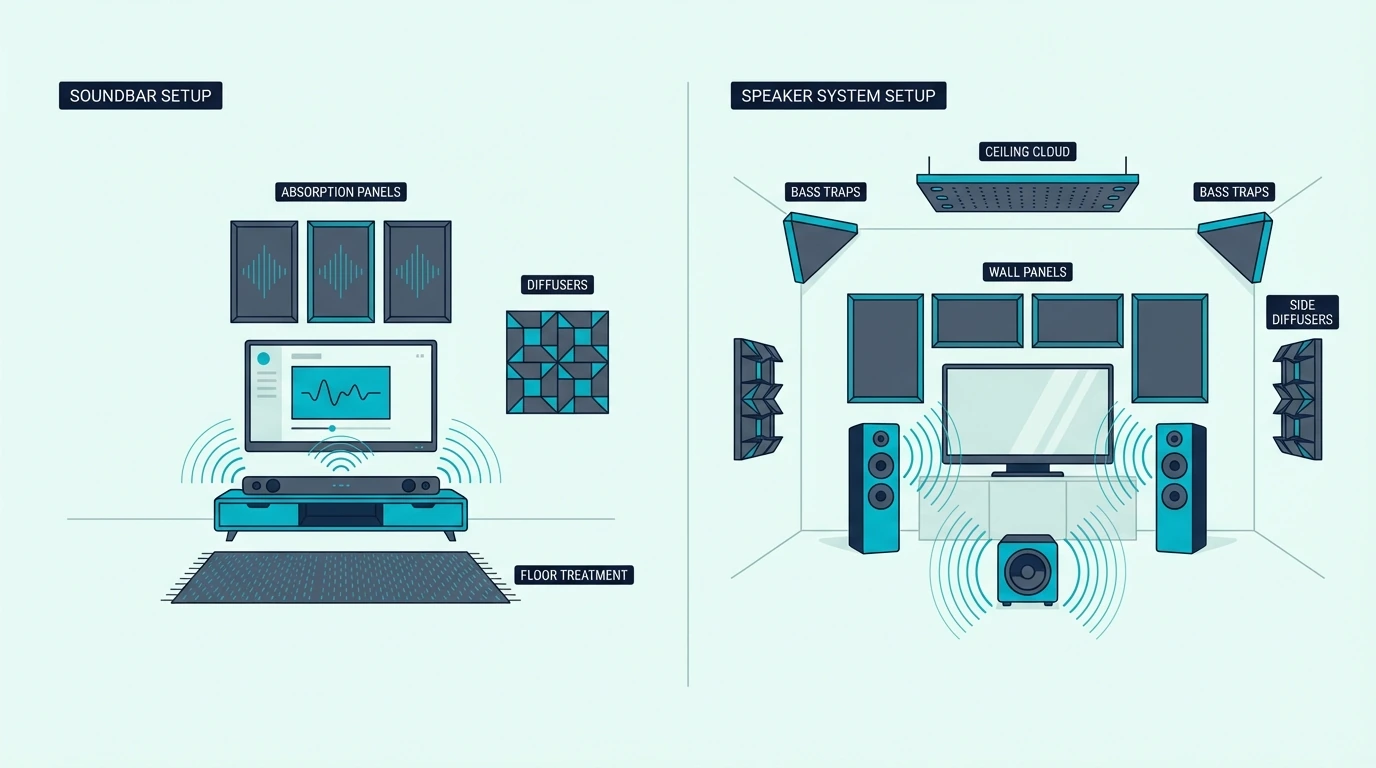
Decision guide for choosing a soundbar or speakers
Factor Soundbar Speakers
Setup One cable, one unit Two+ units, amplification needed
Stereo Imaging Compressed (single enclosure) Wide (physically separated)
Dialogue Clarity Excellent (3.1+ with center channel) Good (stereo mix only)
Music Quality Adequate for casual listening Superior at every price point
Bass Needs wireless sub (2.1+) Better low-end from larger cabinets
Space Required Minimal. Si ts below TV Needs surfaces on both sides of TV
Upgradability None. Replace the whole unit Modular — upgrade piece by piece
Daily Convenience TV remote controls everything May need separate remote or app
Best For TV-first, space-constrained, simplicity Music, upgradability, audiophile path

The budget entry point for a soundbar with virtual surround is the Amazon Fire TV Soundbar — DTS Virtual:X and HDMI ARC in a compact bar.

On the speaker side, the Edifier R1280T remains one of the best budget powered pairs for TV and music use.

For understanding how soundbars work at a fundamental level, start there.

The Bottom Line

The soundbar vs speakers decision is not about which sounds “better” in the abstract — it is about which system matches how you actually use audio in your room.

A soundbar is the practical choice for TV-first households where setup simplicity and space efficiency matter more than audiophile performance.

Speakers are the better foundation for anyone who values music, wants the option to upgrade incrementally, or already has amplification gear.

The simplest shortcut: buy the system you will actually place correctly, connect properly, and use every day. Convenience ignored at purchase time turns into regret when a complex system ends up collecting dust.

Frequently Asked Questions

What are the disadvantages of a soundbar?

The main disadvantages are compressed stereo imaging (all drivers in one narrow bar), limited upgradability (you cannot swap individual components), and lower audio quality ceilings compared to dedicated speakers at the same price.

Virtual surround processing depends on room shape and never fully matches physically separated speakers.

Does a soundbar replace speakers?

A soundbar replaces your TV’s built-in speakers and can serve as your primary audio system for TV, movies, and casual music.

It does not replace a quality speaker setup for serious music listening, and it cannot match the stereo separation or dynamic range of dedicated bookshelf or tower speakers.

Can a soundbar be used as a speaker?

A soundbar is a speaker — it contains multiple speaker drivers in a single enclosure, and you can use it for music playback via Bluetooth, HDMI, or optical input.

The audio quality for music is adequate for background listening but will not match dedicated stereo speakers for critical listening.

Is a soundbar or bookshelf speakers better for a small room?

In a small room, both work well because the short listening distance compensates for the soundbar’s narrower stereo image. Bookshelf speakers still produce better stereo separation, but the difference is less noticeable at close range.

A soundbar’s smaller footprint and simpler setup may be more practical in tight spaces. For small room recommendations, our small room soundbar guide covers the options.

Should I get a soundbar or speakers for my apartment?

For most apartments, a soundbar is the safer choice.

The compact form factor works in tight spaces, the single-cable setup avoids wall mounting or speaker stands, and the lower bass output is actually a benefit — you are less likely to disturb neighbors.

If music quality is a priority, powered bookshelf speakers with Bluetooth give you better stereo without needing a receiver. The tradeoff is placement — you need surfaces on either side of the screen and cable runs between both units.

Can You Add Surround Speakers to a Soundbar? What Actually Works [2026]

Most people searching “can I add surround speakers to my soundbar” expect a simple yes — but the answer depends entirely on your soundbar’s brand, model, and whether it supports proprietary wireless rear speakers.

The short version: you cannot pair random Bluetooth or wired speakers with a soundbar to create surround sound. Soundbars are closed systems that only accept specific companion speakers sold by the same manufacturer, because Bluetooth has too much latency for real-time surround and soundbars don’t have speaker wire outputs.

That limitation frustrates buyers who assumed their bar was expandable. Understanding which soundbars actually support added rears — and when upgrading to a system that includes them makes more sense — helps you avoid wasting money on speakers that won’t work or settling for front-only audio when you want surround.

Below, we’ll cover which bars support surround expansion, how the pairing works, and what to do when your bar doesn’t support added speakers.

Quick Takeaway

You can add surround speakers to some soundbars — but only same-brand wireless rear speakers designed for your specific model. Samsung, Sony, LG, and Sonos each sell proprietary wireless surround kits that pair over WiFi (not Bluetooth) with compatible bars. You cannot use generic Bluetooth speakers, wired speakers, or a different brand’s rears. If your bar doesn’t support wireless rears, your options are upgrading to a soundbar system that includes rear speakers or switching to an AV receiver setup that accepts any speakers.

Which Soundbars Support Added Surround Speakers

Not every soundbar can accept rear speakers. The feature depends on the manufacturer’s ecosystem and whether your specific model includes the wireless surround pairing protocol. The same ecosystem rule applies to spare subwoofers and passive speakers — most soundbars do not have a subwoofer output, pre-out, or passive speaker terminals because the expansion path is closed unless the bar was built for it, so forcing the connection can damage equipment.

Samsung Wireless Surround

Samsung soundbars from the Q-series and S-series support Samsung Wireless Surround Ready speakers. You pair Samsung rear speakers through the SmartThings app, and they connect over WiFi to sync with the bar’s audio processing.

The rear speakers must be Samsung-compatible models — typically sold as the SWA-9200S or similar wireless rear speaker kits. Third-party speakers, even Samsung Bluetooth speakers, won’t work as surround channels.

To check compatibility, open the SmartThings app, select your soundbar, and look for a “Surround” or “Rear Speaker” option in the settings. If it’s not there, your model doesn’t support added rears.

Sony Wireless Rear Speakers

Sony soundbars that support wireless rears use Sony’s S-Center or wireless surround protocol. Compatible models pair with specific Sony wireless rear speakers through the Sony app.

Like Samsung, the pairing is proprietary. You need Sony rear speakers designed for your bar’s generation — a Sony Bluetooth speaker won’t function as a surround channel.

Sony’s wireless surround speakers typically cost $100-200 per pair and connect through the bar’s settings menu. Check your model’s spec sheet for “wireless surround compatible” before purchasing.

LG and Sonos

LG soundbars with wireless surround support pair with LG’s wireless rear speaker kits through the LG Soundbar app. For large-room movie use, a current example is Amazon Fire TV Soundbar, which is a strong fit for Balanced TV and movie upgrade.

Sonos uses its own WiFi-based multi-room protocol — you can add Sonos Era 100 or Era 300 speakers as surround channels to a Sonos Arc or Beam through the Sonos app. Only Sonos speakers work as rears, with no third-party options.

Why Bluetooth Speakers Don’t Work

Bluetooth has 40-200ms of audio latency depending on the codec, while surround audio requires all speakers to be synchronized within 1-2ms for the spatial effect to work. That latency gap means Bluetooth speakers play audio noticeably behind the soundbar, which destroys the surround illusion.

Soundbar manufacturers use WiFi-based or proprietary wireless protocols that operate at near-zero latency. This is why only same-brand, purpose-built rear speakers work as surround channels.

The same latency issue applies to wired connections — soundbars don’t have speaker wire terminals or RCA outputs for external speakers. The audio processing is entirely internal, with no way to route individual channels to external hardware.

What to Do When Your Soundbar Doesn’t Support Rears

If your soundbar doesn’t have wireless surround support, you have three practical options — and none of them involve connecting random speakers to your bar. They also do not involve adding a second soundbar behind the couch, because a second bar will play late, not in true surround channels, since two soundbar systems do not share processing, timing, or channel mapping.

Option 1: Upgrade to a Soundbar with Built-In Surround

The simplest path to surround is replacing your current bar with one that either includes rear speakers or processes surround from the bar itself. For large-room movie use, a current example is Polk Audio Signa S2 Sound Bar for Smart TV with Subwoofer, which is a strong fit for TV and movies when you want fuller bass.

For true rear-channel audio, look for systems that include wireless rear speakers in the package. Our 2.1 vs 5.1 guide covers the difference between front-only and full surround configurations.

This is often the most cost-effective path because bundled systems are priced lower than buying a bar and matching rear speakers separately. You also avoid compatibility guesswork since everything is designed to work together out of the box.

Option 2: Switch to an AV Receiver Setup

An AV receiver accepts any speakers — bookshelf, tower, satellite, or in-ceiling — from any brand. If you want maximum flexibility to choose your own speakers and expand your system over time, a receiver-based setup is the only truly open platform.

You can start with a 2.1 setup and add surround speakers later at your own pace, mixing and matching brands and price tiers as your budget allows.

The tradeoff is complexity and cost — you need the receiver ($200-500), five speakers, a subwoofer, and cables or wireless adapters for each speaker. Our soundbar vs home theater guide covers when this switch makes sense, and our soundbar vs receiver guide breaks down the decision.

Option 3: Use Virtual Surround Processing

Many soundbars without rear speaker support still offer virtual surround modes — DTS Virtual:X, Dolby Atmos decoding, or proprietary processing that widens the soundstage from the front drivers alone. This won’t replicate physical rear speakers, but it can create a wider, more immersive sound field than pure stereo.

Virtual surround works by using psychoacoustic tricks and side-firing drivers to create the impression of sound coming from wider angles. The effectiveness depends heavily on your room — hard, reflective side walls improve the effect while soft furnishings and open spaces diminish it.

Enable your bar’s surround mode through its settings or remote. The effect varies by room — rectangular rooms with reflective side walls produce better results, and our soundbar channel guide explains what each processing mode delivers.

For the full picture on how soundbars work and where each configuration fits, start with the fundamentals. If you’re weighing whether to upgrade your soundbar or invest in a full surround system, our soundbar vs surround sound guide covers that broader question.

For connection setup, our HDMI ARC guide explains how to get surround audio from your TV to your bar. And if you’re troubleshooting an existing soundbar, our soundbar pairing guide covers wireless component connections.

The Bottom Line

You can add surround speakers to a soundbar only if your bar supports same-brand wireless rear speakers paired through the manufacturer’s app. You cannot use Bluetooth speakers, wired speakers, or another brand’s rears — the latency and compatibility issues make it impossible.

If your bar supports wireless rears, buy the matching speaker kit from the same manufacturer. If it doesn’t, your best options are upgrading to a soundbar system that includes rears, switching to an AV receiver for full speaker flexibility, or using your bar’s virtual surround processing to get the most from what you have.

Frequently Asked Questions

Can I add surround sound to my soundbar?

Only if your soundbar model supports same-brand wireless rear speakers. Check your manufacturer’s website or app to see if your specific model has wireless surround support and which rear speakers are compatible.

If your bar doesn’t support added rears, your options are upgrading to a bar that does or switching to an AV receiver setup.

How do I add additional speakers to my soundbar?

Purchase the wireless rear speaker kit made by your soundbar’s manufacturer (Samsung, Sony, LG, or Sonos). Pair them through the manufacturer’s app — the process typically involves powering on the rear speakers and letting the app detect and sync them.

The rear speakers connect over WiFi, not Bluetooth, so they need to be on the same network as your soundbar.

Can you combine a soundbar with other speakers?

You cannot mix brands or use generic speakers with a soundbar for surround audio. Soundbars are closed ecosystems that only accept their own brand’s companion speakers.

For large-room movie use, a current example is JBL Bar 2.1 Deep Bass (MK2), which is a strong fit for TV and movies when you want fuller bass.

The exception is an AV receiver setup, which accepts any speakers from any brand. If speaker flexibility matters to you, a receiver-based system is the only option that supports mixed-brand configurations.

Can I connect Bluetooth speakers to my soundbar for surround?

No — Bluetooth has too much latency (40-200ms) for synchronized surround audio. Surround channels need to be within 1-2ms of the main bar for the spatial effect to work, which is why manufacturers use proprietary WiFi-based protocols instead.

5.1 Surround Sound vs Soundbar: Which System Actually Fits Your Room?

The 5.1 surround vs soundbar question sounds like a simple battle between better audio and easier setup, but the better system on paper is not always the better fit in a real living room.

That is where many buyers get it wrong.

They assume discrete 5.1 automatically wins.

Then they discover the bigger issue was speaker placement, cable runs, and receiver setup that turn the room into a project long before the extra performance pays off.

Once you separate raw performance from real-world fit, the decision gets much easier.

You can choose the setup that matches your room, your budget, and your tolerance for installation instead of paying for hardware you never position or calibrate properly.

The first move is to compare how each system handles movies, daily TV, gaming, and setup complexity.

That tells you when 5.1 surround is worth the hassle and when a soundbar is the smarter buy.

Quick Takeaway

A discrete 5.1 surround system still wins on true directional audio, upgrade flexibility, and the highest ceiling for movie performance. A soundbar wins on simplicity, cleaner installation, lower total cost, and the fact that it is far easier to set up correctly in an ordinary living room.

If you have a dedicated room and do not mind an AV receiver, separate speakers, and calibration, 5.1 is better. If you want the most practical upgrade over TV speakers with less hardware and less friction, a soundbar package is usually the smarter buy.

What Is the Real Difference Between 5.1 Surround and a Soundbar?

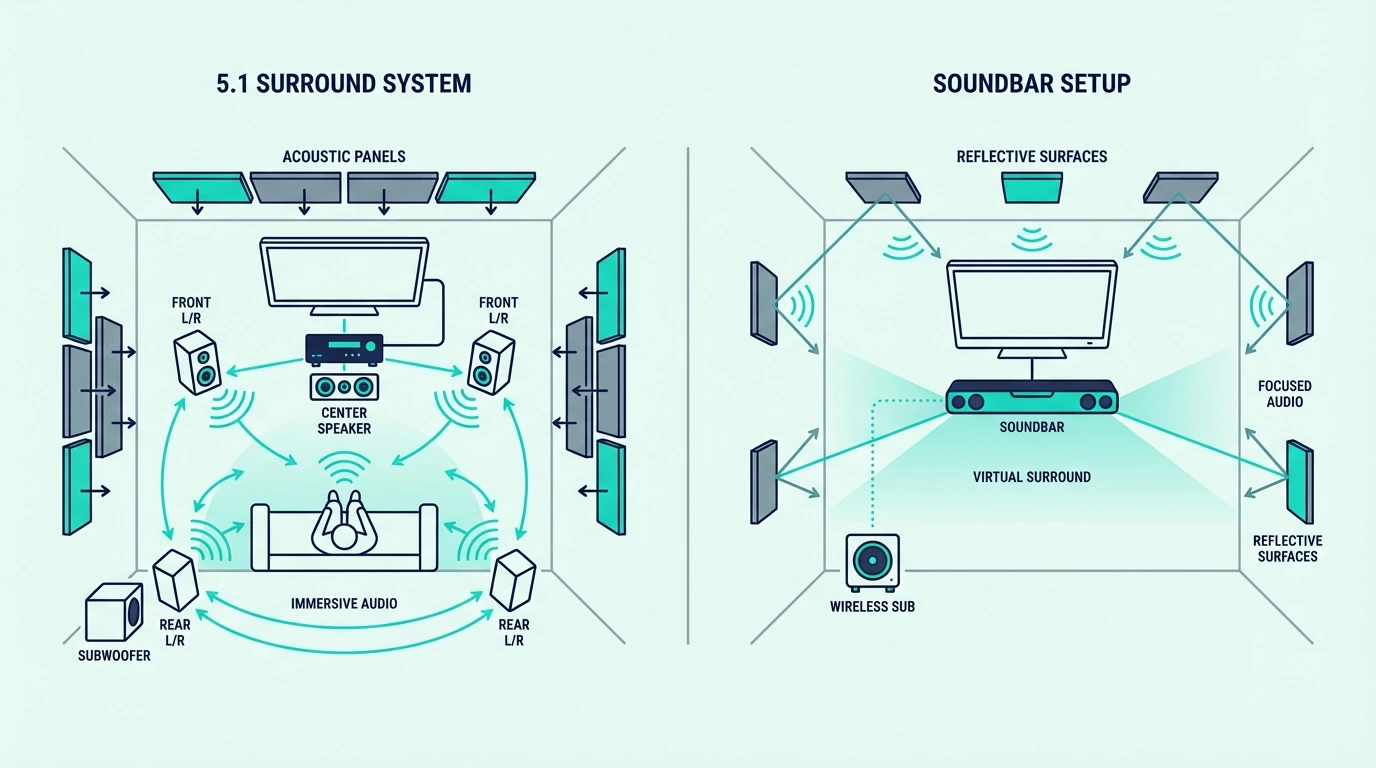
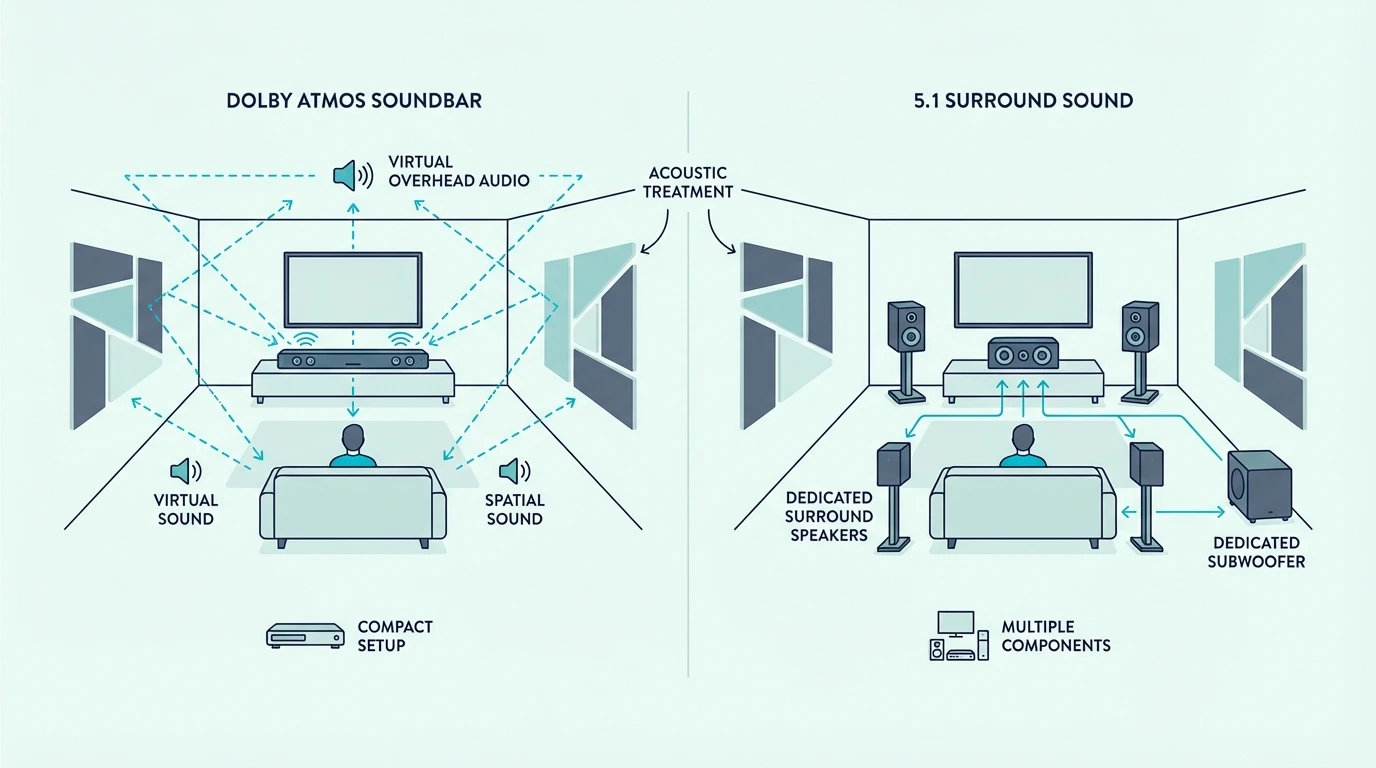
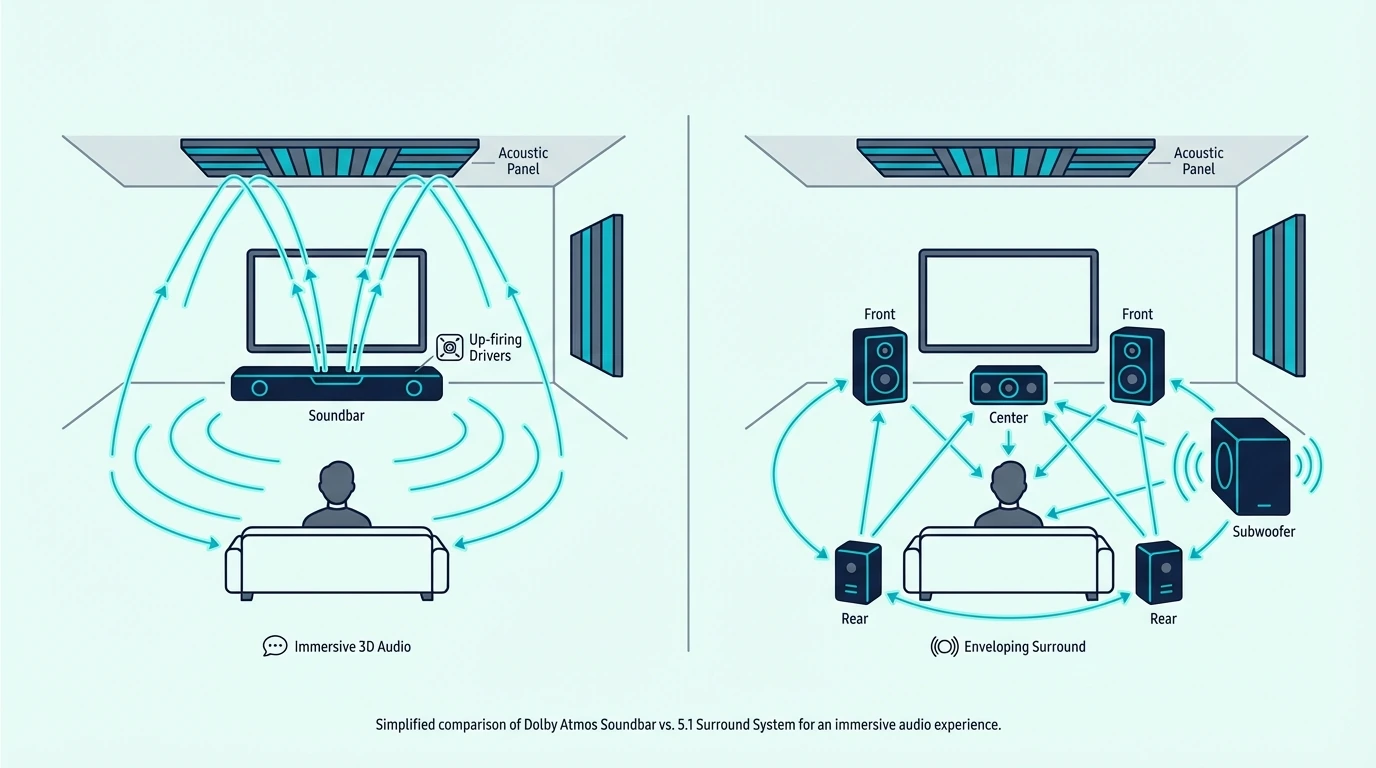
Traditional 5.1 surround system compared with a soundbar

The term “5.1” appears in both categories, but the hardware behind it is not the same.

One approach uses separate speakers placed around the room.

The other compresses most of the job into a bar that lives under the TV.

Discrete 5.1 Surround Sound

A discrete 5.1 system has six physical components.

You get a left front speaker, a center speaker, a right front speaker, a left rear surround speaker, a right rear surround speaker, and a subwoofer.

All six connect to an AV receiver that decodes the audio signal and routes each channel to its dedicated speaker.

Each speaker handles only its assigned channel.

The center speaker plays only dialogue and the rear speakers play only surround effects.

This physical separation means there is zero overlap between channels, so every sound comes from exactly the direction the content creator intended.

The AV receiver also handles amplification, room calibration, and format decoding like Dolby Digital, DTS, and Dolby Atmos.

Higher-end receivers run automatic room correction.

That measures your specific room’s acoustics and adjusts each speaker’s output to compensate for reflections, distance, and frequency response.

Soundbar Systems

A soundbar compresses multiple channels into a single front bar.

Some packages add a subwoofer and wireless rear speakers to get closer to real surround.

That makes the system far easier to place, wire, and live with even before you talk about audio quality.

For buyers who want the soundbar version of surround without a receiver stack, current examples include Samsung Q800F 5.1.2ch Q Series Soundbar + Subwoofer for a more cinematic living-room package and Bose Smart Ultra Dolby Atmos Soundbar when you care more about minimal hardware and day-to-day simplicity.

At that point, the question shifts from whether soundbars can mimic surround at all to how much installation complexity you want to keep out of the room.

The Core Difference

A discrete system puts real speakers at real positions around your room.

A soundbar puts all or most of its speakers in front of you.

It uses driver design, processing, and sometimes wireless rears to compress that experience into a smaller package.

That processing has gotten remarkably good.

In a moderately sized room with solid side walls, a good soundbar can sound more convincing than many buyers expect.

But physics still favors a speaker that is actually behind you over a speaker that bounces sound off your wall to approximate the same effect.

When Does 5.1 Surround Beat a Soundbar, and When Does a Soundbar Win?

Room setup differences between 5.1 surround speakers and a soundbar

The performance gap between discrete 5.1 and a soundbar varies dramatically depending on what you’re listening to and how your room is configured.

Movies and Cinematic Content

This is where discrete 5.1 earns its biggest advantage.

Films are mixed with specific audio elements assigned to specific channels.

That can mean a helicopter panning from left front to right rear, rain falling from the surround channels, or dialogue anchored to the center.

A discrete system reproduces this mix with physical precision.

Each sound comes from its intended direction because there is a real speaker at that position.

A soundbar approximates this with processing.

While the effect can be convincing in a well-shaped room, it never matches the pinpoint accuracy of discrete speakers placed at calibrated positions.

For serious movie watchers who notice the difference between a sound coming from their actual left-rear and a sound bouncing off their left wall to simulate that direction, discrete 5.1 is the clear winner.

Casual TV and Streaming

For everyday TV watching like news, sitcoms, reality shows, and sports, the surround advantage shrinks dramatically.

Most TV content has simple stereo or basic surround mixes where the rear channels carry minimal audio.

A soundbar handles casual TV content as well as a discrete system in practical terms. The center channel (in a 3.1+ bar) keeps dialogue clear, and the front stereo image is wide enough for non-cinematic content.

Music

Music is mixed in stereo, so neither a 5.1 discrete system nor a soundbar’s surround processing adds meaningful value to a two-channel recording. For music, the quality of the speakers matters more than the channel count.

Discrete speakers — especially bookshelf or tower speakers designed for music — generally produce richer, more detailed sound than a soundbar’s built-in drivers.

If music listening is a priority, dedicated speakers outperform soundbars at every price point.

Our soundbar vs receiver guide explains why component-based systems still appeal to enthusiasts.

Gaming

Gaming audio often includes full surround mixes with positional cues — footsteps behind you, gunshots from specific directions, environmental audio that changes as you move. A discrete 5.1 system reproduces these cues with physical accuracy.

A soundbar with rear speakers approximates the effect well. A front-only soundbar struggles with rear positioning regardless of how sophisticated the virtual surround processing is.

Setup and Daily Use

A discrete 5.1 system requires speaker placement at specific positions, cable management or wireless receiver connections, an AV receiver that occupies shelf space, and initial calibration.

Changing inputs, adjusting settings, and troubleshooting multiple connected components adds daily friction.

A soundbar plugs into your TV with one HDMI cable and works immediately — our HDMI ARC guide covers the connection.

Volume syncs with your TV remote.

There is nothing to calibrate, no cables to run across the room, and no receiver to manage.

For most households, the simplicity of a soundbar means it actually gets used daily. A discrete system that’s poorly set up or calibrated often sounds worse than a decent soundbar that’s connected correctly.

Shared Living Spaces and the Best Middle Ground

A full 5.1 system often loses on practicality before audio quality even enters the conversation.

Rear speaker stands, visible wire runs, and a receiver rack are hard sells in living rooms shared with partners, kids, or roommates, even when the sound is objectively better.

That is where soundbar packages with wireless rear speakers earn their keep.

They give you actual speakers behind the couch, better directional effects than a front-only bar, and far less installation friction than a receiver-based 5.1 system.

They still do not match the upgrade flexibility or channel separation of discrete speakers, but they close more of the real-world gap than many buyers realize.

If you want a simpler system now with room to expand later, the Sony HT-A3000 is the kind of soundbar that makes more sense than jumping straight into a receiver-based system you may never fully wire and calibrate.

The Bottom Line

A discrete 5.1 surround system delivers the more convincing movie experience because it puts real speakers around the room.

A soundbar wins by removing the receiver stack, cable runs, and setup friction that keep many living-room theater plans from ever working as intended.

Choose discrete 5.1 if you have a dedicated media room with space for five speakers, a budget for a receiver plus speakers, and the patience to run cables and calibrate. If you are still deciding whether a receiver-based path fits your room at all, our soundbar vs receiver guide is the better next step.

Choose a soundbar if you want a meaningful audio upgrade with minimal hardware, live in a space where rear speakers are impractical, or know convenience matters more than squeezing out the last bit of surround precision. If you want the most direct next step on soundbar channel counts, our 3.1 vs 5.1 soundbar comparison is the better follow-up.

If budget is the primary constraint, a competent soundbar usually makes more sense than trying to stretch the same money across a receiver, five speakers, and a subwoofer.

For shopping rather than theory, the best budget soundbar guide is the useful next click.

The gap between them narrows every year as soundbar processing improves, but physics still gives the edge to speakers that are actually around you instead of simulated from the front.

Start with the soundbar fundamentals hub for the broader category view.

If you want a higher-channel soundbar comparison next, the 5.1 vs 3.1.2 soundbar guide is the right continuation.

Frequently Asked Questions

Is a 5.1 system better than a soundbar?

A 5.1 discrete system produces better spatial separation and directional accuracy because the speakers are physically positioned around your room. The audio quality ceiling is higher for movies and immersive content.

A soundbar is better for practical daily use — simpler setup, less hardware, easier to live with.

For casual viewing, the difference is minimal.

Do soundbars replace 5.1 systems?

Soundbars have replaced discrete 5.1 for the majority of living rooms because they deliver a significant TV audio upgrade with dramatically less hardware and complexity.

For dedicated home theater enthusiasts, discrete systems still offer performance that soundbars cannot fully replicate.

Premium soundbar systems with wireless rear speakers come closest to discrete 5.1 performance while maintaining the simplicity advantage.

Is Netflix 5.1 or normal audio?

Netflix supports 5.1 surround sound on most content when your hardware supports it.

Look for the “5.1” badge on titles.

That content will output a full surround signal if your soundbar or receiver and TV connection like HDMI ARC or eARC support surround decoding.

Standard plans stream in stereo by default, while premium plans unlock Dolby Atmos on select titles. Our HDMI ARC guide covers the connection requirements for surround audio.

2.1 vs 5.1 Soundbar: How Much Surround Do You Actually Need?

The 2.1 vs 5.1 soundbar comparison looks like a simple channel-count contest, but most buyers get it wrong.

They skip the steps in between and ignore what their room can actually support.

A 2.1 soundbar is a two-piece system that fires all audio forward and adds a wireless subwoofer for bass.

A 5.1 soundbar adds a center channel for dialogue plus two rear speakers that put sound behind and beside you.

That jump sounds like a straight upgrade, but it comes with real costs.

You need more hardware, rear-speaker placement, power outlets behind the couch, and a larger budget.

Those costs only pay off when the room and the content actually use the extra channels.

Below, we break down what each number means, what each layout sounds like with real content, where 3.1 fits as the middle step, and what people regret after choosing the wrong one.

Quick Takeaway

A 2.1 soundbar gives you stereo plus bass in a simple two-piece setup. A 5.1 soundbar adds a center channel for dialogue and two rear speakers for surround.

The center channel alone is the single biggest upgrade most people notice, and you can get that at 3.1 without rear speakers. Only jump to 5.1 if you watch a lot of movies or game with spatial audio, your room has space behind the couch, and you are willing to manage the extra hardware.

What Do the Numbers Actually Mean?

What 2.1 and 5.1 soundbar channel numbers mean

That jump from 2.1 to 5.1 only makes sense once you know what each number buys you. The notation is simpler than it looks, and every digit maps to real hardware in the room.

Config Front channels Center Rear surrounds Subwoofer Typical pieces
2.1 Left + Right No No Yes 2 (bar + sub)
3.1 Left + Right Yes No Yes 2 (bar + sub)
5.1 Left + Right Yes Left + Right rear Yes 4 (bar + sub + 2 rears)

The first number is the speaker channel count. The .1 is the subwoofer, and both 2.1 and 5.1 include one, so bass performance between them is comparable when the sub quality is similar.

If you want the broader terminology explained, including the .2 Atmos suffix, our what is a soundbar hub covers the basics behind these formats.

What a 2.1 Soundbar Delivers

A 2.1 soundbar routes all audio through left and right front channels.

The wireless subwoofer handles bass separately.

Dialogue, music, effects, and ambient sound still share those same two front drivers.

That is why a model like the Samsung HW-C450 2.1ch Soundbar with Wireless Subwoofer feels like such a direct upgrade over TV speakers. Two pieces, one cable, and the bass problem is solved immediately.

The limitation is that everything still comes from the front. There is no way to create the sensation of sound moving behind you because there are no speakers behind you.

What 5.1 Adds on Top

A 5.1 system takes that same front stage and adds two things.

You get a dedicated center channel for dialogue and two rear surround speakers for spatial effects.

The center channel isolates speech from everything else.

Voices stay clearer during loud action scenes instead of competing with explosions for the same drivers.

The rear speakers are the real differentiator.

They sit behind or beside the listening position and handle directional audio mixed specifically for those channels.

When a helicopter pans across the screen or rain fills a scene, that spatial dimension is physically impossible to replicate from a front-only bar.

What Will You Actually Hear Differently?

What sounds different between a 2.1 and 5.1 soundbar

Now that the hardware difference is clear, the real question is whether you will notice it with the content you actually watch. The answer depends more on your habits than on the spec sheet.

Movies and Streaming Shows

Movies are where 5.1 earns its keep.

Most films since the DVD era have been mixed in at least 5.1.

That means the rear channels were designed for speakers behind you, not an algorithm guessing where to place ambient noise.

Streaming services like Netflix, Disney+, and Apple TV+ pass 5.1 Dolby Digital on most titles.

A 2.1 system collapses those rear channels into the front stereo mix, so you lose the spatial effect entirely.

For casual TV shows and dialogue-heavy content, the center channel matters more than the rears. Most everyday TV has simpler audio mixes where surround activity is minimal.

Gaming

Gaming is the second-strongest argument for 5.1. Modern games output full spatial audio with positional cues that map directly to physical speaker locations.

With 5.1, footsteps behind your character come from the rear speakers. Ambient environmental audio creates a sense of place that a front-only bar cannot match.

In competitive multiplayer, that directional awareness becomes a practical advantage.

With 2.1, all of that positional information collapses into the front image. You still hear the sound, but you lose the spatial location.

Music

Music is mixed in stereo. A 2.1 system plays it exactly as it was recorded, with the subwoofer adding low-end depth.

A 5.1 system playing stereo music usually disables or minimizes the rear channels. Some systems offer a music surround mode, but most listeners prefer pure stereo for fidelity.

If music is your primary use, the 5.1 investment does not improve the experience.

Spend that budget on a better 2.1 bar instead.

Use our how to choose a soundbar guide to match the format to your listening habits.

Is 3.1 the Smarter Middle Step?

When a 3.1 soundbar is the smarter middle step

Most 2.1 vs 5.1 articles skip the middle of the ladder entirely, but 3.1 is where most buyers should actually stop and think before jumping all the way to surround.

The Center Channel Is the Biggest Single Upgrade

The center channel is the single most noticeable improvement when stepping up from a 2.1 bar. It isolates dialogue from effects and music, which means voices stay clear during loud scenes without needing to constantly adjust volume.

That is why a bar like the Polk Audio Signa S4 3.1.2ch Soundbar with Wireless Subwoofer and Dolby Atmos solves the most common TV audio complaint — muddy dialogue — without asking you to place rear speakers or manage extra hardware.

If your main frustration is hearing what people say during movies, 3.1 fixes that directly. The rear speakers in 5.1 do not improve dialogue on their own — they add surround.

When 3.1 Is Enough

For households where most viewing is TV shows, news, streaming dramas, and casual movie nights, 3.1 delivers the upgrade that actually matters without the rear-speaker overhead.

Our 3.1 vs 5.1 guide explains exactly when those rear speakers start earning their keep, while how to choose a soundbar helps if you are still deciding how much system you actually need.

When You Should Skip Straight to 5.1

Skip 3.1 and go straight to 5.1 only if you already know you want surround for movies and gaming.

Your room also needs to support rear-speaker placement.

This is not the move if you are only chasing clearer dialogue.

The surround channels add a dimension that front-only bars cannot replicate.

But they only pay off when the room lets them work properly.

Does Your Room Even Support 5.1?

Room requirements for supporting a 5.1 soundbar setup

The room question is where most bad 5.1 purchases happen. A system that sounds incredible in a proper setup can disappoint completely in a room that fights the format.

Rear Speakers Need Real Space Behind the Couch

Rear speakers should sit at roughly ear level, two to three feet behind and slightly to the sides of the listening position. They need enough separation from the front stage to create directional cues that feel distinct, not blurred.

If the couch is against the back wall, there is nowhere useful to put them. If the room opens on one side or doubles as a kitchen and living area, the surround field breaks down.

Small Rooms Push Toward 2.1 or 3.1 — or Virtual 5.1

In rooms under roughly 150 square feet, rear speakers often sit too close to the listener.

The surround effect loses much of its spatial punch.

The front bar and center channel still work fine.

But the rears often add less than they cost.

For this kind of small-room, dialogue-first setup, a strong 2.1 or 3.1 bar is usually the cleaner fit.

You avoid rear-speaker placement compromises while still improving TV audio in an obvious way.

If you still want model ideas for tighter spaces, our best soundbar for small room guide is the better next stop.

Larger Rooms and Dedicated Media Rooms Are Where 5.1 Shines

Rooms with at least eight feet of seating distance from the screen and open space behind the couch give 5.1 systems room to breathe.

That is when you get real surround separation.

A system like the Sony BRAVIA Theater System 6 shows what a proper 5.1 setup sounds like when the room cooperates.

That kind of room is also where the connection matters.

Both 2.1 and 5.1 benefit from an HDMI ARC or eARC connection to pass the full audio signal.

But 5.1 content needs at least Dolby Digital passthrough.

Otherwise it gets downmixed to stereo before it reaches the bar.

What About Atmos and Height Channels?

Atmos and height channels compared with 5.1 soundbars

Once you start shopping for 5.1, you will notice that many soundbars today are labeled 5.1.2 or 3.1.2 instead of flat 5.1. That third number matters, and it changes the math.

The Third Number Is the Height Channel Count

The .2 at the end means two upward-firing drivers that bounce sound off the ceiling to create overhead audio effects. Dolby Atmos and DTS:X use those height channels for things like rain, aircraft, and overhead ambient sound.

A 5.1.2 system has the full surround layout plus two height speakers.

A 3.1.2 system has a center channel, subwoofer, and height speakers but no rear surrounds.

A 2.1.2 system has stereo, a sub, and height speakers but no center channel or rears.

Atmos Works Best on Top of a Good Base

The height effect is an enhancement, not a replacement. Atmos overhead audio is most convincing when the base surround layout is already solid.

A 5.1.2 system gives you the full spatial picture.

You get surround behind you and height above you.

A 3.1.2 system like the Polk Signa S4 skips the rear speakers but still gives you the center channel and Atmos processing.

That makes it a strong middle ground for rooms that cannot support rears.

If Atmos is a priority, our best Dolby Atmos soundbar guide shows which models are worth paying for.

What Do People Regret After Choosing Wrong?

Common regrets after choosing the wrong soundbar channel setup

The fastest way to choose well is to understand what goes wrong on both sides of this decision.

5.1 Regret: Rear Speakers That Never Get Used Properly

The most common 5.1 regret is buying surround for the idea of it, then living with rear speakers that sit on the floor behind the couch.

Sometimes they get unplugged because someone trips on the power cord.

In too-small rooms, they never create the spatial effect they were designed to deliver.

A 5.1 system that is not set up properly can sound worse in practice than a clean 2.1 bar that fits the room honestly. The hardware only works when the room gives it what it needs.

2.1 Regret: Wishing You Had Clearer Dialogue or Surround

The most common 2.1 regret is realizing later that dialogue still gets buried during loud scenes.

A center channel would have fixed that.

The second regret is watching immersive movies and knowing the surround information is there but collapsed into two front channels.

If dialogue is the pain point, 3.1 is usually the direct fix. If surround immersion is the pain point, 5.1 is worth the room and hardware commitment. A common but misguided shortcut is to add a second soundbar behind the couch — a second bar will play late, not in true surround channels, because two soundbar systems do not share processing or timing — that is why 5.1 with same-brand wireless rears is the real path, not a duplicate bar.

The One Question That Prevents Both Mistakes

Before you buy, ask whether your room and your habits support the extra hardware. If yes, 5.1 rewards you.

If no, a clean 2.1 or 3.1 bar will sound better in daily use than a 5.1 system that never gets set up the way it was designed to work.

The Bottom Line

A 2.1 soundbar is a simple, honest TV upgrade with real bass. A 5.1 soundbar adds dialogue clarity and surround immersion that changes how movies and games sound, but only when the room supports it.

Most buyers should start by asking whether they need the center channel first. If yes, a 3.1 bar solves the most common complaint without rear-speaker overhead.

If you also want surround and your room cooperates, 5.1 is the format that delivers it.

Our how to choose a soundbar guide covers the format decision.

Our best soundbar guide helps once you know which class fits.

Frequently Asked Questions

What Is the Difference Between 2.1, 3.1, and 5.1 Soundbars?

A 2.1 has left, right, and a subwoofer.

A 3.1 adds a dedicated center channel for dialogue.

A 5.1 adds that center channel plus two rear surround speakers.

Each step adds specific hardware for a specific job. Our 3.1 vs 5.1 guide covers when rear speakers matter, and how to choose a soundbar helps you match the layout to your room.

Is It Worth Getting a 5.1 Soundbar?

A 5.1 soundbar is worth it if you watch a lot of movies or game with spatial audio.

It also needs a room with space behind the couch for rear speakers.

The surround effect adds a dimension that front-only bars cannot replicate.

It is not worth it if your room is small, the couch is against the wall, or most of your viewing is casual TV and music.

In those cases, a 2.1 or 3.1 bar delivers better daily value.

What Is the Difference Between 5.1 and 2.1 Dolby Atmos?

The channel count describes the horizontal speaker layout. Dolby Atmos adds a vertical dimension with upward-firing drivers that bounce sound off the ceiling.

A 5.1.2 system has the full surround layout plus two height speakers. A 2.1.2 system has stereo plus a sub plus two height speakers but no center channel or rear surrounds.

Atmos overhead effects work best on top of a solid base layout.

Is a 5.1 or 2.1 Soundbar Better?

Neither is universally better. A 5.1 soundbar is better for movie immersion, gaming, and rooms that support rear speakers.

A 2.1 soundbar is better for simplicity and tighter budgets.

It also makes more sense for music and small rooms.

For most people, 3.1 is the smarter middle step unless they specifically want and can support rear surround.

Do I Need 5.1 for Netflix and Disney+?

Most Netflix and Disney+ content is available in 5.1 Dolby Digital or Dolby Digital Plus.

A 5.1 soundbar will decode all five channels as intended.

A 2.1 bar will still play the content, but it downmixes the surround channels into the front stereo image.

That means you lose the full spatial mix.

2.1 vs 3.1 Soundbar: Is the Center Channel Worth the Upgrade?

The 2.1 vs 3.1 soundbar question looks like a small channel-count jump, but it changes whether dialogue stays clear once a soundtrack gets busy.

Both setups include a subwoofer, so this is usually not a bass decision. The real question is whether a dedicated center channel is worth paying for when voices keep getting buried under music and effects.

That frustration shows up when you turn the volume up to catch a line of dialogue, then grab the remote again when the next explosion or score swell hits.

A 2.1 bar asks the left and right drivers to handle everything.

A 3.1 bar gives speech its own lane.

If you mostly watch casual TV, the cheaper layout can still make sense.

Below, we compare 2.1 and 3.1 soundbars across dialogue clarity, music performance, room size, and upgrade value.

You can tell when the center channel is worth paying for.

Quick Takeaway

Choose a 2.1 soundbar if you want stronger bass for movies and music, mostly sit centered, and rarely struggle with dialogue. A 2.1 setup is usually the better value when fuller sound matters more than surgical voice separation.

Choose a 3.1 soundbar if you routinely miss lines in movies or have multiple people watching from different seats. The dedicated center channel keeps dialogue clearer without changing the bass equation because both layouts still include a subwoofer.

What Do 2.1 and 3.1 Mean on a Soundbar?

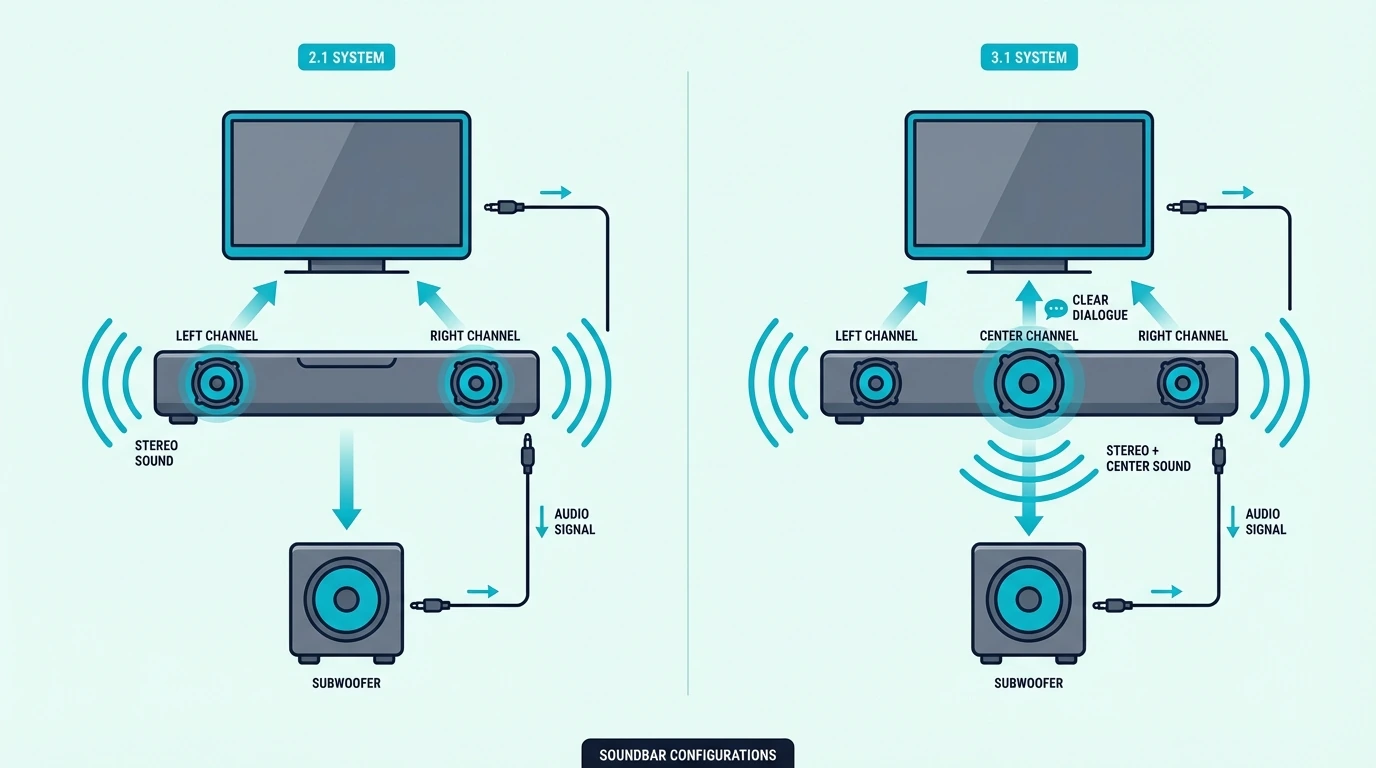
2.1 and 3.1 soundbar channel layouts compared

The channel notation tells you exactly what hardware you’re getting. The gap between 2.1 and 3.1 is smaller than most people assume — but it targets the single most common complaint about TV audio.

What a 2.1 Soundbar Delivers

A 2.1 soundbar has three components: a left channel, a right channel, and a subwoofer. The bar handles mids and highs through its stereo drivers while the subwoofer handles bass frequencies separately.

This division of labor is the core advantage of any “.1” system. The bar’s drivers don’t strain to produce bass, so they deliver cleaner mids and highs than a 2.0 bar at the same volume.

A budget 2.1 like the Samsung HW-C450 2.1ch Soundbar gives you meaningful bass and stereo clarity without much setup friction.

For many viewers, that hits the sweet spot — noticeably better than TV speakers without paying extra for a center driver they may barely notice in everyday use.

The limitation is dialogue. In a 2.1 system, voices share the same left and right drivers with music and explosions.

Watch a Christopher Nolan film like Tenet, Interstellar, or Oppenheimer and the dialogue competes directly with the score through the same two speakers.

During complex scenes, voices get buried because there is no dedicated hardware to keep them separate.

What the Center Channel Adds in 3.1

The “3” in 3.1 means three front channels: left, center, and right. The subwoofer (the “.1”) is the same as in a 2.1 system — bass performance between the two is functionally equivalent.

The center channel is a dedicated driver positioned in the middle of the soundbar. It handles the dialogue track independently.

In movie and TV mixes, the center channel carries most spoken dialogue by design — that’s how content creators intend it.

When a 3.1 bar receives a surround-encoded signal like Dolby Digital, DTS, or Atmos, the processor routes speech to the center driver.

Music and effects stay in the left and right channels.

The center driver handles the range where most human voice fundamentals live.

That physical separation means you hear every word in a whispered conversation even when an explosion hits three seconds later — without touching the remote.

That isolation also helps off-axis seating. A 2.1 bar’s phantom center weakens when listeners sit to one side.

A dedicated center driver projects speech equally to everyone in the room. A budget 3.1 option like the Samsung HW-B630F 3.1ch Soundbar brings that center-channel advantage into an affordable upgrade tier.

The Polk Audio Signa S4 3.1.2 Soundbar takes this further with VoiceAdjust technology that lets you independently control center channel volume — turning dialogue up or down without affecting music or effects.

Where Bass Fits In

Since both configurations include a subwoofer, bass is not the deciding factor between 2.1 and 3.1. The subwoofer in a 2.1 system performs the same job as the subwoofer in a 3.1 system.

If bass is your primary concern and you’re currently using a system without a subwoofer, either 2.1 or 3.1 will solve that problem. The choice between them is purely about the center channel and dialogue clarity.

Our best soundbar with subwoofer roundup shows where the bass upgrade matters most if low-end impact is still your main goal.

Which Use Cases Fit 2.1 vs 3.1?

Dialogue and bass differences between 2.1 and 3.1 soundbars

The center channel question maps directly to how you actually use the system. Here is where each setup tends to make the most sense.

Movies and TV Shows

Movies are where the 3.1 center channel earns its price. Film audio mixes include a dedicated center channel track for dialogue, and a 3.1 bar decodes and plays that track through its own driver.

Action movies, thrillers, and sci-fi benefit most.

Think Marvel movies where quips happen mid-battle, or Game of Thrones where characters whisper plot points over sword fights.

The center channel keeps those lines intelligible without constant volume adjustments.

For dialogue-heavy shows like dramas, documentaries, and talk shows, the improvement is real but less dramatic.

These shows already give dialogue more space in the mix.

You notice the center channel most in the smaller number of scenes where competing audio creeps in.

Music Listening

Here’s something most comparison articles skip: music is mixed in stereo, so there is no center channel in a song recording. A 3.1 bar’s center driver literally has nothing to play during music.

Some 3.1 bars disable the center channel during music and revert to pure stereo. Others blend the center into the mix, which can actually narrow the stereo image rather than improve it.

If music is your primary soundbar use, spend the budget on a better 2.1 bar with stronger stereo drivers.

Do not pay extra for a center channel that sits idle during every song.

Our how to choose a soundbar guide helps you match your main listening habits to the right layout.

Room Size and Seating

In small rooms where you sit 6 to 8 feet from the TV, dialogue clarity is rarely a problem with either setup.

Direct sound reaches you before room reflections muddy it.

A 2.1 bar usually handles speech just fine in bedrooms and small living rooms.

In larger rooms or open-plan spaces, dialogue degrades more noticeably over distance.

Sit 10+ feet from a 2.1 bar and voices start blending into the room’s ambient reflections.

A 3.1 bar projects speech more directly.

Another overlooked factor: off-axis seating. If people sit to the side of the TV rather than dead center, a 2.1 bar’s phantom center image weakens.

A dedicated center driver projects dialogue evenly to every seat in the room. For guidance on matching placement to the room itself, our soundbar setup guide covers the basics.

Budget Considerations

The price gap between a budget 2.1 and a budget 3.1 is usually modest rather than dramatic. In practice, you are paying a bit more for the center channel, not for radically different bass hardware.

Ask yourself one question: do you currently adjust the volume during movies because dialogue is too quiet? If yes, the 3.1 upgrade directly solves that problem and is usually the better use of the extra budget.

For the full picture on how soundbar channel counts scale up, our 3.1 vs 5.1 comparison covers the next step, and the what is a soundbar hub covers the core terminology behind these layouts.

The Bottom Line

The difference between a 2.1 and 3.1 soundbar is the center channel for dialogue. Bass performance is the same in both because both include a subwoofer.

Pick 2.1 if you want a clean, affordable audio upgrade with solid bass and dialogue is not a specific frustration.

Pick 3.1 if you struggle to hear voices during loud movie scenes and want hardware that physically separates speech from effects.

If you are also weighing whether to add more channels, our 3.1 vs 5.1 guide covers that next step.

If you’re connecting via HDMI ARC, make sure your setup supports the audio formats your content uses.

Frequently Asked Questions

What does 3.1 sound bar mean?

The “3” means three front channels — left, center, and right. The “.1” means one subwoofer.

The center channel is dedicated to dialogue, and the subwoofer handles bass. Together with the left and right channels, you get four physical speakers working together for clearer speech and fuller sound than a 2.1 system.

Is 2.1 enough for home theater?

For casual streaming and everyday TV, absolutely. The subwoofer adds bass that makes movies feel immersive, and stereo sound is significantly wider than TV speakers — most people are genuinely happy with a 2.1 setup.

Where it falls short: if you watch action movies regularly and find yourself riding the volume remote — up for dialogue, down for explosions — a 3.1’s center channel eliminates that frustration.

For more surround immersion, our 3.1 vs 5.1 guide covers when rear speakers start to matter.

Which is better, a 3.1 or 5.1 soundbar?

A 3.1 soundbar handles front audio with a center channel for dialogue plus a subwoofer. A 5.1 adds rear surround speakers for spatial audio effects — sounds that come from behind or beside you.

If your priority is dialogue clarity and bass, 3.1 covers it. If you want an immersive surround experience for movies and gaming, 5.1 adds the spatial dimension.

Our 3.1 vs 5.1 guide covers this comparison in detail.

Where should a 3.1 sound system be placed?

Center the soundbar directly below your TV screen.

This matters more for a 3.1 than a 2.1.

The center channel driver should align with the screen so dialogue appears to come from the actors’ mouths rather than off to one side.

The subwoofer goes on the floor near the front wall or in a corner. Corner placement boosts bass (walls reinforce low frequencies), so start there and pull it out if the bass sounds boomy.

The wireless connection means you can experiment freely — play a dialogue-heavy scene and a bass-heavy scene while trying different positions until both sound right.

Bose Soundbar vs TV Speaker: What’s Actually Different?

Difference between Bose soundbar and Bose TV Speaker models comes down to one tension many buyers miss — both wear the Bose name, but one is a simple dialogue upgrade and the other is the start of a smarter, more expandable system.

That is why people buy the wrong one. They assume the TV Speaker is just a cheaper Smart Soundbar, or they pay Smart Soundbar money for a bedroom TV that only needed clearer voices and easier everyday use.

Once you match the bar to what you actually watch, the decision gets much cleaner. You can avoid overspending, avoid outgrowing the setup, and pick the Bose option that fits your room and habits the first time.

Start with what the TV Speaker and Smart Soundbar line are each built to do. Next, look at where the gap shows up in daily use, what features disappear when you choose the TV Speaker, and which Bose option actually makes sense for your budget.

Quick Takeaway

Choose the Bose TV Speaker if you want the simplest possible jump from weak TV speakers to clearer dialogue and better everyday sound.

Choose a Bose Smart Soundbar, usually the Smart Soundbar 600, if you want Dolby Atmos, WiFi music streaming, app control, and a real path to adding a subwoofer or rear speakers later. The TV Speaker fits small-room, speech-first viewing, while the Smart line fits buyers who want the bar to be the start of a system, not the whole system.

What Is the Difference Between the Bose TV Speaker and Bose Smart Soundbars?

Bose soundbar compared with built-in TV speakers

When people search for “Bose soundbar vs TV Speaker,” the real choice is usually between the Bose TV Speaker and Bose’s current Smart Soundbar path. The TV Speaker is Bose’s stripped-down dialogue bar.

The Smart line starts with the 600 and scales up to the Ultra for buyers who want more immersive movie sound and a broader feature set.

Feature Bose TV Speaker Bose Smart Soundbar 600 Bose Smart Ultra Soundbar
Main job Simple TV dialogue upgrade Smart Atmos bar for most rooms Premium single-bar Bose option
Dolby Atmos No Yes Yes
WiFi / AirPlay / app control No Yes Yes
Expand with sub / rears No Yes Yes
Best for Small rooms, casual TV, zero-fuss setup Buyers who want features and upgrade headroom Buyers staying in Bose and wanting the best single-bar experience

That table is the core decision. The TV Speaker is about simplicity.

The Smart Soundbar line is about capability. Once you know which side of that line you live on, the choice gets much easier.

What the Bose TV Speaker Actually Does Well

The Bose TV Speaker is not just a cheaper Bose bar. It is a deliberately limited product for a specific buyer: someone who wants TV voices to sound clearer without adding apps, account logins, WiFi setup, or extra hardware.

It handles the basics well. You get HDMI ARC, optical as a fallback, Bluetooth for occasional music from a phone, and Bose dialogue mode to lift speech above background effects.

For a bedroom TV, a secondary living room, or an older set where the built-in speakers sound thin and harsh, that can be enough.

It is also physically easy to live with. The TV Speaker is compact, quick to place, and much less intimidating for buyers who do not want to think about calibration, streaming protocols, or whether the TV is passing the right audio format.

If your real goal is “I want the TV to stop sounding bad,” the TV Speaker answers that need directly. Our best soundbar for dialogue guide and best soundbar for small rooms cover the same practical, speech-first use case.

The limitation is that it never grows beyond that. It is a finished product, not the start of a larger Bose system.

What You Pay More For in a Bose Smart Soundbar

The Bose Smart Soundbar 600 is the point where Bose stops selling “better TV sound” and starts selling a smarter home-audio platform. The higher cost is not just about sound quality.

It is about the feature stack.

You add Dolby Atmos decoding, WiFi streaming, Apple AirPlay 2, Chromecast, Spotify Connect, Bose Music app control, voice assistant support, and the ability to add a Bose Bass Module or Bose Surround Speakers later. That changes the product from a simple bar under the TV into something that can anchor a broader Bose setup.

That is why the Smart line fits movie-heavy households better. Atmos mixes, streaming audio, and future expansion all matter more when the soundbar is your main entertainment audio system instead of a basic dialogue fix.

If that is how you use your TV, the TV Speaker starts to feel small very quickly. Our best Dolby Atmos soundbar guide and best soundbar guide show where a more capable bar starts to justify its price.

At the premium end, the Bose Smart Ultra Soundbar adds Bose’s best single-bar performance and stronger room-filling presentation for buyers who want to stay inside the Bose ecosystem. Most people deciding between the TV Speaker and a “real Bose soundbar” do not need to start at the Ultra, but it helps show the ceiling of what the Smart line is trying to be.

If you are choosing within Bose’s premium range, our best Bose soundbar guide is the better next step.

How Does the Gap Show Up in Real Daily Use?

Audio upgrade differences between TV speakers and a Bose soundbar

The easiest way to understand the gap is to stop looking at spec lists and think about what happens on an ordinary week of use.

For TV news, sitcoms, YouTube, and casual streaming, the TV Speaker already feels like a meaningful upgrade over built-in TV sound. Dialogue becomes clearer, the sound spreads wider than the panel, and the setup stays simple enough that nobody in the house has to learn a new system.

For movies, Atmos streaming, and larger rooms, the Smart Soundbar line pulls away. The extra processing, wider presentation, and ability to handle richer source audio matter more when you actually sit down to watch films instead of just leaving the TV on in the background.

This is also where the lack of expandability on the TV Speaker becomes obvious. If you want more bass or more immersion later, you cannot build on it.

Music use changes too. The TV Speaker is a Bluetooth bar.

That is fine for occasional playback, but it is not the same as a WiFi-based soundbar that can join a multiroom setup, stream directly from services, and stay connected without relying on your phone as the transport device. If music matters as much as TV, our best soundbar for music guide shows what you gain when you move beyond Bluetooth-only playback.

If you already use AirPlay or whole-home audio, the Smart Soundbar fits that workflow in a way the TV Speaker never will.

What You Give Up by Choosing the TV Speaker

The TV Speaker saves money because Bose removes the very features that make its smarter bars interesting.

You give up Atmos entirely. Even if your TV and streaming apps support Atmos, the TV Speaker does not decode it.

You also give up WiFi-based streaming, app-based control, multiroom flexibility, and any path to rear speakers or a subwoofer later.

That last point is where many buyers misread the decision. They treat the TV Speaker as a cheaper entry point into Bose, then assume they can expand later once they are ready.

You cannot. If there is any real chance you will want deeper bass, better movie performance, or a more immersive setup a year from now, it is usually smarter to start with the Smart Soundbar line rather than replace the whole bar later.

Connection quality still matters too. If you buy a Smart Soundbar for Atmos and eARC passthrough, make sure the TV path is actually configured to preserve what you paid for.

If you already know you want more bass or a more theater-like upgrade path later, our best soundbar with subwoofer guide shows what sits above the TV Speaker tier.

When the Bose TV Speaker Is the Better Buy

The TV Speaker is the better choice when the problem is narrow and specific.

If your TV sounds weak, voices are hard to hear, and you do not care about Atmos, app control, or future upgrades, the TV Speaker is the clean answer. It also makes sense in small rooms, bedrooms, guest rooms, and secondary TVs where spending Smart Soundbar money would be hard to justify.

It is also the better choice for buyers who dislike complexity. Some people do not want to manage another app, another wireless device, or another system menu.

They want one bar, one HDMI connection, and a clear dialogue button. In that case, simplicity is not a compromise.

It is the feature.

If that sounds like you, the Bose TV Speaker is the one that matches your actual use case.

When a Bose Smart Soundbar Is Worth the Extra Money

A Bose Smart Soundbar earns its price when you know you will use the extra capability.

If you watch a lot of movies, care about Atmos mixes, stream music often, use AirPlay, or want the option to add bass and surround speakers later, the Smart line makes more sense. The biggest reason is not just better sound today.

It is that you are buying into a system that can grow instead of a product you will outgrow.

For most buyers in this lane, the Bose Smart Soundbar 600 is the real decision point. It gives you the full Bose smart-platform experience without forcing you straight to flagship pricing.

The Ultra only makes sense when you already know you want Bose’s best single-bar experience, have a room large enough to hear the difference, and are comfortable paying Bose premium pricing for it. If you are unsure, the 600 is the more rational first step.

What Buyers Regret Most

The most common regret is buying the TV Speaker while secretly hoping it will behave like a cheaper Smart Soundbar. It will not.

It is simpler because Bose removed the features that make the Smart line expandable and more immersive.

The second regret is the opposite: buying a Smart Soundbar for a small secondary TV, never using Atmos, never streaming music through it, and never adding a subwoofer or rears. In that case, the extra spend does not buy real value.

The third regret is ignoring setup reality. A Smart Soundbar connected the wrong way, or fed the wrong TV audio settings, can underperform and make the upgrade feel smaller than it should.

If you want the more capable bar, set it up properly.

That is why the honest decision starts with how you actually watch. If your needs are simple, buy simple.

If you know you want a system, buy the platform.

The Bottom Line

The Bose TV Speaker and Bose Smart Soundbar line are not just two price points in the same product family. They are two different buying decisions.

Choose the TV Speaker if you want a compact, easy, dialogue-first upgrade and do not care about Atmos, WiFi streaming, or future expansion.

Choose a Smart Soundbar if you want richer movie performance, better music streaming, app control, and room to add bass or surround speakers later. For most people, the Smart Soundbar 600 is the real sweet spot.

The Ultra is the premium step for buyers who know they want the best Bose single-bar experience.

If you want broader context before you decide, start with what a soundbar actually does and our best Bose soundbar guide.

Frequently Asked Questions

Is the Bose TV Speaker a real soundbar?

Yes. The Bose TV Speaker is a real soundbar, but it is a very simple one.

It is built for clearer dialogue and better TV audio, not for Atmos, WiFi streaming, or home theater expansion.

Can you add a subwoofer or rear speakers to the Bose TV Speaker?

No. The Bose TV Speaker is a closed system.

If you want a bar that can grow with a Bose Bass Module or Bose Surround Speakers, you need to start with the Smart Soundbar line.

Is the Bose Smart Soundbar 600 enough, or should you buy the Ultra?

For most people, the 600 is enough. It gives you Atmos, WiFi streaming, app control, and Bose expansion options at a much more reasonable price.

The Ultra makes more sense in larger rooms or for buyers who specifically want Bose’s best single-bar performance.

Does the Bose TV Speaker support WiFi, AirPlay, or Spotify Connect?

No. The TV Speaker supports Bluetooth, HDMI ARC, and optical, but it does not include WiFi-based streaming features like AirPlay or Spotify Connect.

Those are part of Bose’s Smart Soundbar line.

Will HDMI ARC give the Bose TV Speaker Dolby Atmos?

No. HDMI ARC can carry different kinds of audio depending on the device, but the Bose TV Speaker itself does not decode Atmos.

If Atmos is important to you, start with a Smart Soundbar instead.

5.1 vs 3.1.2 Soundbar: What’s the Real Difference?

The difference between 5.1 and 3.1 2 soundbar systems isn’t just a bigger number on the box — it’s a completely different approach to surround sound.

Most buyers pick based on channel count alone and end up with a system that doesn’t match their room. A 5.1 setup with rear speakers crammed against a back wall sounds worse than a 3.1.2 bar with proper ceiling bounce, and a 3.1.2 under a vaulted ceiling loses its height effect entirely.

Once you understand what each layout actually does — surround width from behind versus overhead Atmos height — you can avoid the expensive mismatch and get a system that actually fits your space.

Below, we’ll decode the channel notation, compare how each sounds with real content, and show you which rooms favor which layout.

Quick Takeaway

A 5.1 soundbar includes rear surround speakers for sound behind you, which makes it the stronger choice for movies and shows mixed in traditional surround. A 3.1.2 soundbar trades those rears for upfiring height channels that try to create overhead Atmos effects from the front of the room.

Neither layout is universally better. Your ceiling shape, room depth, and whether you watch more 5.1 material or Atmos content determine which one actually performs better in your space.

What Do 5.1 and 3.1.2 Mean on a Soundbar?

Those numbers on the box are not random. They describe the front channels first, the subwoofer second, and any height channels last.

How 5.1 Works

A 5.1 soundbar system uses five speaker channels plus one subwoofer. Three channels sit in the front — left, center, right — and two dedicated rear speakers sit behind you.

Those rear speakers are the defining feature. They create genuine surround sound by placing audio sources behind the listening position, not simulating them from the front of the room.

If you’ve ever sat in a cinema and heard a car pan from the screen to the back wall, that’s discrete surround — and it’s exactly what a 5.1 system recreates at home.

Most movies and TV shows have been mixed for 5.1 since the DVD era. The rear channels play audio that was specifically designed for speakers behind you — not an algorithm guessing where to put it.

The tradeoff is physical hardware. A true 5.1 system like the Sony BRAVIA Theater System 6 ships with separate wireless rear speakers that need shelf space or wall mounts behind your couch.

How 3.1.2 Works

A 3.1.2 system uses three front channels, one subwoofer, and two upfiring height channels. No rear speakers at all.

Those height channels are physical drivers built into the top of the soundbar. They fire sound upward toward your ceiling, and the reflected audio reaches your ears from above — creating a sense of vertical space.

This is the foundation of Dolby Atmos in a soundbar format. Instead of surround width from behind, you get height — rain falling above you, helicopters overhead, ambient atmosphere that extends the soundstage upward.

A system like the Polk Audio Signa S4 fits this layout — a single bar with upfiring drivers plus a wireless subwoofer, no rear hardware needed.

Why the “.2” Changes Everything

The “.2” suffix specifically means two height channels. Without it, a 3.1 soundbar is just three front channels and a subwoofer — no vertical dimension at all.

That distinction matters more than most people realize. A plain 3.1 bar and a 3.1.2 Atmos model can look nearly identical on the shelf, but the .2 model has extra drivers on top that the base model does not.

If height effects are the reason you are leaning away from 5.1, compare current options in the best Dolby Atmos soundbar guide. Height channels only activate with Atmos-encoded content.

Play a standard stereo TV show through a 3.1.2 system and those upfiring speakers sit idle — you are effectively running a 3.1 setup until you switch to Atmos material.

Should You Buy a 5.1 or 3.1.2 Soundbar?

The channel notation we just decoded? Here’s where it actually matters — in your room, with your content, and within your budget.

Movies and TV Shows vs Atmos Content

Most streaming content — Netflix, Hulu, regular cable — is mixed in stereo or 5.1. For that library, a 5.1 system delivers exactly what the audio engineers intended.

The rear channels play discrete audio designed for behind-the-listener placement, not an algorithm guessing. A 3.1.2 system playing the same 5.1 content has to upmix or skip the rear data entirely.

The flip side: Atmos content is growing fast. Apple TV+, Disney+, and Netflix all offer Atmos tracks on select titles, and modern games increasingly support it too.

The real-world catch is streaming Atmos quality. Blu-ray Atmos is lossless and sounds dramatically different from standard surround, but streaming Atmos is compressed and the height effect is subtler than marketing suggests.

That is why 3.1.2 is not an automatic upgrade just because it has Atmos on the box. If your library leans more heavily on ordinary streaming TV and older 5.1 mixes, rear speakers usually do more audible work than height channels.

If your Atmos source is primarily streaming apps rather than physical discs, the audible gap between a 3.1.2 and a good 5.1 system narrows considerably.

Room Size and Speaker Placement

Your room determines which layout actually works — not just which one sounds better in a showroom.

A 3.1.2 system needs a flat, reflective ceiling between 8 and 10 feet high for the upfiring speakers to work properly. Vaulted ceilings, cathedral ceilings, or anything covered in acoustic treatment will scatter the reflected sound before it reaches your ears.

Ceiling material matters too. Popcorn or textured finishes absorb more high-frequency energy than smooth drywall, which dulls the height effect even in rooms with the right dimensions.

A 5.1 system needs physical space for rear speakers at ear level, roughly 2-3 feet behind and slightly above the primary listening position. If your couch sits against the back wall, there’s nowhere useful to put them.

Ceiling shape can rule out 3.1.2 just as quickly as furniture placement can rule out 5.1. A room with a flat ceiling but no useful rear-speaker space may still favor height, while a room with proper seating distance but a vaulted ceiling usually favors 5.1.

Small apartments and open-plan rooms generally favor 3.1.2. No speaker cables to route, no separate power outlets needed, and the single-bar form factor keeps things clean — if you’re in a space where a soundbar for a small room is the priority, fewer physical pieces usually wins.

Dedicated media rooms with proper seating distance — 8 feet or more from the screen — give 5.1 systems room to breathe. The rear channels get enough separation from the front to create genuine directional cues that no front-only bar can replicate.

When 5.1.2 Skips the Tradeoff Entirely

If your budget allows it, a 5.1.2 system gives you both rear surround and upfiring Atmos height. You don’t have to choose between behind-you and above-you.

Systems like the JBL Bar 700MK2 bundle a soundbar with upfiring drivers, a subwoofer, and detachable wireless rear speakers. You get the behind-you surround from 5.1 and the overhead Atmos from the .2 height channels.

The cost premium is real, and you are still placing rear speakers. But if you watch a mix of legacy 5.1 content and newer Atmos material, this layout handles both without compromise.

One practical note regardless of which layout you choose: both 5.1 and 3.1.2 setups benefit from a proper HDMI eARC connection to your TV so the signal is not downmixed to stereo before it reaches the bar. If you are shopping specifically for Atmos-capable bars that can make use of that connection, the best Dolby Atmos soundbar guide is the better next stop than another setup explainer.

The Bottom Line

The difference between a 5.1 and 3.1.2 soundbar is a tradeoff between surround width and overhead height. A 5.1 system places real speakers behind you for true directional surround, while a 3.1.2 system bounces sound off your ceiling for Atmos height effects without any rear hardware.

Pick 5.1 if most of your content is movies and TV mixed in traditional surround, and your room has space for rear speakers with proper distance from the listening position. Pick 3.1.2 if your room has a flat ceiling under 10 feet, you watch plenty of Atmos-encoded content, and you prefer a cleaner single-bar setup.

If budget and room allow, a 5.1.2 system sidesteps the tradeoff entirely. For more context on what a soundbar actually does, start with the fundamentals before committing.

If Atmos is the feature pulling you toward 3.1.2 in the first place, compare current options in the best Dolby Atmos soundbar guide before you commit.

Frequently Asked Questions

Which is better, a 3.1 or 5.1 soundbar?

A 5.1 soundbar with dedicated rear speakers delivers better surround separation for movies and TV shows mixed in 5.1. A 3.1 soundbar keeps everything in front, which limits the surround effect but works better in rooms where rear speaker placement is not practical.

That is often why buyers end up looking for a soundbar for a small room instead of forcing a 5.1 layout into a space that cannot support it.

Is a 3.1 sound system worth it?

A 3.1 system is worth it if your main goal is clearer dialogue. The dedicated center channel handles speech separately from music and effects, which is the single biggest upgrade over a 2.0 or 2.1 bar.

You won’t get surround or Atmos height effects, but for everyday TV watching, that center channel clarity is the feature most people actually notice. If you primarily want better bass alongside clearer dialogue, a 3.1 with a wireless sub covers both.

Is it worth getting a 5.1 soundbar?

A 5.1 soundbar system is worth it if you have room for rear speakers and watch surround-mixed content regularly. The behind-you audio creates directional cues that no front-firing bar can replicate.

If your couch sits against a wall or you mostly stream music, a 3.1.2 with Atmos height channels or even a strong 3.1 bar may deliver more usable value for your specific room layout. If that is the direction you are leaning, the best Dolby Atmos soundbar guide is the more useful next comparison.

Is Netflix 5.1 or normal audio?

Netflix offers 5.1 surround on most original content and many licensed titles. Select titles also include Dolby Atmos tracks, though those require a compatible plan and a Dolby Atmos soundbar or receiver.

Standard-definition streams typically default to stereo. Check the audio icon on the title detail page — if it shows “5.1” or “Atmos,” your soundbar will receive the expanded audio track automatically.

How To Use HDMI ARC With Soundbar — The Setup Path That Actually Works

How to use HDMI ARC with soundbar is easier than it looks, but most setups fail because the TV, the soundbar, and the HDMI path are not all using the same return-audio settings.

The problem is that people plug the cable into any open HDMI port, leave the TV on internal speakers, or expect ARC to work without HDMI control and external-audio settings turned on.

Get those pieces lined up and the payoff is immediate: TV apps, streaming boxes, and everyday volume control all move through one cleaner path instead of forcing you into silent menus or flaky Bluetooth workarounds.

Start by finding the actual ARC or eARC port, then match the soundbar input and TV audio output, and only after that worry about cable quality or brand-specific quirks.

Below, we’ll walk through how HDMI ARC works, how to make it behave on LG and Samsung gear, why it fails, and when optical is the smarter fallback.

Quick Takeaway

To use HDMI ARC with a soundbar, connect the TV ARC or eARC port to the soundbar ARC port, switch the TV audio output to the external audio system, and make sure HDMI control is enabled on both devices. If that does not work, the real fix is usually the right port, the right input, or a clean power-cycle order, not some secret menu trick.

How Does HDMI ARC Actually Work With a Soundbar?

HDMI ARC basics for soundbar setup

Now that the setup path is visible, the first thing to understand is that ARC is not just a cable connection. It is the return-audio part of HDMI that lets the TV send audio back to the soundbar over the same cable that already carries video in the other direction.

That matters because a normal TV HDMI input is mostly a one-way street for video sources like streamers, consoles, and cable boxes. ARC adds the return lane, which is why built-in TV apps can send sound back to the bar without needing a separate optical cable.

In real rooms, that single-cable behavior does more than reduce clutter. It also makes volume control, power syncing, and source switching much easier when the TV and soundbar are both cooperating over HDMI control instead of acting like separate islands.

The cleaner logic here is simple: if both devices support ARC or eARC, that is your first connection to test. If the TV does not support ARC, or if the handshake keeps failing and you need same-day stable audio, optical is the fallback that usually gets the room working again.

That also explains why HDMI ARC belongs in the same conversation as the broader soundbar hub, the best soundbar guide, and the best Dolby Atmos soundbar guide. Once you understand the audio path, the rest of the setup and buying decisions stop feeling random.

How Do You Get ARC Working From the Port to the TV Menu?

Getting a soundbar working with HDMI ARC

With the basics in place, the next step is turning ARC from a feature on the box into something that actually works in your room. The fastest way to do that is to treat the connection, the TV menu, and the soundbar input as one sequence instead of three unrelated checks.

A concrete LG example makes the general method easier to see. On most LG sets, you want the HDMI port labeled ARC or eARC on the TV connected to the soundbar port labeled TV ARC, HDMI OUT, or eARC/ARC, not to one of the soundbar HDMI input ports that are meant for source devices.

Once the cable is in the right place, go into the LG TV audio menu and switch Sound Out to the external audio device over HDMI ARC. If the TV has Simplink or an eARC Support toggle, turn those on before you test anything, because ARC on LG often breaks when control features are disabled even though the port choice is correct.

The cleanest way to test the setup is with a built-in TV app instead of a game console or streaming box. If Netflix or YouTube inside the TV sends sound to the bar, the ARC path is working and any remaining issue probably lives with a source device, input assignment, or passthrough setting higher up the chain.

That same logic is why readers often bounce between this guide and the broader soundbar hub or a brand-fit roundup like the best soundbars for LG TVs. The hardware only feels complicated when the TV port and the soundbar port are doing different jobs than you think they are.

What Cable Do You Need for HDMI ARC?

This is where a lot of bad advice starts. HDMI ARC does not require a magical ARC-only cable in normal setups, and many good High Speed HDMI cables work perfectly well for basic ARC if the ports and settings are correct.

What you do need is a cable that is reliable enough to remove doubt from the chain. A known-good lead like the UGREEN 8K HDMI 2.1 Cable helps because it takes one common variable off the table before you go hunting through menus that may not be the real problem.

That matters even more when the TV is wall-mounted or tucked into furniture where you do not want to reseat cables three times. If you are already fighting an unstable connection, a fresh certified cable is usually a better first test than factory-resetting the whole system.

The cable question also overlaps with the buying context in the TV-to-soundbar cable guide and the broader best overall soundbar guide. Good setup is usually about removing variables in the right order, not about buying something exotic.

What Is the Real Difference Between ARC and eARC?

Now that the cable myth is out of the way, the feature itself gets much easier to understand. HDMI ARC stands for Audio Return Channel, which means the TV can send audio back to the soundbar through HDMI instead of forcing you to run a second audio cable.

That is especially useful when the sound starts inside the TV instead of inside an external box. Smart TV apps, over-the-air channels, and devices plugged into the TV can all send audio back to the bar through ARC when the whole chain is configured correctly.

The important limitation is that ARC is still the older version of the idea. It is good for everyday TV audio and many compressed surround formats, but it is not as capable as eARC when you want higher-bandwidth audio or the cleanest Atmos path from newer gear.

That is why ARC sits between the simpler optical world and the more capable eARC world. If you are shopping for a bar where that upgrade matters, the best Dolby Atmos soundbar guide and the best overall soundbar guide help show when the jump is worth it.

Why Is the Soundbar Still Not Working With HDMI ARC?

Troubleshooting a soundbar not working with HDMI

Once you know what ARC is supposed to do, failures stop looking mysterious. Most of the time, the soundbar is not working with HDMI because the TV is using the wrong HDMI port, the TV audio output is still pointed at internal speakers, or HDMI control is off even though the cable is physically connected.

Why Does the Port Label Matter for HDMI ARC?

HDMI itself is just the digital pipe that moves audio and video between devices. The reason people get tripped up is that standard HDMI behavior and HDMI ARC behavior are not exactly the same thing, so a cable plugged into any random HDMI port can look correct while still being useless for TV-to-soundbar audio return.

That is why the first troubleshooting question is not “Is the cable plugged in?” but “Is it plugged into the right labeled port on both sides?” A TV HDMI input that is not marked ARC or eARC usually will not send TV audio back to the soundbar, even though it works fine for a streaming stick or console.

The second check is the soundbar input. Many bars stay on Bluetooth, Optical, or a regular HDMI input after the last session, so the TV can be set perfectly and still send audio into a soundbar that is listening to the wrong source.

Then look at the TV audio menu and the control settings. If External Speaker, Receiver, Audio System, HDMI Control, CEC, Anynet+, or Simplink are off, the handshake can break even though nothing looks physically disconnected.

A very practical test is to switch to optical for five minutes. If a fallback cable like the KabelDirekt TOSLINK Optical Audio Cable restores sound immediately, you just learned something important: the soundbar hardware probably is not dead, and the real failure point is the ARC path, the control layer, or the TV settings.

That kind of separation is also what helps when you are deciding whether the issue is setup-related or whether the bar is actually failing.

The next useful cross-checks are the best budget soundbar roundup and the broader soundbar hub. Those pages make it easier to judge whether you need a replacement or just a cleaner connection path. If the TV is specifically a Hisense and ARC keeps disconnecting, the optical-cable fallback with the exact Hisense Digital Audio Out menu sequence is the stable path while you decide whether ARC is worth more debugging.

What Samsung-Specific ARC Problems Usually Break the Setup?

Samsung soundbar HDMI ARC not working troubleshooting

With the generic failure points clear, Samsung is a good brand-specific example because its ARC problems are usually predictable. The cable is rarely the only problem; the bigger culprits are Anynet+, the TV sound-output setting, the soundbar input mode, and eARC settings that do not match the hardware on both ends.

What Cable Baseline Should You Use for Samsung ARC?

For Samsung ARC, the safest answer is still a known-good HDMI cable before you start blaming firmware. If the existing cable is old, kinked, loose, or unlabeled, replace it first so you are troubleshooting the setup and not an unknown physical link.

A cable aimed specifically at ARC and eARC use cases like the Silkland 8K HDMI ARC/eARC Cable is useful here because it gives you a clean baseline while you recheck Anynet+, Sound Output, and the soundbar input mode.

On Samsung TVs, ARC often hides behind simple labels that people skip past too quickly. Make sure the TV is set to the receiver or soundbar, not TV speakers, and make sure the soundbar display is actually on the TV ARC or D.IN input that Samsung bars often use for ARC operation.

That is also why Samsung buyers usually get more value from the best soundbars for Samsung TVs and best Samsung soundbars pages than from brand loyalty alone. Compatibility is as much about ARC behavior and control logic as it is about raw sound.

When Does eARC Actually Help on Samsung?

eARC is the newer, more capable version of ARC. It is built to carry higher-bandwidth audio formats more reliably, which matters if you are using a newer TV, Atmos-capable soundbar, or lossless audio source and you do not want the connection itself to become the bottleneck.

In plain terms, ARC is usually enough for everyday streaming and TV watching, while eARC is the better path when you want the system to pass more demanding audio formats cleanly. That does not mean every room needs eARC, but it does mean newer premium soundbars have more to gain from it.

Samsung adds one extra wrinkle here because the TV and the soundbar both need to agree on the mode. If the TV has an eARC Mode toggle, set it appropriately for the soundbar you are using instead of assuming Auto always fixes everything.

This is where the jump from everyday bars to Atmos models becomes relevant. If you are comparing that upgrade path, the best next references are the best Dolby Atmos soundbars and the main soundbar buying guide, because eARC matters most when the rest of the hardware can actually benefit from it.

What Cable Do You Need for eARC Troubleshooting?

The eARC cable answer is slightly stricter than the ARC answer because the connection has less room for sloppy hardware. A modern certified cable is the safest move when you are chasing intermittent dropouts, audio delays, or a setup where ARC works some days and then falls apart after a restart.

That is also why a two-cable troubleshooting option can be more useful than a single replacement. The JSAUX 8K HDMI Cable 2.1 2-Pack makes sense when you want to isolate whether the weak point is the main ARC line or another HDMI hop in the chain.

The more advanced the room gets, the more useful that whole-chain test becomes. A TV, an external streamer, and a modern soundbar can all be technically compatible and still misbehave because only one cable in the path is marginal.

That same full-chain logic is a big reason readers comparing home-theater-friendly bars often move next to the best soundbars for projectors or the more flexible best all-in-one soundbar guide. Once you add more devices, connection quality matters more, not less.

How Do You Set Up Samsung HDMI ARC the Clean Way?

Connecting a soundbar to a Samsung TV with HDMI ARC

Now that the failure points are clear, the clean Samsung setup process is much easier to follow. The right move is to build the path in the order Samsung expects instead of connecting everything at once and hoping the TV sorts it out.

Start by running the HDMI cable from the Samsung TV port labeled ARC or eARC to the soundbar port labeled TV ARC, HDMI OUT, or eARC/ARC. Then power on the TV and soundbar, switch the soundbar to the correct TV audio input, and test with a built-in TV app so you are checking the return path directly.

Next, go into the Samsung TV sound menu and set Sound Output to the external audio device. After that, enable Anynet+ in the external device manager, because Samsung ARC behavior often depends on that control layer even when the cable and ports are correct.

If the TV and soundbar both support eARC, turn eARC Mode on or to Auto and then fully power-cycle both devices for about 30 seconds. That restart matters because ARC and eARC handshakes often do not rebuild cleanly when settings are changed while everything is still half awake.

If the TV stand or mounting position is making the cable path awkward, fix the physical routing instead of forcing the connector into a bad angle. That is where the broader soundbar hub and the best soundbars for small rooms guide become surprisingly relevant, because cramped furniture and short cable runs cause the same instability people often blame on software.

If Samsung ARC still refuses to stay stable, do not keep looping the same failed reset. Move to optical for a quick proof test, compare the setup against the TV-to-soundbar cable guide and the broader soundbar hub, and then decide whether the real issue is the TV settings, the cable chain, or the bar itself.

The Bottom Line

How to use HDMI ARC with soundbar gets much easier when you stop treating ARC as a magic feature and start treating it as a return-audio path that depends on the right port, the right input, and the right control settings working together.

The practical rule is simple: connect the labeled ARC or eARC ports first, switch the TV audio output to the external audio system second, and only then troubleshoot cable quality, CEC, or eARC settings. When you work in that order, most silent setups stop being mysterious.

If you want the next layer after this guide, the best follow-up reads are the TV-to-soundbar cable guide, the best soundbar guide, and the broader soundbar hub. Those pages help you separate everyday setup problems from real hardware limits.

Frequently Asked Questions

Does it matter which HDMI port I use for a soundbar?

Yes. If you want TV audio to return to the soundbar over HDMI, the cable has to use the TV port labeled ARC or eARC, not just any open HDMI input.

Is it better to use HDMI ARC or Optical?

HDMI ARC is usually better when both devices support it because it keeps TV audio and control in one path. Optical is the cleaner fallback when ARC refuses to handshake or the TV does not support audio return at all.

How To Connect Soundbar To TV With HDMI Without Arc?

If the TV has HDMI but no ARC, a normal HDMI connection from the TV to the soundbar usually will not send TV audio back. The better options are optical from the TV to the soundbar, or routing a source device into the soundbar first if the bar has a real HDMI input.

Difference Between A 3.1 And 3.1.2 Soundbar Wired — What The Extra .2 Actually Changes

Difference between a 3.1 and 3.1 2 soundbar wired confuses a lot of buyers, but the numbers are describing speaker layout more than the cable itself.

The problem is that many buyers make the wrong comparison and assume the .2 must mean a better wired connection, extra bass, or a louder version of the same bar.

Once you separate the channel count from the TV connection method, you can avoid paying for height hardware you will not use or missing the one upgrade that actually gives Atmos movies more dimension.

So start by reading the numbers correctly, then decide whether the extra .2 fits your room, your content, and your budget instead of assuming it is always the automatic upgrade.

Below, I break down the difference between a 3.1 and 3.1.2 soundbar wired in plain English.

Quick Takeaway

To choose between them, remember that a 3.1 soundbar gives you left, center, and right channels plus one subwoofer channel, while a 3.1.2 soundbar keeps that same base and adds two dedicated height channels for Dolby Atmos-style overhead effects. The word wired usually refers to how the bar connects to the TV, not to the difference between the layouts themselves. If you mainly want clearer dialogue and fuller everyday TV sound, a good 3.1 bar is often enough. If you want audible height cues from Atmos content and your room can support up-firing drivers, 3.1.2 is the more meaningful step up.

What Is The Difference Between A 3.1 And 3.1.2 Soundbar Wired — And Why Does It Matter?

section_difference_3_1_3_1_2_why_it_matters

The fastest way to understand this comparison is to decode the channel notation first.

A 3.1 soundbar has three main front channels and one subwoofer channel.

In practical terms, that means left, center, and right speakers across the front of the room.

Bass comes from a separate or built-in subwoofer.

The biggest upgrade over cheaper 2.0 or 2.1 bars is usually the dedicated center channel, because it gives speech its own lane instead of forcing dialogue to compete with everything else in the left and right drivers.

A 3.1.2 soundbar keeps that same basic layout.

It then adds two height channels.

On most soundbars, those height channels are up-firing drivers built into the bar.

They bounce sound off the ceiling so effects feel taller and more overhead.

That is the entire point of the extra .2. It is not a second subwoofer, and it is not just another way to say the bar is premium.

That matters because the core 3.1 versus 3.1.2 decision is really about front-stage clarity versus added height immersion. Both layouts can sound far better than a TV.

Both can include a wireless subwoofer. Both can be connected to the TV with HDMI ARC or eARC.

But only the 3.1.2 layout is built to create dedicated height effects from Atmos-style content.

This is also where the keyword’s wired wording causes unnecessary confusion. The wired part is usually about the TV connection path, not the channel layout.

A 3.1 bar and a 3.1.2 bar can both be wired to the TV with HDMI. They can both sometimes fall back to optical.

They can both still use a wireless subwoofer even when the main bar is wired to the television.

So if you are really trying to decide between the layouts, do not let the cable question distract you from what the speaker layout itself is doing.

When the TV connection path is the real bottleneck, the how to connect soundbar to TV guide covers the HDMI ARC and optical side of the setup more directly.

This article is about what the channel count means once the bar is part of the system.

The next important distinction is what each layout is best at.

A 3.1 bar is usually the smart buyer move when the main complaint is weak speech, thin TV audio, and not enough low-end weight for regular movies and streaming.

Buyers who care mostly about voices usually get more value from the best soundbar for dialogue guide than from chasing extra channels they may never fully use.

A 3.1.2 bar makes more sense when the buyer wants to keep the same basic front-stage simplicity but add Atmos-capable height effects.

This is the level where the best Dolby Atmos soundbar roundup becomes relevant.

At that point, the quality of the up-firing height drivers and the room itself start to matter.

The room matters because 3.1.2 relies on reflected sound. A normal flat ceiling at a reasonable height often works well enough, while vaulted ceilings or awkward open plans can shrink the value of the height channels.

In broader system shopping, the best soundbar guide is where simpler bars and larger packages separate more clearly.

So the simplest way to frame the difference is this.

A 3.1 soundbar is about cleaner, fuller front audio with a dedicated center and subwoofer.

A 3.1.2 soundbar is that same foundation plus two height channels for more immersive Atmos presentation.

Should You Buy A 3.1 Or 3.1.2 Soundbar?

section_choose_3_1_or_3_1_2_sounduar

The real buying split is simple.

Choose 3.1 when better dialogue and fuller front sound are the goal.

Choose 3.1.2 only when you genuinely want height effects from Atmos content.

That is why your viewing habits, ceiling shape, and connection path matter more than the extra .2 printed on the box.

Buy a 3.1 soundbar if your main goal is clearer everyday TV audio

For a lot of buyers, 3.1 is the sweet spot. You get the most important practical upgrade over cheap TV speakers and budget 2.0 or 2.1 bars: a dedicated center channel for dialogue.

That alone solves more day-to-day frustration than most people expect.

If your viewing is mostly regular TV and casual movie nights, a strong 3.1 system often gives you nearly all the improvement you are actually looking for.

It keeps voices anchored to the screen.

It adds subwoofer weight for music and movies.

It does not ask you to optimize the ceiling just to justify the purchase.

That is why a practical 3.1 example like the Samsung HW-B630F 3.1ch Soundbar with Subwoofer makes sense for buyers who want a clean step up from TV audio without turning the room into an Atmos project.

Another good 3.1 reference point is the LG S60T 3.1 ch. Soundbar with Wireless Subwoofer, especially for buyers who want better dialogue and fuller sound in a normal living room without spending midrange Atmos money.

This is especially true in smaller rooms, bedrooms, and apartments.

In those spaces, the jump from TV speakers to a proper 3.1 front stage already feels huge.

The best soundbars for small rooms roundup often matters more there than chasing extra channels the room may not reveal clearly anyway.

Buy a 3.1.2 soundbar if you actually want height effects from Atmos content

A 3.1.2 bar is the smarter choice when the thing you want is not just clearer dialogue and stronger bass, but a taller, more immersive presentation on Atmos movies, games, and compatible streaming content.

This is where the extra .2 starts earning its keep.

The base experience is still familiar.

You still get the left, center, and right channels plus the subwoofer.

But now the soundbar also has two height channels meant to throw part of the mix upward and outward so overhead effects feel distinct from the front-stage audio.

A strong 3.1.2 example like the Polk Audio Signa S4 3.1.2ch Soundbar with Subwoofer is the kind of upgrade that makes sense when you already know you care about Atmos and want a realistic entry point into height effects without moving to a larger 5.1.2 or 7.1 system.

A more premium 3.1.2 example like the Klipsch Flexus CORE 210 Dolby Atmos 44″ SoundBar + 10″ Subwoofer, 3.1.2-Channel makes the same point more strongly.

The extra value in 3.1.2 is not the subwoofer.

It is not the HDMI cable.

It is not the marketing badge.

It is the added height presentation when the room and source material cooperate.

That means 3.1.2 pays off best for buyers who actually watch Atmos-heavy movies, use a flat reflective ceiling, and are willing to connect the bar correctly so the audio format is not bottlenecked before it even reaches the speakers.

The wired connection does matter — but not in the way the keyword implies

This is the most important clarification for the wired part of the query.

A wired TV connection does not turn a 3.1 bar into a 3.1.2 bar.

It does not explain the extra .2.

What it does change is whether the bar can receive the format you want it to play.

For a standard 3.1 bar, the connection path is usually easier. HDMI ARC is fine in many cases.

Optical is often fine too if all you need is stable TV audio with strong dialogue and bass.

That is one reason 3.1 bars feel so practical.

They deliver most of their value without demanding the cleanest possible Atmos-ready signal chain.

For a 3.1.2 bar, the wired path matters more because the whole point of the extra height channels is tied to Atmos-capable playback.

In many setups, that means HDMI ARC at minimum and eARC ideally.

That is especially true if you care about the best possible audio format support.

If the bar is fed only a limited signal path, the height hardware becomes much easier to underuse.

So if you are comparing these two layouts and planning to use optical because it is convenient, that alone may tilt the decision back toward a 3.1 bar.

That is true unless you are certain your content and connection path will still justify 3.1.2.

That is also why troubleshooting pages like the how to fix no sound from soundbar using HDMI ARC guide matter more once you move into Atmos-capable gear.

TV brand integration can matter here too.

Readers using LG or Samsung sets often care whether ARC, eARC, and everyday control syncing feel smooth enough to make the higher-spec bar worthwhile.

That is why the best soundbars for LG TV guide can still be useful if that is your setup.

What the extra .2 does not fix

The extra .2 does not automatically create true surround sound behind you.

It does not replace rear speakers.

It does not rescue a bad room.

If you mostly watch news, sports, and regular streaming, you may hear more value from a strong center channel than from occasional height cues.

That is why a strong 3.1 bar is often the better buy than a mediocre 3.1.2 bar chosen only because the number is bigger.

So if your priority list starts with speech clarity, simple setup, lower price, and dependable everyday TV performance, 3.1 stays the smarter answer more often than marketing pages want to admit.

If your priority list starts with Atmos movies, taller sound, and stronger home-theater immersion from a single front bar, then 3.1.2 is the better fit.

The Bottom Line

Difference between a 3.1 and 3.1 2 soundbar wired comes down to one core point.

A 3.1.2 bar keeps the same front-stage foundation as a 3.1 bar.

Then it adds two height channels for Atmos-style overhead effects.

The wired part of the question is mostly about the connection path to the TV, not the speaker layout itself.

Both layouts can be wired to the TV.

The bigger issue is that 3.1.2 has more to gain from a better HDMI ARC or eARC path, while 3.1 is easier to justify even in simpler setups.

If you mostly want better speech and stronger everyday movie sound, buy a good 3.1 bar.

It is usually the cleaner value play.

If you want real height hardware and you actually watch content that can use it, pay for 3.1.2.

Then make sure the room and connection path let it do its job.

For broader shopping beyond this exact comparison, the soundbar hub, the best Dolby Atmos soundbar guide, and the best soundbar roundup help place these two layouts in the wider category.

Frequently Asked Questions

What does 3.1.2 mean on a sound bar?

It means the soundbar has three front channels and one subwoofer channel, plus two dedicated height channels.

On most soundbars, those two height channels are up-firing drivers used for Atmos-style overhead effects.

Is a 3.1.2 soundbar better than a 3.1 soundbar?

Only if you actually benefit from the height channels. For Atmos movies in a room with a good ceiling for reflection, yes, 3.1.2 can sound more immersive.

For regular TV, dialogue-heavy viewing, and tighter budgets, a strong 3.1 bar may be the smarter buy.

Can a 3.1 soundbar still sound better than a cheap 3.1.2 soundbar?

Yes.

A better-tuned 3.1 bar with a strong center channel and cleaner overall performance can be the better everyday product.

That is especially true if the 3.1.2 bar has weak drivers or the room does not let the height channels work well.

Which is better, a 3.1 or 5.1 soundbar?

A 3.1 soundbar is usually better for buyers who want simple setup and stronger front-stage clarity.

A 5.1 soundbar makes more sense when you also want a stronger surround effect from side or rear channels.

That is a different goal from simply wanting better dialogue and bass.

How To Pair My Subwoofer To My Soundbar — Auto Pair, Re-Pair & What To Check

How to pair my subwoofer to my soundbar looks like a one-button fix, but it only works if the subwoofer is the original matched unit and the bar finishes startup before you force pairing.

Random pairing presses will not fix a subwoofer that was never meant to pair with that soundbar.

You also need to let the soundbar finish its normal startup before forcing manual pairing.

The frustrating version is easy to recognize.

The sub keeps blinking, and the soundbar looks connected.

There is still no bass because the pair was reset, placed too far apart, or never meant to work together in the first place.

Handle the pairing in the right order and the answer gets much clearer. You can tell whether the system only needs a clean re-pair or whether the real problem is incompatible or failing hardware.

Start by confirming you have the correct bar-and-sub pair. Then let auto pairing happen before you move to any manual re-pair steps.

Now that the pairing path is clear, let us walk through how to pair my subwoofer to my soundbar the smart way.

Quick Takeaway

To pair a subwoofer to a soundbar, first confirm the subwoofer is the original bundled or officially compatible unit.

Power both devices on and let auto pairing happen before you touch any pairing buttons.

If the subwoofer still does not connect, move it closer, check the status light, reboot both devices, and then follow the brand’s manual re-pair method.

If that still fails, treat the problem as compatibility or hardware, not universal wireless pairing.

Why Does Soundbar-Subwoofer Pairing Matter?

section_pair_sounduar_suuwoofer_why_it_matters

Pairing a subwoofer to a soundbar is not the same thing as connecting a soundbar to a TV. Most modern soundbar systems expect the subwoofer to pair with its own matching soundbar.

That is why so many readers waste hours trying to pair a subwoofer that was never meant to work with that bar. A bundled wireless subwoofer usually has a dedicated pairing relationship with the soundbar it shipped with.

A random third-party wireless subwoofer usually does not. A wired subwoofer only works if the soundbar has the right sub output and the system actually supports that path.

The first question is not which button to press. It is whether the soundbar and subwoofer belong together in the first place.

It also helps to separate subwoofer pairing from the rest of the setup chain. If the bar is not installed correctly yet, finish that first.

Our best soundbar roundup and best soundbars with subwoofers roundup help with the hardware side. Pair the sub after the core bar setup is stable, not before.

That same order shows up in every stable workflow. Get the main audio path working first, then add the extra speaker.

If you reverse that order, you create too many variables and make every failure harder to diagnose.

This topic also overlaps with troubleshooting, but it is narrower than a full repair guide.

If the subwoofer was working and suddenly stopped, the better next pages are the best budget soundbar guide and the broader soundbar hub. Use those once you confirm the pairing relationship itself is failing.

The biggest practical lesson is simple: most successful soundbar-subwoofer pairing is really matched-system recovery, not universal device pairing.

How Do You Pair or Re-Pair a Subwoofer to a Soundbar?

section_pair_or_repair_suuwoofer_sounduar

The cleanest pairing workflow starts with the least invasive method first. Let the system do what it was designed to do automatically before you force manual pairing or factory reset steps.

Start with auto pairing first

Most bundled wireless subwoofers are meant to pair automatically when both the soundbar and the subwoofer have power.

Start simple. Plug both units in and power them on.

Keep them reasonably close for the first connection. Wait long enough for the link to finish.

Do not start by pressing every pairing button you can find. Some brands expect auto pairing first and manual pairing only after automatic connection fails.

The early check is basic but important. Make sure the subwoofer power cable is fully seated.

Make sure the soundbar is actually on. Keep the sub close enough for a first connection instead of putting it across the room behind thick furniture.

If the original bundled system is already unreliable, a matched replacement can be cleaner than endless re-pair attempts.

An entry-level option like the Hisense HS2100 soundbar system makes the pairing path much simpler because the bar and sub are designed as one package.

Use manual re-pair only if auto pairing fails

If the sub still does not connect automatically, move to the manual re-pair flow for your brand.

This usually means putting the subwoofer into pairing mode with a small button on the back. Then power the soundbar on or trigger the matching pairing command from the soundbar or remote.

The exact button names vary by brand. One system may use a dedicated Pairing button on the sub.

Another may use an ID SET workflow. Another may need a specific function key on the bar or remote.

The principle stays the same. Put the sub in pairing mode first, let the soundbar complete the handshake, and use the status light to confirm whether the link succeeded.

Model-specific instructions matter once you reach manual pairing. Guessing at the button sequence can put the system into the wrong state and waste time.

If your original bar and sub were serviced, replaced separately, or factory reset, manual re-pair is especially likely to be required.

That is not proof the system is dead. It means the saved wireless relationship may need to be rebuilt.

When the original pair keeps failing after correct re-pair steps, a known matched replacement can be more realistic than forcing an unrelated subwoofer into the chain.

A midrange option like the Polk Signa S4 makes more sense when the real issue is no longer just one failed pairing attempt.

Know what the status lights and test result actually mean

A successful pairing should give you more than a hopeful guess.

Most systems show a status-light change on the subwoofer.

That light tells you whether it is connecting, connected, in standby, or not powered properly.

Brand colors vary, but the general logic is consistent.

A blinking light usually means pairing is in progress. A solid connection light usually means the link is established.

A red or standby state often points to a bad connection or a powered subwoofer that is not actually linked to the bar.

No light at all may mean the subwoofer is not receiving power.

After the light looks right, run a real listening test instead of assuming success.

Play something with obvious low-end weight. Confirm the sub level is turned up enough to hear.

Make sure the sound you are hearing is real bass from the sub, not just the bar getting louder overall.

If you are within a specific brand ecosystem and the old pair is failing, a matched replacement can be cleaner than mixing components.

For example, the LG S70TY soundbar system is easier to reason about than an unknown LG-compatible combination that may never pair properly.

Readers already in that ecosystem can compare broader bundled options in our best LG soundbar guide.

What if the subwoofer still will not pair?

If auto pair and manual re-pair both fail, simplify the environment before you escalate.

Move the sub closer to the soundbar. Unplug both devices for about a minute.

Reconnect power and try again in the recommended order.

Also remove avoidable interference. Wireless subs can behave worse when they are tucked behind dense furniture, pushed too far from the bar, or sitting in crowded wireless environments.

Power layout can matter too. Some users get more stable behavior when both units share the same nearby power area.

A full factory reset should come after these simpler steps, not before. Resetting is useful when the system is stuck in bad saved behavior, but it will not make an incompatible or failing sub become compatible.

If the pairing still fails after the right brand-specific method, the problem may no longer be pairing alone.

The subwoofer amplifier, wireless board, or the soundbar’s own transmitter may be failing.

At that point, a premium matched replacement path can be more realistic than endless troubleshooting loops.

The JBL Bar 700MK2 soundbar system is the kind of bundle that removes the pairing guesswork when the old pair no longer locks reliably.

If you reach that point, the better next step is either a brand-approved repair path or a complete matched replacement system.

What usually does not work is assuming any spare wireless subwoofer in the house can join the existing soundbar just because both devices are called wireless. The same ecosystem rule applies to wired subwoofers and passive speakers — most soundbars do not have a subwoofer output, pre-out, or passive speaker terminals because the expansion path is closed unless the bar was built for it, so forcing the connection can damage equipment.

For broader replacement help after repeated pairing failure, the best soundbars with subwoofers roundup, the best budget soundbar guide, and the broader soundbar hub are the right next pages.

The Bottom Line

How to pair my subwoofer to my soundbar comes down to a clean order.

Confirm the sub is the correct matched unit. Let auto pairing happen first.

Use the brand’s manual re-pair method only when needed. Verify the result with both the status light and a real listening test.

Most pairing failures are not solved by random button presses.

They are solved by correct order and correct hardware. They also depend on knowing when a reboot or proper re-pair is enough and when the system itself is no longer a reliable match.

If the sub still will not connect after the right workflow, stop assuming the problem is just user error.

At that point, the better answer is usually brand-specific repair guidance or a complete matched replacement. Endless pairing attempts with incompatible hardware rarely help.

Frequently Asked Questions

Why is my soundbar not pairing with my subwoofer?

The most common reasons are simple. The subwoofer may not be the original matched unit.

The automatic pairing step may not have completed. The sub may also be too far away during first connection or need a manual re-pair after reset or service.

How do I reset a woofer?

The exact reset or re-pair method depends on the brand and model. Start with a simple power reboot first, then use the official pairing or reset button sequence only if the reboot does not restore the connection.

How do I know if my subwoofer is connected to my soundbar?

Check the subwoofer status light first.

Then confirm with a listening test that real bass is coming from the sub rather than just louder output from the bar.

A stable connection usually shows a solid connection light instead of a blinking or standby state.

Can any wireless subwoofer pair with any soundbar?

Usually no. Most wireless soundbar subwoofers are designed to pair only with the matching soundbar they shipped with or with very specific compatible replacements.

That is why cross-brand or random spare-sub pairing usually fails.