How to Use a Victrola Record Player: A Beginner’s Guide
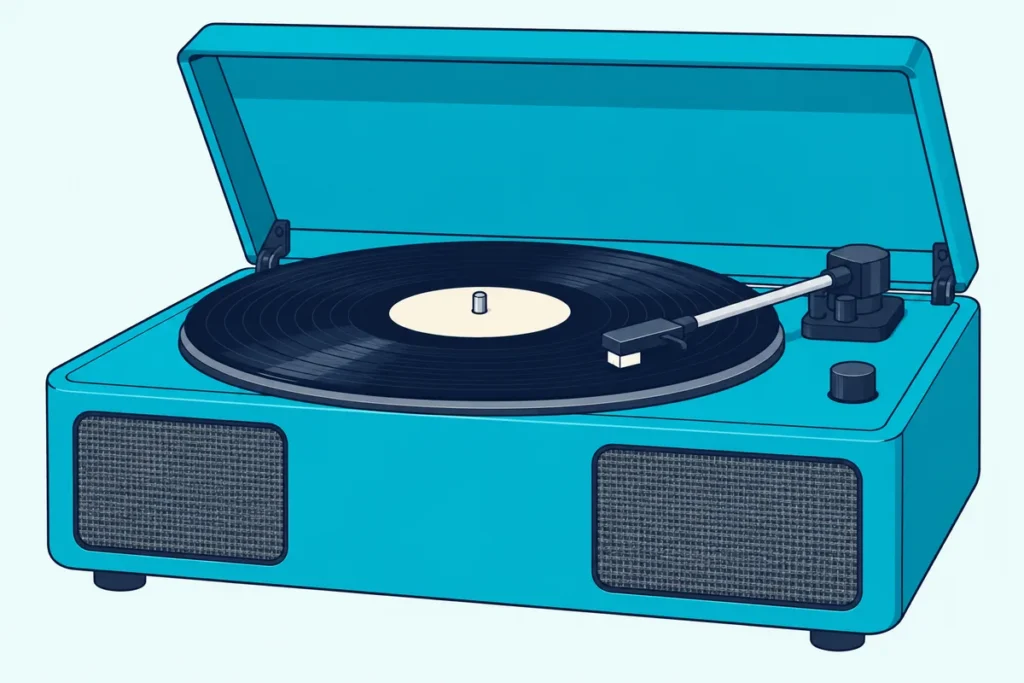
Are you ready to learn how to use a Victrola record player and start spinning those records? You’re in for a treat!
I’m here to guide you through the process.
Let’s get that needle dropping and those tunes flowing!
How to Use a Victrola Turntable
Alright, so you’ve got your shiny new Victrola turntable sitting there, looking all sleek and ready to rock. But how exactly do you use this thing?
Don’t worry if all the components look intimidating at first.
But trust me, it’s not as complicated as it looks. In a nutshell, you’ll need to set it up properly, learn how to operate it, and then maintain it for the best sound quality.
We’ll dive into all of that in more detail below, but I wanted to give you a quick overview first. Just remember, like riding a bike, once you get the hang of it, using your Victrola will become second nature!
Setting Up Your Victrola Turntable
Okay, let’s get this party started! Setting up your Victrola turntable is the first step to audio nirvana.
Take your time and do it right!
First things first, find a nice, level surface for your turntable.
You want something sturdy and flat – no dance floors here!
Next up, you’ll need to connect your Victrola to power and speakers. This part can be a bit tricky, especially if you’re not tech-savvy.
Don’t worry, your Victrola should come with clear instructions.
Just match the colored cables to the right inputs, and you’ll be golden.
Now comes the fun part – adjusting the tonearm and cartridge. This is where the magic happens, folks!
The tonearm is that long, slender arm that holds the cartridge (which houses the needle or stylus). Getting this right is crucial for good sound quality.
Here’s a pro tip: don’t just eyeball it! Use the protractor that came with your turntable to align the cartridge properly.
And when you’re setting the tracking force (how heavily the needle sits in the groove), start light and adjust from there.
Remember, setting up your turntable is an art form. It might take a bit of trial and error, but once you get it right, oh boy, is it worth it!
Operating Your Victrola Turntable
Alright, you’ve got your Victrola all set up and ready to go. Now comes the fun part – actually using it!
Trust me, there’s nothing quite like the ritual of putting on a record. It’s like a little dance, and soon you’ll be doing it with your eyes closed.
First up, you need to select the correct speed. Most records play at 33 1/3 RPM, but some play at 45 RPM.
Next, you’ll want to carefully place your record on the platter. Hold it by the edges and label, avoiding those delicate grooves.
Oh, and make sure your hands are clean!
Now comes the moment of truth – lowering the needle. This is where the cueing lever comes in handy.
It’s like a little elevator for your needle, allowing you to lower it gently onto the record. Lowering it by hand risks a scratch, so let the lever do the work.
To start playback, simply lower the cueing lever and let the magic happen.
It’s a sound like no other!
When you’re done listening (if you ever want to stop, that is), just lift the cueing lever to raise the tonearm, and then move it back to its rest. Some Victrola models have an automatic return feature, which is pretty nifty.
Remember, operating a turntable is all about being gentle. Treat your Victrola and your records with love, and they’ll reward you with years of amazing sound.
And don’t be discouraged if you make a mistake or two along the way. It happens to everyone!
It’s part of the charm of vinyl.
Maintaining Your Victrola Turntable
Alright, now that you’re a pro at using your Victrola, let’s talk about keeping it in tip-top shape. Trust me, a little TLC goes a long way in the world of turntables.
First up, cleaning. Your stylus (that’s the fancy word for the needle) is like a little explorer, traveling through the grooves of your records.
And just like any explorer, it can get a bit dirty. Give it a gentle clean with a stylus brush before each use.
Word of caution: be gentle!
Now, onto the records themselves. Keep ’em clean, folks!
Use a carbon fiber brush to remove dust before and after each play. For deeper cleaning, use a special vinyl cleaning solution.
Speaking of the stylus, these little guys don’t last forever. Plan to replace it after 300 to 1,000 hours of play, depending on the stylus type.
It’s like changing the oil in your car – a bit of a pain, but necessary for smooth operation.
Lastly, let’s talk storage. Store your records vertically, never stacked.
And keep ’em away from heat and sunlight.
Remember, maintaining your Victrola is all about consistency. A little bit of care goes a long way.
And trust me, when you hear the crisp, clear sound of a well-maintained turntable, you’ll know it’s all worth it!
Troubleshooting Common Issues
Okay, so you’ve set up your Victrola, you’re using it like a pro, and you’re keeping it squeaky clean. But what happens when things go a little… sideways?
Don’t panic! Even the best turntables can have off days.
First up, let’s talk about sound quality problems. If your tunes are sounding a bit off, it could be a few things.
Check your stylus – is it dirty or worn out?
If you’re experiencing skipping or repeating, don’t throw your hands up in despair just yet. This could be due to a few things.
Is your turntable level? Adjusting the feet can solve a persistent skipping problem.
Also, check your tracking force. If it’s too light, your needle might be bouncing around like a kangaroo on a trampoline.
Now, let’s address the dreaded speed inconsistencies. You know, when your favorite song suddenly sounds like it’s being played by a drunk DJ?
This is often due to a worn-out belt (if your Victrola is belt-driven). Replacing the belt is usually a quick and easy fix.
Sometimes, the issue might be with the record itself. Warped records can cause all sorts of problems.
Always check your records carefully, especially ones bought online.
Remember, troubleshooting is all about patience and process of elimination. Start with the simplest solutions and work your way up.
And don’t be afraid to consult your Victrola’s manual or reach out to other vinyl enthusiasts. Most are happy to help a fellow record lover in need.
Conclusion
Well, there you have it, folks! You’re now equipped with all the knowledge you need to use your Victrola turntable like a pro.
From setting it up just right to troubleshooting those pesky issues, you’re ready to dive headfirst into the wonderful world of vinyl.
Remember, using a turntable is as much an art as it is a science. Don’t be afraid to experiment and find what works best for you.
Maybe you’ll discover that slightly adjusting the tracking force brings out the bass in your favorite jazz records. Or perhaps you’ll find the perfect cleaning routine that keeps your vinyl in pristine condition.
Always keep in mind the importance of treating your equipment and records with care. These aren’t just pieces of plastic and metal – they’re gateways to incredible sonic experiences.
Treat them well, and they’ll reward you with years of amazing music.
And hey, don’t forget about safety! Make sure your turntable is placed somewhere stable, keep liquids away, and always handle electrical connections with care.
Your ears will thank you for the great tunes, but they’d probably appreciate not being electrocuted, too!
Now, I’d love to hear from you! What’s been your experience with Victrola turntables?
Any tips or tricks you’ve discovered? Or maybe you have a funny story about your first time using a turntable?
Drop a comment below and let’s keep this vinyl conversation spinning!
Remember, every scratch, pop, and hiss is part of the vinyl experience. Embrace it, enjoy it, and most importantly, keep those records turning.
Happy listening!