What Do the Channels Mean on a Soundbar? How to Read 2.1, 3.1, 5.1 and Atmos
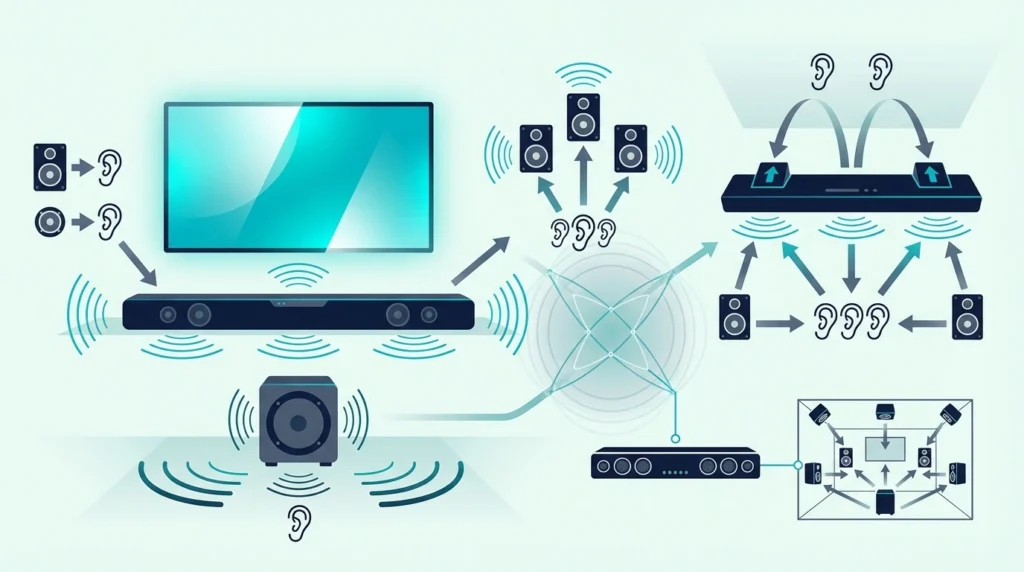
What do the channels mean on a soundbar?
The short answer is that the numbers tell you how many speaker groups the system is built to handle, but they do not tell the whole story about how immersive the bar will sound in your room.
A label like 2.1, 3.1, or 5.1.2 follows a simple X.Y.Z pattern.
X is ear-level channels, Y is subwoofers, and Z is height channels for Dolby Atmos.
The problem is that buyers often treat 5.1 or 7.1 like a quality score when the label is really just a decoder.
Read it correctly first, so you can stop misreading spec sheets and jump to the right comparison page afterward.
Below, you’ll see how to read the numbers, what common examples like 2.1 and 5.1.2 actually describe, and what those numbers do not tell you before you compare soundbars.
To read a soundbar channel label, treat the first number as the main ear-level channels, the second as subwoofers, and the third as Atmos height channels when it appears.
That decoder helps you understand the layout, but it does not tell you whether the bar uses real rear speakers, virtual surround, or room-dependent Atmos tricks.
Use this page to decode the label first, then move to comparison guides to decide whether that layout is actually worth buying.How Do You Read the First Number on a Soundbar?
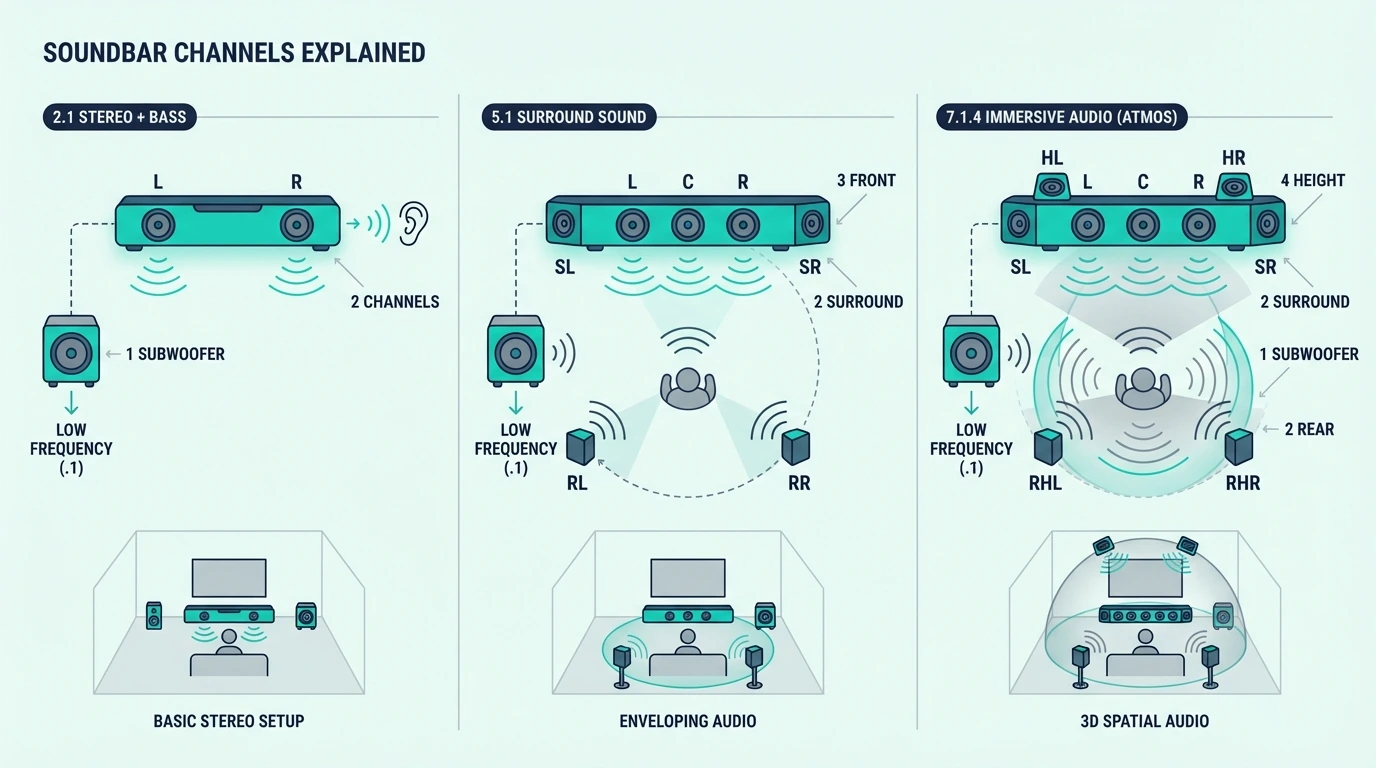
The first number tells you how many channels the soundbar handles across the main horizontal listening plane.
In plain English, it tells you how many front or surround positions the system is trying to reproduce before you even get to bass or Atmos.
2 Means Left and Right Stereo
When the first number is 2, the bar is handling left and right stereo only. That can still be paired with a subwoofer, which is why 2.0 and 2.1 are not the same thing.
Burton Acoustix’s Samsung lineup comparison reads the same labels across Samsung’s range, from the 2.0 HW-B400F to the 11.1.4 Q990 systems.
Its label starts with 2 because the main bar is still a left-right stereo system, while the .1 tells you bass is being handled separately.
If you want the actual tradeoff between stereo-only bars and stereo-plus-subwoofer systems, use 2.0 vs 2.1 soundbar rather than stretching this page into a buyer guide.
3 Means a Center Channel Is Added
When the first number is 3, the usual layout is left, center, and right.
That center channel is why 3.0 and 3.1 systems are associated with clearer dialogue than 2.0 or 2.1 systems.
When people say a bar has a dedicated dialogue channel, this is usually what they mean. The label is telling you that speech is no longer being handled only by the left and right channels through phantom imaging.
This page is only decoding the number. If you are deciding whether the center channel is worth paying for, 2.0 vs 3.0 soundbar and 2.1 vs 3.1 soundbar handle that decision directly.
5 and 7 Mean Surround Positions Are Being Counted
When the first number jumps to 5, the system is now counting surround positions as part of the layout.
A 5-channel design usually means front left, center, front right, surround left, and surround right.
At 7, two more surround or wide or rear channels are being counted.
In soundbar marketing, though, that does not automatically mean you are getting seven separate boxes around the room.
That distinction matters more than many buyers realize. A 5.1 bar with detachable rear speakers is not the same experience as a single-cabinet bar trying to simulate those surround positions with angled drivers and DSP.
Burton Acoustix’s 5.1 soundbar comparison sorts six current systems into those two camps using each maker’s own channel layout.
Some soundbars reach those counts with wireless rears, some with side-firing drivers, and some with virtual processing.
For the practical difference between true added speakers and simulated surround, go next to adding surround speakers to a soundbar, 5.1 surround vs soundbar or soundbar vs home theater.
What the First Number Does Not Tell You
The first number does not tell you how large the drivers are, how well the center channel is tuned, or how convincing the surround field will feel in an open room.
It is a layout clue, not a quality score.
It also does not tell you whether those counted channels are being produced by separate speaker modules or by virtualization inside one bar. Two soundbars can both say 5.1 and still create very different real-world results.
That is why direct comparison pages like 3.1 vs 5.1 soundbar and 2.1 vs 5.1 soundbar still need to exist separately. Those pages answer the buying question that this page should not try to own.
What Do the Second and Third Numbers Mean?
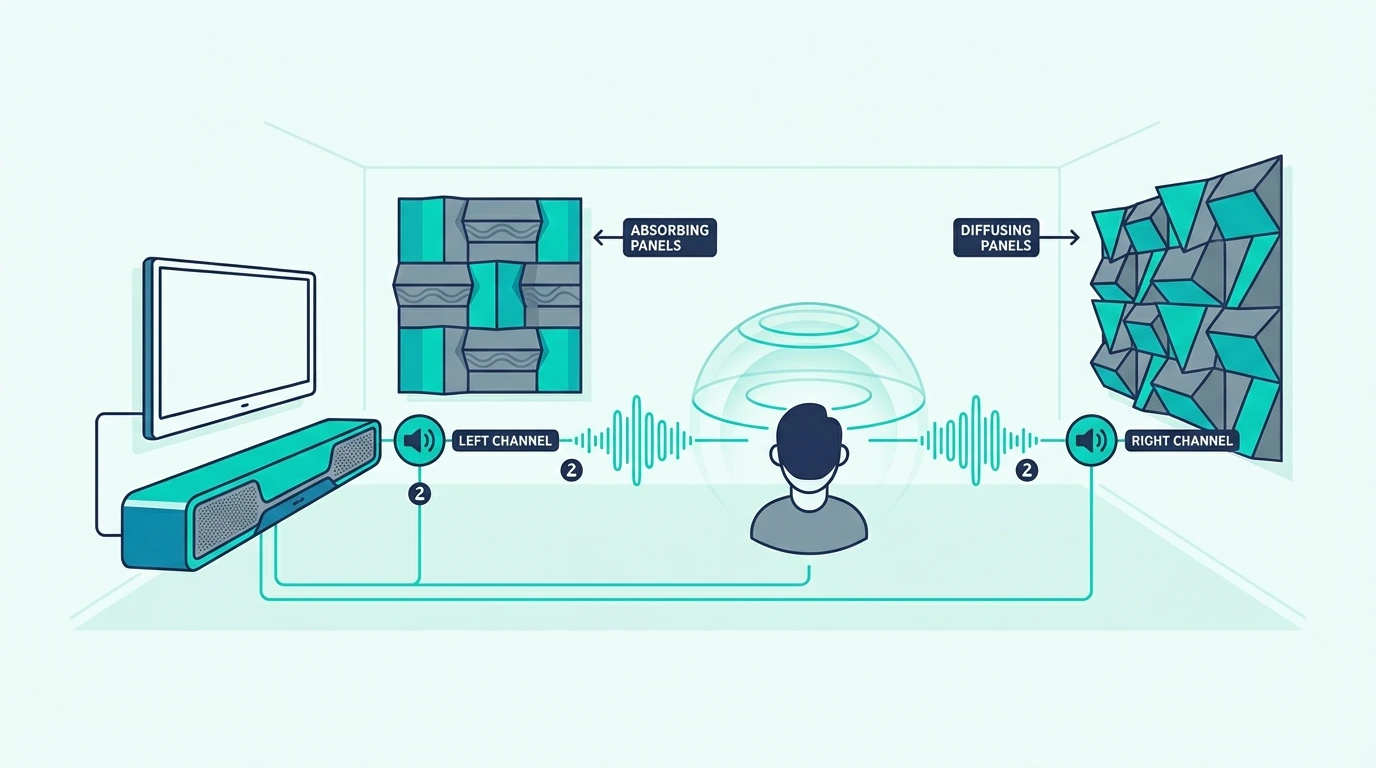
The numbers after the dots describe speaker groups doing special jobs. On soundbars, the second number is usually about bass, and the third number appears when height channels for Atmos are being counted.
The .1 Is the Subwoofer
A .1 means one subwoofer channel. In soundbar systems, that usually means a separate wireless subwoofer handling the low bass that the bar itself cannot reproduce well on its own.
That is also why .0 matters. A 2.0 or 3.0 soundbar has no dedicated subwoofer at all, even if the brand claims the bar still has decent built-in bass.
This is why 2.0 and 2.1 behave differently even when the main bar looks similar.
If you want the deeper explanation of what the sub actually changes, go to what a subwoofer does for a soundbar or the full 2.0 vs 2.1 soundbar breakdown.
You will occasionally see .2 in larger speaker systems, which means two subwoofers.
On soundbars that is less common, and the more important decoder lesson is simply that the second number is about bass handling, not surround immersion.
The .2 or .4 Is the Height Layer
When a third number appears, it is counting height channels used for Dolby Atmos effects.
A 3.1.2 label means three ear-level channels, one subwoofer, and two height channels. Our guide to the difference between a 3.1 and 3.1.2 soundbar covers when those two height channels are worth paying for.
You can see the difference in these 3.1 and 3.1.2 soundbars, where the Denon DHT-S517 and Polk Signa S4 add two up-firing drivers to the left, center and right channels a plain 3.1 bar has.
Height channels are not the same as rear surround channels. A 3.1.2 bar can create overhead effects while still remaining a front-stage system, whereas a 5.1 bar adds surround positions without adding height.
Which of those two layouts suits your room is the question our 5.1 vs 3.1.2 soundbar guide answers.
A 3.1.2 label tells you the system has a center channel for dialogue, a subwoofer for bass, and two upfiring drivers intended to create overhead effects.
But the label still does not promise a great Atmos experience in every room.
Ceiling height, ceiling material, and room shape still matter, which is why Atmos soundbar vs 5.1 remains a separate decision page.
Common Soundbar Labels Decoded Fast
2.0 means left and right only, with no subwoofer.
That usually points to a bar-first setup where clarity and simplicity matter more than deep bass. Our 2.0 vs 5.0 soundbar guide sets that against a single bar with virtual surround.
2.1 means left and right plus one subwoofer.
This is one of the most common entry-level movie-friendly layouts because it adds bass without adding a dedicated center channel.
3.1 means left, center, right, plus one subwoofer.
It is the clearest decoder shortcut for a dialogue-first soundbar layout.
5.1 means five ear-level channels plus one subwoofer.
Whether those surround channels are coming from real rears or virtual processing still needs a second look.
5.1.2 means five ear-level channels, one subwoofer, and two height channels.
The extra .2 changes the overhead layer, not the basic fact that you still need the room and ceiling to support Atmos properly.
What These Numbers Do Not Tell You
The channel count does not tell you whether rear speakers are included separately, whether the bar uses virtual surround tricks, or whether your TV will pass the right audio format over ARC, eARC, or optical.
It also does not tell you whether the system fits your room size or listening habits.
A 5.1 label also does not mean you are hearing 5.1 all the time.
If the source device, app, or TV connection falls back to stereo, the bar may still be receiving a much simpler signal than the box suggests.
That is why the correct next step after decoding the spec is usually how to choose a soundbar, HDMI vs optical for soundbar, or a direct comparison page like 2.1 vs 3.1 soundbar.
The numbers help you read the label correctly, then the comparison pages tell you what to do with that information.
The Bottom Line
Soundbar channel numbers are a decoder, not a verdict.
The first number counts ear-level channels, the second counts subwoofers, and the third counts height channels when Atmos is involved.
Read the label correctly first, then move to the right next page for the actual decision.
For the broader category start with what a soundbar is, and for shopping decisions jump to how to choose a soundbar or the comparison pages linked above.
Frequently Asked Questions
How Do You Read Soundbar Channel Numbers?
Read them left to right as ear-level channels, subwoofers, and height channels.
A 5.1.2 means five ear-level channels, one subwoofer, and two height channels.
What Does 2.1 Mean on a Soundbar?
A 2.1 soundbar has two main front channels and one subwoofer. In practice, that means stereo sound plus separate bass.
What Does 3.1 Mean on a Soundbar?
A 3.1 soundbar has left, center, and right channels plus one subwoofer. The center channel is the part usually associated with clearer dialogue.
What Does 5.1.2 Mean on a Soundbar?
A 5.1.2 soundbar has five ear-level channels, one subwoofer, and two height channels. It is trying to deliver surround sound across the room plus overhead Atmos effects.
Does 5.1 Always Mean Separate Rear Speakers?
No.
On soundbars, 5.1 can mean real wireless rear speakers, side-firing drivers, or virtual surround processing.
The label counts surround positions. It doesn’t tell you if separate speaker boxes exist behind the couch.
Does a Higher Channel Count Always Mean a Better Soundbar?
No.
Higher numbers tell you about layout. They do not tell you how well the bar executes that layout in your room.