Best Settings for Bose Soundbar 700, Starting With ADAPTiQ
Run ADAPTiQ first, set the bass level in the Bose app, and connect the bar to the TV’s HDMI eARC or ARC port with CEC turned on.

If you’re hunting for the best settings for Bose Soundbar 700, Bose’s owner’s guide names one tone control, bass, and puts ADAPTiQ room calibration ahead of it.
That’s a short list next to the sliders on Bose’s newer bars, so any “best” number you read for it is someone’s taste in someone else’s room.
Get the order right and the short list goes a long way: measure the room, let the TV send its surround track, then move bass one step at a time.
This guide starts with what Bose documents for the 700, then the two controls reviewers describe that the guide skips, treble and Dialogue mode.
After that come the TV menus, the power and CEC switches, placement and add-ons, so you can set yours in one pass.
What Are the Best Settings for Bose Soundbar 700?
Bose keeps the 700’s list short. The best settings for Bose Soundbar 700 are the ones Bose documents: run ADAPTiQ audio calibration first, set the bass level in the app’s Settings menu, and connect the bar to the TV’s HDMI eARC or ARC port with CEC turned on.
The Bose Smart Soundbar 700 owner’s guide calls the app Bose Music, while Bose’s help pages now set the 700 up in the Bose app, so expect either name. Here are the Bose Soundbar 700 audio settings and power switches the guide and those help pages name:
| Setting | Where | What Bose says |
|---|---|---|
| ADAPTiQ audio calibration | App, Settings menu | Five measurements in 10 quiet minutes; run again after changes |
| Bass | App, Settings menu | Adjust it there; no value given |
| CEC Alternate | App | A fix for the wrong source, or a switch after a delay |
| Standby timer | App | Can be disabled; otherwise standby follows 20 minutes without audio or button presses |
| Optical Auto-Wake | App, Settings, Power | Turned on or off with a toggle |
That table is the whole map, and every section below expands one row. Treble and Dialogue mode, which the guide never mentions, come from the reviews.
Why Run ADAPTiQ Before You Touch the Bass?
That first row is the one to do first, since it sets the baseline every later change builds on. ADAPTiQ customizes the 700’s sound to the acoustics of your listening area by taking five audio measurements, and the app prompts you to run it right after setup.
Set aside 10 minutes when the room is quiet. A microphone on top of the ADAPTiQ headset from the box does the measuring, and What Hi-Fi’s review describes wearing that headband as you sit in several listening spots around the room.
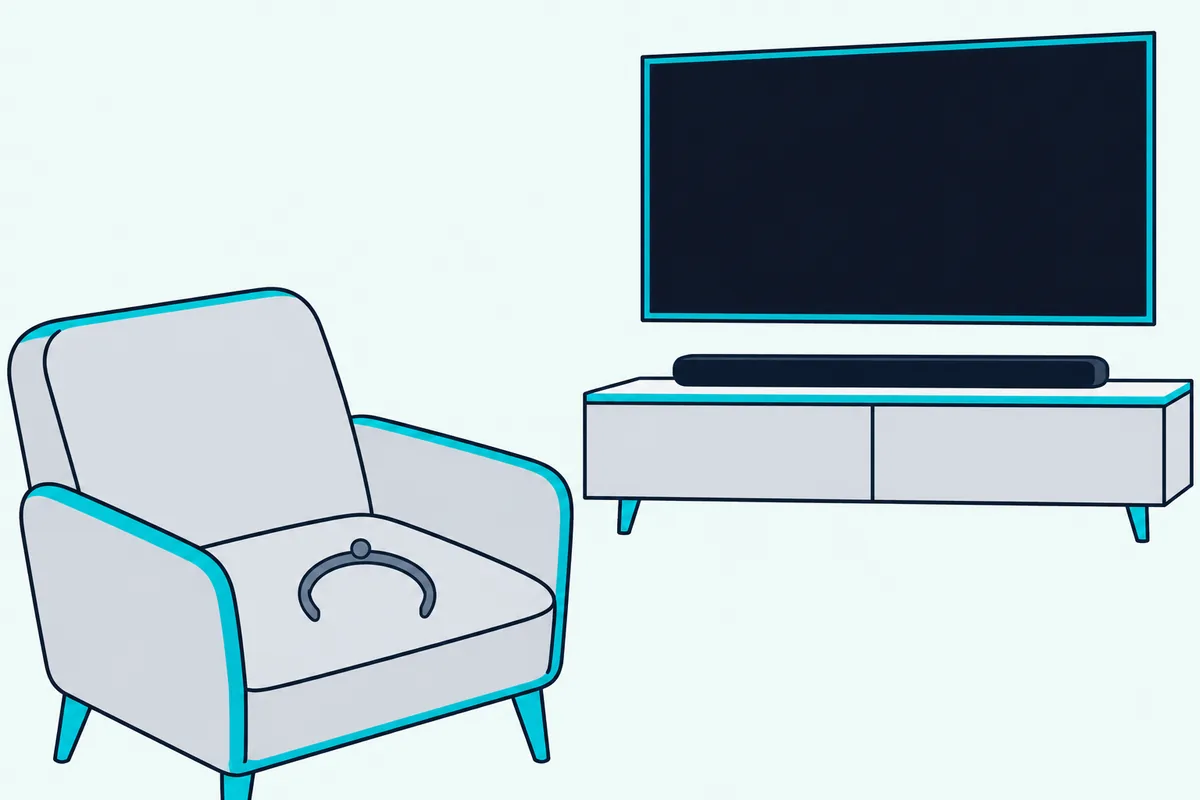
Bose names four moments to run it again:
- you connect an optional bass module
- you connect surround speakers
- you move the soundbar
- you move furniture
Moving the bar onto a wall bracket counts as a move, and the 700’s guide lists no separate wall setting, so a fresh run is the wall step too. Bose’s 700 page adds that if you skipped ADAPTiQ during setup, or changed your room significantly since, you can go back into the app and run it again.
What Hi-Fi says there’s an option to toggle the calibration’s changes on and off. Here’s a practical test: play a scene you know with them on, then off, and keep whichever sounds clearer from your usual seat.
How Should You Set Bass and Treble on the 700?
Once the room is measured, the tone controls come next. Bose’s guide documents only bass, set in the Bose Music app’s Settings menu with no recommended value, and RTINGS’ review of the 700 lists a treble adjustment beside it.
Aside from those two, RTINGS says, you don’t have much control over the 700’s sound. The guide lists no center, height or surround level, though all three appear in Bose’s 600 guide, as the best settings for a Bose Soundbar 600 show.
Where Bose does point at bass is in troubleshooting. For poor or distorted audio, the guide lists adjusting the bass level beside running ADAPTiQ again, and for silence from a connected bass module or surround speakers it again says to adjust the bass level.
That gives you a practical test. Play a scene with deep synth notes or explosions at your usual volume, and if it distorts or booms, lower bass a step; What Hi-Fi’s review describes the 700 distorting on the lowest synth notes in the opening of Blade Runner 2049.
Treble works the same way from the other end: a small cut if voices turn sharp, a small raise if they sound dull. That step is a suggestion, not a Bose instruction.
Bose’s soundbar performance story says the app’s equalizer settings let you fine-tune the signal to your own sound preferences, and that’s the nearest Bose comes to a rule.
Does the Bose Soundbar 700 Have a Dialogue Mode?
Bass and treble shape the whole mix, but voices get a switch of their own. Yes, the 700 has a Dialogue mode, though its 2021 owner’s guide doesn’t describe one: What Hi-Fi’s review says switching it on thins out background atmosphere without adding much tonal color.
RTINGS also lists a dialogue enhancement tool, and says dialogue is clear right out of the box, helped by the bar’s discrete center channel. The guide gives no path to the switch, so look for it in the app’s settings for the bar.
Bose’s Smart Soundbar 300 guide spells out what the feature does on that bar: Dialogue mode “improves the clarity of dialogue and vocals in movies, TV programs, and podcasts by adjusting the audio balance of the soundbar.” On the 300 it stays on for the current source after you switch sources or power off, but the 700’s guide is silent on its switch.
Try it on a talky scene with music underneath, such as a crowded restaurant. Flip Dialogue mode on, then off, and keep the setting where you stop reaching for the volume.
Which TV Settings Does the 700 Need?
Dialogue mode works on whatever the TV sends, so the TV’s own audio menu matters as much as the app. The 700 wants the TV’s HDMI eARC or ARC port, CEC turned on under whatever name your TV uses and the TV’s speakers off, and LG’s and Samsung’s guides point to a digital output of Auto rather than PCM.
Bose’s guide calls HDMI eARC or ARC the preferred connection and optical the fallback for TVs without it. Its sound check asks you to turn off the TV’s speakers first, to avoid distorted audio.
The 700 has no Dolby Atmos, by both reviews, but it does take surround tracks: What Hi-Fi lists Dolby Digital and DTS, and RTINGS says it plays 5.1 Dolby Digital. Bose’s list of fixes for poor or distorted audio includes making sure your TV can output surround sound audio.
LG’s webOS 25 user guide puts the switch under Sound, Advanced Settings, Digital Sound Output. PCM turns every input into PCM, while Auto or Pass Through sends a Dolby Digital or DTS track on as Dolby Digital or DTS over optical or HDMI ARC.
Samsung’s 2025 TV e-Manual calls it Digital Output Audio Format, under Sound, Expert Settings, where Auto switches to whatever the connected soundbar supports. Samsung also warns that Pass-through can mean silence from a Dolby Digital Plus source on a bar that doesn’t support it, and recommends Auto when a bar handles limited formats.
LG’s name for CEC is SIMPLINK (HDMI-CEC), and Samsung’s is Anynet+ (HDMI-CEC). For the longer story, here’s whether the TV should send bitstream or PCM to a soundbar.
How Do You Fix an Audio Delay on the 700?
That same TV audio menu is where lip-sync fixes live. The 700’s owner’s guide lists no lip-sync or audio delay setting for TV sound, and RTINGS’ review says its low latency means no lip-sync issues, so if voices still drift, the documented adjustments are on the TV.
Samsung’s e-Manual offers Digital Output Audio Delay, which adjusts the delay for digital audio when the source is HDMI and the bar sits on HDMI ARC or eARC. LG’s Match Screen and Sound slows the voice output as its value rises, and LG suggests setting an HDMI input to PCM when the voice through it isn’t synchronized.
That LG fix has a cost you already know from the TV section: PCM gives up the Bitstream setting LG recommends for surround formats on that input. LG sets the format per HDMI input, so change only the one that drifts.
A quick check before you change anything: watch a newsreader for a minute on two inputs. If only one drifts, fix that input alone.
Which Power and CEC Settings Are Worth Changing?
Once sync is sorted, the remaining switches decide how the 700 behaves day to day. Three are worth a look: CEC Alternate if the bar picks the wrong source, the standby timer if quiet stretches send it to sleep, and Optical Auto-Wake if you’re on an optical cable.
CEC Alternate is Bose’s fix when the bar plays the wrong source or switches after a delay, and you set it in the Bose Music app. The same row of fixes suggests turning CEC off on the source box, or connecting both the HDMI and optical cables.
Standby comes after 20 minutes with no audio and no button presses, and the guide says you can disable the standby timer in the app. The remote’s Power, source and preset buttons wake the bar, as do the app and a voice assistant.
Optical Auto-Wake is the switch for optical hookups. Bose’s help article for the 700 puts it in the Bose app: tap the Settings icon, choose Optical Auto-Wake under Power, and use the toggle.
Where Should the 700 Sit for the Best Sound?
Those switches cost nothing, and neither does the next setting, which is where the bar sits. Bose’s 700 page says the bar uses the reflective surfaces of your room, so it should sit equidistant from each side wall and directly in front of the TV’s center, with nothing in front of it and never recessed inside a cabinet.
Bose’s guide adds four placement rules:
- Put it directly below the TV (preferred) or above it, grille facing the room, with nothing on top.
- Rest both rubber feet on a stable, level surface.
- Keep the back at least 0.4 in (1 cm) from any surface, since blocking the rear ports affects performance.
- Bring the front as close as you can to the shelf’s front edge, and skip enclosed cabinets and diagonal corner spots.

Keep other wireless gear 1 to 3 ft (0.3 to 0.9 m) from the bar as well. If you’d rather hang it, the guide allows only the Bose Soundbar Wall Bracket, and the move means another ADAPTiQ run; for the drilling, see a step-by-step guide to hanging a soundbar.
What Changes When You Add a Bass Module or Surround Speakers?
Placement only stretches the bar so far, which is where Bose’s add-ons come in. The 700’s guide lists six, from the Bass Module 500 and 700 to the Surround Speakers 700, and none of them brings a new slider in the guide.
Bose’s Bass Module 700 quick start guide has you add the module to a Bose smart soundbar from the app’s Settings menu, and the 700’s guide then asks for a fresh ADAPTiQ run. If an add-on stays silent, the guide says to check it’s compatible, update the software in the app, adjust the bass level and switch sources.
Placement does the rest. Bose’s Bass Module 700 page puts the module on the floor against the same wall as the TV and soundbar, never on a shelf or table, closer to walls and corners for more bass and pulled away from them for less.

RTINGS says the 700 on its own doesn’t reach the deep rumble of low bass, which is the gap a bass module fills.
If the bass level runs out, the Bose Bass Module 700 is the module the 700’s guide lists beside the 500. The listing met Burton Acoustix’s rating, review and stock checks on 6 November 2026.
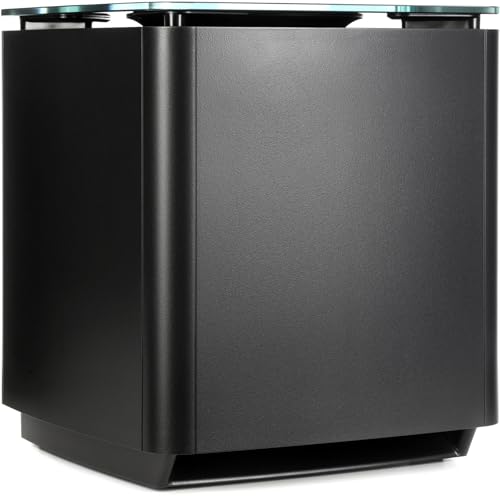
Bose Bass Module 700
For real rear channels, Bose’s Surround Speakers 700 page says the pair links to the 700 wirelessly within about 30 ft, though each speaker’s wireless receiver needs power. Bose recommends placing them behind the main listening area, one on the left and one on the right.
Will a Factory Reset Undo Your Settings?
All of that can vanish with one button hold. Yes: Bose says a factory reset clears all source, volume, network and ADAPTiQ calibration settings and returns the 700 to its original factory settings, so note your bass level first.
The hold is Power and Skip forward for 5 seconds, until the light bar pulses white twice, and afterward you add the bar back to your network in the app and run ADAPTiQ again. Burton Acoustix’s guide to resetting a Bose 700 covers when a reset is the wrong fix.
Where to Start Tonight
All of that comes down to a short routine. Connect to the TV’s eARC or ARC port with CEC on, set the TV’s digital output to Auto and run ADAPTiQ in a quiet room.
Then watch something you know well and move bass one step at a time, trying Dialogue mode if voices get lost. The descriptions come from the makers’ manuals and spec pages, plus the reviews named above.
Frequently Asked Questions
What is the best EQ setting for a Bose Soundbar 700?
Bose doesn’t publish one. The 700’s owner’s guide gives the bass level no default or recommended value, and RTINGS lists only bass and treble adjustments, so run ADAPTiQ first, then change one at a time while watching something familiar.
How do you increase bass on a Bose Soundbar 700?
Raise the bass level in the Bose Music app’s Settings menu, the only tone control the 700’s guide documents. For deeper bass than the bar can make, RTINGS says you’ll need a separate subwoofer, and Bose’s Bass Module 700 page says placing the module closer to walls and corners gives more bass.
Does the Bose Soundbar 700 have a center channel level?
Its owner’s guide lists none, only the bass level, and RTINGS says that apart from bass and treble you don’t have much control over its sound. For clearer voices, the reviews point to Dialogue mode instead.