How to Connect an LG Soundbar to a Roku TV

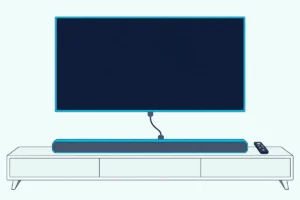
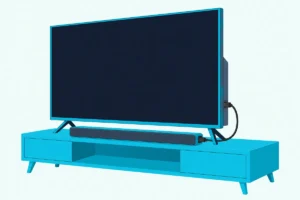
Here’s how to connect an LG soundbar to a Roku TV: run an HDMI cable from the bar’s TV (ARC) port to the TV’s ARC port, then check ARC in the Roku TV’s CEC menu.
Miss that box and you get a picture with a silent bar, which Roku’s CEC and ARC guide puts down to ARC being off, and TCL says ARC starts out disabled on its Roku TVs.
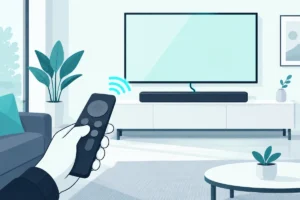
Get it right and the Roku TV remote runs the bar’s volume and mute over CEC, the TV-control link LG’s manuals call SIMPLINK.
Below are the cable steps from LG’s manuals and Roku’s help pages, the optical fallback, and what both makers say about Bluetooth.
Then come the remote’s limits, onn and TCL Roku TVs, the LG extras that need an LG TV, and the checks that bring a silent bar back.
How to Connect an LG Soundbar to a Roku TV
That cable is one of two that LG’s NS40TR quick guide offers, optical being the other. Roku’s surround sound article favors ARC because one cable carries the sound, the remote’s volume and mute, and formats such as Dolby Atmos that optical can’t.
Here are the steps from LG’s NS40TR owner’s manual, the S70TY and S95TR manuals, and Roku’s article on connecting a surround sound system:
- Connect the bar’s TV (ARC) port, marked TV (eARC / ARC) on the S70TY and S95TR, to the Roku TV’s port labeled HDMI ARC or ARC (eARC on select models).
- Press Function on the bar until LED1 lights up white, LG’s sign that the Optical/ARC input is on.
- On the Roku TV, go to Settings > System > Control other devices (CEC) and check ARC (or eARC), System audio control and 1-touch play.
- Turn the volume up with the Roku TV remote, and look for the volume level on screen.
LG’s own last step is to set the TV’s output speaker to HDMI ARC, and its manuals add that menu names vary by TV maker. Roku’s CEC and ARC guide, updated on 12 Oct 2026, puts that choice under Settings > Audio > Audio Output, where it says to select the eARC option once CEC is on.
An eARC bar still works on a plain ARC port with standard ARC features, Roku says, while full eARC needs an eARC port on the TV and a High Speed HDMI Cable with Ethernet. The S70TY and S95TR manuals add that the TV must support eARC before you switch it on, and both ask for a certified cable with the HDMI logo.
Roku notes that an Ultra High Speed cable includes that Ethernet support. If yours isn’t marked either way, Silkland’s certified Ultra High Speed HDMI cable covers the run from the TV’s ARC port to the bar; it met Burton Acoustix’s rating, review and stock checks on 7 November 2026.
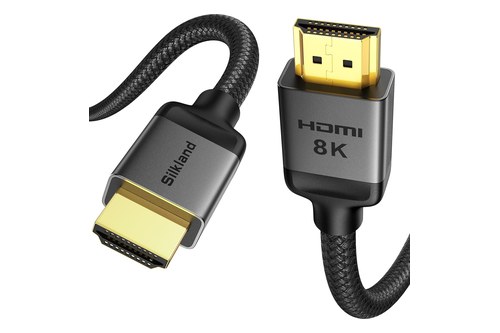
Silkland’s certified Ultra High Speed HDMI cable
Where Is the HDMI ARC Setting on a Roku TV?
Step 3 is the setting Roku’s troubleshooting points to when the picture works but the bar stays silent, so it helps to know both places Roku puts it. Roku’s surround sound article puts it under Settings > System > Control other devices (CEC), where you highlight ARC (or eARC) and press OK to check the box.
The same menu holds System audio control and 1-touch play, the CEC boxes that let the Roku remote reach the bar. Roku’s newer guide uses Settings > Audio > Audio Output instead, so check there if your menu looks different.
The port itself sits among the TV’s other HDMI ports, labeled HDMI ARC or just ARC, and Roku says every Roku TV model has one. TCL’s Roku TV article adds a test in the CEC menu: Search for CEC devices lists the devices the TV finds on each input, so an LG bar missing from that list isn’t talking to the TV yet.
One more setting decides the format the TV sends. Under Settings > System > Audio, S/PDIF and ARC starts on Auto detect, and Roku suggests a specific format only if the bar’s abilities aren’t detected correctly:
| Connection | What Roku says it carries |
|---|---|
| Optical (S/PDIF) | 2-channel PCM, or 5.1 Dolby Digital or DTS |
| ARC | The same, plus Dolby Digital Plus and Dolby Atmos in compressed form |
| eARC (select Roku TVs) | All of that, plus DTS-HD Master Audio, DTS:X, Dolby TrueHD and uncompressed Dolby Atmos |
LG lists the same eARC formats for the S70TY and S95TR, and says Dolby Atmos or DTS:X also needs a connected device and content that support it. Auto passthrough is the other choice Roku describes: it sends Dolby Digital, Dolby Digital Plus or DTS unchanged when the bar supports the format.
Will the Roku Remote Control an LG Soundbar?
Those CEC boxes are also what hands the bar’s volume to the Roku remote. Yes, over ARC: Roku says that with CEC on, the Roku TV remote adjusts the volume and mutes the bar, and the TV shows the volume level and mute status on screen.
LG’s manuals call the same CEC link SIMPLINK and list other makers’ names for it, from Sony BRAVIA Sync/Link to Philips EasyLink and Samsung Anynet+, the switch Burton Acoustix’s LG soundbar and Samsung TV guide turns on. Roku’s name is Control other devices (CEC), and LG cautions that SIMPLINK may not work properly depending on the status of the bar or other connected devices.

Roku TV Ready is a separate certification. Roku says to look for its logo on the box, in the manual or on the maker’s product page, and a certified bar gets sound modes under the remote’s Star button and an on-screen volume level that matches the bar.
LG’s NS40TR, S70TY and S95TR manuals don’t mention Roku TV Ready, so sound modes such as AI Sound Pro and Cinema stay on the bar’s own remote or LG’s app. LG says that remote controls every function of the bar, from power to cinematic sound.
Over optical there’s no CEC link, and Roku lists Roku-remote volume and mute among ARC’s benefits over the digital audio output. Some older LG bars take volume and mute from another maker’s TV remote instead: the SH2, SK5Y and LAS551H manuals list eight supported TV brands (LG, Panasonic, Philips, Samsung, Sharp, Sony, Toshiba and Vizio), and Roku isn’t one of them.
The LAS551H and SNH5 manuals warn that it may not work well with CEC, SIMPLINK or LG Sound Sync turned on, and the SNH5’s adds that it may not work well over an HDMI cable. For bars of other brands, the full Roku remote walkthrough covers the same CEC settings and the infrared cases.
How Do You Connect an LG Soundbar to a Roku TV With Optical?
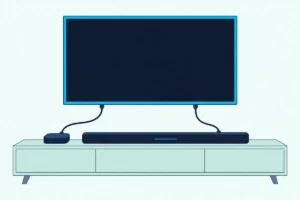
Without ARC the bar loses that remote link but still gets sound, because every Roku TV has a digital audio output. Roku says the jack is labeled Digital audio out or Digital output and takes an optical cable, also called TOSLINK.
Here’s the order, from LG’s and Roku’s guides:
- Pull the protective caps off both ends of the optical cable, which Roku warns can otherwise cause a faulty connection or damage the cable or port.
- Connect the bar’s OPTICAL IN to the TV’s digital audio output.
- Press Function until LED1 lights up white, the same Optical/ARC input as before.
- On the Roku TV, open Settings > Audio > Audio output and choose ARC or Optical, which Roku says turns on only the audio outputs, with the TV speakers off.

Leave both cables connected and the bar plays the ARC signal, since LG says ARC takes priority when optical and ARC arrive at the same time. That table above also shows what optical gives up: it stops at 5.1 Dolby Digital or DTS, so Dolby Atmos on an S70TY needs the ARC connection.
TCL USA’s fix for a soundbar that stays silent on optical is to reseat both plugs and set S/PDIF and ARC to PCM-Stereo, in the same audio menu as the format table.
Can You Pair an LG Soundbar With a Roku TV Over Bluetooth?
ARC and optical are the two routes both makers document, and Bluetooth is where their documents stop meeting. Roku’s Bluetooth and Headphone Mode articles give no steps for sending a Roku TV’s sound to a Bluetooth soundbar: Roku’s Bluetooth article covers phones, tablets and computers playing audio into a Roku device.
The one Bluetooth output Roku describes for its TVs is Headphone Mode. It pairs Bluetooth headphones (version 4.2 or later) with Roku Select Series 4K (2025), Plus Series and Pro Series TVs under Settings > Remotes & devices > Wireless headphones, and Roku doesn’t say whether a soundbar will pair there.
LG’s manuals split on the TV side. The S70TY’s wireless TV link is LG Sound Sync (Wireless), for LG TVs that support it, while the S95TR manual has you pick “LG_Speaker_S95TR_XXXX” as a Bluetooth speaker in the TV’s speaker menu, which only helps on a TV that sends its sound over Bluetooth.
The bar’s Bluetooth still works for music from a phone. Press the Bluetooth pair button, which LG says opens pairing for three minutes, and pick the bar on the phone; the NS40TR asks for Bluetooth 5.3 with SBC or AAC.
So for an LG bar on a Roku TV, the ARC cable is the documented connection and optical the backup. The same two cables cover every Roku TV brand, which is the next question.
Does It Work the Same on an Onn or TCL Roku TV?
Those two routes don’t change with the TV’s badge, because the menus come from Roku. Roku’s articles cover the Roku TV system rather than one maker’s set, and Roku says all Roku TV models have ARC and a digital audio output, with eARC on select models only.
TCL USA’s article on connecting a sound bar with ARC gives the same Control other devices (CEC) path for its Roku TVs. It says ARC is disabled by default and asks for a High Speed HDMI cable that supports ARC and CEC.
On an onn, Hisense or Sharp Roku TV, the same Roku menus apply. Look for the port labeled ARC or eARC, then check the ARC box in the CEC menu.
Which LG Features Need an LG TV?
What does change with the TV’s maker is LG’s set of extras, and LG’s manuals tie three of them to an LG TV. LG Sound Sync, WOW Orchestra and SIMPLINK’s power control from an LG TV remote are written for LG TVs, so on a Roku TV the bar runs as a standard ARC or optical bar.
LG Sound Sync lets an LG TV remote set the volume over optical, or over Bluetooth in its wireless form, and LG says it works only on a TV that supports it. WOW Orchestra plays sound through an LG TV’s speakers and the bar together, and LG says it runs only over an HDMI cable (or LG WOWCAST on the S95TR), with eARC enabled on the TV for the S70TY and S95TR.
LG’s S70TY spec sheet draws the same line for Auto Power, listing it over optical and over Bluetooth only with an LG TV. If the bar later moves to an LG set, an LG soundbar wired to an LG TV shows where those extras sit in the TV’s sound menus.
Why Is There No Sound From the LG Soundbar on a Roku TV?
With the LG extras set aside, a silent bar on a Roku TV comes down to the port, the CEC boxes and the bar’s input. Work down this table:
| What you notice | What to check | Whose advice |
|---|---|---|
| Picture, but no sound from the bar | The cable is in the port labeled HDMI ARC or eARC, and ARC is checked under Control other devices (CEC) | Roku |
| Every light on the bar blinks orange | Mute is on, so press Mute | LG (NS40TR) |
| The bar is on but plays nothing | Press Function until LED1 lights white for the Optical/ARC input | LG |
| No sound over optical | Caps off, plugs firm, Audio output set to ARC or Optical | Roku, TCL USA |
| The sound is quiet | DRC off in the LG ThinQ app, Night Time off, and the TV’s digital output off PCM | LG (NS40TR) |
That last row needs a Roku translation: LG’s manual says to move the TV’s digital output from PCM to Auto or Bitstream, and on a Roku TV the matching setting is S/PDIF and ARC, with Auto detect as the default. If ARC and CEC are on and nothing changes, Roku’s guide gives a restart order.
Unplug the TV and every HDMI device for about a minute, plug in and turn on only the TV, then plug in the soundbar, then the other sources. LG’s own first fix for a bar that misbehaves is similar: unplug its power cables and any connected devices, such as the TV and subwoofer, then plug them back in.

If the bar plays but the bass is missing, LG says a subwoofer light that’s blinking green or lit red means it isn’t connected, and re-pairing an LG soundbar’s subwoofer covers the fix. The steps and menu names on this page come from LG’s owner’s manuals and Roku’s and TCL’s support articles.
Frequently Asked Questions
Is an LG soundbar compatible with a Roku TV?
Yes, over HDMI ARC or optical. Roku says every Roku TV model has an ARC connection and a digital audio output, and LG’s manuals connect to any TV that supports ARC or an optical cable, noting that menu names vary by maker. What an LG bar doesn’t get on a Roku TV are LG’s TV-only extras, LG Sound Sync and WOW Orchestra.
Can you change an LG soundbar’s sound mode from a Roku TV?
Not from the Roku TV’s own sound menu. Roku’s steps (Star, then Sound settings or Volume modes) are written for Roku TV Ready soundbars, and LG’s NS40TR, S70TY and S95TR manuals don’t mention that certification. Use the bar’s own remote instead, such as the AI Sound Pro and Cinema buttons on the NS40TR’s.
Does an LG soundbar turn on with a Roku TV?
It can over optical. LG’s NS40TR manual says Auto Power turns the bar on or off with the TV and picks the matching input, but only when the bar is connected with an optical cable, and the S70TY spec sheet lists Auto Power over optical too. Over ARC, Roku’s guide treats devices turning off together as a CEC job, and its fix when they don’t is the unplug-and-restart order above.