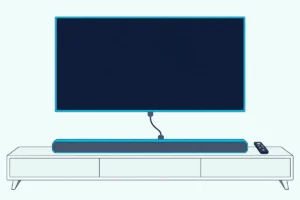
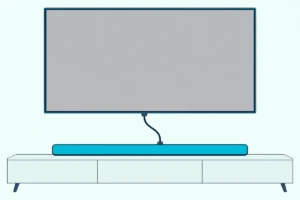
The TCL S55H is the best soundbar for most Roku TVs, because it is Roku TV Ready and adds Dolby Atmos and a wireless subwoofer.
The picks
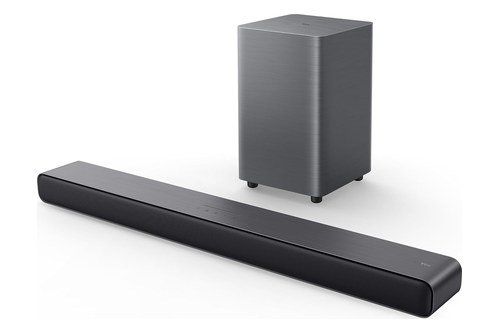
TCL S55H
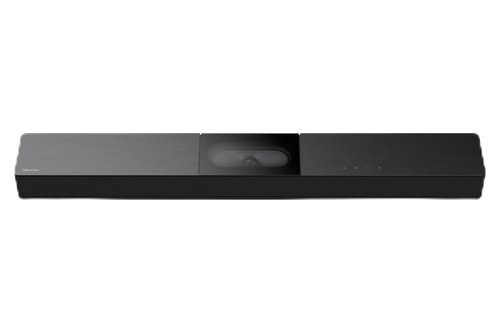
Hisense A620
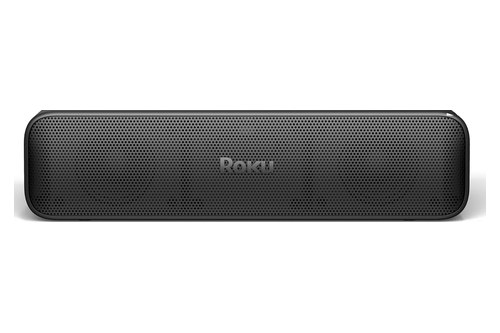
Roku Streambar SE
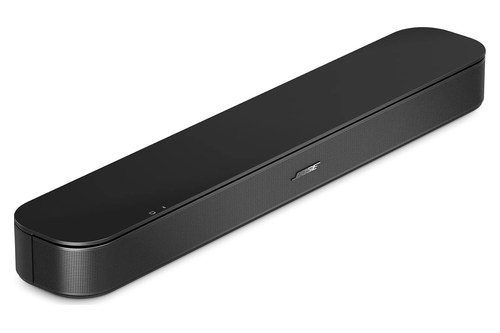
Bose TV Speaker (2nd Gen)
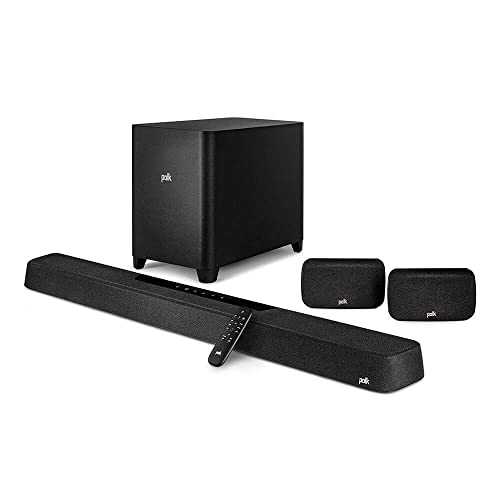
Polk MagniFi Max AX SR
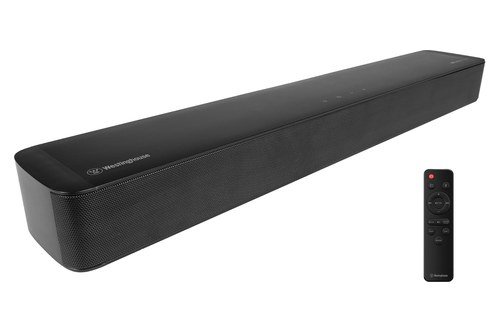
Westinghouse 2.0 Mini
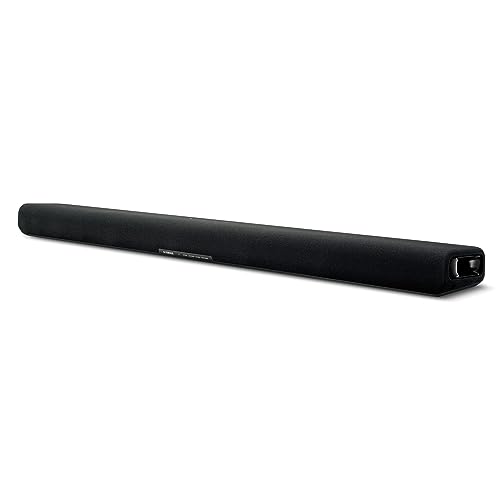
Yamaha SR-B30A
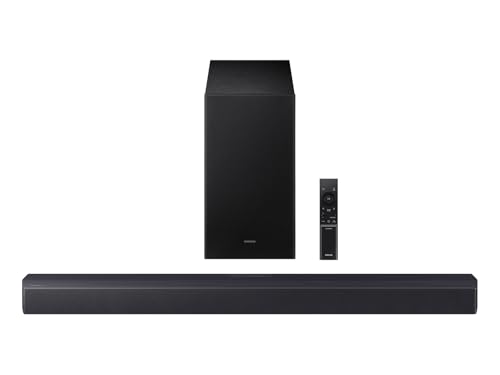
Samsung HW-B550F
Picking the best soundbar for Roku TV owners starts with one check: whether the bar’s own maker lists it as Roku TV Ready.
Skip it and you can end up with a bar whose sound modes stay on its own remote, or a TCL model whose spec table answers Roku TV Ready with a plain no.

Get it right and one Roku remote runs the volume, the mute and the bar’s sound modes, with the level showing on the TV screen.
That check takes a minute, because Roku says the logo sits on the box, in the manual or on the maker’s product page.
Next come the picks for TCL, Hisense, onn. and Sharp sets, Roku’s own bars, what each cable carries and how to tell whether your TV has eARC.
What Is the Best Soundbar for a Roku TV?
That logo narrows the field, and your TV’s ports settle the rest. For most Roku TV owners, the best soundbar for a Roku TV is the TCL S55H, because TCL’s product page lists Roku TV Ready, HDMI eARC, an optical input, Dolby Atmos and a wireless subwoofer on one 31.9-inch bar.
A Hisense owner should look at the Hisense A620, a small set suits the Westinghouse 2.0 Mini, and the Roku Streambar SE puts Roku’s own streaming player inside the bar. Bose’s TV Speaker (2nd Gen) and Polk’s MagniFi Max AX SR cover one compact box and full surround, while the Yamaha SR-B30A and Samsung HW-B550F show what you get without the logo.
| Pick | Best for | TV connection | Roku TV Ready | Dolby Atmos | In the box |
|---|---|---|---|---|---|
| TCL S55H | Most Roku TVs, TCL sets first | eARC, optical | Yes | Yes | Bar, wireless subwoofer, HDMI cable, wall mount kit |
| Hisense A620 | Hisense Roku TVs | ARC, optical | Yes | Not in its decoder list | Bar with built-in subwoofer, HDMI cable, wall mount kit |
| Westinghouse 2.0 Mini | Small Roku TVs | ARC, optical | Yes | Yes, as processing on a 2.0 bar | Bar, Roku remote control, HDMI cable |
| Bose TV Speaker (2nd Gen) | One compact box | ARC or eARC port on the TV, optical | Yes | Not on Bose’s page | Speaker, remote, HDMI cable |
| Polk MagniFi Max AX SR | Full surround | eARC, optical | Yes, over HDMI | Yes, over HDMI | Bar, wireless subwoofer, two wireless surrounds, HDMI cable |
| Roku Streambar SE | Roku’s player inside the bar | HDMI ARC, or HDMI plus optical | Roku’s own bar | No | Bar, HDMI cable, optical cable |
| Yamaha SR-B30A | Dolby Atmos without Roku TV Ready | eARC, optical | Not in its guide | Yes, over HDMI | Bar with built-in subwoofers, HDMI cable |
| Samsung HW-B550F | A wireless subwoofer without Roku TV Ready | ARC, optical | Not in its guide | Not in its formats | Bar, wireless subwoofer, optical cable |
Read the table by your TV’s ports first, then by the Roku TV Ready column, since that’s the one that changes how the remote behaves. Every pick met Burton Acoustix’s rating, review and stock checks on 1 November 2026.
The descriptions come from the makers’ manuals and spec pages.
What Does Roku TV Ready Change on a Roku TV?
That column earns its place because of what happens after you plug in. Roku TV Ready changes setup and control: Roku says the TV detects a certified bar on its HDMI ARC or eARC port, starts the setup by itself, and leaves the TV remote running volume, mute and the maker’s sound modes.
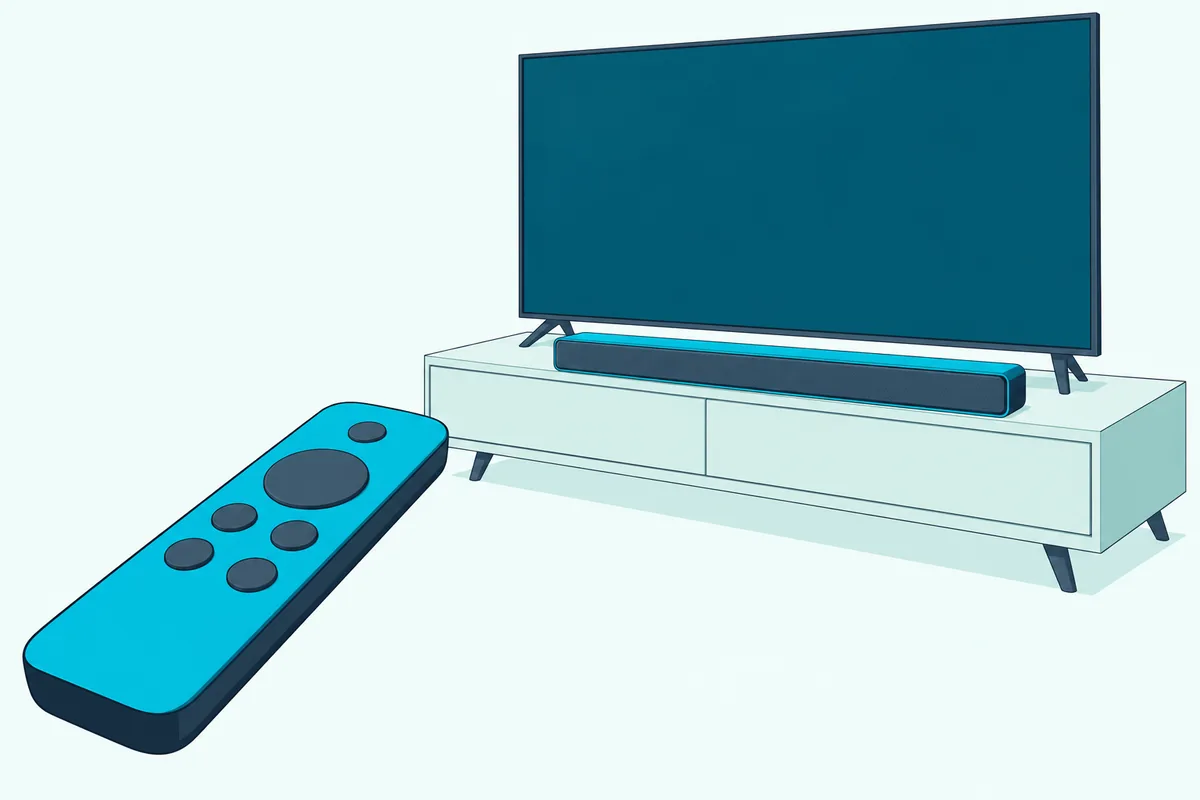
Whenever you’re listening to music or watching a movie or TV show, press Star on the remote, move to Sound settings and press OK, and Roku’s sound settings article says the bar’s own modes open on the TV screen. Some models call that entry Volume modes, and some streaming apps use Star for something else, so you may need to start from The Roku Channel.
The same article says the volume level on the screen matches the bar’s actual volume, and the bar’s own remote keeps working. Power and input buttons on that remote control only the bar.
Three limits come with the logo, all in Roku’s setup article. The bar has to sit on the port labeled ARC or eARC, Roku wireless speakers have to be removed first, and a Roku Wireless Bass or Bass Pro can’t connect while the certified bar is in place.
A subwoofer packed with the bar pairs with the bar, not the TV. Optical drops the whole feature too: Polk’s MagniFi Max AX SR manual says an optical connection doesn’t support Roku TV Ready, Dolby Atmos or DTS:X.
What Should a TCL Roku TV Owner Buy?
TCL shows why that logo needs checking, because its own lineup splits on it. A TCL Roku TV owner should buy the TCL S55H, since TCL lists Roku TV Ready for it, while the spec tables for TCL’s S65K and S60K read Roku TV Ready: No.
TCL S55H
For a TCL Roku TV, the TCL S55H is the pick.
TCL S55H
TCL’s S55H page lists 2.1 channels, Dolby Atmos, DTS Virtual:X, HDMI eARC, a digital optical input, Bluetooth 5.2 and a wireless subwoofer with a 5.5-inch driver. Its HDMI Input row reads No, so a console stays plugged into the TV rather than the bar.
Its 2.0-channel sibling’s guide gives the TCL-on-Roku steps. TCL’s S45H quick start guide says to plug the HDMI cable into the eARC/ARC ports on a TCL/Roku TV and follow the Roku TV Ready on-screen instructions, and it recommends HDMI eARC ahead of optical.
Which TCL bars aren’t Roku TV Ready?
Two of them say so themselves. TCL’s S65K page and S60K page read Roku TV Ready: No and TCL TV Ready: Yes, with HDMI CEC: Yes and Optical In: 0.
HDMI CEC keeps the remote’s volume route open on those tables, but Roku ties the on-screen sound menu to the logo. Read that row before you buy, since an S-series name alone doesn’t settle it.
TCL’s Q65H is the larger option with the logo: TCL’s Q65H page lists 5.1 channels, Dolby Atmos, DTS:X, Roku TV Ready and a wireless subwoofer, and calls it ideal for 55-inch TVs and above. For TCL’s other sets, these soundbar picks for every TCL TV cover Roku and Google TV models side by side.
Which Soundbar Is Best for a Hisense Roku TV?
Hisense prints that same logo on its own bars. The best soundbar for a Hisense Roku TV is the Hisense A620, because Hisense’s A620 spec sheet says it’s Roku TV Ready and fully compatible with any Roku TV through the HDMI connection.
Hisense A620
For a Hisense Roku TV, the Hisense A620 is the pick.
Hisense A620
The sheet lists 2.1 channels with a built-in subwoofer, HDMI ARC with CEC, Bluetooth 5.3, optical, Dolby Digital Plus and DTS Virtual:X on a 31.5-inch bar. Hisense’s A620 manual shows an HDMI cable and wall mount kit in the box, and says the TV remote adjusts volume and mute once ARC and CEC are set up.
Two Hisense extras need care. The sheet’s TV Mode names compatible Hisense TVs, and the manual’s EzPlay needs a TV and bar that both support it, so the Roku TV Ready line is the one to count on.
Hisense’s HS2100 sheet carries the same Roku TV Ready line with a wireless subwoofer instead of a built-in one. A U8N owner has the Hisense U8N shortlist to compare too.
Do onn. and Sharp Roku TVs Need Different Soundbars?
Those Hisense and TCL bars plug into any Roku TV’s ARC port the same way, which helps owners of other brands. No, onn. and Sharp Roku TVs don’t need different soundbars, because Roku’s surround sound guide says all Roku TV models have a type of HDMI ARC connection and a digital audio output.
onn. Roku TVs
Roku’s Streambar Pro and Smart Soundbar page lists an onn. Roku Smart Soundbar, model 9100, beside Roku’s own model. Roku’s Roku TV setup article for those bars says the onn. version’s simple remote has to be pointed at the front of the bar.
If an onn. bar is already in the box, Burton Acoustix’s Onn connection guide lists the Roku TV’s ARC and CEC boxes next to each Onn model’s ports.
Sharp Roku TVs
Roku’s surround sound guide names no Sharp-only rule, so start with the port check further down. One bar maker does name the brand: Samsung’s HW-B550F guide lists Sharp among the TV makers whose infrared remotes can set its volume, which the Samsung section below explains.
Which Roku-Made Soundbar Fits a Roku TV?
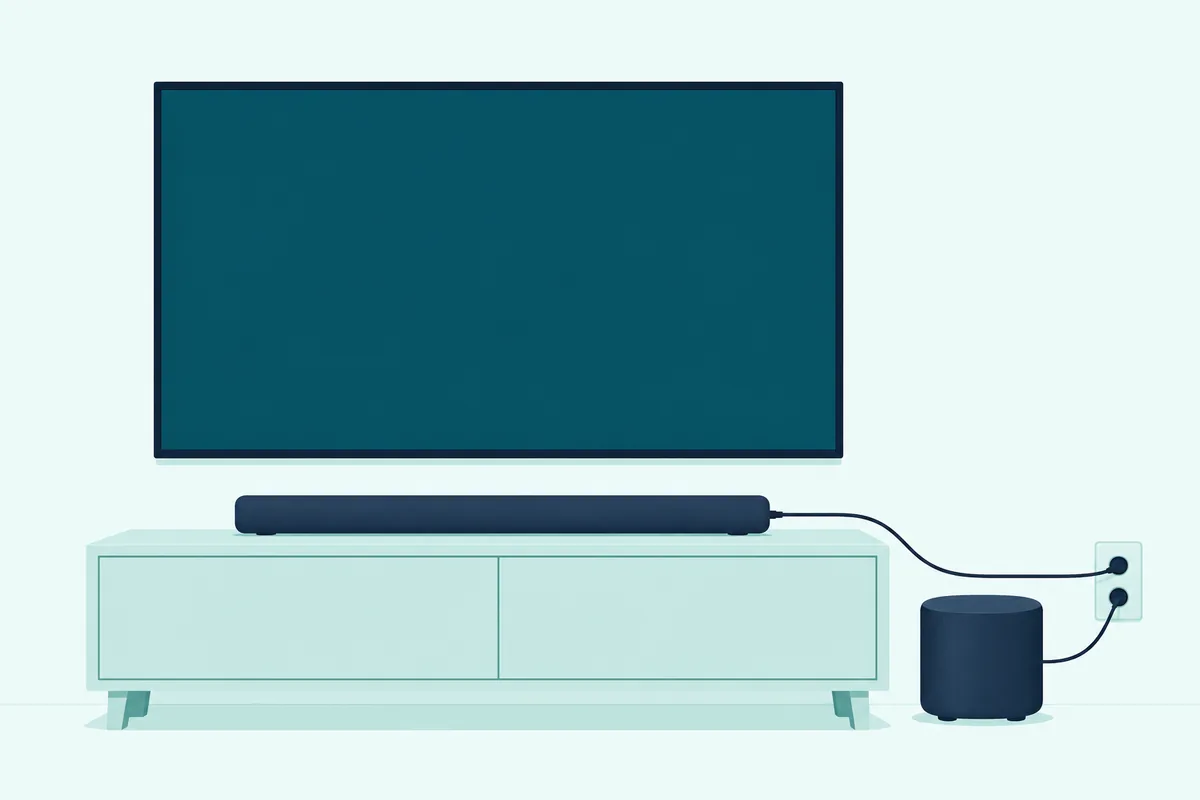
Those brand questions disappear when the bar comes from Roku itself. The best wireless soundbar for a Roku TV is Roku’s own Roku TV Wireless Soundbar, which pairs without an audio cable, while the Roku Streambar SE works with any TV that has a free HDMI port.
Roku’s compatibility chart marks the original Streambar and the Streambar Pro as discontinued, so neither gets a pick here.
Roku Streambar SE
For Roku’s own bar with a streaming player inside, the Roku Streambar SE is the pick.
Roku Streambar SE
Roku’s Streambar SE setup guide says it works with any TV that has an available HDMI port, and the box holds both cables for sets with no ARC port. Use one route or the other, since Roku warns the sound may fall out of sync if you add the optical cable to an ARC connection.
Read its format line before you buy. Roku says the SE can’t play Dolby Audio or DTS and asks you to set the TV’s audio output format to PCM-Stereo, and its chart lists the bar as 2.0, or 2.1 with a Roku Wireless Subwoofer.
If you’re weighing that built-in player against a plain bar, the Streambar-versus-soundbar comparison goes deeper.
Roku TV Wireless Soundbar
Roku’s setup guide for this bar says it works only with a Roku TV, needs Roku OS 10.0 or higher, and pairs by holding Home on the remote for 5 seconds. Roku’s pairing article says to keep it within 30 feet of the TV, with one bar per TV.
Pairing changes your TV’s sound routing. Roku’s audio switching article says the built-in speakers and all audio outputs except headphones turn off, until you change it under Settings, Audio, Audio output.
It can grow, too: a Roku Wireless Bass or Bass Pro on any Roku TV, plus rear Roku wireless speakers on Plus or Pro Series TVs only. It has no card here, because Roku’s Amazon listing showed it as currently unavailable on 1 November 2026, and TCL’s own TSR1 version showed sold out on TCL’s US store.
What about the Smart Soundbar and Wireless Speakers?
The Roku Smart Soundbar shares its Roku TV setup article with the Streambar Pro and the onn. version, and Roku says a Roku TV stays the primary streaming device while the bar works solely as an audio device, unless you show its input again. The bar’s own remote isn’t active in that setup, since you keep using the TV’s.
Roku’s wireless speakers aren’t a bar at all, though Roku’s chart calls them the best simple upgrade with a Roku TV. For that choice, see Roku speakers against a soundbar.
What Other Soundbars Are Roku TV Ready?
Those Roku bars aren’t the only route, since the logo reaches well past the TV makers. Bose, Polk and Westinghouse all state Roku TV Ready in their own documents, on products as different as a 23.47-inch speaker, a 7.1.2 system and a 24.17-inch bar.
Bose TV Speaker (2nd Gen)
For one compact box, the Bose TV Speaker (2nd Gen) is the pick.
Bose TV Speaker (2nd Gen)
Bose’s owner’s guide says it’s Roku TV Ready certified: connect it to the TV’s HDMI IN eARC/ARC port, follow the on-screen steps, then use the Roku TV remote and the on-screen settings menu. Bose warns it may need a software update first, and that a standard HDMI port gives no audio.
Bose’s product page lists an HDMI cable in the box and Bluetooth as its wireless link, and it names no Atmos format, though the Amazon listing’s title includes Dolby Atmos. So buy this one for its size and Dialogue Mode, not for Atmos.
Polk MagniFi Max AX SR
For full surround on a Roku TV, the Polk MagniFi Max AX SR is the pick.
Polk MagniFi Max AX SR
Polk’s AX SR page lists 7.1.2 Dolby Atmos and DTS:X from 11 speakers, a 10-inch wireless subwoofer, two wireless surrounds and 3-in/1-out 4K HDMI with eARC. It also spells out the logo: it integrates with a Roku TV’s sound settings, has a simpler Roku TV setup and can be controlled with the Roku remote.
This is the pick where the eARC row of the format table below matters most. The manual tells you to use the included HDMI cable on the port labeled eARC or ARC, and Polk’s plain MagniFi Max AX is the same idea at 5.1.2, without the surrounds.
Westinghouse 2.0 Mini
For a small Roku TV, the Westinghouse 2.0 Mini is the pick.
Westinghouse 2.0 Mini
Westinghouse’s 2.0 Mini page says it’s Roku TV Ready, and its table lists on-screen setup, on-screen audio control and a Roku remote control. Connections are one HDMI (ARC), one optical, 3.5 mm aux, USB and Bluetooth 5.3 on a 24.17-inch bar.
It lists Dolby Atmos 1.8 and Dolby Digital Plus processing, with NA on the height speaker, surround speaker and subwoofer rows, so the Atmos here is processing on a 2.0 bar. Its Amazon listing pairs it with 32- to 40-inch TVs.
Can Any Soundbar Work on a Roku TV?
That logo makes life easier, but it isn’t the entry fee. Yes, any soundbar with HDMI ARC or optical can work on a Roku TV, because Roku says every model has those connections, though the remote’s volume control comes with the HDMI route.
Roku’s guide says that with CEC on, the TV remote adjusts your home theater’s volume and mute and shows both on the TV screen. Turn on ARC or eARC and System audio control under Settings, System, Control other devices (CEC).
Roku’s own steps for that menu, and the fixes when the volume buttons still do nothing, are in the guide to controlling a soundbar with a Roku remote.
Yamaha SR-B30A
For Dolby Atmos without Roku TV Ready, the Yamaha SR-B30A is the pick.
Yamaha SR-B30A
Yamaha’s SR-B30A specs list HDMI eARC/ARC with CEC, an optical input, a subwoofer output, Dolby TrueHD and Dolby Digital Plus, with Dolby Atmos under virtual surround and DTS Digital Surround marked No. Yamaha’s user guide doesn’t mention Roku, but says the TV’s remote can run power and volume over HDMI, which it calls the HDMI Control function.
It also says HDMI Control and Dolby Atmos both stop on an optical cable, so use the eARC/ARC jack. Polk’s manual draws the same line for Dolby Atmos.
Samsung HW-B550F
For a wireless subwoofer without Roku TV Ready, the Samsung HW-B550F is the pick.
Samsung HW-B550F
Samsung’s HW-B550F guide lists HDMI (ARC), digital optical and Bluetooth, with LPCM 2ch, Dolby Digital, DTS and DTS Virtual:X as its play formats on a 33.8-inch bar. It packs an optical cable, leaves the HDMI cable out, and doesn’t mention Roku.
Its TV remote setting is a second route, and it listens for the remote’s infrared signal rather than HDMI. Turn the bar off, hold the Woofer button up for 5 seconds and step to ALL-TV REMOTE, which Samsung says works with infrared remotes from makers including Hisense, Sharp, RCA, Vizio and LG, and not with remotes that pair over Bluetooth.
TCL and Roku aren’t on that list, so don’t plan around it on those sets.
What Does a Roku TV Send Over Optical, ARC and eARC?
Those Atmos limits on optical come from the connection, not the bar. A Roku TV sends up to 5.1 Dolby Digital or DTS over optical, adds Dolby Digital Plus and compressed Dolby Atmos over HDMI ARC, and adds DTS-HD Master Audio, DTS:X, Dolby TrueHD and uncompressed Atmos over eARC, according to Roku’s guide.
| Connection | Cable | What Roku says it carries | Roku remote volume |
|---|---|---|---|
| Digital audio out (S/PDIF) | Optical | 2-channel PCM, or 5.1 Dolby Digital or DTS | Not listed for this connection |
| HDMI ARC | HDMI | The same, plus Dolby Digital Plus and compressed Dolby Atmos | Yes, with CEC on |
| HDMI eARC (select models) | High Speed HDMI with Ethernet | The same, plus DTS-HD Master Audio, DTS:X, Dolby TrueHD and uncompressed Dolby Atmos | Yes, with CEC on |
Both ends need eARC to reach that last row: Roku says that if one device lacks it, HDMI ARC still works, but the eARC device can’t use its enhanced features. eARC also has audio and video lip-sync built in, which was optional on original ARC.
So match the bar to the row you can reach. The TCL S55H, Polk and Yamaha have an eARC jack to fill, while the Hisense A620, Westinghouse and Samsung list ARC, and the Streambar SE asks for stereo PCM on either route.
The TV’s own setting lives under Settings, System, Audio, S/PDIF and ARC. Auto detect is the default and Auto passthrough sends unmodified Dolby Digital, Dolby Digital Plus or DTS, though Roku warns formats the bar can’t play may then turn into stereo PCM.
How Can You Tell if a Roku TV Has eARC?
That last row only helps if your set has the port. You can tell a Roku TV has eARC from the label beside its HDMI ports, which Roku says is commonly marked HDMI eARC or eARC on the select models that have it.

Try this: open Settings, System, Control other devices (CEC) and look at the checkbox, which Roku’s steps name as ARC or eARC. If your set only shows ARC, the ARC row above is your ceiling, and Roku says an eARC bar still connects there for standard ARC.
Westinghouse’s Roku TV spec tables show how the split can fall inside one brand.
| Westinghouse Roku TV | HDMI inputs | Audio return | Optical out |
|---|---|---|---|
| 55-inch Mini-LED 4K Roku TV MAX | 4 HDMI 2.1 | eARC on HDMI 1 | Yes |
| 55-inch Edgeless QLED 4K Roku TV | 4 HDMI 2.1 | 1 ARC | Yes |
| 43-inch FHD QLED Roku Smart TV | 3 HDMI 1.4 | ARC on HDMI 1 | Yes |
Those rows come from one maker, so treat them as a pattern rather than a promise for your set. TCL USA’s ARC article tells TCL Roku TV owners to find the port labeled HDMI ARC and use a High Speed HDMI cable that supports ARC and CEC control.
For eARC, Roku asks for a High Speed HDMI Cable with support for Ethernet, such as an Ultra High Speed one. An ARC bar also works on an eARC port, at standard ARC.
Does a Roku TV Work With a Bluetooth Soundbar?
Those ports cover the wired routes, and Bluetooth is the other wireless question. Roku’s Bluetooth article covers phones, tablets and laptops sending audio to a Roku device, so a Roku TV sending its own sound to a Bluetooth soundbar isn’t a setup that article gives steps for.
That’s why our guide to connecting a soundbar to a Roku TV sticks to HDMI ARC and optical.
The same article lists Roku’s Plus and Pro Series TVs for that job, and says any other Roku TV needs Roku wireless speakers or a Roku TV Wireless Soundbar to add Bluetooth. Treat Bluetooth on these bars as a way to play your phone’s music, which is how TCL’s page describes it.
Do You Need a Subwoofer With a Roku TV Soundbar?
Phone music aside, bass is the other thing these bars split on. You don’t need a separate subwoofer with every Roku TV soundbar, since the Hisense A620 and Yamaha SR-B30A build theirs in, while the TCL S55H, Samsung HW-B550F and Polk MagniFi Max AX SR ship a wireless one.
The Westinghouse 2.0 Mini’s table lists none, and Bose’s guide names the Bass Module 500 and 700 for adding one to its TV Speaker later. The Streambar SE takes a Roku Wireless Subwoofer, per Roku’s chart.
That add-on is where Roku’s rule bites: a Roku Wireless Bass can’t join once a Roku TV Ready bar is connected. So plan the subwoofer around the bar, not the TV, and the soundbar guide explains channels and subwoofers if those numbers are new.
How Wide a Soundbar Fits a Roku TV?
That settles bass, so the last check is a tape measure. A bar fits neatly when it’s no wider than the screen or the stand it sits on, so a 43-inch Roku TV, about 37.5 inches across, takes the 31.9-inch TCL S55H with room on each side while the 45-inch Polk overhangs it.
| Bar | Width |
|---|---|
| Polk MagniFi Max AX SR | 45 in |
| Yamaha SR-B30A | 35-7/8 in |
| Samsung HW-B550F | 33.8 in |
| TCL S55H | 31.9 in |
| Hisense A620 | 31.5 in |
| Westinghouse 2.0 Mini | 24.17 in |
| Bose TV Speaker (2nd Gen) | 23.47 in |
Screen math does the rest: a 16:9 screen is about 0.87 times its diagonal across, which gives roughly 27.9 inches on a 32-inch set, 37.5 on a 43-inch, 47.9 on a 55-inch and 56.7 on a 65-inch. Measure the flat space under the screen too, since a TV’s feet can sit closer together than the panel is wide.
Roku’s placement advice suits any of these bars: center it under the TV, keep it flush with the front edge of the stand and don’t enclose it in a cabinet.
The Bottom Line
That logo and your TV’s ports do most of the deciding. For most Roku TVs the TCL S55H is the pick; for a Hisense set, the Hisense A620; for a small screen, the Westinghouse 2.0 Mini; for one compact box, the Bose TV Speaker (2nd Gen); and for full surround, the Polk MagniFi Max AX SR.
Pick the Roku Streambar SE if you want Roku’s player inside the bar, and the Yamaha SR-B30A or Samsung HW-B550F if you can do without the on-screen menu. Whichever you choose, use HDMI on the port labeled ARC or eARC.
Frequently Asked Questions
What soundbar is compatible with Roku TV?
Any soundbar with HDMI ARC or optical connects, since Roku says every Roku TV model has both. A Roku TV Ready bar adds on-screen setup and the sound modes menu, and the Roku TV Wireless Soundbar works only with Roku TVs.
What is the best sound system for Roku TV?
For a bar system, the Polk MagniFi Max AX SR, with its wireless subwoofer and surrounds and Roku TV Ready on Polk’s page. Roku’s own surround setup needs a Plus or Pro Series TV with a Roku TV Wireless Soundbar, Roku wireless speakers and a Roku subwoofer.
Can you hook up a soundbar to a Roku TV?
Yes, with one HDMI cable to the port labeled ARC or eARC, or an optical cable to the digital audio output. On HDMI, turn on ARC and System audio control under Settings, System, Control other devices (CEC).
Which Roku soundbar is better?
It depends on your TV. The Roku TV Wireless Soundbar pairs without a cable but works only with Roku TVs, while the Streambar SE works with any TV that has an HDMI port but can’t play Dolby Audio or DTS.
Will a Roku remote control any soundbar?
Over HDMI it can if the bar supports CEC, and Roku says the TV remote then adjusts volume and mute. Over optical it depends on the bar, so check its manual: Yamaha says HDMI Control stops, and Samsung’s infrared setting names only some TV makers.
Do all Roku TVs have eARC?
No. Roku says all Roku TV models have a type of HDMI ARC connection and a digital audio output, while eARC is only on select models, so check the port label or the box under Control other devices (CEC).