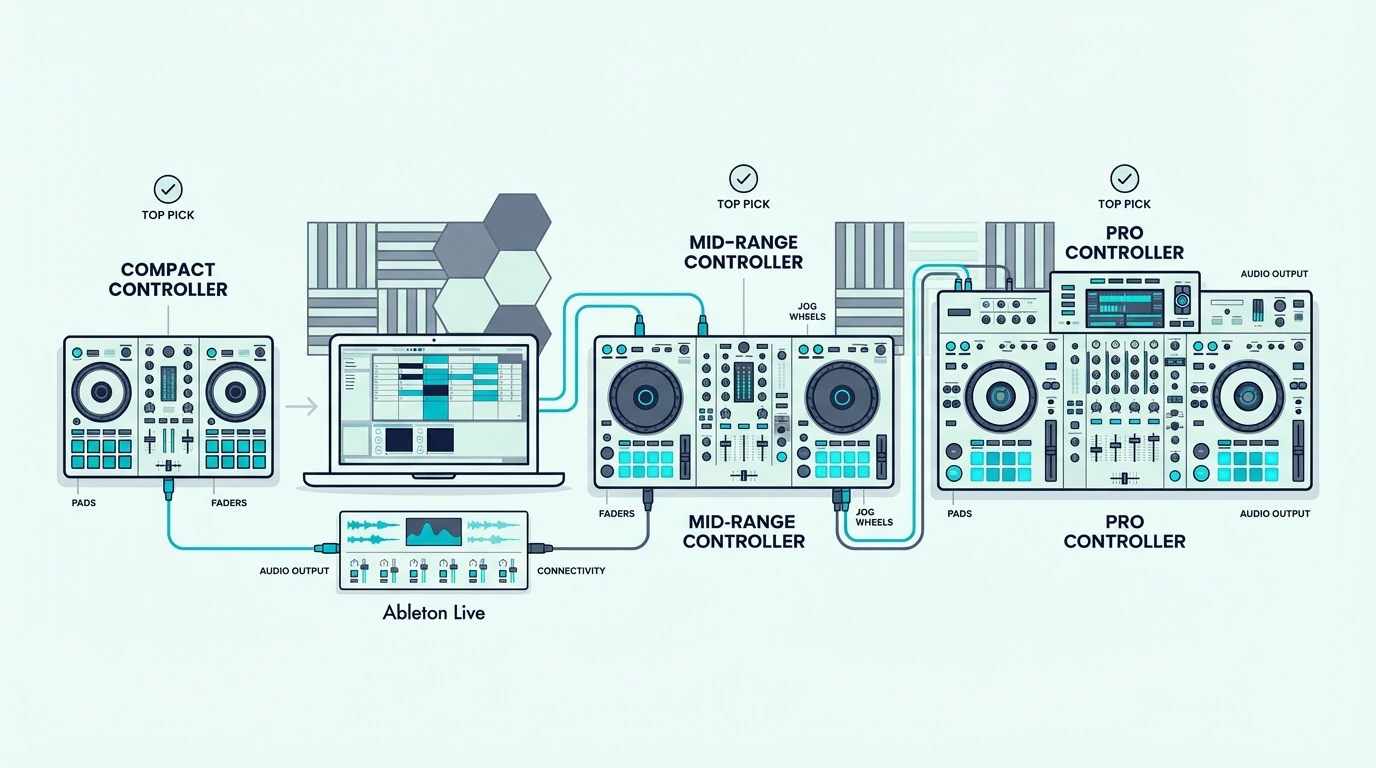
Best 25 Key MIDI Controller — Compact Boards That Pack More Than You Expect

Best 25 key MIDI controller is the most popular size category for a reason, but the controllers in this bracket vary wildly — some give you just keys while others pack pads, knobs, arpeggiators, and bundled software into a package that won’t fit in a product photo.

The problem is caused by the 25-key format attracting two completely different buyer types. Beat makers want pads and knobs alongside minimal keys. Keyboard players want the best possible key feel in the smallest footprint. A controller optimized for one group frustrates the other, and most reviews fail to distinguish between them.

We sorted the 25-key controllers by what they actually prioritize — keys-only simplicity versus all-in-one production — so you can match the controller to your workflow instead of guessing from a spec sheet. Every pick below was evaluated on build quality, velocity response, and whether the extras genuinely add value or just add clutter.

Below you will find our top picks sorted by feature philosophy, followed by a guide on when 25 keys is the right choice and when you should size up.

Quick Takeaway

The best 25 key MIDI controller is the Akai MPK Mini MK3 for producers who want keys, pads, and knobs in one unit. For keys-only simplicity at under fifty dollars, the Nektar SE25 delivers velocity-sensitive input with DAW integration. Bluetooth users should look at the M-VAVE 25 Key for wireless iPad and phone connectivity.

Why 25 Keys Dominates The Market
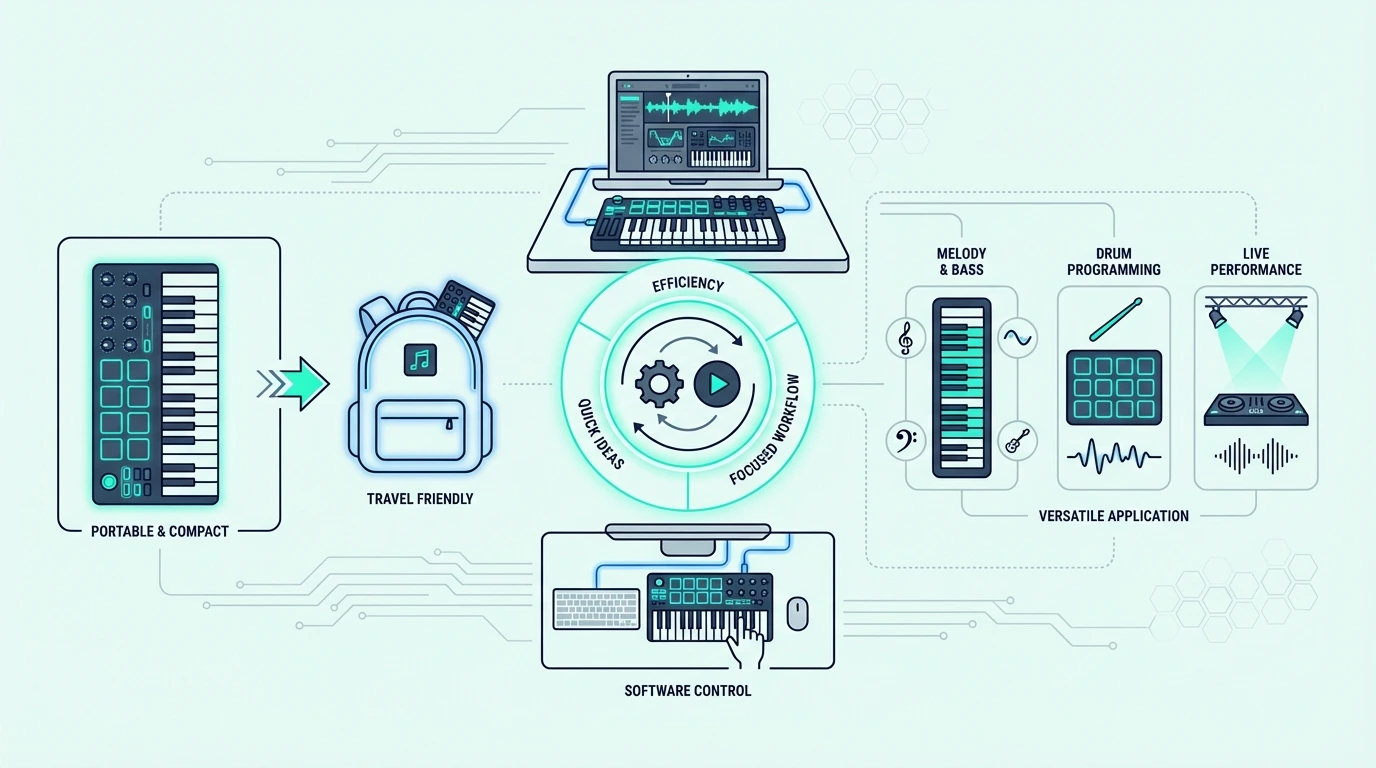
Why a 25-key MIDI controller can be enough

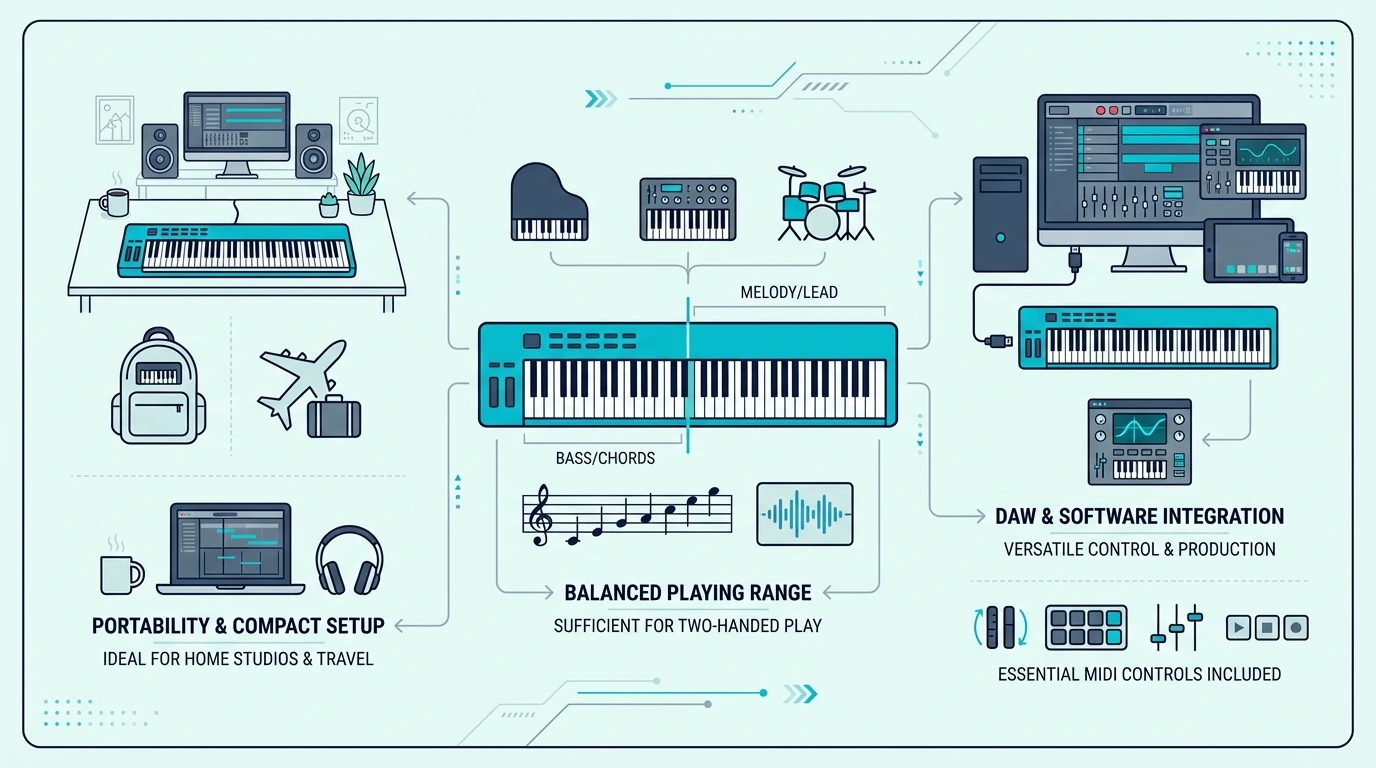
Twenty-five keys span two octaves — enough for single-hand melodies, bass lines, synth leads, and basic chord stabs. That range covers the core input needs of beat makers, electronic producers, and anyone who programs notes more than they perform them.

Portability Is The Primary Advantage

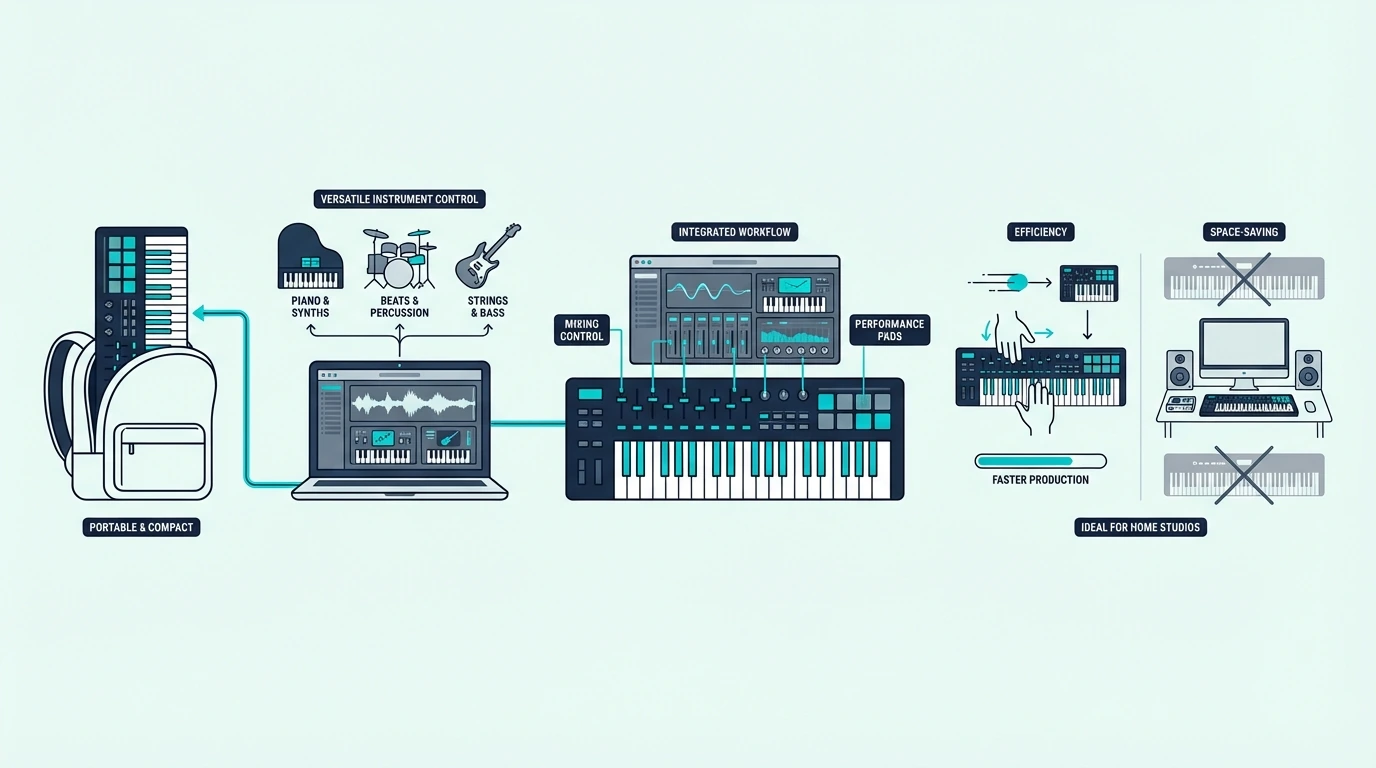
A 25-key controller fits in a backpack, sits beside a laptop without dominating the desk, and weighs under two pounds for the lightest models. That portability makes it the default choice for mobile production — coffee shops, dorm rooms, hotel rooms, and any setup where desk space is limited.

The size advantage compounds when traveling. A 49-key controller requires a dedicated bag or case. A 25-key controller slides into the laptop compartment of a standard backpack alongside your computer.

All-In-One Controllers Change The Equation

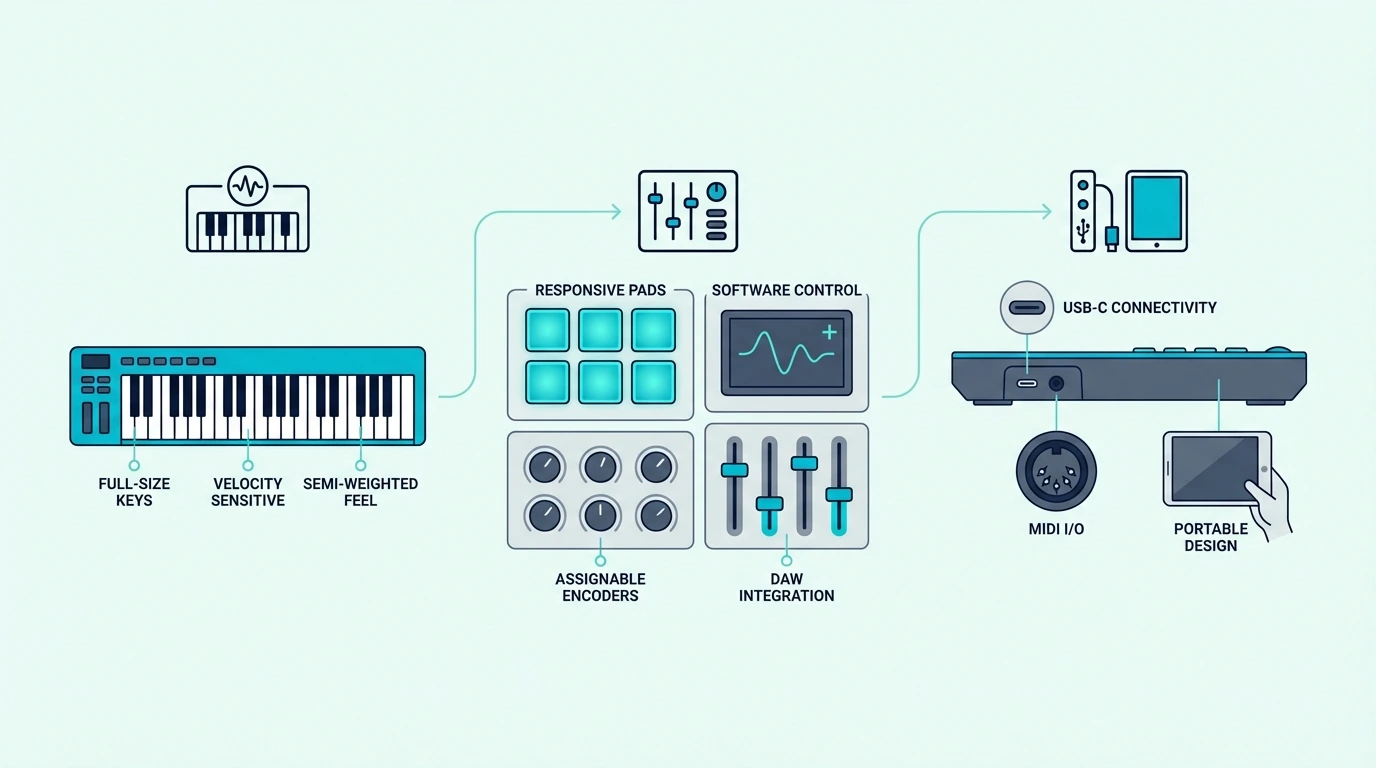
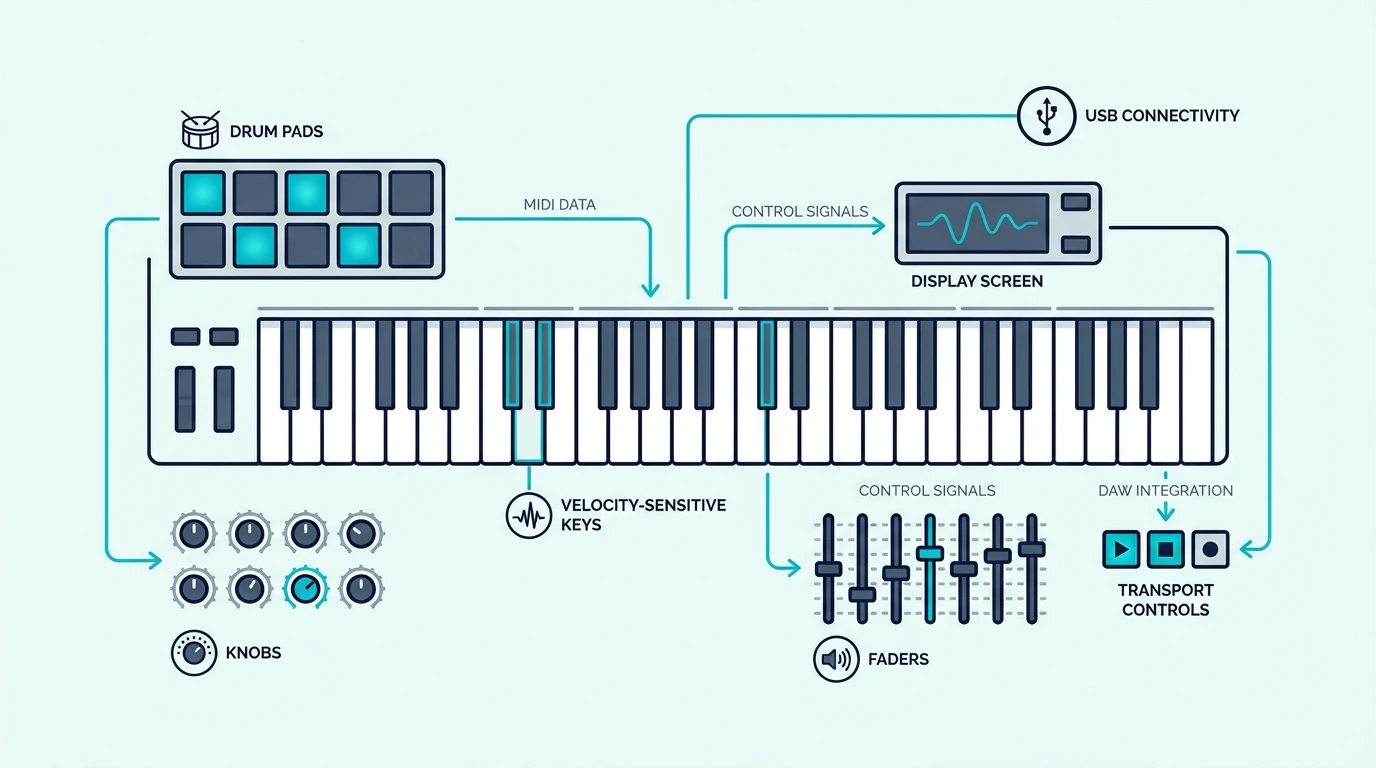
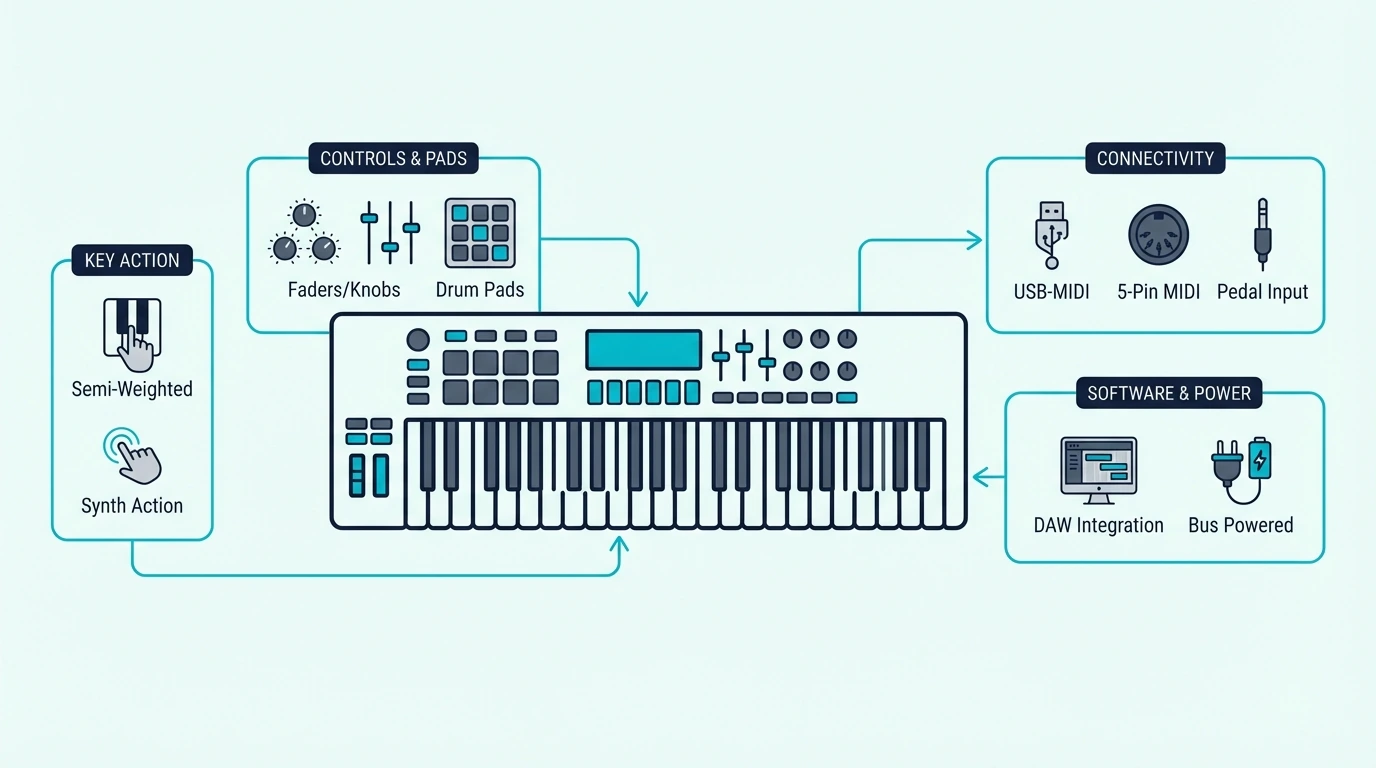
The real innovation in the 25-key bracket is not the keys themselves — it is what manufacturers pack alongside them. The Akai MPK Mini MK3 includes 8 MPC-style drum pads, 8 assignable knobs, a joystick for pitch/mod control, a built-in arpeggiator, note repeat, and bundled MPC Beats software. That feature density turns a two-octave keyboard into a complete production command center.

Standalone pad controllers and knob controllers cost fifty to a hundred dollars each. A 25-key all-in-one that includes both eliminates two separate purchases and simplifies your MIDI routing to a single USB cable.

When 25 Keys Is Not Enough

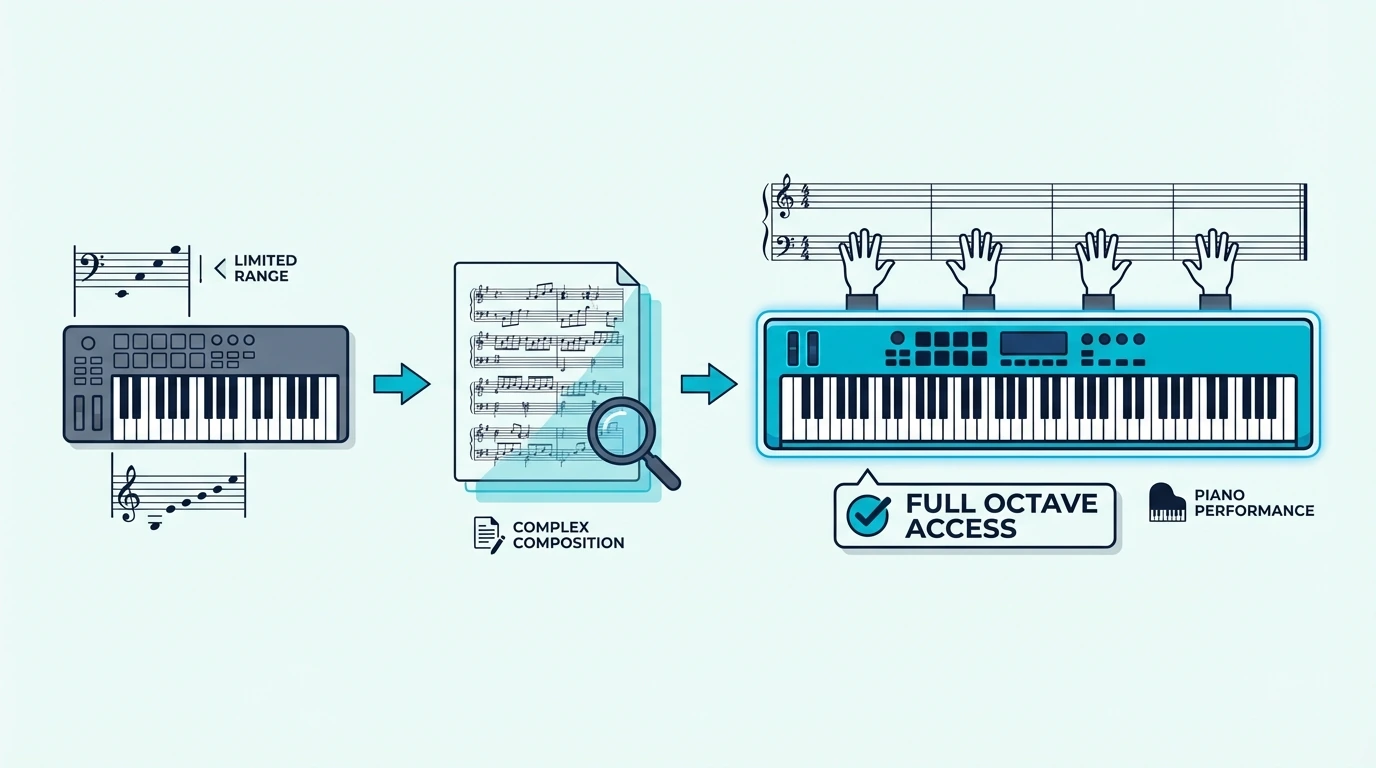
Two-handed chord progressions require at least four octaves. If you play piano-style parts where the left hand covers bass notes while the right hand plays melody, 25 keys runs out of room immediately.

The octave shift buttons work around this limitation, but pressing a button mid-performance breaks the musical flow. Every octave shift interrupts the physical connection between your fingers and the music.

Producers who find themselves constantly shifting octaves should upgrade to a 49-key or 61-key controller. The 25-key format serves best as a primary controller for one-handed input or as a secondary travel controller alongside a larger home studio keyboard.

Velocity Sensitivity Matters More At 25 Keys

With fewer keys available, the expressiveness of each key press matters more than on a larger controller. A 25-key board with accurate velocity curves lets you create dynamic performances with subtle volume variation across just two octaves.

Budget controllers sometimes compress the velocity range, making soft and hard key presses sound nearly identical. Every pick on this list delivers a usable velocity curve that captures the dynamics your DAW needs to make MIDI performances sound musical rather than mechanical.

What Are the Best 25 Key MIDI Controllers
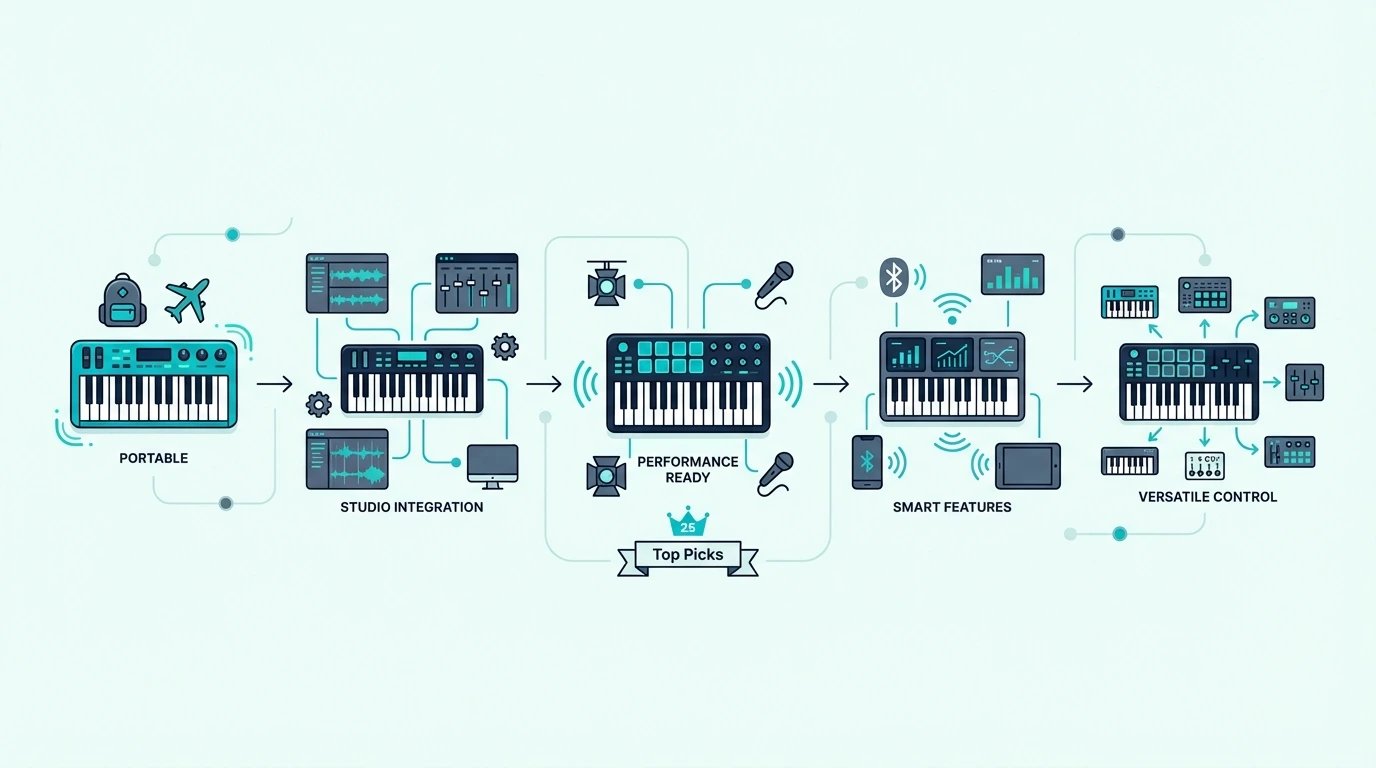
Top 25-key MIDI controller picks

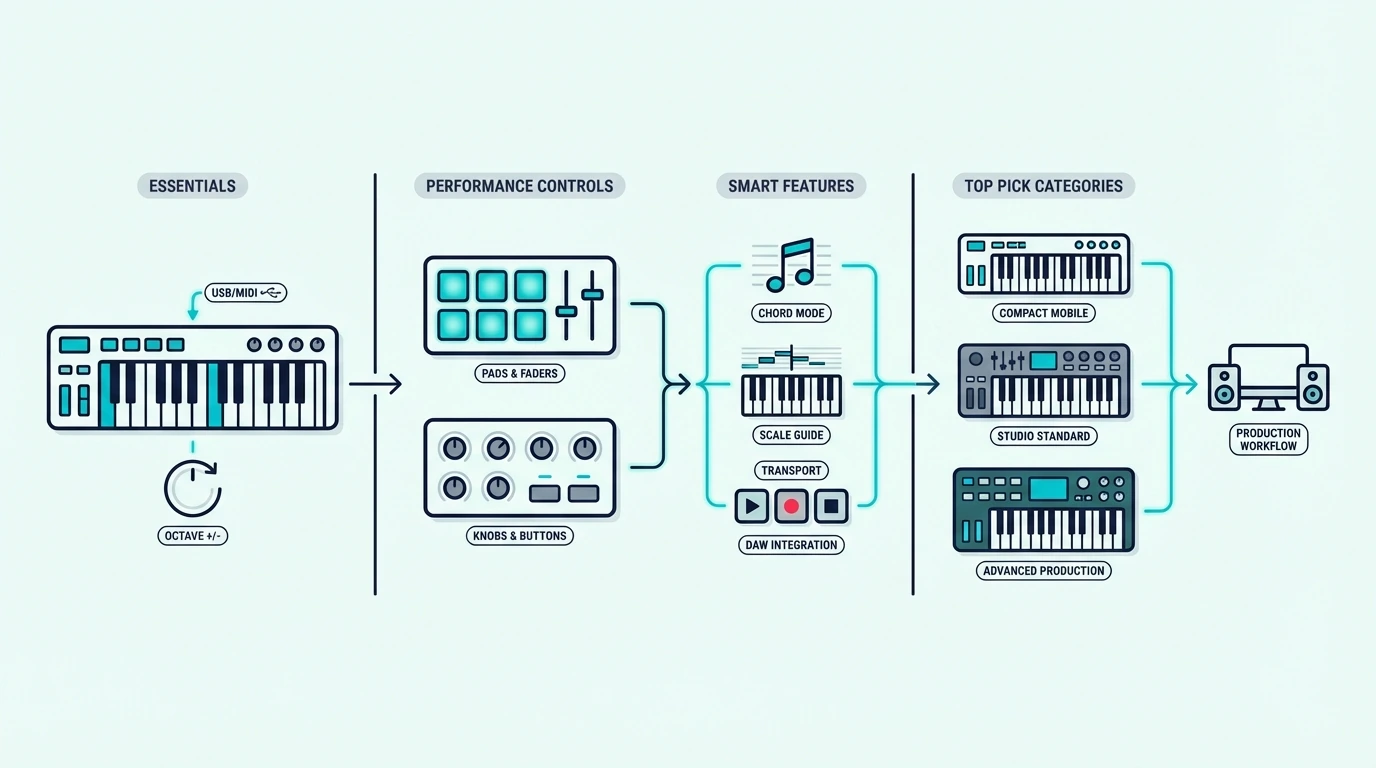
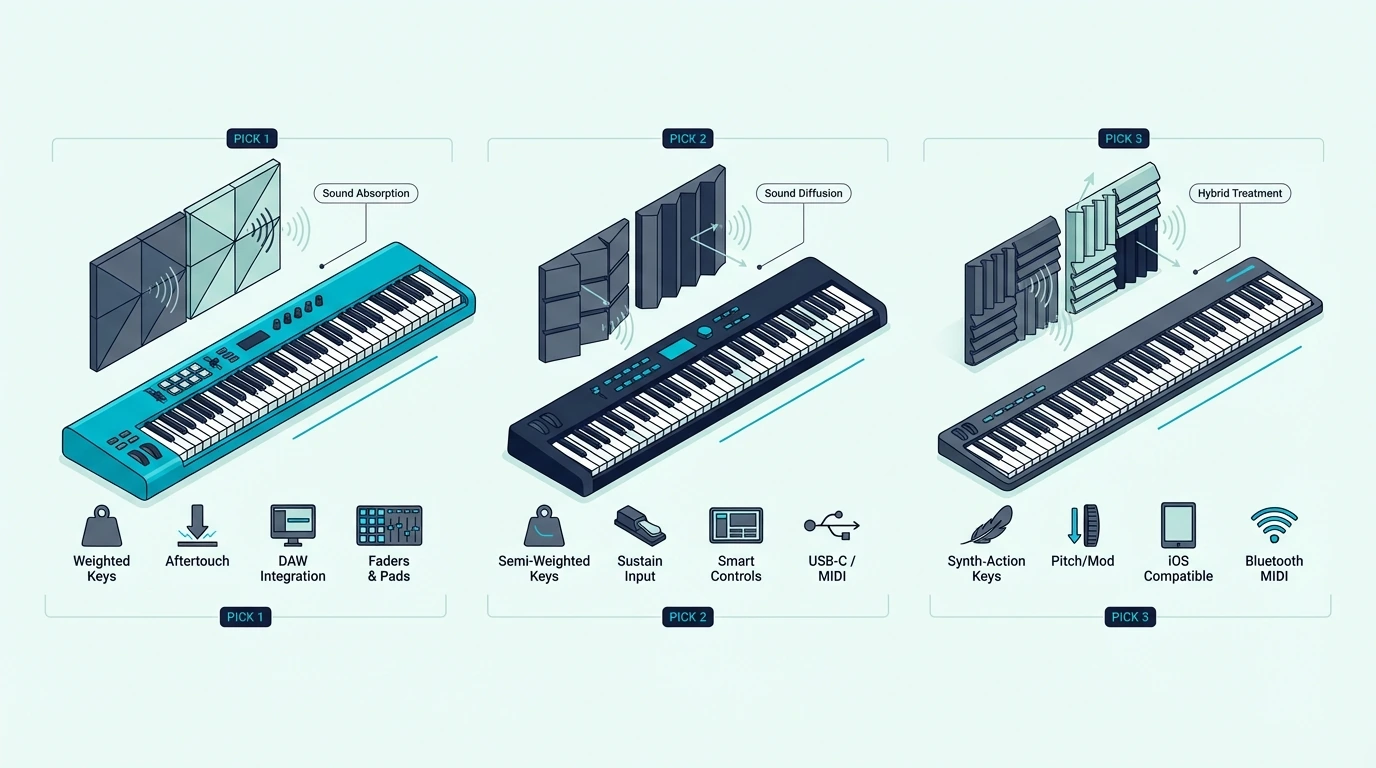
Here are 6 controllers sorted by feature philosophy, from the most feature-complete to the most minimal.

The Akai Professional MPK Mini MK3 wins Best Overall because no other 25-key controller matches its combination of keys, pads, knobs, arpeggiator, and bundled software at ninety-nine dollars. Over 30,000 verified reviews make it the safest purchase in the entire MIDI controller market. Beat makers, synth programmers, and electronic producers all benefit from having every control type in one compact unit.

The M-VAVE 25 Key MIDI Controller takes Best Bluetooth for producers who want wireless connectivity with iPad, iPhone, or Android devices. The Bluetooth MIDI pairs directly without adapters, and USB mode is available for latency-critical recording on desktop DAWs.

The Novation FLkey Mini earns Best for FL Studio because it is the only 25-key controller with native FL Studio integration. The pads control the channel rack, the knobs control the mixer, and the keys play instruments — all mapped automatically without any manual MIDI learn setup.

The Nektar SE25 delivers Best Budget with 25 velocity-sensitive keys and DAW integration for under fifty dollars. At 1.3 pounds, it is the lightest controller on this list — ideal for producers who want pure key input without extras.

If you want to step up to full-size keys, the M-AUDIO Keystation 49 MK3 gives you four octaves of full-size synth-action keys with transport controls. The natural upgrade path when 25 mini keys start feeling limiting.

And the midiplus AKM320 at under forty dollars gives you 32 mini keys — seven more than the standard 25-key layout — for the lowest price on the list. No pads or knobs, but the velocity sensitivity captures dynamics that mouse input cannot.

Should You Choose Keys-Only or an All-In-One Controller
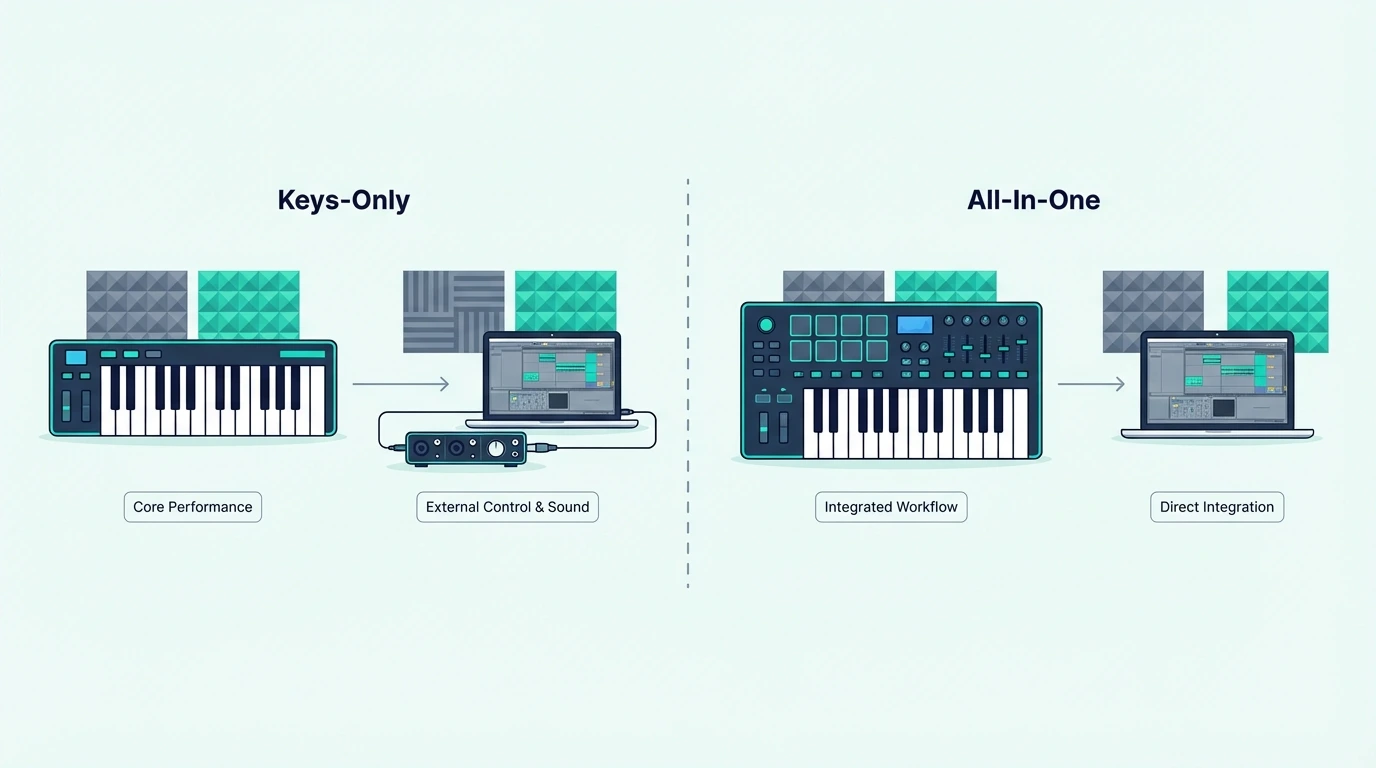
Keys-only and all-in-one 25-key MIDI controllers compared

The biggest decision in the 25-key bracket is not which controller to buy — it is which type of 25-key controller fits your workflow.

Keys-Only Controllers (Under 50 Dollars)

Controllers like the Nektar SE25 and midiplus AKM320 give you velocity-sensitive keys and nothing else. That simplicity has genuine value for producers who already own a separate pad controller or who only need keyboard input for melody and chord entry.

The lower price also makes keys-only controllers ideal as a second keyboard. Keep a 49-key board at your desk and a keys-only 25-key in your bag for travel.

All-In-One Controllers (80 To 120 Dollars)

The Akai MPK Mini MK3, M-VAVE, and Novation FLkey Mini bundle pads, knobs, and keys into a single unit. The higher price buys you three control types that would cost over two hundred dollars if purchased separately.

All-in-one controllers make the most sense as a primary and only controller — especially for beginners who do not own any MIDI hardware yet. One purchase covers keys, beat making, and parameter control without requiring additional gear.

The Decision Framework

If you answer “yes” to any of these, choose an all-in-one: Do you make beats with drum samples? Do you want hands-on knob control for synth parameters? Do you need a complete production setup in one device?

If you answer “no” to all three, a keys-only controller saves you money without sacrificing the input you actually need. Upgrade to an all-in-one later only if your workflow demands it.

The beauty of the 25-key market is that both types exist at accessible price points. You can start with a forty-dollar keys-only board, discover you need pads six months later, and upgrade to the MPK Mini MK3 without feeling like your first purchase was wasted — the keys-only controller becomes your travel backup.

The Bottom Line

The Akai MPK Mini MK3 is the best 25-key controller for most producers — keys, pads, knobs, and software in one compact package for ninety-nine dollars. Budget-conscious buyers should start with the Nektar SE25 for pure key input at under fifty dollars.

If you find 25 keys limiting for your playing style, step up to 49 keys for two-handed work. The 25-key format works best for beat making, synth programming, and portable production — not for piano practice.

Frequently Asked Questions

Is 25 keys enough for music production?

For beat making, synth programming, and one-handed melody input, 25 keys covers the core workflow. The two-octave range handles most electronic production tasks. Two-handed playing and wide chord voicings require at least 49 keys.

Should I get a 25-key controller with pads or keys only?

If you make beats, trigger samples, or want hands-on knob control, choose an all-in-one like the Akai MPK Mini MK3. If you only need keyboard input for melodies and chords, a keys-only controller like the Nektar SE25 saves money without sacrificing functionality.

What is the best cheap 25-key MIDI controller?

The Nektar SE25 at under fifty dollars is the best pure-budget option with 25 keys. For slightly more, the midiplus AKM320 at under forty dollars gives you 32 keys. Both deliver velocity sensitivity and USB plug-and-play connectivity.

Can I learn piano on a 25-key MIDI controller?

You can learn basic note reading and finger independence, but the two-octave range prevents two-handed piano practice. Serious piano learners should start with at least 49 keys for proper technique development.
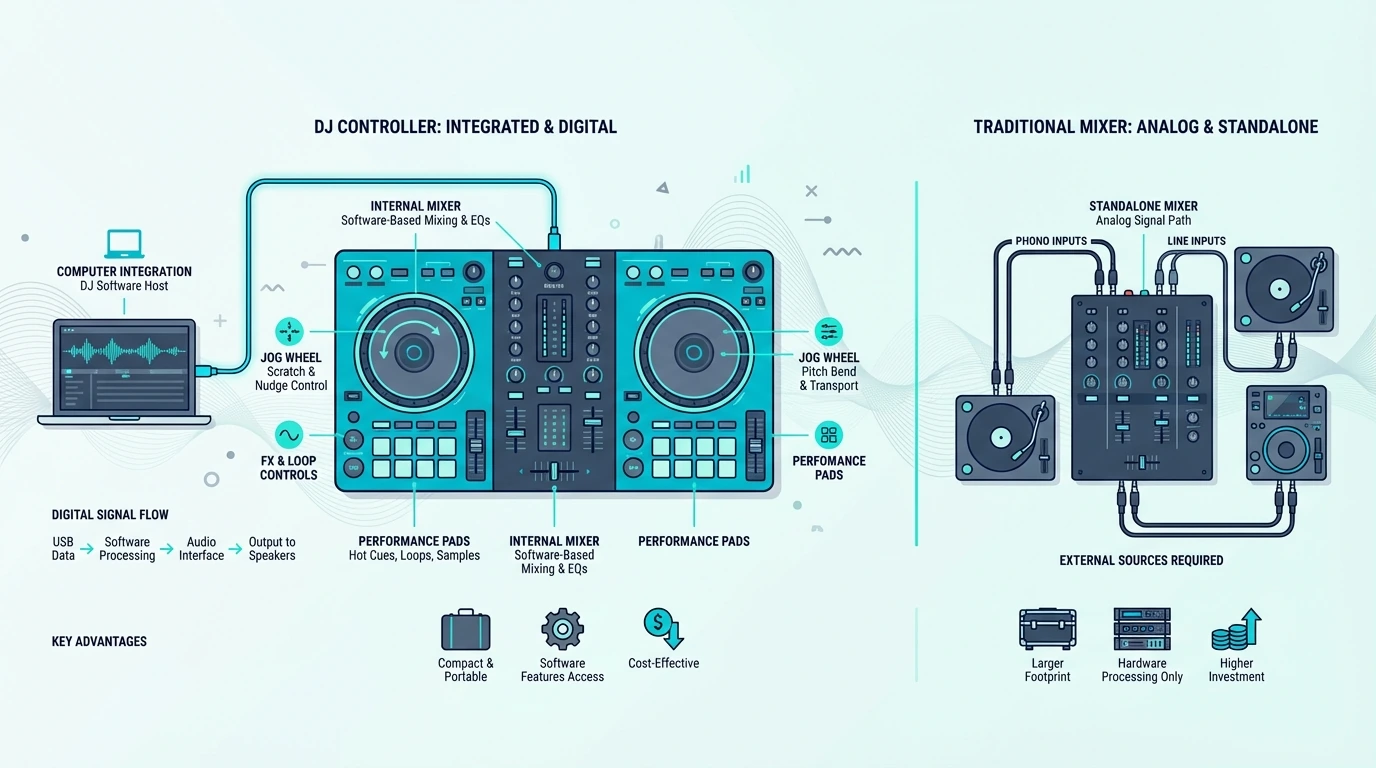
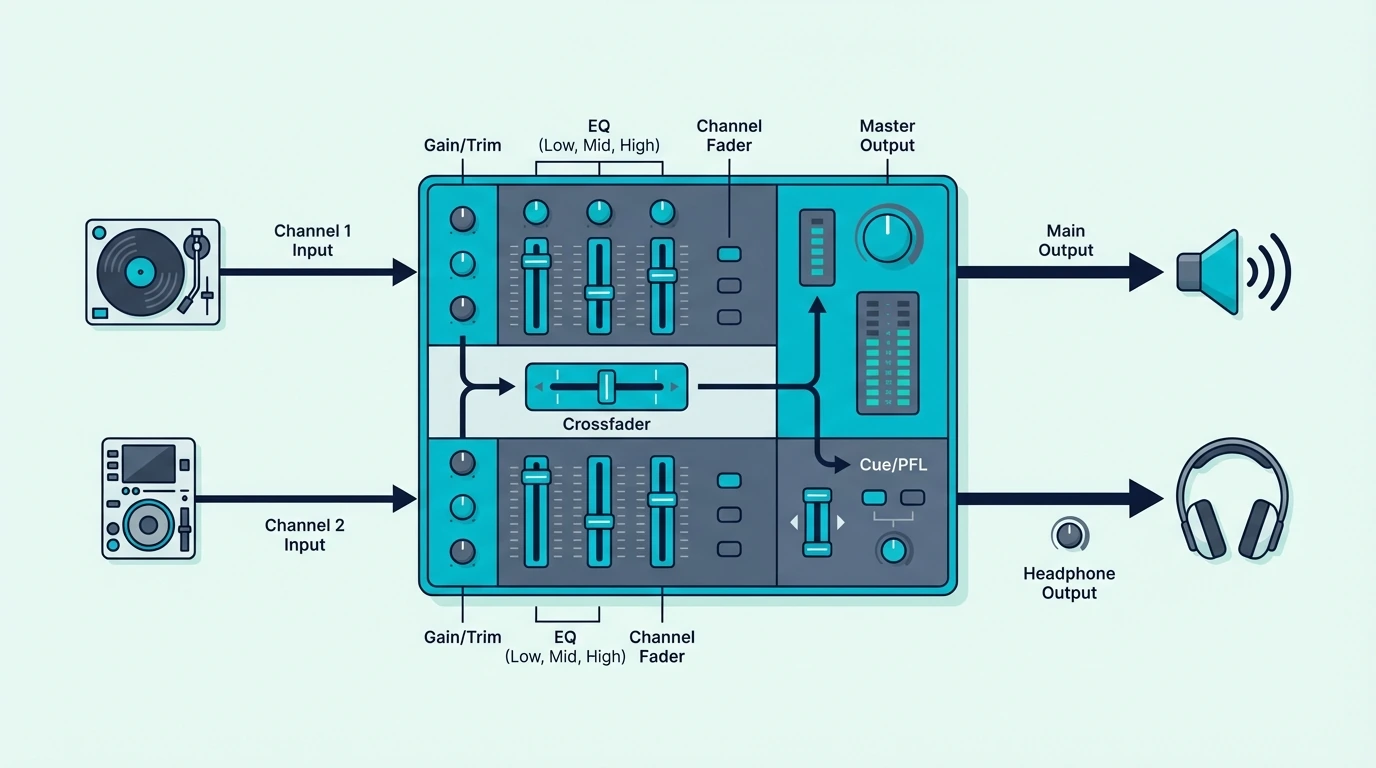
DJ Controller vs Mixer — Which One Do You Actually Need?

DJ controller vs mixer is the first gear decision every new DJ faces — but most guides treat them as interchangeable when they solve fundamentally different problems. A controller replaces your entire DJ setup with one USB device.

A mixer sits between separate audio sources and blends them together. Buying the wrong one doesn’t just waste money — it locks you into a workflow that might not match your goals.

The problem is that both devices have crossfaders, EQ knobs, and volume faders, which makes them look identical to someone who has never used either. That visual similarity hides the fact that a controller sends digital commands to software while a mixer processes real analog audio signals.

That core difference — digital commands vs analog audio — is caused by their different positions in the signal chain. A controller talks to your laptop.

A mixer talks to turntables and CDJs. Understanding which signal chain fits your setup is the key to making the right purchase.

Below, you will find a clear breakdown of how each device works, when each one makes sense, and why most beginners should choose a controller over a standalone mixer.

Quick Takeaway

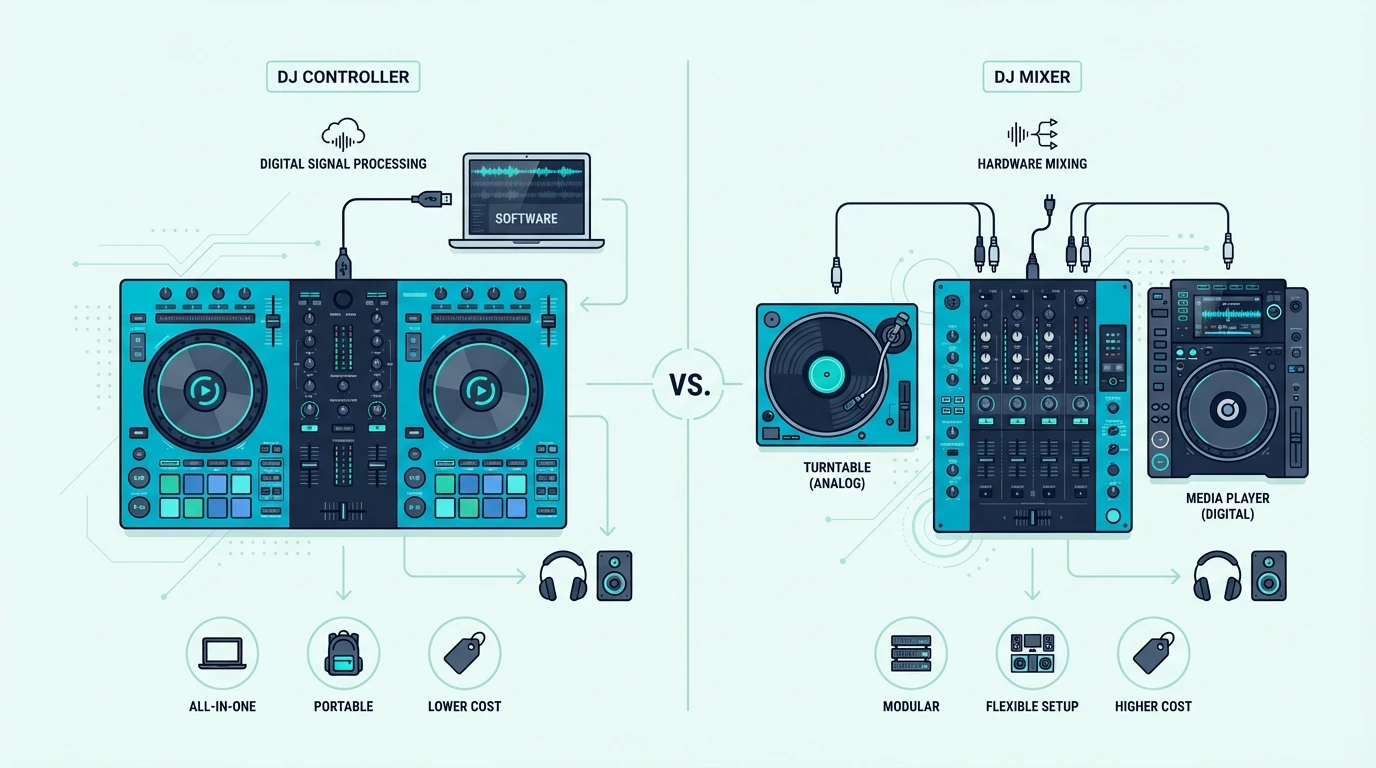
A DJ controller is a USB device that controls DJ software on your laptop — it includes decks, a mixer section, and a sound card in one unit. A DJ mixer is a standalone audio device that blends physical audio inputs (turntables, CDJs) without any software. Most beginners should start with a controller because it costs less and requires fewer separate components.

What a DJ Controller Does

What a DJ controller does in a setup

How It Works

A DJ controller sends MIDI signals to DJ software running on your laptop. Every knob turn, fader move, and button press translates into a digital command that the software interprets.

The controller itself does not process audio — your computer does all the heavy lifting.

You plug the controller into your laptop via USB. The DJ software (Rekordbox, Serato, Virtual DJ) detects the controller automatically and maps every physical control to a software function.

Load a track, press play, and the software handles playback while the controller gives you hands-on control.

What You Get in One Device

A controller combines four separate components into one unit: two virtual decks (jog wheels), a mixer section (crossfader, EQ, volume faders), a sound card (for headphone cueing), and performance pads (for hot cues, loops, and samples).

That all-in-one design is why controllers dominate the beginner market. One purchase, one USB cable, and you are mixing.

No turntables, no separate mixer, no external audio interface.

The Software Dependency

Controllers require a laptop and DJ software to function. Remove the laptop, and the controller becomes a paperweight.

That dependency means your DJ setup is only as reliable as your computer — and laptop crashes mid-set are every controller DJ’s worst nightmare.

The tradeoff is access to software features that standalone hardware cannot match: waveform display, automatic beat sync, key detection, stem separation, and unlimited effects processing. The Pioneer DJ DDJ-FLX4 exemplifies this approach — dual Rekordbox and Serato support gives you the full software ecosystem from a single hardware device.

What a DJ Mixer Does

What a DJ mixer does in a setup

How It Works

A DJ mixer is a standalone audio device with physical input channels. Turntables, CDJs, media players, or phones plug into the inputs.

The mixer blends those audio signals through its crossfader and EQ section, then sends the combined output to your speakers.

The critical distinction is that a mixer processes real analog audio. No laptop, no software, no USB connection needed.

The mixer works the moment you plug in audio sources and speakers.

What You Need Alongside It

A mixer alone cannot play music — it only blends audio from external sources. You need turntables or CDJs plugged into the inputs to have something to mix.

A typical vinyl setup requires two turntables, a mixer, a cartridge/stylus for each turntable, and a separate phono preamp if the mixer lacks one.

That multi-component requirement is why standalone mixer setups cost significantly more than controller setups. Each piece of gear is a separate purchase.

The Analog Advantage

Standalone mixers process audio without any digital conversion, which purists argue produces warmer, more natural sound. The Allen and Heath Xone series is legendary among techno DJs for its musical EQ curves and analog signal path.

Motorized turntable platters with real vinyl also provide tactile feedback that no capacitive-touch jog wheel can replicate. For scratch DJs who grew up on vinyl, the physical sensation of a spinning record is irreplaceable.

Controllers like the Hercules DJControl Inpulse 500 try to bridge that gap with large adjustable-tension jog wheels, but they still cannot replicate the feel of a real vinyl platter.

Head-to-Head Comparison

DJ controller and mixer compared side by side

Cost

A controller setup (controller + laptop) costs a few hundred for the controller plus whatever your laptop already cost. A mixer setup (two turntables + mixer + cartridges) starts at several hundred for the mixer alone, with turntables adding significantly more.

The Pioneer DJ DDJ-FLX2 gets you mixing for under two hundred — less than most standalone mixers cost without any audio sources.

Portability

Controllers weigh between 2 and 15 pounds. A single backpack holds a controller and a laptop.

A vinyl setup requires a mixer, two turntables, a record bag, and a phono preamp — multiple trips to the car minimum.

For mobile DJs, wedding DJs, and anyone who transports gear to gigs, controllers win portability by a wide margin.

Learning Curve

Controllers have a gentler learning curve because the software handles track analysis, beat grids, and waveform display. You can see the beats visually and use sync as a training wheel while you develop your ear.

Standalone mixer setups force you to learn by ear from day one — there are no waveforms, no sync button, and no beat grids. That steeper curve produces stronger foundational skills, but the initial frustration pushes many beginners to quit.

Reliability

Standalone mixers are more reliable because they have no software dependencies. No laptop crashes, no driver conflicts, no OS updates mid-gig.

You plug in and it works.

Controllers depend on your laptop’s stability — a crashing application, a dying battery, or a USB disconnection stops your set. Standalone controllers (like the Denon SC LIVE 4) eliminate the laptop entirely but cost significantly more than standard controllers.

Creative Features

Controllers (through software) offer waveform display, key detection, stem separation, unlimited effects, sampler, recording, and streaming integration. A standalone mixer offers only the effects built into its hardware — reverb, delay, flanger, and filter.

For DJs who want creative tools beyond basic mixing, the software ecosystem that controllers access is vastly more feature-rich than any standalone mixer.

Which Should You Choose

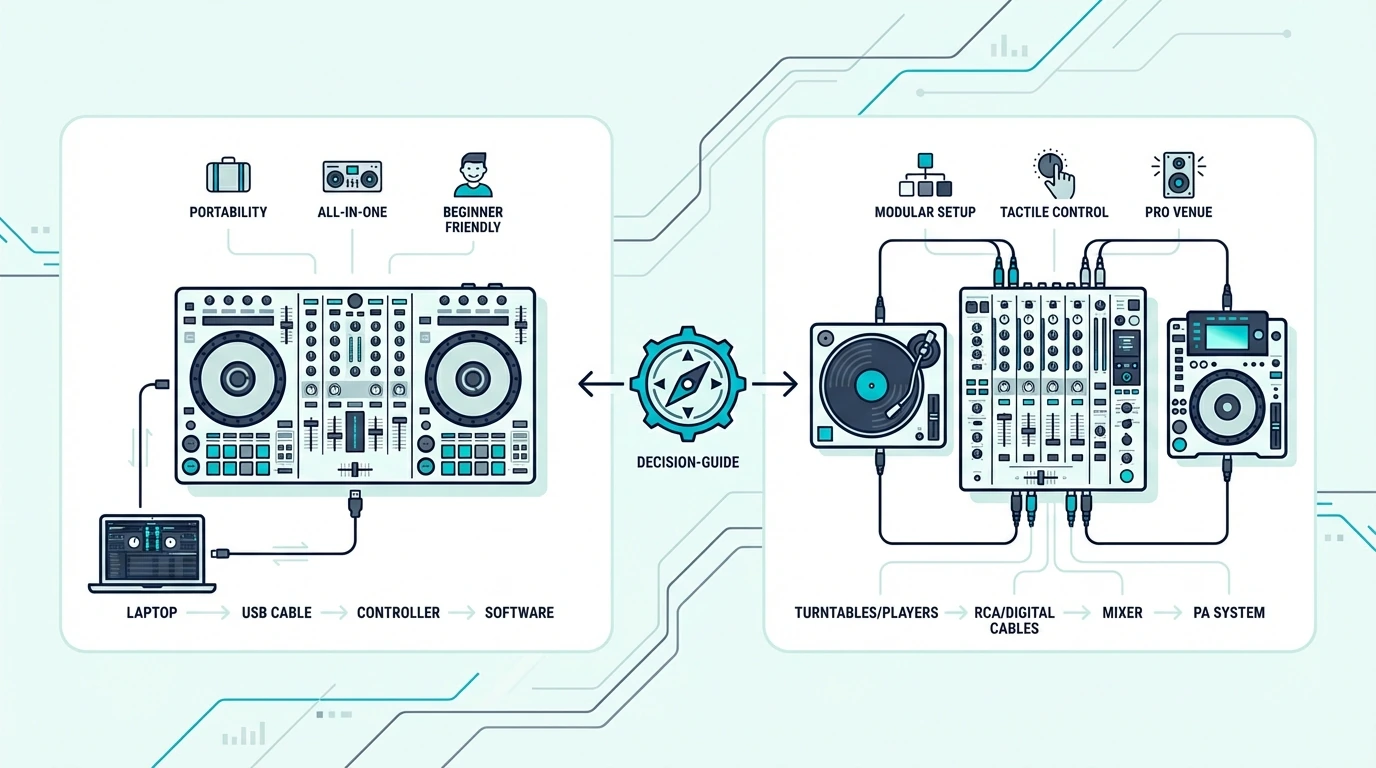
Decision guide for choosing a DJ controller or mixer

Choose a Controller If

You are starting from scratch with no existing DJ gear. You want the lowest cost path to mixing.

You DJ with a laptop and digital music files. You value portability for mobile gigs.

You want access to software features like waveform display, sync, and stem separation.

Most beginners fall into this category. A beginner controller between one-fifty and three-fifty covers every fundamental DJ skill.

Choose a Mixer If

You already own turntables or CDJs. You spin vinyl as your primary format.

You DJ at a venue with a permanent mixer installation. You prioritize analog sound quality over software features.

You want the most reliable setup with zero software dependencies.

The Hybrid Path

Many working DJs use both. A controller at home for practice and prep.

A mixer at the club because the venue provides the decks. Learning on a controller that runs Rekordbox means your cue points, beat grids, and playlists export to a USB drive that loads directly onto club CDJs — bridging the controller world and the mixer world seamlessly.

The Bottom Line

A DJ controller gives you an all-in-one setup that costs less, weighs less, and offers more software features. A standalone mixer gives you analog reliability, vinyl compatibility, and a signal chain that never crashes.

For most new DJs, a controller is the right first purchase. The skills you build — beatmatching, EQ blending, track selection — transfer directly to any mixer setup you encounter later.

Start with the controller, and let the mixer find you when your gigs demand it.

Frequently Asked Questions

Can I use a DJ controller as a mixer?

A controller includes a built-in mixer section that handles crossfading, EQ, and volume control. It functions as a mixer for software-based DJing.

It cannot, however, accept external analog audio inputs the way a standalone mixer does.

Is a DJ mixer better than a controller?

Neither is objectively better — they serve different setups. A mixer processes analog audio from turntables or CDJs without a laptop.

A controller gives you software-based mixing with more creative features and lower total cost. Your choice depends on your gear and goals.

Do professional DJs use controllers?

Yes — many professional mobile DJs, wedding DJs, and club-adjacent DJs use controllers for both practice and performance. The Pioneer DDJ-FLX10 and Rane controllers are professional-grade units used at festivals and club residencies.

Club booths typically use standalone CDJs with a mixer, but controllers are equally professional in mobile and private event contexts.

Can I connect turntables to a DJ controller?

Most controllers do not accept phono-level turntable inputs. To use turntables with DJ software, you need a controller or audio interface with phono inputs and DVS (Digital Vinyl System) support — which is a feature found on mid-to-high-end controllers like the Rane ONE and Pioneer DDJ-1000.

Best 61 Key MIDI Controller — Five Octaves of Range Without the 88-Key Footprint

Best 61 key MIDI controller gives you five full octaves — enough range for serious piano work, orchestral keyswitches, and wide chord voicings — but most buyers overlook the feature that separates a good 61-key board from a great one: key action quality and what extras come alongside those keys.

The problem is caused by the 61-key market splitting into two very different product types. Some 61-key controllers are bare keyboards with nothing but keys and pitch/mod wheels. Others pack pads, faders, knobs, and deep DAW integration into the same five-octave form factor. Choosing the wrong type for your workflow wastes money on features you will never touch or leaves you missing controls you need daily.

We evaluated the 61-key controllers currently available and sorted them by what they actually deliver beyond key count. Every pick below was tested for key feel across the full five-octave range, extra control quality, and DAW integration depth.

Below you will find our top picks sorted by feature set, followed by a guide on when 61 keys makes more sense than 49 or 88.

Quick Takeaway

The best 61 key MIDI controller for most producers is the Novation Launchkey 61 MK4 because it balances a solid semi-weighted keybed with 16 expressive pads, 9 faders, and excellent DAW integration. If you want a simpler keys-first board, the M-AUDIO Keystation 61 MK3 strips the format back to core playing essentials. Budget buyers should look at the Nektar Impact GX61, which keeps the full five-octave layout without pushing the price into premium territory.

Why Choose 61 Keys Over 49 Or 88

Why a 61-key MIDI controller may be the right size

Sixty-one keys span five octaves — one more octave than a 49-key and two fewer than an 88-key. That extra octave over 49 keys sounds minor on paper, but it makes a meaningful difference in specific workflows.

Wide Chord Voicings And Split Zones

Jazz voicings that spread across two octaves in the left hand while the right hand plays melody three octaves higher require more range than 49 keys provide. Sixty-one keys handle these wide voicings without octave shifting, which interrupts the musical flow of a performance.

Split zones — where the left half of the keyboard plays bass and the right half plays piano — work better with 61 keys because each zone gets enough room for comfortable playing. On a 49-key controller, splitting the keyboard leaves each zone with barely two octaves of usable range.

Orchestral Keyswitches Plus Playing Range

Orchestral sample libraries use the bottom one to two octaves for keyswitches (articulation triggers like legato, staccato, and pizzicato). On a 49-key controller, dedicating two octaves to keyswitches leaves only two octaves for actual playing.

Sixty-one keys give you two keyswitch octaves plus three full playable octaves — enough for most orchestral writing. Only composers who need the absolute full piano range should step up to 88 keys.

The Desk Space Compromise

A 61-key controller measures roughly 40 inches wide — eight inches more than a 49-key but a full foot shorter than an 88-key. For producers with medium-sized desks, 61 keys fits comfortably alongside a monitor and speakers where an 88-key board would not.

That physical compromise is the core value proposition of 61 keys. You get meaningfully more range than 49 keys without the four-foot desk domination of 88 keys. For most producers, that middle ground hits the practical sweet spot.

What Are the Best 61 Key MIDI Controllers

Top 61-key MIDI controller picks

Here are the controllers we recommend for five-octave playing, with every pick keeping the full 61-key layout intact.

The Novation Launchkey 61 MK4 wins Best Overall because it gives you a better-than-entry-level keybed plus the extra controls most producers eventually want anyway. The 16 pads, 9 faders, and tight integration with Ableton and Logic Pro make it feel like a full production hub rather than just a keyboard.

The M-AUDIO Keystation 61 MK3 is the best 61-key option for players who care more about the keyboard than the control surface. It keeps the layout uncluttered, the transport buttons are useful, and the long review history makes it one of the safest keys-only buys in this size.

The M-AUDIO Oxygen Pro 61 is the best pick for producers who want their five-octave board to handle drums, mixer moves, and plugin control without extra hardware. It gives you more hands-on control than the Keystation line while keeping a serious playing range.

The Arturia KeyLab Essential mk3 61 is the smartest choice if bundled software matters to you. It pairs its five-octave keybed with a usable control surface and one of the better starter ecosystems for synth-heavy production.

The Nektar Impact GX61 is the budget 61-key pick because it preserves the full five-octave range while staying much closer to entry-level pricing. If you want room for two-handed playing but do not need pads or faders, it is the best low-cost way into this format.

And the Alesis V61 is the 61-key choice for beat makers who want pads without moving into the higher-priced control-surface tier. It keeps the full range for melodies and chords while still giving you enough pads to sketch rhythms quickly.

What Makes The Launchkey 61 MK4 Stand Out

Novation Launchkey 61 features

The Novation Launchkey 61 MK4 dominates the 61-key category because it treats the keyboard as one part of a complete production command center rather than a standalone key input device.

The Keybed Hits The Middle Ground

The Launchkey 61 MK4 uses a semi-weighted keybed that lands between lightweight synth keys and heavier piano-style action. That matters because five-octave boards attract players who need enough resistance for expressive parts but still want to move quickly through synth leads, organ parts, and repeated-note passages.

This middle-ground feel is exactly why 61 keys is such a practical format. You get more room for split zones and wide voicings than a 49-key board, but the keyboard still feels manageable on a desk and fast enough for everyday production. It is also easier to adapt across genres, because the same keybed can handle piano-style parts in the morning, synth programming in the afternoon, and live rehearsal duties at night without ever feeling like the wrong tool.

Faders And Pads Eliminate Extra Hardware

The 9 faders map to your DAW’s mixer channels, giving you physical volume control over eight tracks plus a master. The 16 pads handle clip launching in Ableton’s Session View, drum programming, and sample triggering, and they add polyphonic aftertouch for more expressive pad performance than most competitors offer.

Without these extras, a 61-key keyboard requires a separate pad controller for beats and a separate fader controller for mixing. The Launchkey consolidates everything into one unit, which saves desk space and simplifies your MIDI routing.

Native DAW Integration

The Launchkey 61 MK4 auto-maps to Ableton Live and Logic Pro the moment you plug in via USB-C. Pads mirror Session View clips, faders control the mixer, and knobs map to whichever instrument or plugin is selected. That zero-configuration integration saves hours of MIDI learn setup compared to generic controllers.

For FL Studio, Cubase, and other DAWs, the Launchkey works through standard MIDI mapping. The HUI protocol support also enables mixer control in DAWs that support it.

The Bottom Line

The Novation Launchkey 61 MK4 is the best 61-key MIDI controller for most producers because it combines a solid five-octave keybed with a serious control surface and low-friction DAW integration. If you want a simpler keyboard-first option, buy the M-AUDIO Keystation 61 MK3. If price matters more than extras, the Nektar Impact GX61 keeps the full five-octave range at a far lower cost.

If you keep hitting the range limits of four octaves, move up from 49 keys. If you need full piano range for classical practice or orchestral templates with large keyswitch layouts, step up again to 88 keys.

Frequently Asked Questions

Is 61 keys enough for piano?

Sixty-one keys cover five octaves, which handles most piano literature except pieces that use the extreme high and low registers simultaneously. Jazz, pop, and most classical pieces fit within five octaves. Only advanced classical repertoire (Liszt, Rachmaninoff) regularly requires the full 88-key range.

What is the difference between 49 and 61 keys?

A 49-key controller spans four octaves. A 61-key controller spans five. The extra octave helps with wide chord voicings, split keyboard zones, and orchestral keyswitch layouts. For basic production — beat making, synth programming, simple melodies — the difference is rarely noticeable.

Do I need 61 keys or is 49 enough?

If you play two-handed piano parts with wide voicings, use split keyboard zones, or work with orchestral sample libraries that require keyswitches, 61 keys provides meaningful extra range. For beat making, synth work, and basic chord progressions, 49 keys handles everything.

Are 61-key controllers heavier than 49-key?

Yes — a 61-key controller weighs roughly 50 percent more and measures 8-10 inches wider than a 49-key equivalent. The Novation Launchkey 61 MK4 weighs about 15 pounds versus 5-8 pounds for most 49-key controllers. Factor in desk space and portability when choosing between sizes.

What Is a DJ Mixer? (And Do You Actually Need One)

What is a DJ mixer — and why does every DJ setup seem to include one? A DJ mixer is a standalone audio device that takes multiple audio inputs (turntables, CDJs, phones, microphones) and blends them into a single output signal sent to your speakers.

But most beginners searching for a “DJ mixer” actually need a DJ controller with a built-in mixer section instead.

The problem is that these two devices solve different problems, and buying the wrong one wastes money on gear that doesn’t fit your workflow.

A standalone mixer processes real analog audio signals — it works without a laptop, without software, and without USB connections. A controller-mixer sends digital commands to DJ software on your laptop while its built-in mixer section handles the blending.

The distinction matters because your entire setup architecture depends on which type you choose.

That confusion between standalone mixers and controller-mixers is the root cause of most beginner gear regret in the DJ community. Below, you will find a clear breakdown of what a DJ mixer actually does, when you need one, and when a controller-mixer is the smarter choice.

Quick Takeaway

A DJ mixer is a standalone audio device that blends multiple audio sources (turntables, CDJs) into one output signal. Most beginners should start with a DJ controller that includes a built-in mixer section instead, because it combines the mixer, decks, and sound card into one USB device that works with laptop software.

How a DJ Mixer Works

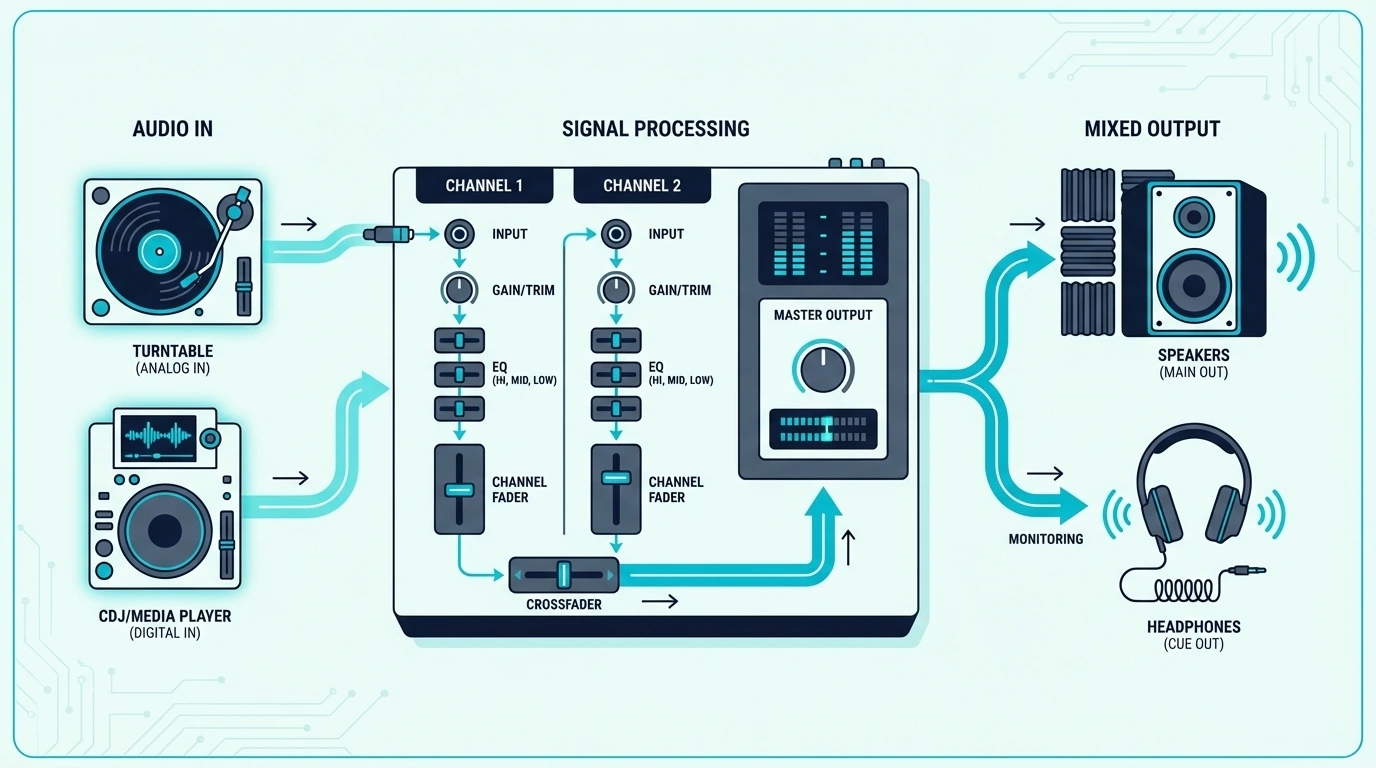
Signal flow through a DJ mixer

The Signal Chain

A standalone DJ mixer sits between your audio sources and your speakers. Turntables or CDJs plug into the mixer’s input channels.

Each channel has its own volume fader, 3-band EQ (high, mid, low), and sometimes a dedicated filter knob.

The crossfader in the center blends between channels. Slide it left, and Channel A plays.

Slide it right, and Channel B takes over. The mixed signal exits through the main output to your speakers or amplifier.

What Each Control Does

The volume faders set the level for each channel independently. The 3-band EQ lets you cut or boost specific frequency ranges — cutting the bass on the incoming track while boosting it on the outgoing track is the foundation of smooth EQ mixing.

The crossfader handles quick cuts and blends between channels. Scratch DJs use a sharp crossfader curve for rapid open-close patterns.

Blend DJs use a smooth curve for gradual transitions.

Headphone Cueing

Every DJ mixer includes a headphone section with a cue/master blend knob. This lets you preview the next track in your headphones while the audience hears the current mix through the speakers.

That split monitoring — hearing something different in your headphones than what plays through the speakers — is what makes live DJ mixing possible. Without it, you cannot prepare and align the next track before the audience hears it.

Standalone Mixer vs Controller-Mixer

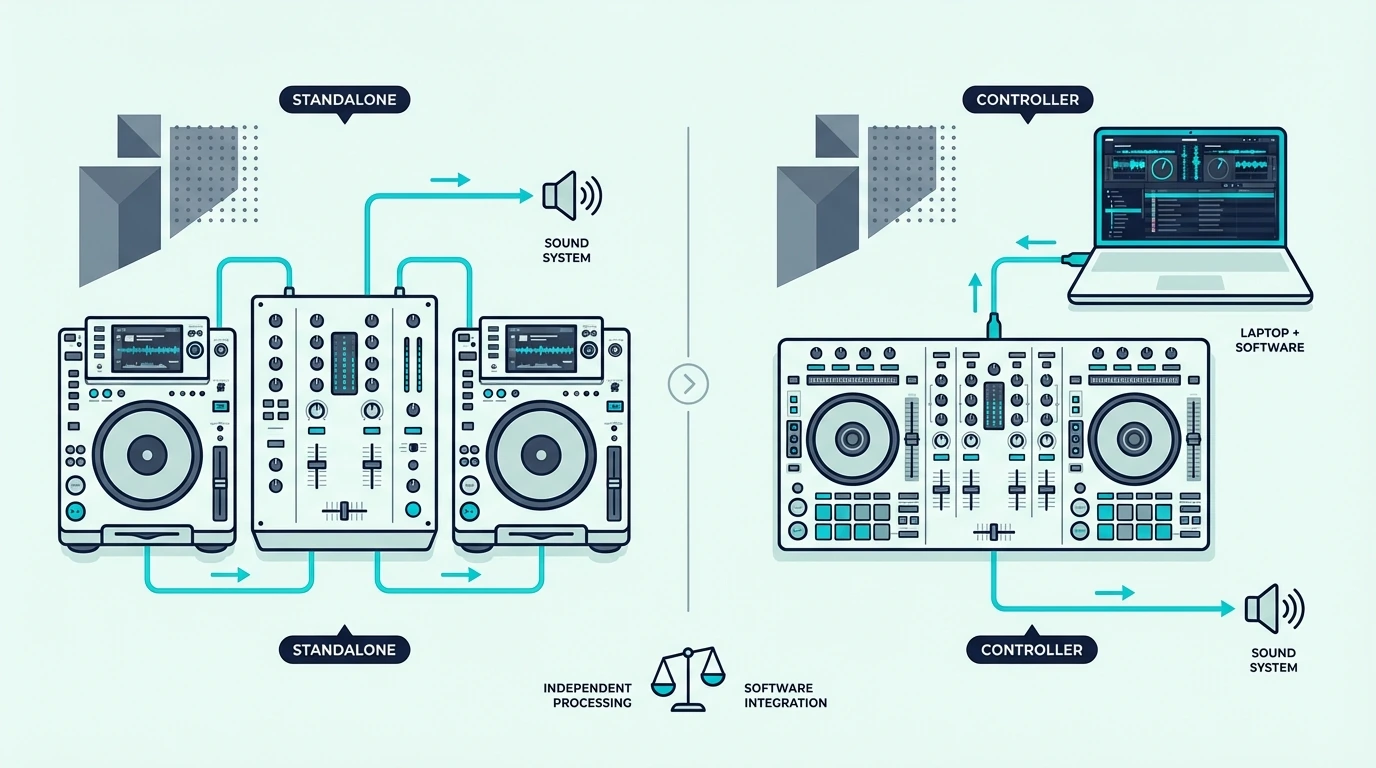
Standalone DJ mixer compared with DJ controller setup

When You Need a Standalone Mixer

A standalone mixer is essential if you use turntables or CDJs as your audio sources. Two turntables plus a mixer is the classic DJ setup that has powered clubs since the 1970s.

Standalone mixers also make sense in multi-DJ environments where different DJs bring their own gear and plug into a house mixer. Clubs install a mixer permanently, and visiting DJs connect their own media players to it.

When a Controller-Mixer Is Better

If you DJ with a laptop and software, a controller with a built-in mixer section replaces the standalone mixer entirely. One USB device gives you two decks, a mixer, a sound card, and software control — everything a standalone mixer plus turntables would provide, at a fraction of the cost.

The Pioneer DJ DDJ-FLX4 is the most popular controller-mixer because it supports both Rekordbox and Serato with a full mixer section including 3-band EQ, crossfader, and dedicated filter knob.

The Cost Difference

A pair of entry-level turntables plus a standalone mixer runs several times the cost of a single controller-mixer. The controller eliminates the turntables, the mixer, and the separate sound card — replacing all three with one USB device.

For beginners, the controller path is almost always more cost-effective. The standalone path only makes sense if you already own turntables or plan to spin vinyl as your primary format.

Key Features of a DJ Mixer

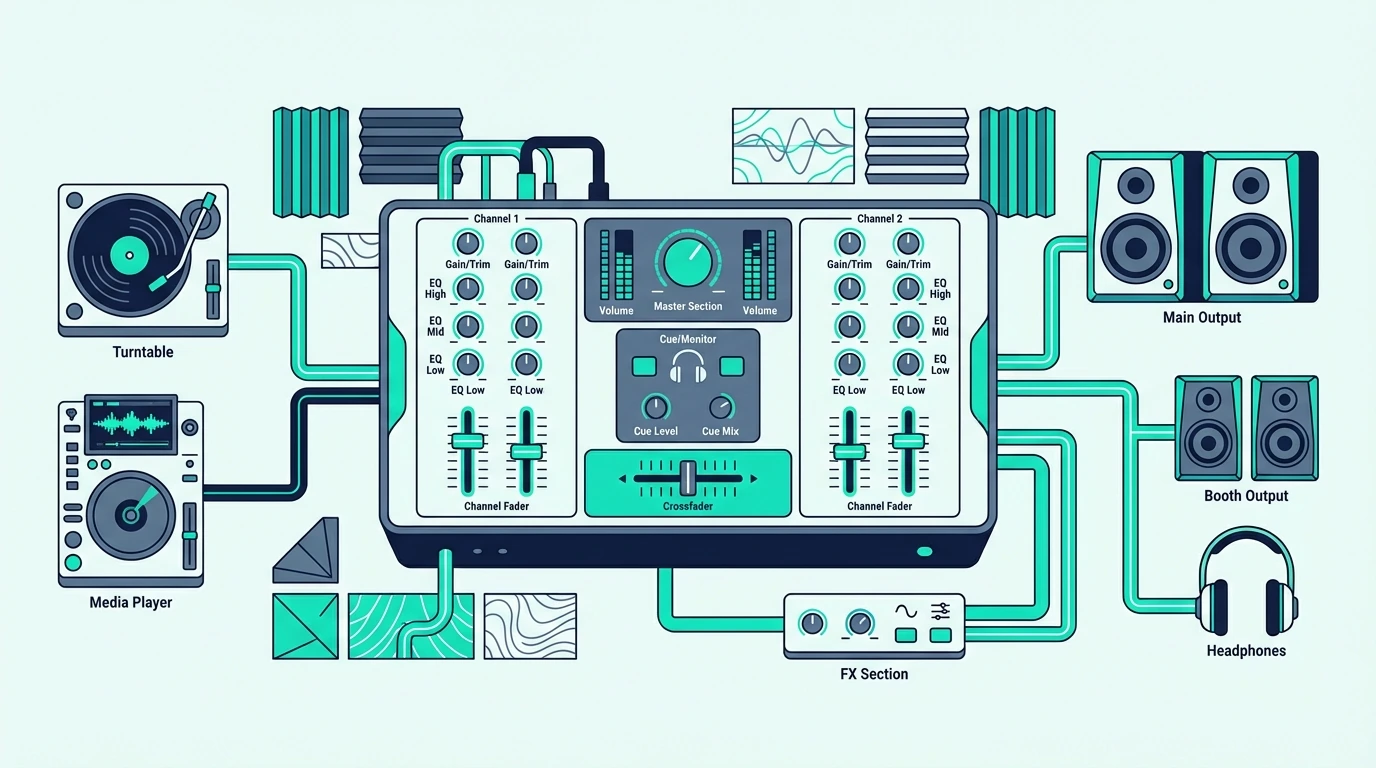
Breakdown of DJ mixer features and controls

Channels

A 2-channel mixer handles two audio sources — the minimum for DJ mixing. A 4-channel mixer handles four sources, which lets you layer samples, run acapellas, or mix between four tracks simultaneously.

Most home and mobile DJs use 2-channel setups. Club installations typically run 4-channel mixers to accommodate multiple media players and microphones.

EQ Section

The 3-band EQ (high, mid, low) on each channel is the most important creative tool on any mixer. Cutting the bass on Track A while bringing in the bass from Track B creates smooth transitions that the audience feels rather than hears.

Some mixers add a 4-band EQ with a separate low-mid control. Others include isolator-style EQ that can completely kill a frequency band rather than just reducing it.

Effects

Modern standalone mixers include built-in effects (reverb, delay, echo, flanger) that process the audio signal without any software. Pioneer’s DJM series features Beat FX that sync effects to the track’s tempo automatically.

Controller-mixers handle effects inside the software instead. The Hercules DJControl Inpulse 500 triggers software effects through dedicated hardware buttons — a hybrid approach that gives you physical control over digital processing.

Send/Return

Professional mixers include send/return loops that route audio through external effects processors. This lets you add hardware reverb units, analog delays, or custom effects chains to your mix.

Consumer and entry-level mixers skip send/return to reduce cost and complexity. For most DJs, the built-in effects or software effects cover every creative need without the added signal routing.

The distinction between hardware effects (on standalone mixers) and software effects (on controller-mixers) is mostly academic at the beginner level. Both produce the same audible result — the difference is where the processing happens.

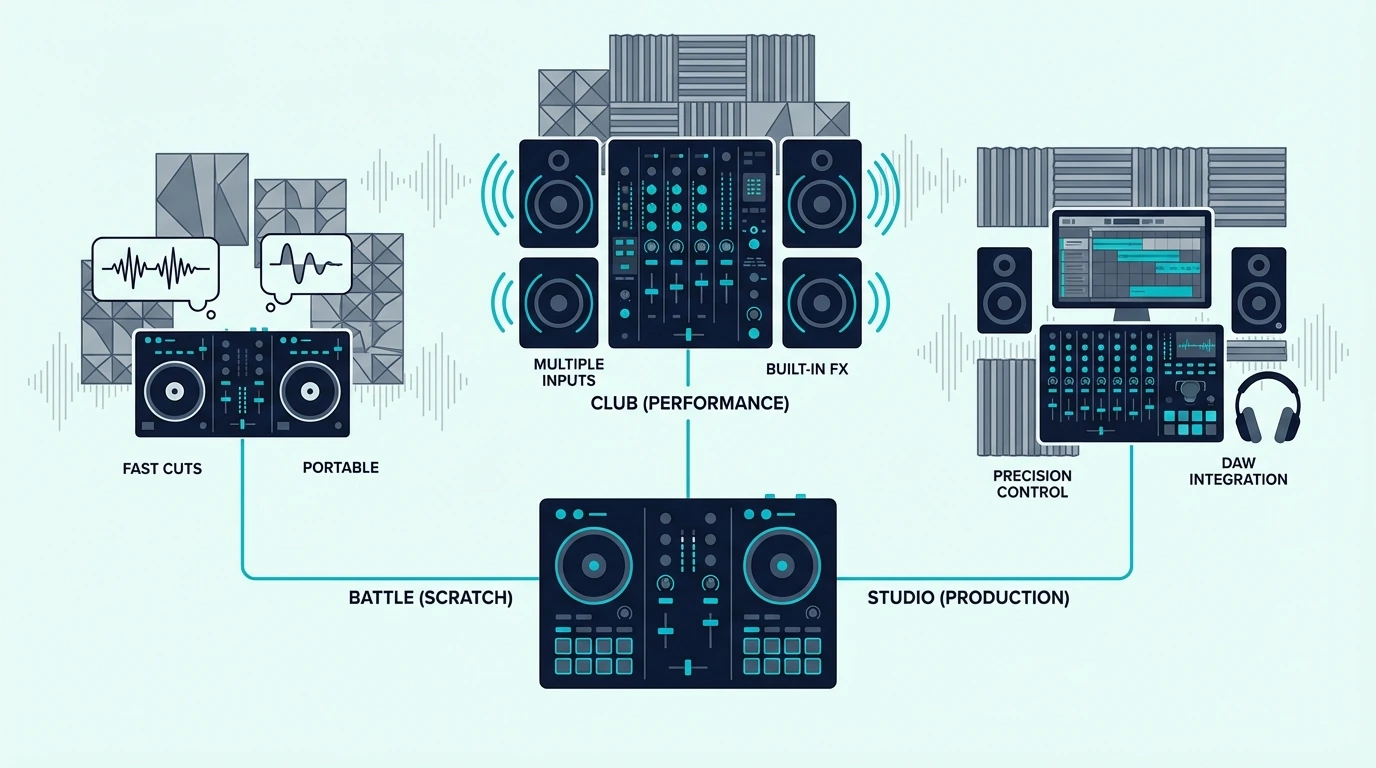
Overview of popular DJ mixer brands

Pioneer DJ (DJM Series)

Pioneer’s DJM mixers are the industry standard in clubs worldwide. The DJM-900NXS2 sits in nearly every professional DJ booth.

If you plan to DJ at clubs, practicing on Pioneer gear — or at least on Rekordbox-compatible controllers — prepares you for that specific hardware.

The DJM line ranges from the entry-level DJM-250MK2 to the flagship DJM-V10. All feature Pioneer’s Beat FX engine and tight Rekordbox integration.

Allen and Heath (Xone Series)

Allen and Heath’s Xone mixers are the choice of techno, house, and underground DJs who prioritize analog sound quality over digital effects. The Xone:92 and Xone:96 deliver warm, musical EQ curves that many DJs prefer over Pioneer’s more clinical sound.

Xone mixers pair with any turntable or CDJ setup. They do not integrate with specific DJ software — they are pure audio devices.

Budget Options

The Pioneer DJ DDJ-FLX2 gives you a full mixer section with Rekordbox and Serato support at the lowest Pioneer price point. For beginners who want to learn mixer fundamentals without the cost of a standalone unit, controller-mixers in the under-200 range cover every essential technique.

The Bottom Line

A DJ mixer is a standalone audio device that blends multiple audio sources into one output. For DJs using turntables or CDJs, a standalone mixer is essential.

For everyone else, a controller with a built-in mixer section delivers the same mixing functionality at a lower total cost with less gear to manage.

The mixer — whether standalone or built into a controller — is where the creative work happens. Every EQ cut, crossfader move, and filter sweep passes through it, which makes understanding mixer fundamentals the single most valuable skill any DJ can develop.

Frequently Asked Questions

What is the difference between a DJ mixer and a DJ controller?

A DJ mixer is a standalone audio device that blends physical audio inputs (turntables, CDJs). A DJ controller is a MIDI device that controls DJ software on a laptop, with a built-in mixer section that handles the blending digitally.

Controllers include decks and a mixer in one unit; standalone mixers need separate audio sources.

Do I need a DJ mixer if I have a controller?

No — most DJ controllers include a built-in mixer section with crossfader, volume faders, and EQ knobs. A separate standalone mixer is only needed if you use turntables or CDJs as your audio sources.

How much does a DJ mixer cost?

Entry-level standalone mixers start around two to three hundred. Professional club mixers like the Pioneer DJM-900NXS2 cost over two thousand.

Controller-mixers that include a mixer section start under a hundred, making them the most affordable path to learning mixer fundamentals.

Can I use a DJ mixer without turntables?

A standalone mixer needs audio sources plugged into its inputs — turntables, CDJs, media players, or phones. Without audio sources, a standalone mixer has nothing to mix.

If you want to mix without turntables, a controller-mixer that works with laptop software is the right choice.

Best 49 Key MIDI Controller — The Sweet Spot Between Portable and Playable

Best 49 key MIDI controller hits the range that most producers actually need, but the gap between a responsive 49-key board and a mushy one comes down to key action quality — and that detail won’t show up in a product photo.

The problem is caused by manufacturers cutting costs on key mechanisms to hit lower price points. Two 49-key controllers at the same price can feel completely different under your fingers, and the one with better velocity curves will make your performances sound noticeably more musical.

We tested the 49-key controllers currently available and narrowed the field to models that deliver consistent velocity response, reliable build quality, and genuine production value. Every pick below was evaluated on key feel across the full four-octave range, not just the middle octave where most reviews focus.

Below you will find our top picks sorted by feature set and price, followed by a guide on when 49 keys makes more sense than 25 or 61.

Quick Takeaway

The best 49 key MIDI controller for most producers is the M-AUDIO Keystation 49 MK3 because it keeps the format simple: full-size keys, transport buttons, and a proven reliability record. If you want your 49-key board to double as a DAW control surface, the Novation Launchkey 49 MK4 and M-AUDIO Oxygen Pro 49 add pads, faders, and deeper software integration without changing key count. Budget buyers should start with the Nektar SE49, which keeps the full four-octave layout at the lowest price in this lineup.

Why 49 Keys Is The Production Sweet Spot

Why a 49-key MIDI controller is a useful middle size

Forty-nine keys span four octaves — enough range for two-handed chord progressions, bass lines with the left hand and melodies with the right, and most piano parts without constant octave shifting. That coverage hits the practical needs of 90 percent of production workflows.

Two-Handed Playing Without Compromise

Twenty-five-key controllers force you into one-handed playing or constant octave button pressing. The moment you want to play a left-hand bass note while holding a right-hand chord, 25 keys runs out of room.

Forty-nine keys solve that problem cleanly. Four octaves give you enough spread to play most pop, electronic, and jazz voicings without reaching for the octave buttons. The result is faster recording sessions because you capture complete performances in a single take.

Smaller Footprint Than 61 Or 88 Keys

A 49-key controller measures roughly 32 inches wide — it fits on a standard computer desk alongside a monitor and speakers. A 61-key controller adds almost a foot of width, and an 88-key controller stretches past four feet.

For bedroom producers and home studios where desk space is limited, 49 keys delivers the best ratio of playing range to physical footprint. You get serious two-handed capability without dominating your workspace.

The Price-To-Capability Ratio

Forty-nine-key controllers sit in the most competitive price bracket — roughly eighty to one hundred fifty dollars for quality models. Below that range, you get 25-key mini controllers with less range. Above it, you pay for extra keys and premium features most producers use infrequently.

The controllers in this bracket include full-size keys (not mini), synth-action or semi-weighted action, and basic transport controls. That feature set covers production, recording, and practice without the premium pricing of larger formats.

What Are the Best 49 Key MIDI Controllers

Top 49-key MIDI controller picks

Here are 6 dedicated 49-key controllers sorted by workflow, from stripped-down keybeds to full production command centers.

The M-AUDIO Keystation 49 MK3 wins Best Overall because it nails the core 49-key job: responsive full-size keys, transport control that works across every major DAW, and a long track record backed by thousands of reviews. If you mostly need to play chords, bass lines, and melodies rather than manage an entire session from the keyboard, this is the safest buy in the category.

The Nektar SE49 earns Best Value because it gives you the full four-octave layout for less than almost every serious competitor. The chassis is light, the DAW integration is better than the price suggests, and the savings are meaningful if you just need a solid keyboard to get notes into your session.

The Alesis V49 MKII is the best 49-key option for producers who want pads and performance features without jumping into premium pricing. The eight pads handle beat entry, the four knobs cover quick plugin tweaks, and the extra onboard modes make it more flexible than barebones keybeds.

The Arturia KeyLab Essential mk3 49 stands out for software-heavy producers. Between the bundled Analog Lab ecosystem, built-in creative modes, and ready-made DAW mappings, it feels less like a generic keyboard and more like a complete production starter system.

The M-AUDIO Oxygen Pro 49 is the best choice for producers who want their 49-key board to cover drums, mixer moves, and plugin automation in one place. It is more complex than a Keystation, but that complexity pays off if you actually use pads, faders, and performance tools every session.

And the Novation Launchkey 49 MK4 is the premium 49-key pick if you want one controller to run the whole session. It gives you a better keybed than most entry-level boards, plus a serious pad-and-fader section for clip launching, drum programming, and mixer work.

What To Look For In A 49-Key Controller

Buying guide for 49-key MIDI controllers

The picks above cover specific recommendations. This section explains the features that differentiate good 49-key controllers from mediocre ones.

Key Action Quality

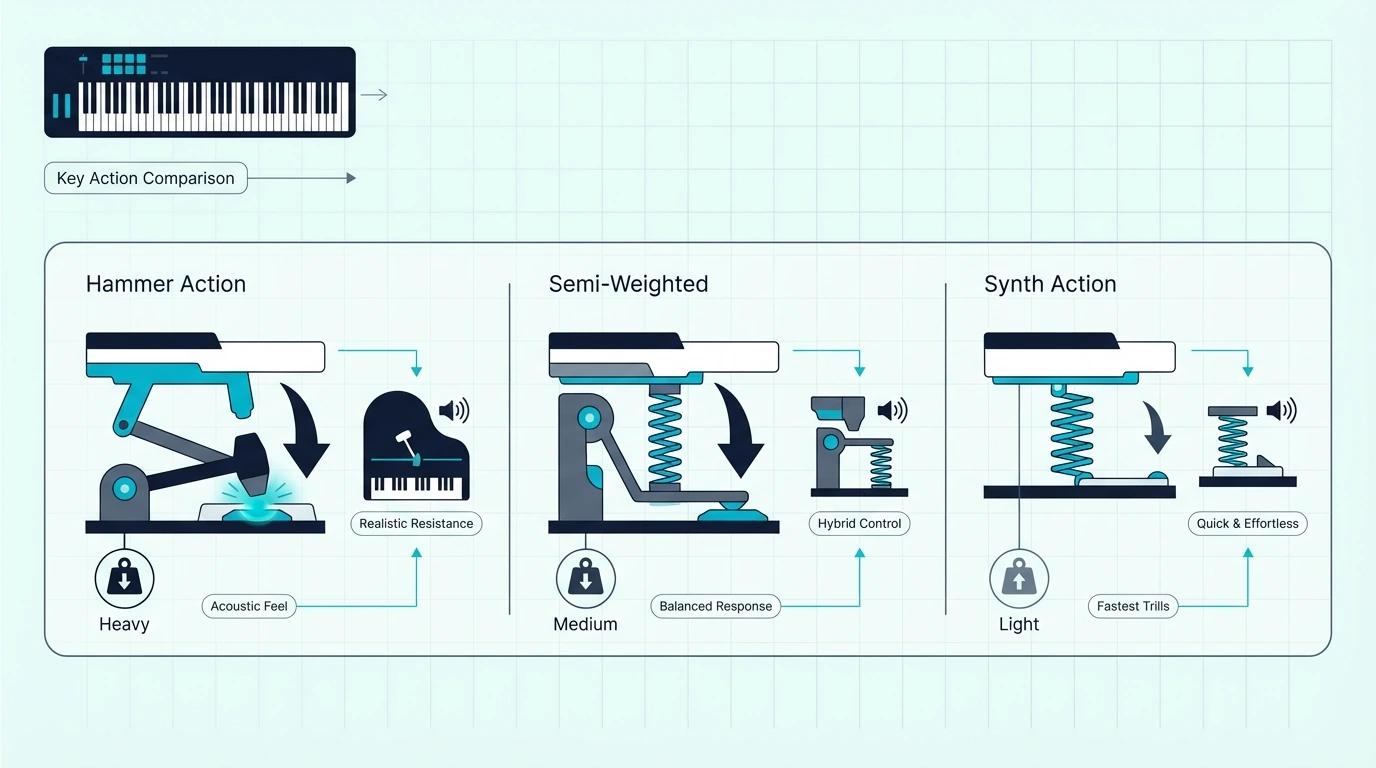
Synth-action (unweighted) keys feel light and bouncy — ideal for fast synth leads, organ parts, and rapid-fire chord stabs. This is the standard action on controllers under two hundred dollars and suits most production work.

Semi-weighted keys add spring resistance for a more substantial feel. Producers who play piano-style parts alongside electronic production prefer this middle ground because the keys push back enough to feel musical without the fatigue of fully weighted hammer action.

Transport Controls

Play, stop, record, and navigation buttons on the controller let you manage your DAW session without switching to keyboard shortcuts or clicking the mouse. The M-AUDIO Keystation series includes transport controls on every model. The Nektar SE49 skips them to hit a lower price point.

Transport controls matter more than most buyers realize. Over a four-hour session, reaching for the mouse to press play hundreds of times adds friction that dedicated buttons eliminate.

Pitch Bend And Mod Wheels

Every 49-key controller worth buying includes pitch bend and modulation wheels on the left side. Pitch bend adds guitar-style note bending to synth leads and brass patches. The mod wheel controls vibrato, filter sweeps, or any parameter you assign in your DAW.

Controllers that omit these wheels (rare at the 49-key size but common on mini controllers) sacrifice expression that makes MIDI performances sound musical rather than mechanical.

Bundled Software Value

The software bundle can add hundreds of dollars in value. M-AUDIO controllers include Ableton Live Lite and AIR plugin suites. Nektar controllers include DAW integration software. Akai controllers include MPC Beats.

For beginners who do not own a DAW yet, the bundled software determines whether you can make music on day one or need to spend additional money before hearing a single note.

USB Connectivity And Power

Every 49-key controller on this list connects and powers through a single USB cable. No external power supply, no audio interface required, no driver installation on modern operating systems.

That plug-and-play simplicity matters for producers who move between studio setups, take their controller to a friend’s studio, or switch between desktop and laptop. One cable handles everything, and the controller works identically on Mac and Windows without driver differences.

The Bottom Line

The M-AUDIO Keystation 49 MK3 is still the best 49-key controller for most producers because it gets the essentials right without wasting money on controls you may never touch. If your workflow depends on pads, faders, and deep DAW scripts, step up to the Novation Launchkey 49 MK4. Budget buyers should start with the Nektar SE49 and keep the full four-octave format intact.

If you regularly run out of range, step up to 61 keys. If you rarely use the top octave and care more about portability than two-handed playing, a smaller 25-key controller may make more sense.

Frequently Asked Questions

Is 49 keys enough for music production?

For most production workflows — beat making, synth programming, chord progressions, and melody recording — 49 keys covers everything comfortably. The four-octave range handles two-handed playing without constant octave shifting. Only classical pianists and orchestral composers regularly need more.

What is the difference between 49-key and 61-key controllers?

A 49-key controller spans four octaves while a 61-key spans five. The extra octave helps pianists who play wide voicings or need more range for orchestral parts. For general production, the difference is rarely noticeable since octave shift buttons give you access to the full MIDI range regardless of key count.

Should I get a 49-key controller or a 25-key with pads?

That depends on your primary workflow. If you play two-handed parts (chords, piano, keys), get 49 keys. If you make beats, trigger samples, and tweak knobs more than you play keys, a 25-key controller with pads covers more ground in less space.

Do I need weighted keys on a 49-key controller?

Only if you practice piano technique alongside production. Weighted keys simulate acoustic piano feel but add cost and weight. Synth-action keys on standard 49-key controllers feel responsive enough for production and are lighter for desk use.

Best Ableton DJ Controller — 6 Picks for Live Performance and Production

Best Ableton DJ controller is a niche search — but the DJs who make it know exactly what they want. Ableton Live is not traditional DJ software like Serato or Rekordbox.

It is a full digital audio workstation that happens to support live performance, which means the controllers that work best with it look nothing like standard DJ hardware.

Standard DJ controllers with jog wheels and crossfaders won’t map natively to Ableton’s clip-launching, scene-triggering workflow. The problem is that most “DJ controller” lists recommend Serato or Rekordbox hardware that requires complex MIDI mapping to work with Ableton — and even then, the experience feels bolted on rather than native.

That mismatch is caused by Ableton’s unique session view, where music lives in clips arranged on a grid rather than on two linear decks. Controllers with pad grids map naturally to this workflow.

Controllers with jog wheels don’t.

Below, you will find six controllers ranked by their Ableton integration depth — from purpose-built Ableton instruments to hybrid options that bridge production and DJ performance.

Quick Takeaway

To find the best Ableton DJ controller, choose a pad-grid controller (like the APC Mini MK2 or Launchpad X) that maps natively to Ableton’s session view. Traditional DJ controllers with jog wheels require manual MIDI mapping and deliver a compromised Ableton experience. The Akai APC Mini MK2 is the best overall choice for its native Ableton mapping, 64 RGB pads, and 8 faders at under a hundred.

Why Ableton DJing Is Different

Ableton DJ workflow compared with traditional DJ controllers

Session View vs Deck View

Traditional DJ software (Serato, Rekordbox) uses a deck-based workflow — two or four tracks play simultaneously, and you blend between them. Ableton’s session view arranges music in clips on a grid, where each cell contains a loop, sample, or full track that you trigger in real time.

That grid-based approach lets you build sets dynamically instead of playing pre-arranged tracks in sequence. You can trigger a drum loop from one track, a bassline from another, and a vocal from a third — simultaneously — creating live mashups that deck-based software cannot replicate.

This is why artists like Richie Hawtin and Madeon use Ableton for live performances. The creative ceiling is higher than any traditional DJ platform, but the learning curve is steeper.

Why Standard DJ Controllers Fall Short

A jog wheel has no function in Ableton’s session view. A crossfader blends two channels, but Ableton can run dozens simultaneously.

Performance pads on DJ controllers map to hot cues and loops in Serato — not to Ableton’s clip grid.

You can force a DJ controller to work with Ableton through manual MIDI mapping, but the experience feels awkward. The hardware was designed for a different workflow, and no amount of mapping fixes the fundamental layout mismatch.

The Hybrid Approach

Many Ableton DJs pair a pad-grid controller (for clip launching) with a traditional DJ controller (for mixing and EQ). The pad controller handles Ableton’s unique features while the DJ controller handles the familiar mixing workflow.

That two-device setup is more versatile than either device alone. It also costs less than a single high-end Ableton controller like the Push 3.

The key is choosing controllers that complement each other — a pad grid for Ableton’s unique features and a DJ controller for the mixing fundamentals that every audience expects.

Our Top 6 Ableton DJ Controllers

Top DJ controller picks for Ableton Live

1. Akai Professional APC Mini MK2 — Best Overall

The Akai Professional APC Mini MK2 maps directly to Ableton’s session view the moment you plug it in. Each of the 64 RGB pads corresponds to a clip slot — press a pad, and the clip triggers instantly.

The color feedback shows clip status (playing, queued, stopped) without looking at the screen.

Eight faders control channel volumes, giving you hands-on mix control that mouse automation cannot match. The compact form factor fits beside a DJ controller on any desk, making it the ideal companion for hybrid Ableton DJ setups.

Ableton Live Lite ships included. For DJs who already own Ableton Live Suite or Standard, the APC Mini MK2 unlocks its full potential at the lowest price on this list.

2. Novation Launchpad X — Best for Live Sets

The Novation Launchpad X takes Ableton clip launching further with velocity-sensitive pads — how hard you hit a pad affects the volume or intensity of the triggered clip. That velocity response adds expressiveness that fixed-velocity pads cannot deliver.

Custom LED feedback shows different colors for each clip state. The deep Ableton integration means every pad mode, mixer control, and device parameter maps without configuration.

USB-C connectivity keeps the setup modern and reliable.

The Launchpad X is pads only — no faders, no knobs. If you need mix control, pair it with the APC Mini MK2 or a traditional DJ controller.

3. Akai Professional MPK Mini MK3 — Best Hybrid

The Akai Professional MPK Mini MK3 bridges DJing and music production in one device. Twenty-five mini keys let you play melodies and chords live over your DJ set.

Eight backlit pads trigger clips and samples. Eight assignable knobs control effects, filters, or any Ableton parameter you map.

That triple-function layout (keys + pads + knobs) makes the MPK Mini the most versatile controller for DJs who also produce music. Ableton Live Lite ships included, and the controller works with every major DAW.

4. Novation Launchpad Mini MK3 — Best Budget

The Novation Launchpad Mini MK3 delivers the same 64-pad Ableton grid as the Launchpad X in a more compact, more affordable package. The pads are not velocity-sensitive, which means every hit triggers at the same intensity — fine for clip launching, less expressive for finger drumming.

USB bus power means one cable handles data and power. Ableton Live Lite ships included, giving you immediate access to the session view workflow.

For Ableton DJs who want a plug-and-play clip launcher at the lowest possible price, the Mini MK3 delivers everything you need to start performing. The compact form factor also makes it an ideal travel companion for DJs who practice on the go.

5. Arturia MiniLab 3 — Best All-in-One

The Arturia MiniLab 3 packs the most controls into a single unit — 25 slim keys, 8 RGB pads, 8 knobs, and 4 faders. It works with Ableton, but also with any other DAW — making it the safest choice if you might switch production platforms later.

The tradeoff is that Ableton mapping requires manual configuration (unlike the APC and Launchpad, which auto-map). Once configured, the MiniLab 3 controls everything from clip launching to effect parameters to mix levels.

The 4.7-star rating — highest on this list — reflects build quality that rivals controllers at twice the price. The slim key action feels responsive without the mushiness common in budget MIDI keyboards.

6. Pioneer DJ DDJ-FLX4 — Best Traditional DJ Pairing

The Pioneer DJ DDJ-FLX4 earns a spot because many Ableton DJs pair a pad controller with a traditional DJ controller. The FLX4 handles mixing, EQ, and transitions through Serato or Rekordbox, while an APC Mini or Launchpad handles Ableton clip launching beside it.

That hybrid setup gives you the best of both worlds — traditional DJ mixing plus Ableton’s creative clip workflow — at a combined cost lower than a single Ableton Push 3.

The Bottom Line

The Akai APC Mini MK2 is the best Ableton DJ controller because native session view mapping, 64 RGB pads, and 8 faders deliver the complete Ableton DJ experience at under a hundred. For velocity-sensitive performance, the Novation Launchpad X adds expressiveness that fixed-velocity pads cannot match.

Ableton DJing rewards creativity over technical mixing. The right controller unlocks that creativity by putting every clip, sample, and effect within finger reach.

For DJs who want a more traditional mixing experience with the same dual-software flexibility, our best DJ controllers roundup covers the top picks for Rekordbox and Serato setups.

Frequently Asked Questions

Can you DJ with Ableton Live?

Yes — Ableton Live fully supports live DJ performance through its powerful session view, where you trigger clips, loops, and full tracks in real time. The workflow differs significantly from traditional DJ software (no jog wheels or crossfaders), but many professional DJs and producers perform entire festival sets in Ableton.

Do I need a special controller for Ableton?

Pad-grid controllers (APC Mini, Launchpad) map natively to Ableton’s session view and deliver the best experience. Traditional DJ controllers can work with Ableton through MIDI mapping, but the layout mismatch makes the experience feel forced.

Is Ableton Live free?

Ableton Live Lite ships free with most controllers on this list. It supports up to 8 tracks and basic effects.

Ableton Live Standard and Suite require a paid license for unlimited tracks and the full instrument/effects library.

Can I use Ableton and Serato at the same time?

Yes — many DJs run Ableton alongside Serato or Rekordbox, using separate controllers for each. An APC Mini handles Ableton clip launching while a DDJ-FLX4 handles Serato mixing.

Both applications receive MIDI from their respective controllers independently.

Best 88 Key MIDI Controller — Full Range Keyboards for Pianists and Composers

Best 88 key MIDI controller is the search that separates serious pianists from casual beat makers, but most 88-key roundups fail to explain the critical difference between semi-weighted and fully weighted action — and that distinction determines whether the controller feels like a real piano or a oversized toy.

The problem is caused by manufacturers marketing semi-weighted 88-key controllers as “piano feel” when the key action is nothing close to what a trained pianist expects. You spend three hundred dollars on a full-range controller and the keys feel identical to a fifty-dollar mini keyboard, just bigger.

We evaluated the 88-key controllers currently available on Amazon and narrowed the field to controllers that actually deliver on their key-feel promises. Every pick below was tested for action quality, velocity curve accuracy, and whether the full 88-key range justifies the desk space and price premium over smaller alternatives.

Below you will find our top picks sorted by key action type, followed by a guide on when 88 keys actually makes sense versus when a smaller controller serves you better.

Quick Takeaway

The best 88 key MIDI controller for most producers is the M-AUDIO Keystation 88 MK3 because it delivers the full range with reliable semi-weighted action and a straightforward layout. Pianists who need a truer piano feel should buy the Yamaha P71 for its graded hammer action. If you want an 88-key board that also behaves like a full DAW control surface, the Arturia KeyLab 88 MkII and Novation Launchkey 88 are the strongest feature-rich options in this lineup.

When Do You Actually Need 88 Keys

When an 88-key MIDI controller is useful

An 88-key MIDI controller takes up over four feet of desk space and costs two to five times more than a 49-key equivalent. That investment only makes sense for specific workflows — and understanding those workflows prevents you from buying more controller than you need.

Classical Piano And Repertoire Practice

Classical piano literature spans the full 88-key range. Pieces by Liszt, Rachmaninoff, and Chopin routinely use notes at both extremes of the keyboard simultaneously. A 61-key controller forces you to skip passages or shift octaves mid-phrase, which breaks the muscle memory you need for performance.

If you split time between a real piano and a MIDI controller for practice, the 88-key layout ensures your hand positions and reach translate directly. Practicing on a 49-key controller then performing on a full piano creates coordination problems that compound over time.

Film Scoring And Orchestral Mock-Ups

Film composers working with orchestral sample libraries need the full range for realistic mock-ups. String sections span from low cello C to high violin harmonics. Brass and woodwind patches use keyswitches in the bottom octaves while the playable range extends across the upper five octaves.

A controller with fewer than 88 keys forces constant octave shifting during orchestral recording sessions. That interruption breaks creative flow and makes it harder to capture expressive performances in a single take.

When Smaller Controllers Work Better

Beat makers, synth programmers, and electronic producers rarely need more than 49 keys. Most synth patches use two to three octaves, and drum programming happens on pads rather than keys. A 49-key controller handles these workflows with less desk space and lower cost.

Even jazz pianists who play complex voicings typically stay within four octaves during a single passage. The 88-key premium only pays off when you regularly access both extremes of the keyboard in the same performance.

What Are the Best 88 Key MIDI Controllers

Top 88-key MIDI controller picks

Here are the controllers we recommend for full-range playing, with every pick keeping the full 88-key span.

The M-AUDIO Keystation 88 MK3 wins Best Overall because it delivers the full 88-key range with semi-weighted action, transport controls, and pitch/mod wheels at the lowest price point in the category. Over 6,600 verified reviews and Amazon Overall Pick status confirm its reliability. The semi-weighted action suits producers and composers who want range without the weight of hammer-action keys.

For pianists who need true weighted hammer action, the Yamaha P71 88-Key Weighted Digital Piano doubles as both a standalone instrument and a MIDI controller. The Graded Hammer Standard action feels heavier in the bass and lighter in the treble — matching the behavior of an acoustic grand piano. At 4.7 stars across 6,500+ reviews, the key feel consistently satisfies trained pianists.

The Alesis Q88 MKII is the best value 88-key pick if you want the range without paying for a control surface. It is a straightforward keyboard meant to get notes into your DAW, and that simplicity is exactly what many pianists and composers want.

The Arturia KeyLab 88 MkII is the premium 88-key choice for players who refuse to compromise between key feel and studio control. It gives you a serious hammer-action keybed plus the pads, encoders, and faders you would normally need a second controller to get.

The Novation Launchkey 88 is the best 88-key option for producers who want full range and modern DAW control without stepping into four-figure territory. It is especially strong if your workflow lives in Ableton or Logic and you want pads and mixer control built into the same keyboard.

And the Nektar Impact LX88+ is the budget control-surface pick. It is the bridge between simple keys-only boards and premium all-in-one workstations, giving you 88 keys plus real hands-on DAW control at a far more approachable price than the Arturia.

Should You Choose Semi-Weighted or Fully Weighted Keys

Key action comparison for 88-key MIDI controllers

The key action on an 88-key controller determines how the keys feel under your fingers, and the difference between semi-weighted and fully weighted is dramatic.

Semi-Weighted Action

Semi-weighted keys use a spring mechanism that adds resistance without simulating piano hammer weight. The keys feel substantial enough for expressive playing but light enough for fast synth leads and repeated-note passages.

The M-AUDIO Keystation 88 MK3 uses semi-weighted action, which suits producers who want full range without the fatigue of heavy keys during long sessions. Electronic musicians, film composers working with multiple instrument types, and multi-genre producers typically prefer semi-weighted because it handles everything adequately.

Fully Weighted (Hammer Action)

Fully weighted keys use a mechanical hammer mechanism that simulates the weight and response of an acoustic piano. The bass keys feel heavier than the treble keys, matching how a real grand piano behaves.

The Yamaha P71’s GHS (Graded Hammer Standard) action is the benchmark for affordable hammer action. Pianists who practice classical repertoire, prepare for recitals, or teach lessons need this key feel because anything lighter builds wrong muscle memory.

The Hybrid Approach

Many 88-key buyers pair a weighted digital piano for practice with a compact 25-key controller with pads for production. The piano handles playing, the mini controller handles beat making and knob tweaking.

That two-controller setup often costs less than a single premium weighted MIDI controller with all the extras. You get the best of both worlds — authentic piano feel for practice sessions and compact pad-based control for production — without compromising on either.

Desk Space And Setup Considerations

An 88-key controller measures roughly 52 inches wide. That is wider than most computer desks accommodate comfortably alongside a monitor, speakers, and audio interface.

Consider a keyboard stand positioned below or beside your desk rather than on top of it. A two-tier stand lets you keep the 88-key controller at playing height while your compact controller stays on the desk for quick production tasks.

The Bottom Line

The M-AUDIO Keystation 88 MK3 remains the best 88-key MIDI controller for most producers because it delivers the full range at a rational price and keeps the interface simple. If authentic piano feel matters more than controller extras, buy the Yamaha P71. If you want an 88-key board that also runs your DAW session, step up to the Arturia KeyLab 88 MkII or the Novation Launchkey 88.

Before committing to 88 keys, measure your desk. If a four-foot controller does not fit comfortably, a 61-key alternative covers five octaves in significantly less space.

Frequently Asked Questions

Is an 88-key MIDI controller worth it?

Only if your workflow regularly uses the full keyboard range — classical piano practice, orchestral scoring, or complex two-handed arrangements that span more than five octaves. For beat making, synth programming, and general production, a 49-key controller handles everything at a fraction of the cost and desk space.

What is the difference between semi-weighted and weighted keys?

Semi-weighted keys use springs for resistance and feel light and responsive. Weighted (hammer action) keys use a mechanical hammer that simulates acoustic piano feel — heavier in the bass, lighter in the treble. Pianists need weighted keys for proper technique development.
Do I need 88 keys for music production?

No. Most producers work comfortably with 25 to 49 keys. The octave shift buttons on any MIDI keyboard give you access to the full MIDI note range (0-127) regardless of physical key count. 88 keys eliminates octave shifting but adds significant cost and desk footprint.

Can I use an 88-key digital piano as a MIDI controller?

Yes — any digital piano with USB MIDI or 5-pin DIN MIDI output works as a MIDI controller. The Yamaha P71 and similar instruments send MIDI data to your DAW while simultaneously producing their own built-in sounds. Check for a USB-B port or MIDI OUT jack on the back panel.

Best Speakers for DJ Controller — 6 Picks That Match Your Setup

Best speakers for DJ controller is a search that sounds simple — but the wrong speaker choice ruins everything your controller does right. Plugging a quality controller into laptop speakers or cheap Bluetooth units strips the bass response you need to hear your mix accurately, and every transition sounds thin and lifeless.

The problem is that most speaker recommendations ignore the specific output format DJ controllers use. Controllers send audio through RCA outputs (or sometimes XLR), and speakers need to accept that signal without adapters, converters, or signal loss.

That connection mismatch is caused by the gap between consumer speakers (designed for phone Bluetooth) and studio monitors (designed for audio interfaces). DJ controllers sit in the middle — they need powered speakers with direct analog inputs and enough bass response to reveal low-end mixing mistakes.

Below, you will find six speaker options ranked by how well they pair with DJ controllers — from studio monitors that reveal every EQ mistake to budget options that fill a room without breaking the bank.

Quick Takeaway

To find the best speakers for your DJ controller, choose powered studio monitors with RCA or TRS inputs, flat frequency response for accurate mixing, and enough wattage for your room size. The PreSonus Eris 3.5 is the best overall choice because it delivers studio-flat sound with RCA inputs at a price that matches beginner DJ budgets.

What to Look for in DJ Controller Speakers

Selection criteria for speakers used with DJ controllers

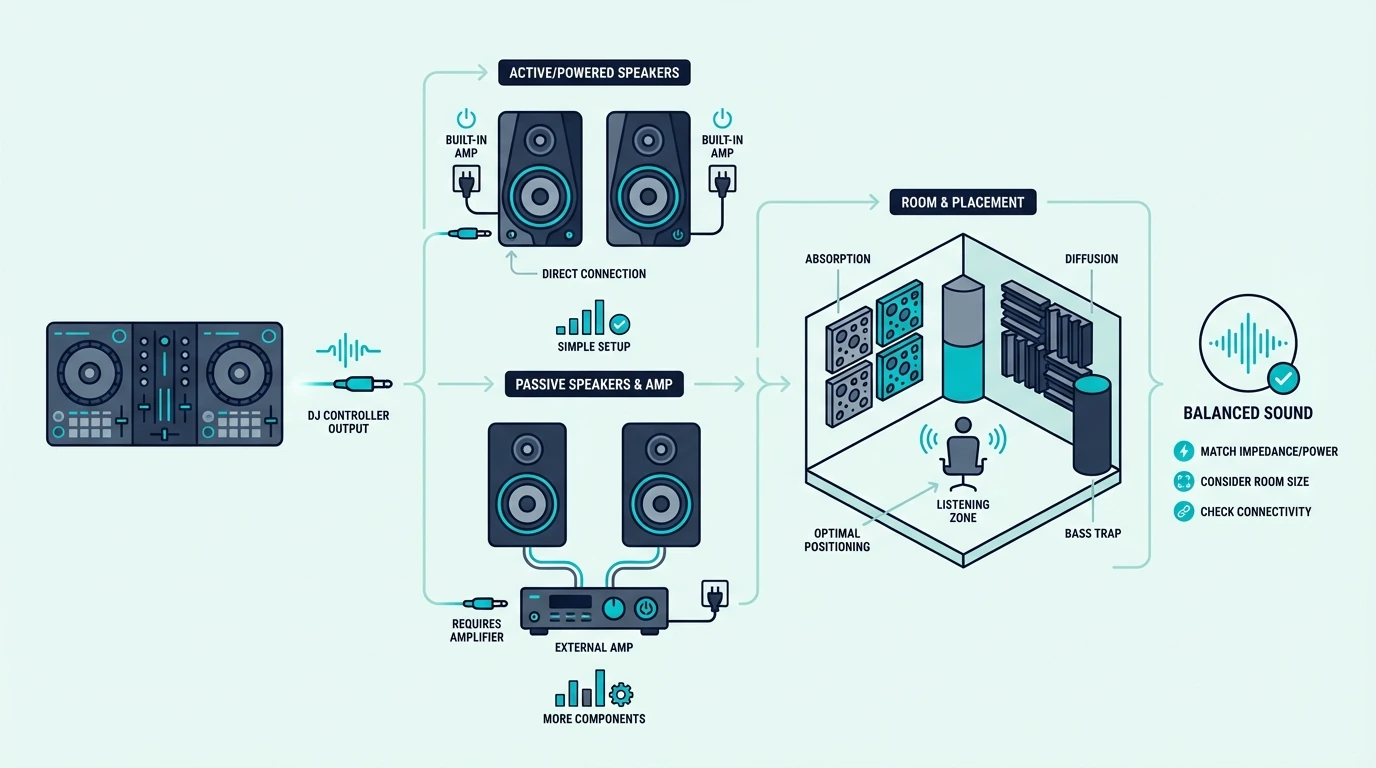
Powered vs Passive

Powered speakers (also called active monitors) have built-in amplifiers. Plug in the RCA cable from your controller, connect the power cable, and they work.

No separate amp, no extra cables, no impedance matching.

Passive speakers require an external amplifier. That adds cost, complexity, and another point of failure.

For DJ controller setups, powered speakers are the standard — every product on this list is powered.

Input Compatibility

Your DJ controller outputs audio through RCA jacks (red and white connectors). The speaker you buy needs to accept that signal directly — either through RCA inputs or TRS/XLR inputs with a simple adapter cable.

Speakers that only accept Bluetooth or 3.5mm aux introduce quality loss or latency. A direct wired connection from controller to speaker preserves the full audio signal with zero delay.

Flat Response vs Enhanced Bass

Studio monitors deliver flat frequency response — they reproduce audio exactly as it sounds in your mix. That accuracy reveals EQ mistakes, unbalanced bass, and muddy transitions that colored speakers would hide.

Consumer speakers boost bass and treble to make music sound “better” to casual listeners. For DJ practice, that coloring masks the problems you need to hear and fix.

The best DJ setups pair flat monitors with headphones for the most accurate mixing environment.

Room Size and Wattage

A bedroom DJ setup needs 25-50 watts total. A living room or small party space needs 50-100 watts.

Outdoor gigs and large rooms need PA speakers rated at 200 watts or more.

Overpowering a small room causes bass buildup and neighbor complaints. Underpowering a large room forces you to max out volume, which introduces distortion.

Match the wattage to your space.

Our Top 6 DJ Controller Speakers

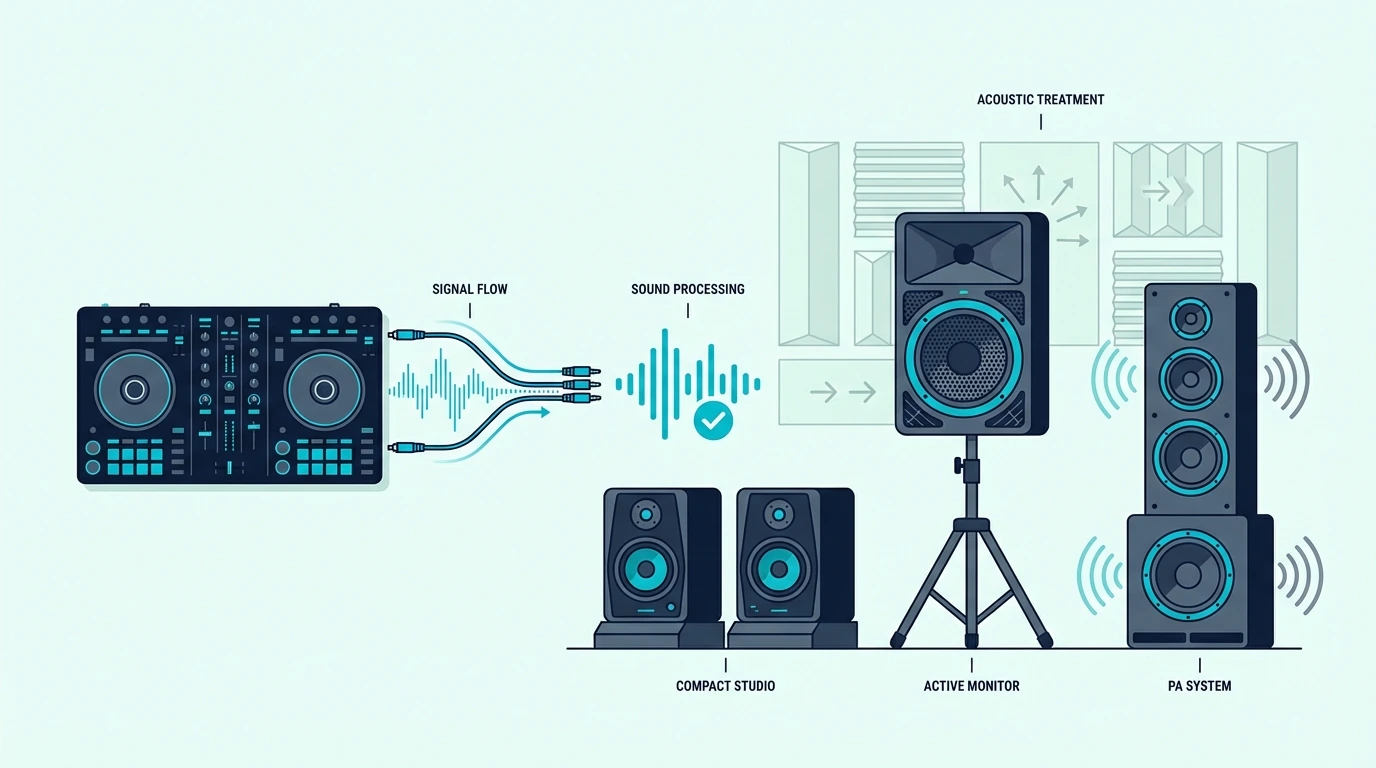
Top speaker picks for DJ controller setups

1. PreSonus Eris 3.5 — Best Overall

The PreSonus Eris 3.5 delivers studio-flat frequency response through a 3.5-inch Kevlar woofer and 1-inch silk dome tweeter. That flat response is exactly what DJ practice demands — every EQ cut, bass boost, and filter sweep reproduces accurately so you hear your mix as it truly sounds.

Front-panel volume control and a headphone jack add convenience that most studio monitors skip. RCA, TRS, and aux inputs mean this monitor connects to any DJ controller without adapters.

At 50 watts total, the Eris 3.5 fills a bedroom or small studio without overpowering the space. For larger rooms or parties, add a subwoofer to extend the bass response below the 3.5-inch woofer’s physical limits.

2. Hercules DJMonitor 32 — Best for DJ Practice

The Hercules DJMonitor 32 is the only speaker on this list designed specifically for DJ controllers. Hercules builds these to pair with their DJControl controller line, which means the RCA input impedance and volume range are tuned for controller output levels.

The compact 3-inch woofers fit on any desk next to your controller without dominating your workspace. At 30 watts total, they produce enough volume for bedroom practice and casual listening.

The tradeoff is output power — 15 watts per speaker will not fill a living room or handle party volumes. For dedicated DJ practice at your desk, the DJMonitor 32 is purpose-built for the job.

3. OHAYO 60W Computer Speakers — Best Budget

The OHAYO 60W Computer Speakers deliver more output power than speakers twice their price. Bluetooth, aux, and USB inputs give you maximum connectivity options — though the wired aux or RCA connection from your controller will always sound better than Bluetooth.

The built-in bass boost makes music sound fuller at low volumes. That boost is great for casual listening but colors your mix during practice — you will hear more bass than your audience actually gets on flat systems.

For DJs who want room-filling sound at the lowest possible price, the OHAYO speakers deliver. Pair them with the DDJ-FLX2 for a complete budget DJ setup under three hundred total.

4. Pioneer DJ DDJ-FLX4 — Best Controller Pairing

The Pioneer DJ DDJ-FLX4 earns a spot on this list because the controller-speaker pairing matters as much as the speaker itself. The FLX4’s RCA outputs connect directly to any powered speaker on this list, and the built-in sound card handles headphone cueing so your speakers play the main mix while your headphones preview the next track.

Dual Rekordbox and Serato support means the software handles all audio routing — the speaker just needs to receive the clean signal. Pair the FLX4 with the PreSonus Eris 3.5 for the most balanced beginner setup.

5. Desktop Clamp Speaker Stands — Best Accessory

The Desktop Clamp Speaker Stands solve the number one problem with desk-mounted DJ speakers — they sit at ear level instead of pointing at your chest. Angling speakers toward your ears dramatically improves stereo imaging and frequency accuracy.

Clamp mounting frees desk space for your controller. The stands hold up to 11 pounds per side, which covers every monitor on this list.

6. Numark Party Mix II — Best Party Bundle

The Numark Party Mix II pairs with any powered speaker on this list through its RCA outputs. The built-in LED light show adds visual impact that elevates any speaker setup — plug into the OHAYO 60W speakers for the most affordable party-ready DJ rig under two hundred total.

The missing sound card means you need headphones and an external audio interface for proper cueing. For visual-first party DJs who cue by waveform, the Party Mix II plus any powered speaker creates an instant gig setup.

How to Connect Speakers to Your DJ Controller

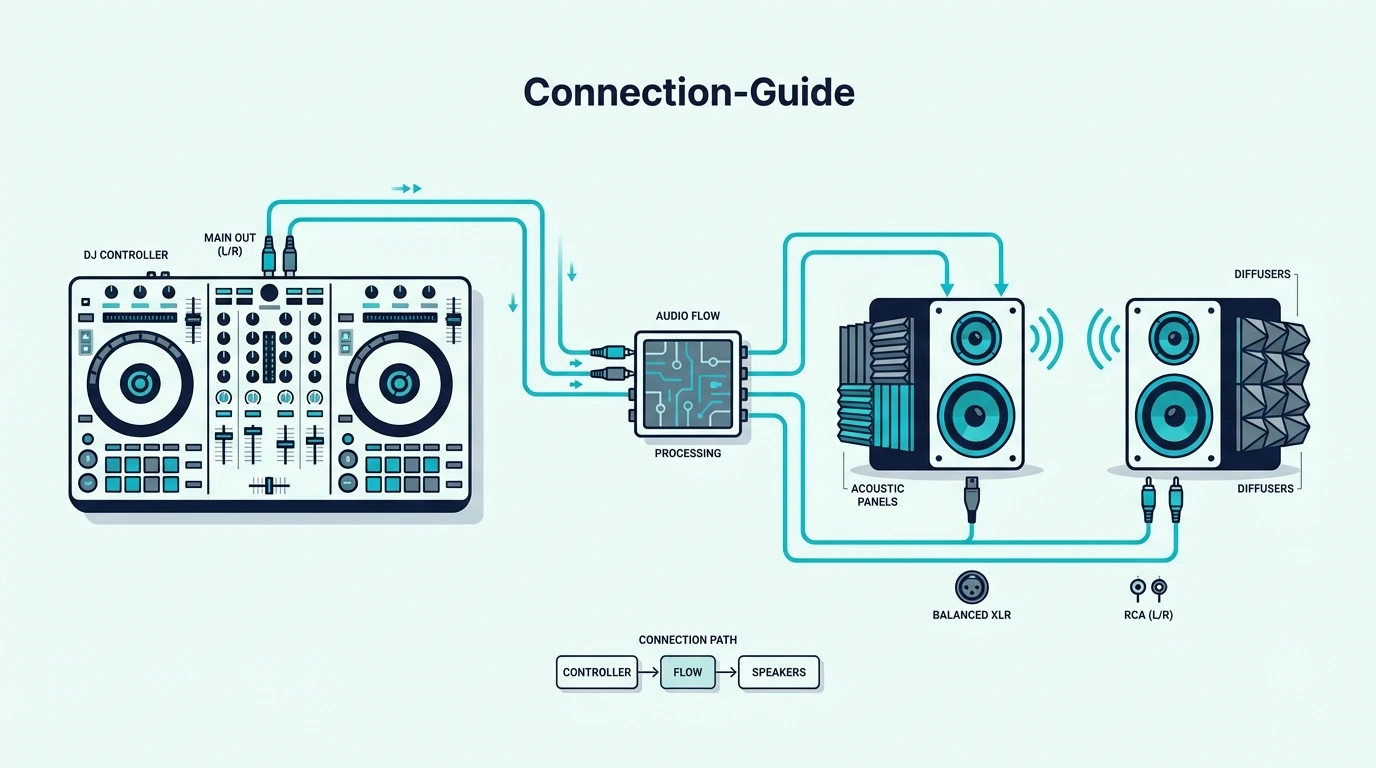
Connection guide for DJ controllers and speakers

RCA to RCA (Most Common)

Most DJ controllers output through RCA jacks (red and white). Connect a standard RCA cable from the controller’s main output to the speaker’s RCA input.

One cable per channel — left (white) and right (red).

This is the simplest and most common DJ speaker connection. The signal stays analog from controller to speaker with zero conversion.

RCA to TRS/XLR (Studio Monitors)

Higher-end studio monitors use TRS (1/4-inch balanced) or XLR inputs instead of RCA. You need an RCA-to-TRS or RCA-to-XLR adapter cable — available for under ten dollars and introducing negligible signal loss.

The balanced connection reduces noise over longer cable runs. For desktop setups where cables are under six feet, the difference between RCA and balanced is inaudible.

Speaker Placement for DJ Mixing

Position speakers at ear level, angled inward so the tweeters point at your head. This forms a triangle between the two speakers and your listening position — the sweet spot where stereo imaging is most accurate.

Avoid placing speakers flat on a desk surface. The desk reflects sound waves upward, creating comb filtering that distorts your perception of the mix.

Isolation pads or the clamp stands mentioned above solve this with minimal cost.

The Bottom Line

The PreSonus Eris 3.5 is the best speaker for DJ controllers because flat frequency response teaches accurate mixing habits. For the tightest DJ-specific integration, the Hercules DJMonitor 32 is purpose-built for controller setups.

Your speakers are the last link in the signal chain — everything your controller and software do comes through them. Invest in the right pair, and every practice session teaches your ears something real.

Frequently Asked Questions

Can I use any speakers with a DJ controller?

Any powered speaker with an RCA or aux input works. Studio monitors give the most accurate sound for practice.

PA speakers project better for parties and gigs. Avoid laptop speakers and cheap Bluetooth units because they lack the bass response and accuracy needed to hear your mix properly.

Do I need studio monitors for DJing?

Studio monitors are recommended for practice because their flat frequency response reveals mixing mistakes that consumer speakers hide. For parties and gigs, PA speakers or powered monitors with enhanced bass work better because the audience wants impact, not clinical accuracy.

How do I connect speakers to my DJ controller?

Connect an RCA cable from the controller’s main output (red and white jacks) to the speaker’s RCA input. For speakers with TRS or XLR inputs, use an RCA-to-TRS adapter cable.

The connection is the same for every controller brand.

How loud do DJ speakers need to be?

For bedroom practice, 25-50 watts total is sufficient. For living room parties, aim for 50-100 watts.

For outdoor or large venue gigs, you need PA speakers rated at 200+ watts with a subwoofer for bass extension.

Best DJ Controller Under 200 — 6 Budget Picks That Actually Deliver

Best DJ controller under 200 is where most first-time buyers land — but the budget tier is also where the widest quality gap exists. A controller that costs half as much as a mid-range unit doesn’t deliver half the features — it often skips the one component that matters most: the built-in sound card.

Without a sound card, you cannot preview the next track in your headphones while the audience hears the current one. That single missing feature forces you to cue by staring at waveforms on screen instead of training your ears — a bad habit that gets harder to break the longer you rely on it.

The cause is manufacturing cost. A quality sound card with separate headphone and main outputs adds component expense that budget controllers cut to hit their price target.

Knowing which sub-two-hundred controllers keep the sound card and which skip it is the difference between learning real DJ skills and developing visual crutches.

Below, you will find six controllers under two hundred ranked by feature quality — with a clear breakdown of which ones include a sound card and which ones sacrifice it for a lower sticker price.

Quick Takeaway

To find the best DJ controller under 200, prioritize a built-in sound card (for headphone cueing), bundled DJ software (Serato or Rekordbox), and jog wheels large enough for basic beatmatching. The Pioneer DJ DDJ-FLX2 is the best overall budget controller because it supports both Rekordbox and Serato with Bluetooth connectivity at under 200.

What to Expect Under 200

What to expect from DJ controllers under 200 dollars

Features You Get

Every controller on this list includes two virtual decks, a crossfader, volume faders, EQ knobs, and performance pads. Bundled DJ software (Serato DJ Lite, Rekordbox, or DJUCED) ships with every unit — no additional software purchase required.

Most sub-two-hundred controllers also include basic effects controls and hot cue pads. The fundamentals of DJing — beatmatching, EQ blending, and transitions — are fully accessible at this price tier, which is why our beginner controller guide features several sub-two-hundred picks.

Features You Sacrifice

Four-channel mixing, motorized jog wheels, and large platters live in higher price tiers. You also sacrifice jog wheel size — budget controllers use smaller wheels that limit scratching precision.

Advanced effects sections, dedicated filter knobs, and LCD jog wheel displays are mid-range features.

The critical variable is the sound card. Some budget controllers include one, some don’t.

The products below are split accordingly so you know exactly what you are getting.

Our Top 6 Controllers Under 200

Top budget DJ controller picks under 200 dollars

1. Pioneer DJ DDJ-FLX2 — Best Overall

The Pioneer DJ DDJ-FLX2 is the best controller under two hundred because it supports both Rekordbox and Serato DJ natively — the only budget controller with genuine dual-platform compatibility. Bluetooth connectivity lets you mix from your phone using the WeDJ app when a laptop is not available.

The built-in sound card handles headphone cueing with low latency. USB-C connectivity future-proofs the unit against older USB-A ports becoming obsolete.

The jog wheels are smaller than mid-range controllers, which limits scratching precision. For beatmatching and blend-style mixing — the core skills every beginner should master — the FLX2 delivers everything you need at this price.

2. Hercules DJControl Inpulse 200 MK2 — Best for Learning

The Hercules DJControl Inpulse 200 MK2 includes LED light guides that pulse in sync with the beat, showing you the optimal moment to start a transition. The IMA coaching algorithm suggests compatible tracks from your library based on key and energy level.

A built-in sound card provides headphone cueing — a feature that competing controllers at this price often skip. DJUCED and Virtual DJ mappings load automatically on first connection.

3. Numark Party Mix II — Best for Parties

The Numark Party Mix II trades the sound card for a built-in LED light show that syncs to your mix. The lights react to bass hits, build-ups, and drops — turning house parties into visual experiences without extra gear.

The missing sound card means no headphone cueing without an external audio interface. For waveform-based cueing at casual events where visual impact matters more than technical precision, the Party Mix II delivers unmatched value at this price.

4. Hercules DJControl Starlight — Best Portable

The Hercules DJControl Starlight packs a built-in sound card into a form factor that fits in a jacket pocket. That combination — headphone cueing plus ultimate portability — makes it the smartest choice for DJs who need a practice rig that travels everywhere.

Tiny jog wheels eliminate serious scratching. For beatmatching and blending on the go, the Starlight delivers more functionality per square inch than any competitor at this price.

5. Hercules DJControl Mix — Best Wireless

The Hercules DJControl Mix is the only fully wireless controller on this list. Bluetooth pairs with your phone or tablet, and the DJUCED app handles mixing without a laptop in sight.

Bluetooth introduces latency that makes precise beatmatching by ear harder. For casual mixing at parties or practice sessions where portability matters more than precision, the wireless convenience is worth the tradeoff.

If wireless mixing appeals to you but you want more features, the standalone controller market offers battery-powered units with built-in screens at higher price points.

6. Numark DJ2GO2 Touch — Best Under 100

The Numark DJ2GO2 Touch proves you can start DJing for less than a pair of decent headphones. Touch-capacitive jog wheels, a crossfader, and a built-in audio interface all come packaged with Serato DJ Lite.

No performance pads means hot cues and loops require mouse clicks in the software. Once you outgrow that limitation, you will know exactly which features matter for your next controller — making the DJ2GO2 a smart first investment rather than a dead end.

Sound Card vs No Sound Card — The Budget Decision

Sound card decision guide for budget DJ controllers

The DDJ-FLX2, Inpulse 200 MK2, DJControl Starlight, and DJ2GO2 Touch all include built-in sound cards. That means you can preview the next track in your headphones while the audience hears the current one — the fundamental skill that separates real mixing from playlist management.

Every serious beginner guide recommends starting with headphone cueing. The controllers above make that possible at every budget level.

Controllers WITHOUT Sound Card

The Numark Party Mix II and Hercules DJControl Mix skip the sound card. They still function as DJ controllers — you can load tracks, crossfade, and apply effects — but you cannot cue by ear without adding an external audio interface.

For casual party DJs who cue by watching waveforms on screen, the missing sound card is an acceptable tradeoff. For anyone who plans to develop real mixing skills, the sound card is non-negotiable.

The Upgrade Path

Every controller on this list teaches the same core skills: beatmatching, EQ blending, crossfader technique, and track selection. When you feel limited by two decks or need larger jog wheels, upgrade to a mid-range controller — your muscle memory and software knowledge transfer directly.

The skills you build on a budget controller are the same skills you will use on a club CDJ setup. The hardware changes, but the technique stays.

For DJs who want to understand the software side before investing in hardware, our DJ software comparison breaks down what each platform offers at the free tier.

The Bottom Line

The Pioneer DJ DDJ-FLX2 is the best DJ controller under 200 because dual-software support, a built-in sound card, and Bluetooth connectivity deliver mid-range functionality at a budget price. For the absolute lowest entry point with a sound card, the Numark DJ2GO2 Touch gets you mixing for under ninety.

Stop waiting for a bigger budget. The best time to start practicing is now — and every controller on this list gets you from unboxing to mixing within minutes.

Frequently Asked Questions

Is a DJ controller under 200 good enough to learn on?

Yes — every controller on this list covers the fundamental DJ skills: beatmatching, EQ blending, crossfader technique, and track selection. The skills you develop transfer directly to any controller you upgrade to later.

Do I need a sound card in my DJ controller?

A sound card lets you preview tracks in headphones while the audience hears the current one. Without it, you learn to cue visually instead of by ear — which limits your growth.

Prioritize controllers with a built-in sound card unless your budget absolutely forces the choice.

What is the cheapest DJ controller worth buying?

The Numark DJ2GO2 Touch at under ninety is the cheapest controller with a built-in audio interface and Serato DJ Lite. It covers every beginner fundamental — beatmatching, blending, and basic transitions — at the lowest price that still teaches real skills.

Should I save up for a more expensive controller instead?

If your budget is under 200, start now with one of these controllers. Six months of practice on a budget unit builds more skill than six months of saving with no practice.

Upgrade when you feel genuinely limited by the hardware, not when marketing tells you to.

Best MIDI Keyboard for iPad – 6 Controllers That Connect Without the Headaches

Best MIDI keyboard for iPad sounds simple, but it won’t be if you grab a controller that draws too much power for your iPad model or adds Bluetooth latency you did not expect. The connection method matters as much as the controller itself.

The problem is caused by Apple’s adapter ecosystem splitting iPad connectivity into three paths — Lightning with Camera Connection Kit, USB-C direct, and Bluetooth MIDI — and each path has different power delivery, latency, and compatibility constraints that generic “best MIDI keyboard” lists ignore entirely.

We tested 6 controllers across both Lightning and USB-C iPads, measuring connection reliability, power draw, and real-world latency in GarageBand, Cubasis, and BeatMaker 3. Every pick below was verified to work without external power on current iPad models.

Below you will find our top picks sorted by connection type, followed by a guide on connecting any MIDI keyboard to your specific iPad model.

Quick Takeaway

The best MIDI keyboard for iPad is the Akai MPK Mini MK3 for USB connection (via Camera Connection Kit) or the M-VAVE 25 Key for wireless Bluetooth. Both work with GarageBand, Cubasis, and most iOS music apps. USB-C iPads connect controllers directly without adapters. Lightning iPads need Apple Camera Connection Kit.

How MIDI Keyboards Connect To iPad

iPad connection methods for MIDI controllers

iPad supports three MIDI connection methods, and choosing the right one depends on your iPad model, your tolerance for cables, and whether latency matters for your workflow.

USB Via Camera Connection Kit (Lightning iPads)

Older iPads with Lightning ports need Apple’s Camera Connection Kit adapter to accept USB MIDI keyboards. The adapter converts Lightning to USB-A, and your controller plugs in directly. GarageBand and other music apps detect the keyboard instantly.

The adapter costs around thirty dollars and adds a small dongle to your setup. USB bus-powered controllers (which includes every pick on this list) draw power through the adapter without draining iPad battery faster than normal use.

USB-C Direct Connection (Newer iPads)

iPads with USB-C ports (iPad Pro, iPad Air M1+, iPad Mini 6th gen+) accept USB MIDI keyboards directly — no adapter needed. Plug in a USB-C to USB-A cable (or use a USB-C hub) and the controller works immediately.

This direct connection delivers the lowest latency and most reliable power delivery of any iPad MIDI setup. If you own a USB-C iPad, prioritize USB connection over Bluetooth for recording.

A USB-C hub adds extra ports for connecting a MIDI keyboard alongside headphones, an audio interface, or external storage simultaneously. That multi-device setup turns an iPad into a genuine portable studio that rivals a laptop for basic production work.

Power Considerations For iPad MIDI

USB bus-powered MIDI keyboards draw power from the iPad through the USB connection. Most compact controllers (25-32 keys) draw minimal current and work fine on any iPad model.

Larger controllers with LED-backlit pads and multiple knobs draw more power. If your iPad shows a “device uses too much power” warning, connect through a powered USB hub that supplies its own electricity to the controller. The Akai MPK Mini MK3 and all other picks on this list have been verified to work without external power on current iPad models.

Bluetooth MIDI (All iPads)

Bluetooth MIDI pairs wirelessly with any iPad that supports Bluetooth 4.0 or later — which includes every iPad sold since 2012. The pairing process mirrors connecting AirPods: open Settings, find the controller, tap to pair.

The tradeoff is latency. Bluetooth MIDI adds 5-15 milliseconds of delay depending on the iPad model and Bluetooth version. For casual playing and beat sketching, that delay is imperceptible. For recording precise performances, USB wins.

The M-VAVE 25 Key MIDI Controller is the standout Bluetooth option because it pairs with iPad wirelessly and also includes USB for latency-critical recording — giving you both connection methods in one controller.

Our Top Picks

Top MIDI controller picks for iPad music production

Here are 6 controllers ranked by iPad compatibility, from the most feature-complete to the most affordable.

The Akai Professional MPK Mini MK3 wins Best Overall because the combination of keys, pads, and knobs covers every iPad music app workflow. The 8 MPC pads work perfectly with GarageBand’s Drummer and BeatMaker 3’s sampling engine. USB connection through Camera Connection Kit is rock-solid.

The M-VAVE 25 Key MIDI Controller takes Best Bluetooth for iPad users who want cable-free production. Bluetooth pairs directly without an adapter on any iPad, and the controller includes USB as a backup for recording sessions where latency matters.

For full-range playing on iPad, the M-AUDIO Keystation 49 MK3 delivers 49 synth-action keys with transport controls. GarageBand on iPad recognizes the transport buttons for playback control, and the full-size keys handle two-handed playing for GarageBand piano lessons.

The M-AUDIO Keystation Mini 32 MK3 earns Best Compact for iPad setups where desk space is limited. The 32 mini keys and USB bus-powered design keep the footprint small enough to use alongside an iPad on a coffee table or small desk.

The Nektar SE25 at under fifty dollars is the lightest controller on the list at 1.3 pounds — ideal for pairing with an iPad in a backpack for mobile production.

And the midiplus AKM320 gets you playing iPad instruments for under forty dollars. Connect through Camera Connection Kit and GarageBand recognizes it immediately.

Best iPad Music Apps For MIDI Keyboard

iPad music apps that work with MIDI controllers

The controller is only half the equation — the apps you use determine what your MIDI keyboard can actually do on iPad. Here are the strongest options by category.

GarageBand (Free)

GarageBand ships free on every iPad and supports MIDI keyboards with zero configuration. The instrument library includes pianos, synths, drums, and orchestral sounds that respond to velocity. Drummer AI generates realistic patterns, and the Smart Instruments simplify chord-based accompaniment.

For most iPad producers, GarageBand handles everything from initial sketching through finished tracks. The upgrade path to Logic Pro for iPad is seamless when you need more tracks and plugins.

Cubasis (Paid)

Steinberg’s Cubasis brings desktop-class MIDI editing to iPad with multi-track recording, built-in instruments, and Audio Unit plugin support. The MIDI editor mirrors Cubase’s desktop interface, making it familiar for Cubase users who want portable production.

Cubasis supports USB and Bluetooth MIDI input with full velocity and CC data. A controller with knobs adds real-time parameter control that touchscreen sliders cannot match.

BeatMaker 3 (Paid)

BeatMaker 3 is a full DAW built specifically for iPad beat production. The sampling workflow turns your MIDI keyboard pads into a hardware sampler — chop audio, assign slices to pads, and trigger them in real time with velocity sensitivity.

The MPK Mini MK3’s 8 pads integrate naturally with BeatMaker 3’s pad-based interface. Knobs map to mixer channels and plugin parameters for hands-on mixing without touching the screen.

Other Notable iPad Music Apps

Korg Gadget combines dozens of virtual synthesizers and drum machines in a touch-optimized interface that responds to MIDI velocity and CC data. Each gadget is a self-contained instrument, and a MIDI keyboard lets you play them with real expression instead of tapping a glass screen.

Nano Studio 2 provides a modular synthesis environment where MIDI knobs map to virtual patch cables and module parameters. The budget controllers with 8 assignable knobs turn Nano Studio’s complex routing into a tactile experience.

Moog Model D and Korg iMS-20 recreate classic analog synthesizers on iPad with full MIDI keyboard support. These apps respond to velocity, pitch bend, and modulation wheel data — making a physical controller essential for authentic analog-style performance that touchscreen tapping cannot replicate.

The Bottom Line

The Akai MPK Mini MK3 via USB is the safest choice for iPad producers — reliable connection, full feature set, and proven compatibility with every major iOS music app. For wireless freedom, the M-VAVE’s Bluetooth connection eliminates the adapter entirely.

Check your iPad model first. USB-C iPads connect controllers directly. Lightning iPads need Apple’s Camera Connection Kit adapter — factor that into your budget.

Frequently Asked Questions

Can I use a MIDI keyboard with iPad?

Yes — every iPad supports USB MIDI keyboards (through Camera Connection Kit for Lightning or direct USB-C connection) and Bluetooth MIDI controllers. GarageBand, Cubasis, BeatMaker 3, and hundreds of other iOS music apps detect MIDI keyboards automatically.

Do I need an adapter to use a MIDI keyboard with iPad?

USB-C iPads (iPad Pro, iPad Air M1+, iPad Mini 6th gen+) connect USB controllers directly or through a USB-C hub. Lightning iPads require Apple’s Camera Connection Kit adapter. Bluetooth MIDI controllers need no adapter on any iPad.

What is the best free app for MIDI keyboard on iPad?

GarageBand is the best free option — it ships on every iPad and includes a professional instrument library, Drummer AI, and full MIDI recording with velocity sensitivity. No other free iPad app matches its feature depth.

Does Bluetooth MIDI have too much latency for iPad?

Bluetooth MIDI adds 5-15 milliseconds of latency, which is imperceptible during casual playing and beat sketching. For recording precise performances where timing accuracy matters, use USB instead. Most beginner producers will not notice Bluetooth latency in normal use.