Best MIDI Controller for Ableton: Picking the Best MIDI Keyboard
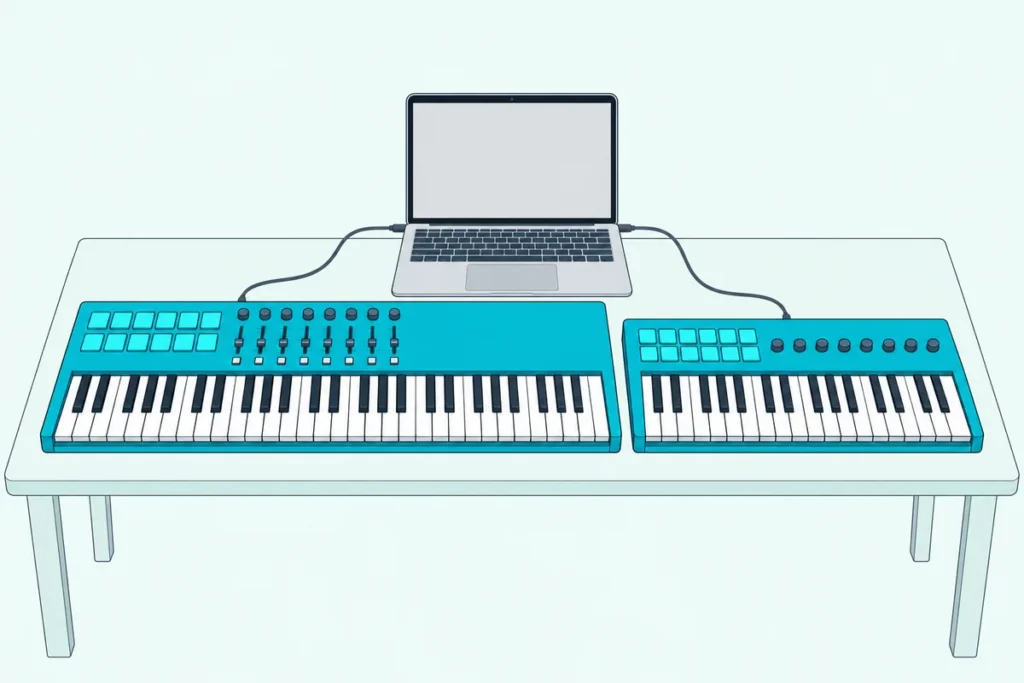
Choosing the best MIDI controller for Ableton comes down to a question most spec sheets skip: will Live set the keyboard up for you, or will you map every control yourself?
Pick one that Live doesn’t recognize and the keys still play notes, but its knobs and faders won’t touch Live’s mixer or devices until you map them one at a time.
Pick one from Ableton’s own list of integrated hardware, and its knobs follow whichever device you select from the moment you choose it in Live’s settings.
This guide covers 12 MIDI keyboards from Novation, Akai Professional, Arturia, M-Audio, Nektar and Korg, each described from the maker’s own pages and manuals.
The picks and a side-by-side table come first, then Live Lite, key counts, Push and the setup steps that decide which keyboard belongs on your desk.
What Is the Best MIDI Controller for Ableton?
That setup question settles most of it, and for most people the Novation Launchkey 61 MK4 is the best MIDI controller for Ableton. Ableton lists the Launchkey MK4 series as integrated hardware, and Novation gives the 61 five octaves of semi-weighted keys, 16 pads with polyphonic aftertouch, eight encoders, nine faders and Clip, Sequencer and Drum Rack modes for Live (Novation).
If launching clips matters more than key count, the Akai APC Key 25 MK2 is the one to get. Akai’s guide sets it up as a control surface in Live, where 40 RGB buttons in an 8×5 matrix stand for eight tracks and five scenes above 25 keys.
The other 10 picks each answer a narrower need, from sound browsing and aftertouch to the smallest desk and the simplest keys-only board:
| Pick | Keys | Pads | Knobs and faders | On Ableton’s list | Live Lite in the box | Best for |
|---|---|---|---|---|---|---|
| Novation Launchkey 61 MK4 | 61 semi-weighted | 16, polyphonic aftertouch | 8 encoders, 9 faders | Yes | Yes | Best overall |
| Akai APC Key 25 MK2 | 25 | 40 clip-launch buttons | 8 knobs | Yes | Yes, as a download | Clip launching |
| Arturia KeyLab Essential 49 mk3 | 49 semi-weighted | 8, in 2 banks | 9 encoders, 9 faders | Yes | Yes | Sound browsing |
| M-Audio Oxygen Pro 61 | 61 semi-weighted, aftertouch | 16 | 8 knobs, 9 faders | Yes | Yes | Aftertouch keys |
| Novation Launchkey Mini 37 MK4 | 37 mini | 16, polyphonic aftertouch | 8 encoders | Yes | Yes | A mini built for Live |
| Arturia MiniLab 3 | 25 slim | 8, in 2 banks | 8 encoders, 4 faders | Yes | Yes | Faders on a mini |
| Akai MPK Mini IV | 25 | 8, in 2 banks | 8 knobs, 1 encoder | Yes | Not listed | Wheels and MIDI out on a mini |
| Akai MPK Mini MK3 | 25 | 8, in 2 banks | 8 knobs | Not listed | Not listed | A thumbstick mini |
| M-Audio Keystation 49 MK3 | 49 full-size | None | 1 volume fader | Not listed | Yes | Keys only, with Live Lite |
| Nektar SE49 | 49 full-size | None | 1 fader | Not listed | Bitwig 8-Track instead | Keys only, with a pedal input |
| M-Audio Keystation Mini 32 MK3 | 32 mini | None | 1 volume knob | Not listed | MPC Beats instead | A 32-key mini |
| Korg nanoKEY2 | 25 slim | None | None | Not listed | Not listed | A slim laptop board |
Every pick met Burton Acoustix’s rating, review and stock checks on 16 October 2026, but ratings, review counts and prices aren’t shown here because they change daily. None was played or measured for this guide, so each description rests on the maker’s own documents, and the “On Ableton’s list” column comes from Ableton’s integrated hardware page (Ableton).
| Product | Link |
|---|---|
Best Overall 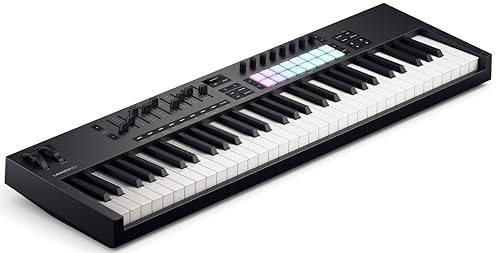 | See ratings |
Best for Clip Launching 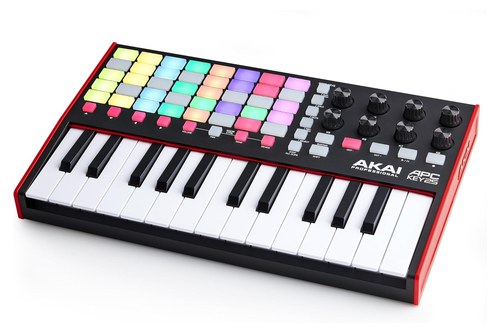 | See ratings |
Best for Sound Browsing 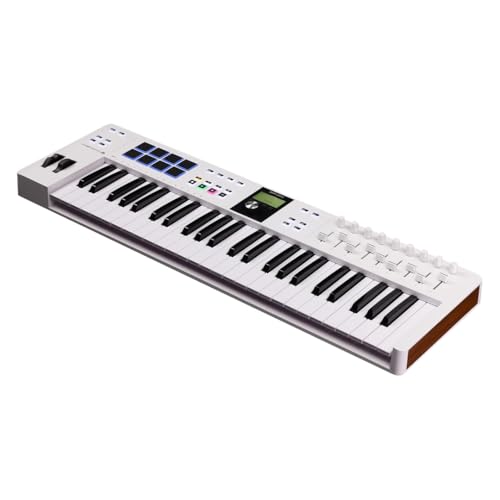 | See ratings |
Best for Aftertouch Keys 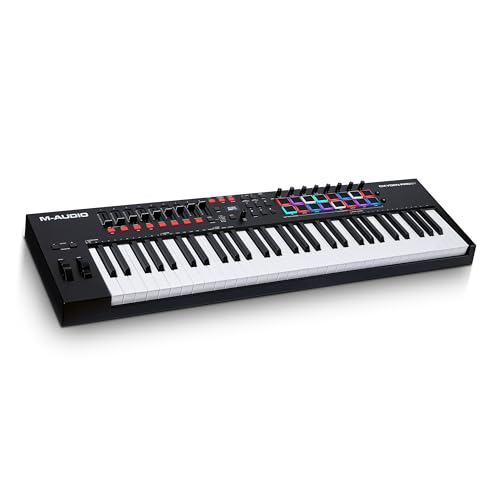 | See ratings |
Best Mini for Ableton Live 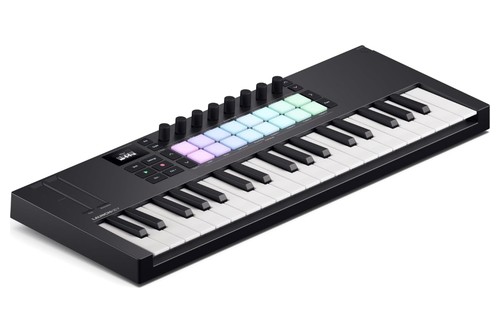 | See ratings |
Best for Faders on a Mini 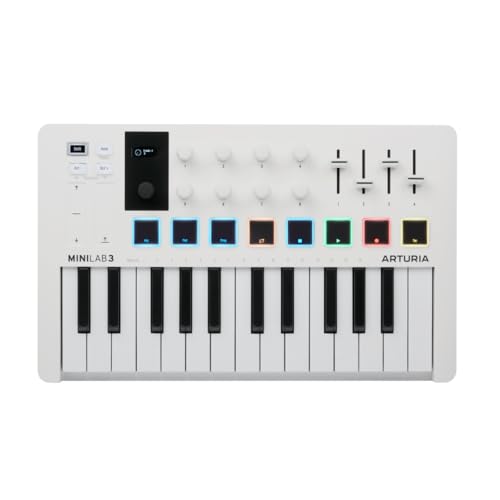 | See ratings |
Best Mini With Wheels and MIDI Out 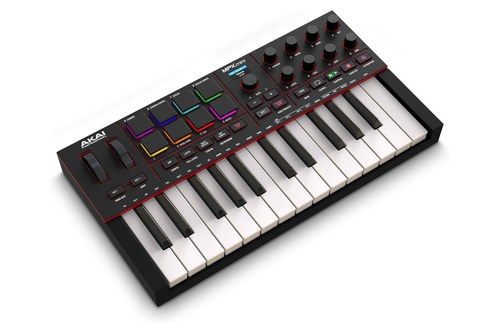 | See ratings |
Best for a Thumbstick Mini 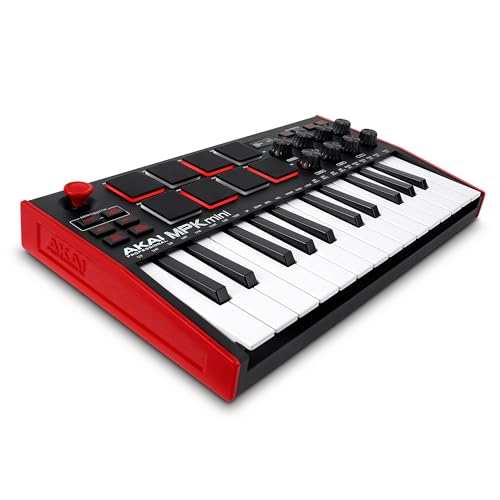 | See ratings |
Which MIDI Keyboards for Ableton Made the List?
Those 12 picks split into seven keyboards that Ableton lists for built-in integration and five that play Live as plain MIDI keyboards, and each one wins a different setup. The Launchkey 61 MK4 is best overall and the APC Key 25 MK2 best for clip launching, while the rest cover sound browsing, aftertouch, small desks and keys-only playing.
Novation Launchkey 61 MK4
For most Ableton producers, the Novation Launchkey 61 MK4 is the pick.
the Novation Launchkey 61 MK4
Novation gives it five octaves of semi-weighted, piano-style keys, 16 velocity-sensitive pads with polyphonic aftertouch, eight endless encoders and nine faders, with a custom script for Ableton Live 11 or later. In Live its pads cover a 2×8 block of Session View clips, lit in each clip’s own color, and they switch to Sequencer mode for stepping notes into a clip or Drum mode for Live’s Drum Rack.
Novation’s guide for the 49-key model, which has the same pads, encoders and faders, says the encoders start on the selected device, the faders on track volumes and the buttons below them on record arm. A Capture MIDI button grabs what you just played, Scale mode locks the keys to one of 30 scales, and the back panel adds a 5-pin MIDI out, a sustain pedal input and USB-C bus power.
It’s 895 mm wide and weighs 4.78 kg, and Novation’s bundle includes Ableton Live Lite, Cubase LE and its Novation Play sounds.
What you capture can loop and overdub as well, and how MIDI looping works in Live covers Capture MIDI, overdubs and a Max for Live MIDI looper.
Akai APC Key 25 MK2
For launching clips from the same box as the keys, the Akai APC Key 25 MK2 is the pick.
the Akai APC Key 25 MK2
Akai’s guide has you choose it as a control surface in Live’s MIDI settings, after which its 8×5 matrix of 40 RGB buttons stands for eight tracks and five scenes, lit to match your clip colors (Akai). Five Scene Launch buttons fire whole rows, Stop All Clips stops every clip when it reaches its end, and Shift switches the row of Clip Stop buttons to Solo, Mute, Record Arm or Select.
Its eight 360-degree knobs switch between Volume, Pan, Send and Device modes, and Device mode puts them on the eight Macro Controls of the selected device. The 25 velocity-sensitive keys reach a 10-octave range with the octave buttons, and a momentary Sustain button stands in for a pedal.
One USB port carries power and MIDI, it measures 315 x 193 mm at 0.9 kg, and Ableton Live Lite comes as a download in the box.
For a whole live set, our pick of a MIDI controller for live performance compares five controllers by what they show and how they fit on stage, this one included.
Arturia KeyLab Essential 49 mk3
For browsing sounds and mixing from one board, the Arturia KeyLab Essential 49 mk3 is the pick.
the Arturia KeyLab Essential 49 mk3
Arturia lists custom DAW scripts for Ableton Live, Logic Pro, Cubase, FL Studio and Bitwig Studio, and its controls map to Analog Lab V so you can browse presets and shape sounds without touching the computer (Arturia). Ableton lists the KeyLab Essential MK3 series among its integrated hardware too.
Its 49 velocity-sensitive, semi-weighted keys come with nine 30 mm faders, nine rotary encoders, a clickable browse encoder and eight pads that sense velocity and pressure, in two banks. Chord, Scale and Arpeggiator modes, a 2.5-inch display, a pedal input for sustain or expression, a 5-pin MIDI out and USB-C power round it out.
Arturia bundles Analog Lab V with more than 2,000 sounds and Ableton Live Lite, and the same keyboard comes with 61 keys.
M-Audio Oxygen Pro 61
For keys that keep responding after you press them, the M-Audio Oxygen Pro 61 is the pick.
the M-Audio Oxygen Pro 61
M-Audio describes its keys as velocity-sensitive and semi-weighted with aftertouch and assignable zones, and says its auto-mapped controls handle transport, faders, record arm, solo, mute, select and pan once you select your DAW on the keyboard (M-Audio). Ableton lists the Oxygen Pro series as integrated hardware.
Its 16 RGB pads launch clips or play beats with Note Repeat, while nine faders and eight knobs cover levels and plug-ins. Smart Chord plays a full chord from one key or pad, Smart Scale keeps the keys in one of 16 scale variations, and an arpeggiator, an OLED screen, a 5-pin MIDI out and a 1/4-inch sustain input complete it.
It measures 965 mm wide at 4.8 kg, and M-Audio includes Ableton Live Lite with AIR instruments such as Mini Grand and TubeSynth.
Novation Launchkey Mini 37 MK4
For a small desk that keeps the Launchkey’s Live modes, the Novation Launchkey Mini 37 MK4 is the pick.
the Novation Launchkey Mini 37 MK4
Novation gives it the 16 polyphonic-aftertouch pads, eight endless encoders and Live script of its bigger Launchkeys, so in Live the pads launch clips, step-sequence notes and play Drum Rack (Novation). Its 37 synth-style mini keys cover three octaves, and touch strips handle pitch bend and modulation.
Scale mode with 30 scales, three chord modes, an arpeggiator and an OLED display come along, and the back has a sustain pedal input and a MIDI out on a 3.5 mm jack. It’s 477.8 mm wide and weighs 0.98 kg on USB-C bus power, with Ableton Live Lite included.
Arturia MiniLab 3
For faders on a mini keyboard, the Arturia MiniLab 3 is the pick.
the Arturia MiniLab 3
Arturia fits 25 velocity-sensitive slim keys, eight velocity- and pressure-sensitive pads in two banks, eight encoders, four faders and two touch strips for pitch and modulation onto it (Arturia). Arturia lists custom scripts for Ableton Live, and Ableton lists the MiniLab MK3 among its integrated hardware.
A small display and a clickable browse knob work with Analog Lab, beside an arpeggiator, Chord mode and Hold. Its USB-C port connects to computers and iPad, with a 5-pin MIDI out, a pedal input and USB power, and Arturia includes Ableton Live Lite and Analog Lab Intro.
Akai MPK Mini IV
For a mini with real wheels and a MIDI out, the Akai MPK Mini IV is the pick.
the Akai MPK Mini IV
Akai’s guide lists 25 velocity-sensitive keys, eight velocity- and pressure-sensitive RGB pads in two banks, eight 360-degree knobs, a push encoder, pitch bend and modulation wheels and a 0.96-inch color screen (Akai). Ableton lists the MPK Mini IV as integrated hardware, and Akai’s guide says Live 11 and 12 need its control script downloaded and installed first.
Note Repeat, Full Level, an arpeggiator and Chords and Scales modes cover beats and harmony, and its buttons run play, record, overdub, loop, undo and quantize in supported software. The back has USB-C, a 5-pin MIDI out and a 1/4-inch sustain input, and it measures 34.7 x 19.2 cm at 1 kg.
Akai MPK Mini MK3
For a mini with a thumbstick instead of wheels, the Akai MPK Mini MK3 is the pick.
the Akai MPK Mini MK3
Akai lists 25 velocity-sensitive keys on its Gen 2 keybed, eight velocity- and pressure-sensitive pads in two banks, eight 360-degree knobs and a 4-axis thumbstick that bends pitch left and right and adds modulation up and down. Ableton’s integrated-hardware list names the newer MPK Mini IV, not the MK3, so in Live you assign its knobs and pads to the mixer, devices or clips yourself in MIDI Map Mode.
An arpeggiator, Note Repeat and Full Level sit beside a 1/4-inch sustain input, and it runs on USB bus power at 318 x 181 mm and 0.75 kg.
Our beginner guide names the Akai MPK Mini MK3 its overall pick for a first keyboard.
M-Audio Keystation 49 MK3
For two hands of full-size keys and a copy of Live in the box, the M-Audio Keystation 49 MK3 is the pick.
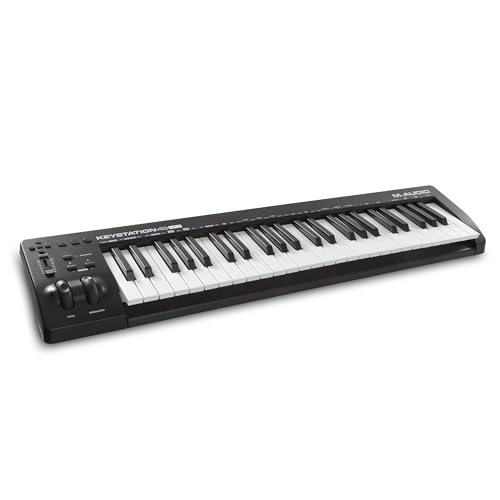
the M-Audio Keystation 49 MK3
M-Audio gives it 49 full-size, velocity-sensitive synth-action keys, pitch and modulation wheels, octave buttons, a volume fader and transport and directional buttons for controlling a DAW (M-Audio). It’s USB-powered with no drivers to install, and M-Audio includes Ableton Live Lite and MPC Beats.
Ableton’s integrated-hardware list doesn’t name the Keystation MK3, so count on mapping it yourself, and M-Audio says its fader, buttons and wheels can be set to control any DAW or plug-in parameter. It also plays apps on an iPad through Apple’s Camera Connection Kit, sold separately.
Nektar SE49
For a plain 49-key board with a pedal jack, the Nektar SE49 is the pick.
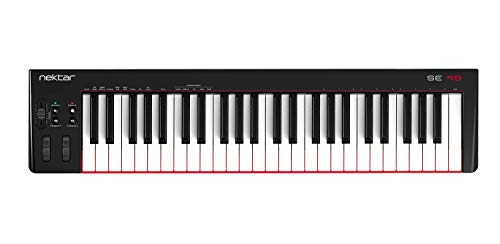
the Nektar SE49
Nektar lists 49 full-size, velocity-sensitive synth-action keys with four velocity curves and three fixed settings, pitch and modulation wheels, octave and transpose buttons, a 30 mm fader and a 1/4-inch foot switch input for sustain (Nektar). It’s USB class compliant, so it needs no driver, and it draws 100 mA of USB power.
Nektar’s DAW Integration list covers Bitwig, Cubase, GarageBand, Logic, Reason, Reaper, Studio One and others but not Ableton Live, so in Live its fader and mod wheel control whatever you map them to. It measures 80.5 x 19.7 cm, weighs 2.2 kg and comes with Bitwig 8-Track rather than Live Lite.
M-Audio Keystation Mini 32 MK3
For a little more range than 25 keys in a bag-sized board, the M-Audio Keystation Mini 32 MK3 is the pick.
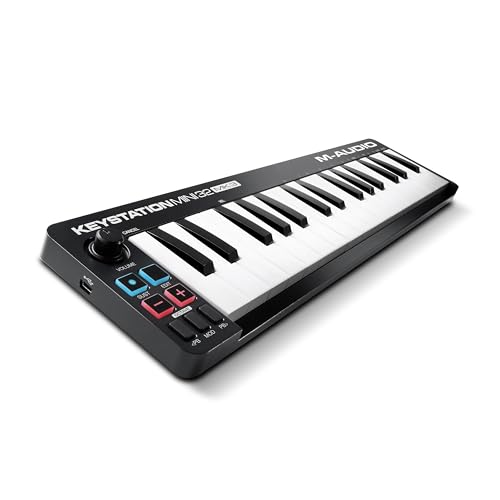
the M-Audio Keystation Mini 32 MK3
M-Audio lists 32 low-profile, velocity-sensitive mini keys with selectable velocity curves, pitch bend and modulation buttons, octave buttons, a volume knob and a sustain button (M-Audio). It’s class compliant on one USB cable for power and data, and it measures 418 x 105 mm at 0.45 kg.
M-Audio bundles it with MPC Beats and AIR instruments rather than Ableton Live Lite, so you still need a Live license.
Korg nanoKEY2
For a slim board in a laptop bag, the Korg nanoKEY2 is the pick.
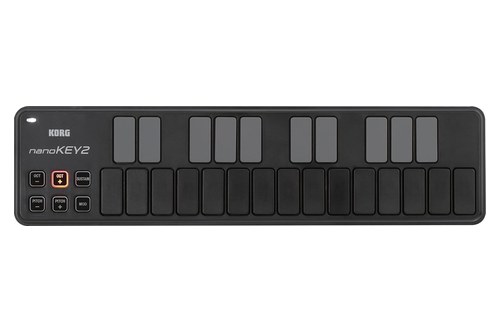
the Korg nanoKEY2
Korg lists 25 velocity-sensitive keys, pitch, modulation and sustain buttons and octave shift of up to four octaves either way, in a 325 x 83 x 16 mm body that weighs 244 g (Korg). Its free KORG KONTROL Editor sets three velocity curves or a fixed velocity, and it draws under 100 mA of USB bus power through a mini-USB port.
Korg lists no knobs, faders or transport buttons, so clip launching and mixing stay on the mouse. Korg says it can run from an iPad through Apple’s Camera Connection Kit without external power, though it doesn’t guarantee that.
Which Keyboards Does Ableton Live Set Up for You?
That split between integrated and mapped picks is the biggest difference on this page. Live sets up the keyboards on Ableton’s integrated-hardware list, which Ableton says come pre-mapped, and you pick one by name in the Control Surface menu of Live’s Tempo & MIDI settings.
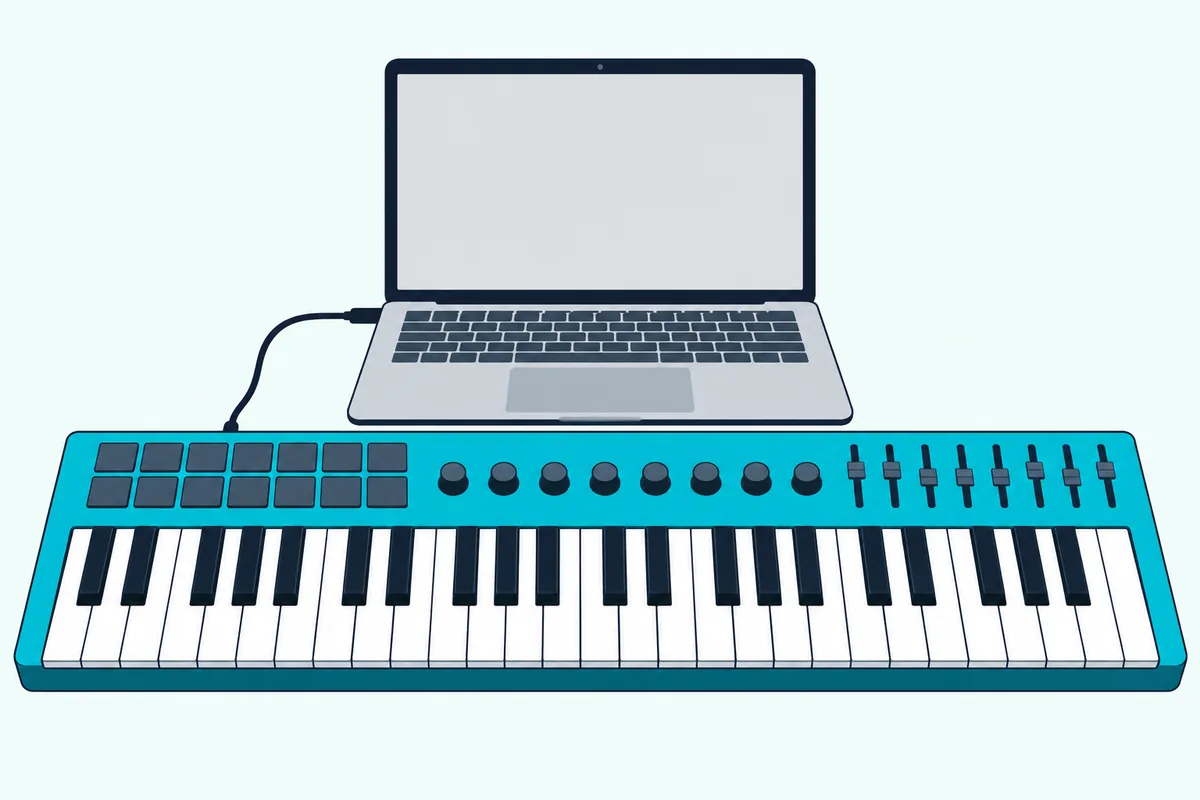
Ableton’s manual says up to six supported control surfaces can run at once, and their instant mappings make the controls reassign themselves to whichever device you select (Ableton). Some need a preset dump first, which Live sends from a Dump button beside the controller’s name.
Of the 12 picks, the two Launchkeys, the APC Key 25 MK2, the KeyLab Essential 49 mk3, the Oxygen Pro 61, the MiniLab 3 and the MPK Mini IV are on that list. The Keystation 49 MK3, SE49, MPK Mini MK3, Keystation Mini 32 MK3 and nanoKEY2 aren’t, so plan on mapping their knobs, faders and buttons yourself.
The list covers more than keyboards, with Akai’s MIDI Mix, Novation’s Launch Control XL MK3 and PreSonus’s ATOM on it too. A box that’s nothing but faders and knobs does the mixing job well, and the MIDImix and the Launch Control XL 3 in our DAW control surface guide are two with ready-made Ableton setups.
Ableton’s own Push sits above all of these, and the Push section below covers when it beats a keyboard.
Which MIDI Keyboards Come With Ableton Live Lite?
That pre-mapping often comes with a copy of Live, and seven of the picks include Ableton Live Lite. Novation’s Launchkey 61 MK4 and Launchkey Mini 37 MK4, Akai’s APC Key 25 MK2, Arturia’s KeyLab Essential 49 mk3 and MiniLab 3, and M-Audio’s Oxygen Pro 61 and Keystation 49 MK3 all list it in the box.
Ableton says Live Lite serials come only with certain hardware and apps, aren’t sold separately and never expire (Ableton). The serial is either in the box or issued when you register the product with its maker, and anyone with an older Live Lite can upgrade to Live 12 Lite free.
The other five list different software or none. Nektar includes Bitwig 8-Track with the SE49, M-Audio includes MPC Beats with the Keystation Mini 32 MK3, and Akai’s MPK Mini IV guide points to its Studio Instrument Collection, with no Live Lite listed.
Korg mentions a software license bundle for the nanoKEY2 without naming Live Lite on its page, and Akai’s MPK Mini MK3 page doesn’t list it either. If you already own Live Intro, Standard or Suite, the bundle matters less than the controls.
What Does Live Lite Leave Out?
That free copy has limits, and the biggest is size. Ableton’s edition comparison gives Live 12 Lite 8 audio and MIDI tracks, 16 scenes, 2 send and return tracks and 8 mono audio inputs and outputs, where Intro has 16 tracks and Standard and Suite have no track limit (Ableton).
Lite also comes with 5 software instruments (Drum Rack, Impulse, Instrument Rack, Simpler and Drift), 16 audio effects, 10 MIDI effects, 2 Packs and 1.3 GB of sounds. Max for Live, Wavetable, Operator, Sampler and Meld need Suite, while Audio to MIDI and instruments such as Analog and Electric need Standard or Suite.
What Lite keeps matters more to a keyboard buyer. Session View, Capture MIDI, MIDI Polyphonic Expression, VST and Audio Unit plug-ins and MIDI remote control instant mapping are all in the Lite column, so an integrated keyboard’s mappings work in Lite as well.
Try this before you rely on Lite: count the parts in a song you’d like to make. Drums, bass, chords, a lead and a vocal already fill five of the eight tracks, since the limit counts audio and MIDI tracks together.
How Many Keys Does the Best MIDI Keyboard for Ableton Need?
Those eight tracks are a software limit, but key count is about your hands. For most Ableton parts 25 to 37 keys are enough, because octave buttons move them around, while 49 or 61 keys let you play a bass line with one hand and chords with the other.
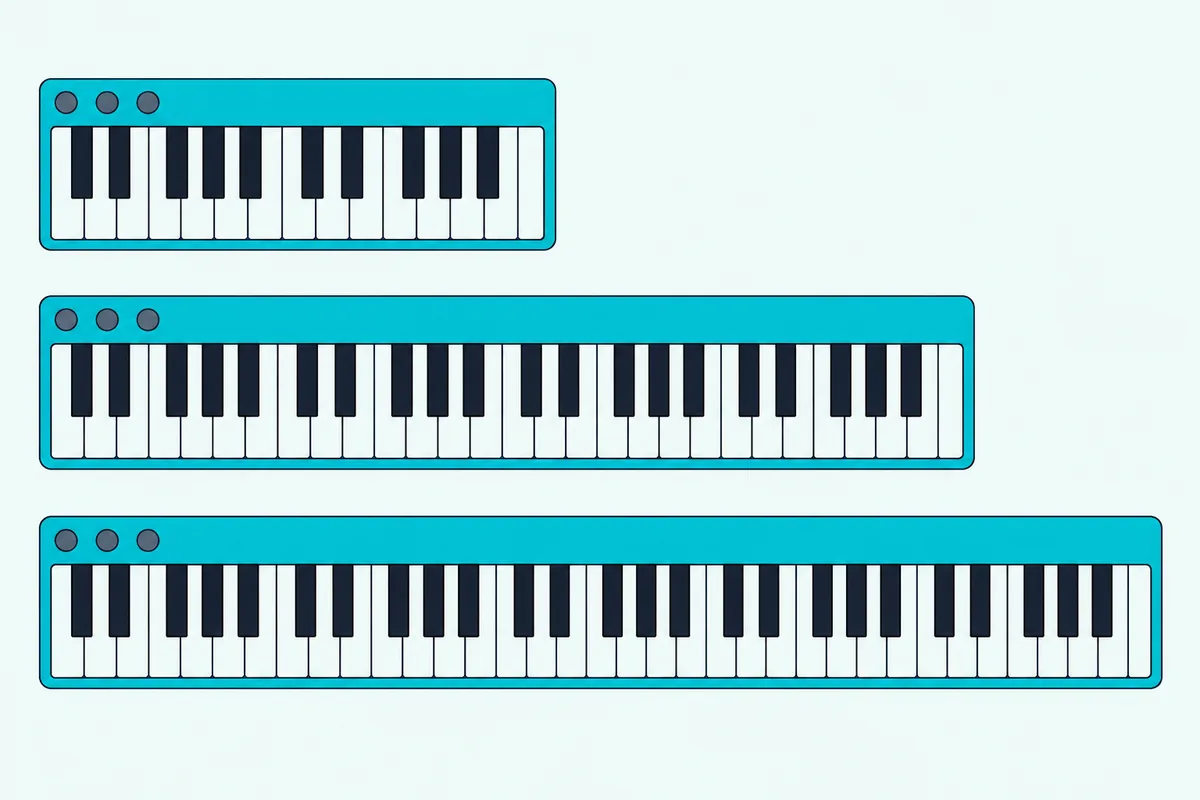
A 25-key board spans two octaves, while Novation gives the Launchkey Mini 37 MK4 three and the Launchkey 61 MK4 five. Octave buttons shift each one further, and Akai says the APC Key 25 MK2 reaches a 10-octave range that way.
Try this before you buy: play the chord part and the bass line of a song you know at the same time. If both hands fit inside two octaves, a 25- or 37-key board works, and if they don’t, a 49-key keyboard gives you four.
For a 49-key controller with Ableton integration, the KeyLab Essential 49 mk3 is the pick here, and the Launchkey MK4 also comes with 49 keys. Key size matters if you play piano parts: the Keystation 49 MK3 and SE49 have full-size keys, the Launchkey 61 MK4, Oxygen Pro 61 and KeyLab Essential mk3 are semi-weighted, and the minis use mini or slim keys.
Which Mini Keyboard Works Best With Ableton?
Those smaller boards are where six of the picks sit, and they split by what they add beside the keys. The Launchkey Mini 37 MK4 works best with Ableton among them, because it brings Live’s Clip, Sequencer and Drum modes and 16 pads to three octaves of mini keys.
The MPK Mini IV is the pick if you want real pitch and mod wheels, a color screen and a 5-pin MIDI out, and its Live script installs separately. The MiniLab 3 adds four faders and Analog Lab control, the MPK Mini MK3 trades integration for a thumbstick, and the Keystation Mini 32 MK3 and nanoKEY2 keep to keys and buttons.
Novation also makes a 25-key Launchkey Mini MK4, which Ableton lists too and which passed the same Amazon checks on 16 October.
For more small boards, Burton Acoustix’s mini keyboard comparison sets 10 side by side by keys, controls and weight, and our two-octave controller picks with pads and knobs narrow it to 25 keys.
Do You Need Pads, Faders and Knobs for Session View?
Those minis all add controls beside the keys, and in Live the extra controls are what reach Session View. You need pads or clip buttons to launch clips and scenes, faders to ride the mixer and knobs to shape the selected device, while a keys-only board leaves all three jobs on the mouse.
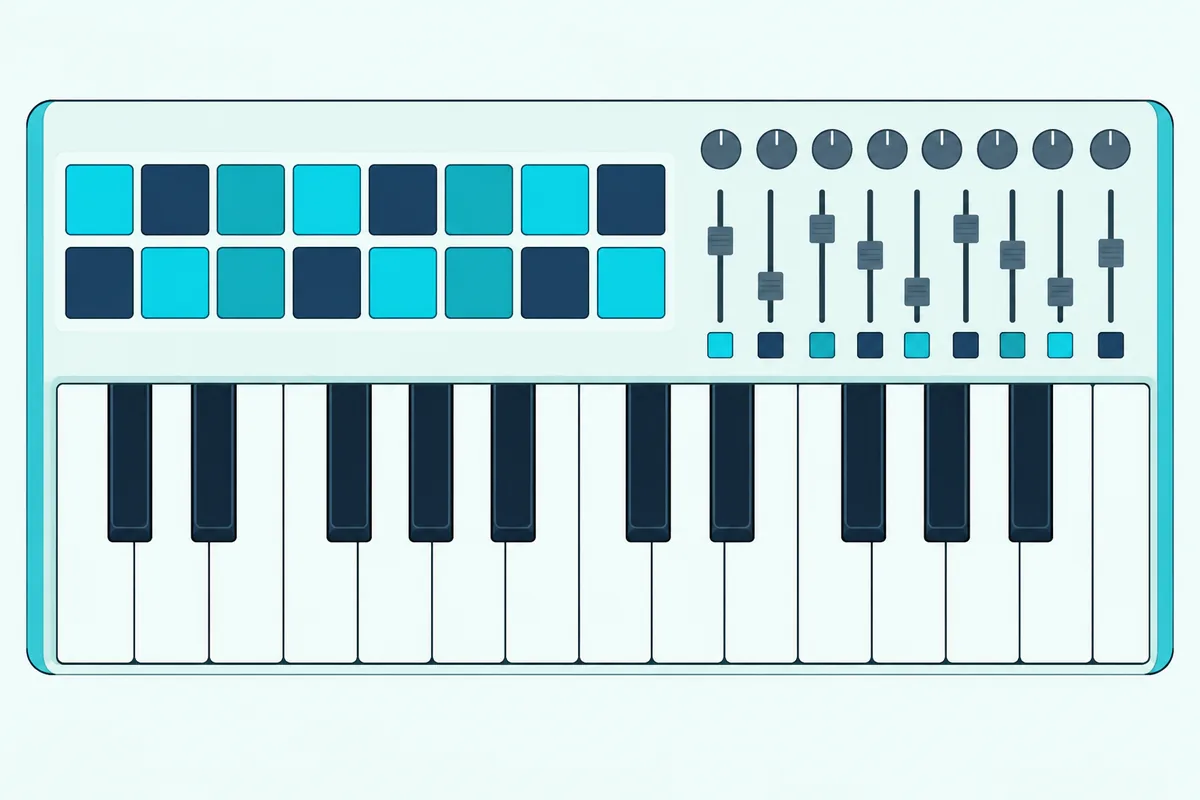
Ableton describes Session View as a place to mix and match musical ideas without deciding where a song starts or ends. Clip pads differ in how much of it they show: the Launchkey MK4’s 16 pads cover two rows of eight clips, while the APC Key 25 MK2’s 40 buttons show eight tracks by five scenes.
Pads on a keyboard Live doesn’t recognize can still launch clips once you map them, since Ableton’s manual says a mapped note triggers a Session View slot the way its launch mode is set. For drums, Ableton describes Drum Rack as a classic 16-pad grid, so 16 pads match it pad for pad, and the 8-pad boards here carry two banks of eight.
Try this in your next session, whether you’re arranging a track or playing a DJ-style set: count how many clips you launch in one song section. If it’s more than a row of eight, a grid that shows five scenes at once, like the APC Key 25 MK2’s, saves paging back and forth.
Those controls don’t have to sit on the keyboard either, since a Stream Deck with the right plugin can send MIDI too, as how a Stream Deck connects to a MIDI controller explains.
Should You Get Ableton Push or a MIDI Keyboard?
Those Session View controls reach their fullest form in Ableton’s own Push, which swaps piano keys for a grid. Get a MIDI keyboard if you play parts with both hands on piano-style keys, and get Push if you’d rather play, sample and sequence on 64 pressure-sensitive pads with Live’s controls built in.
Ableton calls Push 3’s pads MPE-enabled, capturing pitch, slide and pressure per pad, and says Push and Live are made for each other, with encoders auto-mapped to device parameters (Ableton). Push 3 also has a built-in audio interface, MIDI ports and CV and gate outputs, and its standalone version adds a processor, battery and drive so it runs without a computer.
So Push is a Live controller first that can also play external synths through its MIDI ports, while a keyboard is still the direct way to play chords and melodies with piano technique. That’s why a keyboard and a grid can share one Live set, each on its own port.
Push isn’t a pick here because it has no keys, and the same goes for pad grids. Grids such as the Novation Launchpad and Akai’s APC mini mk2 are compared in our pad controller guide instead.
Which Keyboards Make Your Playing More Expressive in Ableton?
Those MPE pads raise the same question for keys, and the answer is aftertouch. The Oxygen Pro 61 has the most expressive keys among the picks, because M-Audio says its channel aftertouch keeps scanning how hard you press a key after the first press, so a virtual instrument can change the sound while you hold it.
Every pick’s keys send velocity, and the Keystation Mini 32 MK3, SE49 and nanoKEY2 let you pick a velocity curve to match how hard you play. On the pads, the Launchkey MK4’s sense polyphonic aftertouch, and the MiniLab 3, KeyLab Essential mk3 and both MPK Minis have pads that sense pressure.
Live supports MIDI Polyphonic Expression in every edition, Lite included, and Ableton’s manual says you first switch on MPE Mode for the controller in the Tempo & MIDI settings (Ableton). Its Note Expression tab then shows five dimensions for each note: pitch, slide, pressure, velocity and release velocity.
Korg’s Keystage takes that to the keys themselves, with polyphonic and channel aftertouch, MPE support and Live Lite in the box (Korg). Ableton lists it as integrated hardware, but it had too few Amazon reviews for a card on 16 October.
Try this to hear the difference: record the same phrase twice, once evenly and once leaning into the accents. Then open each clip’s velocity lane to see how far the second take’s accents stand out from the rest.
Which Keyboard Suits a Tight Budget for Ableton?
Pressure sensing and pads are extras, and on a tight budget the simpler boards still cover what Live needs most, which is keys you can play. If you don’t own Live yet, the Keystation 49 MK3 makes the most sense, since it pairs 49 full-size keys with Ableton Live Lite, while the nanoKEY2 and Keystation Mini 32 MK3 trade keys and controls for size.
What those three give up is Live’s automatic setup, since none is on Ableton’s integrated list, along with pads and most knobs and faders. Prices change daily, so check each one’s current price on Amazon before you choose.
For beginners, a keyboard with Live Lite in the box saves buying software on top, which makes the Live Lite column in the table worth a second look. Starting small also leaves room to grow, since you can begin with a budget keyboard and add a pad grid or fader box as your Ableton workflow grows.
Do You Need a MIDI Keyboard for Ableton at All?
Even the smallest of those boards is optional, because Live can turn your computer keyboard into one. You don’t need a MIDI keyboard for Ableton: press M or click the Computer MIDI Keyboard button, and the middle row of letter keys plays white notes from C3 while the row above plays the black notes (Ableton).
Z and X shift the octave, C and V step the velocity in intervals of 20, and with the range set from C3 to C4 the middle row lines up with Impulse’s drum slots. What typing keys can’t do is respond to touch, since every note gets the velocity you set, so a real keyboard is what lets each note’s loudness follow your fingers.
Our walkthrough of using your computer keyboard as a MIDI controller lists the same keys for Live, Logic Pro, FL Studio and five more programs.
How Do You Set Up a MIDI Keyboard in Ableton Live?
Once a keyboard is on the desk, setup takes one Settings tab. Open Live’s Settings with Ctrl+comma on Windows or Cmd+comma on a Mac, go to the Tempo & MIDI tab, and for an integrated keyboard choose its name in a Control Surface menu with its input and output ports.
For any other keyboard, switch on Track for its input port so the keys play, and Remote if you want to map its knobs and buttons. Then press the MIDI switch in the top right corner, or Ctrl+M or Cmd+M, click a control in Live, move the knob you want on it, and press the switch again to finish.
Two habits save trouble later: pick the Pick-Up or Value Scaling takeover mode so faders don’t jump, and save your mappings with File, Save Live Set As Default Set. A key you map stops playing its note, Ableton warns, so map knobs and buttons before keys.
If a key still plays nothing after that, our guide to how to use a MIDI keyboard in Ableton runs through the driver checks on Mac and Windows and the fixes for a silent track.
Adding a second controller works the same way, and our guide to setting up two MIDI controllers in Ableton Live lays out the port settings that make it work. For a first session from plugging in to hearing sound, getting sound from a new MIDI controller walks through each step.
Which Keyboards Didn’t Make the List?
Several more keyboards were held to the same rules on 16 October, and these fell short on reviews, documents or fit. Korg’s Keystage 49 and 61 are on Ableton’s list with polyphonic aftertouch, but each had too few Amazon reviews for a card.
Native Instruments’ Komplete Kontrol M32 is on Ableton’s list as the KK M-32 and passed the Amazon checks, but it isn’t described here. The Launchkey 49 MK4, Launchkey Mini 25 MK4, KeyLab Essential 61 mk3, Oxygen Pro 49 and Oxygen 49 MKV passed too, as other sizes or siblings of the picks.
Ableton’s Push, the Launchpads and the APC mini mk2 aren’t here because they have no keys, which leaves them to the pad controller guide.
The Bottom Line
So for most people the Novation Launchkey 61 MK4 is the best MIDI controller for Ableton, because Live sets up its 16 pads, encoders and faders as soon as you pick it in Settings. Choose the APC Key 25 MK2 for clip launching, the KeyLab Essential 49 mk3 for sound browsing, the Oxygen Pro 61 for aftertouch keys, the Launchkey Mini 37 MK4, MiniLab 3 or MPK Mini IV for a small desk, and a keys-only board when Live’s controls can stay on the mouse.
If you’re starting from nothing, check the Live Lite column in the table first, since seven picks include it.
Frequently Asked Questions
Does Ableton work with any MIDI keyboard?
Yes. Live plays notes from any MIDI keyboard it sees as an input once that port’s Track switch is on in the Tempo & MIDI settings. Keyboards on Ableton’s integrated-hardware list go further: you choose them as a Control Surface, and their knobs follow the selected device through instant mappings. Any other keyboard’s knobs, faders and buttons work too, but you assign each one in MIDI Map Mode, and a key you map stops playing its note.
Can I use Ableton with a MIDI keyboard and a Launchpad together?
Yes. Ableton’s manual says Live can run up to six supported control surfaces at once and merges any number of MIDI ports for mapping, so a keyboard for notes and a Launchpad for Session View clips can share one set. Ableton lists the Launchpad X, Launchpad Mini MK3 and Launchpad Pro MK3 as integrated hardware, so each can take its own Control Surface slot beside an integrated keyboard. For any other keyboard, switch on Track and Remote for its input port.
Is 25 keys enough for Ableton?
For most beats, basslines and melodies, yes, because octave buttons move two octaves across the range and Live records one part at a time. Where 25 keys fall short is playing with both hands at once, such as chords over a bass line, which is easier on 49 or 61 keys. Among the picks, the APC Key 25 MK2, MiniLab 3, MPK Mini IV, MPK Mini MK3 and nanoKEY2 have 25 keys, the Keystation Mini 32 MK3 has 32 and the Launchkey Mini 37 MK4 has 37.
Is the Akai MPK Mini IV good for Ableton?
It’s one of the better minis for Live, since Ableton lists it as integrated hardware and Akai’s guide supports Live 11 and 12 once you install its control script. Akai gives it 25 velocity-sensitive keys, eight velocity- and pressure-sensitive pads in two banks, eight 360-degree knobs, real pitch and mod wheels, a color screen, a 5-pin MIDI out and a sustain input, at 1 kg. Note Repeat, Full Level and an arpeggiator are built in, and its transport buttons run play, record and overdub in supported software.
Do MIDI keyboards for Ableton need a power supply?
Not these 12. Each runs on USB power from the computer, per its maker, and Akai adds that the MPK Mini IV can also run from a 5V, 0.5A wall adapter sold separately. Korg puts the nanoKEY2’s draw under 100 mA and Nektar lists 100 mA for the SE49, while Novation ships the Launchkey 61 MK4 and Launchkey Mini 37 MK4 with a USB cable and no power supply.