Best Soundbar Under $150: 7 Bars Compared by Maker Specs

Finding the best soundbar under $150 comes down to which corner each bar cuts, because none of them does everything at this price.
One pick’s listing names no optical input, another reads only plain PCM over HDMI, and a third ships without an HDMI cable, so a bar that suits one TV can sit silent on the next.
Choose the corner you can live without, and $150 still buys what TV speakers lack: a wireless subwoofer, 4K streaming built in, or DTS Virtual:X processing.
Here are seven bars from Hisense, Roku, Amazon, Sony and Philips, each under $150 on Amazon on 16 October 2026 and described from its maker’s own documents.
The quick answer and a comparison table come first, then each pick, then the subwoofer, connection and Atmos questions that decide which one fits your TV.
What Is the Best Soundbar Under $150?
That corner-cutting decides the answer, and for most TVs the Hisense A620 is the best soundbar under $150. Hisense’s spec sheet gives it two full-range speakers and a built-in subwoofer, Dolby Digital Plus and DTS Virtual:X, and more ways in than any other pick here: HDMI ARC, optical, coaxial, AUX, USB and Bluetooth 5.3 (Hisense).
If you want bass from a separate box, the Hisense HS2100 pairs a similar bar with a wireless subwoofer. If your TV needs a streaming stick anyway, the Roku Streambar SE builds 4K streaming into the bar.
| Pick | Channels | Subwoofer | TV connections | Sound processing the maker lists | Best for |
|---|---|---|---|---|---|
| Hisense A620 | 2.1 | Built in | HDMI ARC, optical, coaxial, AUX | Dolby Digital Plus, DTS Virtual:X | Best overall |
| Hisense HS2100 | 2.1 | Wireless, separate box | HDMI ARC, optical, AUX | Dolby Digital Plus, DTS Virtual:X | A separate subwoofer |
| Roku Streambar SE | Not stated | None in the box | HDMI ARC, optical | Speech clarity, volume leveling | Streaming built in |
| Sony HT-S100F | 2.0 | None | HDMI ARC, optical | S-Force Pro front surround | Older TVs |
| Amazon Fire TV Soundbar | 2.0 | None | HDMI eARC or ARC | Dolby Audio, DTS Virtual:X | Fire TV homes |
| Philips TAB5109 | 2.0 | None | HDMI ARC, optical, AUX | Dolby Digital Plus, DTS Virtual:X | Most features in a 2.0 bar |
| Philips TAB5306 | 2.1 | Wireless, separate box | HDMI ARC, optical, AUX | 2-channel PCM only | A second wireless subwoofer |
Every pick was under $150 on Amazon when checked on 16 October 2026, with at least 4.0 stars from 50 or more reviews and stock on hand. Prices, ratings and review counts change daily, so they aren’t printed here; check the price on Amazon before you buy, since a sale ending can push a bar past $150.
None of these bars was played or measured for this guide, so each description rests on its maker’s own spec sheet, manual or listing. If your ceiling can move, the best soundbar under $200 list covers the next band up.
| Product | Link |
|---|---|
Best Overall 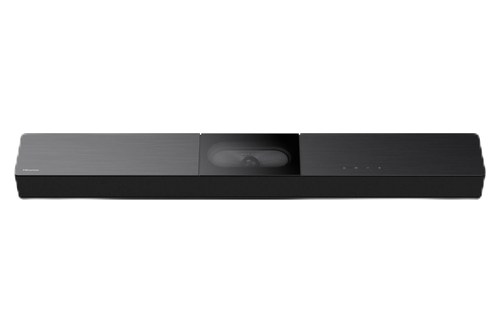 | See ratings |
Best With a Wireless Subwoofer 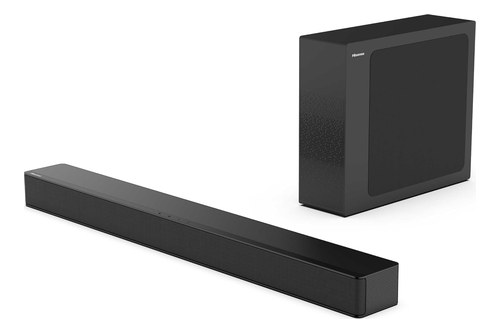 | See ratings |
Best With Streaming Built In 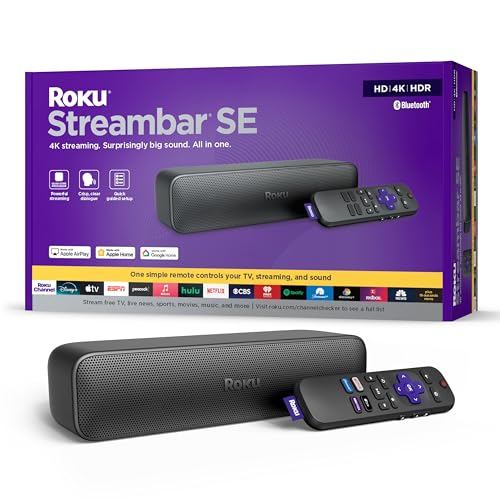 | See ratings |
Best for Older TVs  | See ratings |
Best for Fire TV Homes 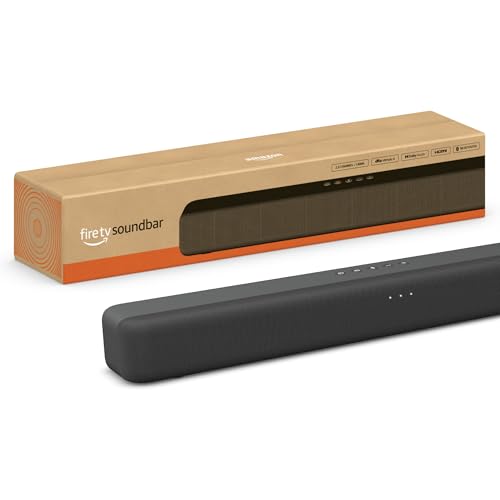 | See ratings |
Best Feature-Packed 2.0 Bar 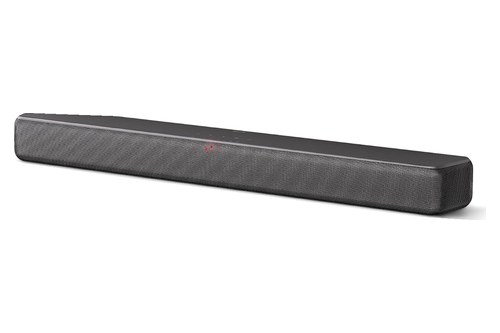 | See ratings |
Best Wireless-Subwoofer Alternative 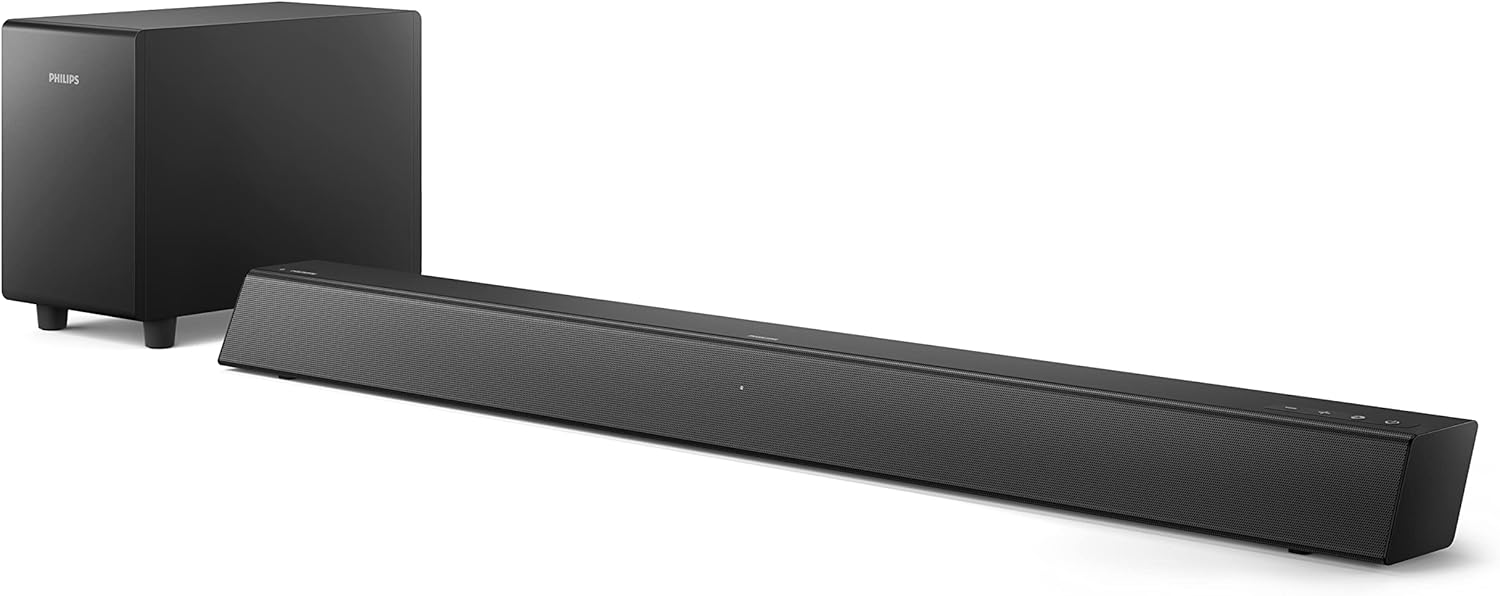 | See ratings |
Which Soundbars Under $150 Made the List?
Those seven picks split into three 2.1 systems with a subwoofer and four bars without one, and each wins a different kind of TV setup. The A620 is the best all-rounder, the HS2100 and Philips TAB5306 add a separate subwoofer, and the rest cover streaming, older TVs, Fire TV and the longest feature list in a 2.0 bar.
Hisense A620
For most TVs, the Hisense A620 is the pick.
the Hisense A620
Hisense’s spec sheet lists two full-range speakers and a built-in subwoofer for 240 W of maximum power, with Dolby Digital Plus, Dolby Digital, PCM and DTS Virtual:X processing. Its six sound modes are Movie, Music, News, Night, Sport and Game.
No other pick here has as many ways in: HDMI ARC, optical, coaxial, a 3.5 mm AUX jack, USB and Bluetooth 5.3, plus Roku TV Ready and Hisense’s EzPlay for one-remote control. Hisense’s manual puts an HDMI cable and a wall-mount kit in the box.
The spec sheet also lists no Wi-Fi and no HDMI input, so a game console still plugs into the TV. It suits a TV of any age, since even a set with only a coaxial output or a headphone jack can feed it.
Hisense HS2100
For bass from a separate box, the Hisense HS2100 is the pick.
the Hisense HS2100
Hisense pairs two full-range speakers in the bar with a wireless subwoofer built around a 5.25-inch driver, for 240 W in total, and lists Dolby Digital Plus, multichannel PCM and DTS Virtual:X (Hisense). The subwoofer measures 4.3 by 11.8 by 13.8 inches, so plan floor space for it beside the stand.
Its decoder list says no to DTS, and the manual asks you to set the TV’s digital output to PCM or Dolby Digital, warning that the bar mutes when it can’t decode a format. Connections are HDMI ARC, optical, AUX, USB and Bluetooth 5.3, with an HDMI cable but no optical cable in the box.
If the subwoofer ever loses its link to the bar, our guide to connect a Hisense sound bar to its subwoofer walks through the HS2100’s pairing buttons.
Roku Streambar SE
If your TV needs a streaming stick anyway, the Roku Streambar SE is the pick.
the Roku Streambar SE
Roku pitches it as a way to add 4K streaming and crisp, clear dialogue to any room, and as the ideal choice for smaller or older TVs (Roku). Its quick start guide connects it to the TV’s HDMI ARC port with the included cable, or adds the included optical cable when the TV has no ARC.
Sound settings include volume leveling for loud commercials, speech clarity for voices and a night mode, and Bluetooth works both ways: stream from a phone, or send sound to wireless headphones. Plugged into a Roku TV, it works as a soundbar by default, so the TV’s own remote runs it.
Roku’s documents give no channel count, driver list or audio formats, so its speakers can’t be compared with the others here. The quick start guide does say it’s easily expandable, with the extras sold separately.
Sony HT-S100F
For an older TV, the Sony HT-S100F is the pick.
the Sony HT-S100F
Sony’s startup guide connects it to a TV’s HDMI ARC jack with an HDMI cable you buy separately, or to the TV’s optical output with the optical cable Sony supplies (Sony, Abt’s copy). The box also holds a remote, two AAA batteries and a wall-mount template.
Sony’s Amazon listing describes a 2.0-channel bar with a bass reflex speaker, S-Force Pro front surround and music playback over Bluetooth or USB. Lights for TV, Bluetooth and USB show which input is playing.
One catch from the guide: on a TV without an ARC jack, an HDMI cable alone gives no sound, so use optical there. That optical route is why it suits older sets.
Amazon Fire TV Soundbar
For a Fire TV home, the Amazon Fire TV Soundbar is the pick.
the Amazon Fire TV Soundbar
Amazon makes this bar, and its listing describes dual speakers with DTS Virtual:X for virtual surround and Dolby Audio, connected by the included HDMI cable to the TV’s HDMI eARC or ARC port. At 24 inches long and 2.5 inches tall, it fits most consoles and TV stands, Amazon says.
It’s Fire TV Ready, so a Fire TV remote can run both picture and sound, and it also works with other smart TVs and TVs fed by a streaming player. Bluetooth streams music from a phone or tablet.
Amazon’s listing names no optical input, so check that your TV has HDMI ARC before you order.
Philips TAB5109
For the longest feature list in a 2.0 bar, the Philips TAB5109 is the pick.
the Philips TAB5109
Amazon’s listing calls it the Philips Soundbar 2.0 (B5109), and Philips’s US page lists the Soundbar 2.0 as the TAB5109/37, with the same Bluetooth 5.4, LE Audio and Roku TV Ready features (Philips). Philips gives it two full-range drivers, 120 W max (60 W RMS), and Dolby Digital, Dolby Digital Plus, 2-channel PCM and DTS 5.1 over HDMI ARC.
Four EQ modes, a Dialogue Enhancement switch, a night mode and Philips’s Home Entertainment app round it out, along with optical, 3.5 mm AUX and USB inputs. Philips includes detachable wall brackets, and HDMI-CEC lets the TV remote set the volume.
Its optical input takes Dolby Digital and 2-channel PCM only, so HDMI ARC is the better route when the TV has it. It suits anyone who wants app control and LE Audio streaming from a phone in a bar with no subwoofer.
Philips TAB5306
For a second wireless-subwoofer option, the Philips TAB5306 is the pick.
the Philips TAB5306
Amazon lists it as the Philips B5306, and Philips’s spec sheet for the TAB5306/37 describes a 2.1 system: two 15 W full-range drivers in the bar and a 40 W wireless subwoofer with one low-frequency driver, for 140 W max or 70 W RMS (Philips). Connections are optical, HDMI ARC on an HDMI 1.4 output, a 3.5 mm audio input and Bluetooth 4.2, with three sound modes.
The format list is the catch: Philips names 2-channel PCM only, over both HDMI ARC and optical, so set your TV’s digital audio output to PCM. The bar is 900 mm wide and the subwoofer 150 by 225 by 267 mm, and the box adds a remote and wall brackets.
Like both Hisense bars and the TAB5109, it’s Roku TV Ready, so a Roku TV’s remote can run it.
Get Studio Tips Weekly
Join 5,000+ creators getting acoustic treatment advice every week.
No spam. Unsubscribe anytime.Can You Get a Soundbar With a Subwoofer Under $150?
Those three 2.1 picks say yes, and two of them put the subwoofer in its own wireless box. Dolby counts the subwoofer as the “.1” in a layout like 2.1 and notes that bass isn’t directional, so a subwoofer can go almost anywhere in a room (Dolby).

The Hisense HS2100’s subwoofer has a 5.25-inch driver and 120 W of the system’s 240 W, and the Philips TAB5306’s has one low-frequency driver rated at 40 W. The Hisense A620 builds its subwoofer into the bar itself, so it gives 2.1 sound without a second box on the floor.
That separate box is the trade: more bass placement freedom for one more power cord and a spot on the floor. Try this before you buy one: measure the floor beside your TV stand against the HS2100’s 11.8-inch height and 13.8-inch depth.
Once it’s home, Dolby’s advice is to try a few locations and keep the one that sounds best, since a subwoofer’s sound isn’t directional.
If you buy a bar without a subwoofer, plan on it staying that way unless its maker says otherwise. Only Roku’s quick start guide says its bar can be expanded, with the extras sold separately, and Philips lists no wireless speaker connection for the TAB5109.
Which Connection Should a Soundbar Under $150 Use?
Subwoofer or not, every pick still has to hear your TV, and at this price the port your TV has matters more than any spec on the box. Use HDMI ARC or eARC when your TV has it, because all seven bars connect that way, and HDMI-CEC lets the TV remote control the bar’s volume, as Hisense and Philips both describe.
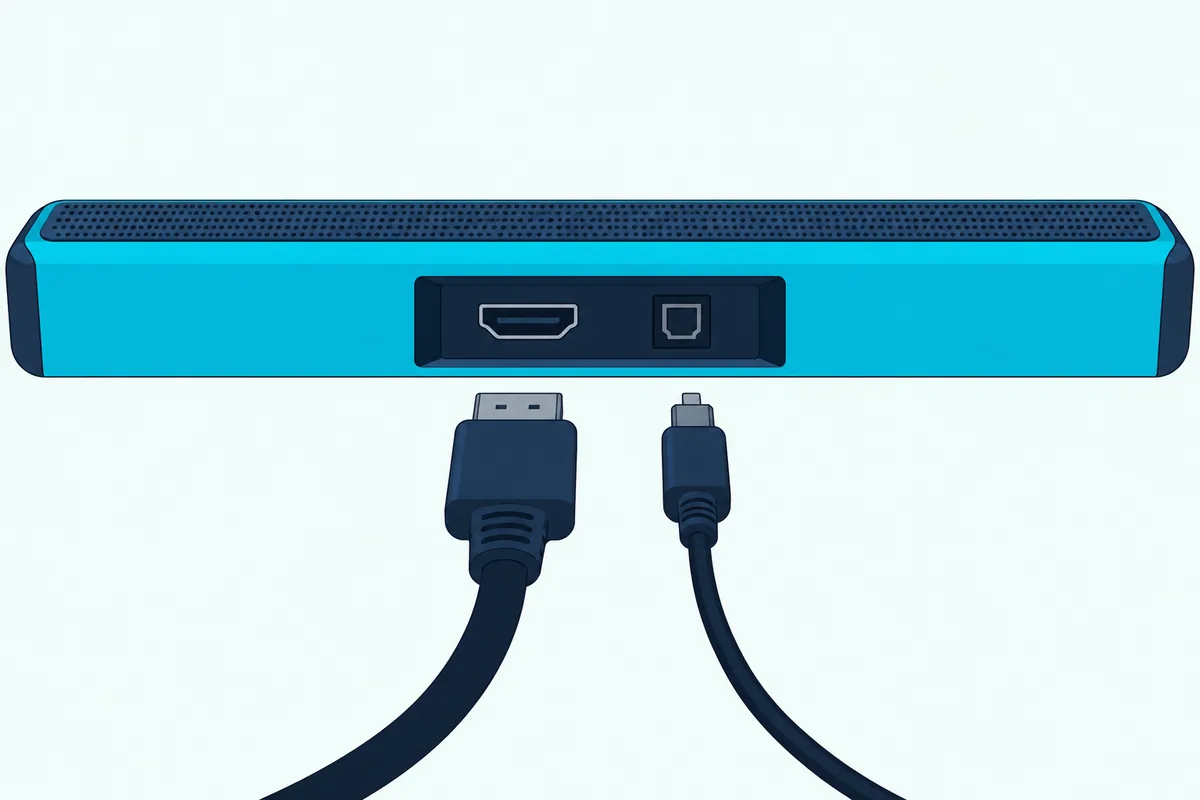
eARC, the newer version, carries uncompressed 5.1 and 7.1 audio and formats such as Dolby TrueHD, Dolby Atmos, DTS-HD Master Audio and DTS:X from the TV to a bar over one cable (HDMI Licensing Administrator). None of the seven picks decodes Atmos or DTS:X by its maker’s documents, so eARC’s Atmos and DTS:X support goes unused with them.
On a TV without ARC, optical is the fallback, but Amazon’s listing names no optical input for the Fire TV Soundbar, so check before buying it for such a TV. The Sony and Roku both use optical on such TVs, and the Hisense A620 adds coaxial and AUX for sets with neither.
Hisense’s manual also notes that ARC needs an HDMI cable of version 1.4 or higher. That’s worth knowing if you buy one for the Sony, which ships without.
The formats matter as much as the plug. Hisense’s manuals ask for PCM or Dolby Digital from the TV for both of its bars, and the TAB5306 takes only 2-channel PCM, so check your TV’s audio output menu after you connect any of the three.
Try this before you order: look at the TV’s back panel for an HDMI port marked ARC or eARC, then for an optical port. Burton Acoustix’s HDMI and optical guide explains when each one is the better choice.
Will Your TV Remote Control a Soundbar Under $150?
That HDMI ARC link also settles the remote question for most of these bars. Yes, on a TV with HDMI-CEC switched on: Hisense’s manuals say the TV remote then sets the bar’s volume and mute over ARC, and Philips says the same of the TAB5109.
Four picks add Roku TV Ready, both Hisense bars and both Philips bars, which Philips says means simple setup, one remote and quick settings with a Roku TV. Hisense’s EzPlay goes further on a Hisense TV that supports it, putting a Soundbar Setting menu into the TV’s own menus.
The Fire TV Soundbar is built for one Fire TV remote, and the Roku Streambar SE runs from a Roku TV’s remote by default.
Try this after you connect: press volume on the TV remote, and if the bar doesn’t answer, look for HDMI-CEC in the TV’s settings. Roku’s guide warns that TV makers call it by different names.
Can a Soundbar Under $150 Play Dolby Atmos?
That eARC detail points to the answer: none of the seven picks here decodes Dolby Atmos by its maker’s documents. Amazon’s listings for TCL’s S45H and S55H name Dolby Atmos and DTS:X, but TCL’s spec pages couldn’t be read for this guide, so neither is a pick.
Dolby calls Atmos an immersive spatial audio format for the speakers in your TV or home theater, with height speakers installed in the ceiling or upward-firing drivers that bounce sound off it. None of the seven picks lists either, so none of them is built to bounce sound off the ceiling.
Four picks list DTS Virtual:X instead: the A620, HS2100, Fire TV Soundbar and TAB5109, while Sony lists its own S-Force Pro front surround. Philips calls DTS Virtual:X immersive 3D sound in any room, a virtual effect that needs no extra speakers.
Hisense adds one twist for the A620: its TV Mode lets a compatible Hisense TV that supports Dolby Atmos use its own sound capabilities through the soundbar’s speakers.
What Do 2.0 and 2.1 Mean on a Cheap Soundbar?
Atmos aside, the channel numbers tell you more at this price, and they follow Dolby’s counting. The first number is the main ear-level speakers and the second the subwoofers, so a 2.0 bar has left and right channels and no subwoofer, while a 2.1 system adds one.
Three picks are 2.1: the Hisense A620 with its built-in subwoofer, the HS2100 and the Philips TAB5306 with wireless ones. Three are 2.0: the Sony, the Fire TV Soundbar and the Philips TAB5109.
Roku’s documents give the Streambar SE no channel number at all, which is why the table says “not stated.” None of the seven is a surround sound system with rear speakers, which Dolby’s 5.1 layout adds as two surrounds.
Think of the “.1” as the part of the system that handles the rumble, the same subwoofer from the section above. Without one, a 2.0 bar leans on its own drivers, like Sony’s bass reflex speaker, for low end.
The makers’ own ranges hint at the difference: Hisense rates the 2.1 A620 from 40 Hz, while Philips rates the 2.0 TAB5109 from 60 Hz. Neither quotes a tolerance, so treat the comparison as rough.
Which Soundbar Under $150 Is Best for Dialogue?
Channel counts matter less for voices than processing does, and most makers here name a dialogue tool. For dialogue, the Philips TAB5109 and Roku Streambar SE name the most specific features: Philips’s Dialogue Enhancement works in any of its EQ modes, and Roku’s speech clarity improves the clarity of voices.
Both Hisense bars have a News mode among their six presets. Amazon’s listing says the Fire TV Soundbar brings clearer dialogue, while Sony’s startup guide names no voice mode for the HT-S100F.
Try this once your bar arrives: put on a news channel at your usual volume, then switch the dialogue feature on and off. If voices still sink under the music in films, a night mode, where your bar has one, lowers loud scenes while boosting quiet ones, as Roku describes it.
Which Soundbars Under $150 Stream Music?
Dialogue is half the job, and every one of these bars also plays music from a phone. Each lists Bluetooth, from version 4.2 on the Philips TAB5306 to 5.4 with LE Audio on the TAB5109, but only the Roku Streambar SE is documented as joining your Wi-Fi, because it’s a streaming player too.
That makes the Roku the pick for music and video apps on their own, since it adds apps and streaming services without a phone. The others play whatever a paired phone, tablet or other Bluetooth device sends them.
USB covers stored files: Hisense’s manuals list WAV, WMA, MP3 and FLAC from a USB drive of up to 32 GB, and Philips lists MP3, WAV and FLAC for the TAB5109. Sony’s listing adds USB music playback to the HT-S100F.
Is a Soundbar Under $150 Better Than Your TV’s Speakers?
Those dialogue tools only matter if the TV’s own speakers fall short, and on paper most do. Consumer Reports says most of the 200-plus models in its TV ratings earn no more than a decent audio-quality score (Consumer Reports).

Each pick adds its own set of drivers in a separate cabinet, and three add a subwoofer. None of this guide’s bars was compared with a TV by ear, so their sound quality isn’t ranked here; the case for a bar rests on the makers’ specs and CR’s ratings, not a listening test.
A bar can’t fix a missing connection, though. If your TV offers only a headphone jack, the A620, HS2100, TAB5109 and TAB5306 take 3.5 mm audio, while the other three have no 3.5 mm input in their makers’ lists.
Should You Stretch Past $150 for a Soundbar?
Once a bar beats the TV, the next question is how far your budget should move. Stay at $150 or under if one of these seven matches your TV’s ports and formats now, and stretch only when none of them has the connection or decoding your TV needs.
Burton’s best budget soundbar picks run from under $100 to a few hundred dollars. For the bigger picture, what soundbars cost at each tier maps the price bands from about $100 up.
If your TV needs eARC or Dolby Atmos decoding, Burton Acoustix’s under-$300 soundbar guide compares nine bars at the next ceiling, from a Polk with a wireless subwoofer to single bars from Yamaha and Denon.
Going the other way, these four bars under $100 keep the Sony HT-S100F and Philips TAB5109 from this list and add two cheaper options.
Which Soundbars Didn’t Make the List?
Those price bands explain some absences, since several familiar bars missed the $150 line or another check on 16 October 2026. Polk’s Signa S2 was above $150 that day, and Vizio’s SV210M and Yamaha’s SR-C20A showed as currently unavailable. Vizio’s SV200M, a pick when this list was first checked, showed as currently unavailable on 20 October 2026, so it’s off the list too.
TCL’s S45H and S55H and Samsung’s HW-B400F met the price, rating and stock checks, but their makers’ spec pages couldn’t be read for this guide. A pick has to be checkable against its maker, or the card would be guessing.
The onn.-branded Roku Smart Soundbar was listed only as a renewed unit from a third-party seller, and LG’s S30A had too few reviews to qualify. Little-known brands filled much of Amazon’s under-$150 results, but this guide sticks to bars whose makers publish spec pages or manuals that could be read.
What Should You Check Before You Buy a Soundbar Under $150?
Everything above boils down to four checks, and they take about five minutes with your TV’s back panel in view:
- The TV’s ports: HDMI ARC or eARC, optical, coaxial, or only a headphone jack.
- The TV’s audio output setting: both Hisense bars ask for PCM or Dolby Digital, and the TAB5306 takes PCM only.
- The cables in the box: Sony includes optical but not HDMI, and Hisense includes HDMI but not optical on the HS2100.
- The price on the day: a sale ending can push a pick past $150.
If all four line up, the card for that bar is the one to open.
The Bottom Line
So the Hisense A620 is the best soundbar under $150 for most TVs, with a built-in subwoofer and the most inputs of any pick. The HS2100 and Philips TAB5306 add a wireless subwoofer, and the Roku Streambar SE adds 4K streaming.
For an older TV, the Sony HT-S100F’s optical route is the safe bet, and Fire TV homes can let one remote run the Fire TV Soundbar. The Philips TAB5109 packs the most features into a 2.0 bar.
Frequently Asked Questions
What is a good inexpensive sound bar?
A good inexpensive sound bar matches your TV’s connections first and adds what the TV lacks second. Under $150, the Hisense A620 covers the most TVs, with HDMI ARC, optical, coaxial, AUX, USB and Bluetooth 5.3 and a built-in subwoofer in one 31.5-inch bar. For a separate subwoofer, look at the Hisense HS2100 or Philips TAB5306, and for streaming, the Roku Streambar SE.
What is the best value for money sound bar?
Value depends on what you’d otherwise buy. If you’d add a streaming stick, the Roku Streambar SE folds one into the bar. If you want bass, the HS2100 and TAB5306 include a wireless subwoofer. This guide doesn’t rank bars by price, because prices change daily.
Can you add a subwoofer to a cheap soundbar later?
Only if its maker says so, so decide up front. Among these seven, only Roku’s quick start guide says its bar is expandable with add-ons sold separately, and the three 2.1 picks come with a subwoofer already. If you think you’ll want more bass later, the HS2100 or TAB5306 is a safer buy than a 2.0 bar.
Do soundbars under $150 work with older TVs?
Most do, through optical or a headphone jack. The Sony HT-S100F and Roku Streambar SE ship with an optical cable for TVs without HDMI ARC, and the Hisense A620 adds coaxial and a 3.5 mm input. Amazon’s listing names no optical input for the Fire TV Soundbar, so it suits TVs with HDMI ARC.