Best Soundbar Under $500: 6 Bars Compared by Maker Specs
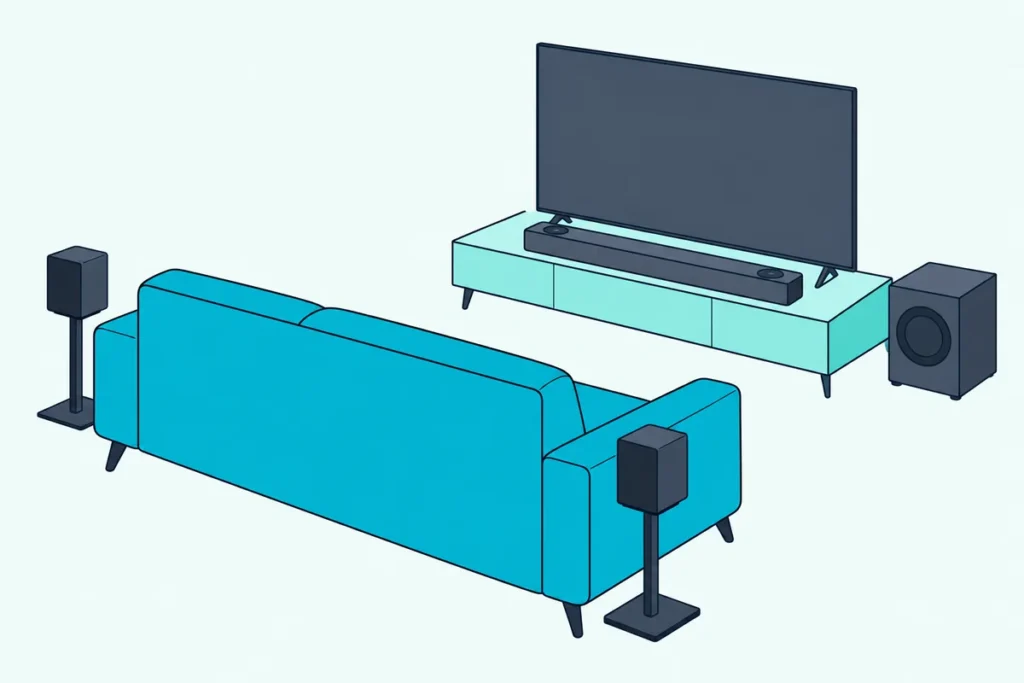
Shopping for the best soundbar under $500 gets easier once you know which extra the money is meant to buy.
Stretch past $300 and the spec sheets start listing upward-firing speakers, a center channel, HDMI inputs and room calibration, yet some bars still fake their height with processing.
Pick by the feature your room can use, and this budget buys clear voices, bass you can feel, and Dolby Atmos effects that come from above.
Below are six bars from Denon, Polk, JBL, Klipsch and Sonos, each under $500 on Amazon on 21 October 2026 and described from its maker’s own documents.
The quick answer and a comparison table come first, then the soundbars that ship with a subwoofer, then the standalone soundbars, then the setup questions that decide which one fits your TV.
What Is the Best Soundbar Under $500?
Those extras decide it, and for most living rooms the Denon DHT-S517 is the best soundbar under $500. Denon’s spec table gives it a 3.1.2-channel layout with seven drivers, up-firing Dolby Atmos speakers, a wireless subwoofer, and HDMI eARC plus an HDMI input (Denon).
If you want the same speaker layout with the simplest setup, the Polk Signa S4 lists the identical seven-driver array. If you’d rather skip the subwoofer box, the Klipsch Flexus Core 200 builds two 4-inch woofers and height drivers into one 44-inch bar.
| Pick | Layout | Subwoofer | Height effects | TV connection | Best for |
|---|---|---|---|---|---|
| Denon DHT-S517 | 3.1.2 | Wireless, 5.9 in | Up-firing speakers | HDMI eARC plus HDMI in, optical, 3.5 mm | Best overall |
| Polk Signa S4 | 3.1.2 | Wireless, 5.9 in | Up-firing speakers | HDMI eARC, optical, 3.5 mm | Easy setup |
| JBL Bar 500MK2 | 5.1 | Wireless, 10 in | Virtual Dolby Atmos | HDMI eARC plus HDMI in, optical | Biggest bass and Wi-Fi |
| Klipsch Flexus Core 200 | 3.1.2 | Two built in | Up-firing drivers | HDMI eARC, optical, USB-C | Best standalone |
| Sonos Beam (Gen 2) | Standalone | None | Phantom height by processing | HDMI eARC, optical adapter | Wi-Fi music, smaller TVs |
| Polk Signa S3 | 2.1 | Wireless, 5.25 in | None | HDMI ARC, optical, 3.5 mm | Chromecast music |
Every pick was under $500 on Amazon when checked on 21 October 2026, with at least 4.0 stars from 50 or more reviews and stock on hand. Prices, ratings and review counts change daily, so they aren’t printed here, and several picks were down to their last one or two units.
None of these bars was played or measured for this guide, so each description rests on its maker’s spec sheet, product page or manual. If you’d like more Atmos options at any budget, Burton’s list of Dolby Atmos soundbars without a price cap covers the flagships too.
| Product | Size | Link |
|---|---|---|
Best Overall 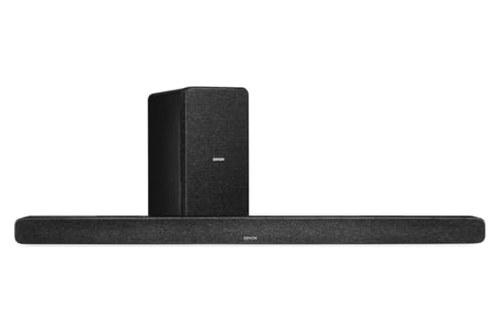 | 5.9 inch | See ratings |
Easy Setup 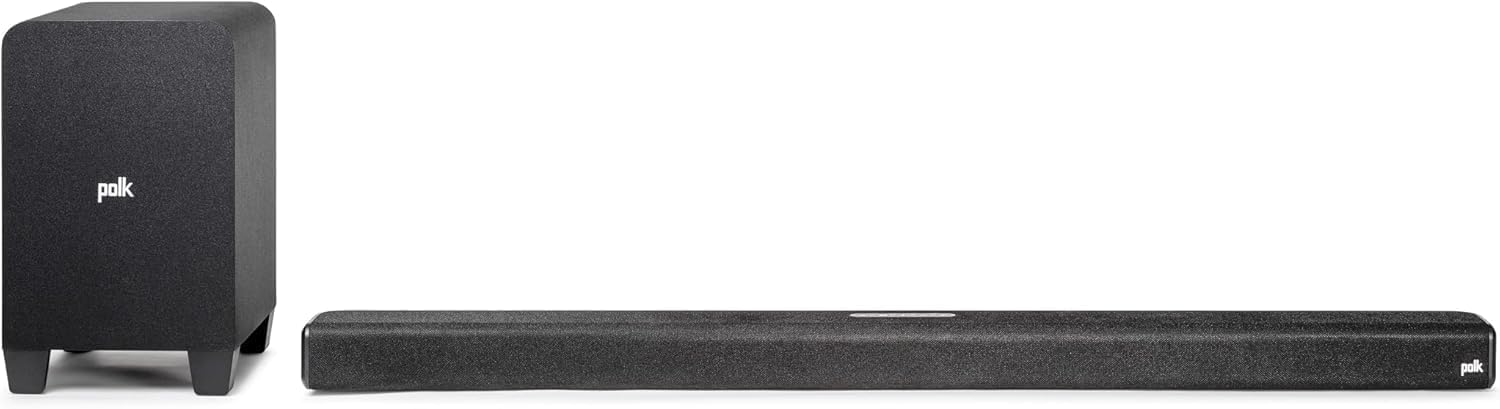 | 5.9 inch | See ratings |
Biggest Bass and Wi-Fi 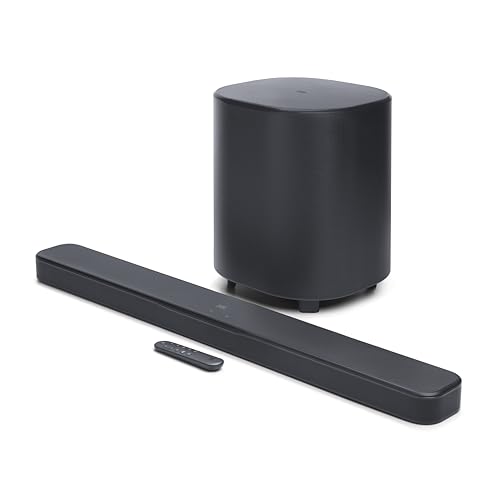 | 10 inch | See ratings |
Chromecast Music 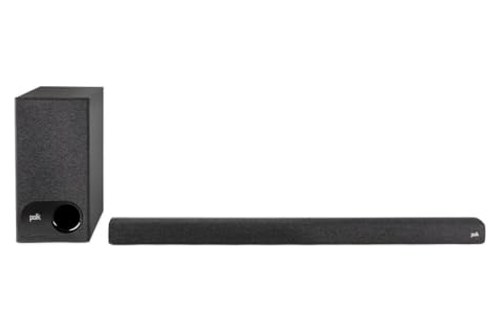 | 5.25 inch | See ratings |
Best Standalone 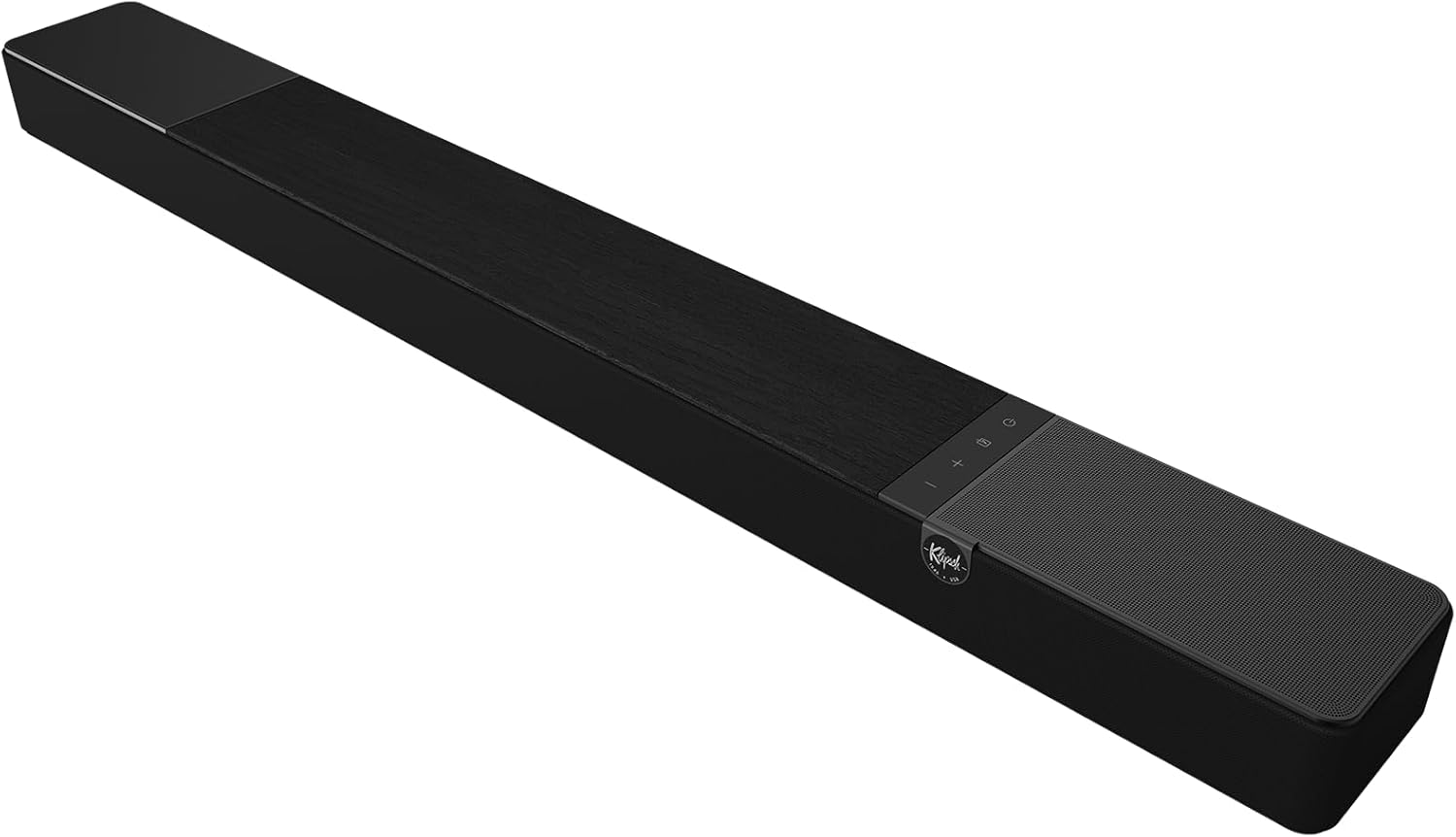 | 44 inch | See ratings |
Wi-Fi Music, Smaller TVs 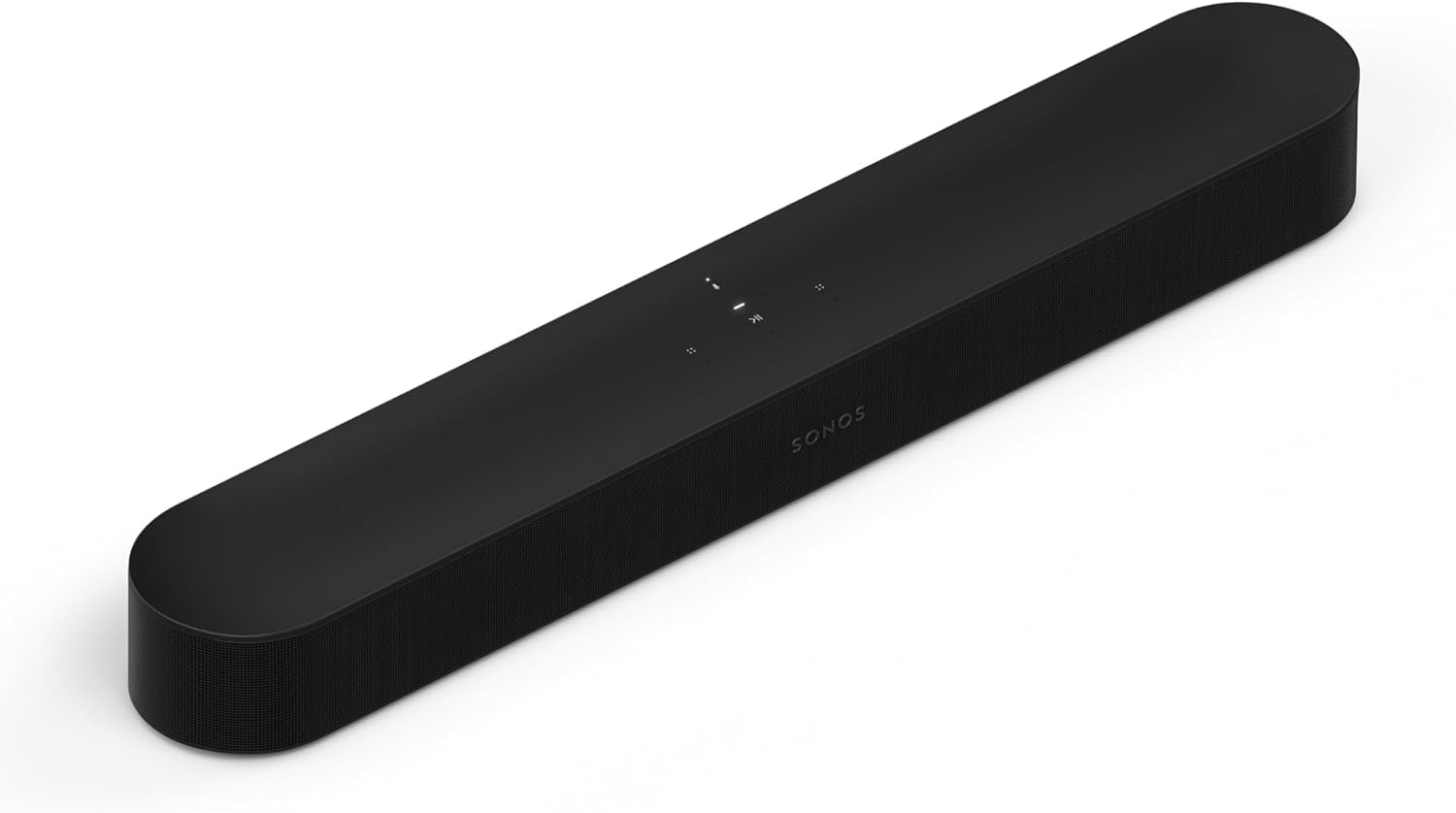 | 25.63 inch | See ratings |
What Does a Soundbar Under $500 Get You That a $300 Bar Doesn’t?
That table shows the jump in one glance: three of the six list a dedicated center channel, and the same three list speakers aimed at the ceiling. The same makers’ lower-priced bars show what’s missing below that line, so the step to $500 is mainly about real height drivers and a center channel.
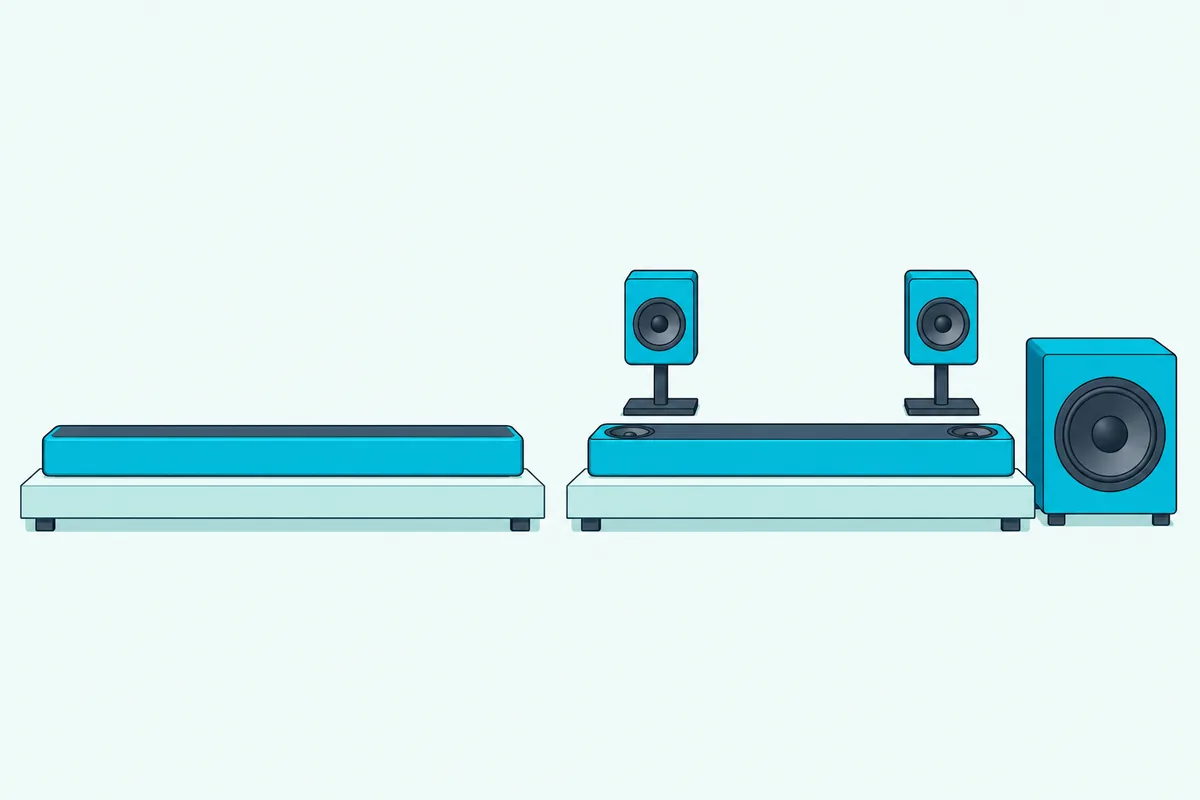
Denon’s DHT-S218 lists Dolby Atmos with two mid-range drivers, tweeters and down-firing subwoofers, but no height drivers (Denon). Yamaha’s SR-B40A decodes Atmos with four 1.8-inch cones and two tweeters, and Polk’s Signa S2 lists Dolby Digital and plain HDMI ARC, with no Atmos at all.
Here’s what the makers’ documents add at this price, feature by feature. Each one is a real line on a spec sheet, not a sound quality claim.
Up-firing height speakers. Denon and Polk each give two 2.6-inch up-firing drivers, and Klipsch lists dedicated elevation drivers on top of its bar. Dolby’s own setup guide describes these as speakers that use the ceiling’s reflections to deliver overhead effects (Dolby).
A dedicated center channel. The 3 in 3.1.2 counts left, center and right speakers, and Klipsch says its center tweeter is there for vocal clarity. Denon and Polk name a 1-inch center driver, and Klipsch gives its center a horn-loaded tweeter.
An HDMI input as well as eARC. The Denon and the JBL each take a game console or streaming box directly, with 4K video passed through to the TV. Denon’s DHT-S218 has one too, so this one isn’t unique to $500.
Bigger subwoofers. The JBL’s wireless sub carries a 10-inch driver, against 6.25 inches on Yamaha’s SR-B40A. Denon and Polk both use 5.9 inches on their 3.1.2 soundbars.
Wi-Fi and room tuning. The JBL, the Sonos and the Polk Signa S3 join your Wi-Fi network for music streaming, and JBL and Sonos each offer a room calibration step. None of the three bars with up-firing speakers lists Wi-Fi.
What $500 still doesn’t buy, on the day these were checked, is a complete system with rear speakers in the box that passed every rule here. The section on bars that didn’t make the list explains why, and the section on adding speakers later covers the upgrade paths.
Get Studio Tips Weekly
Join 5,000+ creators getting acoustic treatment advice every week.
No spam. Unsubscribe anytime.Which Soundbars Under $500 Come With a Subwoofer?
Four of the six picks ship with a wireless subwoofer, and they split into two pairs. The Denon and the Polk Signa S4 share a 3.1.2 layout with real height drivers, while the JBL trades height drivers for a much larger sub and Wi-Fi, and the Signa S3 is a simpler 2.1 soundbar built for streaming services and music.
Denon DHT-S517
For most living rooms, the Denon DHT-S517 is the pick.
the Denon DHT-S517
Denon’s spec table names seven drivers in the soundbar: two 1-inch tweeters, two 4.7 by 1.6-inch racetrack midrange drivers, a 1-inch center driver and two 2.6-inch up-firing drivers. The wireless subwoofer carries one 5.9-inch driver.
Its wired connections match the JBL’s as the widest here, with one HDMI input, one HDMI eARC output, an optical input, a 3.5 mm analog input and Bluetooth. Denon says the HDMI input passes 4K Ultra HD video through to the TV, so a console or streaming box can plug into the soundbar instead.
Denon shows Dolby Digital decoding but answers “No” for DTS. If your discs or games only offer a DTS track, set the player or console to send PCM or Dolby instead.
The Denon Dialog Enhancer has three levels, and the sound modes cover Movie, Music and Night listening. Denon also notes a TV remote learning function, and keyhole slots take a wall mount.
The soundbar is 41.3 inches wide and weighs 5.5 pounds, and the sub measures 6.7 by 14.5 by 11.4 inches and weighs 9.5 pounds. Denon’s table gives 41.3 by 2.3 by 3.8 inches under a width, depth and height label, which would make it 3.8 inches tall, so measure the space under your TV before you buy.
Polk Signa S4
For the same speakers with the easiest setup, the Polk Signa S4 is the pick.
the Polk Signa S4
Polk’s info sheet shows the same seven-driver array as the Denon, down to the 2.6-inch elevation drivers and the 5.9-inch subwoofer (Polk). Think of the two as one speaker layout with different connection panels.
The Signa S4 connects through HDMI eARC, optical or a 3.5 mm input, and Polk’s footnote says Dolby Atmos requires the eARC connection. It has no HDMI input, so your console or streaming box stays plugged into the TV.
Polk’s VoiceAdjust raises dialogue without lifting the rest of the soundtrack, and Bass Adjust controls the soundbar and sub together. One-button Movie, Music and Night modes sit on the remote, and Polk says non-Atmos shows get a virtual Atmos treatment.
Setup is the S4’s strong suit, because Polk says it’s pre-programmed to work with most TV remotes out of the box. Both an HDMI cable and an optical cable come in the box, along with wall-mount spacers and a template.
The soundbar measures 41.2 inches wide and 2.4 inches tall, and the subwoofer is 7.9 by 12.9 by 11 inches. Polk’s product page mentions “eleven drivers” in one block while the info sheet lists seven, so this guide follows the info sheet.
JBL Bar 500MK2
For the biggest bass and Wi-Fi streaming, the JBL Bar 500MK2 is the pick.
the JBL Bar 500MK2
JBL’s spec sheet, in the copy Abt hosts, lists five 42 by 80 mm racetrack drivers and four 0.75-inch tweeters in the soundbar, plus a wireless subwoofer with a 10-inch driver (JBL spec sheet, Abt’s copy). JBL rates the system at 750 W maximum and 375 W RMS.
The owner’s manual calls its Atmos a “Virtual Dolby Atmos design,” so height comes from processing rather than drivers aimed at the ceiling. The box holds the soundbar and the subwoofer but no rear speakers, so the 5.1 surround comes from the front bar, which JBL’s MultiBeam 3.0 widens.
It has the Denon’s useful extra, an HDMI input next to HDMI eARC, and JBL lists HDR10+ and Dolby Vision pass-through. Optical, Bluetooth 5.3 and USB playback on the US version fill out the panel.
Wi-Fi is where the JBL pulls ahead of the other subwoofer picks, with Google Cast, AirPlay and Spotify Connect listed in the manual. A sound calibration step listens to how sound reflects off your walls and furniture, and PureVoice 2.0 raises dialogue based on the scene and the volume.
The soundbar is 37 inches wide and 2 inches tall, so it suits screens that sit low. The subwoofer is the catch, at 12.8 by 15.7 by 12.8 inches and 17.8 pounds, nearly twice the weight of the Denon’s sub.
Polk Signa S3
For music streaming over Wi-Fi with a subwoofer, the Polk Signa S3 is the pick.
the Polk Signa S3
Polk’s info sheet gives two 1.25 by 4.4-inch oval drivers and two 1-inch tweeters in the soundbar, with a 5.25-inch ported wireless subwoofer (Polk). Its range is given as 45 Hz to 20 kHz, and it decodes Dolby Digital 5.1.
What sets it apart is Chromecast built-in, which streams from music apps over Wi-Fi and groups with other Chromecast speakers in the Google Home app. With a Google Home speaker, sold separately, you can play, pause and change volume by voice.
It connects over HDMI ARC, optical or 3.5 mm, and both HDMI and optical cables are in the box. Polk says it works with Samsung, LG, Vizio, TCL and Sony TV remotes for volume, plus most CEC-enabled TVs.
Polk names no Dolby Atmos for it, so it’s for a reader who cares more about music around the house than height effects. The soundbar is 35.37 inches wide and 2.12 inches tall.
Which Standalone Soundbars Under $500 Are Worth Buying?
Those four subwoofer picks all need a patch of floor, and two bars here skip the box entirely. The Klipsch keeps real height drivers in one long soundbar, and the Sonos fits smaller TVs and joins a Wi-Fi speaker system.
Klipsch Flexus Core 200
For Atmos height without a separate subwoofer, the Klipsch Flexus Core 200 is the pick.
the Klipsch Flexus Core 200
Klipsch’s spec sheet names four 2.25-inch aluminum front drivers, a 0.75-inch horn-loaded tweeter as the center channel, and 185 W RMS with a range of 43 Hz to 20 kHz (Klipsch). The bass comes from two 4-inch woofers built into the soundbar.
Klipsch’s product page calls the height speakers two 2.25-inch elevation drivers, while the spec sheet files both the 4-inch woofers and two 2.25-inch full-range drivers under “upfiring drivers.” Klipsch doesn’t explain the difference, so treat the elevation drivers as the height channels.
It connects over HDMI eARC, optical, USB-C and Bluetooth, and a subwoofer RCA output sits on the back. The Klipsch Connect Plus app adds EQ presets, a custom EQ, Night Mode and Dialogue Boost.
The growth path is the reason to start here. Klipsch says you can add Flexus surrounds and a Flexus subwoofer, or two, over its Klipsch Transport technology.
Size is the trade, at 44 inches wide, 3-1/16 inches tall and 4-15/16 inches deep, and 18.7 pounds. Check that your TV’s feet sit far enough apart, and that the soundbar’s top won’t block the screen.
Sonos Beam (Gen 2)
For Wi-Fi music and smaller TVs, the Sonos Beam (Gen 2) is the pick.
the Sonos Beam (Gen 2)
Sonos names five Class-D amplifiers, four elliptical midwoofers and one center tweeter, and says advanced processing creates “phantom height channels” for Dolby Atmos (Sonos). No speaker on the Beam fires at the ceiling.
Its format list runs from Dolby Atmos and Dolby TrueHD to multichannel PCM and DTS Digital Surround, and Sonos marks the Atmos, TrueHD and multichannel formats as needing HDMI eARC. A TV with only optical out can use the included optical adapter.
Wi-Fi and AirPlay 2 come built in, with Sonos Voice Control, Amazon Alexa and Google Assistant for voice. Trueplay tunes the sound to your room using an iOS device’s microphones, and Speech Enhancement and Night Sound live in the Sonos app.
The Beam is the narrowest pick at 25.63 inches, 2.68 inches tall and 6.35 pounds. Sonos says a subwoofer and a pair of rear speakers can be added wirelessly later.
Is Real Dolby Atmos Worth It Under $500?
That phantom height on the Beam is one of two ways a soundbar can make Atmos, and the difference matters most at this price. Dolby’s sound bar guide describes bars with upward-firing speakers that reflect overhead effects off the ceiling, and bars that use a height virtualizer through listener-level speakers only.
Three picks have speakers on top, the Denon, the Polk Signa S4 and the Klipsch. The JBL and the Sonos virtualize height, and Polk names no Atmos for the Signa S3.
Think of it like a real skylight compared with a painted one. Up-firing drivers send sound toward the ceiling and down to you, while a virtualizer shapes sound from ear level to give what Dolby calls an enhanced height sensation.
Dolby’s guide also says its height virtualizer is extremely flexible and needs no special room considerations. So a virtual soundbar can make more sense in a room whose ceiling fails Dolby’s tests in the next section.
Try this before you choose: stand at your seat and look up at the ceiling between you and the TV. If it’s flat and made of drywall, plaster or wood, an up-firing bar has a good surface to work with.
Does Your Ceiling Work With an Up-Firing Soundbar?
That look at the ceiling is the whole test, and Dolby gives numbers for it. Its setup guide gives the ideal ceiling height for upward-firing speakers as 7.5 to 12 feet, and it asks for a flat, acoustically reflective surface such as wallboard, plaster or hardwood (Dolby).
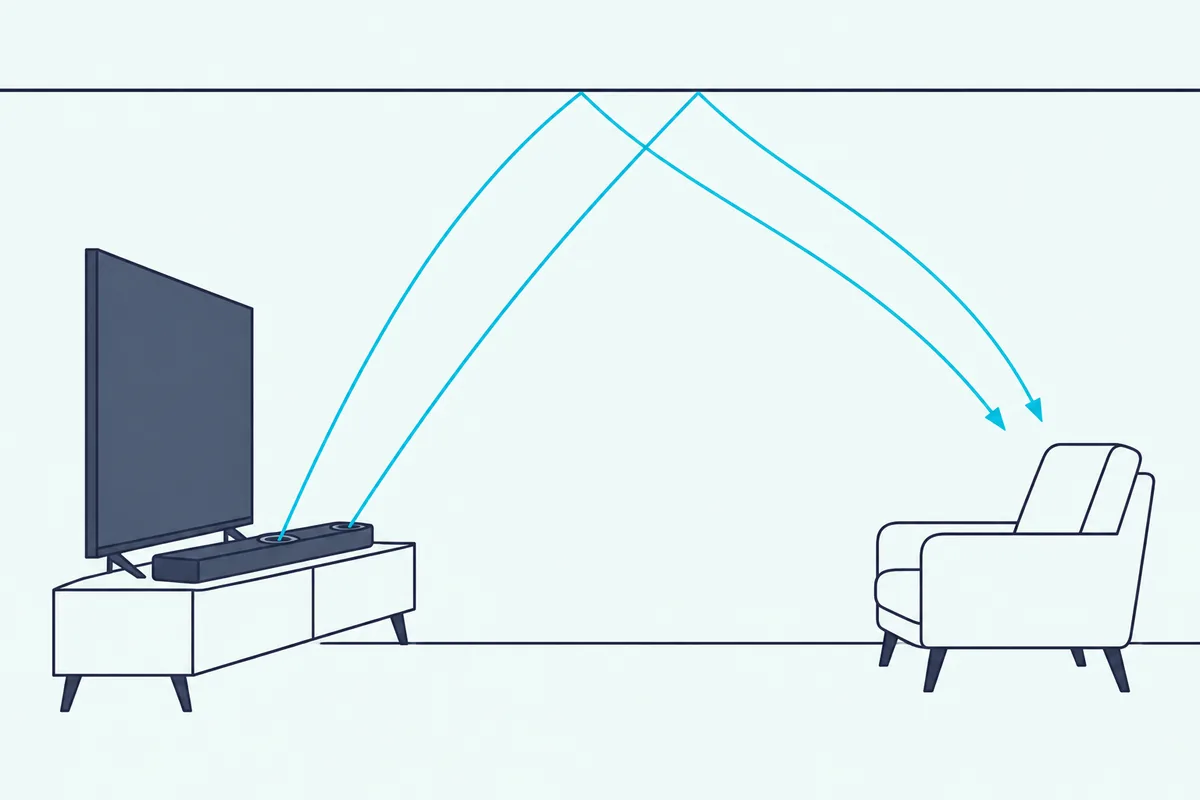
Dolby says a shallow vaulted ceiling gives acceptable results, and even a popcorn finish works. Acoustic tiles are the one surface it tells you to avoid, because they absorb the overhead sound.
The soundbar’s top needs a clear line to the ceiling, too. Dolby says to avoid mounting it in a cabinet or underneath a soffit, and to keep it in front of the TV screen when you can.
Distance counts as well, since Dolby suggests the soundbar sit at least 4 to 5 feet from your seat, and not so low that you look down on its top. In a small bedroom where the bed is 3 feet from the TV, a virtual soundbar like the Beam may make more sense.
That 7.5-to-12-foot range is the same test for every up-firing bar here, from the Denon to the Klipsch. If yours fails it, the JBL or the Sonos gives you immersive Atmos processing without relying on a reflection.
Do You Need HDMI eARC for a Soundbar Under $500?
Those Atmos effects only reach the soundbar if the TV can send them, and the TV’s HDMI socket decides that. HDMI Licensing Administrator says eARC carries formats up to 192 kHz, 24-bit, uncompressed 5.1 and 7.1, and Dolby TrueHD and Dolby Atmos over one HDMI cable (HDMI LA).
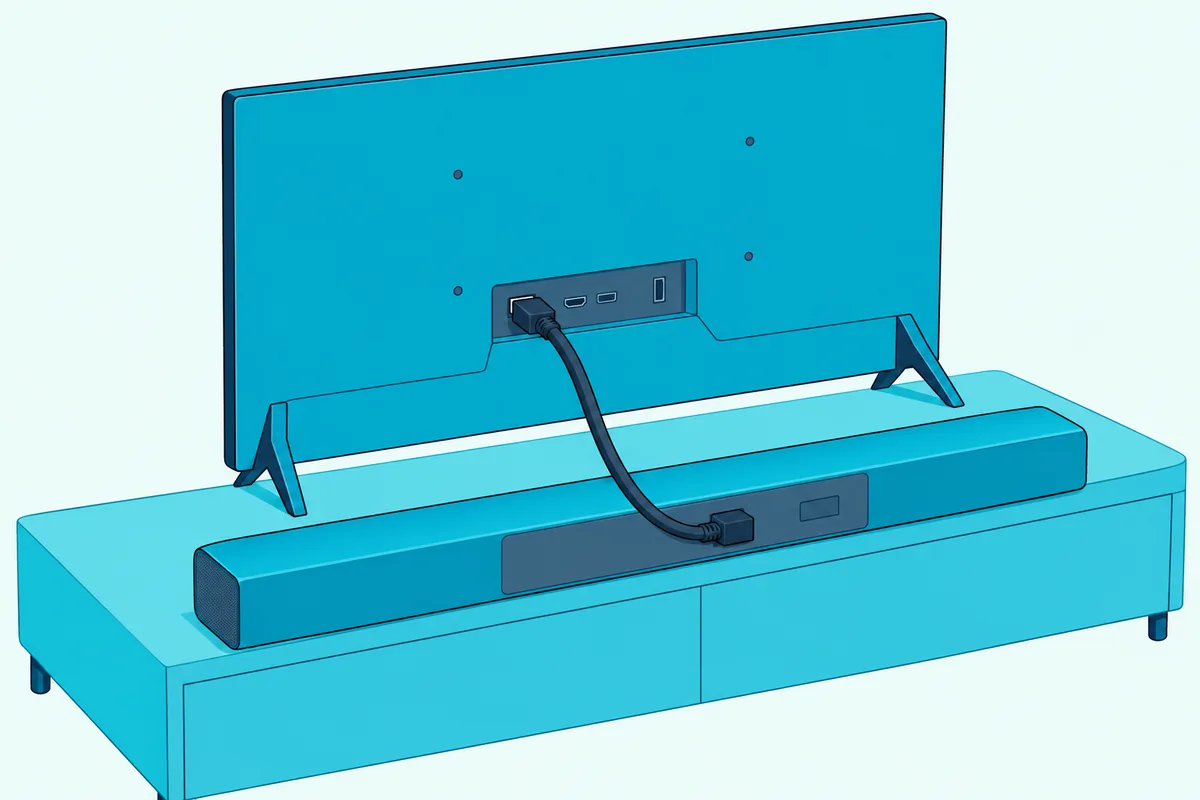
Every pick here connects to the TV over HDMI, and five of the six list eARC. Polk’s Signa S4 states outright that its Atmos needs an eARC connection, and Sonos marks the Beam’s Atmos and TrueHD formats the same way.
Dolby’s own article on connecting an Atmos soundbar says “we recommend using eARC whenever possible.” Look for the label next to one HDMI socket on your TV, marked “ARC/eARC” or similar.
Optical still works as a fallback for older TVs, and HDMI LA’s page presents eARC as the route for those high-bitrate formats. Burton’s guide to how HDMI eARC and optical differ walks through the trade-offs for your own TV.
The HDMI input on the Denon and the JBL is a different socket with a different job. It takes a source such as a console or streaming box, and Denon and JBL both say it passes 4K video on to the TV.
Is a 3.1.2 or 5.1 Soundbar Better for Your Room?
Those socket labels have a twin on the box, the channel count, and the numbers read the same way on every brand. Dolby’s speaker guide says the first number counts ear-level speakers, the second counts subwoofers, and a third counts height speakers.
A 3.1.2 soundbar such as the Denon, the Signa S4 or the Klipsch has left, center and right channels, a sub, and two heights. The JBL’s 5.1 adds two surround channels, but nothing in its box sits behind you.
So “5.1” on a single soundbar doesn’t promise speakers behind you. Real rear speakers are separate boxes that sit near your seat, and 5.1 soundbars with true rear speakers explains where each brand’s surrounds come from.
For a living room where you sit on a sofa against a wall, a 3.1.2 soundbar with height drivers is the stronger choice in this budget, in this guide’s view. If your seat sits in the middle of the room with open space behind it, plan on adding rear speakers to a soundbar that accepts them.
Which Bar Is Best for Clear Dialogue?
The center channel in that 3.1.2 layout is the first thing to look for if voices get lost. Three picks list a dedicated center driver, the Denon, the Signa S4 and the Klipsch with its horn-loaded tweeter, and the Sonos lists one center tweeter.
The dialogue tools differ by brand. Denon’s Dialog Enhancer has three levels, Polk’s VoiceAdjust has three levels on the Signa S3, JBL’s PureVoice 2.0 adjusts automatically, Klipsch has Dialogue Boost, and Sonos has Speech Enhancement.
Try this test: put on a news channel at your normal volume, then switch to a movie with a loud score. If you reach for the remote every time someone speaks, look for a center channel and a dialogue control before a bigger subwoofer, since those are the features aimed at voices.
Night modes help in apartments, too. The Denon, the Signa S4, the Klipsch and the Sonos each list a night setting, and Sonos says its Night Sound reduces loud effects and enhances quieter ones.
Which Soundbar Under $500 Is Best for Music?
Those dialogue tools matter less once you put on a playlist, and Wi-Fi becomes the bigger difference. The Sonos Beam, the JBL Bar 500MK2 and the Polk Signa S3 join your Wi-Fi network, while the Denon, the Signa S4 and the Klipsch stream only over Bluetooth.
Sonos names AirPlay 2, JBL names Google Cast, AirPlay and Spotify Connect, and Polk’s Signa S3 has Chromecast built-in. Polk adds that the S3 groups with other Chromecast speakers, and Sonos says you can add its speakers to every room.
For bass-heavy music, the JBL’s 10-inch subwoofer is the largest driver here. For background music in a smaller room, the Beam’s 25.63-inch width and Sonos app make it the tidiest choice.
Bluetooth is still fine for a quick song from your phone. Its range is short, though, and Bose’s Smart Soundbar page, for one, gives 30 feet.
Which Soundbar Is Best for Gaming?
Music apps aside, consoles need one feature the others don’t: a socket for the console itself. The Denon and the JBL each have an HDMI input with 4K pass-through, so a console can connect to the soundbar and send video on to the TV.
JBL names HDR10+ and Dolby Vision pass-through, while Denon says only 4K Ultra HD pass-through. Neither maker’s document read for this guide gives a 120 Hz figure, so if you game at 120 Hz, keep the console plugged into the TV and let eARC carry the sound back.
That eARC route works with every pick except the Signa S3, which lists plain ARC. The TV sends the console’s audio down the same HDMI cable to the soundbar.
How Big a Soundbar Fits Under Your TV?
The console question settles where cables go, and the tape measure settles where the soundbar goes. These six run from 25.63 inches wide for the Sonos to 44 inches for the Klipsch, and the heights from 2 inches on the JBL to just over 3 inches on the Klipsch, unless the Denon’s 3.8-inch figure is its height.
| Pick | Bar width | Bar height (maker’s figure) | Subwoofer size |
|---|---|---|---|
| Denon DHT-S517 | 41.3 in | 2.3 or 3.8 in (see the card) | 6.7 x 14.5 x 11.4 in |
| Polk Signa S4 | 41.2 in | 2.4 in | 7.9 x 12.9 x 11 in |
| JBL Bar 500MK2 | 37 in | 2.0 in | 12.8 x 15.7 x 12.8 in |
| Klipsch Flexus Core 200 | 44 in | 3-1/16 in | Built in |
| Sonos Beam (Gen 2) | 25.63 in | 2.68 in | None |
| Polk Signa S3 | 35.37 in | 2.12 in | Not stated consistently |
Polk’s Signa S3 sheet gives the sub’s size two ways that don’t match, 7.4 by 14.5 by 14.4 inches and 171 by 311 by 343 mm, so the table leaves it out. Measure the floor space before you order.
Try this: measure the gap between your TV’s feet and the height from the stand to the bottom of the screen. A soundbar taller than that gap can block the picture or the TV’s remote sensor, and Polk says the Signa S4’s low profile is designed to avoid both.
A soundbar about as wide as the TV looks tidy, but nothing in these makers’ documents ties sound to bar width. Pick for the features first, then check the fit.
Can You Add Rear Speakers or a Subwoofer Later?
Fit sorted, the next question is growth, and only some of these bars plan for it. Klipsch says the Flexus Core 200 accepts Flexus surrounds and one or two Flexus subwoofers, and Sonos says the Beam adds a subwoofer and rear speakers wirelessly.
The Klipsch also lists a subwoofer RCA output, so a wired sub can join it too. The other picks don’t list a rear-speaker path in the documents read for this guide.
So if you want rear speakers later, start with the Klipsch or the Sonos. If you want them now, the soundbars that didn’t make this list, and the 5.1 guide linked above, are the place to look.
Each wireless rear speaker still needs power. Hisense’s AX5125H manual, for example, lists two power cords just for its rear speakers, so “wireless” means no speaker wire, not no outlet.
How Do You Set Up a Soundbar Under $500?
Planning the extras ends with setup, and the steps are the same for every pick. Each one connects with one HDMI cable to the TV’s eARC or ARC socket, and the box lists for five of the six include that cable.
- Plug the HDMI cable into the TV’s socket labeled ARC/eARC, as Dolby’s connection article describes, not a plain HDMI input.
- Set the TV’s sound output to the soundbar in its audio menu.
- If the TV remote doesn’t change the volume, turn on the TV’s HDMI control setting, often called CEC; Polk says the Signa S3 works with most CEC-enabled TVs.
- Place the subwoofer, if there is one, and pair it if it doesn’t connect on its own.
Polk says the Signa S4 is pre-programmed for most TV remotes, and Denon notes a TV remote learning function. If your TV remote won’t change the volume, that’s the fallback.
For up-firing bars, place the soundbar on the stand or wall with nothing above its top surface. Dolby’s guide asks for clear line-of-sight access to the ceiling, so a cabinet around the soundbar works against the height drivers.
Which Soundbars Under $500 Didn’t Make the List?
Those setup rules apply to every soundbar, but the picks also had to pass a set of checks on 21 October. Several popular bars missed one, and here’s why.
Samsung HW-Q600F. The main US listing said it “cannot be shipped” to the checked location, and the other listings for the same model had too few reviews for this guide’s rule. Samsung’s manual (its UK edition) does list a 3.1.2 layout and an optional rear speaker kit that makes it 5.1.2, so it’s worth a look if the listing returns.
Bose Smart Soundbar. Its listing also read “cannot be shipped” with no price shown, so its under-$500 status couldn’t be confirmed on the day. Bose’s page lists A.I. Dialogue Mode, Wi-Fi and optional wireless surround speakers, so it’s worth rechecking.
Hisense AX5125H. Hisense’s spec sheet lists a 5.1.2 system with wireless rear speakers, but no Amazon listing for it turned up on 21 October. The Hisense AX5140Q, a 5.1.4 system with rears, fell short of this guide’s rating rule.
Sony, LG, TCL and Amazon’s own bars. The Sony BRAVIA Theater Bar 5, LG’s S70TR, TCL’s Q65H and Q75H, and the Fire TV Soundbar Plus with surround speakers appeared in the searches. Each maker’s site refuses Burton’s scripts, so none could be described from its own documents.
Vizio SV510M. The listing under $500 was a certified refurbished unit, and this guide only lists new bars.
Yamaha True X Bar 50A. It fell short of this guide’s rating rule on the day.
How Were These Soundbars Checked?
The exclusions follow the same rules as the picks. Each bar was under $500 on Amazon on 21 October 2026, rated 4.0 stars or higher from 50 or more reviews, in stock, and described only from its maker’s spec sheet, product page or manual.
No bar was played, measured or compared by ear for this guide. Where a maker’s documents disagree, the text says so, as with Polk’s driver count, Klipsch’s up-firing list and Denon’s bar height.
JBL’s own site refuses Burton’s scripts, so the JBL card rests on JBL’s spec sheet and owner’s manual as hosted by the retailer Abt. Samsung’s site refuses them too, so its manual was read from a copy saved earlier, and only for a soundbar that didn’t make the list.
Several picks were down to one or two units on the day. Stock and prices move fast in this band, so the card is the place to check before you buy.
What Should You Check Before You Buy a Soundbar Under $500?
Those checks are the same ones worth running at home before you click. Here’s the short list, in the order the sections above covered it.
- Look up at your ceiling: flat and 7.5 to 12 feet high suits an up-firing bar.
- Find the eARC socket on your TV, and note whether you’ll need a separate HDMI input for a console.
- Measure the gap under your screen and the floor space for a subwoofer.
- Decide whether Wi-Fi music matters, since only three picks list it.
If your answers point past this budget, Burton Acoustix’s soundbar price guide maps what each price tier adds, from about $100 up.
The Bottom Line
In this guide’s view, that checklist points most readers to the Denon DHT-S517, with real height speakers, a center channel, a subwoofer and an HDMI input. The Polk Signa S4 gives you the same seven drivers with the easiest setup if you don’t need the extra socket.
Pick the JBL Bar 500MK2 for the biggest bass and Wi-Fi, the Klipsch Flexus Core 200 for height without a subwoofer box, the Sonos Beam (Gen 2) for a smaller TV and a speaker system, and the Polk Signa S3 if streaming music matters more than Atmos.
Whichever you choose, check the card on the day you buy, because stock and prices in this band change fast.
Frequently Asked Questions
What is the best sounding soundbar under $500?
No one can rank sound by spec sheet alone, and none of these bars was listened to for this guide. On paper, the Denon DHT-S517 and Polk Signa S4 are the only picks with a center channel, two up-firing height speakers and a wireless subwoofer together, seven drivers in the bar.
If bass matters most, the JBL Bar 500MK2’s 10-inch subwoofer is the largest driver in this guide. If clear voices matter most, look for a center channel and a dialogue control.
Is a soundbar and subwoofer under $500 better than a standalone soundbar?
In this guide, the separate subwoofers carry larger drivers than the Klipsch’s built-in 4-inch woofers, and four picks include one. The Denon and Polk Signa S4 use 5.9-inch drivers, and the JBL uses 10 inches.
A standalone soundbar like the Klipsch Flexus Core 200 saves floor space with two 4-inch woofers built in, and it can add a Flexus subwoofer later. Choose by floor space and how much bass you want.
Can you get a real Dolby Atmos soundbar for under $500?
Yes, three picks list up-firing speakers: the Denon DHT-S517, the Polk Signa S4 and the Klipsch Flexus Core 200. They bounce height effects off the ceiling, which Dolby says works best on a flat ceiling between 7.5 and 12 feet high.
The JBL Bar 500MK2 and Sonos Beam (Gen 2) also play Atmos, but they create height by processing. Sonos says the Beam needs an eARC connection for Atmos.
Do soundbars under $500 come with rear speakers?
None of the six picks includes rear speakers in the box. The systems with rears that turned up on 21 October either fell short of the rating rule, weren’t listed on Amazon, were refurbished, or came from makers whose documents couldn’t be read.
The Klipsch Flexus Core 200 and Sonos Beam (Gen 2) can add rear speakers later. Each wireless rear speaker still needs its own power outlet.
Is DTS supported on these soundbars?
Support varies, so check if your discs use DTS. Sonos names DTS Digital Surround on the Beam, while Denon’s spec table answers “No” for DTS on the DHT-S517.
If a soundbar doesn’t decode DTS, set your player or TV to output PCM or Dolby Digital instead. That way the soundbar still gets a soundtrack it can play.