Best Soundbar Under $300: 9 Bars Compared by Maker Specs

Finding the best soundbar under $300 is easier than it looks, as long as you read the spec sheet for what it leaves out.
At this price one bar skips HDMI entirely, most of the Dolby Atmos bars create height by processing alone, and a wireless subwoofer needs its own patch of floor.
Get the match right and $300 buys clearer dialogue, bass you can feel, and a single HDMI cable your TV remote can run.
Below are nine bars from Yamaha, Polk, Hisense, Denon, Klipsch, Bose and Sonos, each under $300 on Amazon on 20 October 2026 and described from its maker’s own documents.
The quick answer and a comparison table come first, then three bars with a separate subwoofer, then a labeled section of standalone bars for anyone who wants one box.
What Is the Best Soundbar Under $300?
That fine print decides the answer, and for most living rooms the Yamaha SR-B40A is the best soundbar under $300. Yamaha’s spec sheet gives it Dolby Atmos decoding, HDMI eARC, an optical input and a wireless subwoofer with a 6.25-inch driver, for 200 W in total (Yamaha).
If you want the most channels for the money, the Hisense AX3120Q is the only pick with a center channel and two upward-firing speakers. If you’d rather skip the subwoofer box, the Yamaha SR-B30A and Denon DHT-S218 build two bass drivers into a single bar.
| Pick | Type | Subwoofer | TV connection | Surround formats the maker lists | Best for |
|---|---|---|---|---|---|
| Yamaha SR-B40A | 2.1 with sub | Wireless, 6.25 in | HDMI eARC, optical | Dolby Atmos, Dolby TrueHD, Dolby Digital Plus | Best overall |
| Polk Signa S2 | 2.1 with sub | Wireless, 5.25 in | HDMI ARC, optical, 3.5 mm | Dolby Digital 5.1 decoding | Best value |
| Hisense AX3120Q | 3.1.2 with sub | Wireless, 6.5 in | HDMI eARC, optical, 3.5 mm, USB | Dolby Atmos, DTS:X | Most channels |
| Yamaha SR-B30A | Standalone | Two built in | HDMI eARC, optical | Dolby Atmos, Dolby TrueHD | Best standalone |
| Denon DHT-S218 | Standalone | Two built in | HDMI eARC plus HDMI in, optical, analog | Dolby Atmos, Dolby TrueHD | Gaming and 4K passthrough |
| Klipsch Flexus Core 100 | Standalone | Two built in | HDMI eARC, optical, USB-C | Virtualized Dolby Atmos | Room to grow |
| Bose TV Speaker | Standalone | None | HDMI ARC, optical, AUX | None listed | Dialogue |
| Sonos Ray | Standalone | None | Optical only | Dolby Digital, DTS Digital Surround | Small rooms and Wi-Fi music |
| Yamaha SR-B20A | Standalone | Two built in | HDMI ARC, two optical | DTS Virtual:X, Dolby Digital, DTS | Two optical sources |
Every pick was under $300 on Amazon when checked on 20 October 2026, with at least 4.0 stars from 50 or more reviews and stock on hand. Prices, ratings and review counts change daily, so they aren’t printed here; several picks were down to their last few units, so check the card before you buy.
None of these bars was played or measured for this guide, so each description rests on its maker’s own spec sheet, product page or manual. If $300 is more than you need, the best soundbar under $150 picks compare seven cheaper bars the same way.
| Product | Size | Link |
|---|---|---|
Best Overall 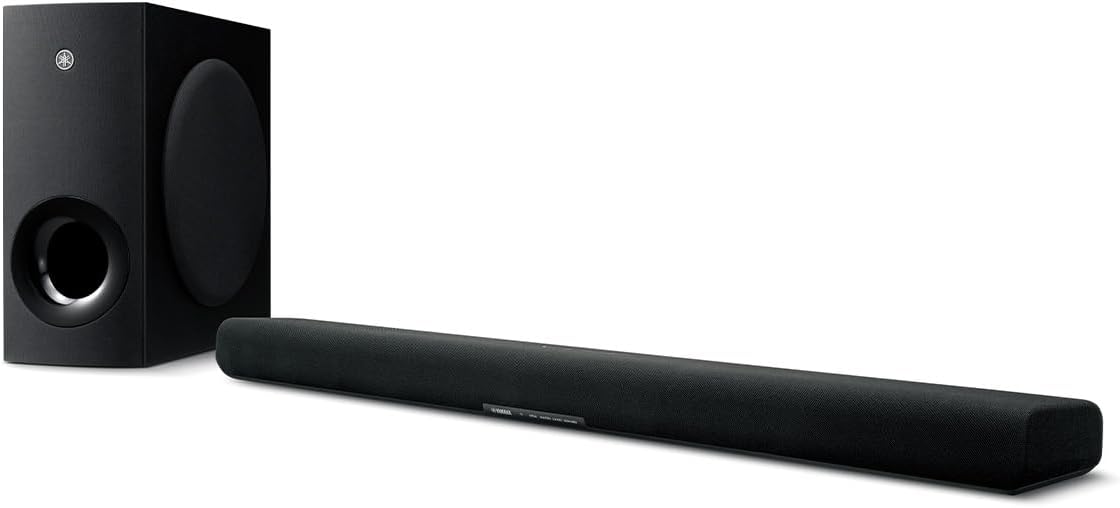 | 8 inch | See ratings |
Best Value 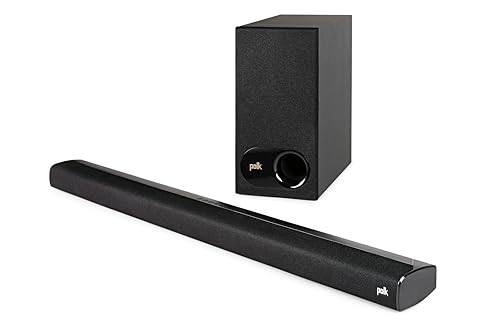 | 5.25 inch | See ratings |
Most Channels 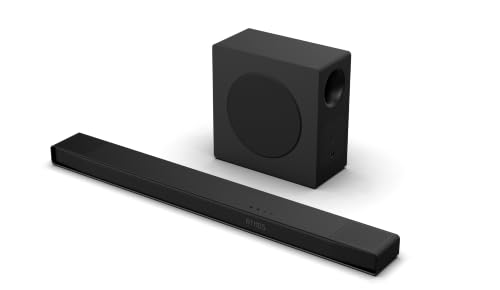 | 6.5 inch | See ratings |
Best Standalone 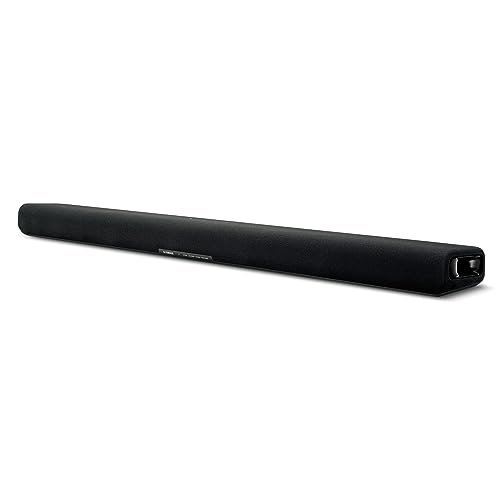 | — | See ratings |
Best for Gaming 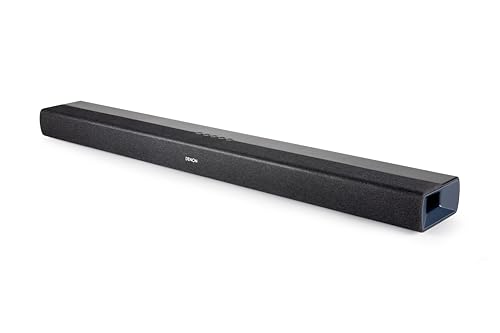 | — | See ratings |
Best for Adding Speakers Later 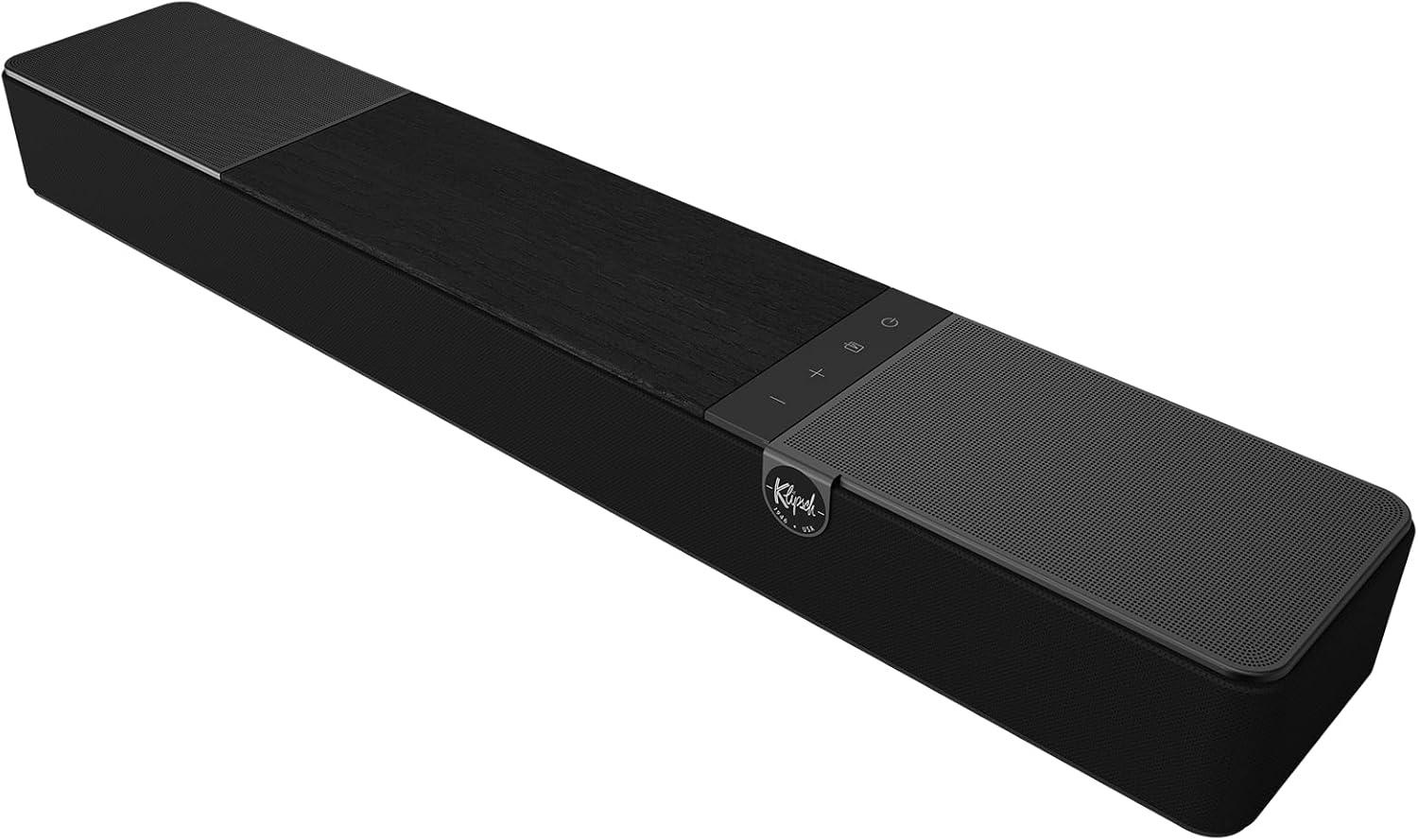 | 28 inch | See ratings |
Best for Dialogue 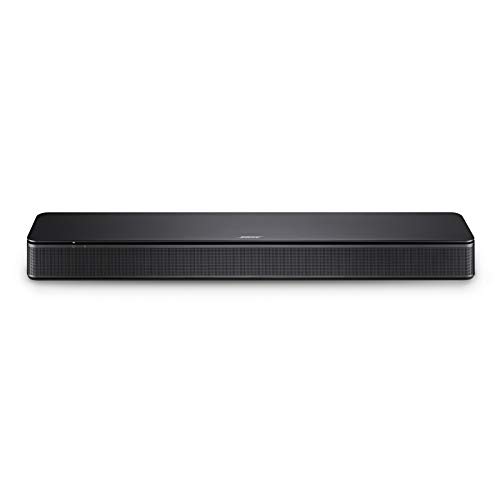 | — | See ratings |
Best for Small Rooms 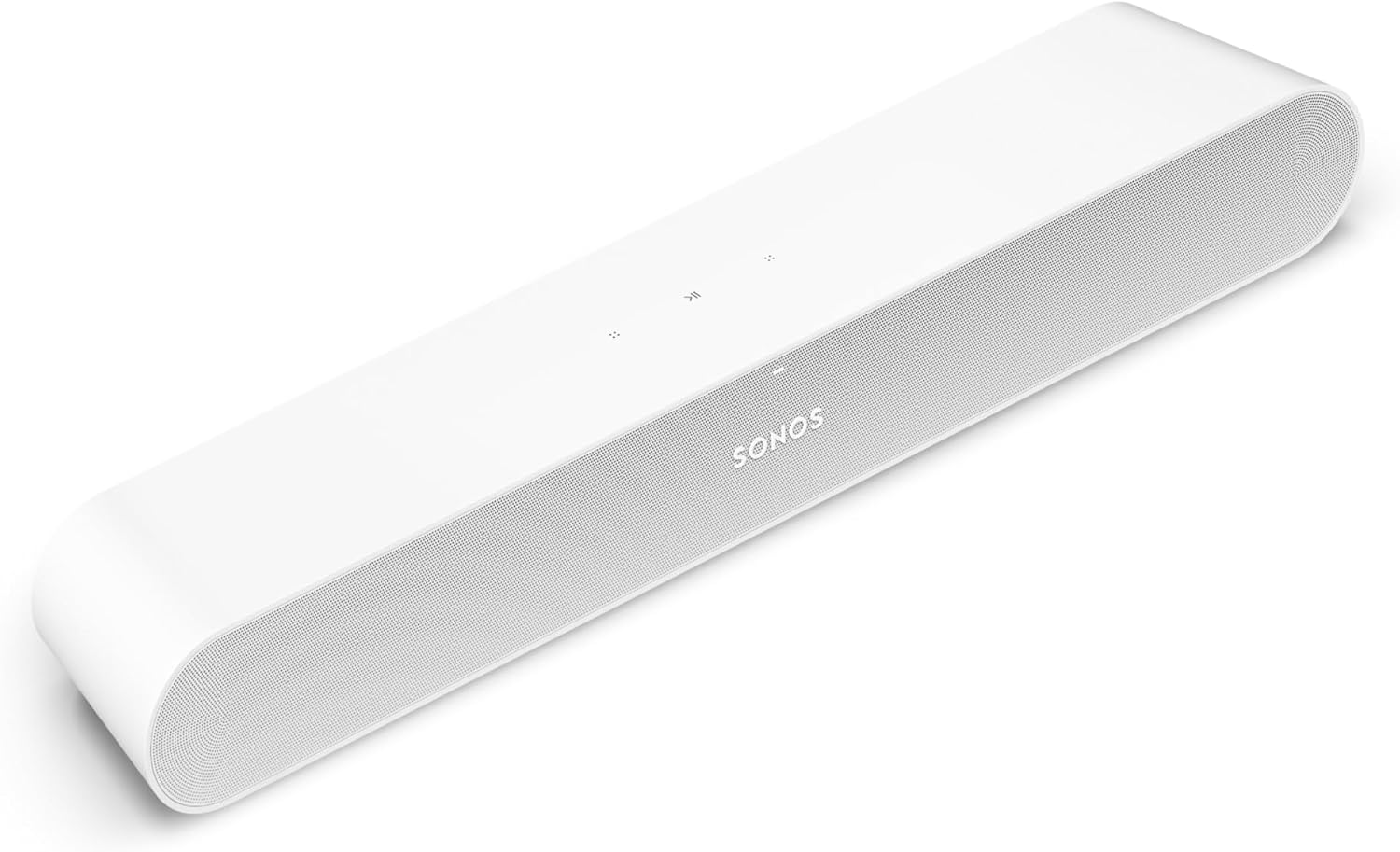 | 21.93 inch | See ratings |
Which Soundbars Under $300 Come With a Subwoofer?
Three of those nine ship with a separate wireless subwoofer, and each one makes a different trade. The Yamaha has the newest formats, the Polk keeps things simple and cheap, and the Hisense adds a center channel and height speakers.
Yamaha SR-B40A
For most living rooms, the Yamaha SR-B40A is the pick.
the Yamaha SR-B40A
Yamaha builds the bar with four 1.8-inch cones and two 1-inch dome tweeters, and pairs it with a wireless subwoofer carrying a 6.25-inch driver. Its 200 W splits into 50 W for each front channel and 100 W for the sub.
It decodes Dolby Atmos, Dolby TrueHD, Dolby Digital Plus and Dolby Digital, and it connects to the TV over HDMI eARC or optical. Yamaha’s list shows no DTS formats, so a disc or game that only offers DTS will play in whatever form your TV converts it to.
The remote has its own subwoofer level control, Yamaha’s Sound Bar Remote app adds tone controls, and four sound modes cover stereo, standard, movie and game (Yamaha). Clear Voice lifts dialogue and Bass Extension adds more low end when you want it.
The catch is floor space, because the subwoofer measures 7-5/8 by 16-1/2 by 16 inches and weighs 17.9 pounds. The bar itself is 35-7/8 inches wide and 2-5/8 inches tall, with keyholes for wall mounting.
Polk Signa S2
For the most bar and sub for the least money, the Polk Signa S2 is the pick.
the Polk Signa S2
Polk’s info sheet lists two 1.25 by 4.4-inch oval drivers and two 1-inch tweeters in the bar, plus a wireless subwoofer with a 5.25-inch driver (Polk). Polk gives the system’s range as 45 Hz to 20 kHz.
It takes HDMI ARC, optical, a 3.5 mm AUX input and Bluetooth, and the box holds both an HDMI cable and an optical cable. So the S2 can connect to an older TV without a trip to the store for a cable.
Polk’s VoiceAdjust raises dialogue without changing the rest of the soundtrack, and Night Mode lowers the bass while lifting voices. Dolby Digital decoding handles 5.1 soundtracks, which the bar renders as virtual surround from the front.
The bar is only 2.15 inches tall, and Polk says it won’t block a TV’s bottom edge or its IR remote sensor. The subwoofer stands 13.4 inches tall, 6.72 inches wide and 12.2 inches deep, a tall, narrow shape that can tuck beside a couch.
Hisense AX3120Q
For the most channels under $300, the Hisense AX3120Q is the pick.
the Hisense AX3120Q
Hisense’s product page lists five full-range speakers and two tweeters in the bar, a 6.5-inch wireless subwoofer, and a 3.1.2-channel layout with up-firing speakers (Hisense Canada). It’s the only pick here with a dedicated center channel, the 3 in its 3.1.2.
It decodes Dolby Atmos, Dolby TrueHD, Dolby Digital Plus, DTS:X and DTS, and its inputs are HDMI eARC, optical, a 3.5 mm AUX jack, USB and Bluetooth 5.3. An HDMI cable and a wall-mount kit come in the box.
Sound modes cover movies, music, news, night, sports, games and an AI mode, and the ConnectLife app adds control from a phone. On select Hisense TVs, Hi-Concerto plays the TV’s speakers with the bar, and the bar is also Roku TV Ready.
Size is the trade: Hisense gives the bar as 40 inches wide and the subwoofer as 13.1 by 13.1 by 6.3 inches. Hisense’s US support page for the AX3120Q holds downloads rather than specs, so these figures come from Hisense’s Canadian page for the same model number.
Get Studio Tips Weekly
Join 5,000+ creators getting acoustic treatment advice every week.
No spam. Unsubscribe anytime.What Is the Best Standalone Soundbar Under $300?
Those three need room for a subwoofer, and plenty of people searching for a standalone or all-in-one soundbar under $300 want the opposite. Six bars here have no separate box: the Yamaha SR-B30A is the best standalone pick, with Dolby Atmos and two subwoofer drivers built into a single 8.6-pound bar.
RTINGS, which says it has tested over 255 soundbars, puts it plainly: an all-in-one bar keeps the setup simple, and the questions are how much bass and immersion you want from one bar, its size, its connections, and whether you’ll add speakers later (RTINGS). Standalone, all-in-one and one-piece all describe the same thing here: one bar, no second box on the floor.
Four of the six put bass drivers inside the cabinet, and two (the Bose and the Sonos) rely on their main drivers alone. Burton Acoustix’s all-in-one soundbar guide compares six single bars, from the SR-B30A and DHT-S218 up to the Sonos Arc Ultra.
Yamaha SR-B30A
For one bar with Atmos and real bass drivers, the Yamaha SR-B30A is the pick.
the Yamaha SR-B30A
Yamaha’s spec comparison puts the SR-B30A beside the SR-B40A: the same four 1.8-inch cones and two tweeters, but two 3-inch subwoofer drivers inside the bar instead of a wireless box (Yamaha). Its 120 W splits into 30 W per front channel and 60 W for the built-in subwoofer.
Yamaha describes a ported, bass-reflex design and calls the bar a fit for smaller living rooms, bedrooms and dens. It decodes the same Dolby Atmos, TrueHD and Dolby Digital Plus formats as its bigger sibling.
Unlike the SR-B40A, it has a subwoofer output, so you can add a wired sub later without replacing the bar. HDMI eARC and optical cover the TV, and Bluetooth 5.1 covers the phone.
It shares the SR-B40A’s 35-7/8-inch width, four sound modes, Clear Voice, Bass Extension and app. Think of it as the same bar with the subwoofer folded inside.
Denon DHT-S218
For gaming and a second HDMI device, the Denon DHT-S218 is the pick.
the Denon DHT-S218
Denon lists six drivers: two 1-inch tweeters, two 3.5 by 1.6-inch racetrack midrange drivers, and two 3-inch subwoofers that fire downward (Denon). It decodes Dolby Atmos, Dolby TrueHD, Dolby Digital Plus and linear PCM.
It’s the only pick whose spec list names an HDMI input as well as the eARC link to the TV, and Denon says that input supports 4K passthrough, VRR and ALLM. A console or streaming box can plug into the bar, with the picture passing through to the TV.
Optical and analog inputs, a subwoofer output, and Bluetooth with LE Audio (LC3) fill out the back panel, and the box includes the HDMI cable. Denon’s Dialog Enhancer has three levels, and a learning function lets the bar take commands from your TV remote.
Denon gives the bar as 35 inches wide, 7.94 pounds, and 2 inches (60 mm) tall in its feature text. Keyhole slots handle wall mounting.
Klipsch Flexus Core 100
For a single bar you can build on, the Klipsch Flexus Core 100 is the pick.
the Klipsch Flexus Core 100
Klipsch’s spec sheet lists two 2.25-inch aluminum cone drivers and two 4-inch paper-cone woofers, 100 W RMS and a 45 Hz to 20 kHz range (Klipsch). The product page calls the woofers dual built-in subwoofers, while the spec sheet files them under upfiring drivers, and Klipsch doesn’t explain the difference.
Klipsch describes its Atmos as virtualized, and the spec sheet’s speaker system line reads 2.1 with Virtualized Dolby Atmos. Inputs are HDMI eARC, optical, USB-C and Bluetooth, with an RCA subwoofer output.
The reason to choose it is growth, since Klipsch says Flexus surrounds and a Flexus subwoofer (or two) connect through its Klipsch Transport technology. The Klipsch Connect Plus app adds EQ presets, a custom EQ, night mode and dialogue boost.
At 28 inches wide, 3 inches tall and 5 inches deep, it’s the narrowest bar with built-in woofers here. The box holds a backlit remote, an HDMI cable and two L-shaped wall brackets.
Bose TV Speaker
For clear dialogue from a compact bar, the Bose TV Speaker is the pick.
the Bose TV Speaker
Bose’s owner’s guide connects it to a TV by optical, with the cable in the box, or by HDMI ARC with a cable you buy separately (Bose). The back panel also has an AUX input, a USB port and a BASS port.
That BASS port is the upgrade path, because Bose’s guide names the Bass Module 500 and Bass Module 700 as add-ons. Until then, the remote’s bass control raises or lowers the low end, and a reset puts it back to the factory setting.
The remote also has a Dialogue mode button, and Bose’s guide says to place the speaker directly below the TV if you can, grille facing the room. Keep its back at least 0.4 inches (1 cm) from any surface, since the ports on that side shape the sound.
Bose’s guide lists no Dolby Atmos or DTS processing, so treat it as a stereo upgrade built for voices. Wall mounting needs the Bose Soundbar Wall Bracket, sold separately.
Sonos Ray
For a small room and Wi-Fi music, the Sonos Ray is the pick.
the Sonos Ray
Sonos connects the Ray to a TV’s optical port with the cable in the box, and its spec list shows no HDMI port (Sonos). Your TV remote still works, because an infrared receiver syncs the bar with it.
Inside are two tweeters, two midwoofers, four Class-D amplifiers and a bass-reflex port, and Sonos says every acoustic element faces forward so the bar still sounds right inside a TV stand. At 21.93 inches wide and 2.76 inches tall, it’s the smallest pick.
Sonos lists stereo PCM, Dolby Digital and DTS Digital Surround as home theater formats, and it adds that this isn’t an indication of a licensed decoder. Speech Enhancement and Night Sound live in the Sonos app, and Trueplay tunes the bar to the room with a supported iOS device.
The trade is setup, because the Ray needs Wi-Fi, a nearby outlet and the latest Sonos app. Sonos’s spec list names AirPlay 2, Wi-Fi and Ethernet for music, but no Bluetooth.
Yamaha SR-B20A
For a TV plus a second optical source, the Yamaha SR-B20A is the pick.
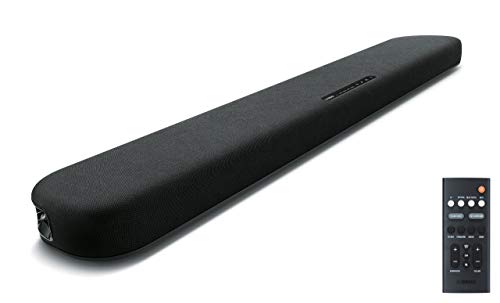
the Yamaha SR-B20A
Yamaha’s spec table gives the SR-B20A two 2-1/8-inch cones, two 1-inch tweeters and two 3-inch built-in subwoofers, for 120 W (Yamaha). It processes Dolby Digital, Dolby Pro Logic II and DTS, and adds DTS Virtual:X for a virtual surround effect.
Its back panel is its strength: one HDMI out with TV ARC, two optical inputs and a subwoofer output. A cable box or older console can use the second optical input while the TV uses HDMI.
By Yamaha’s spec table it lacks Dolby Atmos, eARC and 4K passthrough. Bluetooth 5.0 with the Compressed Music Enhancer handles phone music.
The bar is 35-7/8 inches wide and 2-1/8 inches tall in front of a TV. It’s the pick when your setup has more optical cables than HDMI ports.
Is a Soundbar With a Subwoofer Better Than a Standalone Bar Under $300?
Those nine split almost evenly, and the right side of the split depends on your room more than your budget. A separate subwoofer brings a bigger bass driver to a living room, while a standalone bar suits an apartment, a bedroom or anywhere floor space is short.

The driver sizes show why: the SR-B40A’s wireless sub has one 6.25-inch driver, while the SR-B30A fits two 3-inch drivers inside the bar. Think of it like a car stereo with and without a trunk subwoofer, where the same head unit sounds bigger with more cone area moving air.
Size is the price of that bass. The SR-B40A’s sub needs a 7-5/8 by 16-inch spot on the floor, and the Hisense sub is a 13.1-inch cube, so measure before you order.
Try this: put a shoebox where the subwoofer would go and live with it for a day. If it’s in your way or blocks a walkway, a standalone bar with built-in woofers is the better buy.
Four standalone picks keep a way back, too. The SR-B30A, SR-B20A, Denon and Klipsch all list a subwoofer output, and the Bose takes a Bass Module, so a single bar today doesn’t lock you out of a sub next year.
For neighbors and thin walls, a separate sub can be the problem rather than the fix. Polk’s Night Mode lowers the bass at the push of a button, and Hisense lists a Night sound mode too.
Can a Soundbar Under $300 Play Dolby Atmos?
That bass question has a sibling in Atmos, and the answer is yes, with a catch about how the height effect is made. Five picks list Dolby Atmos, but only the Hisense AX3120Q lists up-firing speakers as height channels; the two Yamahas and the Denon list no height drivers, and Klipsch calls its Atmos virtualized.
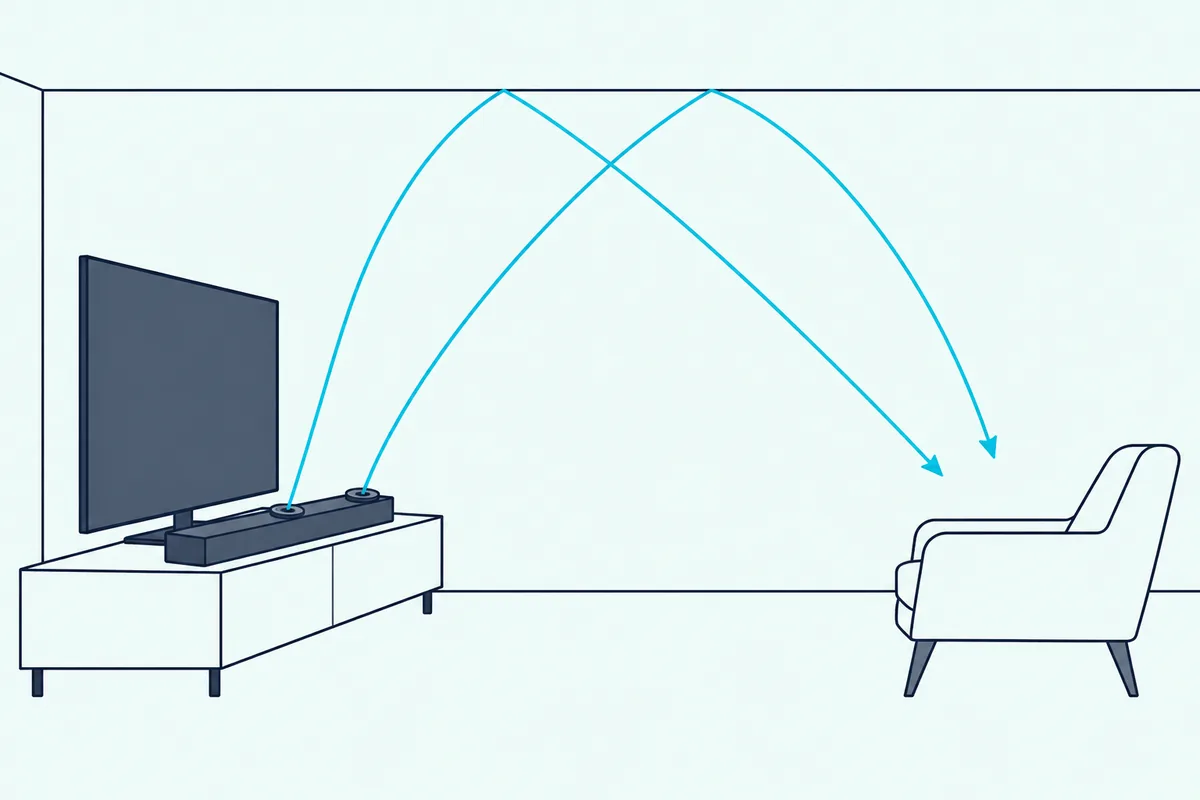
Dolby’s own setup guide explains the difference: Atmos height speakers are either in the ceiling or upward-firing speakers that bounce sound off the ceiling, and they let sound move around the listener in three dimensions (Dolby). Without them, a bar recreates the effect with processing.
Klipsch is the most direct about this, calling its Flexus Core 100 “2.1 with Virtualized Dolby Atmos,” even though its spec sheet files the two 4-inch woofers under upfiring drivers. Yamaha and Denon list Dolby Atmos decoding without height drivers in their driver lists.
The channel numbers help too. Dolby’s guide says the first number counts ear-level speakers, the second counts subwoofers, and the third counts height speakers, so the Hisense’s 3.1.2 means three front channels, one sub and two height speakers.
If your ceiling is flat and plain, upward-firing drivers have something to bounce off. With a vaulted or slanted ceiling, a virtual Atmos bar likely gives up less, because it never relied on the ceiling.
Atmos also needs a source that sends it. Over HDMI eARC, the HDMI Licensing Administrator says the link carries Dolby TrueHD and Dolby Atmos, which is why every Atmos pick here connects by eARC (HDMI LA).
Is a 2.1 or 5.1 Sound Bar Better Under $300?
That channel math also answers the 2.1 versus 5.1 question, at least at this price. No pick here has real rear speakers, so the choice under $300 is really between a 2.1 system with a sub, a 3.1.2 system, and a standalone bar.
A 2.1 system puts left and right channels in the bar and bass in a sub, like the Yamaha SR-B40A and Polk Signa S2. A 5.1 system adds a center and two rear speakers, and Dolby’s guide counts those surrounds among the ear-level speakers.
The Polk decodes Dolby Digital 5.1 and plays it back as virtual surround from the front, which is how most bars at this price handle a 5.1 soundtrack. The Hisense goes a step further with a physical center channel for dialogue.
If you want speakers behind you later, two picks offer a route. Klipsch’s Flexus Core 100 adds Flexus surround speakers, and Sonos sells a set of rear speakers for the Ray, though those systems cost more than $300 in total.
For most living rooms, a good 2.1 or 3.1.2 system is the better use of this budget, in this guide’s view. Spend the rest when you know you’ll use rear speakers, not because a box says 5.1.
Which Connection Should a Soundbar Under $300 Use?
Rear speakers aside, the cable between your TV and the bar decides more than any spec above. Use HDMI eARC if both the TV and bar have it, HDMI ARC next, and optical only when the TV has no ARC port or the bar has no HDMI.
The HDMI Licensing Administrator says eARC supports uncompressed 5.1 and 7.1 audio, audio up to 192 kHz and 24-bit, and formats including Dolby TrueHD, Dolby Atmos, DTS-HD Master Audio and DTS:X. HDMI LA presents those formats as what eARC adds over the earlier ARC, which is why the Atmos picks all use eARC.
| Pick | HDMI to TV | Other TV inputs | HDMI cable in the box |
|---|---|---|---|
| Yamaha SR-B40A | eARC | Optical | Not listed |
| Polk Signa S2 | ARC | Optical, 3.5 mm | Yes, plus optical |
| Hisense AX3120Q | eARC | Optical, 3.5 mm, USB | Yes |
| Yamaha SR-B30A | eARC | Optical | Not listed |
| Denon DHT-S218 | eARC, plus one HDMI in | Optical, analog | Yes |
| Klipsch Flexus Core 100 | eARC | Optical, USB-C | Yes |
| Bose TV Speaker | ARC | Optical, AUX | No (optical included) |
| Sonos Ray | None | Optical | No (optical included) |
| Yamaha SR-B20A | ARC | Two optical | Not listed |
The table shows the real trap: the Sonos Ray has no HDMI at all, so it suits TVs with an optical output. Burton’s guide to how eARC, ARC and optical differ walks through each cable.
Try this: look at the HDMI ports on the back of your TV for a label reading ARC or eARC. If one says eARC, any of the Atmos picks will get the full signal; if none says ARC, use optical and pick a bar with an optical input.
CEC matters as well, because it lets the TV remote run the bar’s volume over HDMI. Polk’s info sheet says its TV-remote volume needs the bar on the TV’s HDMI ARC port with CEC enabled on the TV.
Will Your TV Remote Control a Soundbar Under $300?
That CEC setting is the usual answer for the picks that connect over HDMI. Yes, with the right link: Yamaha says HDMI-CEC with eARC lets you run basic functions of the SR-B40A from your TV remote, and Polk says the same for the Signa S2 over HDMI ARC.
Two picks also listen for the remote’s infrared signal. Sonos says the Ray syncs with your TV remote through its infrared receiver, and Denon gives the DHT-S218 a TV remote learning function on top of HDMI control.
Hisense adds one more route for its own TVs. Its EzPlay feature lets an applicable Hisense TV remote adjust the AX3120Q’s sound settings, by Hisense’s description.
Try this: after connecting the bar, press volume up on the TV remote and watch the bar’s lights or display. If nothing changes, check that CEC is on in the TV’s settings before you blame the bar.
Which Soundbar Under $300 Is Best for Dialogue?
That remote handles volume, but clear voices depend on the bar’s own processing. For dialogue, the Hisense AX3120Q has the edge with a dedicated center channel, and the Bose TV Speaker is the simplest choice with one Dialogue mode button on its remote.
Every other pick has a voice feature, each with its maker’s own name. Yamaha calls it Clear Voice, Denon offers a three-level Dialog Enhancer, Polk has VoiceAdjust, Klipsch has dialogue boost in its app, and Sonos has Speech Enhancement.
Polk’s description shows how these work: VoiceAdjust raises dialogue without changing the rest of the soundtrack. Denon says its Dialog Enhancer lets you turn up dialogue without raising the overall volume.
Try this: pick a news channel or a quiet drama scene and switch the voice feature on and off. If you’re turning the volume up for voices and down for explosions, the voice mode or night mode is the fix, not a louder bar.
Night modes help late at night. Polk’s Night Mode lowers bass and raises VoiceAdjust, and Sonos’s Night Sound reduces loud sounds while lifting quieter ones.
Which Under-$300 Soundbar Is Best for Music?
Dialogue and music pull in different directions, since voices want midrange clarity and music wants range and stereo spread. For music, the Sonos Ray stands out with Wi-Fi streaming and AirPlay 2, while the Yamaha SR-B40A suits bass-heavy playlists with its 6.25-inch sub.
Every other pick streams over Bluetooth, and the versions differ. Yamaha’s SR-B40A and SR-B30A use Bluetooth 5.1 with SBC and AAC, the Hisense lists Bluetooth 5.3, and the Denon adds LE Audio with the LC3 codec.
The Sonos Ray works the other way, streaming over Wi-Fi from music services, AirPlay 2 and Spotify Connect, according to Sonos. Its spec list doesn’t name Bluetooth, so a phone without AirPlay or the Sonos app has fewer ways in.
Yamaha’s Stereo mode suits music and podcasts, the maker says, and the SR-B20A adds a Compressed Music Enhancer for Bluetooth. The Hisense can also play music files from USB, by its spec list.
Range numbers give a rough guide to bass. Polk gives the Signa S2 45 Hz to 20 kHz, Klipsch gives the Core 100 the same, and Hisense gives the AX3120Q 40 Hz to 20 kHz, though makers measure these differently.
Which Soundbar Under $300 Is Best for Gaming?
Music and games share a need for low delay, and games add a demand for HDMI features. For gaming, the Denon DHT-S218 is the pick, because its HDMI input passes 4K video with VRR and ALLM and Bluetooth LE Audio lowers wireless latency, by Denon’s description.
That HDMI input changes the hookup. A console can plug into the Denon and the picture passes through to the TV, which helps when your TV’s HDMI ports are already full.
The other picks list no separate HDMI input, so the console plugs into the TV and the sound comes back over eARC or ARC. That works well on a TV with an eARC port, and it keeps the TV in charge of the video settings.
Yamaha gives the SR-B40A and SR-B30A a Game mode, and the Hisense lists a Game sound mode too. Yamaha’s spec table says neither has auto lip-sync, so watch for sound that trails the picture.
The SR-B20A has no 4K passthrough by its spec table, and the Sonos Ray has no HDMI at all. Sonos does say a PC with optical output can connect for a gaming setup.
How Big a Soundbar Fits Under Your TV?
Gaming setups often sit on tight stands, which makes width the next check. Visually, a bar a little narrower than your TV tends to look right, and these picks run from 21.93 inches (Sonos Ray) to 40 inches (Hisense AX3120Q).

The Yamaha SR-B40A, SR-B30A and SR-B20A are all 35-7/8 inches wide, the Polk is 35.43 inches, and the Denon is 35 inches. The Klipsch is the narrowest bar with built-in woofers at 28 inches.
Height matters more than people expect, because a tall bar can block the bottom of the picture or the TV’s remote sensor. The Polk is 2.15 inches tall, the Hisense 2.24 inches, the Yamaha SR-B20A 2-1/8 inches, and the Denon 2 inches by its feature text.
Try this: measure the gap between your stand and the bottom of the screen, then check the bar’s height on its card. If the gap is under 2.5 inches, stick to the Polk, Hisense, Denon or SR-B20A.
Depth counts on narrow shelves. The Bose guide asks for its back to sit at least 0.4 inches (1 cm) from any surface, and for the front of the speaker to sit as close as possible to the front edge of a shelf or stand.
Can You Add a Subwoofer or Rear Speakers Later?
Measuring for space today also helps you plan for tomorrow, because several picks grow. Five picks can add a subwoofer later: the Yamaha SR-B30A, SR-B20A, Denon DHT-S218 and Klipsch Flexus Core 100 list a subwoofer output, and the Bose TV Speaker takes a Bose Bass Module.
Rear speakers are rarer. Klipsch says the Core 100 takes Flexus surround speakers and a Flexus subwoofer (or two), and Sonos sells rear speakers that pair with the Ray.
The Yamaha SR-B40A, Polk Signa S2 and Hisense AX3120Q already include a subwoofer, and their spec lists show no output for a second one. Buy one of those when you want the full system on day one.
Think of the standalone picks as a starter kit. A bar with a subwoofer output leaves the bass upgrade for a later budget instead of forcing it now.
How Do You Set Up a Soundbar Under $300?
Whichever expansion route you pick, the first setup is the same for most of these bars. Plug the bar into the TV’s HDMI eARC or ARC port, switch on HDMI-CEC in the TV’s settings, set the TV’s audio output to the external speaker, and confirm that the TV remote changes the bar’s volume.
- Place the bar below the TV, with the grille facing the room, as Bose’s guide recommends.
- Connect HDMI eARC or ARC, or optical if the TV or bar has no HDMI.
- Turn on CEC in the TV’s settings and pick the soundbar as the TV’s audio output.
- Pair a wireless subwoofer, if your bar has one, following the quick start guide.
Bose’s owner’s guide covers the optical route in detail, starting with removing the protective caps from both ends of the optical cable. It warns that inserting the plug with the cap on, or the wrong way round, can damage it.
For the Sonos Ray, setup runs through the Sonos app over Wi-Fi after you connect the optical cable. Sonos says the app does most of the work for you.
Once it’s running, play a familiar scene and adjust bass and dialogue settings. Yamaha’s subwoofer level control and Polk’s VoiceAdjust are worth setting before you judge the sound.
What Do You Give Up With a Soundbar Under $300?
That setup gets you most of the way, and the remaining gaps are mostly the ones $300 can’t close. You give up real rear speakers, Wi-Fi streaming (only the Sonos lists it), and height channels on all but the Hisense.
DTS is the quieter gap. Yamaha’s spec lists show no DTS formats on the SR-B40A and SR-B30A, and Denon’s format list names only Dolby and linear PCM, so DTS soundtracks depend on your TV or player.
Room correction is another. Sonos’s Trueplay needs a supported iOS device, and Hisense’s room calibration works only with select Hisense TVs, by Hisense’s description.
CNET’s budget guide says the real sweet spot for soundbar spending is between $300 and $400 (CNET). If rear speakers or Wi-Fi on every bar matter to you, that’s the band to look at next.
Which Soundbars Under $300 Didn’t Make the List?
Those trade-offs narrowed the field, and a few strong sellers were left out for reasons worth knowing. Several were under $300 on 20 October with good ratings, but their makers’ documents couldn’t be read here or the listing failed a rule.
Samsung’s HW-B550F, HW-B630F, HW-B750F and HW-S60D, LG’s S40TR, S60T and S70TY, the JBL Bar 2.1 Deep Bass, TCL’s S60K and S65K, and Sony’s HT-S400 and HT-S40R all appeared in the Amazon searches. Samsung, LG, JBL, TCL and Sony’s main sites have refused Burton’s scripts, and no Sony Help Guide was found for the HT-S400 or HT-S40R, so none could be described from its maker’s own pages.
Amazon’s Fire TV Soundbar Plus was also left out because Amazon’s help pages refuse Burton’s scripts. The Ultimea surround systems were left out for the same reason.
Others failed the listing rules on the day: the Hisense HS5100, the Polk Signa S1 and the Yamaha YAS-209 all fell short of the star-rating rule.
The Bose TV Speaker (2nd Gen) passed the listing checks, but Bose’s quick start guide for it holds little more than pictures, so the original TV Speaker stays on the list. The Vizio SV200M, unavailable on four lookups on 20 October, sits below this price band anyway.
How Were These Soundbars Checked?
Those exclusions follow the same rules as the picks. Each bar was under $300 on Amazon on 20 October 2026, rated 4.0 stars or higher from 50 or more reviews, in stock, and described only from its maker’s spec sheet, product page or manual, saved on that date.
No bar was played, measured or compared by ear for this guide. Where a maker’s documents disagree or leave a gap, the text says so, as with Klipsch’s woofer description and Hisense’s US support page.
Several picks were down to one to eight units on the day. Stock and prices move fast in this band, so the card is the place to check before you buy.
RTINGS’s and CNET’s budget lists, read on the same day, helped frame the questions. Neither was used for a spec that a maker’s own documents could give.
What Should You Check Before You Buy a Soundbar Under $300?
That method boils down to a short checklist you can run in five minutes. Check your TV’s audio ports, your floor and shelf space, the formats you watch, and the price on the day.
- Your TV’s ports: eARC, ARC, or optical only.
- Floor space for a subwoofer, or a standalone bar instead.
- The bar’s height against the gap below your screen.
- The price on the day, since a sale ending can push a pick past $300.
If all four line up, open that pick’s card. If none fits, the usual gap is a port or a room size, and the under-$150 or all-in-one guides are the next stop.
The Bottom Line
So the Yamaha SR-B40A is the best soundbar under $300 for most living rooms, with Atmos over eARC and a 6.25-inch wireless sub. The Polk Signa S2 is the value pick, and the Hisense AX3120Q gives you a center channel and height speakers.
For one box, the Yamaha SR-B30A is the best standalone soundbar under $300, the Denon DHT-S218 suits gamers, and the Klipsch Flexus Core 100 grows into a system. The Bose TV Speaker is built for voices, the Sonos Ray for small rooms and Wi-Fi music, and the Yamaha SR-B20A for setups with two optical sources.
Whichever one fits, open its card and check today’s price and stock before you order. For more options, including surround systems and a Polk Signa S4 with height speakers, the best budget soundbars for any TV are the next stop.
Frequently Asked Questions
What is the best budget sound bar under $300?
The Polk Signa S2 is the best budget sound bar here, because it pairs a wireless subwoofer with HDMI ARC, optical and 3.5 mm inputs, and Polk puts both an HDMI cable and an optical cable in the box. Polk’s VoiceAdjust and Night Mode cover dialogue and late-night viewing. It lacks Dolby Atmos and eARC, so choose the Yamaha SR-B40A if you want Atmos over eARC. Check the price on the day, since every pick was under $300 when checked on 20 October 2026 and prices move.
What is the best value for money sound bar?
Value depends on what you’d otherwise buy separately. The Polk Signa S2 includes a subwoofer and both cables, while the Yamaha SR-B30A and Denon DHT-S218 build two bass drivers into one bar and add a subwoofer output for later. If you’d eventually want rear speakers, the Klipsch Flexus Core 100 is the value pick, since it grows with Flexus surrounds and subwoofers instead of being replaced.
Is a standalone soundbar the same as an all-in-one soundbar?
Yes, in practice: standalone, all-in-one and one-piece all describe a single bar with no separate subwoofer box. Some, like the Yamaha SR-B30A, Denon DHT-S218, Klipsch Flexus Core 100 and Yamaha SR-B20A, build bass drivers into the cabinet. Others, like the Bose TV Speaker and Sonos Ray, rely on their main drivers. RTINGS frames the choice around how much bass and immersion you want from one bar, its size, its connections, and whether you’ll add speakers later.
Is a 2.1 or 5.1 sound bar better?
A 5.1 system adds a center channel and two rear speakers to a 2.1 system’s left, right and subwoofer, so it surrounds you more fully. Under $300, though, no pick here includes real rear speakers. The Polk Signa S2 decodes Dolby Digital 5.1 and plays it as virtual surround from the front, and the Hisense AX3120Q adds a center channel and two height speakers. For most rooms, a good 2.1 or 3.1.2 system is the better use of $300.
Which brand makes the best soundbar under $300?
Yamaha has the most picks here, with three bars that cover Atmos with a wireless sub, Atmos in one bar, and an older two-optical design. Polk, Hisense, Denon, Klipsch, Bose and Sonos each lead in one area: value, channels, gaming, expansion, dialogue and small rooms. Samsung, LG, JBL, TCL and Sony were left out because their makers’ pages couldn’t be read for this guide, not because their bars fell short.