How to Reset an Onn Soundbar, Model by Model
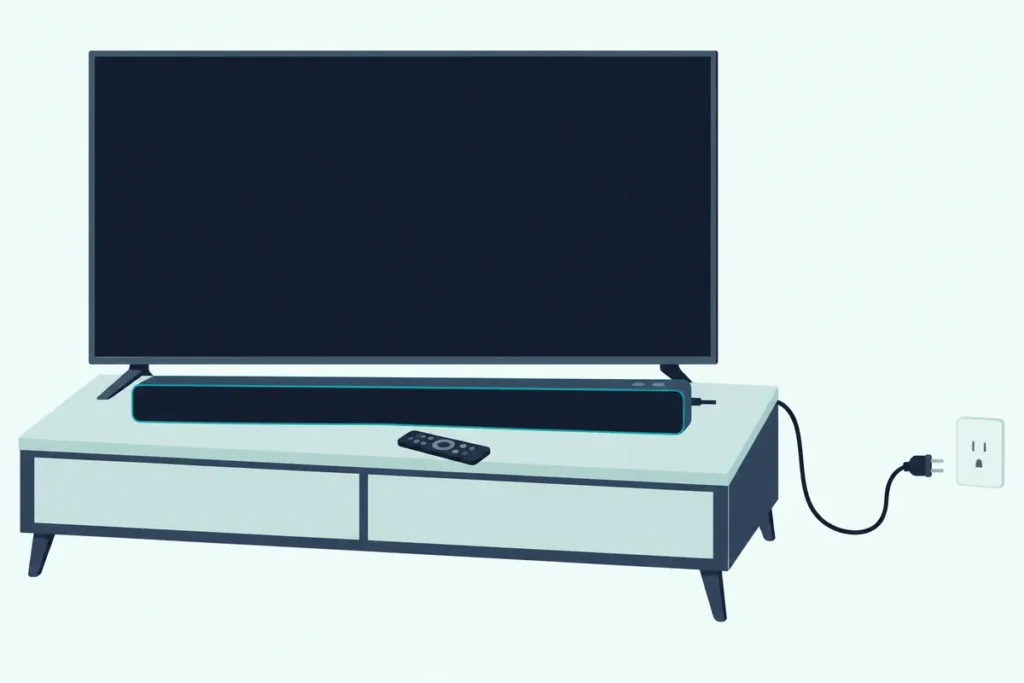
Here’s how to reset an Onn soundbar without guessing: read the model number on the back of the bar first, because Onn’s manuals use four different methods.
That matters because the reset sits in different places, with some 36-inch bars putting it on the remote’s play/pause key and a 30-inch bar wanting both volume buttons held for 10 seconds.
Guess wrong and you may only trigger the long presses Onn assigns to Bluetooth pairing or the subwoofer link, so the bar keeps the stuck setting you wanted gone.
The table below matches each Onn model number to the reset its own manual gives, including the bars whose manuals give no factory reset at all.
After that come the remote, panel and Roku methods, then re-pairing the TV, phone and subwoofer, and what to check if the bar still misbehaves.
How to Reset an Onn Soundbar: Which Method Fits Your Model?
That model number decides everything, and Onn’s 30-inch manual says the model and serial number are printed on the back of the unit. To reset an Onn soundbar, match that number to the table: the 36-inch 5.1 bars and the 36-inch 2.1 with an external subwoofer use a RESET key on the remote, the 30-inch 100019624 uses its two volume keys, the Onn Roku Smart Soundbar uses Roku’s menu or a back-panel button, and several 2.0 and 2.1 bars document only unplugging.
| Onn model (number on the back) | Documented reset | From the bar alone? |
|---|---|---|
| 36″ 5.1 with wireless subwoofer (100027812, FW1823SBAR) | Press RESET, the play/pause key on the remote | No panel reset in the manual |
| 36″ 5.1 (100008866, 100015717, FW1817SBAR) | Press RESET, the play/pause key on the remote | No panel reset in the manual |
| 36″ 2.1 with external subwoofer (100023515, FW1822SBAR) | Press RESET on the remote | No panel reset in the manual |
| 30″ 2.0 (100019624) | Hold VOL- and VOL+ together for 10 seconds, then restart the bar | Both keys are on the bar’s own panel |
| Onn Roku Smart Soundbar (9100) | Settings > System > Advanced system settings > Factory reset, or hold Reset on the back for about 10 seconds | Yes, with the back-panel button |
| 2.0 (100020788, SB2028) and 36″ 2.1 (100024204, SB2135) | No factory reset; unplug, wait 30 seconds, plug back in | Yes |
| 30″ 2.0 (100004120) | No factory reset; unplug and reconnect | Yes |
| Atmos bars: 3.1 with wireless subwoofer (100069413), 42″ 5.1.2 (100002634) | No reset in any Onn manual copy checked for this guide | Call Onn support |
Only the top five rows are true factory resets, while the next two are restarts their manuals never say erase anything, and the Atmos row has no documented procedure. One combination repeated in older reset guides, Volume Down plus Bluetooth held on the remote, appears in none of the manuals behind this table.
Where Is the Reset Button on an Onn Soundbar?
That table already hints at the answer: on most Onn bars the reset isn’t a button on the bar at all. The 36-inch 5.1 bars and the 2.1 with an external subwoofer print RESET on the remote, and the only soundbar with a back-panel Reset button among these manuals is the Roku-built Onn Roku Smart Soundbar.
Look at the controls on the bar itself and you’ll find the same four keys on nearly every model. The 36-inch 5.1 has Power, SOURCE, VOL- and VOL+, and the 2.0 SB2028 has Power, Source, Volume up and Volume down, with no fifth button anywhere.
The Roku bar is the exception, because its back panel reads, from left to right in Roku’s quick start drawing, USB, Optical, HDMI, Reset and Power. Its add-on Onn Roku Wireless Surround Speakers and Wireless Subwoofer each have a Reset button of their own, according to Roku’s quick start guides.
So skip the paperclip hunt on a 36-inch 5.1. Its reset lives on the remote, which is the next method.
Get Studio Tips Weekly
Join 5,000+ creators getting acoustic treatment advice every week.
No spam. Unsubscribe anytime.How Do You Factory Reset an Onn Soundbar With the Remote?
That handset reset covers the 36-inch 5.1 bars and the 2.1 with an external subwoofer, and Onn’s drawing makes it easy to find. To factory reset one of those Onn soundbars with the remote, press the play/pause key in the middle of the volume ring, which carries the RESET label underneath, and the manual says it resets the device to its factory default settings.
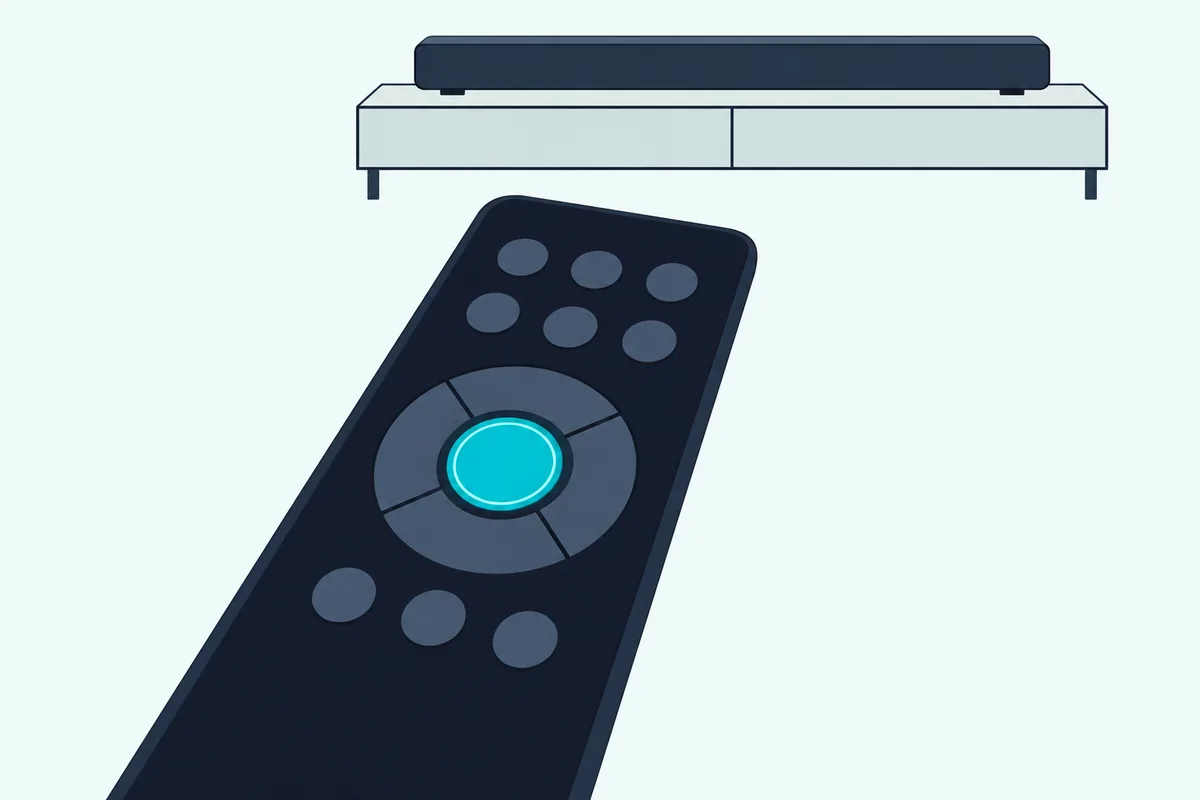
The drawing in ItsManual’s copy of the 36-inch 5.1 manual numbers that key 6, and the 100027812 and 100023515 manuals list RESET under the same key number. Think of it as a dual-purpose key: in Bluetooth mode it plays and pauses music, and as RESET it wipes the bar’s settings.
- Aim the handset at the sensor on the bar’s front, within 15 feet and a 60-degree arc, the range the manual gives.
- Press the play/pause key marked RESET.
- Check the bar’s light or display, and select your input with SOURCE or an input key.
Onn’s manual stops at that one line, with no hold time and no description of what the display shows next. If nothing happens, its own fix for an unresponsive handset applies: move closer, point it straight at the sensor, clear anything in the way and fit two new AAA batteries.
Two other long presses on that handset are worth knowing, so you don’t trigger them by accident. Holding the Bluetooth key for 3 seconds starts Bluetooth pairing, and holding mute for 7 seconds starts the subwoofer link.
Can You Reset an Onn Soundbar Without the Remote?
Those handset-only keys are the catch if yours is lost. You can reset some Onn soundbars without the remote, since the 30-inch 2.0 (100019624) resets from its own two volume keys and the Roku bar has its back-panel button, but the manuals for the 36-inch 5.1 bars and the 2.1 with an external subwoofer give no way to factory reset from the bar.
On the 30-inch 100019624, hold VOL- and VOL+ at the same time for 10 seconds, then restart the bar, since ManualShelf’s copy of the 30-inch 2.0 manual ends its reset line with “Go to Restart the unit.” Both keys sit on the bar’s own panel next to Power and Input, although the manual doesn’t say whether it means those keys or the handset’s.
The 36-inch bars are the harder case, and they’re the ones behind searches like “onn 36 5.1 soundbar factory reset without remote.” Their panel holds only Power, SOURCE, VOL- and VOL+, so the RESET key has no twin on the bar.
You can still do one useful thing from that panel. Hold SOURCE for 3 seconds and the bar goes into Bluetooth pairing mode, the manual’s alternative to the Bluetooth key, so a new phone can connect.
For the reset itself you need a handset with that RESET key. ZdalaMit’s replacement remote for the onn 100027812 copies the original’s layout, with RESET printed under the play/pause key.
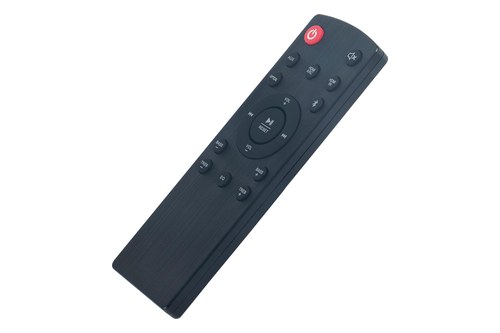
ZdalaMit’s replacement remote for the onn 100027812
What If Your Onn Soundbar Has No Reset Button?
That replacement only helps the 36-inch family, because some Onn bars never had a reset to begin with. If your Onn soundbar has no reset in its manual, unplug it: the 2.0 SB2028 (100020788) and 36-inch 2.1 SB2135 (100024204) manuals say to unplug a bar that doesn’t work correctly, wait 30 seconds and plug it back in.
ManualShelf’s copy of the 36-inch 2.1 SB2135 manual gives that 30-second step in its troubleshooting section, and the 30-inch 100004120 manual says to unplug the unit and reconnect it after any functional abnormality. The ONA19SB003 30-inch manual adds that to switch the unit off completely, you unplug the adapter from the wall.
Treat it as a restart rather than a factory reset. None of those manuals says it erases settings or pairings, so a stuck Bluetooth link needs its own step.
To clear Bluetooth on the SB2028 or the ONA19SB003, hold the Bluetooth key or the bar’s SOURCE key for 3 seconds until the light flashes blue, then pair the new device. The SB2028 manual also says to make sure Bluetooth is off on the last device before you connect another.
That order, restart first and only then anything more drastic, matches the general soundbar reset order most makers’ manuals give, though each brand’s reset itself works differently.
How Do You Reset the Onn Roku Smart Soundbar?
The one Onn bar with a real reset button is the one Roku built. Reset the Onn Roku Smart Soundbar (model 9100) from Home > Settings > System > Advanced system settings > Factory reset, or, if the menu won’t respond, hold the Reset button on its back for about 10 seconds with the bar on, then release when the status light blinks rapidly.
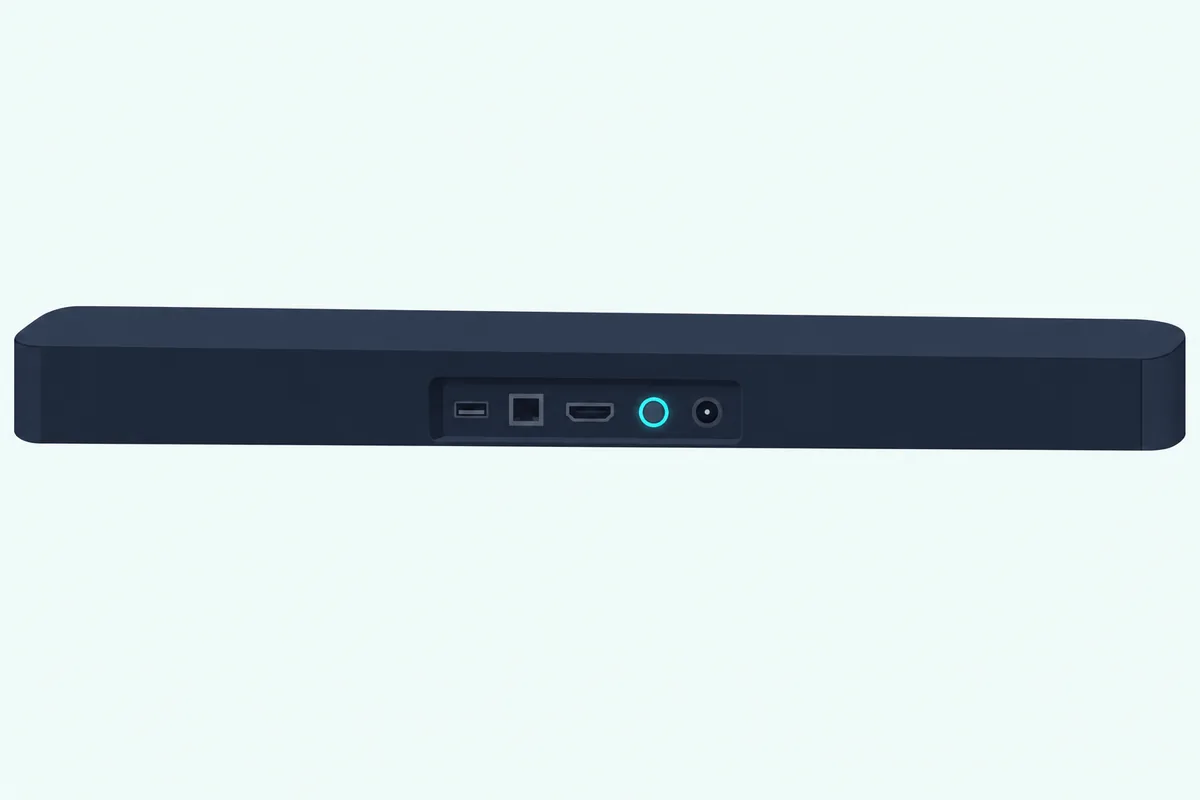
Roku’s help page for this bar lists it as the onn • Roku Smart Soundbar, model 9100, and answers “How do I factory reset my Streambar or soundbar?” with its factory reset article. The button steps there are written for Roku’s streaming players, and the bar’s quick start guide shows the Reset button between the HDMI port and the power socket.
Get your logins ready first, because Roku says a factory reset unlinks the device from your Roku account and removes its apps. You’ll need your Roku account email and password, your Wi-Fi name and password, and your streaming app sign-ins to finish Guided Setup before the bar streams again.
The handset that comes with this bar is a simple onn • Roku remote with TV power, volume, mute and channel shortcut keys. Our page on how to control a soundbar with a Roku remote explains why it has to point at the bar’s front.
The bar’s add-on wireless surround speakers (model 9040) reset separately. Roku’s page for them points to its wireless-audio reset: hold the Reset button on the back of each speaker firmly for 10 seconds until the status light goes dark and then blinks, since a short press only restarts it.
What About Onn’s Dolby Atmos Soundbars?
Roku documents its bar more completely than Onn documents any other, and Onn’s Atmos bars are the opposite. No reset procedure could be confirmed for them: the copy of Onn’s 5.1.2 Atmos Soundbar manual checked for this guide, for the bar sold as the 42-inch 100002634, covers setup, Bluetooth, AirPlay 2 and a troubleshooting table without one, and no readable copy of the manual for the 3.1 Atmos bar with a wireless subwoofer (100069413) was available.
That gap matters because the volume-up-plus-volume-down hold gets repeated online for these bars. Among the manuals behind this guide, that hold appears only in the 30-inch 2.0’s, so on an Atmos bar it’s a guess.
Here’s what the 5.1.2 manual does document. The subwoofer’s orange light on the rear panel flashes while it’s in pairing mode and turns solid once it’s paired to the bar, and the bar shows up in a phone’s Bluetooth list as “onn. 5.1.2 Soundbar.”
The same manual lists Onn’s customer support line, 1-888-516-2630, open from 7 a.m. to 9 p.m. daily, Central time. For an Atmos bar that’s stuck, that call beats trying button combinations borrowed from other models.
What Do an Onn Soundbar’s Lights Mean After the Reset?
Whatever method your bar uses, its light or display is how you’ll read where it stands afterward. Onn’s indicator colors differ by model: red means standby and blue means Bluetooth on most bars in the table, but optical shows green on several models and red on the 30-inch 100019624.
| Onn model | Standby | Bluetooth | Optical | AUX | HDMI |
|---|---|---|---|---|---|
| 36″ 5.1 (100008866) | Red | Blue | Green | Yellow | White (ARC), orange (HDMI IN) |
| 36″ 2.1 (100024204, SB2135) | Red | Blue | Green | White | Yellow |
| 2.0 (100020788, SB2028) | Red | Blue | Green | White | None |
| 30″ 2.0 (100019624) | Not listed | Blue | Red | White (line in: green) | None |
| 30″ 2.0 (ONA19SB003) | Red | Blue | Green | Mixed color | None |
The 36-inch bars with a front display, the 100027812 and the 100023515, spell it out instead. They show BT, PAIRING, PAIRED and UNPAIR (UNPAIRED on the 2.1) for Bluetooth, and OPTICAL, HDMI IN, HDMI ARC or AUX for the input you’ve picked.
The Bluetooth light also tells you more than the mode. On the SB2028, SB2135 and 100004120, a slow flash means the bar is paired but disconnected, and a solid light means the phone is connected.
Beyond the lights, a healthy bar shows steady power, responds to remote input changes, and outputs audio on the selected source, and that’s the baseline a reset should bring back. A quick test: switch inputs twice and confirm the color or display word changes each time.
How Should You Re-Pair the Subwoofer and Bluetooth Afterward?
Once those lights look right, rebuild one connection at a time, starting with the TV. On the 36-inch 5.1 bars and the 2.1 with an external subwoofer, re-pair the subwoofer by holding mute on the remote for 7 seconds and then the pairing button on the subwoofer for 3 seconds, and re-pair Bluetooth by holding the Bluetooth key, or SOURCE on the bar, for 3 seconds.
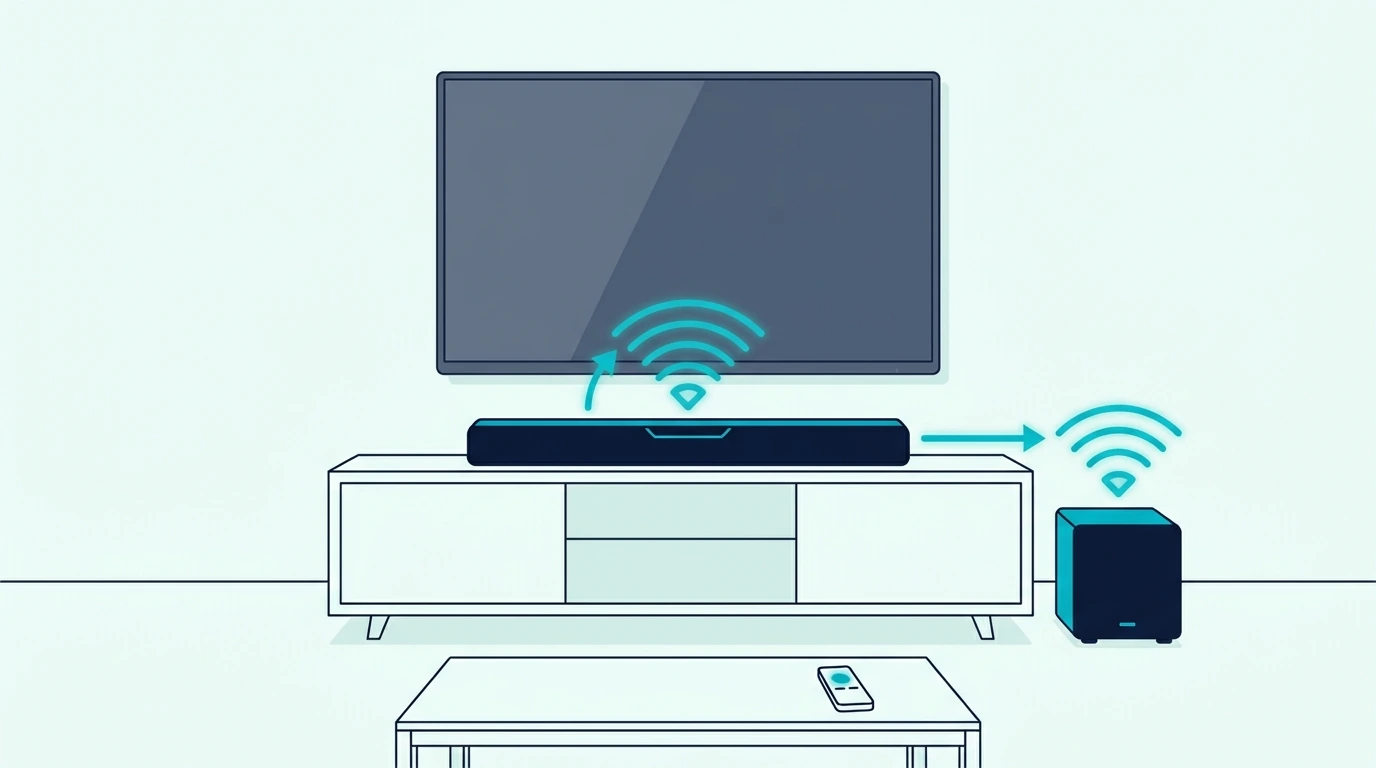
Start with the TV link, since it tells you the bar plays sound at all. For the cable-by-cable details, connecting an Onn soundbar to a TV walks through HDMI, optical and Bluetooth on these bars, and the brand-neutral HDMI ARC, optical, and Bluetooth setup paths cover any other gear in the chain.
If you’re rebuilding the whole system, the full setup checklist — power on, input selected, TV Sound Out confirmed, source device verified is the wired order to restore first. A TV that only offers Bluetooth audio can follow this TV-side Bluetooth walkthrough instead.
The subwoofer comes next. Onn pairs it to the bar at the factory and says the two should connect by themselves at power-on, so the manual steps are for when that doesn’t happen:
- Hold mute for 7 seconds; the 100027812 and 100023515 displays show SUB LINK.
- Hold the pairing button on the subwoofer for 3 seconds; its light blinks fast (blue on those two, red and blue on the 100008866).
- Wait for the subwoofer’s light to go solid; the display shows LINKED.
If the light keeps blinking, the brand-neutral pairing sequence — bar in pairing mode first, sub power-cycled second, single LED solid third covers the recovery. The 100027812 manual’s own fix for no subwoofer sound is plainer still: make sure the subwoofer’s power cord is firmly in the wall outlet.
Bluetooth comes last. Keep your phone within about 3 feet (1 meter) and look for the name your manual gives, such as onn. 36″ 2.1 Soundbar, Onn 36″ 5.1 Soundbar or onn. 30″ Soundbar, and Burton Acoustix’s guide to pairing a phone with a soundbar covers the phone’s side.
Why Is the Onn Soundbar Still Not Working After the Reset?
If those connections won’t hold, the reset probably wasn’t the missing piece. Onn’s own troubleshooting tables point to three usual causes, the input, the TV’s audio format and the handset, so select the right source, set the TV’s output to PCM for HDMI or optical, and check the batteries and line of sight.
The PCM tip comes straight from the 100027812 manual, which says to set the TV’s or DVD player’s output to PCM when there’s no sound over HDMI or optical. Onn’s 2.0-Channel Bluetooth Soundbar guide adds that some TVs don’t pass digital audio through, so try connecting the source straight to the bar.
A bar that switches itself off may simply be on its timer. The 100027812 drops to standby after 15 minutes without an audio signal, and the SB2028 and SB2135 after 20 minutes, waking again when a source plays.
For HDMI ARC trouble, the TV side is the usual suspect, so enabling ARC on the TV side — HDMI-CEC on, ARC-labeled port confirmed, Sound Out set to external is the next check. Roku notes that ARC and related features such as CEC can be disabled by default on a TV, and with ARC off the port behaves like a normal HDMI port.
If sound still won’t come back, the input-swap test (change input on the bar, swap the source device, then try a different TV) separates a setting from a wiring fault. If a correct reset changes nothing and the bar distorts or shuts off on every source, the hardware-failure symptoms a reset cannot fix are the next thing to rule out.
Under warranty, call before you buy anything. The 30-inch manual’s service line, 1-800-925-6278, starts with phone troubleshooting, and Walmart then decides between repair at a service center and an exchange for a new or refurbished unit; keep the receipt and the model and serial number handy.
Out of warranty, a replacement is the honest fix. If a 2.1 failed you, Polk Audio’s Signa S2 keeps the bar-plus-subwoofer layout.
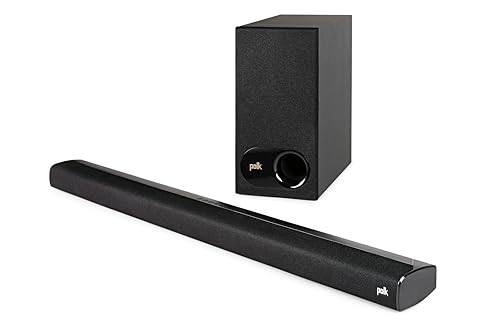
Polk Audio’s Signa S2
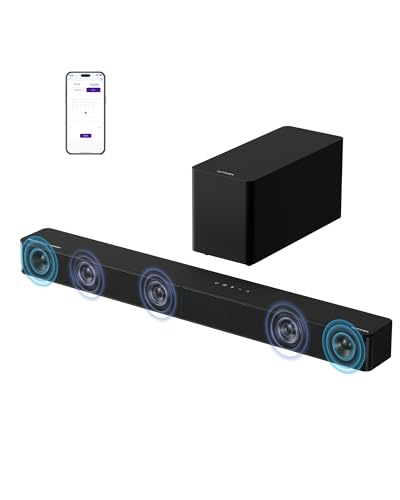
For an Onn 5.1 owner, ULTIMEA’s Poseidon M60 keeps the 5.1 channel count. If you’d rather never re-pair a subwoofer again, Samsung’s S60D puts everything in one bar.
ULTIMEA’s Poseidon M60
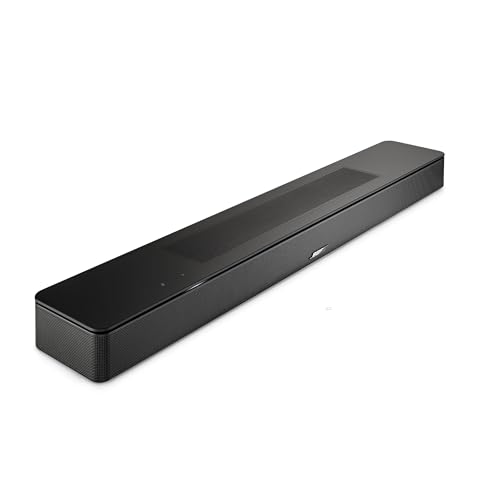
The Bose Smart Dolby Atmos Soundbar is the step up for dialogue and streaming. For cheaper options, the budget replacement picks ranked by reliable ARC handshake and lifetime quality and the full soundbar category hub have more.
The Bose Smart Dolby Atmos Soundbar
Frequently Asked Questions
Is there a reset button on an Onn soundbar?
On most models, no. The 36-inch 5.1 bars and the 2.1 with an external subwoofer put RESET on the remote’s play/pause key, the 30-inch 100019624 resets by holding VOL- and VOL+ together for 10 seconds, and the manuals for the SB2028 and SB2135 document no factory reset, only a 30-second unplug. The one Onn bar with a Reset button on its back panel is the Roku-built Onn Roku Smart Soundbar (9100), which resets with about a 10-second hold while it’s on.
How do I factory reset an Onn soundbar without a remote?
It depends on the model. The 30-inch 100019624 resets from the two volume keys on its panel, and the Onn Roku Smart Soundbar from its back-panel Reset button. The manuals for the 36-inch 5.1 bars and the 2.1 with an external subwoofer only document the handset’s RESET key, so you’ll need a replacement with that key; from the bar’s panel you can still hold SOURCE for 3 seconds to start Bluetooth pairing.
Why will my Onn soundbar not pair after a reset?
The usual reason is that the bar isn’t in pairing mode or another device grabs it first. Hold the Bluetooth key, or SOURCE on the bar, for 3 seconds until the light flashes, keep the phone within about 3 feet, and switch Bluetooth off on the last device that used the bar. Switching the bar to another input also disconnects Bluetooth, according to Onn’s manuals. For the subwoofer, hold mute on the remote for 7 seconds, then the subwoofer’s pairing button for 3 seconds.
Does resetting an Onn soundbar fix no sound?
Only if a stuck setting caused it. Onn’s own no-sound checklist is shorter than a reset: raise the volume, cancel mute, pick the right input, and set the TV’s audio output to PCM when HDMI or optical stays silent. If the subwoofer alone is silent, check that its power cord is firmly plugged in, then re-pair it. A soundbar reset doesn’t touch the TV’s ARC setting or the cable, so test those too.
Does an Onn soundbar need a firmware update after a reset?
None of the Onn soundbar manuals cited on this page mentions a firmware update, so there’s no documented update to run before or after a reset. The exception is the Onn Roku Smart Soundbar, which runs Roku’s software: after a factory reset it has to go through Roku’s Guided Setup again, with your Roku account and Wi-Fi password, before it can stream.