How to Tell If a Soundbar Is Bad: Signs, Tests and Warranty Terms
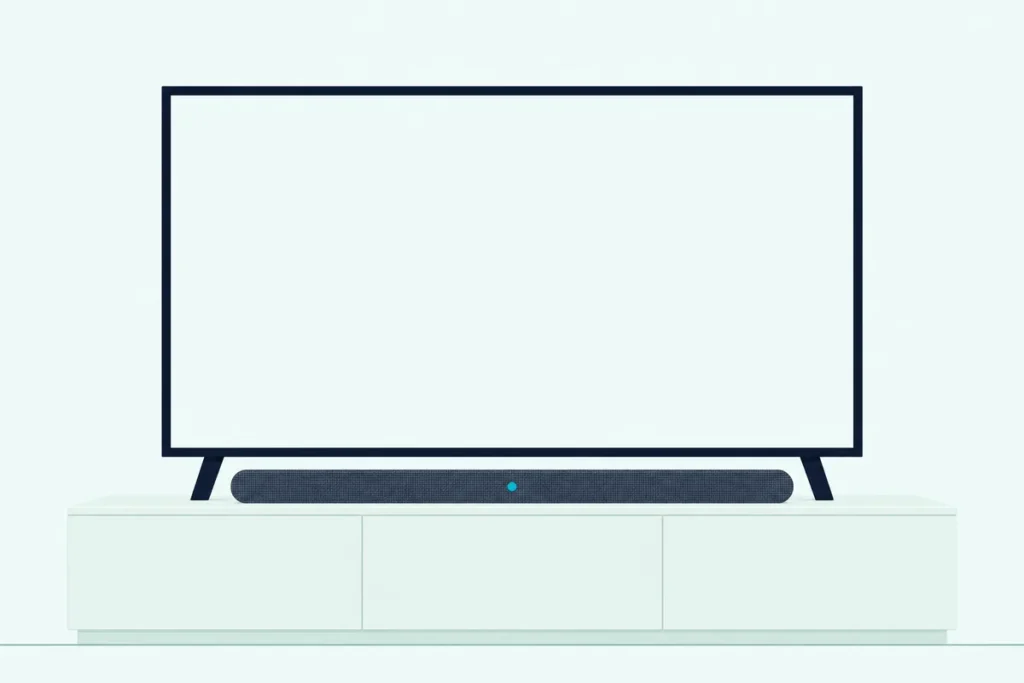
Here’s how to tell if a soundbar is bad: change one link in the chain at a time, and see whether the fault follows the bar or stays behind with the TV, the cable or the source.
A silent bar, a crackle or a stuck light can look like a dead product, yet the makers’ troubleshooting tables start with the outlet, the input and the TV’s sound output.
Run the tests in order and you either get the sound back or reach support knowing the fault is the bar’s, which counts because Samsung’s and Vizio’s warranties leave out signal problems.
The steps come from the manuals and support pages of Samsung, LG, Sony, Vizio, Bose, Sonos, JBL, Polk and Yamaha, starting with the power cord and the light.
Next come the signs table and the seven tests, then what to do with the results.
How to Tell If a Soundbar Is Bad or Just Badly Connected
That chain runs from the wall outlet to the source device, and only one link in it is the bar. A soundbar is bad when the same fault follows it across every input, source and cable, then survives a reset and a firmware update; if the fault stays behind on one input or one source, the bar’s speakers are still doing their job.
LG’s S40T owner’s manual says as much at the top of its troubleshooting section: run several checks, because the issues listed may not be malfunctions. Vizio’s V51x-J6 manual uses the same logic for a buzz, telling you to connect a different source and, if the buzz goes, to suspect the original device.
Wirecutter’s troubleshooting guide reached a similar view from reader comments and online reviews: most complaints trace to the connection between the TV and the bar, not to the bar itself. Treat that as a starting point, since a real fault looks the same until you test for it.
The split matters at the warranty desk too. Samsung’s HW-B750F manual covers manufacturing defects in materials and workmanship, not “signal transmission and delivery problems,” and Vizio’s warranty leaves out “signal issues.”
What Are the Signs of a Bad Soundbar?
Those warranty lines are why one sign on its own proves little. The signs of a bad soundbar are no power, no sound, cut-outs, distortion, a dead subwoofer, a dropped HDMI link, a stuck light or a sudden shutoff, and the makers’ tables give most of them an ordinary cause first.
| Sign | What the makers say causes it | The test that settles it |
|---|---|---|
| No power, no light | A loose power cord (Samsung, JBL) or a dead outlet (Vizio) | Plug another device into the outlet, then unplug the bar for 30 seconds (Bose) |
| Power, but no sound | Mute, low volume, the wrong input (LG, Yamaha) or a TV set to its own speakers (Samsung) | Change the input, then set the TV’s sound output to the bar |
| Sound cuts out | Bluetooth distance or interference (Samsung), or HDMI in a standard port (Bose) | Move the source closer, then use the eARC or ARC port |
| Distortion or crackle | TV speakers still playing (JBL, Bose) or a connected device turned up too far (Bose) | Turn off the TV speakers, then test different sources (Bose) |
| Buzz or hum | A loose cable or the source device (Vizio) | Connect a different source, then a different input (Vizio) |
| Subwoofer or rear speaker silent | A lost wireless link (Samsung, LG) | Read the LED on the back, then reconnect it |
| HDMI ARC or eARC drops out | The wrong port, HDMI-CEC off or an unplayable format (Samsung, Bose) | Use the port marked ARC, turn on CEC, set the output to PCM or Auto |
| Stuck or flashing light | A state such as mute or setup, sometimes an error | Find the pattern in the light table below |
| Bar shuts itself off | Auto standby with no signal (Samsung, LG) or heat protection (Sony, Polk) | Play something, clear the vents, watch for a warning light |
| Smoke or a strange smell | A stop sign, whatever the cause (LG, Vizio) | Stop, unplug it and contact service |
Read down the middle column and the bar’s own parts barely appear: the makers list cords, inputs, settings and wireless links.
A burnt smell or smoke means stop rather than test: LG’s S40T owner’s manual says to stop using the product, turn off the power, disconnect the plug and contact the service center. Vizio’s V51x-J6 manual says to unplug the bar and contact your dealer immediately, and not to try to repair it yourself.
Why Is My Soundbar Not Working?
That table also covers the wider question, since a bar that has “stopped working” is one of its rows by another name. The makers name four everyday causes when a soundbar isn’t working: it’s lost power, it’s on the wrong input, the TV is sending sound somewhere else, or the signal is in a format the bar can’t play.
Audio formats are the cause that looks most like a fault. Vizio’s V51x-J6 flashes its input LEDs rapidly at an unsupported format, Samsung’s 2024 TV e-Manual warns of no sound when a TV on Pass-through sends Dolby Digital+ to a bar that doesn’t support it, and Sonos notes that Blu-ray movies often use DTS, which Sonos S1 systems don’t support.
A bar that keeps switching itself off may be following its own rules. LG’s S40T turns off after 15 minutes with no input signal, and Yamaha’s SR-B20A goes to standby after 20 minutes with no audio or control input, or eight hours with no control input.
A sudden stop after a storm has its own entry in Yamaha’s guide: the SR-B20A’s microcomputer can freeze after lightning, static electricity or a voltage drop, and holding the rear Reset button for at least 10 seconds forces the bar off.
If the silence is on HDMI, our guide to no sound over HDMI ARC goes through the menus on each TV brand, and a bar that keeps cutting out has fixes by connection. If yours is a Samsung, these Samsung-specific fixes cover its symptoms one by one.
How Do You Test a Soundbar, Step by Step?
Those causes line up into an order, from the link that takes least effort to check to the one that changes the most settings. To test a soundbar, check the power and lights, change the input and cable, try another source, listen through the TV’s speakers, pair a phone over Bluetooth, reset the bar and update its firmware, stopping as soon as the fault moves or disappears.
The order combines the makers’ tables, so use your own manual for your model’s buttons. Change one thing per test, or you won’t know which change fixed it.
Check the Power and the Lights
Start at the wall. Vizio’s V51x-J6 manual has you press the power button, make sure the cord is secure and plug a different device into the outlet, and Bose’s Smart Soundbar guide adds unplugging the bar and any bass module or surround speakers for 30 seconds.
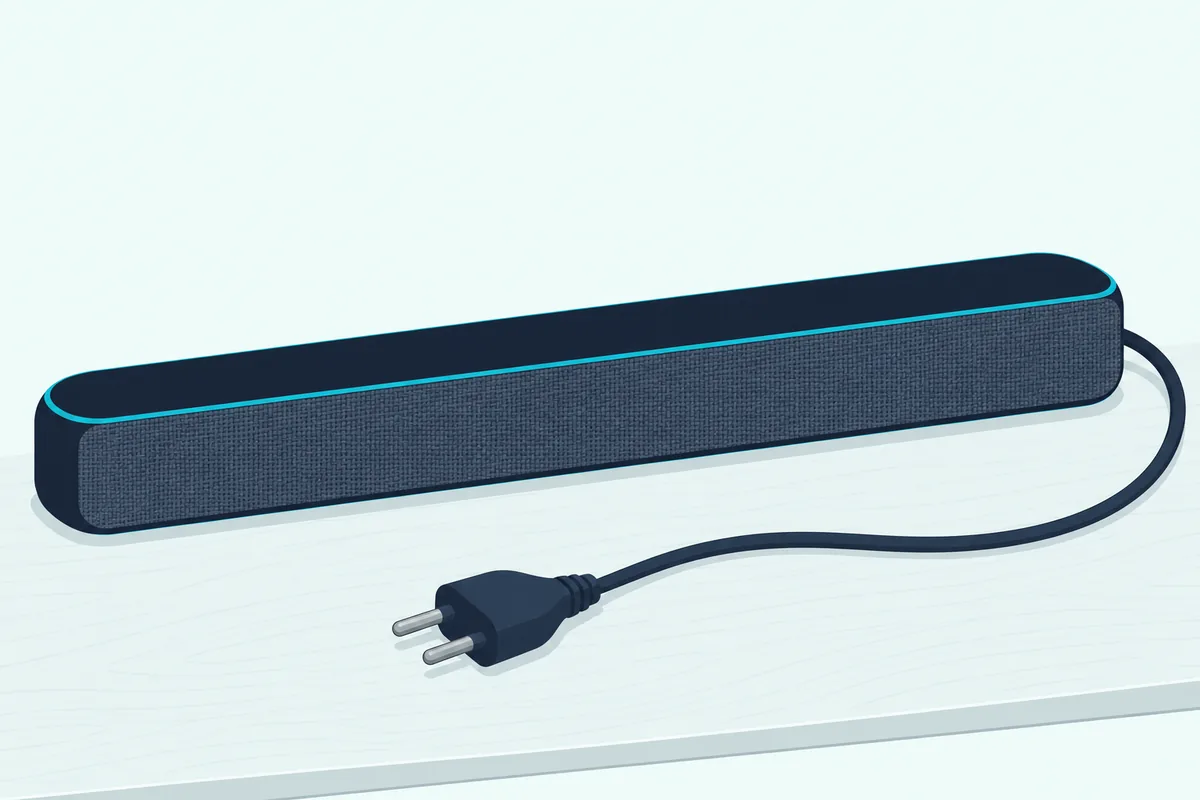
Sony’s BRAVIA Theatre Bar 5 Help Guide has you check that the rear ventilation holes aren’t blocked, disconnect the power cord and wait several minutes before reconnecting it. A dark bar isn’t always an unpowered one, either: the status light can be turned off in the Sonos app, and the SR-B20A’s indicators can be dimmed to Off.
Change the Input and Reseat the Cable
With power confirmed, rule out the simplest fault in the signal path. Press the input button until the bar lands on the connection you’re using, then select the bar as the TV’s sound output, since LG, JBL and Yamaha list the wrong input and Samsung lists the TV’s output among their no-sound causes.
Then remove each cable and connect it again, as Samsung’s HW-B750F manual says, and check the ends. Sonos warns that an optical cable may ship with a dust cap on it, and Bose says to use a TV port labeled Output or OUT, not Input or IN.
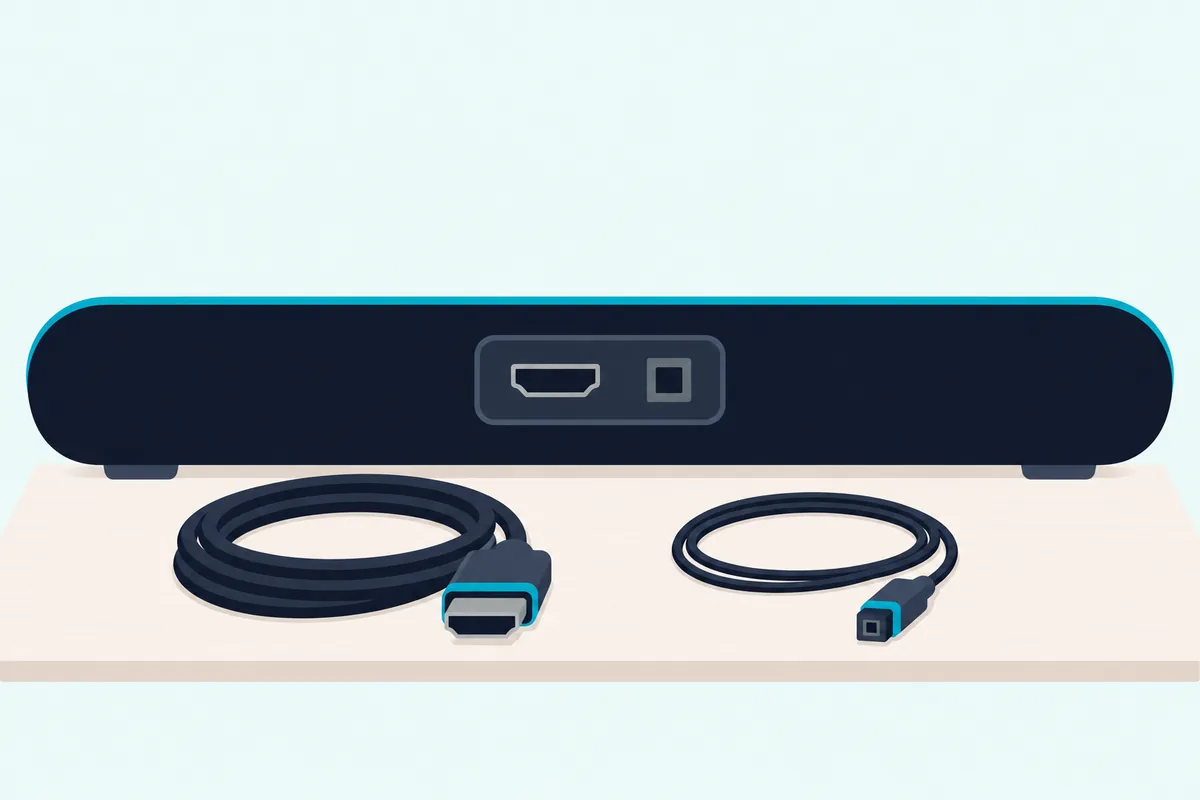
If the bar still won’t play, swap the cable instead of trusting it. Sonos says a problem with the cable itself can cause an error during setup, and Vizio’s SV210M manual lists a different HDMI cable as a fix for buzzing or humming.
Moving to optical takes HDMI out of the test altogether, if your TV and bar both have the port. A simple cable like the KabelDirekt TOSLINK Optical Audio Cable answers one question: does the bar play cleanly with HDMI removed?
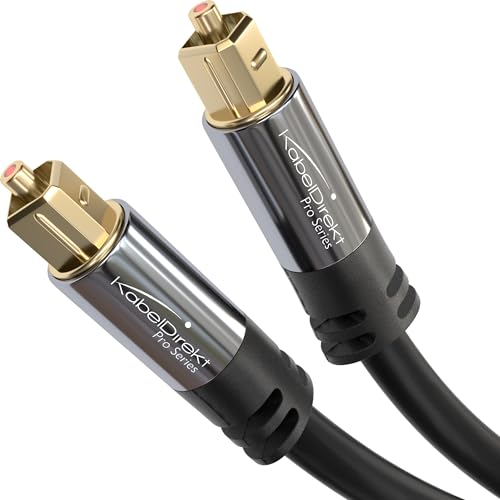
KabelDirekt TOSLINK Optical Audio Cable
If it plays on optical after failing over ARC, the bar works and the HDMI link needs attention. Samsung’s table checks the ARC terminal, HDMI-CEC and the TV’s output format, and Yamaha names optical as the route when HDMI Control is off.
A bar with an HDMI input has two runs, one from the source to the bar and one from the bar to the TV, so swap both. A two-cable set like the JSAUX HDMI 2.1 2-Pack shows whether the failure follows the bar or stays with the old cables.
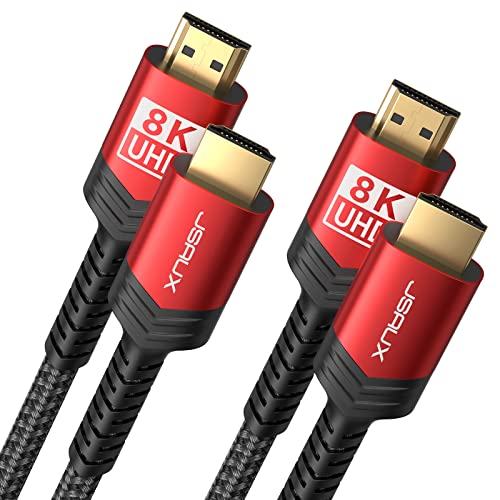
JSAUX HDMI 2.1 2-Pack
Cable age can matter on eARC: HDMI.org says operation over older Standard or High Speed HDMI Cables with Ethernet might be possible but isn’t certified.
Try a Different Source
The cable is cleared, so change what’s feeding the bar. Vizio’s manual suggests connecting a different source device, such as a TV or Blu-ray player, and then a different input on the bar, and Bose’s guide says to test different sources if available.
A source plugged straight into the bar also skips the TV, which helps because Vizio notes that some TVs don’t pass through digital audio. Try another app too, since Bose lists playing audio from a different application or music service among its fixes for intermittent sound.
Listen Through the TV’s Own Speakers
This test splits the TV from the bar. LG’s webOS user guide says to set Sound Out to Use TV Speaker and check again, and if you hear sound without any problem, to check the connection and settings of the external speaker, such as a sound bar.
Some TVs run their own check as well. Samsung’s e-Manual has a Sound Test under Device Care and Self Diagnosis, LG’s guide has Sound Self-diagnosis under Support, and Sony’s TV Help Guide lists a Picture/Sound test under Status & Diagnostics.
If the TV’s speakers show the same fault, the bar is in the clear and the source or the TV comes next.
Pair a Phone Over Bluetooth
A phone is the cleanest second source if your bar has Bluetooth, because it skips the TV and every cable. Pair an iPhone or Android phone, play music and listen for the same fault: LG’s S40T has a Bluetooth pair button that opens a three-minute window, and Samsung’s HW-B750F uses the PAIR button on its remote.
Clean playback points away from the speakers and toward HDMI, optical or the TV. Cut-outs on Bluetooth alone have their own causes, and Samsung names radio interference from microwaves and wireless routers, distance from the bar, and metal furniture under it.
Reset the Bar
A reset comes late because it wipes your setup. Sony’s HT-A5000 Help Guide puts it after its own troubleshooting and support site and before a call to your Sony dealer, and Bose’s guide warns that restoring factory settings clears all source, volume and network settings.
Start with a plain power cycle, then use your model’s factory reset; how to reset a soundbar lists both, brand by brand. JBL’s Bar 300 manual prescribes a factory restore when the bar stops responding to its buttons, and Samsung’s table says to reset the product and try again for no sound or a Bluetooth link that won’t connect.
Update the Firmware
The last test changes the software on the bar, and sometimes on the TV. Bose’s Smart Soundbar updates automatically once it’s set up in the Bose app and on your Wi-Fi network, while Samsung’s HW-B750F takes a firmware file on a USB stick when Samsung offers one.
Write your settings down first, because Samsung says an update can erase user settings and resets the subwoofer connection. Bose also lists updating the TV’s software among its fixes for intermittent or no audio, so check both ends of the link.
Is It the Soundbar, the TV, the Cable or the Source?
Those seven tests only help if you read the results as a set. The fault is in the bar when it stays through every change, and it’s in the TV, the cable or the source when one change makes it go away.
| What you found | Where that points |
|---|---|
| Fine on Bluetooth, faulty on HDMI and optical | The TV’s output or its settings |
| Fine on optical, faulty on HDMI ARC | The HDMI port, cable, CEC or format |
| One source fails, the others play | That source or its cable |
| The TV’s speakers show the same fault | The TV or the source |
| TV speakers fine, bar fails on every input and Bluetooth | The bar |
| One channel missing from the speaker test | That speaker or its wireless link |
| Same fault after a reset and an update | The bar, so contact the maker |
Each row narrows the chain by one link, the same logic Polk’s Signa S4 manual uses when it opens troubleshooting by asking whether the other devices are operating properly.
What Do the Lights on a Soundbar Mean?
A stuck light can look like the bar’s own verdict, so check it before you count it as a failure. Most patterns in the makers’ tables report a state such as mute, pairing or an update, and only a few mean an error: Bose’s solid red and Sonos’s rare fault pattern send you to support, and Sony’s flashing red sends you to its troubleshooting steps.
| Bar | Light | What the maker says it means |
|---|---|---|
| Bose Smart Soundbar | Solid red light bar | Error, contact Bose customer service |
| Sony BRAVIA Theatre Bar 5 | Main status indicator flashing red | An abnormality or error, so follow Troubleshooting |
| Sonos products | Solid orange | Setup didn’t finish, or the product is overheating |
| Sonos products | Flashing orange and white | Updating or resetting, and in rare cases a fault condition |
| Yamaha SR-B20A | TV indicator flashing red | Protection circuitry has been activated |
| Polk Signa S4 | Power off, left status LED flashing red | Protection circuit, after a rise in temperature |
| LG S40T | All LEDs blinking orange | Mute is on |
| Samsung HW-Q990F | Indicator stays red | The microphone is off |
| Vizio SV210M | LED flashing yellow rapidly | Unsupported format on a digital input |
The Sonos LED lights page says to let an overheating product cool, then contact Sonos Support if it stays solid orange. Solid amber on the Bose Smart Soundbar only means Wi-Fi setup is in progress, so read Bose’s amber and orange lights before you add a Bose bar to the failure list.
What Does a Failing Speaker or Amplifier Show?
Those protection lights are as close as these manuals come to naming a hardware limit. A dead speaker shows up in the bar’s own speaker test as a missing channel, and a bar protecting itself shuts off with a warning light or display message.
The makers stop short of the sound itself. Samsung’s HW-B750F manual, Vizio’s V51x-J6 manual and Bose’s Smart Soundbar guide don’t describe what a blown driver or a failed amplifier sounds like, so treat a crackle as a symptom to trace, not a diagnosis.
Vizio’s V51x-J6 test sits under SETUP, Spkr Test: a voice calls out each speaker, and if one is missing, Vizio says to check the connection and run it again. The SV210M plays pink noise through each speaker when you hold Bluetooth and Volume Up for 5 seconds, and Test Tone on Sony’s BRAVIA Theatre Bar 5 checks whether sound comes consistently from each speaker.
Protection is the other signal. Yamaha’s SR-B20A User Guide says that if the power keeps turning off after you check the connections, unplug the bar and contact a Yamaha dealer or service center, and after three trips in a row it won’t power on at all.
Heat has its own messages. Polk’s Signa S4 manual says to unplug the bar, wait about an hour and turn the volume down, and Sony’s HT-A5000 shows [PRTCT] when you should check the ventilation holes, or [HIGH], [TEMP] and [ERROR] when it detects high temperature.
A warm bar alone isn’t a fault: Sony’s BRAVIA Theatre Bar 5 Help Guide says the temperature may rise during use, and only blocked vents may cause a malfunction.
Three patterns are left once the tests are done: distortion at any volume from every source, one dead channel in the speaker test, and random shutoff during normal use with the vents clear. Those are hardware-failure symptoms, because a reset and an update have already failed to clear them, and they’re what to describe to the maker.
Is the Subwoofer or Rear Speaker Bad, or Just Unpaired?
A dead channel has one innocent explanation on wireless sets, and that’s a lost link. Check the pairing first, because a silent subwoofer or rear speaker may only have dropped its connection, and the LED on its back tells you.
On Samsung’s HW-B750F, blue means connected, blinking blue means it’s recovering the connection, and red means standby with the bar off. LG’s S40T uses green for connected, blinking green for connecting, and red for a bad connection or standby.
Our guide to connecting a subwoofer to a soundbar covers auto pair and re-pair. Check the content as well, since Yamaha’s SR-B20A guide says a source may contain no subwoofer or low-frequency signals.
Why Does a Working Soundbar Still Sound Bad?
Some bars pass every test above and still sound wrong, which makes it a settings question rather than a failure. By the makers’ tables, a working soundbar sounds bad because two sets of speakers are playing at once, a processing setting is on, or a nearby device is interfering.
JBL’s Bar 300 manual gives the fix for distorted sound or echo: mute the TV or disable its built-in speakers, and Bose’s TV Speaker guide says the same to avoid distorted sound. Samsung’s HW-B750F manual warns that loud sound may distort with DRC, its Dynamic Range Control, turned on, and Yamaha’s SR-B20A guide blames noise on another digital or high-frequency device sitting too close.
Missing surround sound or Dolby Atmos height can be a setting too. Yamaha lists a TV set to output 2-channel audio such as PCM, and JBL says Dolby Atmos isn’t supported over Bluetooth or casting apps.
If dialogue is the trouble, Burton Acoustix’s muffled-sound fixes go through the causes maker by maker.
When Do the Makers Say to Stop Testing and Call Support?
Everything above assumes the bar is safe to keep using. Stop and call when you see smoke or smell something strange, when a dropped bar has a damaged housing, when something has gotten inside it, or when the fault isn’t in the manual’s table and the listed fixes don’t help.
Vizio says a dropped unit with a damaged housing may function abnormally, so unplug it and contact your dealer. LG says a foreign substance inside means disconnecting the plug and contacting the service center, and Sony says the same of water getting in.
Each maker’s table ends at a different desk. Samsung’s says to disconnect the power cord and call 1-800-SAMSUNG, Polk’s Signa S4 manual says a symptom that doesn’t match could be a fault in the unit and sends you to your dealer, and Bose’s sends you to customer service.
JBL’s Bar 300 manual opens its table with a plain warning never to try to repair the product yourself, and its safety notes add that any modification will void your warranty.
Should You Repair or Replace a Bad Soundbar?
Once the fault is confirmed, the warranty decides the next step, not the age of the bar. Inside its warranty, a bad soundbar goes back to the maker, who picks the remedy: Samsung repairs or replaces it, and Vizio repairs it, replaces it or refunds the purchase price.
Samsung’s year on the HW-B750F runs from delivery, with 90 days for commercial use, and it starts with a call for problem determination. Vizio’s V51x-J6 manual gives a year from the original purchase, also 90 days for commercial use, and requires pre-authorization before anything ships.
Sonos gives one year from shipment or from purchase at an authorized dealer, and Bose’s store page lists a one-year limited warranty. Power events sit outside some of these terms: Samsung excludes lightning and electrical surges, and Vizio excludes improper voltage and power surges.
If one clean path still works, keep using it, since the bar’s speakers are fine and the path is what needs fixing. If every path fails, our guide on how to repair a soundbar covers each maker’s service route, and whether sound bars wear out covers what the makers say about heat, power surges and updates.
If you’re replacing it, start with the best soundbar guide, the best budget soundbar roundup and the best soundbars for small rooms guide.
The Bottom Line
The test of a bad soundbar is whether the fault follows it. If one input, source or cable clears it, fix that link; if it follows the bar through every input with the TV’s speakers fine, and a reset and an update change nothing, take your results to the maker.
For everything else, start at the soundbar hub.
Frequently Asked Questions
How long should a soundbar last?
Samsung’s HW-B750F manual, Vizio’s V51x-J6 manual and Bose’s Smart Soundbar guide give no lifespan, only warranty terms. Our guide to how long soundbars last covers what the makers say about warranties, heat, power surges and software updates.
What are common problems with soundbars?
The makers’ tables list no power, no sound, the wrong input, a remote that won’t work, Bluetooth pairing failures, a subwoofer that’s lost its link, and audio that drops out. Those aren’t all signs of a bad soundbar, which is why testing more than one source matters.
How to test if a sound bar is working?
Play it from a second source, on a different input, with a cable you know is good, then pair a phone over Bluetooth. If your bar has a speaker test, run that too. If it powers on, changes inputs and plays cleanly somewhere, the hardware is working.
What causes a sound bar to stop working?
The makers name a loose power cord, the wrong input, mute, a TV set to its own speakers, an audio format the bar can’t play, and HDMI-CEC switched off. Yamaha adds lightning or a voltage drop freezing the SR-B20A’s microcomputer, and heat can trip the protection circuit on Polk’s Signa S4.
Why did my soundbar suddenly stop working?
Look for what changed. Samsung’s HW-B750F turns itself off after a period with no signal, and turning it off while you’re watching TV disables its power sync with the TV. A storm or a voltage drop can freeze a bar too, as Yamaha’s SR-B20A guide describes, so power it down as your manual says, then run the tests in order.
Do sound bars go bad?
They can, which is why Samsung, Vizio and Sonos warrant their bars against defects in materials and workmanship. A bad bar shows the same fault on every input and source, while a fault on one path points to that path, so run the tests before you decide.