How to Connect a Bose 900 Soundbar to Your TV, Wi-Fi and Phone
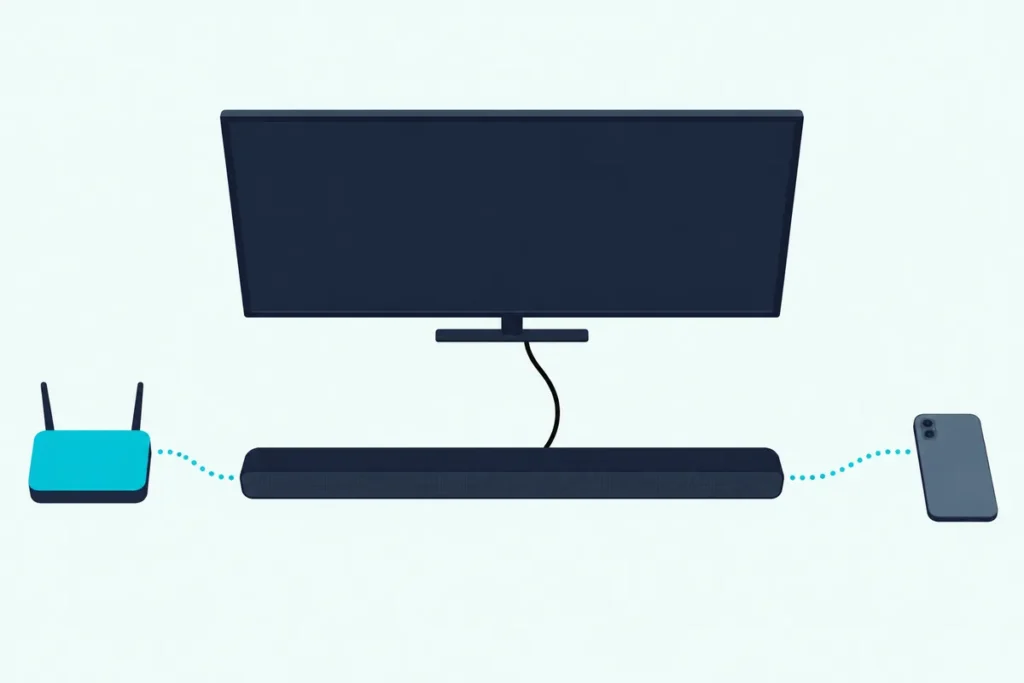
If you’re working out how to connect a Bose 900 soundbar, it takes one HDMI cable from the box, run from the TV’s eARC or ARC port to the bar’s HDMI (eARC) port, plus setup in the Bose Music app.
Pick a standard HDMI input instead, or leave the TV’s CEC setting off, and the TV keeps talking through its own speakers while the 900 sits silent.
Get both right on an eARC port and the TV remote runs the bar’s power, volume and mute, while the app adds Wi-Fi streaming and a voice assistant.
Every step comes from Bose’s own 900 guide and pages, plus the TV makers’ menus for the CEC switch.
It starts with the box and the right port, then covers the app, Wi-Fi, Alexa or Google Assistant, Bluetooth, add-on speakers and the fixes for a silent bar.
How to Connect a Bose 900 Soundbar, Step by Step
That one-cable hookup takes four steps, and only the TV end needs care. Bose’s owner’s guide calls HDMI eARC or ARC the preferred connection and keeps optical as the backup (Bose Smart Soundbar 900 owner’s guide).
- Plug one end of the HDMI cable into the TV’s port labeled HDMI eARC or ARC, not a standard HDMI port.
- Plug the other end into the HDMI (eARC) port on the soundbar.
- Connect the power cord: the bar powers on by itself and its light bar glows solid amber.
- Download the Bose Music app on your phone and follow its instructions, which end with ADAPTiQ room calibration.
To check the result, turn on the TV, switch its speakers off and power on the bar, and you should hear the TV from the 900. Then press Mute on the Bose remote: neither the TV speakers nor the bar should make a sound.
If yours turns out to be a different model, Burton Acoustix’s Bose soundbar TV guide covers the rest of the range.
What Comes in the Box, and Do You Need an Adapter?
Those four steps use only parts from the carton. Bose’s guide lists the soundbar, a remote with two AAA batteries, a power cord, an HDMI cable, an optical cable and the ADAPTiQ headset, and Bose’s 900 page says both cables are provided (Bose).
So there’s nothing to buy for a normal hookup, and no adapter is involved. The 900 has its own OPTICAL IN port, and neither Bose source mentions an adapter.
Which TV Port Should the HDMI Cable Use?
That HDMI cable only does its job in the one TV port that sends sound back out. Bose’s guide wants the TV’s HDMI eARC (Enhanced Audio Return Channel) port first, the HDMI ARC port if the TV has no eARC, and never a standard HDMI port.
Look for the label printed beside one input on the TV’s back panel. Sony’s help guide names it the input bearing “ARC” or “eARC/ARC”, and VIZIO’s 2022 V-Series manual puts it on HDMI-1.
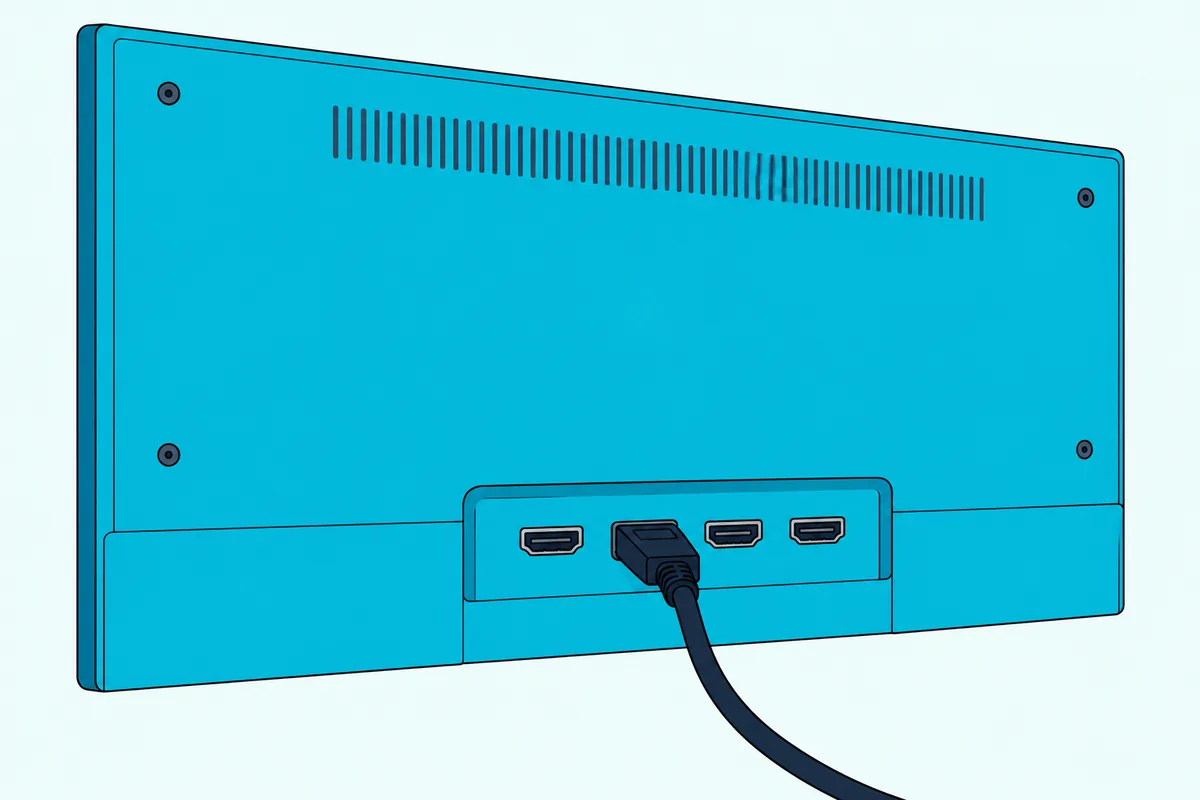
eARC matters on this bar because Samsung’s eARC page says that, unlike standard ARC, it carries lossless formats such as Dolby Atmos, and the 900 plays Atmos through up-firing speakers. If Atmos still doesn’t play, Bose’s guide says to check the Bose Music app and the TV’s advanced audio settings, which the best settings for your Bose 900 walk through.
A cable box or other source stays plugged into the TV. Bose’s sound check has you power on that box and pick its input on the TV.
Can You Use the Optical Cable Instead?
That eARC-first rule has a fallback built in. Yes, optical works: Bose’s guide makes it the second option for a TV without an HDMI eARC or ARC port.
- Remove the protective cap from both ends of the optical cable.
- Plug one end into the TV’s Optical OUT port.
- Line up the other plug with the bar’s OPTICAL IN port, whose hinged door swings inward as the plug goes in.
- Push the plug in firmly until you hear or feel a click.
Bose warns that a cap left on, or a plug turned the wrong way, can damage the plug or the port. Optical can’t carry CEC, which LG and Samsung both describe as a feature of the HDMI link, so the TV can’t switch the bar on that way.
That’s what auto-wake is for: hold Power on the remote for 10 seconds until you hear a tone and the light bar pulses white twice, and the bar powers on whenever it receives a sound signal. Bose’s 900 help article puts the same Optical Auto-Wake toggle under Power in the app’s Settings.
A TV with neither port needs an audio converter and a separate coaxial, 3.5 mm or analog audio cable, not supplied, chosen to match the TV’s audio outputs.
What Does the Bose Music App Setup Involve?
Once a cable is in, the rest happens on your phone. Bose’s 900 guide keeps it to two steps: download the Bose Music app, then follow the app’s instructions.
The guide doesn’t walk through the app’s screens, so watch the light bar instead. Solid amber means Wi-Fi setup is in progress, pulsing white means the bar is joining your network, and solid white that fades to black means it’s connected.
Already have a Bose Music account for another Bose product? Open the app and add the soundbar to that account.
When setup ends, the app prompts you to run ADAPTiQ, which measures your room through a microphone on top of the headset from the box. Allow 10 minutes of quiet, and run it again after adding a bass module or surround speakers, wall-mounting the bar, or moving it or the furniture.
How Do You Reconnect the 900 to a New Wi-Fi Network?
That app setup ties the bar to one network, so a new router or password means a short redo. Hold the remote’s TV and Skip backward buttons until the light bar glows amber, then finish on your phone:
- Open your phone’s Wi-Fi settings and select Bose Smart Soundbar 900.
- Open the Bose Music app and follow its instructions.
- If the app doesn’t prompt you, add the soundbar from its main screen.
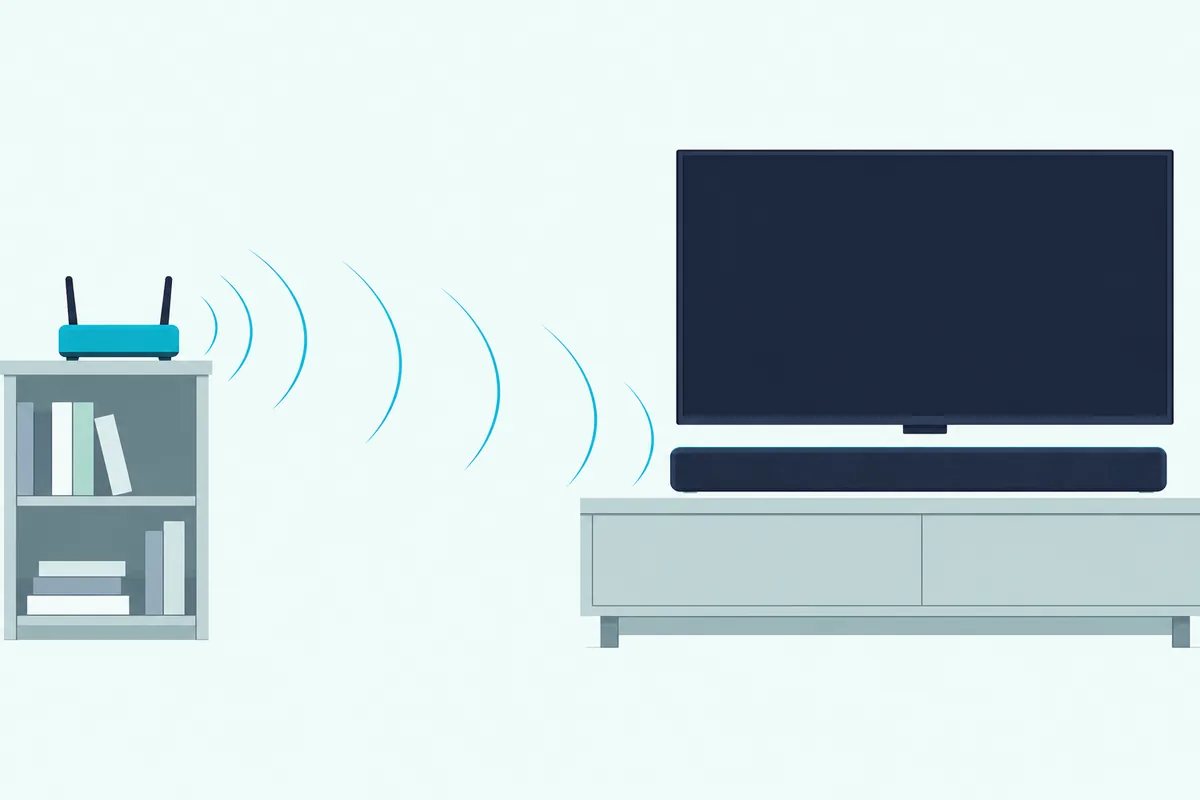
If the bar won’t join, Bose’s checklist starts with the right network name and the case-sensitive password, with your phone on the same network. On a router with both 2.4 GHz and 5 GHz bands, keep the phone and the bar on the same band, giving each band its own name.
Then restart the phone and the router, and move Wi-Fi access points up to 8 to 10 ft (2.4 to 3.0 m) from the bar. Bose’s list also has you unplug the bar for 30 seconds, reinstall the app and restart setup, or use an Ethernet cable.
Can You Set Up Alexa and Google Assistant on the 900?
With the bar on your Wi-Fi, a voice assistant is one more menu in the same app. Yes, but one at a time: Bose’s guide sets up Google Assistant or Amazon Alexa, never both, in the Bose Music app’s Settings menu, with your phone and the bar on the same Wi-Fi network.
Neither assistant is available in every language and country, and Bose asks you to use the same audio service account you use in the Bose Music app. For Google, only Pandora and Spotify work as the default audio service on Bose products, while Alexa starts on Amazon Music, which you change in the Alexa app.
Talk to either one by its wake word or the Action button on top of the bar. The Microphone off button there turns the microphone off, and while it’s off, its light glows solid red and the assistant won’t respond.
Can the 900’s Remote Control Your TV?
That voice setup matters for the TV, since the remote in the box has a narrower job. Not by Bose’s account: its guide says the 900’s remote controls the soundbar, Bluetooth connections and presets, with no steps for programming it to a TV.
The TV’s own remote fills the gap. Bose’s guide says the TV’s HDMI eARC port lets the TV remote control the bar’s power, volume and mute, and its troubleshooting asks for CEC to be on in the TV’s menu.
Here’s where four TV makers’ own guides put CEC and the sound output:
| TV brand | CEC setting | TV sound output |
|---|---|---|
| Samsung | Anynet+: Settings > All Settings > Connection > External Device Manager (2021 and older: Settings > General > External Device Manager) | Settings > Sound > Sound Output |
| LG | SIMPLINK: Settings > All Settings > General > External Devices > HDMI Settings | Sound > Sound Out > Use Wired Speaker > HDMI(ARC) Device |
| Sony | BRAVIA Sync control: Settings > Channels & Inputs > External inputs > BRAVIA Sync settings (Sony BRAVIA Help Guide) | Display & Sound > Audio output > Speakers > Audio system |
| VIZIO | Menu > System > CEC, set to Enable (VIZIO V-Series user manual) | Menu > Audio > TV Speakers, set to Off |
For any other brand, Bose’s advice is the same: find your TV’s name for CEC in its owner’s guide and switch it on.
Alexa owners get a second route, Bose’s Voice4Video, set up in the Bose Music app after Alexa. Say “Alexa, turn on TV” to power on the TV and the bar, or ask it to switch to your video source or tune a cable or satellite box by channel number.
It needs the HDMI connection, a clear path between the bar, the TV and the box, and your postal code and service provider entered. If one remote for everything matters more, the Smart Soundbar 700 ships with Bose’s universal remote, as connecting a Bose 700 soundbar to a TV shows.
How Do You Put the 900 in Bluetooth Pairing Mode?
Those TV controls cover the big screen, and Bluetooth covers your phone. Press the Bluetooth button on the remote, and the light bar pulses blue while the 900 waits to pair.
- Turn on Bluetooth on your phone or tablet.
- Select Bose Smart Soundbar 900, or the name you gave it in the app.
- Wait for a tone, as the light bar glows solid white and then fades to black.
For another device, press and hold the Bluetooth button until the light bar pulses blue, since a single press tries to reconnect the most recently connected devices. The bar stores up to eight devices and plays one at a time, and each has to be within 30 ft (9 m).
To clear the list, hold the button for 10 seconds until the light bar pulses white twice. Then delete the bar from your phone’s Bluetooth list.
Can You Add Bose Surround Speakers or a Bass Module?
That Bluetooth link isn’t the bar’s only wireless one. Yes: the 900’s guide lists four accessories, the Bass Module 700, Bass Module 500, Surround Speakers 700 and Surround Speakers, and points you to each one’s own owner’s guide for the steps.
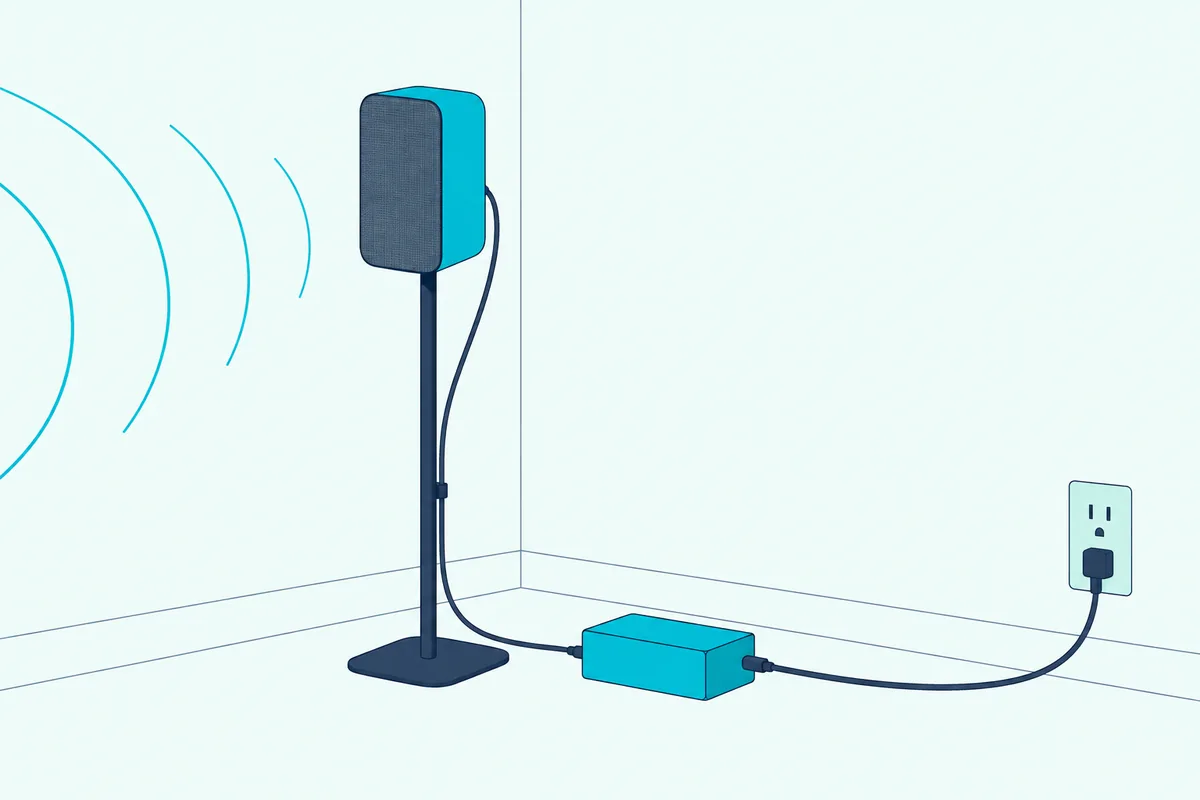
Bose’s Surround Speakers 700 page says they connect wirelessly to the 900 with a range of about 30 ft, though their wireless receivers need power and a speaker wire to each speaker. The same 8 to 10 ft rule for Wi-Fi access points covers them and the bass module, and ADAPTiQ needs another run once they’re in.
For a bass module’s pairing steps in the app and its cable option, see pairing a Bose bass module with the soundbar.
Why Is There No Sound From the 900?
If the bar is still silent after all that, start where Bose’s troubleshooting table does. Its list for intermittent or no audio begins with the mute light and the volume, then checks the TV port and CEC:
- If the left end of the light bar glows solid white, the bar is muted, so press Mute.
- Turn up the volume, or switch to a different source.
- Make sure the HDMI cable sits in the TV’s eARC (or ARC) port with CEC on, then unplug it at the TV and plug it back in.
- With optical, check that the TV end is in a port labeled Output or OUT, not Input or IN.
If that fails, unplug the bar and any bass module or surround speakers for 30 seconds, then set CEC to Alternate On in the Bose Music app. Sound coming from the TV speakers gets the same checks plus two more: turn the TV speakers off and the TV volume to its lowest setting.
If the bar picks the wrong source, or switches after a delay, the guide’s fixes are Alternate On again or turning CEC off on the source.
A factory reset comes last: hold Power and Skip forward for 5 seconds until the light bar pulses white twice, which clears the source, volume, network and ADAPTiQ settings. The reset steps for each Bose model cover the other bars.
The Bottom Line
The 900 comes down to one HDMI cable in the TV’s eARC or ARC port and CEC switched on, with optical as the fallback. Everything else, from Wi-Fi to Alexa, Google Assistant and ADAPTiQ, runs through the Bose Music app.
Frequently Asked Questions
Can you set up a Bose 900 without the remote?
Bose’s guide starts setup without it: plugging in the bar lights it amber, and the Bose Music app does the rest, while over HDMI eARC the TV remote handles power, volume and mute. A few of the guide’s steps exist only as remote presses, though: the new-network shortcut, Bluetooth pairing and the factory reset.
Does the Bose 900 work without Wi-Fi?
For TV sound, Bose’s guide doesn’t involve Wi-Fi: its cable steps and sound check use no app. The voice assistants, AirPlay and automatic updates need the bar on your network, and the guide offers an Ethernet cable as the wired route.
Can the Bose 900 connect to Bose headphones?
Yes, through Bose SimpleSync, which connects most Bose SoundLink Bluetooth speakers and Bose headphones from the Bose Music app, one product at a time. Keep the headphones powered on and within 30 ft (9 m); each product has its own volume, so you can mute the soundbar while your headphones keep playing.