How to Connect a Soundbar to an LG TV With an Optical Cable
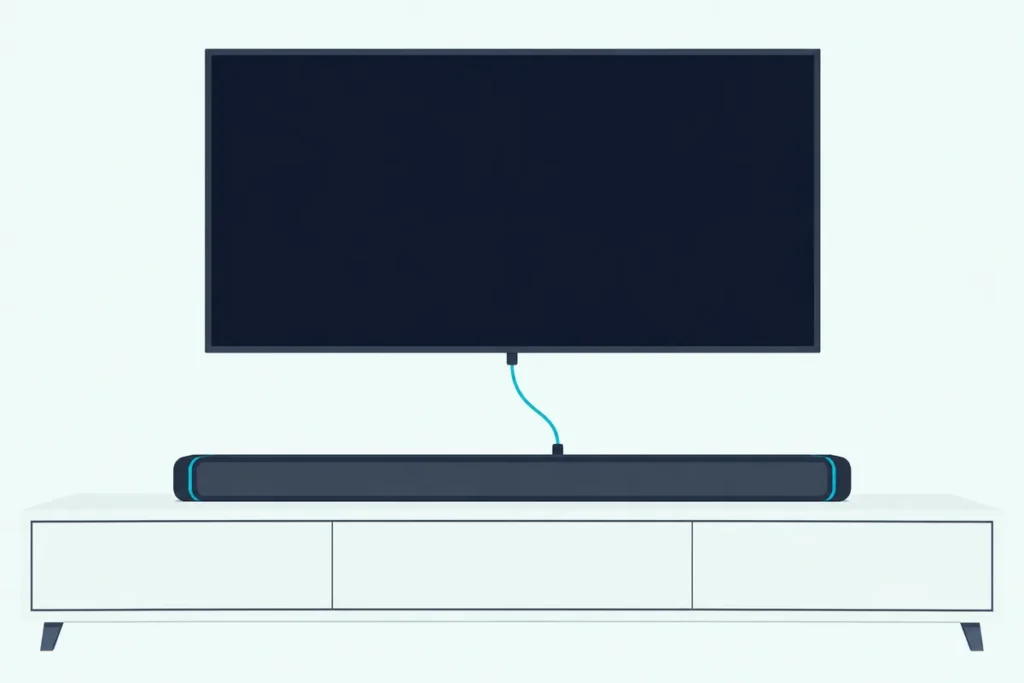
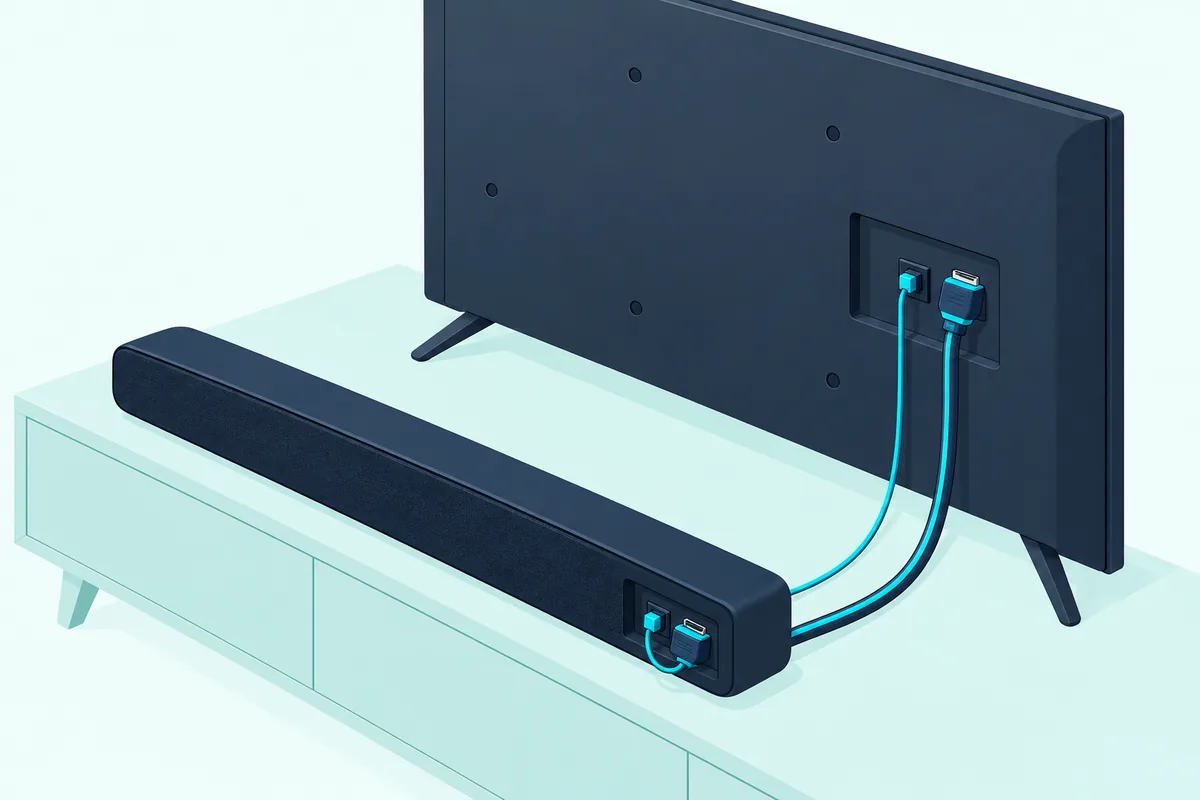
Here’s how to connect a soundbar to an LG TV with an optical cable: run it from the TV’s OPTICAL OUT to the bar’s OPTICAL IN, pick the bar’s optical input, then set the TV’s Sound Out to Optical Out Device.
Skip that last menu and you’ve only done half the job, since LG’s own soundbar guides make choosing the TV’s optical output a step of its own.
Get it right and an LG bar can even follow the TV remote’s volume over the same thin cable, through a setting LG calls LG Sound Sync.
Below are the menu paths for 2022 to 2025 LG TVs, plus the Digital Sound Output choice between PCM, Auto and Pass Through.
You’ll also see what optical can’t carry, Dolby Atmos included, and the checks that bring a silent bar back.
How to Connect a Soundbar to an LG TV With an Optical Cable
That Sound Out step is the last of four, and LG splits them between its soundbar guides and its webOS user guides. Here’s the order, with the bar’s steps from LG’s S60T and SC9S guides and the TV’s from the webOS 22 to 25 guides:
- Take the covers off both ends of the cable, if it has them.
- Plug one end into the TV’s Optical Digital Output (OPTICAL OUT) terminal and the other into the OPTICAL IN terminal on the back of the bar.
- Select the bar’s optical input: on LG bars, press Function until OPT/HDMI ARC shows on the display, or until LED1 lights up white on the S60T.
- On the TV, open Sound > Sound Out > Use Wired Speaker and choose Optical Out Device.
LG’s soundbar guides describe step 4 for any TV as setting the output speaker to Optical or External Speaker, adding that menus vary by maker. On an LG TV it’s Optical Out Device, which the webOS guides offer for any audio device that supports optical, so a Bose, Polk or VIZIO bar takes the same menu as an LG one.
Check the box before you start, because not every bar includes the cable: VIZIO’s M51a-H6 manual marks its digital optical cable “Not included.” If you need one, Amazon Basics’ 6 ft TOSLINK optical cable is a TOSLINK cable with gold-plated connectors, per its listing.
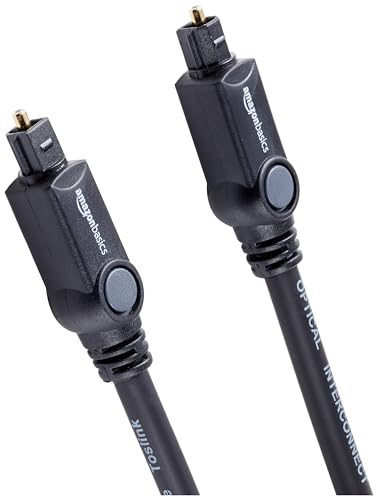
Amazon Basics’ 6 ft TOSLINK optical cable
New to the cable itself? What an optical cable does for a soundbar explains how the light signal travels and which formats it can carry.
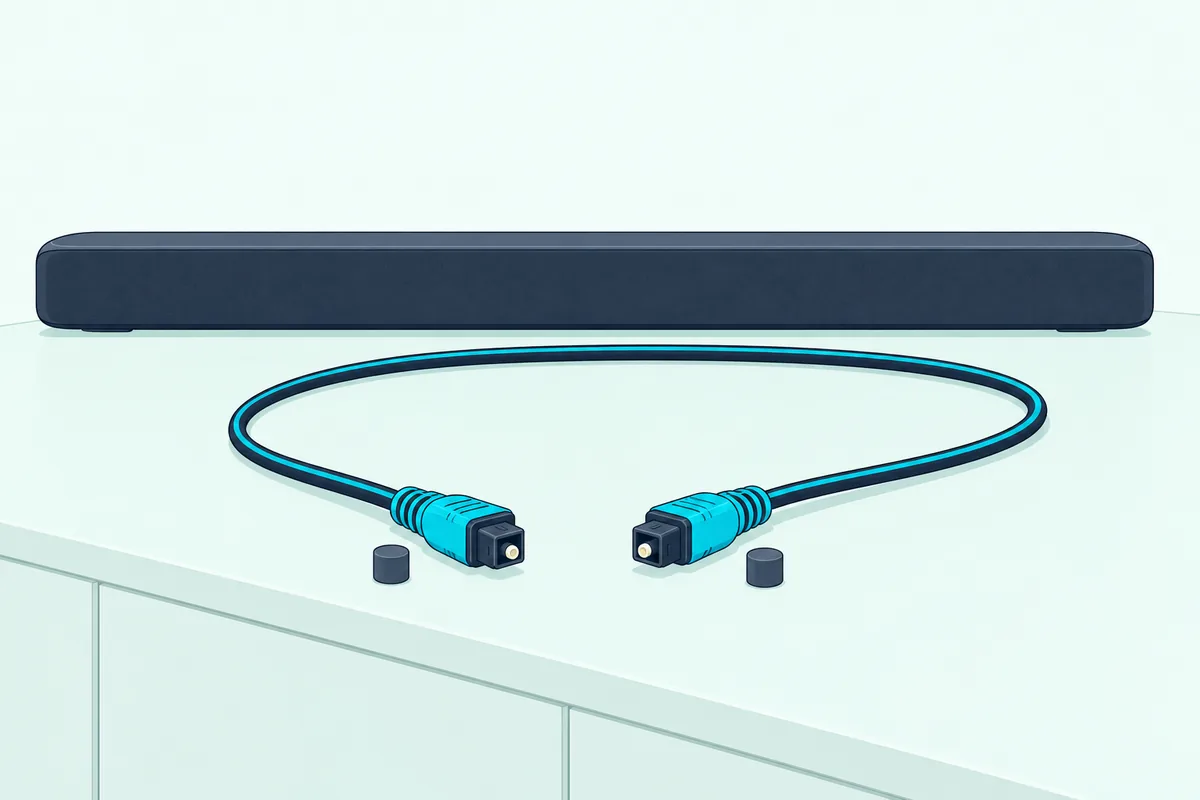
Those covers in step 1 matter more than they look. Roku’s surround sound guide warns that leaving the protective caps on can cause a faulty connection or damage the cable or the optical port.
Does Every LG TV Have an Optical Port?
Step 2 assumes the TV has the jack, and LG’s own guides say that isn’t a given. Not every LG TV does: the webOS 22 to 25 guides say Optical Out Device is only available for models with an optical digital port.
LG’s soundbar guides name the TV’s jack the Optical Digital Output (OPTICAL OUT) terminal, while the webOS guides call it the optical digital audio output port. Roku’s guide adds that other TVs label the same jack Digital audio out or Digital output, sometimes S/PDIF, and that the cable is often called TOSLINK, which is why this optical walkthrough for any TV brand lists several makers’ names for it.
On the bar, LG’s guides put the matching OPTICAL IN terminal on the back of the product. If the TV turns out to have no optical jack, the same Use Wired Speaker menu offers HDMI(ARC) Device, the route covered in Burton Acoustix’s LG soundbar and LG TV hookup guide.
Get Studio Tips Weekly
Join 5,000+ creators getting acoustic treatment advice every week.
No spam. Unsubscribe anytime.Which LG TV Menu Sends the Sound to the Optical Cable?
With the cable in, the TV still decides where its sound goes, and on 2022 to 2025 sets that choice lives in Sound Out. Choose Optical Out Device under Sound > Sound Out > Use Wired Speaker, which the webOS 22 and 24 guides reach from Settings > All Settings:
| Sound Out choice | Where it sits | What it does |
|---|---|---|
| Optical Out Device | Use Wired Speaker | Plays the TV’s sound through the optical bar |
| Optical Out Device + TV Speaker | Use External Speakers with TV Speaker | Plays the TV speakers and the optical bar together |
| HDMI(ARC) Device | Use Wired Speaker | Sends the sound over HDMI ARC and turns on SIMPLINK |
| Use TV Speaker | Sound Out | Returns the sound to the TV’s own speakers |
Each row appears in LG’s webOS 22, 23, 24 and 25 user guides on LG’s eGuide site, and LG’s developer site dates those versions to 2022, 2023, 2024 and 2025. So the year your TV came out tells you which guide matches its menus.
That third row is worth remembering, because on LG bars the ARC signal outranks the optical one. The silent-bar checks further down come back to it.
Should LG’s Digital Sound Output Be PCM, Auto or Pass Through?
Once Optical Out Device is on, a second setting decides what kind of signal travels down the cable. Choose Auto if the bar decodes Dolby Digital and DTS, since LG’s table shows Auto and Pass Through sending those formats over optical, and PCM if the bar stays silent or can’t play the format.
The setting sits at Sound > Advanced Settings > Digital Sound Output, and LG says it’s only available when Use Wired Speaker is set to Optical Out Device or HDMI(ARC) Device. Here’s what LG’s webOS 25 guide says comes out of the optical port:
| What the TV is playing | Optical out with Auto or Pass Through | Optical out with PCM |
|---|---|---|
| Dolby Digital | Dolby Digital | PCM |
| Dolby Digital Plus or Atmos | Dolby Digital | PCM |
| Dolby TrueHD (HDMI sources only) | Dolby Digital | PCM |
| HE-AAC or AAC | Dolby Digital | PCM |
| DTS, DTS-HD or DTS:X | DTS | PCM |
| MPEG | PCM | PCM |
LG adds that sound effects may not be output when Pass Through is on, which makes Auto the easier default of the two. PCM is the fallback that other makers name too: VIZIO’s M51a-H6 manual says to set the TV’s output to PCM if its optical input gets no audio.
PCM has a cost, though, and LG’s S60T guide spells it out: if the bar sounds quiet, change the TV’s Digital Sound Output from PCM to Auto or Bitstream. Roku’s guide explains the trade, saying S/PDIF carries 2 channels of uncompressed PCM or 5.1 channels of compressed Dolby Digital or DTS, which is the heart of the PCM versus bitstream question for soundbars.
What Can’t an Optical Cable Carry From an LG TV?
That table already shows the biggest limit, because Dolby Atmos never reaches the optical port. LG’s Digital Sound Output table turns Dolby Digital Plus and Atmos into plain Dolby Digital on optical, while HDMI ARC passes Dolby Digital Plus and Atmos and eARC adds Dolby TrueHD.
Dolby’s brochure on Dolby Digital Plus explains the step down: Dolby Digital Plus soundtracks convert to a 640 kbps Dolby Digital signal for output via S/PDIF, the connection Roku says is also called optical. VIZIO’s manual says the same from the bar’s side, listing Dolby Audio and DTS on its Digital Optical input but Dolby Atmos only on its two HDMI inputs.
Lossless tracks fall off too. LG’s table sends Dolby TrueHD and DTS:X out in full only over eARC, and Roku lists DTS-HD Master Audio, DTS:X and Dolby TrueHD among the full-resolution formats eARC adds.
If those formats matter to you, weigh whether your soundbar is better on HDMI or optical before you settle on a cable. Optical still carries 5.1 Dolby Digital and DTS, per Roku’s figures.
Will the LG TV Remote Control the Soundbar Over Optical?
Formats aren’t the only thing the optical link gives up, and remote control is the other. An LG bar that supports LG Sound Sync takes the LG remote’s volume and mute over optical, once you set Sound > Advanced Settings > LG Sound Sync to On with Sound Out on Optical Out Device.
LG’s guides add a bonus: with the bar’s auto-power feature on, a Sound Sync bar turns on and off with the TV. LG’s soundbar guides say the bar’s own remote keeps working too, and that the TV’s volume and mute settings carry over to the bar.
No bar gets LG’s main remote link, SIMPLINK, over optical alone. LG’s guides say SIMPLINK needs a high-speed HDMI cable with CEC, and picking HDMI(ARC) Device is what turns it on.
LG’s Universal Control isn’t offered as the fix here either, since its guides set it up by choosing the HDMI port the device is connected to. That leaves the bar’s own remote, or a bar that can learn your TV remote.
VIZIO’s M51a-H6 is one: its Prg Remote menu learns Volume Down, Volume Up and Mute from the TV remote’s infrared signal. VIZIO says to turn off the TV speakers while you program it, which on an LG TV means Sound Out already on Optical Out Device.
How Do You Fix Lip Sync Over Optical on an LG TV?
Once the remote question is settled, timing is the last thing to tune. LG’s setting for it is Match Screen and Sound under Sound > Advanced Settings, where a higher value makes the voice come out later, per its webOS 23 and 25 guides.
LG notes the options vary by Sound Out setting, and its Bypass choice sends the sound with no delay, which can put the audio ahead of the picture. If only some channels drift, LG’s 2023 guide says the broadcaster’s signal may be the cause; if every channel does, it points back to Match Screen and Sound.
Game mode can cause the lag too. LG’s 2025 guide warns that with Game Optimizer on, audio delays may occur when Sound Out is set to Optical Out Device, and suggests Use TV Speaker or setting Select HDMI Input Audio Format to PCM.
Why Is There No Sound From the Soundbar on an LG TV’s Optical Output?
A silent bar sends you back through those same steps, and LG’s documents name each check. Start with the TV’s Sound Out, then the bar’s input, the cable ends and the format:
| Check | Where | What to do |
|---|---|---|
| Sound Out | TV, Sound > Sound Out | Choose Optical Out Device, not Use TV Speaker |
| Input | Soundbar | Press Function until the optical input shows |
| Covers | Both cable ends | Take the caps off, then reseat both plugs |
| A second cable | Soundbar | Unplug an unused HDMI cable, since LG bars give the ARC signal priority |
| Mute and volume | Soundbar | Turn it up; on the S60T, every light blinking orange means mute is on |
| Format | TV, Digital Sound Output | Try PCM if the bar is silent, Auto if it’s quiet |
LG’s 2025 guide adds a quick test: set Sound Out to Optical Out Device + TV Speaker or Use TV Speaker, and if the TV plays fine, check the bar’s connection and settings. If the bar still misbehaves, the S60T guide’s first general fix is to unplug the power cables and connected devices, then plug them back in.
VIZIO’s M51a-H6 manual adds two checks of its own. Some TVs don’t pass digital audio through from connected players, so plug the Blu-ray player into the bar directly, and set the TV’s audio output to FIXED or STANDARD rather than VARIABLE.
If LG Sound Sync is what stopped working, the S60T guide’s list is short. Check that the TV supports it, that the optical cable is properly connected, and that LG Sound Sync is on in the TV’s settings.
Frequently Asked Questions
Is HDMI ARC or optical better for a soundbar on an LG TV?
HDMI ARC, when both the TV and the bar have it. LG’s Digital Sound Output table shows ARC carrying Dolby Digital Plus and Atmos and eARC adding Dolby TrueHD, while optical stops at Dolby Digital and DTS, and SIMPLINK remote control needs that cable. Optical is the cable for a bar or TV without ARC, and it still carries 5.1 surround in compressed form, per Roku’s guide.
Can you use optical and HDMI ARC at the same time on an LG TV?
You can leave both cables in, but only one carries the sound. LG’s soundbar guides say the ARC signal takes priority when optical and ARC arrive together, and the TV’s Use Wired Speaker menu takes a single choice, Optical Out Device or HDMI(ARC) Device. Unplug the cable you don’t mean to use.
How do I get my LG TV to recognize my soundbar over optical?
Pick it in the menu: set Sound > Sound Out > Use Wired Speaker to Optical Out Device, then select the optical input on the bar. Some LG bars confirm the link on their display, and the 2023 quick guide says LGOPT appears when the TV is properly connected. If Optical Out Device isn’t listed at all, remember that LG’s guides offer it only on models with an optical digital port.
Will the soundbar turn on and off with the LG TV over optical?
An LG bar can. LG’s webOS guides say a bar that supports LG Sound Sync turns on and off with the TV when its auto-power feature is set to On and LG Sound Sync is on. LG’s guides describe this only for Sound Sync bars, so for another brand, check the bar’s manual for its own auto-power feature.