How to Reset a Vizio Sound Bar (V51x-J6, SB3651n and More)
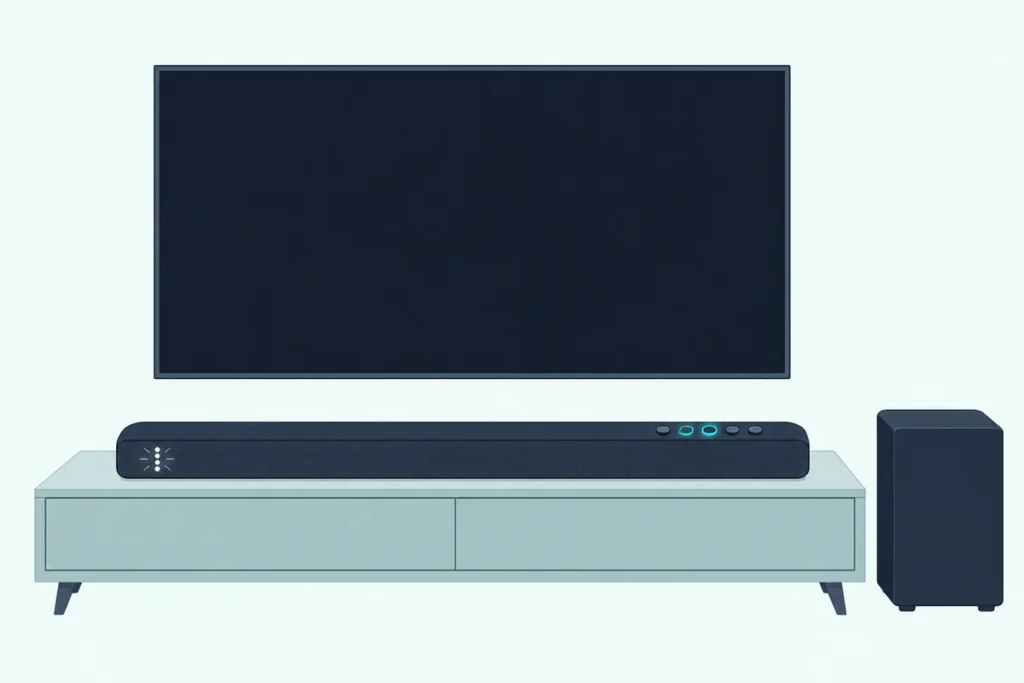
Here’s how to reset a Vizio sound bar: hold Bluetooth and Volume Down on the bar together for 5 seconds, and on most models the front lights flash 3 times to confirm the factory reset.
Grab the wrong pair and something else happens, since the same few buttons also run a speaker test, switch Eco Power mode and turn VIZIO TV remote control on or off.
Hold the right two and the bar forgets every setting and preference you’ve made, with its first-time input search switched back on.
The table below matches each Vizio bar, from the 2013 S4251w-B4 to the 2025 SV410XW-0905, with the reset its own manual documents, menu and app resets included.
After that come what a reset clears, resetting without the remote, getting the subwoofer and your phone back, and what to try when a bar won’t reset.
How to Reset a Vizio Sound Bar: Which Reset Does Your Model Have?
That two-button hold covers almost every Vizio bar in this guide since 2014, but the oldest bars, the screen remotes and two phone apps add other routes, so find your model first. To reset a Vizio sound bar, look up its row and use exactly what it lists; “button reset” here means Bluetooth and Volume Down held together on the bar for 5 seconds, and “menu reset” means the Reset item on a remote with a small screen:
| Vizio model | Reset in Vizio’s manual | Buttons are on | What confirms it | What it clears |
|---|---|---|---|---|
| S4251w-B4 | Menu reset only | No button reset | All indicator LEDs flash 3 times | Settings, paired devices, programmed IR remotes |
| S3851w-D4 | Button reset or menu reset | Back | All 12 LEDs flash 3 times | All settings; the menu reset also unpairs devices |
| SB3831-C6M, SB2920-D6 | Button reset | Top | All 12 LEDs flash 3 times | All settings and preferences |
| SB3251n-E0, SB3830-D0, SB4551-D5 | Button reset or menu reset | Top | All 12 LEDs flash 3 times (all 8 on the SB4551-D5) | Menu reset: settings, paired devices, IR remotes |
| SB46312-F6, SB46514-F6, SB36512-F6 | Button reset or menu reset | Top | All 10 LEDs flash 3 times | Menu reset: the same, plus network settings |
| SB2021n-G6, SB2021n-H6, SB2021n-J6, SB2020n-J6 | Button reset | Top | The LED flashes 3 times | All settings and preferences |
| SB3621n-G8, SB3620n-H6, V20x-J8, V21t-J8 | Button reset | Top | All LEDs flash 3 times | All settings and preferences |
| SB3651n-H6, V51-H6, M51a-H6, M512a-H6, V51x-J6, M51ax-J6, M215a-J6 | Button reset, or Reset Audio or Reset All in the menu | Top | All LEDs flash 3 times (all 8 on the SB3651n-H6) | Reset Audio: audio settings only; Reset All: all settings, paired devices, IR remotes |
| Elevate P514a-H6 | As the row above | Side | All LEDs flash 3 times | As the row above |
| M213ad-K8, V21d-J8 | Button reset | Side | All LEDs flash 3 times | All settings and preferences |
| SV510M-0806 | Button reset | Side | Not described | All settings; the subwoofer stays paired |
| SV210M-0808, SV410XW-0905 | Button reset, then release, or Factory Reset in the VIZIO Mobile app | Side | Not described | App reset: audio settings and paired devices |
| 2016 SmartCast bars (SB4451-C0, SB3851-D0, SB3831-D0, SB4051-D5, SB4531-D5, SB4031-D5) | Reset to Defaults in the SmartCast app | Not in their user manuals | Not described | Back to defaults; set up in the app again |
| VSB210WS | None in the manual | None | None | Off and on clears an overcurrent error |
Every row comes from Vizio’s own manuals and quick start guides, 38 of them, such as the V51x-J6 user manual. None shows a pinhole or a separate reset button, so every reset in them uses two of the bar’s own buttons, a menu or an app.
Not sure which bar you have? Your phone’s device list can tell you, since the V51x-J6 appears as VIZIO V51 and the SB2021n-G6 as VIZIO SB2021n, while the 2024 and 2025 bars show up only as VIZIO 2.1, 4.1 or 5.1 Soundbar.
How Do You Factory Reset a Vizio Sound Bar With Its Buttons?
Most of that table comes down to one hold, and it works the same way whether the buttons sit on top, on the side or on the back. To factory reset a Vizio sound bar with its buttons, press and hold Bluetooth and Volume Down on the bar at the same time for 5 seconds, then let go; Vizio warns this erases all the settings and preferences you’ve set.
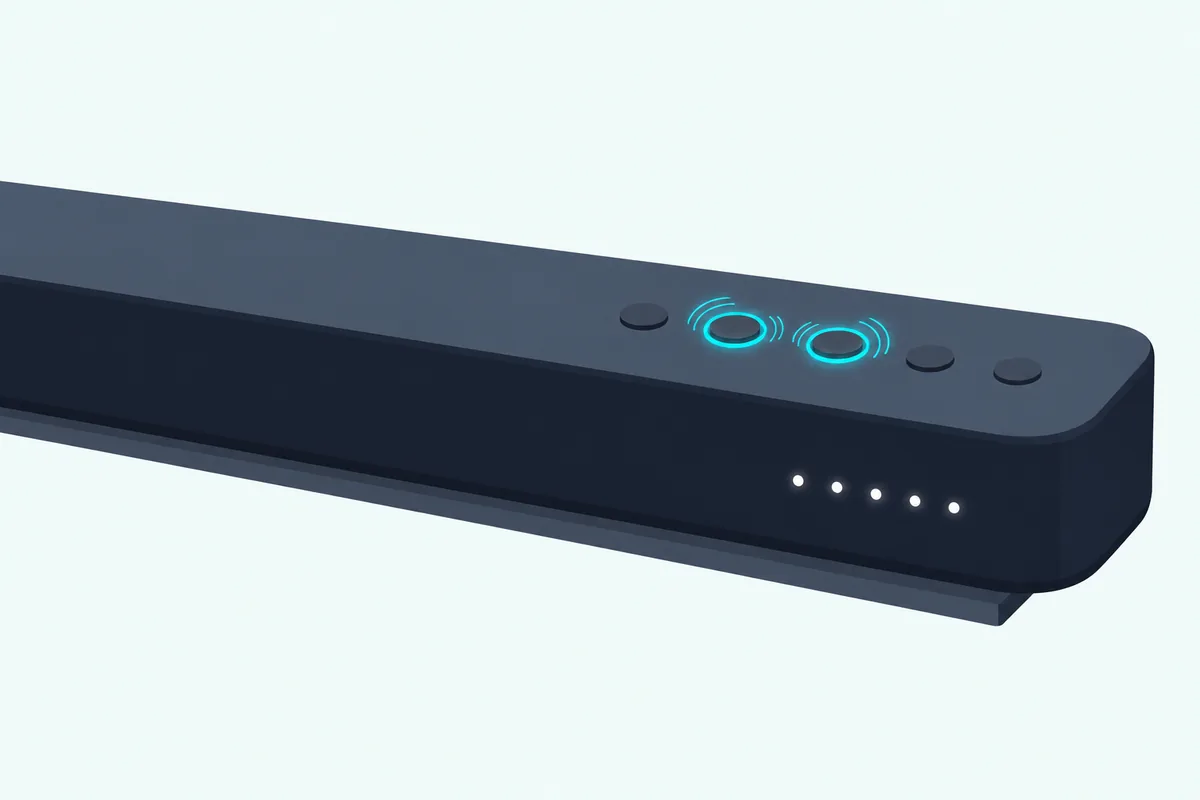
- Find the buttons: on top of most bars, on the side of the Elevate P514a-H6, M213ad-K8, V21d-J8 and SV soundbars, and on the back of the S3851w-D4.
- Press the two keys at the same moment and keep both held.
- Count a full 5 seconds before you let go; the SV210M-0808 and SV410XW-0905 manuals spell it out as hold “and release.”
- Watch the front: all 12 LEDs flash 3 times on the S3851w-D4 and SB3831-C6M, all 10 on the 2018 F6 bars, all 8 on the SB4551-D5 and SB3651n-H6, and the single LED on the SB2021n and SB2020n bars.
The SV soundbars’ manuals name no light for the reset, so on those bars the 5-second count is all you go by. Think of the two keys as a chord rather than a sequence, because the Bluetooth key held on its own for 5 seconds starts pairing instead.
The neighbors of that chord do other jobs. Power and Volume Up held for 5 seconds turns VIZIO TV remote control on or off, Power and Volume Down switches Eco Power mode, and the Bluetooth key with Volume Up runs a speaker test on bars such as the V21t-J8, SB2021n-J6, M213ad-K8 and SV510M-0806.
Power held on its own for 5 seconds, right after the button on the back of the subwoofer, is the bar’s half of a subwoofer re-pair. That one has its own page, with our steps to pair a Vizio subwoofer to its soundbar for each model.
Get Studio Tips Weekly
Join 5,000+ creators getting acoustic treatment advice every week.
No spam. Unsubscribe anytime.Can You Reset a Vizio Sound Bar From the Remote?
Those keys live on the bar, but the bars that shipped with a screen remote can reset from its menu too. Yes: on a Vizio bar whose remote has an LCD screen, press Menu or SETUP and pick the reset, which on the oldest bars runs Reset No, Reset Yes, ConfirmYes and Confirmed.
The S4251w-B4 quick start guide gives the full sequence:
- Press Menu, then use Up/Down to reach Reset No.
- Press Next to change it to Reset Yes, then press Play.
- When ConfirmYes appears, press Play again.
- Confirmed appears, and all the indicator LEDs on the bar flash three times.
The S3851w-D4 uses the same menu and adds that every device paired before must be paired again. On the SB3251n-E0, SB3830-D0, SB4551-D5 and the 2018 SB46312-F6, SB46514-F6 and SB36512-F6, the item still reads Reset No, and the three F6 manuals add that all network settings will be lost.
On the screen-remote bars from 2020 on, starting with the SB3651n-H6, the menu splits the job in two, under Menu on that bar and under SETUP on the later ones. Reset Audio puts back only audio settings such as bass and treble, while Reset All unpairs every device, removes programmed IR remotes and loses all settings, and all the LEDs flash 3 times when either finishes.
That split covers the SB3651n-H6, V51-H6, M51a-H6, M512a-H6, V51x-J6, M51ax-J6, M215a-J6 and Elevate P514a-H6. If only the sound went strange after an evening with the bass and treble, Reset Audio is the gentler choice, since Vizio limits it to the audio settings.
Which Vizio Sound Bars Reset From an App?
Two generations of Vizio bars moved their settings into a phone app, and both apps can reset the bar. On the 2016 SmartCast bars, open the SmartCast app’s System menu and tap Reset to Defaults, then Yes; on the 2025 SV210M-0808 and SV410XW-0905, the VIZIO Mobile app offers Factory Reset and Reset Settings.
- In the SmartCast app, open Sound Bar Settings, or tap the settings button in the Device Menu.
- Tap System to open the System menu.
- Tap Reset to Defaults, then tap Yes to confirm.
The SmartCast user manual for the SB4451-C0, SB3851-D0, SB3831-D0 and SB3830-D0, like the one for the SB4551-D5, SB4051-D5, SB4531-D5 and SB4031-D5, warns that a reset means setting the bar up with the SmartCast app once again. The SB3830-D0 and SB4551-D5 quick start guides add the button reset and the menu, so those two bars have all three routes.
In the VIZIO Mobile app, Factory Reset restores the default audio settings and unpairs every paired device, while Reset Settings restores the audio settings and keeps the pairings. The SV210M-0808 user manual lists both among the app’s advanced audio settings.
The app needs an account for those controls, and the SV210M-0808 and SV410XW-0905 come without a soundbar remote, so the side buttons and the app are the only two ways to reset them. The SV510M-0806’s manual gives only the button reset.
What Does Resetting a Vizio Sound Bar Erase?
Those app options are the clearest list Vizio prints of what goes, and the other manuals fill in the rest. A Vizio factory reset erases all the settings and preferences you’ve set, and the menu and app versions add that paired devices go too; the menu resets also remove any TV remote codes the bar learned, which Vizio calls programmed IR remotes.
For the button reset, “all settings and preferences” is Vizio’s whole description, so the manuals don’t say whether your phone stays paired. The one thing a manual says survives is the SV510M-0806’s subwoofer link, while that bar’s VIZIO Mobile app must pair again.
A factory reset also re-arms the bar’s first-time input search. Vizio’s manuals say auto detect runs only once, when the bar is first powered on, and a factory reset turns it back on, as does holding INPUT for 3 seconds (4 on the SB2021n-J6, SB2020n-J6, SB3620n-H6, V20x-J8 and V21t-J8).
Settings with a factory default go back to it as well. Eco Power, for example, is on by default on the SB2021n-G6 and off on the V51x-J6, and the VIZIO TV remote setting is on by default on the SB2021n-G6 and SB2920-D6.
Can You Reset a Vizio Sound Bar Without the Remote?
Losing those learned codes is one cost of a reset; losing the bar’s own remote is the other reason people ask. Yes, every model in that first table with a reset can do it without one except the 2013 S4251w-B4, because the button reset needs only the bar and the SmartCast and VIZIO Mobile bars also reset from the app.
The S4251w-B4’s manual prints only the menu reset, so without its handset there’s no documented way to reset that bar. An XRS500-style display remote listed for the S4251W-B4 brings back the Menu button and screen that reset uses.
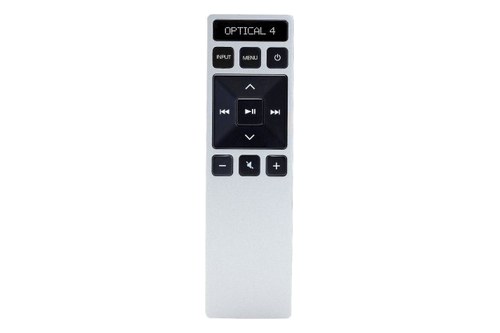
XRS500-style display remote listed for the S4251W-B4
On the 2020-2022 screen-remote bars the button reset works alone, but Reset Audio, Reset All and every other menu item live on the handset’s screen. The backlit display remote listed for the V51x-J6 and M512a-H6 is listed for six of those eight bars.
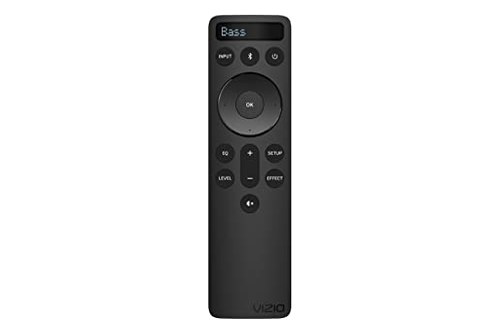
backlit display remote listed for the V51x-J6 and M512a-H6
The 2025 SV210M-0808 and SV410XW-0905 ship without a soundbar remote, and the 2024 SV510M-0806’s package list shows none either. Your TV’s handset covers power, volume and mute, the VIZIO Mobile app does the rest, and the SV410XW-0905’s manual adds that a soundbar remote can be bought on vizio.com.
How Do You Reset a Vizio Sound Bar Remote?
Whether that handset is lost or just being ignored, it has little to reset. Vizio’s manuals give the remote no reset of its own, apart from the screen models, whose menu reset puts “your remote and sound bar” back to factory settings together; for one that stops working, they say to fit new batteries and point it straight at the center of the bar.
If your TV’s handset stopped working the bar after a reset, the learned codes may be gone (Reset All and the menu reset remove them) and the VIZIO TV remote setting may be back at its default, which Power and Volume Up held for 5 seconds switches. Our walkthrough on how to pair a Vizio remote to the soundbar covers teaching the codes again and HDMI-CEC control.
What Happens to the Subwoofer After a Reset?
The subwoofer is the other link people expect a reset to break, and Vizio’s manuals mostly don’t say. Check the light on the subwoofer first: solid means it’s still linked, while blinking means it may be disconnected and needs re-pairing with its Pairing or ON/OFF button held for 5 seconds, then the bar’s Power button held for 5 seconds.
Only the SV510M-0806’s manual answers the question directly, saying the subwoofer will remain paired after a factory reset. On the SV210M-0808, an unpaired subwoofer blinks white slowly, and the bar’s light flashes white until paired, then turns solid white.
The 2016 SmartCast bars with a subwoofer can re-pair it from the app’s System menu (Subwoofer Pair), and the SV210M-0808 and SV410XW-0905 give the subwoofer alone a hard reset: unplug it, wait 5 seconds and plug it back in. The 2009 VSB210WS links with LINK pressed on the back of the subwoofer, then Input held on the bar for at least 5 seconds.
Give any of them a moment, too, since the S4251w-B4 guide says a subwoofer in its low power state can take up to 10 seconds to link after the bar turns on, twice as long as the reset hold. Spare and mismatched subwoofers are a different job, covered in our guide to a Vizio subwoofer without its original soundbar.
Setting a Vizio Sound Bar Up Again After a Reset
With the subwoofer back, the rest is your phone, your TV and the sound you had dialed in. Start with the phone, because the reset either cleared it or, on the button reset, may have.
On the older bars, hold the Bluetooth key for 5 seconds and pick the bar from your phone’s list; the V51x-J6’s LEDs light from bottom to top and back while it waits. The SV510M-0806 uses a 2-second hold for music and a hold of at least 5 seconds for app pairing, while the SV210M-0808 and SV410XW-0905 let the VIZIO Mobile app find them for the first 72 hours after installation, then pair for up to an hour after a quick press of that key.
For the TV, a factory reset switches the bar’s automatic input search back on. If the TV still plays nothing through it, Vizio’s tables say to set the TV’s audio output to FIXED or STANDARD rather than VARIABLE, and to choose PCM on the optical input.
Last come the sound settings the reset erased, such as the EQ mode, bass, treble and subwoofer level. Burton Acoustix’s guide to Vizio sound settings suggests where to set each one for TV, movies and music.
Is There a Soft Reset or Reboot for a Vizio Sound Bar?
All of that setup is the price of a factory reset, which is why people look for something lighter first. Not in Vizio’s manuals: none of the 38 read for this guide documents a reboot or soft reset for the bar, and the closest options are Reset Audio on the 2020-2022 screen-remote bars and Reset Settings in the VIZIO Mobile app.
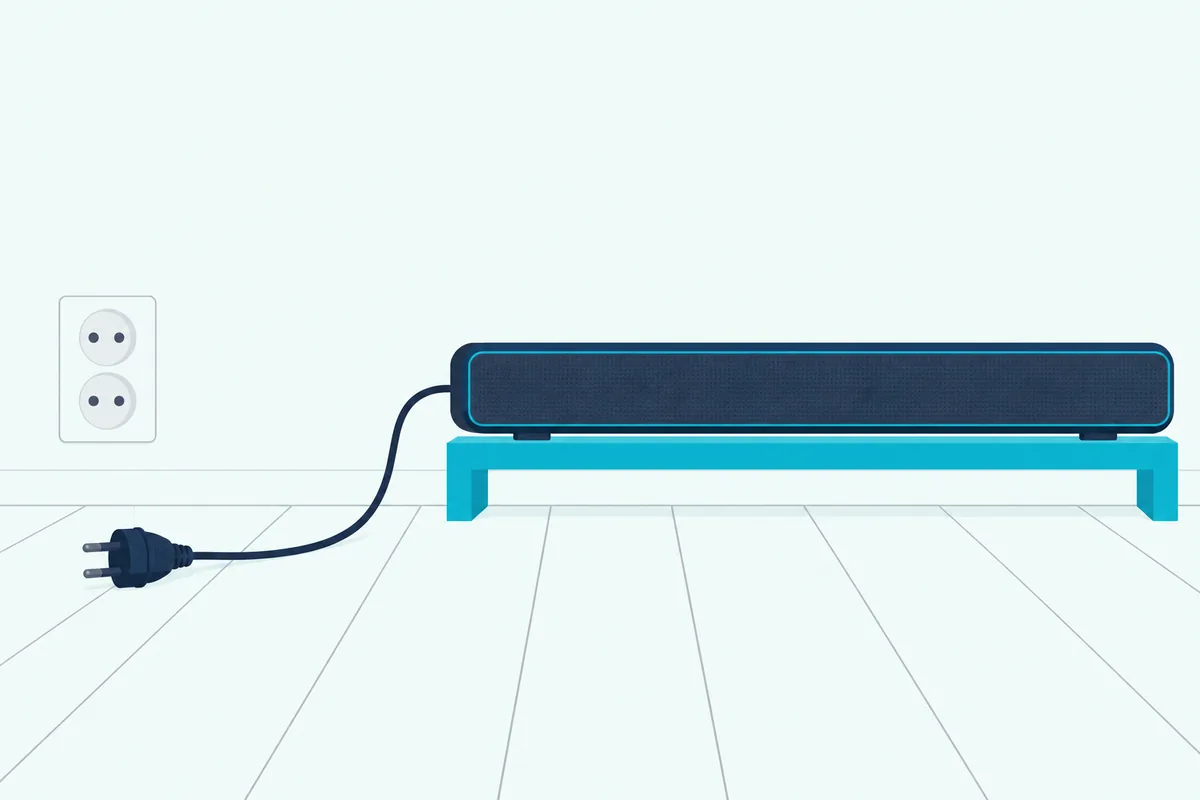
Unplugging is the only way the manuals give to cut power completely, since power is always flowing into the bar while it’s connected to an outlet. None of their troubleshooting tables suggests a reboot, though.
The two exceptions are narrow. The VSB210WS manual says to turn the unit off for a short period and back on to clear an overcurrent error, and the subwoofer hard reset on the SV210M-0808 and SV410XW-0905 is an unplug for 5 seconds.
A restart does change one thing you can hear. Night Mode turns off after a power cycle on the V51-H6, V51x-J6, M51a-H6, M51ax-J6 and M512a-H6, and on the SV210M-0808 it turns off whenever the bar goes into standby.
Why Won’t Your Vizio Sound Bar Reset?
When a full reset is what you need and the lights never flash, go back over the hold itself. Check four things: both buttons pressed at once, the right two buttons, the full 5 seconds, and whether your model has a button reset at all.
- Bluetooth with Volume Down resets; Bluetooth with Volume Up runs a speaker test, and Power with either volume key changes the TV-remote or Eco Power setting.
- The buttons are on the side of the Elevate P514a-H6, M213ad-K8, V21d-J8 and SV bars and on the back of the S3851w-D4, so a top-only search can miss them.
- The S4251w-B4 resets only from its remote, the SmartCast user manuals list only the app, and the VSB210WS has no reset in its manual.
- On the SV bars the manuals name no light to wait for, so hold for the full 5 seconds, release, and then check whether your settings changed.
A Vizio soundbar factory reset that seems not to work can also be something else. Lights going back and forth along the front are the subject of a Vizio support article titled “How to Exit Demo Mode on VIZIO Soundbars,” which couldn’t be read for this guide and isn’t covered in any manual behind it.
What If a Reset Doesn’t Fix Your Vizio Sound Bar?
A reset only puts settings back, so a fault that survives one points to the connection, the TV or the hardware. Vizio’s troubleshooting tables start with power and sound: check that the power cord is secure and the outlet works with another device, then turn the volume up, unmute and try another input.
For a bar that’s on but silent, the tables set the TV’s output to PCM on digital inputs and its audio output to FIXED rather than VARIABLE. If none of that helps, Vizio’s warranty in the V51x-J6 manual runs one year from the original purchase for non-commercial use.
Resetting a different brand? Burton’s factory reset steps for other soundbar brands cover the soft and factory resets beyond Vizio.
Frequently Asked Questions
How do you hard reset a Vizio sound bar?
Vizio’s manuals don’t use “hard reset” for the bar. The deepest reset they document is the factory reset: hold Bluetooth and Volume Down on the bar for 5 seconds, until the lights flash 3 times on most models, or use the menu reset on the S4251w-B4. The only hard reset in the manuals is for the SV210M-0808 and SV410XW-0905 subwoofer: unplug it, wait 5 seconds and plug it back in.
Where is the reset button on a Vizio sound bar?
Vizio’s manuals show none: not one of the 38 read for this guide has a pinhole or a dedicated reset button, and the reset is the Bluetooth and Volume Down buttons held together for 5 seconds. Those sit on top of most bars, on the side of the Elevate P514a-H6, M213ad-K8, V21d-J8 and SV soundbars, and on the back of the S3851w-D4.
How do I reset my Vizio V51 sound bar?
The V51-H6 and V51x-J6, which show up in your phone’s list as VIZIO V51, reset two ways. Hold Bluetooth and Volume Down on top of the bar for 5 seconds until all the LEDs flash 3 times, or go to SETUP on the screen handset and choose Reset All, or Reset Audio to reset only the sound settings. Reset All also unpairs your devices.
Does a factory reset unpair Bluetooth on a Vizio sound bar?
The menu and app resets do: Reset All, the older menu reset and the VIZIO Mobile app’s Factory Reset all unpair every device, while the app’s Reset Settings keeps them. For the button reset, Vizio says only that it erases all settings and preferences, so pair your phone again if it won’t reconnect.
How long does a Vizio sound bar reset take?
The hold itself is 5 seconds, and on most bars the lights flash 3 times when it’s done; Vizio’s manuals give no time for the restart after it. Afterward, the subwoofer can take up to 10 seconds to link once the bar is on, according to the S4251w-B4 guide.
Why is my Vizio sound bar not working after a reset?
Start with what the reset erased. Check the input (a factory reset switches the bar’s auto detect back on), the TV’s audio output (PCM on optical, FIXED rather than VARIABLE), the light on the subwoofer and your phone’s pairing, then switch the VIZIO TV remote setting back on with Power and Volume Up held for 5 seconds if the TV’s handset no longer works the bar.