How to Pair a Vizio Remote to a Soundbar, Bar Line by Bar Line
Here’s how to pair a Vizio remote to a soundbar: on most bars that came with a remote, a Vizio TV’s remote needs only the bar’s VIZIO TV Remote setting, and any other infrared remote is taught to the bar one button at a time.
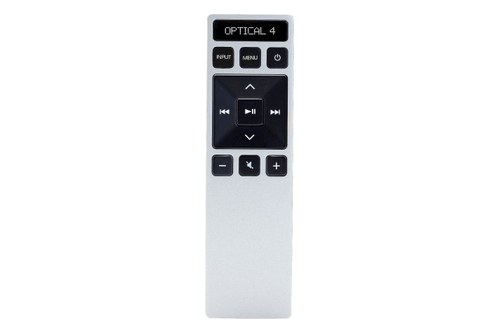
The catch is that the learning buttons change by bar line, from SETUP then OK on the V51x-J6’s remote to OK and Volume Down pressed together on the V21t-J8’s.
Use the sequence your bar expects, and the remote you already hold runs the bar’s volume and mute, with two blinks of the bar’s lights to confirm each button.
The table below sorts Vizio’s learning bars by button sequence, then covers HDMI-CEC and the current sets sold without a soundbar remote.
After that come the Bluetooth pairing button, what the lights mean, a lost remote and which route to try first.
How to Pair a Vizio Remote to a Soundbar in Four Steps
Those two routes start in different places, so begin with the remote in your hand. To pair a Vizio remote to a soundbar, run these four steps, taking the step 3 buttons from the table in the next section:
- Check the remote. A Vizio TV’s remote can skip learning through the bar’s VIZIO TV Remote setting, covered below; any other remote has to send infrared, because the bar learns IR commands.
- Set up the room. Turn off the TV’s speakers and point both remotes at the front of the bar.
- Start learning. Use your bar line’s buttons on the bar’s remote, then press Volume Down on the remote you’re teaching while the bar’s lights flash.
- Watch for the confirmation. On most bars all the LEDs blink twice, and then you repeat steps 3 and 4 for Volume Up and Mute.
Vizio’s V-Series 5.1 user manual for the V51x-J6 lists the three in that order, as Learn Vol -, Learn Vol + and Learn Mute. Each one is its own capture, so a bar taught only Volume Down still ignores the other two buttons.
Which Vizio Sound Bars Have a Learning Mode?
That step 3 is the part that changes from bar to bar. Every Vizio bar in this table has a learning mode, and its manual or quick start guide gives one of these button sequences:
| Vizio bars (user manual or quick start guide) | Start learning, on the bar’s remote | While it waits | When it has learned |
|---|---|---|---|
| V51-H6, V51x-J6, M51a-H6, M51ax-J6, M512a-H6, Elevate P514a-H6, M215a-J6 | SETUP, Up/Down to Prg Remote, Next/Previous to the button, then OK | LEDs flash bottom to top and back | All LEDs blink twice |
| V20-J8, V20x-J8, V21t-J8, V21d-J8, SB3620n-H6, M213ad-K8 | OK and Volume Down at the same time (OK with Volume Up or Mute for the others) | LEDs flash bottom to top and back; left to right on the V21d-J8 and M213ad-K8 | All LEDs blink twice |
| SB2020n-J6, SB2021n-J6, SB2021n-G6, SB2021n-H6 | OK (the J6 bars) or Play (the G6 and H6) pressed with Volume Down, Volume Up or Mute | The LED flashes yellow, amber or white for Volume Down, Volume Up or Mute | The LED turns solid |
| S4251w-B4, S3851w-D4, SB3830-D0, SB4551-D5, SB3251n-E0, SB3651-E6, SB36512-F6, SB46312-F6, SB46514-F6 | Menu, Up/Down to Prg Remote, Next/Previous to the button, then Play | LEDs flash bottom to top and back; left to right on the S4251w-B4 and S3851w-D4 | All LEDs flash twice |
| SB362An-F6, SB3621n-G8 | Play with Volume Down, Volume Up or Mute; on the SB3621n-G8, after Menu then Prg Remote | LEDs flash bottom to top and back | All LEDs flash twice |
The steps come from Vizio’s user manuals and quick start guides, such as the V21t-J8 user manual for the OK and Volume Down row. The SB3651n-H6’s manual gives the same Menu and Play steps and the same two flashes, and for a Samsung, LG, Polk, JBL or Bose bar, how to program a soundbar to a TV remote gives each maker’s steps.
Does a Vizio TV Remote Work the Sound Bar Without Learning?
Those learning steps exist for other brands’ remotes, because Vizio’s own has a shortcut on the same bars. Yes: once the bar’s VIZIO TV Remote setting is on, the V51x-J6 manual says a Vizio TV remote turns the bar on with its Volume Up button and sets how loud it plays.
Every bar in the table except the S4251w-B4 switches that setting on or off when you hold Power and Volume Up on the bar for 5 seconds. The bars whose remotes have a menu also list it there, as VZtvRmt under SETUP on the V51x-J6 and VZtv Rmt in the SB36512-F6’s menu.
The SB2021n-J6 answers that button hold with sound: a high double beep means on, and a low double beep means off. The S4251w-B4’s quick start guide lists the setting only in its menu, as an on or off choice.
Can HDMI-CEC Let the TV Remote Control the Sound Bar?
Both of those routes run over infrared, which leaves the cable route for remotes that won’t learn. Yes: with the bar on the HDMI ARC port and CEC enabled, Vizio’s 2022 V-Series TV user manual says the set’s remote controls the connected device “without any programming”, including power, volume and mute, depending on the device.
The V51x-J6 manual gives the steps on a Vizio set in four moves:
- Connect the TV’s HDMI 1 (ARC) port to the bar’s HDMI (ARC) port.
- In the AUDIO menu, set Digital Audio to Dolby Digital or Bitstream.
- In the SYSTEM menu, enable CEC and ARC (SAC).
- In the CEC menu, run Device Discovery to register the bar, and enable System Audio Control for the volume.
That Device Discovery step is how a Vizio TV gets to recognize the sound bar. Once it does, the 2022 manual shows the bar’s settings under Menu, Audio and Sound Bar Settings.
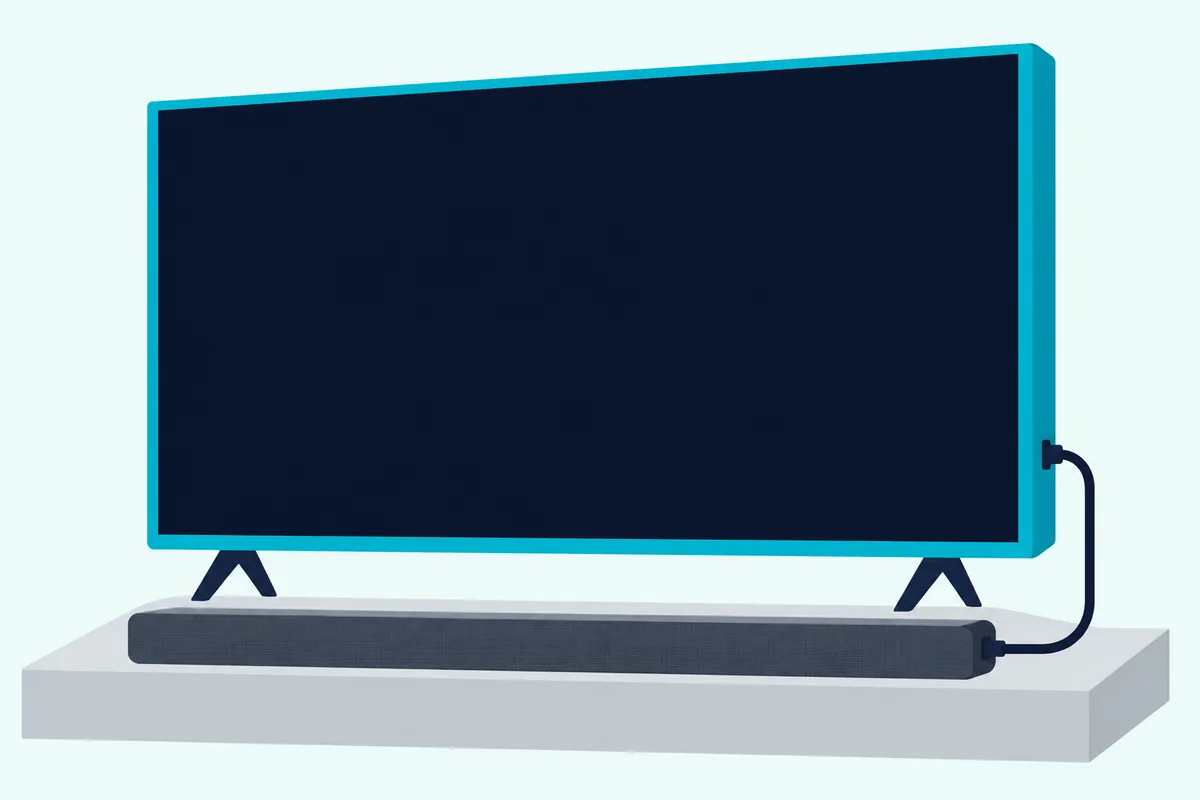
The V51x-J6 manual adds that the CEC function’s name differs by maker, so another brand’s own manual has its label, and Vizio soundbars on Samsung TVs covers Samsung’s. For the cable and input side, the full Vizio setup walkthrough covers the connection itself.
How Do You Adjust a Vizio Sound Bar Without the Remote?
That CEC link matters most when there’s no soundbar remote at all. You adjust a Vizio sound bar without its remote through the TV remote over HDMI ARC or eARC with CEC on, the bar’s own buttons and, on the current sets, the VIZIO mobile app.
The SV210M-0808, SV410XW-0905 and Elevate Pro SL514PW-1006 manuals say no soundbar remote is included and give no learning steps: the TV remote wakes the bar when the set comes on, sets its level and mutes it. The SV210M-0808 user manual adds that the set must be on for this, and that limited audio settings work from that remote when there’s no phone.
The bar’s own buttons are Power, Input, Bluetooth and Volume, on the side of the SV210M-0808 and on top of the V51x-J6. On the V51x-J6, EQ, levels and the learning menu live on the soundbar remote, while the current sets move their settings into the app.
The June 2026 edition of that manual makes the app and a Walmart account a requirement for control of the bar’s functions and settings. The app finds the bar by itself for the first 72 hours after it’s first plugged in; after that, a quick press of the bar’s Bluetooth button opens pairing for up to 1 hour, and you select the bar under the app’s remote tab.
Older SmartCast bars work differently. The SB4051-D5’s manual pairs your device for the VIZIO SmartCast app by holding it close to the LED on the bar’s bottom left corner for a few seconds, and that app’s System menu lists enabling, disabling or programming a TV remote.
Once the app is paired, the Vizio sound bar settings worth changing first are a separate job from pairing.
Where Is the Bluetooth Pairing Button on a Vizio Sound Bar?
That quick press on a current set is Bluetooth pairing, which shares a word with remote pairing and little else. The Bluetooth pairing button on a Vizio sound bar is on the bar itself, on top of the V51x-J6 and V21t-J8 and on the side of the SV210M-0808, and the older bars’ remotes have one too.
On the V51x-J6, hold Bluetooth on the bar or the remote for 5 seconds, then pick VIZIO V51 on the phone; the LEDs light from bottom to top and back until it’s paired. The V21t-J8 and SB2021n-J6 need 3 seconds, and the SB36512-F6 takes 5 seconds on the bar or BT Pair in the display remote’s menu, with the phone put in pairing mode first.
On the SV210M-0808, a quick press of the bar’s Bluetooth button starts pairing for streaming. The blue LED blinks rapidly with two tones, then stops blinking with a confirmation tone once the phone has paired with VIZIO 2.1 Soundbar.
Sending a Vizio set’s sound to the bar over Bluetooth is another job again, and this guide to Bluetooth from a Vizio TV covers it. If it’s the subwoofer that won’t link, pairing a wireless subwoofer is a separate procedure.
What Do the Lights Mean While a Vizio Sound Bar Learns?
Those sweeping LEDs during Bluetooth pairing look a lot like the learning pattern, so it pays to know which is which. While most of the bars in the table wait to learn, their LEDs flash from bottom to top and back continuously, or left to right on the V21d-J8, M213ad-K8, S3851w-D4 and S4251w-B4, and all of them blink twice once a button has been learned.
On the SB2021n-J6 the LED flashes yellow for Volume Down, amber for Volume Up and white for Mute, then turns solid when the bar has the button. All the LEDs flashing 3 times means something else entirely on the V51x-J6: a reset.
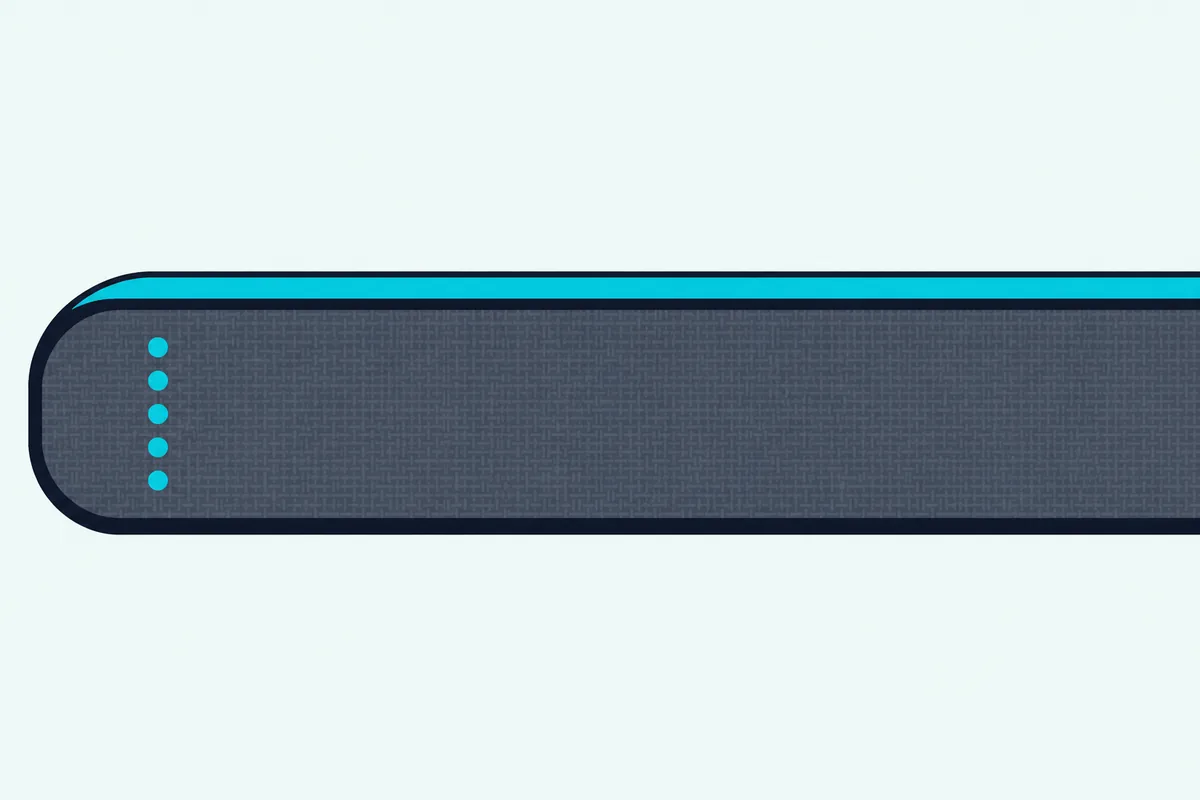
That double blink is the confirmation Vizio’s manuals describe, so watch the bar, not the remote, while you press each button.
Why Won’t the Sound Bar Learn or Answer the Remote?
If those two blinks never come, the bar hasn’t learned that button, and the first suspect is the remote. For a remote that isn’t working, the V51x-J6’s troubleshooting table says to fit new batteries and point it directly at the center of the bar, and the learning steps add two conditions of their own: the set’s own speakers off and both remotes aimed at the bar’s front.
Bose’s help page for a Solo soundbar that won’t turn on describes a camera check for whether a remote sends infrared. Look at the remote’s top edge through a phone camera and press a button: no flash means it isn’t sending, though Bose notes some phones filter infrared, so try both the front and rear cameras.
That check matters for voice remotes. Vizio’s 2022 V-Series TV manual pairs that set’s Voice Remote over Bluetooth, while the bar’s learning mode takes IR commands, so run the camera check before blaming the bar.
If the bar itself misbehaves, Burton Acoustix’s Vizio troubleshooting guide sets these remote checks beside the bar’s other faults.
Does a Reset Erase a Learned Remote?
A reset is the next thing people try, and it has a cost. On the V51x-J6, Reset All does: its manual says SETUP then Reset All unpairs every Bluetooth device and removes all programmed IR remotes, while Reset Audio resets only audio settings such as bass and treble.
The button reset, Bluetooth and Volume Down held on the bar for 5 seconds, erases all settings and preferences, and all the LEDs flash 3 times. After either one, try volume and mute from the remote you taught, run the learning steps again if they don’t reach the bar, and check the VIZIO TV Remote setting; Burton Acoustix’s Vizio reset guide shows which bars reset without any remote.
Can You Replace a Lost Vizio Soundbar Remote?
That reset still needs the bar’s own remote for its menu, and so does every learning sequence in the table. Yes: the SV410XW-0905 manual says a soundbar remote can be purchased on vizio.com, and replacement display remotes are sold for the older lines, while the M215a-J6 among Burton’s Vizio soundbar picks still has one in its box.
For the SETUP row, a backlit remote listed for the V51x-J6, M51a-H6 and P514a-H6 brings back the SETUP and OK keys, though its listing doesn’t name the M215a-J6. For the S4251w-B4 itself, an XRS500-style remote listed for the S4251W-B4 and S4221W-C4 brings back Menu and Play.
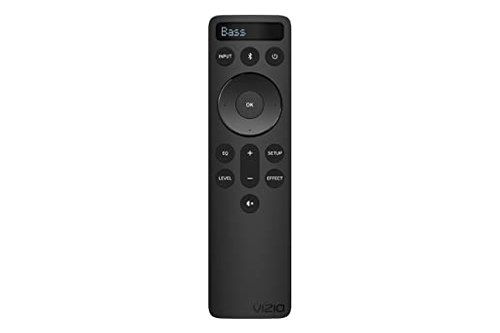
backlit remote listed for the V51x-J6, M51a-H6 and P514a-H6
Every remote linked here met Burton Acoustix’s rating, review and stock checks on 3 November 2026. A universal remote is the other way back: Vizio’s XRU300 universal remote guide lists Vizio audio codes 0600 and 0883, entered after holding its AUDIO button for 5 seconds until the LED flashes twice.
For other brands, the codes come from each remote maker’s list: One For All’s sound bar list for its URC7935 gives Vizio code 26321, and Jasco’s CL6 list for its GE and Philips remotes gives 0666 and 1866.
Which Method Should You Use?
With a lost remote covered, the choice comes down to the remote and the cable you already have. Use the VIZIO TV Remote setting for a Vizio TV’s remote, CEC when the bar sits on an HDMI ARC port, and the learning steps for any other infrared remote, while a current SV or SL set leans on CEC and the app.
Learning works over infrared, not the HDMI cable, which makes it the route for a bar on an optical or AUX cable. And if your remote shows no camera flash and the bar isn’t on HDMI ARC, the bar’s own remote or a universal remote with its Vizio code is what’s left.
Frequently Asked Questions
Do you need to pair a new Vizio soundbar remote?
The V51x-J6, V21t-J8 and SB36512-F6 manuals give the bar’s own remote no pairing step at all. For one that doesn’t respond, the V51x-J6’s troubleshooting table says to fit new batteries and point it directly at the center of the bar.
How do you pair a Vizio remote to a Vizio TV?
That job belongs to the set’s own menu. Vizio’s 2022 V-Series TV manual says its Voice Remote should pair by Bluetooth during first-time setup; otherwise, go to Menu, System, Voice Remote, select Pair New Remote and hold MIC and MUTE for 5 seconds, and other Vizio sets’ steps are in their own manuals.
Can I control my Vizio sound bar with my phone?
On the current sets, yes: the June 2026 SV210M-0808 manual makes the VIZIO mobile app and a Walmart account a requirement for control of the bar’s settings. Older SmartCast bars such as the SB4051-D5 use the VIZIO SmartCast app instead, so check an older bar’s own manual before you download anything.