Best MIDI Keyboard for Logic Pro — 6 Controllers That Integrate Without the Hassle

Best MIDI keyboard for Logic Pro is not just about finding keys that send notes — it is about finding a controller that talks to Logic’s Smart Controls, Alchemy synth, and Drummer tracks, but most controllers won’t do that without manual configuration.
The problem most Logic Pro users hit is buying a controller that works at a basic level but ignores the features that make Logic unique. You get keys that play notes, and that is where the integration stops.
Smart Controls, Quick Sampler, and the massive built-in instrument library sit untouched because the controller does not know they exist.
We tested 6 controllers specifically through Logic Pro’s workflow — Smart Controls mapping, transport integration, and how well each one handles Logic’s instrument switching. Every pick below was evaluated on real Logic Pro compatibility, not just generic MIDI functionality.
Below you will find our top picks sorted by use case, followed by a guide on what Logic Pro features to look for in a MIDI keyboard.
The best MIDI keyboard for Logic Pro is the M-AUDIO Keystation 49 MK3 for most producers — 49 full-size keys with transport controls that work natively with Logic. For the deepest integration with Smart Controls and instrument browsing, the Novation Launchkey 61 MK4 auto-maps everything. Budget producers can start with the Nektar SE49 at under eighty dollars.
Why Logic Pro Needs Specific Controller Features
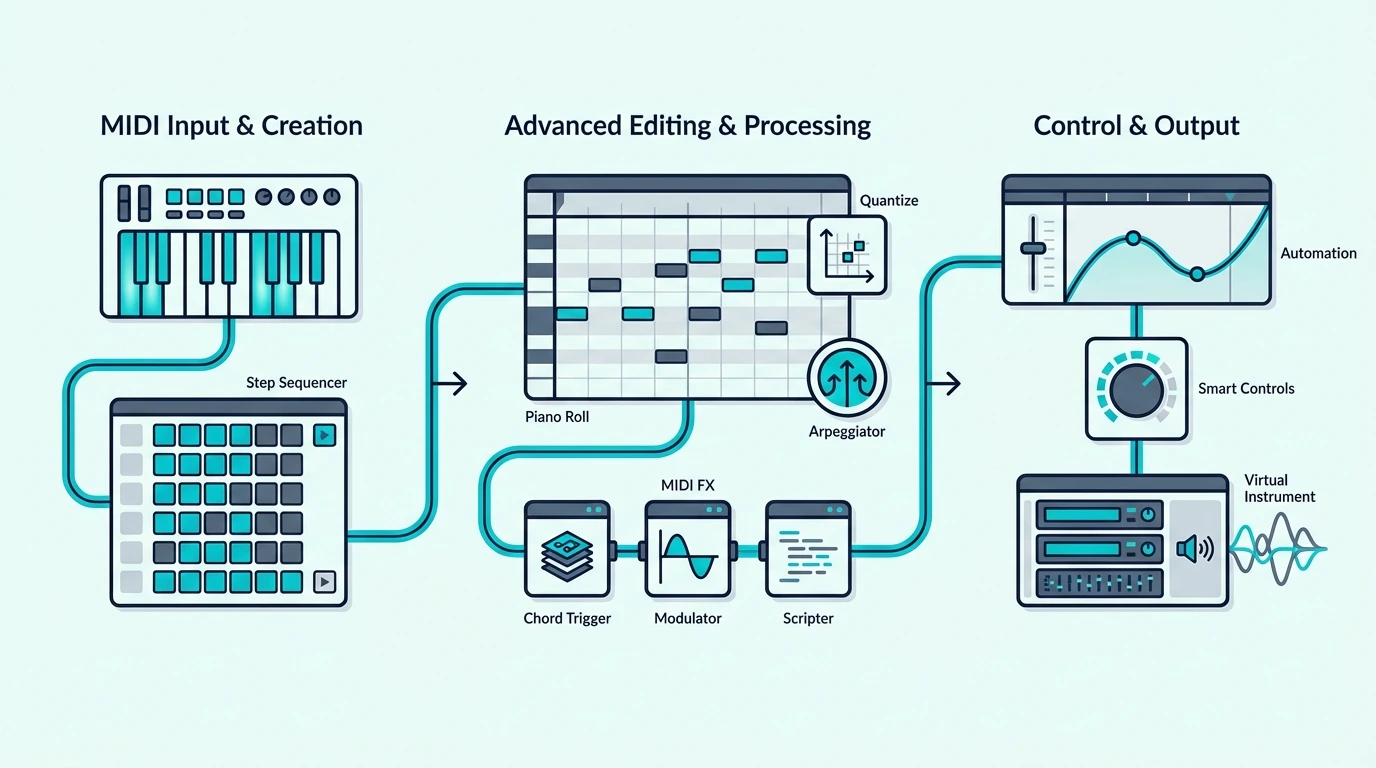
Logic Pro is a Mac-exclusive DAW with features that no other platform replicates. Understanding those features explains why some controllers unlock Logic’s full potential while others leave most of it on the table.
Smart Controls Change The Game
Logic Pro’s Smart Controls assign the most important parameters of any instrument or plugin to a single panel of knobs and sliders. Load a piano patch and Smart Controls surface the brightness, reverb, and dynamics knobs automatically. Load a synth and it surfaces filter cutoff, resonance, and envelope controls.
A MIDI keyboard that auto-maps to Smart Controls gives you instant tactile access to whatever instrument you are playing — no manual MIDI learn required. The Novation Launchkey series does this natively, and most other controllers can be configured through Logic’s Controller Assignments.
Logic Pro’s Instrument Library Is Massive
Logic Pro ships with over 70 GB of instruments, loops, and samples — the largest bundled library of any DAW. That library includes Alchemy (a professional wavetable synth), Studio Strings, Studio Horns, and hundreds of sampled instruments.
A MIDI keyboard with enough keys to play these instruments expressively matters more in Logic than in most DAWs. An 88-key controller unlocks Logic’s full piano and orchestral libraries. A 25-key mini controller works for synths and beat making but limits orchestral work.
Transport Controls Save Mouse Clicks
Logic Pro’s transport bar (play, stop, record, cycle) responds to MIDI controller transport buttons. Controllers with dedicated transport buttons — like the M-AUDIO Keystation series — let you control playback from the keyboard without reaching for the mouse.
That convenience compounds across a full session. Start recording, punch in, cycle a section, jump to a marker — all from the controller.
Aftertouch And Expression
Logic Pro’s Alchemy synth and many third-party plugins respond to aftertouch — pressure applied to a key after the initial strike. Controllers that transmit aftertouch data unlock expressive modulation that cheaper keyboards cannot provide.
The Novation Launchkey MK4 series sends polyphonic aftertouch, meaning each key transmits independent pressure data. That level of expression matters when playing Logic’s orchestral patches and Alchemy’s wavetable presets where subtle dynamics define the realism of a performance.
Which MIDI Keyboards Work Best With Logic Pro
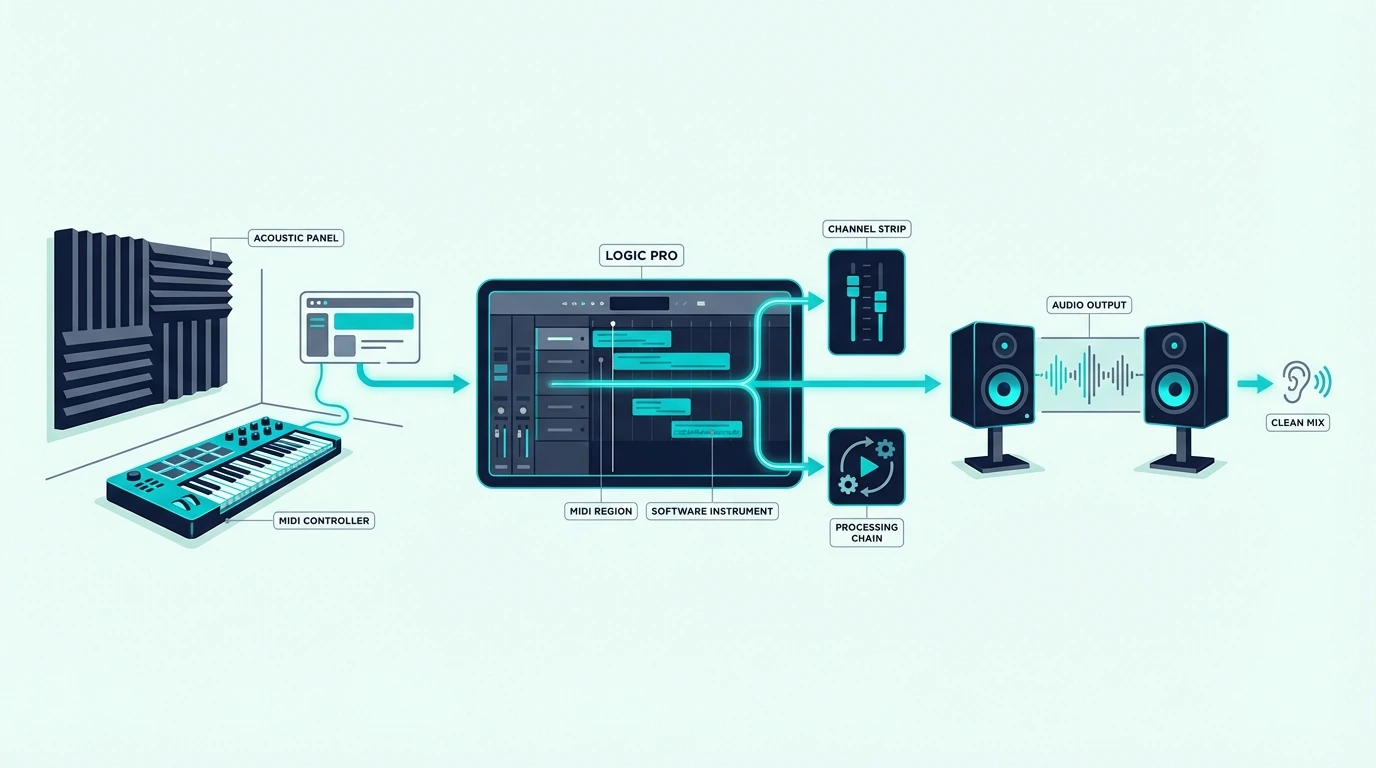
Here are 6 controllers ranked by Logic Pro compatibility, from the best overall to the most affordable option.
The M-AUDIO Keystation 49 MK3 wins Best Overall because it delivers 49 full-size keys with transport controls at a price that undercuts most competitors. Logic Pro recognizes the transport buttons immediately, and the 49-key range handles two-handed playing across Logic’s piano and synth patches comfortably.
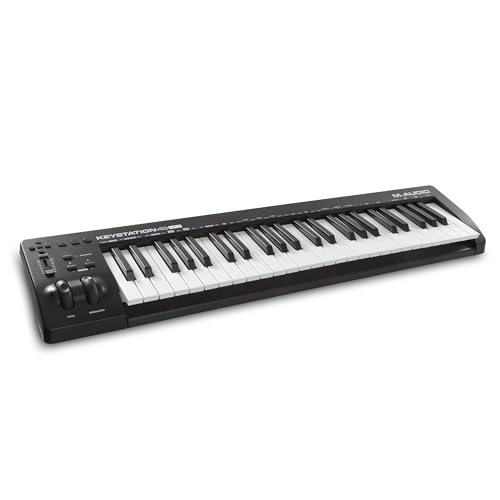
M-AUDIO Keystation 49 MK3
The Novation Launchkey 61 MK4 takes Best Premium for producers who want the deepest Logic Pro integration available. The 61 semi-weighted keys, 16 RGB pads, and 9 faders auto-map to Logic’s Smart Controls, mixer, and instrument browser the moment you plug in. No other controller matches this level of automatic integration.
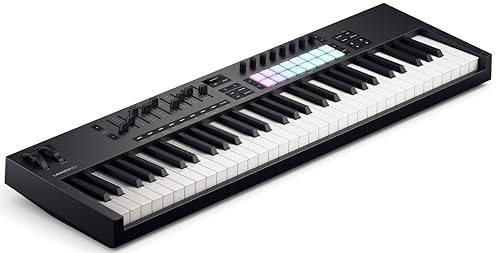
Novation Launchkey 61 MK4
The Akai Professional MPK Mini MK3 earns Best Compact for Logic Pro producers who prioritize desk space and portability. The 8 pads work well with Logic’s Drummer tracks and Quick Sampler, and the 8 knobs can be mapped to Smart Controls through MIDI learn.
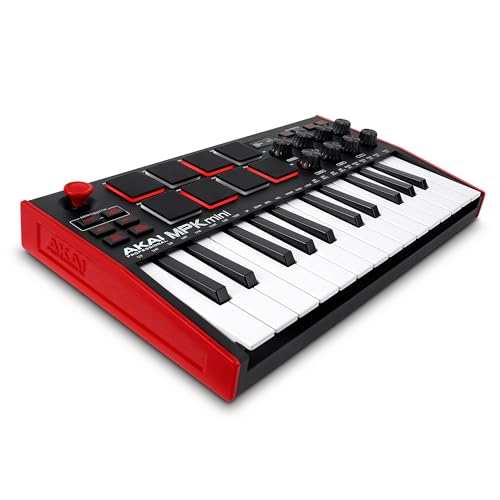
Akai Professional MPK Mini MK3
For pianists and composers working with Logic’s orchestral libraries, the M-AUDIO Keystation 88 MK3 puts all 88 semi-weighted keys on your desk. Logic’s Studio Strings, Studio Horns, and Alchemy patches sound their best when played across the full keyboard range with real velocity expression.
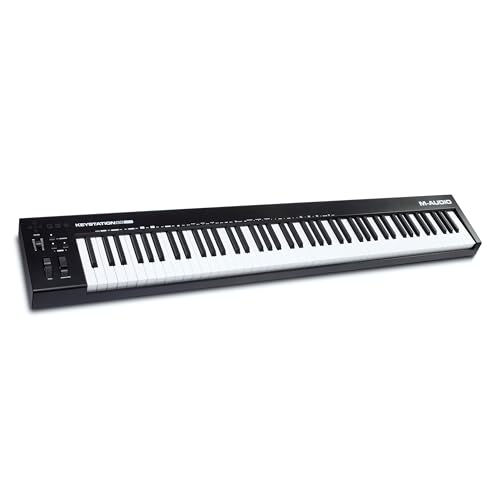
M-AUDIO Keystation 88 MK3
The Nektar SE49 delivers the best value for Logic Pro users on a budget — 49 full-size keys with Nektar’s DAW integration for under eighty dollars. You lose transport controls compared to the M-AUDIO, but the key feel and range are comparable.
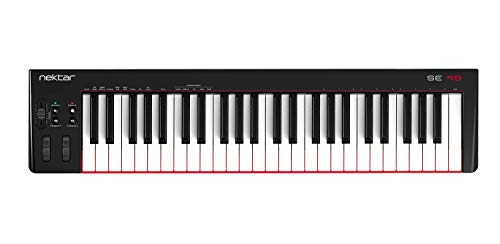
Nektar SE49
And the Nektar SE25 at under fifty dollars is the cheapest way to start playing Logic Pro’s instruments with a real MIDI keyboard. Velocity-sensitive mini keys with DAW integration handle basic melody input and synth programming.
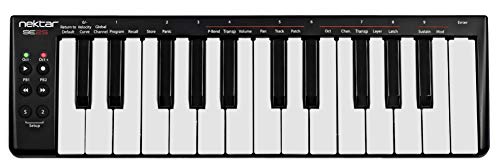
Nektar SE25
Get Studio Tips Weekly
Join 5,000+ creators getting acoustic treatment advice every week.
No spam. Unsubscribe anytime.How Do You Set Up a MIDI Keyboard in Logic Pro
Logic Pro handles MIDI keyboard setup more smoothly than most DAWs, but a few configuration steps unlock the full integration potential.
Plug-And-Play Basics
Connect your MIDI keyboard via USB and open Logic Pro. The controller appears automatically as a MIDI input source. Create a new software instrument track, load any patch from the library, and play.
Logic Pro assigns incoming MIDI to whichever track is selected. Switching between tracks switches which instrument your keyboard controls — no repatching needed.
Smart Controls Mapping
Open the Smart Controls panel (press B) and click the “i” button to access Controller Assignments. Logic Pro shows which parameters are assigned to which MIDI CC numbers.
For controllers with native Logic integration (like the Novation Launchkey), these assignments happen automatically. For generic controllers, click “Learn” next to any Smart Control parameter, then twist the corresponding knob on your MIDI keyboard. Logic saves the mapping permanently.
Using Pads With Drummer And Quick Sampler
Logic Pro’s Drummer tracks respond to MIDI note input — each drum pad on your controller triggers a specific drum element. The pad controllers map naturally to Drummer because the velocity sensitivity captures realistic dynamics that quantized patterns lack.
Quick Sampler lets you load any audio file and play it chromatically from your MIDI keyboard. Drop a vocal chop into Quick Sampler, and your controller becomes a chromatic vocal instrument.
That workflow makes the MPK Mini MK3’s 8 pads especially useful for sample-based production in Logic.
Key Commands And Controller Assignments
Logic Pro’s Controller Assignments window (accessible via Logic Pro → Control Surfaces → Controller Assignments) lets you map any MIDI CC message to any Logic function. This goes beyond Smart Controls — you can assign knobs to track volume, solo, mute, send levels, and even key command shortcuts.
Save your controller assignment profile as a template so it loads automatically with every new project. That one-time setup investment pays dividends across every session for the life of your controller.
The Bottom Line
The M-AUDIO Keystation 49 MK3 is the right choice for most Logic Pro users — 49 full-size keys with transport controls at a hundred nine dollars. If you want the deepest automatic integration, the Novation Launchkey 61 MK4 auto-maps to Smart Controls without any manual setup.
Budget-conscious Logic users should start with the Nektar SE49 — 49 full-size keys for under eighty dollars is hard to beat at any experience level.
Frequently Asked Questions
Does Logic Pro work with any MIDI keyboard?
Yes — Logic Pro supports every class-compliant USB MIDI keyboard without additional drivers. Plug in via USB and Logic recognizes the controller immediately. The difference between controllers is integration depth, not basic compatibility.
What is the best keyboard to use with Logic Pro?
The M-AUDIO Keystation 49 MK3 is the best overall choice for most Logic Pro users — 49 full-size keys, transport controls, and a hundred nine dollar price point. For deeper integration with Smart Controls and the mixer, the Novation Launchkey series offers automatic mapping.
Do I need a MIDI keyboard for Logic Pro?
You can use Logic Pro’s Musical Typing feature (press Cmd+K) to play instruments from your computer keyboard. The limitation is zero velocity sensitivity — every note hits the same. A dedicated MIDI keyboard adds dynamics, expression, and speed that Musical Typing cannot replicate.
Is the Akai MPK Mini good for Logic Pro?
The Akai MPK Mini MK3 works well with Logic Pro through MIDI learn. The 8 pads are particularly useful for Drummer tracks and Quick Sampler, and the 8 knobs can map to Smart Controls. You lose the native auto-mapping that Novation offers, but the manual setup takes only a few minutes.