How to Connect a Subwoofer to a DJ Controller and Set the Crossover

Here’s how to connect a subwoofer to a DJ controller: run the controller’s master output into the subwoofer’s inputs, then run the subwoofer’s outputs on to your two speakers.
Wire it up carelessly and you can end up riding two volume knobs all night, with the bass booming in one track and missing in the next.
Get the order and the crossover right and the speakers hand their deepest notes to the sub, which Mackie’s subwoofer manual says makes the whole system more efficient and a bit louder.
Your controller’s back panel decides the route, since a DDJ-FLX4 has a single pair of RCA master jacks while bigger units add a booth output with its own level knob.
The sections below match your outputs to one of three wiring routes, then walk through the cables, crossover, levels and phase settings the subwoofer makers recommend.
How to Connect a Subwoofer to a DJ Controller in Three Ways
Those three routes differ in one thing that matters all night: which knob sets the bass level, the subwoofer’s or the controller’s.
| Route | Use it when | How it’s wired | What sets the sub’s level |
|---|---|---|---|
| 1. Through the subwoofer | The controller has one master output (DDJ-FLX4) | Master into the sub, the sub’s high-pass or Thru outputs to the speakers | The sub’s gain knob, set once |
| 2. Booth output | The controller has a booth output (DDJ-FLX6, DDJ-FLX10) | Master to the speakers, booth to the sub | The controller’s BOOTH LEVEL knob |
| 3. Second master | The controller has two master outputs (DDJ-FLX10) | MASTER 1 to the speakers, MASTER 2 to the sub | The sub’s gain knob |
BASSBOSS, which builds powered subwoofers, calls the first route the easiest and most consistent, because you can’t forget to adjust the subs when you adjust the tops. It suggests a separate sub feed only if you must control the bass on its own, and then the sub has to get the same signal as the speakers, with the level as the only difference.
The first route is also the one a single-output controller like the FLX4 needs, so most of this guide follows it. For the basic cabling without a sub, see how to connect a DJ controller to speakers.
Which Outputs Does Your DJ Controller Have?
That choice starts on the back panel, and AlphaTheta’s own manuals show the three layouts you’re likely to find. Its DDJ-FLX4 manual lists one pair of RCA master jacks, unbalanced outputs meant for a powered speaker or a power amplifier, plus a headphone jack.
With no booth jacks and no second master, an FLX4’s sub has to sit in the chain between the controller and the speakers. The DDJ-FLX6 manual adds a pair of RCA booth jacks with a BOOTH LEVEL knob, and rates both the master and booth outputs at 2.1 Vrms into 10 kΩ.
The DDJ-FLX10 manual goes further, with balanced XLR jacks for MASTER 1, RCA jacks for MASTER 2 and balanced 1/4-inch TRS jacks for the booth. AlphaTheta warns that feeding an RCA input from MASTER 1 through an XLR-to-RCA converter can lower the sound quality or add noise, and says to use MASTER 2 for unbalanced inputs instead.
AlphaTheta pairs every one of these outputs with powered speakers or a power amplifier, so a powered (active) subwoofer plugs straight in, while a passive sub needs an amplifier between them. Mackie’s manual adds the reverse warning: never connect the output of an amplifier directly to a powered sub’s input.
Get Studio Tips Weekly
Join 5,000+ creators getting acoustic treatment advice every week.
No spam. Unsubscribe anytime.How Do You Wire the Sub Between the Controller and the Speakers?
Since every controller has a master output, the through-the-sub route works on all of them, and Mackie’s Thump115S and Thump118S owner’s manual lays out the order. Adapted for a controller, it runs like this:
- Switch everything off, and turn the controller’s master level and every gain or volume knob all the way down.
- Run the controller’s left and right master outputs into the subwoofer’s left and right inputs.
- Run the subwoofer’s high-pass outputs to the left and right speakers, then set the sub’s and the speakers’ gain knobs to unity (U on Mackie’s).
- Power on the computer and controller first, the sub next and the speakers last, and switch off in the reverse order.
Mackie says that order reduces the chance of turn-on and turn-off thumps from upstream gear coming out of the speakers. AlphaTheta’s DDJ-FLX4 connection steps follow the same habit, with the powered speakers switched on after the computer.
PreSonus adds one detail in its Eris Sub 8BT owner’s manual: connect both the left and right inputs whenever your speakers run from the sub’s outputs, so the sub gets the bass from both sides of the stereo mix.
Not every sub filters what it passes on, though. Alto’s TS subwoofer user guide sends each input’s signal to the speakers through Thru outputs, and QSC says the outputs on its KW181 subwoofer are full range, with the crossover handled inside each speaker’s own processing.
What Crossover Setting Should the Subwoofer Use?
That filtering is half of the crossover, the point where the signal splits into bass for the sub and everything above it for the speakers. PreSonus pairs the Eris Sub 8BT’s 80 Hz high-pass with an 80 Hz low-pass and QSC pairs its KW181 with tops filtered at 100 Hz, while Mackie’s subwoofer guide calls the crossover probably the most important control on a sub.
| Subwoofer | Low-pass on the sub | High-pass for the speakers |
|---|---|---|
| PreSonus Eris Sub 8BT | 50 to 130 Hz knob | 80 Hz switch on the sub’s outputs |
| Mackie Thump115S, Thump118S | Shaped by the High Pass Mode | Flat (default), Deep, Punch, or 80 to 160 Hz (Variable) |
| QSC KW181 with K or KW tops | 100 Hz | 100 Hz, switched on at each top (EXT SUB) |
| Alto TS12S, TS15S, TS18S | No crossover control listed | No high-pass listed for the Thru outputs |
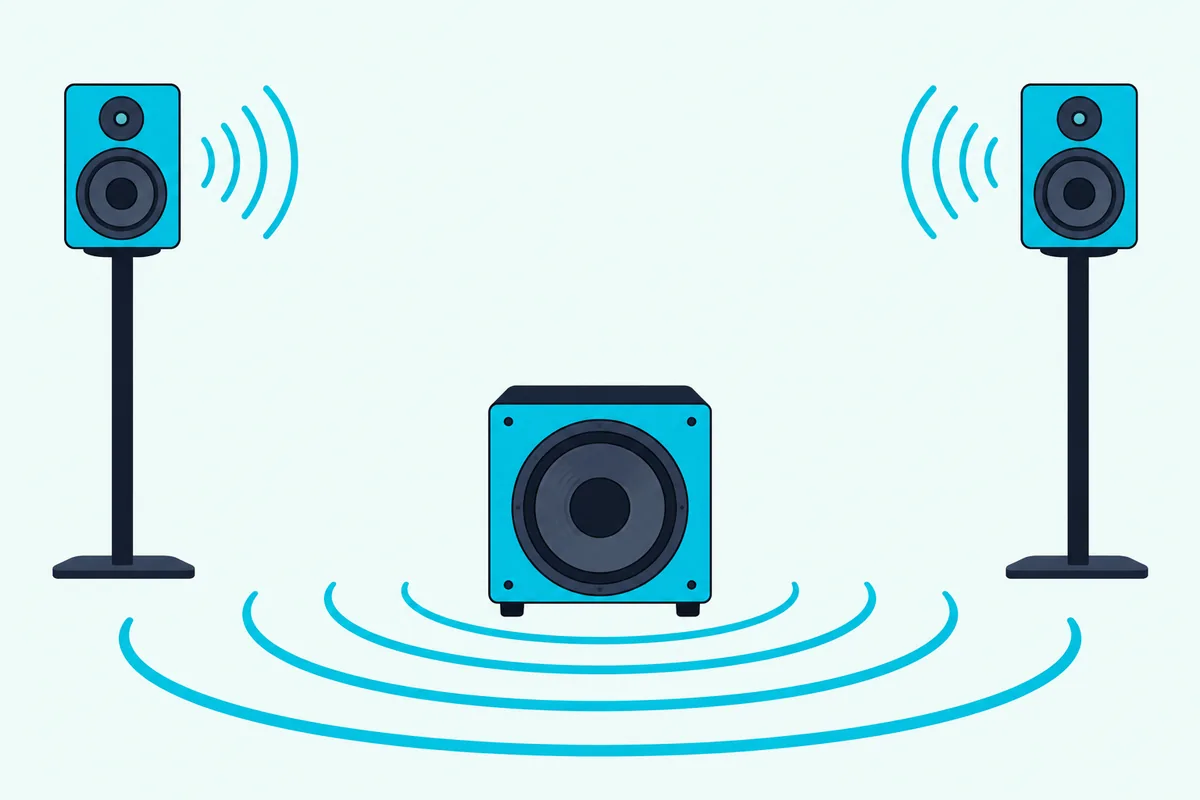
PreSonus gives the clearest starting point: with its 80 Hz high-pass switched on, set the sub’s low-pass to 80 Hz too. Without it, set the low-pass to the lowest frequency your speakers can reliably reproduce, then fine-tune by ear, which is also Mackie’s advice.
The high-pass matters because, as PreSonus explains, bass below 80 Hz left in full-range speakers can cancel or reinforce the sub’s top notes and make the low end muddy. Its switch is meant for monitors without a high-pass of their own, so a speaker with its own sub or low-cut setting may not need it.
QSC’s tops work that way, with an EXT SUB setting whose 100 Hz high-pass matches the KW181’s low-pass.
When Should the Sub Run From the Booth Output Instead?
Those crossover settings assume the sub feeds the speakers, but a controller with a booth output can give the sub its own feed and its own knob. On the DDJ-FLX6 and DDJ-FLX10, the BOOTH LEVEL knob sets the booth jacks’ volume separately from MASTER LEVEL, so the bass gets a control you can reach mid-set.
BASSBOSS’s rule for subs on a separate feed, which on a mixer means an aux send, is the same signal as the speakers, no filters on that feed and only the level different. It also says to use two feeds rather than summing the subs to mono, which on a DDJ-FLX10 means leaving the booth’s Monaural/Stereo Selection on Stereo.
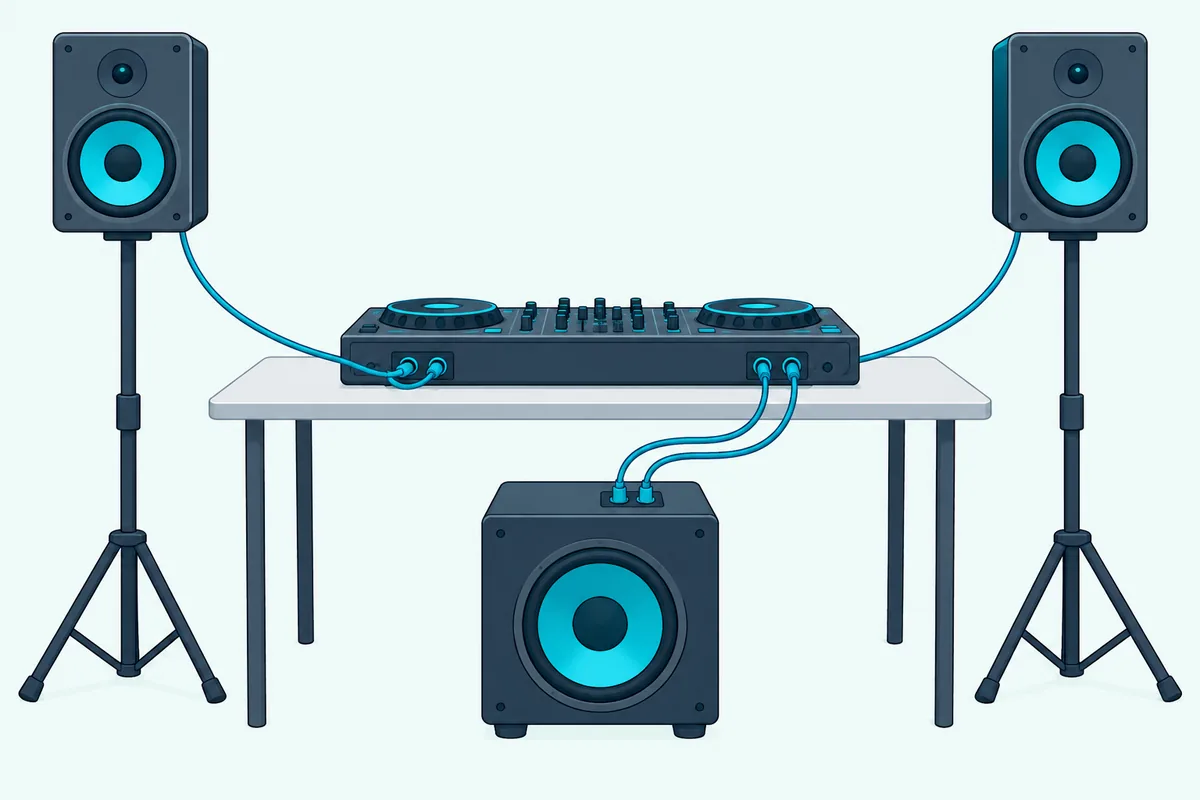
The FLX10’s booth jacks are balanced TRS, and AlphaTheta warns that converting them to RCA or TS can lower the sound quality or add noise, so a sub with TRS or XLR inputs suits them.
The trade-offs are real. You give up the booth jacks for an actual booth monitor, and the speakers on the master now play full range unless they have a high-pass of their own, like QSC’s EXT SUB setting.
What Wires Do You Need to Hook Up the Subwoofer?
Whichever route you pick, the cable has to match a jack at each end, and the subwoofer’s inputs usually decide it. PreSonus’s Eris Sub 8BT takes RCA or balanced 1/4-inch TRS inputs and outputs, so an ordinary RCA pair runs straight from a DDJ-FLX4 into it.
Mackie’s Thump115S and Thump118S take XLR inputs only, so an RCA master needs RCA-to-XLR male cables, while Alto’s TS subwoofers accept XLR, TS or TRS plugs. The Thump’s high-pass outputs are male XLR jacks, so ordinary XLR cables carry the signal on to speakers with XLR inputs.
For an RCA master into XLR inputs, the Cable Matters dual RCA to dual XLR male cable covers both sides in one run.
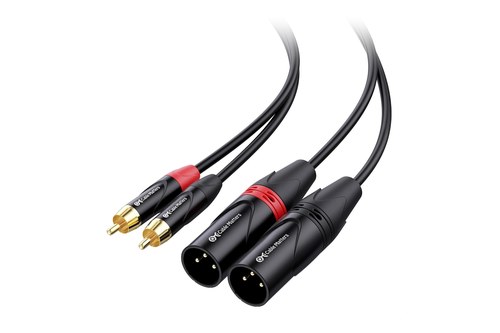
the Cable Matters dual RCA to dual XLR male cable
Balanced cables are the better choice where both ends allow them, because PreSonus says they cancel noise picked up along the cable while unbalanced runs are more susceptible to it. It also warns that overly long cables raise the risk of noise and tend to get coiled, which turns them into an antenna for interference.
Plug only into line inputs. BASSBOSS warns that a DJ mixer’s line-level signal can and will clip a microphone input.
How Loud Should the Subwoofer Be Next to the Speakers?
Levels come next, and PreSonus gives the clearest numbers. Its level calibration uses pink noise and an SPL meter app: bring each monitor to 82 dB at your listening spot (85 dB for a pair with one volume knob), then bring the sub alone up to 79 dB.
It then sets the low-pass to 130 Hz for some overlap, tries the polarity switch and fine-tunes the low-pass with music. After that, PreSonus changes the overall volume only at the source, which for a DJ means the controller’s MASTER LEVEL, so the sub and speakers stay matched.
Whatever method you use, start low: Mackie’s quick start sets the Thump’s and the speakers’ gain to U, unity, and Alto says to turn a TS subwoofer’s volume knob to its minimum (-∞) before switching it on.
Mackie says frequent or steady red from the Thump’s limiter LED means turning the gain down, and the DDJ-FLX10’s CLIP indicator flashes slowly just before the sound distorts and fast once it does.
On the FLX4 and FLX10, rekordbox’s Peak Limiter setting guards the master outputs against sudden digital clipping. BASSBOSS adds a reality check: a controller’s maximum output is enough to drive the speakers to their limit, so if the system isn’t loud enough with the controller turned all the way up, you need a bigger system, not more gain.
Why Does the Bass Sound Thin or Boomy?
Even with the levels matched, the sub’s position in the room can undo the work, and the makers point to two causes. Bass that sounds sucked out is what Mackie calls phase cancellation, when the sub’s and speakers’ sound waves cancel each other, which is less likely when they sit side by side.
The fix is the sub’s phase or polarity switch. Mackie says there’s no right or wrong position, PreSonus says to leave it wherever the bass is loudest, and Alto’s TS subs step the phase by 90, 180 or 270 degrees.
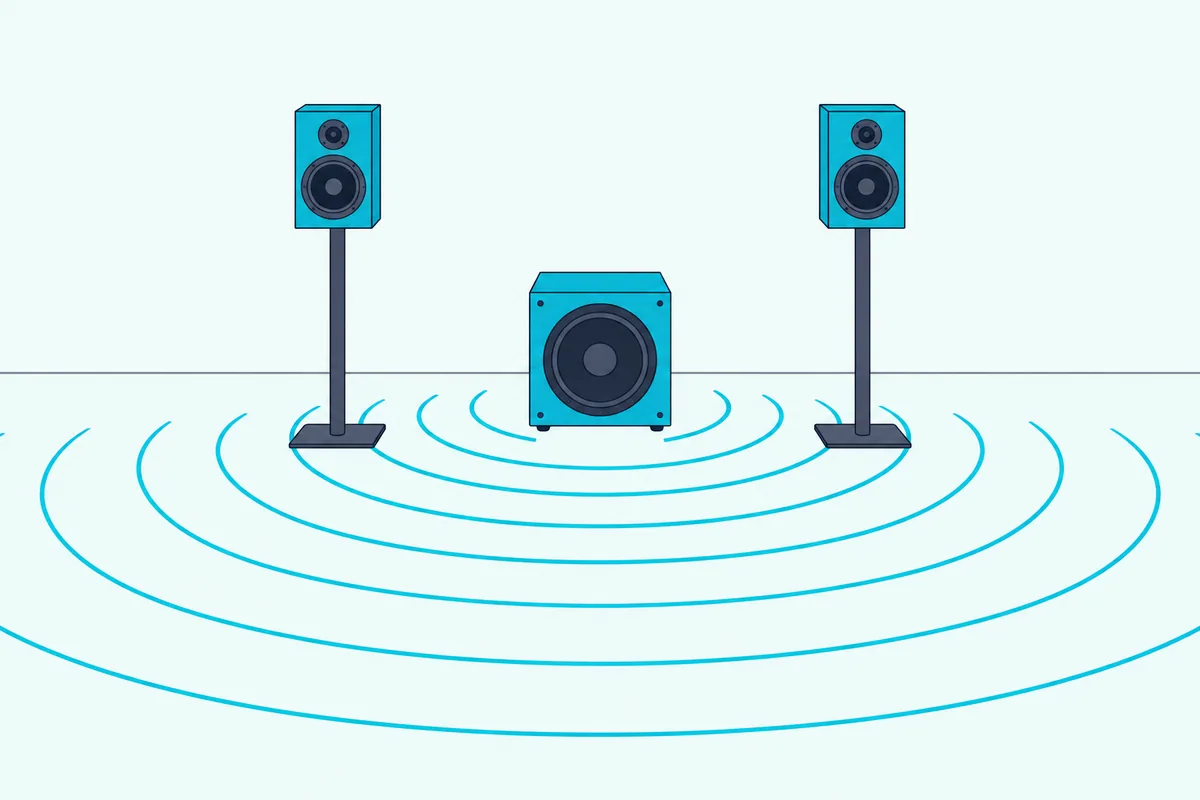
PreSonus ties boomy bass to placement, since walls and corners exaggerate the bass energy, and Mackie suggests keeping a sub off the wall, even if only by a few feet. Because people can’t tell where low frequencies come from, PreSonus says the sub doesn’t have to sit right beside the speakers, though the same side of the room typically works best.
Both makers describe the same test: put the sub where you’d stand, play bass-heavy music and move around until the bass sounds best, then put the sub in that spot. PreSonus suggests adjusting it about a foot at a time from there.
How Do You Add a Subwoofer to a DDJ-FLX4?
Those settings carry over to a DDJ-FLX4, whose single RCA master leaves one route, through the sub. With a studio sub like the Eris Sub 8BT, an RCA pair runs from the FLX4’s MASTER jacks to the sub’s RCA inputs, and the sub’s RCA or TRS outputs feed your monitors.
With a PA sub that has XLR inputs, swap in RCA-to-XLR male cables. In rekordbox, the FLX4’s master settings sit under Preferences, Controller, DDJ-FLX4, where Monaural/Stereo Selection should stay on Stereo for a left and right pair of speakers.
Turn the speakers on last, after the computer, as AlphaTheta’s connection steps do. The FLX4’s master output is unbalanced, so keep that RCA run short and away from power cables, in line with PreSonus’s advice on noise.
Why Is the Subwoofer Silent or Humming?
If the sub stays silent or hums, the makers’ troubleshooting lists start with the same few checks. PreSonus’s first checks for a sub that powers on but plays nothing are the cables and the input level, and the green signal LED on Mackie’s and Alto’s subs shows whether any audio arrives.
An Eris Sub 8BT with standby engaged also goes into power-save mode after 40 minutes without audio, and wakes when audio resumes. If the controller makes no sound through anything, start with the DJ controller no sound troubleshooting instead.
A steady hum is usually a ground loop, PreSonus says, and its first fixes are running all the gear from the same power source and adding a power conditioner. It also suggests balanced cables, or a DI box with a ground-lift switch for an unbalanced output, and keeping audio cables away from power cables.
Never remove the ground pin from a power plug, even to chase a hum: PreSonus and Mackie both warn against it.
Which Subwoofer Fits a DJ Controller Setup?
Picking the sub itself comes down to the room, and a studio sub and a PA sub are built for different jobs. For a desk or bedroom, the PreSonus Eris Sub 8BT takes an FLX4’s RCA master directly and passes your monitors the mix above 80 Hz when its high-pass is on.
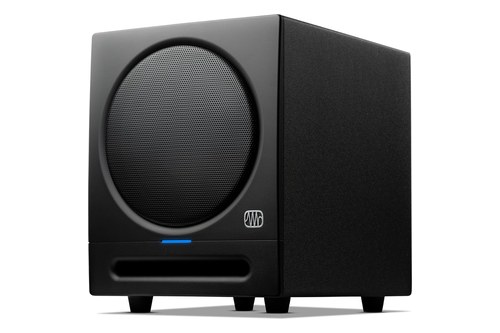
the PreSonus Eris Sub 8BT
For parties and mobile gigs, the Alto Professional TS12S takes XLR or 1/4-inch plugs and links two tops through its Thru outputs. Its guide lists no high-pass for those outputs, so check that your tops have a low-cut setting of their own.
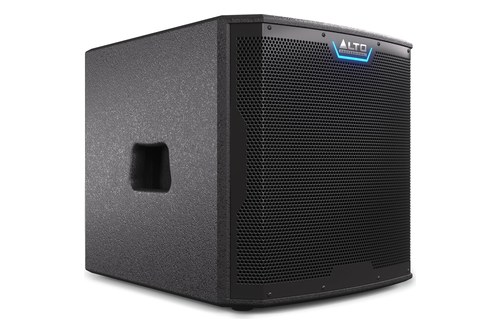
the Alto Professional TS12S
For the speakers on either side of the sub, the speaker picks for DJ controllers compare powered models by size and inputs.
The Bottom Line
Run the controller’s master into the subwoofer and the sub’s high-pass outputs to the speakers, switch the speakers on last, and start the crossover where the sub’s maker suggests before you fine-tune by ear.
Use the booth output only when you want the bass on its own knob, keep it in stereo, then sort out level, phase and placement in that order.
Frequently Asked Questions
How do you connect a subwoofer to a DJ mixer?
The same way: the mixer’s master goes into the sub and the sub’s outputs feed the speakers, the route BASSBOSS calls the easiest, or two unfiltered aux outputs feed the subs when you need a separate level. For a controller and a club mixer together, Burton Acoustix’s external mixer guide covers the cabling.
Can you plug a subwoofer straight into a DJ controller?
Yes, if it’s a powered subwoofer: AlphaTheta describes its controllers’ master and booth jacks as outputs for powered speakers or a power amplifier. A passive sub needs an amplifier first, and Mackie warns never to connect an amplifier’s output directly to a powered sub’s input.
Do you need a separate crossover for a DJ subwoofer?
Usually not, since Mackie says most subwoofers have a crossover control, such as PreSonus’s 50 to 130 Hz low-pass knob. QSC suggests an external crossover or processor only when a third-party sub has no low-pass of its own or the built-in point is too high.
Where should you place a subwoofer for DJing?
On the same side of the room as your speakers and a few feet out from walls and corners, which PreSonus and Mackie say make bass boomy or unbalanced. Then find the spot where the bass sounds even by putting the sub where you’d stand and moving around the room.
Can you connect two subwoofers to one DJ controller?
Yes. Mackie daisy-chains Thump subs from one sub’s FULL RANGE OUT to the next sub’s input, and Alto’s guide sends the left master to one TS sub and the right to another, each feeding a speaker from its Thru output. BASSBOSS chains subs first and tops last, with the subs plugged straight into wall outlets.