Best Audio Interface for DJs, From Headphone Cues to Serato DVS
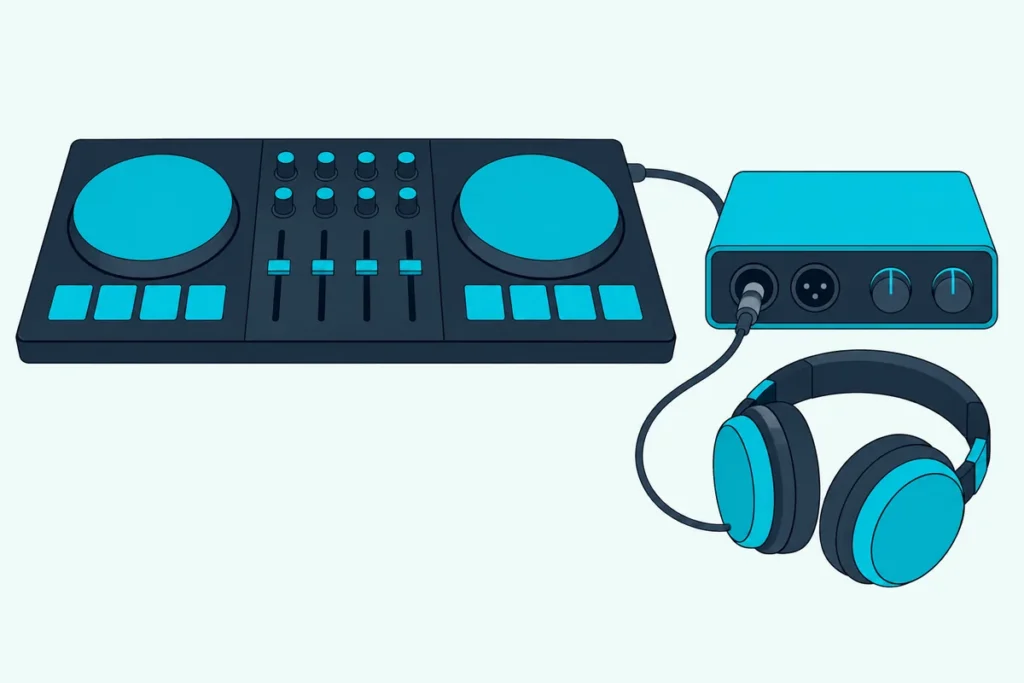
Choosing the best audio interface for DJs comes down to outputs, because the box has to send one mix to the crowd and a different one to your headphones.
With only two outputs, an interface has a single stereo pair to give, so the speakers and your headphones end up playing the same thing.
Get the outputs and inputs right and one laptop can cue in headphones, feed a booth monitor and even play control vinyl.
The picks below are compared on what their makers publish: line outputs, headphone routing, inputs for turntables and the drivers each one needs.
The short list comes first, then the settings Serato, rekordbox, Traktor and VirtualDJ expect and the extra inputs digital vinyl needs.
What Is the Best Audio Interface for DJs?
That depends on your software and decks, but the Focusrite Scarlett 4i4 4th Gen is the best audio interface for DJs on paper for most laptop setups. Focusrite lists four 1/4-inch line outputs and a headphone output that’s independent of outputs 1-2 and 3-4 and can be fed from software playback channels, so your headphones can take the DJ app’s cue while the speakers play the master (Focusrite’s Scarlett 4i4 4th Gen user guide).
The others each solve a narrower problem:
| Pick | Type | Line outputs, per the maker | Headphones | Best for |
|---|---|---|---|---|
| Focusrite Scarlett 4i4 4th Gen | Audio interface | 4 | 1, independent mix | Cueing from a laptop |
| Behringer UMC404HD | Audio interface | Main L/R, plus playback pairs 1-2 and 3-4 | 1, switches between 1-2 and 3-4 | A one-switch cue and a booth feed |
| Denon DJ DS1 | DVS interface | 2 stereo pairs on RCA | None listed | Serato DVS with turntables or CDJs |
| Audient EVO 8 | Audio interface | 4 output channels | 2, independent | Two DJs on headphones |
| MOTU M4 | Audio interface | 4 on TRS, mirrored on RCA | 1 | Streaming a set |
| Focusrite Scarlett 2i2 4th Gen | Audio interface | 2 | 1, shares outputs 1-2 | Recording a controller’s mix |
Every pick met Burton Acoustix’s rating, review and stock checks on 27 October 2026. Nothing here was played or measured, and the descriptions come from the makers’ spec sheets and manuals.
If your controller already has a sound card and the interface will sit beside it, our walkthrough on hooking a DJ controller up to an audio interface covers the cables and the levels.
| Product | Link |
|---|---|
Best Overall 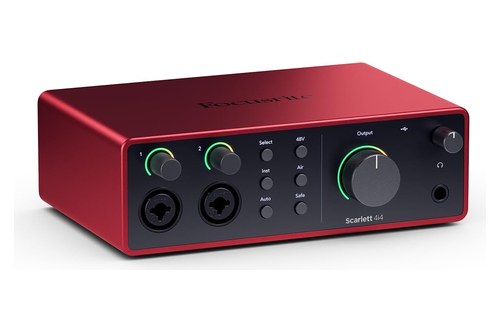 | See ratings |
Best Cue Switch 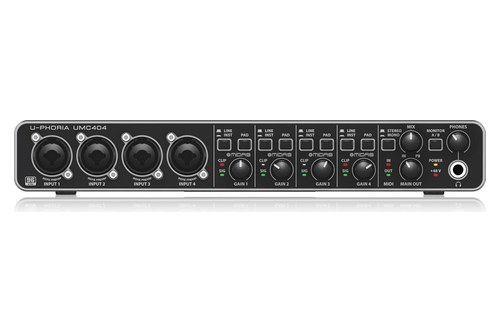 | See ratings |
Best for Serato DVS 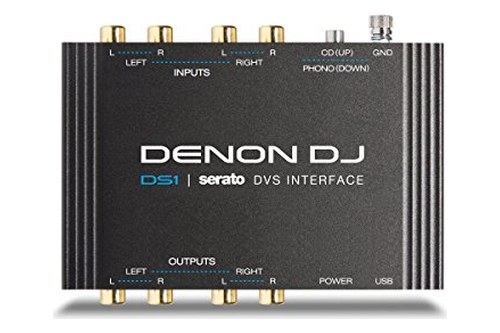 | See ratings |
Best for Two Headphones 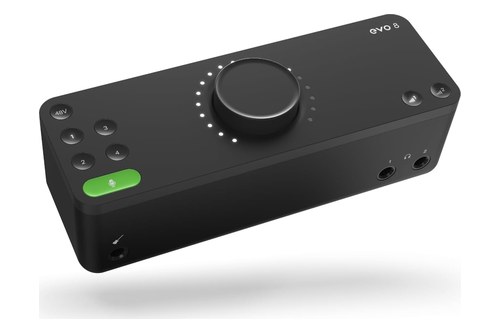 | See ratings |
Best for Streaming Sets 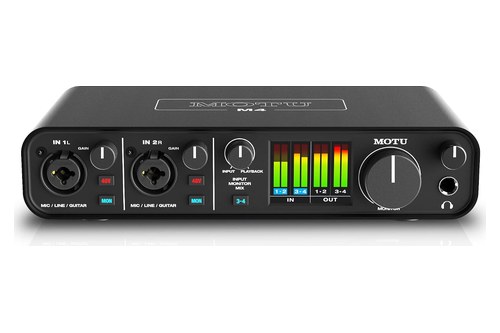 | See ratings |
Best for Recording a Mix 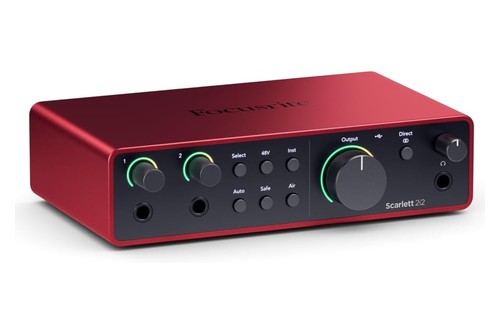 | See ratings |
Which DJ Audio Interface Should You Buy?
The table sorts the picks by job, and the notes below add what each maker documents about routing, power and drivers. Buy by your setup: the 4i4 or the Behringer for cueing, the Denon for Serato vinyl, and the Audient, MOTU or 2i2 for sharing, streaming or recording.
Focusrite Scarlett 4i4 4th Gen
For a laptop DJ who needs to cue in headphones, the Focusrite Scarlett 4i4 4th Gen is the pick.
the Focusrite Scarlett 4i4 4th Gen
Focusrite Control 2’s Routing tab chooses a source for each output, so the DJ app’s master can play on outputs 1-2 while its cue channels feed the headphones. Line outputs 3-4 aren’t on the front Output knob, and Focusrite suggests them for extra speakers.
On Windows, Focusrite Control 2 installs the driver, and a Mac needs only the app. If a USB port can’t power it, Focusrite points you to the 5V DC port and the supplied adapter.
Behringer UMC404HD
For a cue you set with one switch, the Behringer UMC404HD puts it on the front panel.
the Behringer UMC404HD
Behringer’s U-PHORIA quick start guide lists the Monitor A/B switch under headphones for DJ cueing: pressed, it sends output channels 3-4 to the headphones instead of 1-2. The main outputs feed your speakers, and playback outputs for pairs 1-2 and 3-4 sit on the back for more speakers.
Macs need no driver, and Windows takes a USB driver from Behringer’s site. Its four inputs take mics, instruments or line-level sources, at up to 192 kHz.
Denon DJ DS1
For Serato DVS with turntables or CDJs, the Denon DJ DS1 is the pocket-sized option.
the Denon DJ DS1
Serato’s DS1 page says it unlocks Serato DJ Pro and Serato DVS when plugged in, with no extra license for NoiseMap control vinyl or CDs. Its two sets of stereo RCA inputs and outputs cover a left and a right deck, and a grounding post takes the turntable’s ground wire.
Denon DJ’s DS1 page lists line and phono inputs and line outputs but no headphone output, so your speakers and headphones connect to the DJ mixer it feeds.
Audient EVO 8
For two DJs sharing one laptop, the Audient EVO 8 gives each one a headphone output.
the Audient EVO 8
Audient’s EVO 8 page lists two independent headphone outputs, and its EVO Mixer routes the outputs and sets dedicated headphone mixes. Its loopback feature runs through a separate loopback mixer that combines computer audio for streaming.
It runs on USB bus power, and Audient lists it as compatible with macOS and Windows. Its tech specs give four output channels and about 5 ms of round-trip latency at a 32-sample buffer and 44.1 kHz.
MOTU M4
For streaming a set with a microphone, the MOTU M4 brings loopback and meters for every input and output.
the MOTU M4
MOTU’s M4 page says its driver adds loopback channels, so computer audio returns to the computer and mixes with a live mic for a stream. The M4 specs list four balanced line outputs mirrored on RCA jacks and class-compliant use on a Mac or iOS device with no driver.
MOTU’s pages describe the headphone output’s separate volume control but not which outputs it plays, so check the user guide before you plan to cue through it.
Focusrite Scarlett 2i2 4th Gen
For recording or streaming a controller’s mix, the Focusrite Scarlett 2i2 4th Gen does it in two channels.
the Focusrite Scarlett 2i2 4th Gen
Its front 1/4-inch jacks run at line level when the Inst light is white, which suits a controller’s master output. The Scarlett 2i2 4th Gen user guide also says outputs 1 and 2 share the headphone output’s feed, so the cue stays on your controller.
How Many Outputs Does a DJ Interface Need?
That shared feed on the 2i2 is the whole story, because cueing needs its own stereo pair. Four output channels, or two stereo pairs, is the minimum: the Traktor Pro manual asks for two independent stereo outputs to pre-listen, one for the master and one for the headphone cue.
The Mixxx manual recommends the same four independent output channels, and VirtualDJ’s Master and Headphones setup puts the master on a multichannel card’s first stereo pair and the headphones on its second.
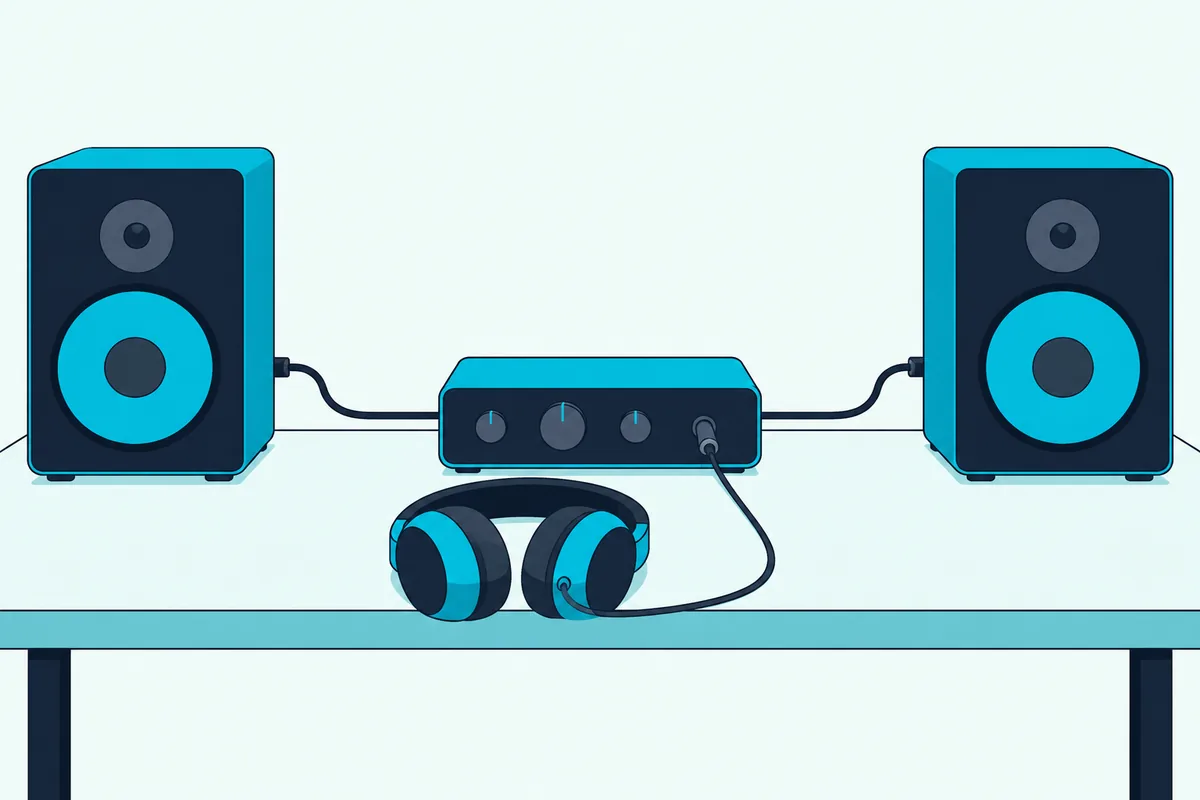
Channels matter more than jacks here. Mixxx warns that a DJ interface with four mono output jacks and a headphone jack can still have only four channels, with the headphones repeating two of the outputs.
A laptop’s headphone jack doesn’t count either, since Mixxx says it only redirects the laptop’s single stereo output. A splitter cable can get a cue out of that one jack, but both VirtualDJ and Mixxx describe it as two mono channels, so the crowd hears the mix in mono.
Can One Interface Feed a Booth Monitor Too?
Booth monitors push the count up again, though not always by a full stereo pair. Yes, one interface can feed a booth if it has a spare pair or a mirrored one: rekordbox can send a separate booth channel, and the Mixxx manual notes that many controllers’ booth outputs repeat the main signal at their own volume.
In Performance mode with its internal mixer, the rekordbox manual sets the output channels for the master, the headphones and the booth separately. That’s three separate stereo signals, more than a four-channel box can carry.
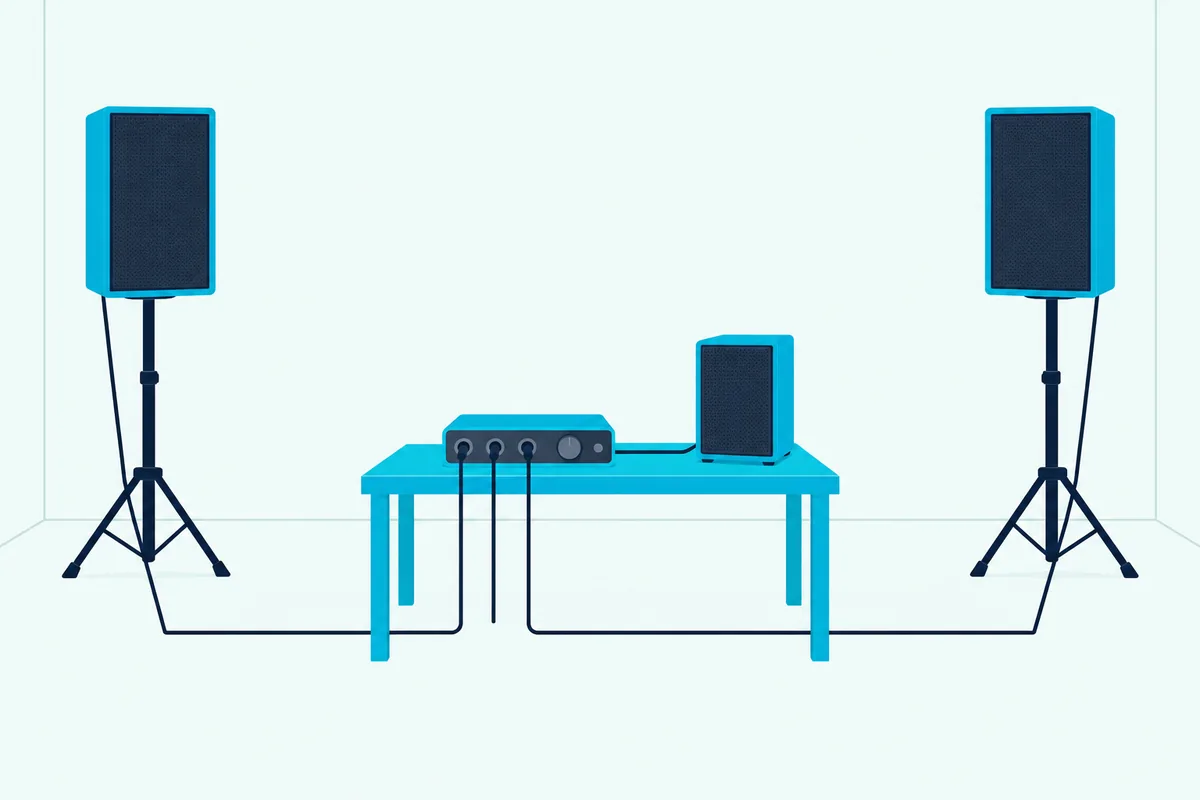
The UMC404HD takes the mirrored route: its playback outputs for pair 1-2 can run a booth speaker while the main outputs feed the PA and the Monitor A/B switch puts channels 3-4 in your headphones. On the 4i4, Focusrite Control 2 decides what line outputs 3-4 play, and the front knob doesn’t touch them, so their level comes from the software rather than the knob.
At a bar gig with a PA and a monitor at your elbow, that routing covers all three destinations: the PA, the booth and your ears.
Will It Work With Serato, rekordbox, Traktor and VirtualDJ?
Those routings only help if the DJ app can address them, and the four big ones treat outside interfaces differently. rekordbox, Traktor and VirtualDJ let you pick an external interface and assign its outputs, while Serato DJ Pro works with the hardware on Serato’s supported list.
In Traktor Pro, you choose the interface under Audio Setup, then set Output Master and Output Monitor on the Output Routing page with the internal mixer selected. VirtualDJ uses its SPEAKER+HEADPHONE setup for a multichannel USB card, and if the card isn’t detected, you pick COMPUTER AUDIO and then the card in the SoundCard field.
rekordbox’s [Audio] setting picks the device, and its [Output channels] assign the master, headphones and booth. Serato DJ Pro says it works with more than 150 pieces of certified hardware, and Serato lists the DS1 as hardware that unlocks the full program, so check Serato’s hardware list before you buy any other interface for it.
Drivers come next: Focusrite and Behringer send Windows users to their own driver software, and MOTU lists driver-free use for Mac and iOS only. The Mixxx manual advises installing the maker’s driver on Windows even for a class-compliant interface, so you can use ASIO.
Once it’s connected, the buffer decides the lag. Traktor recommends a buffer size between 256 and 512 and calls a latency of 5 to 10 ms adequate, while rekordbox notes that a larger buffer cuts audio skipping but delays scratching.
What Does DVS Need From an Interface?
That Serato list matters most for digital vinyl, where the interface has to read control records as well as play music. DVS needs a stereo input and output for each deck, phono-level inputs if your turntables can’t output line level, and hardware your DJ app accepts for timecode.
The Traktor scratch setup asks for a scratch-certified DJ mixer, or a two-channel DJ mixer plus an audio interface with two inputs and two outputs. If your turntables can’t switch from phono to line, Native Instruments makes phono preamps on the interface mandatory.
VirtualDJ’s timecode setup calls for a multichannel USB card with at least four inputs and four outputs, phono preamps for timecode vinyl, and a stereo signal on each input, since it doesn’t support mono timecode. It also reads Serato and Traktor control vinyl alongside its own.
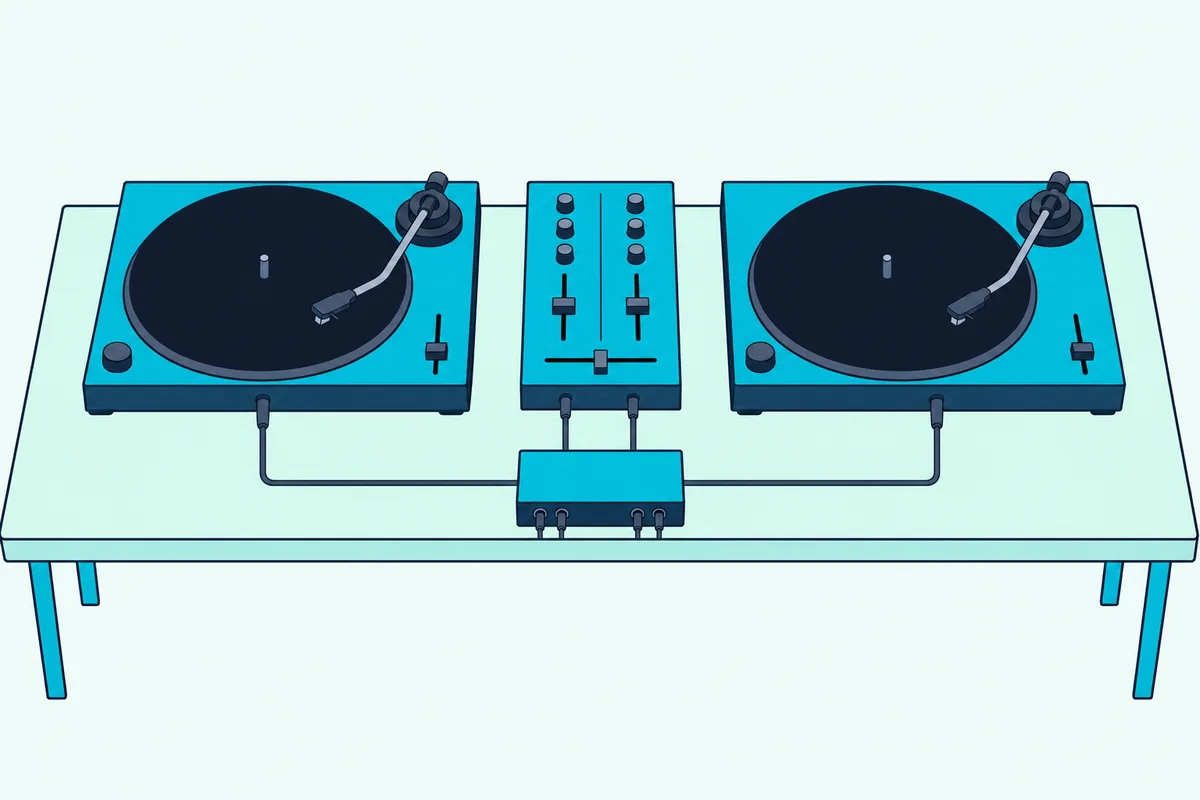
rekordbox DVS runs on DJ units that support it, and rekordbox’s Hardware Unlock page names Pioneer DJ’s INTERFACE 2 among its interfaces. Its DVS setup guide supports only AlphaTheta’s own control vinyl and sets the interface’s inputs to PHONO for turntables or LINE for CDJs.
On Serato, the DS1 unlocks DVS by itself, and Serato says some other supported hardware needs a Serato DJ Suite license for it. The Mixxx manual adds that most audio interfaces have no phono preamps, and Focusrite lists mic, line and instrument levels for the 4i4’s inputs, not phono, so a studio box needs line-output turntables or a separate preamp.
If you’d rather skip a separate box, DJ mixers with a built-in sound card can run DVS through the mixer itself.
Can an Audio Interface Record or Stream Your Mix?
DVS boxes send music out, but plenty of DJs buy an interface to get the mix back in. Yes: loopback on the M4, the EVO 8 and both Scarlett models routes computer audio back to the computer, so streaming or recording software can capture the DJ app’s mix with a microphone.
If the mix comes from a controller’s own sound card instead, run its master output into the 2i2’s front jacks at line level. Burton Acoustix’s guide to recording a mix covers the software side.
Serato DJ Pro records a set itself when your hardware unlocks it or you hold a license, but not while you play from a streaming service or in Practice Mode. Traktor can also send a separate Output Record pair if the interface has outputs to spare.
Which DJ Interfaces Didn’t Make the List?
Those recording tools aside, a few DJ-specific boxes from other roundups stayed off the cards. Reloop’s Flux, a 6×6 Serato DVS interface with three phono or line inputs that Reloop says unlocks Serato DJ Pro and Serato DVS, had too few Amazon reviews on 27 October.
Pioneer DJ’s INTERFACE 2, the interface rekordbox names for DVS, fell short of the rating bar, and the Native Instruments Komplete Audio 6 MK2 listing showed no availability. Check them again if those listings change.
How Do You Check an Interface Before You Buy?
Those near-misses came down to reviews and stock, but your own checks are about fit. Four take a minute each:
- Count output channels, not jacks: two stereo pairs for master and cue, and a spare or mirrored pair for a booth.
- Find out how the headphone output is fed: independent, switchable or shared with the main outputs.
- For DVS, look for phono inputs and for the interface on your DJ app’s hardware list.
- Read the maker’s driver page for your system, especially on Windows.
Keep the box until the cue works in the DJ app you’ll actually play.
The Bottom Line
Those checks done, buy the Focusrite Scarlett 4i4 4th Gen for cueing from a laptop, or the Behringer UMC404HD if you’d rather set the cue with a front-panel switch.
Choose the Denon DJ DS1 for Serato with turntables, the Audient EVO 8 for two pairs of headphones, the MOTU M4 for streams and the Scarlett 2i2 for recording a controller’s mix.
Frequently Asked Questions
Do DJs need an audio interface?
Not always, because the Mixxx manual says many DJ controllers include an audio interface with two separate stereo outputs. An external one helps when you DJ from a laptop alone or need a booth output or DVS inputs, and Mixxx adds higher-quality audio as a reason to switch. If you’re still choosing hardware, controllers that carry their own sound card may save you the extra box.
Can you DJ with a regular audio interface?
Yes in rekordbox, Traktor and VirtualDJ, which let you pick an external interface and assign the master and headphone outputs. Serato DJ Pro works with the hardware on Serato’s supported list, so check that list before you buy for Serato.
Is a two-channel audio interface enough for DJing?
Not for playing out with a cue, since two channels make one stereo pair and Traktor’s manual asks for two independent stereo outputs. A two-channel box still works for recording a mix, and a splitter cable gives a mono cue in VirtualDJ or Mixxx.
What is a DJ sound card?
It’s another name for an audio interface, and the Mixxx manual uses both terms for the same device. DJ-specific ones add phono inputs for timecode vinyl, which Mixxx says most other interfaces lack.
Do you need phono inputs for DVS?
Only for turntables that can’t switch to a line-level output. Traktor makes phono preamps mandatory in that case and VirtualDJ asks for them for timecode vinyl, while CDJs and XDJs go into line inputs, as rekordbox’s DVS guide sets them.