What Cords Go to a DJ Controller? Every Port, Model by Model
Working out what cords go to a DJ controller sounds like a one-cable job, until you open the box and find a USB lead and not much else.
Then the speakers want XLR, the laptop only has USB-C, the headphones carry the small plug, and the first session ends with no sound or a second trip to the shop.
Match each port on the controller to the input at the other end, and you’ll buy every cable once, with the right plugs and a length that reaches.
This guide goes port by port through the computer link, power, master and booth outputs, headphones, microphones and the inputs for phones and turntables, using the makers’ own manuals for Pioneer DJ, Numark, Hercules, Denon DJ and Roland.
It starts with the short list most setups need and finishes with the four cables worth ordering before your first mix.
What Cords Go to a DJ Controller?
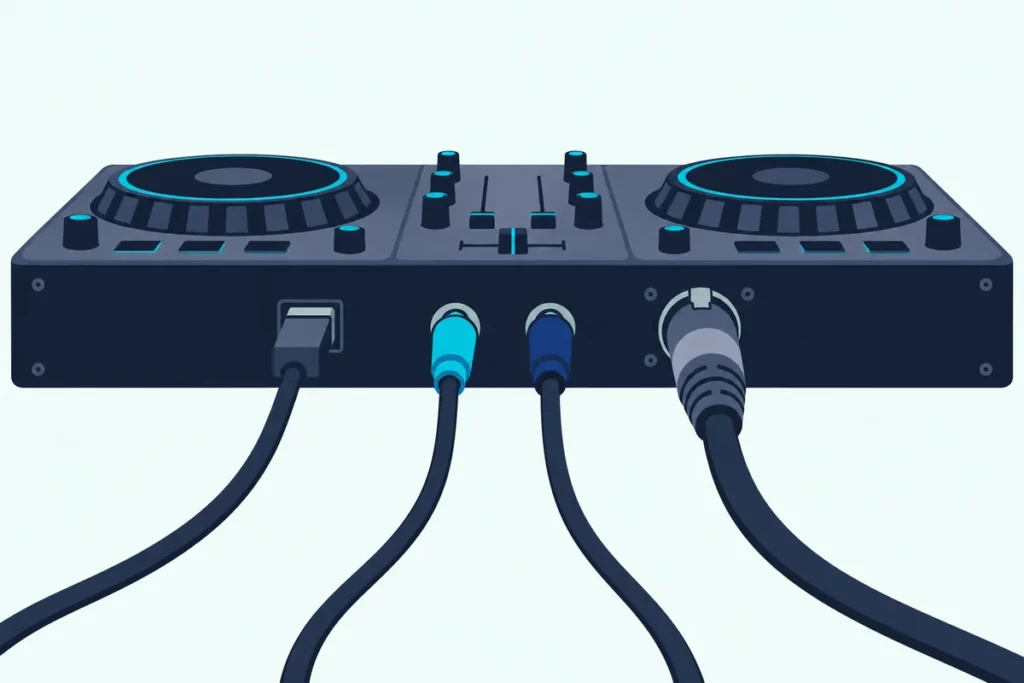
That short list is shorter than most people expect. Most setups need three connections: a cable from the controller to the computer, a pair of audio cables from the master output to your speakers, and your headphones, with a microphone, a booth monitor or a turntable each adding one more.
Think of the controller as a hub with one road in and several roads out. The computer cable brings the music in from your DJ software, and every other socket either sends sound out or takes an extra source in.
| Job | Port on the controller | Cable you usually need | In the box? |
|---|---|---|---|
| Computer link | USB-C or USB-B | A cable matched to both ends | Yes, wherever the maker lists the box |
| Power | Bus power, or a DC socket | None extra, or the supplied adapter | Adapter included where one is needed |
| Speakers | Master out: RCA, 1/4-inch jacks or XLR | RCA, RCA-to-XLR, RCA-to-1/4-inch or XLR cables | No |
| Booth monitor | Booth out: 1/4-inch TRS (larger models) | TRS cable to the monitor | No |
| Headphones | 3.5 mm and/or 1/4-inch | Your headphones, plus an adapter if needed | No |
| Microphone | 1/4-inch jack or XLR combo | Mic cable to suit the socket | No |
| Phone, player or turntable | Aux, line or phono inputs (some models) | 3.5 mm or RCA cables, plus a ground wire | No |
The “No” column is the shopping list. Every box list below includes a computer cable, and none of them includes an audio cable, which is why the master output is where most setups stall.
For the full hookup once the cables are in hand, from the sound settings to fixing silence, see our guide on how to connect a DJ controller to speakers and fix silence.
Which Cable Connects the Controller to Your Computer?
That first row, the computer link, depends on the socket on the back of your controller. Pioneer DJ’s DDJ-FLX4 and DDJ-FLX10 use USB-C, while Hercules’ DJControl Inpulse 300 MK2 and Inpulse 500 and Roland’s DJ-202 and DJ-707M use USB-B, the squarer, older plug.
The plug on the computer end is a separate question. A Type-C laptop and a Type-A laptop need different cables even for the same controller, so check both ends before you buy anything.
Pioneer DJ spells out the rule for the FLX4 in its manual. Use the supplied cable for a computer with a Type-C port, and for a Type-A port use “a USB cable certified to the appropriate standard with a length of 3 m or less.”
The DDJ-FLX10 manual gives the same 3-meter limit for Type-A and adds that a Type-C computer can use the supplied cable or a USB 2.0 compliant one. Three meters is roughly ten feet, so a cable that reaches from a laptop on a stand to the controller is usually all you need.
Hercules’ manual lists a braided USB-A to USB-B cable in the Inpulse 300 MK2’s box. That suits a Type-A laptop out of the box, and a Type-C laptop then needs either a Type-C to Type-B cable or an adapter.
Some controllers are fussier about hubs too. Pioneer DJ says the DDJ-REV1 can’t be used through a hub, and its FLX4 and FLX10 manuals ask you to use only a hub your computer’s maker recommends.
Two controllers stay vague about the plug itself. Numark’s Mixtrack Platinum FX guide only says to use “the included USB cable,” and Pioneer DJ’s DDJ-REV1 page says “the supplied USB cable,” without naming the connector, so keep the cable from the box with the controller.
If your controller has a Type-C socket and your laptop only has Type-A, this is the one cable you’ll actually need to buy.
For a Type-A laptop and a Type-C controller, the Amazon Basics USB-A to USB-C cable matches the certified, under-3-meter cable Pioneer DJ asks for. It’s a USB 2.0 cable, the standard the FLX10 manual names for Type-C connections.
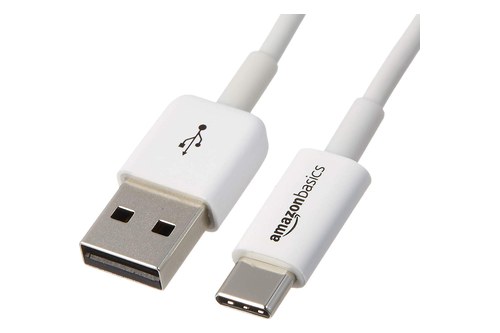
the Amazon Basics USB-A to USB-C cable
For the software side of the same link, from drivers to choosing the controller as the sound output, our walkthrough on connecting a DJ controller to a laptop, step by step picks up where this cable ends.
Get Studio Tips Weekly
Join 5,000+ creators getting acoustic treatment advice every week.
No spam. Unsubscribe anytime.Does the Computer Cable Power the Controller?
That same cable often does a second job. Smaller controllers run on bus power, meaning the computer’s port powers them, while larger and standalone units take power through a DC socket from an adapter.
Numark lists “USB bus power” for the Mixtrack Platinum FX, Hercules says the Inpulse 500 is “powered via USB,” and Roland gives bus power for the DJ-202. For those three, one cable carries power, control and sound.
The DDJ-FLX4 is the interesting middle case. It has two Type-C ports, one for the computer and one for power, and Pioneer DJ rates it at DC 5 V, 500 mA on bus power or DC 9 V, 3 A from a power adapter.
Pioneer DJ lists the times bus power won’t do for the FLX4. It won’t work if the computer’s port can’t supply enough power, if other devices are connected to the computer, if your headphones are below 32 ohms, or if a mono plug sits in the headphone socket.
Phones and tablets change the picture as well. The FLX4 manual says that with a mobile device you can feed the power port from a power adapter or a mobile battery, rated no higher than 24 V and at DC 9 V, 3 A.
The four-channel and standalone units need their adapters. The DDJ-FLX10 comes with an AC adapter rated at DC 12 V, 3 A output and a power cord, Roland’s DJ-707M ships with an AC adaptor and power cord, and Denon DJ lists an external 12 V, 3 A supply for both the SC LIVE 2 and SC LIVE 4.
Pioneer DJ adds one order-of-operations rule for the FLX10. Plug in the AC adapter only after every other connection is made, so the controller stays unpowered while you connect everything else.
Is Anything Besides the Computer Cable in the Box?
Those power adapters are the only extras most boxes add. Here’s what each maker lists as included, so you can see what you still need before the first session.
Pioneer DJ DDJ-FLX4: a USB cable, a quick start guide and a Precautions for Use leaflet. The power adapter for its second port is listed as not supplied.
Pioneer DJ DDJ-FLX10: an AC adapter, a power cord, a USB cable, a quick start guide and a Serato Pitch ‘n Time DJ voucher.
Pioneer DJ DDJ-REV1: Pioneer DJ’s page mentions the supplied USB cable. It doesn’t list the rest of the box.
Numark Mixtrack Platinum FX: the controller, a USB cable, a software download card, a user guide and a safety and warranty manual. Numark’s page adds a plain “Microphone not included.”
Hercules DJControl Inpulse 300 MK2: a braided USB-A to USB-B cable, stickers and a warranty flyer.
Hercules DJControl Inpulse 500: a braided USB cable, DJUCED and Serato DJ Lite licenses and a quick start guide.
Roland DJ-202: a USB cable and a startup guide. Roland DJ-707M: an AC adaptor, a power cord, a USB cable, a startup guide and a safety leaflet.
Denon DJ SC LIVE 2 and SC LIVE 4: Denon DJ’s product pages don’t list the box contents, so check the carton before you plan around a cable.
Notice the pattern across these lists. Not one includes an RCA, XLR or 1/4-inch cable, so the speaker connection, the subject of the next two sections, is always on you.
Are the Master Outputs RCA, 1/4-Inch or XLR?
That speaker connection starts at the master output, and the plug type tells you which cable to buy. Entry-level controllers usually offer only RCA, the red-and-white pair, while larger ones add balanced XLR outputs, and a few add 1/4-inch jacks.
RCA is an unbalanced connection, and Pioneer DJ describes the FLX4’s RCA master as “compatible with RCA pin jack-type unbalanced outputs.” Pioneer DJ lists it as the connection for a powered speaker or a power amplifier, and desk monitors such as its own DM-40D take RCA directly, so it’s the easiest one to connect, as long as the run stays short.
XLR is the three-pin locking plug used on PA speakers and microphones, and on controllers it’s wired as a balanced output. Balanced wiring is built to reject noise picked up along a cable, which is why it’s the one to use for a long run across a room or a stage.
This table lists the outputs each maker documents for its controller. Every row comes from the maker’s own manual or spec page, read on 22 Oct 2026.
| Controller | Master output | Booth output | Headphones | Mic input | Other inputs | Computer port (USB) |
|---|---|---|---|---|---|---|
| Pioneer DJ DDJ-FLX4 | RCA | None listed | 3.5 mm | 1/4-inch TS, unbalanced | None | Type-C (x2, one for power) |
| Pioneer DJ DDJ-REV1 | RCA | None listed | 3.5 mm | 1/4-inch TS, unbalanced | None listed | Not named |
| Pioneer DJ DDJ-FLX10 | XLR (balanced) + RCA | 1/4-inch TRS, balanced | 1/4-inch + 3.5 mm | XLR/TRS combo + 1/4-inch TRS | 2 LINE/PHONO + 2 LINE (RCA) | Type-C (x2) |
| Numark Mixtrack Platinum FX | RCA | None listed | 1/4-inch + 3.5 mm | 1/4-inch TS | None listed | Not named |
| Hercules Inpulse 300 MK2 | RCA | None listed | 3.5 mm | None listed | None listed | Type-B |
| Hercules Inpulse 500 | RCA + two 1/4-inch jacks | None listed | 1/4-inch + 3.5 mm | 1/4-inch, balanced | Aux: RCA + 3.5 mm | Type-B |
| Roland DJ-202 | RCA | None listed | 1/4-inch | 1/4-inch | None listed | Type-B |
| Roland DJ-707M | XLR (balanced) + RCA | 1/4-inch TRS, balanced | 1/4-inch + 3.5 mm | Two XLR, plus aux jacks that switch to mic | Four RCA inputs (two phono-capable), aux | Type-B (x2) |
| Denon DJ SC LIVE 2 | XLR (balanced) + RCA | None listed | 1/4-inch + 3.5 mm | 1/4-inch | None listed | Not named |
| Denon DJ SC LIVE 4 | XLR (balanced) + RCA | 1/4-inch TRS pair | 1/4-inch + 3.5 mm | 1/4-inch TRS + XLR/TRS combo | Aux: RCA | Not named |
Read the master column first, because it decides your speaker cable. Six of the ten give you RCA alone or RCA with 1/4-inch jacks, and four add balanced XLR.
The Hercules Inpulse 500 is the odd one out, with two 1/4-inch master jacks beside the RCA pair. Hercules’ Inpulse 500 manual calls them mono jacks, one per side, for connecting active speakers.
“Not named” in the last column is a gap in the maker’s documents, not a missing port. Numark, Pioneer DJ’s REV1 page and Denon DJ each describe the computer connection without naming the plug.
Which Cable Does Each Speaker Input Need?
That master column is only half the match, because the speaker’s input decides the other end of the cable. Your cable needs the controller’s plug on one end and the speaker’s plug on the other, so look at the back of the speaker before you order.
Studio monitors for desks often take RCA or 3.5 mm. Pioneer DJ’s DM-40D monitors list one RCA input and one 3.5 mm stereo mini jack, and the larger DM-50D adds a 1/4-inch TRS input.
PA speakers lean on combo jacks, which take either an XLR plug or a 1/4-inch plug in the same socket. Mackie’s Thump212 has XLR/TRS inputs on both channels plus a stereo 1/8-inch input, and Yamaha lists a combo jack on each input of its DBR speakers, with an RCA pair (unbalanced) on input 2 as well.
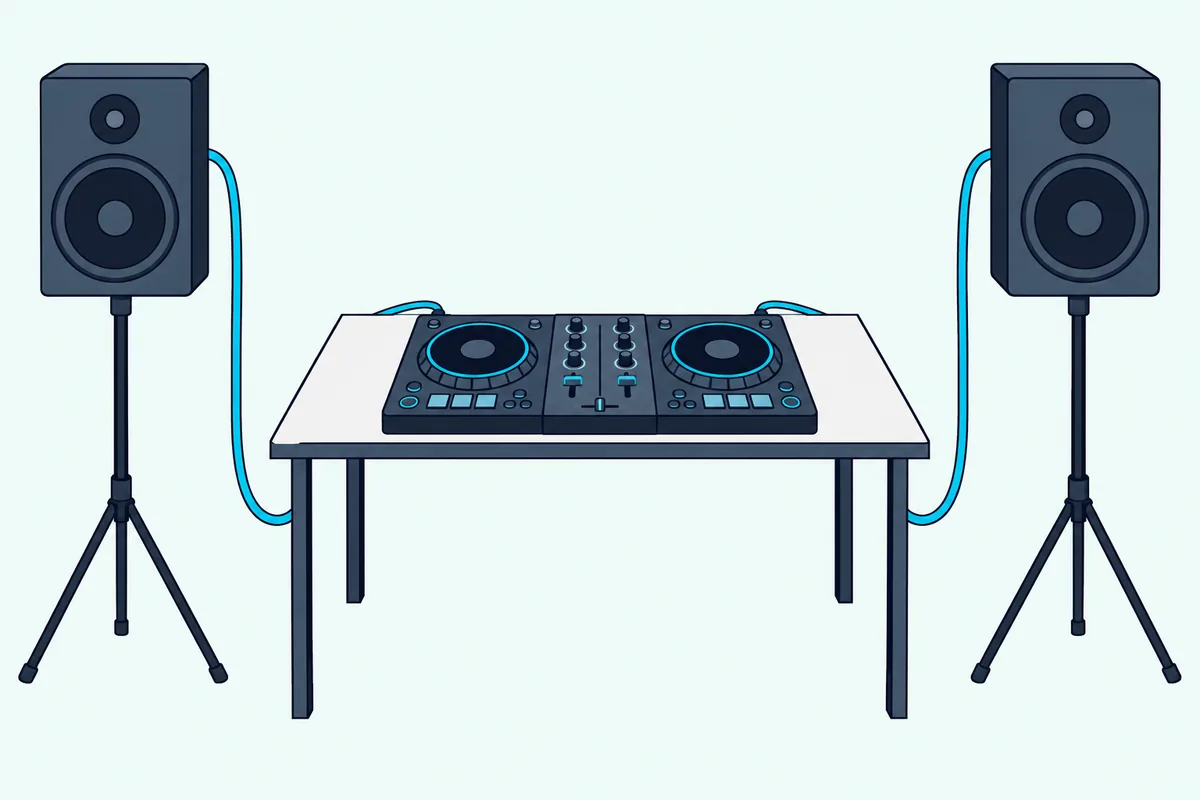
Put the two sides together and four pairings cover nearly every setup. Each one assumes powered speakers, the kind with their own amplifier.
Passive speakers need a power amplifier in between, which Pioneer DJ lists beside powered speakers for the FLX4’s master output.
RCA out to RCA in: a plain stereo RCA cable, the simplest pairing for desk monitors such as the DM-40D. Keep it short, since RCA is the unbalanced one.
RCA out to XLR in: an RCA-to-XLR cable with male XLR ends, one per speaker. This is the one for an FLX4, REV1, Mixtrack Platinum FX or Inpulse 300 MK2 feeding a PA speaker.
RCA out to a 1/4-inch or combo input: a dual RCA to dual 1/4-inch cable. A 1/4-inch TS plug fits a TRS or combo jack, and the signal stays unbalanced, just as it left the RCA socket.
XLR out to XLR in: a standard XLR microphone-style cable, male on one end and female on the other, one per side. That’s the right choice for the FLX10, the SC LIVE models and the DJ-707M feeding PA speakers.
Pioneer DJ warns against one shortcut on the FLX10. If you use an XLR-to-RCA converter cable or adapter from its balanced XLR master into an unbalanced RCA input, “sound quality may decrease or unwanted noise may occur,” so it tells you to use the RCA master for RCA inputs instead.
Pioneer DJ adds two more cautions for those XLR sockets. Never connect a device that supplies phantom power to them, and don’t accidentally push another unit’s power cord plug into one.
Here’s a quick test before you order. Take a photo of the back of each speaker and the back of the controller, then match the plug shapes in the two photos, and the cable type names itself.
For RCA-only controllers feeding XLR inputs, the Jolgoo RCA to XLR cable connects a controller’s RCA master to the XLR side of a PA speaker’s combo jack. At 6.6 feet per side, it suits speakers on stands either side of a table.
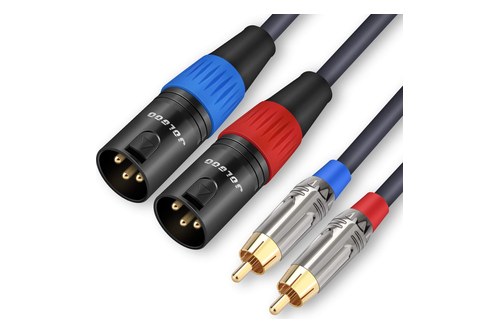
the Jolgoo RCA to XLR cable
For RCA-only controllers feeding 1/4-inch or combo inputs, the Kxable dual RCA to 1/4-inch cable suits monitors with 1/4-inch inputs close to the desk. Its 4-foot length is the trade-off, so it’s for speakers beside the controller rather than across the room.
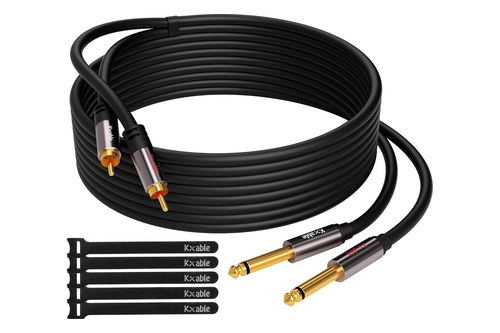
the Kxable dual RCA to 1/4-inch cable
For controllers with balanced XLR masters, the Gearlux XLR cable pair keeps the whole run balanced from the controller to the speaker. That’s the setup Pioneer DJ asks for on the FLX10’s MASTER 1 sockets.
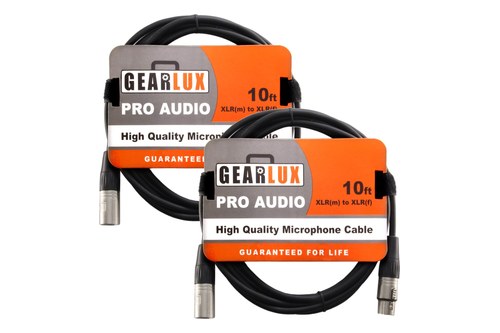
the Gearlux XLR cable pair
When you’re still choosing the speakers themselves, Burton Acoustix’s speaker picks for DJ controllers compares monitors and party speakers with the inputs they offer.
Do You Need the Booth Output?
Those speaker cables cover the main mix, and the booth output is a second, separate feed for a monitor speaker that points at you. A home setup with the speakers beside you rarely needs one, because the booth output earns its place when the main speakers face a crowd and you can’t hear them clearly from behind the controller.
Only the larger units in the table have one. The DDJ-FLX10 has balanced 1/4-inch TRS booth outputs, Roland’s DJ-707M specifications list a balanced 1/4-inch TRS booth output, and Denon DJ lists a 1/4-inch TRS booth output pair on the SC LIVE 4.
The cable follows the same matching logic as the master. A TRS-to-TRS cable suits a monitor with 1/4-inch inputs, and a TRS-to-XLR cable suits a monitor with XLR inputs.
Pioneer DJ asks you to treat the FLX10’s booth sockets as balanced outputs. If you connect them to an unbalanced input, sound quality may drop or unwanted noise may creep in, the same warning it gives for the XLR master.
Here’s a real scenario where it matters. At a party with the speakers facing the room, a small powered monitor on the booth output beside you lets you hear the mix without turning the main speakers up.
Controllers without a booth output leave the headphones as your monitor. The Roland DJ-707M also adds a zone output on RCA, which Roland describes as an assignable feed for a second area or a videographer.
Will Your Headphones Plug Straight In?
Headphones are the one cord you already own, but the plug has to match the socket. DJ headphones usually end in either a 3.5 mm mini plug or a 1/4-inch plug, and controllers offer one, the other or both.
The table splits the field neatly. The DDJ-FLX4, DDJ-REV1 and Inpulse 300 MK2 have only a 3.5 mm socket, the Roland DJ-202 has only a 1/4-inch one, and the FLX10, Mixtrack Platinum FX, Inpulse 500, DJ-707M and both SC LIVE units take either.
So a pair with a 1/4-inch plug won’t go straight into an FLX4, and a pair with a 3.5 mm plug won’t go into a DJ-202. A 1/4-inch to 3.5 mm headphone adapter closes either gap.
Pioneer DJ adds an impedance limit you won’t find on a cable label. The FLX4, REV1 and FLX10 manuals and pages all say to use headphones of 32 ohms or more, and the FLX4 manual says lower-impedance headphones “won’t work with the unit.”
That 32-ohm rule also ties back to power. The FLX4 can’t run on bus power with headphones below 32 ohms or with a mono plug in the headphone socket, so a stereo plug and a pair rated at 32 ohms or more keep the single-cable setup working.
Here’s a practical test. Look for the impedance printed in the headphone manual or on the box, and if it reads 32 ohms or more and the plug is stereo, the FLX4 will take it.
Where Does a Microphone Plug In?
That stereo-plug rule doesn’t apply to microphones, which use their own socket and their own cable. Most controllers that take a mic use a 1/4-inch jack, and the larger ones add an XLR or combo socket.
The entry-level sockets are the simplest. Pioneer DJ says the FLX4 and REV1 mic inputs are 1/4-inch TS jacks that take only a phone plug and only an unbalanced input, Numark lists a 1/4-inch TS input on the Mixtrack Platinum FX, and Roland lists a 1/4-inch mic jack on the DJ-202.
So a typical dynamic microphone with an XLR socket needs an XLR (female) to 1/4-inch TS cable for those controllers. The XLR end goes into the mic, and the 1/4-inch end goes into the controller.
Hercules makes the Inpulse 500’s mic input more forgiving. Its manual calls the 1/4-inch input balanced and “compatible with both balanced and unbalanced microphones.”
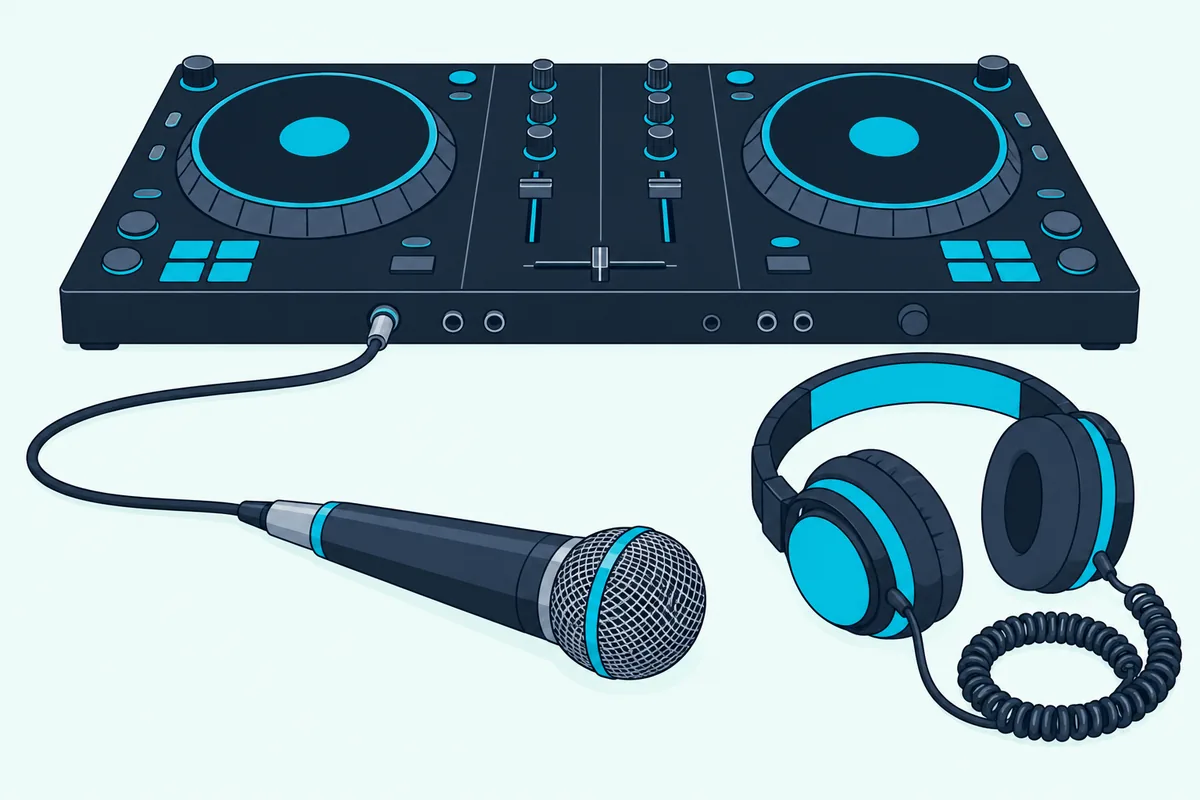
The bigger units take XLR directly. The FLX10 has one XLR and 1/4-inch TRS combo input and one 1/4-inch TRS input, the SC LIVE 4 has a 1/4-inch TRS input and an XLR/TRS combo jack, and the DJ-707M has two XLR mic inputs plus front aux jacks that switch to mic level, for up to four mics.
With an XLR socket on the controller, the cable is an ordinary XLR mic cable, female at the mic end and male at the controller. The Gearlux pair above is exactly that type, so one of its two cables can serve a mic if your speakers use RCA.
One tip from the FLX4 manual is worth knowing. When you’re not using the microphone, turn the MIC LEVEL knob to minimum, and Pioneer DJ’s MIC ATT. knob on the back sets the input level for your particular mic before you DJ.
Can a Phone, Turntable or Media Player Plug In?
The mic input is the only way to add an outside sound on most entry controllers, and that’s the gap the aux, line and phono inputs fill on larger ones. A phone, a media player or a turntable needs one of those inputs, and the FLX4, REV1, Mixtrack Platinum FX, Inpulse 300 MK2 and DJ-202 don’t list any.
An aux input is the easy one. The Inpulse 500 has an aux input on RCA and a 3.5 mm mini jack, so a phone connects with a 3.5 mm to 3.5 mm or 3.5 mm to RCA cable, and the SC LIVE 4 has an RCA aux pair.
Line inputs take players such as CDJs or media players over RCA. The FLX10 has two LINE inputs and two LINE/PHONO inputs on RCA, and the DJ-707M has four RCA inputs.
Turntables are the special case, because their signal is far weaker than a line-level source. Pioneer DJ’s FLX10 inputs switch to PHONO for an MM-cartridge turntable, and its specifications put the standard phono input level at -52 dBu, against -12 dBu for LINE.
That 40 dB gap is why the switch matters. Set the FLX10’s switch to LINE for a media player and to PHONO for a turntable, and on the DJ-707M only inputs 1 and 2 list a phono level.
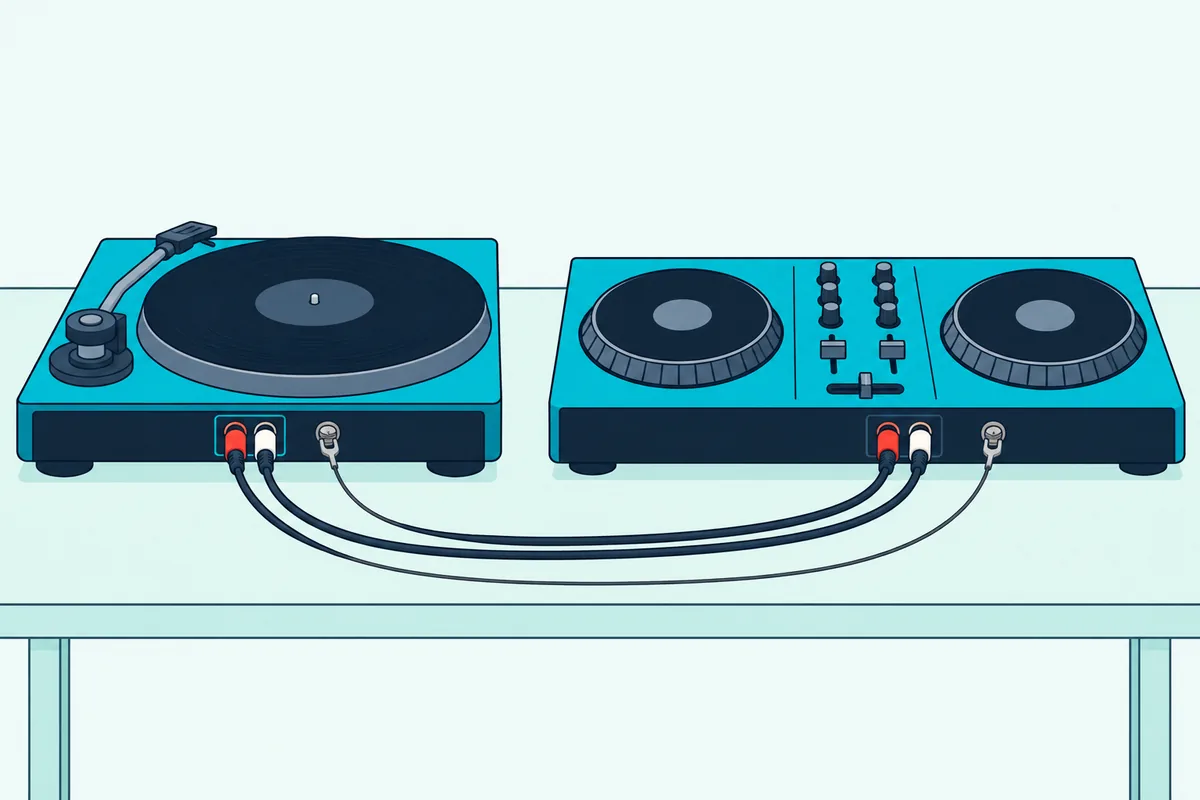
A turntable also brings a third cord, the thin ground wire. The FLX10 has a SIGNAL GND terminal “to reduce unwanted noise that occurs when a turntable is connected,” and Roland lists a PHONO GROUND terminal on the DJ-707M.
So a turntable setup needs its RCA pair into a phono-capable input plus the ground wire onto that terminal. A turntable with its own preamp switched on sends a line-level signal, so it goes to LINE, the same as a media player.
How Do You Stop Hum, Noise and Dropouts?
That ground wire is the first of a few habits that keep the cords quiet. The others come straight from the makers’ manuals: connect with the power off, switch on in order, keep balanced runs balanced and stay inside the cable limits.
Start with the order you connect things. The FLX4 manual says to disconnect the computer cable before you connect other devices or change connections, and the FLX10 manual says to turn the unit off and unplug the power cord before connecting anything.
Then power up in the right order. Numark’s Mixtrack Platinum FX guide says to switch on the computer first and the amplifiers or speakers second, and to switch off in reverse, speakers first and computer last.
Use the balanced outputs where you have them. The FLX10 manual’s warning about XLR-to-RCA converters is the clearest case: a balanced output run into an unbalanced input can add noise, so match balanced to balanced, and RCA to RCA.
Keep the computer cable within the maker’s limit. Pioneer DJ’s 3-meter limit for Type-A cables is a ceiling, not a target, and a certified cable is what both Pioneer DJ manuals ask for.
Watch the hub too. The REV1 can’t be used through a hub at all, and the FLX4 manual lists “Your PC/Mac is connected with other devices” among the cases where bus power won’t work.
Finally, remember where the sound is made. Hercules calls its controllers’ sound hardware a built-in audio interface, and the FLX4’s specifications list A/D and D/A converters, so the controller turns the software’s digital audio into the signal at its master output, and the speaker cable only carries it from there.
What Should a First-Time Setup Buy?
Those habits come down to a short shopping list once you know your ports. Beginners with an entry controller and a pair of powered speakers usually need only one cable beyond the box: the right audio cable for the speakers.
Here are four common setups and what each needs.
FLX4, REV1, Mixtrack Platinum FX or Inpulse 300 MK2 with desk monitors that take RCA: a stereo RCA cable. Add the Type-A to Type-C cable if you have an FLX4 and your laptop only has Type-A ports.
The same controllers with PA speakers on combo or XLR inputs: an RCA-to-XLR cable, or a dual RCA to 1/4-inch cable for speakers that sit close by. The XLR version locks into the socket, which helps when people walk past the speaker stands.
FLX10, SC LIVE 2, SC LIVE 4 or DJ-707M with PA speakers: two XLR cables from the balanced master. Add a TRS cable for a booth monitor if you use one.
Any controller with a microphone: an XLR-to-1/4-inch cable for the 1/4-inch-only mic inputs, or a standard XLR cable where the controller has an XLR socket.
Measure before you click. Stand where the speakers will go, measure the path to the back of the controller along the table and down the stand, and add a little slack so no plug carries the cable’s weight.
If you’re running the controller into a club or home mixer instead of straight into speakers, the cable rules change again, and our guide to how to run a controller into an external mixer covers which mixer inputs to use and which to avoid.
The Bottom Line
So what cords go to a DJ controller comes down to three you always need and three you might. The computer cable, which is in the box, the speaker cable, which isn’t, and your headphones are the core, and a microphone, a booth monitor or a turntable each add one more.
Read the master output and the speaker input, match the plugs, and keep the runs short and balanced where you can. Every port on your controller is in the maker’s manual, so check that page before you order.
Frequently Asked Questions
What cords do I need for a DJ controller?
You need a USB cable to connect the controller to your computer, an audio cable from the master output to your speakers, and your headphones. The computer cable is in the box wherever the makers list the contents, but the audio cable isn’t, so match it to your speakers: RCA to RCA for most desk monitors, RCA to XLR or 1/4-inch for PA speakers on an RCA-only controller, and XLR to XLR for controllers with balanced outputs.
What cables do DJs need?
DJs need a computer cable, speaker cables, headphones and, for many gigs, a microphone cable. With a controller, that’s usually a USB cable, a pair of RCA or XLR cables to the speakers, and an XLR or XLR-to-1/4-inch mic cable, plus RCA cables and a ground wire if a turntable is involved.
Why do DJ controllers use RCA?
DJ controllers use RCA because it’s a simple stereo output that powered speakers, power amplifiers and home stereos accept, so one pair connects to a wide range of systems. Pioneer DJ’s FLX10 connection diagram lists a home stereo among the devices for its outputs, and desk monitors such as Pioneer DJ’s DM-40D take RCA directly. RCA is unbalanced, though, so keep the run short and use the XLR outputs on larger controllers for longer runs.
What is the name of the DJ controller cable?
The cable that connects a DJ controller to the computer is a USB cable, usually Type-A or Type-C on the computer end and Type-C or Type-B on the controller end. The audio cables that go to the speakers are named for their connectors, mostly RCA, XLR and 1/4-inch TRS or TS.
Can I use any USB cable with my DJ controller?
Not quite, since the makers set some limits. Pioneer DJ asks for a cable certified to the appropriate standard and no longer than 3 meters when you connect to a Type-A port, and says to use the supplied cable, or a USB 2.0 compliant one for the FLX10, for a Type-C port.
Do DJ controllers come with speaker cables?
None of the box lists covered here includes speaker cables. Pioneer DJ, Numark, Hercules and Roland list a USB cable, and the FLX10 and DJ-707M add a power adapter and cord, so plan to buy the RCA, XLR or 1/4-inch cable your speakers need.