Center Channel Speaker vs Soundbar, and Which One Fixes Dialogue

Choosing a center channel speaker vs soundbar sounds like a contest between two speakers, but you’re really choosing between one channel of a receiver system and a complete system in one box.
Most people asking it have voices that get lost under the music, and the fix they reach for depends on gear they may not own yet.
Get the match right and dialogue sits on the screen where it belongs, without riding the volume all night.
Start with one question: do you already own an AV receiver, or will the TV feed the speaker directly?
The answer decides almost everything, and the sections below walk through each route, the one combination that rarely works, and the products that fit each setup.
Center Channel Speaker vs Soundbar, Which One Fixes Dialogue?
A center channel speaker fixes dialogue only inside a receiver system, while a soundbar fixes it on its own, so the right pick depends on whether you have a receiver. A passive center speaker has no amplifier and no decoder, and Polk sells its Monitor XT30 center for Dolby Atmos and DTS:X receivers and 4- and 8-ohm amplifiers (Polk).
A soundbar carries its own amplifiers, decoding and inputs, so it plugs straight into the TV. Polk’s Signa S4, for example, connects with one HDMI eARC cable, an optical cable or a 3.5 mm aux cable, and it has its own center channel inside.
Think of it like an engine versus a car. A center speaker is a great engine part, but it needs the rest of the car around it, while a soundbar drives off the lot.
That split explains the rest of this guide. If you’ve got a receiver with an empty center terminal, a center speaker is the obvious upgrade; if your TV is the only box you own, a bar with a dedicated center is the shorter route.
What Does a Center Channel Actually Do?
Both routes chase the same job, so it helps to pin down what that job is. A center channel carries most of a film’s dialogue, and Dolby’s setup guide says center speakers are mainly there to deliver dialog, placed just below or above the TV so the sound comes straight at you (Dolby).
Klipsch’s Reference manual puts it the same way: the center places dialogue and primary sounds so they seem to come from the screen, which is why it belongs as close to the screen as possible. The left and right speakers carry music and effects, and they sit wider.
In Dolby’s numbering, the first number counts the ear-level speakers, so a 5.1 system means left, center, right, two surrounds and one subwoofer. A 3.1 soundbar uses the same logic: left, center and right channels plus a sub.
Without a center, a stereo pair builds a “phantom” center by playing voices equally from both sides. How well that phantom image holds up away from the middle seat is the trade Burton’s 2.0 vs 3.0 soundbar comparison of dialogue drivers covers in detail.
Here’s a quick test you can run tonight. Sit at the far end of the couch during a dialogue scene and listen: if voices slide toward the nearer speaker, a dedicated center is the fix you’re after.
Get Studio Tips Weekly
Join 5,000+ creators getting acoustic treatment advice every week.
No spam. Unsubscribe anytime.How Is a Soundbar’s Center Channel Different From a Center Speaker?
That phantom center problem is what both products solve, but they solve it in different places. A soundbar’s center channel is a driver group inside the bar, powered and fed by the bar’s own processor, while a center speaker is a separate cabinet that gets its signal and its power from a receiver.
Look at the driver lists. Denon’s DHT-S517 bar lists one 1-inch center full-range driver between its left and right tweeters and racetrack midrange drivers, and Polk’s Signa S4 lists the same 1-inch full-range center.
Compare that with a passive center. Polk’s Monitor XT30 has a 1-inch tweeter and two 5.25-inch woofers in a cabinet 19.9 inches wide, and Klipsch’s R-52C pairs a 1-inch tweeter in a horn with two 5.25-inch woofers.
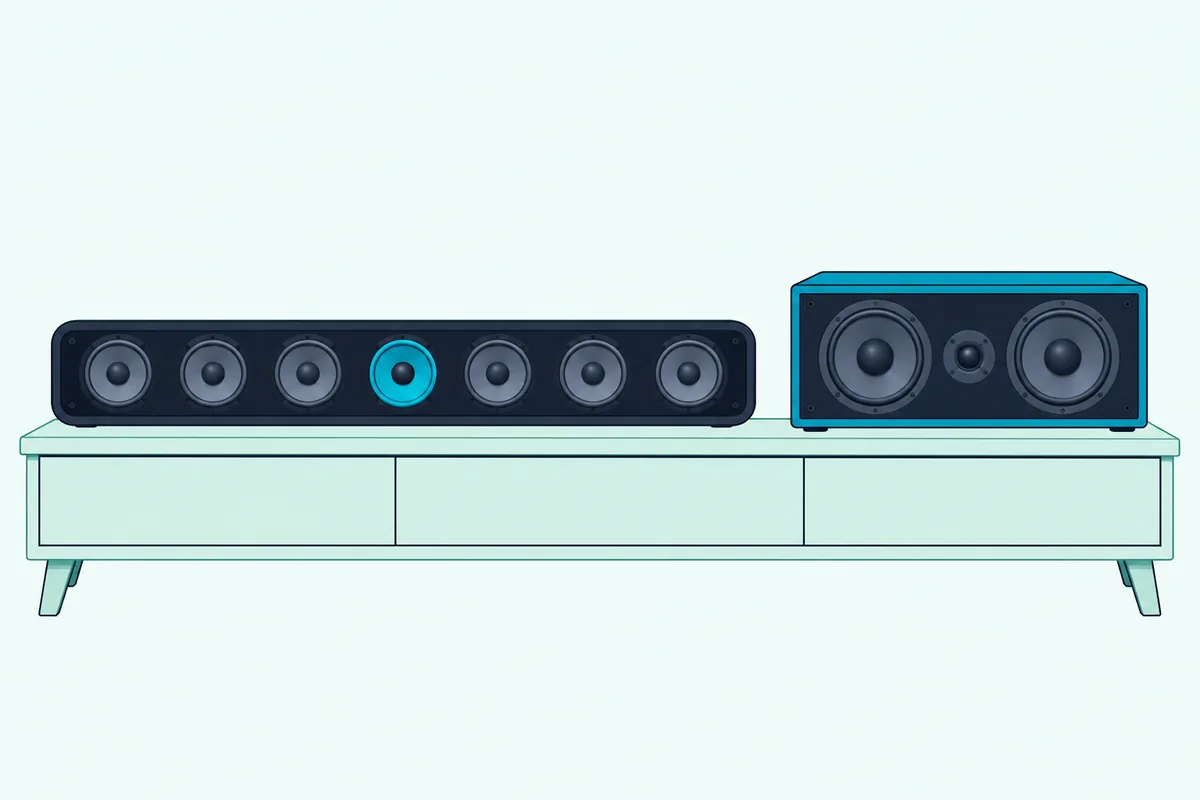
The bigger difference is control. A receiver lets you set the center’s level, distance and crossover on its own, while a soundbar decides those things for you and offers a dialogue setting on top.
The bar’s center can’t be separated from its cabinet either. You can’t move it above the screen, swap it for a bigger one, or feed it from another amplifier, because the drivers and the amplifier that powers them are built together.
Same principle, two packages: the bar trades flexibility for one-cable setup. That’s the core of the comparison, and it explains why the next question so often ends badly.
Can You Use a Soundbar as a Center Channel Speaker?
Usually not, because a powered soundbar has no input for a single center channel from a receiver. The bars whose inputs were read for this guide list HDMI eARC or ARC, optical, 3.5 mm analog or Bluetooth inputs, all built to take a full TV mix rather than one channel.
Polk’s Signa S4 lists one HDMI eARC input, one optical input and one 3.5 mm analog input. Denon’s DHT-S517 lists HDMI in and eARC out, optical and a 3.5 mm jack, and Sonos’s Arc Ultra connects to the TV’s HDMI eARC or ARC port, with optical through a separate adapter.
None of those makers documents a center-only input or a way to receive a receiver’s center output. That’s a gap in their manuals rather than a written ban, but without a speaker-level or single-channel input there’s nothing for the receiver to plug into.
Some receivers do have a pre-out for each channel, but none of the bar manuals read here documents feeding a bar the center channel alone. You’d be wiring a combination none of these makers describes.
Sound & Vision’s Ask S&V column answered a reader who wanted to do exactly this with a Yamaha YSP-5600 and didn’t recommend it. Its reasoning: a powered bar is built as a complete system, and a center works best when it’s a same-brand model matched to the other speakers.
If you’re set on combining a bar and a receiver anyway, Burton’s walkthrough of soundbar and AV receiver wiring covers the layouts that do work, such as running the bar from a second zone.
Why Do Passive Three-Channel Bars Work Where Powered Bars Don’t?
That missing input is exactly what a passive bar adds. A passive three-channel soundbar has speaker terminals for left, center and right, so a receiver drives it like three separate speakers that happen to share one long cabinet.
Monitor Audio’s Soundbar Series manual tells you to run the left, center and right speaker cables from the AV amplifier to the matching inputs on the bar (Monitor Audio). Its spec table lists the SB-2 and SB-4 as left-center-right models.
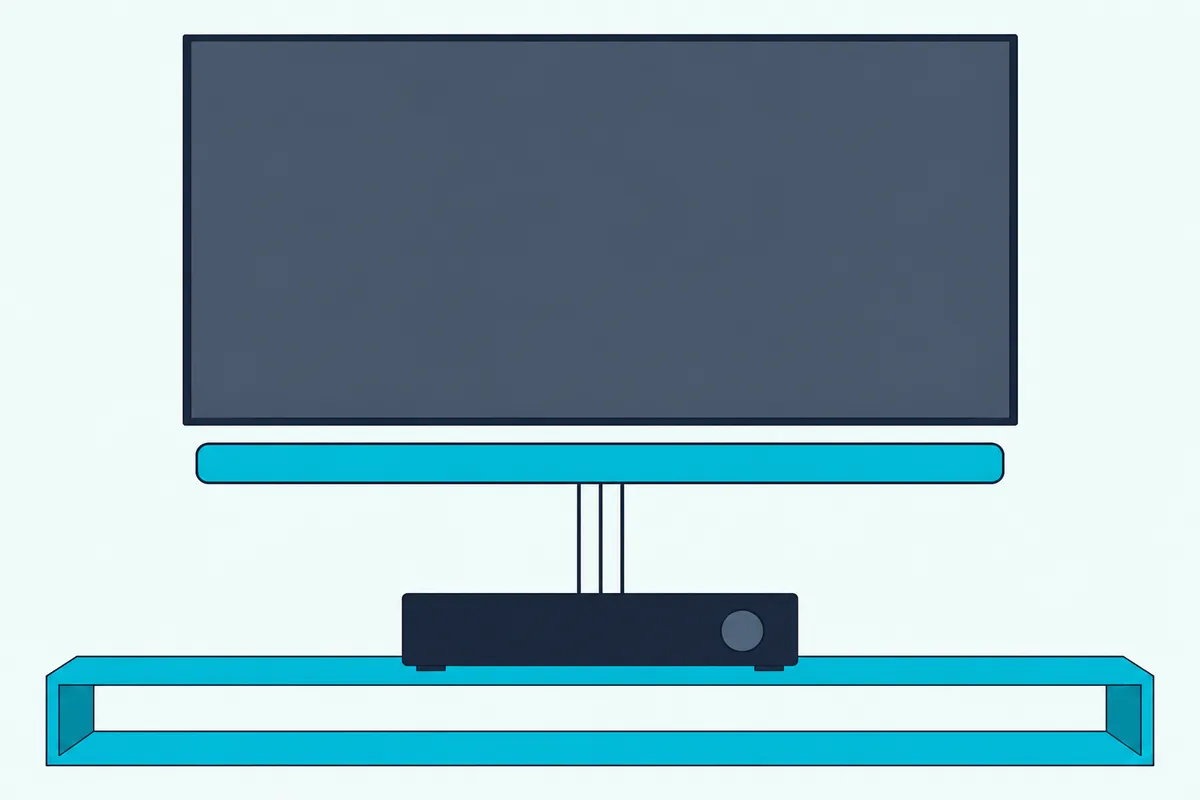
Definitive Technology lists its Mythos 3C-75 as three channels (left, center, right), with 25 to 150 W per channel recommended. ELAC calls its Muro SB41L a 3-channel passive soundbar with a dedicated center speaker for dialogue.
These are what people mean when they search for a center channel speaker that looks like a soundbar. They keep everything the receiver does: its decoding, its channel levels, its room correction and its subwoofer output.
The catch is that a passive bar replaces three speakers, not just the center. If your left and right towers are staying, a regular center speaker matched to them is the simpler buy.
Which Soundbars Give Dialogue Its Own Driver?
Passive bars need a receiver, so most people without one land on a powered bar with a real center. A 3.0, 3.1 or 3.1.2 soundbar gives dialogue its own driver, and the maker’s spec sheet will list it as a center speaker, center driver or center channel.
Sony’s BRAVIA Theatre Bar 5 help guide lists a front speaker section with two 45 by 82 mm cones and a center speaker section with one more. Samsung’s HW-B630F page calls it a 3.1-channel bar with a built-in center speaker for clearer dialogue.
Klipsch says its Flexus Core 200 uses a dedicated horn-loaded tweeter as its center channel for vocal clarity. Sonos says its Arc Ultra maximizes center channel performance for vocal clarity, though its spec list counts tweeters and woofers rather than naming a center driver.
Read the driver list, not the box. Yamaha’s SR-B40A calls the bar itself the “center unit,” but its driver list shows front left and right drivers only, with 50 W on each of two channels plus the subwoofer, so voices come from a phantom center.
Polk’s Signa S4 with its wireless subwoofer is the bar to look at if you want a center driver without a receiver.
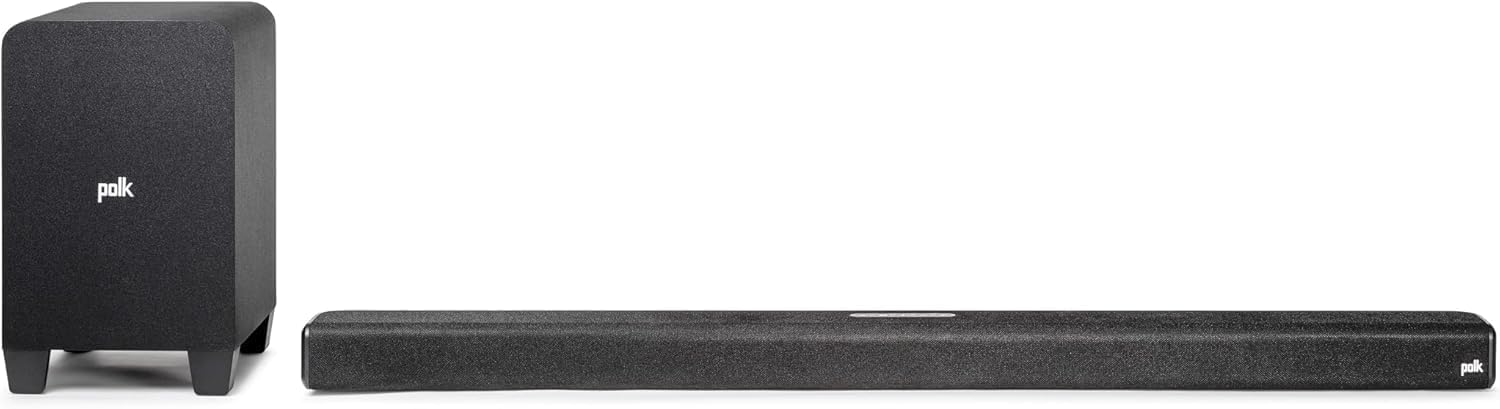
Polk’s Signa S4 with its wireless subwoofer
Polk lists a 1-inch full-range center alongside the left and right tweeters and midrange drivers, plus two up-firing elevation drivers. Its VoiceAdjust works with that center to raise only the voices, which ties straight into the dialogue settings below.
For eight bars with a center channel side by side, Burton Acoustix’s 3.1 soundbar shortlist compares each one’s center driver, subwoofer and connections.
Do Dialogue Modes Do the Same Job as a Center Speaker?
That VoiceAdjust feature raises a fair question: can a setting replace the hardware? Not entirely, because a dialogue mode works on whatever drivers the bar has, while a center speaker gives voices their own drivers, though on a 3.1 bar the two work together.
Polk says VoiceAdjust combines with the Signa S4’s dedicated center to raise the volume of voices only, leaving the rest of the soundtrack alone. Sony says the BRAVIA Theatre Bar 5’s Voice Zoom changes only the volume of the human voice, without changing the overall volume, when it’s paired with a compatible Sony TV.
Denon’s DHT-S517 offers three levels of its Dialog Enhancer, Klipsch’s app lists Dialogue Boost for the Flexus Core 200, Samsung lists Voice Enhance on the HW-B630F, and Sonos lets you choose a Speech Enhancement level for Arc Ultra.
Receivers have the same tools for a center speaker. Denon’s AVR-X1800H Dialog Enhancer adjusts the center channel frequency band to make dialog easier to hear, with Low, Medium and High settings (Denon).
The same Denon manual adds Channel Level Adjust, which raises or lowers any one channel from -12 to +12 dB. Turning the center up a few steps is the receiver owner’s version of a voice button.
So the dialogue mode and the center speaker aren’t rivals. A bar with a real center plus a voice setting has both, while a two-channel bar relies on the setting alone.
How Do You Set Up a Center Speaker on a Receiver?
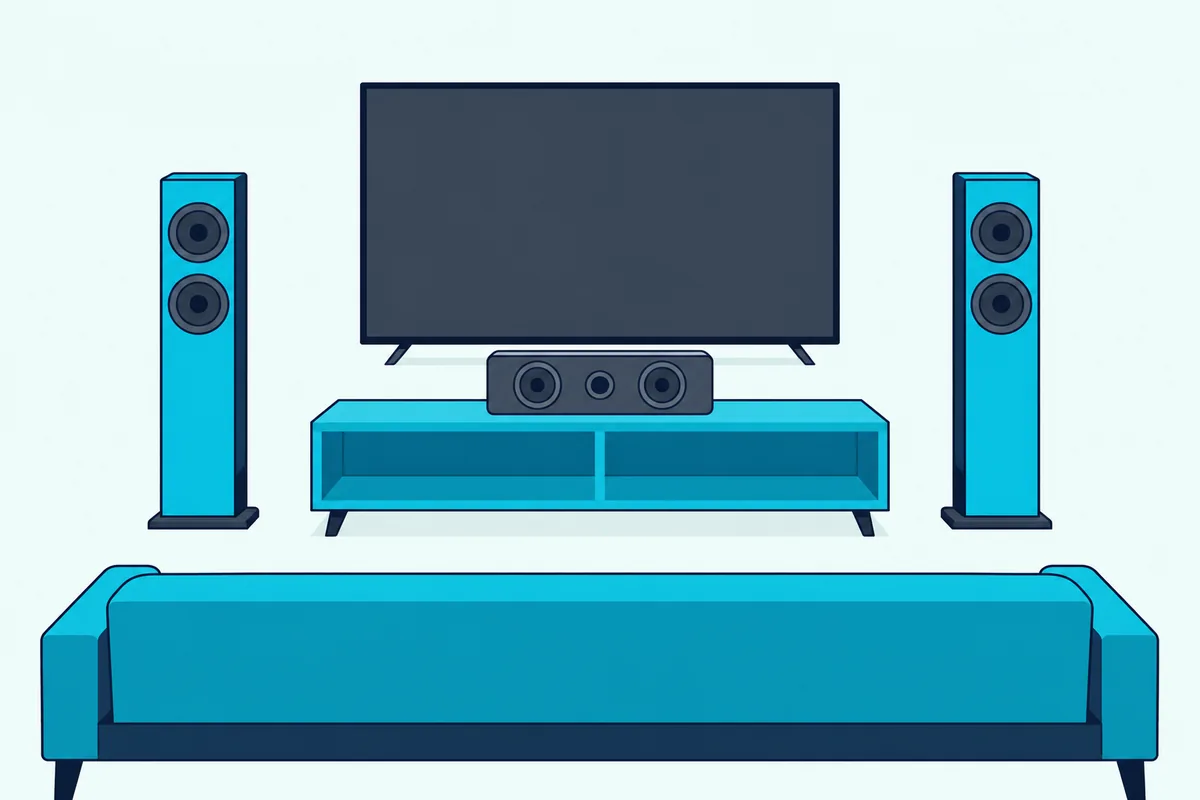
Those receiver controls only help if the center is placed and set up properly first. Put the center between the front speakers, directly above or below the screen, then tell the receiver it exists and let it measure the room.
Denon’s AVR-X1800H manual says to place the center between the front left and right speakers and above or below the TV. Klipsch’s Reference manual adds that it should be as close to the screen as possible, preferably directly on top of or below it.
In the Denon’s Front/Center/Surround menu, each speaker is set to Yes or No, so set Center to Yes once it’s wired. Then set each speaker’s distance and level in the receiver’s speaker menu, or let its automatic setup (Audyssey on the Denon) do it.
If the center sits low on a TV stand, voices can seem to come from below the picture. Yamaha’s RX-V6A has a Dialogue Lift setting from 0 to 5 that raises the perceived height of dialogue, available when front presence speakers are in use with one of its sound programs.
Match the center to the fronts where you can, which is the same advice Sound & Vision gave. Polk’s Amazon listing says the Monitor XT series uses timbre-matched components, so the XT30 center can be mixed with the series’ towers, bookshelf speakers and height modules.
Polk’s Monitor XT30 center speaker suits a receiver system, especially one built on other Monitor XT speakers.
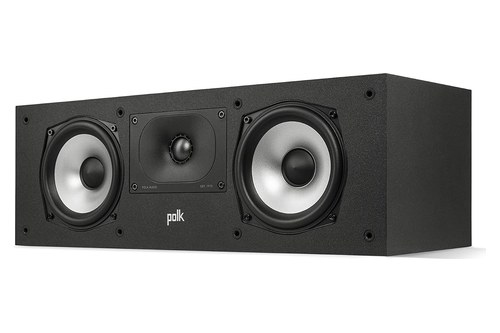
Polk’s Monitor XT30 center speaker
Polk’s specifications list a 55 Hz to 40 kHz total frequency response, 89 dB sensitivity and 30 to 200 W of recommended amplifier power per channel. At 19.9 by 6.5 by 8.13 inches, measure your TV stand before you order.
Can Your TV Be the Center Channel?
That stand measurement matters less if the TV itself does the job, which a few systems allow. Sony’s STR-AN1000 receiver can use a TV with an S-center speaker input as the center speaker, through the receiver’s S-CENTER OUT jack (Sony).
Sony’s help guide sets this up under Speaker Settings, then TV/Screen Center Settings, then TV Center Speaker Mode. It notes that the feature won’t work if headphones are connected or if the speaker pattern has no center speaker.
This works only when both the receiver and the TV support it, so check the TV’s back panel for an S-center input before you plan around it. Sony’s guide describes the feature only for TVs with that jack.
The idea is the mirror image of the soundbar question. It turns an existing speaker into a center only because the receiver and the TV share a dedicated connection, which is the piece the powered soundbars above don’t list.
Will Adding Speakers to a Soundbar Ever Give It a Separate Center?
The TV-as-center trick needs a dedicated jack, and soundbar add-ons follow the same rule of only working inside one maker’s system. Adding speakers to a soundbar gives you rears and bass, not a separate center, in the add-on lists read for this guide.
Sonos says you can add a Sonos Sub and Era 300 rear speakers to Arc Ultra for surround sound. Klipsch says the Flexus Core 200 grows by adding Flexus Surrounds and one or two Flexus Subwoofers through its Transport wireless link.
Neither maker lists a separate center speaker among the add-ons. The bar’s own center driver stays the center, which is fine if that driver already does the job, and the reason a 3.1 bar is worth choosing up front.
Sonos’s setup steps for Arc Ultra even begin by telling you to disconnect existing home theater or surround sound equipment from the TV. That suggests the bar is meant to replace that gear rather than join it.
Here’s the practical upshot. If you buy a two-channel bar today and dialogue still feels thin, adding rears and a sub won’t add a center; you’d be swapping the bar for one with a center driver.
So picture the growth path before you buy. A soundbar system grows outward from a center that’s already built in, while a receiver system lets you add, move or upgrade the center at any time.
Which Should You Pick, a Center Speaker or a Soundbar?
Those growth paths and every route above boil down to a short decision. Pick a center speaker if you already own a receiver and front speakers, and pick a soundbar with a dedicated center if the TV is your only box.
Here’s how the common setups shake out, based on the makers’ documents above.
| Your setup | Better pick | Why |
|---|---|---|
| Receiver with left and right speakers, no center | Passive center speaker | The receiver already decodes and powers a center channel |
| Receiver, but you want one slim cabinet | Passive three-channel bar | Takes left, center and right speaker wires |
| TV only, no receiver | Soundbar with a center driver | One cable to the TV, center built in |
| TV only, tight budget or small room | Any bar with a dialogue setting | Voice modes help even without a center driver |
| Existing powered soundbar plus a receiver | Don’t combine them as a center | The powered bars read here list no center input |
That table rests on one rule from earlier: the center needs a matching input. Passive speakers and passive bars have one, powered bars don’t.
A real scenario makes it concrete. If you’ve got a five-year-old receiver driving two bookshelf speakers in a 12-by-14-foot room, a matched center is the smallest change that puts voices on the screen.
If you’re in an apartment with a TV on the wall and no shelf for a receiver, a 3.1 bar gets you the same center driver with one HDMI cable. For a wider look at that choice, Burton’s guide to whether a soundbar or a full home theater suits your room weighs both.
The Bottom Line
Those two scenarios cover most homes. The center channel speaker vs soundbar question really asks whether you’re building on a receiver or replacing one, and the answer follows from that.
A center speaker is the better dialogue fix inside a receiver system, placed right above or below the screen and matched to your fronts. A soundbar with a dedicated center driver is the better fix when the TV is the only source of power and decoding.
Skip the hybrid of a powered bar as a receiver’s center; the bars read here list no input for it. If you want a bar-shaped center, buy a passive three-channel bar or a slim passive center made for receivers.
Frequently Asked Questions
Can I use a sound bar as a center channel speaker?
Not a powered soundbar, in most cases. The bars whose inputs were read for this guide, from Polk, Denon, Sony and Sonos, list HDMI, optical, analog or Bluetooth inputs for a full TV mix, and none documents a center-only input. A passive three-channel bar is different: Monitor Audio, Definitive Technology and ELAC sell bars that take a receiver’s left, center and right speaker wires.
Do you really need a center channel speaker?
You’ll want one if voices drift toward one side when you sit off the middle seat, or if dialogue gets buried under music and effects. Dolby describes the center as mainly there to deliver dialogue from just above or below the TV. A stereo setup builds a phantom center from its left and right speakers instead, and the quick couch-end test above shows whether that’s enough for your room.
Can any speaker be used as a center channel speaker?
A passive speaker can be wired to a receiver’s center terminals, but placement and matching decide how well it works. Klipsch says a center belongs as close to the screen as possible, and Sound & Vision recommends a same-brand model matched to the other speakers. A powered soundbar is the exception: none of the bar manuals read here lists a speaker-level input.
Is a soundbar or a center speaker better for dialogue?
Inside a receiver system, a center speaker is the better dialogue fix, because the receiver can set its level, distance and dialogue enhancement on its own. Without a receiver, a soundbar with a dedicated center driver, such as a 3.1 or 3.1.2 bar, gives dialogue its own driver plus a voice setting like Polk’s VoiceAdjust or Sony’s Voice Zoom.