The LG S90TR is the best soundbar for music, streaming over Google Cast, AirPlay, Spotify Connect and Tidal Connect.
The picks
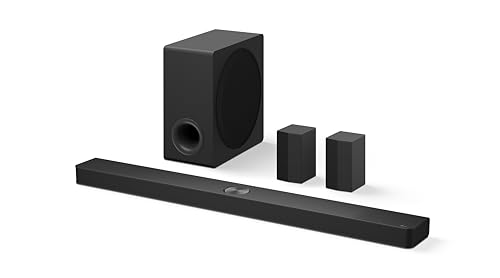
LG S90TR
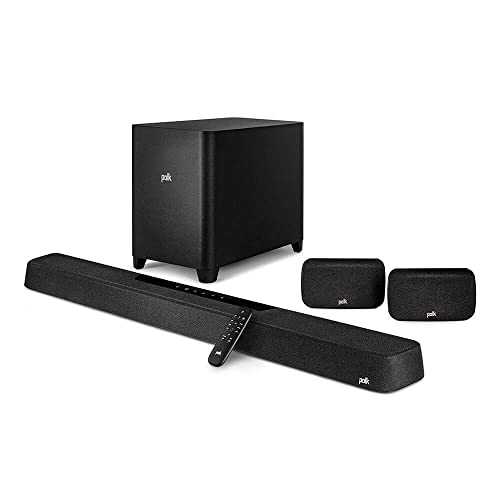
Polk MagniFi Max AX SR
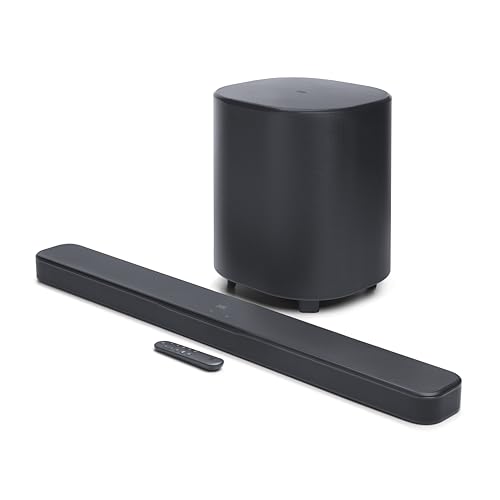
JBL Bar 500MK2
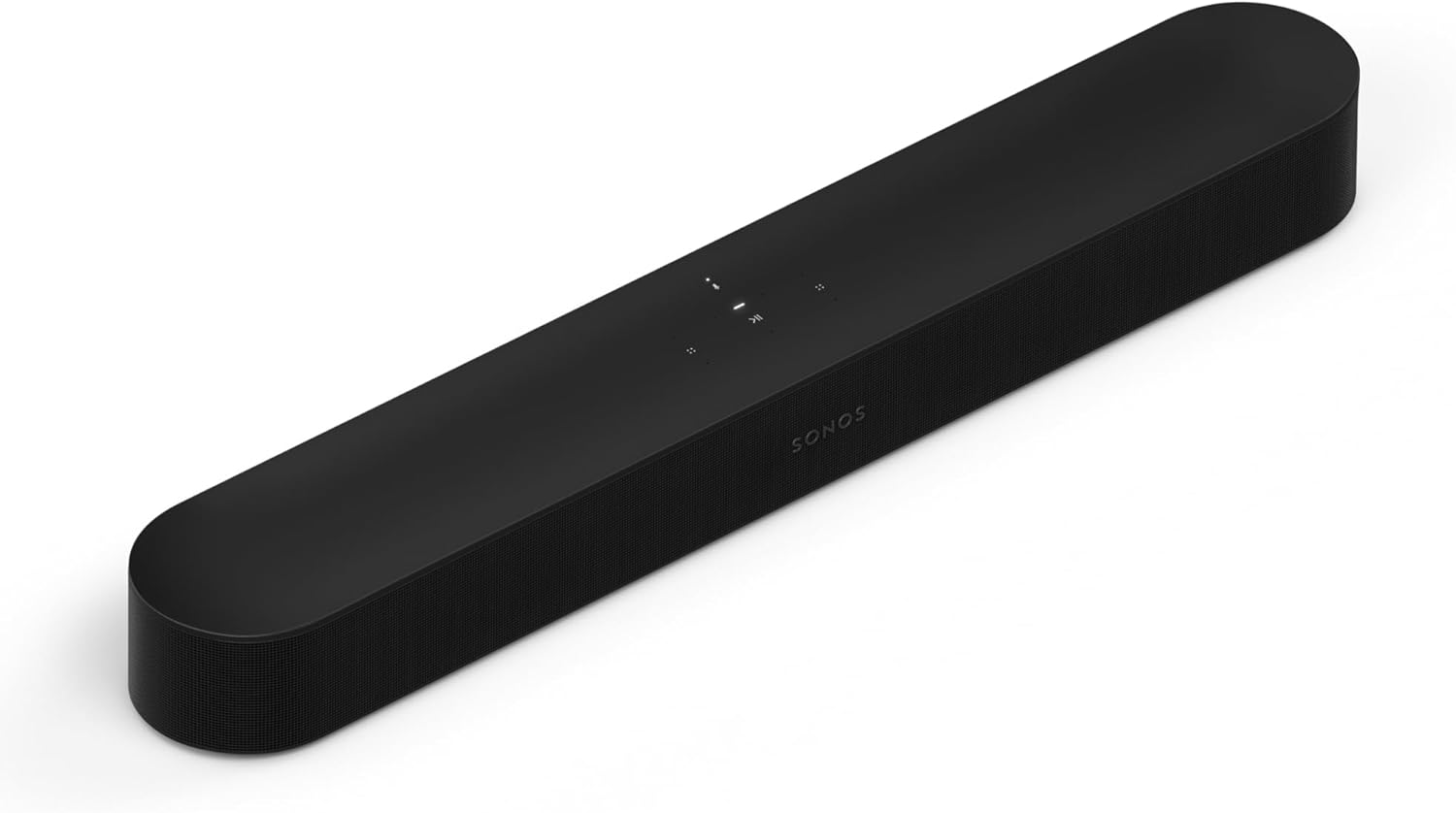
Sonos Beam (Gen 2)
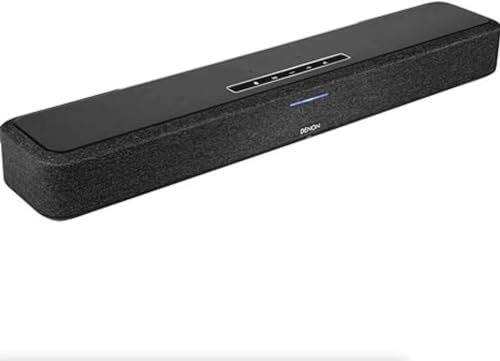
Denon Home Sound Bar 550
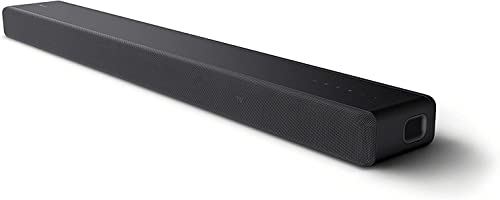
Sony HT-A3000
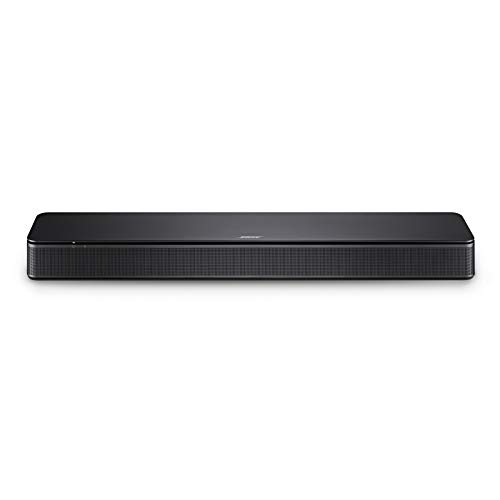
Bose TV Speaker
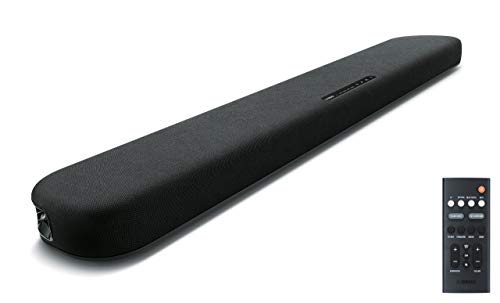
Yamaha SR-B20A
Choosing the best soundbar for music comes down to how your songs reach the bar, since the same bar has to handle your TV, your phone and maybe your records.
Pick one without your music app, with only the most basic Bluetooth codec or with no turntable jack, and your music gets a weaker connection than it could.

Match the bar to your phone, your apps and your records, and you get the streaming routes, tone controls and inputs each maker actually documents.
The picks run from LG’s S90TR system to Yamaha’s SR-B20A, each described from its maker’s manual: the apps, the Bluetooth codecs, any line-in and the music mode or EQ.
The quick answer and table come first, then each pick by how you listen, Sonos’s other bars, what makes a bar good for music and the questions from phones to settings.
What Is the Best Soundbar for Music?
How your songs reach the bar shapes every pick below, starting with a system that covers every route but a line-in. The best soundbar for music overall is the LG S90TR: LG’s owner’s manual lists Google Cast, AirPlay, Spotify Connect and Tidal Connect over Wi-Fi, SBC and AAC over Bluetooth, and USB playback of 24-bit FLAC files at up to 192 kHz.
If you’d rather keep one compact bar and one app for every room, the Sonos Beam (Gen 2) is the simpler buy.
Each of the eight suits a different way of listening:
| Pick | Best for | Why |
|---|---|---|
| LG S90TR | Best overall for music | Google Cast, AirPlay and Tidal Connect |
| Polk MagniFi Max AX SR | Music with rear speakers | All Stereo mode feeds the surrounds |
| JBL Bar 500MK2 | Streaming with a subwoofer | 10-inch wireless sub, Google Cast |
| Sonos Beam (Gen 2) | One app in every room | Lossless Spotify and Apple Music |
| Denon Home Sound Bar 550 | Vinyl and hi-res files | 3.5 mm input, FLAC and DSD over USB |
| Sony HT-A3000 | Android phones and LDAC | LDAC Bluetooth for Android phones |
| Bose TV Speaker | A budget line-in | AUX IN for a 3.5 mm source |
| Yamaha SR-B20A | Budget stereo | STEREO button for 2-channel playback |
The descriptions come from the makers’ manuals and spec pages. Every pick met Burton Acoustix’s rating, review and stock checks on 10 November 2026.
If the channel counts and connection names are new to you, the basics of how a soundbar works explain how to read soundbar specs and the main types of bars.
Which Soundbars Stream From Every Music App?
The streaming routes in the quick answer are where most music buyers should start. The LG, Polk and JBL picks name Google Cast (Chromecast), AirPlay and a Spotify route in their manuals, so the music apps on an iPhone or an Android phone have more than one way to send them music over Wi-Fi.
Each of them also comes with a separate subwoofer, and the LG and Polk add rear speakers.
LG S90TR
For the widest set of streaming options in one system, the LG S90TR is the pick.
LG S90TR
Spec: Google Cast, AirPlay, Spotify Connect and Tidal Connect over Wi-Fi; Bluetooth with SBC and AAC; no analog input; treble, mid and bass levels.
LG’s owner’s manual says the bar plays music from hundreds of Google Cast-enabled apps on a phone, tablet or laptop, and that AirPlay works from an iOS device running iOS 11.4 or later. Spotify Connect and Tidal Connect each get their own page, so those apps can act as the remote.
Bluetooth is there too, at version 5.1 with the SBC and AAC codecs. Owners with music files can plug a USB drive into the back, where LG’s USB playback page lists FLAC and WAV at 16 or 24 bits and sample rates from 32 kHz to 192 kHz.
For tone, LG’s Sound Tuning menu sets treble, mid and bass from minus 6 to plus 6, and the subwoofer from minus 15 to plus 6. The center, overhead, side and rear levels sit in the same menu, so each part of the 7.1.3 layout can be set for music without touching the TV.
Night Time, as LG describes it, lowers the general volume but raises soft and delicate sounds, for music or a movie late at night. Multiroom works two ways: AirPlay 2 with other AirPlay 2 speakers, and the Google Home app with other Google Cast speakers.
The trade-off is size and inputs. The bar alone is 49.2 inches (1,250 mm) wide, and its back panel lists HDMI in, HDMI eARC, optical and USB, with no analog jack for a turntable.
Polk MagniFi Max AX SR
For music with speakers behind the sofa, the Polk MagniFi Max AX SR is the pick.
Polk MagniFi Max AX SR
Spec: Chromecast built-in, AirPlay, Spotify Connect and Alexa over Wi-Fi; Bluetooth; no analog input; Music and All Stereo modes, treble and bass.
Polk’s user manual sets the bar up through the Google Home app for Chromecast built-in, which streams from music apps over Wi-Fi and syncs the same song across other Chromecast built-in speakers in the house. AirPlay works from an iPhone or iPad, and an Alexa account adds multi-room music through Echo devices.
Music gets two modes of its own. Polk describes Music Mode as the one for streaming music, and All Stereo Mode sends the front left and right channels to the surround speakers, which works only when the SR2 or MagniFi Max AX surrounds are connected.
Picture a sofa against the back wall with a surround speaker on each side. All Stereo Mode sends an album’s front left and right channels to the surround speakers behind you, while Movie Mode keeps Polk’s height and surround effects for films.
Treble, bass, height and Voice Adjust each have a button on the remote, so tone changes don’t need an app. Polk’s manual names no Bluetooth codecs, and the USB port is there for basic MP3 playback.
Like the LG, it has no analog jack: the back panel lists HDMI inputs, HDMI eARC/ARC, optical and USB. Polk’s Amazon listing pairs the bar with a 10-inch wireless subwoofer and two SR2 surround speakers.
JBL Bar 500MK2
For a bar and subwoofer that stream from the same apps, the JBL Bar 500MK2 is the pick.
JBL Bar 500MK2
Spec: Google Cast, AirPlay and Spotify Connect over Wi-Fi; Bluetooth 5.3; no analog input; five bass levels and JBL One app settings.
JBL’s owner’s manual sets the bar up in the JBL One app, which connects music streaming services and holds personalized audio settings. Google Cast, AirPlay and Spotify Connect are the streaming routes it names, each over your home Wi-Fi.
JBL’s spec sheet lists Bluetooth 5.3 with the A2DP and AVRCP profiles, Wi-Fi up to 802.11ax, and a 10-inch (260 mm) subwoofer. It gives the system a frequency response of 40 Hz to 20 kHz at minus 6 dB.
On the remote, bass steps through five levels, LVL1 to LVL5, with LVL3 as the default. A Moment button opens the playlist or speaker settings you’ve personalized in the JBL One app, and a CALIBR button starts sound calibration.
The connector list is HDMI in, HDMI eARC, optical and USB. That USB port plays MP3 files on the US version only, and no analog input appears among JBL’s inputs.
Which Compact Soundbars Are Best for Music Listening?
The LG, Polk and JBL spread music across a subwoofer and, on the LG and Polk, rear speakers; the Sonos and Denon keep everything in one bar. For music listening from a single compact bar, the Sonos Beam (Gen 2) and the Denon Home Sound Bar 550 each run a whole-home music app, and the Denon adds a 3.5 mm analog input.
Think of the difference as one app versus one jack. The Sonos keeps every source inside its app, while the Denon also takes a wired source from the back panel.
Sonos Beam (Gen 2)
For one music app across every room, the Sonos Beam (Gen 2) is the pick.
Sonos Beam (Gen 2)
Spec: The Sonos app, AirPlay and Spotify Connect over Wi-Fi; no Bluetooth; no analog input; bass, treble, loudness and Trueplay.
Sonos lists the Beam (Gen 2) among its AirPlay products, and Sonos’s Spotify Lossless article says Spotify Lossless plays at up to 24-bit/44.1 kHz FLAC through the Sonos app or Spotify Connect. Apple Music lossless plays through the Sonos app once Spatial Music is turned off for that room.
In the Sonos app, EQ sliders set bass, treble, balance and loudness. Trueplay measures how sound reflects off walls and furnishings and tunes the speaker for its spot, and the Beam (Gen 2) needs an iPhone or iPad for it, since Sonos limits Android quick tuning to the Arc Ultra, Beam Ultra, Era 100, Era 100 Pro and Era 300.
Files from a home music library play as FLAC or ALAC at up to 24 bits, at sample rates up to 48 kHz, per Sonos’s format list. The box includes an HDMI cable and an optical audio adapter for the TV connection.
What the Beam (Gen 2) lacks for music is a wired or Bluetooth source. Sonos’s Bluetooth and line-in lists include the newer Beam Ultra, not the Beam (Gen 2), so a turntable has to go through another Sonos product with a line-in port.
Denon Home Sound Bar 550
For a turntable or a hi-res file collection alongside streaming, the Denon Home Sound Bar 550 is the pick.
Denon Home Sound Bar 550
Spec: HEOS, AirPlay 2 and Spotify Connect over Wi-Fi; Bluetooth with SBC; a 3.5 mm analog input; MUSIC mode and bass.
Denon’s online manual runs music through the HEOS app: streaming services, internet radio, songs on your phone, files on a PC or NAS, and a USB drive. AirPlay 2 syncs it with other AirPlay 2 devices, and Spotify Connect lets the Spotify app drive it directly.
Denon’s list of supported file types covers FLAC, ALAC and WAV files at 16 or 24 bits up to 192 kHz from USB, plus DSD at 2.8 and 5.6 MHz. Bluetooth is there for phones, though SBC is the only codec Denon’s specifications list.
The analog input matters most for vinyl. Denon’s manual connects it with a commercially available 3.5 mm stereo cable and gives a maximum analog input of 2 Vrms.
For tone, the remote’s MUSIC button selects the mode Denon describes as suitable for music, MOVIE the one for movies and TV programs, and BASS + and BASS – change the bass volume. The HEOS app offers more sound modes for each input signal.
Denon’s manual also lists Dolby Atmos and DTS:X playback, an HDMI input and output with 4K passthrough, and optional Alexa Built-in functionality that arrives by firmware update. Denon’s product page calls it a compact sound bar with a 26-inch footprint, which makes it a TV bar too.
Which Soundbar Works Best With an Android Phone?
Both of those compact bars lean on Wi-Fi, and the Denon’s Bluetooth stops at SBC. For an Android phone, the Sony HT-A3000 is the pick, because Sony’s Help Guide gives it Chromecast built-in over Wi-Fi and LDAC, AAC and SBC over Bluetooth, chosen to match the phone.
That codec list is the longest among these picks. It matters most when music comes straight from the phone’s Bluetooth menu rather than from a casting app.
Sony HT-A3000
For Android phones and Bluetooth listening, the Sony HT-A3000 is the pick.
Sony HT-A3000
Spec: Chromecast built-in, AirPlay 2 and Spotify Connect over Wi-Fi; Bluetooth with LDAC, AAC and SBC; no analog input; SF.OFF and DSEE Extreme.
Sony’s HT-A3000 Help Guide sets Bluetooth Connection Quality to Priority on Sound Quality, which selects LDAC, AAC or SBC to match the connected device; Priority on Stable Connection fixes it at SBC. Sony describes LDAC as carrying about three times more data than SBC at its 990 kbps and 909 kbps settings.
Over Wi-Fi, the guide covers Chromecast built-in, Spotify Connect and AirPlay 2. It also plays 360 Reality Audio tracks, with Amazon Music Unlimited named as one of the services that carry them.
For stereo music, the SOUND FIELD button switches the surround effect off (SF.OFF), so the bar plays without it. Sony says DSEE Extreme rebuilds frequency response lost to compression on 44.1 kHz or 48 kHz two-channel digital signals, upscaling them to as much as 96 kHz/24-bit.
That upscaling has limits worth knowing. Sony’s note says DSEE Extreme doesn’t work while Chromecast built-in is in use or while the sound field is on, so cast streams play without it.
The TV connections are HDMI eARC/ARC and an optical TV input, with a USB port for music files. The HT-A3000 is a 3.1-channel bar, and Sony’s guide lists the SA-SW3 and SA-SW5 subwoofers and SA-RS3S and SA-RS5 rear speakers as optional add-ons.
What’s the Best Budget Soundbar for Music?
The HT-A3000 shows how much a codec list can matter, and the budget picks split along that same line. The best budget soundbars for music here are the Bose TV Speaker, for its AUX input, and the Yamaha SR-B20A, for its STEREO mode and AAC Bluetooth; neither one streams over Wi-Fi.
Both connect to the TV over HDMI ARC or optical, and each maker’s guide uses an optical cable from the box. Music from a phone reaches them over Bluetooth only.
Bose TV Speaker
For a budget bar with a line-in, the Bose TV Speaker is the pick.
Bose TV Speaker
Spec: No Wi-Fi streaming; Bluetooth; an AUX IN analog input; bass and Dialogue mode.
Bose’s owner’s guide shows HDMI ARC, OPTICAL IN and AUX IN on the back, plus a BASS port for a Bose Bass Module. The guide uses the AUX IN for a TV with only red and white analog outputs, through a 3.5 mm to RCA stereo cable.
That same AUX IN is the budget route for a record player. The turntable section below covers the phono preamp step it needs first.
Music from a phone comes over Bluetooth, which the remote’s Bluetooth button selects and pairs. Bose’s guide describes no Wi-Fi streaming, so apps reach it only through the phone’s own Bluetooth connection.
The speaker stores up to eight devices in its list and stays connected to two at a time, though it plays from one at a time. That suits a couple who both play music from their phones.
The remote also adjusts the bass level and turns on Dialogue mode for TV. If you later want more low end, Bose’s guide connects its Bass Module 500 or 700 to the BASS port with a 3.5 mm cable.
Yamaha SR-B20A
For budget stereo playback with AAC Bluetooth, the Yamaha SR-B20A is the pick.
Yamaha SR-B20A
Spec: No Wi-Fi streaming; Bluetooth with SBC and AAC; no analog input; STEREO mode and Bass Extension.
Yamaha’s owner’s manual puts four sound modes on the remote: STANDARD, MOVIE, GAME and STEREO, with STEREO switching to 2-channel stereo playback. Clear Voice and Bass Extension sit beside them, and the subwoofer volume has its own plus and minus buttons.
Yamaha’s spec page gives the SR-B20A Bluetooth 5.0 with the SBC and AAC codecs and a range of 33 feet without obstructions. Its drivers are two 2 1/8-inch cones, two 1-inch dome tweeters and two 3-inch built-in subwoofers in a 35 7/8-inch bar.
Its inputs are two optical jacks and an HDMI output with ARC, plus a subwoofer output. The same spec page lists an analog input for the smaller SR-C20A but none for the SR-B20A, so a turntable needs a different pick.
Where Do Sonos’s Arc Ultra, Beam Ultra and Ray Fit?
A turntable needs a different pick on Sonos too: the Beam (Gen 2) holds the Sonos slot above, but Sonos’s support pages document three other bars that change the music picture. The Beam Ultra and Arc Ultra add Bluetooth, the Beam Ultra also takes a line-in source through an adapter, and the Ray connects to the TV with an optical cable.
The Beam Ultra is the Sonos bar for a turntable. Its line-in article calls for the Sonos Line-In Adapter or Combo Adapter plus a 3.5 mm or RCA to 3.5 mm cable, and it reminds you that some turntables need a preamp first.
Sonos’s Bluetooth, Bluetooth-sharing and Android quick-tuning lists include the Beam Ultra too. That makes it the Sonos bar that takes a phone’s Bluetooth stream and a turntable as well as the Sonos app.
The Arc Ultra pairs over Bluetooth once it’s set up on Wi-Fi in the Sonos app, from a button on its back or from the app’s settings. It shares the Beam Ultra’s Android quick tuning and Bluetooth sharing, though Sonos’s line-in list leaves it out.
The Ray sits on Sonos’s AirPlay list and plays through the same Sonos app, but its setup article connects it to the TV’s optical audio port with the included optical cable. Like the Beam (Gen 2), it isn’t on Sonos’s Bluetooth or line-in lists.
So the choice inside Sonos follows the same logic as the whole page. If a turntable or Bluetooth matters, the Beam Ultra is the bar Sonos documents for it, and if Wi-Fi streaming covers everything you play, the Beam (Gen 2) does the job.
What Makes a Soundbar Good for Music?
Those Sonos differences, Bluetooth on one bar and a line-in on another, are the same things that separate every pick here, and they come down to four points the makers spell out. A soundbar is good for music when it takes your music in the way you play it, offers a stereo or music mode, gives you tone controls, and has the speaker layout you want for albums.
No pick needs all four to be the right one. A music lover with only an iPhone and a small room might care about the first and third alone, while a vinyl collector starts with the line-in.
What Soundbars Work Well for Music Streaming Direct From Your Phone?
That first factor, the way in, decides most of the choice. Soundbars that work well for music streaming direct from your phone are the ones with the Wi-Fi routes your phone already uses: AirPlay for an iPhone, Google Cast for Cast-enabled apps on Android or iOS, and Spotify Connect for anyone with Spotify.
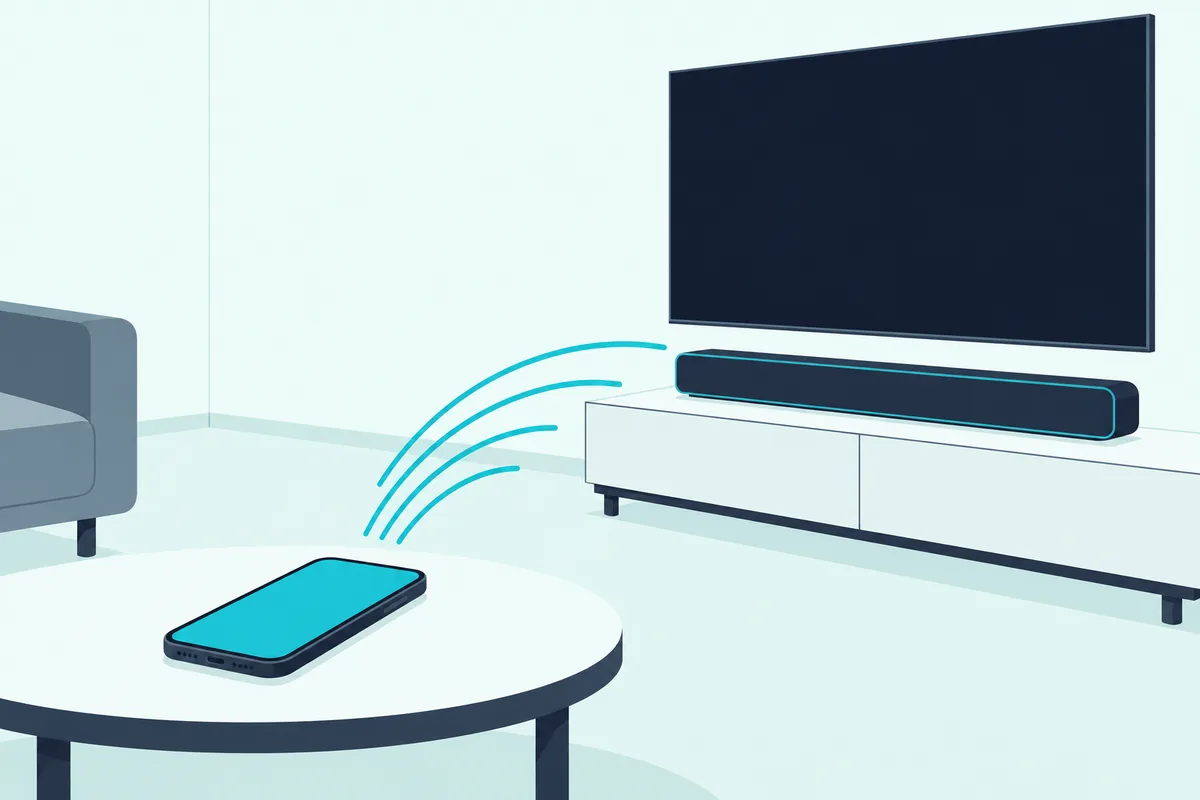
On an iPhone, AirPlay is the route LG, Polk, JBL, Sonos, Denon and Sony all document. LG’s manual asks for iOS 11.4 or later, and Sonos’s AirPlay article lists the Beam (Gen 2) among compatible products.
If AirPlay is the one you need, the best AirPlay soundbar picks show which bars also name Chromecast for the Android phones in the house. That matters in a home where one partner has an iPhone and the other an Android phone.
On Android, the routes are Google Cast and Spotify Connect. LG, Polk, JBL and Sony name Google Cast or Chromecast built-in, while the Sonos and Denon documents name their own apps, AirPlay and Spotify Connect.
Spotify Connect is the simplest of all, because the Spotify app itself becomes the remote. LG, JBL, Denon and Sony name it in their manuals, Polk lists it on its product page, and Sonos’s Spotify Lossless article says lossless plays on Sonos, for Spotify Premium accounts, through the Sonos app or Spotify Connect.
Bluetooth is the fallback every pick except the Sonos offers. What it carries depends on the codec both ends share: Sony lists LDAC, AAC and SBC, LG and Yamaha list SBC and AAC, Denon lists SBC, and JBL, Polk and Bose name no codec.
Try this before you buy: open the music app you use most and look for its cast icon, its AirPlay icon or Spotify’s Connect device list. Whichever route your app offers, pick a bar whose manual names it.
Can a Soundbar Play Lossless or Hi-Res Music?
Those Wi-Fi routes also decide how much of a lossless stream reaches the bar. Yes, several soundbars can: Sonos documents Spotify Lossless at up to 24-bit/44.1 kHz FLAC, Denon and LG list 24-bit/192 kHz FLAC from USB, and Sony documents LDAC over Bluetooth plus FLAC and DSD files from USB.
The details differ by source. On Sonos, Apple Music lossless plays through the Sonos app with Spatial Music turned off, and library files stop at 48 kHz, while the Denon’s USB port plays FLAC, ALAC and WAV at up to 192 kHz and adds DSD.
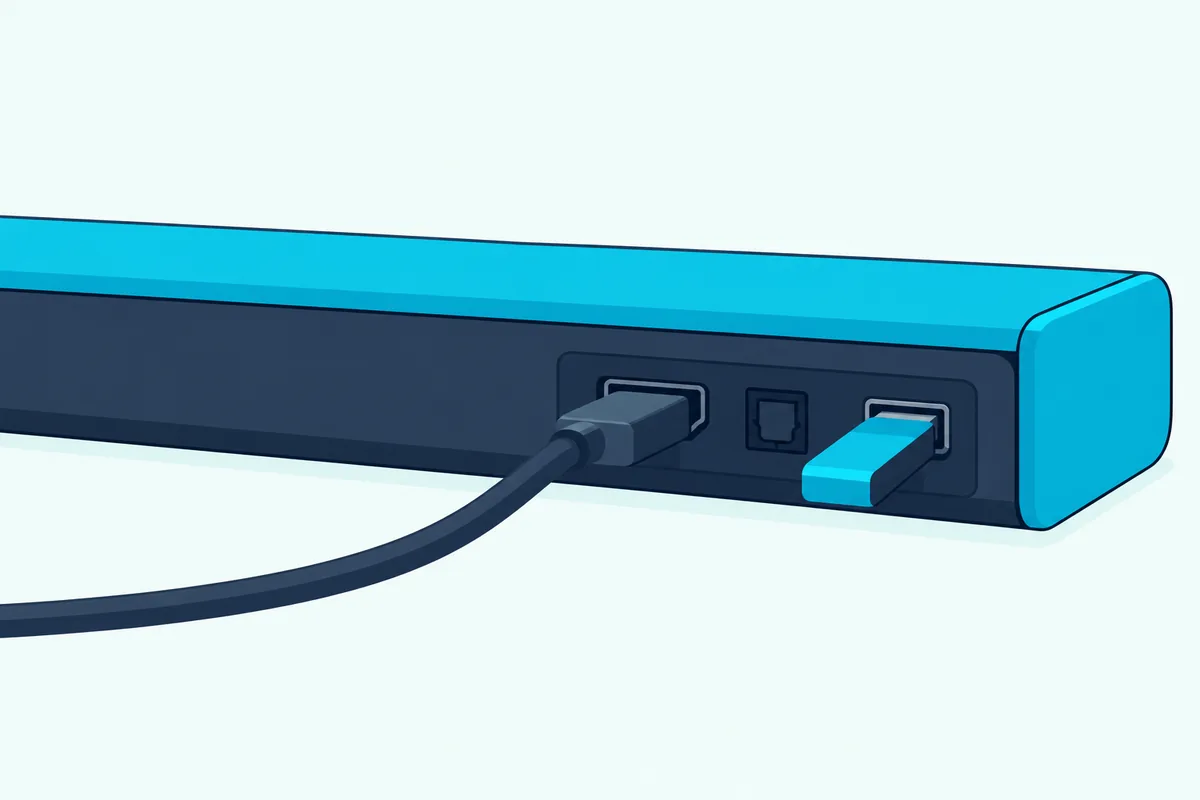
Here’s a real scenario. If your library is a folder of 24-bit/96 kHz FLAC downloads, the Denon and the LG both list 96 kHz among their supported FLAC rates for USB playback, while Sonos’s library list stops at 48 kHz.
Streaming services set their own ceilings too. Sonos’s Spotify Lossless article gives 24-bit/44.1 kHz as Spotify’s maximum, so a bar with a 192 kHz file list can’t raise a stream above what the service sends.
Do Any of These Soundbars Take a Turntable?
A record collection is the one music source none of those streaming routes can carry. The Denon Home Sound Bar 550 and the Bose TV Speaker take a turntable directly, the Denon through its 3.5 mm analog input and the Bose through its AUX IN, as long as the turntable’s signal goes through a phono preamp first.
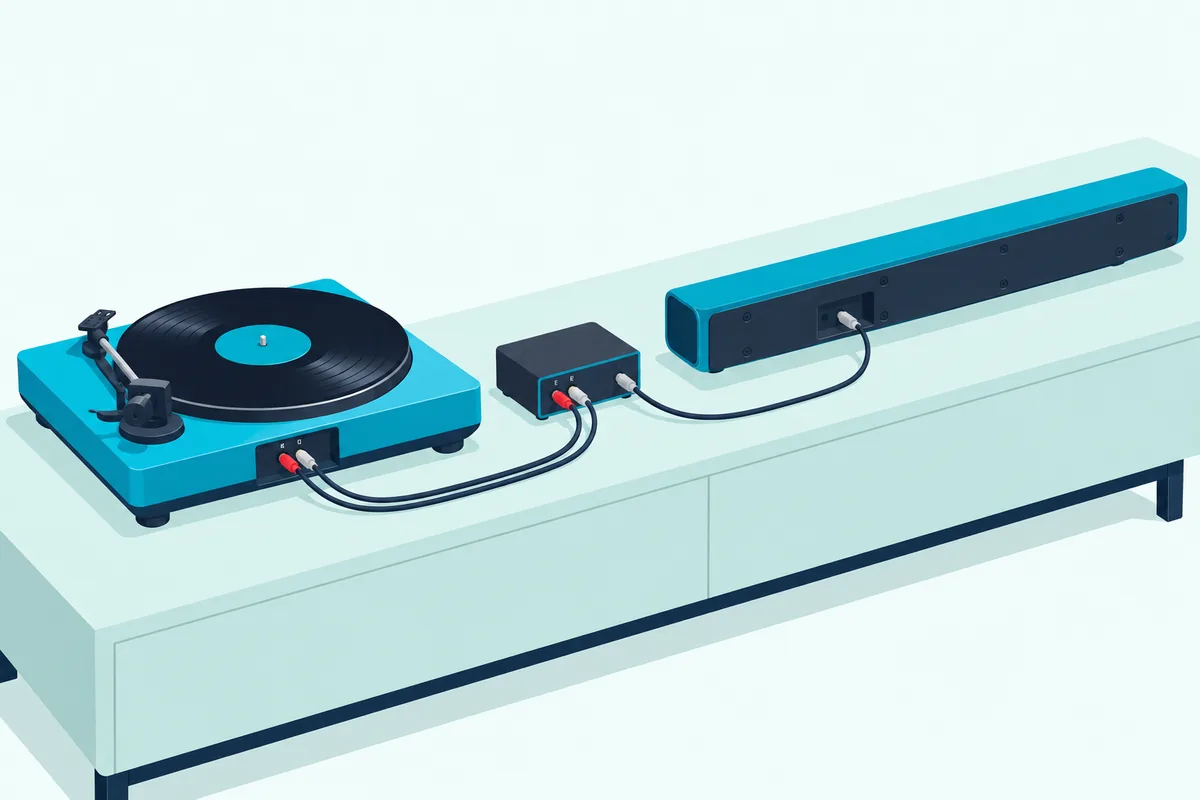
That preamp step comes straight from Sonos’s turntable article. A turntable without a built-in phono preamp connects to a preamp first, then the preamp connects to the speaker with an RCA or RCA to 3.5 mm cable.
Check your turntable’s manual for a built-in preamp before buying anything else. If it has one, the cable is the only extra part; if not, the preamp goes between the turntable and the bar.
Sonos owners have another route. Sonos’s line-in list names the Beam Ultra among its soundbars, and Sonos rates its standard line-in connections at 16-bit/44.1 kHz.
The LG, Polk, JBL, Sony and Yamaha picks list no analog jack. For those, a Bluetooth turntable or another connection route applies, and Burton’s guide on how to connect a turntable to a soundbar walks through each input, the preamp check and the fixes for a quiet or humming turntable.
What’s the Best Soundbar for Music and TV?
The bar that plays your records also plays your TV’s sound, which brings the TV side into the choice. For music and TV together, the LG S90TR and the Polk MagniFi Max AX SR cover both, since each pairs Wi-Fi music streaming with an HDMI eARC connection, a subwoofer and rear speakers.
The JBL Bar 500MK2 does the same with a subwoofer and no rears. On the format side, LG’s specifications list Dolby Atmos, Dolby TrueHD and DTS:X, and Polk’s Movie Mode enhances the height and surround effects in Dolby Atmos and DTS:X tracks.
For a smaller room, the Sonos Beam (Gen 2) and Denon Home Sound Bar 550 both connect over HDMI eARC. Sonos’s format list for the Beam (Gen 2) includes Dolby Atmos, and Denon lists Dolby Atmos and DTS:X.
If movies matter more to you than music, the guide to choosing the best soundbar for movies covers the bars built around film soundtracks. And if TV comes first and music second, Burton Acoustix’s all-round soundbar picks sort bars by TV, room and budget.
One scenario shows the split. A household that streams music daily and watches films on weekends belongs with the LG or the Polk, while one that mostly watches TV and plays the odd album belongs with an all-round TV pick.
Can You Play the Same Song in Every Room?
If that household adds a second speaker in the kitchen or bedroom, the next question is whether both can play the same song. Yes, you can play the same song in every room when the bar’s maker documents a multiroom route: Sonos groups its own products, Denon and LG sync with other AirPlay 2 speakers, and Polk and LG join other Google Cast speakers through the Google Home app.
Sonos’s AirPlay article says an AirPlay-compatible Sonos product playing AirPlay audio can be grouped with any other Sonos product in the system for multi-room playback. That is the Beam (Gen 2)’s strength: one app runs the bar and every Sonos speaker beside it.
Denon’s manual syncs a song from an iPhone running iOS 11.4 or later with several AirPlay 2 devices at once, with the volume set for each device or for all of them. The HEOS app has its own page in the same manual on listening to the same music in multiple rooms.
LG’s manual asks for AirPlay 2-enabled speakers to stream to more than one, and sends Google Cast multiroom setup to the Google Home app. Polk names three routes: Chromecast built-in multi-room sync, AirPlay across rooms, and Alexa multi-room music through Echo devices.
JBL’s manual adds the bar to the Apple Home app alongside other AirPlay speakers, and Google Cast is switched on inside the JBL One app. The Bose TV Speaker and Yamaha SR-B20A connect to phones over Bluetooth only, and their makers’ documents describe no multiroom route.
If you already own speakers, start with them. An AirPlay 2 speaker in the kitchen points you to a bar that names AirPlay 2, and a Google Cast speaker points you to the LG, Polk or JBL, whose manuals describe Google Cast multiroom.
How Do You Set Up a Soundbar for Music Streaming?
Those multiroom routes all begin with the bar’s first setup. You set a soundbar up for music streaming in the maker’s app or in the streaming system’s own app: the Sonos app, HEOS, JBL One or Google Home for Wi-Fi, an iPhone’s Wi-Fi settings for AirPlay, or the remote’s Bluetooth button for a phone.
LG’s manual adds the S90TR as a new AirPlay speaker from an iPhone’s Wi-Fi settings, under SET UP NEW AIRPLAY SPEAKER. The manual’s contents also list an LG ThinQ app chapter.
Polk offers three Wi-Fi routes: the Google Home app, the Amazon Alexa app, or an iOS device’s Wi-Fi settings. Once Chromecast is set up, Polk’s manual says AirPlay is ready to use as well.
JBL puts the bar into Wi-Fi setup mode and finishes the job in the JBL One app, where Google Cast has to be enabled before an app can cast to it. Sonos sets up the Beam (Gen 2) in the Sonos app for iOS or Android, and the Beam (Gen 2) doesn’t work with the older S1 Controller app.
Denon runs setup and music through the HEOS app. Sony’s guide joins the HT-A3000 to Wi-Fi with the Sony | Music Center app, then makes the initial settings for Chromecast built-in before you cast.
The Bose TV Speaker and Yamaha SR-B20A pair from the remote. Bose’s Bluetooth button and Yamaha’s BLUETOOTH button each switch the bar to its Bluetooth input and ready it for the phone.
That Wi-Fi-first order ties back to the codec point from the phone section. Once a bar streams over Wi-Fi, the app sends the music and the Bluetooth codec list no longer decides the connection.
Which Music Settings Should You Change First?
Once the bar is on your Wi-Fi or paired with your phone, a few settings decide how it handles music from day one. Change the sound mode first, then the tone controls, then any room tuning: pick the music or stereo mode, set bass and treble, and run the maker’s calibration where it has one.
Here’s a quick test. Play one familiar track, switch to the music or stereo mode, and replay the same passage before touching the EQ, so each change is judged on its own.
For the mode, that’s MUSIC on the Denon, STEREO on the Yamaha, SF.OFF on the Sony, and Music or All Stereo on the Polk. The LG puts its levels in Sound Tuning instead.
For tone, the LG offers treble, mid and bass from minus 6 to plus 6, Sonos has bass, treble, balance and loudness sliders, and JBL steps bass from LVL1 to LVL5. Denon, Polk, Bose and Yamaha put bass on the remote, and Polk adds treble.
For the room, Sonos says Trueplay takes about 3 minutes per room on an iPhone or iPad. JBL’s remote has a CALIBR button that starts its sound calibration.
Late-night modes change music too. LG’s Night Time lowers the overall volume while raising soft sounds, and Polk’s Night Mode reduces bass and volume dynamics, so switch them off for daytime listening.
The Bottom Line
All of that comes down to how your music gets in. The LG S90TR is the best soundbar for music overall, with Google Cast, AirPlay, Spotify Connect and Tidal Connect, AAC Bluetooth and 24-bit/192 kHz USB playback, while the Polk MagniFi Max AX SR and JBL Bar 500MK2 also stream over Google Cast, AirPlay and Spotify Connect, each with a subwoofer in the box.
For one compact bar, the Sonos Beam (Gen 2) keeps every room in one app, and the Denon Home Sound Bar 550 adds a 3.5 mm input for a turntable’s preamp. Android listeners get LDAC on the Sony HT-A3000, and the Bose TV Speaker and Yamaha SR-B20A cover a smaller budget.
Whichever you choose, check its streaming routes against your music app before you buy. Then set its music mode and tone controls on day one, as the settings section describes.
Frequently Asked Questions
What is the best hi-fi soundbar for audiophiles?
For audiophile file support, the Denon Home Sound Bar 550 and the Sony HT-A3000 both play FLAC, ALAC, WAV and DSD files from a USB drive, and the Denon adds a 3.5 mm analog input. The Sony also takes LDAC over Bluetooth, and the LG S90TR plays FLAC and WAV at up to 24-bit/192 kHz from USB. A file list tells you what a bar can play rather than how it sounds, so match it to your library: a DSD collection points to the Denon or the Sony, and an Android phone with hi-res files points to the Sony.
Which soundbars work with Apple Music or Tidal?
Apple Music reaches every pick with AirPlay (the LG, Polk, JBL, Sonos, Denon and Sony) from an iPhone or iPad. Tidal Connect appears in LG’s S90TR manual, so the Tidal app can send music straight to that bar. On the Bluetooth-only Bose TV Speaker and Yamaha SR-B20A, either app plays through the phone’s Bluetooth connection, with the codec the bar and phone share.
Do you need a subwoofer for music on a soundbar?
You don’t need one to play music, but the layout changes what’s in the box. The Sonos Beam (Gen 2) and Denon Home Sound Bar 550 are single bars, the Yamaha SR-B20A has two 3-inch subwoofers built in, and the JBL Bar 500MK2, LG S90TR and Polk MagniFi Max AX SR come with wireless subwoofers, the JBL’s a 10-inch one. If you want to add bass later, check that the bar lists a way to do it: Sony’s guide names optional SA-SW3 and SA-SW5 subwoofers for the HT-A3000, Yamaha’s spec page lists a subwoofer output, and the Bose TV Speaker has a BASS port for a Bose Bass Module.
Can you stereo pair two soundbars?
Not on Sonos, the maker that documents stereo pairing most fully here. Sonos’s stereo-pair article says only Sonos speakers of the same model can be paired, and its list names speakers such as the Era 100, Era 300, Five and Move rather than soundbars. For paired speakers, Sonos recommends 8 to 10 feet between them and a listening spot 8 to 12 feet away. On a soundbar, the closest step is the maker’s own stereo mode, such as Yamaha’s STEREO button or Polk’s All Stereo Mode with its surround speakers connected.