Best Soundbar With AirPlay: 8 Picks Checked Against Maker Specs
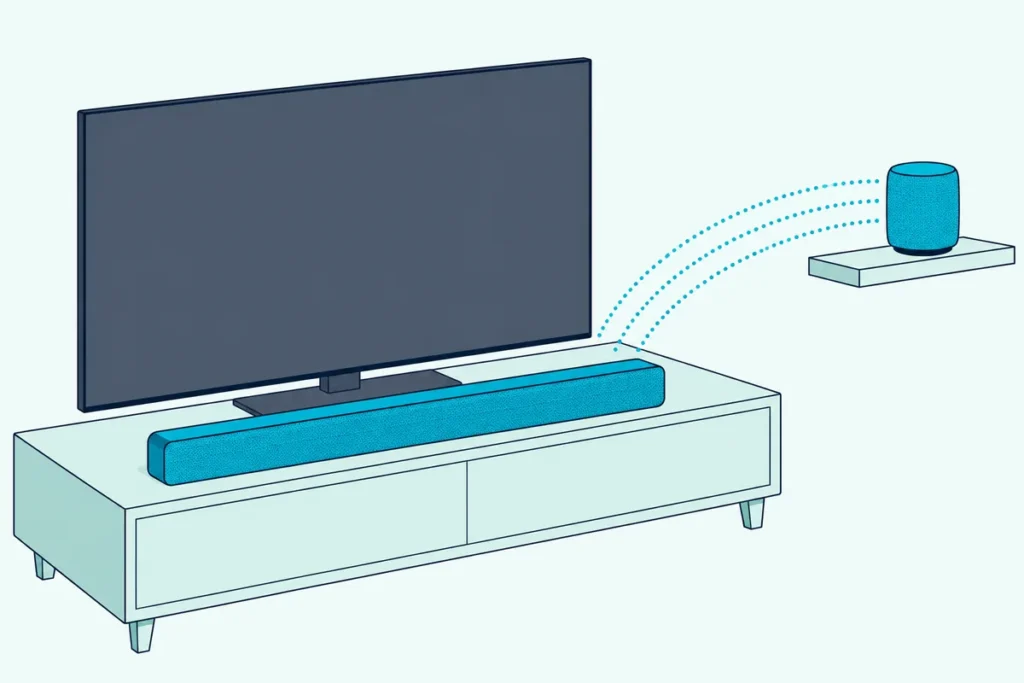
Picking the best soundbar with AirPlay sounds simple until you learn that AirPlay handles your music, not your TV’s sound.
Plenty of buyers expect Apple’s wireless streaming to carry movies too, then find the soundbar still needs an HDMI cable, and that an Apple TV 4K won’t send Dolby Atmos through a plain ARC port.
Get the connection right and one soundbar can play your shows over HDMI, take music from any iPhone in the house, and join speakers in other rooms in sync.
Below are eight soundbars from Bose, Samsung, LG, Sony, Polk and Denon whose makers list AirPlay, each in stock on Amazon with 4.0+ stars and 50+ reviews on 22 October 2026.
The quick answer and a comparison table come first, then each soundbar, then the setup questions that decide which one suits your TV and your Apple gear.
What Is the Best Soundbar With AirPlay?
That HDMI catch shapes the answer, and for most living rooms the Bose Smart Ultra Soundbar is the best soundbar with AirPlay. Bose says it streams through Apple AirPlay 2, Spotify Connect or Chromecast, and its comparison chart lists nine speakers plus a center tweeter with ADAPTiQ room tuning (Bose).
If you plug an Apple TV 4K or a game console into the soundbar itself, pick one with an HDMI input instead. The Samsung HW-Q990F, LG S90TR, Sony BRAVIA Theater Bar 8, Polk MagniFi Max AX SR and Denon Home Sound Bar 550 all have one in their makers’ documents, and the Bose doesn’t.
Apple’s rule explains why that input matters. Apple says to connect an Apple TV 4K directly to the soundbar’s HDMI input, because the Apple TV’s high-bandwidth form of Dolby Atmos doesn’t work over ARC (Apple).
The table sums up all eight, with no prices because they change daily. “Other streaming” means the Wi-Fi services each maker names beside AirPlay.
| Soundbar | Best for | Layout | HDMI input | Other streaming |
|---|---|---|---|---|
| Bose Smart Ultra Soundbar | Best overall | 9 speakers plus center tweeter | No | Chromecast, Spotify Connect |
| Samsung HW-Q990F | Full system in one box | 11.1.4 with sub and rears | Yes | Chromecast, Spotify, Tidal |
| LG S90TR | Rears and 4K/120 pass-through | 7.1.3 with sub and rears | Yes | Spotify Connect, Tidal Connect |
| Sony BRAVIA Theater Bar 8 | All-in-one with HDMI input | 11 speakers | Yes | Spotify Connect |
| Polk MagniFi Max AX SR | Surround package | 7.1.2 with sub and surrounds | Yes | Chromecast, Spotify Connect |
| Denon Home Sound Bar 550 | Compact with HDMI input | 4.0, 26-inch footprint | Yes | HEOS, Spotify Connect |
| Bose Smart Soundbar | Smaller rooms | 5 speakers plus center tweeter | Not in Bose’s documents | Chromecast, Spotify Connect |
| Samsung HW-S60D | Slim all-in-one | 5.0 | No | Chromecast, Spotify |
Every soundbar in that table carries AirPlay in its maker’s documents, so the real choice is about the TV connection, the room and the other speakers you own. Sonos soundbars list AirPlay 2 as well, and since the guide to the best Sonos soundbar for your room compares them, they get their own section below.
| Product | Size | Link |
|---|---|---|
Best Overall 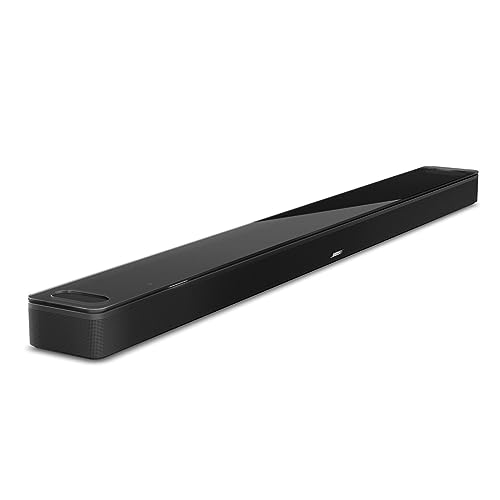 | 41.14 inch | See ratings |
Best Full System 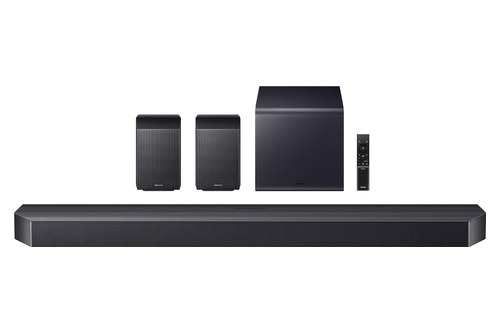 | — | See ratings |
Rears and 4K/120 Pass-Through 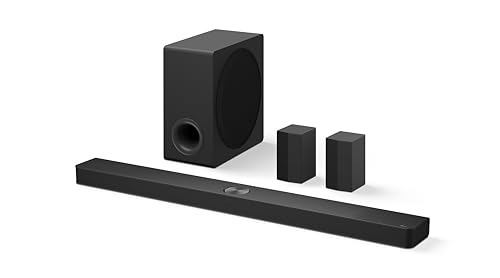 | — | See ratings |
All-in-One With HDMI Input 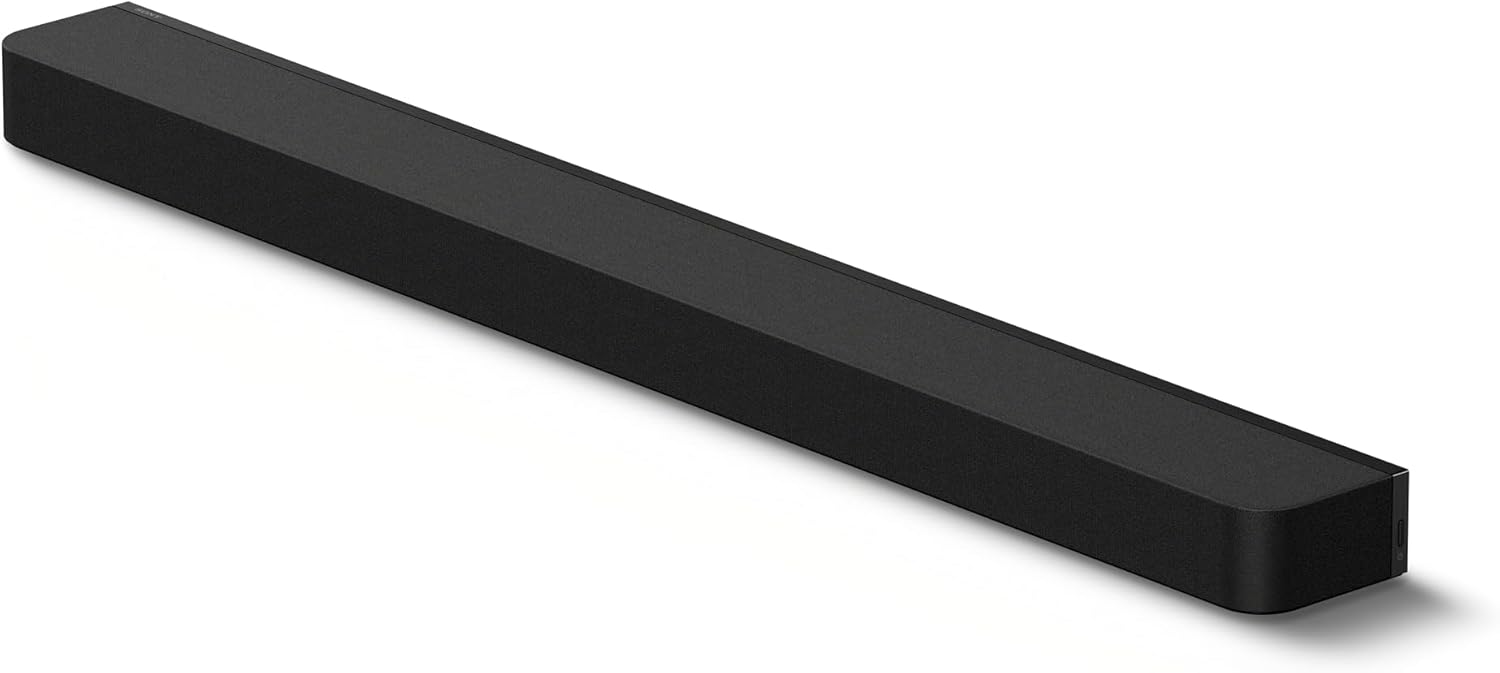 | — | See ratings |
Surround Package 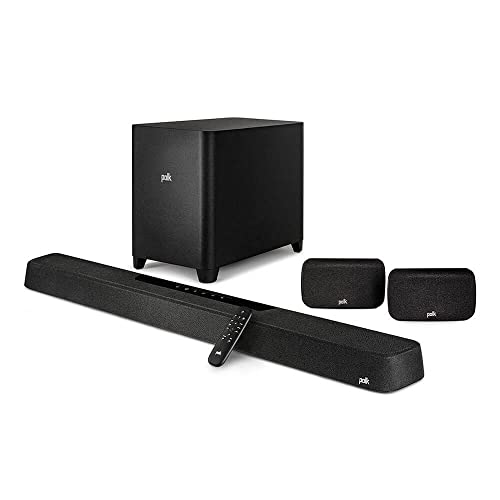 | 10 inch | See ratings |
Compact With HDMI Input 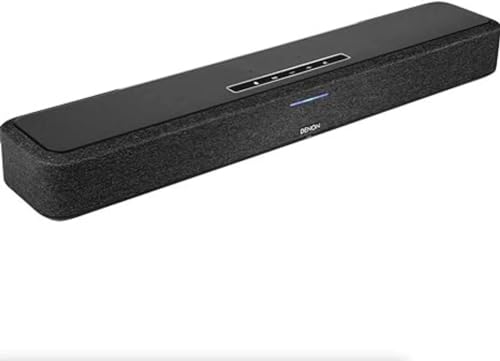 | 26 inch | See ratings |
Smaller Rooms 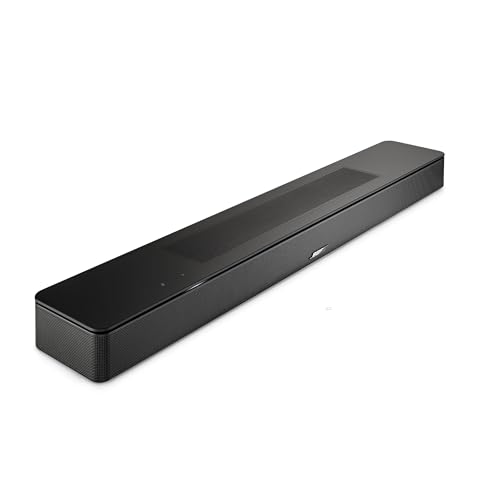 | 27.34 inch | See ratings |
Slim All-in-One  | — | See ratings |
Which Soundbars With AirPlay 2 Are Worth Buying?
Those eight run from a full 11.1.4 system to a slim single bar. Each one below is described from its maker’s own pages or manual, with the HDMI question answered first.
Bose Smart Ultra Soundbar
For most living rooms, the Bose Smart Ultra Soundbar is the pick.
the Bose Smart Ultra Soundbar
Bose’s FAQ says the Smart Ultra Soundbar streams through Apple AirPlay 2, Spotify Connect or Chromecast. Its owner’s guide adds that the “Works with Apple AirPlay” badge means the accessory was certified by the developer to meet Apple’s performance standards.
The speaker count is the biggest in Bose’s lineup. Bose’s chart gives nine speakers and a center tweeter, a suggested room of 12 by 14 feet and ADAPTiQ calibration, which the smaller Smart Soundbar lacks.
Bose’s TrueSpace processing upmixes stereo or 5.1 signals that aren’t Dolby Atmos, so regular TV shows also get a sense of height. Its AI-based dialogue mode balances voices against the surround effects.
The one trade-off is the input count. Bose’s FAQ says all sources must connect to the TV, with a single HDMI or optical cable from the TV to the soundbar.
That works well with TV apps and with an eARC TV. If you use an Apple TV 4K for Atmos, read the Apple TV section further down first, because the box then has to pass Atmos through the TV’s eARC port.
You can grow it later, too. Bose says two wireless bass modules of the same model can join one soundbar, and the Bose Ultra Open Earbuds can add Personal Surround for one listener.
The bar measures 41.14 inches wide, 2.29 inches high and 4.21 inches deep and weighs 12.68 pounds, by Bose’s spec table. Check that width against your TV stand before you order.
Samsung HW-Q990F
For a complete surround system in one box, the Samsung HW-Q990F is the pick.
the Samsung HW-Q990F
Samsung’s listing calls it its top-of-the-line 11.1.4 soundbar, with the subwoofer and rear speakers in the box. The manual’s channel level menu runs through center, side, wide, front top, rear, rear top and rear side speakers, so you can trim each group to your room.
AirPlay takes one extra step on Samsung. The user manual says you must first register the soundbar in the Samsung SmartThings app, agreeing to its terms, before AirPlay is enabled, and that the soundbar and your Apple device must share a Wi-Fi network.
After that, you pick the soundbar from an AirPlay-supported app or from Control Center on an iPhone, iPad or Mac. Samsung also warns that the feature may not be available in some countries.
The network list in the manual is long. Once connected, the soundbar handles YouTube casting, Apple AirPlay, Spotify, Alexa, SmartThings, Tidal, Chromecast and Roon Ready.
The wired side covers the Apple TV case well. Besides the HDMI TO TV (eARC/ARC) port, the manual describes an HDMI input for an external device that carries video and audio together, plus an optical input.
Some extras depend on your TV brand. Samsung’s listing says Q-Symphony needs a compatible 2020 to 2025 Samsung TV, so on another TV you get the soundbar’s own speakers without that pairing feature.
LG S90TR
For rear speakers and 4K at 120 Hz through the soundbar, the LG S90TR is the pick.
the LG S90TR
LG’s listing describes a 7.1.3-channel soundbar with wireless Dolby Atmos and rear speakers. The S90TR manual’s contents list “Works with Apple AirPlay” beside Spotify Connect, Tidal Connect, Alexa and Google Assistant.
The AirPlay page in LG’s manual is the clearest setup of the eight. Your iPhone or iPad needs iOS 11.4 or later and the same Wi-Fi network, and AirPlay 2-enabled speakers are needed to play to more than one speaker.
To join it, open Settings, then Wi-Fi, and pick “LG_Speaker_S90TR” under Set Up New AirPlay Speaker. After that, you choose the soundbar from Control Center or a music app, alone or with other AirPlay 2 speakers.
The wired connections suit an Apple TV. LG’s specification table lists one HDMI input and one HDMI eARC/ARC port, with 4K supported for HDCP 2.3 sources at up to 4K 120 Hz.
Some features are LG-only. The listing’s footnote says a few work only with select LG TV and LG soundbar models, so a non-LG TV still gets AirPlay, Atmos and the HDMI input but not those pairing extras.
Sony BRAVIA Theater Bar 8
For one bar with an HDMI input and Siri support, the Sony BRAVIA Theater Bar 8 is the pick.
the Sony BRAVIA Theater Bar 8
Sony’s Help Guide for the BRAVIA Theatre Bar 9 and Bar 8 says the speaker system is compatible with AirPlay. You choose music on an iPhone or iPad and stream it to the bar, alone or with other speakers selected at the same time.
Siri works through Apple’s Home app. Sony says that once you add the soundbar to the Home app on your iOS device, you can ask Siri to play music on it, but the bar has no microphone, so you speak to your phone, not to the soundbar.
One setting decides whether AirPlay can wake it. If Network/Bluetooth Standby is off in Sony’s app, playback can’t start while the soundbar is in standby, and with it on the soundbar starts up and plays.
The rear panel fits the Apple TV plan. The Help Guide names an HDMI IN jack for an AV device and an HDMI OUT (TV (eARC/ARC)) jack for the TV.
Sony’s listing describes 11 speaker units and automatic calibration to the room. Its Help Guide also covers Spotify Connect, while Chromecast doesn’t appear in it.
Polk MagniFi Max AX SR
For a full surround package with AirPlay and Chromecast, the Polk MagniFi Max AX SR is the pick.
the Polk MagniFi Max AX SR
Polk sells it as a 7.1.2 Dolby Atmos and DTS:X system with an 11-driver bar that includes height drivers, two wireless surrounds and a 10-inch wireless subwoofer.
Polk’s page lists Wi-Fi music through Apple AirPlay 2, Google Chromecast, Spotify Connect or any Works with Alexa service, plus Bluetooth. It also says several MagniFi AX Series products can play together with those services.
The owner’s manual spells out the AirPlay setup. Hold the power button until the bar beeps and shows “WI-FI SETUP”, make sure your iOS device is on the right Wi-Fi network, then go to Settings, then Wi-Fi, and tap the MagniFi Max AX under Set Up New AirPlay Speaker.
Chromecast goes through the Google Home app instead, so an iPhone household and an Android household each have a setup path. Connect the TV first, using the HDMI port labeled ARC or eARC on the TV, as Polk’s manual stresses.
The back panel in Polk’s manual shows HDMI inputs beside the HDMI eARC/ARC port, plus optical and USB. Polk adds that the sound mode is saved for each HDMI input, so an Apple TV and a console can each keep their own setting.
The bar measures 45 by 2.8 by 4.6 inches. That’s 3.86 inches wider than the Bose Smart Ultra, so measure your stand first.
Denon Home Sound Bar 550
For a compact bar with an HDMI input and HEOS multi-room, the Denon Home Sound Bar 550 is the pick.
the Denon Home Sound Bar 550
Denon’s page lists music through HEOS, AirPlay 2 or Bluetooth, and says AirPlay 2 also supports multi-room audio. The manual has its own section for playing a song from an iPhone or iPad on multiple synced devices with AirPlay 2.
Siri is on the list, too. Denon says Siri is now enabled on Denon Home speakers and the soundbar, extending Siri beyond rooms where you have a HomePod or HomePod mini, while Alexa is built in for volume, inputs and audio levels.
The listing describes a 4.0-channel soundbar in a 26-inch footprint that supports 4K video, Dolby Vision and HDR. Denon’s page adds Dolby Atmos and DTS:X processing.
The manual’s standby list names HDMI IN, HDMI OUT (ARC), optical, USB, Ethernet, Wi-Fi and Bluetooth connections. That HDMI input lets this 26-inch soundbar take an Apple TV 4K directly.
Two limits are worth knowing. The manual gives SBC as the only Bluetooth codec, and the manual’s contents describe adding HEOS built-in speakers as wireless surrounds rather than shipping any.
Bose Smart Soundbar
For a smaller room and a smaller TV, the Bose Smart Soundbar is the pick.
the Bose Smart Soundbar
Bose says the Smart Soundbar streams over Bluetooth, Wi-Fi, Apple AirPlay 2, Chromecast built-in and Spotify Connect. Alexa is built in, and a Google Home device can bring in Google Assistant.
It’s the Smart Ultra’s smaller sibling, and the chart shows how much smaller. It lists five speakers and a center tweeter, a 27.34-inch width and a suggested room of 10 by 12 feet, against nine speakers and 41.14 inches on the Ultra.
That’s 13.8 inches narrower, so it fits a shorter TV stand. Bose’s page credits upward-firing transducers and TrueSpace processing for the height effect.
You can build it out later. Bose says an optional wireless bass module and wireless surround speakers make a full 5.1 system, and the Ultra Open Earbuds add Personal Surround for one listener.
Bose’s owner’s guide prefers the HDMI eARC or ARC connection for Dolby Atmos, with the optical cable as the fallback. It describes no HDMI input, so an Apple TV plugs into the TV, as with the Ultra.
Samsung HW-S60D
For a slim all-in-one bar with room to add rears later, the Samsung HW-S60D is the pick.
the Samsung HW-S60D
Samsung’s HW-S60D manual says this soundbar supports AirPlay and requires iOS 13.4 or later. As on the Q990F, you register the soundbar in the SmartThings app first, then choose it from Control Center or an AirPlay app.
The listing calls it a 5.0-channel all-in-one with Dolby Atmos, and the network list in the manual covers Apple AirPlay, Spotify, Alexa, SmartThings, Tidal and Chromecast. The bottom panel shows one HDMI (eARC) port, an optical input, a service port and the power socket, with no HDMI input.
That single HDMI port is the limit to plan around. An Apple TV 4K has to plug into the TV, so Atmos from it depends on your TV passing Atmos through eARC.
Samsung’s manual has a section on adding the Samsung Wireless Rear Kit and a subwoofer. That makes it a soundbar you can start small with, then grow into a fuller system.
Get Studio Tips Weekly
Join 5,000+ creators getting acoustic treatment advice every week.
No spam. Unsubscribe anytime.What Does AirPlay 2 Actually Do on a Soundbar?
Every one of those eight lists AirPlay, so it’s worth knowing what the feature does once it’s on. Apple’s support page says AirPlay streams music, podcasts and other audio to Apple TV, HomePod or AirPlay-compatible speakers, and plays it across several speakers in sync (Apple).
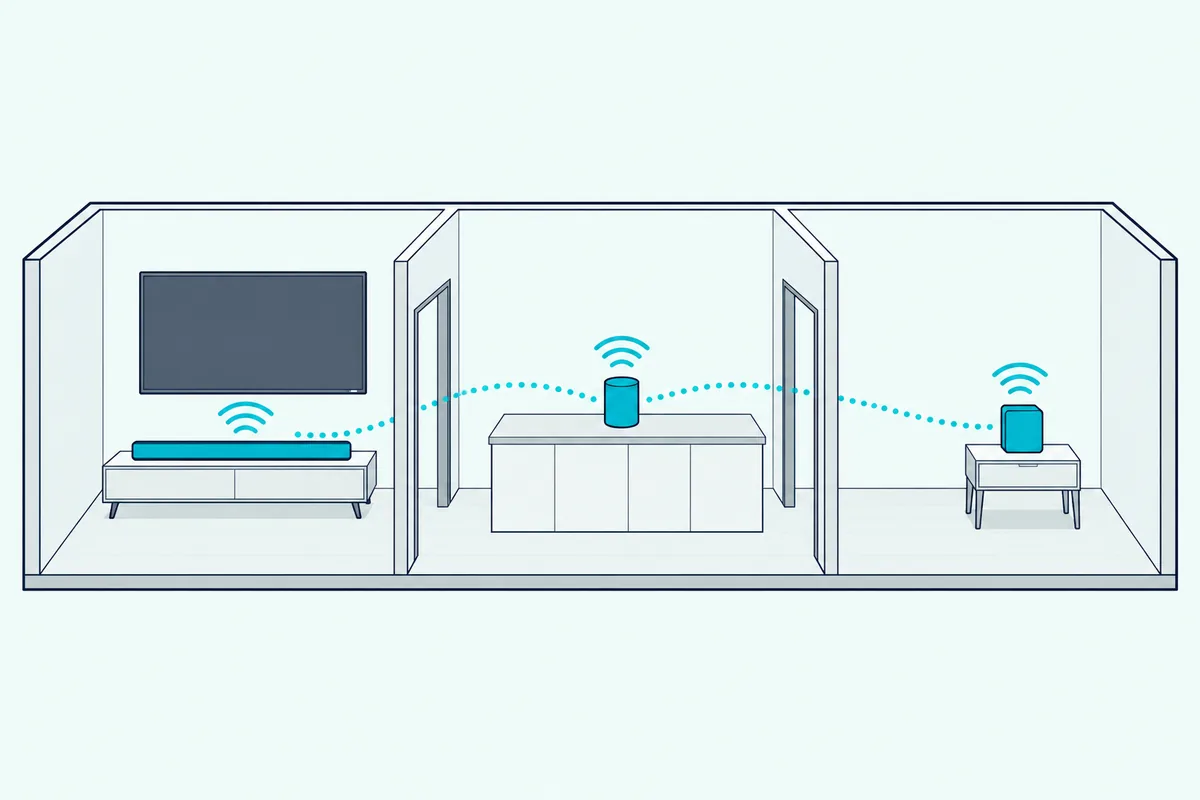
On an iPhone or iPad, you open Control Center, tap AirPlay, then tap each speaker you want. You can also tap AirPlay inside an app, and Apple says you can play something different in every room.
Think of it as a remote speaker switch built into every Apple device. The music still comes from the app on your phone or Mac, and the soundbar is just one more place to send it.
Your iPhone can also connect on its own. In Settings, then General, then AirPlay & Continuity, the Automatically AirPlay setting can be Never, Ask or Automatic, and the phone and the soundbar must share a Wi-Fi network for suggestions to appear.
Macs have one limit. Apple says you can’t stream to multiple speakers from Control Center on a Mac, so for a multi-room group from a Mac you start in the Apple Music app instead.
A quick test tells you whether a soundbar is ready. Play a song on your iPhone, open Control Center, tap AirPlay, and if the soundbar’s name doesn’t appear, the bar isn’t on the same Wi-Fi network yet.
Does AirPlay Carry Your TV’s Sound to the Soundbar?
That Control Center test only covers your phone’s audio, and the TV is a separate job. None of the makers above use AirPlay for the TV connection: Bose, Polk, Samsung, LG, Sony and Denon all connect the TV with an HDMI cable to its ARC or eARC port, or with an optical cable.

So plan your setup in two parts. The HDMI cable carries everything the TV plays, and AirPlay carries whatever you send from an Apple device.
Polk’s manual is blunt about the port. Only one HDMI port on your TV is labeled ARC or eARC, and you must use that one or you won’t hear TV audio.
eARC is the better version of that link. HDMI Licensing Administrator says eARC carries uncompressed 5.1 and 7.1, up to 32-channel uncompressed audio, and formats including Dolby TrueHD, Dolby Atmos and DTS:X (HDMI LA).
Optical is the fallback in Bose’s guide. If the TV has no eARC or ARC port, Bose says the optical cable still gives spacious sound, but it recommends HDMI first for the Dolby Atmos experience.
Burton Acoustix’s guide to HDMI and HDMI ARC ports explains which port to use. The short version: look for the ARC or eARC label on the TV before you plug anything in.
The Sonos Ray is the exception that proves the point. Sonos tells you to connect it to your TV’s optical port, so its TV sound never touches HDMI at all, while AirPlay 2 still handles your music.
How Should You Connect an Apple TV 4K to an AirPlay Soundbar?
The HDMI cable matters most when an Apple TV 4K is the source. Apple says to connect the Apple TV 4K directly to the soundbar’s HDMI input, then run a second HDMI cable from the soundbar’s HDMI output to the TV.

Apple’s reason is specific. Most TVs don’t pass Dolby Atmos through to soundbars, and the Apple TV 4K uses a high-bandwidth form of Dolby Atmos that doesn’t work over ARC connections.
That’s why the HDMI input column in the table counts. The Samsung HW-Q990F, LG S90TR, Sony BRAVIA Theater Bar 8, Polk MagniFi Max AX SR and Denon Home Sound Bar 550 each have an HDMI input in their makers’ documents.
Video can be the catch. Apple notes that some soundbars support Dolby Atmos but not HDR10 or Dolby Vision, so you’d choose between Atmos and the best picture unless the bar passes both.
Two of the picks state their video pass-through. LG’s manual supports 4K at up to 120 Hz on HDCP 2.3 sources, and Denon’s listing names 4K, Dolby Vision and HDR.
Then check the Apple TV itself. Apple says to open Settings, then Video and Audio, then Audio Format, and confirm Dolby Atmos is on under Immersive Audio.
One more Apple TV setting is easy to miss. Apple’s Apple TV 4K guide says some receivers and TVs appear twice in the audio list, as Receiver Speakers over HDMI and as AirPlay speakers, and that Receiver Speakers gives the best audio quality.
If you pick the AirPlay entry by mistake, you may hear an echo or delay. Apple points to its audio calibration step for that case.
Can You Use Siri and the Apple Home App With These Soundbars?
The Apple TV’s audio list is sorted by the rooms you set in the Home app, and that app is also where Siri support comes from. Apple says you add accessories to the Home app with an iPhone or iPad, not a Mac (Apple).
Sony’s Help Guide gives the plainest example. Add the BRAVIA Theater Bar 8 to the Home app, and you can ask Siri on your iPhone to stream music to it.
Sonos makes the same promise for the Arc Ultra. Sonos says that with the Apple Home app you can use Siri on your device to play Apple Music on it.
Denon goes further with Siri across its Home range. Its page says Siri is now enabled on the Denon Home speakers and soundbar, extending access beyond rooms where you have a HomePod or HomePod mini.
The other makers’ documents don’t describe Home app steps for their soundbars. Bose, Polk, Samsung and LG document AirPlay streaming, which works from Control Center without the Home app.
Don’t confuse Samsung’s TVs with its soundbars here. Apple’s footnote says Samsung’s AirPlay-compatible smart TVs don’t support HomeKit and can’t be added to the Home app, a statement about the TVs that Apple doesn’t make about soundbars.
If Siri control is the main draw, a HomePod is the other route. The HomePod vs soundbar comparison covers where Apple’s own speaker fits next to a TV.
How Do You Set Up AirPlay on Each Brand?
Home app or not, each brand starts AirPlay its own way, and the first step is never the same. The table lists each maker’s documented path.
| Brand | AirPlay setup in the maker’s documents | iOS version named |
|---|---|---|
| Bose | Bose app, then AirPlay from Control Center or an app | Not stated on the page |
| Samsung | Register the soundbar in SmartThings first | Latest recommended (Q990F); 13.4 or later (S60D) |
| LG | Settings, then Wi-Fi, then Set Up New AirPlay Speaker | 11.4 or later |
| Sony | Same Wi-Fi network, then the AirPlay icon | Not stated |
| Polk | Hold power for Wi-Fi Setup, then Settings and Wi-Fi | Not stated |
| Denon | HEOS app setup, then AirPlay from your device | Not stated |
The pattern is simple once you see it. LG and Polk let iOS put the soundbar on your Wi-Fi, while Samsung, Bose and Denon use their own apps first.
Samsung’s step is the easiest one to miss. Until the soundbar is registered in SmartThings and you’ve agreed to its terms, the AirPlay option stays off, so do that before you go looking in Control Center.
After setup, every brand ends the same way. Open Control Center or an AirPlay app on the iPhone, tap AirPlay, and choose the soundbar alone or with other AirPlay 2 speakers.
Keep the iOS note in mind for older devices. Samsung’s S60D manual names iOS 13.4 or later and LG’s manual names iOS 11.4 or later, so an old iPad may connect to one and not the other.
What About Sonos Soundbars With AirPlay?
Sonos uses its own app too, and both Sonos soundbar pages read for this guide, the Arc Ultra’s and the Ray’s, list Apple AirPlay 2. They aren’t cards here because Burton Acoustix’s Sonos guide, linked above, already compares them model by model.
The Arc Ultra is the Atmos flagship. Sonos lists HDMI eARC, Apple AirPlay 2, Bluetooth, Trueplay tuning, Speech Enhancement and Night Sound, and says AirPlay 2 streams directly from an iPhone, iPad or Mac (Sonos).
The Ray is the small, simple one. Sonos’s page says you connect it to the TV’s optical port, then play music over Wi-Fi through the Sonos app, Apple AirPlay 2 or Spotify Connect when the TV is off.
The Ray’s voice note is worth reading. Sonos says voice requires a compatible third-party device, such as a Sonos One, Amazon Echo or Google Nest.
Sonos’s advantage is the rest of its system. If you already own Sonos speakers, the Sonos app groups them, and AirPlay can still send music from your iPhone to the soundbar.
Is Chromecast, Spotify Connect or Bluetooth a Better Choice Than AirPlay?
Sonos pairs AirPlay with its own app, and most of the picks pair it with Chromecast or Spotify Connect. The best choice depends on the phones in your house more than on the soundbar.
If everyone uses an iPhone, AirPlay is enough. Apple’s Control Center sends any app’s audio, and the multi-room sync works across brands that support AirPlay 2.
If your household mixes iPhone and Android, pick a bar that lists Chromecast as well. The Bose Smart Ultra, Bose Smart Soundbar, Polk MagniFi Max AX SR, Samsung HW-Q990F and HW-S60D all name Chromecast in their makers’ documents.
Spotify Connect works on both kinds of phone. All eight picks list Spotify Connect or Spotify in their makers’ documents, so a Spotify family is covered either way.
Bluetooth is the fallback for guests. It skips Wi-Fi and pairs one phone directly, though Denon’s manual shows how basic it can be, listing SBC as its only codec.
Think of Bluetooth as a cable you can’t see and AirPlay as a network. Bluetooth links one phone to one speaker, while AirPlay sends audio over your Wi-Fi to several speakers at once.
If music is the main reason you’re buying, our soundbars picked for music listening go deeper on the sound itself. This guide sticks to the streaming side.
How Does Multi-Room Audio Work Across Brands?
That network idea is what makes AirPlay different from each brand’s app. Apple says AirPlay plays audio across multiple speakers in perfect sync, and it isn’t limited to one maker’s speakers.
So a Denon soundbar in the living room and a HomePod in the kitchen can play the same song from your iPhone. Each brand’s own app, by contrast, groups that brand’s own products.
Each maker describes its own grouping, too. Bose groups its products via Wi-Fi or SimpleSync, Denon uses HEOS, Polk says several MagniFi AX Series products can play together, and Sonos uses the Sonos app.
LG’s manual states the rule plainly. To stream to multiple speakers, you need AirPlay 2-enabled speakers.
Here’s a real scenario. If you own a HomePod mini in the kitchen and add the Denon Home Sound Bar 550 to the living room, AirPlay can group the two from your iPhone, while HEOS groups the Denon with other Denon Home and HEOS products.
The catch is the source device. AirPlay groups start from an Apple device, and Apple’s Mac note means a multi-room group from a Mac starts in the Apple Music app.
Which Soundbars Didn’t Make the List?
Several AirPlay soundbars came up but failed a check on 22 October, and the reason matters if you were looking at one. Each one fell short on Amazon or on the maker’s documents.
The Yamaha True X Bar 50A lists Wi-Fi music streaming, but its Amazon listing fell short of this guide’s rating rule. Bluesound’s Pulse soundbars had too few Amazon reviews on the day.
Sonos’s newest Beam Ultra had too few reviews as well, and the other Sonos bars are covered by the Sonos guide. A Wi-Fi soundbar from Ultimea listed AirPlay 2 but had no Amazon rating yet.
JBL’s Bar 800 and Bar 500MK2 passed on Amazon, but JBL’s website refuses Burton’s research scripts, so their AirPlay support couldn’t be checked against JBL’s own pages. Vizio’s soundbars showed up only as renewed units or listings that fell short.
Some popular bars simply lack AirPlay. The Denon DHT-S517 has no Wi-Fi in Denon’s spec table, and Bose’s chart shows the Bose TV Speaker without multi-room grouping.
How Were These Soundbars Checked?
Those exclusions follow the same rules as the picks. Burton Acoustix did not test these soundbars, and every claim above comes from the maker’s own page, manual or help guide, Apple’s support pages or HDMI Licensing Administrator.
Each pick had to be in stock on Amazon with a rating of 4.0 or higher from 50 or more reviews when checked on 22 October 2026. Prices, ratings and review counts aren’t shown because they change, so check them on Amazon before you buy.
The card labels are this guide’s judgment. “Best overall” and the other labels weigh AirPlay support, the HDMI input, the speaker layout and the room size each maker suggests.
What Should You Check Before You Buy?
Those checks give you a short list to run against your own setup. Four questions settle most choices.
- Do you use an Apple TV 4K for Atmos? Pick a bar with an HDMI input: the Samsung HW-Q990F, LG S90TR, Sony BRAVIA Theater Bar 8, Polk MagniFi Max AX SR or Denon Home Sound Bar 550.
- Does your TV have eARC? If not, the Apple TV has to go into the soundbar’s HDMI input for Atmos, and optical is the fallback for TV sound.
- Are there Android phones in the house? Choose a bar that also lists Chromecast, such as either Bose, the Polk or either Samsung.
- How wide is your stand? Compare the 45-inch Polk, the 41.14-inch Bose Smart Ultra, the 27.34-inch Bose Smart Soundbar and the Denon’s 26-inch footprint.
Then confirm the brand’s setup step. Samsung needs SmartThings first, and LG and Polk join through iOS Settings.
The Bottom Line
For most rooms, the Bose Smart Ultra Soundbar is the best soundbar with AirPlay, with AirPlay 2, Chromecast and Spotify Connect, nine speakers plus a center tweeter, and ADAPTiQ tuning. Its one gap is the HDMI input, because every source has to plug into the TV.
If an Apple TV 4K is your main source, choose a bar with an HDMI input instead. The Samsung HW-Q990F and LG S90TR bring rears and a subwoofer, the Sony BRAVIA Theater Bar 8 keeps it to one bar, and the Denon Home Sound Bar 550 is the compact choice.
The Polk MagniFi Max AX SR is the other surround package, with HDMI inputs, AirPlay 2 and Chromecast in a 45-inch bar. For a smaller TV, the Bose Smart Soundbar or the slim Samsung HW-S60D will do the job.
Whichever you pick, keep the two jobs apart. HDMI carries the TV, and AirPlay carries the music from your iPhone.
Frequently Asked Questions
Which soundbars have AirPlay 2?
Among current models, the makers’ documents list AirPlay for the Bose Smart Ultra Soundbar and Smart Soundbar, Samsung HW-Q990F and HW-S60D, LG S90TR, Sony BRAVIA Theater Bar 8 and Bar 9, Polk MagniFi Max AX SR, Denon Home Sound Bar 550, and Sonos Arc Ultra and Ray. Check the maker’s page or manual for the exact model, because AirPlay usually needs Wi-Fi, and bars without Wi-Fi, such as the Denon DHT-S517, don’t have it.
Can I use AirPlay to send TV audio to a soundbar?
Not from the TV’s own speakers. The makers here connect the TV with an HDMI cable to the ARC or eARC port, or with an optical cable, and use AirPlay for audio sent from an iPhone, iPad, Mac or Apple TV. An Apple TV 4K can send audio to AirPlay speakers, but Apple says to choose the HDMI “Receiver Speakers” entry for the best quality when the soundbar shows up twice.
Does an Apple TV 4K need a soundbar with an HDMI input?
For Dolby Atmos, Apple says to plug the Apple TV 4K directly into the soundbar’s HDMI input, because its high-bandwidth Atmos doesn’t work over ARC and most TVs don’t pass Atmos through. With an eARC TV and an eARC soundbar, the TV may pass it, so check your TV’s manual. Among the picks, the Samsung HW-Q990F, LG S90TR, Sony BRAVIA Theater Bar 8, Polk MagniFi Max AX SR and Denon Home Sound Bar 550 have an HDMI input.
Do AirPlay soundbars work with Android phones?
AirPlay itself starts from Apple devices, so an Android phone can’t use it. Most of the picks also list other ways in: Chromecast on both Bose bars, the Polk and both Samsungs, Spotify Connect or Spotify on all eight, and Bluetooth for a quick connection. A mixed household should pick a bar that names Chromecast in its maker’s documents.
Can I control an AirPlay soundbar with Siri?
On some models, through Apple’s Home app. Sony says the BRAVIA Theater Bar 8 can be added to the Home app so you can ask Siri on your iPhone to play music on it, Sonos says the same for Apple Music on the Arc Ultra, and Denon says Siri is enabled on its Home soundbar. The bar doesn’t hear you itself unless it has its own microphone, so you speak to your iPhone.