How to Connect a Cable Box to a Soundbar
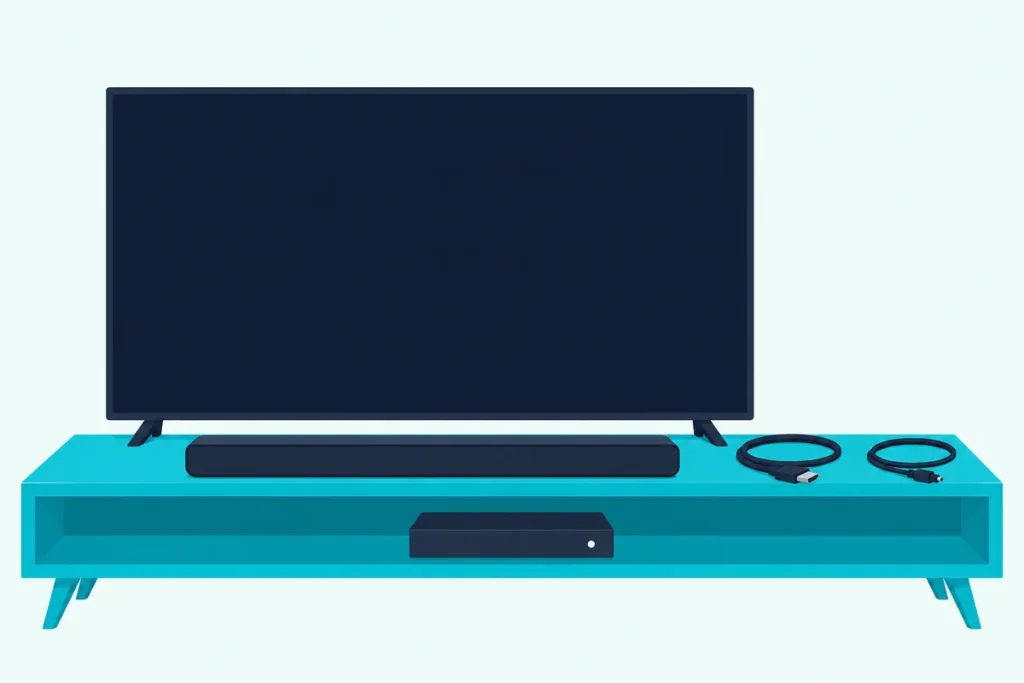
Here’s how to connect a cable box to a soundbar: run the box into the TV by HDMI and let the TV’s ARC port pass the sound to the bar, or skip the TV with the bar’s own HDMI input or the box’s optical output.
Get the order wrong and you’ll have a picture with no sound, or a bar that only plays stereo when the channel carries 5.1.
Pick the layout your ports allow, then set the box’s audio format, and the TV remote or the cable remote can run the bar’s volume too.
The three layouts below come from soundbar makers’ manuals and the cable and satellite boxes’ own setup pages.
Start by matching your TV’s and soundbar’s jacks to one layout, then work through the box’s settings and the TV’s.
How to Connect a Cable Box to a Soundbar in Three Layouts
A cable box is a source, like a Blu-ray player, so its sound has to reach the bar either through the TV or around it. Soundbar makers and box guides describe three ways to do that:
| Layout | Cables | How the sound reaches the bar | Use it when |
|---|---|---|---|
| 1. Box to TV, TV to bar | 2 HDMI (or 1 HDMI plus 1 optical) | The TV passes the box’s sound out of its ARC, eARC or optical port | Almost always, and it’s the first one to try |
| 2. Box to bar, bar to TV | 2 HDMI | The bar takes the box’s sound and passes the picture on to the TV | The bar has an HDMI input as well as its TV port |
| 3. Box straight to the bar by optical | 1 HDMI to the TV, 1 optical to the bar | The box’s own optical output feeds the bar | The TV can’t pass surround sound on, or has no ARC or optical out |
Layout 1 is the one Sony and Sonos draw for cable boxes. Sony’s HT-S2000 guide plugs a “set-top box, cable box, satellite box” into the TV with an HDMI cable and runs the TV’s eARC or ARC jack to the bar (Sony), and Sonos’s Arc guide tells owners to connect “a cable box or DVD player, directly to your TV.”
Layout 2 needs a bar with HDMI inputs, which a single-port bar such as Sonos’s Arc doesn’t have. Layout 3 is Bose’s answer for a TV without ARC: its Smart Soundbar guide says that if the TV is connected to a cable or satellite box, the optical cable goes from the bar to the box (Bose).
Which Layout Fits Your TV and Soundbar?
That choice comes down to three jacks, and a flashlight behind the TV settles it in a minute. Look for a port marked ARC or eARC on the TV, an HDMI input on the bar (Sony and Samsung label theirs HDMI IN 1 or HDMI 1), and a jack marked OPTICAL or DIGITAL AUDIO OUT on the cable box.
If the TV has ARC or eARC, use layout 1. HDMI Licensing Administrator says ARC lets a TV send audio “upstream” to an A/V receiver or surround audio controller over the same cable, and it recommends, without requiring, that makers label those ports “ARC”.
If the bar has an HDMI input and the TV has no ARC, layout 2 keeps the full sound format. If neither works, or the TV turns the box’s 5.1 sound into stereo, layout 3 takes the TV out of the audio path.
A real setup shows how this plays out. Picture an older TV with one ARC port, a two-piece soundbar with only a TV port and a cable box with HDMI and optical outputs: that’s layout 1, and layout 3 is the backup if channels lose their surround sound.
Satellite boxes follow the same three layouts. DirecTV owners have their own walkthrough for connecting a soundbar to DirecTV, with the Genie’s menus and remotes.
Get Studio Tips Weekly
Join 5,000+ creators getting acoustic treatment advice every week.
No spam. Unsubscribe anytime.How Do You Run the Cable Box Through the TV’s ARC Port?
That first layout takes two HDMI cables, and the box itself never touches the bar. Nakamichi, a soundbar maker, gives the same wiring for Xfinity, Spectrum and AT&T U-verse boxes: the box’s HDMI OUT goes to an HDMI input on the TV, and the sound leaves through the TV’s ARC port to the bar (Nakamichi).
- Turn everything off, and make the cable connections before plugging in any power cords, as DirecTV’s HD DVR guide asks of its receivers.
- Run a cable from the box’s HDMI OUT to any free input on the TV, leaving the ARC or eARC port open.
- Run the second cable from the TV’s ARC or eARC port to the bar’s TV port, which Sony labels HDMI OUT (TV (eARC/ARC)).
- Power everything up, pick the cable box’s input on the TV, and set the bar to its TV or HDMI ARC input.
- Set the TV’s speaker output to the soundbar, then switch on the TV’s HDMI-CEC setting.
Step 5 matters more than it looks. Sony’s HT-S2000 guide warns that if the TV’s Control for HDMI (Sony’s name for HDMI-CEC) isn’t on, TV sound won’t come out of the bar.
DirecTV’s guide adds a rule for every cable in this layout: never connect an IN to an IN or an OUT to an OUT. The box’s HDMI OUT goes to a TV input, and the TV’s ARC port is the one HDMI port on the TV that sends sound back out.
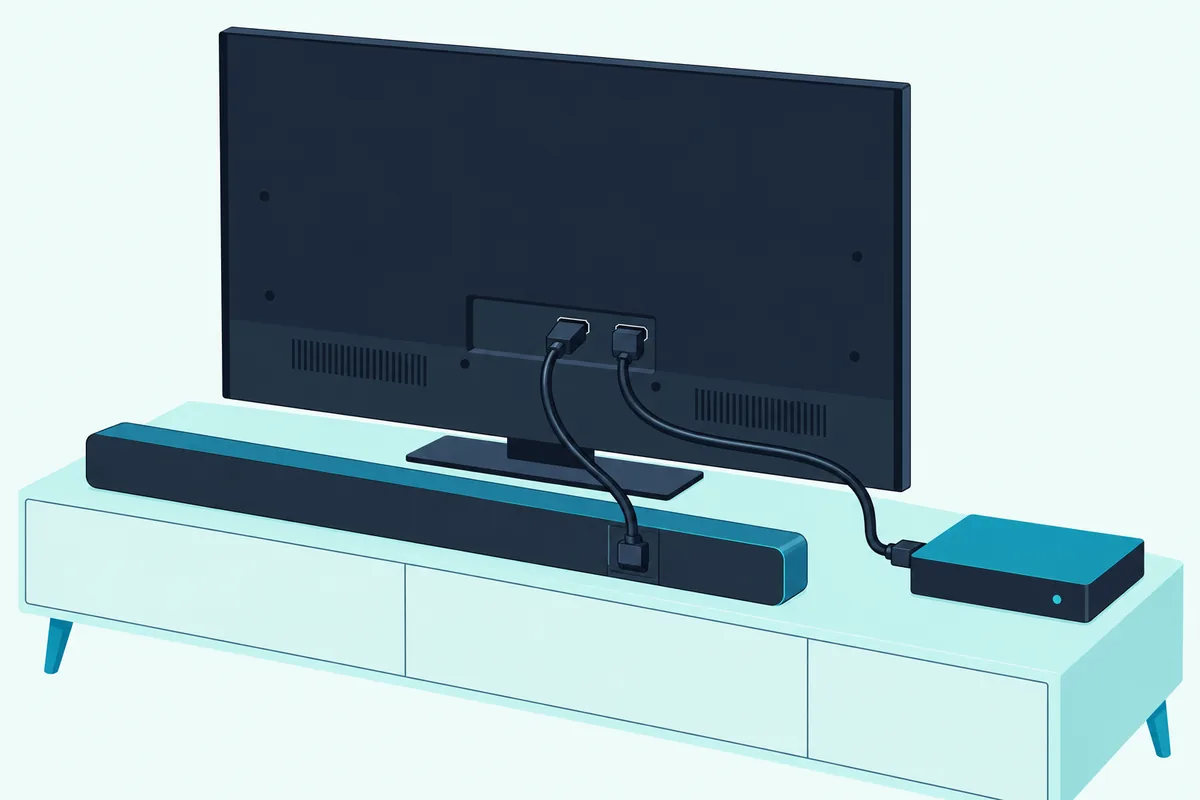
The catch with layout 1 is that the TV has to pass the box’s surround sound along unchanged. Nakamichi tells its owners to check that the TV supports 5.1-channel pass-through over HDMI ARC, and its Xfinity page sends anyone whose TV doesn’t to the box’s optical output instead.
Cables are simple here. HDMI Licensing Administrator says every HDMI cable carries ARC between ARC-enabled devices, so the cable that came with the bar, if it had one, will do, and Nakamichi asks for an HDMI-certified High Speed cable with 18 Gbps of bandwidth from the box to the TV.
For the brand-by-brand TV menus that finish this layout, our guide to connecting a soundbar to the TV’s ARC port lists where Samsung, LG, Sony, Vizio and others keep the speaker and HDMI-CEC switches.
What If the TV Has No ARC Port?
That missing port doesn’t end layout 1, because a TV without ARC can still send sound out of an optical jack if it has one. Sony’s HT-A7000 guide wires a TV that isn’t compatible with ARC or eARC with an HDMI cable for the picture and an optical digital cable, not supplied, from the TV’s optical output to the bar’s TV IN (OPT) jack.
The cable box stays on a TV input, and the TV sends what it hears out of the optical jack. Our walkthrough on running an optical cable from the TV to the bar covers which input to pick on the bar and each TV brand’s menu.
Optical has a ceiling worth knowing before you commit. Roku says S/PDIF carries two-channel PCM or 5.1 compressed Dolby Digital or DTS, while ARC adds Dolby Digital Plus and Dolby Atmos.
For cable TV that ceiling rarely bites. DirecTV’s guide describes its surround sound as Dolby Digital 5.1, and Xfinity’s X1 menu offers Stereo or Dolby Digital 5.1 for its optical output, so an optical link carries what those channels send.
The question is whether the TV passes 5.1 out of its optical jack or turns it into stereo first. Sony’s 2022 BRAVIA guide has a Digital audio out setting for this, and says to choose PCM if the audio system isn’t compatible with Dolby Digital or DTS.
Can the Cable Box Plug Into the Soundbar’s HDMI Input?
Yes, if the bar has an input for it as well as its TV port, and that’s layout 2. Sony’s HT-A7000 guide connects a set-top box’s HDMI OUT to the bar’s HDMI IN 1 or HDMI IN 2 jack and says the bar then plays Dolby Atmos, Dolby TrueHD and DTS:X in high quality (Sony).
Samsung’s HW-Q990D manual draws the same chain. One cable runs from the box’s HDMI OUT to the bar’s HDMI 1 or HDMI 2 port, a second runs from the bar’s HDMI TO TV (eARC/ARC) port to an input on the TV, and the bar’s Source button picks HDMI 1 or HDMI 2.
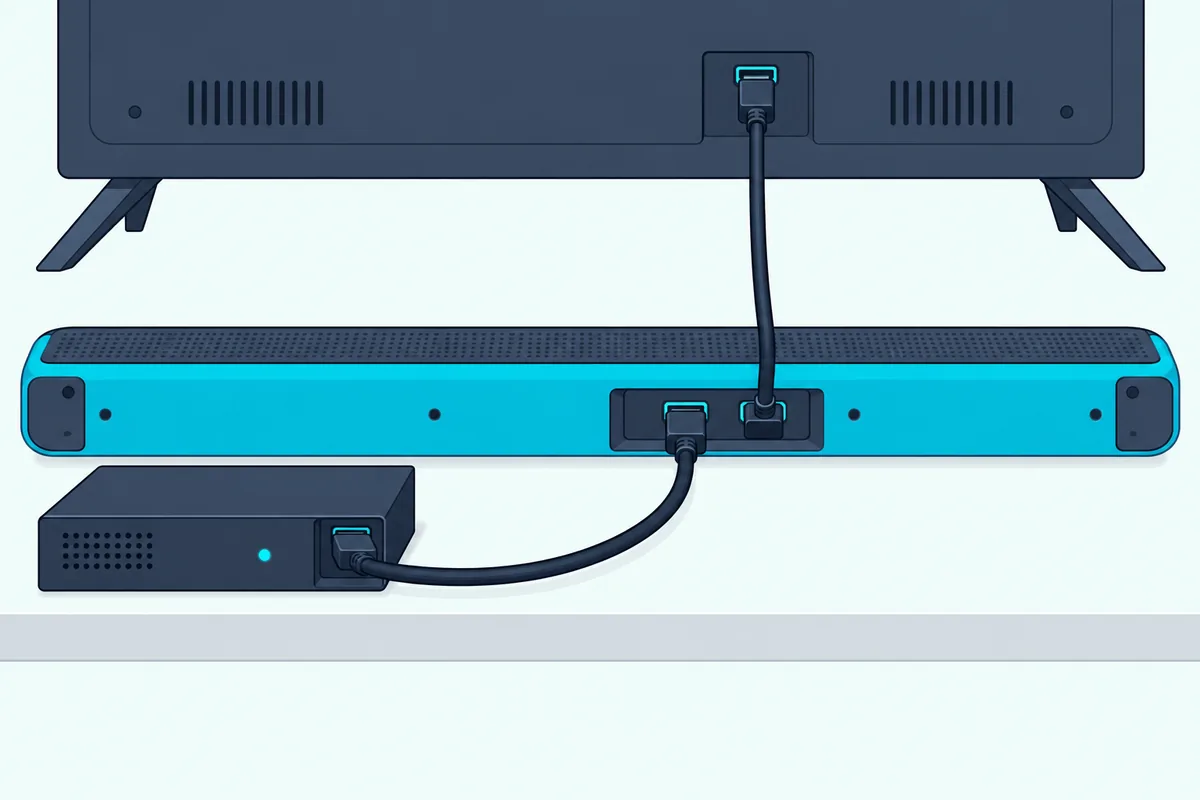
The bar becomes the box’s way to the screen, and that has a cost. Sony’s HT-A7000 guide says the picture and sound of a device on the bar don’t reach the TV while the bar is off, unless Control for HDMI is on and Standby Through, under Setup, Advanced Settings, HDMI Settings, is set to Auto or On (On for non-Sony devices).
Picture quality is the other check. Samsung’s manual requires a certified Ultra High Speed HDMI cable to receive UHD signals properly, and DirecTV’s guide says its receiver should connect directly to the TV for the best picture.
Both cables in this layout are your own to buy, since Samsung’s manual marks both “not supplied.” UGREEN’s 6.6 ft Certified Ultra High Speed HDMI cable meets Samsung’s rule for 4K passthrough, and it does the TV link in layout 1 just as well.

UGREEN’s 6.6 ft Certified Ultra High Speed HDMI cable
If the box’s picture breaks up or goes dark through the bar, plug the box straight into the TV to test it. That puts you back on layout 1, which loses nothing on a TV with ARC that passes 5.1.
When Should the Box’s Optical Output Go Straight to the Bar?
That third layout is for the TV that won’t pass the box’s surround sound, or has no ARC or optical output at all. Nakamichi’s Xfinity page calls it Option 2: video from the box’s HDMI OUT to the TV, audio from the box’s Optical Out to the bar’s optical input.
Bose writes the same advice into its Smart Soundbar guide for a TV with no HDMI eARC, ARC or optical port, and Samsung’s HW-Q990D manual lists a set-top box among the devices whose OPTICAL OUT can feed the bar’s DIGITAL AUDIO IN (OPTICAL). On Samsung’s bars, the matching input is D.IN.
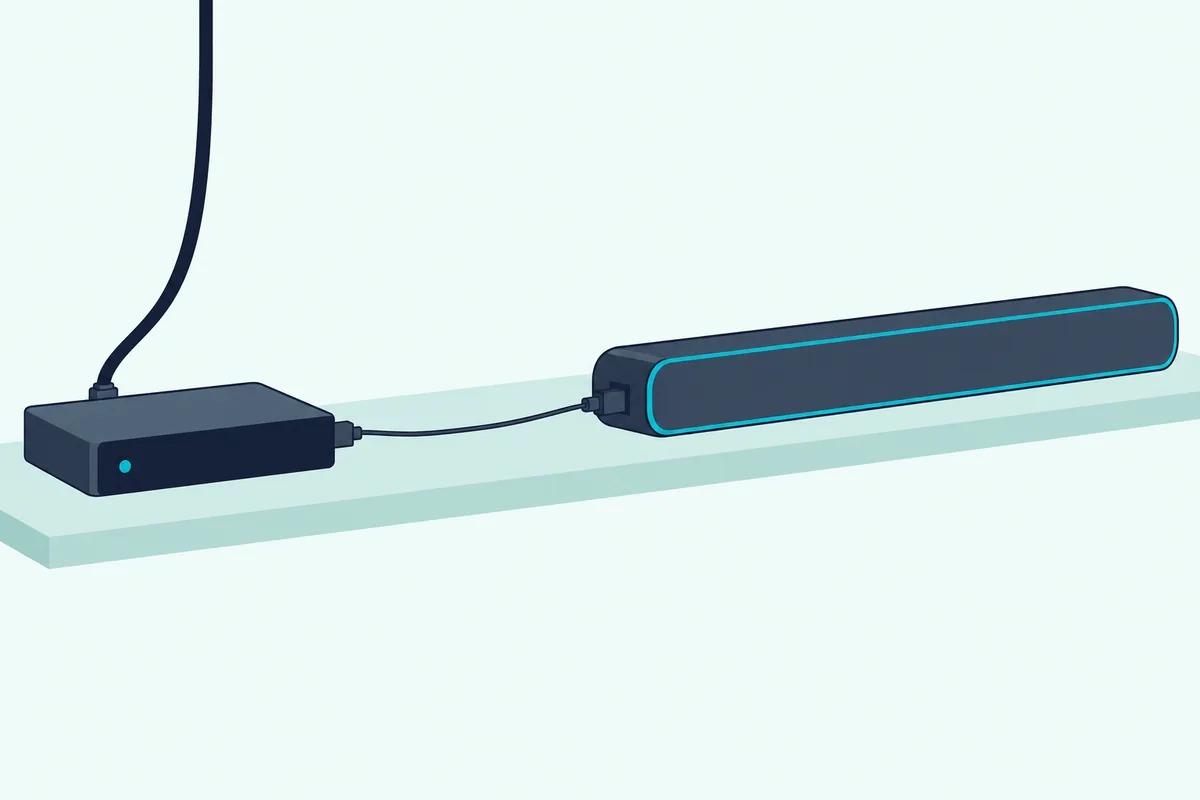
Check the back of your box first, because not every box has the jack. DirecTV’s HD DVR guide shows a DIGITAL AUDIO OUT OPTICAL jack on its receivers, and Xfinity’s X1 menu has a separate Digital Audio Output (Optical/SPDIF) setting, which only makes sense on a box with the port.
Bose packs an optical cable with the Smart Soundbar, while Sony’s HT-A7000 guide and Samsung’s manual both mark it “not supplied.” If yours has none, Amazon Basics’ 6 ft TOSLINK cable covers a box on the shelf below the bar.
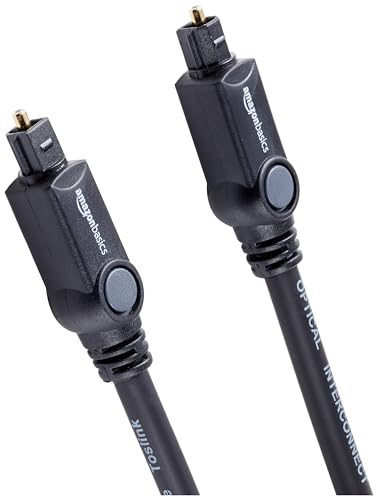
Amazon Basics’ 6 ft TOSLINK cable
Skipping the TV has a price. The bar now hears only the cable box, so the TV’s own apps need the TV’s speakers or a second cable, and with no HDMI cable to the bar, the TV remote’s HDMI-CEC volume link is gone too.
Same ceiling as before: optical carries Dolby Digital 5.1 but not Dolby Digital Plus or Atmos, which is why Burton Acoustix’s HDMI-versus-optical comparison treats it as the fallback, not the first choice. For a cable box sending Dolby Digital 5.1, the fallback loses nothing in format.
What About the Red and White or Coaxial Jacks?
Those older jacks still work, at a lower ceiling than optical. DirecTV’s HD DVR guide ranks its audio outputs in order: optical first, then digital coax, then the red and white RCA jacks, which carry an analog signal and miss “the benefits of digital quality sound.”
The red and white pair suits a bar with an AUX or analog input, and it’s two channels only, so a 5.1 channel plays in stereo. VIZIO’s SB3830 shows the usual match: an AUX jack (3.5 mm stereo) on the bar and a stereo RCA to 3.5 mm cable in the box.
Coaxial digital needs a bar with a coaxial input, such as VIZIO’s SB3830, whose guide says Dolby Digital and DTS play only on its Coaxial In or Digital Optical Audio In. Bose’s guide sends owners whose TV has no HDMI or optical port to “an audio converter and separate audio cable, such as a coaxial, 3.5 mm or analog audio cable,” with the converter chosen to suit the ports.
So the analog route is a last resort for an old box or an old bar. If the box has optical and the bar has an optical input, layout 3 beats both of these.
Which Audio Format Should the Cable Box Send?
Once the cables are right, the box’s own audio menu decides whether the bar gets 5.1 or stereo. Dolby’s sound bar setup guide warns that the default setting on many set-top boxes is stereo PCM, and tells owners to set the cable box to bitstream output (Dolby).
Bitstream means the box sends the Dolby Digital track as it arrives and lets the bar decode it. PCM means the box decodes it first, and the stereo PCM that Dolby names as the usual default is two channels.
Each provider names the setting differently, and these are the paths the providers and Nakamichi publish:
| Box | Where the setting lives | Choose for a surround bar |
|---|---|---|
| Xfinity X1 (HDMI) | Xfinity button > Settings > Device Settings > Audio > HDMI Audio Output | Auto Detect, or Expert mode |
| Xfinity X1 (optical) | Same Audio screen > Digital Audio Output (Optical/SPDIF) | Dolby Digital 5.1 |
| Spectrum (Charter box) | Menu > Settings > Preference > Audio, Video & Display | Bitstream, Dolby or DTS, whichever is offered |
| Spectrum (Motorola box) | Settings > Quick Settings > Devices > Digital Audio Output > HDMI | Dolby Digital |
| AT&T U-verse | Options > Audio / Language > Digital Audio Output | Surround Sound |
| DirecTV HD DVR | MENU > Settings & Help > Settings > Audio | Dolby Digital On |
Xfinity’s menu offers HDMI Audio Output as Stereo, Auto Detect or Expert mode, and Digital Audio Output (Optical/SPDIF) as Stereo or Dolby Digital 5.1. Nakamichi’s X1 page picks Expert Mode for Dolby Atmos and says the X1 sends streaming apps’ Atmos as Dolby Atmos MAT.
Stereo is still the safe fallback. Nakamichi passes on reports that the X1 may skip with Dolby Digital audio and suggests the Stereo setting if it does, which trades the 5.1 channels for steady sound.
Don’t expect every channel to light up the bar’s Dolby indicator either. DirecTV’s guide says not all TV programs deliver Dolby Digital 5.1 and points to the Dolby Digital icon in the program description, and Nakamichi gives the same warning for Xfinity, Spectrum and U-verse.
A quick test tells you what’s arriving. Nakamichi’s pages have its owners press INFO on the bar’s remote or count the bar’s front LEDs (three for Dolby Digital, two for DTS), and Dolby’s guide says a bar decoding Atmos shows an on-screen message or an indicator light.
Which TV Settings Decide Whether the Bar Plays?
With the box sending Dolby Digital, layout 1 still depends on three TV settings. The speaker output has to point at the bar, HDMI-CEC has to be on, and the TV’s digital output has to pass the format through rather than turn it into stereo.
Speaker output comes first. Sony’s 2022 BRAVIA guide sets it under Settings, Display & Sound, Audio output, Speakers, Audio system, and Sony’s HT-S2000 guide says some TVs make that switch on their own when the bar is connected.
HDMI-CEC is the second, and each TV brand gives it a name of its own. On a Sony TV it’s BRAVIA Sync, and Sony’s soundbar guides call it Control for HDMI, which is the switch the HT-S2000 guide says TV sound depends on.
The digital output format is the third. Sony’s 2022 guide keeps Digital audio out on PCM only for an audio system that isn’t compatible with Dolby Digital or DTS, and Roku’s TVs offer an Auto passthrough setting under Settings, System, Audio, S/PDIF and ARC that delivers Dolby Digital, Dolby Digital Plus or DTS unchanged when the bar supports it.
Roku adds a warning about that setting. With Auto passthrough on, formats the bar doesn’t support may be converted to stereo PCM, so a bar that only shows stereo may be telling you about its own limits, not the cable box’s.
Sony’s guide notes one more quirk of passthrough: with Pass through mode on Auto or an eARC link, the TV’s own menu sounds and voice responses don’t play. That’s expected behavior, not a fault in the wiring.
How Do You Get the Cable Remote to Change the Soundbar’s Volume?
That HDMI-CEC switch from the last section also hands volume to the TV remote. Sony’s HT-A3000 guide says that with Control for HDMI on, turning the TV on or off powers the bar too, and the TV remote adjusts the bar’s volume, though Sony warns the link may not work with other makers’ devices.
The cable remote is the other route, and it doesn’t rely on CEC. Xfinity’s pairing steps ask “Do you want to use your remote to control your TV power and volume?” and then “Do you want to control your audio receiver using your remote?”, where you type the soundbar’s brand and test the volume.
Xfinity’s Voice Remote overview says the VOL buttons work once the remote is paired with a valid TV or AV receiver code. Some versions can also be paired to switch an audio device on and off.
Xfinity also offers an online Remote Code Lookup tool for TVs and sound systems. If the volume test fails during pairing, its steps have you select It Doesn’t Work and try again.
Nakamichi’s Xfinity CEC page puts the same two questions under Settings, Remote Settings, TV and Volume Control. It adds a fix for a bar that drops its link to the TV after an update: unplug the bar from the wall, wait two minutes and plug it back in.
On layout 3, the box’s optical cable carries no control at all, so the remote route is the only one. DirecTV owners will find the Genie and universal remote steps on the DirecTV page linked above.
Why Is There No Sound, or Only Stereo?
Silent setups trace back to the settings above, and checking them in order saves time. Start at the bar: Sony’s HT-S2000 and Samsung’s HW-Q990D guides each have you select the right input (TV or HDMI ARC for layout 1, HDMI 1 or 2 for layout 2, D.IN or optical for layout 3).
Then check the TV for layout 1. Its speaker output must be set to the audio system and CEC must be on, or Sony says TV sound won’t reach the bar.
If the bar plays but only in stereo, look at the cable box first. Dolby says many set-top boxes default to stereo PCM, so set it to bitstream, Dolby Digital or Auto Detect, then tune to a channel that shows the Dolby Digital icon.
Still stereo with the box on Dolby Digital? The TV may be converting the sound, which is the case Nakamichi sends to the box’s optical output, so try layout 3 with the box’s Optical Out.
Sound that skips has its own fix, and Nakamichi’s X1 page suggests the box’s Stereo setting. For a bar that won’t connect through the TV’s ARC port, Samsung’s manual says the connected external device, such as a set-top box, may be the reason, and to connect the bar directly.
No picture on layout 2 while the bar is off points to the bar’s settings, not the box. Sony’s Standby Through setting has to be on for a device on the bar to reach the TV while the bar is switched off.
Does a Satellite Box Connect the Same Way?
Yes, the same three layouts apply, because a satellite receiver is another HDMI source with its own audio menu. DirecTV’s HD DVR guide lists HDMI, digital optical, digital coax and RCA audio outputs, and its Audio screen turns Dolby Digital on or off.
DISH’s own support site turned away this page’s script, so its menus here come from Nakamichi’s DISH page for the 50.0 to 54.0 software. That page runs the DISH box to the TV by HDMI and the TV’s ARC port to the bar, then goes Home twice, Settings and Audio Output, where the Dolby Digital Pass-through setting sits.
For DirecTV, the full walkthrough of cables, the Dolby Digital setting and both remotes is in our DirecTV guide. For every other box, the cable box steps above carry over unchanged.
Frequently Asked Questions
Should the cable box plug into the TV or the soundbar?
Into the TV, in most homes. Sony’s HT-S2000 guide and Sonos’s Arc guide both connect cable and satellite boxes to the TV by HDMI and let the TV’s ARC or eARC port pass the sound to the bar, and DirecTV says its receiver should connect directly to the TV for the best picture. Plug the box into the bar only if the bar has an HDMI input and the TV has no ARC or won’t pass 5.1.
How do I connect a cable box to a soundbar without HDMI?
Use the box’s optical output. Run an optical cable from the box’s OPTICAL or DIGITAL AUDIO OUT jack to the bar’s optical input, keep an HDMI cable from the box to the TV for the picture, and set the box’s optical output to Dolby Digital 5.1 (on Xfinity X1) or its equivalent. With no optical jack, DirecTV’s guide puts digital coax next and the red and white RCA jacks last, and both need a bar with a matching input.
Can a cable box connect to a soundbar with Bluetooth?
The provider and soundbar pages read for this guide don’t describe it, so this guide can’t confirm it works. Samsung’s HW-Q990D manual presents the bar’s Bluetooth as a way to hear stereo sound from a mobile device, and the box guides wire soundbars with HDMI or optical. Use one of the wired layouts above for TV sound.
Do I need a special HDMI cable for a cable box and soundbar?
Usually not. HDMI Licensing Administrator says all HDMI cables support ARC between ARC-enabled devices, and Nakamichi asks for an HDMI-certified High Speed cable with 18 Gbps of bandwidth from the box to the TV. The exception is layout 2 with a 4K box, where Samsung’s HW-Q990D manual requires a certified Ultra High Speed HDMI cable to pass UHD signals through the bar.
Why does the soundbar show Dolby on some channels and not others?
Because not every channel sends 5.1. DirecTV’s guide says not all programs deliver Dolby Digital 5.1 and that the Dolby Digital icon in the program description shows which do. If no channel ever shows Dolby, check the box’s audio setting first, since Dolby says many set-top boxes default to stereo PCM.