Does a Vizio Soundbar Work With a Roku TV?
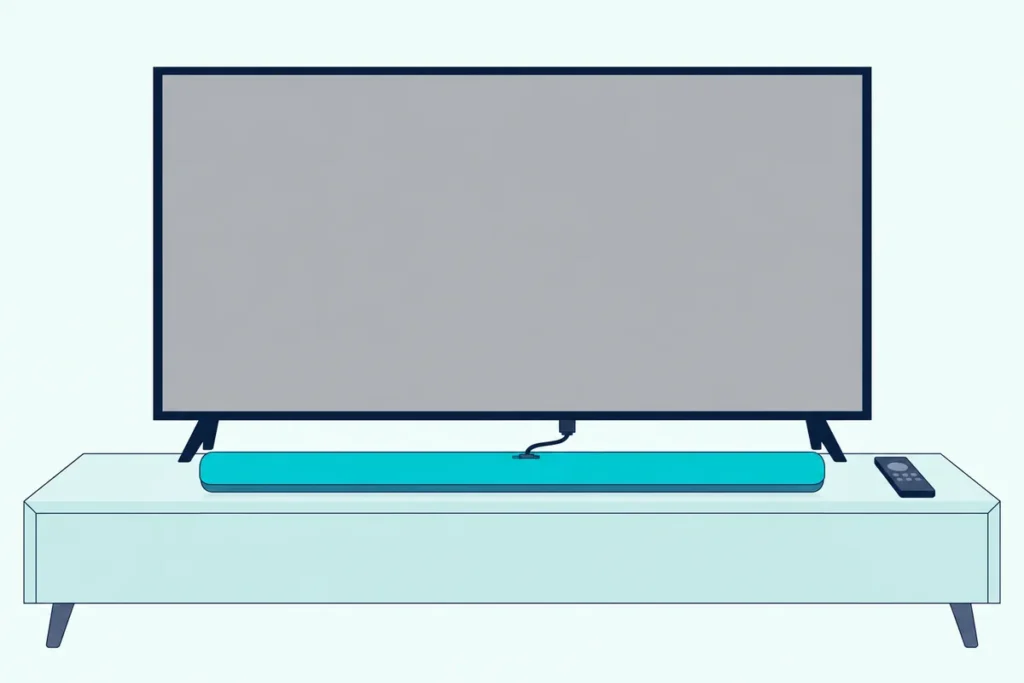
Does a Vizio soundbar work with a Roku TV? Yes, over the TV’s HDMI ARC or eARC port with CEC switched on, or over an optical cable when the bar or the port rules HDMI out.
The catch is that the cable alone often isn’t enough, so the bar stays silent or the Roku remote turns the TV up instead of the bar.
Two check boxes in one Roku menu, ARC and System audio control, deal with both, and they let the Roku remote run the Vizio bar’s volume and mute.
The first thing to find is the HDMI port on the TV marked ARC or eARC, because that socket decides how much works.
Below are the HDMI steps, the audio setting to pick, the optical fallback, the remote question and the fixes for silence, lag and Dolby Atmos.
Does a Vizio Soundbar Work With Any Roku TV?
That ARC or eARC port is why the answer doesn’t depend on who built the TV. Roku says all Roku TV models have a type of HDMI ARC connection and a digital audio output, and a Vizio bar can use either one (Roku’s article on surround sound for Roku TVs).
ARC and CEC are shared HDMI features, so a Vizio bar doesn’t need a Vizio TV. Vizio’s SV210M-0808 manual says to enable CEC on your TV and use its ARC or eARC port, after which “you can use your existing TV remote control” for the bar.
Vizio even documents the cross-brand case: on a non-Vizio TV, the SV210M-0808’s LED blinks with every volume step.
The menus in this guide are Roku’s, which is why they apply to Roku TVs from different makers. TCL’s own Roku TV article walks the same Settings > System > Control other devices (CEC) path, and for the bar’s side on any TV, Burton Acoustix’s Vizio sound bar hookup guide goes port by port.
How Do You Connect a Vizio Soundbar to a Roku TV With HDMI ARC?
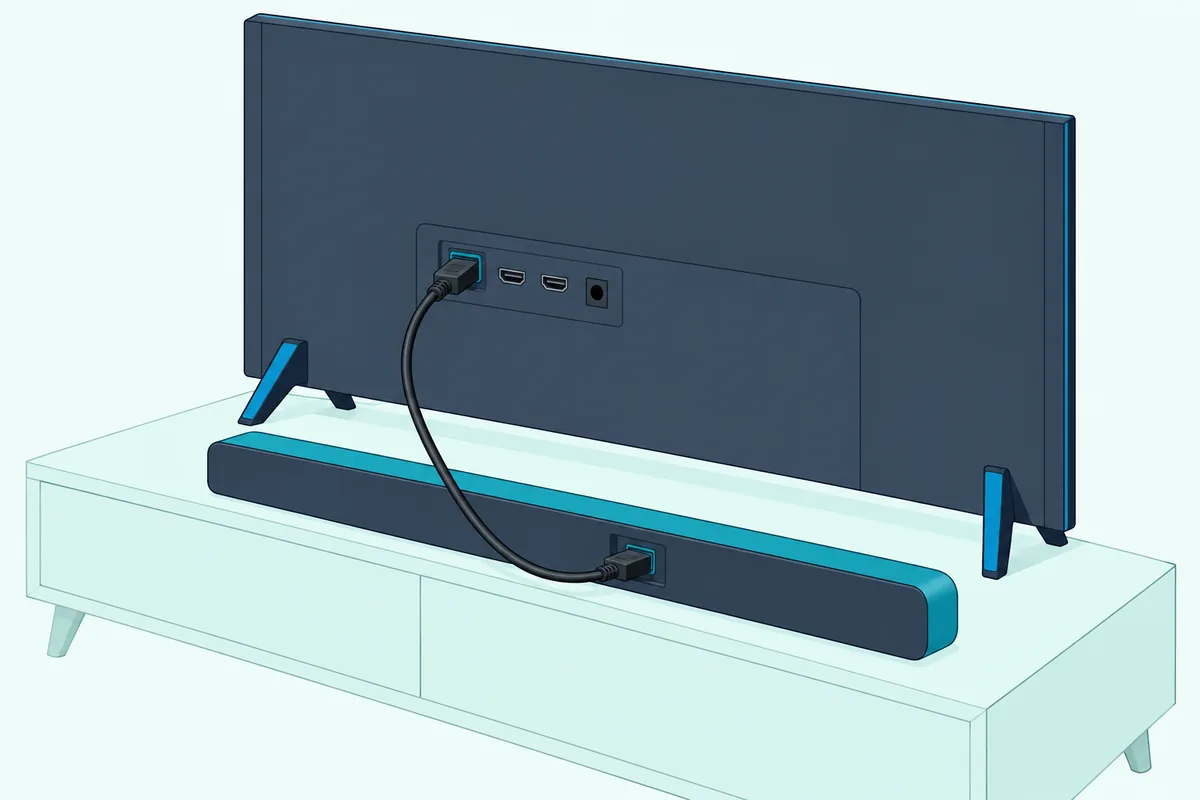
Those Roku menus come into play right after the cable goes in. Run one HDMI cable from the TV’s ARC or eARC port to the bar’s ARC socket, then tick ARC in the TV’s CEC menu, in this order from Roku’s own steps:
- Plug one end of the HDMI cable into the Roku TV’s port labeled HDMI ARC or eARC, not a regular HDMI input.
- Plug the other end into the Vizio bar’s socket marked HDMI (ARC), HDMI (eARC) or HDMI Out (eARC), depending on the model.
- On the TV, press Home, then go to Settings > System > Control other devices (CEC).
- Highlight ARC (or eARC) and press OK to check the box.
- In the same menu, check System audio control and 1-touch play.
- Press Input on the bar until its light shows the HDMI input.
Step 4 matters more than it looks. TCL says HDMI ARC is disabled by default on its Roku TVs, and that enabling it also turns on System audio control.
The light in step 6 is your confirmation. The V51x-J6 and V21d-J8 show magenta for HDMI (ARC), and the M51ax-J6 shows magenta for HDMI (eARC).
Roku’s newer CEC article, updated 12 Oct 2026, gives a second route, Settings > Audio > Audio Output > eARC, so use whichever path your menu shows.
Vizio bars such as the V51x-J6, V21d-J8 and SV210M-0808 come with the cable. If yours is missing, UGREEN’s 6.6 ft certified HDMI cable is sold as Certified Ultra High Speed, the cable class Roku names for eARC.

UGREEN’s 6.6 ft certified HDMI cable
Get Studio Tips Weekly
Join 5,000+ creators getting acoustic treatment advice every week.
No spam. Unsubscribe anytime.Which Roku TV Audio Setting Should a Vizio Bar Use?
That ARC box leads to a second menu, the one that decides which sound format the TV sends the bar. Leave Settings > System > Audio > S/PDIF and ARC on Auto detect, Roku’s default, which reads the bar’s abilities over the HDMI connection.
Roku lists three kinds of choice there:
| S/PDIF and ARC choice | What Roku says it does | When to use it with a Vizio bar |
|---|---|---|
| Auto detect | Default; detects the sound system’s abilities over HDMI | Start here on any HDMI hookup |
| Auto passthrough | Sends Dolby Digital, Dolby Digital Plus or DTS unchanged when the bar supports it; unsupported formats may become stereo PCM | When you want the bar to decode the format itself |
| A specific audio format | For when the system’s abilities aren’t detected correctly | When Auto detect picks wrong and you know the bar’s formats |
Roku’s article doesn’t name the formats inside that last choice, so this guide won’t guess them. Vizio’s cure for a format the bar can’t play is setting the TV’s output to PCM, a fix that comes up again below.
For the same menu with other bars, the guide to hooking any soundbar to a Roku TV walks through each choice.
Can You Connect a Vizio Soundbar to a Roku TV With Optical?
That S/PDIF label is also the name of the fallback port. Yes, a Vizio bar with a Digital Optical input works on a Roku TV’s digital audio output, which Roku says is usually labeled Digital audio out or Digital output and takes an optical (TOSLINK) cable.
Pull the small plastic cap off each plug first. Roku warns that leaving the caps on can cause a faulty connection or damage the cable or the port.
On the bar, the light confirms the input. The V51x-J6, V21d-J8 and SB2021n-J6 all show red for Digital Optical, and the SB2021n-J6 has no HDMI socket at all, so its TV links are optical, coaxial or analog.
Check the bar before buying a cable. The SV210M-0808 has only an HDMI (eARC) socket for the TV, and Vizio tells owners whose TV needs optical to contact its support team.
Amazon Basics’ 9.8 ft Toslink cable fills the gap, since the V51x-J6 marks its optical cable as not included.
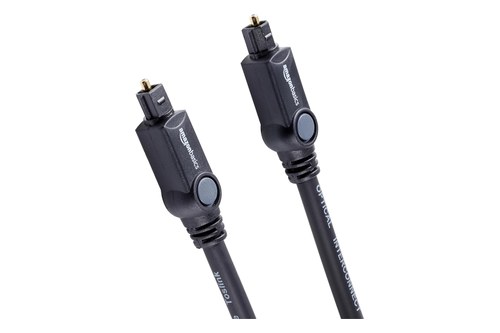
Amazon Basics’ 9.8 ft Toslink cable
Optical trades away formats. Roku says S/PDIF is limited to two channels of uncompressed PCM or 5.1 compressed Dolby Digital or DTS, so Dolby Atmos and Dolby Digital Plus need HDMI.
Will the Roku TV Remote Control the Vizio Soundbar’s Volume?
That format limit isn’t the only thing optical gives up, because the remote link travels over HDMI too. Over ARC with CEC on, yes: Roku says the Roku TV remote can then adjust the volume and mute your soundbar and show the level and mute status on screen.
The box that does it is System audio control, from step 5 above. Vizio’s V51x-J6 manual names the same feature, telling owners who want the TV remote to run the bar’s volume to “Enable System Audio Control from the CEC menu” (Vizio’s V51x-J6 owner’s manual).
Power can follow too. The SV210M-0808 wakes up when you turn the TV on with its remote and drops into standby when the TV powers off.
Optical is the harder case, since CEC doesn’t travel down an optical cable. Several Vizio bars can learn a TV remote’s infrared volume and mute buttons instead, through SETUP > Prg Remote on the V51x-J6 or a held OK and volume button on the SB2021n-J6.
Roku’s support pages don’t say whether a given Roku remote’s volume buttons send infrared, so let the bar tell you: on the V51x-J6, all the LEDs blink twice once it has learned a button. The guide to controlling any soundbar with a Roku TV remote covers which Roku remotes can run a bar at all.
Why Is There No Sound, Wrong Volume or Lip-Sync Drift?
Once the remote behaves, the faults left are about the sound itself. Most trace back to the ARC box, the bar’s input or the audio format.
For silence with a working picture, Roku’s answer is the ARC box. Its troubleshooting says to use the port labeled ARC or eARC, set the output to HDMI ARC or eARC, and keep CEC on, because many TVs need CEC for ARC to work (Roku’s HDMI-CEC and ARC article).
Then check the bar. Press Input until the light matches the cable you used, and on the V51x-J6 watch for input lights flashing rapidly, which Vizio says means an unsupported format; the fix is setting the source to PCM.
Vizio’s no-sound list adds one TV setting: the audio output should be Fixed or Standard, not Variable. The SV210M-0808 shows the format problem its own way, with a rapid yellow flash.
Volume that changes on the TV but not the bar points to System audio control. If CEC still misbehaves with the box checked, Roku suggests unplugging every HDMI device and the TV for about a minute, then plugging in the TV first and the audio device next.
Lip-sync drift has fixes on both ends. Roku says that when the sound comes after the picture, set the TV’s digital audio output to PCM and turn off Game Mode, and when the sound comes first, turn off motion smoothing or noise reduction (Roku’s A/V sync article).
The bar can shift its timing too. The V51x-J6 has AV Delay under its LEVEL menu, and the SV210M-0808 offers AV Delay in the Vizio app.
How Do You Get Dolby Atmos From a Vizio Bar on a Roku TV?
Those format checks matter most for Dolby Atmos, the format with the strictest rules. You need eARC on both the Roku TV and the bar, plus a High Speed HDMI cable with Ethernet or an Ultra High Speed cable, which Roku says includes Ethernet support.
Roku notes that Dolby Atmos does play over plain ARC, but only in a compressed form. eARC carries it uncompressed, and Roku adds that eARC is only on select Roku TV models, so check for the eARC label on the port.
The bar must be an Atmos model with an eARC socket. Vizio’s M51ax-J6 and M213ad-K8 manuals say Atmos is available on HDMI eARC and HDMI In, and both show a green light when Atmos is detected.
The SV210M-0808 lights green for Atmos and yellow for DTS:X. If an Atmos film plays with no green flash, recheck the eARC box in step 4 and the cable before blaming the bar.
Frequently Asked Questions
Can you pair a Vizio soundbar to a Roku TV over Bluetooth?
Roku’s help doesn’t describe it. Its Bluetooth article covers phones, tablets and computers playing into a Roku device, and Bluetooth headphones work only on the Roku TV models its Headphone Mode article lists. Vizio’s bars pair with phones, such as the V51x-J6 after a five-second hold of its Bluetooth button, so for TV sound the HDMI ARC cable is the route both makers document.
Does a Vizio soundbar work with a TCL, Hisense or onn Roku TV?
Yes, the same way. Roku writes its steps for every Roku TV, and TCL’s own Roku TV article uses the same Settings > System > Control other devices (CEC) path shown above.
Is a Vizio soundbar on a Roku TV the same as on a Samsung TV?
The cable steps match, but the switch names change. Roku’s CEC article gives Samsung’s name for the feature, Anynet+, and the guide to whether a Vizio soundbar works on a Samsung TV covers those menus.