How to Reset a Sony Sound Bar (BRAVIA Theater, HT-A and HT-S)
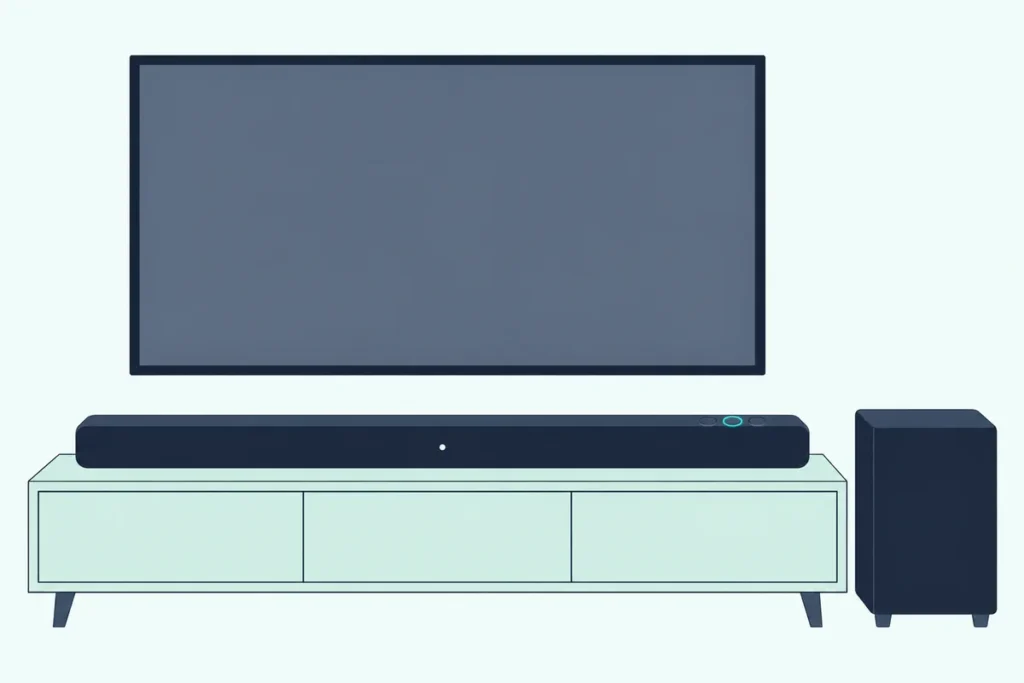
Here’s how to reset a Sony sound bar: hold Power on a BRAVIA Theater bar for more than 10 seconds, or hold Power and Volume – together for more than 5 seconds on an HT-A7000, HT-A5000 or HT-A3000.
The catch is that Sony’s lines don’t share one reset, and on a Bar 6 or Bar 5 the bar’s reset takes the subwoofer with it unless the sub is switched off.
Run the right one and the settings go back to their initial state, ready to set up again in Sony’s app or on your TV screen.
The table below gives each line’s reset from Sony’s own help guides, from the BRAVIA Theater Bar 9 and Quad to the HT-A9 and HT-S2000.
After it come the subwoofer and rear speakers, the remote, what a reset erases and what to do when a bar won’t reset.
How to Reset a Sony Sound Bar: Which Reset Does Your Model Use?
That split between lines is why the model comes first, and a BRAVIA bar shows it in its Bluetooth name (BRAVIA Theatre Bar 9, for example) unless someone renamed it in the app. To reset a Sony sound bar, find its line here and use exactly the buttons and hold time Sony lists:
| Sony model | Reset in Sony’s help guide | What Sony says happens | Then |
|---|---|---|---|
| BRAVIA Theater Bar 9, Bar 8 | Hold Power on the bar for more than 10 seconds | The status light flashes white and blue until the reset ends | Unplug, plug back in once the light is off, set up in the BRAVIA Connect app |
| BRAVIA Theater Bar 7 | Hold Power on the bar for more than 10 seconds, until the reset sound | White and blue flashing, then the bar restarts with its power-on sound | Set up in the BRAVIA Connect app |
| BRAVIA Theater Bar 6, Bar 5 | Hold Power on the bar for more than 10 seconds | White and blue flashing; a connected subwoofer resets too | Set up in the BRAVIA Connect app; press LINK on the sub if it doesn’t reconnect |
| BRAVIA Theater Quad | Hold Power on the control box for more than 10 seconds; LINK under each speaker for more than 10 seconds | Each speaker flashes red slowly, then green and amber | Unplug each speaker, plug back in once its light is off, set up in the app |
| BRAVIA Theater System 6 | Hold Power on the subwoofer for more than 10 seconds; LINK on the wireless amplifier for more than 10 seconds | The subwoofer’s light flashes white and blue, then lights white | Set up in the BRAVIA Connect app |
| HT-A7000, HT-A5000, HT-A3000 | HOME, then Setup, Advanced Settings, Resetting; or hold Power and Volume – on the bar for more than 5 seconds | The chosen group of settings, or all settings, return to factory default | Easy Setup on the TV screen |
| HT-A9 | The same menu, or hold Power on the control box for more than 10 seconds | Settings return to their initial status | Reconnect the speakers if their link drops |
| HT-S2000 | Touch Power and Volume – on the bar together for more than 5 seconds | Settings return to their initial status | Set up in the BRAVIA Connect app |
| HT-AX7 | With the rear speakers on the front speaker, hold BLUETOOTH and Volume – for more than 5 seconds | Settings return to their initial status | Delete the old pairing on your phone and pair again |
Every row comes from that model’s Help Guide on Sony’s own help site, such as the BRAVIA Theatre Bar 9/Bar 8 reset page. Sony’s help guides spell the line “Theatre,” while US listings say “Theater.”
Older bars such as the HT-S100F, HT-S350 and HT-CT80 have no Help Guide that could be found, so they’re covered further down. Bars from other brands follow different rules, and Burton Acoustix’s guide to resetting any soundbar covers those.
How Do You Reset a BRAVIA Theater Bar?
Those first rows share one move, a long press of the bar’s own Power button. To reset a Bar 9, Bar 8 or Bar 7, press and hold Power on the bar for more than 10 seconds; the main status light flashes white and blue while the reset runs.
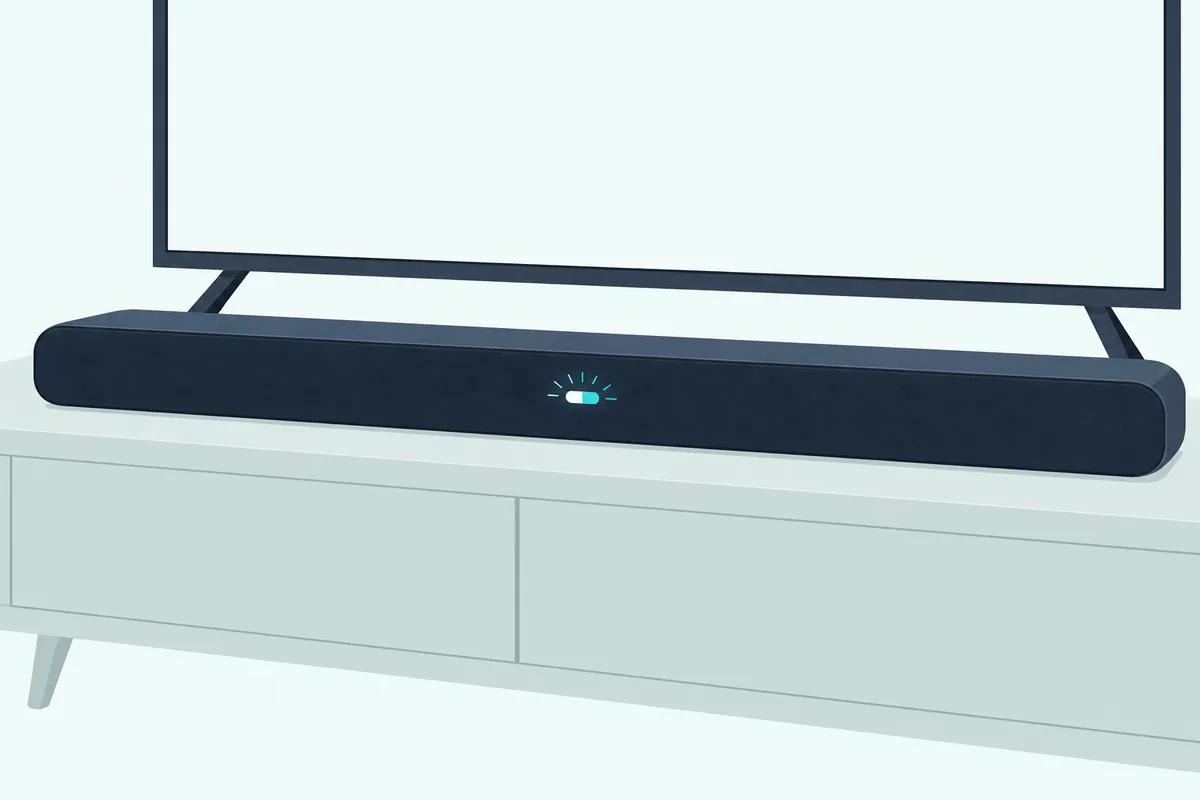
- Press and hold Power on the bar itself for more than 10 seconds (on the Bar 7, until the reset sound plays).
- Watch the main status light flash white and blue; the reset is running.
- On a Bar 9 or Bar 8, wait for the flashing to stop, unplug the power cord, then plug it back in once the light is off.
- On a Bar 7, wait for the bar to restart, flash white and play its power-on sound.
Sony’s Bar 9 and Bar 8 guide puts this reset fifth in its troubleshooting order, after unplugging the bar and waiting several minutes before plugging it back in. Try that first, since the reset returns every setting to its initial state.
One setting can keep some information through a Bar 9 or Bar 8 reset. If External Control is switched on, a setting Sony says is for custom installers only, hold NIGHT on the remote for 5 seconds, then press Volume +, Volume – and Mute in that order before you reset.
Get Studio Tips Weekly
Join 5,000+ creators getting acoustic treatment advice every week.
No spam. Unsubscribe anytime.Which BRAVIA Theater Systems Reset Speaker by Speaker?
Unlike the Bar 9 and Bar 8, the BRAVIA models that come with extra boxes give each box its own reset. Those are the Bar 6, Bar 5, Quad, System 6 and Trio, and on a Bar 6 or Bar 5 the bar’s Power reset takes a connected subwoofer with it.
Holding Power on the bar for more than 10 seconds resets it, so switch the subwoofer off first to reset only the bar. To reset just the subwoofer, hold LINK on it for more than 10 seconds.
Its light flashes white and blue, then turns red, and it reconnects and lights white once the bar is on, as the Bar 6 reset page describes.
The Quad splits the job between a control box and four speakers. Power held on the control box for more than 10 seconds resets the box, and LINK held under a speaker for more than 10 seconds resets that speaker, whose light flashes red slowly and then alternates green and amber.
Each Quad speaker then needs its power cord unplugged and plugged back in once its light goes off, according to Sony’s BRAVIA Theatre Quad reset page. The External Control step from the Bar 9 section applies here too.
The System 6 runs from its subwoofer, which Sony calls the main unit, instead of the bar. Power held on the subwoofer for more than 10 seconds resets it, LINK held on the wireless amplifier for more than 10 seconds resets the amplifier, and as with the Bar 6, resetting the subwoofer resets a connected amplifier too unless the amplifier is off.
The BRAVIA Theater Trio’s center speaker resets like a Bar 7, with Power held for more than 10 seconds until the reset sound plays. Its two front speakers reset with LINK, each held for more than 10 seconds.
What’s Different About the HT-A7000, HT-A5000 and HT-A3000?
Those resets all happen on the hardware, while Sony’s HT-A bars add a menu reset on the TV screen. To reset an HT-A7000, HT-A5000 or HT-A3000, press HOME on the remote and choose Setup, Advanced Settings, then Resetting, pick the group of settings and select Start.
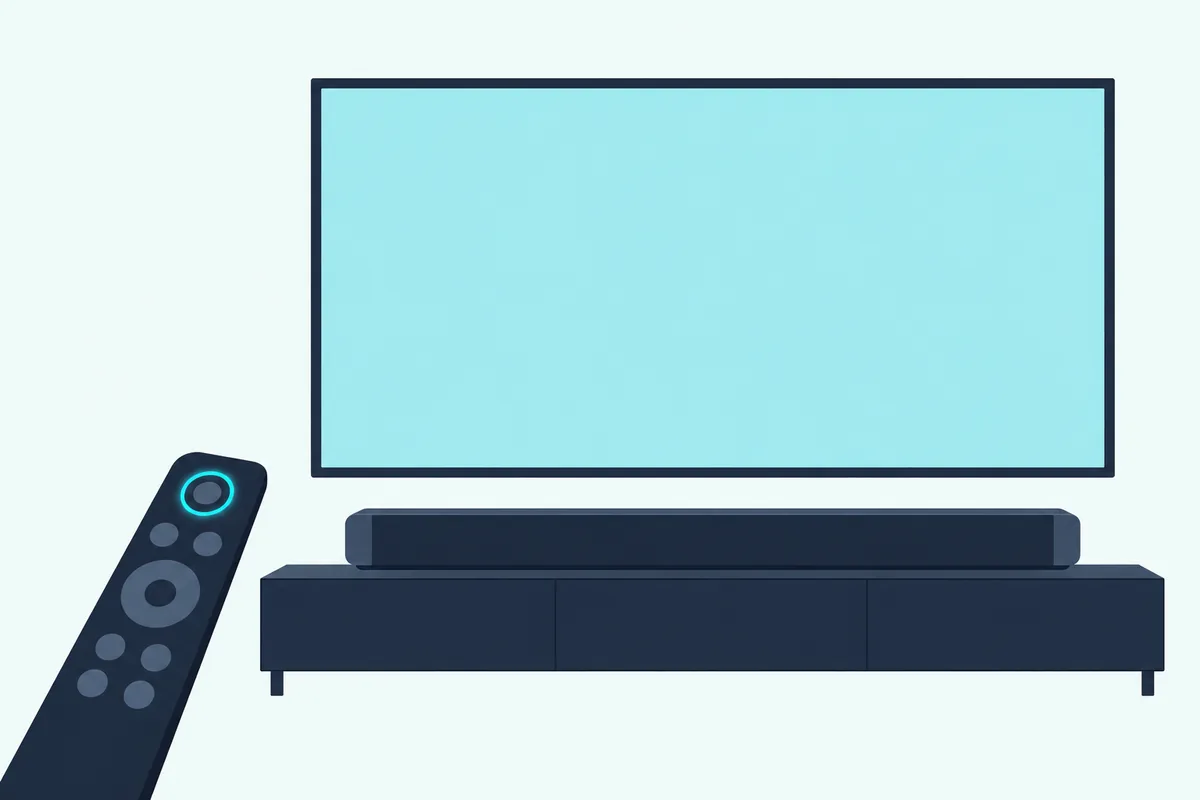
- Press HOME; the home menu appears on the TV.
- Choose Setup, then Advanced Settings, then Resetting.
- Pick the group of settings to reset; every setting in that group goes back to factory default.
- Select Start, or Cancel if you change your mind.
If the menu won’t come up, press and hold Power and Volume – on the bar for more than 5 seconds, as the HT-A7000’s reset page shows. That two-button reset returns all settings to their initial status, not just one group.
The same two-button hold is Sony’s fix for demo mode. If the front display shows .DEMO when you press Power and the bar won’t turn off, the reset cancels it.
Which Buttons Reset the HT-A9, HT-S2000 and HT-AX7?
The HT-A9 uses that same menu, but its fallback moves to the control box. If the menu can’t be used, hold Power on the control box for more than 10 seconds; each speaker resets with its own Power button underneath, held for more than 10 seconds, while its light flashes red slowly and then alternates green and orange.
After a speaker’s reset, Sony has you unplug its power cord and plug it back in once the light goes off. The HT-A9’s own settings return to their initial status, and the speakers may need reconnecting.
The HT-S2000 uses touch buttons, so the reset is a touch rather than a press. Touch Power and Volume – on the bar at the same time for more than 5 seconds, as the HT-S2000’s reset page puts it, and the settings return to their initial status.
The HT-AX7, Sony’s portable theater system, resets with its rear speakers sitting on the front speaker. Hold BLUETOOTH and Volume – on the front speaker for more than 5 seconds, then delete the HT-AX7 and LE_HT-AX7 entries from your phone’s Bluetooth list.
What About Older Sony Bars Like the HT-CT80 and HT-S350?
Every model so far has a Help Guide, and no Help Guide could be found for Sony’s older bars. The HT-S100F, HT-SF150, HT-S350, HT-S400, HT-S20R, HT-S40R, HT-X8500, HT-G700 and HT-CT80 operating instructions couldn’t be read for this guide either, so this page gives no steps for them.
Sony’s support site files a help article called “How to reset the soundbar or home theater system” under models such as the HT-S100F, HT-S350 and HT-S20R, and that’s the place to check yours. Borrowing a newer line’s buttons isn’t a safe guess, since even the current lines use different buttons and hold times.
How Do You Re-Pair the Subwoofer and Rear Speakers?
Whichever reset you used, the subwoofer and any rear speakers may lose their link, a warning in most of the guides above. On a Bar 9, Bar 8 or Bar 7, re-pair them in the BRAVIA Connect app under Settings, then Wireless Speaker Settings, where Wireless Speaker Connection sets up an optional subwoofer or rear speakers.
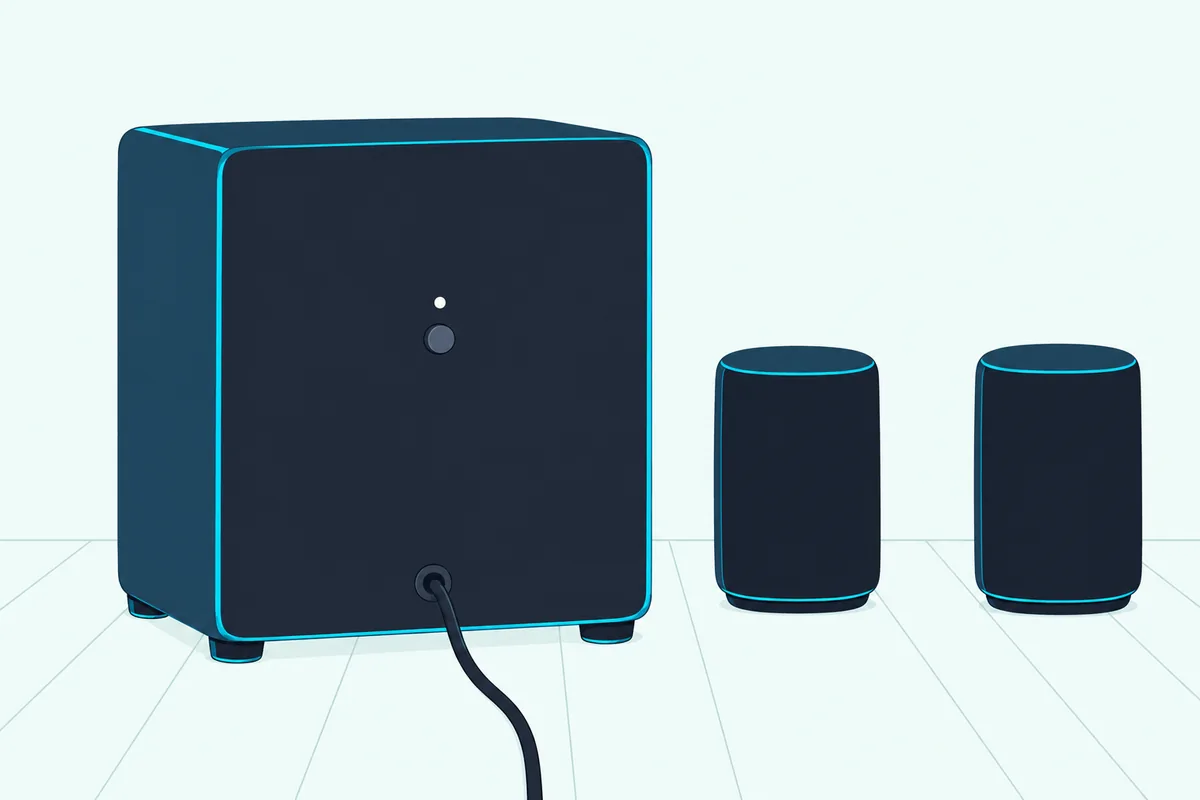
The bars and systems with a sub in the box reconnect from the hardware. Press LINK on the back of the subwoofer on a Bar 6 or Bar 5, or on the back of the wireless amplifier on a System 6.
The HT-S2000 does it in the app, under Settings and Wireless Speaker Connection Settings, with an Automatic Link and a Start Manual Link option. The HT-A7000, HT-A5000 and HT-A3000 do it on the TV:
- Press HOME and choose Setup, then Advanced Settings.
- Choose Speaker Settings, then Wireless Speaker Settings, then Start manual linking.
- Press LINK on the optional speaker, whose light flashes twice, repeatedly, in green or white.
- Select Start, wait for Connected, then select Finish and press the enter button.
Sony adds that starting a manual link switches the bar’s Link mode to Manual, and it tells you to update the bar’s software before linking. Our steps to pair a Sony subwoofer with its soundbar explain what each light on the sub means.
An optional BRAVIA Theater Sub 9, Sub 8, Sub 7, Rear 8 or Rear 9 can be reset on its own, too. With it switched on, hold LINK for more than 10 seconds until the reset sound plays; it flashes white and blue, turns off, and comes back on with a press of LINK.
Can You Reset a Sony Sound Bar Without the Remote?
That LINK button is one of several resets that need no remote. Yes, you can reset a Sony sound bar without the remote: every reset in the BRAVIA line uses the Power button on the bar, control box or subwoofer and the LINK buttons, and the HT-A bars and HT-S2000 have a two-button reset on the bar itself (the HT-A9 uses its control box).
For the resets themselves, the remote matters in two places. The HT-A bars’ menu reset starts with HOME on the remote, and the External Control step on the Bar 9, Bar 8 and Quad uses the remote’s NIGHT, volume and Mute buttons.
The BRAVIA Connect app also has a remote control screen, and a BRAVIA bar’s settings open from it, so a lost remote doesn’t keep you out of them. Sony’s help guides give no reset for the remote itself.
What Does Resetting a Sony Sound Bar Erase?
Those remote-free resets clear a lot, though Sony describes them in broad terms. The BRAVIA reset returns all of the system’s settings to their initial state, and the HT-A and HT-S2000 resets return the settings to their initial status.
Bluetooth pairings need redoing too on the BRAVIA models. Sony tells you to delete the bar’s entries, its name and the one starting with LE_, from the phone’s Bluetooth settings and pair it again.
The wireless link to an optional subwoofer and rear speakers may be lost as well, which is why the re-pair steps come first after a reset. On the HT-A bars, if you agreed to Sony’s information gathering at setup, resetting the Network Settings group is one way to stop it.
The exception is a Bar 9, Bar 8 or Quad with External Control switched on. Sony says the reset alone won’t delete some setting information then, which is why the NIGHT sequence comes first.
Setting a Sony Sound Bar Up Again After a Reset
Those erased settings come back through whichever app or screen your line uses. For the BRAVIA bars and systems and the HT-S2000, check that the bar is connected to the TV and to power, install the Sony | BRAVIA Connect app on your phone, open it and follow the steps on screen.
The HT-A7000, HT-A5000, HT-A3000 and HT-A9 don’t use that app. Press HOME and choose Setup, then Easy Setup, where Easy Initial Setup covers the basic, speaker and network settings in one pass.
If the TV’s sound no longer comes through the bar afterward, the TV side needs checking too. Our guide to connect a Sony soundbar to your TV covers HDMI ARC, optical and the TV settings that send sound to the bar.
Why Won’t Your Sony Sound Bar Reset?
If the bar never comes back for setup, check the buttons and the hold against the table first. The BRAVIA bars want Power alone, the HT-A bars and HT-S2000 want two buttons, and the HT-S2000’s respond to a touch.
The Bar 7, Bar 5 and Trio confirm the start with a reset sound, so keep holding until you hear it. On a Bar 9 or Bar 8, wait for the flashing to stop, then unplug the bar and plug it back in once its light is off, as Sony’s steps say.
External Control is the other trap on the Bar 9, Bar 8 and Quad, since it keeps some settings through a reset. On an HT-A bar that shows .DEMO and won’t turn off, the two-button reset is Sony’s fix, since it says the bar may be in demo mode.
If none of that works, both the Bar 9 and HT-A7000 guides end their troubleshooting the same way: consult your nearest Sony dealer.
What If a Reset Doesn’t Fix Your Sony Sound Bar?
That dealer step is also where a fault that survives every reset ends up. A reset only returns settings to their initial state, so check the connections, the TV’s sound settings and Sony’s troubleshooting list again before you replace anything.
If the bar is out of warranty and failing, the Sony BRAVIA Theater Bar 5 with its wireless subwoofer is a 3.1-channel replacement whose reset is the Power hold described above. It sets up in the BRAVIA Connect app.
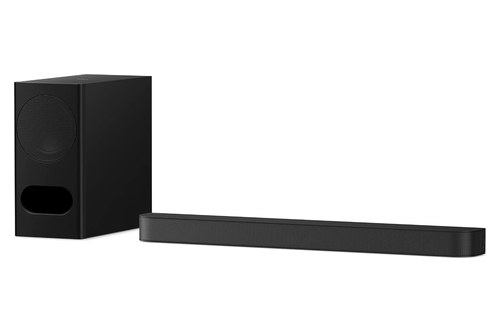
Sony BRAVIA Theater Bar 5 with its wireless subwoofer
For a room with rear speakers, the Sony BRAVIA Theater System 6 pairs a bar and subwoofer with two rear speakers wired to a wireless amplifier. More Sony options are in these Sony soundbar picks.
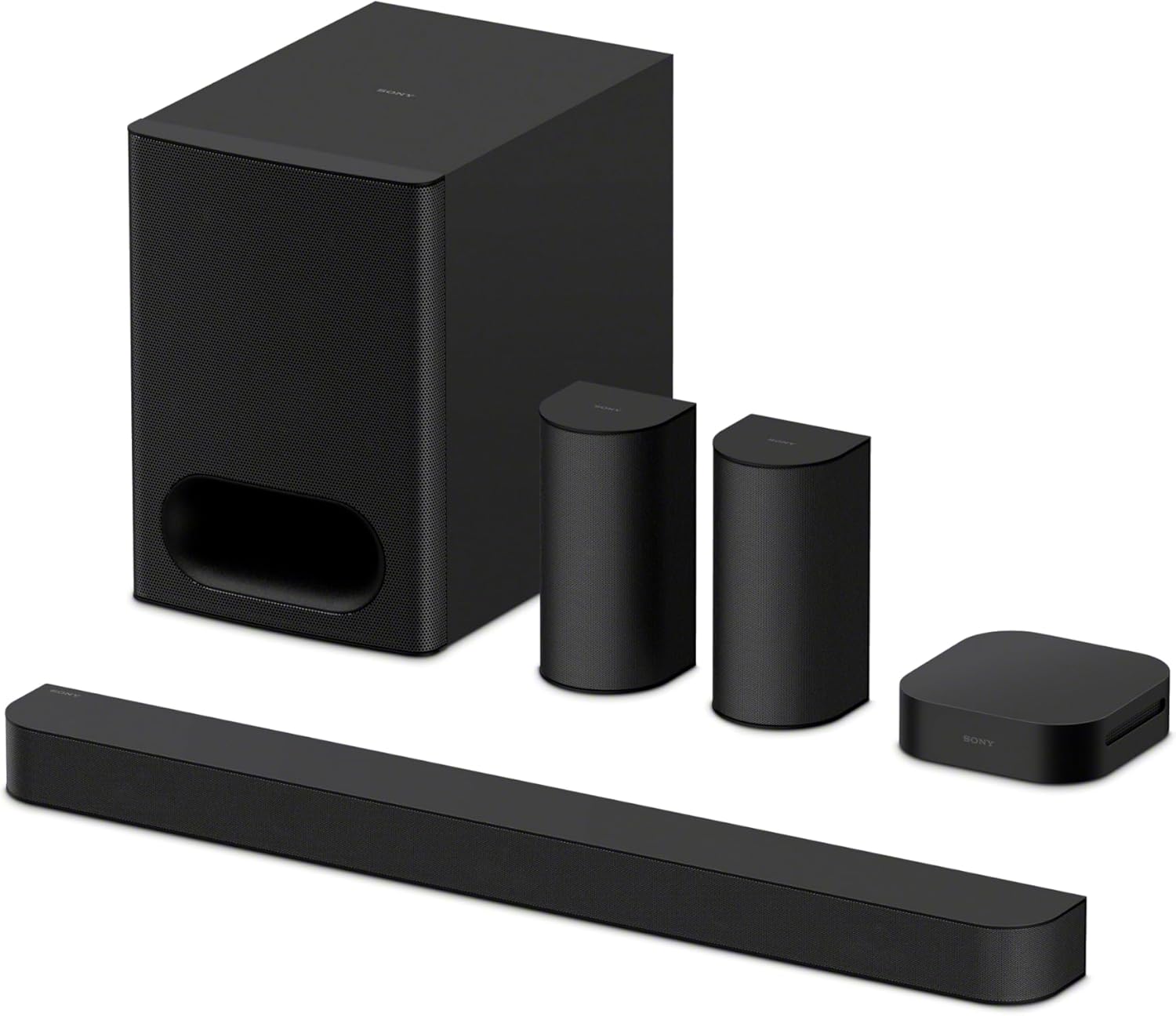
Sony BRAVIA Theater System 6
Frequently Asked Questions
How do you hard reset a Sony soundbar?
Sony’s help guides don’t use the term. The nearest documented steps are the power cycle in their troubleshooting lists, unplugging the bar and waiting several minutes before plugging it back in, and the full reset: Power held for more than 10 seconds on a BRAVIA Theater bar, or Power and Volume – held together for more than 5 seconds on an HT-A7000, HT-A5000, HT-A3000 or HT-S2000 (touched, on the HT-S2000’s touch buttons).
How do you factory reset a Sony soundbar?
Use the reset Sony lists for your line, since each returns the settings to their initial state. On BRAVIA Theater bars that’s a hold of Power on the bar for more than 10 seconds. On the HT-A7000, HT-A5000 and HT-A3000, the home menu’s Resetting option returns one group of settings at a time to factory default, and the Power and Volume – hold on the bar resets everything.
How do I reset my Sony sound bar subwoofer?
On a Bar 6 or Bar 5, hold LINK on the subwoofer for more than 10 seconds; its light flashes white and blue, turns red, then lights white when it reconnects to the bar. Optional Sony subwoofers reset the same way with the power on, then turn off; press LINK to turn one back on and link it again in the app or the TV menu.
How do I reset my Sony sound bar remote?
Sony’s help guides give no reset for the remote itself. You don’t need the remote for most resets, though: BRAVIA Theater bars reset with the Power button, and the HT-A bars and HT-S2000 have a two-button reset on the bar. On those bars and the HT-S2000, the BRAVIA Connect app has a remote control screen of its own.
Does resetting a Sony sound bar delete Bluetooth pairings?
Sony’s BRAVIA Theater guides treat it that way. After a reset, they tell you to delete the bar’s name, and the entry starting with LE_, from your phone’s Bluetooth settings and pair the bar again. The reset also returns the bar’s other settings to their initial state and may drop the link to an optional subwoofer and rear speakers.