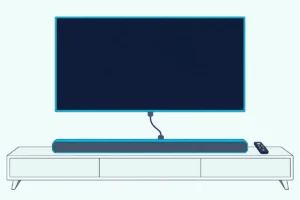
What Is an Optical Cable for a Soundbar, and What Does It Do?
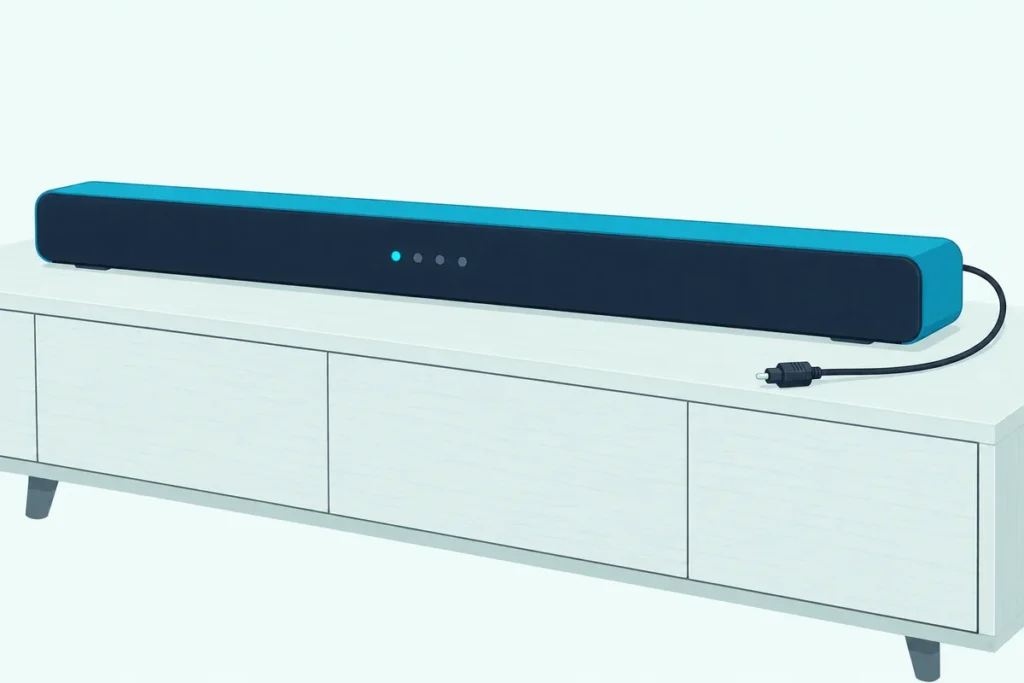
The short answer to what is an optical cable for a soundbar: it’s a digital audio cable, also sold as TOSLINK or S/PDIF optical, that carries the TV’s sound to the bar as pulses of light.
It does that job well enough for 5.1 surround, but it quietly drops the formats newer soundbars are built around, along with the HDMI link that lets one remote run everything.
Know where its limits sit and you can tell in a minute whether that thin cable is all you need or the reason your Atmos bar never shows Atmos.
Below you’ll see what the cable carries, what OPT, D.IN and optical mode mean on the bar, and which TV setting to pick.
Then you’ll be able to decide whether to keep optical, add HDMI ARC or eARC, or buy a spare cable.
What Is an Optical Cable for a Soundbar?
Start with the hardware, because the cable and its ports go by half a dozen names. An optical cable for a soundbar is a digital audio cable that sends the TV’s sound as light: Samsung’s optical guide says the light pulses travel down the cable and are turned back into electrical signals that carry the audio at the other end.
Roku’s surround sound guide adds the other names you’ll see on boxes and menus. The TV’s port is usually labeled “Digital audio out” or “Digital output,” sometimes called S/PDIF or optical, and the cable that fits it is sometimes called a TOSLINK cable.
Think of it like a flashlight sending Morse code through a tube. Only blinks of light travel down the cable, and the bar’s input reads them back as sound.
What do the ports look like on the TV and the bar?
The TV end goes by DIGITAL AUDIO OUT, OPTICAL OUT or Optical Digital Output, depending on the maker. On the soundbar, Samsung’s HW-Q990C labels its socket DIGITAL AUDIO IN (OPTICAL), LG’s S75QR calls it OPTICAL IN, and Sony’s HT-S2000 uses TV IN (OPTICAL).
The plug only fits one way. Sony’s help for the HT-S2000 says to match the plug’s shape to the socket before you push it in, because forcing it the wrong way round can damage both.
Many new cables also ship with small plastic caps on each end. Roku warns that leaving them on can cause a faulty connection or damage the cable or the port, and LG’s manual says to remove both covers first.
What Does an Optical Cable Do for a Soundbar?
Those ports work in one direction only. The optical cable carries sound from the TV’s output to the soundbar’s input, so what the TV is playing comes out of the bar instead of the TV’s speakers.
LG’s S75QR manual sums the job up as transmitting your TV’s audio to the soundbar over the cable.
Plugging it in isn’t the last step, though. The TV still has to be told to send its sound out of that port, which is why LG’s manual has you set the TV’s speaker menu to Optical or External Speaker, and Hisense’s 55A6GV manual has you choose SPDIF under Audio Output.
The steps to connect a soundbar to a TV with an optical cable walk through that menu for each TV brand.

Here’s a real scenario. You buy a bar with optical and HDMI, your older TV has no HDMI ARC port, and Sony’s HT-S2000 help covers exactly that case: run an optical cable from the TV’s optical output to the bar’s TV IN (OPTICAL) jack for the sound, alongside the HDMI cable.
Get Studio Tips Weekly
Join 5,000+ creators getting acoustic treatment advice every week.
No spam. Unsubscribe anytime.What Sound Can an Optical Cable Carry to a Soundbar?
One cable, one direction, but how much sound fits through it? Roku’s surround guide puts the limit at 2 channels of uncompressed stereo (PCM), or 5.1 channels of compressed surround sound in Dolby Digital or DTS.
Samsung’s optical guide says the same in shorter words: an optical cable supports 5.1 Dolby Digital and DTS audio. Vizio’s M51a-H6 soundbar manual lists Dolby Audio and DTS as available on its Digital Optical input, alongside its HDMI inputs.
So a 5.1 Dolby Digital or DTS soundtrack still reaches the bar as real surround. The table shows where it stops, using Roku’s and Samsung’s lists:
| Sound format | Optical (S/PDIF) | HDMI ARC | HDMI eARC |
|---|---|---|---|
| Stereo PCM (2 channels) | Yes | Yes | Yes |
| Dolby Digital and DTS 5.1 | Yes | Yes | Yes |
| Dolby Digital Plus | No | Yes | Yes |
| Dolby Atmos | No | Compressed only | Yes |
| Dolby TrueHD, DTS-HD Master Audio, DTS:X | No | No | Yes |
The ARC column follows Roku’s guide, which says ARC adds the Plus format and a compressed form of Dolby Atmos, while eARC adds the full-resolution formats. Samsung’s guide lists the same advanced formats for HDMI without splitting ARC from eARC.
Why Can’t an Optical Cable Carry Dolby Atmos?
That “No” in the Atmos row comes straight from how Dolby delivers it. Dolby’s paper on Dolby Atmos for sound bars says Dolby Atmos is delivered in Dolby Digital Plus or Dolby TrueHD, while plain Dolby Digital carries only channel-based audio, so the one Dolby format optical carries has no room for Atmos.
Dolby Digital Plus doesn’t cross the cable either. Dolby’s Dolby Digital Plus brochure says a Dolby Digital Plus soundtrack is converted to a 640 kbps Dolby Digital signal for output over S/PDIF, so the bar receives ordinary Dolby Digital instead.
The TV makers’ manuals agree. Samsung’s 2025 User Guide makes its Dolby Digital+ output option available only over HDMI (eARC), and Hisense’s 55A6GV manual sends Dolby Digital Plus only through the HDMI (ARC) port, recommending PCM or Dolby Digital for optical.

Lossless surround is out too. Dolby describes Dolby TrueHD as lossless and says a Blu-ray player sends Atmos in Dolby TrueHD to a soundbar through an HDMI connection, and HDMI.org says eARC adds uncompressed 5.1 and 7.1 audio, which is beyond the 2-channel PCM ceiling Roku gives optical.
What Does Optical Mode Mean on a Soundbar?
Those formats only reach the speakers once the bar is listening to the right socket. Optical mode is simply the soundbar’s input setting for the optical socket, and each maker gives it a different short name on the display or the lights.
Samsung bars show D.IN, the mode for their DIGITAL AUDIO IN socket. LG’s S75QR shows “OPT/HDMI ARC” on its status display, and Vizio’s M51a-H6 lights its input LED red for Digital Optical (magenta means HDMI eARC).
To pick it, press the input button until that name or color appears. Samsung’s HW-Q990C manual has you press Source on the remote or Multi Function on the bar to select D.IN, LG’s S75QR uses its Function button, and Vizio’s bar steps through its inputs with INPUT.
Why does the bar jump out of optical mode?
One cause both Samsung and LG document is an HDMI cable plugged in at the same time. Samsung’s HW-Q990C manual says that when both an HDMI cable and an optical cable are connected, the HDMI signal is received first, and LG’s S75QR gives ARC priority over optical in the same situation.
On the Q990C you’ll even watch it happen: select D.IN with an ARC cable connected and the display shows D.IN, then TV ARC. If you mean to use optical, that’s the cable to unplug.
Which TV Setting Should Feed an Optical Cable: PCM, Bitstream or Auto?
With the bar on its optical input, the last piece is what the TV puts on the cable. Choose a setting that passes the compressed surround stream through untouched when your bar decodes it, and PCM when the bar stays silent or when your TV’s maker recommends it for optical.
Each maker names the setting differently, so match your TV’s brand to its row:
| TV maker | Where the setting is | The choices the manual lists |
|---|---|---|
| Samsung (2025) | Settings > All Settings > Sound > Expert Settings > Digital Output Audio Format | Auto; Pass-Through and Dolby Digital+ tied to HDMI (eARC) |
| Hisense (VIDAA, 55A6GV) | Settings > Sound > Audio Output Settings > Digital Audio Out | Auto, Pass Through, PCM, Dolby Audio – Dolby Digital, Dolby Audio – Dolby Digital Plus (HDMI ARC only) |
| Sony (Help Guide) | Settings > System Settings > Setup > AV Setup > Digital Audio Out | Auto 1, Auto 2, PCM |
| Roku TV | Settings > System > Audio > S/PDIF and ARC | Auto detect, Auto passthrough, or a specific audio format |
Sony’s Help Guide spells out its three choices well: Auto 1 outputs compressed audio without change, Auto 2 does that only for multichannel content, and PCM always outputs PCM. Hisense goes further and recommends PCM or Dolby Audio – Dolby Digital whenever an audio device is connected by optical.
“Bitstream” and “pass-through” are the same idea as Auto 1 here: the TV sends the compressed surround stream as it is and lets the bar decode it. Roku’s Auto passthrough, for example, delivers the soundtrack’s own Dolby or DTS audio unmodified when the system supports it.
Try this test if the bar plays nothing after you switch inputs. Vizio’s M51a-H6 manual says some TVs don’t pass digital audio through and tells you to set the TV’s output to PCM, and its bar flashes its input lights and announces “format not supported” when it gets a format it can’t play.
Can the TV Remote Control a Soundbar Over Optical?
That PCM fix gets sound playing, but the remote is a separate story, because the volume link most bars use rides on HDMI. Roku’s guide ties remote volume and mute for a soundbar to CEC, an HDMI feature you switch on with ARC, and an optical cable carries no CEC.
So over optical, the remote works only through a maker’s own workaround. Samsung’s HW-Q990C manual lets the bar obey a TV’s infrared remote: hold the WOOFER button for 5 seconds to switch from OFF-TV REMOTE, the default, to SAMSUNG-TV REMOTE or ALL-TV REMOTE, which covers makers from Vizio and LG to Sony and Hisense.

Other bars learn the remote instead. Vizio’s M51a-H6 can be programmed to accept a TV remote’s infrared volume and mute commands, and LG’s S75QR takes the volume from an LG TV remote over optical only on TVs that support LG TV Sound Sync.
Samsung’s US help adds one more optical-only perk for its own pairs. Its Auto Power Link turns a Samsung soundbar on and off with the TV, and Samsung says it works only with an optical connection.
When Is HDMI ARC or eARC the Better Choice?
That remote juggling is the first sign HDMI may suit you better. Pick HDMI ARC or eARC whenever your TV and bar both have it and you want Dolby Atmos or one remote for everything, because those come only over HDMI, as the format table and Roku’s CEC note show.
Vizio’s M51a-H6 manual puts it plainly in its first-time setup, labeling the digital optical cable “Better” and the HDMI ARC cable “Best.” HDMI.org’s eARC page adds the case for eARC in particular: uncompressed 5.1 and 7.1 sound, plus DTS-HD Master Audio, DTS:X, Dolby TrueHD and Dolby Atmos.
Optical still earns its place in two cases. Your TV has no ARC port, as in Sony’s HT-S2000 example, or your bar has an optical input and no HDMI connection to the TV.
For the trade-offs side by side, our guide to HDMI or optical for a soundbar weighs each setup, and Burton Acoustix’s Bluetooth vs optical comparison covers the wireless option.
Do You Need to Buy an Optical Cable for a Soundbar?
If optical is your route, check the box before you shop. Many bars don’t include the cable: Sony lists the optical digital cable for the HT-S2000 as not supplied, and Vizio’s M51a-H6 marks its digital optical cable “Not included” while it does include the HDMI cable.
When you do need one, look for a TOSLINK cable, the name Roku gives the cable for a TV’s optical port. Amazon Basics’ 6 ft TOSLINK cable is a TOSLINK digital optical audio cable with gold-plated connectors, per its listing.
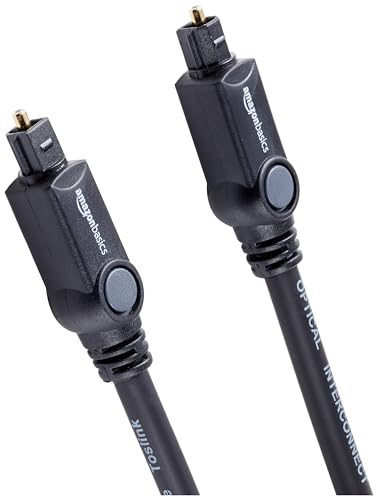
Amazon Basics’ 6 ft TOSLINK cable
Measure first, because the run from a wall-mounted TV’s rear port down to a bar on a cabinet is often longer than it looks. A Samsung or Hisense owner can find the exact menu names in our walkthrough of the optical setting’s name on each Samsung TV year and our Hisense TV optical setup guide.
The Bottom Line
An optical cable is a light-based digital audio link that sends a TV’s sound one way to a soundbar, good for stereo and 5.1 Dolby Digital or DTS. It can’t carry Dolby Atmos, Dolby Digital Plus, lossless soundtracks or the HDMI remote link, so a bar and TV that both have HDMI ARC or eARC are better joined that way.
If optical is what you’ve got, set the bar to its optical input (D.IN, OPT or a red light), set the TV’s digital output to PCM or a pass-through setting, and teach the bar your TV remote if it supports it.
Frequently Asked Questions
Do you need an optical cable for a soundbar?
Only if you’re connecting by optical. Many soundbars can also connect by HDMI ARC or eARC, which Vizio’s M51a-H6 manual rates as the best connection and Roku’s guide credits with more formats and remote control through CEC. Use optical when your TV has no ARC port or your bar has no HDMI input. Then check the box, since Sony’s HT-S2000 and Vizio’s M51a-H6 both leave the optical cable out.
What is S/PDIF on a TV?
S/PDIF is another name for the TV’s digital audio output. Roku’s guide says the port labeled “Digital audio out” or “Digital output” is sometimes referred to as S/PDIF or optical, and Hisense’s VIDAA TVs call their optical choice SPDIF in the Audio Output menu. On Roku TVs the format menu itself is named S/PDIF and ARC.
Can you use an optical cable and HDMI ARC at the same time?
You can plug both in, but the bar plays one. Samsung’s HW-Q990C manual says the HDMI signal is received first when both cables are connected, and LG’s S75QR gives ARC priority over optical. Leave the optical cable in as a backup if you like, but expect HDMI to win whenever it’s live.
Is an optical cable better than Bluetooth for a soundbar?
For TV sound, optical is the wired link that carries 5.1 surround, which Roku’s guide lists for S/PDIF. Bluetooth is a wireless connection; our Bluetooth vs optical comparison covers how the two differ in delay and sound for TV, games and phone music.