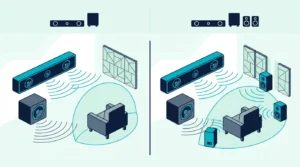
2.1 vs 5.1 Soundbar: Do You Have Room for Rear Speakers?
In a 2.1 vs 5.1 soundbar choice, pick 5.1 for surround in movies and games if you have room for rear speakers; otherwise a 2.1 is simpler.
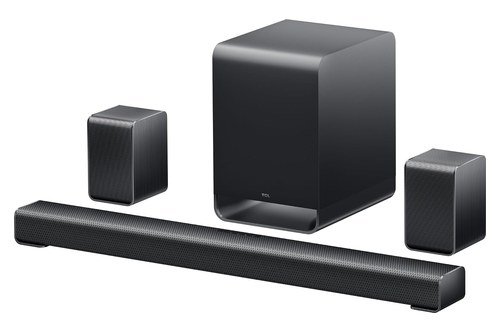
- ✓ Two wireless rear speakers and a center channel included
- ✓ Dolby Atmos and DTS:X decoding
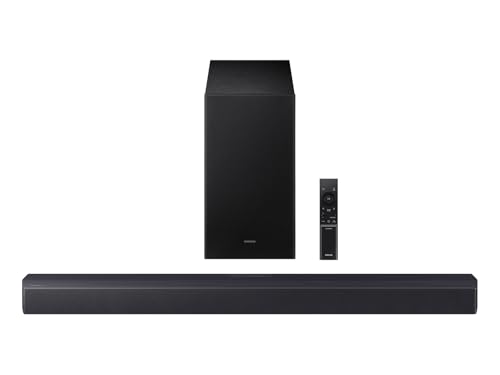
- ✓ Wireless subwoofer with a Bass Boost mode
- ✓ Voice Enhance and Night modes
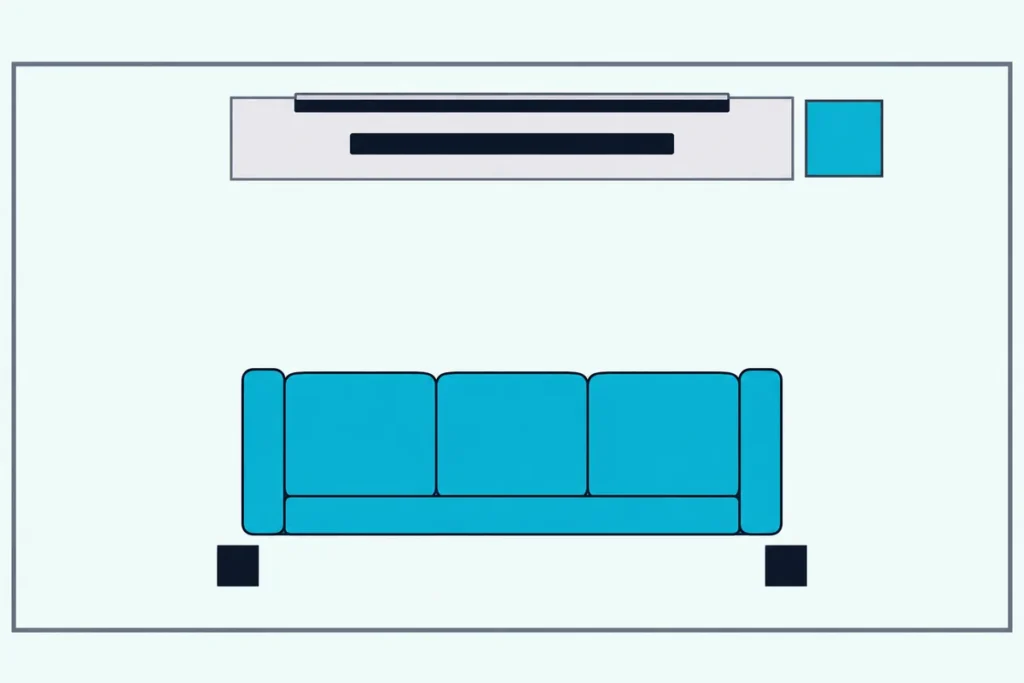
Choose wrong and either two rear speakers end up on the floor behind the couch, or a film’s surround effects crowd into the speakers that carry the dialogue.
The label alone won’t settle it, since some 5.1 sets ship two rear speakers while others play all five main channels from the bar itself.
The sections below cover what the numbers mean, what a 5.1 set adds, whether it needs rear speakers, which content shows the gap, the room around your couch, how the TCL S65K and Samsung HW-B550F compare, and adding rears later.
Start with the digits on the box, since each one counts speakers you’ll have to find room for.
Choose a 5.1 soundbar with rear speakers, such as the TCL S65K, if you watch movies or play games in surround and have a spot for two small speakers beside or behind your seats. It also adds a center channel for dialogue.
Choose a 2.1 soundbar, such as the Samsung HW-B550F, if there’s no spot for rear speakers or you mostly watch TV and play music. It keeps to a bar and a subwoofer, and a 5.1 soundtrack folds into its left and right channels.
The descriptions come from the makers’ manuals and spec pages. Every pick met Burton Acoustix’s rating, review and stock checks on 8 November 2026.
What Do the Numbers on a 2.1 vs 5.1 Soundbar Mean?
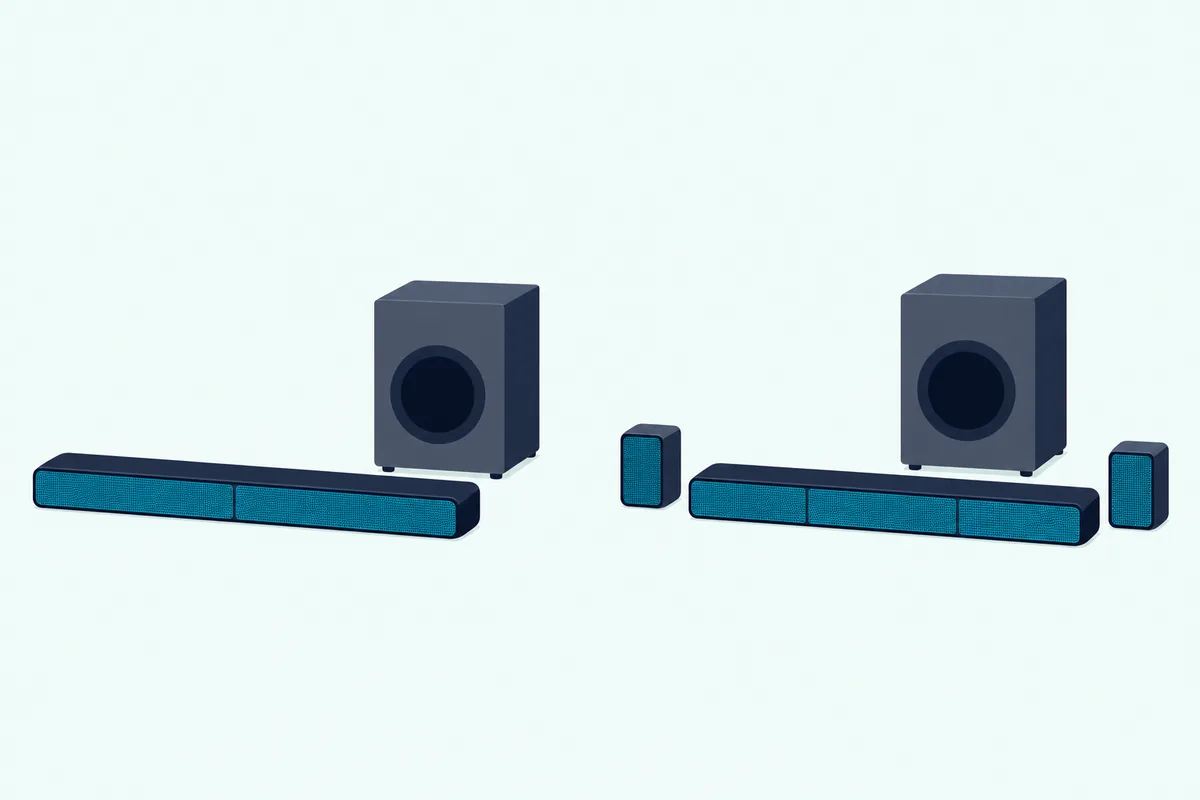
Those two digits carry the whole difference between the two boxes. The first counts the main speakers at ear level and the .1 counts subwoofers, so a 2.1 has a left, a right and a sub, while a 5.1 adds a center and two surrounds to the same single sub.
That’s how Dolby’s Atmos speaker setup guide defines them, and a third number, as in 5.1.2, counts height speakers for Dolby Atmos. The table puts the common layouts side by side.
| Layout | Front channels | Surround channels | Height channels |
|---|---|---|---|
| 2.1 | Left, right | None | None |
| 3.1 | Left, center, right | None | None |
| 5.1 | Left, center, right | Two | None |
| 5.1.2 | Left, center, right | Two | Two |
Every row keeps one subwoofer, so the label says nothing about one layout having more bass than the other. A 3.1 sits between the two names with the center and no surrounds, and Burton Acoustix’s channel-number decoder covers the rest of the codes.
What Does a 5.1 Set Add That a 2.1 Can’t?
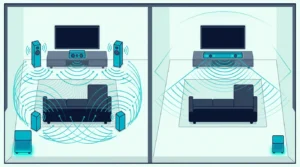
That center and those two surrounds are the three channels a 2.1 doesn’t have. Dolby’s setup guide gives the center the main job of carrying dialogue, and it puts the surround speakers behind or to the side of the listener, for effects and music that circle the room.
The soundtrack is mixed with those speakers in mind. ITU-R BS.775-4, the ITU’s reference layout for 5.1 sound, asks for a sense of space significantly greater than two-channel stereo gives, achieved with side or rear speakers.
A 2.1 still plays a 5.1 track, but it has to fold the extra channels into its left and right speakers. Dolby’s metadata guide describes the two-channel downmixes, and both put the surround channels into the left and right speaker channels.
Samsung’s HW-B550F guide shows the result on a current 2.1: a 5.1 input plays as 2.1 ch in every sound mode until a rear kit is added. Voices then share those two speakers with the effects, the situation behind why 5.1 sounds muffled on a 2.1 soundbar, which walks through the settings to try.
If dialogue is your only complaint, a center channel without the rears is the 3.1 vs 2.1 soundbar question. The rears are what 5.1 adds on top of that.
Does a 5.1 Soundbar Need Rear Speakers to Beat a 2.1?
Those surround channels have to come out of something, and not every 5.1 set gives them speakers of their own. It doesn’t strictly need them, but the gap over a 2.1 is widest when it has them: RTINGS’ list of the best 5.1 soundbars notes that many 5.1 systems come with just a wide bar and a separate subwoofer.
Bars like that play the surround channels from drivers in the bar itself. RTINGS describes side-firing drivers that bounce sound off your side walls, and it says a bar relying on them sounds less immersive with multichannel audio than bars with dedicated satellites.
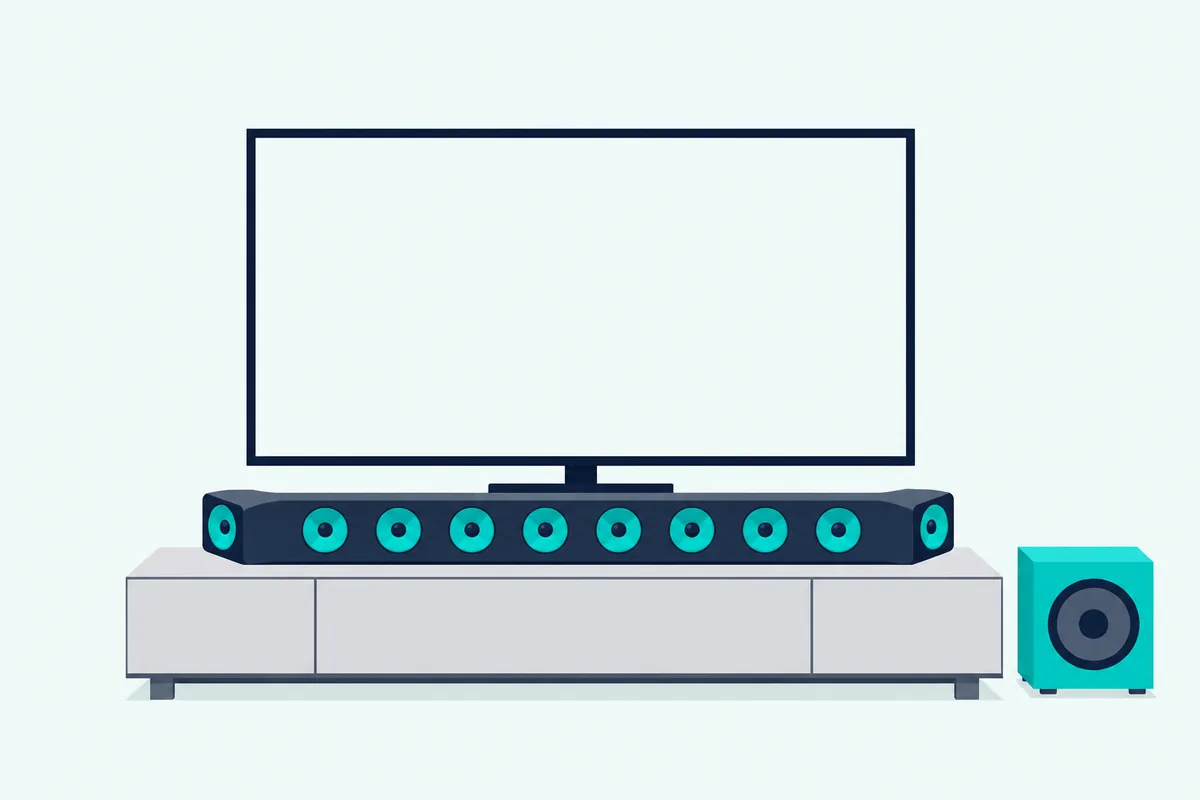
Dolby describes both kinds. Dolby’s soundbar article says a 5.1.2 system can be just a soundbar and a subwoofer, and that satellite speakers, usually two or four, bring more detail if you have the space for them.
So the 5.1 on the box doesn’t tell you which kind you’re getting. Check the list of what’s included: TCL’s spec table for its S65K, for instance, answers yes to wireless rear speakers included and no to side-firing speakers.
A bar-only 5.1 still adds the center channel, the part a 2.1 lacks for dialogue. What it can’t do is put a real speaker beside or behind you, which is where ITU-R BS.775-4 places the surrounds.
A separate 5.1 speaker system is the other route to real surrounds, though Dolby’s article calls a soundbar more convenient than a home theater whose speakers all need wired connections. How a 5.1 speaker system compares with a soundbar weighs that trade.
Which Content Shows the Gap Between 2.1 and 5.1?
Rear speakers only earn their place when the soundtrack has something for them. Movies, TV broadcasts and many games can carry 5.1 mixes, while a stereo music track has only a left and a right channel.
Dolby says every DVD and all HD broadcasts in the United States use Dolby Digital, which can carry a full 5.1-channel mix, and that many video games use it too. RTINGS adds that much of the content made for home theaters has historically been mastered for 5.1.
Music gives the extra speakers the least to do, because a stereo track has no surround channels to send them. A 5.1 set can keep a stereo song in front or spread it around with processing, and the manual for Vizio’s earlier V51-H6 shows both.
With stereo content, that manual says, the Direct setting with Surround off plays 2.1 audio without center or surround, while the Music EQ adds DTS Virtual:X. TCL lists Music among the S65K’s seven sound modes, and Samsung’s HW-B550F guide lists a stereo input playing as 2.1 ch in every mode.
So for a stereo song, a 2.1 already has a speaker for every channel in the track. The 5.1 set’s extra speakers come into play on films, series and games mixed with surround channels.
Is There Room Beside or Behind Your Couch for Rear Speakers?
Those 5.1 mixes assume the rears sit in a particular spot. You have room if you can put a speaker on each side of the main seat, a little behind it and no closer to you than the front speakers: ITU-R BS.775-4 places the 5.1 surrounds between 100 and 120 degrees from straight ahead.
The same recommendation says the exact spot isn’t critical and that the height of the side or rear speakers matters less than that of the front ones. Dolby’s setup guide puts main speakers at about ear level when you’re seated, roughly 3.9 feet off the floor, and suggests stands where needed.
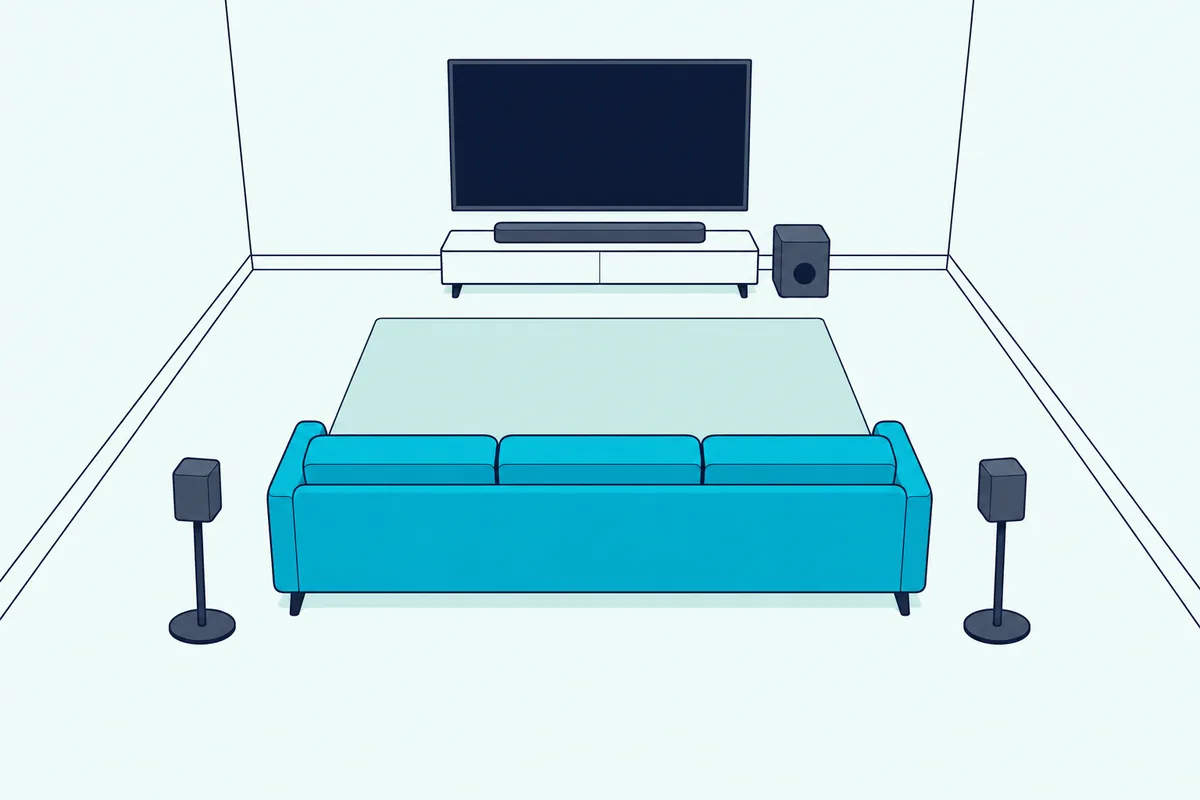
Try it from your usual seat: point one arm at the screen and the other straight out to the side, and the rears belong a little behind that second arm, on both sides. If a stand fits there, no closer to you than the TV, the room can take rears.
If the couch backs onto a wall, check whether the side walls give you that spot. Vizio’s 5.1 Soundbar SE user manual covers the other case with a Front Surround Mode: for rooms where ideal placement of the surrounds isn’t practical, it uses DTS Virtual:X to produce a virtual surround effect.
For Vizio’s other bars, how Vizio’s M-Series and V-Series bars differ lays the two lines side by side, and for a tight space the best soundbar for small room guide picks bars that need no rears.
How Do the TCL S65K and Samsung HW-B550F Compare?
Whichever way that test comes out, one current set on each side makes the trade plain. The TCL S65K adds a center channel and two wireless rear speakers to its bar and subwoofer, while Samsung’s HW-B550F stops at the bar and the subwoofer.
The table lines up what the two makers list, with the rear-speaker row doing the deciding.
| Spec | TCL S65K | Samsung HW-B550F |
|---|---|---|
| Channels | 5.1 | 2.1 |
| Rear speakers | Two, wireless | Optional kit |
| Center speaker | Yes | No |
| Subwoofer | Wireless | Wireless |
| Dolby format | Dolby Atmos | Dolby Audio |
| TV connection | HDMI eARC | HDMI ARC, optical |
| Width | 33.5 in | 33.8 in |
Beyond the table, TCL’s S65K spec page lists DTS:X decoding, no up-firing speakers, AI Sonic room calibration and no 4K video pass-through on its one HDMI input. Samsung lists Voice Enhance and Night Mode on the HW-B550F, and its guide names the SWA-9250S rear kit as a separate purchase.
If you have the room for rears and want surround for films and games, the 5.1 side is the TCL S65K, with a 6.5-inch driver in its wireless subwoofer.
TCL S65K
If there’s no spot for rears or the bar will mostly play TV and music, the 2.1 side is the Samsung HW-B550F, a 33.8-inch bar with a wireless subwoofer.
Samsung HW-B550F
For more 5.1 sets, with and without rear speakers, the best 5.1 soundbar systems list goes model by model.
Should You Buy a 2.1 Now and Add Rear Speakers Later?
That rear kit raises the obvious plan: start with a 2.1 and add rears when the room allows. It can work, but what you end up with is 4.1, not 5.1: Samsung’s HW-B550F guide shows a 5.1 input playing as 4.1 ch in Surround Sound mode once the SWA-9250S kit is connected, because the bar still has no center channel.
The missing speaker is the one Dolby assigns to dialogue, so a 2.1 plus rears gains surround but not a channel of its own for voices. Burton Acoustix’s 4.1 vs 5.1 breakdown covers what that fifth channel changes, and which Samsung bars accept a rear speaker kit lists the kits by model.
A second soundbar behind the couch is a different setup again, and what each brand allows with two soundbars covers it. A 5.1 set with rears in the box, like the S65K, brings the center channel along, so settle the room question first and the layout follows.
The Bottom Line
Back at the box, the 2.1 vs 5.1 difference is three channels: a center for dialogue and two surrounds meant for speakers beside or behind you. Choose 5.1 if you watch movies or play games in surround and can give two rear speakers a spot in that arc; the TCL S65K is the example with rears in the box.
Choose 2.1 if there’s no spot for rears or most of what you play is TV and stereo music; the Samsung HW-B550F is the example, and a 5.1 track folds into its left and right speakers. If you’re weighing the center channel alone against the full set, deciding between a 3.1 and a 5.1 bar covers that step.
Frequently Asked Questions
What Is the Difference Between 5.1 and 2.1 Dolby Atmos?
Atmos is a sound format, not a speaker count, so a bar of either layout can decode it. Vizio’s 2.1 Soundbar (SV210M-0808) lists Dolby Atmos and DTS:X with one wireless subwoofer and no rears, and Dolby notes that all-in-one bars can deliver Atmos virtually. A 5.1 Atmos set adds the center and surround channels, and TCL’s S65K decodes Atmos and DTS:X without up-firing speakers. For bars with height speakers of their own, Atmos bars grouped by how they add height compares the designs.
How Many Power Outlets Does a 5.1 Soundbar Need?
Count one for the bar and one for the subwoofer, then check how the rears are fed. Vizio’s 5.1 Soundbar SE and Hisense’s HS5100 plug their rear speakers into the subwoofer with supplied cables, so each set needs just those two outlets. Samsung’s SWA-9250S kit for the HW-B550F needs power at the back of the room instead: Samsung notes that it requires power cords for its left and right rear speakers.