Best Soundbar for a Hisense TV: Picks for the U8N and Older Sets
The Polk Signa S4 is the best soundbar for a Hisense TV with eARC, with 3.1.2 Dolby Atmos and a wireless subwoofer in the box.
| Pick | Best for | Why |
|---|---|---|
| Polk Signa S4 | Most Hisense TVs with eARC | 3.1.2 Atmos and a wireless subwoofer |
| Sonos Arc Ultra | A 65-inch or larger U8N | 9.1.4 Atmos from one soundbar |
| Sonos Beam (Gen 2) | A smaller Hisense TV | Atmos in a 25.63-inch soundbar |
| Yamaha SR-B40A | Clearer dialogue with bass | Clear Voice, Atmos and a subwoofer |
| LG S70TY | A 55-inch U8N with a console | 4K 120 Hz pass-through and Atmos |
| Samsung HW-Q990F | Full surround on a big screen | 11.1.4 with rears and a subwoofer |
| Sony BRAVIA Theater System 6 | Surround from one HDMI cable | 5.1 with Atmos and DTS:X decoding |
| LG S40TR | Rear speakers on an ARC Hisense | 4.1 over ARC or optical |
| Samsung HW-B550F | Older Hisense TVs with ARC | Follows a Hisense IR remote |
| Sony HT-S100F | A simple two-channel upgrade | Optical cable in the box |
| Sonos Ray | A TV with only an optical output | Optical input and IR remote control |
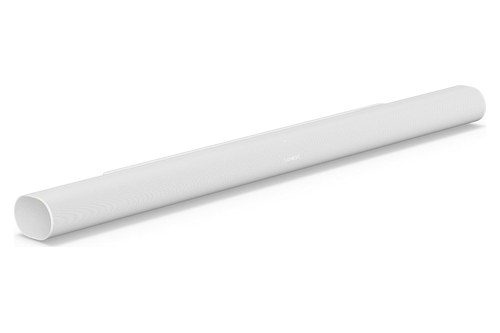
- ✓ 9.1.4 Dolby Atmos from a single soundbar
- ✓ Works with your existing TV remote
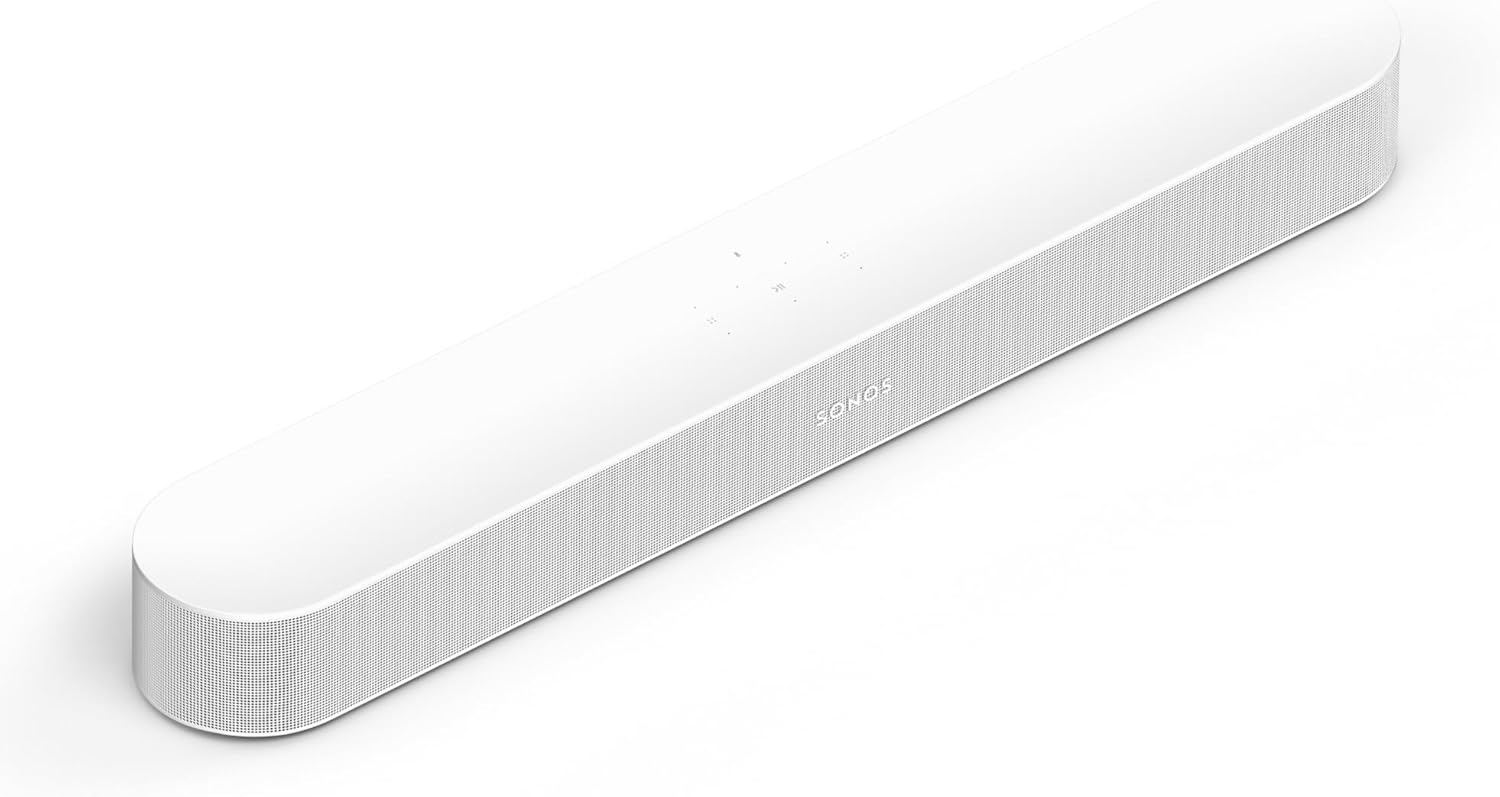
- ✓ Dolby Atmos in a 25.63-inch soundbar
- ✓ Optical adapter included for optical-only TVs
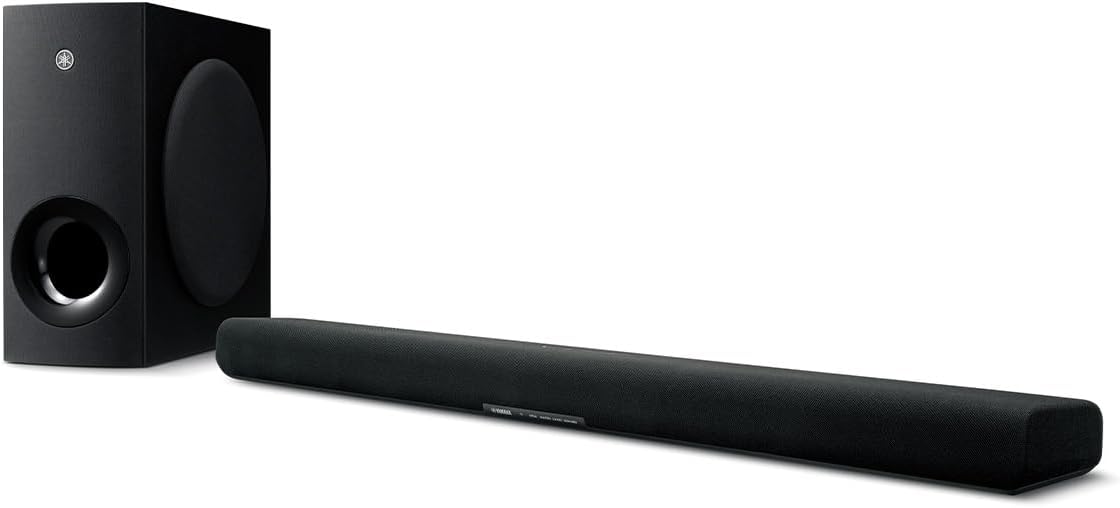
- ✓ Clear Voice brings dialogue forward
- ✓ Wireless subwoofer in the box
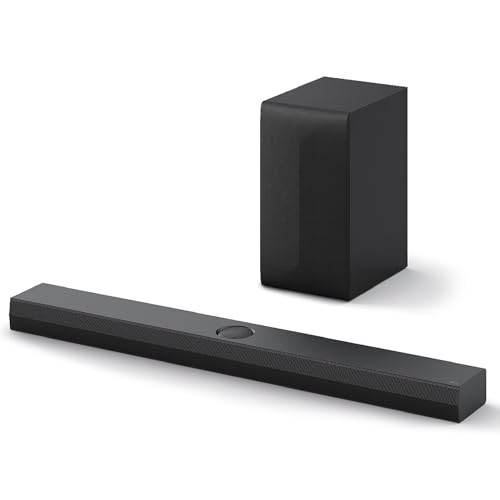
- ✓ HDMI input with 4K 120 Hz, VRR and ALLM pass-through
- ✓ Dolby Atmos and DTS:X with a wireless subwoofer
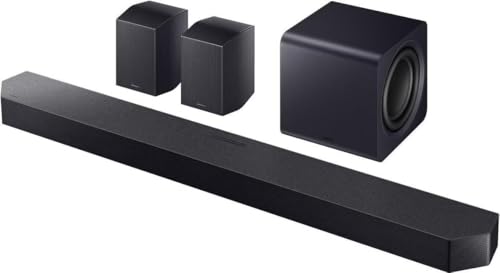
- ✓ 11.1.4 channels with rears and a subwoofer
- ✓ Can follow a Hisense IR remote in ALL-TV REMOTE mode
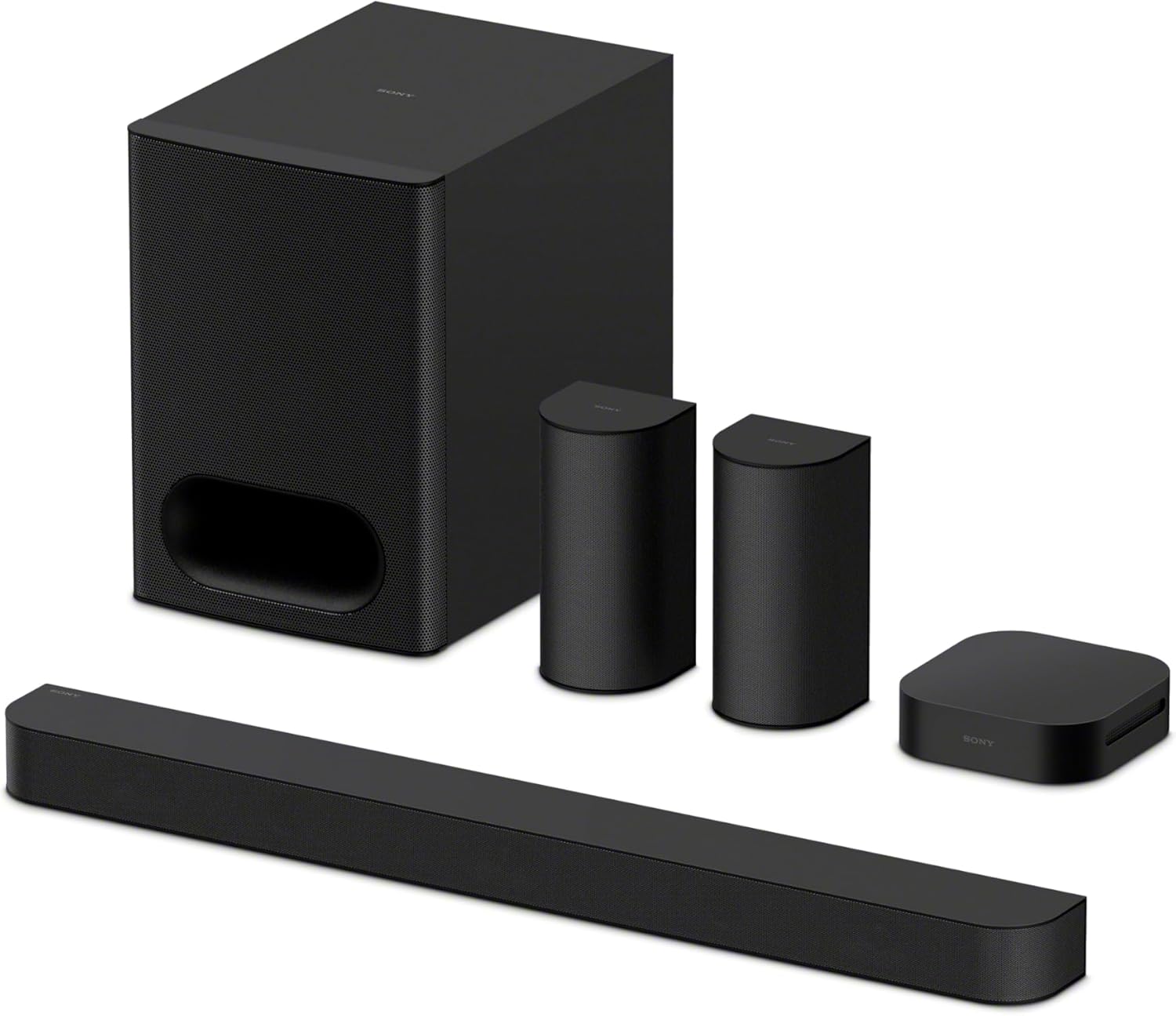
- ✓ Subwoofer and two rear speakers in the box
- ✓ Decodes Dolby Atmos and DTS:X
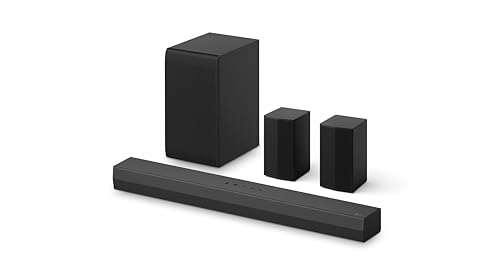
- ✓ Rear speakers and a wireless subwoofer in the box
- ✓ HDMI ARC or optical hookup
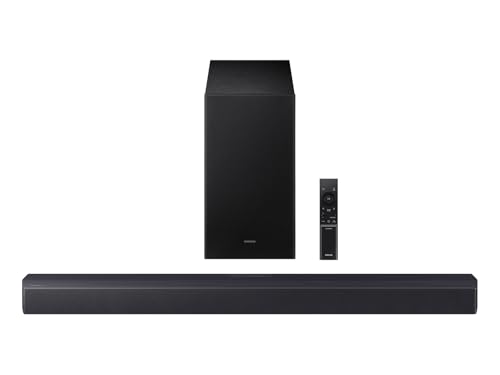
- ✓ Wireless subwoofer in the box
- ✓ Can follow a Hisense IR remote

- ✓ Optical cable in the box
- ✓ HDMI ARC hookup on TVs that have it
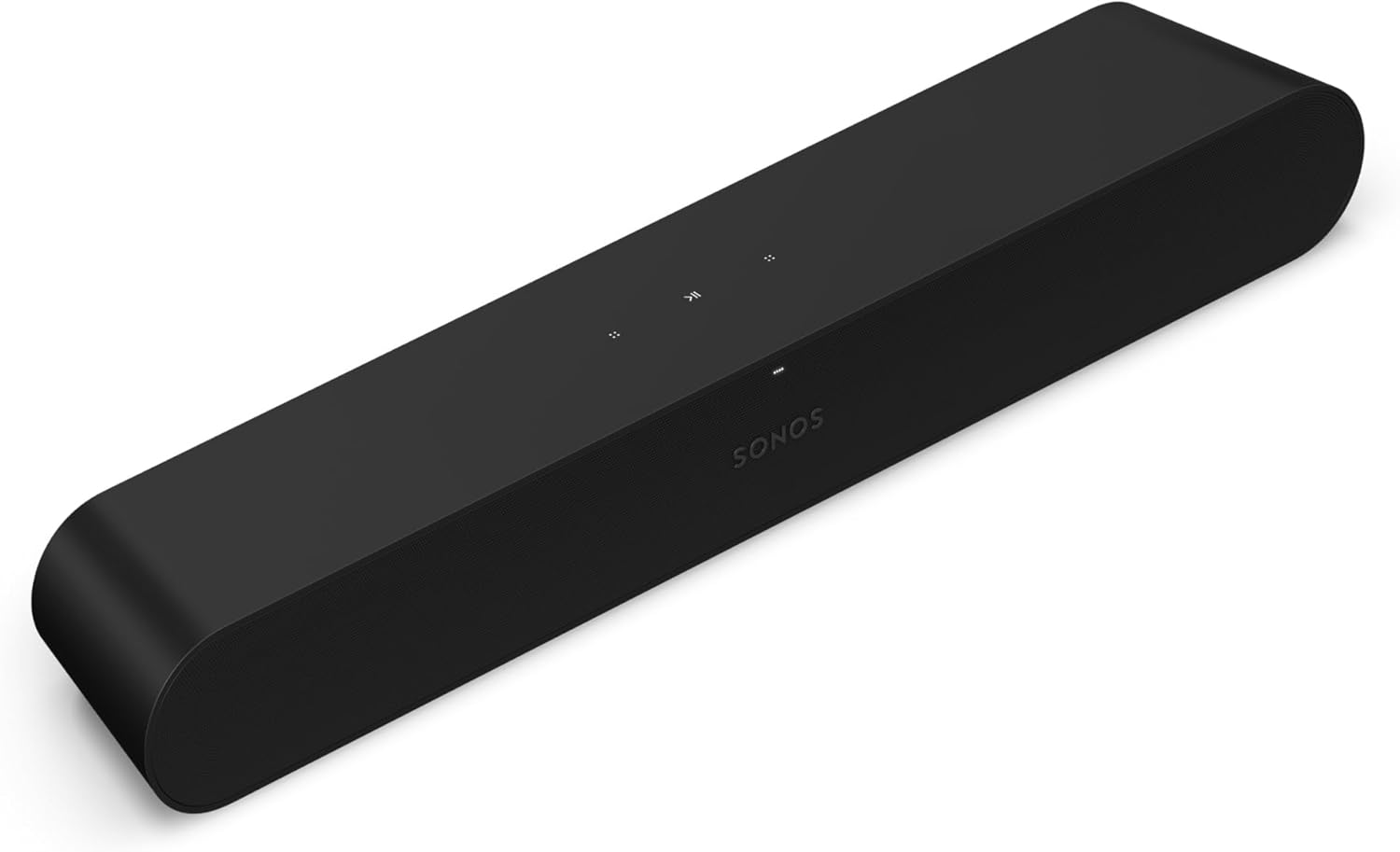
- ✓ Optical cable in the box
- ✓ Works with an infrared TV remote

Picking the best soundbar for a Hisense TV starts with the HDMI port on its back, and for most current models, the U8N included, it’s the Polk Signa S4 on the eARC port.
Hisense moves that port around: RTINGS puts eARC on HDMI 1 of the 65-inch U8N but on HDMI 3 of the 55-inch, a high-bandwidth gaming port, and Hisense’s R6E3 Roku TV and 55A6GV VIDAA guides show plain ARC.
Match the soundbar to the port and the Hisense remote runs its volume through HDMI control, while Dolby Atmos reaches it in a form it can play.
The picks come first, by port and room, then the eARC port on each Hisense line, Atmos, the remote, Roku and Fire TV models, the U8N’s speakers and soundbar sizes.
Start with the table, then read the group that matches your TV’s ports.
What Is the Best Soundbar for a Hisense TV?
That port question sorts the field before any brand name does. The best soundbar for a Hisense TV with eARC, which covers the U8N, U7N and U6N, is the Polk Signa S4, because Polk lists eARC or ARC HDMI, optical and aux hookups, a 3.1.2 Dolby Atmos layout with up-firing drivers, and a wireless subwoofer in the box.
On an older Hisense with only ARC or optical, the Samsung HW-B550F is the pick, since Samsung lists Hisense among the TV brands whose infrared remotes it can follow. Rear speakers come with the LG S40TR, Sony’s BRAVIA Theater System 6 and Samsung’s HW-Q990F.
Read the table by your TV’s port first, then by the fact in the last column. Figures such as 3.1.2 count the main, subwoofer and height channels in that order, and what channel numbers like 3.1.2 mean explains each digit.
The descriptions come from the makers’ manuals and spec pages.
Every pick met Burton Acoustix’s rating, review and stock checks on 7 November 2026.
Which Soundbars Get the Most From a Hisense U8N’s eARC Port?
The first five rows of that table share one connection. The Polk Signa S4, Sonos Arc Ultra, Sonos Beam (Gen 2), Yamaha SR-B40A and LG S70TY all decode Dolby Atmos and plug into the TV’s HDMI eARC port, which RTINGS’ review of the U8N puts on HDMI 1 of the 65-inch set.

RTINGS says the U8N’s eARC supports every major audio format, so the soundbar’s own format list is the limit. What separates these five is height drivers, a separate subwoofer, an HDMI input and a width that suits your screen.
Polk Signa S4
Spec: 3.1.2 channels with a 5.9-inch wireless subwoofer; HDMI eARC/ARC, optical and aux; Dolby Atmos with up-firing drivers; 41.2 inches wide.
For most Hisense TVs with eARC, the Polk Signa S4 with its wireless subwoofer is the pick. Polk’s Signa S4 page lists a Dolby Atmos certified 3.1.2 layout, with up-firing speakers for the height channels and a seven-driver array in the soundbar.
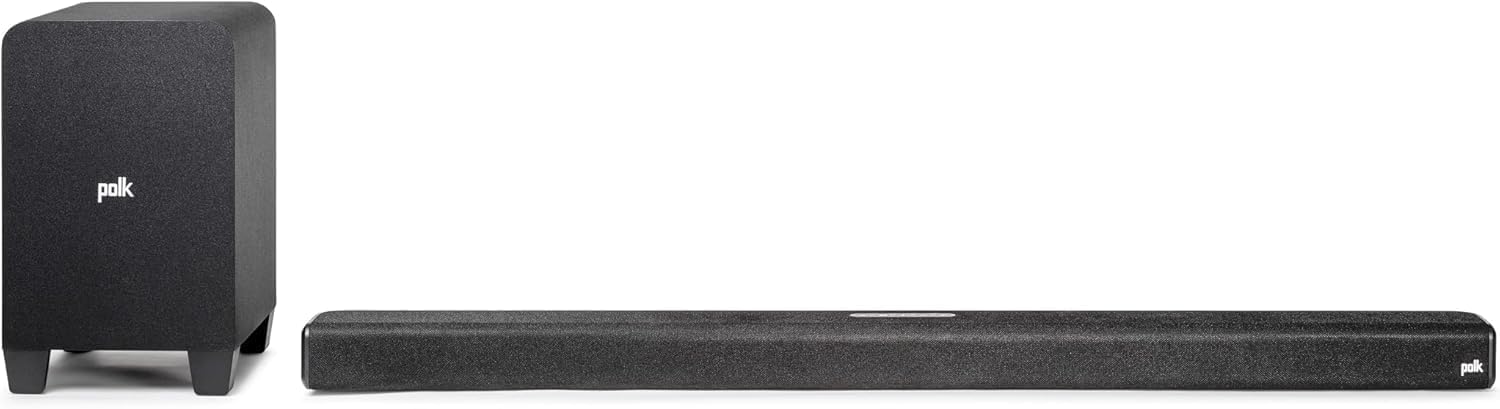
Polk Signa S4
Polk calls the result three-dimensional sound from Dolby Atmos, and says non-Atmos shows get a virtual Atmos treatment too. The height channels come from two 2.6-inch elevation drivers, Polk’s spec list shows.
Polk lists one-cable set-up with any TV over eARC or ARC HDMI, optical or aux, and its page says the soundbar is pre-programmed to work with most TV remotes. On a U8N, the HDMI cable goes to the eARC port and the TV’s HDMI control does the rest.
Polk’s VoiceAdjust raises dialogue without touching the rest of the soundtrack, and Night Mode lowers the bass while raising VoiceAdjust for late-night watching. BassAdjust sets the bass on both the soundbar and the subwoofer, which uses a 5.9-inch woofer.
Polk gives the soundbar a 2.4-inch height and a 41.2-inch width, and its page says the low profile won’t block your TV or your remote. It ships with an HDMI cable and an optical cable, Polk says, so either hookup works out of the box.
Sonos Arc Ultra
Spec: 9.1.4 channels in one soundbar; HDMI eARC/ARC, optical through an adapter sold separately; Dolby Atmos, Dolby TrueHD and multichannel PCM over eARC; 46.38 inches wide.
If you’d rather have Atmos height without a separate subwoofer box, the Sonos Arc Ultra in white suits a 65-inch or larger U8N. Sonos’s Arc Ultra page describes a 9.1.4 spatial audio layout, with two of its nine tweeters firing upward for height channels.
Sonos Arc Ultra
Its formats list marks Dolby TrueHD, Atmos carried in TrueHD and multichannel PCM as needing an HDMI eARC connection, while Atmos in Dolby Digital Plus carries no such mark. On a U8N’s eARC port, the whole list is open.
Sonos connects it with the included HDMI cable to the TV’s eARC/ARC port and sells an optical adapter separately. The page says it works with your existing TV remote and adds Trueplay tuning, Speech Enhancement and Night Sound in the Sonos app.
Sonos gives its width as 46.38 inches and its height as 2.95 inches. It pairs the soundbar with a Sonos Sub and Era 300 rear speakers for what it calls the ultimate Dolby Atmos surround sound experience.
Sonos Beam (Gen 2)
Spec: Dolby Atmos in a compact soundbar; HDMI eARC/ARC with an optical adapter in the box; TV remote control; 25.63 inches wide.
For a smaller Hisense, the Sonos Beam (Gen 2) in white brings Dolby Atmos in a soundbar 25.63 inches wide. Sonos lists HDMI eARC and says to use the included Sonos Optical Audio Adapter if your TV has an optical output only.
Sonos Beam (Gen 2)
That’s one difference from the Arc Ultra, whose optical adapter is sold separately. Beam’s product guide tells you to use the port labeled ARC, eARC or ARC/eARC, because a standard HDMI port gives no sound.
Sonos lists TV remote sync, Trueplay tuning and Speech Enhancement, which it says boosts voice frequencies to clarify dialogue. Sonos gives its height as 2.68 inches.
Yamaha SR-B40A
Spec: Dolby Atmos soundbar with a wireless subwoofer; one HDMI eARC/ARC output, optical, CEC; Clear Voice and Bass Extension; 35-7/8 inches wide.
When dialogue matters most, the Yamaha SR-B40A with its wireless subwoofer is the one to look at. Yamaha’s user guide says Clear Voice focuses on the acoustic image of human voices such as dialog and narration, and a CLR VOICE light glows while it’s on.
Yamaha SR-B40A
Yamaha’s spec page lists one HDMI output with eARC/ARC, digital optical, CEC and Dolby Atmos as its virtual surround technology. Its guide says the included HDMI cable connects it to an ARC TV, and HDMI Control lets the TV remote run its basic functions.
Bass Extension is Yamaha’s setting for richer bass, and the wireless subwoofer comes in the box. The center unit is 35-7/8 inches wide and 2-5/8 inches tall on Yamaha’s spec page.
LG S70TY
Spec: 3.1.1 channels with a wireless subwoofer; one HDMI input and one HDMI eARC output, optical; 4K pass-through at 120 Hz with VRR and ALLM; Dolby Atmos and DTS:X; 37.4 inches wide.
For a 55-inch U8N with a console, the LG S70TY with its wireless subwoofer solves the port clash. LG’s S70TY spec sheet lists one HDMI input and one output, 4K pass-through, 120 Hz, VRR and ALLM, with HDMI eARC for the TV connection.
LG S70TY
That’s the fix for the 55-inch set, whose eARC port is also one of its high-bandwidth gaming ports in RTINGS’ review. The console plugs into the soundbar, and the soundbar’s output goes into the TV’s HDMI 3.
LG lists Dolby Atmos, DTS:X and Dolby TrueHD among its formats, plus Clear Voice Pro and a night time mode. Its sheet gives the soundbar as 37.4 inches wide and 2.5 inches tall, and matches it to TVs of 49 inches and up.
Which Soundbars Add Rear Speakers to a Hisense TV?
Those five put the whole soundstage in front of you, and the next three add speakers behind the sofa. Samsung’s HW-Q990F does it at 11.1.4 channels, Sony’s BRAVIA Theater System 6 at 5.1 and LG’s S40TR at 4.1, and the LG is the one built around ARC and optical rather than eARC.
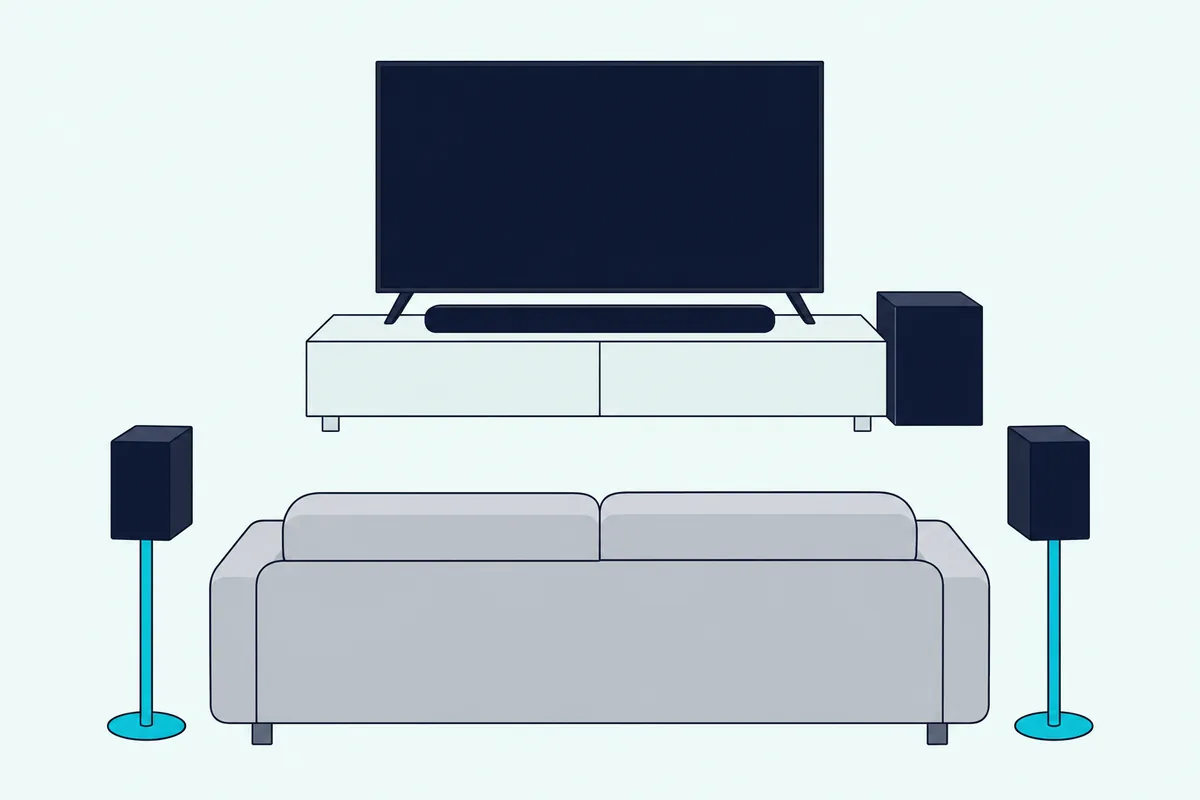
Rear speakers still need a power outlet nearby, even when the signal reaches them without a cable from the soundbar. If you’re new to how that works, the soundbar guide explains how one bar puts sound above or behind you and what it can’t do on its own.
Samsung HW-Q990F
Spec: 11.1.4 channels with a subwoofer and two rear speakers; HDMI eARC/ARC; Dolby Atmos and DTS:X; Sync audio delay of 0 to 300 milliseconds.
For full surround on a big U8N, the Samsung HW-Q990F with its subwoofer and rear speakers is the pick. Samsung’s HW-Q990F user guide lists Dolby Atmos and DTS:X at 7.1.4 in Standard mode, and spreads every input across all 11.1.4 channels in its Surround, Game Pro and Adaptive Sound modes.
Samsung HW-Q990F
The same guide lists Hisense among the TV makers whose infrared remotes it can follow in its ALL-TV REMOTE mode. Over HDMI, the Hisense TV’s HDMI control handles the volume instead.
Q-Symphony, which plays the TV’s speakers along with the soundbar, needs a Samsung TV that supports it. If picture and sound drift apart, Samsung’s Sync setting moves the audio delay anywhere from 0 to 300 milliseconds.
Sony BRAVIA Theater System 6
Spec: 5.1 channels from 10 speakers, with a subwoofer, a wireless amplifier and two rear speakers; HDMI eARC/ARC on the subwoofer; Dolby Atmos and DTS:X decoding; HDMI cable supplied; 35 3/4 inches wide.
For surround with a single HDMI run to the TV, the Sony BRAVIA Theater System 6 fits. Sony’s help guide runs the supplied HDMI cable from the subwoofer to the TV’s eARC/ARC input, and says the system supports object-based formats such as Dolby Atmos and DTS:X.
Sony BRAVIA Theater System 6
The listing promises powerful, immersive surround sound from 10 speakers in all, including the subwoofer and the rear speakers. The rears connect through a wireless amplifier, which Sony’s guide shows as its own part of the system.
Sony’s format table is a useful check for any Hisense. It marks Dolby TrueHD and multichannel PCM as eARC only, and shows Atmos in Dolby Digital Plus playing over both eARC and ARC.
LG S40TR
Spec: 4.1 channels with a wireless subwoofer and two rear speakers; one HDMI ARC and one optical input; Dolby Digital, DTS Digital Surround and PCM; 28.3 inches wide.
For rear speakers on an ARC-only Hisense, the LG S40TR with rear speakers and a wireless subwoofer is the pick. LG’s S40TR owner’s manual lists one HDMI TV (ARC) jack and one optical input, and accepts Dolby Digital, DTS Digital Surround and PCM.
LG S40TR with rear speakers and a wireless subwoofer
Plug both cables in and the ARC signal takes priority, LG notes. In the manual, the speaker cables join the two rear speakers, the rear unit’s power cable goes to an outlet, and a green light shows once it connects to the soundbar.
LG gives the soundbar a width of about 720 millimeters, about 28.3 inches, and a height of 63 millimeters.
What Should You Buy for an Older Hisense TV With ARC or Optical?
The LG S40TR already showed that an ARC-only Hisense can still get surround, and the last three picks cover simpler setups. Samsung’s HW-B550F follows a Hisense IR remote, Sony’s HT-S100F ships with an optical cable, and the Sonos Ray connects by optical alone.

Hisense’s quick setup guide for its R6E3 Roku TVs labels HDMI 1 as ARC, and its manual for the 55A6GV VIDAA set names an HDMI (ARC) port with no eARC setting. On those sets, none of these three needs more than ARC or optical.
Samsung HW-B550F
Spec: 2.1 channels with a wireless subwoofer; HDMI ARC and optical; DTS Virtual:X; TV IR remote control with Hisense listed; 33.8 inches wide.
For an older Hisense with ARC, the Samsung HW-B550F with its wireless subwoofer is the pick. Samsung’s HW-B550F user guide lists Hisense among the makers whose TV remotes can set its volume once ALL-TV REMOTE is on.
Samsung HW-B550F
That function works with IR remote controls only, and Samsung says Bluetooth remotes that need pairing aren’t supported. Over HDMI ARC, the Hisense’s HDMI control is the other route.
The guide connects it to the TV’s HDMI ARC or eARC port, or by optical cable in its D.IN mode. Samsung gives the soundbar a width of 33.8 inches and a height of 2.3 inches.
Sony HT-S100F
Spec: 2.0 channels with a built-in bass reflex speaker; HDMI ARC or optical, optical cable supplied; S-Force Pro front surround; Bluetooth.
For a simple step up from TV speakers, the Sony HT-S100F keeps it to one bar. Sony’s HT-S100F quick start guide starts with one question, whether your TV has an HDMI IN jack labeled ARC.
Sony HT-S100F
If it does, an HDMI cable, not supplied, runs from that jack to the soundbar’s TV (ARC) jack. If it doesn’t, the supplied optical digital cable goes to the TV’s optical output instead.
The listing describes a bass reflex speaker for deeper audio and S-Force Pro front surround sound. It’s a step up from TV speakers rather than a surround system, with Bluetooth for music from a phone.
Sonos Ray
Spec: Optical input only, cable included; works with an infrared TV remote; Speech Enhancement and Night Sound; 21.93 inches wide.
When the TV’s only free sound output is optical, the Sonos Ray is built for it. Sonos’s Ray page says to connect it to your TV’s optical port with the included cable, and that it’s compatible with an infrared-enabled TV remote.
Sonos Ray
Sonos lists Speech Enhancement, which it says boosts voice frequencies and clarifies dialogue, plus Night Sound and Trueplay tuning. It’s also the one current Sonos soundbar without built-in voice control, so voice needs a separate device.
At 21.93 inches wide and 2.76 inches tall, it’s the narrowest soundbar in the size table below. On a U8N or U7N, RTINGS notes that the optical port sits in a recessed cutout facing the back, out of reach once the TV is mounted flush, so plan the cable run first.
Which HDMI Port on a Hisense TV Is the eARC One?
That recessed optical port is one reason to prefer HDMI, and the HDMI port that carries sound changes by model. RTINGS’ U8N review puts eARC on HDMI 1 of the 65-inch set, while HDMI 3 and 4 carry the 4K 144 Hz gaming signal, so a soundbar there costs you no gaming port.
| Hisense TV | System | Soundbar port |
|---|---|---|
| U8N: 65, 85 and 100 inches | Google TV | HDMI 1 (eARC) |
| U8N: 55 inches | Google TV | HDMI 3 (eARC) |
| U7N: 55, 65 and 85 inches | Google TV | HDMI 1 (eARC) |
| U7SG: 65 inches | Google TV | HDMI 3 (eARC) |
| U6HF: 50 inches | Fire TV | HDMI 1 (eARC) |
| QD6SF: 55 inches | Fire TV | HDMI 3 (eARC) |
| R6E3: 65 inches | Roku TV | HDMI 1 (ARC) |
| A6GV: 55 inches | VIDAA | HDMI (ARC) |
The 55-inch U8N is the exception that catches gamers. RTINGS says its eARC port is HDMI 3, a high-bandwidth port, so a soundbar there takes one of the ports a console would use.
A soundbar with its own HDMI input gets around that. LG lists 4K pass-through at 120 Hz for the S70TY’s input and Samsung’s guide lists 4K at 120 fps for the HW-Q990F’s, so the console plugs into the soundbar and the soundbar into HDMI 3.
RTINGS says its U7N results hold for the 55-, 65- and 85-inch sets, and that the 55-inch model moves eARC to HDMI 3 outside North America. Hisense’s 65U7SG spec sheet, its 50U6HF and R6E3 quick setup guides, Hisense Canada’s 55QD6SF page and the 55A6GV manual label the other ports.
For the U6N, RTINGS lists eARC with every major audio format, and HDMI 2.0 bandwidth on all four ports. With no HDMI 2.1 port to lose, any port labeled eARC is the one to use.
Do You Need eARC for Dolby Atmos From a Hisense TV?
Knowing which port is eARC matters most for Atmos. You need eARC for the lossless formats, Dolby TrueHD, Atmos carried in TrueHD and multichannel PCM, while plain ARC still carries Atmos in Dolby Digital Plus.
HDMI Licensing Administrator’s eARC page lists uncompressed 5.1 and 7.1, 32-channel uncompressed audio, Dolby TrueHD, Dolby Atmos, DTS-HD Master Audio and DTS:X. Sonos’s and Sony’s format lists draw the same line, marking TrueHD and multichannel PCM as eARC only.
Hisense’s 2025 Google TV user manual puts the switch at Settings > Display & Sound > Sound > eARC, set to Auto once Audio Output is HDMI (ARC/eARC). Its Digital Audio Output menu offers Passthrough, which sends the sound on without processing, and a Digital Audio Format choice for the soundbar.
That manual names Dolby Audio – Dolby Digital Plus as the format for 5.1-channel sound. Over optical it suggests PCM or Dolby Digital, and it suggests PCM when the audio device doesn’t support Dolby or DTS.
Optical stops short of all of this. Sony’s table shows no Dolby Digital Plus or Atmos over optical, which is why the Ray and the HT-S100F are on this page for simplicity, not for Atmos.
Hisense’s Digital Audio Output menu holds two more settings worth knowing. Digital Audio Delay shifts the soundbar’s sound to line up with the video, and Dolby Audio Dialogue Enhancement is there for speech.
Hisense’s manual lists the HDMI cable as not provided, and Roku asks for a High Speed HDMI Cable with Ethernet for eARC. The Signa S4, Arc Ultra, Beam (Gen 2), SR-B40A and System 6 each come with an HDMI cable, by their makers’ lists.
To check what a streaming app actually sends, Sonos says the Sonos app’s Now Playing screen displays the audio format being decoded. Yamaha’s guide says the SR-B40A lights its DOLBY ATMOS indicator green when an Atmos signal comes in during surround playback.
For the menu-by-menu version on every Hisense system, connecting a sound bar to a Hisense Google TV covers HDMI control under Channels & Inputs and the HDMI (ARC/eARC) output under Display & Sound. For DTS, Hisense’s U8N page lists IMAX Enhanced certification with DTS-powered audio.
Will the Hisense Remote Control the Soundbar?
Once those eARC settings are on, the same HDMI cable carries volume commands. Hisense’s 2025 Google TV manual says turning on HDMI control at Settings > Channels & Inputs > External Inputs lets the TV remote control the sound system, as long as that system supports ARC or eARC.
The HDMI picks list their own versions of it. Polk says the Signa S4 is pre-programmed for most TV remotes, Sonos lists TV remote control for the Arc Ultra and Beam (Gen 2), Yamaha’s guide calls its feature HDMI Control, and Sony’s System 6 guide calls it Control for HDMI.
Optical carries no HDMI control signal. Samsung’s HW-B550F and HW-Q990F guides list Hisense for their IR remote mode and the Sonos Ray works with an infrared-enabled TV remote, though Samsung’s B550F guide adds that Bluetooth-paired remotes aren’t supported.
Hisense’s own soundbars go one step further, since the HS2100 and AX5140Q manuals describe an EzPlay Soundbar Setting menu on a Hisense TV that the TV remote operates, and resetting Hisense’s own soundbars covers that range.
What About Hisense Roku TV and Fire TV Models?
That remote question works the same way on Hisense’s other systems, with different menu names. On a Hisense Roku TV, Roku’s surround sound article turns on ARC or eARC at Settings > System > Control other devices (CEC), then System audio control and 1-touch play in the same list.
Roku notes that eARC is only on select Roku TV models and asks for a High Speed HDMI Cable with Ethernet to use it. Hisense’s R6E3 quick setup guide marks HDMI 1 as ARC, so on that series any ARC pick above is enough.
For the remote itself, using a Roku TV remote with a soundbar covers the settings that let it change the soundbar’s volume. The LG S40TR, Samsung HW-B550F and Sony HT-S100F all suit an ARC-only Roku set.
Hisense’s Fire TV models sit closer to the Google TV sets. The 50U6HF quick setup guide labels HDMI 1 as eARC, and Hisense Canada’s 55QD6SF page lists HDMI CEC and eARC on HDMI 3, plus an optical output and Bluetooth 5.0.
Any of the eARC picks fits those sets, with HDMI CEC handling the volume. The 55QD6SF’s optical output also takes the Sonos Ray or the HT-S100F’s supplied cable.
Does a Hisense U8N Need a Soundbar at All?
Those ports matter only if the TV’s own speakers fall short. Hisense’s 55U8N page lists a 50-watt 2.1.2 multi-channel audio system from five speakers with Dolby Atmos, so the U8N plays Atmos on its own, and RTINGS calls its frequency response decent.
Hisense’s 65U7SG spec sheet spells out what a 2.1.2 channel system means on its TVs: two main speakers, two surround channels and a built-in subwoofer. RTINGS adds the limit on the U8N: the built-in subwoofer gives a bit of bass, but not enough for impactful bass to be felt.
The U8N gets quite loud and keeps dialogue clear at moderate volume, RTINGS says, then becomes unbalanced near its maximum.
The U7N and U6N fall further short. RTINGS calls the U7N’s frequency response mediocre, with speakers that don’t get very loud, and says the U6N’s bass is pretty much non-existent.
So a soundbar with its own subwoofer is the clearest upgrade for a U8N, and the Signa S4, SR-B40A, S70TY, HW-B550F and the three surround systems all bring one. On a U6N, even the HT-S100F adds a bass reflex speaker, which its listing describes as giving deeper audio.
What Size Soundbar Fits a Hisense TV?
That upgrade has to fit the TV too, and Hisense’s U8N page lists screens from 55 to 85 inches, so the soundbar should suit the screen and the gap under it. The table gives the makers’ widths and heights, widest first, and the lines below it cover the rest.
| Soundbar | Width | Height |
|---|---|---|
| Sonos Arc Ultra | 46.38 in | 2.95 in |
| Polk Signa S4 | 41.2 in | 2.4 in |
| LG S70TY | 37.4 in | 2.5 in |
| Yamaha SR-B40A | 35.9 in | 2.6 in |
| Samsung HW-B550F | 33.8 in | 2.3 in |
| LG S40TR | 28.3 in | 2.5 in |
| Sonos Beam (Gen 2) | 25.63 in | 2.68 in |
| Sonos Ray | 21.93 in | 2.76 in |
Samsung’s HW-Q990F guide and the HT-S100F quick start guide give no soundbar width. Sony gives the System 6 bar as 35 3/4 inches wide and 2 5/8 inches tall, or 3 1/8 inches on its foot.
Check the TV’s stand height too, since a soundbar taller than the gap under the screen blocks part of the picture.
A 16:9 screen is about 0.87 times its diagonal across, so a 55-inch screen is about 47.9 inches across and a 65-inch about 56.7 inches. The 41.2-inch Signa S4 and the 46.38-inch Arc Ultra both fit inside the 55-inch screen’s width, and only the Arc Ultra comes close to it.
The Bottom Line
The best soundbar for a Hisense TV with eARC, the U8N, U7N and U6N included, is the Polk Signa S4: 3.1.2 Dolby Atmos with up-firing drivers, a wireless subwoofer and an HDMI eARC hookup that the Hisense remote controls.
Choose the Sonos Arc Ultra for 9.1.4 Atmos from one soundbar on a 65-inch U8N, the LG S70TY for a 55-inch U8N with a console, the Samsung HW-Q990F for full 11.1.4 surround, and the Samsung HW-B550F or LG S40TR for older Hisense TVs that stop at ARC.
Plug into the port labeled eARC, which is HDMI 1 on the 65-inch U8N and HDMI 3 on the 55-inch, then set Audio Output to HDMI (ARC/eARC) and eARC to Auto.
Frequently Asked Questions
What sound bar works with a Hisense TV?
Any soundbar with HDMI ARC or eARC works with a Hisense TV that has that port, and an optical soundbar works through the TV’s DIGITAL AUDIO OUT port. Hisense’s 2025 Google TV manual says a sound system must support ARC or eARC for HDMI control, and otherwise connects through DIGITAL AUDIO OUT.
Brand doesn’t decide it, the ports do, which is why whether any soundbar works with any TV comes down to the connection types: HDMI ARC and eARC, optical, AUX and Bluetooth. Every pick above uses HDMI or optical.
Can you use a Bluetooth soundbar with a Hisense TV?
Yes, on the Google TV and VIDAA models whose manuals list it. Hisense’s 2025 Google TV manual includes Bluetooth Speaker in its Audio Output list, and the 55A6GV VIDAA manual offers a Bluetooth option under Audio Output.
Hisense ties its Digital Audio Output settings to the HDMI (ARC/eARC) and OPTICAL (S/PDIF) outputs, though. For Dolby Atmos and format choices, use HDMI.
Is the Polk Signa S4 or the Sonos Arc Ultra better for a Hisense U8N?
The Signa S4 is the better fit for most U8N owners, because it pairs up-firing Atmos drivers with a separate wireless subwoofer and connects over eARC, ARC or optical. The Arc Ultra suits a 65-inch or larger U8N where you want 9.1.4 Atmos from one soundbar and no subwoofer box.
Sonos lists Dolby TrueHD and Atmos in TrueHD for the Arc Ultra over eARC only. On a U8N’s eARC port, both soundbars get their full format list.
What is the best budget soundbar for a Hisense TV?
The Sony HT-S100F is the simplest step up, with an optical cable in the box for TVs without ARC. The Samsung HW-B550F adds a wireless subwoofer and follows a Hisense IR remote.
For more options across brands, the best budget soundbars for any TV compares soundbars with and without a subwoofer. Either pick here works on any Hisense with ARC or optical.