Best Soundbar for a Projector: Picks by Port and Room
For a dedicated projector room the LG S70TY is the best soundbar, with an HDMI input, eARC and a wireless subwoofer.
- ✓ Dedicated center dialogue channel
- ✓ HDMI eARC or ARC, optical and Bluetooth inputs
- ✓ Wireless subwoofer in the box
- ✓ AUDIO SYNC from 0 to 300 ms
- ✓ HDMI eARC or ARC, or optical by adapter
- ✓ Speech enhancement and Night sound
- ✓ 4K Roku streaming built in
- ✓ Comes with HDMI and optical cables
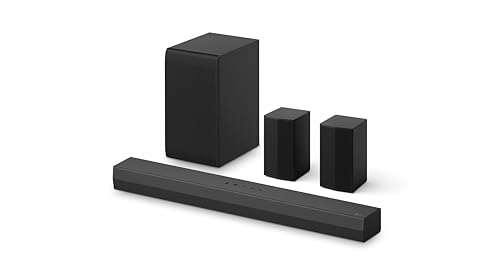
- ✓ Rear speakers and a wireless subwoofer in the box
- ✓ HDMI ARC, optical and Bluetooth inputs

To choose the best soundbar for a projector, start at its back panel, because the port that sends sound out decides which bars can play what you watch.
A projector often sits behind the seats or on the ceiling, its speakers are small (Epson lists 10 W × 2 for its LS500), and the wrong link can cost a bar Dolby Atmos or its timing.
Match the bar to that port and the room, and you’ll know before buying whether it gets surround formats, a subwoofer and a lip-sync fix.
The first check takes a minute: look for a jack marked ARC or eARC, an optical (S/PDIF) port, an Audio Out mini-jack, or a Bluetooth option in the sound menu.
The picks come first, then what common projectors send out, how the room changes the choice, and the settings that keep voices in step.
What Is the Best Soundbar for a Projector?
That back-panel check sorts the field fast. The best soundbar for a projector is one whose inputs match the projector’s audio output and whose size suits the room, so the answer changes with the setup.
For an eARC projector in a dedicated room, the LG S70TY’s 3.1.1 channels and wireless subwoofer fit the job. For a projector with no apps of its own, the Roku Streambar SE does the streaming itself.
| Pick | Best for | Channels | Projector connection | Bluetooth input |
|---|---|---|---|---|
| LG S70TY | A dedicated room with an eARC projector | 3.1.1 with a wireless subwoofer | HDMI eARC, HDMI In, optical | Yes |
| Amazon Fire TV Soundbar Plus | A living room screen fed by a Fire TV stick | 3.1 in one bar | HDMI eARC or ARC, optical | Yes |
| Samsung HW-B550F | A separate subwoofer and a hand-set sync delay | 2.1 with a wireless subwoofer | HDMI ARC, optical | Yes |
| Sonos Beam (Gen 2) | A small room with an eARC or ARC projector | One bar, four woofers and a tweeter | HDMI eARC or ARC, optical by adapter | Not listed by Sonos |
| Roku Streambar SE | A projector without streaming apps | Stereo, PCM only | HDMI ARC, or HDMI plus optical | Phones, tablets, headphones |
| LG S40TR | Rear speakers behind the seats | 4.1 with rears and a wireless subwoofer | HDMI ARC, optical | Yes |
Read the table by your projector’s port first, then by the room. The descriptions come from the makers’ manuals and spec pages.
Every pick met Burton Acoustix’s rating, review and stock checks on 6 November 2026.
LG S70TY
For a dedicated room with an eARC projector, the LG S70TY, a 3.1.1-channel soundbar with a wireless subwoofer is the pick. LG’s S70TY spec sheet lists HDMI eARC, one HDMI input and one output with 4K and Dolby Vision passthrough, an optical input and Bluetooth 5.1.
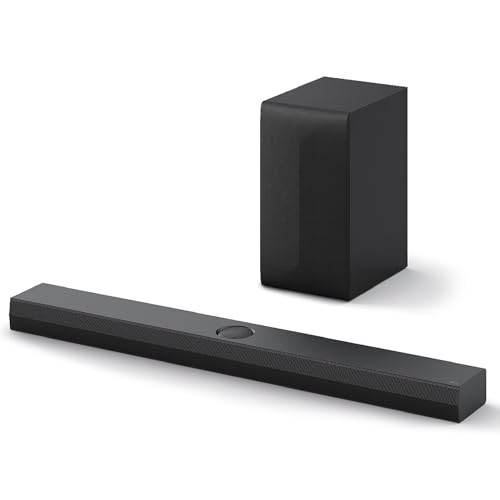
LG S70TY
That HDMI input is the projector-room detail. A streaming box can plug into the bar and pass its picture on to the projector, so the box stays under the screen while the projector hangs at the back.
The sheet also lists 4K passthrough with 120Hz, VRR and ALLM support, so a game console can use that input too. LG gives the set a 3.1.1 layout, and on a label such as 3.1.2, the .2 adds two height channels to a 3.1 layout, so the S70TY’s last digit marks one height channel.
The same sheet lists Dolby Atmos, DTS:X, Dolby TrueHD and DTS-HD Master Audio among its formats, and Clear Voice Pro and Night Time among its modes. The bar measures 37.4 inches wide and 2.5 inches tall, and a wall mount bracket comes in the box.
Rear speakers can come later if the room allows. LG’s S70TY manual names the SPT8-S kit, sold separately, whose speakers join by speaker cable and plug into an outlet behind the seats.
Amazon Fire TV Soundbar Plus
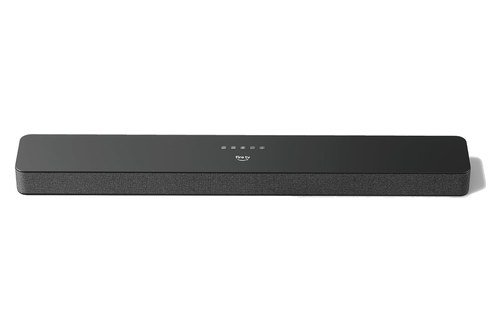
For a living room screen fed by a Fire TV stick or Cube, the Amazon Fire TV Soundbar Plus, a 3.1-channel bar with built-in woofers is the pick. Amazon’s setup help says it holds three full-range speakers, two woofers and three tweeters, with a dedicated center dialogue channel, and connects to an HDMI port that supports ARC or eARC.
Amazon Fire TV Soundbar Plus
Optical works too, with a cable sold separately, but Amazon’s help notes that optical and Bluetooth connections don’t support Dolby Atmos or DTS:X. That’s why this bar suits a projector with an ARC or eARC port best.
Amazon’s listing photos give a 37.0-inch bar, 2.5 inches tall, with a wall mount kit in the box, and the listing names Movie, Music, Sports and Night modes. With a compatible Fire TV device, the help says its sound settings also appear under Display & Sounds.
The bar can grow with the room. Amazon’s help describes a 5.1-channel system built with the Plus series subwoofer and two surround speakers, which pair with the bar on their own once powered.
The included remote adjusts bass, treble and volume, and Amazon says sets with surround speakers get buttons for surround balance and volume too. That keeps the main controls off the projector’s menus.
Samsung HW-B550F
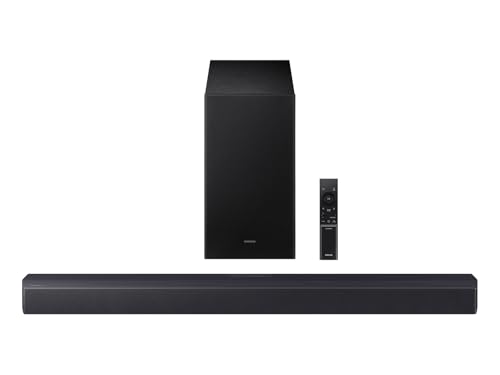
For a separate subwoofer and a lip-sync delay you set by hand, the Samsung HW-B550F, a 2.1-channel soundbar with a wireless subwoofer is the pick. Samsung’s HW-B550F user guide lists HDMI (ARC), a digital optical input, USB and Bluetooth, and connects the HDMI cable to an ARC or eARC port.
Samsung HW-B550F
Its AUDIO SYNC setting delays the bar’s sound by 0 to 300 milliseconds, though not in Bluetooth or USB mode. VOICE ENHANCE, for spoken dialog, and NIGHT MODE sit on the same Sound Control button.
Samsung’s specifications list LPCM 2ch, Dolby Digital and DTS as its formats, with no Dolby Atmos. So an optical link leaves out nothing the bar can decode, which makes it a fit for a projector whose only digital output is optical.
The 33.8-inch bar comes with a wall mount bracket, and its subwoofer stands 13.5 inches tall. Samsung’s SWA-9250S rear speaker kit, sold separately, takes the set from 2.1 to 4.1 channels.
Its sound modes run from SURROUND SOUND and GAME to ADAPTIVE SOUND, DTS VIRTUAL:X and BASS BOOST. Samsung also asks for 3 to 4 inches of space around the bar for ventilation, which matters on a crowded console under a screen.
Sonos Beam (Gen 2)
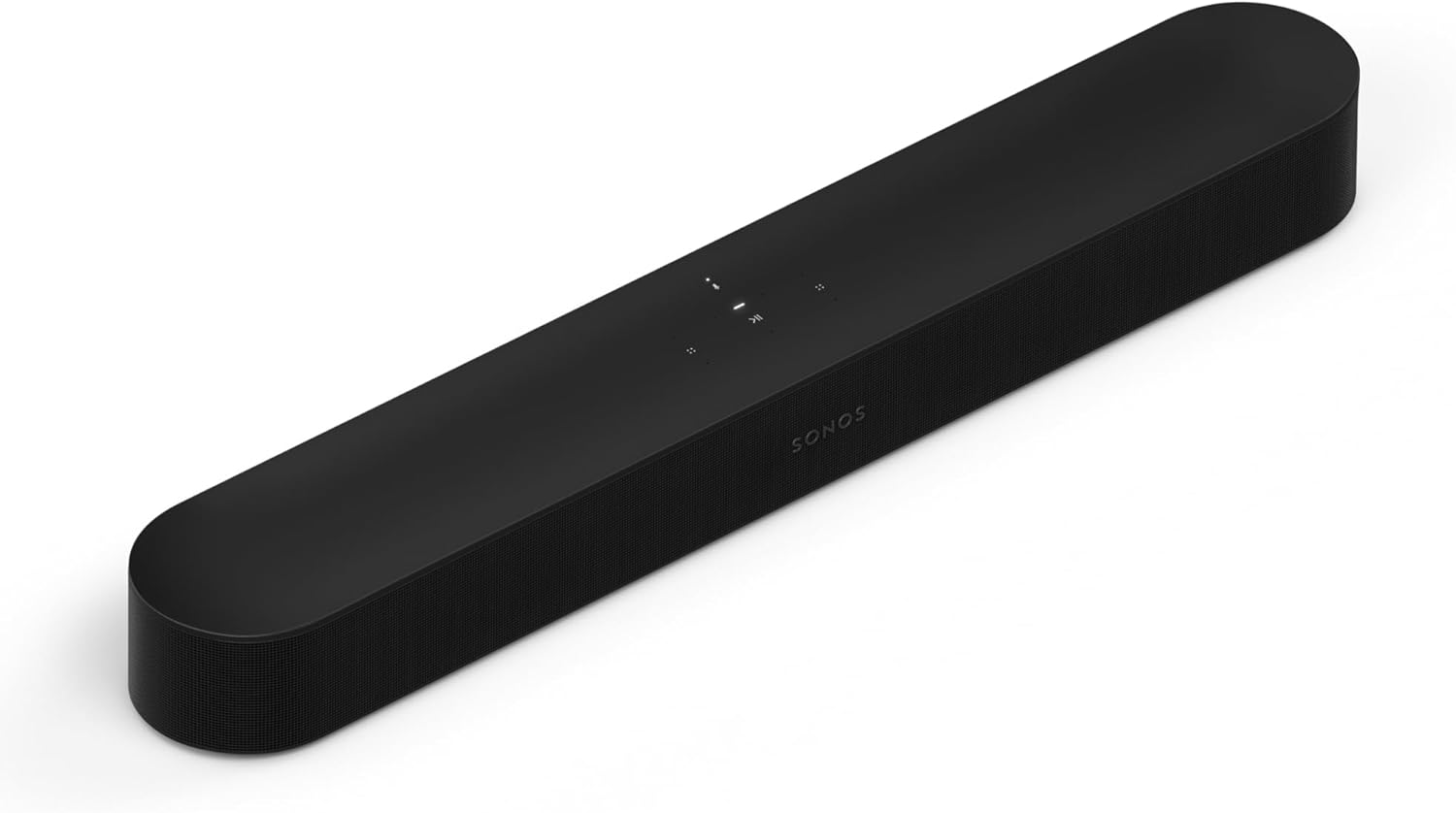
For a small room and an eARC or ARC projector, the Sonos Beam (Gen 2), a compact Dolby Atmos soundbar is the pick, at 25.63 inches wide and 2.68 inches tall, with four full-range woofers and one tweeter as its drivers. Sonos’s Beam (Gen 2) guide connects it by HDMI to an ARC or eARC port, or through Sonos’s optical adapter when there’s no ARC port.
Sonos Beam (Gen 2)
The guide also warns that a standard HDMI port gives no sound, so check the label on the projector’s port. Its home theater settings include Speech enhancement, Night sound and TV Dialog Sync, which adjusts the audio delay.
Sonos’s guide lists Wi-Fi, Ethernet and AirPlay 2 for the Beam and no Bluetooth pairing. Check that before you pair it with a portable projector whose only wireless output is Bluetooth.
Sonos treats a Sub and a pair of rear surrounds as later steps. Its guide places surrounds about 10 feet from the main seat, angled toward it.
Sonos’s Trueplay tuning, run from an iOS device, measures how sound reflects off the room’s surfaces and tunes the Beam to suit them. Sonos calls its Advanced tuning the best choice for large rooms, though open-plan spaces may tune less precisely.
Roku Streambar SE
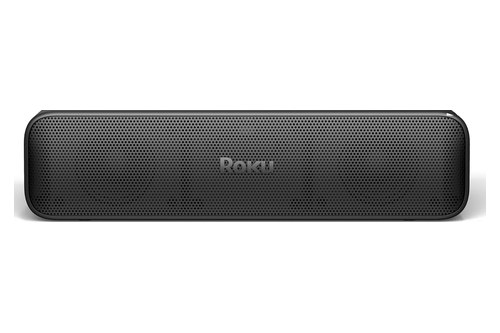
For a projector with no apps of its own, the Roku Streambar SE, a soundbar with 4K Roku streaming built in is the pick, because the bar becomes the streamer. Roku’s Streambar SE setup guide says it works with any TV that has a free HDMI port and recommends the ARC port.
Roku Streambar SE
Without an ARC port, Roku’s guide uses the included HDMI cable and the included optical cable together. The same guide says the Streambar SE can’t play Dolby Audio or DTS formats, so the source’s output should be set to PCM stereo.
Roku’s quick start guide explains why the ARC port matters: ARC sends the sound of the TV’s other inputs back through the Streambar SE, and HDMI-CEC lets the Roku remote switch the TV on and off. With a projector’s ARC port, the same goes for the projector’s other inputs.
The same guide lists Speech clarity, Volume leveling and Night mode, plus Bluetooth pairing for phones, tablets and wireless headphones. For lip sync, Roku’s help points to the Adjust Audio Delay tool in the Roku mobile app.
LG S40TR
For rear speakers behind the seats, the LG S40TR, a 4.1-channel soundbar with rear speakers and a wireless subwoofer is the pick. LG’s S40TR owner’s manual lists one optical input and one HDMI (ARC) port, plus Bluetooth, and gives Dolby Digital, DTS and PCM as its digital formats.
LG S40TR
Its rear pair joins by speaker cable, with the wireless receiver built into a rear speaker that plugs into an outlet. LG also asks for at least 1 m between the bar or the rears and gear such as Wi-Fi routers and microwave ovens.
If the room’s outlets push the rears onto the wrong sides, LG’s manual lets you swap their left and right channels in the LG ThinQ app.
A NIGHT TIME setting lowers the overall volume while raising soft sounds, and the bar measures about 28.3 inches (720 mm) wide. LG’s manual says the closer the bar sits to its wireless subwoofer, the better the sound.
Is a Soundbar Good for a Projector?
Those picks only help if a bar is the right add-on in the first place. A soundbar is a good fit for a projector that has an audio output it accepts, and BenQ’s own knowledge-center page answers the same question that way: yes, with an HDMI ARC or audio output port, a soundbar connects directly.
The case for one starts with the projector’s built-in sound. Epson’s LS500 guide lists a stereo system of 10 W × 2, and Optoma’s UHZ50 page lists two speakers at 10 W each.
Those speakers also sit wherever the projector does. With a ceiling or back-shelf projector, they’re above or behind the seats while the picture is in front, and a bar puts the sound back at the screen.
Several bars here add a separate subwoofer, and their makers list bigger power figures. Samsung gives the HW-B550F’s bar 80 W of maximum output and its subwoofer 220 W, while LG gives the S40TR 400 W RMS in total, and each maker rates power its own way.
A bar isn’t the only route, though. BenQ’s same page also wires its projectors to an AV receiver and separate speakers through S/PDIF, which suits a room built around speakers rather than one box under the screen.
What Does Your Projector Send to a Soundbar?
That answer turns on the projector’s own outputs, so check them first. Projector makers list four ways out for sound, HDMI ARC or eARC, optical (S/PDIF), a 3.5 mm jack and, on some models, Bluetooth, and each brand mixes them differently:
| Projector and maker’s document | Sound out for a soundbar | What else the maker lists |
|---|---|---|
| Epson LS500 (User’s Guide) | HDMI2 (ARC); Audio Out mini-jack | Stereo 10 W × 2; turn on HDMI Link and set Audio Out Device to AV System |
| Optoma UHZ50 (product page) | HDMI 2.0 (eARC); S/PDIF; 3.5 mm audio out | Two 10 W speakers; eARC passes uncompressed 5.1 and 7.1 |
| soundcore Nebula X1S by Anker (setup guide) | One HDMI 2.1 port with eARC; optical | Wireless speaker playback and a sound-delay setting |
| Hisense Laser TV (E-Manual) | HDMI ARC or eARC; Digital Audio Out (optical); Bluetooth | Lip Sync and Digital Audio Delay settings; a headphone port on some models |
| XGIMI (connection guide) | Two HDMI ports; a Sound Output menu ending at Internal Speaker/SPDIF/ARC | The menu sits under Settings, then Sound |
| BenQ (FAQ and knowledge center) | ARC or eARC, SPDIF or 3.5 mm by model; Bluetooth on some | eARC needs an Ultra High Speed HDMI cable, ARC a High Speed one |
The table shows why the projector, not the bar, sets the starting point. BenQ’s guide to external audio ranks the routes: HDMI ARC or eARC first, for surround formats when both ends support them, then optical with more limited surround, and the 3.5 mm jack last, with stereo only.
BenQ adds that some projectors support Bluetooth audio output and some don’t, and that Bluetooth may add a slight delay compared with wires. The Hisense E-Manual for Laser TV/Cinema pairs Bluetooth speakers and sound bars, one speaker or headphone at a time, and its Digital Audio Delay works only with ARC or the optical output.
Hisense’s E-Manual also says 5.1-channel audio reaches an external system when Digital Audio Out is set to Dolby Audio – Dolby Digital Plus. Over optical, it suggests PCM or Dolby Digital instead.
Even an eARC projector can narrow what reaches the bar. Anker’s soundcore support says the Nebula X1 Pro’s HDMI input handles LPCM as two channels only, so it tells owners to set consoles and players to Bitstream (Dolby or DTS) instead.
What If the Projector Has No Audio Output?
BenQ’s page covers that case as well. A single source with its own SPDIF or 3.5 mm output can send its picture to the projector by HDMI and its sound straight to a bar, even one without HDMI connectivity, in BenQ’s words.
A bar with an HDMI input takes the source directly instead, and among these picks that’s the LG S70TY. The Roku Streambar SE sidesteps the question for streaming, because the bar is the source and plays its own apps’ sound.
Which Soundbar Inputs Match Each Projector Port?
Those outputs map straight onto a bar’s inputs. Each projector port needs the same kind of input on the bar, and the picks line up like this:
| Projector output | What the bar needs | Picks with it | What the makers note |
|---|---|---|---|
| HDMI eARC | HDMI eARC | LG S70TY; the Fire TV Soundbar Plus and the Beam connect to ARC or eARC ports | LG lists Dolby TrueHD and DTS-HD Master Audio for the S70TY |
| HDMI ARC | HDMI ARC or eARC | Every pick here | Sonos warns that a standard HDMI port gives no sound |
| Optical (S/PDIF) | Optical input | LG S70TY, Fire TV Soundbar Plus, Samsung HW-B550F, LG S40TR; the Beam by adapter; the Streambar SE beside HDMI | No Dolby Atmos or DTS:X over optical on the Fire TV Soundbar Plus |
| 3.5 mm Audio Out | Analog input | None of the picks lists one | BenQ calls the 3.5 mm jack a last resort, stereo only |
| Bluetooth | Bluetooth input | LG S70TY, Fire TV Soundbar Plus, Samsung HW-B550F, LG S40TR, Roku Streambar SE | No Dolby Atmos or DTS:X over Bluetooth on the Plus; no AUDIO SYNC in Samsung’s BT mode |
Every projector in the earlier table lists ARC or eARC, on at least some models, so those rows cover every brand in it. If the projector’s only output is a 3.5 mm jack, choose a bar whose maker lists an analog or AUX input, or use Bluetooth if the projector offers it.
What Does eARC Add Over ARC?
The eARC row in that table carries the most. Optoma’s UHZ50 page puts eARC at up to 37 Mbps against about 1 Mbps for ARC, and says it passes uncompressed 5.1 and 7.1.
HDMI Licensing’s eARC page lists Dolby TrueHD, DTS-HD Master Audio, Dolby Atmos and DTS:X among the formats eARC carries, and LG lists the first two for the S70TY. With plain ARC, the bars here still connect, and Amazon’s help plugs the Soundbar Plus into an ARC or eARC port alike.
The cable is part of the pair. BenQ’s FAQ lists an Ultra High Speed HDMI cable (HDMI 2.1) as the first check when an eARC bar stays silent, and a High Speed one (HDMI 1.4) for ARC.
Epson’s LS500 guide adds that a 4K source at 60 fps needs a cable rated HDMI 2.0 or higher. That note sits on the guide’s page about connecting speakers over HDMI ARC.
Can You Use a Bluetooth Soundbar With a Projector?
Yes, when the projector itself sends sound over Bluetooth, which Hisense’s E-Manual describes for its laser TVs and BenQ says some projectors offer and others don’t. The bar then needs a Bluetooth input, which every pick except the Beam lists, though Roku names only phones, tablets and headphones for the Streambar SE.
Bluetooth trades some features for the missing cable. Amazon says the Fire TV Soundbar Plus plays no Dolby Atmos or DTS:X over Bluetooth, and warns that connecting both Bluetooth and HDMI to a TV may cause connection issues.
Timing may need a fix on the projector side, because Samsung’s AUDIO SYNC doesn’t work in Bluetooth mode. Check which outputs the projector’s own delay covers: Hisense’s Digital Audio Delay, for one, covers only ARC and the optical output.
Where Should the Soundbar Go When the Projector Sits Behind You?
Ports settle what connects, and the room settles where each box sits. The soundbar stays with the screen, under it on a stand or on the wall the way Amazon’s and Sonos’s guides place their bars, even when the projector hangs from the ceiling or stands on a back shelf.
That leaves a long cable between the two. Anker’s X1S guide, for example, puts the lens 7.9 to 13.1 feet from a 120-inch image, so the bar and the projector end up a room apart.
With an ARC or eARC projector, the sources plug into the projector and one HDMI cable carries their sound back to the bar. A bar on the console then needs only that cable and its power cord.
The other layout puts the sources at the bar. A bar with an HDMI input, such as the LG S70TY, takes the streaming box and passes its picture up to the projector, the hub layout in Burton Acoustix’s guide to running several HDMI sources through the bar.
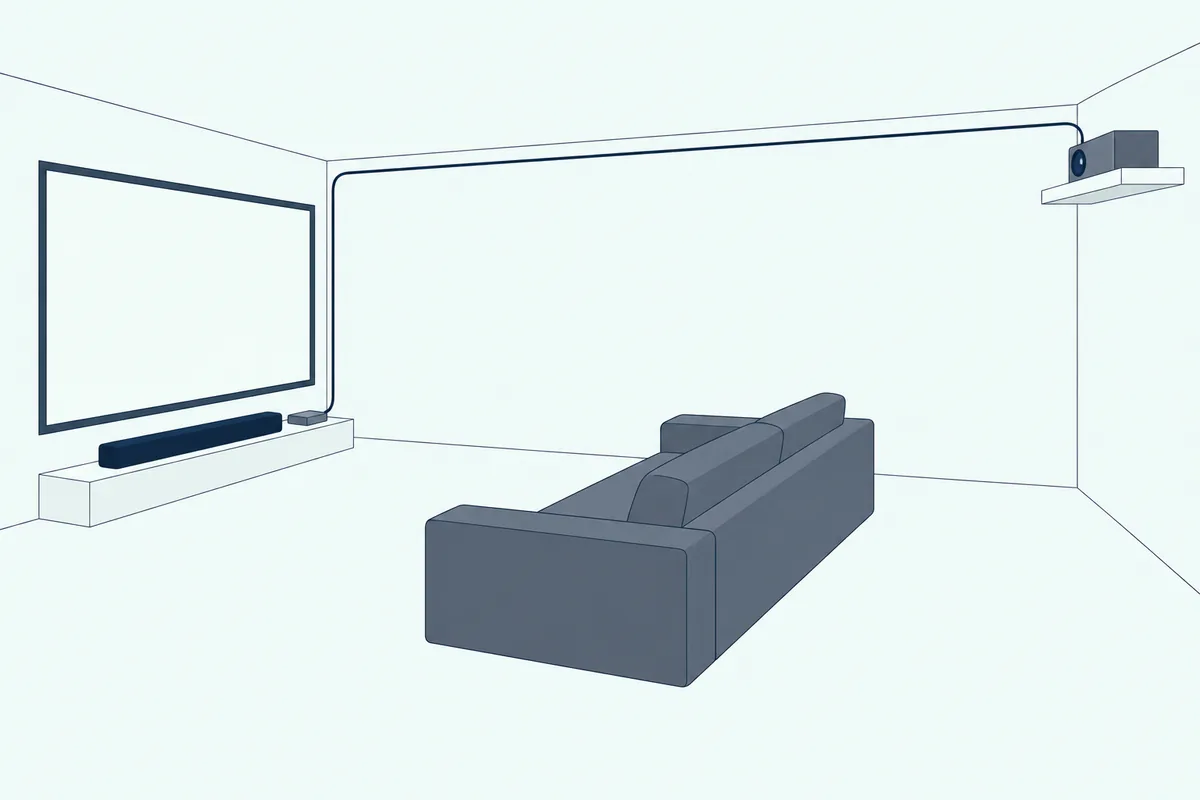
BenQ describes a third option for a source with two HDMI outputs: one goes to the projector and the other to the soundbar’s HDMI input. BenQ notes that a projector’s HDMI inputs are usually not enough for every device, which is why it adds an HDMI switch in front of the projector.
An ultra-short-throw projector changes the picture again. Epson’s LS500 sits 16.9 to 32.3 inches from the screen for a 65- to 130-inch image, so the projector and the bar share the space under the screen and a short HDMI cable reaches its ARC port.
Which Soundbar Setup Fits Your Projector Room?
Where the projector sits is half of it, and the room is the other half. A living room with a pull-down screen suits a one-box bar such as the Fire TV Soundbar Plus, a dedicated dark room suits a set with rear speakers such as the S40TR, and a bedroom with a portable projector suits a Bluetooth bar or the Streambar SE, while a screen that stays outdoors calls for a weatherproof bar.
A Living Room With a Pull-Down Screen
A 16:9 screen measured at 100 inches is about 87 inches wide, more than twice the 37.4-inch width of the LG S70TY, so the bar sits centered under the screen. Amazon’s help puts the Soundbar Plus under the TV or on the wall, close to ear level from where you’re watching, and a projector screen simply takes the TV’s place.
For a room that doubles as the main TV space, the Fire TV Soundbar Plus keeps everything in one bar, while the HW-B550F adds a subwoofer box.
Sonos lets the Beam go on a stand or on the wall above or below, and on a shelf it asks for the front edge with at least 2 inches clear on both sides. Burton Acoustix’s guide to how high and how far below a screen a bar should sit covers the measurements.
A Dedicated Home Projector Room
A dark room built for movies is the one most likely to have space and outlets for rear speakers. The S40TR brings them in the box, while the S70TY, the Soundbar Plus, the HW-B550F and the Beam can add them later, and a guide to what rear speakers add over a 2.1 set weighs the change.
Height channels are the next step up, and among these picks only the S70TY lists one, in its 3.1.1 layout. The Beam and the Soundbar Plus list Dolby Atmos without a height count in their makers’ documents.
Plan power for the rears before you buy, since LG’s rear receiver and Amazon’s surround speakers each plug into an outlet. Amazon’s help places its surrounds 6 to 9 feet from the seats, at ear level or 1 to 2 feet higher.
A Bedroom or Portable Projector
A smaller room with a portable projector often comes down to Bluetooth or one HDMI cable. If the projector sends its sound over Bluetooth, the bar needs a Bluetooth input, which the Beam’s guide doesn’t list.
If the projector has HDMI but no apps, the Streambar SE adds Roku’s streaming and the speakers in one bar. Burton Acoustix’s soundbar guide explains how the main types of bar differ, from compact single bars to sets with a separate subwoofer.
Anker’s X1S guide suggests one test first: play one source through the projector’s built-in speakers before adding external audio, so you start from a setup that already works.
An Outdoor Movie Night
Outdoor screens bring weather into the choice, and Samsung’s guide, for one, gives the HW-B550F an operating range of 50 to 104 °F. If the screen and bar stay outside all season, weatherproof soundbars for an outdoor TV covers the IP ratings, temperature ranges and GFCI outlets their makers ask for, and Furrion’s manual doesn’t recommend extension cords.
Away from mains power, a bar built for vehicles is the other route. The roundup of the best golf cart soundbar picks covers weatherproof bars that run on 12-volt power.
Which Soundbar Features Matter Most With a Projector?
Whatever the room, the same few features separate the picks. The ones that matter most with a projector are a dialogue setting, a night setting, a way to adjust lip sync, a subwoofer or a path to one, and an HDMI input if the streaming box should sit at the bar.
| Pick | Dialogue setting | Night setting | Lip-sync setting | Subwoofer | Rear speakers |
|---|---|---|---|---|---|
| LG S70TY | Clear Voice Pro | Night Time | Not listed by LG | Wireless, in the box | SPT8-S, sold separately |
| Fire TV Soundbar Plus | Center dialogue channel | Night mode | Not listed by Amazon | Plus series, optional | Plus series, optional |
| Samsung HW-B550F | VOICE ENHANCE | NIGHT MODE | AUDIO SYNC, 0 to 300 ms | Wireless, in the box | SWA-9250S, sold separately |
| Sonos Beam (Gen 2) | Speech enhancement | Night sound | TV Dialog Sync | Sonos Sub, sold separately | Sonos surrounds, sold separately |
| Roku Streambar SE | Speech clarity | Night mode | Adjust Audio Delay in the Roku app | Not in the box | Not listed by Roku |
| LG S40TR | Not listed by LG | NIGHT TIME | Not listed by LG | Wireless, in the box | In the box |
The night settings describe one idea in each maker’s words. Samsung’s NIGHT MODE brings the volume down but keeps the dialog clear, Sonos’s Night sound enhances quiet sounds and reduces loud ones, and Roku’s Night mode lowers loud scenes while boosting quiet ones.
The lip-sync column matters because a display’s own picture processing can put sound and picture out of step. Roku’s help lists video processing such as motion smoothing among the causes of sync errors and suggests turning it off.
Only the S70TY lists an HDMI input among these picks. On the others, the one HDMI port faces the projector, so the sources plug into the projector instead.
Control is the last check. LG’s S70TY sheet puts Auto Volume Leveler and Dynamic Range Control in its phone app, Sonos sets up the Beam in the Sonos app, and Amazon adds the Soundbar Plus’s settings to compatible Fire TV devices.
How Do You Connect a Soundbar to a Projector?
Once the bar is chosen, the hookup follows the same order as BenQ’s ranking. Connect the bar to the projector’s HDMI ARC or eARC port with an HDMI cable and turn on the projector’s ARC and HDMI control settings, or use optical, the 3.5 mm jack or Bluetooth if that’s all it offers.
Each maker names the switch differently. Epson’s LS500 guide turns on HDMI Link and sets Audio Out Device to AV System, XGIMI’s guide follows Settings, Sound and Sound Output to Internal Speaker/SPDIF/ARC, and Hisense’s E-Manual sets Audio Output to ARC or eARC.

BenQ’s FAQ adds the settings to check when a bar stays silent: SPDIF, Audio Return (or Audio Return+) and Electronic Control (or HDMI Device Control) on the projector. On the source device, it checks that CEC or Audio Return is on.
The full walkthrough, with each projector maker’s audio menu and the checks for a silent bar, is in how to connect a soundbar to a projector.
How Do You Improve Sound on a Projector Beyond the Soundbar?
With the cable in, settings and placement do the rest. Set a delay on one side to bring voices into step with lips, run the projector in its quieter light mode where the room is dark enough, and place the bar and subwoofer the way their makers describe.
Start with the delay, on whichever side offers one. Hisense’s E-Manual offers Lip Sync and a Digital Audio Delay for ARC and optical, Anker’s X1S guide a sound-delay setting, Samsung AUDIO SYNC from 0 to 300 ms, Sonos TV Dialog Sync, and Roku the Adjust Audio Delay tool in its app.
Fan noise is the projector’s own contribution to the room: Epson’s LS500 specifications list 36 dB in Normal Light Source mode and 23 dB in ECO mode. ECO also cuts the white light output from 4,000 to 1,200 lumens, so it suits a dark room better than a bright one.

The subwoofer comes next. Amazon’s help keeps the Plus series subwoofer away from corners and at least 12 inches from the wall, LG keeps its wireless subwoofers close to the bar, and Burton Acoustix’s guide to placing a soundbar’s subwoofer around the room covers the rest.
Source settings can matter too, and the makers differ here. Epson’s guide suggests PCM output when an HDMI source plays no sound, while Anker’s support asks Nebula X1 Pro owners for Bitstream, so follow your own projector’s manual.
What Should You Check Before Buying a Projector Soundbar?
All of that comes down to a short list. Check these four things before you buy a projector soundbar:
- The projector’s sound outputs: HDMI ARC or eARC, optical, a 3.5 mm jack or Bluetooth.
- A matching input on the bar, with eARC on both ends for the formats HDMI Licensing lists for eARC, such as Dolby TrueHD.
- Where the streaming box will sit: at the projector, or at a bar with an HDMI input.
- A dialogue setting, a lip-sync control on the bar or the projector, and room for a subwoofer.
The first two decide whether the bar plays at all, and the last two decide how it fits the room. A bar that passes all four will match the projector the way the picks above do.
The Bottom Line
The best soundbar for a projector matches the projector’s sound output first and the room second. For a dedicated room with an eARC projector, the LG S70TY’s HDMI input, eARC and wireless subwoofer fit, and for a projector without apps, the Roku Streambar SE streams on its own.
The Fire TV Soundbar Plus suits a Fire TV living room, the HW-B550F a separate subwoofer with a hand-set delay, the Beam a small eARC room and the S40TR rear speakers from day one. Whichever it is, check the projector’s back panel before the bar’s box.
Frequently Asked Questions
Can a Bose soundbar work with a projector?
Yes, through the same ports. Bose’s Smart Soundbar owner’s guide prefers HDMI eARC or ARC, offers optical as the second option, and pairs Bluetooth sources, and it says Dolby Atmos needs the HDMI eARC or ARC connection. So an ARC or eARC projector is the one that gets Atmos to the bar, while an optical-only projector still gets sound. The guide also lists AI Dialogue Mode, which Bose says makes voices easier to hear without reducing the impact of immersive sound effects.
Do you need a subwoofer with a projector soundbar?
Not always, though a projector’s built-in speakers are small: Epson lists 10 W × 2 for the LS500. The LG S70TY, the Samsung HW-B550F and the LG S40TR come with wireless subwoofers. The Fire TV Soundbar Plus has two built-in woofers and an optional Plus series subwoofer, and the Sonos Beam (Gen 2) can add a Sonos Sub later. The Roku Streambar SE has no subwoofer in the box.
Will Dolby Atmos play through a projector?
Only when the projector passes it on and the link carries it. Optoma says the UHZ50’s eARC port passes uncompressed 5.1 and 7.1, and LG lists Dolby Atmos and Dolby TrueHD for the S70TY. Amazon says optical and Bluetooth carry no Dolby Atmos to the Fire TV Soundbar Plus, and BenQ gives optical more limited surround support than HDMI ARC or eARC. Anker’s support notes that the Nebula X1 Pro takes LPCM over HDMI as two channels only.
Can you connect a soundbar to an Epson projector?
Yes, on models with an ARC port or an audio output. Epson’s LS500 guide connects an ARC-compatible bar or receiver to the HDMI2 (ARC) port, with HDMI Link turned on and Audio Out Device set to AV System. It also lists an Audio Out mini-jack for self-powered speakers. For another Epson model, check its user’s guide for an ARC port or Audio Out jack before you choose a bar.
Can a soundbar go above a projector screen?
Some makers allow it. Sonos’s guide lets the Beam go on the wall above or below a TV, while Amazon’s help places the Soundbar Plus under the TV or on the wall, close to ear level when seated. For any other bar, check the mounting page in its manual before you drill.
What size soundbar suits a 100-inch projector screen?
No soundbar here spans one. A 16:9 screen measured at 100 inches is about 87 inches wide, and even the LG S70TY measures only 37.4 inches, so center the bar under the screen rather than trying to match its width. LG’s sheet pairs the S70TY with TVs of 49 inches and up, and Amazon’s help puts the Plus at ear level for seated viewers.
Can a wireless soundbar work with a projector?
Yes, if “wireless” means Bluetooth from the projector or wireless speakers around the bar. The bar still needs one link to the projector: HDMI, optical or Bluetooth. The wireless subwoofers in the S70TY, HW-B550F and S40TR sets link to the bar without a cable but still plug into an outlet, and the S40TR’s rear pair also joins by speaker cable.