Can a Vizio Soundbar Work With a Smart LG TV?
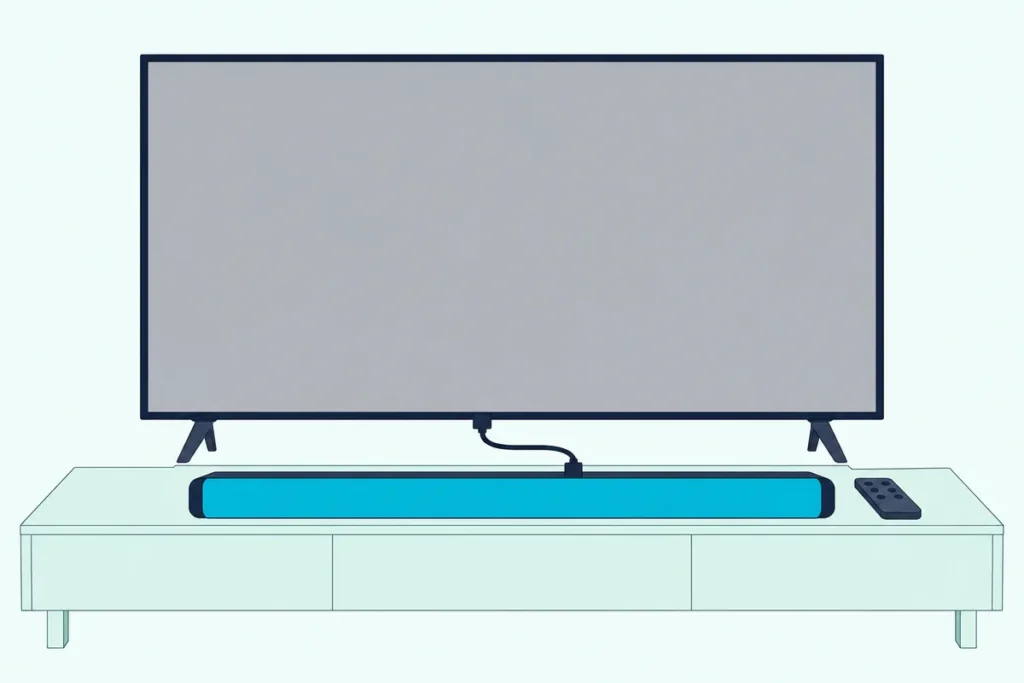
Can a Vizio soundbar work with a smart LG TV? Yes, through the TV’s HDMI ARC or eARC port with LG’s SIMPLINK switched on, or through optical or Bluetooth when HDMI isn’t an option.
The trouble is that nothing tells you which LG switch matters, so the bar sits silent or the Magic Remote changes the TV’s volume instead of the bar’s.
Get two settings right and the LG remote’s volume buttons run the Vizio bar.
The first move is a look at the back of the TV for the socket marked eARC/ARC, because that port decides how much works.
What follows is the HDMI hookup, the LG menu for your TV’s year, the optical fallback, the remote question and the fixes for silence, lag and DTS.
Can a Vizio Soundbar Work With a Smart LG TV of Any Year?
That eARC/ARC port is the reason the answer doesn’t depend on the brand. A Vizio soundbar works with an LG TV from any year LG documents, 2020 through 2025, because ARC and CEC are shared standards that LG simply labels SIMPLINK.
LG’s own guides say SIMPLINK lets one remote run devices like a sound bar on the same cable. They also add a caution: it’s meant for devices with the SIMPLINK logo, and other products “may cause problems during operation,” which is LG covering itself rather than a ban on Vizio.
The Vizio side agrees. Vizio’s SV210M-0808 manual tells you to enable CEC on your TV and use the TV’s ARC or eARC port, after which “you can use your existing TV remote control” for the bar (Vizio SV210M-0808 manual).
That bar even shows the cross-brand case in its lights: on a non-Vizio TV its LED blinks with every volume step. For the bar’s side port by port, Burton Acoustix’s Vizio soundbar setup guide covers any TV.
How Do You Connect a Vizio Soundbar to an LG TV With HDMI?
Those blinking lights only appear once the cable and two menus are right. Run one cable from the TV’s eARC/ARC port to the bar’s ARC socket, then pick HDMI(ARC) Device in Sound Out and keep SIMPLINK on, in this order from LG’s 2022 to 2025 guides:
- Plug one end of the HDMI cable into the LG TV’s HDMI (eARC/ARC) port, not a regular HDMI input.
- Plug the other end into the Vizio bar’s port marked HDMI (ARC), HDMI (eARC) or HDMI Out (eARC), depending on the model.
- On the TV, open Settings > All Settings > Sound > Sound Out > Use Wired Speaker and choose HDMI(ARC) Device.
- Check that SIMPLINK (HDMI-CEC) is On in the TV’s HDMI Settings.
- Turn the bar on and press its Input button until the HDMI input is selected.
Step 3 does part of step 4 for you. LG’s guide says selecting HDMI(ARC) Device “automatically” turns on SIMPLINK, and turning SIMPLINK off resets the sound output to its default.
On an eARC bar, add one more switch. LG puts eARC Support under Sound > Advanced Settings, and the M51ax-J6, M213ad-K8 and SV210M-0808 have eARC sockets that can use it.
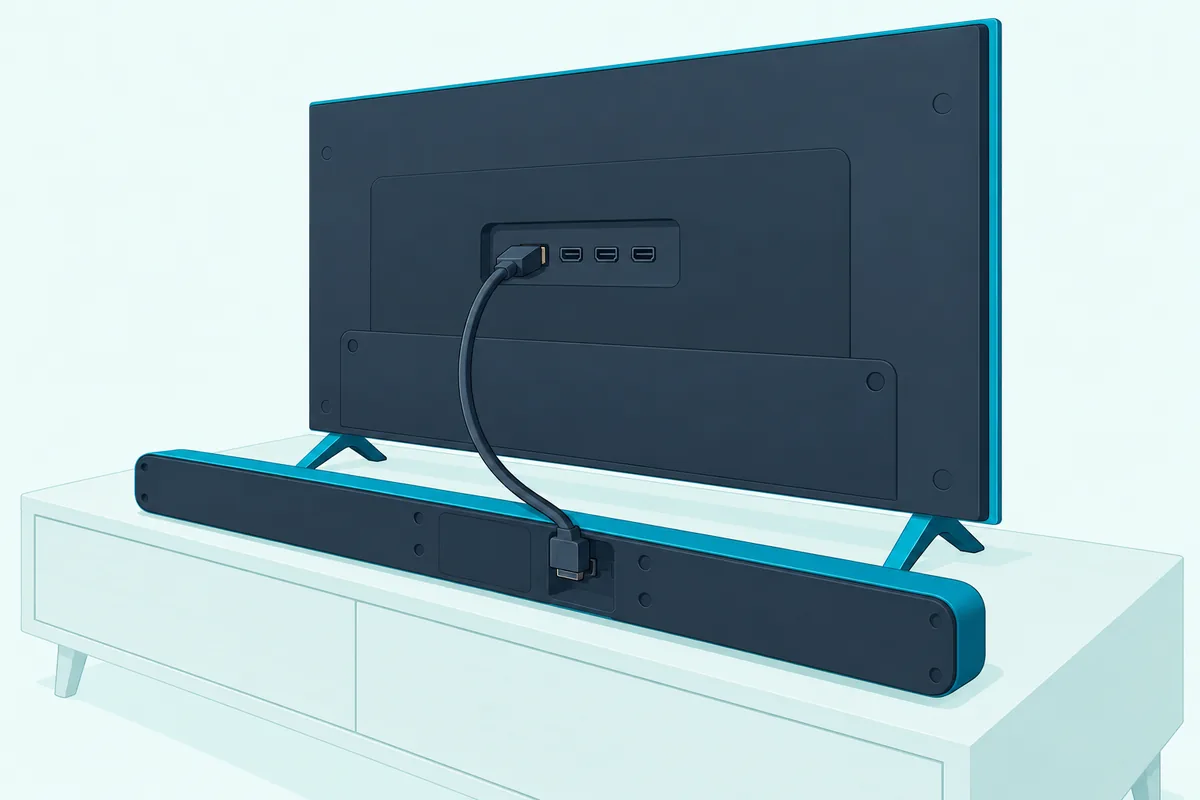
Vizio bars such as the V51x-J6 and SV210M-0808 come with the cable. If yours is missing, UGREEN’s 6.6 ft certified HDMI cable is sold as Certified Ultra High Speed, more than ARC needs.

UGREEN’s 6.6 ft certified HDMI cable
LG asks for a High Speed cable with CEC for SIMPLINK, which uses pin 13 to pass commands.
Get Studio Tips Weekly
Join 5,000+ creators getting acoustic treatment advice every week.
No spam. Unsubscribe anytime.Which LG Menu Sends the Sound to a Vizio Bar by webOS Year?
The Sound Out step above is where LG’s menus differ by year. On 2021 to 2025 sets it’s Sound Out > Use Wired Speaker > HDMI(ARC) Device, and on 2020 sets it’s Sound Out > HDMI ARC, as LG’s own guides show:
| LG TV year | Sound Out choice | SIMPLINK switch | Digital Sound Output |
|---|---|---|---|
| 2020 | Sound > Sound Out > HDMI ARC | Connection > Device Connection Settings | Not in the saved 2020 pages |
| 2021 | Sound Out > Use Wired Speaker > HDMI(ARC) Device | Not in the saved 2021 pages | Sound > Advanced Settings; no DTS rows in its table |
| 2022 | Sound Out > Use Wired Speaker > HDMI(ARC) Device | General > Devices > HDMI Settings | Sound > Advanced Settings; no DTS rows |
| 2023 | Same as 2022 | General > External Devices > HDMI Settings | Same path; no DTS rows |
| 2024 and 2025 | Same as 2022 | Same as 2023 | Same path; DTS rows added |
Every path starts from Settings > All Settings. The 2020 and 2021 rows come from Internet Archive copies of LG’s old guide pages, since those pages are gone from LG’s guide site, and the gaps stay blank rather than guessed.
If your menus read differently, the LG TV soundbar hookup walkthrough goes through the same settings for LG’s own bars.
Can You Connect a Vizio Soundbar to an LG TV With Optical?
The Use Wired Speaker menu in that table also holds the fallback, Optical Out Device, for when the ARC port is taken or the bar has no ARC socket. Yes, a Vizio bar with a Digital Optical input works over optical: choose Sound Out > Use Wired Speaker > Optical Out Device on the TV and set the bar to its optical input.
LG adds that this is “only available for models with an optical digital port.” Vizio is just as specific, since the V51x-J6 and V21d-J8 show a red light for Digital Optical and a magenta one for HDMI, so the color confirms the input.
Check the bar before you buy a cable. The SV210M-0808 has only an HDMI (eARC) socket for the TV, and Vizio tells owners whose TV needs optical to contact support.
Amazon Basics’ 6 ft Toslink cable covers the gap, since the V51x-J6 marks its optical cable as not included.
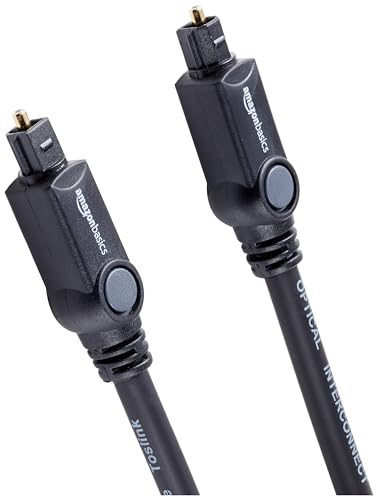
Amazon Basics’ 6 ft Toslink cable
What you give up is control and formats. Optical carries no SIMPLINK, and LG’s tables turn Atmos into plain Dolby Digital on optical, so for the full optical routine see optical setup on LG TVs.
Will the LG Magic Remote Control a Vizio Soundbar?
That control loss is the heart of the remote question. Over ARC with SIMPLINK on, yes: LG lists controlling connected devices with the TV remote among SIMPLINK’s functions, and Vizio’s SV210M-0808 says the TV remote then runs the bar’s audio.
Power can follow too. LG’s guides list Main Power Off, which turns certain SIMPLINK devices off with the TV, and the SV210M-0808 enters standby when the TV powers off.
Optical is harder because the Magic Remote doesn’t send infrared to the bar. Sonos explains that it uses radio or Bluetooth to reach the TV instead of infrared (Sonos).
Vizio bars can learn a TV remote’s IR volume buttons through SETUP > Prg Remote on the V51x-J6 (Vizio V51x-J6 manual), but a remote that talks by radio may give it nothing to learn. LG’s Universal Control setup, which turns the Magic Remote into a universal remote for other devices, is covered in the Magic Remote and sound bar guide.
Why Is There No Sound, Lag or a DTS Problem?
Once the remote works, the faults left are about sound itself. Most trace to the Sound Out choice, the bar’s input or a sound format setting, and each has a sign on the Vizio side.
When the TV doesn’t seem to recognize the bar, start with LG’s own test. Its 2025 guide says to switch Sound Out to Use TV Speaker, and if the TV plays fine, the problem is the external speaker’s connection or settings.
On the bar, press Input until the light shows the input you cabled. On digital inputs the V51x-J6’s input lights flash rapidly when a format isn’t supported, and Vizio’s fix is to set the source to PCM, which on an LG TV is Digital Sound Output > PCM.
Vizio’s no-sound list also says the TV’s audio output should be Fixed or Standard, not Variable, so check that before blaming the cable.
Volume that won’t change on the bar points back to the control link: over ARC, check SIMPLINK, and on optical the remote issue above applies.
Lip-sync drift has a control on both ends. LG’s 2023 and 2025 guides call it Match Screen and Sound under Sound > Advanced Settings, and the V51x-J6 offers AV Delay under its LEVEL menu.
Game mode can add delay too. LG’s 2025 guide warns that Game Optimizer may delay audio sent to an HDMI(ARC) or optical device, with the fix of switching Select HDMI Input Audio Format to PCM.
DTS is the LG-specific catch. LG’s 2024 Digital Sound Output table passes DTS over optical and ARC and DTS-HD MA or DTS:X over eARC, while the 2021 to 2023 tables list no DTS input (LG webOS 2024 guide).
Vizio’s V21d-J8 shows an amber light for DTS and the SV210M-0808 a yellow one for DTS:X, so a silent DTS movie with no colored flash suggests the TV’s output setting. Setting Digital Sound Output to PCM is the reliable fallback, and Vizio’s no-sound steps say the same.
Frequently Asked Questions
Can you pair a Vizio soundbar to an LG TV over Bluetooth?
Yes, as a third choice after HDMI and optical. LG’s 2023 and 2025 guides list Sound Out > Use Wireless Speaker > Bluetooth Device, and Vizio bars such as the V51x-J6 pair from a held Bluetooth button. LG warns that some Bluetooth devices may connect badly or play out of sync with the picture, and only some let the TV adjust their volume. For a TV that stays put, the ARC cable above is the steadier link.
Do I need SIMPLINK on for a Vizio soundbar?
For HDMI, yes. LG’s guides say to set Sound Out to HDMI(ARC) Device and SIMPLINK (HDMI-CEC) to On, and turning SIMPLINK off resets the sound output to its default. Optical doesn’t use it.
Is a Vizio soundbar on an LG TV the same as on a Samsung TV?
Mostly. The cable steps match, but the menu and switch names change, as the Vizio soundbar on a Samsung TV guide shows, while LG calls its version of CEC SIMPLINK.