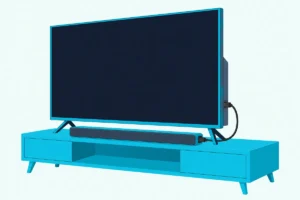
The LG S90TR is the best sound bar for an LG OLED C or G series TV, because it carries every LG TV tie-in and comes with rear speakers.
The picks
LG S90TR
LG SC9S
LG S70TY
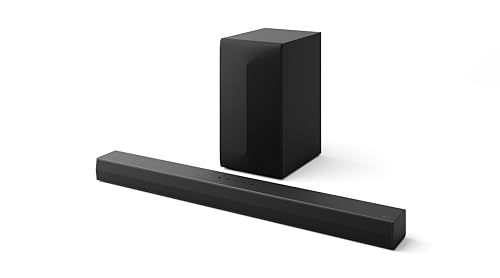
LG S60T
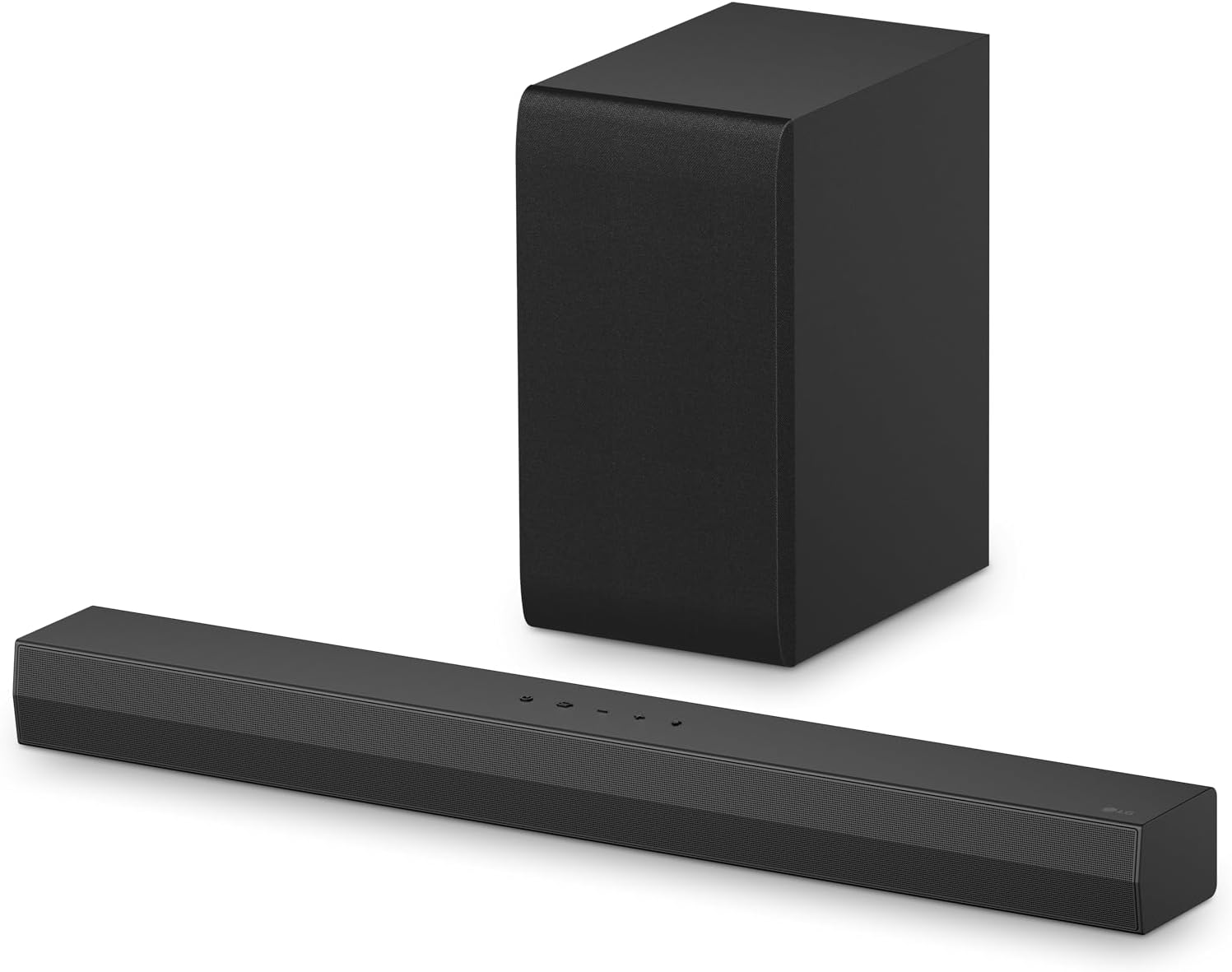
LG S40T
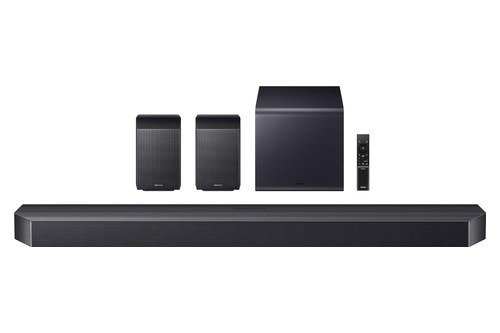
Samsung HW-Q990F
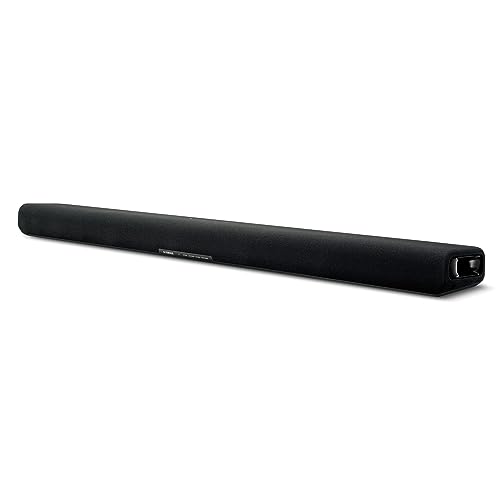
Yamaha SR-B30A
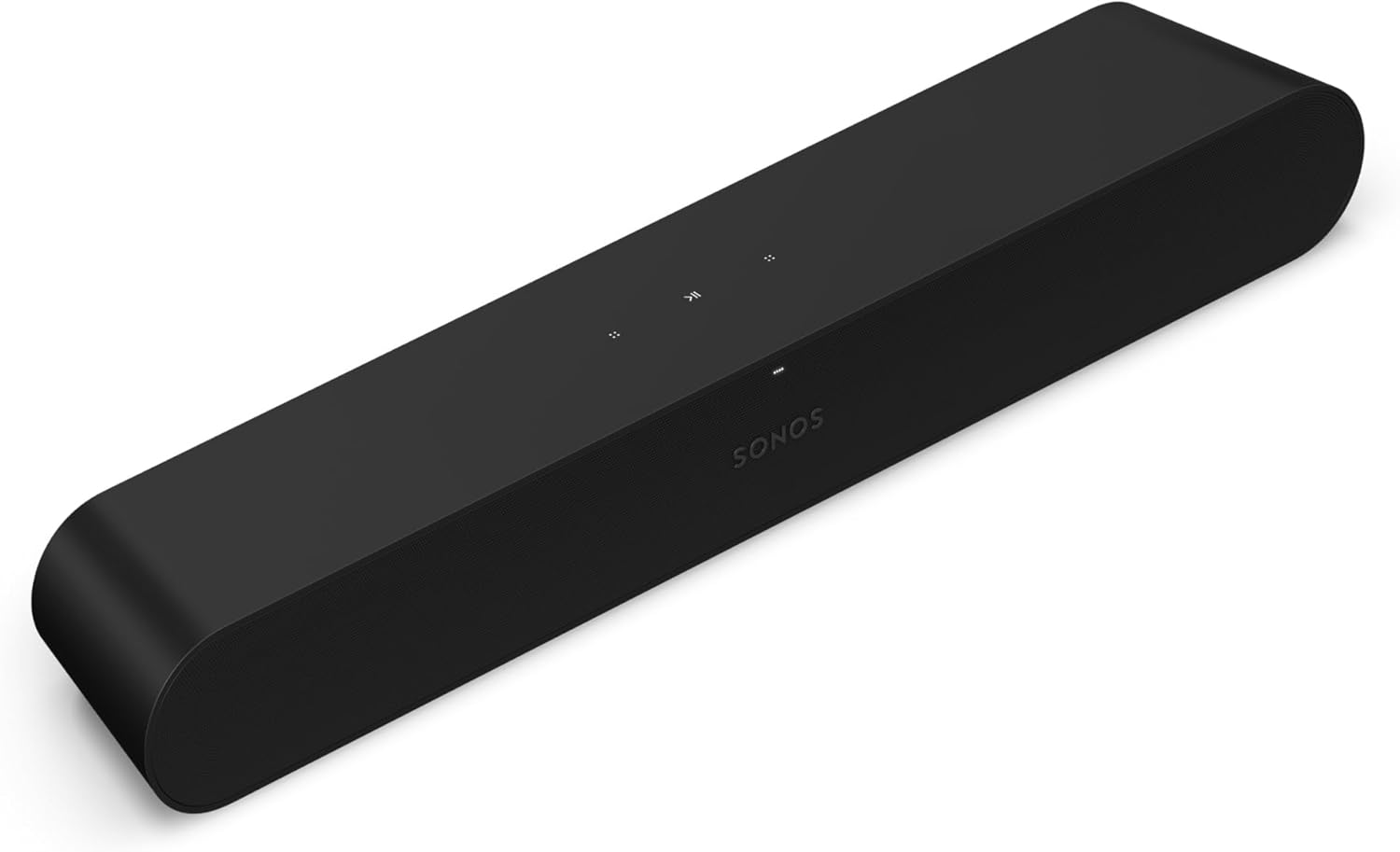
Sonos Ray
Finding the best sound bar for LG TV owners starts with one split: LG keeps a handful of tie-ins for its own bars, and everything else comes down to your set’s ports.
Shop by brand alone and you can pay for a wireless link your TV doesn’t list, or plug into an HDMI jack that never sends sound back.

Match the bar to your TV line and one remote can run both, the right format reaches the bar, and the TV’s speakers can join in.
Next come the picks by TV line, whether a non-LG soundbar works, a chart of which LG bars carry which tie-in, and what LG’s 2025 sets changed for DTS.
The first step takes a minute, because LG’s spec sheets put eARC on HDMI 2 on some lines and HDMI 3 on others.
What Is the Best Sound Bar for an LG TV?
That jack label decides the cable, and your TV line decides the bar. For most LG OLED owners, the best sound bar for an LG TV is the LG S90TR, because LG’s spec sheet gives it WOW Orchestra, WOW Interface, WOWCAST and HDMI eARC, with a wireless subwoofer and rear speakers in the box.
A C2, C3 or C4 owner who wants the bar fixed under the screen should look at the LG SC9S, a QNED owner at the LG S70TY, and a NanoCell or UHD owner at the LG S60T or S40T. If you don’t need LG’s tie-ins, the Samsung HW-Q990F, Yamaha SR-B30A and Sonos Ray cover full surround, a single box with Dolby Atmos and a very small bar on an optical cable.
Each pick matches a TV line or one need:
| Pick | Best for | Why |
|---|---|---|
| LG S90TR | LG OLED C and G series | Every LG tie-in, rears in the box |
| LG SC9S | OLED C2, C3 and C4 | Joins the TV on LG’s bracket |
| LG S70TY | LG QNED TVs | Atmos and an HDMI input |
| LG S60T | NanoCell and UHD, 49 in and up | A center channel in a 3.1 bar |
| LG S40T | Smaller TVs, 40 in and up | The narrowest LG pick, 28.4 in |
| Samsung HW-Q990F | Surround from another brand | Subwoofer and two surrounds included |
| Yamaha SR-B30A | Dolby Atmos in one box | Two subwoofer drivers built in |
| Sonos Ray | The smallest bar | 21.93 in wide |
Read the table by your TV line first, then check the tie-in chart further down for WOW Orchestra, the one tie-in that changes where the sound comes from. Every pick met Burton Acoustix’s rating, review and stock checks on 31 October 2026.
The descriptions come from the makers’ manuals and spec pages.
What Is the Best Soundbar for an LG OLED TV?
The OLED rows of that table come first, because LG’s own listings name those sets. The best soundbar for an LG OLED TV is the S90TR on a C or G series set, since LG calls it an OLED evo TV matching bar, and the SC9S if you want LG’s bracket on a C2, C3 or C4.
LG’s C5 spec sheet shows what the TV brings to that pairing: WOW Orchestra, Sound Mode Share and eARC on HDMI 2.

LG S90TR
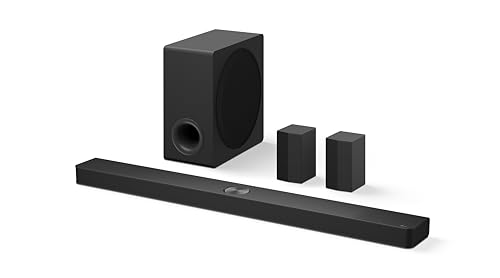
For a C or G series OLED, the LG S90TR is the pick.
LG S90TR
LG’s S90TR spec sheet lists 7.1.3 channels across 13 speaker units, Dolby Atmos and DTS:X, and a TV Matching line of 55 inches and up. Its feature rows include all five LG tie-ins: TV Sound Mode Share, WOW Orchestra, WOW Interface, WOWCAST Built-in and LG TV Sound Sync over optical.
LG’s S90TR manual says WOW Orchestra turns on by itself once the bar is connected and is chosen in the TV’s sound out menu. It only works over an HDMI cable or with a TV that supports LG WOWCAST built in, and LG asks you to enable eARC on the TV.
The bar has one HDMI input with 4K pass-through at 120 Hz, so a console can plug into the bar instead of the TV.
LG SC9S
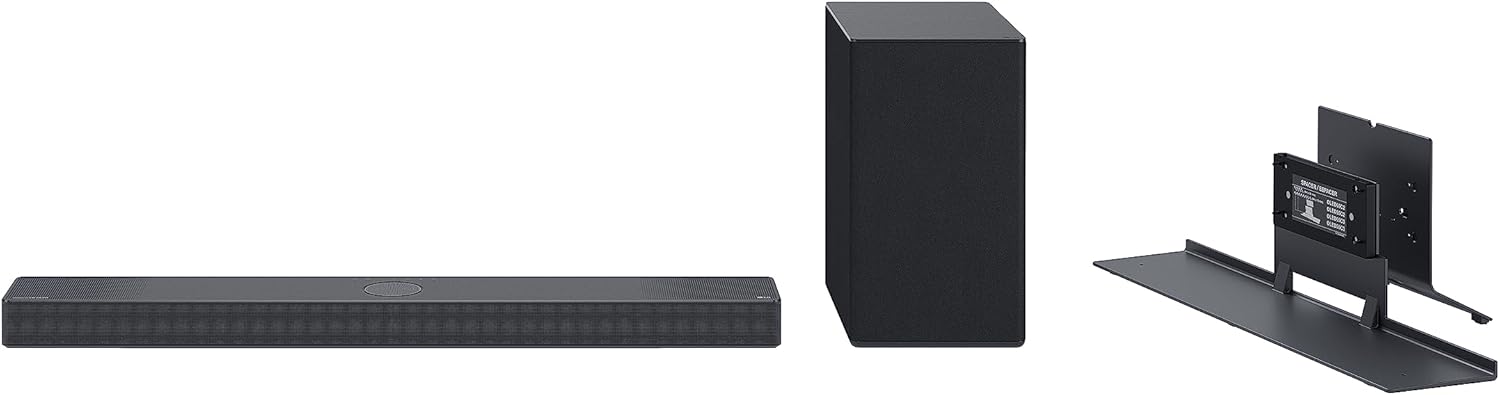
For a C2, C3 or C4 you’d like to hang or stand as one unit with its bar, the LG SC9S is the pick.
LG SC9S
LG’s SC9S manual names the sets its bracket fits: OLED55, 65 and 77 in the C2, C3 and C4 lines, either standing or fixed to the wall. It also warns that cables get hard to reach once the pair is assembled, so connect everything first.
LG’s SC9S spec sheet marks it WOWCAST compatible rather than built in, and it lists WOW Orchestra, WOW Interface and TV Sound Mode Share. LG runs this bar from the LG Sound Bar app, not the LG ThinQ app its newer bars use.
For a 2023 C3 in particular, soundbars that fit an LG C3 are listed with LG’s own chart of what the TV sends over optical, ARC and eARC. The C4 has a shortlist of its own too.
What about the G series?
That bracket doesn’t reach the G series, and LG has a different bar for it. LG’s SG10TY spec sheet calls it the OLED G Series matching bar, at 56.9 inches wide for TVs of 65 inches and up, with WOW Orchestra, WOW Interface and WOWCAST built in.
It has no card here. A G-series owner who wants rear speakers in the box should start with the S90TR, and one who wants one long bar should check the SG10TY’s own listing.
What Should an LG QNED or NanoCell Owner Buy?
Those OLED picks run wide, and LG’s sheets point smaller and LCD sets somewhere else. A QNED owner should start with the LG S70TY, which LG calls QNED TV Matching, and a NanoCell or UHD owner with the LG S60T or S40T, whose sheets begin at 49-inch and 40-inch TVs.
LG S70TY
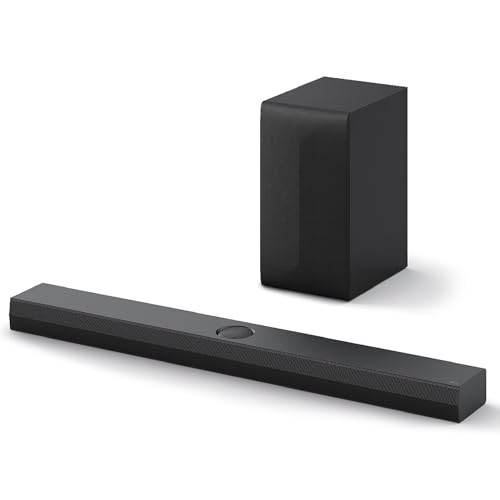
For an LG QNED TV, the LG S70TY is the pick.
LG S70TY
LG’s S70TY spec sheet puts HDMI eARC, one HDMI input and all three of those feature rows on a 37.4-inch bar for TVs of 49 inches and up. LG’s listing adds a QNED Synergy Bracket, the BT5-2P, for 55, 65, 75 and 86-inch 2024 QNED 80, 85, 90 and 99 sets, sold separately.
Its manual also offers LG Sound Sync over Bluetooth, set up with the bar’s pair button, for anyone who can’t run a cable. The QNED85A’s product copy at Abt points owners who want more toward the S90TR, for its up-firing and rear speakers.
LG S60T
For a NanoCell or UHD set from 49 inches, the LG S60T is the pick.
LG S60T
LG’s S60T spec sheet lists 3.1 channels, Dolby Digital, DTS Digital Surround and PCM, and LG Sound Sync over Bluetooth or optical. ARC is enough for that list, since nothing on it needs eARC, and a NanoCell’s eARC jack takes an ARC bar’s cable the same way.
Here’s a gap worth knowing: the sheet has no WOW Orchestra row, yet LG’s S60T manual describes it over an HDMI cable, on some LG TV and soundbar models. Treat it as a possible extra here, not the reason to buy.
LG S40T
For a smaller TV or a bedroom, the LG S40T is the pick.
LG S40T
LG’s S40T spec sheet says 2.1 channels at 28.4 inches wide, and the listing’s description line saying 4.1 is the odd one out. On a 43-inch screen, about 37 inches across, that leaves room on each side.
LG’s US and Canadian editions of the manual disagree on WOW Orchestra: the Canadian HDMI chapter describes it, the US chapter doesn’t, and the sheet has no row. So buy this one for its size, not for the TV’s speakers joining in.
Can a Non-LG Soundbar Work With an LG TV?
Every LG pick above still uses the same HDMI and optical jacks as any other brand. Yes, a non-LG soundbar works with an LG TV over HDMI ARC or eARC, optical or Bluetooth, but WOW Orchestra, WOWCAST, TV Sound Mode Share and LG Sound Sync appear in LG’s guide only for LG bars that support them.
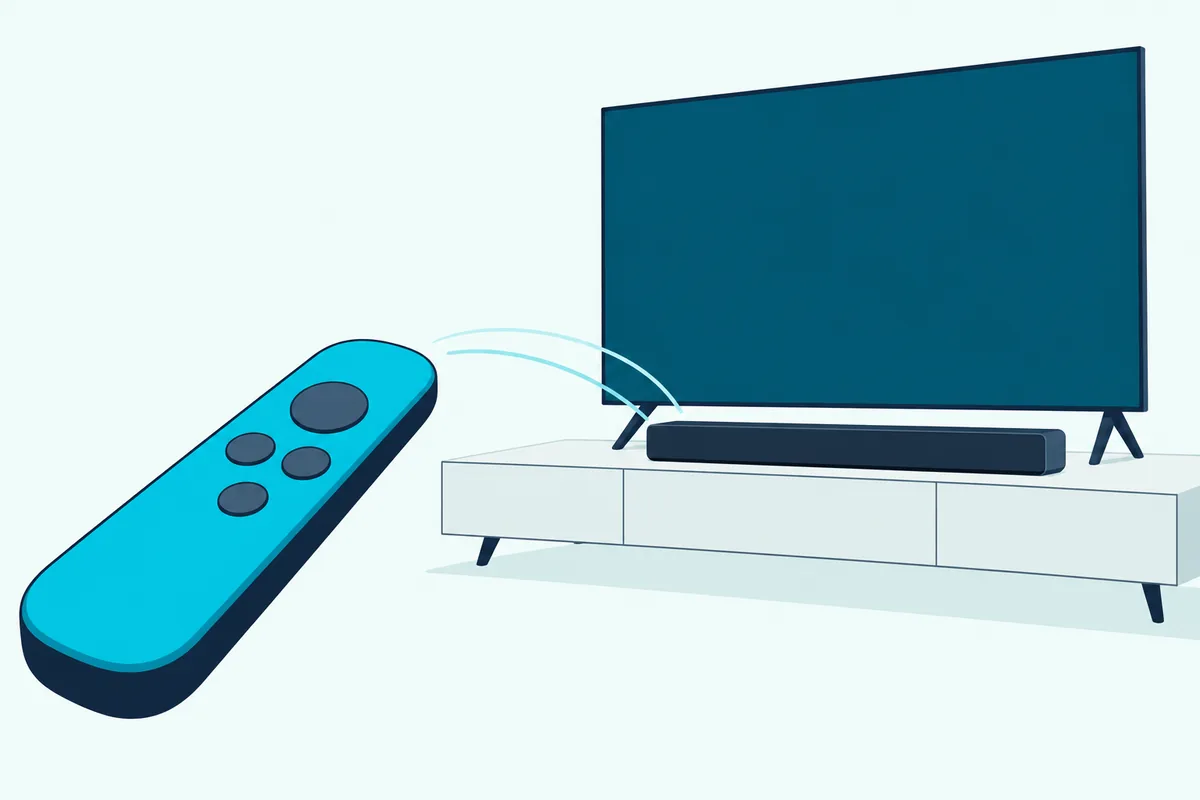
Remote control is where brands differ. LG’s webOS 25 user guide says choosing HDMI(ARC) Device turns on SIMPLINK, LG’s name for HDMI-CEC, and also warns that SIMPLINK works only with devices carrying its logo.
LG’s bar manuals list the other makers’ names for the same link, Sony BRAVIA Sync/Link, Philips EasyLink and Samsung Anynet+, and Sony’s own bars are compared with LG’s in the LG and Sony soundbar comparison. So volume over HDMI isn’t something LG promises on another brand, and each pick below has its own note.
Samsung HW-Q990F
For full surround from another brand, the Samsung HW-Q990F is the pick.
Samsung HW-Q990F
Samsung’s Q-series user guide lists LG among the makers for its TV remote setting: turn the bar off, hold the Woofer Level button up for 5 seconds, and step to ALL-TV REMOTE. The same page says Bluetooth remotes that need pairing aren’t supported.
That matters on LG sets, since Sonos’s LG Magic Remote article says the Magic Remote talks to the TV over radio or Bluetooth, not infrared. The Magic Remote walkthrough covers that remote, and the Samsung-on-LG setup steps cover the hookup.
Yamaha SR-B30A
For Dolby Atmos in one box, the Yamaha SR-B30A is the pick.
Yamaha SR-B30A
Yamaha’s SR-B30A specs list 120 watts, HDMI eARC, an optical input and a subwoofer output if you want to add one later. Height here comes from Yamaha’s virtual surround, because its driver list has no up-firing speakers.
Yamaha’s SR-B30A user guide says the TV’s remote can run power and volume over HDMI, which it calls the HDMI Control function. It also says Dolby Atmos and HDMI Control both stop working if you connect by optical instead, so use the eARC jack.
Sonos Ray
For the smallest bar here, the Sonos Ray is the pick.
Sonos Ray
Sonos’s Ray page lists the Ray at 21.93 inches (557 mm) wide and 2.76 inches (70 mm) tall, and Sonos’s Ray guide says to place it so it doesn’t block the TV’s IR sensor. Sonos asks for a TV with an optical output and a remote that sends infrared, so a Magic Remote needs the extra setup.
That setup is in the Sonos article above: on the TV, go to Settings, General, Device Connector, choose Optical for the sound output and Sonos as the maker, then program the remote. Sonos notes the steps can differ by TV model, and if the remote still won’t work it suggests turning SIMPLINK off under Sound Out.
Which LG TV Tie-Ins Actually Need an LG Soundbar?
Those three bars give up the same group of extras, and each extra has a narrow job. Five features need an LG bar that supports them (WOW Orchestra, WOWCAST, WOW Interface, TV Sound Mode Share and LG Sound Sync), while HDMI ARC, eARC and HDMI-CEC control are open to other brands, with that logo caveat.
WOW Orchestra plays the TV’s speakers and an LG soundbar at the same time, and LG’s guide places it under Sound Out, Use External Speakers with TV Speaker, HDMI(ARC) Device + TV Speaker. LG’s guide says an LG soundbar on the HDMI (eARC/ARC) jack connects to it automatically, and LG’s manuals add that the codec follows what the TV supports.
WOW Interface is the on-screen side. LG’s SC9S copy says the TV remote can adjust volume and audio settings, check the connection status and select a sound mode on screen.
TV Sound Mode Share plays the TV’s chosen sound mode on the bar, and LG’s guide says the setting needs an LG soundbar that supports it. LG Sound Sync lets the TV remote set the volume of a supporting LG bar on the optical jack, and some bars add a Bluetooth version.
The phone side has changed too. The S90TR, S70TY, S60T and S40T manuals use the LG ThinQ app, the SC9S uses the LG Sound Bar app, and the webOS 25 guide adds a Soundbar App item under Sound that works only when a supporting bar is connected.
| LG bar | WOW Orchestra | TV jack |
|---|---|---|
| S95TR | Yes | eARC |
| S90TR | Yes | eARC |
| S80TR | Yes | eARC |
| SC9S | Yes | eARC |
| S70TY | Yes | eARC |
| S60T | Yes | ARC |
| S40T | ARC |
All seven list WOW Interface and TV Sound Mode Share. The TV counts as well, since LG calls WOW Orchestra available on some TV and soundbar models.
LG’s 2025 C5 sheet has a WOW Orchestra row and LG’s 2022 NANO75 sheet doesn’t, while LG’s listing for the 2025 UA77, a plain 4K UHD set, names it. So check your own TV’s sheet rather than assuming only OLED sets get it.
The menu that sends the sound there has moved between LG’s TV years, and Burton Acoustix’s LG TV soundbar setup guide gives the Sound Out path for each year from 2020 to 2025.
Is LG WOWCAST Better Than HDMI ARC?
Of those tie-ins, WOWCAST is the one that replaces a cable, so it gets weighed against HDMI ARC. LG doesn’t rank the two, but HDMI eARC is this guide’s default because LG publishes a format table for HDMI and optical and gives no WOWCAST row in it.
LG’s guide says a soundbar that supports LG WOWCAST connects wirelessly without degraded sound, and LG’s sheets say Wireless Dolby Atmos. The conditions come in the same section: LG recommends a 5 GHz network, says the link doesn’t run on 6 GHz or DFS channels, and warns that screen sharing or Wi-Fi Direct on 2.4 GHz disconnects it.
The TV side is the bigger check. LG’s guide says some models may not be supported, and LG’s C4 and C5 spec sheets have no WOWCAST row, so check your TV’s Sound Out menu or manual before you pay for the link.
Choose WOWCAST when a wall-hung TV makes the cable the real problem, and HDMI eARC the rest of the time. Both can run WOW Orchestra on the S90TR, so you aren’t giving that up either way.
Which HDMI Port on an LG TV Is the eARC One?
That HDMI route only works through the right jack, and the number moves. LG’s spec sheets put eARC on HDMI 2 on the OLED C4, C5, NANO75 and UQ75 lines, and on HDMI 3 on the QNED80.

| LG TV line | HDMI inputs | eARC jack | Optical out |
|---|---|---|---|
| OLED C5 (2025) | 4 | HDMI 2 | Yes |
| OLED C4 (2024) | 4 | HDMI 2 | Yes |
| QNED80 (2022) | 4 | HDMI 3 | Yes |
| NanoCell NANO75 (2022) | 3 | HDMI 2 | Yes |
| UHD UQ75 (2022) | 2 on the side | HDMI 2 | Yes |
Those sheets cover the years shown, so treat the table as a pattern rather than a promise for your set. Abt’s comparison puts the G5’s eARC on HDMI 2 as well, and the NANO75 sheet and UQ75 sheet show eARC reaches LG’s LCD lines too.
Try this: shine a phone light behind the TV and read the small print beside each HDMI jack, looking for ARC or eARC. Plug the bar in there, then follow LG’s guide to Sound, Sound Out, Use Wired Speaker, HDMI(ARC) Device, and turn on eARC Support under Advanced Settings.
LG’s manuals ask for a certified cable with the HDMI logo. Optical out appears on every sheet above, though LG’s guide limits it to models with an optical digital port.
Do You Need eARC for Dolby Atmos on an LG TV?
Finding that jack matters most if you care about formats, so here’s what each one carries. No, you don’t need eARC for all Dolby Atmos on an LG TV, because LG’s webOS 25 guide lists Atmos over plain HDMI ARC from Dolby Digital Plus sources, while eARC adds Dolby TrueHD.
| Sound coming in | Optical out | HDMI ARC out | eARC adds |
|---|---|---|---|
| Dolby Digital Plus / Atmos | Dolby Digital | Dolby Digital, Dolby Digital Plus, Atmos | Dolby MAT |
| Dolby TrueHD | Dolby Digital | Dolby Digital, Dolby Digital Plus, Atmos | Dolby TrueHD, Dolby MAT |
| DTS, DTS-HD Master Audio | DTS | DTS | DTS-HD Master Audio |
| DTS:X | DTS | DTS | DTS-HD Master Audio, DTS:X |
That table sits under Digital Sound Output, with Auto or Pass Through selected, and LG adds that the output also depends on what the connected bar supports. HDMI LA says eARC carries Dolby TrueHD, DTS-HD Master Audio and DTS:X, which lines up with the last column.
The practical split is simple. An Atmos bar on an optical cable drops to Dolby Digital, an ARC jack can still pass Atmos carried in Dolby Digital Plus, and eARC is the one you want for Dolby TrueHD.
What Did LG’s 2025 TVs Change for DTS?
The DTS rows of that table come with a catch on LG’s 2025 sets. RTINGS’s LG C5 review says LG dropped DTS audio passthrough across its entire 2025 TV lineup after supporting it on most 2023 and 2024 models.
RTINGS’s G5 review repeats the point, and LG’s webOS 25 guide keeps its DTS rows but notes that DTS, HDMI eARC and Dolby TrueHD may not be supported on some models. So if you own DTS discs, plan on a 2025 set not passing that track to the bar.
The way around it is the bar’s own HDMI input. LG’s S90TR manual shows a Blu-ray player plugged into the bar’s HDMI IN jack, and the S90TR, SC9S and S70TY sheets list DTS:X, so the TV stays out of that path.
Samsung’s HW-Q990F guide likewise lists DTS:X with two HDMI inputs.
The S60T and S40T have no HDMI input, and Yamaha’s format list has no DTS at all, so neither route helps there. The Sonos Ray lists DTS Digital Surround, but it still depends on what the TV sends over optical.
How Wide a Soundbar Fits Your LG TV?
Formats settled, the last check is a tape measure. A bar fits neatly when it’s no wider than the screen or the stand it sits on, so a 55-inch LG TV, about 48 inches across, takes the 38.4-inch SC9S with room on each side while the 49.2-inch S90TR overhangs it.
| Bar | Width | TV size |
|---|---|---|
| LG S90TR | 49.2 in | 55 inches and up |
| LG SC9S | 38.4 in | 55 to 77 inches |
| LG S70TY | 37.4 in | 49 inches and up |
| LG S60T | 33.5 in | 49 inches and up |
| LG S40T | 28.4 in | 40 inches and up |
| Yamaha SR-B30A | 35-7/8 in | |
| Sonos Ray | 21.93 in |
Screen math does the rest: a 16:9 screen is about 0.87 times its diagonal across, which gives roughly 37.5 inches on a 43-inch set, 43.6 on a 50-inch, 47.9 on a 55-inch and 56.7 on a 65-inch. That’s why LG starts the 56.9-inch SG10TY at 65 inches, where the bar and the screen come out almost level.
Measure the flat space under the screen too, not only the screen. A TV’s feet can sit closer together than the panel is wide, and LG lists the S90TR at 5.3 inches deep.
Does an LG TV Need a Soundbar?
Width aside, all of that assumes you want a bar at all. You don’t strictly need one, and LG’s sheets show what you’d be adding to: down-firing 2.0-channel speakers at 20 watts on the NANO75 and UQ75, and 2.2 channels at 40 watts on most C4 sizes.
A bar adds what those sheets don’t list: Dolby says center speakers are primarily used to deliver dialog, and the S60T, S70TY and SC9S each have one. The S90TR adds rear speakers and height channels as well.
Try the TV first if dialogue is your only complaint. LG’s C5 sheet lists Clear Voice Pro, so switch it on and watch the same talky scene again, then decide.
If you’d rather skip a bar altogether, here are smart TVs that get by without one. If the terms here are new to you, the guide to what a soundbar does explains these boxes.
What About the S95TR, S80TR, S70TR and S95AR?
If the TV’s own speakers won’t do, LG’s range runs past the five LG bars above, and other roundups name the rest. The S95TR and S80TR carry the same tie-ins as the S90TR on LG’s sheets, at 9.1.5 channels and at 5.1.3 channels in a narrower 39.3-inch bar, so they suit a bigger system and a narrower stand.
For the whole LG lineup side by side, from the 2.0-channel S20A to the 9.1.5-channel S95TR, the best LG sound bar guide lists each model’s channels, up-firing speakers and HDMI ports. That page ranks LG’s own bars, while this one starts from your TV.
The S70TR’s listing calls it a 5.1.1-channel bar with rear surround speakers that matches QNED TVs, and it names WOW Orchestra. The S95AR, at 9.1.5 channels, and the Sound Suite H7 are newer LG bars, and the Eclair SE6S is a 3.0-channel bar with no subwoofer.
The Bottom Line
The chart and the jack table do most of the deciding. For a C or G series OLED, the LG S90TR is the pick; for a C2 to C4 you want joined to its bar, the LG SC9S; for a QNED, the LG S70TY; and for NanoCell or UHD sets, the LG S60T or S40T.
Pick another brand when you don’t care about the TV’s speakers joining in. The Samsung HW-Q990F, Yamaha SR-B30A and Sonos Ray all connect through the jacks in that table, and a 2025 set with DTS discs is the one case where the bar’s own HDMI input decides it.
Frequently Asked Questions
Can you wall-mount a soundbar under an LG TV?
Yes. LG’s sheets list a wall-mount bracket in the box for the S90TR, S70TY and S60T but none for the S40T, and LG’s SC9S manual covers fixing the bar to the wall with a C2, C3 or C4 on its synergy bracket.
Does an LG soundbar work better with an LG TV?
It works with more features, not automatically with better sound. LG reserves WOW Orchestra, WOWCAST, WOW Interface, TV Sound Mode Share and LG Sound Sync for its own bars on supporting TVs, so an LG bar is the better choice only if you’ll use them.
Can you connect a soundbar to an LG TV with Bluetooth?
Yes, under Sound Out, Use Wireless Speaker, and LG says the codec is SBC or aptX. LG also warns of sync problems on some devices, says Game Optimizer changes to Standard while Bluetooth is the output, and recommends a wired connection if problems continue.
Can you connect a soundbar to an LG TV with an optical cable?
Yes, on models with an optical jack, using Sound Out, Use Wired Speaker, Optical Out Device. The steps for an optical cable from a soundbar to an LG set go further, and the format table above shows optical sends Dolby Digital rather than Atmos.
Is a 2.1 or a 3.1 soundbar better for an LG TV?
A 3.1 bar adds the center channel that Dolby says carries dialog, so the S60T suits a talk-heavy TV diet, while the 2.1 S40T suits a smaller screen. Neither one lists Dolby Atmos; the S70TY is the narrowest LG pick that does, and the Yamaha SR-B30A lists it with its subwoofers built in.