Can You Add Speakers to a Samsung Soundbar?
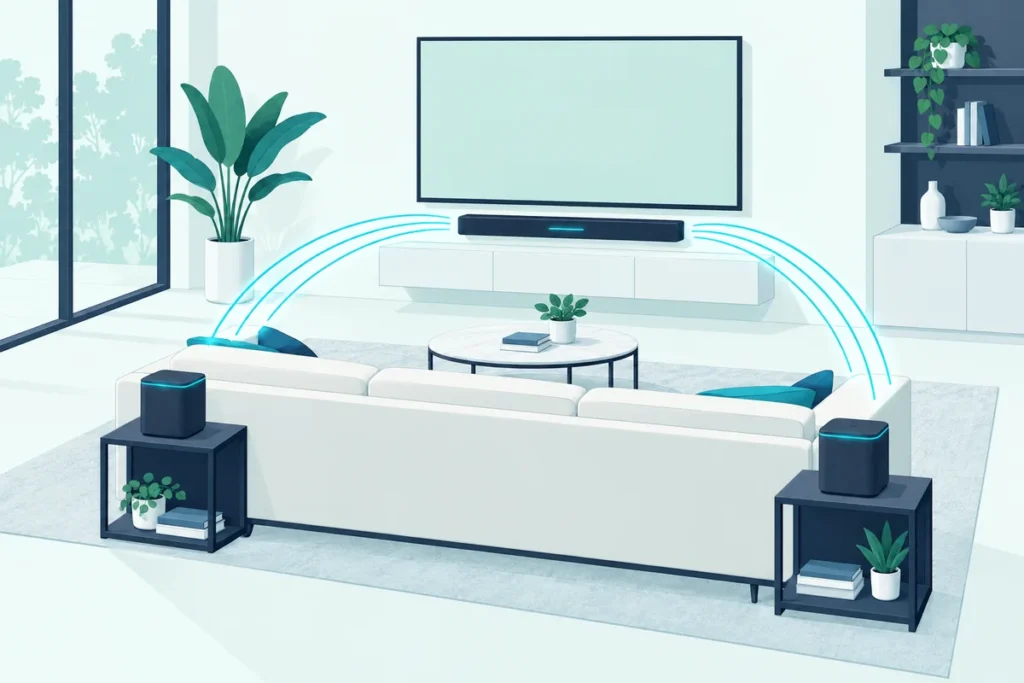
Yes, you can add speakers to a Samsung soundbar if the model is built for them: most take a matching Samsung Wireless Rear Speaker Kit, and some take an extra subwoofer, both paired with a short button sequence called ID SET.
The catch is the word matching.
Samsung makes several rear kits, and a kit meant for a different bar may not link to yours at all, so it pays to check before you buy.
Once you have the right kit, setup takes a few minutes: a little wiring, one button press, and a blue light.
Below are Samsung’s compatibility lists, its pairing steps, what rear speakers do on a stereo bar, and the fixes when the light won’t turn blue.
Which Samsung Soundbars Can You Add Speakers To?
That matching question has a short answer in Samsung’s own guide: get the kit made for your model, because other kits may not be compatible (Samsung). Samsung adds that if your model isn’t on its lists, but its specifications or user manual say it works with a kit, then it does.
These are Samsung’s pairings for its recent kits:
| Rear speaker kit | Soundbars Samsung lists it for |
|---|---|
| SWA-9250S (2025) | 2025 models: HW-Q600F, HW-B750F, HW-B650F and HW-B450F |
| SWA-9500S | Dolby Atmos models from 2021 and 2022: HW-Q900A, HW-Q800B, HW-Q800A, HW-Q700B, HW-Q700A and HW-S800B |
| SWA-9200S | HW-Q600B, HW-Q60B and HW-S60B (Atmos); HW-B650 (5.1); HW-B550 and HW-B450 (2.0) |
| SWA-9100S | 2021 and 2022 models including HW-Q600A, HW-A650, HW-S60A, HW-S50A, HW-A550 and HW-A450 |
| SWA-9000S | 2017 to 2020 models including HW-Q800T, HW-Q70T, HW-Q80R, HW-N850 and HW-MS650 |
| SWA-8500S | 2017 to 2020 models including HW-Q60T, HW-T650, HW-R650, HW-N650 and HW-T450 |
The 2025 pairings come from Samsung’s product page for the SWA-9250S, which says it’s only compatible with those selected soundbars (Samsung). The rest come from Samsung’s US support guide, which lists more models than fit here.
Samsung’s Canadian support page gives the simplest check of all: the easiest way to find the kit that suits your soundbar is its user manual (Samsung).
If your soundbar isn’t a Samsung, our guide to adding speakers to any soundbar covers Sonos, Polk, Bose, LG and Sony.
What Comes in a Samsung Rear Speaker Kit?
Those kits look similar but connect in two different ways. On most of them, Samsung says only the wireless receiver module is wireless: the two rear speakers plug into that module with wires, and the module needs one power cord.
Bose and Vizio rear speakers keep similar wires and plugs, as Burton Acoustix’s wired vs wireless soundbar guide shows maker by maker.
The SWA-9500S is the exception among the older kits. Samsung says it has no receiver module, and each speaker is wireless apart from its power cord.
The newer SWA-9250S also skips the separate module. Samsung says its two rear speakers connect directly to the soundbar, though it still needs a power cable and a wire connection between the two speakers.
Samsung’s Canadian guide adds where they go: behind your seats or on the sides of your seating, so the sound surrounds you.
The Samsung SWA-9250S rear speaker kit is the one to buy for a 2025 Q600F or B-series bar.
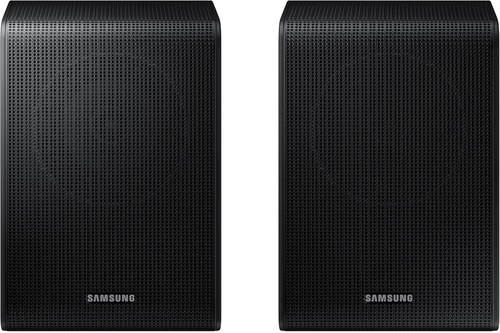
Samsung SWA-9250S rear speaker kit
Get Studio Tips Weekly
Join 5,000+ creators getting acoustic treatment advice every week.
No spam. Unsubscribe anytime.Which Samsung Rear Kit Should You Buy?
Compatibility narrows the list, but the kits still differ in what they add. The SWA-9500S is a 2.0.2-channel kit, meaning its rear speakers include height channels for Dolby Atmos, and Samsung lists it for Atmos bars such as the HW-Q900A, HW-Q800A and HW-Q700A (Samsung).
The SWA-9250S is a plain 2.0 rear kit for Samsung’s 2025 bars (Samsung). The older SWA-9200S and SWA-9100S kits fill the same role for 2021 and 2022 models, with a receiver module between the speakers and the bar. Samsung’s manuals for some later bars name the SWA-9200S too: the HW-S60D, HW-Q60C and HW-C450.
So the choice usually makes itself: the kit Samsung lists for your model, and the Atmos kit only if your bar is on its list.
Which Samsung Soundbars Already Include Rear Speakers?
That choice disappears with some Samsung packages, which save you the add-on entirely. Samsung’s own compatibility list marks the kit as included in the box for models such as the HW-Q850T, HW-T47M and HW-R47M.
Samsung’s current flagship works the same way. The HW-Q990F is an 11.1.4-channel system that ships with its subwoofer and rear speakers, and RTINGS credits those dedicated satellites for much of its sound (RTINGS).
If your bar came with rear speakers, you don’t need a kit; if they ever lose their connection, the same ID SET steps below pair them again.
How Do You Add Rear Speakers to a Samsung Soundbar?
With the right kit in hand, Samsung’s setup has two stages: wiring the kit, then pairing it. For kits with a receiver module, Samsung’s assembly steps are:
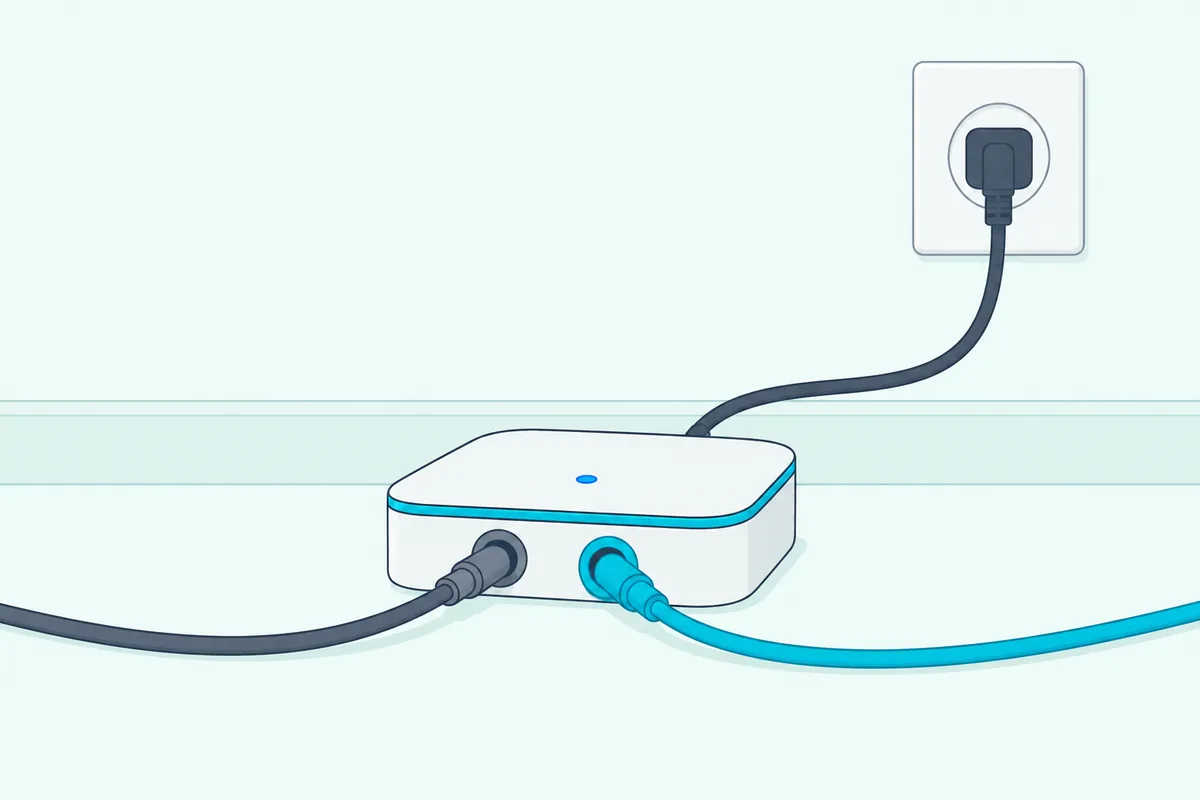
- Plug the gray cable into the gray jack on the wireless receiver, and the blue cable into the blue jack.
- Connect each cable to the speaker with the matching gray or blue label on its back.
- Push the red and black ends of each speaker wire into the red and black terminals on the speaker, with the clamp on the bare wire, not the insulation.
- Plug in the receiver’s power cord.
If the receiver’s LINK light is blinking, pair it with ID SET. Samsung’s steps are:
- Turn the soundbar off with its remote or its power button.
- Hold VOL or Up on the soundbar remote for 5 to 6 seconds, until ID SET appears on the soundbar’s display.
- Turn the soundbar back on; some models do this by themselves.
- Wait for the LINK light to stop blinking and glow solid blue.
Samsung notes the ID SET button varies by model, so check your manual if VOL and Up don’t work. Some soundbars also need a small wireless dongle attached before they can talk to the receiver, and the SWA-9500S skips straight to the ID SET step.
How Do You Add a Subwoofer to a Samsung Soundbar?
A Samsung subwoofer pairs the same way, with the same blue light. Samsung says the connection process is the same whether you’re adding speakers that came with your soundbar, a subwoofer, or a rear speaker kit.
Speakers and subwoofers that come in the box are paired at the factory, so you just plug them in and wait for the blue light. An add-on subwoofer needs ID SET if its LINK light blinks.
Samsung names its optional subwoofers by model. The SWA-W510 is the optional subwoofer for the HW-S60B and HW-S60D, the SWA-W500 for the HW-S60T, and the SWA-W700 for bars whose model numbers start with HW-MS or HW-NW.
The Samsung SWA-W510 wireless subwoofer is the one Samsung names for the HW-S60B.
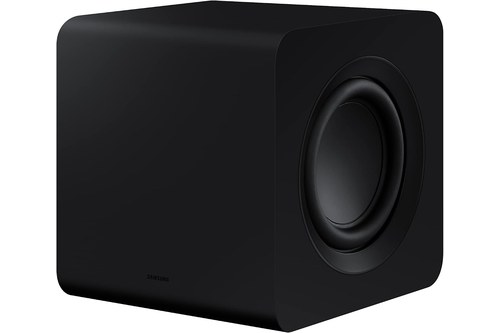
Samsung SWA-W510 wireless subwoofer
For the blue and red lights on a Samsung subwoofer, and what to do when they blink, our guide to linking a Samsung subwoofer and soundbar covers each model’s steps.
Will Rear Speakers Give a 2.0 Samsung Soundbar Surround Sound?
That blue light means the speakers are connected, but what they play depends on the soundbar’s processing. On a 2.0 soundbar, Samsung says the rear speakers still play, but they don’t get a separate channel: whatever they play also comes from the soundbar.

For that reason, Samsung suggests setting the speakers to either side of you rather than behind you when the bar only processes stereo. The subwoofer on a 2.0 bar has no separate channel either; it plays the low tones from the left and right channels.
A 5.1 soundbar is different. Samsung says it has separate channels for left, right, center, rear left and rear right, plus the subwoofer, so sound can be placed behind you as well as to the sides.
Dolby Atmos and DTS:X bars go further still, blending the channels so sound seems to move through the room. Samsung notes that models labeled 5.1.2 or 7.1.2 count their upward-facing speakers in that last number.
Why Is My Samsung Soundbar Still Playing Stereo?
Even a 5.1 system plays stereo when the source is stereo. Samsung says that if the audio playing is only 2.0, it will output as 2.0, although many soundbars can turn it into a virtual surround effect.
The TV’s settings matter too. Samsung says to make sure the TV’s audio format lets the multichannel signal reach the soundbar, and it recommends an HDMI ARC or eARC connection over optical for the best sound options.
If you’re getting stereo from content that should be 5.1, check the connection first. Our walkthrough for setting up a Samsung soundbar with the TV covers the HDMI and audio format settings.
What Controls the Rear Speakers’ Volume?
Once the rears are playing, their level is set from the soundbar remote. Samsung’s Canadian guide says to press the Sound Control button past treble, bass and audio sync; the next two settings, which only appear with rear speakers connected, turn the rears on or off and set their volume.
The volume runs from -6 to +6, adjusted with the arrow buttons. Samsung notes the exact steps can differ by model, so check the manual if your remote shows other settings.
Can You Connect Bluetooth Speakers or Other Brands to a Samsung Soundbar?
For surround sound, Samsung’s guides only describe its own rear speaker kits and subwoofers, and even those must match the model. A kit from another brand, or a Bluetooth speaker, isn’t among the add-ons Samsung lists.
Samsung’s manuals describe the soundbar’s Bluetooth the other way round, as a way to play sound from a TV or phone through the bar. The manual for its HW-A450 adds that the bar connects one Bluetooth device at a time (Samsung).
Other brands sell their own add-ons, and the general guide linked near the top covers what works with which bars.
Why Won’t My Samsung Rear Speakers Connect?
Even the right kit can fail to link, though: when the LINK light keeps blinking, Samsung’s Canadian guide lists the usual causes. Work through them in order:
- The wiring. Only the receiver is wireless; both speakers must be wired to it, with the cable colors matched.
- The wire contact. The speaker wire’s bare metal must touch the metal tab, with the clamp on the wire, not on its insulation.
- The pairing. Run ID SET again; Samsung says you can repeat it any time, such as after resetting the soundbar.
- A software update. Samsung’s HW-A450 manual warns that a firmware update resets the subwoofer connection, so run ID SET again afterward if the subwoofer goes quiet.
Distance and obstacles matter too. The HW-A450 manual puts the wireless range at about 32.8 feet (10 m), says metal walls can block the signal, and warns that devices using the same 5.8 GHz frequency nearby can interrupt the sound.
It also asks you to keep the area around the subwoofer and the wireless receiver module clear of obstructions.
Where to Place Samsung Rear Speakers
Placement follows the soundbar’s processing. For 5.1 and Atmos bars, Samsung describes the kit’s two speakers going behind or on the sides of your seating; for 2.0 bars, it suggests the sides.
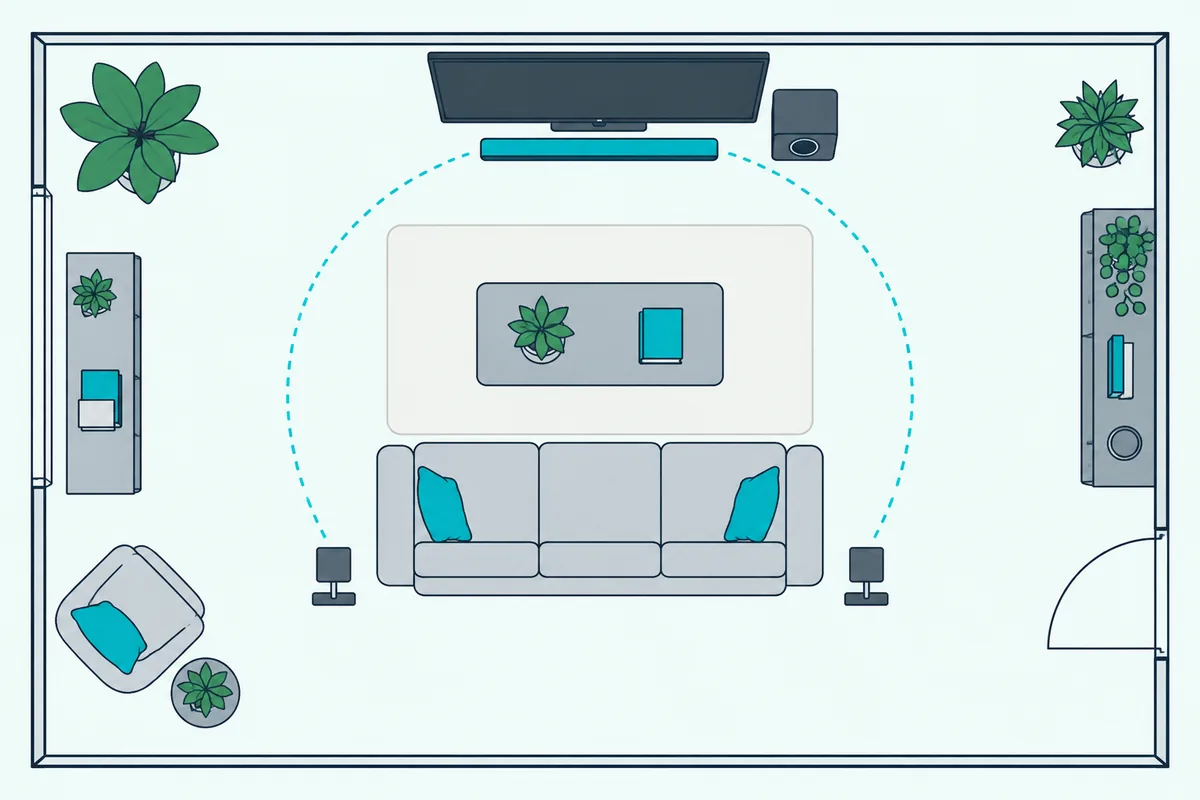
Samsung adds that some models can process 7.1 audio, with the two extra speakers typically on either side in addition to the two behind you. Keep each speaker within the wireless range of the bar, and the receiver in the open.
Those rear speakers are the only part of the system meant to sit behind you; our guide covers why the bar itself stays at the TV.
Frequently Asked Questions
Can I use any Samsung rear speaker kit with my soundbar?
No. Samsung says to get the kit that matches your model, since other kits may not be compatible. Its lists, or your soundbar’s manual, show which one fits.
How do I connect Samsung rear speakers to my soundbar?
Wire the speakers to the receiver if your kit has one, plug it in, and if the LINK light blinks, run ID SET: with the bar off, hold VOL or Up on its remote for 5 to 6 seconds, then turn the bar on.
Do Samsung rear speakers work on a 2.0 soundbar?
They play, but without separate channels, so they repeat the front sound. Samsung suggests placing them beside you on a 2.0 bar.
Can I add a Bluetooth speaker to my Samsung soundbar for surround?
Samsung doesn’t list Bluetooth speakers as surround add-ons. Its soundbars use Bluetooth to receive sound from a TV or phone.