Does a Vizio Sound Bar Have Bluetooth? Model by Model

Does a Vizio sound bar have Bluetooth? Yes: every bar on Vizio’s current Core and Home Theater collection pages lists Bluetooth 5.2 or 5.3, and Vizio’s manuals put a Bluetooth button on bars as old as the S4251w-B4.
The catch is the press, since some bars wait for the VIZIO app instead of your music if you hold the button too long, and older ones stop looking after 15 minutes.
Use the right press for your model and the bar shows up in your phone’s Bluetooth list by name and plays from up to 30 feet away.
Below are the versions Vizio lists, the button or menu each bar line uses, and the name to tap on an iPhone or Android device.
Then come what Bluetooth won’t carry, switching it off, headphones, and the fixes Vizio’s manuals give when the bar won’t connect.
Does a Vizio Sound Bar Have Bluetooth?
That yes holds for every model on Vizio’s two current collection pages, and each product page’s spec table marks Bluetooth “Yes” and gives its version. The table lists those versions as Vizio prints them, plus the three Elevate bars on their own pages.
| Vizio model | Type on Vizio’s page | Bluetooth version listed |
|---|---|---|
| SV200M-0808 | 2.0 Soundbar | 5.2 |
| SV210M-0808 | 2.1 Soundbar | 5.2 |
| SV210X-0805 | 2.1 Soundbar SE | 5.2 |
| SV210D-0806 | All-in-One 2.1 Soundbar | 5.3 |
| SV210Y-0808 | All in One SE Soundbar | 5.3 |
| SV410XW-0905 and SV410YW-1008 | 4.1 Soundbar | 5.3 |
| SV510M-0806 and SV510X-0806 | 5.1 Soundbar and 5.1 Soundbar SE | 5.2 |
| SV510MW-0906 | Soundbar with 2 wireless surround speakers | 5.3 |
| SL512X-0806 | Elevate 5.1.2 Soundbar SE | 5.3 |
| SL514MW-1006, SL514PW-1006, SL714PW-1006 | Elevate 5.1.4, 5.1.4 Pro and 7.1.4 Pro | 5.3 |
Three pages disagree with themselves, so treat their numbers with care. The SV510XW-0908 page lists 5.2 in its feature list and 5.3 in its spec table, the V214x-K6 lists 5.0 and 4.1, and the M213ad-K8 lists 5.0 and 5.2.
Older bars have it too, though their guides print no version number. Vizio’s guides for the S4251w-B4, the SB3830-D0 and the 2018 SB36512-F6 all give Bluetooth steps, while the VSB210WS manual, dated 2009, lists two analog inputs and an optical input and no Bluetooth at all.
If you’re still choosing a bar rather than setting one up, Vizio’s current sound bar lineup compares the models.
How Can You Tell If a Vizio Sound Bar Has Bluetooth?
That VSB210WS is the exception, so the quickest test is the bar itself: look for a button marked with the Bluetooth symbol. The SV510M-0806 and V21d-J8 manuals show it beside Volume, Input and Power on the side panel, and the SB3830-D0 guide puts the same four buttons on top.
The light confirms it. On a 2026 bar such as the SV210M-0808, dark blue means the bar is on Bluetooth input and flashing dark blue means it’s searching, while the V21d-J8’s single input light also turns blue for Bluetooth.

Then match the model number on the label to Vizio’s product page. The page’s spec table marks Bluetooth “Yes” and lists the version, and a current manual’s connection list names Bluetooth next to HDMI eARC and USB.
How Do You Pair a Vizio Sound Bar to Your Phone?
That Bluetooth button does the job, but the press differs by bar line, so find your model below before you hold anything. On the 2026 models, the SV210M-0808 user manual gives four steps:
- Quickly press and release the Bluetooth button on the bar; the blue light blinks rapidly and a tone plays twice.
- Open your phone’s Bluetooth settings and tap the bar’s name, VIZIO 2.1 Soundbar on this model.
- Wait for the light to stop blinking and a confirmation tone to play.
- Play music while the bar stays on Bluetooth input.
The same quick press appears in Vizio’s 2026 manuals for the SV200M, SV210D-0806, SV210Y-0808, SV410XW-0905, SV410YW-1008, SV510MW-0906, SV510XW-0908 and the Elevate SL514MW-1006, SL514PW-1006 and SL714PW-1006. Their names differ: VIZIO 2.0 Soundbar, VIZIO AIO, VIZIO 4.1 Soundbar, VIZIO 5.1 Soundbar or VIZIO Elevate.

The two-press bars: SV510M-0806, SV510X-0806, SV210X-0805, SL512X-0806
These four manuals split Bluetooth in two, and the SV510M-0806 user manual spells it out. Hold the Bluetooth button for 2 seconds for music streaming; the blue light blinks fast and a tone plays twice.
Hold it for 5 seconds or more and you start a different link, for the VIZIO mobile app over Bluetooth Low Energy, which lasts 3 minutes with a slow blue blink. That’s the mistake from the top of the page: a long hold starts the app’s pairing, not the one for music.
V-Series, M-Series and 2021 SB bars with a remote
These bars take the press on the bar or the remote, and the remote’s Bluetooth button also switches to Bluetooth input with a short press. The V21d-J8 user manual says to hold it for 5 seconds and look for VIZIO V21d in the Bluetooth list.
The V20x-J8, V21t-J8, SB2020n-J6, SB2021n-J6 and SB3620n-H6 manuals say 3 seconds, and the V51x-J6, M51ax-J6 and M215a-J6 manuals give 3 seconds in one place and 5 in another, so hold for 5. The row of lights on the front sweeps across while the bar searches, and the V20x-J8, V21d-J8 and V21t-J8 stay discoverable for 15 minutes.
Teaching the bar your TV remote is a separate job, covered in the remote’s own setup, bar line by bar line.
Older SB and S bars
Most older bars take a 5-second hold of the bar’s Bluetooth button, and those sold with a screen on the remote also have a BT Pair item in the remote’s menu. The SB3830-D0 quick start guide uses both, with the front lights running bottom to top and back until a device connects.
The SB3251n-E0 guide says 3 seconds instead of 5. These guides give a 15-minute discoverable window, and the SB3830-D0 guide adds that the bar powers down if no device is found.
| Bar line | How to start pairing | What the light does | Name in the Bluetooth list |
|---|---|---|---|
| 2026 manuals (SV200M to Elevate SL714PW-1006) | Quick press of the Bluetooth button | Blue light blinks fast, two tones | VIZIO 2.1 Soundbar, VIZIO AIO, VIZIO Elevate and similar |
| SV510M-0806, SV510X-0806, SV210X-0805, SL512X-0806 | Hold 2 seconds (5 seconds links the app) | Blue light blinks fast, two tones | VIZIO 5.1 Soundbar, VIZIO 2.1 Soundbar, VIZIO Elevate |
| V-Series, M-Series and 2021 SB bars | Hold 3 to 5 seconds on the bar or remote | Front lights sweep across | VIZIO V21d, VIZIO V20, VIZIO M51 and similar |
| Older SB and S bars | Hold 5 seconds on the bar (SB3251n-E0: 3), or use the remote’s Bluetooth button or BT Pair menu | Front lights run back and forth | VIZIO S4251w, VIZIO SB3621n and similar |
| VSB210WS | No Bluetooth | None | None |
The table only gets you to that list, and the names matter there. A bar set up through the SmartCast app may show a different name, the SB36512-F6 manual warns, so look for the name you gave it.
How Do You Connect an iPhone to a Vizio Sound Bar?
Those steps work the same on an iPhone, since Vizio’s manuals simply say to open your device’s Bluetooth settings and pick the bar’s name. With the bar searching, tap VIZIO 2.1 Soundbar, VIZIO V21d or whatever your model shows in the iPhone’s Bluetooth settings.
The VIZIO mobile app adds a second link for settings, and Vizio’s 2026 manuals require it, with a Walmart account, for control, settings and system updates. The app finds a 2026 bar on its own for the first 72 hours after you plug it in; after that, a quick press of the Bluetooth button opens a one-hour window for the app.
Only one device can control the bar through the app at a time, so close the app on the other one to hand over. Removing an iPhone takes an extra step that Vizio calls out: unpair it in the app, then open the iPhone’s Bluetooth settings, tap the information button and remove it there too.
What Plays Over Bluetooth on a Vizio Sound Bar, and What Doesn’t?
That Bluetooth link streams music from smartphones, tablets and computers, the SB3830-D0 guide says. Vizio’s manuals put the range at up to 30 feet and call Bluetooth a compressed audio format, warning that streamed music may not match a wired connection.
Only one device streams at a time on the SV210M-0808 and SV510M-0806. Change the input and the device disconnects, then switch back to Bluetooth and the most recently connected one reconnects on its own.
Calls aren’t part of it. The SV510M-0806, V21d-J8 and SB3830-D0 manuals each say the bar has no microphone, so it can’t work as a hands-free device for a smartphone.
Dolby Atmos doesn’t travel over Bluetooth either, at least on the SB36512-F6, whose manual says its Bluetooth, USB, AUX, optical and coaxial inputs don’t support Atmos. The TV’s sound goes over HDMI eARC, or optical on bars that have it, and that’s how to connect the Vizio soundbar to your TV without Bluetooth in the loop.
Whether a TV can send its own sound to a bar over Bluetooth depends on the TV, and connecting a TV to a soundbar over Bluetooth covers that check.
The 2026 bars also switch back to the TV by default. With Auto HDMI on, turning the TV on or changing its volume with the TV remote ends Bluetooth and switches the bar to TV audio, and the app’s HDMI toggle turns that off.
Can You Turn Off Bluetooth on a Vizio Sound Bar?
That Auto HDMI toggle is about the TV, not Bluetooth itself, and the SV210M-0808, SV510M-0806 and V21d-J8 manuals list no setting that turns Bluetooth off. What they do give are ways to end a connection or a search.
- Change the input. Any input other than Bluetooth disconnects the streaming device.
- Let the search time out. Older bars stop being discoverable after 15 minutes, and the SV510M-0806’s window for the app closes after 3 minutes.
- Unpair in the app. Tap the bar’s name, its information button, Unpair Device, then Yes.
- Reset. The 2026 app’s Factory Reset unpairs every Bluetooth device, while Reset Settings keeps them.
Bars with a voice-assistant input have one more control, because a voice assistant can stay connected over Bluetooth on other inputs. Holding the remote’s Bluetooth button for 10 seconds turns that Bluetooth VA mode on or off on the V21d-J8 and M213ad-K8.
Can You Connect Bluetooth Headphones to a Vizio Sound Bar?
That voice assistant link still brings sound into the bar, like everything else these manuals use Bluetooth for. The SV210M-0808, SV510M-0806 and V21d-J8 manuals describe Bluetooth only as a way to stream into the bar and link the app, and none lists a way to send its sound out to headphones or a Bluetooth speaker.
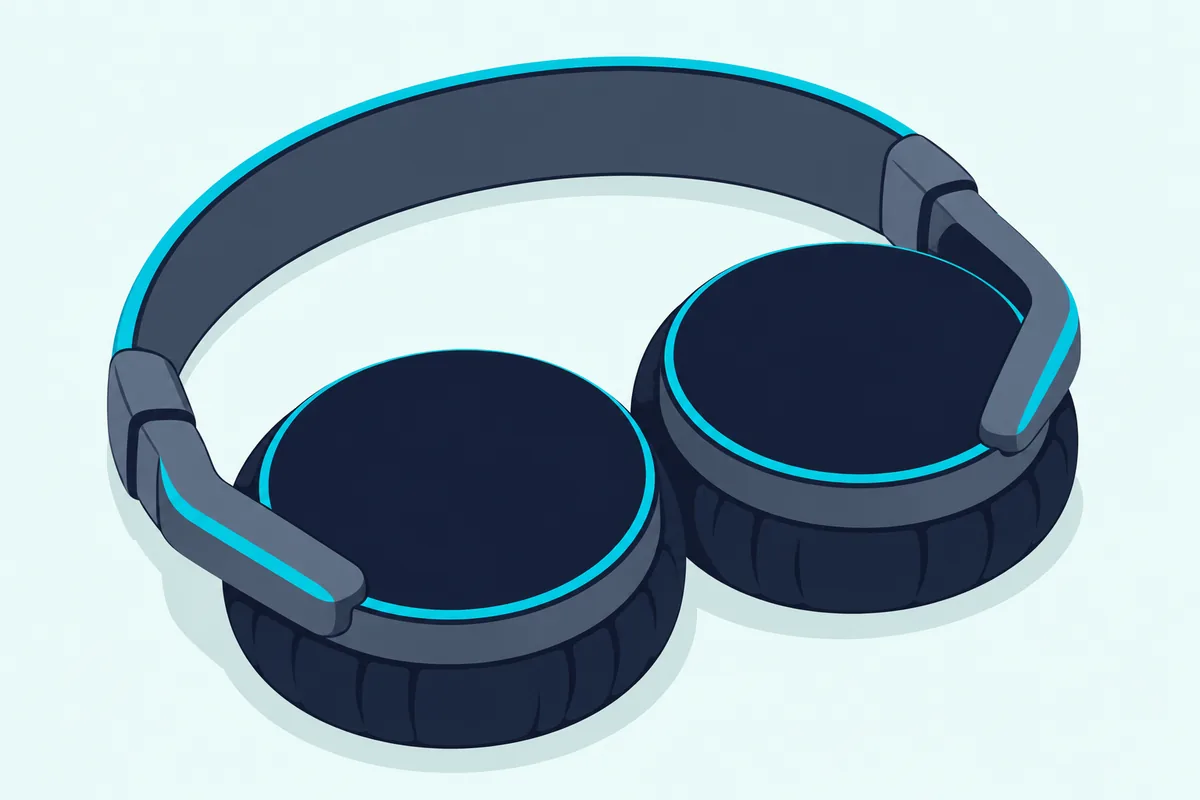
Vizio’s headphone support sits on its TVs instead. Its 2022 V-Series TV manual has a Bluetooth Headphones menu and its current TV pages invite you to pair Bluetooth headphones, so pair them with the TV rather than the bar.
Why Won’t Your Vizio Sound Bar Pair With Your Phone?
That one-way design rules out some setups from the start, and the rest come down to a few causes. Vizio’s manuals trace them to a bar that has stopped searching, another device that’s still connected, or a bar that isn’t on Bluetooth input, and the fixes below come from the SV210M-0808, SV510M-0806, V21d-J8 and SB3830-D0 manuals.
| What happens | What Vizio’s manual says to do |
|---|---|
| The bar never shows up in the list | Start the search again; older bars stop looking after 15 minutes. The V21d-J8 says to put the device in pairing mode before the bar |
| A second device can’t connect | Disconnect the first one in its Bluetooth settings, or on a 2026 bar hold the Bluetooth button for 2 seconds, then connect the new one |
| Connected, but silent | Turn up the source device’s volume and unmute it, and keep the bar on Bluetooth input |
| Music breaks up or drops | Move the device closer, clear the line of sight, and move or switch off cameras, baby monitors, cordless phones and microwaves |
| Bluetooth stops when the TV turns on | Turn off Auto HDMI in the app on a 2026 bar |
| The app won’t connect | Close the app on any other device, since only one can control the bar |
When nothing on the table works, the manuals’ factory reset clears the slate. Hold the Bluetooth and Volume Down buttons for 5 seconds to erase all settings on the SV210M-0808, SV510M-0806, V21d-J8 or SB3830-D0; the SV510M-0806 adds that the subwoofer stays paired but the app must be set up again.
The remote has its own quirk with apps. Some streaming apps don’t support every remote button over Bluetooth, the SB3830-D0 guide warns, naming Pandora’s lack of a Back button.
The descriptions come from the makers’ manuals and spec pages.
Frequently Asked Questions
Can you pair a Vizio sound bar without the remote?
Yes. Every Bluetooth bar in the tables has its Bluetooth button on the bar itself, so no remote is needed, and the 2026 SV210M-0808 doesn’t come with one: its manual says the soundbar remote control isn’t included and the TV remote handles volume.
Does a Vizio sound bar reconnect to your phone automatically?
Yes, when you switch the bar back to Bluetooth input. Vizio’s 2026 manuals say the most recently connected device reconnects on its own, and older manuals say any paired device reconnects, as long as it’s within range.
How far can your phone be from a Vizio sound bar?
Up to 30 feet, by Vizio’s manuals, with no solid obstructions between them. If the music breaks up, move it closer, and move cameras, baby monitors, cordless phones and microwaves away from the bar.
Do you need the VIZIO app to use Bluetooth on a Vizio sound bar?
Not to play music, since the bar’s Bluetooth button handles that on its own. The app is for settings and updates: Vizio’s 2026 manuals require it with a Walmart account for control, settings and system updates, and the SV510M-0806 manual asks for a VIZIO Account.