How to Connect a Soundbar to an AV Receiver
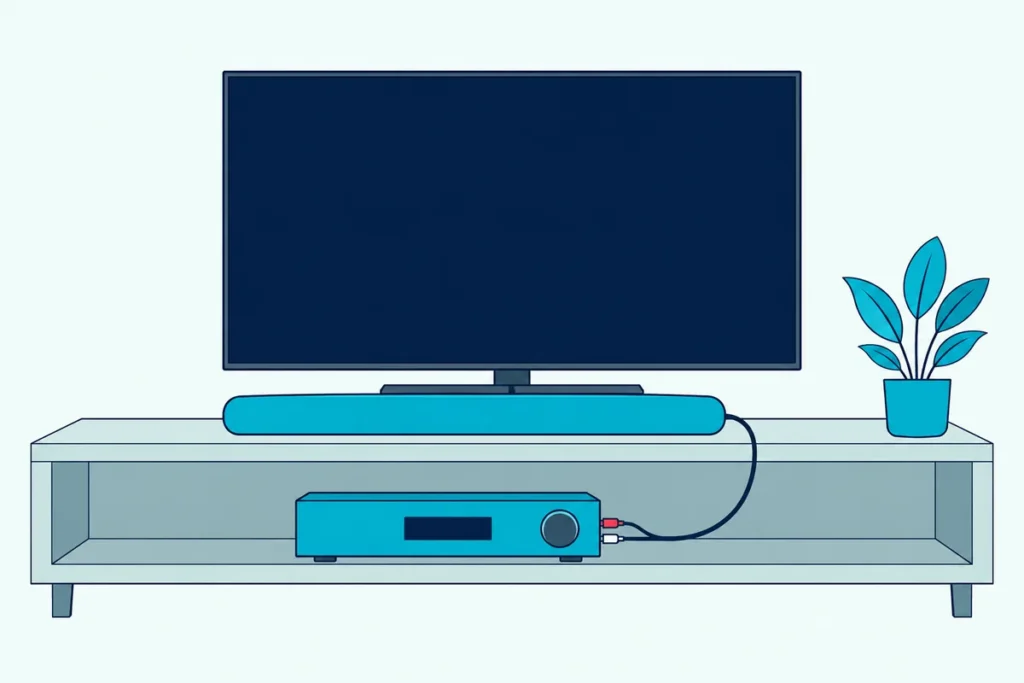
Yes, it can be done, and here’s how to connect a soundbar to an AV receiver: feed the bar from the receiver’s zone 2 or pre-out jacks, or let the TV pass its sound to the bar over ARC.
The cable most people try first has nowhere to go, since none of the five receiver manuals read here lists an optical output and most of the bars checked have no analog input.
Pick the route that fits your two boxes, and you’ll know before buying a cable whether you keep surround decoding, bass management and one remote.
The steps come from Denon, Marantz, Yamaha, Onkyo and Sony receiver manuals and from Samsung, LG, Sony, Yamaha, Vizio and Denon soundbar manuals and spec pages.
Start with what each receiver can send out, then jump to the setup that matches the gear you already own.
Can a Soundbar Be Connected to a Receiver?
That yes comes with a catch on the back panels. A soundbar can be connected to a receiver through the receiver’s analog zone or pre-out jacks, through the television’s ARC port with the receiver feeding the set, or, if the bar is passive, through the speaker terminals.
Each box expects to be the last stop before your ears: a receiver amplifies for passive speakers, while a powered bar has its own amplifier and takes its sound from a television. None of the soundbar manuals read for this guide lists an AV receiver among its connections.
Adding a soundbar to a home theater system works the same way.
Here’s what each receiver can hand a powered bar, from its own manual:
| Receiver | Outputs a powered bar can use | What its zone output plays | Optical output |
|---|---|---|---|
| Denon AVR-X1800H | Zone 2 pre-outs, front pre-outs | Anything the main zone plays when set to Source; otherwise optical or coaxial only as 2-channel PCM, and no HDMI | None listed |
| Marantz Cinema 70s | A pre-out for each channel, zone 2 included | Anything the main zone plays when set to Source; otherwise analog, USB, HEOS and the tuner | None listed |
| Yamaha RX-V6A | ZONE OUT, front pre-outs | Optical or coaxial only as 2-channel PCM, and no HDMI audio | None listed |
| Onkyo TX-NR6100 (North America) | ZONE 2 LINE OUT, switchable to ZONE B | Analog or 2-channel PCM only | None listed |
| Sony STR-AN1000 | ZONE 3 OUT | Its analog inputs and tuner, or the main zone’s input | None listed |
Every row ends the same way, because the receivers’ optical and coaxial jacks are all inputs. If you’re still deciding whether you need both boxes, Burton Acoustix’s soundbar-versus-receiver guide weighs that choice first.
How to Connect a Soundbar to an AV Receiver’s Zone 2 or Pre-Outs
Those analog jacks are the only wired way from the receiver into a powered bar. Run a stereo cable from the receiver’s zone output to the bar’s analog input, then set the zone’s source and volume:
- Check the bar. Denon’s Home Sound Bar 550 has a 3.5 mm AUX IN, and Yamaha’s SR-C20A and Vizio’s SB3830 list analog inputs, while the six Samsung manuals, LG’s S60T, Sony’s HT-S2000, Yamaha’s SR-B20A, SR-B30A and SR-B40A and Vizio’s SV510M list none.
- Run the cable. Go from the zone 2 pre-out on the Denon or Marantz, ZONE OUT on the Yamaha, ZONE 2 LINE OUT on the Onkyo or ZONE 3 OUT on the Sony to the bar’s analog input.
- Pick the zone’s source. On the Denon and Marantz, setting zone 2’s source to Source mirrors the main zone, and only the controls on the receiver itself can select it.
- Settle the volume. Yamaha says to set the zone volume to Fixed when the far end has its own control, Sony’s Zone3 Line Out offers Fixed or Variable, Onkyo leaves the level to the far end, and Denon adjusts zone 2 from the remote’s ZONE2 mode.
Yamaha connects its zone jacks with a stereo pin cable and Onkyo rates its zone output as RCA, while Denon’s bar takes a 3.5 mm plug. For that mix, UGREEN’s 6.6 ft 3.5 mm-to-RCA cable joins the two, per its listing.
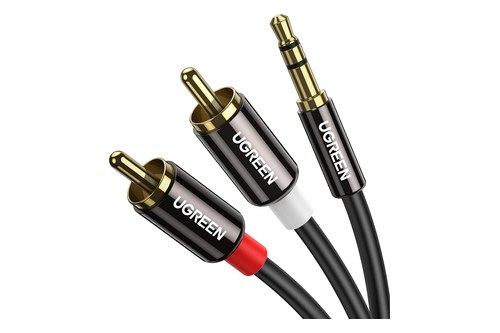
UGREEN’s 6.6 ft 3.5 mm-to-RCA cable
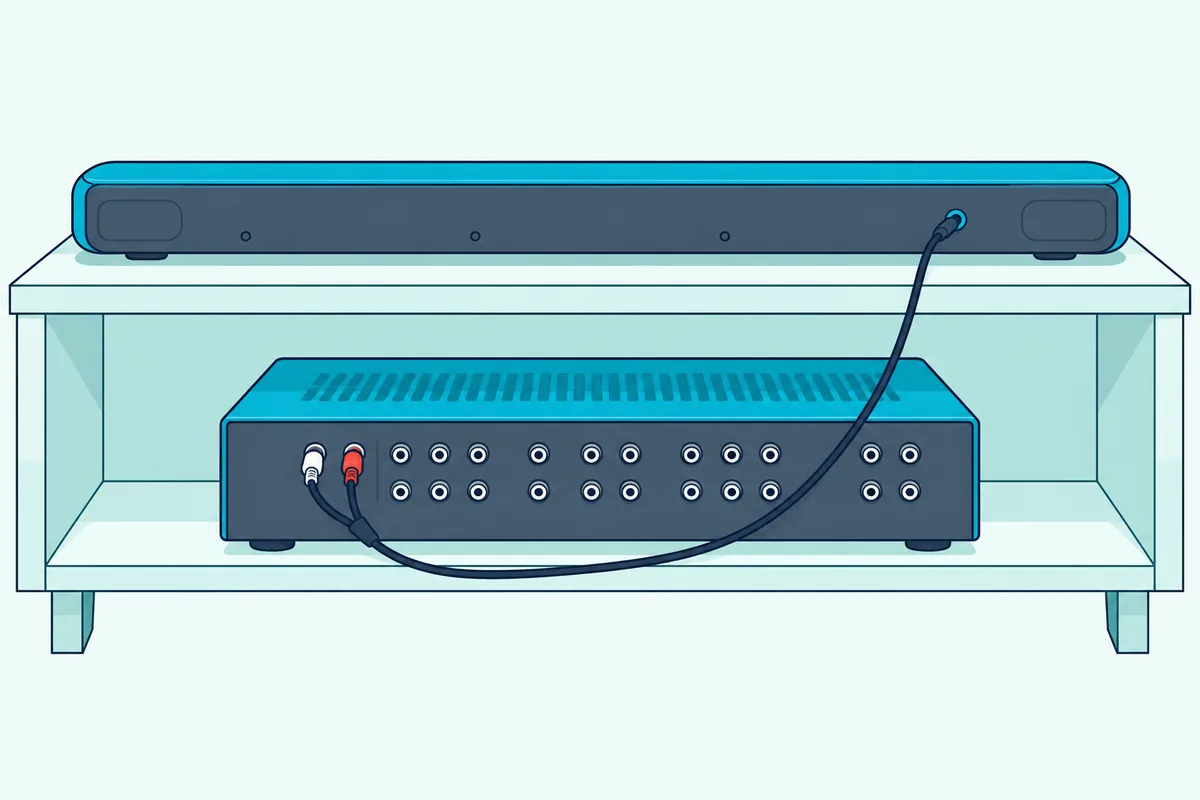
This route gives up the receiver’s surround, because zone 2 is a two-channel mix: Denon and Marantz list it as 2-channel pre-out, Onkyo passes it only analog or 2-channel PCM, and Yamaha’s RX-V6A sends no HDMI audio to its zone output at all (Yamaha).
So the bar never gets Dolby or DTS from the receiver, and two channels leave no subwoofer feed, which hands the bass to the bar. Unless the zone level is fixed, you’ll also juggle two volume controls.
Front pre-outs work differently, because Yamaha says they carry the same signals as the matching speaker terminals. A bar there plays only the front left and right of whatever the receiver decodes, so the center and surround channels still need speakers of their own.
Yamaha’s advice for an amplifier with its own volume control suits a bar on front pre-outs too: turn its volume up enough and leave it fixed, then use the receiver’s remote. If your receiver has no zone output, Denon’s AVR-X1800H has zone 2 pre-outs, per its listing.
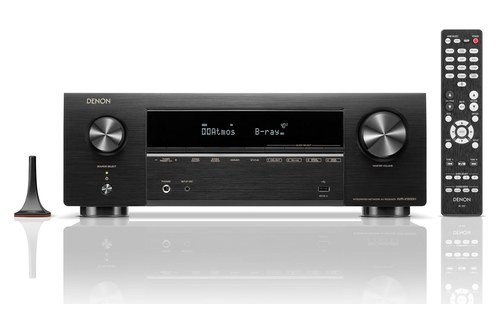
Denon’s AVR-X1800H
Get Studio Tips Weekly
Join 5,000+ creators getting acoustic treatment advice every week.
No spam. Unsubscribe anytime.Can the Receiver and the Soundbar Both Play TV Sound?
That zone route matters most for TV sound. On Denon’s AVR-X1800H and Marantz’s Cinema 70s it can: with the receiver on the television’s ARC or eARC port, Denon’s TV Audio Sharing setting plays that audio in surround in the main zone and the same content in zone 2 (Denon).
Yamaha’s table for the RX-V6A keeps HDMI audio out of its zone output. Onkyo’s TX-NR6100 manual names HDMI inputs 1 to 3 for zone 2 and doesn’t say whether audio arriving over ARC qualifies.
Sony’s guide lists the television’s optical input among the main-zone inputs its Zone 3 can mirror with the SOURCE setting.
Can the Soundbar Use ARC While the Receiver Feeds the Television?
If your bar has no analog input, the television becomes the go-between. Yes: the bar takes the set’s ARC or eARC port, the receiver plugs into an ordinary input, and the receiver passes its sources’ audio along:
- Bar to the set. Connect the bar’s ARC or eARC port to the TV port labeled eARC or ARC, as Samsung’s manuals insist.
- Receiver to the set. Connect the receiver’s HDMI OUT to another input, using the cable Denon recommends: one labeled High Speed with Ethernet for 4K, or Ultra High Speed for 8K.
- Receiver’s audio onward. Choose TV under Denon’s HDMI Audio Out or TV + AMP under Sony’s Audio Out (with the receiver’s own control and ARC off), or let Denon’s HDMI Pass Through or Onkyo’s HDMI Standby Through feed the set from standby.
- Sound to the bar. Point the set’s sound output at the bar and keep its HDMI control on, since Sony’s HT-S2000 guide says the bar stays silent while Control for HDMI is off.
That second run needs its own cable, which Sony’s receiver guide shows as not supplied. If you need one, UGREEN’s 6.6 ft Ultra High Speed cable is certified, per its listing.

UGREEN’s 6.6 ft Ultra High Speed cable
The receiver becomes a switch here, and its decoding goes unused. Denon says its TV setting sends 2-channel audio while the receiver is on, and Sony warns that TV + AMP quality depends on the set, so a set with stereo speakers turns even multichannel sources into stereo.
Formats then depend on the link to the bar. HDMI.org lists uncompressed 5.1 and 7.1, Dolby TrueHD, Dolby Atmos, DTS-HD Master Audio and DTS:X for eARC (HDMI.org), and Denon calls those formats incompatible with conventional ARC.
Volume gets simpler, since the bar can follow the TV remote over CEC, which LG’s S60T manual describes as one remote running the audio device. Choosing a source still happens on the receiver.
Why Can’t the Receiver and the Soundbar Share One ARC Port?
That swap raises the obvious question of plugging both into ARC at once. They can’t share it, because the return path runs through one specific port, and Sony’s STR-AN1000 guide says to disconnect whatever already occupies the set’s eARC or ARC jack first (Sony).
Samsung’s support page puts it from the other side: ARC works only through that specific port on the set or its One Connect Box. Denon runs the receiver’s HDMI OUT there and Samsung runs the bar’s HDMI TO TV (eARC/ARC) port there too, so only one of them can hold it.

Daisy-chaining doesn’t help either, since a receiver’s ARC lives on its output to the set, not on its inputs. Onkyo marks only HDMI OUT MAIN as ARC and says its second output isn’t ARC-compatible.
The stack that works is the zone 2 one: receiver on ARC, bar on the zone output. For each brand’s own menus, see how to connect a soundbar to a TV with ARC or eARC.
Can You Run an Optical Cable From the Receiver to the Soundbar?
Optical is the input most bars already have, which is why it’s the cable people try next. Not from these five receivers: their manuals list optical and coaxial jacks only as inputs, and Onkyo’s own table of audio outputs is all analog.
The bar’s optical input is meant for the television or a player instead. LG’s S60T manual connects it to the OPTICAL OUT of an external device such as a TV or Blu-ray player, and Samsung’s manuals describe theirs as taking the optical output of an external device.
So the optical cable runs from the set to the bar, the same link you’d use with no receiver at all. For the formats each cable can carry, see what optical carries compared with HDMI.
Can a Soundbar Be Used as a Center Channel?
Those input lists settle the center-channel question too. A powered bar isn’t documented as one, since none of the bar manuals read here lists a single-channel input, but passive three-channel bars from Monitor Audio, Definitive Technology and ELAC are built to take a receiver’s left, center and right speaker wires.
Monitor Audio’s manual has you run the left, center and right speaker cables from the AV amplifier to the matching inputs, with the whole front soundstage in one cabinet (Monitor Audio). Definitive Technology lists its Mythos 3C-75 as three channels with 25 to 150 W per channel recommended, and ELAC’s Muro SB41L is a 3-channel passive bar with a dedicated center speaker.
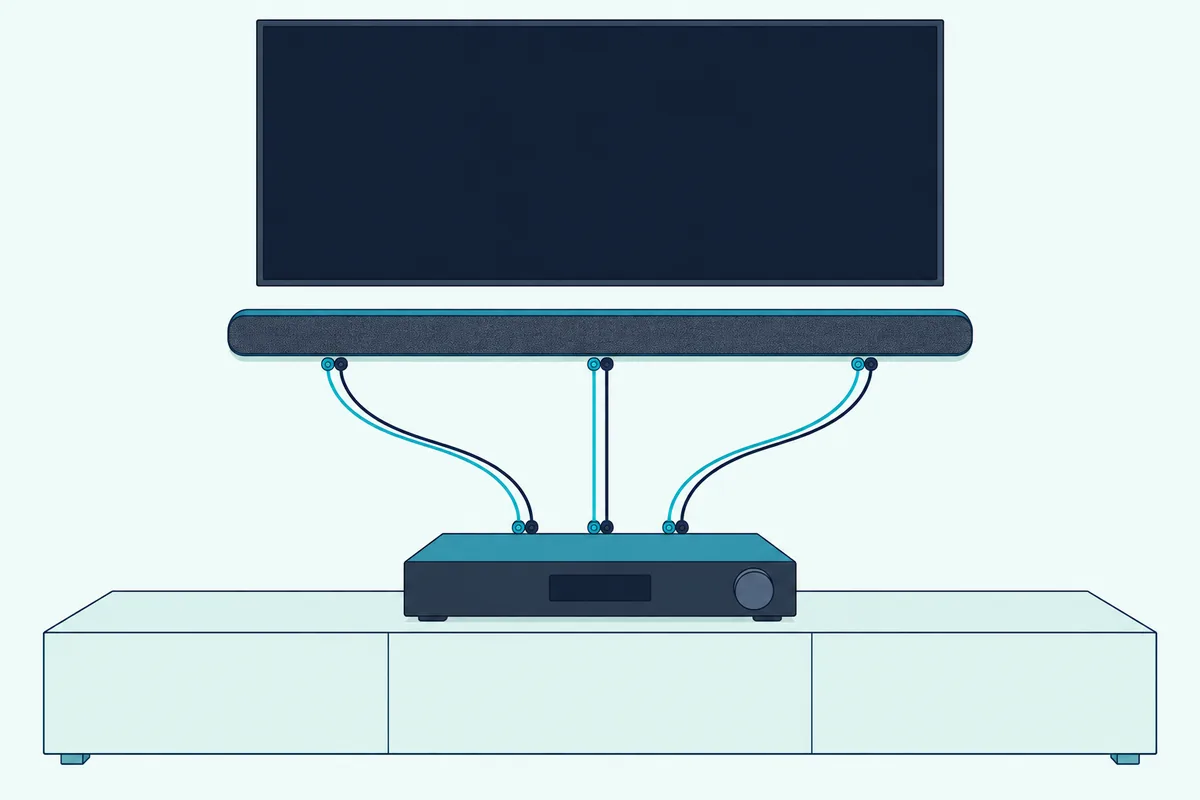
A passive bar keeps everything the receiver does, because it’s three channels of speakers in one cabinet: the receiver decodes, its subwoofer outputs still work, and one remote runs the lot.
Marantz’s Cinema 70s does have a pre-out for each channel, but none of the bar manuals read here documents feeding a powered bar the center alone. Sony’s STR-AN1000 goes the other way and can use a television with an S-center speaker input as the center, through its S-CENTER OUT jack.
What Do You Lose With Each Setup?
Side by side, those routes show the trade each one makes. Only the passive bar keeps the receiver’s surround decoding, its bass handling and a single remote, and every powered-bar route gives up at least one of them.
| Setup | Receiver’s surround decoding | Who handles the bass | One remote for volume |
|---|---|---|---|
| Bar on zone 2 | No, two channels only | The bar | Only with the zone level fixed |
| Bar on front pre-outs | Front left and right only | The bar, plus the receiver’s subwoofer outputs | Yes, with the bar’s volume left fixed |
| Bar on ARC, receiver feeding the set | No, the receiver passes audio along | The bar | The TV remote, over CEC |
| Passive three-channel bar | Yes | The receiver | Yes |
If surround from the receiver is the point, pick the passive bar. For TV sound in another room, zone 2 does the job, and a bar with no analog input leaves ARC.
What If Your Receiver Is a Cable or Satellite Box?
That word ‘receiver’ covers cable and satellite boxes too. A cable or satellite box is a source, and Sony’s HT-S2000 guide plugs set-top, cable and satellite boxes into the television over HDMI and lets it pass their sound to the bar.
A DISH or DirecTV box follows the same rule. Burton Acoustix’s walkthrough shows how to connect a soundbar to a DirecTV receiver cable by cable.
Frequently Asked Questions
Can you plug a soundbar into a receiver’s speaker terminals?
Only a passive one. Monitor Audio’s passive bars take the receiver’s speaker cables, but a powered bar’s analog input is a line-level jack: Denon rates the Home Sound Bar 550’s at 2 Vrms maximum, and Onkyo rates its zone line output at 200 mV. Speaker terminals carry amplified power instead, which Onkyo rates at 100 W per channel into 8 ohms, two channels driven, for its North American TX-NR6100, so a powered bar belongs on a zone or pre-out jack.
Does it matter which HDMI port you use for a soundbar?
Yes. Use the port labeled eARC or ARC, because Samsung’s support page says the ARC function works only through that specific port. Sony’s receiver guide wants that same port, so decide which box gets it first.
Why won’t my soundbar play with a receiver connected?
Check three settings. The receiver may hold the set’s only ARC port, the television’s CEC control may be off, which Sony’s HT-S2000 guide says leaves the bar silent, or a receiver feeding the set may still keep its audio for its own speakers: Sony’s STR-AN1000 sends nothing to the TV speaker while its Audio Out setting is AMP.
Can a soundbar and receiver speakers play at the same time?
On some receivers, yes. Denon’s and Marantz’s TV Audio Sharing plays the same content in the main zone and in zone 2, and Onkyo’s ZONE B output plays the main room’s source too, though Onkyo then restricts the main speakers to Stereo or AllCh Stereo. In each case the bar gets two channels, since both zone outputs are stereo.