How to Hide Soundbar Wires, From Cord Covers to In-Wall Kits

Learning how to hide soundbar wires starts with one rule: the cables can go almost anywhere, but the bar’s own power cord can’t go inside the wall.
Most setups leave a power cord and an HDMI or optical cable hanging between the screen and the outlet, and a wireless subwoofer adds one more cord on the floor.
Pick the right route for each one and the wall looks clean without breaking the electrical code or the bar’s warranty.
The first decision is whether you can cut into the wall at all, because that splits the job into a cord cover on the surface or a listed in-wall kit behind it.
The sections below sort out which wire goes where, what each kit actually powers, and how a stand, a mount or a wireless bar changes the plan.
What Wires Does a Soundbar Need Hidden?
That rule only matters once you know what you’re hiding. A typical soundbar needs two runs hidden: one power cord to an outlet and one audio connection, usually HDMI from the TV’s ARC or eARC port, sometimes optical.
The two are different kinds of wire, and that difference drives everything else on this page. HDMI and optical are low-voltage signal wiring, while the cord carries mains electricity, so the code treats them differently once they head into a wall.
A subwoofer and rear speakers add their own cords even when they connect wirelessly. Sonos’s guide for Sub 4 tells you to attach the supplied cord and plug it into an outlet, and to protect it from being walked on or pinched.
Think of it as two lists: signal wires that may travel inside the wall with the right rating, and mains cords that stay outside it or get swapped for wiring that’s built for the job.
Can You Run a Soundbar Power Cord Inside the Wall?
That second list is where most hidden setups go wrong. No: Legrand’s FAQ for its Wiremold CMK70 power kit states that installing flexible cord in a wall is a violation of the National Electrical Code (NFPA 70), and a soundbar’s power cord is flexible cord.
The kits that put an outlet behind a TV get around the rule rather than breaking it. Legrand’s CMK70 kit runs Listed Nonmetallic-Sheathed Cable (NM cable, covered by Section 334 of the NEC) between two recessed outlets, and its own extension cord stays outside the wall, plugged into your existing receptacle.
EchoGear’s owner’s guide for its in-wall soundbar kit says the same thing in one line: don’t install the power supply cord within the wall cavity. Sanus describes the wiring in its TV and soundbar kit as in-wall rated and says they meet national code requirements.
The same rule covers every brand, so a Samsung, LG or Sonos bar’s cord gets no exception. Legrand also notes that local codes may vary and suggests showing its FAQ to your electrical inspector if one questions the kit.
Two routes stay open for that cord, then: cover it on the surface, or plug it into an outlet that a listed kit moves to the spot behind the bar. If you’re still deciding where the bar goes, our guide on how to mount a soundbar on studs or drywall anchors covers the bracket side of the job.
Get Studio Tips Weekly
Join 5,000+ creators getting acoustic treatment advice every week.
No spam. Unsubscribe anytime.How to Hide Soundbar Wires Without Cutting the Wall
The surface route is the one renters and brick walls are left with. A cord cover, also sold as a raceway or cable concealer, is a plastic channel that fixes to the wall over the wires and can be painted to match it.
Yamaha’s guide to hiding cables and cords calls these covers a no-tools option that sticks to a wall or baseboard with adhesive or double-sided tape, and says many are paintable. That makes the cover the quickest fix for a bar on a TV stand or a wall above a fireplace.
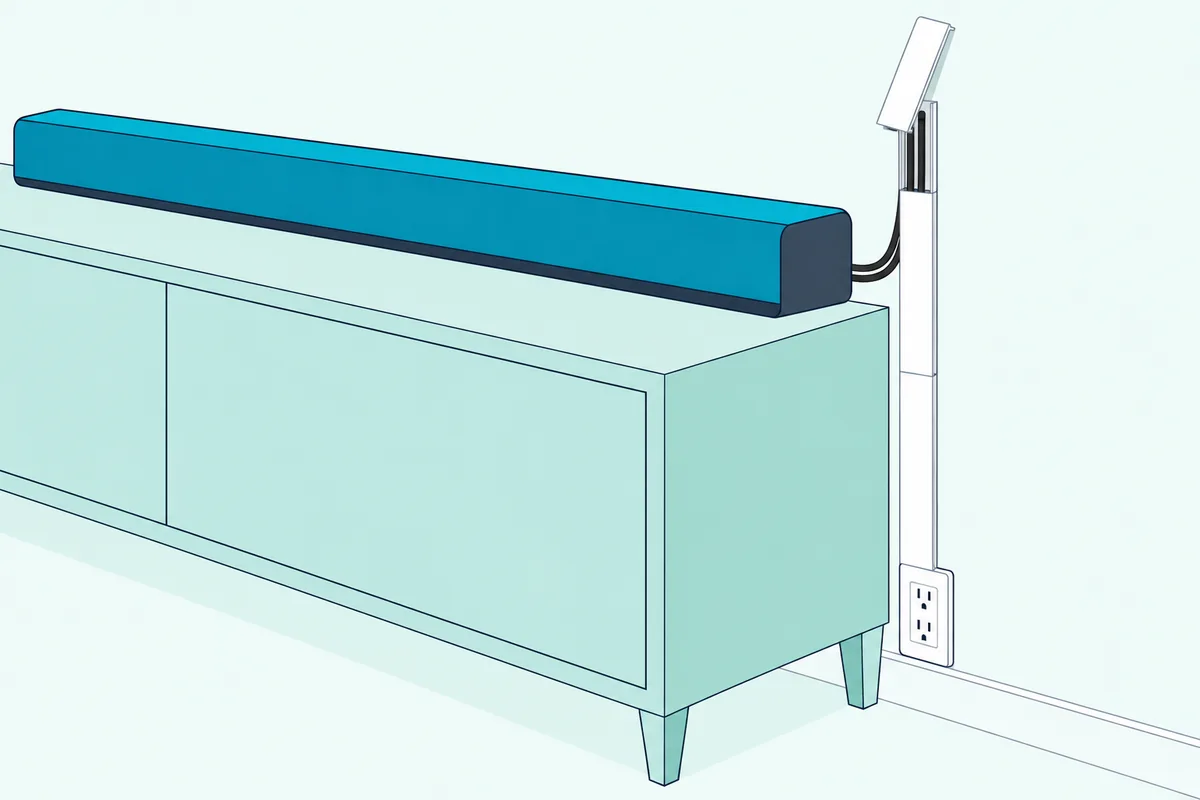
Adhesive has a catch on painted drywall. Wiremold Tech Support says its CordMate tape bonds strongly and will likely leave residue or pull off some of the drywall surface if you remove the channel later.
Screw-mounted covers avoid that, at the cost of a few small holes. Legrand’s 48-inch flat screen TV cord cover comes with wall screws and anchors, and its cover snaps off so you can add a wire later and snap it back on.
Legrand also says plainly what a cover is for: its raceway isn’t NRTL listed and is designed only to protect electrical cords and low-voltage cabling. In other words, it covers your existing cords on the wall’s surface, which is exactly where the mains cord is allowed to stay.
For a screw-on cover sized for a TV and soundbar, the EchoGear on-wall cord cover kit is EchoGear’s EGAV-CMOW1S. EchoGear’s page gives a 48-inch channel, 3.5 inches wide and 3/4 inch high, that holds 6 to 8 cords and installs with a Phillips screwdriver.
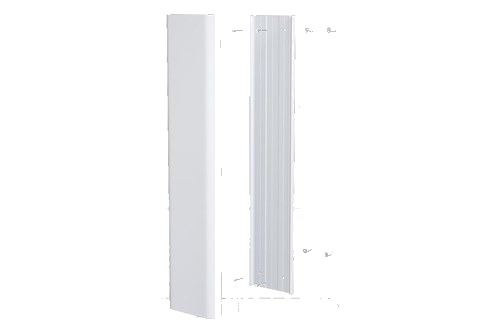
the EchoGear on-wall cord cover kit
A quick test helps before you stick or screw anything down. Bundle the bar’s cord and HDMI cable together and hold the channel against them: if the cover’s lid won’t close over the bundle, you need a wider channel.
Which In-Wall Kit Powers Both the TV and the Soundbar?
Cord covers solve the look on any wall, but a kit inside the wall makes the wiring disappear completely. The right one has an outlet behind the soundbar as well as behind the TV, because a kit with a single TV outlet leaves the bar’s cord hanging.
Legrand’s CMK70 shows why that detail matters. Its kit includes two power grommets, a 54-inch harness and a 6-foot cord, and when an owner asked about plugging a surge protector into the top outlet to run a soundbar, Wiremold Tech Support answered no: that outlet isn’t rated for it and is only made for the TV.
Kits built for a TV and a bar add a second module low on the wall. EchoGear’s EGAV-CMIWSB has a separate soundbar module that sits behind the bar, a splitter cord, a 6-foot extension and an ETL certification, with up to 8 feet between the top and bottom modules.
Its page lists the wall it needs as well: drywall 1/2 inch to 1 inch thick, at least 3 inches of space inside the wall, and a 1.75-inch pass-through. Sanus’s kit for a mounted TV and soundbar works the same way with up to 8 feet of in-wall rated wiring between modules, though Sanus’s page lists the WSIWPSB1 version as discontinued.
For a kit with a module behind the bar, the EchoGear in-wall cable management kit for TV and soundbar is the EGAV-CMIWSB, the model EchoGear’s own page links to on Amazon. Its owner’s guide is the source for the installation steps below.
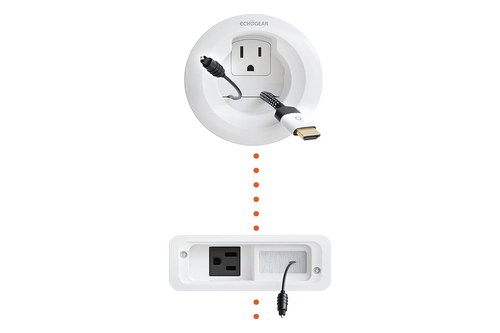
the EchoGear in-wall cable management kit for TV and soundbar
A dual-outlet kit is the other option when the bar can plug in behind the TV. EchoGear’s EGAV-CMIWP2 powers two devices from one top box and passes three low-voltage cables through a brush plate, so the bar’s cord only has to reach that box.
How Do You Install an In-Wall Soundbar Kit?
Those modules all go in the same way, and EchoGear’s EGAV-CMIWSB owner’s guide lays out the order. The job takes five steps: cut two holes, route the power cords, route the low-voltage wires, secure the modules and switch on.
Check the plugs before you drill anything. EchoGear asks you to confirm that your TV plug fits the upper module and your soundbar plug fits the soundbar module, then to verify that the wall meets the depth and drywall limits.
Then cut the holes in the right places. The guide’s tip is to drill the top hole behind the TV and the soundbar hole behind the soundbar, using the included hole saw and the cut-out template for the soundbar module.
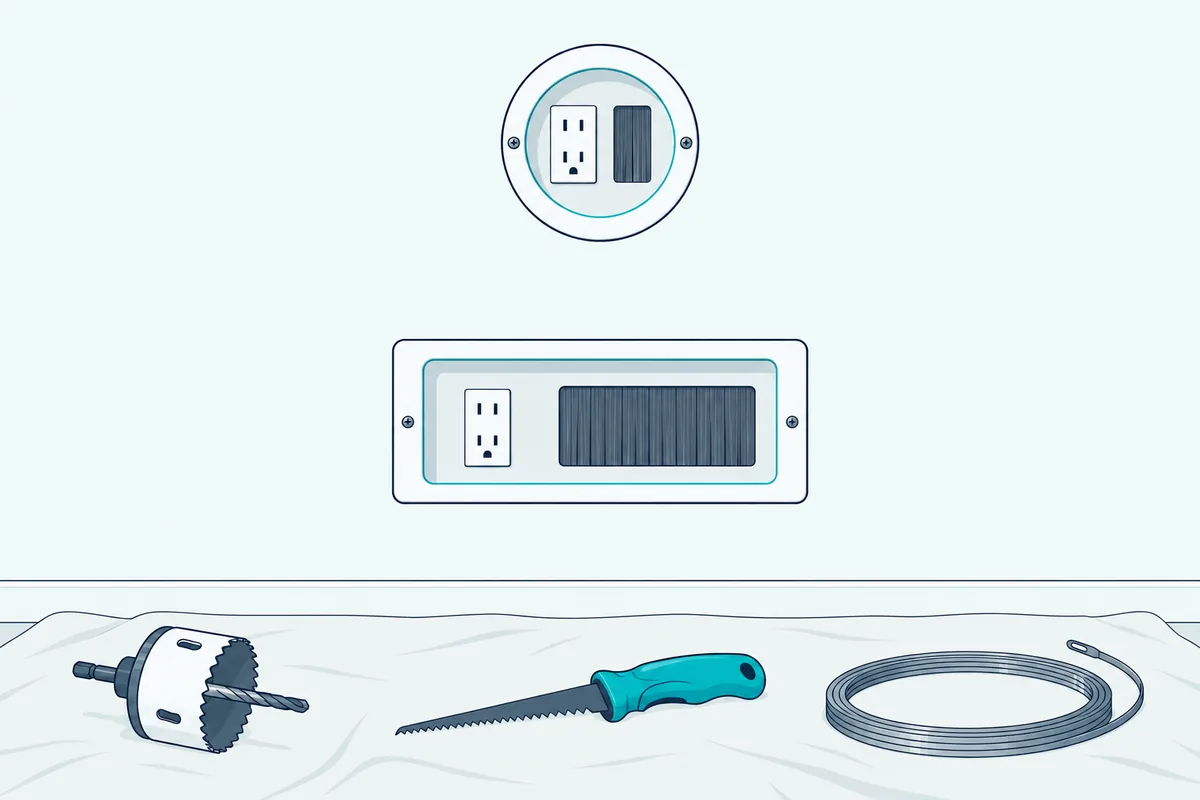
Walls with blown-in insulation may need some of it removed from the cavity, EchoGear notes, and it suggests fish tape to pull the wires through. An owner review on Legrand’s CMK70 page describes insulation bunching up inside an exterior wall during that step, so expect it to take longer there.
The electrical side has two warnings. EchoGear’s guide limits the kit to 15-amp branch circuits and says not to connect its modules to any other circuits or outlets.
Do the soundbar’s own connections before the bar goes on the wall. LG’s S77TY manual warns that it may be difficult to connect external devices and cables after wall mounting, and tells you to connect them first.
Kits like this one are made for owners to fit: EchoGear says its kit is designed to go in without professional help. Legrand’s FAQ is the reminder that local codes can still differ, so a local inspector or electrician has the final word where your code asks for one.
Are HDMI and Optical Cables Allowed Inside the Wall?
The mains cord gets the strict rule, and the signal wiring is more forgiving. Yes, in most cases: Legrand describes HDMI as low-voltage and sells a Wiremold wall grommet kit for running HDMI behind the wall, for low-voltage wiring only.
The wire itself still has to suit the job. Bose’s TV Speaker owner’s guide says the wire and cables included with that system aren’t approved for in-wall installation and tells owners to check local building codes for the correct type.
Yamaha gives the same advice for speaker wire: if it runs through walls or the ceiling, you need wire that’s CL-rated for safety. It also says an HDMI run should be as short as necessary and never longer than 50 feet, or the signal may degrade.
Signal wiring can share the kit’s openings. EchoGear’s brush-style grommets carry low-voltage cables from the TV to the soundbar, so the HDMI cable runs through the same openings as the kit’s own power wiring rather than through a hole of its own.
Can a TV Stand or the TV Mount Hide the Wires Instead?
Not every setup needs the wall opened, as Yamaha’s tips for furniture show. Yes: when the bar sits on a stand or cabinet, Yamaha’s answer is clips, VELCRO wraps and zip ties to bundle the cords behind the furniture and along the backs of shelves.
Yamaha calls zip ties the installer’s equivalent of duct tape, and its point holds for a soundbar too. One neat bundle running down the back of the stand to the outlet is all most furniture setups need.
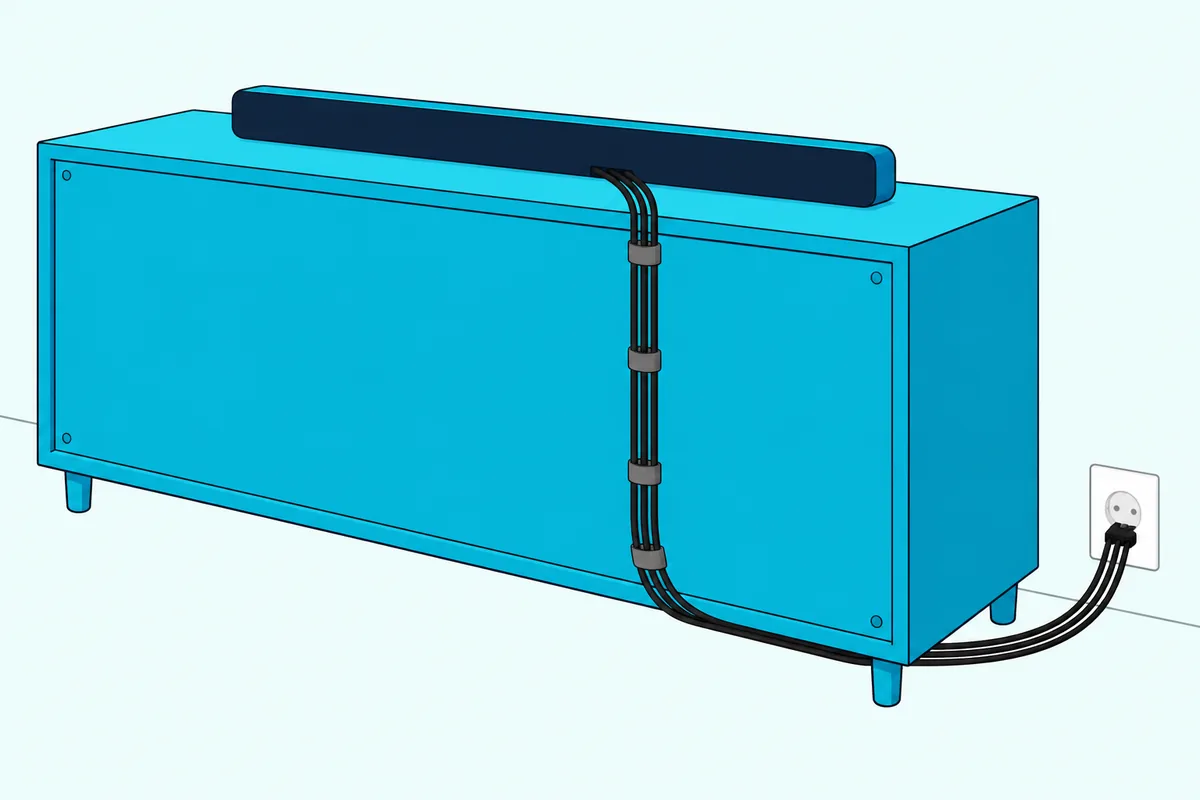
A wireless subwoofer can hide behind the same furniture. Sonos says Sub 4 can sit behind, under or next to any piece of furniture, so its cord can join the bundle.
Some TV mounts carry the wiring themselves. Sanus’s VLF728 full-motion mount has integrated cable management that it says helps conceal power and HDMI cables.
An owner review on that Sanus page adds a practical limit: the small holes only take thin cables, and wiring that isn’t managed properly keeps the TV from fitting back against the wall. Route everything before the TV goes back on the mount, not after.
A mount only hides the run along its arms, though, so the bar’s wiring still has to reach the wall. Yamaha’s mounting guide says to put the connecting cables in the wall from behind the TV to behind the sound bar before drilling, along with an outlet behind the bar or a power extender.
If you’d rather hang the bar from the TV’s own mount, that run gets shorter still.
Does a Wireless Soundbar Get Rid of the Wires?
Furniture and mounts hide wires, but going wireless only removes some of them. A Wi-Fi or Bluetooth soundbar drops the audio cable between the TV and the bar, yet the bar, its subwoofer and any rear speakers each still need their own power cord.
Yamaha makes the point about its wireless surround speakers: you don’t need speaker wire to connect them, but they’ll still need power, so you’ll need an outlet nearby. Sonos’s Sub 4 connects over Wi-Fi and still plugs into the wall with its own cord.
That changes what you plan to hide, not whether you plan. Take the subwoofer: wireless means no wire across the room to the bar, yet its cord still has to reach an outlet, so place it where the cord can stay behind furniture.
The full picture of which links skip the wire and which never do is in Burton Acoustix’s guide to what a wireless soundbar still needs, including how far a wireless subwoofer can sit from the bar.
Should You Label the Wires and Leave Slack?
Wireless or not, every hidden wire eventually has to come back out. Labeling both ends of each one and leaving some spare length behind the bar is our own advice rather than a maker’s rule, but the makers’ limits explain why it saves trouble.
Length can’t be fixed later by swapping cords. Sonos tells owners to use only the supplied cord, since a third-party one voids the warranty, and Wiremold Tech Support says the cord provided with the CMK70 must be used and not substituted.
That leaves the measurement as the step to get right. Measure from the bar’s socket to the outlet you’ll use before you buy a cover or kit, then compare it with the kit’s limits: up to 8 feet between EchoGear’s TV and soundbar modules, and a 54-inch harness in Legrand’s CMK70.
The slack matters for the same reason that Sanus owner ran into trouble. A cord pulled tight behind a mounted bar or TV makes it hard to lift either one off its bracket, while a short loop lets you pull the bar forward to swap an HDMI cable.
Labels pay off when the bundle is out of sight. A piece of tape on each end marked TV, bar or mains saves guessing when you change a TV or move the soundbar to a new input.
The Bottom Line
Hiding soundbar wires comes down to one split: signal wiring may go in the wall with the right rating, but the bar’s mains cord stays outside it. Legrand’s FAQ calls flexible cord in a wall an NEC violation, and EchoGear’s guide says not to put its supply cord in the wall cavity.
On a wall you can’t cut, a paintable cord cover handles both. Behind a wall-mounted TV, pick a listed in-wall kit with an outlet behind the soundbar, connect the bar before it goes up, and measure the run before you buy.
For the bar itself, from cabinets to mantels and fabric covers, see our guide on how to hide a soundbar without muffling it.
Frequently Asked Questions
Can you hide soundbar wires without drilling?
Yes. A self-adhesive cord cover sticks to the wall or baseboard over the cord and HDMI cable, and Yamaha’s cable guide says many are paintable to blend in. Wiremold Tech Support warns that its adhesive bonds strongly and can leave residue or damage the drywall surface if you take the channel down later, so renters may prefer covers that can be screwed into a few small holes instead. Behind a TV stand, clips, VELCRO wraps and zip ties do the job with no wall contact at all.
Can you plug a soundbar into the outlet of an in-wall TV power kit?
Only if the kit says so. Wiremold Tech Support says the top outlet of its CMK70 kit is made only for the TV and isn’t rated to have a surge protector plugged into it for a soundbar. Kits built for both, such as EchoGear’s EGAV-CMIWSB, add a separate soundbar module behind the bar, and EchoGear’s EGAV-CMIWP2 has a dual outlet that powers two devices.
Do you need an electrician to hide soundbar wires in the wall?
Not usually for a listed plug-in kit. EchoGear says its in-wall kit is designed to be installed without professional help, and Legrand’s CMK70 is sold as needing no hard-wiring. What you can’t do yourself, under the NEC as Legrand describes it, is run the soundbar’s own flexible power cord inside the wall. Legrand also notes that local codes vary, so where your inspector questions a kit, its FAQ suggests showing them the documentation or calling Wiremold’s technical support.
How do you hide soundbar wires on a brick or fireplace wall?
Use the surface route, since an in-wall kit needs a hollow wall: EchoGear’s kit asks for at least 3 inches of space inside the wall. A screw-mounted or adhesive cord cover, painted to match, carries the cord and HDMI cable down the wall to the nearest outlet. Legrand’s answer about a TV above a gas fireplace also asks the key question first: where’s the outlet, and how will the cord reach it?
How long can the HDMI cable to a hidden soundbar be?
Keep it as short as the route allows. Yamaha says an HDMI cable should never exceed 50 feet, or you risk signal degradation, and Bose’s guide adds that a run inside a wall needs the correct type for in-wall installation under local building codes. For most TVs and soundbars the run is far shorter: EchoGear’s kit allows up to 8 feet between the TV module and the soundbar module.