How to Connect Samsung Rear Speakers to Soundbar, Kit by Kit
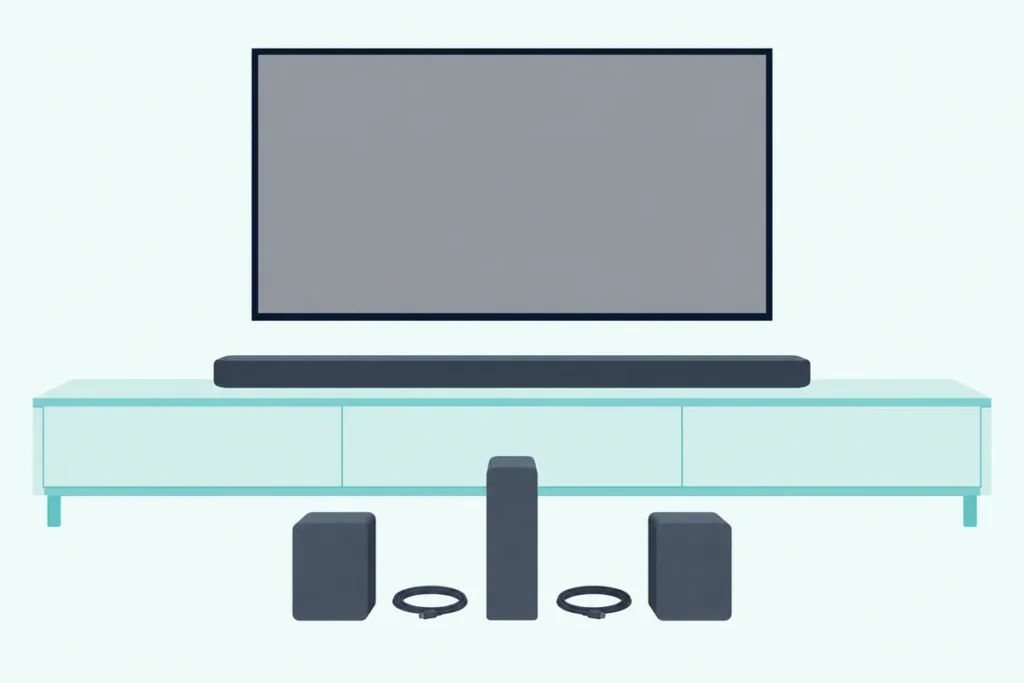
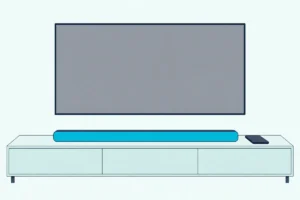
Here’s how to connect Samsung rear speakers to a soundbar: power the rears, hold ID SET on their back until the blue LINK light blinks fast, then hold the remote button your bar’s manual names until ID SET shows.
Skip a step, or pair a kit Samsung didn’t make for your bar, and that light can keep blinking while every sound stays up front.
The good news is in Samsung’s own documents: once paired, the bar and the rears reconnect by themselves every time you switch on.
Below, a kit table matches each Samsung rear kit to the bars that take it, and a year table names the remote button each generation uses.
Start with the four steps, check your kit, then use the light codes, placement and level settings to get sound out of the back of the room.
How to Connect Samsung Rear Speakers to a Soundbar in Four Steps
Those four steps come from Samsung’s manuals for kits with a wireless receiver module, the small box the two rear speakers plug into. The HW-T450, A450 and B550 manuals and Samsung’s Latin America page give the same order:
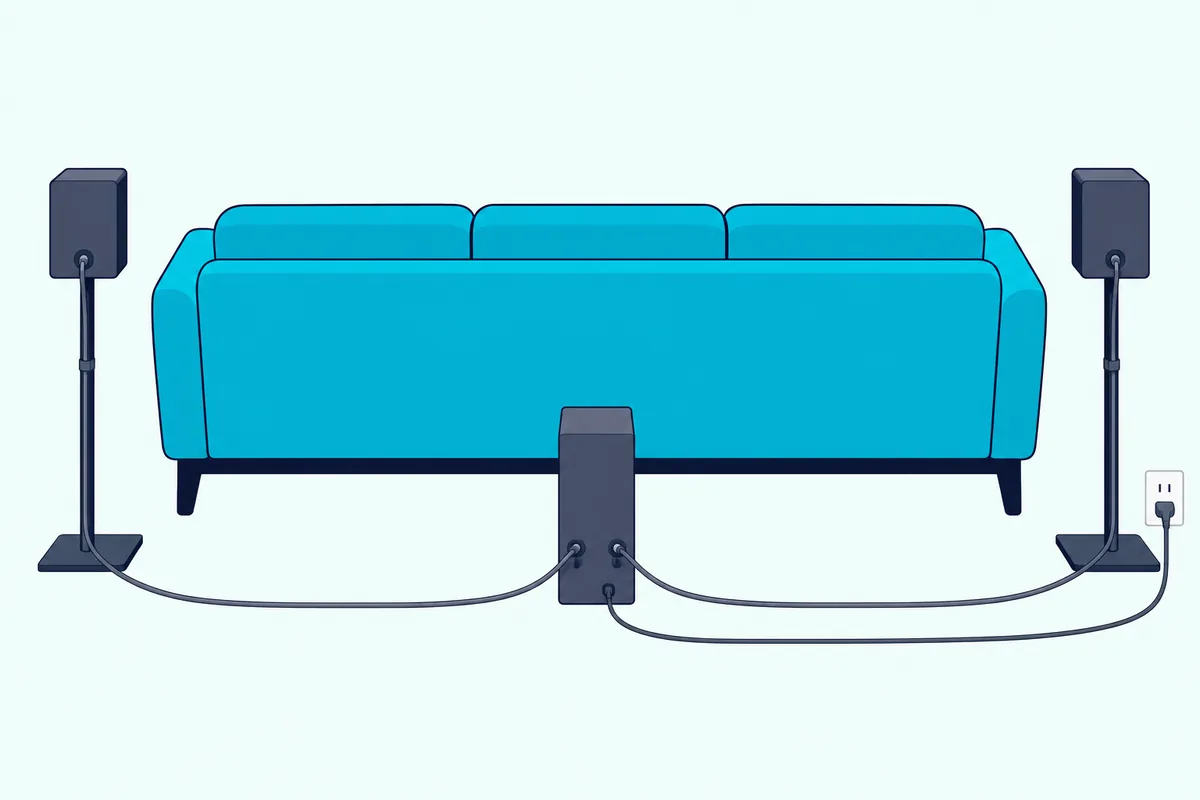
- Connect each speaker to the module with its color-coded cable, the core wire going to the speaker, and plug the module into an outlet. The gray plug goes in the gray jack and the blue plug in the blue jack.
- Check the module’s blue LINK light, which should blink. If it doesn’t, press ID SET on the back of the module with a pen tip for 5 to 6 seconds until it does.
- Press and hold Up on the soundbar’s remote for at least 5 seconds, with the bar off as Samsung’s Latin America page has it. ID SET appears on the display for a moment, and the bar switches itself on when ID SET is complete.
- Check that the LINK light has stopped blinking and glows solid blue. If the kit still isn’t connected, repeat the steps from step 2.
One caution from the same manuals: if the bar was playing music when the kit connects, the woofer may stutter as the connection finishes. Older bars use Vol or Mute instead of Up, as the year table further down shows.
Kits without a module skip the wiring but keep the button. On the SWA-9500S and on the rear speakers that come in the box with bars like the HW-Q990D, ID SET sits on the back of each speaker: hold it for at least 5 seconds on both, then hold Up on the remote for 5 seconds, with the bar off, except in the 2025 F-series guides, which have it on.
Which Samsung Rear Speaker Kit Fits Your Soundbar?
Those steps assume a kit made for your bar. Samsung’s US help page says to get the kit that matches your model, since other kits may not be compatible, and adds that a model missing from its lists is compatible if its specifications or manual say so.
The table pulls Samsung’s lists together with the kit each bar’s own manual names, oldest kit first:
| Rear kit | Bars Samsung names for it | What links the speakers |
|---|---|---|
| SWA-8000S | 2015-2016 J and K series, such as the HW-J4000, J6000R, K360, K450 and K551 | Wireless receiver module |
| SWA-8500S | 2017 HW-M360, M450 and M550; 2018 N400, N450, N550 and N650; 2019 Q70R, Q60R, R450 and R650; 2020 T450, T550, T650 and Q60T | Wireless receiver module |
| SWA-9000S | 2017 HW-MS550, MS650 and MS750; 2018 N850 and NW700; 2019 Q80R; 2020 Q70T, Q800T and Q900T | Wireless receiver module |
| SWA-9100S | 2021-2022 HW-A450, A550, A650, Q600A, S50A, S60A, B450, B550, B650, Q600B, Q60B and S60B | Wireless receiver module |
| SWA-9200S | 2022 HW-B450, B550, B650, Q600B, Q60B and S60B; 2023 C450, Q600C and Q60C; 2024 S60D and S700D | Wireless receiver module |
| SWA-9250S | 2025 HW-Q600F, B750F and B550F (the Amazon listing adds the B630F) | The listing says the two speakers connect to each other by wire |
| SWA-9500S | 2021-2022 HW-Q700A, Q800A, Q900A, Q700B, Q800B and S800B; 2024 S800D; 2025 Q800F and Q900F; 2026 Q600H, Q800H and Q900H | No module: each speaker is wireless apart from its power cord |
| Sold with the bar | HW-R47M, T47M, Q850T, Q950A, Q990B, Q990C, Q990D, Q990F, Q930F, Q990H and Q930H | Paired at the factory |
Read it by the letter in your bar’s model number, since Samsung’s series letters follow the years: M for 2017, N for 2018, R for 2019, T for 2020, A for 2021, B for 2022, C for 2023, and D, F and H for 2024 to 2026.
The last row needs no kit. Samsung US marks the R47M, T47M and Q850T kits as included in the box, and the Q950A, Q990B, Q990C, Q990D, Q990F, Q930F, Q990H and Q930H manuals list left and right surround speakers among the components.
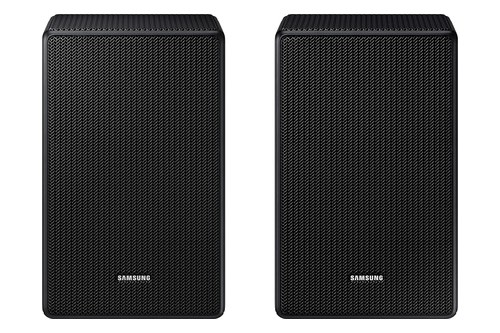
For the 2025 bars, Samsung’s SWA-9250S wireless rear speaker kit is the one the listing ties to the Q600F, B750F, B630F and B550F. For the Atmos bars Samsung names for the SWA-9500S, Samsung’s SWA-9500S rear speaker kit is listed as the wireless Dolby Atmos/DTS:X kit.
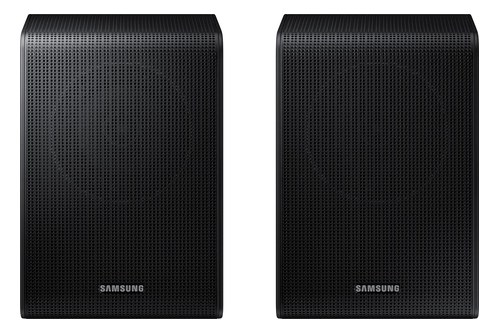
Samsung’s SWA-9250S wireless rear speaker kit
If you’re still deciding whether a kit is worth it, our guide to adding speakers to a Samsung soundbar at all covers what each one adds.
Get Studio Tips Weekly
Join 5,000+ creators getting acoustic treatment advice every week.
No spam. Unsubscribe anytime.Are Samsung Wireless Rear Speakers Really Wireless?
That last column matters, because “wireless” covers only part of the job. Only the link to the soundbar is wireless: Samsung’s US help page says that on every kit on its list except the SWA-9500S, the two rear speakers connect to the wireless receiver module by wires, and the module needs one power cord.
The module’s back panel, as the T450 and A450 manuals draw it, holds the ID SET button, a POWER socket and SURROUND SPEAKERS OUT terminals marked with a 3-ohm speaker impedance.
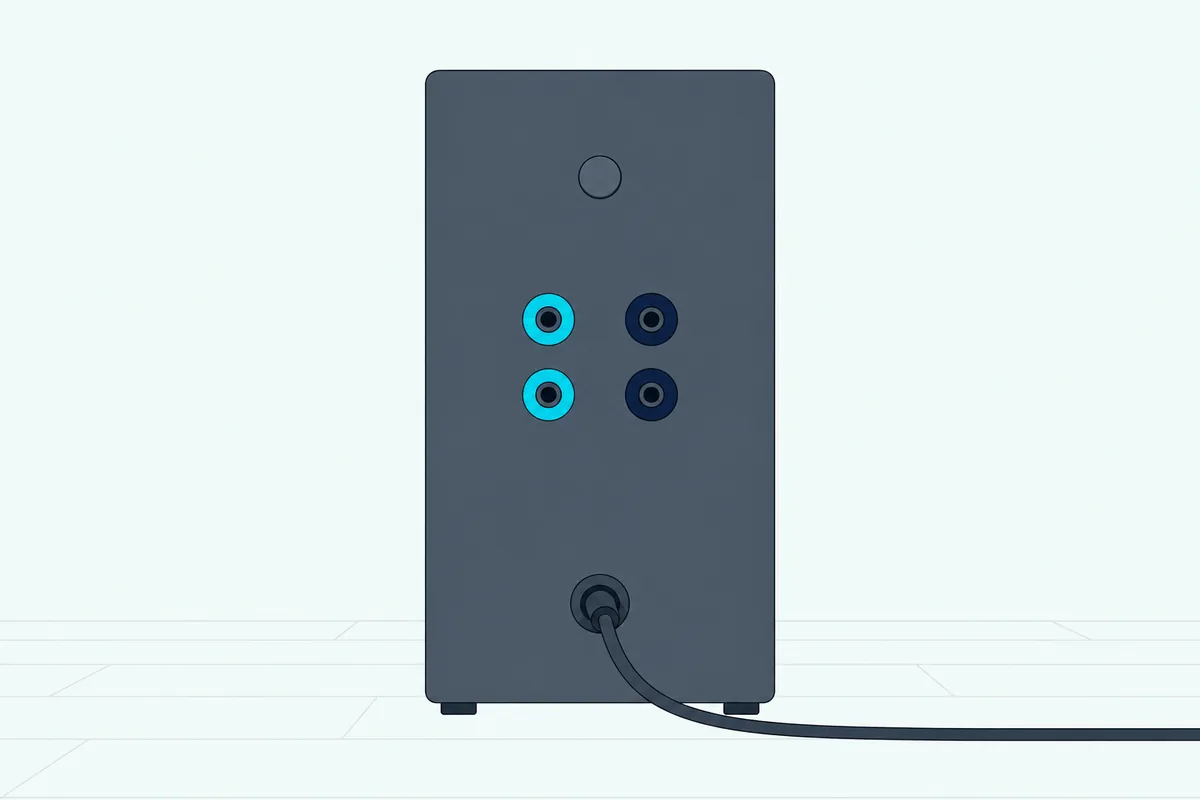
The SWA-9500S drops the module, and Samsung says it’s wireless except for the power cord going to each speaker, so plan on an outlet near each rear position. The rears sold with the Q990D work the same way, with a power cord to the bottom of each surround speaker.
The HW-MS and HW-NW bars that the SWA-W700 subwoofer lists as compatible add one more part. The SWA-W700 manual says the wireless dongle it ships with stays in the bar’s WIRELESS port and can also be used with the optional Wireless Rear Speaker Kit.
Which Remote Button Finishes ID SET on a Samsung Soundbar?
Once the speakers are wired and powered, the last step is the bar’s half of ID SET, and its button has changed over the years. Samsung’s documents name Mute for the 2015-2016 kit, Vol for the 2017 M series, Mute again for the 2018 N series and Up from 2019 on, each held until ID SET shows:
| Years | Bars and kits in Samsung’s documents | The bar’s half of ID SET |
|---|---|---|
| 2015-2016 | J and K series with the SWA-8000S | Bar in standby: hold Mute until ID SET shows, then turn the bar on when the kit’s LINK light blinks |
| 2017 | M series, such as the M360, M450 and M550, with the SWA-8500S | Bar in standby: hold Vol until ID SET shows, then turn the bar on when the LINK light blinks |
| 2018 | HW-N400 with the SWA-8500S; HW-N950 with its rear speakers | Bar in standby: hold Mute for more than 5 seconds, then turn the bar on |
| 2019-2022 | HW-Q70R, T450 and Q60T with the SWA-8500S; A450 and B550 with the SWA-9100S | Hold Up for at least 5 seconds; the bar turns itself on when ID SET is complete |
| 2021-2024 | Rears sold with the HW-Q950A, Q990B, Q990C and Q990D | Bar off: hold ID SET on each speaker for 5 seconds, then hold Up for 5 seconds |
| 2025 | Rears sold with the HW-Q990F and Q930F; the SWA-9500S on the Q900F and Q800F | The same two holds, but these guides have the bar switched on first |
| 2026 | Rears sold with the Q990H and Q930H; the SWA-9500S on the Q900H, Q800H and Q600H | Bar off: hold ID SET on each speaker for 5 seconds, then hold Up for 5 seconds |
Where Samsung gives an order, the speaker side comes first: holding ID SET on the kit turns its red STANDBY light off and sets the blue LINK light blinking fast, and that fast blink is your cue for the bar’s half.
Newer manuals hand off the details: the B650, Q600B, C450, S60D, Q600F and B750F manuals send you to the rear kit’s own manual, which wasn’t among the documents read here. Samsung US fills that gap: with the bar off, hold VOL or Up for 5 to 6 seconds until ID SET appears, then turn the bar on if it doesn’t power on by itself.
One bar gives you a button of its own. The 2021 HW-Q950A has an ID SET (WOOFER/REAR) button on its bottom panel, which its manual says connects the bar to the surround speakers and a subwoofer wirelessly, though it gives no separate steps for it.
Keep that press short. The same manual says holding the bottom-panel ID SET button for 30 seconds turns the bar’s Wi-Fi on or off.
What Do the Lights on Samsung Rear Speakers Mean?
That ID SET message only flashes on the display, so the lights on the rear units are how you know the pairing took. Samsung’s HW-Q990D user guide and 2026 guide give four states for the blue and red lights on the subwoofer and the surround speakers sold with those bars:
| Light | What Samsung says it means | What to do |
|---|---|---|
| Solid blue | Connected (normal operation) | Nothing |
| Blinking blue | Recovering the connection | Check the soundbar’s power cable or wait about 5 minutes, then pair manually if it keeps blinking |
| Solid red | Standby with the bar off, or connection failed | Turn the bar on; if it stays red, run ID SET again |
| Red and blue, blinking | Malfunction | Contact Samsung service |
For a receiver module, the T450, A450 and B550 manuals describe the same LINK light, blinking blue while it waits and solid blue once connected, and send you to the kit’s manual for more. The 5-minute wait costs nothing, so give a kit that worked yesterday that long before re-pairing it.
Do Samsung Rear Speakers Connect Automatically?
A solid blue light should be the normal state from then on, because pairing is meant to be a one-time job. Samsung’s 2017 setup page says the soundbar and the wireless receiver module reconnect automatically once connected, even after you turn them off and back on, and its US help page says speakers that come with a bar are coded at the factory to work with it.
For bars sold with rear speakers, the Q990D and 2026 guides give an order. Plug in the subwoofer, then the left and right surround speakers, then the bar, and the subwoofer and surround speakers connect when the bar turns on.
Samsung US lists the times you’ll need ID SET anyway: a blinking LINK light, or after resetting the soundbar. Its 2016 training document also has service staff run ID SET again after a repair.
The subwoofer pairs through the same ID SET, and our guide to connecting a Samsung subwoofer to your soundbar covers its side. On the Q990D, one manual ID SET pairs both, since you hold the button on the subwoofer and both surround speakers before pressing Up.
Where Should You Put Samsung Rear Speakers?
Automatic reconnection only holds if the wireless signal reaches the speakers, so placement matters as much as pairing. Samsung’s Q990D guide draws the surround speakers behind the sofa at 135 to 150 degrees from the line pointing at the soundbar, and its 2017 SWA-8500S page puts them left and right of your seat, 1 to 2 feet above your ear.
Samsung US adds that on a 2.0 bar, which has no separate rear channel, setting the speakers to either side of you can be more immersive than behind you. The Q990D’s Surround speaker mode goes further, switching from Rear, the default, to Front for speakers beside the TV facing you.
Distance has a limit. Samsung puts the wireless range at about 10 meters (32.8 feet), and the 2026 Q-series guide says a steel wall or reinforced concrete between the bar and the subwoofer or surround speakers blocks the signal.
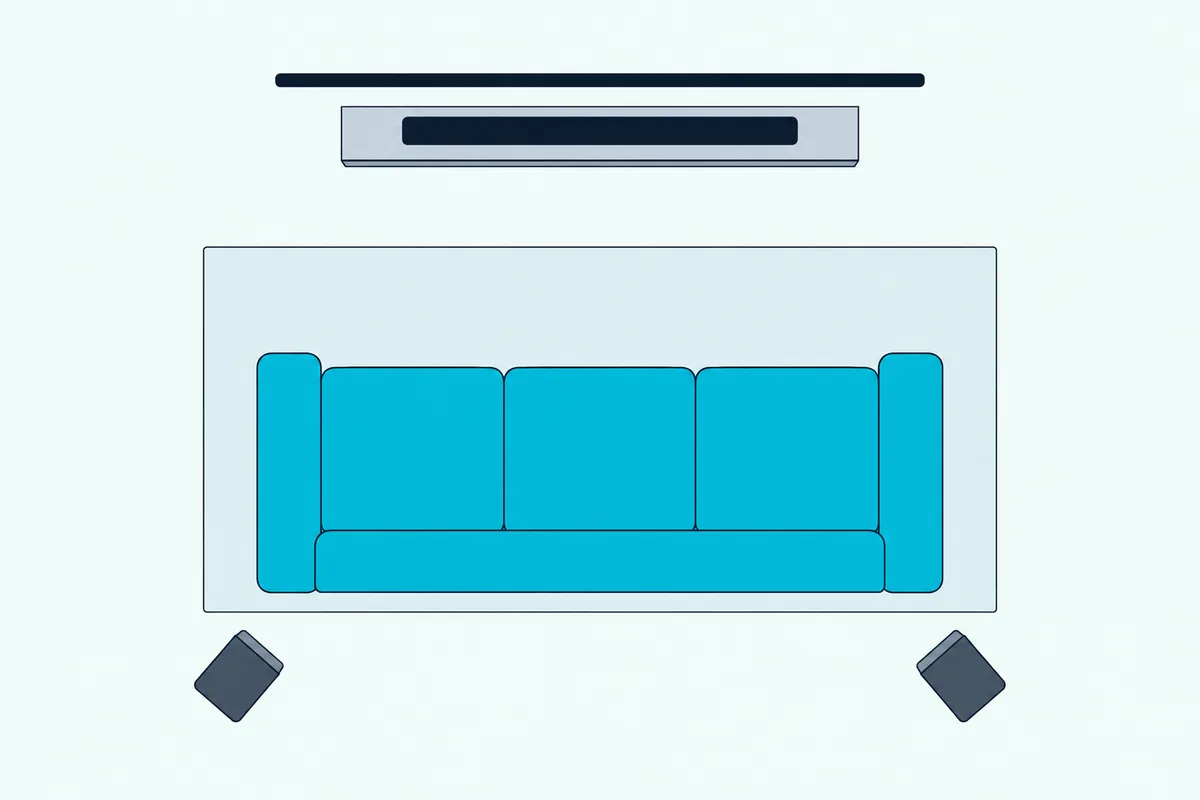
Other radios matter too. The T450 manual says a nearby device on the bar’s 5.8GHz frequency can interrupt the sound, and Samsung’s Latin America page suggests keeping the bar away from a wireless router and switching the TV’s network to wired if the rears stutter.
Try this before you run cables around the room: pair the kit with the speakers right next to the bar, then carry them back. If they link up close and drop out at the back, the spot is the problem, not the pairing.
Wall mounting has its own rules, and Burton Acoustix’s Samsung mounting guide covers the mounts the Q990D’s speakers need. Wherever they go, Samsung asks for clear space around the module or the speakers.
How Do You Turn Up the Rear Speakers on a Samsung Soundbar?
Once the rears are in place, their volume is set apart from the bar’s. Press CH LEVEL or Sound Control on the remote until REAR LEVEL appears, then use Up and Down to set it anywhere from -6 to +6, and the setting only shows up while rear speakers are connected.
The B550, Q600B and Q600F manuals put REAR LEVEL under the CH LEVEL button, and the 2019 Q70R puts it in Sound Control. On the Q990D and Q800F, the surround speakers get Rear level, Rear top level and Rear side level, each from -6 to +6.
Samsung US describes the same job through Sound Control: past treble, bass and audio sync, the last two settings are usually the rears, first on or off, then volume from -6 to +6.
The SmartThings app is less clear. Samsung’s 2025 Q990F guide says the app adjusts settings such as Volume, Sound Mode and Advanced Sound Settings, but no guide read here puts the rear level among them, so the remote is the documented route.
If the rears are quiet even at +6, Samsung’s 2017 SWA-8500S page suggests pairing again. Its SWA-8000S page suggests setting the TV’s audio format to Dolby Digital in the TV’s sound menu.
Why Are Samsung Rear Speakers Silent After Pairing?
A level of +6 does nothing if the bar isn’t sending the rears anything, and the sound mode decides that. In Standard mode, many Samsung bars send nothing to the rears from 2-channel sound: the HW-Q600B manual and the Q600C, Q600F and B750F manuals say so and tell you to switch to SURROUND SOUND, and the Q990D and HW-Q800F guides say the same about their Surround mode.
The output tables show how far it goes. The 2022 B550 manual lists Standard at 2.1 channels with the rear kit in place even for 5.1 input, while the 2019 Q70R sends 5.1 input to the rears in Standard and the 2021 A450 lists 4.1 channels in every mode once the kit is in.
Try this: play a show, press SOUND MODE until Surround appears, and listen to the back of the room. If the rears wake up, the pairing was fine all along.
The source matters as well. Samsung US says sound that’s only 2.0 still comes out as 2.0, and it recommends HDMI ARC or eARC and the right TV audio format so multichannel sound reaches the bar.
Two newer settings change the picture: on the Q990D and Q800F, and on bars like the S60D and Q600F once a rear kit is in, Private Rear Sound plays only the rears’ front channels with the bar and subwoofer silent, and Sound Grouping plays everything through the bar and rears instead of surround.
Can You Connect Samsung Rear Speakers Without the Remote?
Every fix so far has used the remote at some point, which is a problem if it’s gone. Only partly: the automatic reconnection needs nothing but power, but every document read for this guide that gives the steps puts the bar’s half of a manual ID SET on a remote button, and the HW-Q950A’s bottom-panel ID SET (WOOFER/REAR) button is the one exception.
So start with power: a kit that has paired before reconnects when the bar comes on, and the B550’s Power button or the Q990D’s Multi Function button switches the bar on without a remote.
On the Q950A, the closest reading of its manual is to hold the rears’ own ID SET buttons, then press the bar’s bottom-panel button in place of the remote’s Up. The manual doesn’t spell that out, so treat it as a reading, not a Samsung procedure.
Replacement remote part numbers for several Samsung bars, and the remote-free routes for the subwoofer, are in our guide to connecting a Samsung subwoofer to the soundbar without the remote. The same remote finishes the rear pairing once it arrives.
What If Samsung Rear Speakers Still Won’t Connect?
When the light keeps blinking even with a remote in hand, work from the cables outward. Samsung’s checklist for module kits starts with the wiring: both speakers cabled to the module, the cable colors matched, and the bare metal of each wire touching the metal tab, with the clamp closed on the wire rather than its insulation.
Then go through the rest in this order:
- Check power: the module or each speaker plugged in, the bar’s power cable seated, then a 5-minute wait.
- Shorten the distance: bring the speakers closer and keep metal walls out of the path.
- Cut interference: move the bar away from a wireless router and wire the TV’s network connection.
- Pair again, and on the Q990D, Q930D, Q990F, Q800F and 2026 Q-series bars, reset the Tx module first: bar off, hold Left on the remote for 5 seconds, then run ID SET.
A reset of the bar itself comes last. Samsung US says you can pair the speakers again after resetting the soundbar, and its 2016 training document notes that the HW-N950’s reset keeps the subwoofer and rear connection, so check the reset steps for your Samsung bar before you start.
Red and blue blinking together is the one state no button fixes. Samsung’s tables send that to a Samsung service center.
The Bottom Line
Connecting Samsung rear speakers comes down to the right kit, power and one ID SET: the rear unit’s button until the blue light blinks fast, then the bar’s button, which is Up in every 2019 to 2026 manual that gives the steps. After that the pair reconnects by itself, so a blinking light points to power or distance, and silent rears with a solid blue light point to the sound mode.
Set the rear level with CH LEVEL or Sound Control, keep the speakers within about 10 meters, and keep the remote safe, since only the Q950A here has a pairing button of its own.
Frequently Asked Questions
Can I connect Samsung rear speakers to a soundbar with Bluetooth?
None of the Samsung manuals read for this guide pairs rear speakers over Bluetooth. The kits link through ID SET on the bar’s own wireless signal, which the T450 manual says uses 5.8GHz, while the manuals’ Bluetooth steps connect a mobile device or a TV to the bar.
How do I reset Samsung wireless rear speakers?
None of the Samsung documents read here gives the rear speakers a reset of their own; what they describe is pairing again with the ID SET button on the module or on each speaker. The Q990D, Q930D, Q990F, Q800F and 2026 Q-series guides add a Tx module reset on the bar: turn it off, hold Left on the remote for 5 seconds, then pair again.
Can I add another speaker to my Samsung soundbar?
Samsung’s add-ons are its own rear speaker kits and subwoofers, and its US help page says to get the kit made for your model. The kit table above shows which bars Samsung names for each kit; the 2026 guide, for example, lists the SWA-9500S as optional for the Q900H, Q800H and Q600H.
Why is my Samsung rear speaker blinking blue?
Samsung’s tables list a blinking blue LINK light as the rear unit recovering its connection. Check that the soundbar’s power cable is connected and wait about 5 minutes, and if it keeps blinking, pair again with ID SET. A fast blink right after you’ve held ID SET is different: the rear side is waiting for the bar’s half.