Best Bluetooth MIDI Controller Keyboards and Adapters
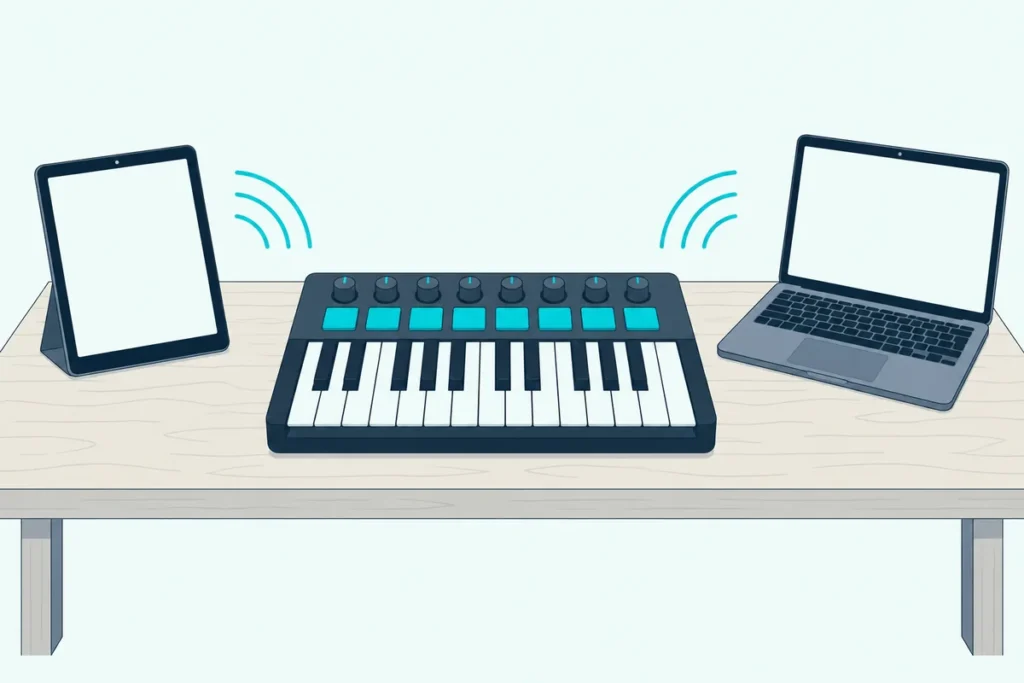
Picking the best Bluetooth MIDI controller gets tricky the moment you notice that a Bluetooth logo on the box doesn’t promise MIDI.
Some keyboards only stream music over Bluetooth, Apple has you connect MIDI in Audio MIDI Setup or an app instead of the Bluetooth menu, and on Windows both Korg and M-VAVE point you to a separate driver.
Get those details right and one wireless board can play GarageBand on an iPad, a DAW on a laptop and, with the right adapter, a hardware synth.
This guide compares five keyboards and three adapters using only what their makers document: Bluetooth MIDI support, batteries, size and the systems each one pairs with.
The short list comes first, followed by the setup steps and the traps that make a new keyboard look broken when it isn’t.
What Is the Best Bluetooth MIDI Controller?
That depends on what the keyboard has to reach, but the Korg nanoKEY Studio is the best Bluetooth MIDI controller on paper for most setups. Korg lists 25 velocity-sensitive keys, eight pads, eight knobs and an X-Y touch pad in a 278-millimeter body that pairs over Bluetooth LE with iPhones, iPads, Macs and Windows PCs (Korg).
The other seven each solve a narrower problem:
| Pick | Type | Keys | Bluetooth, per the maker | Power | Best for |
|---|---|---|---|---|---|
| Korg nanoKEY Studio | Controller | 25, plus 8 pads | Bluetooth LE MIDI | 2 AAA batteries or USB | Most setups |
| M-VAVE SMK-25 | Controller | 25, plus 8 pads | BLE MIDI | Built-in battery or USB | A rechargeable board |
| Roland GO:KEYS 3 | Keyboard with speakers | 61 | MIDI and audio, version 5.0 | 8 AA batteries or AC adaptor | Playing without a computer |
| Roland FP-10 | Digital piano | 88, weighted | MIDI, version 4.0 | AC adaptor | Piano-weighted keys |
| Roland FP-30X | Digital piano | 88, weighted | MIDI and audio | AC adaptor | Piano plus phone audio |
| CME WIDI Uhost | Adapter | Your USB keyboard | BLE MIDI | USB power | A USB keyboard you own |
| CME WIDI Master | Adapter | Your 5-pin keyboard | BLE MIDI | The keyboard’s MIDI out | 5-pin gear on most systems |
| Yamaha MD-BT01 | Adapter | Your 5-pin keyboard | BLE MIDI | The keyboard’s MIDI out | 5-pin gear with Apple devices |
Each pick had at least 4.0 stars and 50 reviews on Amazon and was in stock on 7 October 2026, and no prices appear because they change often.
If the board will mostly sit beside an iPad, our MIDI keyboard for iPad picks cover the cabled routes as well.
| Product | Link |
|---|---|
Best Overall 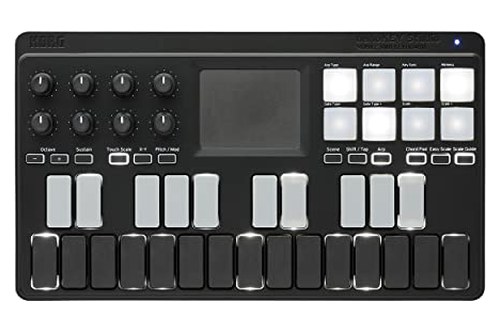 | See ratings |
Best Rechargeable 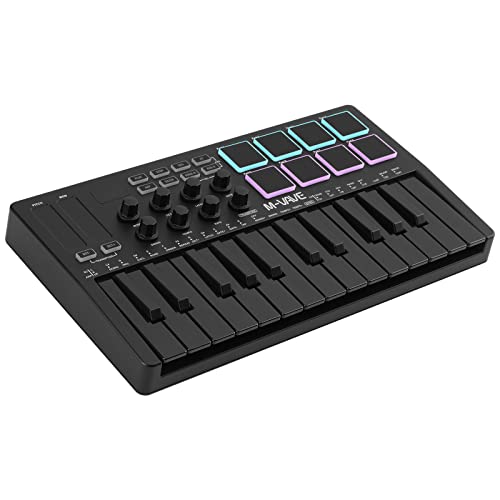 | See ratings |
Best With Built-In Sounds 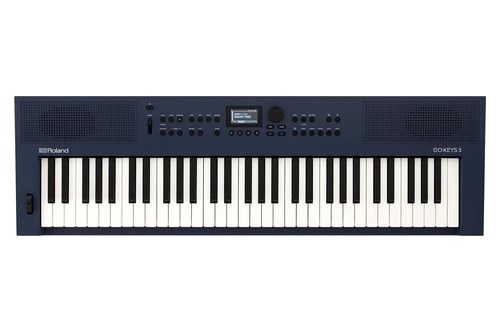 | See ratings |
Best Weighted Keys 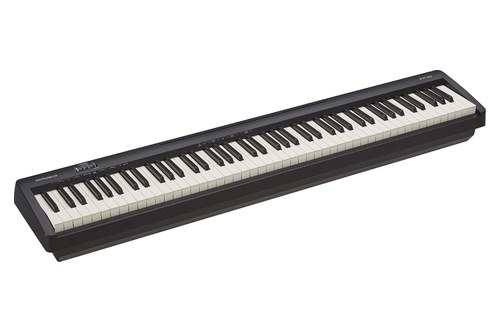 | See ratings |
Best for MIDI and Audio 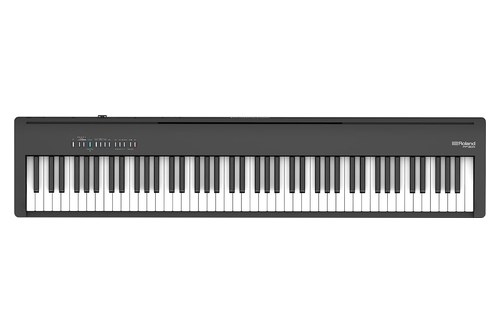 | See ratings |
Best for a USB Keyboard 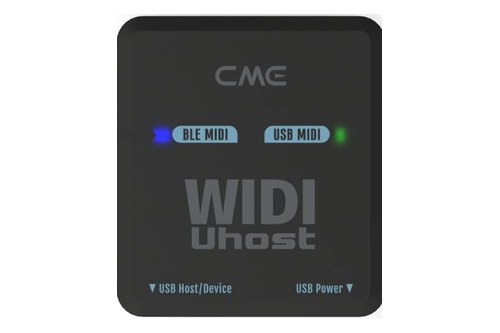 | See ratings |
Best for 5-Pin MIDI 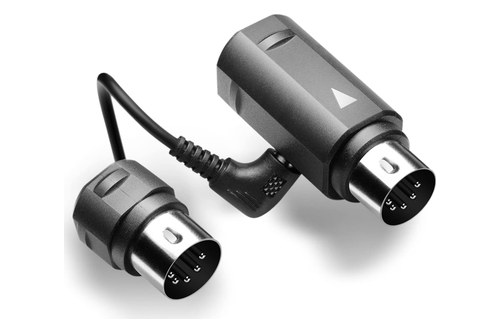 | See ratings |
Best for Apple Devices 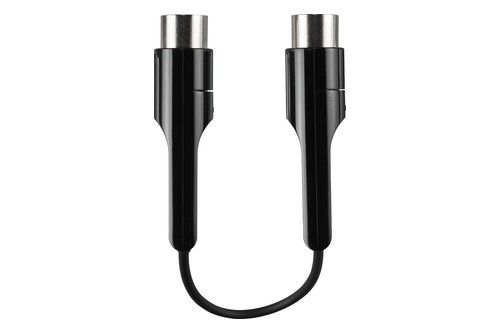 | See ratings |
Which Bluetooth MIDI Keyboard Should You Buy?
Those eight split into three groups: controllers that only send MIDI, keyboards and pianos that make their own sound, and adapters for gear you already own.
Korg nanoKEY Studio
For most people who want one portable wireless controller, the Korg nanoKEY Studio is the pick.
the Korg nanoKEY Studio
Its Scale Guide lights the keys that fit your chosen scale, Chord Scale turns the pads into chords in that key, and the touch pad drives an arpeggiator with one finger. KORG Gadget has a native mode that maps its controls automatically, and Korg’s KONTROL Editor sets the velocity curve and what each pad and knob sends.
Korg sizes it smaller than a sheet of letter paper, at 471 grams without batteries, and its octave buttons shift the keys four octaves either way. If your favorite iPhone or iPad app has no Bluetooth MIDI menu, Korg’s Bluetooth MIDI Connect app makes the link for any app that supports Core MIDI.
M-VAVE SMK-25
For a board you charge instead of feeding batteries, the M-VAVE SMK-25 is the rechargeable pick.
the M-VAVE SMK-25
M-VAVE’s manual pairs it by holding the BT button until its light flashes, then choosing it in Audio MIDI Setup on a Mac or in a Bluetooth MIDI app such as GarageBand on an iPhone (M-VAVE). Bank buttons double the eight knobs and eight pads to 16 each, and a smart scale mode keeps every key you press inside a chosen scale.
The 1/4-inch jack takes a sustain pedal by default and becomes a MIDI out once you change its mode in M-VAVE’s software. The manual also lists two wireless adapters, bought separately, for a computer’s USB port and a synth’s 5-pin MIDI in.
Roland GO:KEYS 3
For playing with no computer in the room, the Roland GO:KEYS 3 makes its own sound.
the Roland GO:KEYS 3
Roland’s spec sheet lists ZEN-Core sounds, 203 accompaniment styles and 304 chord patterns, so it works as an instrument first and a Bluetooth MIDI keyboard second (Roland). You can stream songs from a phone to its speakers over Bluetooth, and its USB-C port is class compliant for audio and MIDI with a computer.
Roland rates eight 1,900 mAh Ni-MH batteries at about 6 hours, and the music rest is sold separately.
Roland FP-10
For piano-weighted keys over Bluetooth, the Roland FP-10 is the compact choice.
the Roland FP-10
Roland calls it the most compact 88-note digital piano in its class, at 1,284 millimeters wide and 258 millimeters deep without the music rest (Roland). Its Bluetooth entry lists MIDI for apps such as GarageBand and the Roland Piano App, but no Bluetooth audio.
It’s also a full piano with 96-voice polyphony and two speakers, and our weighted MIDI keyboards for piano players cover dedicated controllers with this kind of action.
Roland FP-30X
For a piano that takes phone audio too, the Roland FP-30X does both jobs.
the Roland FP-30X
Roland lists Bluetooth audio (version 3.0) and Bluetooth MIDI (version 4.0) as separate features and suggests Zenbeats or GarageBand for the MIDI side (Roland). Its USB port also carries audio and MIDI to a computer, and twin headphone outputs and dedicated output jacks cover silent practice and bigger speakers.
CME WIDI Uhost
For a USB MIDI keyboard you already own, the CME WIDI Uhost adds the wireless link.
the CME WIDI Uhost
CME’s guide explains the problem it solves: most USB MIDI controllers are USB devices that need a host, so the Uhost plays host and passes their MIDI over Bluetooth (CME). It works as a host through USB OTG cables, and it splits one USB power source between itself and a bus-powered keyboard.
CME suggests a second WIDI unit to get around the limits of an Apple device’s built-in Bluetooth, and its free WIDI App for iOS and Android handles firmware and latency settings.
CME WIDI Master
For a keyboard or synth with 5-pin MIDI, the CME WIDI Master is the most flexible adapter.
the CME WIDI Master
CME says it works as either a Bluetooth central or peripheral, which lets two pieces of hardware link with no computer, tablet or Wi-Fi router in between (CME). Once a setup is configured, CME says the app isn’t needed for normal WIDI-to-WIDI use.
Yamaha MD-BT01
For a 5-pin keyboard paired with an iPhone, iPad or Mac, the Yamaha MD-BT01 is the simplest fit.
the Yamaha MD-BT01
Yamaha’s manual has you plug it into the instrument’s MIDI terminals with the power off, then switch the instrument on, turn on Bluetooth in the iPhone or iPad settings and connect from a compatible app (Yamaha). The lamp flashes while it waits and stays lit once the link is made.
Get Studio Tips Weekly
Join 5,000+ creators getting acoustic treatment advice every week.
No spam. Unsubscribe anytime.How Does Bluetooth MIDI Work?
All eight picks rely on the same standard, and CME’s guide puts it simply: Bluetooth MIDI doesn’t change MIDI, only how it travels. Notes are still notes and control changes are still control changes, sent over Bluetooth Low Energy instead of a cable (CME).
The MIDI Association publishes that standard, BLE-MIDI, so products from different makers can work with iOS, macOS, Windows and Android (MIDI Association). One wireless link also goes both ways, a job that takes two cables with 5-pin MIDI.
Every link has two roles: Apple describes a discoverable peripheral and a host that starts the connection (Apple). Phones, tablets and computers usually take the host role, and CME notes that most Bluetooth MIDI controllers can only be peripherals.
CME compares it to a phone call in which one side dials and the other answers, so a keyboard that can only answer needs something on the other end to dial.
Is Bluetooth MIDI the Same as Bluetooth Audio?
That two-way MIDI link is easy to confuse with Bluetooth audio, but the two do different jobs. CME’s guide explains that audio sends the sound itself, while MIDI sends instructions such as “play note 60 now” that an app or synth turns into sound.
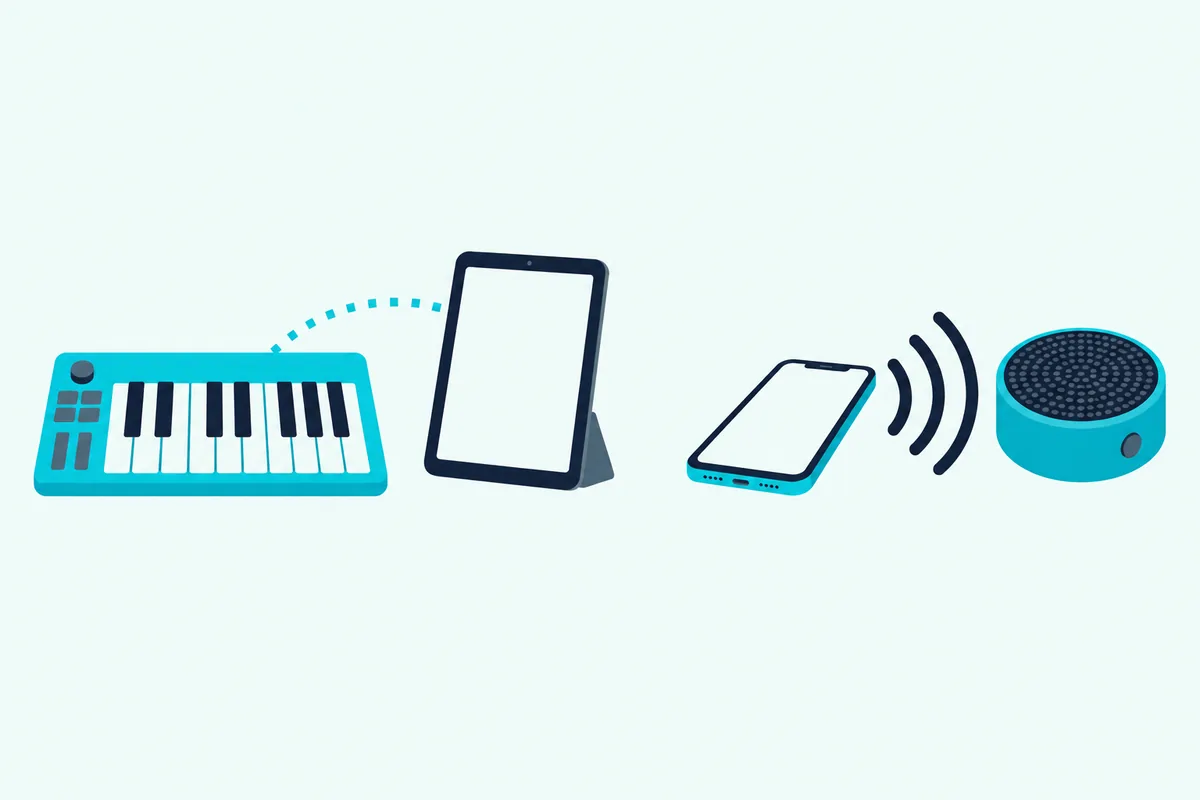
Spec sheets show the difference if you know where to look. Yamaha’s P-225 piano lists Bluetooth “Audio (varies by country)”, and its options list a separate UD-BT01 wireless MIDI adaptor (Yamaha).
Roland splits the two on the FP-30X spec sheet, with Bluetooth audio at version 3.0 and Bluetooth MIDI at version 4.0. The GO:KEYS 3 lists A2DP for audio and GATT for MIDI over Bluetooth Low Energy.
So search a spec sheet for MIDI next to the word Bluetooth, or for GATT or BLE MIDI. A2DP on its own means audio, which carries sound rather than notes for your DAW.
How Much Delay Does Bluetooth MIDI Add?
Once the spec sheet confirms MIDI, delay is the next question, and most makers answer it only in general terms. Korg says it tuned the microKEY Air’s Bluetooth for “high stability and low latency” without giving a figure, and Roland’s spec sheets list none (Korg).
CME is the exception: it quotes as low as 3 milliseconds between two WIDI devices without obstacles in its low-latency mode, and under 1 millisecond of variation in its low-jitter mode. Those figures cover WIDI-to-WIDI links, not the Bluetooth built into your phone or laptop.
For scale, Microsoft notes that the original 5-pin MIDI cable takes about a millisecond per message, so a five-note chord takes roughly 5 milliseconds to send (Microsoft). Wired MIDI was never instant either.
The test that settles it takes a minute: play fast repeated notes through headphones over Bluetooth, then over the same board’s USB cable. All five keyboards here also have a USB port for parts that need it.
Do Bluetooth MIDI Keyboards Work With Windows?
That USB fallback matters most on Windows, where Bluetooth MIDI still leans on makers’ drivers. Korg’s microKEY Air and nanoKEY Studio connect wirelessly to Windows 8.1 or later through the KORG BLE-MIDI Driver (Korg).
Korg’s driver page adds a warning for Windows 11 version 24H2 or later: the Windows updates of January 2026 changed the MIDI system, so use the newest driver and not version 1.15 or earlier. Its 2023 notice for Windows 11 version 22H2, whose default settings hid Korg’s Bluetooth products, says to set Bluetooth device discovery to Advanced under Settings, Bluetooth & devices, Devices (Korg).
M-VAVE’s manual asks Windows users for Bluetooth 5.0 plus a BLE MIDI driver, which it sends on request, and CME lists Windows 10 and 11 pairing through Korg’s driver for its WIDI adapters. Yamaha’s MD-BT01 lists no Windows support at all.
Microsoft’s new in-box Bluetooth MIDI transport is still on the way: its February 2026 announcement of Windows MIDI Services put BLE MIDI on the backlog, and its transport page was still marked preview on 7 October 2026 (Microsoft). Until then, the makers’ drivers or a cable are the documented routes, and our wired Windows setup walks through the cable.
How Do You Pair One With a Mac, iPhone or iPad?
Apple’s systems need no Bluetooth driver for these boards, but they pair MIDI in a different place than headphones. On a Mac, Apple’s steps run through Audio MIDI Setup: Window, Show MIDI Studio, Configure Bluetooth, then put the keyboard in pairing mode, select it and click Connect.
On an iPad or iPhone, GarageBand handles it under the Settings button in the control bar, then Advanced, Bluetooth MIDI Devices and the Connect switch (Apple). Apple’s Bluetooth MIDI support covers iOS 8 or later and iPadOS 13 or later on devices with Bluetooth LE.
Korg’s Bluetooth MIDI Connect app covers apps without that menu, and our iPhone MIDI controller setups cover the cabled routes for a phone.
Android gets no system-wide step in these makers’ documents. M-VAVE’s manual says to open an app that supports BLE MIDI, such as FL Studio, and find the keyboard in that app’s MIDI devices.
Burton Acoustix’s Android MIDI guide covers the OTG cables, the controller apps and the boards whose makers name Android.
Why Won’t the Keyboard Show Up?
That in-app pairing is also the most common reason a keyboard looks invisible: it won’t appear where earbuds do. Yamaha’s manual, for one, has you switch Bluetooth on in the iPhone’s settings and then make the connection inside the app.
Sleep is the next suspect. Microsoft’s developers write that Bluetooth MIDI devices sleep aggressively and that the most common connection failure simply means the device is asleep, so wake the keyboard or press its Bluetooth button just before you connect.
Then check power and mode: M-VAVE’s display flashes when the battery runs low, and its BT light flashes while it waits and stays on once connected. On Windows 11, Korg’s Advanced discovery setting from the Windows section is the first thing to try.
Can It Play a Hardware Synth Without a Computer?
Those roles from earlier explain why a Bluetooth keyboard needs help to reach a 5-pin synth: something on the synth’s side has to start the connection. CME says its WIDI adapters can act as central or peripheral, and that the WIDI Master pairs automatically with standard Bluetooth MIDI controllers.
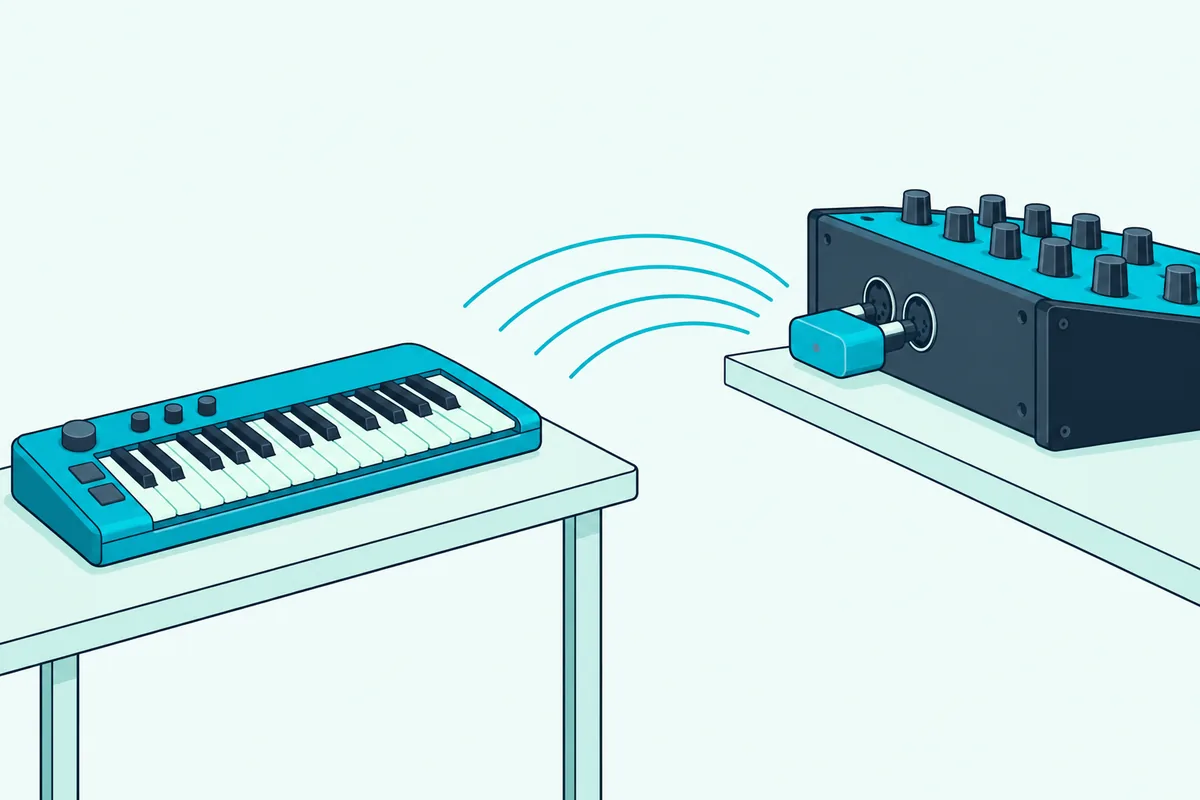
Plug a WIDI Master into the synth’s MIDI ports and a standard Bluetooth MIDI controller can play it with no computer, tablet or router in between. CME’s groups extend that to one central WIDI and up to four peripherals for split, thru or merge setups.
Korg’s BM-1 does the same job for 5-pin gear, pairing automatically with nearby BLE-MIDI devices up to 20 meters away and running on MIDI OUT power (Korg). CME quotes the same 20 meters (65 feet) without obstacles for WIDI, while Korg and Roland give no range for their keyboards, so test from where you’ll actually play.
How Long Do the Batteries Last?
Cutting the cable to the synth only helps if the keyboard’s power lasts the session, and the makers’ figures vary widely. Korg rates the microKEY Air at about 30 hours on two alkaline AA batteries and the nanoKEY Studio at about 10 hours on two AAA batteries (Korg).
| Board | Power | Maker’s battery figure |
|---|---|---|
| Korg nanoKEY Studio | 2 AAA batteries or USB | About 10 hours on alkaline |
| Korg microKEY Air | 2 AA batteries or USB | About 30 hours on alkaline |
| M-VAVE SMK-25 | 2,000 mAh built-in battery or USB | No running time stated |
| Roland GO:KEYS 3 | 8 AA batteries or AC adaptor | About 5 hours alkaline, 6 hours Ni-MH |
| Roland FP-10 and FP-30X | AC adaptor | No battery option listed |
| CME WIDI Master, Yamaha MD-BT01 | The keyboard’s MIDI OUT | No battery needed |
| CME WIDI Uhost | USB bus or USB-C power | No battery needed |
Korg puts the microKEY Air’s figure another way too, about a month of use at an hour a day, and both Korg boards switch to USB bus power when you plug them in. M-VAVE lists a 2,000 mAh battery but no running time in its manual, so the SMK-25’s hours are the one gap in this table.
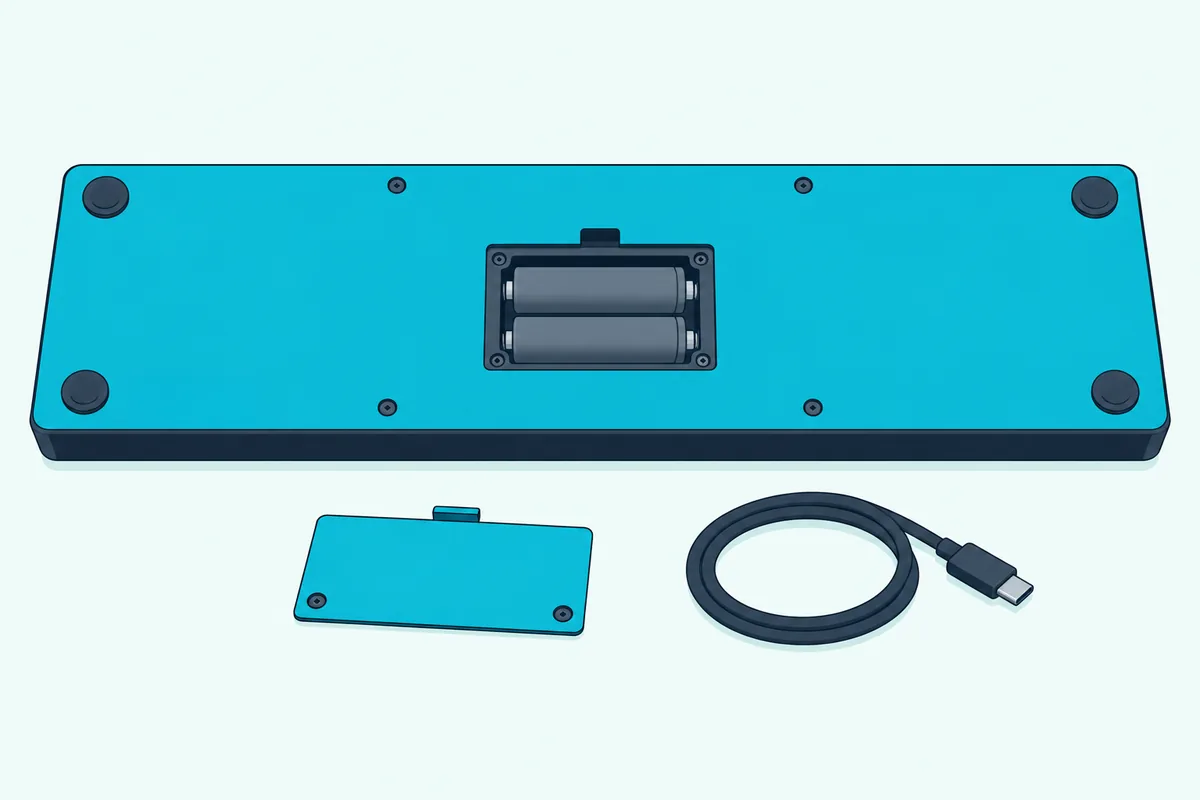
Roland warns that carbon-zinc batteries won’t work in the GO:KEYS 3, while Korg allows alkaline or nickel-metal hydride.
Which Bluetooth Keyboards Didn’t Make the List?
Those battery figures came from products that made the cut, and a few well-known Bluetooth boards didn’t. Korg’s microKEY Air has the fullest documentation of any keyboard here, built to Apple’s Bluetooth LE MIDI specification, with 25 to 61 keys, wheels on the 37-key and larger models and about 30 hours on two AA batteries.
It stays off the cards because on 7 October its 25-key and 37-key Amazon listings showed no price or stock, the 49-key shipped in about eight weeks from Amazon’s German store, and the 61-key fell short of this guide’s rating bar. Check it again if those listings come back, and if wheels on a cabled board will do, Burton Acoustix’s 37-key comparison covers the wired options.
The Xkey 37 Air, an ultra-thin aluminum board from older roundups, fell short of the same bar, and ESI’s newer Xkey 25 and 37 Air listings had too few reviews to judge. Korg’s BM-1, M-VAVE’s SMK-25 II and SMK-37 Elite and Rockville’s M25 also had too few reviews.
DaierTek’s 25-key Bluetooth board had enough reviews, but no maker spec page or manual turned up to check it against. Casio’s and Akai’s product pages couldn’t be read for this guide, so their keyboards weren’t checked.
What Should You Check Before You Buy?
Those exclusions came down to stock, reviews and missing documentation, but your own checks are about fit. Four take a minute each:
- The spec sheet says MIDI next to Bluetooth, or BLE MIDI or GATT, and not just audio.
- Your system is listed, since Korg, M-VAVE and CME route Windows through a driver and Yamaha’s adapter stops at Apple devices.
- The battery suits your sessions, from about 5 hours on the GO:KEYS 3 to about 10 on the nanoKEY Studio.
- A USB port is there as a fallback.
Keep the box until you’ve paired the keyboard with the device you’ll actually use.
The Bottom Line
Buy the Korg nanoKEY Studio for one wireless controller that pairs with Apple devices and Windows, or the M-VAVE SMK-25 if you’d rather charge than swap batteries.
Choose the GO:KEYS 3 or a Roland FP piano when the keyboard should make its own sound, and add a CME or Yamaha adapter when the keyboard you love already has a cable.
Frequently Asked Questions
Is there a wireless MIDI controller?
Yes. Keyboards such as Korg’s nanoKEY Studio and M-VAVE’s SMK-25 send MIDI over Bluetooth Low Energy, and adapters such as CME’s WIDI Master add it to wired gear. CME’s guide notes that not every wireless MIDI product is Bluetooth: some use their own 2.4 GHz radios, which need a matching transmitter and receiver from the same maker, while Bluetooth MIDI follows a standard that works across brands.
What is Bluetooth MIDI used for?
It replaces the MIDI cable between a controller and whatever makes the sound: an iPad app, a DAW on a laptop or, through an adapter, a hardware synth. CME lists stage setups, foot pedals on a pedalboard, moving controllers around a studio, mobile devices and adding wireless to older MIDI hardware. The notes and control messages are ordinary MIDI, and only the cable disappears.
Does the iPad support Bluetooth MIDI?
Yes. Apple’s Audio MIDI Setup guide covers Bluetooth MIDI with iPadOS 13 or later on devices with Bluetooth LE, and GarageBand for iPad connects a Bluetooth MIDI device under Settings, Advanced, Bluetooth MIDI Devices. Switch Bluetooth on in the iPad’s settings, then make the connection inside the app.
Is Bluetooth MIDI fast enough to play live?
Only CME publishes a number here: as low as 3 milliseconds between two of its WIDI devices in low-latency mode, against about 1 millisecond per message on a classic 5-pin cable, according to Microsoft. Korg calls its Bluetooth low latency without a figure, so test your parts with headphones on and keep a USB cable for anything that feels late.
Do Bluetooth MIDI keyboards work with Android?
Some do, by their makers’ own lists. CME lists Android pairing through Android’s built-in Bluetooth MIDI for its WIDI adapters, and M-VAVE lists Android for the SMK-25, with its manual saying to pair from inside an app that supports BLE MIDI, such as FL Studio. Korg’s microKEY Air and nanoKEY Studio spec pages list iOS, Mac and Windows, with no Android entry.