Best MIDI Keyboard for GarageBand by Size and Controls
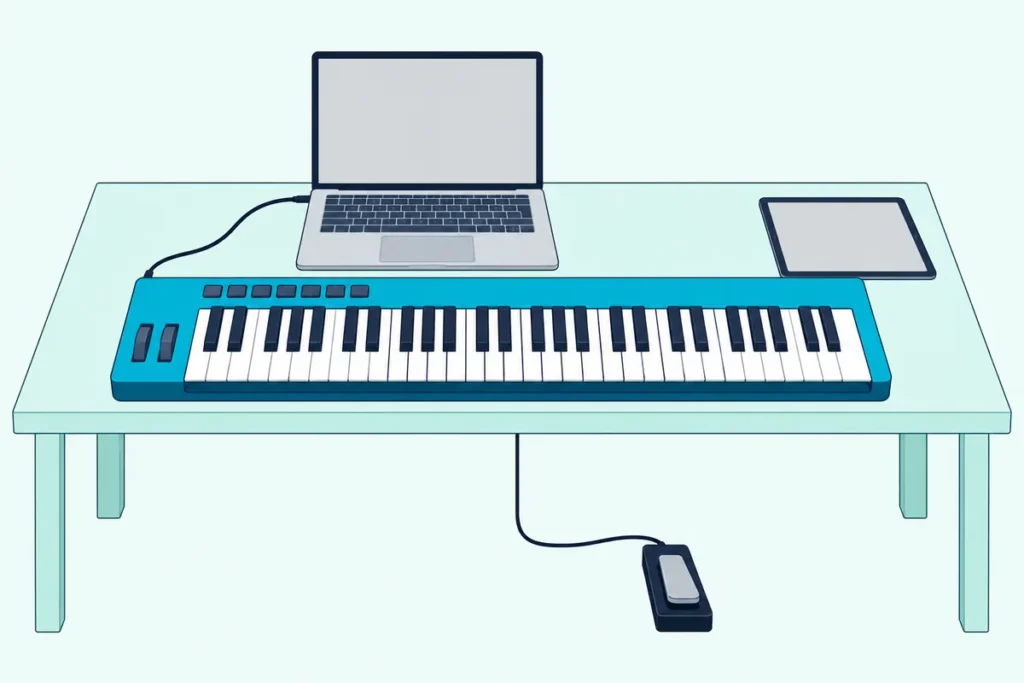
Picking the best MIDI keyboard for GarageBand comes down to what you’ll play: two-handed piano parts and lessons, or quick beats and melodies on a laptop.
Get that wrong and GarageBand still makes sound, but a 25-key mini board can’t hold a left-hand chord under a right-hand melody, and a board with no pedal jack leaves sustain to a button.
Match the size and controls to the job, and every key strike, pitch bend and sustain press lands in GarageBand as part of your performance.
This guide covers eight keyboards from M-Audio, Akai Professional, Nektar, Arturia, Novation, Korg and midiplus, each described from the maker’s own manual or product page.
The quick answer and a comparison table come first, then each pick, then what GarageBand actually reads from a keyboard and how its piano lessons change the choice.
What Is the Best MIDI Keyboard for GarageBand?
That size question settles most of it, and for most people the M-Audio Keystation 49 MK3 is the best MIDI keyboard for GarageBand. M-Audio gives it 49 full-size velocity-sensitive keys, pitch-bend and modulation wheels and a sustain pedal input, all powered over one USB cable (M-Audio).
If you want drum pads and a small footprint, the Akai MPK mini IV is the compact pick, and Akai lists GarageBand among the programs it supports with a downloadable control script (Akai). The other six cover a cheaper full-size board, slim keys, pads for beat making, 88 keys and the smallest budget:
| Pick | Keys | Pitch and mod | Sustain | Best for |
|---|---|---|---|---|
| M-Audio Keystation 49 MK3 | 49 full-size | Wheels | Pedal input | Best overall |
| Akai MPK mini IV | 25 mini | Wheels | Pedal input | Compact with pads |
| Nektar SE49 | 49 full-size | Wheels | Foot switch socket | Best value full-size |
| Arturia MiniLab 3 | 25 slim | Touch strips | Pedal input | Slim keys and pads |
| Novation Launchkey Mini 25 MK4 | 25 mini | Touch strips | Pedal jack | Scales, chords and pads |
| M-Audio Keystation 88 MK3 | 88 full-size, semi-weighted | Wheels | Pedal input | Piano practice |
| Korg nanoKEY2 | 25 low-profile | Buttons | Button | Slim laptop board |
| midiplus AKM320 | 32 mini | Wheels | Pedal input | Smallest budget |
Every pick met Burton Acoustix’s rating, review and stock checks on 21 October 2026, but ratings, review counts and prices aren’t shown here because they change daily. None was played or measured for this guide, so each description rests on the maker’s own documents.
| Product | Link |
|---|---|
Best Overall 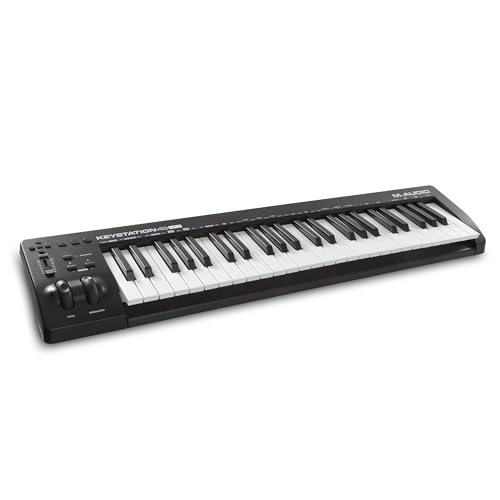 | See ratings |
Best Compact With Pads 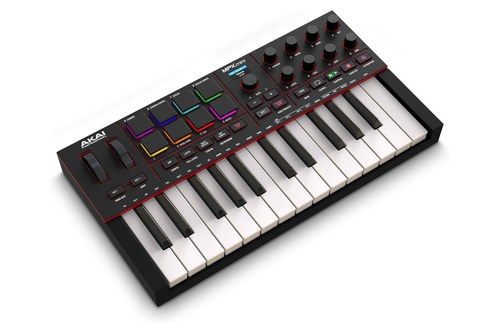 | See ratings |
Best Value Full-Size 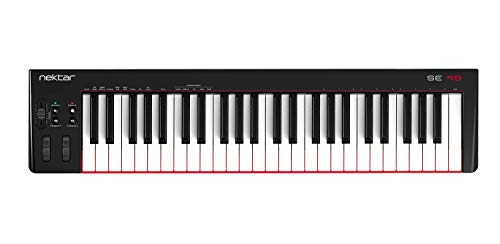 | See ratings |
Best Slim Keys and Pads 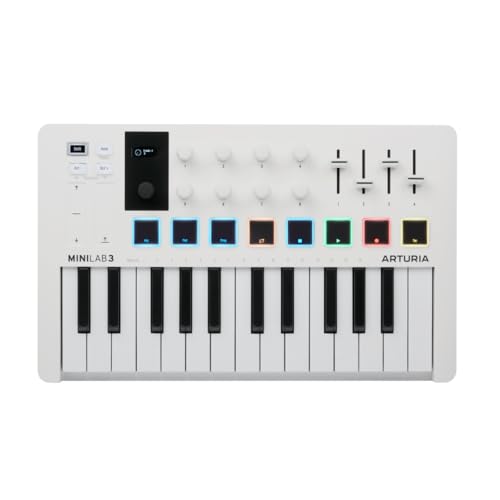 | See ratings |
Best for Scales and Chords 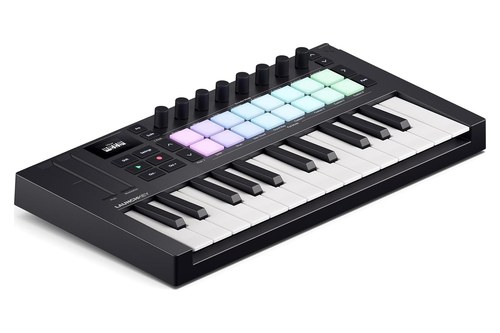 | See ratings |
Best for Piano Practice 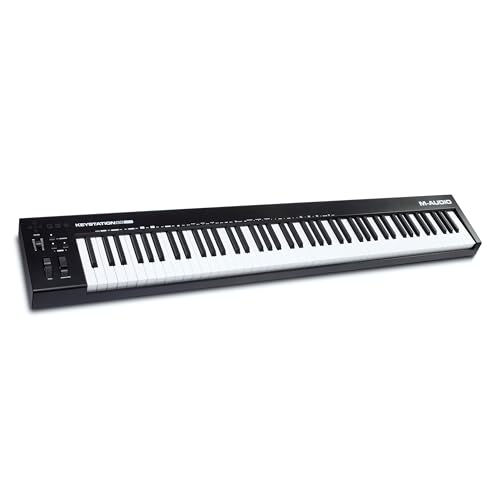 | See ratings |
Best Slim Laptop Board 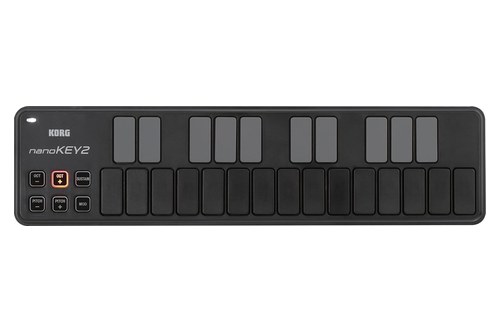 | See ratings |
Best Budget 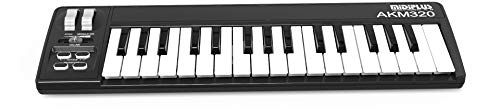 | See ratings |
Which MIDI Keyboards for GarageBand Made the List?
Those eight split into three full-size boards for two hands and five small boards for a desk or a bag, and our guide to mini keyboards in the 25- and 32-key sizes covers more small ones. All eight have velocity-sensitive keys, and velocity is what GarageBand’s software instruments read from how hard you play each note.
M-Audio Keystation 49 MK3
For two-handed playing and GarageBand’s piano lessons, the M-Audio Keystation 49 MK3 is the pick.
the M-Audio Keystation 49 MK3
M-Audio’s page lists 49 full-size velocity-sensitive synth-action keys, and its guide adds pitch-bend and modulation wheels, a volume slider and a sustain pedal input. That’s four octaves plus one key, enough for a left-hand chord and a right-hand melody without pressing the octave buttons.
Its transport and directional buttons use MIDI, Mackie Control or HUI, and M-Audio says your software must be set to receive the same protocol, so check that setup before counting on them in GarageBand. It runs on USB power, connects to an iPad through Apple’s Camera Connection Kit, and measures 82.0 cm wide at 2.1 kg.
One quirk from the guide: the keyboard reads the pedal’s polarity when it powers up, so keep your foot off the pedal while you plug it in.
Akai MPK mini IV
For a small board with pads and knobs, the Akai MPK mini IV is the pick.
the Akai MPK mini IV
Akai’s guide gives it 25 velocity-sensitive keys, eight velocity- and pressure-sensitive pads, eight 360-degree knobs, a pitch wheel, a modulation wheel and a 1/4-inch sustain input. It’s also one of two picks here whose maker names GarageBand (the Nektar SE49 is the other), in a list of programs that need Akai’s control script downloaded and installed first.
That script uses a separate DAW port, while the keys, pads, wheels, pedal and knobs send their data on the main MIDI port, the one Akai says a DAW records. Chords and Scales modes let one key play a full chord or keep you inside a scale.
It uses USB-C, adds a 5-pin MIDI out for hardware synths, and measures 34.7 x 19.2 cm at 1 kg. It takes the place of the MPK Mini MK3 card this page used to carry.
Nektar SE49
For full-size keys on a tighter budget, the Nektar SE49 is the pick.
the Nektar SE49
Nektar’s page describes 49 velocity-sensitive full-size synth-action keys with four velocity curves plus three fixed settings, large pitch-bend and modulation wheels and a foot switch socket for sustain. It also says Nektar DAW Integration supports GarageBand, for transport control and track selection, once you register the keyboard and install the software.
It’s class compliant, so no driver, draws 100 mA over USB and reaches an iPad through a camera connection kit. At 80.5 cm and 2.2 kg it’s almost the same size as the Keystation 49.
Arturia MiniLab 3
For slim keys plus pads on a desk, the Arturia MiniLab 3 is the pick.
the Arturia MiniLab 3
Arturia gives it 25 velocity-sensitive slim keys, eight multi-color pads that sense velocity and pressure, pitch-bend and modulation touch strips, and Hold and Chord modes. A pedal input takes a sustain pedal, footswitch or expression pedal, and the USB-C port is bus-powered and class compliant.
Arturia says it comes pre-mapped for most DAWs but doesn’t name GarageBand, so treat its knobs and faders as extras there.
Novation Launchkey Mini 25 MK4
For playing in key and finger drumming, the Novation Launchkey Mini 25 MK4 is the pick.
the Novation Launchkey Mini 25 MK4
Novation lists 25 velocity-sensitive synth-action mini keys, 16 velocity-sensitive pads with polyphonic aftertouch, eight endless encoders, pitch-bend and modulation touch strips and a 1/4-inch sustain pedal jack. Scale Mode locks the keys to one of 30 scales, and Chord Map plays chords from curated sets.
Its custom integration covers Ableton Live, Logic, Cubase, FL Studio, Reason, Bitwig and Ardour, not GarageBand, and Novation has partnered with Native Instruments for NKS compatibility. So in GarageBand, plan around its keys, pads, strips and pedal rather than its DAW controls.
M-Audio Keystation 88 MK3
For a full piano range, the M-Audio Keystation 88 MK3 is the pick.
the M-Audio Keystation 88 MK3
M-Audio’s page lists 88 full-size velocity-sensitive semi-weighted keys and a 1/4-inch sustain pedal input, and its guide shows the same wheels, slider and transport buttons as the 49. It’s USB-powered and class compliant, with an optional 9 V supply for use without a computer.
At 137.8 cm and 6.3 kg it needs a stand or a long desk. Our roundup of full 88-key controllers for piano practice compares weighted actions too.
Korg nanoKEY2
For a low-profile board beside a laptop, the Korg nanoKEY2 is the pick.
the Korg nanoKEY2
Korg describes a low-profile 25-key board with velocity-sensitive keys, pitch-bend buttons, a modulation button and a sustain button, all powered over one USB cable. Its free Kontrol Editor offers three velocity curves or fixed velocity.
Korg says it works with an iPad through the Camera Connection Kit without a power supply, but doesn’t guarantee that, and the app must support Core MIDI.
midiplus AKM320
For the smallest budget, the midiplus AKM320 is the pick.
the midiplus AKM320
midiplus lists 32 velocity-sensitive mini keys, pitch and modulation wheels, a sustain pedal input and USB power, at 0.72 kg. Its manual says it needs no driver beyond the USB audio driver built into the system.
That’s wheels and a pedal jack on the cheapest kind of board, which the nanoKEY2’s buttons don’t match. M-Audio’s Keystation Mini 32 MK3 also passed our checks, but it has buttons for pitch, mod and sustain and no pedal input listed.
What Does GarageBand Use From a MIDI Keyboard?
Those spec lines matter because GarageBand reads a short list of things from any keyboard: which notes, how hard, pitch bend, modulation and sustain. Apple’s Musical Typing window shows that list, since it gives your computer keys octave, velocity, modulation, pitch-bend and sustain controls (Apple).
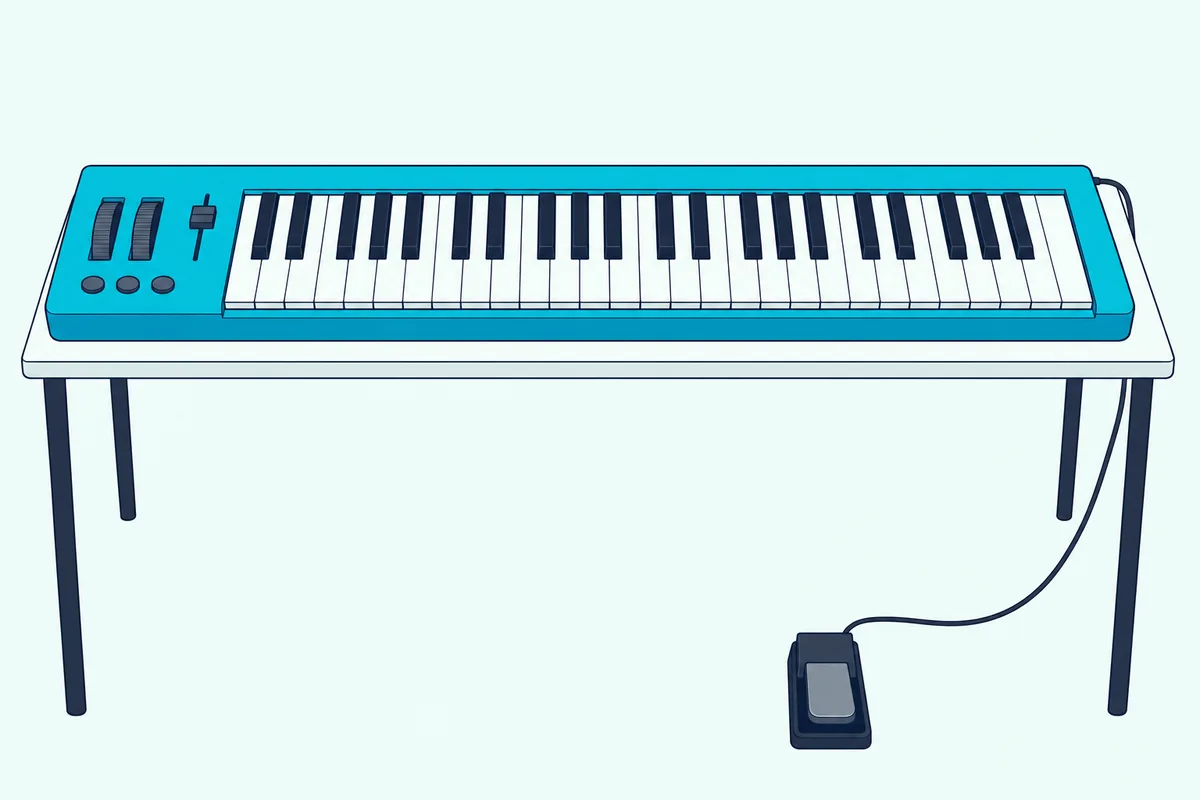
Velocity is the big one. Apple says each keyboard has its own sensitivity, and the Keyboard Sensitivity slider in Smart Controls changes how hard you have to play to reach the highest velocity levels.
Try this: open Musical Typing with Command-K and press C and V to lower and raise velocity. Each note then plays at whatever level you set, while a velocity-sensitive keyboard changes it with every strike.
Pitch bend, modulation and sustain go further than notes. Apple’s Piano Roll guide shows MIDI controller value changes over time inside a region and says you can record that automation live from your keyboard controller, which is where wheels like those on the Keystation, SE49, MPK mini IV and AKM320 come in.
Getting the keyboard seen comes first, of course. Apple says to follow the instructions that came with the keyboard, which may include a driver, and GarageBand’s Audio/MIDI settings let you pick one of several connected controllers in the MIDI Controller field.
If yours stays silent, Burton Acoustix’s GarageBand keyboard troubleshooting guide covers the cable, the Mac’s accessory prompt and those settings. On a USB-C Mac, our guide to connecting a keyboard to a MacBook’s USB-C port covers adapters and hubs.
How Many Keys Do GarageBand’s Piano Lessons Need?
That velocity point carries over to Learn to Play, because the lessons score what you play. Apple doesn’t set a minimum key count, but it describes piano lessons with notation for the left hand, the right hand or both hands, and a “How Did I Play?” view that marks wrong notes red and late ones yellow (Apple).
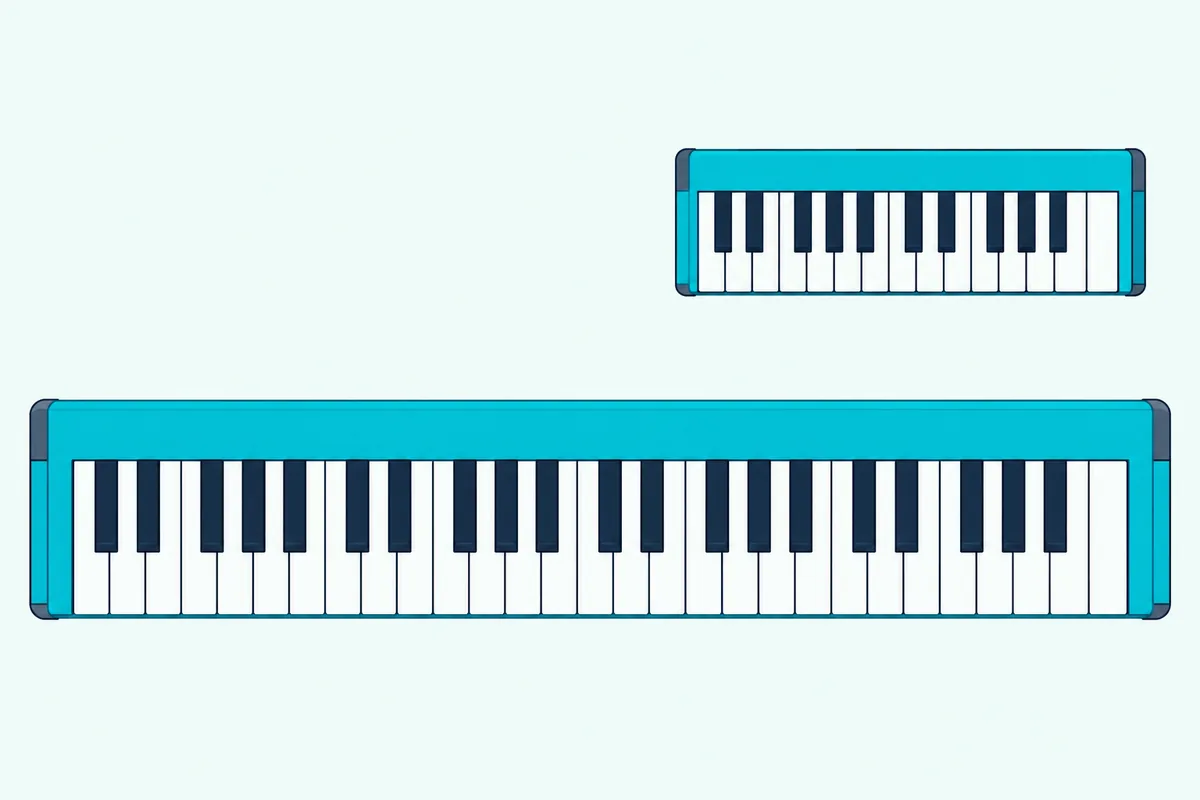
Both-hands notation is the practical test. A 25-key board spans two octaves plus one key, so a left-hand chord and a right-hand melody often won’t fit at once, while 49 keys give four octaves plus one.
Full-size keys aren’t an Apple rule either, so the old line that lessons “require” them is gone. Our judgment: for beginners buying mainly for the lessons, the Keystation 49, SE49 or Keystation 88 is the closer match to a piano’s layout.
If you’re torn between sizes, our comparison of 49 keys against smaller boards goes deeper.
Do Knobs, Pads and Transport Buttons Work in GarageBand?
Those lessons only need keys, but the extras on the smaller picks raise a different question. Apple describes Smart Controls as onscreen controls, and its GarageBand guide doesn’t cover assigning a keyboard’s knobs to them.
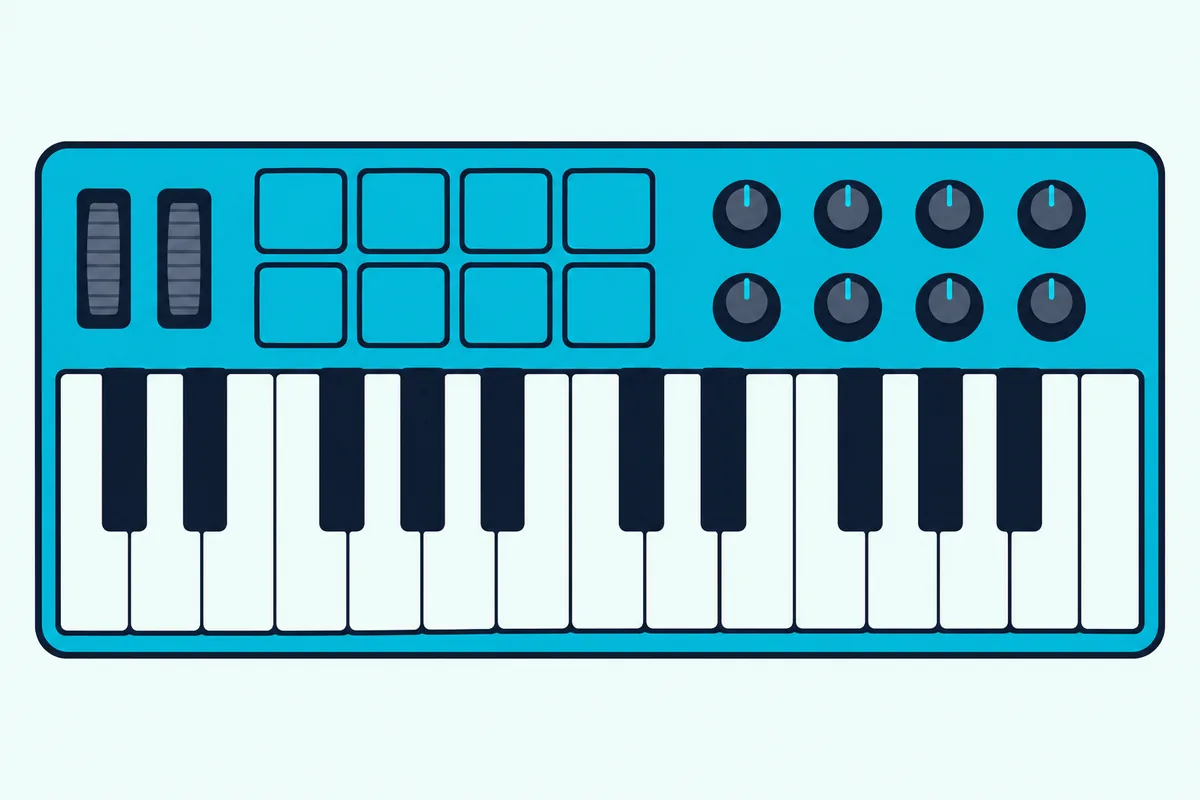
So the makers’ own notes decide it. Akai’s control script and Nektar’s DAW Integration both name GarageBand, while M-Audio, Arturia and Novation describe their transport and DAW controls for other programs.
The same caution applies to older boards. The Akai MPK Mini MK3’s 8 knobs are assignable, and Akai’s page describes them as pre-mapped for Native Instruments’ NKS instruments; it doesn’t mention GarageBand.
Pads play notes like keys, so they’ll trigger a drum kit on a software instrument track. Drummer is different: Apple describes it as virtual drummers you choose and edit, and its guide doesn’t describe playing Drummer from a keyboard’s pads.
Can the Same Keyboard Play GarageBand on an iPad?
That leaves the second place GarageBand runs. All eight picks connect over USB, and M-Audio, Nektar and Korg each describe iPad use through Apple’s Camera Connection Kit, while Apple’s GarageBand for iPad guide connects Bluetooth MIDI devices under Settings, Advanced, Bluetooth MIDI Devices.
Wireless matters most for iPad-based production, where a cable and adapter add clutter to a portable setup. Our guide on how to connect a MIDI keyboard to an iPad covers the Lightning adapter, USB-C and Bluetooth steps.
An iPad can also work the other way, steering GarageBand on a Mac through Apple’s Logic Remote, and our guide to controlling GarageBand from an iPad walks through it.
Will the Keyboard Still Fit if You Move to Logic Pro?
That Logic Remote link hints at the next step. Apple says Logic Pro opens GarageBand projects directly, with no import or conversion, and turns GarageBand patches into their Logic counterparts.
The keyboard comes along unchanged, and in Logic Pro the makers’ integrations matter more, since Akai, Nektar and Novation all list Logic among their supported programs.
The Bottom Line
The Keystation 49 MK3 is the best MIDI keyboard for GarageBand for most people: 49 full-size keys, both wheels and a pedal input. The Nektar SE49 matches that layout and names GarageBand in its DAW Integration, and the Keystation 88 MK3 suits piano lessons with both hands.
For a small desk, the MPK mini IV is the only compact pick whose maker names GarageBand, the MiniLab 3 and Launchkey Mini 25 add pads and touch strips, and the nanoKEY2 and AKM320 keep it simple. Whichever you pick, set GarageBand’s Keyboard Sensitivity slider to suit your touch, and plug the pedal in before you power up.
Frequently Asked Questions
Does GarageBand work with any MIDI keyboard?
It works with USB and MIDI keyboards, and Apple says to follow the instructions that came with yours, which may include a driver. M-Audio notes that most USB MIDI devices are class compliant, using drivers built into the computer’s operating system, and Nektar, Arturia, M-Audio’s Keystation 88 page and midiplus describe these picks that way. If several controllers are plugged in, choose one in the MIDI Controller field of GarageBand’s Audio/MIDI settings.
What is the best MIDI keyboard for GarageBand on iPad?
All eight connect over USB, and M-Audio, Nektar and Korg describe iPad use through Apple’s Camera Connection Kit, so the smaller boards suit a tablet best. By their makers’ figures the Korg nanoKEY2 is the lightest at 244 g, ahead of the midiplus AKM320 (0.72 kg) and Launchkey Mini 25 (0.78 kg), and Korg notes it can run from the iPad without a power supply, though it doesn’t guarantee it. For wireless play, Apple’s GarageBand for iPad guide covers connecting Bluetooth MIDI devices.
Do I need a MIDI keyboard for GarageBand?
No. Musical Typing (Command-K) turns your Mac keyboard into a note input with octave, velocity, pitch-bend, modulation and sustain keys, and the onscreen keyboard plays louder notes lower on each key. What you gain with a MIDI keyboard is velocity on every note from how hard you play, plus real wheels and a pedal.
Can a MIDI keyboard control Drummer in GarageBand?
Apple’s guide doesn’t describe it. Drummer adds virtual drummers that you choose by genre and shape with presets and the Drummer Editor, while pads on a keyboard like the MPK mini IV play a drum kit patch on a software instrument track like any other notes.