Best Soundbar With HDMI ARC: Picks for eARC, ARC and Older TVs

Choosing the best soundbar with HDMI ARC starts behind your TV, because the label on that port decides what a new one can receive.
Buy a soundbar for its Dolby TrueHD or DTS:X support, connect it to a plain ARC port, and Sony’s own format table marks both as unsupported, while optical drops Dolby Atmos altogether.
Match your choice to the port you’ve got, and one cable carries the TV’s sound, the TV remote can run the volume, and you won’t shop for a format your TV can’t pass.
So look first for the word eARC or ARC beside one of the TV’s HDMI sockets, since Dolby, Sony and Bose all send you to that label.
The quick answer and a table of the bars come next, then the picks for each kind of TV, the HDMI input route and what comes in each box.
What Is the Best Soundbar With HDMI ARC?
That label splits the answer three ways. For a TV marked eARC, the best soundbar with HDMI ARC is the LG S90TR, because LG’s specifications list Dolby TrueHD, Dolby Atmos, DTS-HD Master Audio and DTS:X alongside an HDMI input and optical.
For a TV marked only ARC, it’s the Sonos Beam (Gen 2), since Sonos says most Dolby Atmos plays over ARC through Dolby Digital Plus, and the box has both an HDMI cable and an optical adapter. With neither label, the Sonos Ray connects by optical alone and includes the cable.
Sonos, Bose, LG, Sony and Yamaha all describe their eARC jacks connecting to a TV’s eARC or ARC port, so one of those doesn’t tie you to today’s set. Dolby recommends pairing a TV and soundbar that both support eARC, because that gives the broadest format support.
Every pick met Burton Acoustix’s rating, review and stock checks on 1 November 2026. The descriptions come from the makers’ manuals and spec pages.
| Product | Link |
|---|---|
eARC TV, Every Port 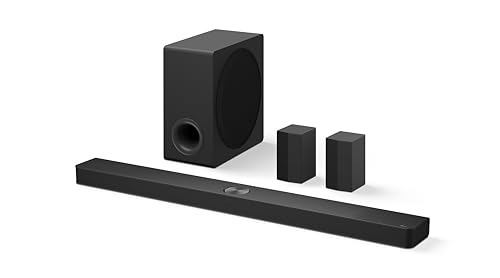 | See ratings |
One Bar, No Subwoofer Box 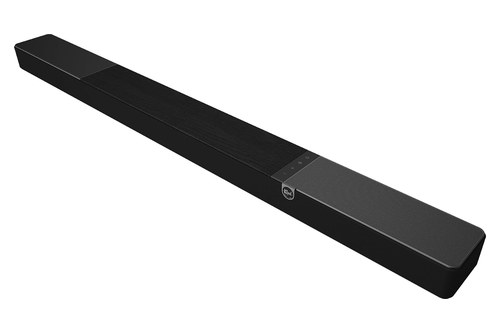 | See ratings |
One Cable, One Bar  | See ratings |
Everything Through the TV  | See ratings |
eARC TV, Subwoofer Included 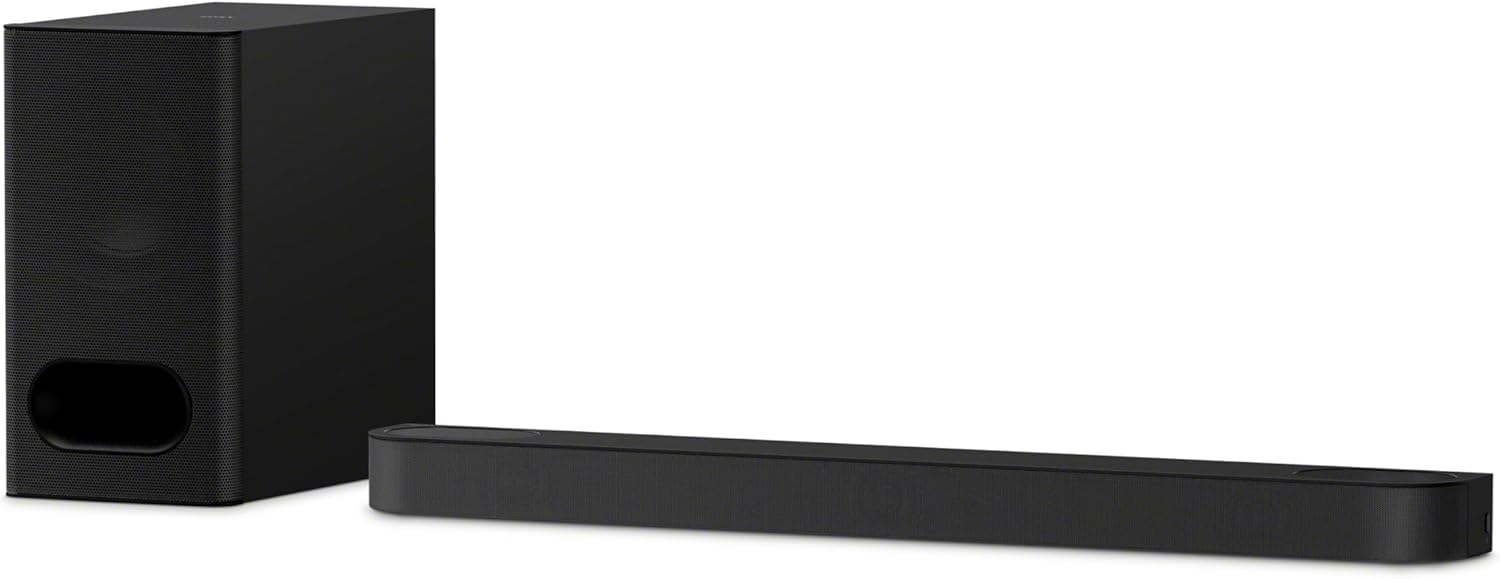 | See ratings |
ARC TV, Compact Bar 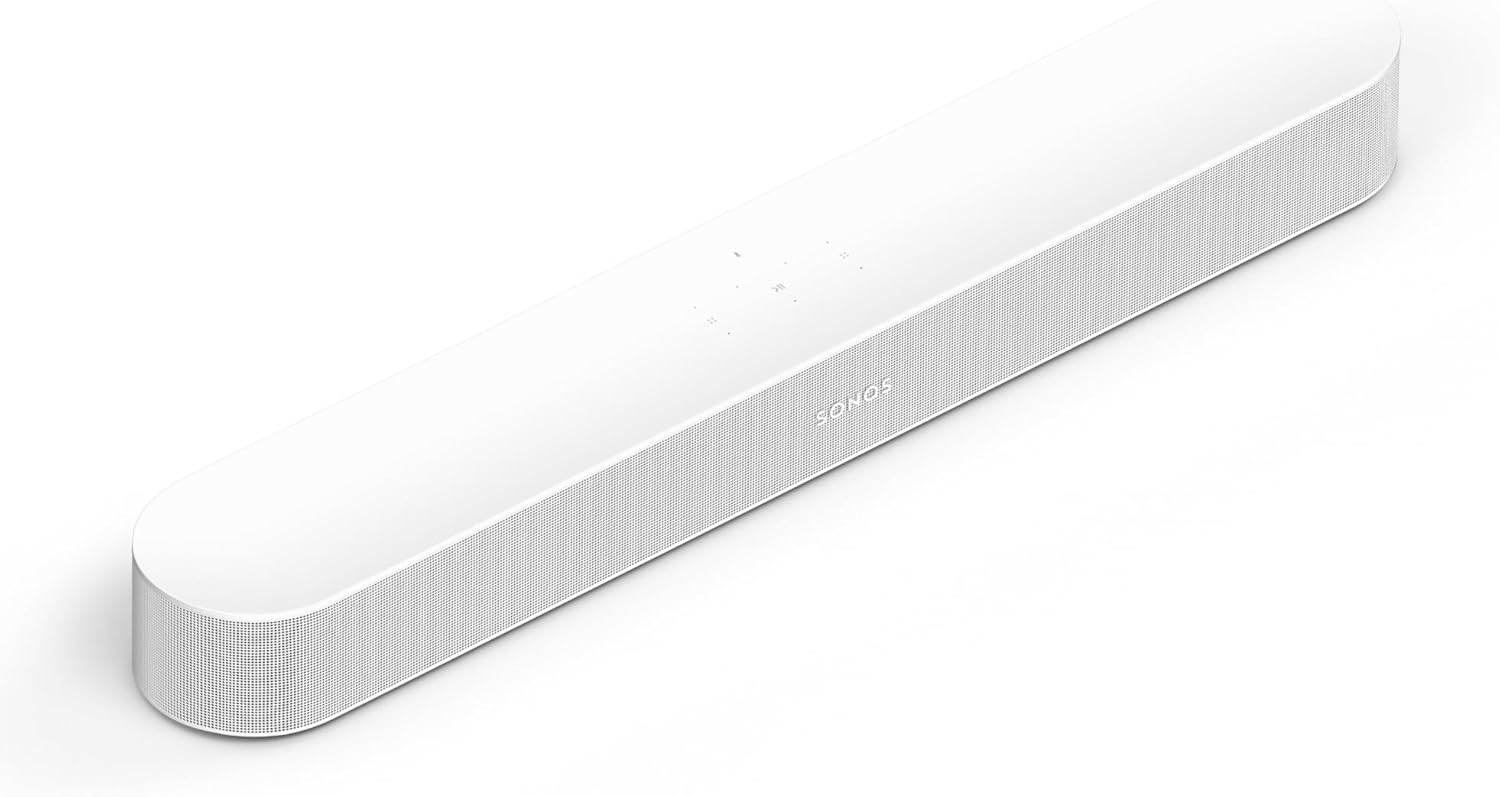 | See ratings |
ARC TV, Separate Subwoofer 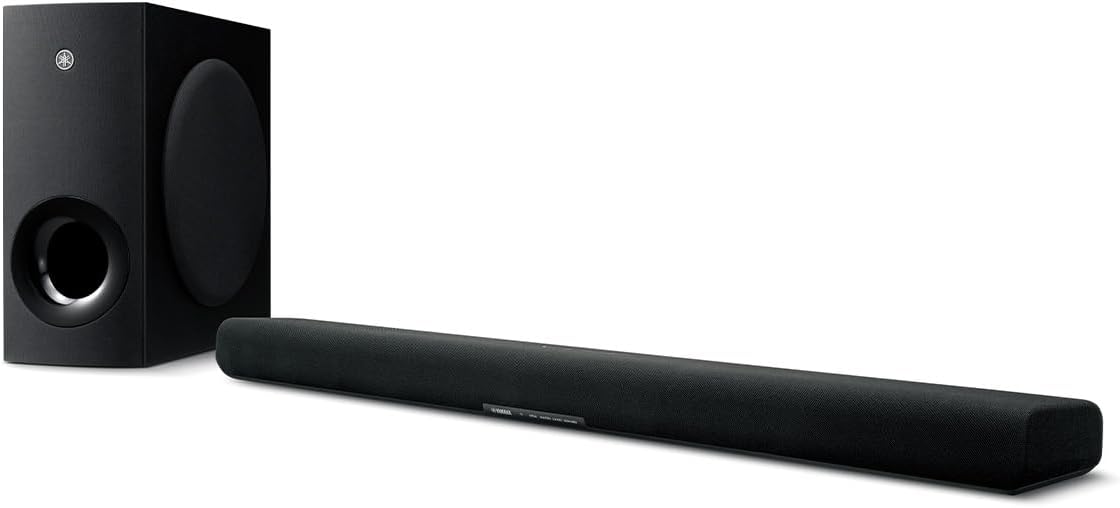 | See ratings |
ARC TV, Short Bar 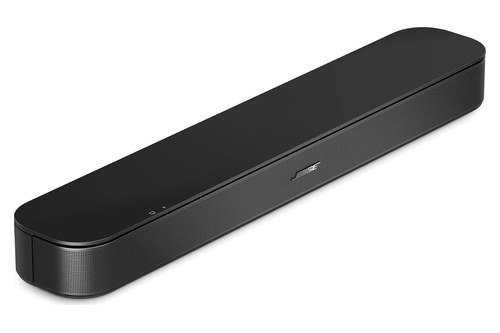 | See ratings |
Which Bars Have eARC, ARC or Only Optical?
Those three answers come out of a wider field, and the makers’ own documents sort it for you. The LG S90TR, Klipsch Flexus Core 300, Sonos Arc Ultra, Beam Ultra and Beam (Gen 2), Bose Smart Ultra Soundbar, Sony BRAVIA Theater Bar 6 and Yamaha SR-B40A carry eARC, the Samsung HW-B750F, Bose TV Speaker (2nd Gen), Polk Signa S2 and Yamaha SR-B20A stop at ARC, and the Sonos Ray has optical only.
| Soundbar | TV port | Formats listed | Other inputs | Subwoofer | Channels, width |
|---|---|---|---|---|---|
| LG S90TR | eARC/ARC | Atmos, TrueHD, DTS:X | 1 HDMI, optical | Wireless, plus two rear speakers | 7.1.3, 49.2 in |
| Klipsch Flexus Core 300 | eARC | Atmos, DTS:X | 1 HDMI, optical | Built in | 5.1.2, 54 in |
| Sonos Arc Ultra | eARC/ARC | Atmos, TrueHD, DTS Digital Surround | Optical adapter, sold separately | Built in | 9.1.4, 46.38 in |
| Bose Smart Ultra Soundbar | eARC/ARC | Atmos | Optical, cable in box | Optional Bass Module | 41.14 in |
| Sony BRAVIA Theater Bar 6 | eARC/ARC | Atmos, TrueHD, DTS:X | Optical, cable not in box | Wireless | 3.1.2, 37.5 in |
| Sonos Beam Ultra | eARC/ARC | Atmos, TrueHD, DTS Digital Surround | Optical adapter, sold separately | Built in | 7.1.2, 29.53 in |
| Sonos Beam (Gen 2) | eARC/ARC | Atmos, TrueHD, DTS Digital Surround | Optical adapter in box | None in box | 25.63 in |
| Yamaha SR-B40A | eARC/ARC | Atmos, TrueHD, no DTS | Optical | Wireless | 35-7/8 in |
| Samsung HW-B750F | ARC | Dolby 5.1, DTS 5.1 | 1 HDMI, optical | Wireless | 5.1, 40.55 in |
| Bose TV Speaker (2nd Gen) | ARC | None named | Optical, cable not in box | None in box | 23.47 in |
| Polk Signa S2 | ARC | Dolby Digital 5.1 | Optical, aux | Wireless | 35.4 in |
| Yamaha SR-B20A | ARC | Dolby Digital, DTS Digital Surround | Two optical | Built in | 35-7/8 in |
| Sonos Ray | None | Dolby Digital, DTS Digital Surround | Optical only | None in box | 21.93 in |
Read the table by your TV’s label first, then by the formats column, because those two decide what can play. Where a maker’s document prints no channel count, the last column gives the width alone, and an HDMI entry under other inputs means a socket for a player or console.
The Sonos Beam Ultra sits in the table without a card, and Sonos’s product page has its details.
What Does eARC Add Over ARC?
That formats column is where the two ports part ways. ARC sends audio from the TV to the soundbar over a single HDMI cable, and eARC uses the extra bandwidth of HDMI 2.1 for a wider range of formats, Dolby’s ARC and eARC article explains.
HDMI Licensing’s eARC page names those formats: uncompressed 5.1 and 7.1, DTS-HD Master Audio, DTS:X, Dolby TrueHD and Dolby Atmos. Dolby adds that an eARC TV with an ARC bar still plays, though bandwidth limits may reduce support for certain formats, and it says to check what you own by looking for the label on each device’s HDMI ports.
Sony prints the split most plainly. The format table in its BRAVIA Theater Bar 6 Help Guide reads like this:
- HDMI eARC: every format on the list, including 5.1 and 7.1 PCM, Dolby TrueHD, Atmos over TrueHD, DTS-HD Master Audio and DTS:X.
- HDMI ARC: Dolby Digital, Dolby Digital Plus, Atmos over Dolby Digital Plus, DTS and two-channel PCM, with no TrueHD, multichannel PCM, DTS-HD or DTS:X.
- Optical: Dolby Digital, DTS and two-channel PCM, with no Dolby Digital Plus or Atmos.

Yamaha’s SR-B40A guide draws the same lines for its Dolby formats, so this isn’t one maker’s quirk: TrueHD and multichannel PCM need eARC, and Atmos needs at least ARC. For the wiring itself, including how a standard HDMI socket differs from the ARC one, Burton’s explainer on HDMI and HDMI ARC on a soundbar goes through it socket by socket.
Which Soundbars Suit a TV With eARC?
Those extra formats only arrive when both ends have eARC, so this is the TV where a longer format list counts. An eARC TV can feed any HDMI model in the table, and the first ones to compare are those whose makers list Dolby TrueHD or DTS:X, because those formats need the port.
The picks below then differ on inputs, width and what’s in the box. Think of the TV’s label as the width of a pipe: these are the soundbars that use all of it.
LG S90TR
For an eARC TV and the fullest port list, the LG S90TR is the pick.
the LG S90TR
LG’s S90TR specifications list Dolby Digital, Dolby Digital Plus, Dolby TrueHD, Dolby Atmos, DTS Digital Surround, DTS-HD HRA, DTS-HD MA, DTS:X and PCM as input formats. You also get one HDMI input, one optical terminal and the HDMI eARC/ARC jack, so every route on this page is open.
LG’s manual says eARC supports high-quality audio such as DTS-HD Master Audio, DTS:X, Dolby TrueHD and Dolby Atmos, and it asks you to confirm your TV supports eARC before you turn it on in the Settings menu. For Atmos or DTS:X, it adds, the connected device and its content should support them too.
You’re placing four boxes: the 49.2-inch main unit, a wireless subwoofer of 7.9 by 16 by 15.9 inches and two wireless rear speakers. Amazon’s listing calls the layout 7.1.3, and LG’s manual names front, center, top, top center and surround (side) speakers alongside the subwoofer and rears.
Klipsch Flexus Core 300
If you’d rather keep everything in one bar, the Klipsch Flexus Core 300 is the pick.
the Klipsch Flexus Core 300
The Flexus Core 300 spec sheet lists HDMI eARC, HDMI 2.1 passthrough, digital optical and a subwoofer output, with a 1.5 m HDMI cable in the box. It also says the soundbar decodes DTS:X and sets out a 5.1.2 layout with two up-firing Atmos drivers and two side-firing drivers.
Klipsch’s product page says two pairs of 4-inch built-in subwoofers mean no subwoofer is required, and it adds Dirac Live room correction, run after a quick scan of your room in the Klipsch Connect Plus app. At 54 inches wide and 18.7 lb, it wants a wide stand.
Klipsch’s manual sets two limits you should plan around: a source played through the TV only gets Dolby Atmos if the TV supports HDMI eARC, and the digital optical route carries Dolby Digital rather than Atmos. That’s why it sits in this group and not the ARC one.
Sonos Arc Ultra
For one bar, one cable and no plans for an HDMI input, the Sonos Arc Ultra is the pick.
the Sonos Arc Ultra
Sonos’s Arc Ultra specs list Dolby TrueHD, Atmos via TrueHD and multichannel PCM, each marked as needing an HDMI eARC connection, and the DTS entry stops at DTS Digital Surround. The box has a 4.9-foot HDMI cable for the TV’s eARC/ARC port, and the optical adapter is sold separately.
Sonos describes a 46.38-inch, 13.01 lb soundbar with 14 drivers, a Sound Motion woofer and a 9.1.4 spatial audio experience with Dolby Atmos. It needs Wi-Fi and the Sonos app, and Sonos says it isn’t compatible with CCFL-backlit TVs made from 2004 to 2012.
Here’s a practical test once it’s plugged in: the Sonos app’s Now Playing screen displays the format being decoded. If you never see TrueHD on a disc that has it, look at the TV’s eARC setting first.
Bose Smart Ultra Soundbar
If everything already runs through your TV, the Bose Smart Ultra Soundbar is the pick.
the Bose Smart Ultra Soundbar
Bose’s answer on sources is blunt: a cable box or game console can’t connect directly, so all sources go to the TV, with a single HDMI or optical connection from the TV to the soundbar. That makes the TV’s own port the whole story here.
Its owner’s guide calls HDMI eARC or ARC the preferred connection and optical the second option, and it says to use the HDMI port for the Dolby Atmos experience. Bose’s page and guide name Dolby Atmos, and TrueSpace processing upmixes stereo or 5.1 signals, but neither names TrueHD or DTS.
It measures 41.14 inches wide and 12.68 lb, and the box adds the optical and HDMI eARC cables and an ADAPTiQ headset for room calibration. Bose also sells sets that add its Bass Module 500 or 700 if you want a subwoofer.
Sony BRAVIA Theater Bar 6
For an eARC TV and a subwoofer in the box, the Sony BRAVIA Theater Bar 6 is the pick.
the Sony BRAVIA Theater Bar 6
This is the model behind the format table above, so you know exactly what each port gives you: everything over eARC, Dolby Digital Plus and DTS over ARC, and Dolby Digital and DTS over optical. Sony calls eARC an advanced version of ARC that carries object-based audio and multichannel LPCM that ARC can’t.
Sony’s guide gives it 37-1/2 inches of width and 6 lb 14 oz, with an HDMI eARC/ARC jack, a TV IN optical jack and no HDMI input. The box holds the subwoofer and an HDMI cable, while the optical cable isn’t supplied.
Setup runs through the Sony | BRAVIA Connect app, and Amazon’s listing calls the layout 3.1.2 with a wireless subwoofer. If your TV has no eARC or ARC label, Sony’s guide still connects the HDMI cable and runs the TV’s sound over that optical cable instead.
Can a TV With Only ARC Still Play Dolby Atmos?
That Bar 6 table also shows what a plain ARC port keeps. Yes, mostly: Sonos’s Atmos article says most Dolby Atmos can play over HDMI ARC using the Dolby Digital Plus codec, while HDMI eARC is required for lossless Atmos using Dolby TrueHD.
Yamaha’s SR-B40A guide and Samsung’s 2025 Q-series guide agree that ARC carries Atmos, though Klipsch’s stricter note above shows you should still read the manual for your bar. So on an ARC TV, ignore any promise of TrueHD and check whether the maker lists Atmos over ARC, or take a simpler soundbar if Atmos doesn’t matter to you.
Sonos Beam (Gen 2)
For an ARC TV with no room for a subwoofer, the Sonos Beam (Gen 2) is the pick.
the Sonos Beam (Gen 2)
Sonos’s audio format list marks Atmos over TrueHD and Dolby Multichannel PCM as needing eARC, and leaves Dolby Digital Plus and Atmos over Dolby Digital Plus without that mark. So the Beam keeps its Atmos on an ARC port and gains the rest if your next TV has eARC.
Sonos gives it a width of 25.63 inches and a weight of 6.35 lb, with five amplifiers, one tweeter, four midwoofers and three passive radiators. It says processing creates phantom height channels for Atmos, so you won’t find upward-firing drivers on its list.
The box has a 4.9-foot HDMI cable and an optical adapter for TVs with optical output only, and an infrared receiver syncs it with your TV remote. Sonos sells it with a Sub Mini as a set if you want more bass later.
Sonos’s page title says with HDMI Input, but its spec list shows one HDMI eARC connection, for the TV. So a console still goes into the TV, and the sound comes back over that port.
Yamaha SR-B40A
If you’ve got floor space on an ARC TV, the Yamaha SR-B40A is the pick.
the Yamaha SR-B40A
The SR-B40A user guide lists Dolby Digital, Dolby Digital Plus and Dolby Atmos from a TV’s ARC jack, and adds Dolby TrueHD and multichannel PCM from an eARC jack. Over optical, the list falls to Dolby Digital and two-channel PCM, and no DTS format appears on any of the three lists.
Yamaha’s How to Shop for a Sound Bar article says stand-alone subwoofers are often more powerful and effective than built-in ones, and this one takes a good bit of floor at 7-5/8 by 16-1/2 by 16 inches. The specs give 200 W in all, with 100 W of that in the subwoofer.
It’s 35-7/8 inches wide, and the box holds a 1.5 m HDMI cable. You won’t find an HDMI input for a console or player on its spec table.
Bose TV Speaker (2nd Gen)
For a small TV and a short bar, the Bose TV Speaker (2nd Gen) is the pick.
the Bose TV Speaker (2nd Gen)
Bose’s page says it comes with an HDMI cable and supports HDMI ARC and HDMI-CEC, plus TOSLINK optical for older TVs, with that cable not included. It measures 23.465 inches wide and 2.244 inches tall and weighs 4.409 lb.
Bose’s page never mentions Atmos, and the trademark line in its owner’s guide names Dolby Audio, though Amazon’s listing title says Dolby Atmos. If Atmos is why you’re buying, take the Beam instead, or ask the seller.
Bose says it works best centered under your TV on a flat surface near the front of the stand, and it doesn’t recommend mounting it above the TV. It answers no on voice assistants, and music comes in over Bluetooth.
Polk Signa S2
For a wireless subwoofer and both cables in one box, the Polk Signa S2 is the pick.
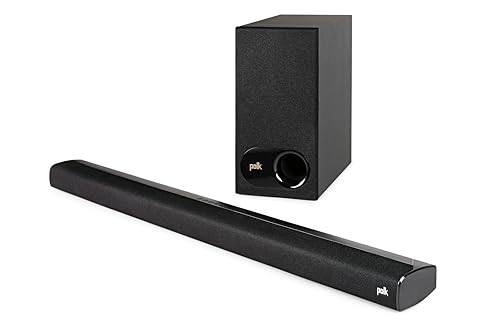
the Polk Signa S2
Polk’s Signa S2 information sheet lists HDMI ARC, optical, a 3.5 mm aux jack and Bluetooth, and the box holds 1.5 m HDMI and optical cables. So whichever port your TV has, you won’t need to buy a cable first.
Its sheet gives the main unit 90 cm of width, about 35.4 inches, with a separate 5.25-inch wireless subwoofer. Polk’s page describes Dolby Digital 5.1 decoding, and its compare table lists Dolby Digital and DTS virtual surround here against Dolby Atmos and DTS:X for its Atmos models.
TV remote control needs two things, per Polk: the HDMI ARC port on the TV and CEC enabled in its menu. Samsung’s HW-B750F guide gives the same fix, turning on HDMI-CEC in the TV menu, and Sony’s Bar 6 guide asks for its Control for HDMI setting on the TV.
How Does an HDMI Input Get Around an ARC TV?
Those ARC limits apply to sound coming back from the TV, not to a box plugged straight into the soundbar. An HDMI input lets a player or console feed it directly, and Sony’s Bar 9 and Bar 8 Help Guide says that route outputs formats such as Dolby Atmos even if the TV isn’t compatible with eARC.
Its format table backs that up, with every format supported on the HDMI input column where the ARC column drops TrueHD, DTS-HD and DTS:X. Think of the input as a side door: the disc’s soundtrack never has to squeeze through the TV.

So if you’ve got an ARC TV and a player or console, the input is the spec to check first. The LG S90TR has one and the Klipsch Flexus Core 300 lists HDMI 2.1 passthrough, while Samsung’s 2025 guide shows two on the HW-Q990F and one on the HW-Q800F.
The Sonos models in the table list none, Bose answers no for the Smart Ultra, and Sony’s Bar 6 and Yamaha’s SR-B40A and SR-B20A don’t have one either. Check the video side too, because an input doesn’t always pass 4K.
Samsung HW-B750F
If your TV stops at ARC and your other box is HD, the Samsung HW-B750F is the pick.
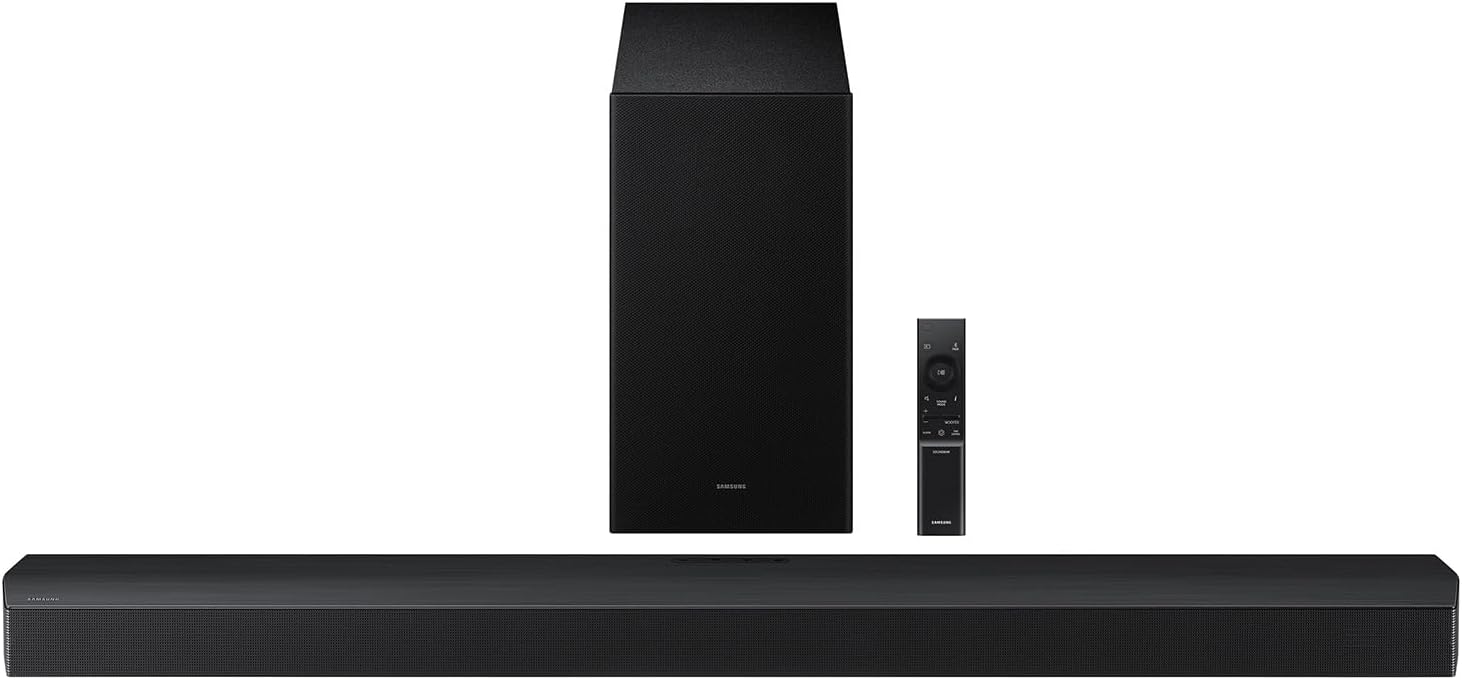
the Samsung HW-B750F
Samsung’s HW-B750F spec sheet answers no for HDMI eARC, Dolby Atmos, Dolby TrueHD, DTS-HD and 4K video pass, and yes for HDMI ARC, Dolby 5.1 and DTS 5.1. So its HDMI input suits an HD box rather than a 4K console.
It lists one HDMI input, one HDMI output and one optical input, with DTS Virtual:X and Q-Symphony for Samsung TVs. The 5.1 layout counts three front, two side-firing and one subwoofer channel, with no rear speakers in the box.
It’s 40.55 inches wide and 7.1 lb, and the subwoofer is 7.24 by 13.5 by 11.64 inches. The box has an optical cable and leaves the HDMI one to you.
Is There a Soundbar for a TV With Neither Port?
That input route still needs the TV’s own sound to get out somewhere. Yes: a soundbar with optical covers a TV with no eARC or ARC label, as long as the TV has an optical output, and the Sonos Ray and Yamaha SR-B20A suit that setup.
You’ll give up Atmos, since the optical lists above stop at Dolby Digital and DTS, and what optical can and can’t carry gets a full comparison in Burton’s guide. A standard HDMI socket on the TV won’t do it either, since Bose’s TV Speaker guide warns that you won’t hear audio if you connect to one.

Sonos Ray
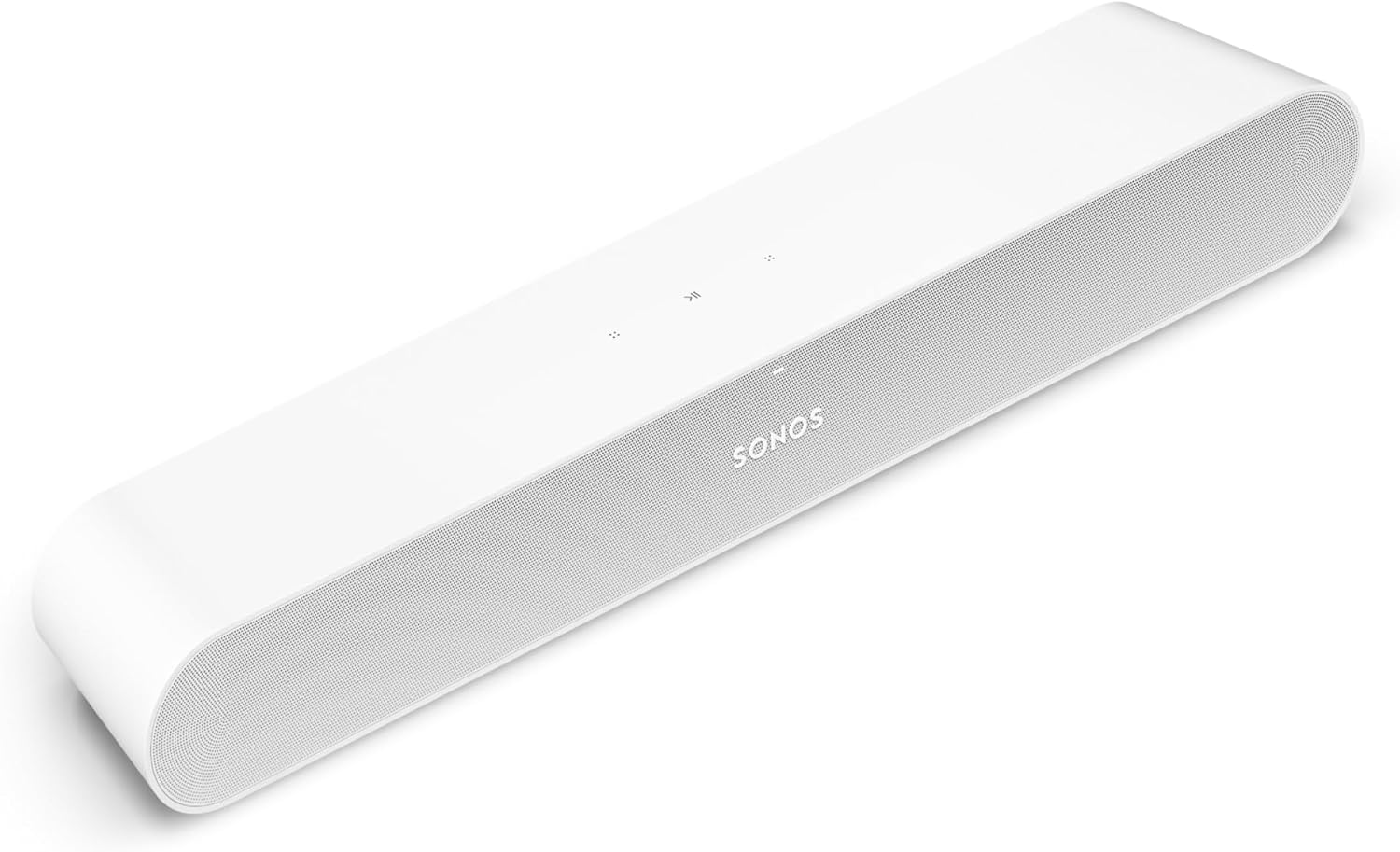
For a small TV with optical only, the Sonos Ray is the pick.
the Sonos Ray
Sonos’s Ray page lists optical as its TV connection, with a 4.9-foot optical cable in the box and the note that the TV or PC must have an optical output. Its audio formats are Stereo PCM, Dolby Digital and DTS Digital Surround.
It’s 21.93 inches wide and 4.19 lb, with two tweeters and two midwoofers. It works with an infrared-enabled TV remote, so the TV’s own remote can still run the volume without CEC.
Yamaha SR-B20A
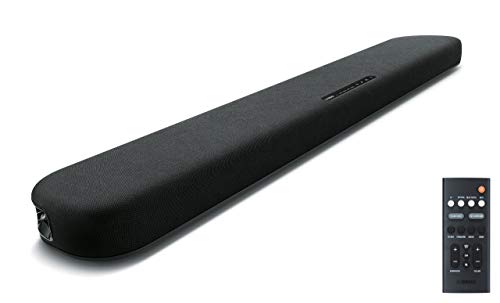
If you want two optical inputs and DTS, the Yamaha SR-B20A is the pick.
the Yamaha SR-B20A
Yamaha’s guide lists Dolby Digital and DTS Digital Surround, up to 5.1 channels, on both its HDMI (ARC) and optical inputs, so you lose nothing on that list by staying with optical. Two optical inputs mean a second box can stay connected alongside the TV.
Bass comes from two 3-inch built-in subwoofer drivers, the width is 35-7/8 inches and the total is 120 W. The box has a digital optical cable rather than HDMI, so you’d buy one if your next TV has ARC.
If your TV has no optical output either, Bose’s guide points to a cable or satellite box’s own HDMI port or an audio converter, and Burton’s route-by-route guide shows how to connect a soundbar to a TV without ARC.
How Do You Match a Bar to Your TV and Room?
Once the port is settled, the TV’s maker and the room decide the rest. Start with the TV’s maker, because LG, Samsung and Roku each add something for matching gear, then test the width against the screen.
- LG TV: LG’s S90TR manual describes WOW Orchestra, which plays through soundbar and TV together on some LG models, with an HDMI cable or WOWCAST and e-ARC enabled on the TV.
- Samsung TV: Samsung’s guide says Q-Symphony plays sound from both at once on a TV that supports it, and the HW-B750F’s sheet lists it.
- Roku TV: Bose’s guide says the TV Speaker (2nd Gen) is Roku TV Ready, so the Roku remote controls it and the on-screen menu reaches its settings.
That same Yamaha article says the main thing to consider is how and where it will be used. It adds that closed spaces tend to enhance surround sound while wide open layouts may require more powerful solutions.
Floor space is the next split. Yamaha suggests a built-in subwoofer if there isn’t a lot of floor space, which points to the Klipsch or Arc Ultra, while the LG, Sony, Yamaha SR-B40A, Samsung and Polk all bring a separate box.
Width is a quick test you can run with a tape measure. A 16:9 screen is about 0.87 times its diagonal, so a 32-inch TV is about 27.9 inches across, a 43-inch about 37.5, a 55-inch about 48 and a 65-inch about 56.7.
That puts the 37-1/2-inch Bar 6 level with a 43-inch set and the 46.38-inch Arc Ultra inside a 55-inch. The 49.2-inch S90TR runs just past a 55-inch, the 54-inch Core 300 fits inside a 65-inch, and the 25.63-inch Beam and 21.93-inch Ray sit inside a 32-inch.
Treat those numbers as a fit test, not a rule, because Sonos gives its own sizes. It lists the Arc Ultra for TVs of 50 inches and up and the Beam (Gen 2) and Beam Ultra for TVs up to 65 inches, and it calls the Ray a compact soundbar for smaller rooms and TVs.
Does the Box Include the Cable You Need?
That width test tells you where it goes, and the last check is what connects it. Usually for HDMI, but not always: the Sonos HDMI models, both Bose picks, Klipsch, Sony’s Bar 6, the Yamaha SR-B40A and Polk include one, while the Samsung HW-B750F and Yamaha SR-B20A include an optical cable instead.
Optical is less even. The Bose Smart Ultra, Polk, Samsung, Yamaha SR-B20A and Sonos Ray include the cable and the Beam (Gen 2) includes an adapter, but the Arc Ultra and Beam Ultra adapter is sold separately, and the Bar 6 and TV Speaker leave it to you.
For eARC, Dolby says to use an HDMI 2.1 ultra-high-speed cable to take full advantage of the features, and Samsung asks for Ultra High Speed on the HW-Q990F to receive UHD signals. If your box has none, Burton’s picks for the best HDMI cable for a soundbar cover what to buy.
Frequently Asked Questions
Will an eARC soundbar work with an ARC TV?
Yes. Sonos, Bose, LG, Sony and Yamaha all describe their eARC jacks connecting to a TV’s eARC or ARC port. You’ll get the ARC list of formats, which on Sony’s Bar 6 table means no TrueHD or DTS:X from that port.
Which HDMI port on the TV do I use for a soundbar?
The one labeled eARC or ARC. Sony’s guide says TV sound can’t be output if the soundbar isn’t connected to an eARC/ARC-compatible HDMI input, and Samsung’s HW-B750F guide says that without the terminals marked ARC, the TV sound may not play.
Why is there no sound over HDMI ARC?
It’s often a TV setting. LG’s manual has you set the TV’s output speaker to HDMI ARC, Samsung’s guide has you turn the eARC function on in the TV menu, and Sony’s has you enable eARC on both devices. For the full list of checks, see Burton’s HDMI ARC no-sound fixes.
Can you connect HDMI ARC and optical at the same time?
You can on Samsung’s bars, but only one plays. The HW-B750F guide says the HDMI signal is received first when both are connected, and Samsung’s 2025 guide says the HDMI signal takes priority. For another brand, check the bar’s manual.
Why might Dolby Atmos still not reach the bar?
The chain has more links than the port alone. Sonos’s Atmos article names the streaming service, which may need a specific subscription tier, and the source device, such as an older Fire TV. It also warns that some TVs don’t support Atmos even when the source does, and in most cases re-encode it to Dolby Digital 5.1. Samsung adds that a TV’s digital output set to PCM should change to Dolby Digital, Dolby Digital+ or Auto.
Is the Sonos Arc the same thing as HDMI ARC?
No. Arc is the name of a Sonos model, and ARC is the HDMI port. Searches for the best ARC soundbar can bring up either one, but Sonos’s Arc and Arc Ultra pages both list an HDMI eARC connection that plugs into a TV’s eARC or ARC port.