Can I Add Another Subwoofer to My Samsung Soundbar? What Fits
Asking “can I add another subwoofer to my Samsung soundbar?” gets a split answer, because Samsung documents one subwoofer per bar and nothing for a second.

That’s why a spare subwoofer sits there blinking: Samsung’s Canadian support page says a bundled subwoofer is configured to connect with the included soundbar only.
Bars that shipped without a sub are the real opening, since Samsung sells an add-on model for several of its S-series and Sound+ bars and pairs it with the same ID SET steps.
The first thing to check is your model number against Samsung’s add-on lists, then whether a Rear Speaker Kit would add more than a second subwoofer could.
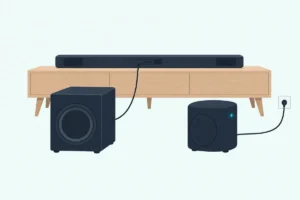
The sections below sort your bar into one of three cases and give Samsung’s pairing steps for each one.
Can I Add Another Subwoofer to My Samsung Soundbar?
Usually not as a second one, but yes as a first. If you’re asking can I add another subwoofer to my Samsung soundbar because yours already has one, no Samsung manual or support page cited here describes pairing a second, while bars sold without a sub can take one Samsung add-on.
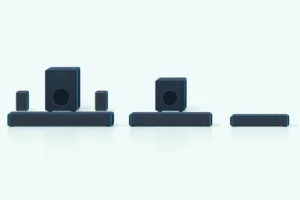
So your bar falls into one of three cases. A bar that came with a subwoofer has its one subwoofer, a bar on an add-on list can gain one, and a bar on neither list has no documented subwoofer route at all.
The channel numbers on the box tell the same story. Samsung’s HW-Q990D manual lists 11.1.4 channels, and Samsung’s US rear speaker page calls the “.1” the subwoofer channel, which is why every brand’s rule for a second subwoofer puts Samsung in the one-sub group.
Which Samsung Soundbars Take an Add-On Subwoofer?
That middle case, the bar that can gain one, comes down to three Samsung add-on subwoofers, each made for a named set of bars. Samsung’s US rear speaker page and its subwoofer pages pair them like this:
| Add-on subwoofer | Bars Samsung names for it | Where Samsung says so |
|---|---|---|
| SWA-W510 | HW-S60D, HW-S61D (2024); HW-S60B, HW-S61B, HW-S50B (2022) | Samsung UK’s SWA-W510 page; US rear speaker page for the S60B |
| SWA-W500 | HW-S60T | US rear speaker page |
| SWA-W700 (Sound+) | HW-MS and HW-NW models, such as the HW-MS650, HW-MS750 and HW-NW700 | SWA-W700 manual; US rear speaker page |
Read the table like a key that fits one lock. Samsung UK calls the SWA-W510 “only compatible with selected Samsung soundbars,” and a sub from another row has no documented pairing with your bar.

The SWA-W700 has one extra part. Samsung’s SWA-W700 manual has you plug the supplied Wireless Dongle into the bar’s WIRELESS port first, lists 19 compatible models, and sends owners of bars released after 2018 to their soundbar’s full manual.
Bars that ship with a subwoofer, such as the HW-Q600F, HW-B550 and HW-Q990D, aren’t on any add-on list here, and their manuals list a subwoofer in the box or name it in the specifications. Samsung’s series-by-series lineup is laid out in Burton Acoustix’s Samsung soundbar comparison if you’re not sure which group yours is in.
Can Two Samsung Subwoofers Run on One Soundbar at Once?
Samsung doesn’t say they can. None of the Samsung manuals or support pages cited here, from the SWA-W700 manual to the HW-Q600F guide, mentions a second, dual or additional subwoofer.
That’s a gap in Samsung’s documents, not a ban, so treat any two-sub trick as unsupported. Owners ask about it on forums, and Samsung’s own pairing steps only ever end with “the subwoofer” connected.
Think of ID SET like a phone pairing with one pair of earbuds. Samsung’s steps link one bar to one sub, which is also why a replacement subwoofer needs the manual steps below.
How Do You Pair an Add-On or Replacement Samsung Subwoofer?
Those manual steps are called ID SET, and Samsung uses them whenever a sub doesn’t link on its own, including after “the soundbar or subwoofer have been serviced or replaced.” Here’s the order in Samsung’s HW-Q600F user guide, with the soundbar on:
- Plug in both units, then hold ID SET on the back of the subwoofer for at least 5 seconds.
- Wait for the red light to go out and the blue light to blink fast.
- Press any remote button except Power to wake the display, then hold Up for at least 5 seconds.
- Watch for ID SET on the bar’s display and a solid blue LINK light on the subwoofer.
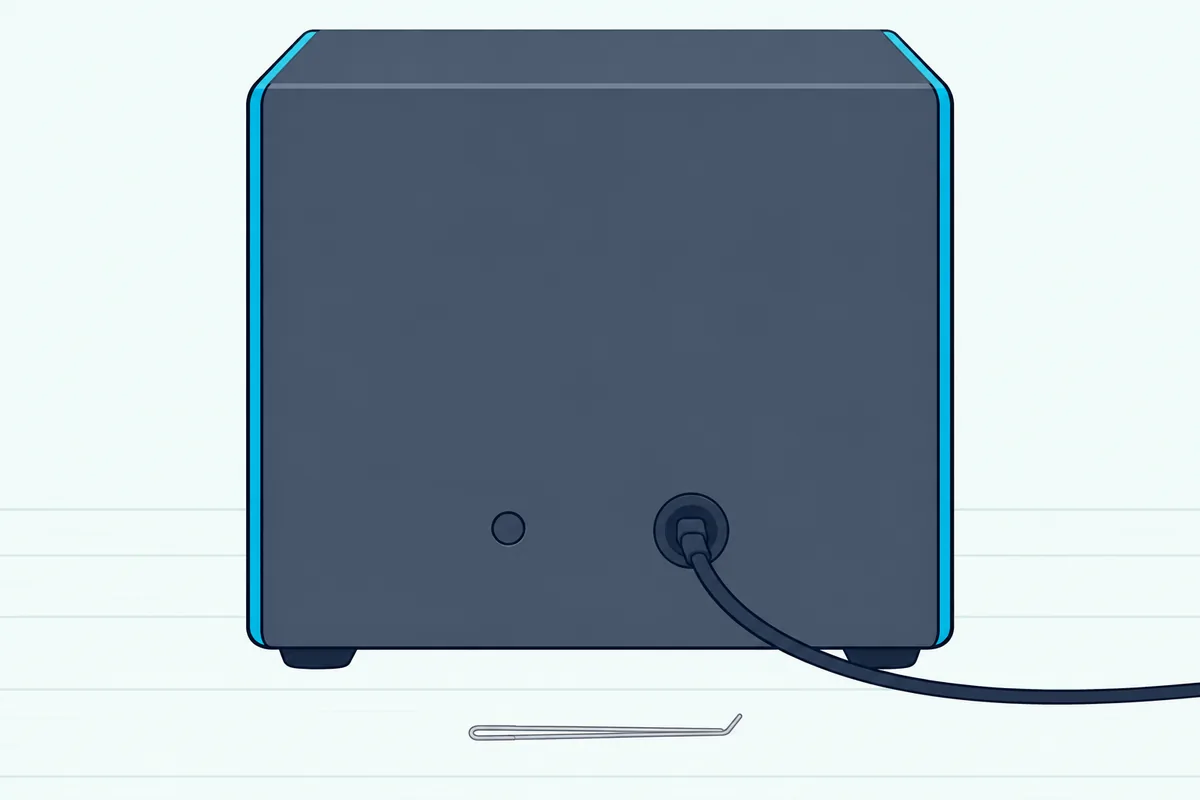
The remote button changes by model. The HW-S60D guide also uses Up held for 5 seconds, the SWA-W700 manual says VOL for 5 to 6 seconds, and Samsung’s US pairing page starts with Mute and suggests Up if that does nothing; pairing a Samsung sub without the remote gives each year’s button and the power-on link that needs none.
Keep the sub within reach of the signal, too. The Q600F guide gives about 32.8 feet (10 meters) as the maximum distance and warns that a metal or steel-concrete wall can block it, and our button-by-button Samsung subwoofer pairing guide covers the light codes if it still won’t link.
Is a Rear Speaker Kit the Better Upgrade?
Those same ID SET steps also link Samsung’s rear speakers, and for more sound around you Samsung’s answer is a Rear Speaker Kit, not a second subwoofer. The same manuals that describe one subwoofer add a pair of wireless rears: the SWA-9200S for the HW-S60D and the SWA-9250S for the HW-Q600F.
The channel counts show the gain. Samsung’s HW-S60D guide says a Dolby Atmos source plays as 5.1 channels with the subwoofer alone and 7.1 with the subwoofer and rear kit, and the Q600F goes from 3.1.2 to 5.1.2, though picking a sound mode on the HW-Q600B decides whether its rear kit plays stereo TV.

Match the kit to your model the way you’d match the sub. Samsung’s US rear speaker page says “other kits may not be compatible,” and it adds that on a bar with 2.0 processing the subwoofer gets no separate channel and plays the low tones from the left and right channels.
Can a Samsung TV Connect a Second Subwoofer?
No Samsung page describes one, and Samsung’s own TV-titled page pairs the subwoofer with the soundbar, not the TV. Samsung’s Latin America article titled “How to connect the rear speaker and subwoofer to a Samsung TV” links both to the soundbar with ID SET, and its only TV step is setting Sound Output to the soundbar.
So the one-sub limit from the first section still applies with a Samsung TV in the chain. A subwoofer that has lost its bar is a different problem, and what to do with a spare Samsung subwoofer walks through it.
Which Samsung Subwoofer Should You Buy?
Buy one only if your bar is on the add-on list, since that’s the one case where Samsung documents adding a sub. For the 2022 and 2024 S-series bars, the Samsung SWA-W510 is the subwoofer Samsung names.
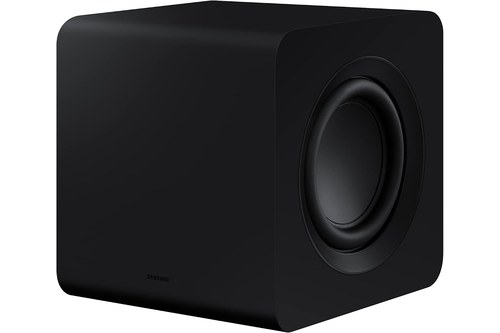
Samsung SWA-W510
The HW-S60D user guide calls it the Wireless Subwoofer (SWA-W510, sold separately) and pairs it with the SWA-9200S rear kit for the full 7.1 setup. If your bar came with its own sub, a Rear Speaker Kit made for your model is the documented upgrade instead.
The Bottom Line
Samsung documents one subwoofer per soundbar, so the honest answer for a bar that already has one is no documented second subwoofer. A listed S-series or Sound+ bar can take one add-on, paired with ID SET, and a Rear Speaker Kit is the documented upgrade for everything else.
Frequently Asked Questions
Will a subwoofer from another brand work with a Samsung soundbar?
The Samsung documents cited here describe only Samsung’s own subwoofers, paired wirelessly through ID SET. The SWA-W700 manual even says its dongle is only compatible with Samsung soundbars, so a third-party sub has no documented route.
Does a replacement Samsung subwoofer need pairing?
Yes. Samsung’s Canadian support page says a subwoofer is configured to connect with the soundbar it came with, and it lists a serviced or replaced unit as a reason to pair manually with ID SET.
Is there a Samsung subwoofer compatibility chart?
Samsung splits it across pages rather than one chart. Its US rear speaker page names the SWA-W510 for the HW-S60B, the SWA-W500 for the HW-S60T and the SWA-W700 for HW-MS and HW-NW models, while the SWA-W510 page and the SWA-W700 manual give the full model lists.
Can you connect two Bluetooth subwoofers to a Samsung soundbar?
The Samsung documents cited here describe no Bluetooth subwoofer at all. Samsung’s subwoofers link to the bar wirelessly through ID SET, and the HW-Q600F guide notes that a nearby device on the same 5.8GHz frequency can interrupt the sound.
Why won’t my add-on Samsung subwoofer connect?
The bar may not be on its list, or the link may need redoing. Check the model first, then run ID SET; Samsung’s HW-Q600F guide also notes that a firmware update resets the subwoofer connection.