How to Connect Samsung Subwoofer to Soundbar Without Remote, by Year
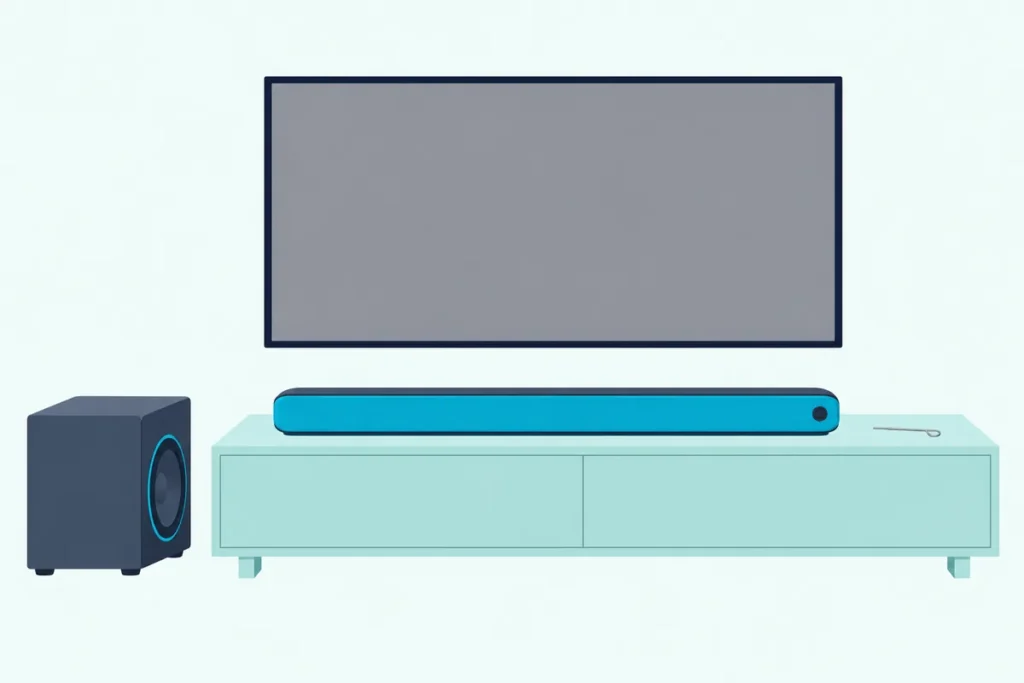
Here’s how to connect a Samsung subwoofer to a soundbar without the remote: plug both in, switch the bar on with its own button, and let them link by themselves.
When the sub’s blue light keeps blinking instead, Samsung’s manual fix, ID SET, ends with a button on the remote you no longer have.
Samsung says most link problems clear with a 5-second unplug of the subwoofer alone, and a few bars pair with no remote step at all.
The year-by-year table below shows which remote button each Samsung generation uses for ID SET, from Mute in 2013 to Up in 2026, plus the two exceptions.
Start with the power-on link, then match your bar to the table and, if a remote really is required, find its part number before ordering one.
How to Connect a Samsung Subwoofer to a Soundbar Without the Remote in Four Steps
That power-on link is Samsung’s own first method, and it needs no remote at all. Samsung’s US and Canada help pages say the soundbar and subwoofer should connect automatically when they’re turned on, and its manuals give the order:
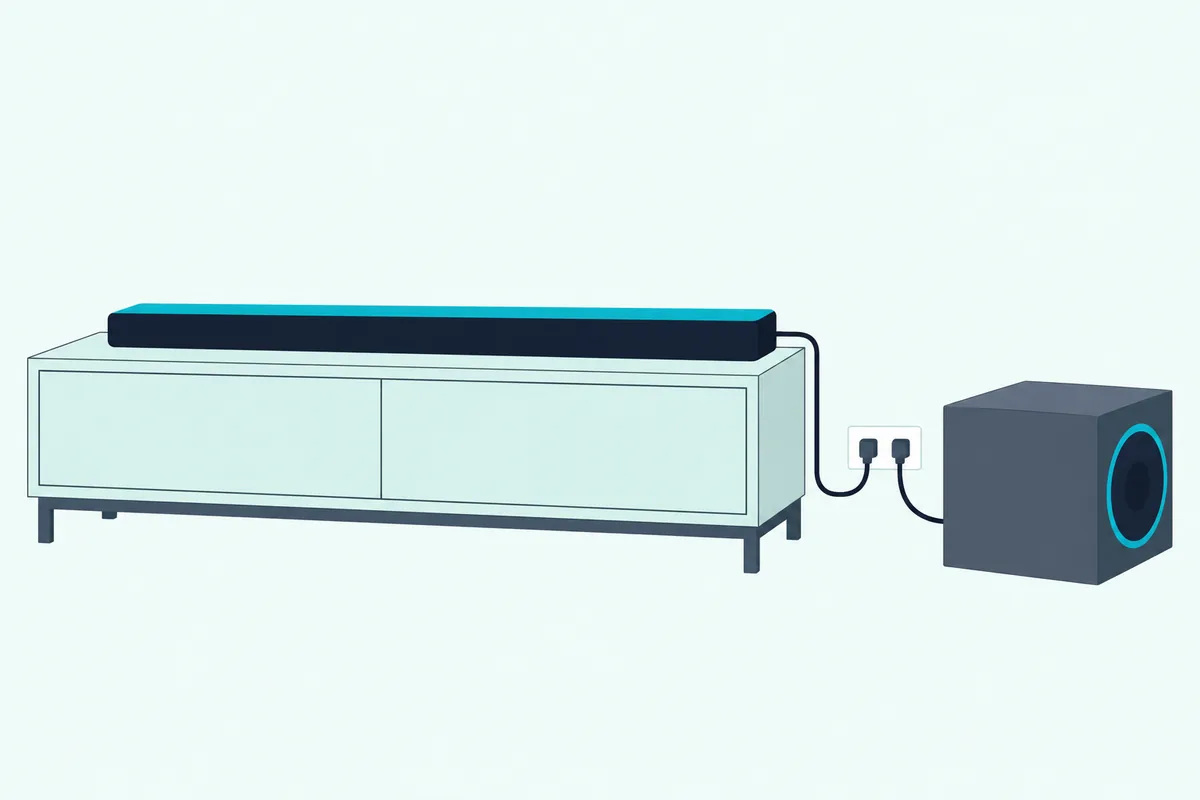
- Plug the subwoofer’s power cord in first. Samsung Canada says the sub turns itself on when it gets power and is set up to connect with the soundbar it came with.
- Plug in the soundbar.
- Turn the bar on with the button on the bar itself: Power on bars like the HW-B550 and Q600F, or the Multi Function button on the Q950A and Q990D, pressed in standby.
- Watch the LINK light on the back of the subwoofer, which blinks blue while the two connect and then glows solid blue once they’re linked.
Samsung’s Q990F guide makes the same point about order: power the subwoofer first, then turn the soundbar on once it’s plugged in. If the blue light never stops blinking, Samsung’s US page counts the automatic link as failed, and the next two sections deal with that.
No button within reach? The TV can switch the bar on for you, since Samsung’s US help says a bar on HDMI ARC with Anynet+ (Samsung’s name for HDMI-CEC), or on optical with Auto Power Link, turns on and off with the TV.
Our guide to letting a Samsung TV remote run the soundbar covers that setup. For this job it does the one thing the automatic link needs, which is power.
What Do the Lights on a Samsung Subwoofer Tell You?
Those blinking and solid states are the only feedback a Samsung sub gives, so it’s worth knowing all four. Samsung’s manuals list four states for the rear LED: solid blue is linked, blinking blue is recovering the connection, solid red is standby or a failed link, and red and blue blinking together is a fault.
| Light on the subwoofer | What Samsung says it means | What to do without a remote |
|---|---|---|
| Solid blue | Connected (normal operation) | Nothing |
| Blinking blue | Recovering the connection | Check the soundbar’s power cable, or wait about 5 minutes |
| Solid red | Standby with the bar off, or connection failed | Turn the bar on; if it stays red, pair again |
| Red and blue, blinking | Malfunction | Contact Samsung service |
That table comes from the HW-Q990D user guide, and the 2020 T450 and 2021 Q950A manuals carry the same one. The 5-minute wait is the cheapest fix on the page, so give a blinking sub that long before you touch anything.
A red light isn’t always bad news. Turn the bar off and Samsung’s manuals say the sub blinks blue several times, then turns red as it goes into standby, so red with the bar off is normal.
One detail helps later. The 2025 Q600F guide says to start ID SET when only the red light is solid or the blue light is blinking slowly, and once ID SET is held, the blue light blinks fast.
Get Studio Tips Weekly
Join 5,000+ creators getting acoustic treatment advice every week.
No spam. Unsubscribe anytime.What Fixes a Samsung Subwoofer That Won’t Link on Its Own?
A blue light that’s still blinking after that 5-minute wait points at the wireless link itself, and Samsung’s quickest fix needs only your hands. Samsung Canada says most connection issues clear if you unplug only the subwoofer, leave the soundbar plugged in and on, wait 5 seconds, then plug the sub back in.
That’s different from unplugging both. The soundbar stays plugged in and switched on the whole time, and only the sub restarts.
If it still won’t hold, check the distance and what’s in the way. Samsung’s manuals give the wireless signal a range of about 10 meters (33 feet), and say a steel-concrete or metal wall between the bar and sub can stop the link completely.
Other gear matters too. The T450 manual says a device on the same 5.8GHz band near the bar can interrupt the sound, and the Q990D guide names a wireless router as the kind of device to keep away from the bar.
Try this: carry the sub to within a few feet of the bar, unplug it for 5 seconds and plug it back in there. If it links up close and blinks again in its corner, the spot is the problem, not the pairing.
Samsung Australia adds that some subwoofers don’t get a strong enough signal far from the bar, and suggests keeping the sub within 3 meters if its sound is weak. The Q990D guide’s last step for a silent sub is plain: remove the power plug and reconnect it.
Why Does ID SET Need the Remote?
When the 5-second unplug and the wait both fail, Samsung’s answer is a manual pairing it calls ID SET, and it has two halves. Only the soundbar’s half needs the remote, and Samsung says even that one doesn’t on bars with an ID SET button of their own.
The subwoofer half is all yours: hold the ID SET button on the back of the sub with a pen tip or paper clip for 5 seconds, until the red standby light goes out and the blue light blinks fast.
Samsung’s US and Canada pages pair that blinking light with a held remote button on the bar’s side, then add the line that settles the question:
“Some soundbar models have an ID SET button on the soundbar that can be used instead. Otherwise the remote is required to perform ID SET.”
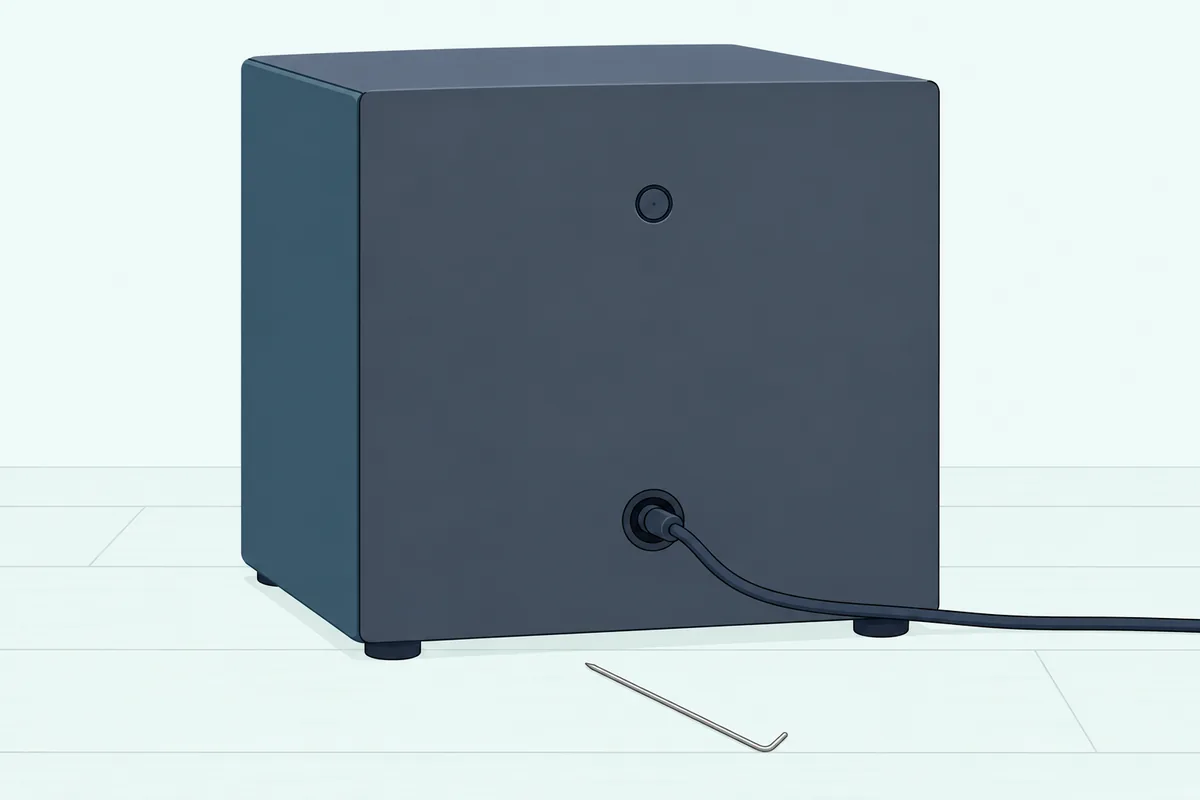
Pairing, linking and syncing all mean this same step, whatever the wording you searched. Samsung says you’ll need it when the bar or sub has been serviced or replaced, after a factory reset of the soundbar, or whenever the automatic link won’t work.
Think of ID SET as a handshake that both sides have to offer while the sub’s light is still blinking. The sub offers its hand with that 5-second hold, and the bar answers with its own 5-second hold, which on most bars means a remote button, and then the bar switches on.
If you do have a remote again, the full sequence with each button is in our guide to pairing a Samsung subwoofer with the remote in hand. The table below shows which bars spare you that remote half altogether.
Which Samsung Soundbars Pair the Subwoofer Without a Remote?
That “some soundbar models” line is the whole question, so Samsung’s manuals were read year by year to find the bars it means. Two remote-free routes appear: the 2021 HW-Q950A has its own ID SET (WOOFER/REAR) button on the bottom of the bar, and Samsung’s training document lists no remote step at all for the 2017 HW-M360 and M450.
Every other bar in the table needs a remote button for its half. Series years follow Samsung Germany’s reset page for 2013 to 2023 and the manuals’ own dates after that:
| Years and series | Bars Samsung’s documents cover | The bar’s half of ID SET | Remote needed? |
|---|---|---|---|
| 2013-2015 (F, H, J) | The F, H and J series | Hold Mute on the remote for 5 seconds with the bar in standby | Yes |
| 2016 (K) | HW-K450, K650, K850, K950 | Hold Mute for 5 seconds with the bar off; the K450 can then be switched on from the button on its right side | Yes |
| 2017 (M) | HW-M360, M450 | None: turn the bar on while the sub’s blue light blinks, and they pair | No |
| 2018 (N) | HW-N950 | Hold Mute for more than 5 seconds in standby | Yes |
| 2019-2021 | HW-Q70R, T450, Q60T, A450 | Hold Up for 5 seconds with the bar on | Yes |
| 2021 (A) | HW-Q950A | ID SET (WOOFER/REAR) button on the bar’s bottom panel, or Up with the bar off | No |
| 2022-2025 | HW-B550, B650, Q600B, Q600C, C450, Q600F, B750F, Q990F, Q800F | Hold Up for 5 seconds with the bar on | Yes |
| 2022-2026 | HW-Q990B, Q990C, Q930C, Q990D, Q930D, S800D, and the 2026 Q990H, Q930H, Q900H, Q800H and Q600H | Hold Up for 5 seconds with the bar off | Yes |
Read the table like a map of where the remote can’t be dodged. From 2019 on, every manual read here puts the bar’s half on the remote’s Up button, with the Q950A’s bottom-panel button as the one alternative, and only the bar-on or bar-off state changes.
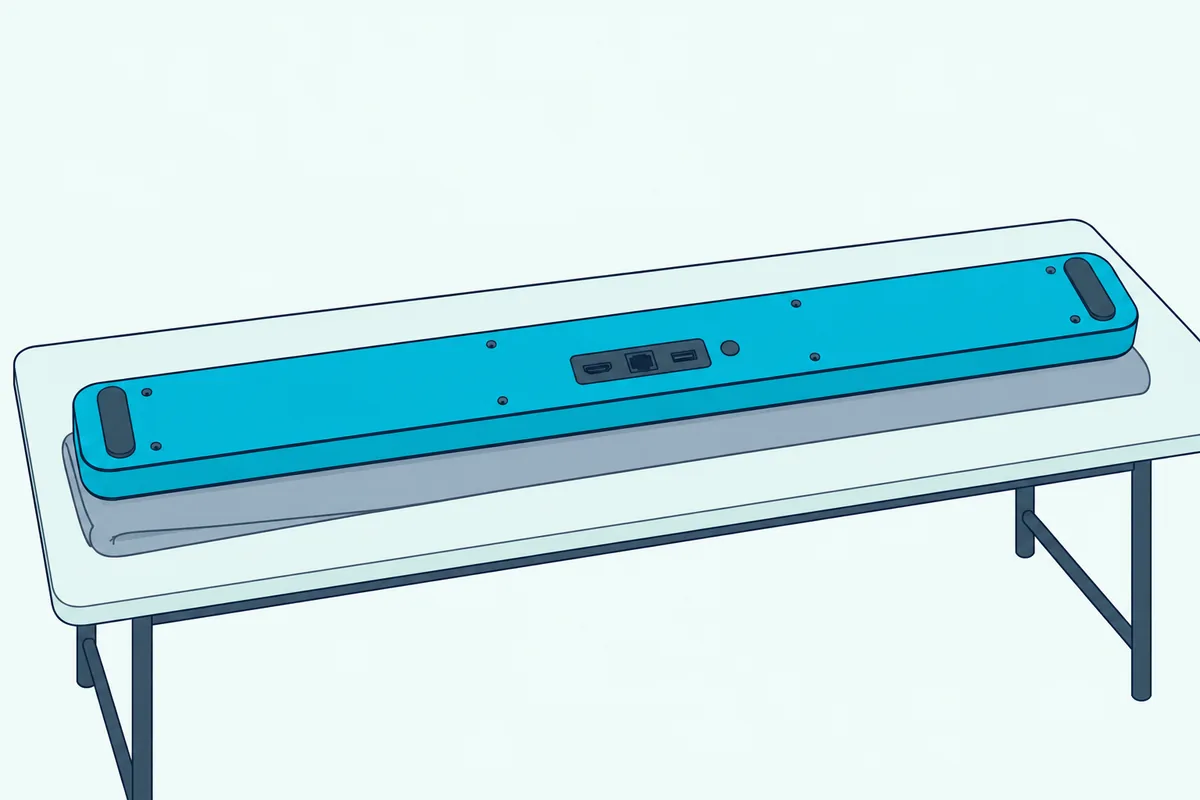
On the Q950A, Samsung’s manual says the bottom-panel button is there to connect the bar to the surround speakers and subwoofer wirelessly. The manual gives no separate steps for it, so the closest reading of Samsung’s “used instead” note is to hold the sub’s ID SET until it blinks fast, then press the bar’s button in place of the remote’s Up.
The M360 and M450 route comes from “How to reset Soundbar & MultiRoom Speakers,” a 2016 Samsung training document. Hold the sub’s ID SET for 5 seconds, turn the bar on while the blue light blinks, and the training document says the two pair automatically.
A few bars add a wrinkle that matters once a remote is back in your hand. The C450, Q600F and B750F manuals have you press a remote button to wake the display first, and the S800D shows ID SET on its LED, which blinks red, then green, then blue.
Samsung’s Sound+ bars, the HW-MS models that take the SWA-W700 subwoofer, are no exception either. The SWA-W700 manual has you hold the VOL button on the soundbar’s remote for 5 to 6 seconds, though it lets you switch the bar off and on with the Power button on the bar.
Can a Samsung TV Remote or the SmartThings App Do ID SET?
Every “yes” in that last column raises the next question: can something you already own press the button for you? Not in any Samsung document read for this guide, because Samsung’s TV-remote help covers volume, mute and power, and the Q990F guide’s examples of what the SmartThings app adjusts are volume, sound mode and advanced sound settings.
The TV remote still earns its place. Over HDMI ARC with Anynet+, or optical with Auto Power Link, the bar turns on and off with the TV, and power is all the automatic link from the first section needs.
What none of those pages mentions is the held Up or Mute press that ID SET asks for. The S60D guide lists Up held for 5 seconds as a hidden function of the soundbar’s own remote, next to the WOOFER hold that turns TV remote control on or off.
Treat that as a gap in Samsung’s documents rather than a ban. None of them says a TV remote or the app can send ID SET, so plan on the routes that are documented: the automatic link, the 5-second unplug, the bar’s own button where there is one, or a soundbar remote.
Which Replacement Remote Does Your Samsung Soundbar Need?
That leaves the bars marked “yes” needing a soundbar remote again, since there’s no documented shortcut through the TV or the app. Samsung’s US help says to get a replacement from the Samsung Parts website by entering your soundbar’s model, and Samsung’s manuals print the remote’s part number in the list of what’s in the box.
| Remote part number | Bars whose manuals list it |
|---|---|
| AH81-15047A | HW-Q990C, Q990D, Q990F, Q930F, Q900F, Q800F, S60B, S61B, and the 2026 Q990H, Q930H, Q900H, Q800H and Q600H |
| AH81-15340A | HW-Q600B, B750F |
Those numbers come from manuals such as Samsung’s 2026 H-series user guide, the Q990D guide and the B750F user guide. Many other editions read here, including the UK and European ones, list the remote without a number, so for those bars Samsung Parts and your model number are the way to find it.
For a bar whose manual names AH81-15047A, VINABTY’s AH81-15047A replacement remote is listed under that part number. Check your manual’s number against the listing before you order, and make sure the remote has the direction buttons, since Up is the bar’s half of ID SET on the bars from 2019 on in the table.
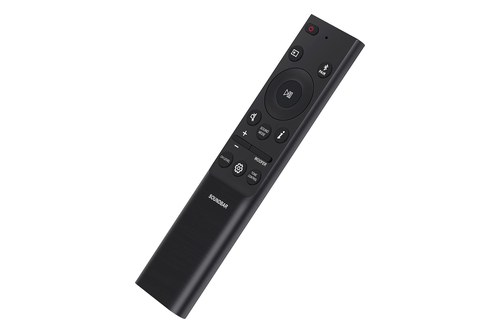
VINABTY’s AH81-15047A replacement remote
Once it arrives, the remote also unlocks the rest of Samsung’s fixes. The Q990D, Q990F and 2026 guides add a Tx module reset, holding Left for 5 seconds with the bar off, before you run ID SET again.
When Is a Firmware Update or a Reset the Fix?
Whether the remote is back or still on order, two heavier fixes come up in Samsung’s own help, and both touch the very link you’re trying to restore. Read together, Samsung’s documents make them late steps rather than first ones: a firmware update when there’s a known fault to fix, and a reset last of all, since both can drop the subwoofer link.
Samsung’s B550, B650, Q60T, C450 and Q600F manuals say updating the firmware resets the subwoofer connection, and if the sub doesn’t reconnect by itself afterwards, you’re back to manual pairing.
Samsung’s US firmware page names one known fault: some Samsung bars, including 2023 Q-Series models, may not work because of an automatic firmware update issue. The fix is to unplug and replug the bar, then update to version 1004.0 or later through SmartThings or a USB drive.
The steps for both routes are in Burton Acoustix’s Samsung firmware guide. The Q600F user guide spells out the catch: it warns that the update resets the subwoofer connection and points you to manual pairing if the link doesn’t come back.
A factory reset carries the same risk. Samsung lists “after factory resetting the soundbar” among the times the sub needs manual pairing, and Samsung Australia puts “Initialise the product” last in its no-sound-from-the-subwoofer list, after volume, the TV’s sound output, cables and a power cycle.
Not every model works that way. Samsung’s training document says the N950’s reset leaves the subwoofer and rear speaker connection in place, so read your manual before you reach for the reset holds for each bar.
Without a remote, that makes a reset the last thing to try, not the first, and the 2025 Q990F guide agrees in its own words: “Reset the soundbar only when needed.” On a bar whose ID SET runs through the remote, a reset can leave you needing the very button you don’t have.
The Bottom Line
So the remote-free route usually works the way Samsung designed it: sub plugged in first, bar switched on from its own button or the TV, and a solid blue light. If it blinks, give it 5 minutes, then unplug only the sub for 5 seconds and check the range before anything else.
ID SET’s sub half needs only a paper clip, but Samsung’s manuals put the bar’s half on the remote for nearly every model since 2013, the Q950A’s own button and the M360 and M450’s power-on pairing being the exceptions. For the rest, find the part number in your manual, order that remote, and leave firmware updates and resets for last.
Frequently Asked Questions
How do I put my Samsung subwoofer in pairing mode without the remote?
Hold the ID SET button on the back of the subwoofer for 5 seconds with a pen tip or paper clip, with both units plugged in. Samsung’s manuals say the red standby light goes out and the blue light starts blinking fast, and that half needs no remote. On the SWA-W700 add-on subwoofer, the ID SET button is on the bottom instead. The soundbar then has to answer while that light is still blinking, which on most bars means a held remote button, as the table above shows.
Why is my Samsung subwoofer blinking blue?
Samsung’s manuals list a blinking blue light as the sub recovering its connection to the bar. Check that the soundbar’s power cable is connected and wait about 5 minutes; if it keeps blinking, unplug only the subwoofer for 5 seconds while the bar stays on, which is Samsung Canada’s first fix. A fast blue blink right after you’ve held ID SET is different: that’s the sub waiting for the bar’s half of the pairing.
Can I connect a Samsung subwoofer to my phone?
None of the Samsung manuals or help pages read for this guide describes pairing a soundbar subwoofer with a phone, and Samsung Canada says the sub is configured to connect with the soundbar it came with. Phones pair with the soundbar over Bluetooth, while the subwoofer picks up the bar’s own wireless signal through receiving antennas Samsung builds into it. If you’re holding a spare sub with no bar, what a spare Samsung subwoofer can still pair with covers the options.
How do I reset a Samsung soundbar and subwoofer without the remote?
On newer bars the reset runs from the bar’s own buttons, and the holds differ by model year, as the reset guide linked above shows. Samsung’s manuals give the subwoofer no reset of its own: its ID SET button starts pairing. Samsung also lists a factory reset among the times the sub may need manual pairing afterwards, so on a bar whose ID SET needs the remote, a reset can leave the sub unlinked until a remote is back in your hand.