How to Connect an iPhone to a Sony Soundbar, Model by Model
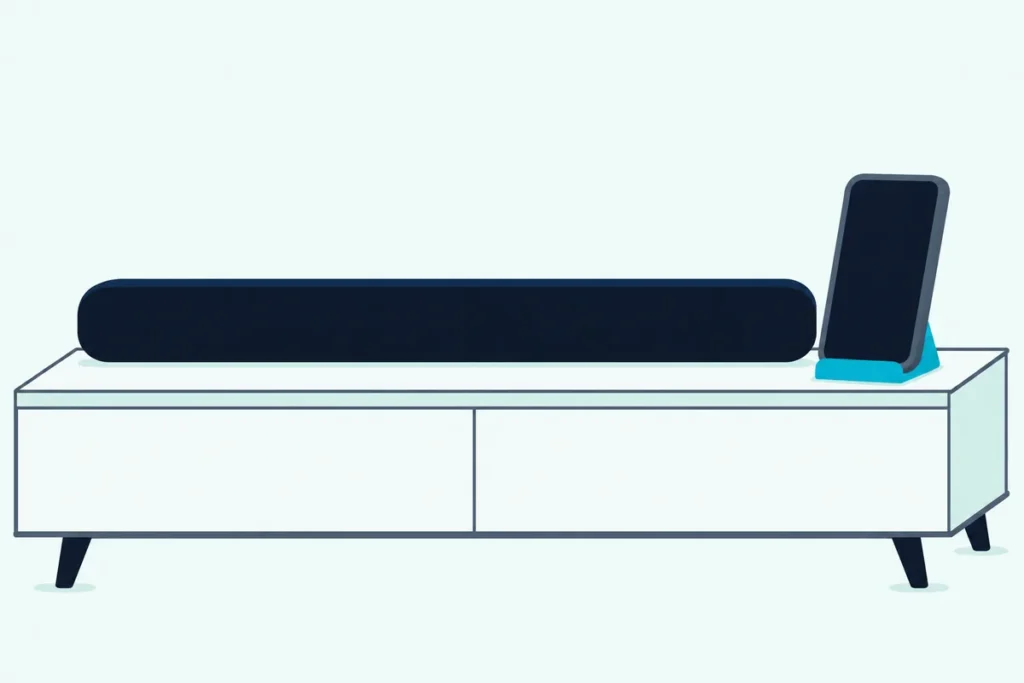
Here’s how to connect an iPhone to a Sony soundbar: put the bar in pairing mode, tap its name under Settings > Bluetooth on the iPhone, and enter 0000 if a passkey is requested.
Sony’s models split on that first step: the HT-A bars use a button, the HT-S2000 a touch button or its app, and the BRAVIA Theater bars the Sony | BRAVIA Connect app.
Use your model’s own switch and the bar turns up in the iPhone’s list by name, ready for the music on your phone.
The table below gives each model’s switch and the sign that the bar is listening, from Sony’s help guides.
After it come the iPhone’s side, what the link carries, AirPlay on Sony’s Wi-Fi bars and the fixes for a bar that won’t connect.
How to Connect an iPhone to a Sony Soundbar, Step by Step
Those four moves work on every Sony bar in the table below, and only the first changes by model:
- Put the bar in pairing mode with your model’s switch from the table.
- On the iPhone, open Settings, tap Bluetooth and turn it on.
- Tap the bar’s name when it appears in the list.
- Enter 0000 if a passkey is requested, then start your music app.
Sony’s guides end with a check: [BT] on the display and a steady blue indicator, or the iPhone’s name in the app on the BRAVIA Theater bars.
Which Button Starts Pairing on Each Sony Model?
That first step is the one Sony puts in three places: a button on the HT-A bars, a touch button or the app on the HT-S2000, and the app on the BRAVIA Theater bars.
| Sony model | Start it with | The sign it’s listening | Name on the iPhone |
|---|---|---|---|
| HT-A3000, HT-A5000, HT-A7000, HT-A9 | The BLUETOOTH button, held for 2 seconds | [PAIRING] on the display; on all but the HT-A9, an indicator flashing quickly in blue | “HT-A3000”, “HT-A5000” (or “HT-A5000M”), “HT-A7000”, “HT-A9” |
| HT-S2000 | BLUETOOTH touched on the bar for about 2 seconds, or the app | An indicator flashing twice repeatedly in blue, and [PAIRING] on the display | “HT-S2000” |
| BRAVIA Theater Bar 5, Bar 6, Bar 7, Bar 8, Bar 9 | The [Bluetooth] input on the app’s remote control screen | The bar’s main status indicator flashing twice repeatedly in blue | The model name, or the name set in [Unit Name] |
| BRAVIA Theater System 6 | The same input in the app | The same flashing, on the subwoofer | The model name, or your [Unit Name] |
| BRAVIA Theater Trio | The same input in the app | The same flashing, on the center speaker | The model name, or your [Unit Name] |
| BRAVIA Theater Quad | The same input in the app | [PAIRING] on the control box’s display | The model name, or your [Unit Name] |
The descriptions come from the makers’ manuals and spec pages. If your bar isn’t in the table, open its operating instructions and look for the chapter that starts “Listening to Music by Pairing”, as it does in every guide in the table.
What Do You Tap on the iPhone Itself?
Once the bar is listening, the rest happens in the iPhone’s Settings app. Apple’s steps match the list above, adding that you might need to enter a PIN or passcode when you tap the accessory’s name, and that’s where Sony’s “0000” goes.
If the bar doesn’t appear, Apple points you back to the accessory’s own instructions for making it discoverable. That’s the table’s second column.
The app-run bars add one permission to check. The HT-S2000’s spec list and most BRAVIA ones put the Sony | BRAVIA Connect app’s link on Bluetooth Low Energy, and Apple’s troubleshooting page says an app you use with an accessory needs that access turned on under Settings > Privacy & Security > Bluetooth.
The same routine works with any maker’s bar, and the same steps for other brands sit in a separate guide.
How Does Pairing Work on an HT-A Soundbar?
That routine is shortest on the HT-A3000, HT-A5000, HT-A7000 and HT-A9, because a button does the bar’s half. Press and hold BLUETOOTH for 2 seconds, and [PAIRING] appears on the front panel display while the indicator flashes quickly in blue (the HT-A9’s guide mentions the display only).
Pick the model’s name on the iPhone, enter “0000” if asked, and wait for [BT] on the display.
One menu setting can stop all of this. In [Setup] – [Advanced Settings] – [Bluetooth Settings], [Bluetooth Mode] has to be [Receiver] to take sound from a phone, while [Transmitter] sends the bar’s sound to headphones and [Off] switches the function off.
Sony notes the phone input is disabled in both of those modes, so if headphones were the last thing connected, check this setting first. The HT-A3000’s settings page for the bar’s radio lists the three modes and the quality choices.
Where Is Pairing on a BRAVIA Theater Bar?
The BRAVIA Theater bars swap that button for the Sony | BRAVIA Connect app, so the iPhone you’re connecting can also be the remote that starts it. Open the app’s remote control screen and switch the input to [Bluetooth], and a bar with nothing registered yet starts listening at once.
If another device is already connected, Sony’s Bar 9 and Bar 8 steps have you select [Connect to other devices] first. Then pick the bar on the iPhone, enter “0000” if asked, and check that the app now shows the iPhone’s name.
The other BRAVIA guides give the same steps, and only where the sign appears changes. The Bar 5, Bar 7, Bar 8, Bar 9, Quad and Trio guides add that the app needs an account and sign-in, and that you may need to register the bar again if neither is used for more than 30 days.
Can the HT-S2000 Pair Without Its App?
The HT-S2000 sits between those two families, with the BRAVIA app’s steps and a button of its own. Yes: touch BLUETOOTH on the bar for about 2 seconds, and its indicator flashes twice repeatedly in blue while [PAIRING] appears on the front panel display.
Pick “HT-S2000” on the iPhone and enter “0000” if asked. Sony’s HT-S2000 steps say the indicator then lights blue and [BT] appears, once the iPhone’s name has shown on the display.
The app route matches the BRAVIA bars, [Connect to other devices] included, and INPUT on the remote steps to [BT] for a phone already paired.
What About the HT-S400, HT-S100F and Older Sony Bars?
Those routes come from Sony’s help guides, and the two Sony papers for the smaller HT-S bars say less. Sony’s HT-S400 spec sheet lists a Bluetooth 5.0 receiver with the SBC codec for music from a phone, tablet or laptop, and says its wireless link to a compatible BRAVIA TV leaves a channel free for a phone.
The HT-S100F startup guide names a BLUETOOTH indicator beside the TV and USB ones. For these and older bars such as the HT-S350 or HT-S40R, check the operating instructions for the button and passkey; every guide in the table gives “0000”, so try that if your iPhone asks.
What Does Bluetooth Carry, and How Far Does It Reach?
Those routes all end in the same link, which carries the audio playing on the iPhone. Sony’s spec lists give the profile as A2DP, with SBC and AAC on every model whose guide lists codecs, LDAC added on the Bar 7, Bar 8, Bar 9, Quad, Trio and HT-A bars, and SBC alone on the HT-S400.
| Sony model | Range Sony gives | Codecs listed |
|---|---|---|
| HT-S2000 | About 30 m (98 ft), line of sight | SBC, AAC |
| BRAVIA Theater Bar 5, Bar 6 | About 25 m (82 ft), line of sight | SBC, AAC |
| BRAVIA Theater System 6 | About 10 m (32.8 ft), line of sight | SBC, AAC |
| BRAVIA Theater Bar 7, Bar 8, Bar 9, Quad, Trio | About 30 m (98.4 ft), line of sight | SBC, AAC, LDAC |
| HT-A3000, HT-A5000, HT-A7000, HT-A9 | Within about 10 m (33 ft), unobstructed | LDAC, AAC or SBC, picked to suit the phone |
The spec figures are maximums, and Sony’s footnote says obstacles, microwave ovens and cordless phones change the real range.
Dolby Atmos takes a different road. The HT-S2000’s table of supported formats covers only its TV inputs, listing Dolby Atmos over HDMI eARC and its Dolby Digital Plus form over ARC too, so read the phone’s link as the music route and the TV’s HDMI cable as the Atmos one.
If the sound lags, Sony’s fix is [Bluetooth Connection Quality] set to [Priority on Stable Connection]. On the HT-A bars that choice fixes the codec at SBC, while [Priority on Sound Quality] lets the bar pick LDAC, AAC or SBC.
Can You Use AirPlay Instead of Bluetooth?
That link is the one route every model shares, but Sony’s Wi-Fi bars give an iPhone a second one. Yes: the HT-A3000, HT-A5000, HT-A7000 and HT-A9 guides say the bars work with AirPlay 2, and the Bar 9 and Bar 8 guide, like those for the Bar 7, Quad and Trio, covers AirPlay.
Once the bar is on your network, the steps are short:
- Connect the iPhone to the same Wi-Fi network as the bar.
- Play the music you want on the iPhone.
- Tap the AirPlay icon and pick the bar.
Sony adds that you can pick other AirPlay speakers along with the bar, and that adding it to the Home app lets you ask Siri on the iPhone to play to it.
The HT-S2000, Bar 6, Bar 5 and System 6 guides have no AirPlay chapter, so on those bars an iPhone plays through the pairing above. On the others, the HT-A bars can join the iPhone’s network with [Use Apple Setup], and the steps for Sony soundbars that join Wi-Fi cover the rest.
Why Won’t Your iPhone Pair With the Sony Soundbar?
When the bar never shows up or won’t connect after those steps, start with the three causes Sony’s guides cover: the bar isn’t listening, its radio is off, or an old entry is in the way.
The bar isn’t listening. On a BRAVIA bar already connected to another device, choose [Connect to other devices] in the app before searching. On an HT-A bar, hold the button for the full 2 seconds and watch for [PAIRING].
The bar’s radio is off. Sony’s guides say a bar can’t connect to a phone with that function off. The toggle is Muting, Volume minus, Volume plus within 5 seconds on the Bar 5, Bar 6 and System 6; INPUT, Volume minus, Volume plus, INPUT on the Bar 7, Bar 8 and Bar 9; INPUT, Volume minus, Muting on the Quad and Trio; and Input with BLUETOOTH, touched for about 5 seconds, on the HT-S2000.
An old entry is in the way. After a reset, Sony says to delete the bar from the phone and start over, and the BRAVIA guides name two entries: the bar’s name and the same name starting with LE_. Apple’s route is Settings > Bluetooth, the More Info button beside the bar, then Forget this Device, which removes it on every device signed in to your Apple Account.
Two smaller checks come from Sony’s notes: accept the request on the phone, and remove unneeded devices if its list is full. The HT-A guides add moving the bar and phone closer, keeping wireless LAN gear, 2.4 GHz devices and microwave ovens away, and uninstalling Sony | Music Center if the two still won’t connect.
Sony’s HT-S2000 troubleshooting list has you unplug the bar for several minutes before it gets to a reset. The steps to reset a Sony sound bar differ by model, so match yours before you hold any buttons.
Will the Bar Find Your iPhone Again Next Time?
Once a connection sticks, it stays. Pick the phone input again, with the button on an HT-A bar, INPUT on the remote or the app’s input list, and the bar reconnects to the device it was most recently connected to, as long as the iPhone’s Bluetooth is on.
The HT-S2000, Bar 5, Bar 6, Bar 8, Bar 9, System 6 and Quad spec lists give room for up to 9 devices for audio. A second iPhone goes through the full steps once.
A standby setting affects how quickly the sound starts. The Bar 5, Bar 6 and System 6 call it [Bluetooth Standby] and the Bar 7, Bar 8, Bar 9, Quad and Trio [Network/Bluetooth Standby], under [Settings] – [System Settings], and Sony says switching it off saves power but sound may take longer to start when the bar turns on.
To get the TV’s sound back, choose the TV input with INPUT. If the TV side still needs setting up, here’s how to connect a Sony soundbar to the TV by HDMI or optical.
The Bottom Line
So the model number decides only the first step: the button on an HT-A bar, the touch button on the HT-S2000 or the input list in the BRAVIA Connect app. After that, tap the bar’s name on the iPhone and enter 0000 if asked.
Frequently Asked Questions
What is the Bluetooth passkey for a Sony soundbar?
Every Sony guide for the bars in the table gives “0000”, entered only if the phone asks for a passkey. For a model outside the table, check its operating instructions for the passkey line.
Can I connect my iPhone to a Sony soundbar without the app?
On the HT-A bars, yes: hold the button for 2 seconds and finish in the iPhone’s Settings, and the HT-S2000 has a touch button for the same job. The BRAVIA Theater bars are set up through the Sony | BRAVIA Connect app, and Sony’s pairing steps run through it.
Once a phone is paired, though, INPUT on the remote reconnects the most recent device without opening the app.
Why is my Sony soundbar not showing up on my iPhone?
First check that the bar is listening: look for the flashing blue indicator or [PAIRING] from the table. If nothing flashes, the bar’s wireless function may be off, or an HT-A bar’s [Bluetooth Mode] may be set to [Transmitter] or [Off]; Apple also suggests turning the accessory off and on again.
Can more than one iPhone connect to a Sony soundbar?
Yes, one after another: take each iPhone through the steps once. To switch phones on a BRAVIA bar or the HT-S2000, choose [Connect to other devices] in the app, then pick the bar on the second iPhone.