The Akai APC40 MKII is the best Ableton DJ controller for most sets, because its crossfader controls Live’s own crossfader.
The picks
Akai APC40 MKII
Akai APC Mini MK2
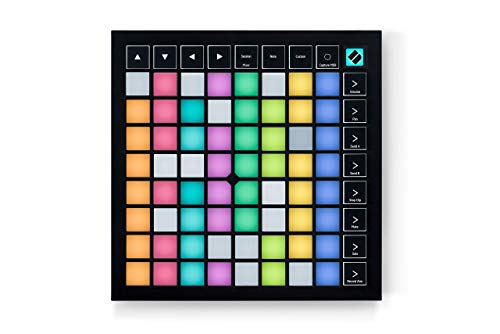
Novation Launchpad X
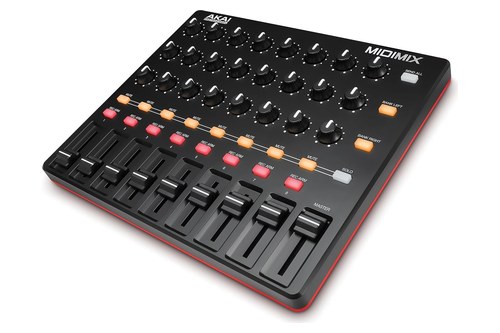
Akai MIDImix
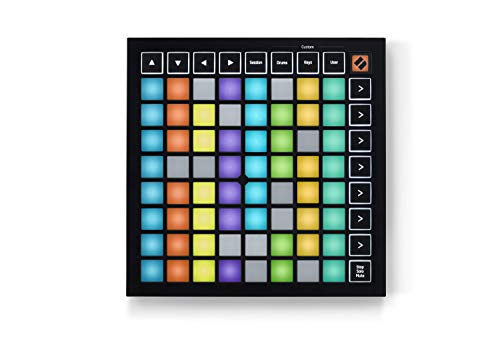
Novation Launchpad Mini MK3
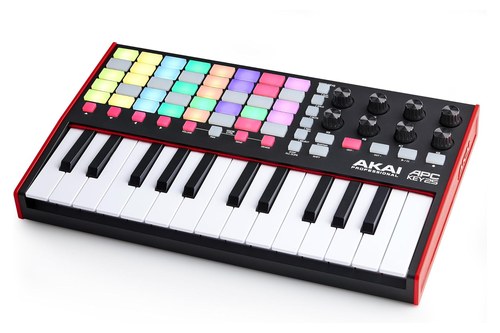
Akai APC Key 25 MK2
Plug in a deck controller built for Serato or rekordbox and Live has no instant mapping for it, so you map every control yourself.
Choose one that Ableton lists as Live-integrated and its grid, faders and buttons work as soon as you select it as a control surface in Live’s settings.
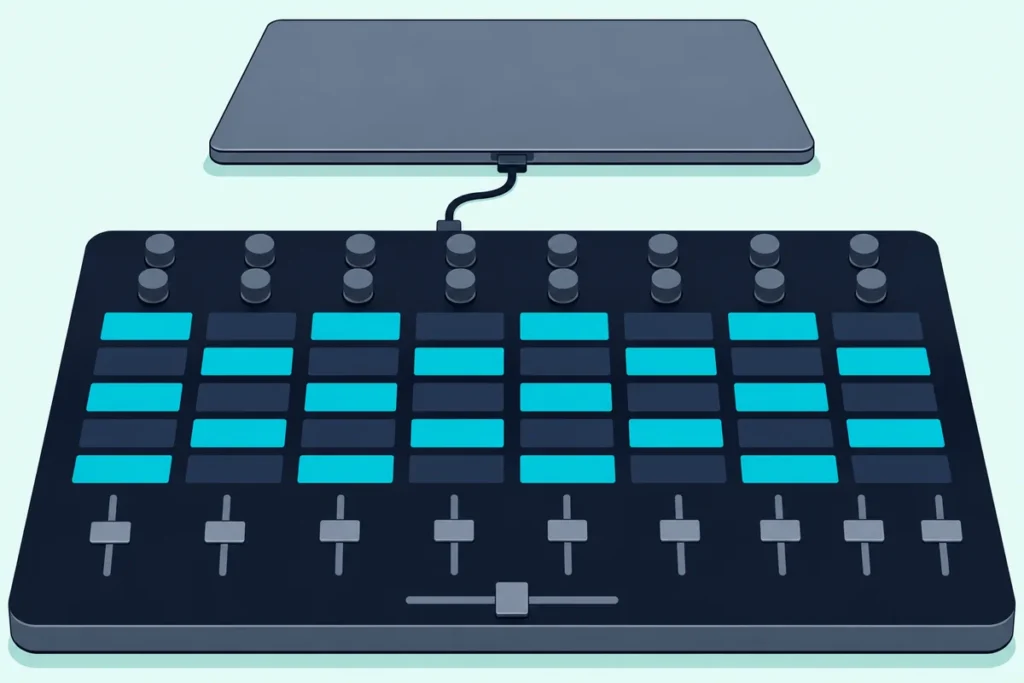
The table comes first, then the APC40 MKII, APC Mini MK2, Launchpad X, MIDImix, Launchpad Mini MK3 and APC Key 25 MK2, then the controllers Live sets up itself, jog-wheel controllers, DJing in Live alone, laying out a set, cueing, sync, Live Lite, stems, pairing controllers, sizes, Push, the bottom line and FAQs.
Start with the table, then read the pick that matches how you build a set.
What Is the Best Ableton DJ Controller?
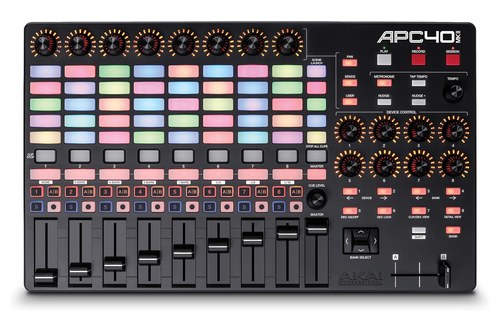
That crossfader is where the answer starts. The best Ableton DJ controller for most sets is the Akai APC40 MKII, which Akai’s APC40 MKII user guide gives a 40-button clip grid, eight track faders, a master fader and a crossfader that controls Live’s crossfader.
| Pick | Best for | Why |
|---|---|---|
| Akai APC40 MKII | Most Ableton DJ sets | Its crossfader runs Live’s crossfader |
| Akai APC Mini MK2 | Clips and faders on a small desk | An 8×8 grid and nine faders |
| Novation Launchpad X | Playing drums and notes live | Velocity- and pressure-sensitive pads |
| Akai MIDImix | Knobs and faders beside a grid | Three knobs and a fader per channel |
| Novation Launchpad Mini MK3 | A laptop bag | A 64-pad grid 180 mm square |
| Akai APC Key 25 MK2 | Playing parts over a set | 25 keys under a 40-button grid |
Every pick here is on Ableton’s list of Live-integrated hardware, which Ableton says comes pre-mapped.
The descriptions come from the makers’ manuals and spec pages.
Every pick met Burton Acoustix’s rating, review and stock checks on 8 November 2026.
Which Ableton Controller Works Most Like a DJ Mixer?
Only the first row of that table has a crossfader. The Akai APC40 MKII works most like a DJ mixer: its guide gives it eight 45mm track faders, a master fader and a 45mm crossfader that controls Live’s crossfader, plus a Crossfade Assign button on each track that cycles through A, B and off.
Spec: 40 RGB clip-launch buttons in an 8×5 grid; five scene launch buttons; eight track faders, a master fader and a crossfader; eight assignable knobs, eight device knobs, a cue level knob and a tempo knob; footswitch input; USB bus-powered; 16.7 x 10.0 x 1.8 inches, 3.97 lb.
Ableton’s own controllers page names the APC40 mkII as a dedicated Live controller, co-developed with Ableton, with no setup or installation required. In Live you choose Akai APC40 mkII as the control surface, the input and the output, and the guide’s basic operations work from there.
The cue level knob sets Live’s Cue Volume, and the controller also has Tap Tempo, a tempo knob and Nudge buttons. Hold Shift and press one of the first eight Track Selectors to set Global Quantization to None, 8 Bars, 4 Bars, 2 Bars, 1 Bar, 1/4, 1/8 or 1/16.
Its knobs come in two sets of eight. The assignable knobs switch between pan, sends and a User mode that you set up in Live’s MIDI Map Mode, and the device knobs work the first bank of whichever device you select.
Device Lock holds those device knobs on one device wherever the focus moves in your Set, so a filter you ride all night stays under your hand.
Five scenes is the trade-off for that mixer section. The grid shows eight tracks by five scenes at a time, and holding Shift turns it into a Session Overview in which each button stands for a whole 8×5 block of clips.
Moving around a bigger set takes the Bank Select buttons, which shift the 8×5 view, and with Bank on they jump eight tracks or five scenes at a time. Each track’s Clip Stop button stops its clip, and Stop All Clips stops every clip when it reaches the end.
Burton Acoustix’s guide to choosing a MIDI controller for live performance also starts with the APC40 MKII, from the live-set side rather than the DJ side.
Skip it if your desk can’t spare 16.7 by 10 inches or you want more than five scenes in view at once.
For a DJ mixer layout that Live sets up on its own, the Akai APC40 MKII is the listing to check.
Akai APC40 MKII
What If You Only Need Clips and Faders?
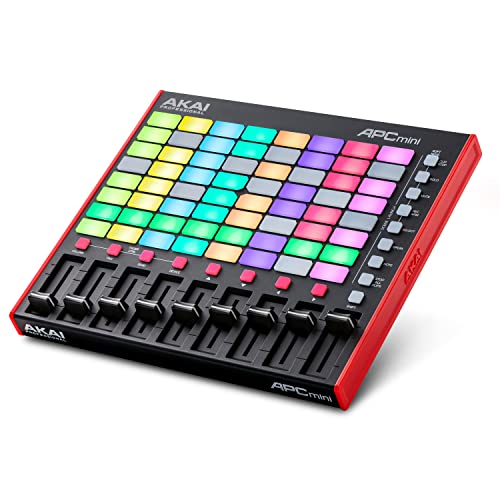
The APC40 MKII’s size pays for knobs and a crossfader, and a set built on clips and channel levels can do without both. Then take the Akai APC Mini MK2, which Akai’s APC mini mk2 user guide gives 64 clip-launch buttons in an 8×8 grid, eight track faders and a main fader, in a body 9.5 by 8.3 inches.

Spec: 64 RGB clip-launch buttons in an 8×8 grid; eight scene launch buttons; eight track faders and a main fader; USB bus-powered; 9.5 x 8.3 x 1.3 inches, 1.79 lb.
Each column of the grid is a track and each row a scene, so it shows eight scenes at once to the APC40 MKII’s five. In Live’s Link/MIDI settings you pick APC mini mk2 as the control surface, input and output, then turn on the Track option for its Port 2.
The faders change job when you hold Shift and press one of the left four Clip Stop buttons: Volume for the first eight tracks, Pan, Send, or Device, where they work the current device’s eight Macro Controls. Shift with the Scene Launch buttons turns the Clip Stop row into Solo, Mute, Record-Arm or Select buttons.
Two more modes turn the grid into an instrument. Shift with the sixth Scene Launch button splits it into 4×4 quadrants that line up with Ableton’s 16-slot Drum Rack, and Shift with the seventh lays it out in Note mode, to play like a chromatic keyboard.
What it leaves out is a crossfader and knobs. Live’s manual says its crossfader can be mapped to any continuous MIDI controller, so one of these faders can take that job if you replace its instant mapping with your own.
Its eight columns also line up with the eight tracks of Live Lite, which comes in the box. The section on Live Lite further down shows what that edition’s limits mean for a set.
Skip it if you want a hardware crossfader or EQ knobs without mapping them yourself.
For a full 8×8 grid with faders in a small box, the Akai APC Mini MK2 is the listing to check.
Akai APC Mini MK2
Which Pad Grid Responds to How Hard You Play?
Launching a clip only needs a pad to register a press, but drum hits and riffs played over a set need pads that read how hard you strike. The Novation Launchpad X does: Novation’s Launchpad X user guide lists velocity- and pressure-sensitive pads, and says Live detects it when you open Live and puts it in Session mode.
Spec: 64 velocity- and pressure-sensitive RGB pads; Session, Note and four Custom modes; Mixer mode for volume, pan, Send A and Send B; USB-C, bus-powered; 241 x 241 x 17.5 mm.
Session mode gives an 8×8 view of your clips, and the scene launch buttons on the right trigger whole rows. Press Session again and those buttons become Mixer functions: Volume, Pan, Send A, Send B, Stop Clip, Mute, Solo and Record Arm.
In Volume, Pan and the two sends, the pads turn into eight faders, and the guide says those faders are velocity sensitive, so a harder hit moves the value faster. Note mode plays your instruments from the same pads, and Novation Components lets you set up the four Custom modes.
Capture MIDI is the button to know once you play over a set. Hold it and Live places what you just played into a MIDI track, overdubbing the clip that’s playing or starting a new one, while the Session Record button overdubs onto a playing clip on an armed track.
Ableton itself says the Launchpad range integrates with Live for hands-on DJing, live performance or studio production. Novation’s page asks for Live 10 or later if you already own Live, and Live Lite comes with it.
Those pad faders are the Launchpad X’s stand-in for the APC Mini MK2’s physical ones: you press a pad to set a level rather than slide to it. The guide adds four micro values per pad, so tapping one pad again nudges the level up in small steps.
Skip it if you want physical faders, since its faders are columns of pads.
For pads that answer to velocity and pressure, the Novation Launchpad X is the listing to check.
Novation Launchpad X
How Do You Add EQ Knobs Beside a Clip Grid?
Neither the Launchpad X nor the APC Mini MK2 has a knob, and a DJ mixer puts EQ knobs on every channel. Add a box like the Akai MIDImix, which Akai’s MIDImix user guide gives eight channels of three knobs and a fader each, plus a master fader, and describes as mapping 1-to-1 with Ableton Live.
Spec: 24 knobs, three per channel; eight 30mm channel faders and a 30mm master fader; mute, solo and record-arm buttons; Send All button; USB bus-powered; 9.4 x 7.9 x 1.2 inches, 1.5 lb.
In Live you choose MIDI Mix as the control surface, input and output, with Track on for its input. The guide says to turn Remote on as well if you want to assign your own mappings.
That Remote switch is the step for DJ-style EQ. Ableton describes EQ Three as a three-band EQ with kill switches, modeled on classic DJ mixers, and its manual says each band runs from minus infinity to +6 dB.
Map a channel’s three knobs to EQ Three’s low, mid and high gains in MIDI Map Mode and every track gets a mixer-style EQ. Bank Left and Right shift the eight channels, and the Mute buttons work as Solo buttons while you hold Solo.
Send All pushes every knob and fader’s current position to Live at once. The guide warns it may do nothing if Live uses a pickup or takeover mode, and Live’s takeover modes come up in the jog-wheel section below.
It sits beside a Launchpad or the APC Mini MK2 rather than replacing one, and the guide asks for a powered hub if you connect it through a hub. Burton Acoustix’s roundup of the best MIDI controllers with faders sets it against other fader boxes, motorized ones included.
Skip it if you want clips and mixing in one box, because it has no grid.
For three knobs and a fader on every channel, the Akai MIDImix is the listing to check.
Akai MIDImix
Which Grid Fits Best in a Laptop Bag?
The MIDImix and a grid make two boxes to carry, and on the road one small grid may be all you take. Of the grids here, the Novation Launchpad Mini MK3 is the smallest at 180 mm square and 14.2 mm tall, and Novation calls it its most compact, portable and lightweight grid controller.
Spec: 64 RGB pads in an 8×8 grid; Session, Drums, Keys and User modes; Stop, Solo and Mute track controls; USB-C, bus-powered; 180 x 180 x 14.2 mm.
Novation’s Launchpad Mini [MK3] user guide says Live detects it when you open Live and puts it in Session mode, with an 8×8 view of your clips and the buttons on the right launching scenes. The Stop Solo Mute button cycles the bottom row through Stop, Solo and Mute for each track, then back to clips.
Arm a track in Live and its empty clip slots light dim red, so pressing one starts recording into it. The guide also notes that only one clip plays per track, and pressing an empty slot stops the clip playing in that track.
Its guide gives that row no volume control. Drums, Keys and User are custom modes you can change in Novation Components, where the guide says full rows or columns of pads can act as faders that send CC values, so for levels you can map those in Live or add a second controller such as the MIDImix.
Novation’s pages list velocity and pressure for the Launchpad X’s pads and no velocity response for the Mini’s. For launching clips and scenes that difference doesn’t matter, but for finger drumming over a set it points back to the Launchpad X.
Skip it if you want physical faders or knobs in the same small box.
For a 64-pad grid that fits a laptop bag, the Novation Launchpad Mini MK3 is the listing to check.
Novation Launchpad Mini MK3
Should an Ableton DJ Controller Have Keys?
The Launchpad Mini’s Keys mode plays notes on its pads, and a keyboard is the other way to play a part over a set. Only if you play parts over your set; then the Akai APC Key 25 MK2 puts 25 velocity-sensitive keys under a 40-button clip grid that Live sets up as a control surface.
Spec: 25 velocity-sensitive keys with a 10-octave range; 40 RGB clip-launch buttons in an 8×5 grid; eight knobs with Volume, Pan, Send and Device modes; sustain button; USB bus-powered; 12.4 x 7.6 x 1.9 inches, 2.1 lb.
Its eight knobs take the same four jobs as the APC Mini MK2’s faders: Volume for the first eight tracks, Pan, Send or the current device’s Macro Controls. The grid is the APC40 MKII’s 8×5 size, and Shift with the Scene Launch buttons turns the Clip Stop row into Solo, Mute, Record-Arm or Select.
Akai’s APC Key 25 mk2 user guide picks APC Key 25 mk2 (Port 2) as the control surface, with the Track option on so the keys play your instruments. The sustain button holds notes like a piano’s pedal, and the octave buttons shift the keyboard across its 10-octave range.
What it doesn’t have is a fader. Volume comes from the knobs in Volume mode, so for riding levels with a fader, pair it with the MIDImix.
Play/Pause starts or pauses Live’s playback and Rec starts recording, both from the keyboard, and Stop All Clips has its own button.
Skip it if you only launch clips and ride levels, since a grid with faders does that in less space.
For keys and clips in one box, the Akai APC Key 25 MK2 is the listing to check.
Akai APC Key 25 MK2
Which Controllers Does Ableton Live Set Up on Its Own?
Every pick so far shares the trait that matters most once it’s plugged in. Live sets up the controllers on Ableton’s integrated hardware list, which Ableton says come pre-mapped, and its current entries include Akai’s APC40 MKII, APC64, APC Key 25 MK2, APC Mini MK2 and MIDI Mix and Novation’s Launchpad X, Launchpad Mini MK3, Launchpad Pro MK3 and Launch Control XL MK3.
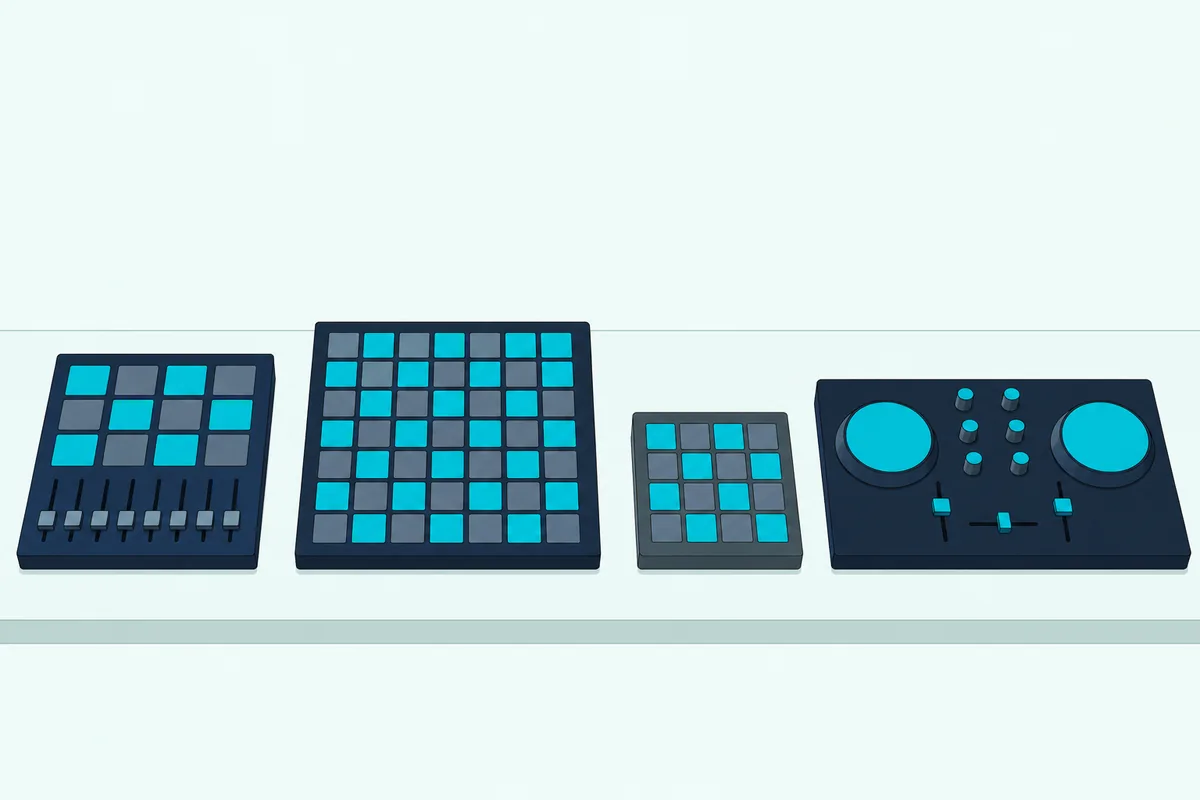
Ableton’s own controllers page goes further for two families, the APC40 mkII and the Launchpad range, which it calls co-developed with Ableton. Push, Ableton’s own hardware, is the third route, and it comes near the end of this page.
Setting one up happens in the Control Surface menus of Live’s Link, Tempo & MIDI settings. Live’s manual on MIDI and key remote control says to look for your controller by name in the first chooser, set its input and output ports, and run up to six supported control surfaces at once.
From there Live uses instant mappings, which the manual says reassign the controls to whichever device you select. You can also lock a control surface to one device from the device’s title bar, so its knobs stay on that device while you work elsewhere.
The same list holds keyboards too, among them Novation’s Launchkey Series MK4, Arturia’s MiniLab MK3 and Akai’s MPK Mini IV. They play parts in Live, and the APC Key 25 MK2 is the one on this page because it pairs its keys with a clip grid.
No deck-style DJ controller from Pioneer DJ, AlphaTheta, Numark, Denon DJ, Hercules or Rane is on Ableton’s list. The DJ brands that do appear, Reloop and Vestax, have only discontinued entries: Reloop’s Keyfadr and Keypad and Vestax’s VCM-600.
Can You Use a Pioneer or Other Jog-Wheel Controller in Ableton?
Those missing DJ brands raise the obvious question if you already own a deck controller. Yes, by mapping it yourself: AlphaTheta’s DDJ-FLX4 manual says the unit outputs its buttons and knobs as MIDI data and that you set the MIDI details in the application, and Live’s MIDI Map Mode assigns MIDI messages to clip slots, buttons, the mixer’s volume, pan and sends, and the crossfader.
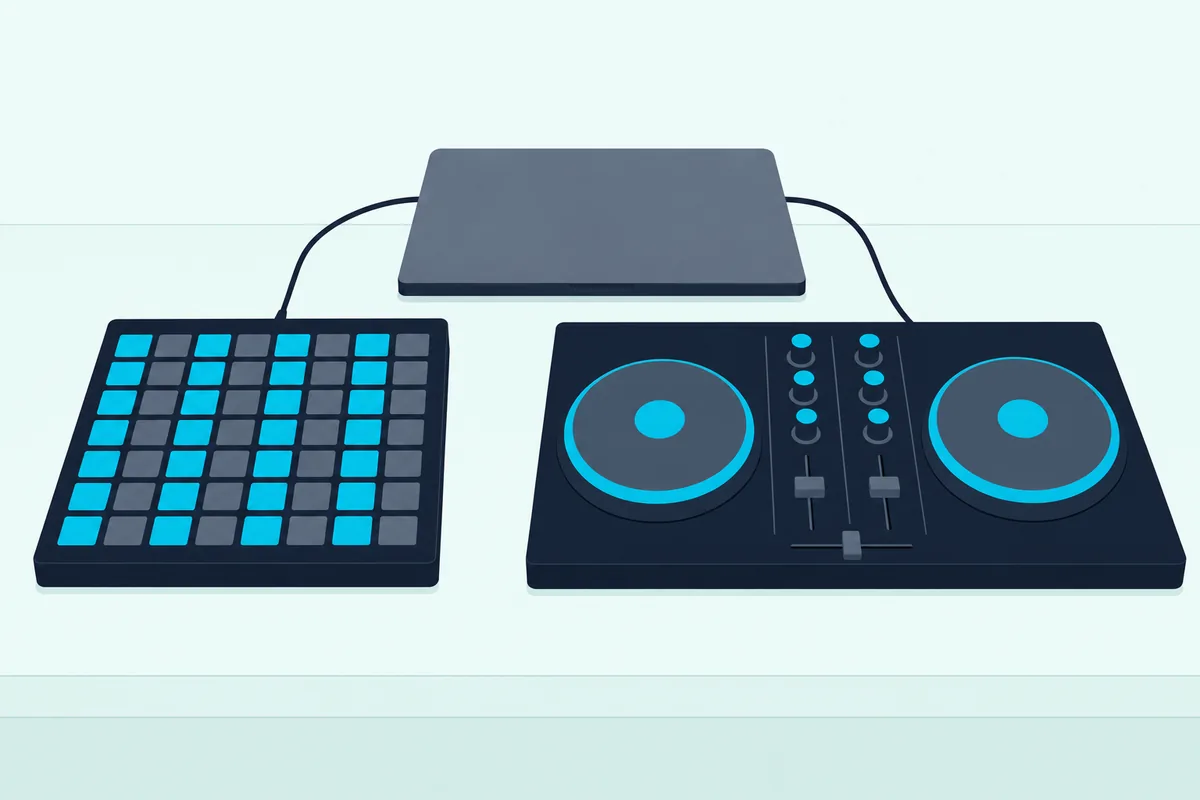
Live’s manual names no jog wheel among the controls it maps, so a jog wheel has no fixed job in Live, and you decide in MIDI Map Mode what it moves. A crossfader is easier, because the manual says Live’s crossfader maps to any continuous MIDI controller, absolute or incremental.
Setting a deck controller up starts in the MIDI Ports table of Live’s Link, Tempo & MIDI settings, where the manual says to turn on Remote for its input port, and for its output too if it has lights to update. The Control Bar’s MIDI indicators flash when Live hears it, and you then map one control at a time.
The manual also suggests choosing a takeover mode before you leave the settings. None jumps straight to the fader’s new position, Pick-Up waits until the fader reaches the parameter’s value, and Value Scaling brings the two together smoothly.
The FLX4 isn’t on Ableton’s list, and AlphaTheta’s manual sets it up for rekordbox and Serato DJ Lite instead. In a hybrid rig, an APC Mini MK2 handles Ableton clip launching while a DDJ-FLX4 handles Serato mixing, each controller set up in its own application.
Rekordbox and Serato each have their own controller roundups on Burton Acoustix for the deck side of that rig, and the sync section below shows how Live keeps time with Serato. If you’re still learning the hardware, Burton Acoustix’s explainer on what a DJ controller does starts with the parts.
Can You DJ in Ableton Live Without DJ Software?
Mapping a deck controller is optional, because Live has a DJ mixer’s main tools of its own. Yes: Live’s manual on mixing says its crossfader works like a typical DJ-mixer crossfader, except that it can crossfade any number of tracks, return tracks included, and warping plays each track in sync with the Set’s tempo.
Each track has two Crossfade Assign buttons, A and B. A track on A plays at full level while the crossfader sits in the left half and fades out as it moves right, and a track with neither button on ignores the crossfader.
Right-click the crossfader to choose one of seven curves. Live can also record your crossfader moves into the Arrangement, so you can edit them later.
Warping stands in for beatmatching by ear. Ableton’s manual on audio clips, tempo and warping says warping lets Live play any sample in sync with a chosen tempo, and warped clips follow the Set’s tempo by default.
For whole songs, the manual points to the Complex and Complex Pro warp modes, which it says work especially well with full songs. They can use more CPU than the other warp modes, and the manual suggests freezing or resampling tracks that use them to save it.
Launch quantization keeps a new clip on the beat: the clip quantization chooser sets the timing, with None for no correction and Global to follow the Control Bar’s setting. That Global setting is the one the APC40 MKII changes from its Track Selectors.
The EQ Three mapping from the MIDImix section completes the mixer. With the crossfader, EQ Three and warped clips, the mixing happens inside Live’s Session View rather than on two decks.
How Should You Lay Out a DJ Set on a Clip Grid?
Those warped clips need a place on the grid, and Live’s rules for tracks and scenes decide how a set fits a controller. Put clips you’ll play one after another in the same track, because Live’s manual on Session View says each track can play only one clip at a time, and use scenes for the rows you want to launch together.
The grid’s columns are your tracks, so the 8×8 grids show eight tracks by eight scenes and the 8×5 grids eight tracks by five scenes. One layout that mirrors a two-deck mixer is two tracks as decks, one assigned to A and one to B, with each song a clip in one of them.
Scenes run top to bottom by default. The manual says Live selects the scene below as the next to launch unless Select Next Scene on Launch is off, so one press per row walks through a set.
A scene can also carry its own tempo and time signature. The manual’s Scene Tempo and Scene Time Signature controls, hidden by default, set them, and Live adjusts to them when the scene is launched.
Legato Mode helps when you swap versions of a song mid-play. The manual says a clip in Legato Mode takes over the play position of whatever clip was playing in that track before, so you can toggle clips at any moment without losing the sync.
Follow Actions can chain clips in a track in order or at random after each one plays. That’s the tool for a run of clips you’d rather not trigger by hand, and the quantization setting from the last section still decides when each one starts.
Group Tracks help once a song spans several tracks. The manual says a group’s slots carry launch buttons that start all of the group’s clips in that scene, which matters for the stems further down.
How Do You Cue Tracks in Headphones With Ableton?
A grid like that is easier to run when you can hear the next clip first. You need an audio interface with at least four dedicated outputs, or two dedicated stereo outputs, which Live’s manual asks for before you can set up cueing.
Then set the Main Out and Cue Out choosers on the Main track to different outputs and switch the Solo/Cue Mode to Cue. Each track’s Solo switch becomes a Cue switch with a headphone icon, and the Cue Volume control sets the level of the cue output.
Once cueing is on, the manual says files you preview in Live’s browser play through the Cue Out too. That lets you audition a song in your headphones before it goes on the grid.
None of the picks has an audio output for that job. Akai’s spec sheets list a USB port, plus a footswitch jack on the APC40 MKII, and Novation’s guides show a USB-C socket, so the headphones go into the interface.
The APC40 MKII’s cue level knob then controls Cue Volume from the hardware. For wiring an interface into a DJ setup, see Burton Acoustix’s guide to connecting a DJ controller to an audio interface, which keeps cueing in view.
Can Ableton Stay in Sync With Serato or Turntables?
Cueing covers one computer, and a booth can also hold a second laptop or a pair of turntables. Ableton Link keeps Live in time with Link-enabled apps on the same network, and Ableton’s Link page names Serato DJ among them, while Live’s Tempo Follower follows the tempo of an audio input such as turntables.
Live’s manual on Link, Tempo Follower and MIDI says Link synchronizes beat, tempo and phase across applications or devices over a wired or wireless network. Any participant can change the tempo, and the others follow.
To join, both computers sit on the same network, a stable Wi-Fi network or a wired one, and you click the Link toggle in Live’s Control Bar. The first participant in a Link session sets the starting tempo.
Starting and stopping can travel too. Turn on Start Stop Sync in Live’s Link settings and those commands carry across to peers that have it turned on as well.
Tempo Follower is the manual’s answer for turntables. It analyzes an incoming audio signal and interprets its tempo, and for turntables the manual suggests a record output or effects loop from a DJ mixer, fed into your audio interface.
To set it up, choose that interface input as Tempo Follower’s Input Channel in Live’s Tempo & MIDI settings, with the Show Tempo Follower Toggle option on. Then press Follow in the Control Bar and Live starts listening to the turntables.
Tempo Follower and External Sync can’t run at the same time. Live can still send MIDI clock while it follows, but it can’t receive it.
Is Ableton Live Lite Enough for a DJ Set?
Link doesn’t need a bigger edition, and every pick here comes with Live Lite. For a small set, yes: Ableton’s upgrade page gives Live 12 Lite 8 audio and MIDI tracks and 16 scenes, against 16 and 16 in Intro and no limit in Standard or Suite.
Eight tracks matches the eight columns of every grid here, so an 8×8 grid shows a whole Lite set eight scenes at a time. Lite’s 16 scenes fill two 8×8 pages, or a little over three 8×5 pages on the APC40 MKII.
Lite also has 2 send and return tracks to Standard’s 12, and Ableton’s edition table includes EQ Three and Ableton Link in every edition, Lite included. The two-deck layout from the last section uses two of Lite’s eight tracks.
Standard and Suite need a paid license. Ableton’s upgrade page lists more instruments and effects with Standard and all of Live’s instruments and effects with Suite.
Does Live Split Songs Into Stems for a DJ Set?
Most of the DJ tools on that upgrade page come in every edition, but one belongs to Suite alone. Yes, in Live 12.3 Suite: Ableton’s upgrade page marks Stem Separation as included in Suite only, and Live’s manual says it splits any mono or stereo audio file into four stems, Vocals, Drums, Bass and Others.
Each stem lands as a clip on its own track inside a new Group Track, so one song spreads across four tracks that a controller can launch and mix separately. The manual names blending stems for DJ mixes among its uses.
It runs on your computer without an internet connection, with a High Speed mode for quick drafts and a High Quality mode for more detailed results. Playback stops when separation begins, so split your songs before the set, not during it.
You don’t have to keep all four. Pick only the stems you want, and Merge to Single Track combines two or three of them into one, such as drums and bass for an instrumental bed.
With stems on separate tracks, the faders or channel knobs that control those tracks ride vocals, drums, bass and the rest on their own. That’s where the APC Mini MK2’s faders or the MIDImix’s channels earn their place beside a grid.
How Many Controllers Can Ableton Run at Once?
Stems and Lite’s limits are about tracks, not hardware. Live’s manual says up to six supported control surfaces can run at once, so a grid and a MIDImix, or the APC Key 25 MK2 beside a Launchpad, can work side by side.
Each one gets its own row in the Control Surface choosers, with its own input and output ports. Every pick draws its power from USB, and the MIDImix guide asks for a powered hub if you connect through one.
Instant mappings follow the device you select, and the Lock to option from the earlier section keeps one controller on a single device while another follows your selection. Burton Acoustix’s guide to using two MIDI controllers at once in Live covers the port switches and takeover modes.
How Big Is Each Controller?
Two controllers on a booth table raise the question of space. The APC40 MKII is the largest pick at 16.7 by 10.0 inches, and the Launchpad Mini MK3 the smallest at 180 mm, about 7.1 inches, square.
| Controller | Clip grid | Width x depth | Height |
|---|---|---|---|
| Akai APC40 MKII | 8 x 5 | 16.7 x 10.0 in | 1.8 in |
| Akai APC Key 25 MK2 | 8 x 5 | 12.4 x 7.6 in | 1.9 in |
| Novation Launchpad X | 8 x 8 | 9.5 x 9.5 in | 0.7 in |
| Akai APC Mini MK2 | 8 x 8 | 9.5 x 8.3 in | 1.3 in |
| Akai MIDImix | None | 9.4 x 7.9 in | 1.2 in |
| Novation Launchpad Mini MK3 | 8 x 8 | 7.1 x 7.1 in | 0.6 in |
Novation lists the Launchpads in millimeters, 241 and 180 mm square, so their rows are rounded to a tenth of an inch. Akai lists weights too: 3.97 lb for the APC40 MKII, 2.1 lb for the APC Key 25 MK2, 1.79 lb for the APC Mini MK2 and 1.5 lb for the MIDImix.
On a shared booth table, security counts as much as size. Every pick has a Kensington lock slot, which Akai’s guides say lets you secure the controller to a table or other surface.
What About Ableton Push?
Every controller in that table comes from Akai or Novation, but Ableton makes its own. Push 3 is Ableton’s controller for Live, and Ableton’s Push page says clip launching, step sequencing and real-time playing are built into its layouts, with a built-in audio interface and a standalone mode for performing without a computer.
Its pads are MPE-enabled, and Ableton says they capture pitch, slide and pressure per pad. The page also says you can sample from a turntable, and the Stem Separation from the stems section works on Push with Live 12.3 Suite and Push software 2.3 or later.
The Bottom Line
The best Ableton DJ controller for most sets is the Akai APC40 MKII, with a 40-button clip grid, nine faders and a crossfader that controls Live’s crossfader. The Akai APC Mini MK2 keeps the clips and faders in a smaller box, the Novation Launchpad X adds velocity- and pressure-sensitive pads, and the Akai MIDImix adds three knobs a channel beside any grid.
For travel, take the Novation Launchpad Mini MK3, and for keys over a set, the Akai APC Key 25 MK2. If you’d rather mix on jog wheels, Burton Acoustix’s best DJ controllers roundup covers deck controllers for rekordbox and Serato.
Frequently Asked Questions
Which famous DJs use Ableton?
Skrillex has a dated public record. Ableton’s blog called Live his DAW of choice in a November 2011 post, while Wired’s November 2014 issue found Pioneer CDJ-2000 decks and a Pioneer 900 mixer in his tour booth, so his record puts Live in the studio and club decks on stage. Burton Acoustix’s Skrillex gear guide lays that record out year by year.
Do these controllers work with Ableton Live 12?
Ableton’s integrated hardware page lists each pick as current hardware, not discontinued, and Live 12’s manual sets control surfaces up in the Link, Tempo & MIDI tab of Live’s Settings. Akai’s guides, written for earlier versions, call it the Link/MIDI or MIDI/Sync tab of Preferences, with the same Control Surface, Input and Output choosers. Novation’s Launchpad X page asks for Live 10 or later if you already own Live.
Can an Ableton controller work with other DJ software?
Some can. Novation’s Launchpad X guide says it’s made for Ableton Live but can also control other software, and Akai describes the MIDImix as a MIDI mixer that controls virtually any DAW. Akai’s APC40 MKII, APC mini mk2 and APC Key 25 mk2 guides give setup steps for Ableton Live only, so check your DJ software’s list of supported controllers before you count on one there.
Can you record an Ableton DJ set as you play it?
Yes. Live’s manual says that with Arrangement Record on, Live logs the clips you launch and your changes to the mixer and devices into the Arrangement, copying clips rather than creating new audio. The APC40 MKII’s Record button starts Arrangement Record from the hardware, and Akai’s APC Key 25 mk2 guide gives its Rec button the job of starting recording in Live.