How to Connect a Soundbar to DirecTV: Cables, Settings and Remote
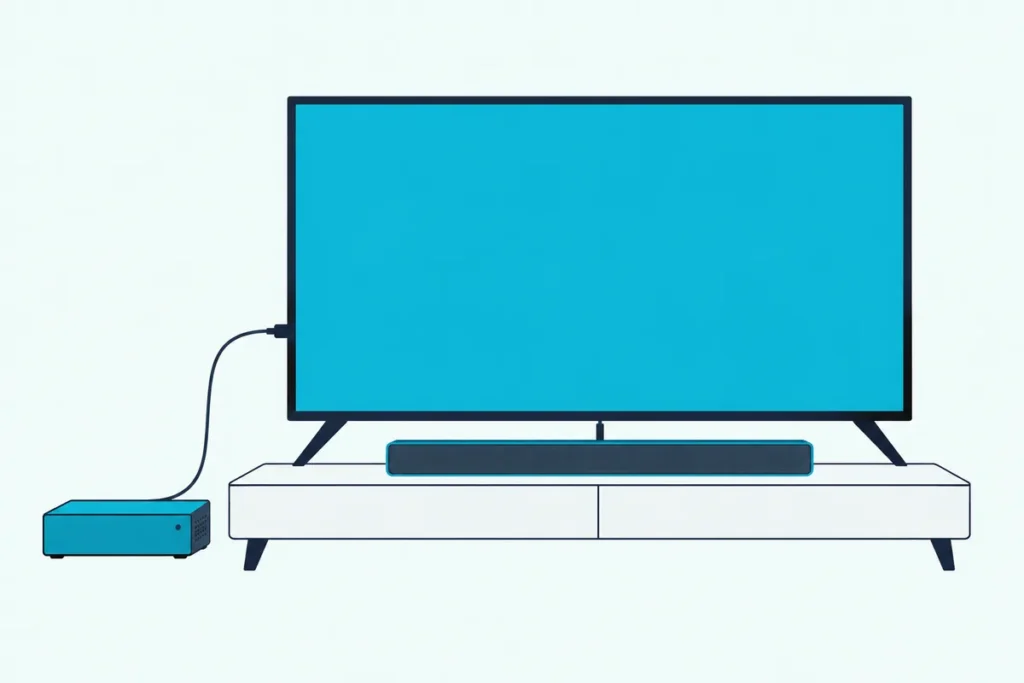
The DirecTV picture looks fine, yet the explosions in your movie still come from the TV’s thin speakers, which is when many people start searching for how to connect a soundbar to DirecTV.
The simplest answer is two HDMI cables, one from the DirecTV box to the TV and one from the TV’s ARC port to the soundbar, plus a couple of settings.
This guide covers that route and two backups, using DirecTV’s own manuals and support articles, HDMI.org’s eARC page and setup pages from soundbar makers.
You’ll also see which box you own, which audio setting to pick, how to make the DirecTV remote control the soundbar’s volume, and what to check when the sound cuts out.
Start with the three ways to connect, because the right one depends on a single port on your TV.
How to Connect a Soundbar to DirecTV: The Three Ways
That one port matters because it decides which of three routes your setup can use.
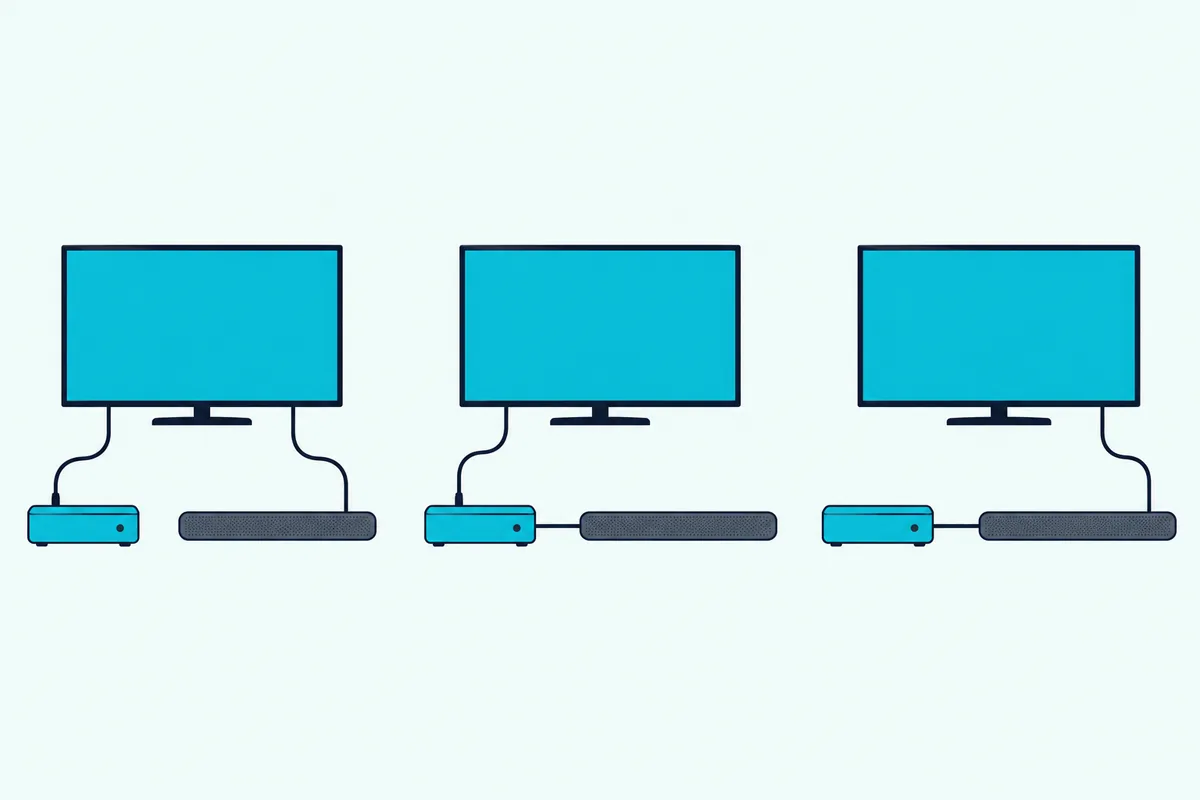
Route 1 runs DirecTV into the TV by HDMI and then the TV’s ARC port into the soundbar. Route 2 sends sound from the DirecTV box straight to the soundbar over an optical cable, and route 3 plugs DirecTV into the soundbar’s own HDMI input.
| Route | Cables | How sound reaches the soundbar | Use it when |
|---|---|---|---|
| 1. DirecTV to the TV, TV ARC to the soundbar | 2 HDMI | The TV passes DirecTV’s audio back over ARC or eARC | The TV has an ARC port and the soundbar has an ARC or eARC port |
| 2. DirecTV optical to the soundbar | 1 optical, plus 1 HDMI to the TV for the picture | DirecTV’s digital optical output | The TV has no ARC port, or it won’t pass surround sound along |
| 3. DirecTV HDMI into the soundbar, soundbar HDMI out to the TV | 2 HDMI | The soundbar’s own HDMI input | The soundbar has an HDMI input and an HDMI output for the TV |
Route 1 is the one to try first, because DirecTV’s HD DVR guide says the receiver should connect directly to the TV for the best picture. Nakamichi’s DirecTV Genie page, written by a soundbar maker, uses the same layout, with DirecTV’s HDMI output going to a TV input and the TV’s ARC port feeding the soundbar.
Our comparison of HDMI versus optical for a soundbar covers the trade-off in general terms, and the sections below apply it to DirecTV.
Which DirecTV Box Do You Have?
Before you buy a cable, find out which box you own, because the back panels differ and some skip the optical port.
DirecTV’s guide to its product manuals says you can find your receiver’s make and model in Settings > Device Management > Info & Test, or on the My equipment & services page of your account.
| Box | Audio outputs in DirecTV’s own documents | Routes it can use |
|---|---|---|
| HD DVR (HR2x series) and Genie HR44 examples | HDMI, digital audio optical and digital audio coax | 1, 2 and 3 |
| Genie Mini (C31, C41, C41W and above) | HDMI and digital audio coax, plus an A/V out jack | 1 and 3 |
| Gemini | HDMI, and DirecTV’s sound steps mention an optical audio cable | 1, 2 and 3 |
Those rows come from the back-panel lists in DirecTV’s HD DVR guide, which also warns that your equipment may not look exactly like the model illustrated.
Match the port labels on your own box rather than the pictures, and look for the words digital audio out optical if you want route 2.
Get Studio Tips Weekly
Join 5,000+ creators getting acoustic treatment advice every week.
No spam. Unsubscribe anytime.Which Port on the TV and Soundbar Should You Use?
Once you know the box, the next job is matching ports, because Vizio’s soundbar setup guide says a TV may have several HDMI ports and only one is labeled ARC or eARC.
Samsung’s support page names the same pairing: the cable goes into the TV’s HDMI IN (ARC) port and the soundbar’s HDMI OUT (TV-ARC) port, and the soundbar’s source is set to D.IN. Nakamichi’s guides describe it as the TV’s ARC port to the soundbar’s HDMI 1 ARC port, which is the same idea under different labels.
It also fits the wiring rule in DirecTV’s HD DVR guide, which says never to connect an in to an in or an out to an out.
Keep the labels matched, because HDMI.org says eARC isn’t defined as backward compatible with ARC, even though manufacturers can build products that support both. If the soundbar lists only eARC and the TV lists only ARC, check both manuals before you buy cables.
Plain ARC is enough for the Dolby Digital 5.1 sound that DirecTV’s guide describes, since RTINGS says ARC and optical both support Dolby Digital and DTS.
Our page on how HDMI ARC works with a soundbar covers the TV side in more general terms.
What Cables Do You Need?
Those ports decide the cables, and the list is short: two HDMI cables for route 1, or one HDMI cable and one optical cable for route 2.
DirecTV’s HD DVR guide says not every cable comes with a receiver, so you may need to buy extras, and it offers its own HDMI cables for a nominal charge.
For the TV-to-soundbar link, Nakamichi’s guides name an HDMI-certified High-Speed 2.0 cable rated at 18 Gbps for ARC soundbars and a High-Speed 2.1 cable rated at 48 Gbps for eARC models. HDMI.org adds that Ultra HDMI cables are designed to support eARC, while High Speed cables with Ethernet might work but aren’t certified for it.
The Highwings 10-foot Ultra High Speed HDMI cable is rated for 48 Gbps and shows an Ultra High Speed certification label in its listing photo. Its listing says it works with older HDMI versions too, so it suits an ARC soundbar as well as an eARC one.
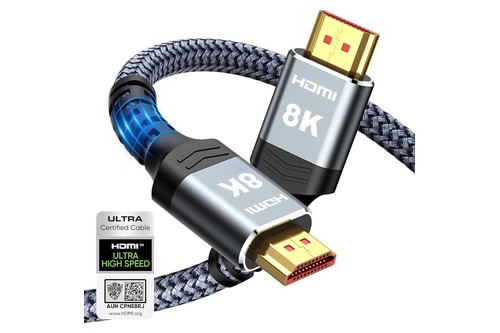
The Highwings 10-foot Ultra High Speed HDMI cable
If the soundbar came with an HDMI cable, start with that one, because soundbar guides such as Vizio’s call for the included cable on the ARC port. Our guide to choosing an ARC-ready HDMI cable compares more options and explains the port check.
Route 2 swaps the second HDMI cable for a Toslink optical cable.
The Amazon Basics 6-foot Toslink cable is a multi-channel fiber-optic cable with gold-plated connectors. Its listing reminds buyers to remove the protective end caps before plugging it in.
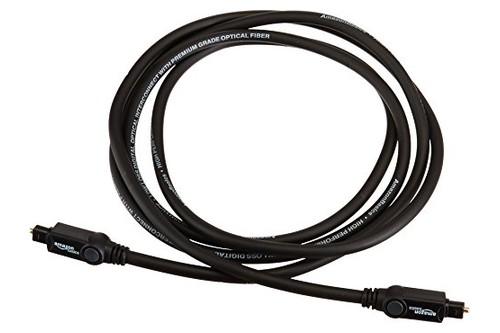
The Amazon Basics 6-foot Toslink cable
How Do You Connect DirecTV and a Soundbar With HDMI?
Once the cables are in hand, route 1 comes down to seven steps, and the order matters.
- Turn off the TV and soundbar and unplug the DirecTV box, because DirecTV’s guide warns against plugging a receiver or other equipment into power until the other cables are connected.
- Run one HDMI cable from the DirecTV box’s HDMI port to a free HDMI input on the TV, leaving the ARC port free.
- Run the second HDMI cable from the soundbar’s ARC or eARC port to the TV’s ARC or eARC port.
- Plug the box and soundbar back in, then turn on the TV, the soundbar and the DirecTV box.
- Pick the DirecTV box’s input on the TV, and set the soundbar to its HDMI ARC source, which Samsung’s soundbars call D.IN.
- In the TV’s sound menu, choose the soundbar as the output and turn the TV’s own speakers off.
- Switch on the TV’s HDMI-CEC setting so the TV remote can control the soundbar’s power and volume.
Vizio’s setup guide says that with HDMI CEC and eARC turned on, powering up the TV wakes the soundbar and the TV remote controls its volume, mute and unmute. Samsung’s support page says an HDMI cable gives the best possible audio quality among the ways it lists.
What Should the TV’s Sound Settings Be?
Steps 6 and 7 are the fiddly ones, because every TV maker puts the soundbar choice and the HDMI-CEC switch in a different menu.
Nakamichi’s helpdesk lists the paths below for specific model years, so treat the table as a map for your own menu rather than a promise.
| TV (model year in Nakamichi’s guide) | Where to choose the soundbar | Digital audio output | HDMI-CEC switch |
|---|---|---|---|
| Samsung (2023) | Settings > Sound > Sound Output, then the soundbar | Expert Settings > Digital Output Audio Format > Auto | Anynet+ (HDMI-CEC), under Settings > Connection > External Device Manager |
| LG (2023) | All Settings > Sound > Sound Out > Use Wired Speaker > HDMI (ARC/eARC) Device | Advanced Settings > Digital Sound Output > Auto | SIMPLINK (HDMI-CEC), under All Settings > General > External Devices > HDMI Settings |
| Vizio (2021) | Settings > Audio > TV Speakers > Off | Settings > Audio > Digital Audio Out > Auto | System > CEC > Enabled |
| Sony (2022) | Settings > Display & Sounds > Audio Output > Speakers > Audio System | Audio Output > Digital Audio Out > Auto | Bravia Sync Settings, under Settings > Channels & Inputs > External Inputs |
| TCL (2023, 6 Series) | Settings > Display & Sounds > Audio > Audio Output > ARC | Advanced Settings > Digital Audio Out > Pass Through | Settings > Channels & Inputs > Inputs > External devices control (CEC) > HDMI Control |
Nakamichi’s Vizio, Sony and TCL pages add that if you use both ARC and optical, you should pick Dolby Digital rather than Dolby Digital Plus, because Dolby Digital Plus is muted over optical.
A soundbar that shows the incoming format makes this far easier, and Nakamichi’s pages tell its owners to press INFO on the remote and look for Dolby or DTS.
If the sound disappears after an automatic update, Nakamichi says to unplug the soundbar from the wall, wait two minutes and plug it back in to re-establish the HDMI connection.
What Do ARC, eARC, CEC and PCM Mean?
That table of menu paths leans on a handful of terms, and knowing what each one means makes the rest of the setup less of a guessing game.
| Term | What it means here | Where you’ll see it |
|---|---|---|
| ARC | Audio Return Channel, which lets a TV send audio to a soundbar or receiver over an HDMI cable without any extra audio cable, according to RTINGS | A label on one TV HDMI port and one soundbar HDMI port |
| eARC | The newer version, which HDMI.org says adds lossless formats such as Dolby TrueHD and Dolby Atmos | A label on newer TV and soundbar ports |
| HDMI-CEC | The control link that lets the TV remote work the soundbar’s power and volume, as Vizio’s guide describes | Anynet+ on Samsung, SIMPLINK on LG, Bravia Sync on Sony, or a CEC menu |
| PCM | Uncompressed two-channel stereo, according to Wikipedia’s TOSLINK article | Digital audio out settings, and DirecTV’s Dolby setting when it’s off |
| Dolby Digital | The 5.1 surround format that DirecTV’s guide describes for its HD channels | DirecTV’s Audio menu and the soundbar’s display |
| Optical (Toslink) | A fiber-optic cable for digital sound that carries PCM or compressed 5.1, per Wikipedia | A port marked optical or digital audio in |
None of these terms changes the route you pick, because they only explain what the menus are offering.
What Are the Steps for the Optical Route?
If you have no ARC port, or the TV won’t pass surround sound along, route 2 takes the TV out of the audio path.
- Turn off the TV and soundbar and unplug the DirecTV box, for the same reason as before.
- Pull the protective caps off both ends of the optical cable.
- Plug one end into the DirecTV box’s optical audio out and the other into the soundbar’s optical input, pushing each connector in until it seats.
- Keep an HDMI cable from the box to the TV, so the picture still works.
- Turn everything on and switch the soundbar to its optical input, which on Samsung’s soundbars is the same D.IN source used for HDMI ARC.
- Set DirecTV’s audio option, covered below, and mute the TV so only the soundbar plays.
DirecTV’s HD DVR guide says that among the connections other than HDMI, optical gives the best-quality audio, followed by digital coax and then RCA, and that the equipment you’re connecting may decide which one you use.
Optical has a ceiling, because Wikipedia says TOSLINK carries two-channel PCM or compressed 5.1 formats such as Dolby Digital and DTS, not lossless Dolby TrueHD or DTS-HD Master Audio.
That ceiling costs little here, since DirecTV’s guide describes its surround sound as Dolby Digital 5.1, and an optical cable can carry that format.
Is HDMI or Optical Better for DirecTV?
Both work, and the difference only shows up when a format outgrows the optical cable.
RTINGS says ARC and optical both support Dolby Digital and DTS, with the cable type being the main difference. HDMI.org says eARC is what adds lossless formats such as Dolby TrueHD and Dolby Atmos.
So for DirecTV’s Dolby Digital sound, route 2 is as good as route 1 on paper, and route 1 wins on convenience because DirecTV’s guide describes HDMI as a single connector for video and audio.
A TV that can’t pass 5.1 from its HDMI inputs to the soundbar is one reason to prefer optical, because RTINGS says some TVs pass only certain formats along, and a straight optical cable from the box avoids the question.
Can DirecTV Plug Straight Into the Soundbar’s HDMI Input?
That’s route 3, and it works only if the soundbar has an HDMI input as well as an HDMI output for the TV.
The quick setup guide for Vizio’s 2.1 soundbar, for one, mentions only an HDMI eARC port for the TV, which shows why you should confirm an HDMI input exists before choosing this route.
RTINGS lists both layouts and notes that sources plugged straight into the TV keep the TV’s video features, which matters most for gaming consoles. DirecTV’s advice leans the same way: its guide says the receiver should connect directly to the TV for the best picture, and its Gemini troubleshooting steps suggest removing any HDMI switch so the box connects to the TV directly.
So if you try route 3 and the picture breaks up or goes dark, test with DirecTV plugged straight into the TV before blaming the box.
Can You Use Bluetooth Instead?
That works as a last resort when the TV has neither an ARC port nor an optical output, but it only covers the TV-to-soundbar link, because DirecTV still needs HDMI to reach the TV.
Samsung’s support page lists Bluetooth as one of four ways to connect a soundbar to a Samsung TV, and says it doesn’t produce the same sound quality as HDMI and can be unstable.
Its steps are to set the soundbar to its BT source until it shows BT PAIRING, then open Settings > Sound > Sound Output > Bluetooth Speaker List on the TV, pick the soundbar and choose Pair and Connect.
Samsung’s own ranking puts HDMI first for sound quality, so treat Bluetooth as a stopgap rather than the setup you keep.
Can You Use the Red and White RCA Jacks?
Those are the last wired option, and DirecTV’s HD DVR guide ranks them below optical and digital coax, so use them only when the soundbar has nothing better.
The guide says RCA outputs provide good audio quality and are found on older auxiliary equipment, and it describes the white and red connectors on a receiver as analog audio outputs.
That means two channels of stereo, so you’d need a soundbar with an analog input and a matching cable, and you’d give up surround sound.
A Genie Mini has no optical port, but DirecTV says it ships with an A/V out cable for component video and RCA audio, which makes RCA a fallback there too.
Which DirecTV Audio Setting Should You Choose?
The cables are only half the job, because DirecTV decides what kind of sound it sends.
On HD DVRs and Genie boxes, DirecTV’s guide describes an Audio screen where you select On or Off for Dolby Digital output, which turns a surround sound system on or off.
Press MENU, open Settings & Help, then Settings, then Audio, where the item is labeled Dolby Digital in DirecTV’s guide and Dolby Audio on Nakamichi’s Genie page.
On sends Dolby Digital 5.1 to a soundbar that can decode it, and DirecTV’s guide notes that not every program carries 5.1, so look for the Dolby Digital icon in the program description and channel banner.
Off is the other choice, and Nakamichi’s Genie page says to use it with its soundbars, then press INFO on the soundbar remote to confirm its own surround mode, shown as DOLBY SURR, is on.
Nakamichi also reports that DirecTV may skip with Dolby Digital audio and recommends PCM output if it does, which means turning the Dolby setting off.
That makes the choice a trade-off: Dolby Digital passes real 5.1 channels to the soundbar, while PCM is stereo that some soundbars expand into surround on their own.
Our explainer on PCM or Dolby Digital on a soundbar covers that trade-off in more depth.
How Do You Control the Soundbar With the DirecTV Remote?
Once sound plays, the next question is whether one remote can handle the volume, and the answer depends on which remote came with your box.
Try the TV’s Volume Path First
Before you program anything, remember that Vizio’s setup guide says the TV remote controls the soundbar’s volume once HDMI CEC is on.
If your DirecTV remote is already set up for the TV, press its volume keys and watch the soundbar, because DirecTV’s universal remote guide says the volume key is active only when the remote is set up for your TV.
Genie Remote (RC71 and Later)
DirecTV’s remote programming article says a Genie remote can be programmed to control an HDTV and audio devices such as a soundbar.
- Point the remote at your Genie HD DVR, Genie Mini or Wireless Genie Mini.
- Press and hold MUTE and ENTER, not SELECT, until the green light at the top of the remote blinks twice.
- When the TV screen shows Applying IR/RF setup, the remote is in RF mode and ready to program.
- Power on the soundbar, then press MENU and choose Settings > Remote Control > Program Remote.
- Select the soundbar from the device list and follow the on-screen prompts, which DirecTV says vary by device.
If those steps don’t work, the same article gives a manual way into RF setup that starts with MUTE and SELECT, then the code 961 and the channel up button.
DirecTV adds that Genie remotes work best with Genie receivers, and that with an HR2x receiver the remote won’t work in RF mode, though it works in IR mode if it has a clear line of sight.
Universal Remote (RC65 and Earlier)
The same article says the universal remote can control up to four devices, including sound systems, through the DIRECTV, AV1, AV2 and TV positions of its mode switch.
On an HD DVR or HD receiver, press MENU, choose Settings > Remote Control > Program Remote, pick the device type, and use DirecTV’s code lookup tool for the five-digit code if your soundbar isn’t listed.
The RC65RB user guide adds a manual method for the AV1 and AV2 positions.
- Turn on the soundbar and find its five-digit code.
- Slide the mode switch to AV1 or AV2.
- Press and hold MUTE and SELECT until the green light under that position flashes twice, then release both keys.
- Enter the five-digit code, and the light should flash twice again.
- Aim the remote at the soundbar and press PWR once, which should switch it off, and repeat with the next code for the brand if it doesn’t.
If no code works, the guide describes a search that can take up to 30 minutes: with the mode switch on AV1, hold MUTE and SELECT until the light flashes twice, enter 9-9-1 followed by 3 for a stereo device, press PWR, and press the channel up key repeatedly until the soundbar responds, then press SELECT to keep that code. If the light flashes three times first, the guide says the code isn’t available and you’ll need the soundbar’s own remote.
To make the volume keys always control the soundbar, the guide’s lock steps are to slide the mode switch to AV1, hold MUTE and SELECT until the light flashes twice, enter 9-9-3 and press SELECT. DirecTV receivers don’t have volume control, so the lock can’t be set to the DIRECTV position.
The guide’s audio code lists run by brand, with entries for makers such as Bose, JBL, LG, Polk Audio, Samsung, Sony, Vizio and Yamaha, so try each code listed for your soundbar’s brand until one works.
If the Remote Won’t Cooperate
The RC65RB guide’s troubleshooting section says that if the light blinks but the soundbar doesn’t respond, you should replace the batteries and aim the remote at the soundbar from within 15 feet.
It also says to try every listed code for the brand and to make sure the component can be operated with an infrared remote, so a soundbar controlled only by Bluetooth or an app won’t respond.
If a wrong code leaves the volume keys acting strangely, the guide’s factory reset is to hold MUTE and SELECT until the light flashes twice, then enter 9-8-1, which restores the out-of-the-box settings.
Gemini Voice Remote
DirecTV’s Gemini remote article says the Gemini Voice remote works exclusively with the Gemini device and can be programmed to control a sound bar.
- Press the Home button.
- Choose Settings, then System.
- Select Remote & Devices, then Program Your Remote.
- Choose the TV manufacturer or sound bar you want to add.
- Follow the prompts to finish.
DirecTV’s sound troubleshooting steps for the Gemini also point to Advanced Remote Program > Switch Volume Control, which is the place to look if the volume keys don’t act as you expect.
What About a Genie Mini in Another Room?
A Genie Mini in another room follows the same logic, because it feeds a TV by HDMI and the TV’s ARC port feeds the soundbar.
DirecTV’s HD DVR guide shows the Mini’s back panel with HDMI, a digital audio coax port and an A/V out jack but no optical port, so route 2 isn’t available on a Mini.
If the soundbar in that room only takes optical, Samsung’s support page shows the fix: run an optical cable from the TV’s optical out to the soundbar’s optical input, then choose Audio Out/Optical in the TV’s sound output menu.
Check the audio setting on each Mini too, because DirecTV’s list of settings copied between a Genie and its clients doesn’t include Dolby Digital.
When you reset a Genie Mini, DirecTV says to restart the main Genie receiver as well.
What Changes With a Gemini?
A Gemini uses different menus from a Genie, so the audio setting lives somewhere else.
DirecTV’s Gemini troubleshooting article says to press Home, then open Settings > System > Audio > Audio Output, where the choices are Stereo only or Surround Sound.
For picture problems, the same article suggests swapping in the provided HDMI cable or any cable rated 2.0 or higher, and removing any HDMI switch so the box connects to the TV directly.
Its sound steps also mention checking that an optical audio cable or HDMI cable is snug at the device, the TV and any A/V receiver, which suggests both routes are available.
To control a soundbar from the Gemini Voice remote, use the programming steps in the remote section above.
What Should You Look for in a Soundbar for DirecTV?
If you’re still shopping, five checks keep a new soundbar from turning into a cabling puzzle.
- An HDMI ARC or eARC port, because that’s the port the Vizio, Samsung and Nakamichi guides connect to the TV.
- An optical input as a backup, because a TV without an ARC port can still reach the soundbar through its optical output.
- HDMI-CEC support, so the TV remote can control power and volume as Vizio’s guide describes.
- Dolby Digital decoding, because DirecTV’s 5.1 uses that format and its guide says additional equipment is required to hear it.
- Infrared remote response, if you want a DirecTV universal remote to control it, since the RC65RB guide says the component must work with an infrared remote.
Why Is There No Sound, or Only Stereo?
If the soundbar still stays quiet, work through these checks in order, because each one rules out a cause the next can’t.
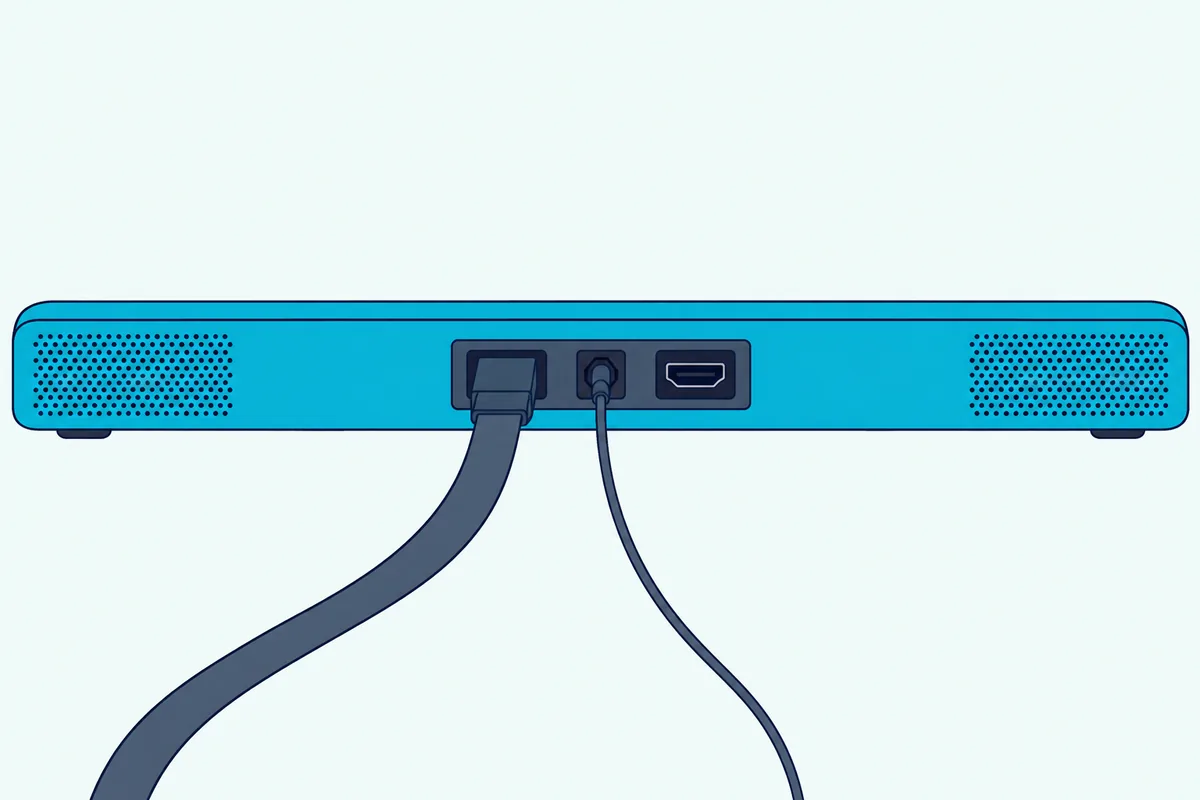
The TV Is Still Playing the Sound
First confirm the TV is sending sound to the soundbar, because settings like Vizio’s TV Speakers option and Samsung’s Sound Output menu decide where the audio goes.
Use the table above to find the setting, and turn the TV speakers off so you can tell which device you’re hearing.
There’s No Sound Anywhere
If your cables run through another device, DirecTV’s sound troubleshooting article says to make sure that device is powered on, then press TV INPUT on the remote to cycle through inputs such as HDMI and HDMI3.
Its next test is to connect the receiver straight to the TV, and if the sound returns, the problem is in the device between them and that device’s manual covers its input and audio settings.
For Vizio TVs, Nakamichi says power cycling can solve many odd problems: unplug the TV for an hour, press and hold the power button for 10 seconds to drain the remaining power, then plug it back in.
You Get Stereo Instead of Surround
Start with DirecTV’s own setting, because Dolby Digital has to be on for 5.1, and not every program carries 5.1 anyway.
Next check the TV, since RTINGS says some TVs pass only certain formats from their inputs to a soundbar, and try the optical route from the box if the TV is the weak link.
Finally look at the soundbar’s display if it has one, because Nakamichi’s pages tell owners to confirm the incoming format shows as Dolby or DTS.
Sound Skips or Drops Out
Nakamichi’s Genie page says DirecTV may skip with Dolby Digital audio and recommends PCM output if it does, which means turning the Dolby setting off in DirecTV’s Audio menu.
DirecTV’s restart steps come next: press the red reset button on the receiver, or unplug it for 15 seconds, and restart the main Genie too if you reset a Mini.
If the problem began after a soundbar update, unplug the soundbar for two minutes as Nakamichi describes.
Sound Is Out of Sync With the Picture
DirecTV’s sound article suggests changing the channel, or rewinding a few seconds and fast-forwarding back to live if you have a DVR, because either one can realign audio and video.
It also says to test with the TV’s speakers only, to learn whether the surround sound system is the cause.
Nakamichi’s Samsung, LG and TCL pages list audio delay settings, each set to 0, as part of a clean setup.
Only One Channel Has Trouble
DirecTV says a single channel with missing or distorted sound may clear up on its own in a few minutes, and that secondary audio programming sometimes causes it.
To switch back, press INFO, arrow right to Audio/Video and choose English Dolby Audio, though DirecTV notes the wording may vary by receiver.
The Volume Keys Do Nothing
DirecTV says to press volume up and, if nothing responds, program the remote, which is the job of the remote section above.
For a broader checklist, our guide to fixing a soundbar with no sound over HDMI ARC covers TV and soundbar causes.
The Bottom Line
The reliable setup is route 1: DirecTV into a TV input by HDMI, the TV’s ARC port into the soundbar’s ARC port, the TV speakers off and HDMI-CEC on.
Add an optical cable only if the TV can’t pass surround sound along, set DirecTV’s Dolby Digital option to match your soundbar, and program the remote last.
Frequently Asked Questions
Can I connect any soundbar to DirecTV?
Yes, as long as the soundbar has an HDMI ARC or eARC port or an optical input. DirecTV’s HD DVR guide lists HDMI, optical and coax audio connections, and soundbar makers’ guides use HDMI ARC to the TV or optical from the source, so check your soundbar’s manual for which ports it has.
Do I connect the soundbar to the TV or the DirecTV box?
Usually to the TV’s ARC port, because DirecTV’s guide says the receiver should connect directly to the TV for the best picture, and Nakamichi’s Genie page routes audio to the soundbar through the TV’s ARC port. Use the box’s optical output only when the TV can’t pass surround sound along.
Does my DirecTV box have an optical output?
It depends on the model. DirecTV’s HD DVR guide lists a digital audio optical out on its HD DVR and Genie examples and shows none on the Genie Mini, and its Gemini sound steps mention an optical audio cable, so check the label on your own back panel.
Which HDMI port should the soundbar use?
Use the soundbar’s ARC or eARC port, which Samsung’s page calls HDMI OUT (TV-ARC), and plug it into the TV port labeled ARC or eARC. Vizio’s guide says only one HDMI port on a TV carries that label.
Why is my soundbar silent with DirecTV?
DirecTV’s own checklist starts with the cable connections, the TV input and whether any device in the chain is powered on. Check the TV’s sound output setting next, then connect the receiver straight to the TV to see whether the sound returns.
Can the DirecTV remote control my soundbar?
Yes. DirecTV says its Genie, universal and Gemini Voice remotes can all be programmed for a soundbar, and with HDMI CEC on, the TV can pass volume commands along to an ARC soundbar.
How do I program a Genie remote for a soundbar?
Point it at the Genie box, hold MUTE and ENTER until the green light blinks twice, then press MENU and choose Settings > Remote Control > Program Remote. Select the soundbar and follow the prompts.
Should DirecTV’s Dolby Digital setting be on or off?
On if you want 5.1 sent to a soundbar that can decode Dolby Digital, and off if the sound skips or your soundbar expands stereo itself. Nakamichi recommends PCM output when DirecTV skips with Dolby Digital.
Do I need a special HDMI cable for ARC?
Nakamichi’s guides name a High-Speed 2.0 cable rated at 18 Gbps for ARC soundbars and a High-Speed 2.1 cable rated at 48 Gbps for eARC models. HDMI.org says Ultra HDMI cables are designed to support eARC.
Can I use Bluetooth between the TV and the soundbar?
Samsung’s page lists Bluetooth as a wireless option but says it doesn’t match HDMI’s sound quality and can be unstable. HDMI or optical is the safer choice for DirecTV.
Will a soundbar work with a Genie Mini?
Yes, through the TV’s ARC port, since the Mini has HDMI but no optical port. If the soundbar only takes optical, run a cable from the TV’s optical out instead.
What if the sound is behind the picture?
DirecTV suggests changing the channel, or rewinding a few seconds and fast-forwarding back to live. It also says to test with the TV’s speakers alone, and several of Nakamichi’s TV pages list an audio delay setting to check.